Get Real-Time Help From an AI Voice Interview Assistant

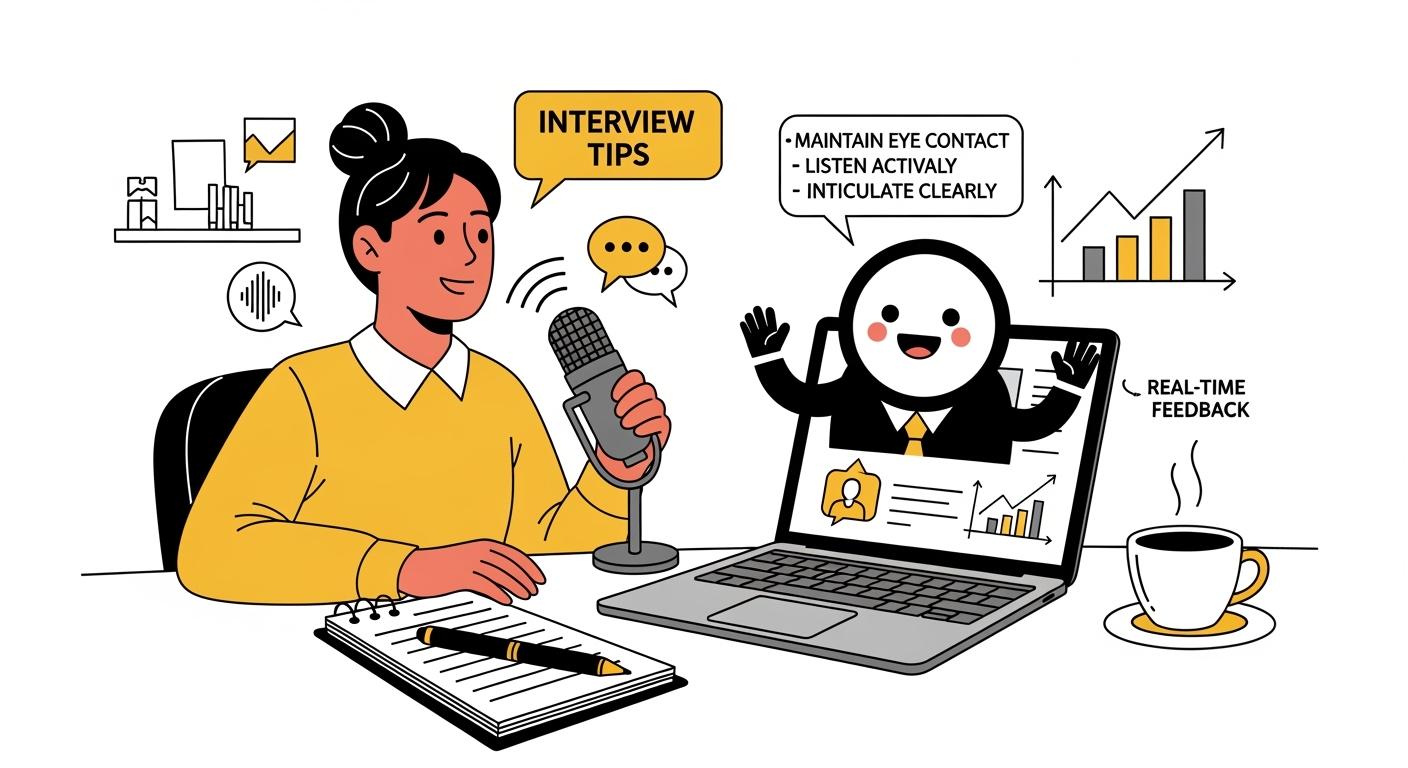
I remember feeling nervous before interviews, wishing for instant support. Now, I just use an AI voice interview assistant to get real-time help. An AI Voice Interview Assistant is a real-time support tool designed to capture and analyze live audio during an interview. It instantly processes the interviewer's questions and generates immediate, context-aware answers or prompts to assist the candidate.
In my Cluely review and Final Round ai review, I mentioned that some online voice interview assistants are quite basic. Sometimes they crash or freeze for no reason. I tried lots of other AI interview tools from alternatives to Cluely, but I couldn't find one that was right for me. Then I found a really clever AI voice interview assistant: Linkjob AI.
Since Linkjob AI played a huge role in helping me ace my interview, I want to introduce this specific AI voice interview assistant I used. I’ll also share the techniques I applied during the actual call and explain exactly how I maximized its features to get the best results.
With a few simple steps, I am able to secure this kind of help for myself.
Key Takeaways
Using an AI voice interview assistant can reduce anxiety by providing real-time support and feedback during interviews.
Customize your assistant to match your job role and practice needs for tailored questions and instant feedback.
Practice regularly using simulation mode to improve your pacing, clarity, and overall interview performance.
Review transcripts of your practice sessions to identify areas for improvement and track your progress over time.
Real-Time Features and Benefits
When I use an AI voice interview assistant, I notice a big difference in how I handle interviews. I also notice that Linkjob AI offers live transcription and instant answers. This means I get feedback on my responses as I speak, which helps me adjust on the fly.
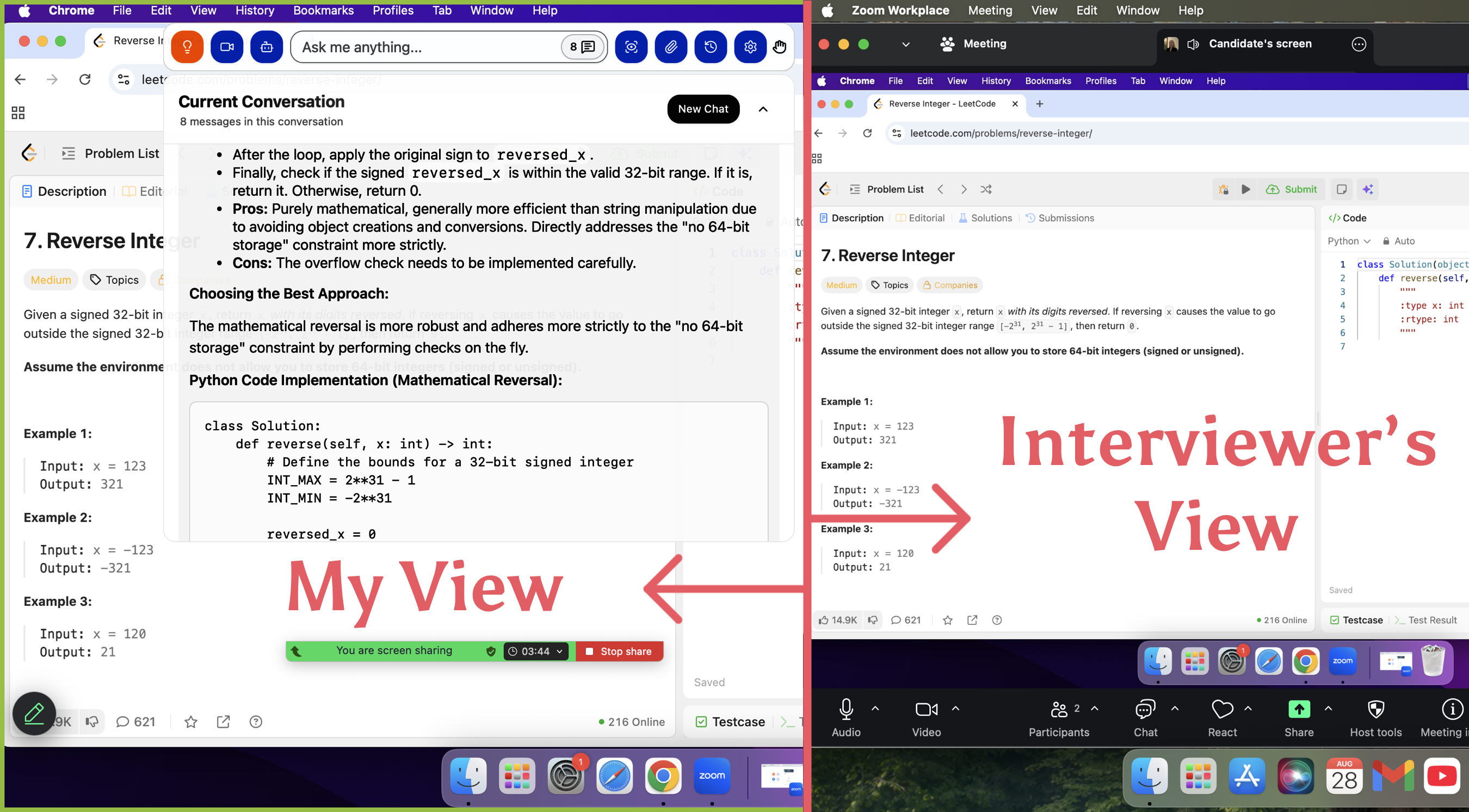
As the same time, when using Linkjob AI, it remains invisible from the interviewer's perspective. What's more, it can make screenshot while get the voice of the interviewer, just like the image below:
Live Suggestions
I love getting live suggestions while I speak. The assistant listens to my answers and gives me feedback right away. This helps me adjust my response if I start to ramble or miss the main point. For example, Linkjob AI offers instant tips on how to structure my answers. I find this especially helpful when I get a tough question.
Here’s a quick comparison of live suggestions from AI assistants and other AI Interview tools:
Feature/Benefit | AI Interview Assistants | other AI Interview tools |
|---|---|---|
Invisible view | Yes, it's invisible all the time | It will be showed when sharing full screen |
Identity the questions automatically | Automatically or Manual | Manual only |
Context questions | Supported by context questions | No, most of them only support the current questions |
Answer structure and clarity | Using STAR rules to output | Depends on my preparation |
Better AI models | Chat GPT5.1/Gemini 3 pro/grok 3/open AI | Limited |
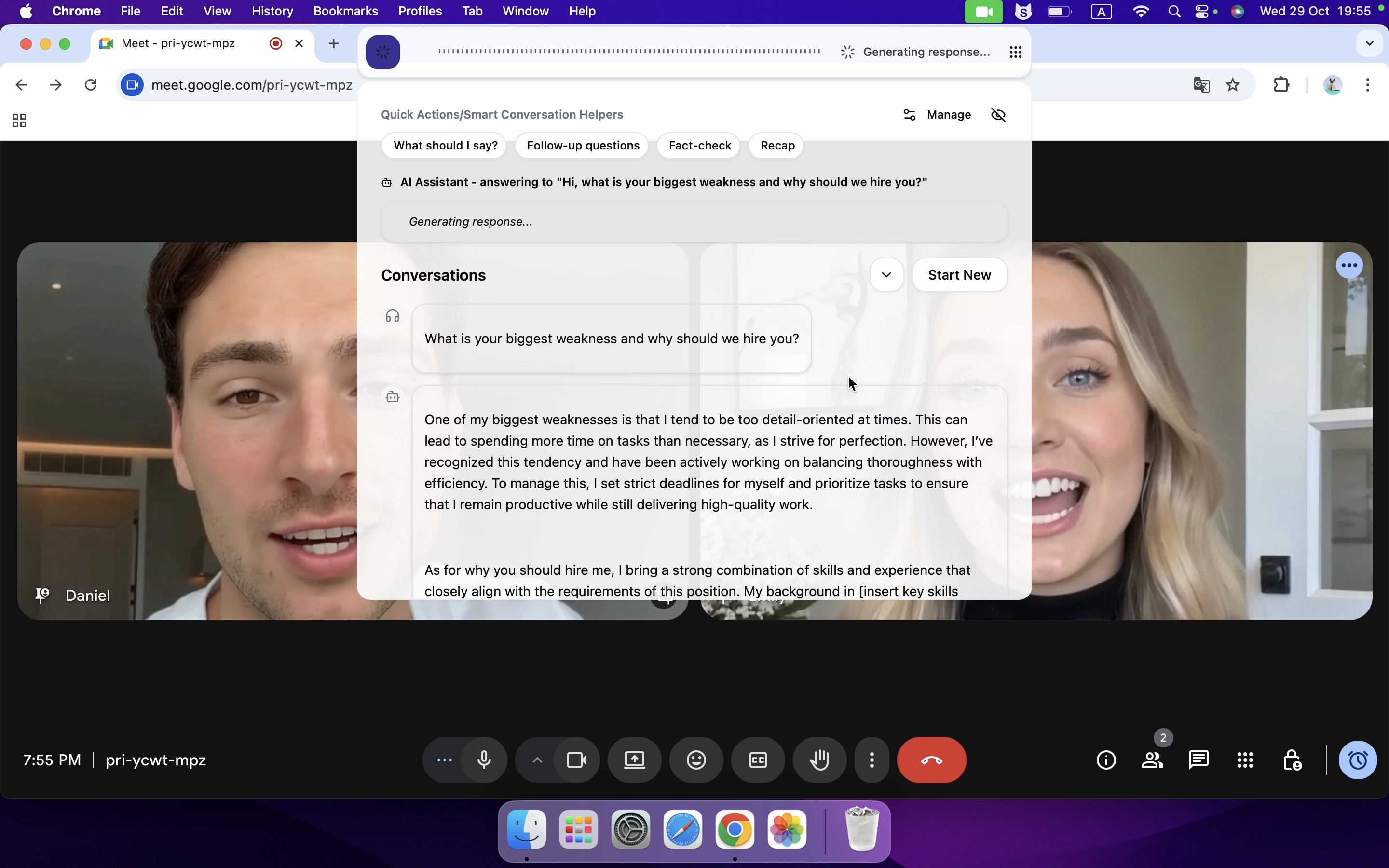
I feel more relaxed knowing I have a “coach” in my ear. The assistant helps me stay on track and reminds me to highlight my strengths.
Instant Answers
Instant answers are a game-changer for me. When I get stuck, the AI voice interview assistant quickly suggests talking points or even full sample answers. This keeps the conversation flowing and helps me avoid awkward pauses.
Here are some types of instant answers I receive:
Type of Instant Answer | Description |
|---|---|
Tailored Responses | Custom answers based on my resume and the job description |
Real-Time Support | Sample answers and talking points as I speak |
Live Feedback | Suggestions to improve my answers on the spot |
Instant Question Identification | Quickly figures out the question and suggests focused responses |
Practicing with instant answers helps me build confidence. I notice that the more I use these features, the less anxious I feel. Mock interviews with instant feedback help me develop good habits. I also see that my answers become clearer and my on-screen presence improves. Repetition and data-driven feedback make a big difference.
I always feel more prepared after a few practice sessions with instant answers. My nerves go down, and my confidence goes up.
How to use AI voice Interview assistant effectively
Getting Support During Interviews
During interviews, I rely on my AI voice interview assistant for real-time help. It gives me instant suggestions. I see the questions transcribed on my screen, so I never miss anything important. If I get a question I didn’t expect, it quickly offers ideas for how to respond. I feel more confident knowing I have this support. I’ve read that Linkjob AI helped thousands of candidates land jobs and has a high satisfaction rate.
Real-time guidance keeps me on track.
Transcription helps me follow every question.
Quick suggestions for unexpected questions reduce panic.
I always finish interviews feeling more confident and less anxious, thanks to the support I get in the moment.
Maximize Results with AI Voice Interview Assistant
Customization Tips
I start by customizing my assistant to fit my needs. This step makes a huge difference in how well I perform during interviews. I adjust the settings to match my target job role and preferred interview style. I also upload my resume and highlight the skills I want to showcase. Here’s what I notice when I personalize my setup:
I get tailored practice questions that match my experience.
The assistant gives me instant feedback, which boosts my confidence.
My interview performance improves because the tool adapts to my strengths and weaknesses.
I read that most users feel the same way. Almost everyone who customizes their assistant finds it very useful during interview. For me, this step turns a generic tool into a personal coach.

Integrating Feedback
I treat every session as a chance to get better. After each mock interview, I review the feedback and look for patterns. Sometimes, the assistant points out that I speak too fast or miss key details. I use this information to make small changes in my next session. Over time, these tweaks add up.
I noticed that the assistant’s performance improved when I made targeted adjustments.
My doubts about the tool faded as I saw real progress.
I learned that regular feedback and refinement help both me and the AI get better.
Tip: Don’t ignore the feedback. Even small changes can lead to big improvements.
Best Practices
I follow a few best practices to get the most out of every session. Here’s a quick table I use as a checklist:
Best Practice |
|---|
Practice regularly with the AI tool |
Simulate real interview conditions |
Record and review your responses |
I practice in a quiet space with good lighting. I always review my answers and try to improve one thing each time. These habits help me feel ready for any interview.
Quick Start with AI Voice Interview Assistant
Getting started with an AI voice interview assistant feels easier than ever. I remember the first time I tried it—I just followed a few steps and was ready to go. Let me walk you through how I set things up and made the most of real-time support.
Access and Setup
I start by creating my account on the platform. For example, when I used Linkjob AI, I went to their home page and hit the "Download" button. After signed up with my email, then got free trail to try. Once I finished, I could launch the Interview function right away or schedule it for later.
Before I start, I check my device to make sure it meets the technical requirements.
Tip: I always test my microphone and internet connection before starting. This helps avoid last-minute surprises.
Preparing for Your Interview
Before any interview, I spend time preparing with my AI voice interview assistant. I research the company to understand its culture and values. I use the assistant to practice common questions and refine my answers. I make sure to keep my responses authentic, even when I get AI-generated suggestions.
For Linkjob AI, I've uploaded my CV and job description into it. After that , I've set the prompt down. Sometimes the interviewer will be asked bilingually, It can be added by prompt too. This AI voice interview assistant also offers a simulation function for practice. I can hear and review my answer during this process. After simulation, It provides some follow up questions about your job requirements and suggestions.
Here’s how I prepare my materials:
I analyze the job description and highlight important keywords.
I use smart question prediction to practice likely interview questions.
I review transcripts from my mock interviews to spot areas for improvement.
I set small daily goals, like practicing for 15 minutes or focusing on one skill.
I track my progress over time using the assistant’s analytics.
Practicing with an AI voice interview assistant helps me improve my pacing and clarity. I also get tips on body language and storytelling, which boosts my confidence.
I remember to keep a human touch in my preparation. The assistant gives me structure and feedback, but my personality and experiences make my answers stand out.
I find that using an AI voice interview assistant makes my interview prep easier and less stressful. When I practice often and customize my setup, I see real progress. Here’s what works best for me:
I tailor my practice to each job description.
I focus on cultural fit and values.
I improve my speech and answer structure, like STAR method.
Try these tips and see how much your confidence grows!
You can also try some free ai tools for real-time interviews if you wanna try before purchase, but concerned about free trial's limitation.
FAQ
How does Linkjob assist if I’m stumped?
Whenever I freeze, the tool gives me immediate, context-sensitive cues. I can quickly review the advice, formulate my response, and speak in my own words—ensuring I stay composed and on track.
Can the assistant help me during a live interview?
Yes! I keep the assistant running in the background. It listens and gives me real-time suggestions. I see tips on my screen or hear them through my headphones.
What if the assistant misunderstands my question?
The assistant sometimes gets confused for splitting one sentence to 2 sentences. But it showed the clear meaning of it. I never found the problem about the misunderstanding for questions.
Is my data safe when I use these tools?
I always check the platform’s privacy policy. Most use strong encryption to protect my data. I avoid sharing sensitive information unless I trust the service. If I have concerns, I reach out to customer support for details.
See Also
Top Five AI Interview Assistants for Real-Time Support in 2025
Top Chat Alternatives for AI Interview Assistance Solutions
Leading Sidekick Options for AI Interview Support Tools

© Copyright 2025 linkjob.ai - All Rights Reserved.