Best Ultracode AI Alternative? Meet Linkjob AI

Since performing well in interviews is crucial for me, I recently tried out both Ultracode AI and Linkjob.ai to see which AI interview assistant truly delivers in real-world scenarios. At first glance, Ultracode AI is indeed clean and efficient—fast responses and a streamlined interface—but during actual use, I noticed a few limitations in key areas.
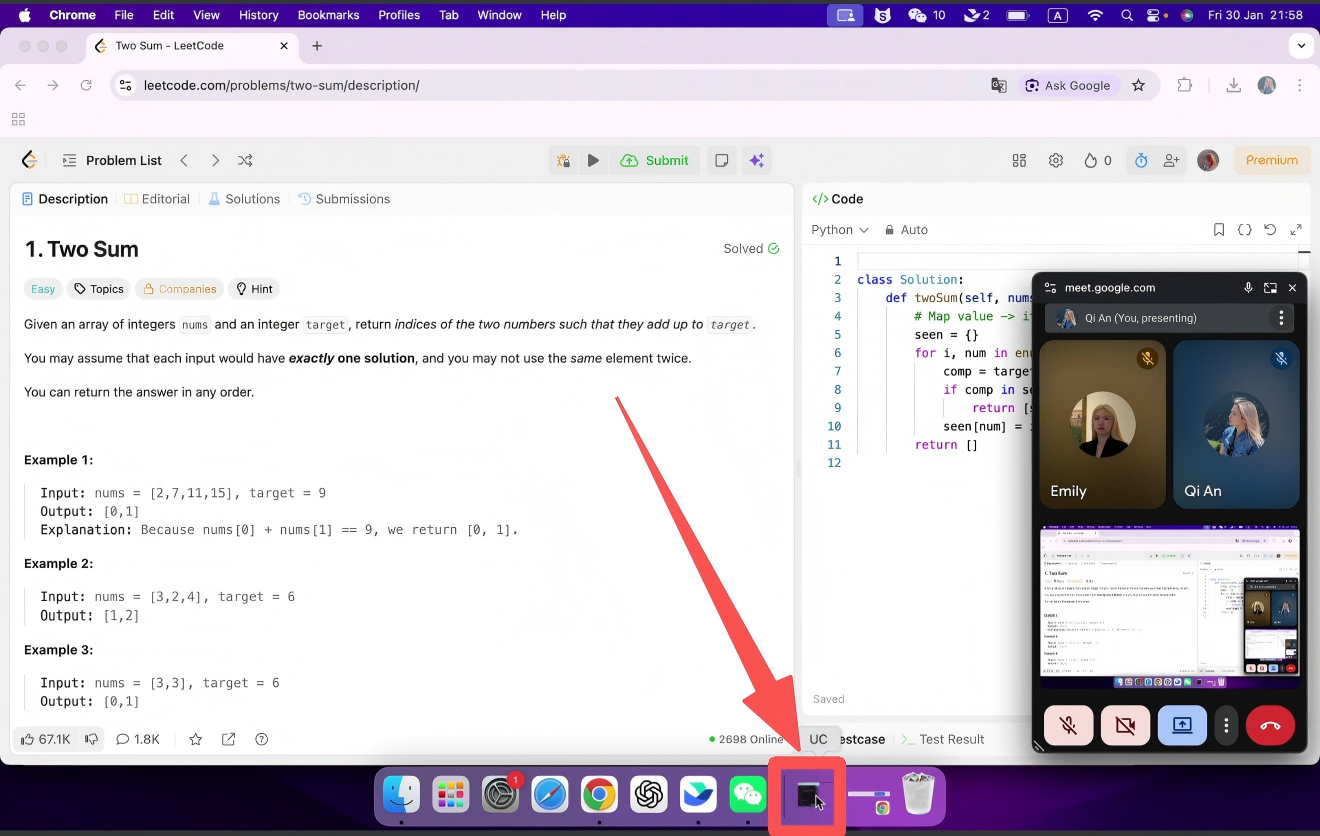
First and foremost, Ultracode AI cannot achieve complete invisibility. I tested Ultracode AI during a simulated interview with screen sharing enabled, specifically to check its “fully stealth” claim. Here’s the problem: even when the AI window was minimized, its icon still appeared in the Windows taskbar—and yes, that icon was clearly visible to anyone watching the shared screen. I've reviewed the Parakeet AI, and also looked at another AI interview tool called Sensei AI, and the same issue was there. Click to read my Parakeet ai review and Sensei Ai review and get more detailed insights on how OA platforms detect cheating, and how those ai tools try to avoid it.
That directly contradicts Ultracode’s promise of being completely hidden during interviews. If an interviewer sees an unfamiliar app lingering in your taskbar while you’re supposedly coding solo, it’s an instant red flag. I only caught this because I tested it in advance—but without that rehearsal, I could’ve unknowingly violated interview integrity rules just by using the tool as intended.
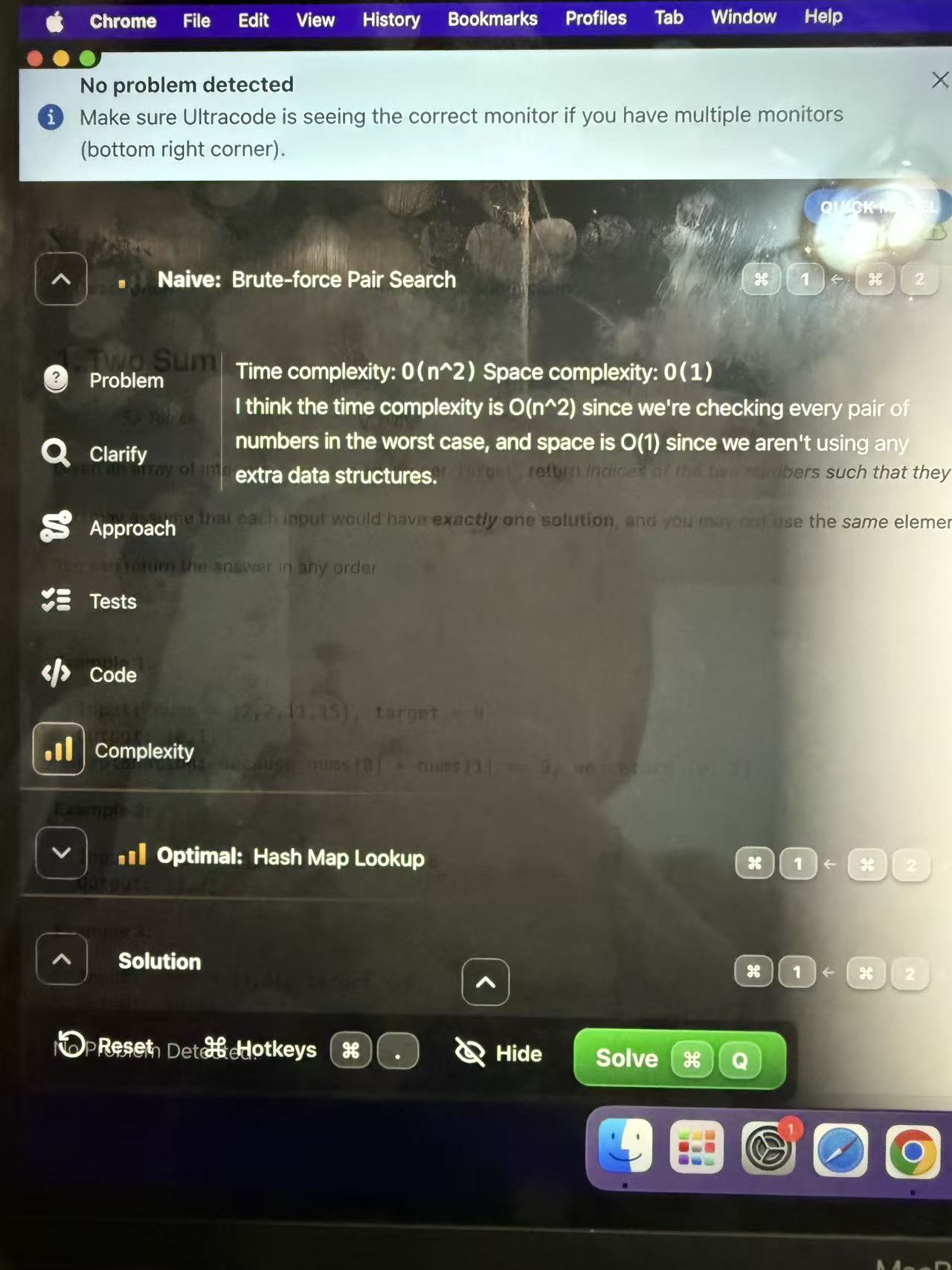
Additionally, during my mock interview, I noticed that Ultracode AI’s response window occupied a significant portion of my screen. The fixed, opaque panel partially blocked my coding area, which was a bit distracting when I needed to check the problem statement or review my own code.
What’s more, whenever the interviewer switched question types—say, from algorithms to system design—I had to manually press a keyboard shortcut to switch between AI modules. This slightly interrupted my flow and made my screen activity look less natural. During screen sharing, those repeated interactions could draw attention. It’s not a dealbreaker, but in a detail-oriented live interview, these small frictions do add a bit of extra pressure.
It was these subtle but meaningful friction points that led me to explore alternatives—and ultimately, Linkjob.ai stood out with a smoother, more holistic experience that better fits my needs.
I am grateful to Linkjob AI for helping me pass my coding interview, which is why I accepted the invitation to write this review. In the following sections, I will share my hands-on experience, compare their features and stealth capabilities, and provide screenshots for further clarification.

Comparing Linkjob AI and Ultracode AI
category | Ultracode AI | Linkjob AI |
Visibility | Undetectable | Undetectable |
Platform support | compatible with all mainstream video conferencing platforms and programming platforms | Available on all video conferencing and coding platforms |
Multimodal input | Text Only | Supports text, images, audio, and follow-up questions. |
Adaptability | A detailed and comprehensive answer | Follow up with more precise answers |
Speed and accuracy | Reliable, but slower under pressure. | Real-time, faster, and more accurate output |
Model selection | Fixed, no user control | They claim to offer 125 AI models, but honestly, I feel like only about 10 of them are actually the top-tier, cutting-edge ones (GPT-5.1, Claude Opus, Grok 3, etc.). |
Customization Options | Limited options for users. | A wide range of customization options |
Real-Time Assistance | Provides instant support. | Offers step-by-step guidance. |
Pricing | Lifetime license $1,799 | $24.99/month based on subscription |
Both Linkjob AI and Ultracode AI are capable AI interview assistants that let you upload your resume and job description to tailor responses. However, I found that Linkjob AI does a noticeably better job of actually using the details from my resume to craft answers that sound authentic and genuinely reflect my background. For example, when asked about a past project or a specific skill, Linkjob didn’t just give a generic response—it wove in the exact experiences, roles, and technologies I’d listed in my resume, making my answers feel cohesive and credible. In contrast, Ultracode’s replies often felt more templated, as if it recognized the job context but didn’t fully integrate my personal profile. That deeper personalization from Linkjob AI made a real difference in helping me present myself consistently and confidently throughout the interview.
Key Takeaways
Linkjob AI is a cost-effective alternative to UltracodUltracodee AI, making it accessible for new developers and job seekers.
Real-time support from Linkjob AI boosts confidence and improves performance during coding assessments like codesignal and hackerrank.
Linkjob AI offers a user-friendly interface and customizable features, enhancing the overall interview preparation experience.
The tool provides instant feedback and detailed reasoning, helping users understand solutions and communicate effectively during interviews.
Linkjob AI supports multiple job roles and programming languages, allowing users to tailor their preparation for specific positions.
Why I Seek Ultracode AI Alternatives
When I started my interview preparation, I noticed many job seekers like me look for alternatives to Ultracode AI. The job market feels more competitive than ever, and every detail matters during assessment and mock interviews. I often hear from friends and online communities that Ultracode AI can be tough on the wallet. Some users say it feels overpriced, especially for those just starting out in coding platforms or facing their first codesignal assessment.
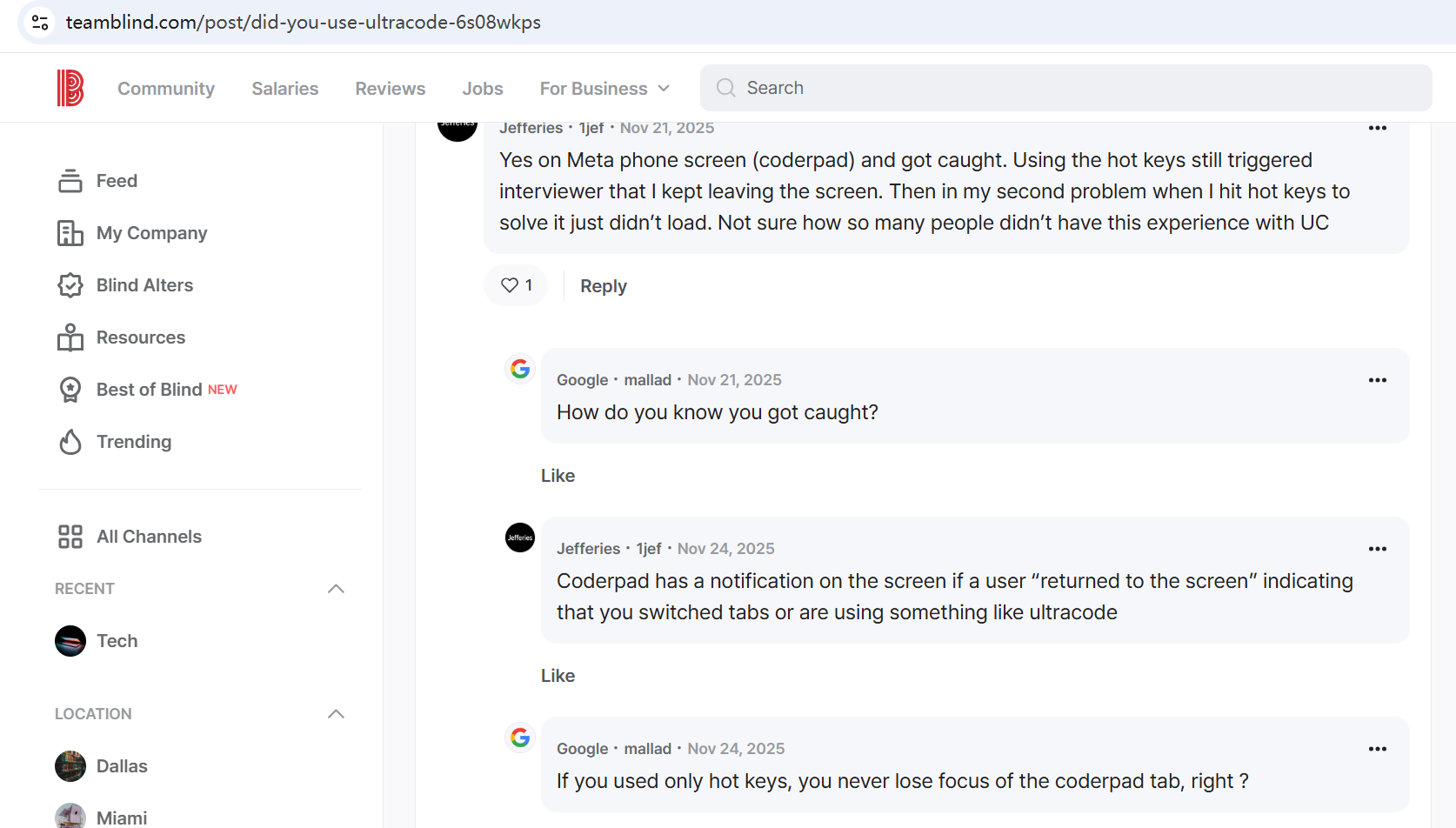
Performance issues also come up a lot. During a techinal phone interview, lag or slow responses can throw off my rhythm. I want my interview preparation to feel smooth, not stressful. Many users mention that Ultracode AI sometimes struggles to keep up with changes in the interview flow, especially when interviewers ask follow-up questions or switch topics quickly. That can make a big difference in a real techinal phone interview.
Here’s a quick look at the most common reasons people like me seek alternatives:
Reason | Description |
|---|---|
High Cost | Ultracode AI is considered overpriced compared to other alternatives, making it less accessible for new developers. |
limited Interview type | Ultracode AI only supports interviews related to coding or system design, and does not support other types (such as behavioral interviews) |
I realized that finding the right alternative can make my interview preparation more effective and less stressful. The right tool should help me pass system design round, coding interviews, behavioral interviews and so on without breaking the bank or slowing me down.
Linkjob AI at a Glance
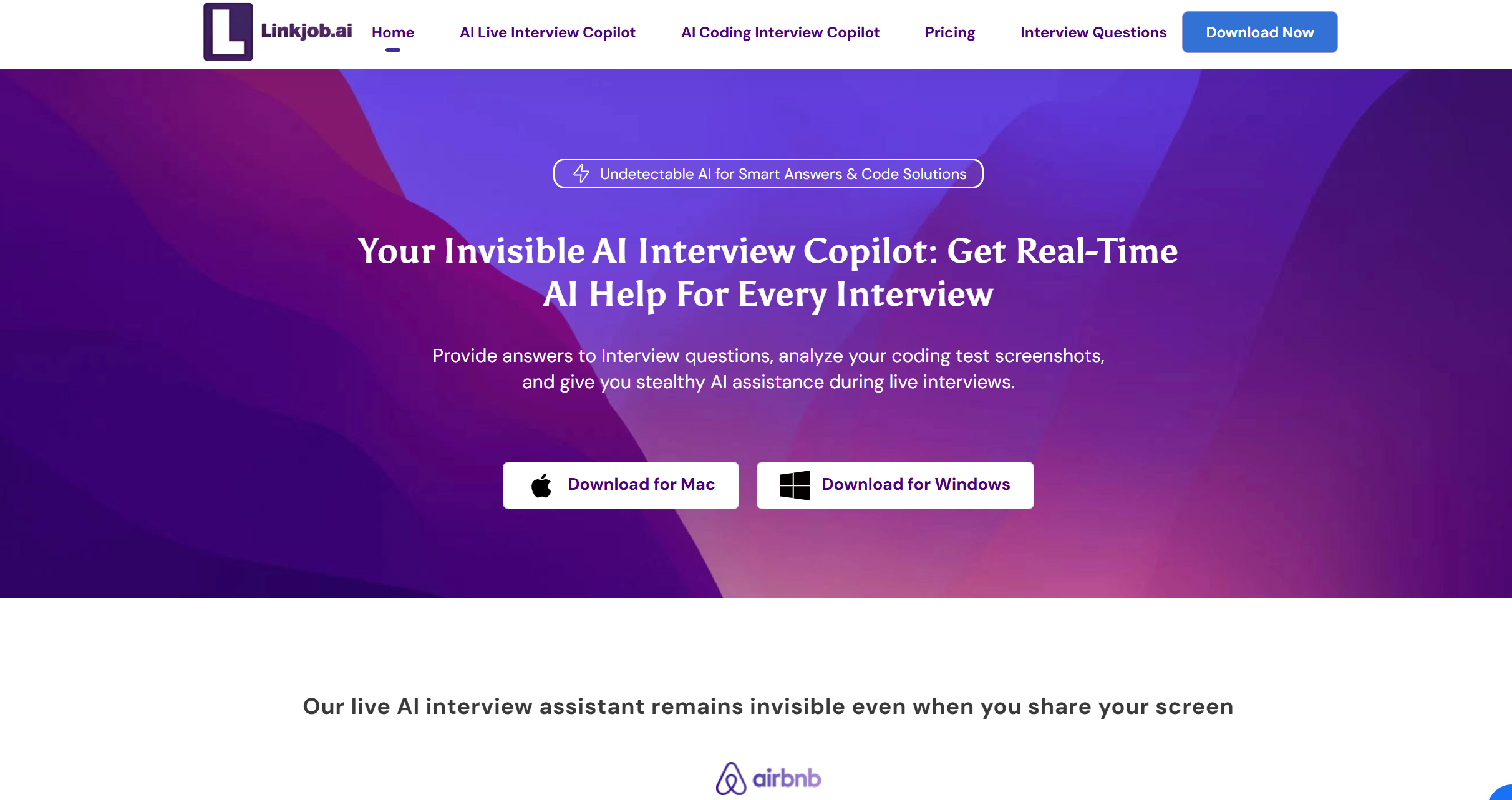
After trying a few different tools, I found that Linkjob AI is genuinely helpful during actual coding interviews. It supported me in real-time during CodeSignal and HackerRank sessions—providing clear, relevant responses without getting in the way—making it easier to stay focused and articulate my thinking under pressure.
I love how Linkjob AI gives me automatic responses during live interviews and assessments. The customization options let me tailor the tool to my needs, which is perfect for different coding platforms and mock interviews. I can choose from over a hundred AI models, so I always feel prepared for any job interview or assessment.
The user interface feels simple and easy to use—especially during live technical interviews. Even under pressure, like when I’m in the middle of a OpenAI or Notion interview process, I never feel lost or overwhelmed. The answer panel can be neatly collapsed so it doesn’t distract me, and if I need to, I can quickly glance at my chat history to stay consistent with earlier answers.
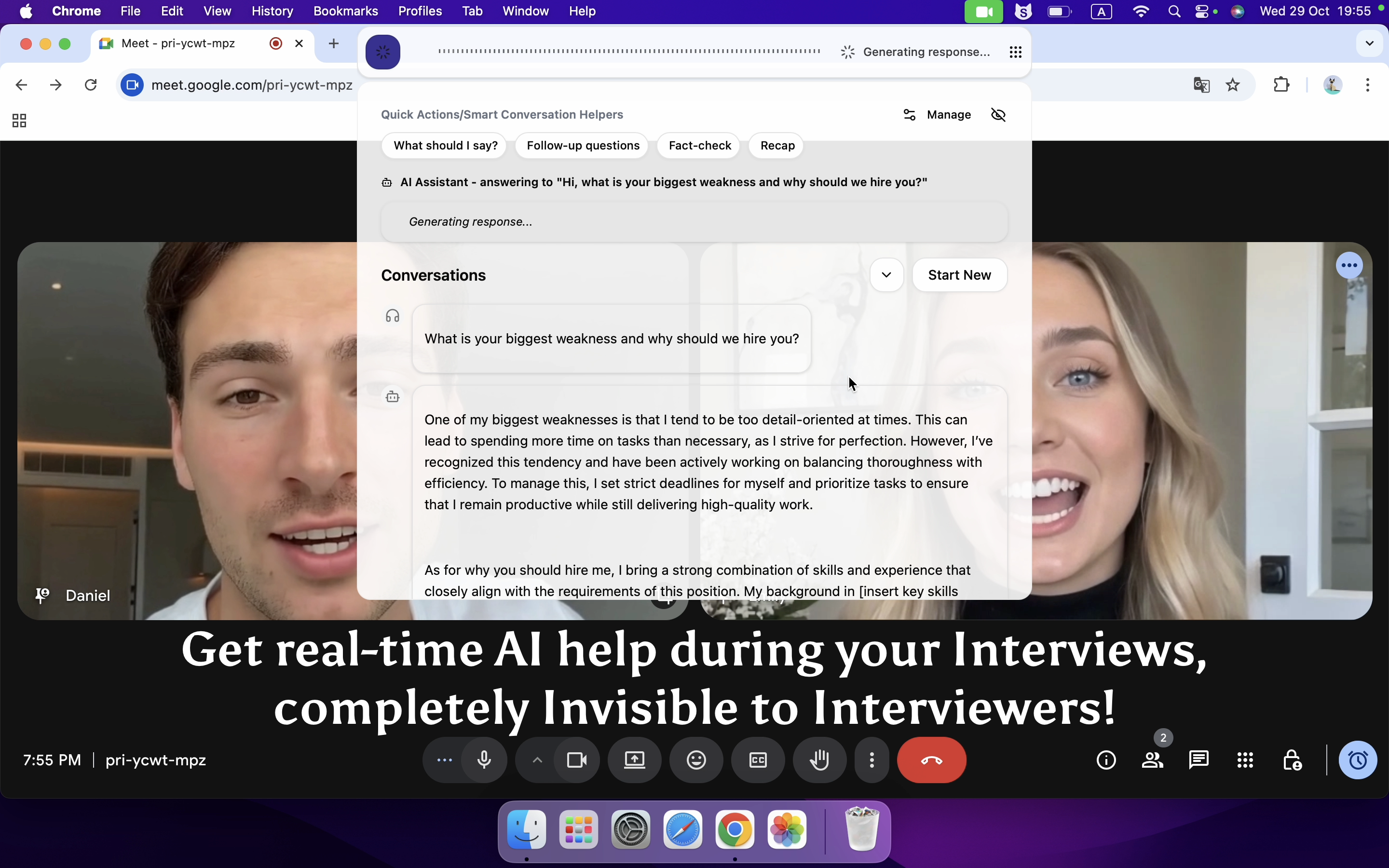
Tip: If you want reliable support during your actual technical interviews—not just while practicing—give Linkjob AI a try. It made a real difference for me in live coding sessions, helping me respond clearly and confidently without breaking flow.
With Linkjob AI, I feel prepared and in control, whether I’m facing a real-time interview on OpenAI, Notion, or any other company. It’s the tool I trust when it matters most.
Ultracode AI Limitations
Common Pain Points
While using Ultracode AI to prepare for—and actually take—technical interviews, I kept running into the same issues, especially under pressure or in proctored environments:
Weak default “Quick Mode”: Ultracode AI defaults to a lightweight model that’s fast but struggles with anything beyond basic coding questions. For moderately complex problems—like tree traversals or concurrency scenarios—the answers are often shallow or incorrect. You have to manually switch to “Reasoning Mode” to get usable output, but doing that mid-interview eats up precious seconds and draws unwanted attention.
No support for behavioral questions: It’s almost entirely focused on coding challenges and offers zero help with behavioral interview prep (e.g., “Tell me about a time you handled conflict”). That forces me to juggle multiple tools, breaking my workflow and leaving half my interview unprepared.
Poor personalization despite resume upload: Although Ultracode AI lets you upload your resume, its responses rarely reflect your actual background. Answers feel generic and template-like, making it hard to weave in real projects or experiences naturally during the interview.
While Ultracode AI works fine for basic practice, these limitations made me feel it wasn’t quite the right fit for high-pressure interview scenarios—so I began exploring other options.
Linkjob AI Features and Benefits

Real-Time Interview Assistance
When I prepare for a codesignal or hackerrank assessment, I want instant help. Linkjob AI gives me ai-driven interview assistance that feels truly live. I get real-time suggestions, instant feedback, and job-specific tailoring. These features help me stay focused and confident during any interview. I notice that Ultracode AI does not offer the same level of personalized support or advanced features. Here’s a quick comparison:
Feature | Linkjob AI | Ultracode AI |
|---|---|---|
Real-Time Suggestions | Yes | Yes |
AI-Powered Responses | Yes | Yes |
Job-Specific Tailoring | Yes | Yes But only for software engineer and data scientist. |
Instant Feedback | Yes | Yes |
Natural Integration | Yes | Yes |
Universal Compatibility | Yes | Yes |
Propertiary ThoughtFlow Technology | No | Yes |
Ultracode AI has several solid features—it offers real-time suggestions, AI-powered responses, and works reliably across major coding platforms like HackerRank and CodeSignal. Its interface is straightforward, and the Proprietary ThoughtFlow Technology does help structure answers in a logical way.
However, I noticed it doesn’t tailor responses to my specific background or the job I’m applying for. Since interviewers often ask follow-ups based on my resume or role requirements, generic answers—no matter how well-structured—sometimes fall short.
That’s why I eventually switched to Linkjob AI. It provides similar core functionality but adds job-specific tailoring, so the responses align better with my experience and the position. For me, that small difference made the conversation feel more natural and credible during live interviews.
Stealth and Undetectability
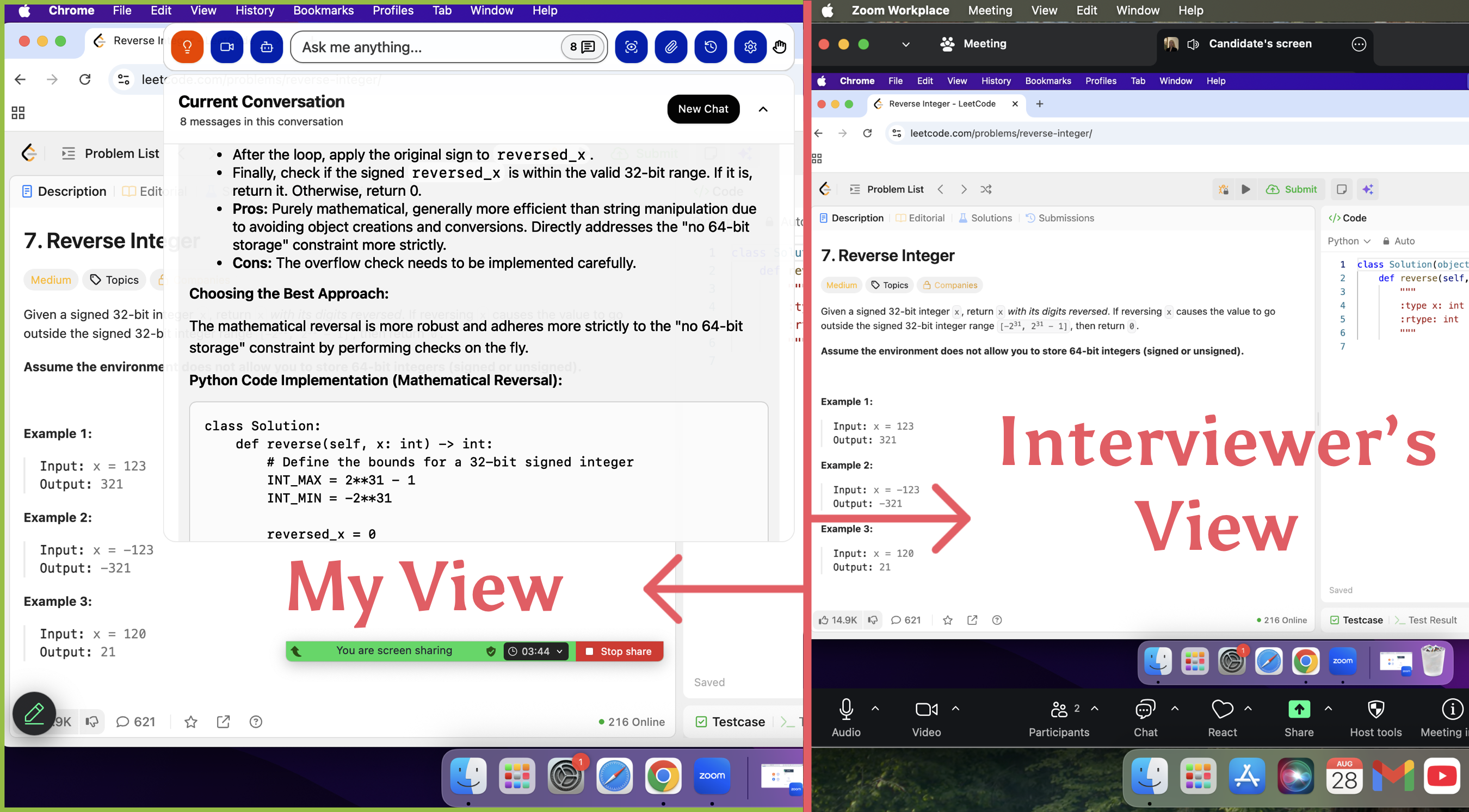
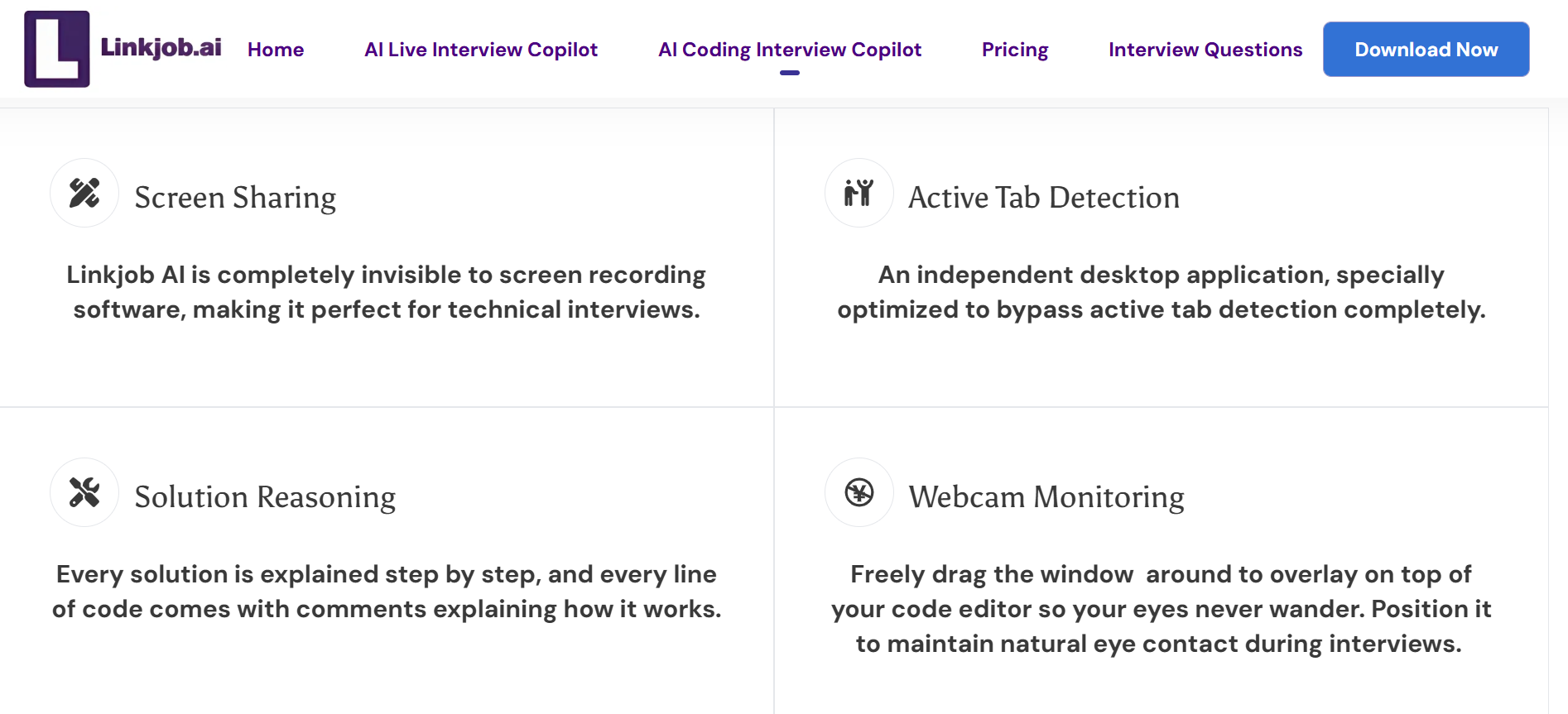
I need live interview support that stays invisible during codesignal or hackerrank sessions. Linkjob AI operates without detection, even when I share my screen. The advanced features include invisible operation and fast snippet generation. I never worry about interviewers seeing my ai-driven interview assistance.
Feature Description | Details |
|---|---|
Invisible Operation | Operates without detection during screen sharing. |
Real-Time Suggestions | Provides code suggestions that do not appear to interviewers. |
Fast Snippet Generation | Quickly generates language-specific code snippets under pressure. |
Multi-Platform Integration
I use different platforms for my interview . Linkjob AI supports codesignal, hackerrank, Zoom, Microsoft Teams, Google Meet, and more. The advanced features and advanced personalization make it easy to switch between platforms. I get personalized support for every assessment.
Platform | Description |
|---|---|
Zoom | Popular video conferencing tool |
Microsoft Teams | Collaboration platform for teams |
Google Meet | Video conferencing service by Google |
HackerRank | Technical hiring platform for coding assessments |
CodeSignal | Online platform for coding interviews |
Other Platforms | Integrates with 99% of online conferencing tools |
Supported programming languages |
|---|
All major programming languages, including Python, JavaScript, Java, C++, C#, Go, Rust, Swift, Kotlin, and TypeScript, as well as many others. |
Fast Response and Auto-Screenshot Analysis
During a codesignal assessment, speed matters. Linkjob AI responds in just 0.23 seconds. The advanced features include auto-screenshot analysis, which captures my screen, answers coding questions, and provides a complete solution. I can handle up to six screenshots at once. This advanced personalization helps me tackle any assessment with confidence.
Tip: I always use Linkjob AI’s auto-screenshot analysis for coding questions. It gives me a full problem-solving approach and the complete code solution.
I trust Linkjob AI for my interview preparation because it combines advanced features, live interview support, and personalized support. The advanced personalization and multi-platform integration make every assessment easier.
Linkjob AI vs Ultracode AI
Accuracy and Reasoning
When I compare Linkjob AI and Ultracode AI, I always look at how well each tool handles codesignal and hackerrank assessments. I want my interview preparation to feel solid, especially when I face tough coding questions. Linkjob AI gives me instant, accurate answers during live assessments. I see the AI break down problems step by step, which helps me understand the reasoning behind each solution. This support makes my mock interviews feel more like the real thing.
Ultracode AI also offers strong accuracy, especially with LeetCode and codesignal challenges. Many users say its ThoughtFlow™ technology helps them follow the logic of each answer. However, I notice Linkjob AI goes further by tailoring responses to my resume and the specific job I want. That level of personalization makes a big difference in the job market.
Here’s a quick table that shows how both tools compare on accuracy and reasoning:
Criteria | Linkjob AI | Ultracode AI |
|---|---|---|
Codesignal Accuracy | High, with instant feedback | High, especially for LeetCode Hards |
Reasoning Steps | Detailed, step-by-step explanations | Logical breakdown with ThoughtFlow™ |
Job-Specific Tailoring | Yes, based on resume and job description | Limited |
Mock Interview Support | Strong, with real-time analysis | Good, but less personalized |
I always feel more confident when I see clear reasoning and tailored answers. Linkjob AI helps me explain my thought process during assessments, which interviewers love.
User Experience
User experience matters a lot to me during interview preparation. I want a tool that feels easy to use, especially when I switch between codesignal, hackerrank, and other platforms. Linkjob AI stands out with its intuitive interface and seamless integration. I never get lost or confused, even when I’m under pressure in a mock interview.
Ultracode AI has a minimalist UI and hotkey controls, which many users like. However, I find Linkjob AI’s answer panel management and chat history features more helpful. I can collapse panels, review past answers, and stay organized throughout my preparation. The multi-platform integration means I can use Linkjob AI on Zoom, Microsoft Teams, Google Meet, and all major coding platforms.
Here’s a list of user experience highlights I noticed:
Linkjob AI offers a user-friendly interface that makes interview preparation less stressful.
I can switch between codesignal, hackerrank, and other platforms without losing my place.
The answer panel and chat history help me track my progress during mock interviews.
Tip: I always recommend Linkjob AI to job seekers who want a smooth, organized interview experience. The features make preparation easier and more effective.
Pricing and Value
Cost plays a big role in my decision when I look for alternatives in the job market. I want a tool that gives me great value without draining my budget. Linkjob AI offers unlimited use of all features under a subscription. This is priced at $49.99 per month if purchased on a monthly basis, $34.99 per month if purchased quarterly, and $24.99 per month if purchased annually.

Ultracode AI offers a lifetime membership for $ 899, but many users say it feels expensive compared to other alternatives. The high upfront cost can be a barrier for job seekers who are just starting their interview preparation.I find Linkjob AI’s pricing model much more attractive, especially when I need support for multiple assessments and mock interviews.
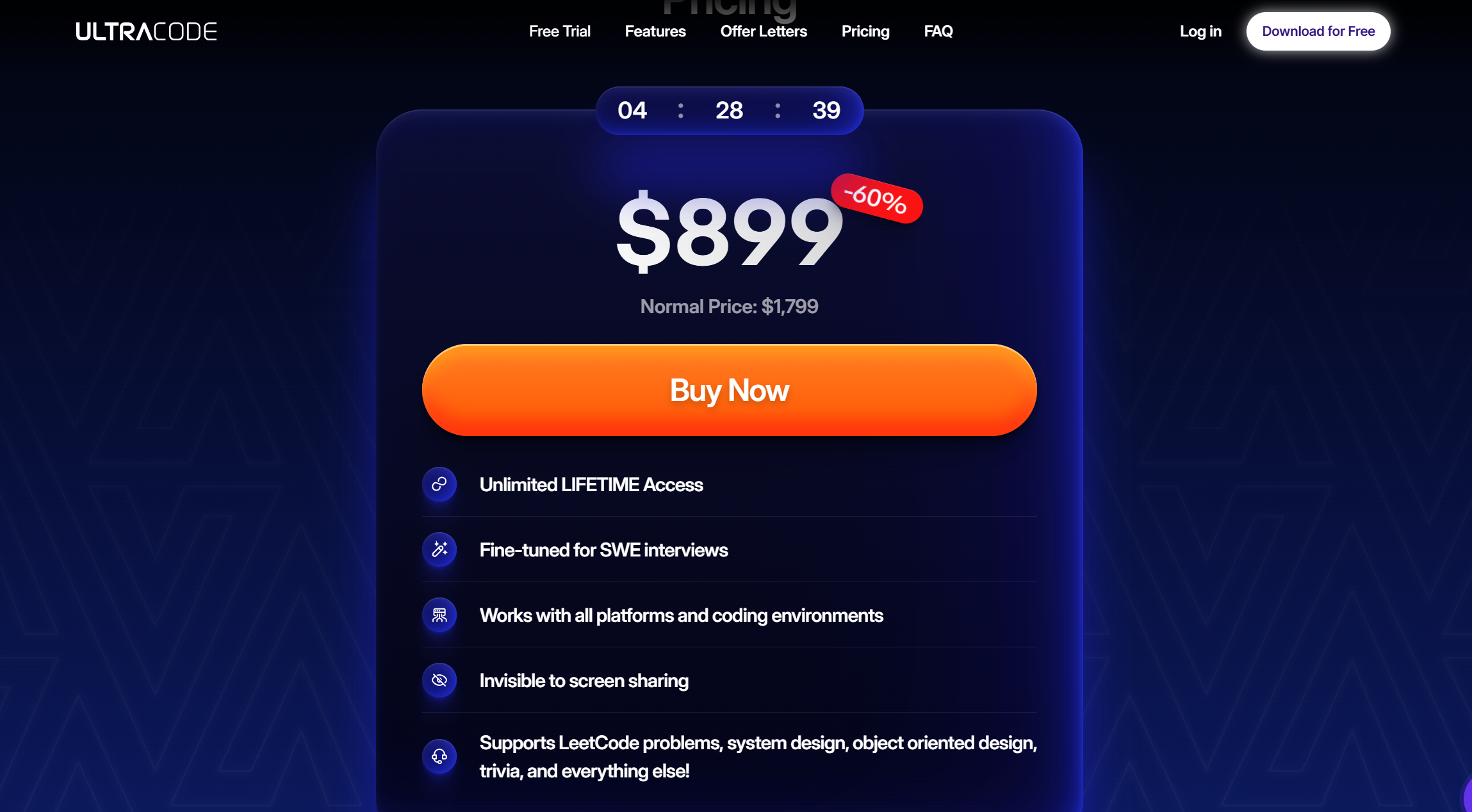
I always choose alternatives that offer the best value for my interview preparation. Linkjob AI gives me top-tier features and support without the high price tag.
Both Linkjob AI and Ultracode AI have their strengths, but based on my experience, Linkjob addresses a few pain points that mattered to me. For example, Ultracode’s “stealth” mode isn’t fully invisible during screen sharing—its taskbar icon can still show up.And it doesn’t support behavioral interview questions at all. It also comes with a high one-time price of $ 899, which feels steep if you’re just starting your job search.
Linkjob AI isn’t perfect either, but it handles these areas better: its interface stays discreet during live assessments, it supports both technical and behavioral prep, and its pricing feels more accessible. These improvements made it the more practical choice for my needs—even if both tools offer real-time coding help.
Job Interview Success with Linkjob AI

Supported Roles and Languages
I always want a tool that covers every role I might apply for. Linkjob AI supports a wide range of positions, which gives it an edge over Ultracode AI. I saw that many people in Linkjob AI's Discord group applied for different positions and passed the interviews. The features adapt to each job, so I never feel limited.
Here’s a quick table comparing supported roles:
Role | Linkjob AI | Ultracode AI |
|---|---|---|
Software Engineer | ✅ | ✅ |
Data Scientist | ✅ | ✅ |
Product Manager, QA Engineer, Business Analyst, and many other roles. | ✅ | ❌ |
I also love that Linkjob AI supports over 52 languages. During codesignal assessments, I switched between Python, JavaScript, and Java without any issues. The support for multiple languages made my interview preparation flexible and stress-free.
Tip: If you want to boost your mock interview skills and get ready for any job, try using Linkjob AI’s language and role support. It made a huge difference for me in the job market.
After comparing both tools, I see Linkjob AI gives me the edge I need for my job search. It solves the pain points I faced with Ultracode AI and makes interview preparation less stressful. I get fast, real-time help and support for every job I target. If you want to boost your next interview, I suggest giving Linkjob AI a try.
Ready to land your dream job? Download Linkjob AI and start your interview journey with confidence!
If you don't want to start your journey to a paid plan of interview ai assistant, maybe this list of 8 best free ai tools for interviews works best for you.
FAQ
What makes Linkjob AI better for coding interviews than Ultracode AI?
I find Linkjob AI gives me instant feedback and adapts to my needs. Ultracode AI feels less flexible. Linkjob AI helps me prepare for any job interview and supports more roles. I trust it to boost my confidence during tough coding assessments.
Can I use Linkjob AI for different job roles?
Yes, I use Linkjob AI for software engineering, data science, and product management. It supports many job types. I switch roles easily and get tailored questions for each position. This flexibility helps me target the exact job I want.
Is Linkjob AI really undetectable during live interviews?
I tested Linkjob AI in real interviews. The tool stays invisible, even when I share my screen. I never worry about detection. This gives me peace of mind and lets me focus on landing the job without distractions.
How fast does Linkjob AI respond compared to Ultracode AI?
Linkjob AI responds in about one second. I get answers quickly, which helps me stay on track during job interviews. Ultracode AI sometimes lags, but Linkjob AI keeps my momentum strong. Fast responses make a big difference for me.
See Also
Why I Ditched Cluely AI :My Honest Take on the Best Cluely AI Alternatives That Actually Work
Top 7 Alternatives to Final Round AI I Tried and Recommend
I have tested 20+ Lockedin AI Alternatives and Here are my top 5 picks
Best Parakeet AI Alternative for AI Interview Assistant
Best Interview Coder Alternative for Coding Interview Copilot

© Copyright 2025 linkjob.ai - All Rights Reserved.