The Best Verve AI Alternative for AI Interview Copilot


A while ago, I had an interview coming up with Stripe. To ensure I could pass the interview, I decided to use AI to help me.
After reading numerous reviews and alternative ranking articles related to AI interview assistants (including articles about Cluey alternatives, Cluey review, and the best Parakeet AI alternatives), I was considering choosing between Verve AI and Linkjob AI, as they both claim to work for both general and coding interviews. This meant they could be used for every part of the interview process.
When I visited Verve AI's website, I saw it offered a variety of features. Besides the coding interview support I needed most, it could automatically detect questions and provide personalized assistance based on my resume and the job description. However, it didn’t solve the issue I cared about most: Being undetectable during the interview. Although Verve AI claimed to be completely invisible, it relies on a Google extension. That raises a problem: What if the interviewer asks me to share my screen? To get AI-generated answers, I would have to click the extension or switch the tab, which would immediately expose me.
Then I looked at Linkjob AI interview assistant. Its core features are similar to Verve AI, but what impressed me most is that it’s 100% undetectable. As a desktop application, it uses OS-level integration to bypass detection from interview platforms and browsers. This means it stays completely hidden even during screen sharing or active tab tracking.
Thanks to Linkjob AI, I’ve already passed the interview. That’s why I accepted the invitation to review the advantages and differences between Verve AI and Linkjob AI.

Core Features Comparison of Linkjob AI and Verve AI
Features | Linkjob AI | Verve AI |
|---|---|---|
Platform Type | Software-based (Desktop app) | Web-based (Browser) |
Undetectability | Supported | Not supported |
Automatic Question Recognization | Supported | Supported |
All Interview Format (behavioral, coding, etc.) | Supported | Supported |
Personalized Support | Supported | Supported |
Live Interview Copilot | Supported | Supported |
Coding Interview Copilot | Supported. Use live screenshot to upload interview questions (Handle up to 6 screenshots simultaneously). Includes complete code answers. | Supported. Use live screenshot to upload interview questions (Handle up to 1 screenshots simultaneously). Includes complete code answers. |
I want to clarify one point: Verve AI actually also has a desktop app, but its core features cannot be accessed through the desktop app. Therefore, I still classify its platform type as web-based. The difference between the Verve AI desktop and web versions is that the desktop app can only handle general interviews. All other core functionalities, such as using screenshots for AI-generated answers and the coding interview copilot, require the web version with the Google extension, but that’s going to get caught by detection systems.
Undetectability Comparison of Linkjob AI and Verve AI
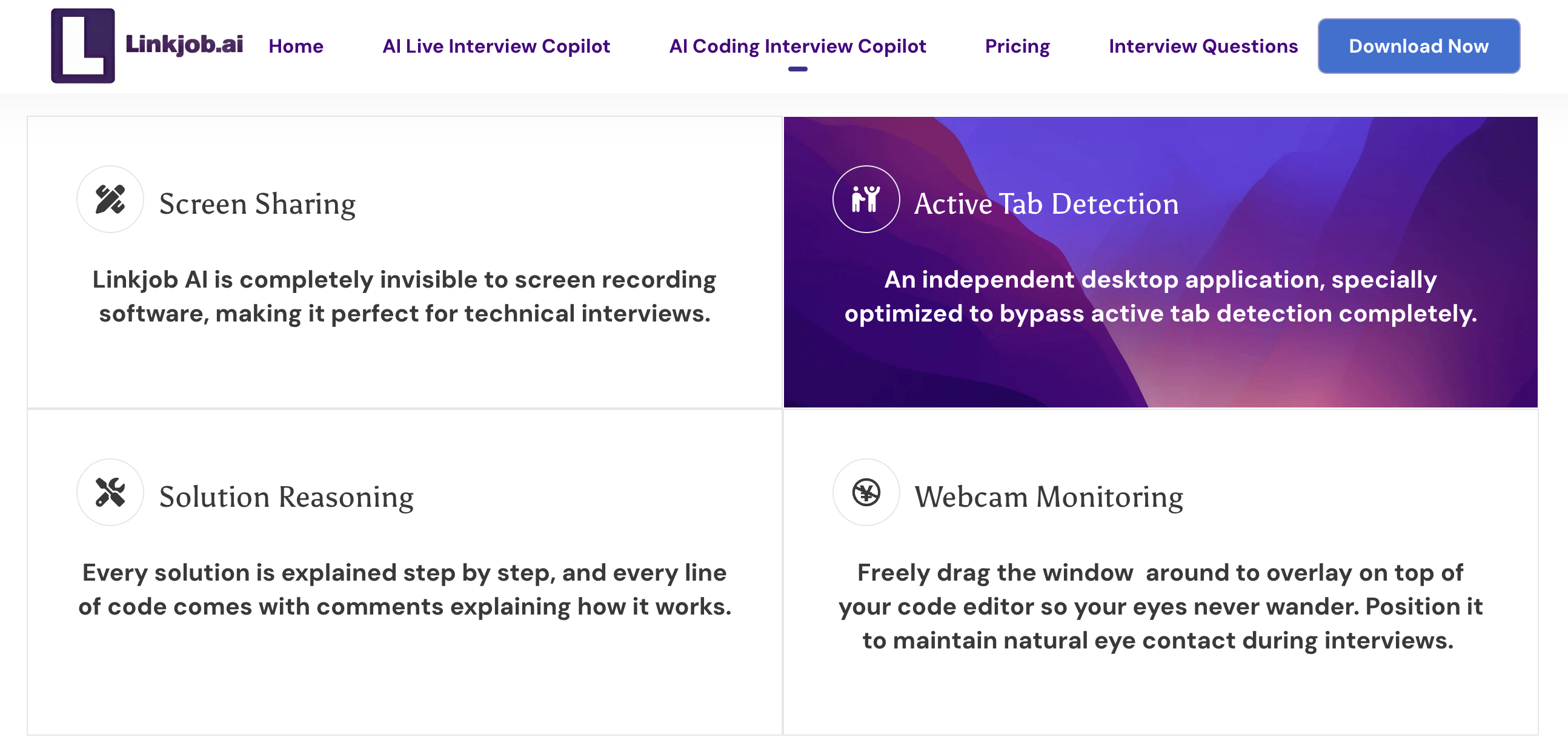
Regarding undetectability, Linkjob AI covers almost all types of detection. Whether it is a general interview or a coding interview, and whether sharing a single window or the entire screen, it remains completely invisible under all conditions.
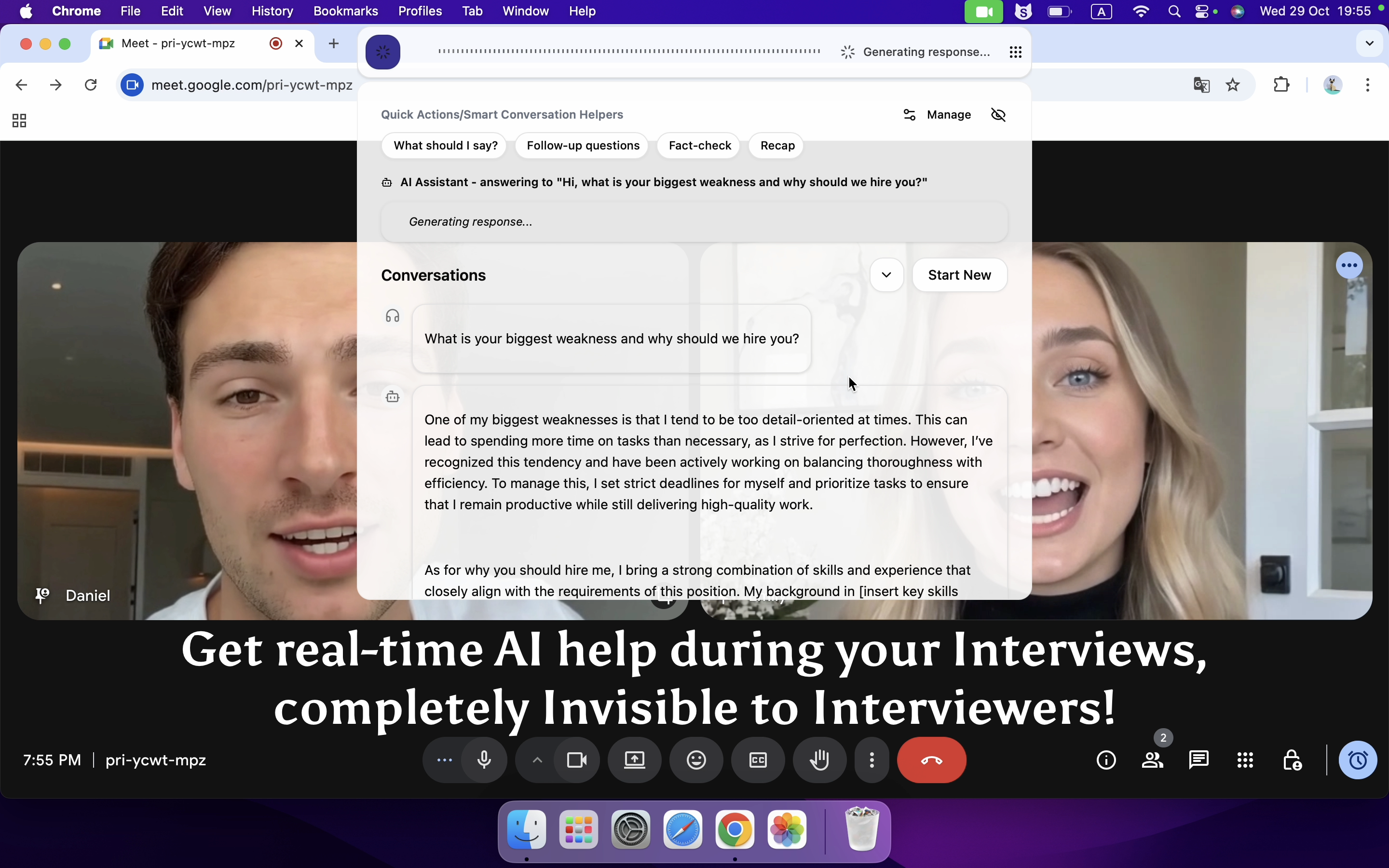
Verve AI relies on the assumption that the interviewer will not request screen sharing. First, its core features can only be used via the Google extension. The extension must be pinned in the browser toolbar, and during the interview, I have to click the extension to generate AI answers, which the interviewer can definitely see. Second, Verve AI even explicitly warns in its tutorial not to select “Share Window” or “Share Entire Screen” during an online meeting; otherwise, you'll get caught.
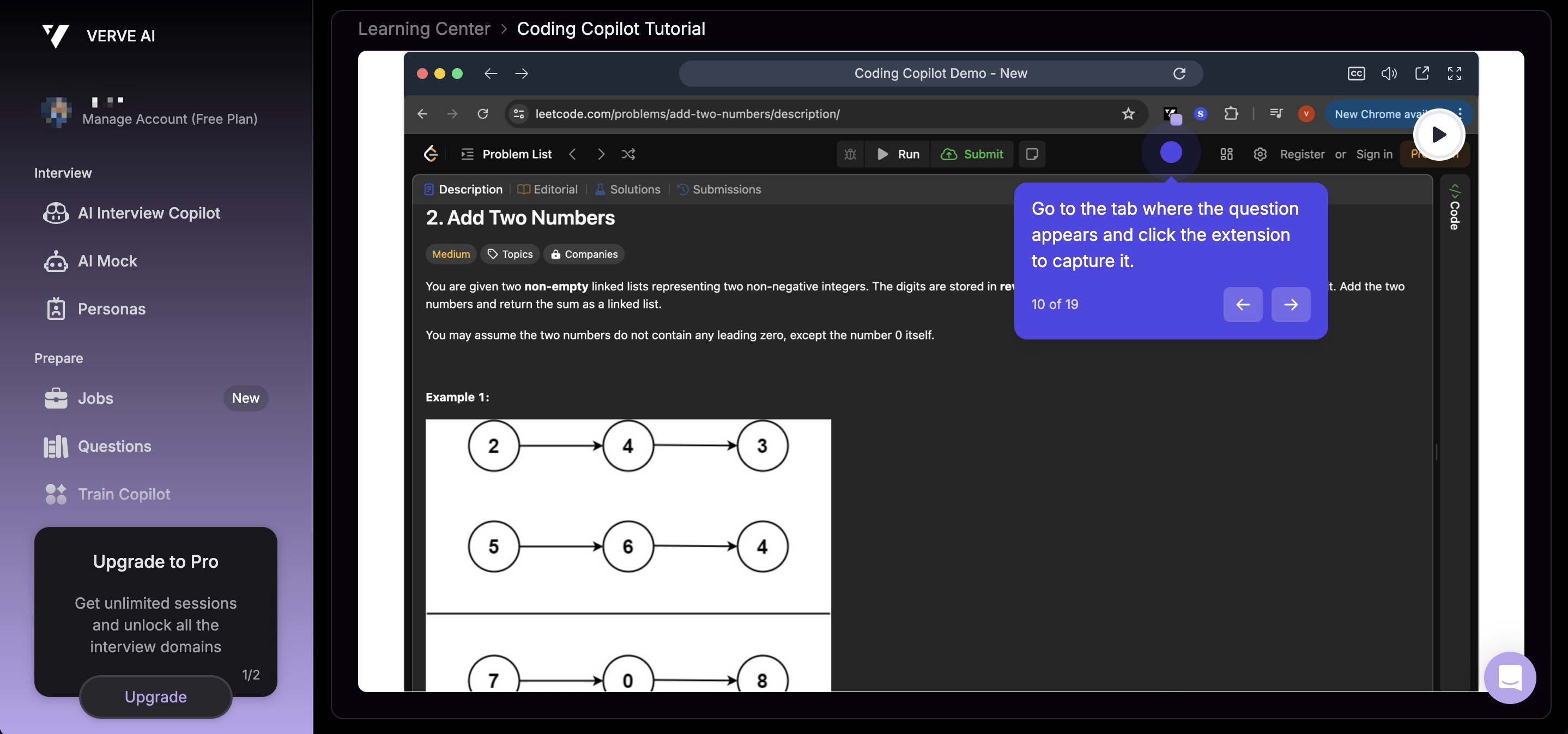
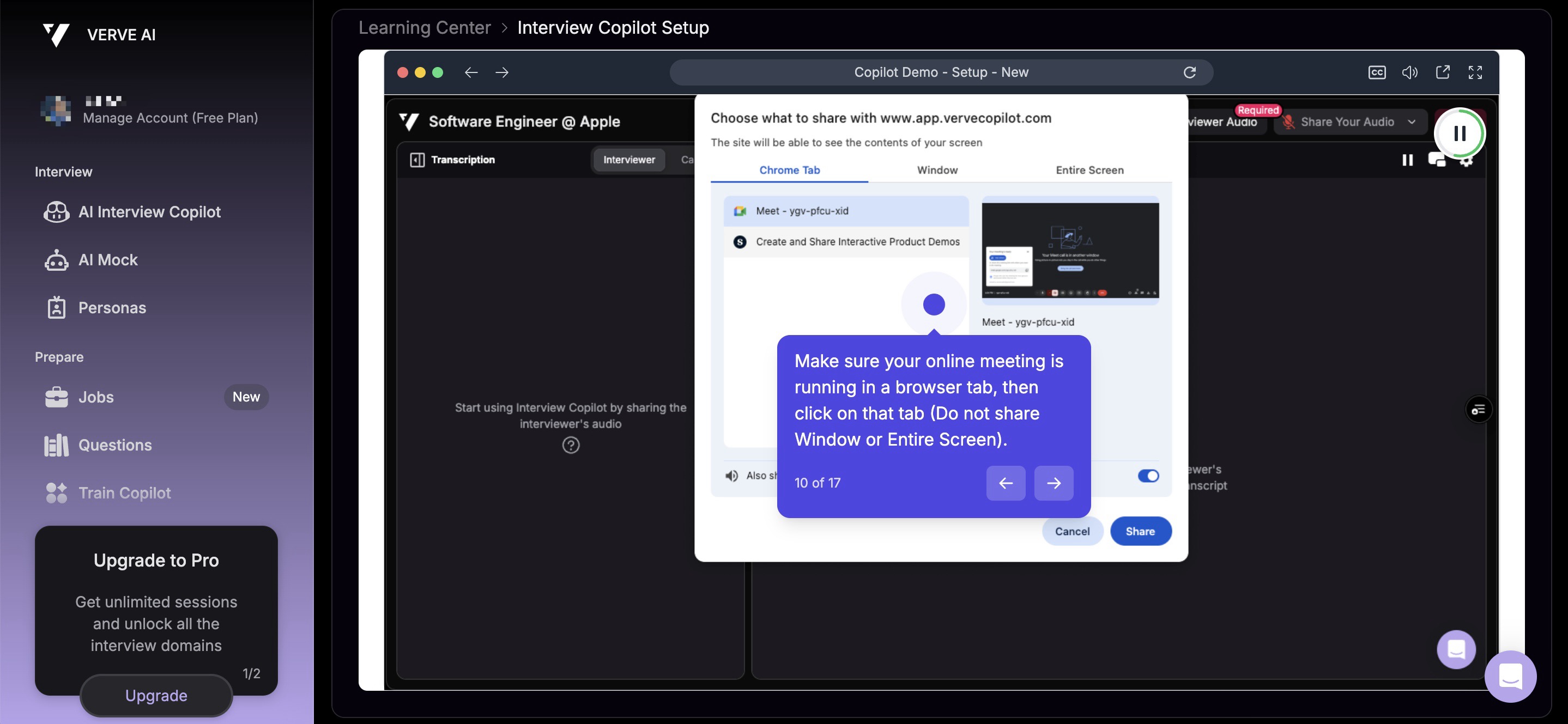
Here is a more detailed explanation of the undetectability features of the two products:
Feature | Linkjob AI | Verve AI |
|---|---|---|
Hide Icon | The icon (located in the Docker tray) can be hidden. | The icon (located in the Google extension) cannot be hidden, otherwise the AI cannot be activated. |
Screen Sharing | Undetectable | Will get caught |
Active Tab Detection | Can remain invisible | Will get caught |
Webcam Monitoring | Can be freely dragged to a suitable position at any time to avoid revealing cues through eye movement or facial expressions. | The web floating window can be freely dragged to a suitable position at any time to avoid revealing cues through eye movement or facial expressions. |
All in all, although both products make impressive claims on their websites about being undetectable, I believe only Linkjob AI truly delivers on that promise.
Verve AI’s invisibility works only in the very limited case of sharing a single browser tab. Even then, its plugin icon can still give it away. In most real online interview scenarios I’ve encountered, interviewers usually ask me to share my entire screen, and that’s where Verve AI completely fails to stay undetectable.
Here is the performance of both products when testing screen sharing:
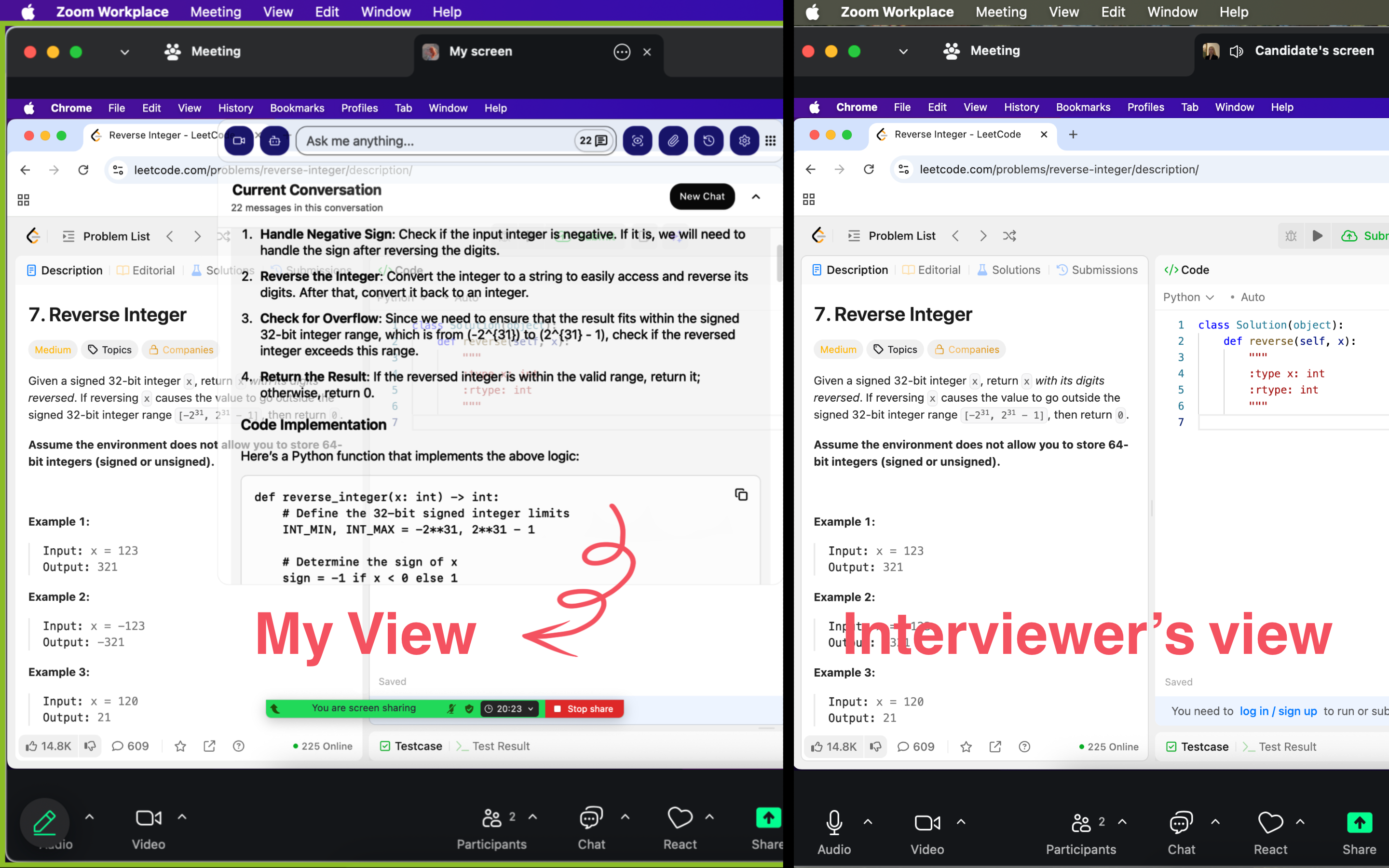
From the interviewer’s perspective, Linkjob AI leaves no visible trace of its use. The interviewer can see the entire screen except for all of the AI activity.
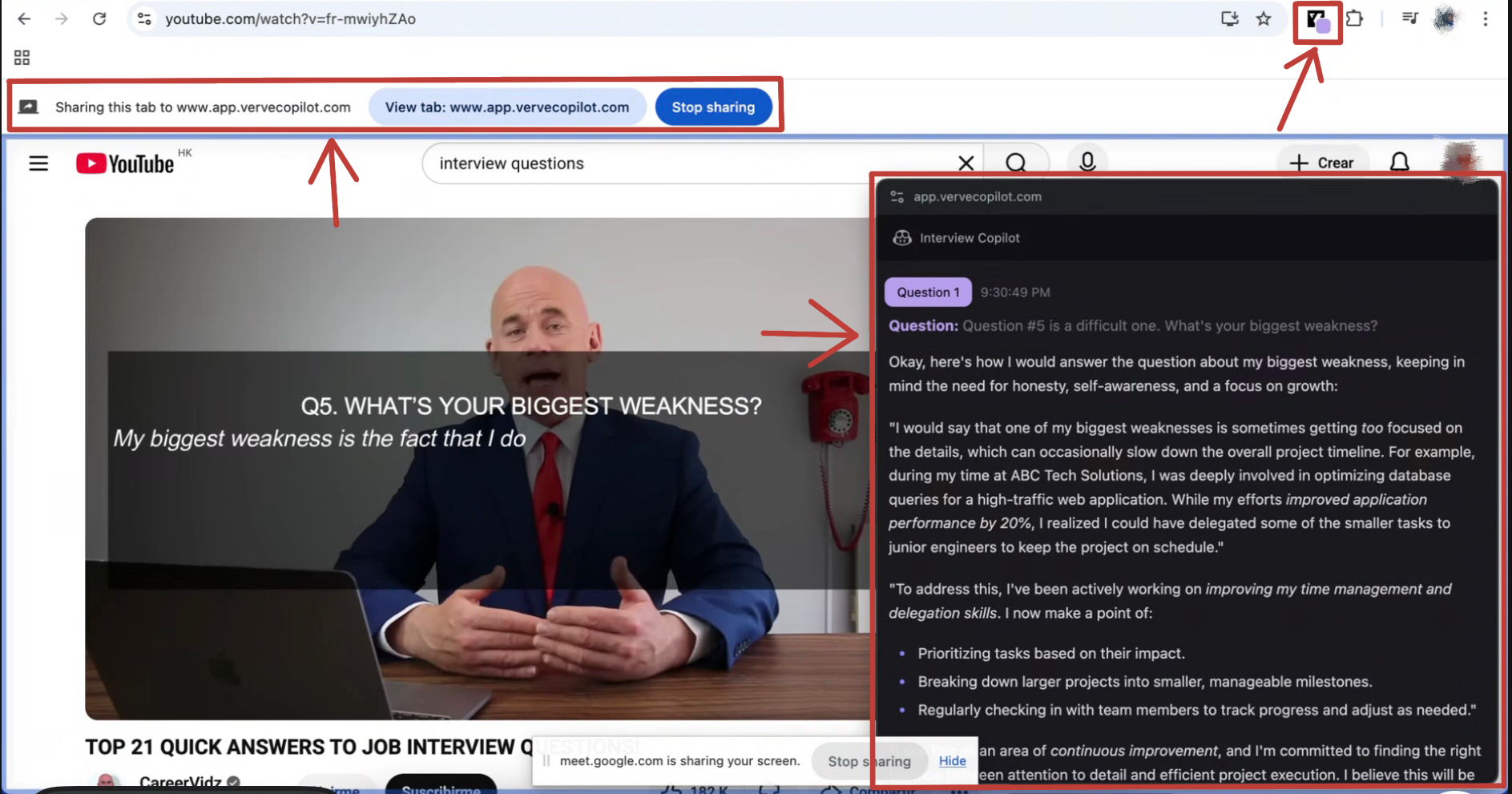
From the interviewer’s perspective, Verve AI shows at least three visible signs of AI usage, all of which are quite obvious.
Other Features and Functions
Supported Meeting Platforms and Online Assessment Platforms
Linkjob AI supports a wide range of meeting platforms and online assessment platforms, and it constantly ensures its undetectability:
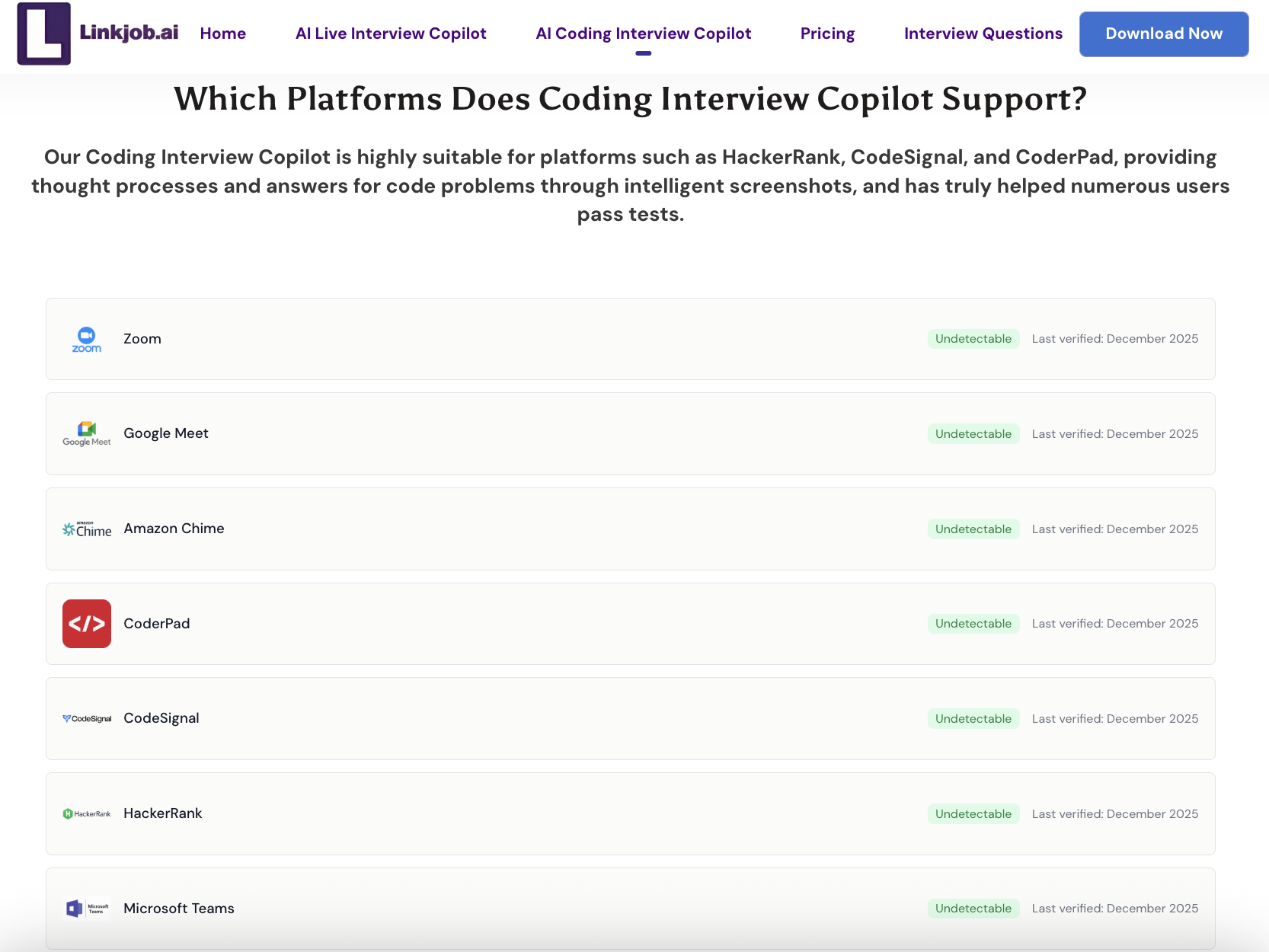
Verve AI supports use across various meeting platforms and online assessment platforms. However, it can only be used with Google Chrome, since its extension is installed there:

Programming Language Support
Linkjob AI’s coding copilot supports a wide range of programming languages. I can specify my preferred language in the prompt; otherwise, the AI generates answers using the optimal solution.
Verve AI’s coding copilot supports over 20 programming languages. I can select my preferred language before the interview.
AI Model Support
Linkjob AI offers 120+ AI models. Once I subscribe, no additional API fees are required. Any paid plan allows me to access all AI models.
Verve AI offers 20+ AI models. Once I subscribe, no additional API fees are required. Some models are only available if I choose the Pro Plan.
Language Support
Linkjob AI supports any language, and the AI automatically detects it. One drawback is that it can be sensitive, occasionally interpreting noise as speech.
Verve AI supports over 35 languages. It does not support bilingual interviews.
Industry Focus
Linkjob AI supports a wide range of industries and roles. Some of the most popular include Software Engineering, Data Scientist, Product Manager, Business Analyst, UX/UI Designer, Marketing Specialist, Financial Analyst.
Verve AI supports positions across industries such as Software, Product, Consulting, Data, Marketing, and Finance.
Select AI Answer Length and Tone
Linkjob AI allows me to choose the length, tone, and other requirements of the AI-generated answers freely. If I have specific preferences, I need to instruct the AI in the prompt; otherwise, it uses the default settings.
With Verve AI, I can select the length, tone, and a few other options in the advanced settings. If I have specific requirements, I need to choose them in the Copilot Style section; otherwise, the AI uses the default settings.
Plans and Pricing of AI Interview Copilot
The plans and pricing for Linkjob AI are as follows:
Plans | Pricing and Services |
|---|---|
Free Trial | 20-minute trial period. All features are available for trial, but switching between different AI models is not an option. |
Annually Plan | 24.99$ / month Unlimited access to all features and AI models with no session time limit. |
Quarterly Plan | 34.99$ / month Unlimited access to all features and AI models with no session time limit. |
Monthly Plan | 49.99$ / month Unlimited access to all features and AI models with no session time limit. |
The plans and pricing for Verve AI are as follows:
Plans | Standard Plan Pricing | Pro Plan Pricing |
|---|---|---|
Free Trial | 15-minute trial period. | 15-minute trial period. |
Yearly Plan | 25.5$ / month Unlimited access to all features with no session time limit. | 14.45$ / month Up to 5 interview sessions per month, each lasting 60 minutes. |
Quarterly Plan | 51$ / month Unlimited access to all features with no session time limit. | 34$ / month Up to 5 interview sessions per month, each lasting 60 minutes. |
Monthly Plan | 59.5$ / month Unlimited access to all features with no session time limit. | 38.25$ / month Up to 5 interview sessions per month, each lasting 60 minutes. |
FAQ
How do Linkjob AI and Verve AI handle privacy?
Linkjob AI runs locally on my device, so my data stays private. Verve AI collects information solely to provide better services. Both products protect my privacy very well.
Has anyone successfully passed an interview using Linkjob AI or Verve AI?
For Verve AI, it has a relatively large user base, so I believe some people have successfully passed interviews using it. As for Linkjob AI, I joined its Discord community and saw many users sharing that they had passed their interviews with it before I even started using it. The results were indeed impressive, I used it myself and passed as well.
Which is easier to use for beginners?
Both products were easy to use after going through their guides. The only parts that required some extra understanding were the advanced feature settings. Linkjob AI handles these through prompts, which makes it more flexible, I could customize almost anything I wanted. Verve AI, on the other hand, uses a dashboard for configuration, which is more visual and straightforward.
See Also
Best AI Apply Alternative for AI Interview Assistant
Top 7 Alternatives to Final Round AI I Tried and Recommend
I have tested 20+ Lockedin AI Alternatives and Here are my top 5 picks
The Best AI tools for job interviews I've tried-My Top 8 Picks
Best Interview Coder Alternative for Coding Interview Copilot

© Copyright 2025 linkjob.ai - All Rights Reserved.