Can Interviewers Tell When I am Using AI? - Yes! But NOT with AI Interview Assistant

When I think about cheating in interviews using screen switching or generative AI, I get really anxious. The idea that the interviewer might catch me using AI makes me worry a lot. Balancing being genuine and giving the right answers is exhausting and frustrating.
However, after researching how interviewers detect AI use, I found that some AI interview assistants can completely bypass these checks. They can listen to the interviewer's questions in real time and generate answers on the screen without being noticed. The best part is they can customize answers based on my resume, making my responses sound natural and authentic. I learned how to cheat with screen sharing and cheating with codesignal interviews using it, and I successfully got offers from five tech companies.
How Interviewers Detect You're Using AI to Cheat
Cheating in interviews with generative AI isn’t surprising to most interviewers today and they are good at picking up on behavioral signals and technical clues to spot basic cheating. For example, some seemingly minor details can reveal a lot:
Delayed Response: If you always wait 2-3 seconds before answering, that’s a red flag. Normally, a person responds within 0.5 seconds of a question. A cheater usually needs 1-2 seconds for AI to generate an answer, then another 2 seconds to read it, making for a nearly 4-second delay that feels awkward. If you keep blaming “internet issues” to stall for time, the interviewer will get suspicious.
Gaze Tracking & Screen Switching: Interviewers watch for quick eye movements or sudden shifts in attention. If you frequently look away from the camera or scan the room, it looks like you’re checking another screen. Sometimes, reflections from glasses or clicking sounds can give you away. These are clear behavioral signals that scream cheating.
Instant Solutions: If you can quickly and perfectly answer a tough question, it raises suspicion. Normal people take a moment to think or ask the interviewer for clarification.
Pasted Code Blocks: In technical interviews, copying and pasting code is a big warning sign. Such code is usually high quality, and the interviewer will likely ask you to explain the logic behind it. If you can’t explain, they’ll know you cheated.
Inconsistent Explanations: Some candidates can give detailed answers to theoretical questions but struggle with follow-up questions or open-ended thinking. If you can’t explain your reasoning or provide details, the interviewer will catch on easily.
Language & Audio Monitoring: Interviewers listen for an “AI tone” in your speech, like using overly formal words or complex logic for simple questions. Some companies might use software to compare your answers to known AI writing patterns.
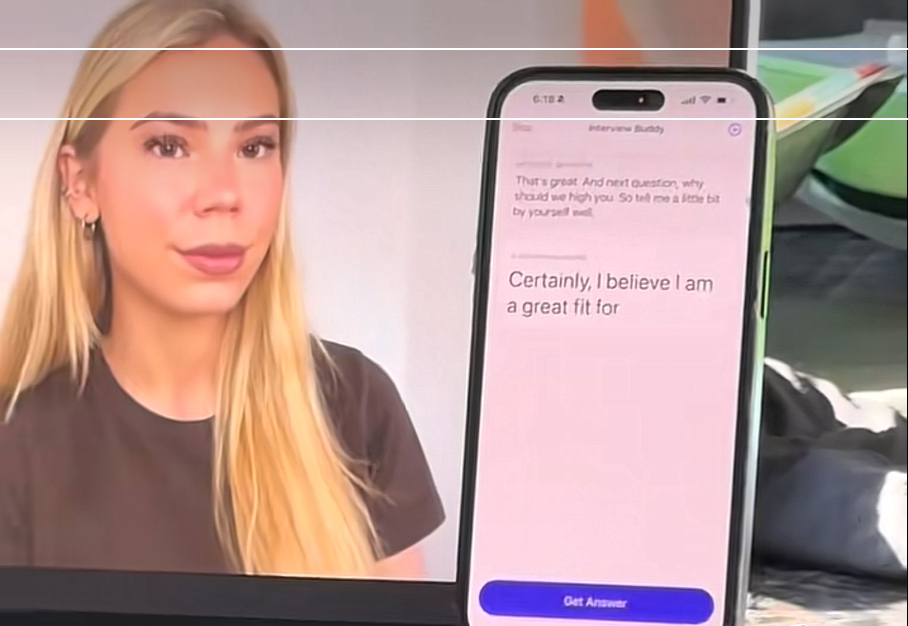
In short, interviewers assess candidates from multiple angles to see if they’re using AI to cheat. If you try to use simple multi-device setups, split-screen AI generation, or search for answers on the spot, most of the time, interviewers can just rely on their gut feeling to figure out you’re cheating and will instantly disqualify you.
At the same time, it’s clear that most interviewers mainly monitor candidates for suspicious behavior (like eye movement, actions, and perfect answers), screen sharing (page and action checks), and language content (whether they speak like a normal person) to spot AI cheating.
If we can optimize these three areas, it can significantly boost chances of successfully cheating in AI-assisted interviews.
Ways to Bypass Interviewers’ AI Monitoring — A Technical Overview
Make Screen Clean to Interviewers
The current screen-sharing detection logic mainly relies on user-space system call scanning. To stay completely stealthy, countermeasures must adopt a "dimensional attack" strategy by shifting the isolation layer down to hardware or hypervisor level, below the OS layer.
Screen Isolation Structure: Cheating software and proctoring tools usually operate at the same OS layer, relying on API hijacking. This makes them easy targets for modern anti-cheat engines that use handle scanning mechanisms. A truly secure solution uses Type-I hypervisor (bare-metal) isolation. By deploying KVM/QEMU with PCIe passthrough, the host OS runs the low-level infrastructure while the monitored exam/interview software is fully isolated in the guest OS. The host can then quietly extract video frames from the guest via Virtual Machine Introspection (VMI) and send them to external hardware. In this setup, the proctoring system operates inside a logical “black box,” incapable of detecting the host.
VNC and LAN Mirroring: Standard local network mirroring (VNC/Miracast) leaves obvious TCP/UDP traffic footprints in the network stack, which are easily flagged by the DPI (Deep Packet Inspection) modules of proctoring systems. The ultimate hardware-level solution here is PCIe DMA (Direct Memory Access). With a custom FPGA board (running firmware like PCILeech) connected via an M.2 or PCIe slot, external devices can directly read physical memory at high bandwidth without CPU or OS involvement. Captured audio/video is transferred via fiber optics to external devices, bypassing all software-level anti-screenshot protections to cleanly extract real-time screen data.
HDMI Splitters and Android Cast: Software-based casting modifies Windows registry and leaves system logs. Even typical HDMI splitters could cause issues by exposing unusual EDID signals to the GPU. The industrial-grade alternative is a one-way hardware splitter capable of EDID spoofing. This bypasses HDCP encryption and forces the GPU to detect only a single standard 1080p display. The actual video stream is seamlessly split to a capture card on a second device, physically cutting off any reverse detection attempts by the proctoring software.

Make Your Actions Convincing to Interviewers
To appear credible in interviews, there are two key behaviors:
Maintain eye contact with the interviewer. Avoid wandering eyes. Some friends place their phone below the screen during interviews, but their gaze often shifts downward. This looks super suspicious.
Keep your hands still. Don’t fidget or move your mouse/keyboard. Interviews often use wide-angle cameras, so your upper body and desk are visible. Any unnatural hand movements or placement can raise red flags.
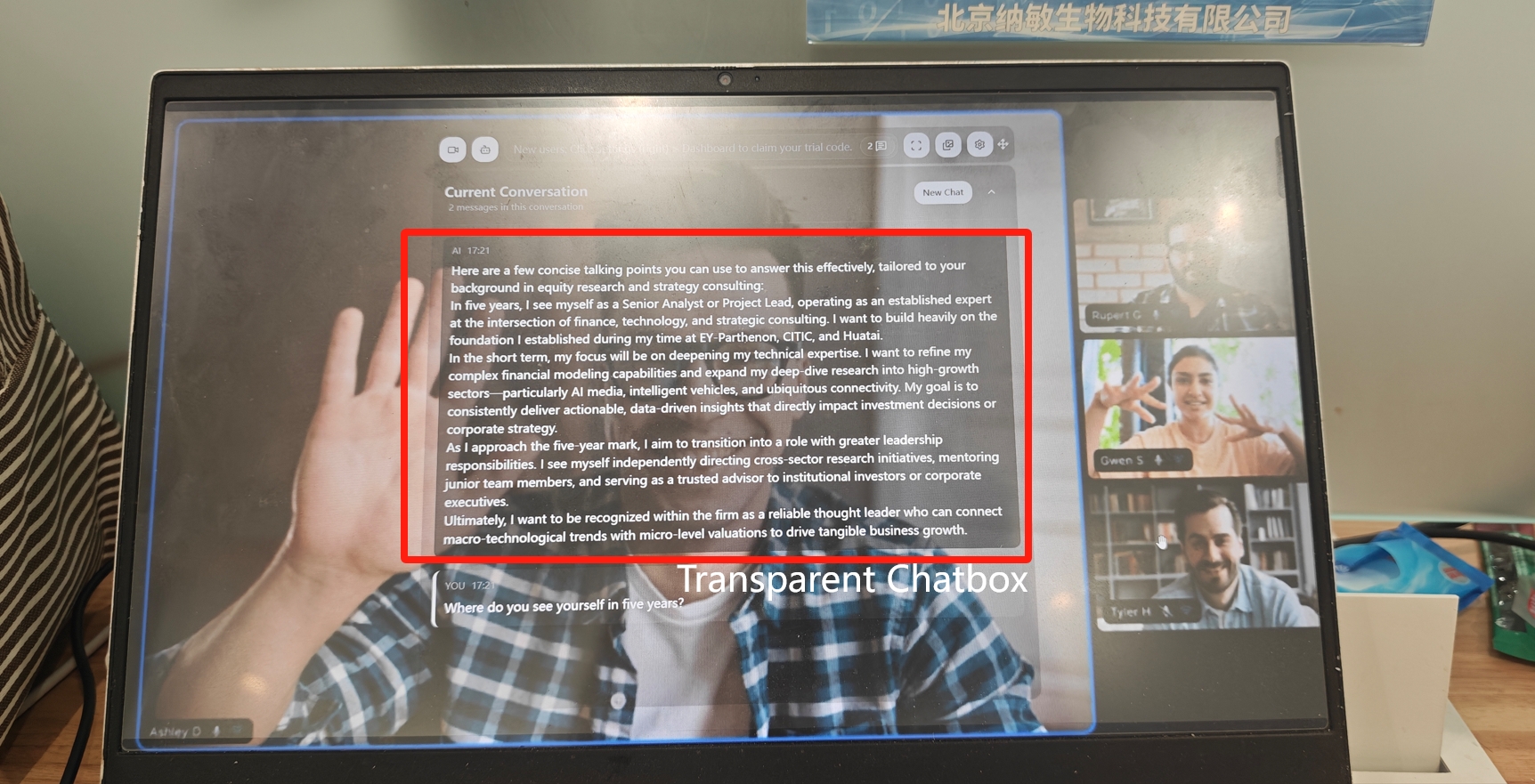
The best way to maintain eye contact while still seeing answers is using a transparent overlay. Just set up a translucent dialog box near the top center of your screen. You’ll see both the answers and the interviewer’s face behind the overlay, allowing you to catch their expressions and body language. The software handles everything—it listens to questions via your system mic, analyzes them, and generates answers automatically. No need for typing or clicking—the whole process keeps your hands free.
Make Your Language Natrual to Interviewers
To sound natural and fluent in an interview, the key isn’t memorizing fancy phrases or complex templates. It’s about honest, clear communication. Interviewers want to hear from a real, thoughtful person—not a robot reciting canned answers. Use everyday language to feel approachable and avoid overly formal or stuffy wording.
At the same time, tie your answers to your own experiences. Add details, personal insights, and open-ended thoughts to standard responses. This makes your answers more authentic, engaging, and persuasive while showing your logical thinking.
Stealth Features-My Experience Using Linkjob.ai to Bypass Detection
I tested the best 5 real-time AI interview assistant. In the end, I went with Linkjob.ai. Its main advantage is super simple setup and strong focus on tech and finance interviews. I’ll show you how I used it so you can see it’s completely undetectable by interviewers.
Screen Isolation Undetectable Virtual Layer
Like I mentioned earlier, deploying tools like Screen Isolation, VNC and LAN Mirroring, or HDMI Splitters is super complicated—I couldn’t set them up myself. But Linkjob.ai has all these functions built in. It works seamlessly on almost all major meeting and online interview platforms and is completely undetectable. No configuration needed—it’s integrated into the software and activates stealth mode automatically when you join a meeting. Before using it, I tested it on another computer and confirmed that interviewers can’t see the virtual isolation layer generating code answers. You should give it a shot!
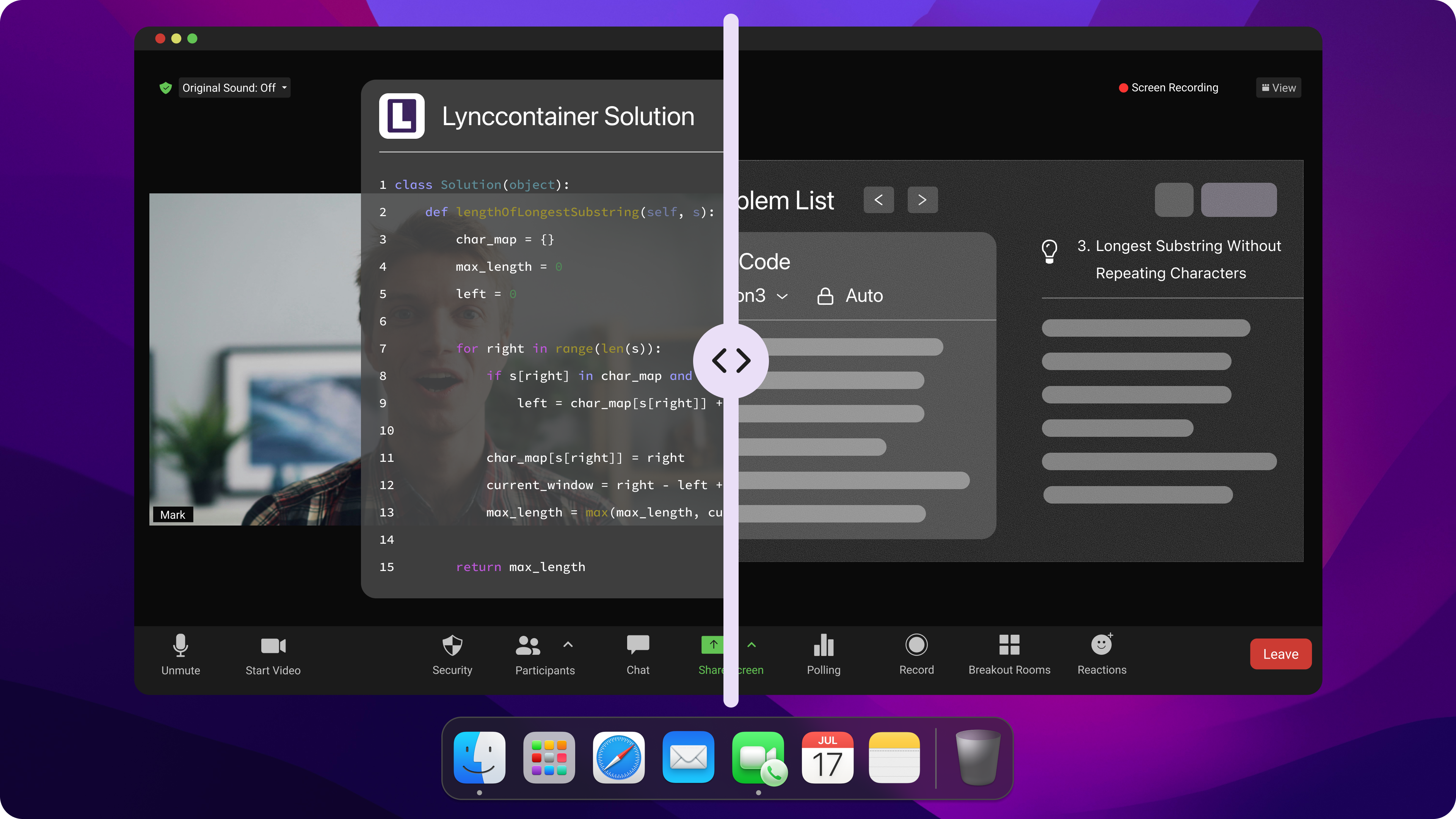
Real-Time Answer Generation
To avoid awkward moments, I care a lot about how fast an AI interview assistant generates answers. Linkjob.ai’s super low latency (only 0.23 seconds, as they claim) is perfect for me. Before the meeting, I can easily adjust the transparency of the answer box to make sure I can still see the interviewer’s face behind it.
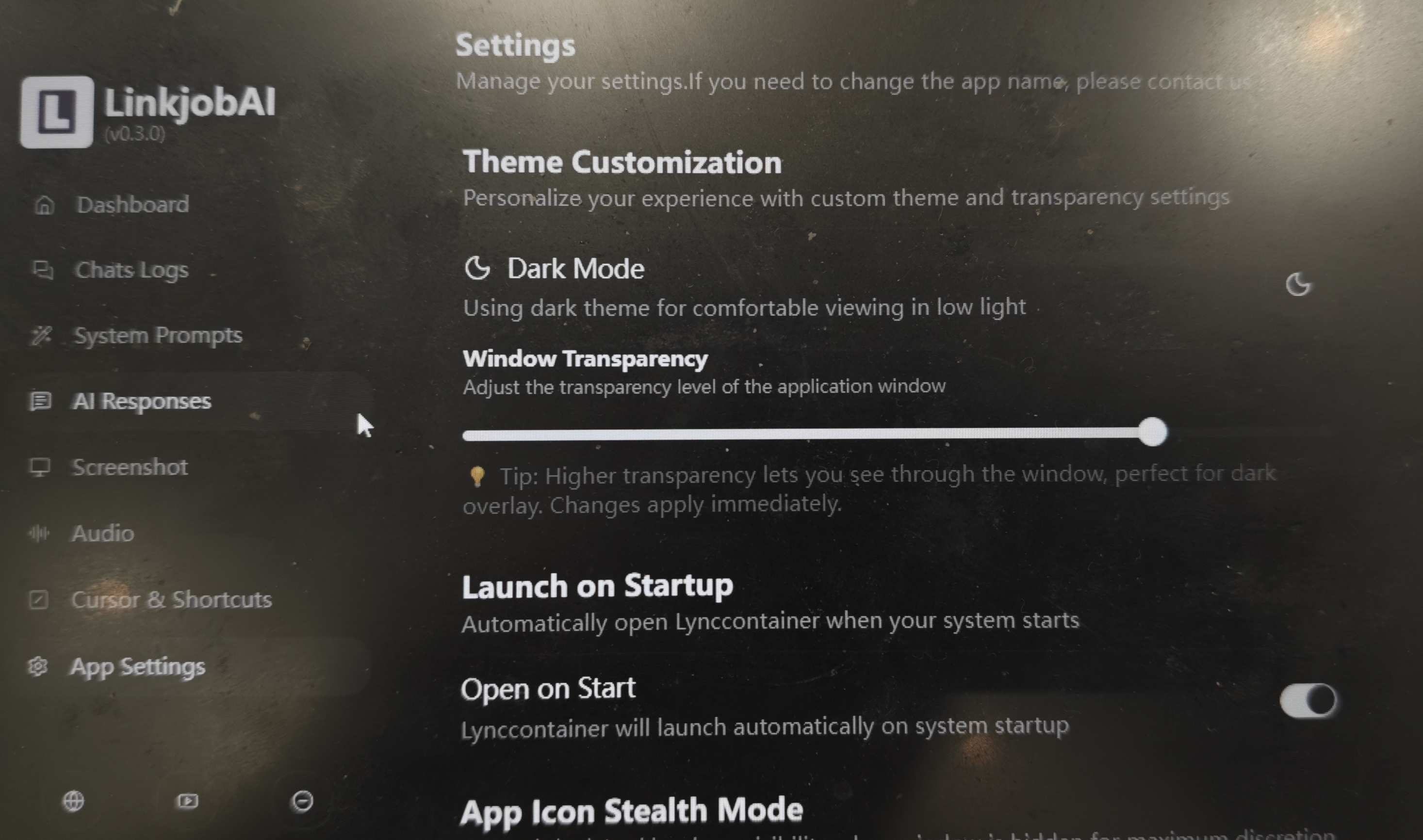
With its stealth mode, I can answer questions quickly while maintaining eye contact with the interviewer. During the whole interview, I don’t have to do anything extra, making the interviewer fully believe I’m genuinely engaging with them.
Customization & Adaptive Language
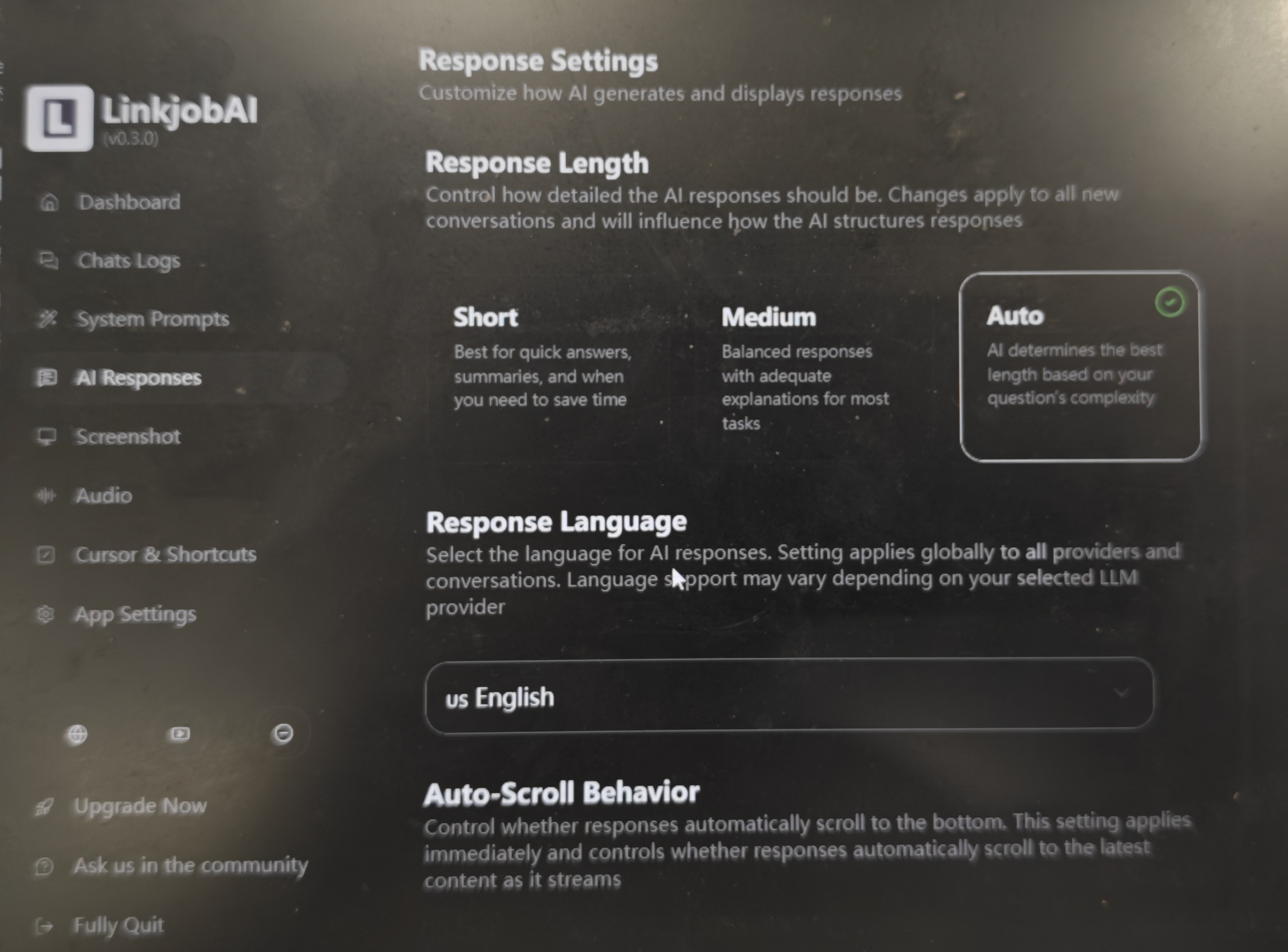
Linkjob can adapt to my speaking style. I’m not into using industry jargon and prefer casual, easygoing language. Linkjob.ai lets me set the tone and word choice ahead of time to reflect my real personality.
What I love most about Linkjob.ai is its smart voice recognition. It can detect pauses, coughs, or background noise from the interviewer, so I don’t have to worry about it generating irrelevant content.
For answers, it’s built on a database of around 13,000 real interview recordings from top tech and finance companies. That means it creates responses that actually match how people talk in real interviews—no overusing fancy words or complex ideas.
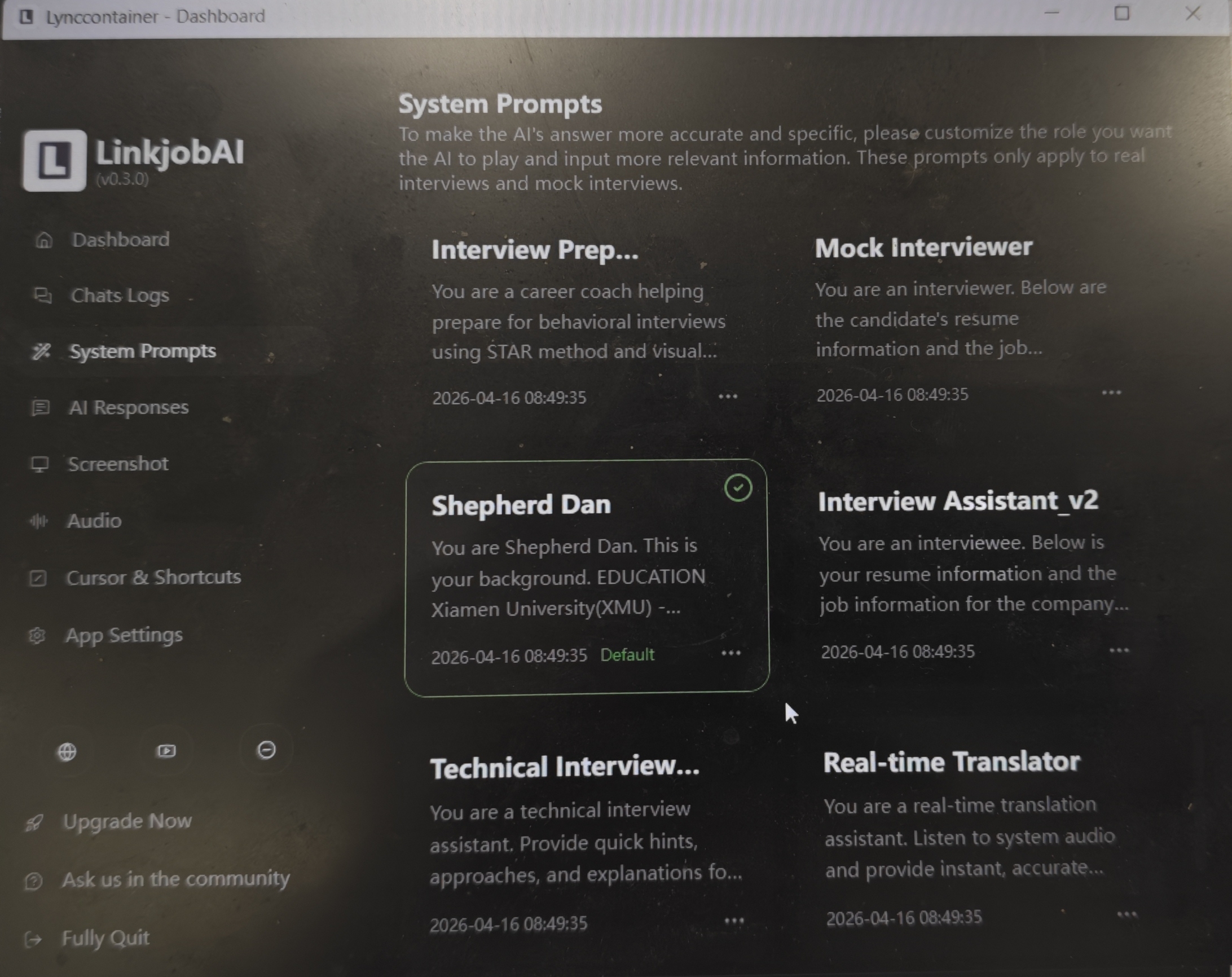
On details, I highly recommend using its AI assistant to analyze your résumé. It seamlessly works your experiences into answers during the interview, making everything feel natural and smooth.
Smart & Practical Tips for Using AI Interview Assistant to Cheat
I never let AI do all the work for me. I prefer using it flexibly, making it hard to tell what's AI and what's me—that’s the smart way to use it. Here’s how I strike a balance:
Critical Thinking: I never copy AI-generated answers word for word. Instead, I use them as a reference and add my own thoughts. To me, AI saves time on crafting responses and phrasing, so I can focus on recalling my own industry insights and career experiences.
Soft Skills: Problem-solving isn’t about rushing to a perfect answer. Even if AI gives me a quick response, I slow down during the interview, taking my time to walk through the process. Sometimes, I intentionally include minor “flaws” and then actively identify and fix them later. This shows I can improve and adapt, which interviewers often look for.
Attention to Details: Since I wear glasses, I switch to contacts before interviews so the screen reflection won’t give away what’s on my monitor.
Tone Adjustment: While AI can tailor its tone, it’s still not as natural as a human. It can sound overly confident with absolute language, which comes off unnatural. I rephrase to make it feel more balanced and real.
That’s how I use AI tools to stay ahead of interviewers trying to spot AI-generated answers. Hope this helps, and good luck with your job search!
FAQ
What’s the safest way to use AI in interviews?
I always use AI as a guide, not a crutch. I personalize every answer and practice speaking out loud. This helps me sound natural and confident.
How do I make AI-generated answers sound like me?
I add my own examples, achievements, and stories. I also change the wording to match how I talk. Practicing out loud helps a lot.
Can Linkjob.ai help with technical interviews too?
Yes! I use Linkjob.ai to practice coding questions and get feedback. I never paste code directly. I explain my logic in my own words.
See Also
The Best AI Tools for Job Interviews Preparation I've Tried-My Top 8 Picks
Top AI Tools for Cheating in job interviews: My Honest Picks for 2026
Top 7 Alternatives to Final Round AI I Tried and Recommend
Why I Ditched Cluely AI :My Honest Take on the Best Cluely AI Alternatives That Actually Work
I have tested 20+ Lockedin AI Alternatives and Here are my top 5 picks in 2026
