Does Karat Detect AI Tool Use in 2026? How Karat Tests Work and How I Passed Undetected

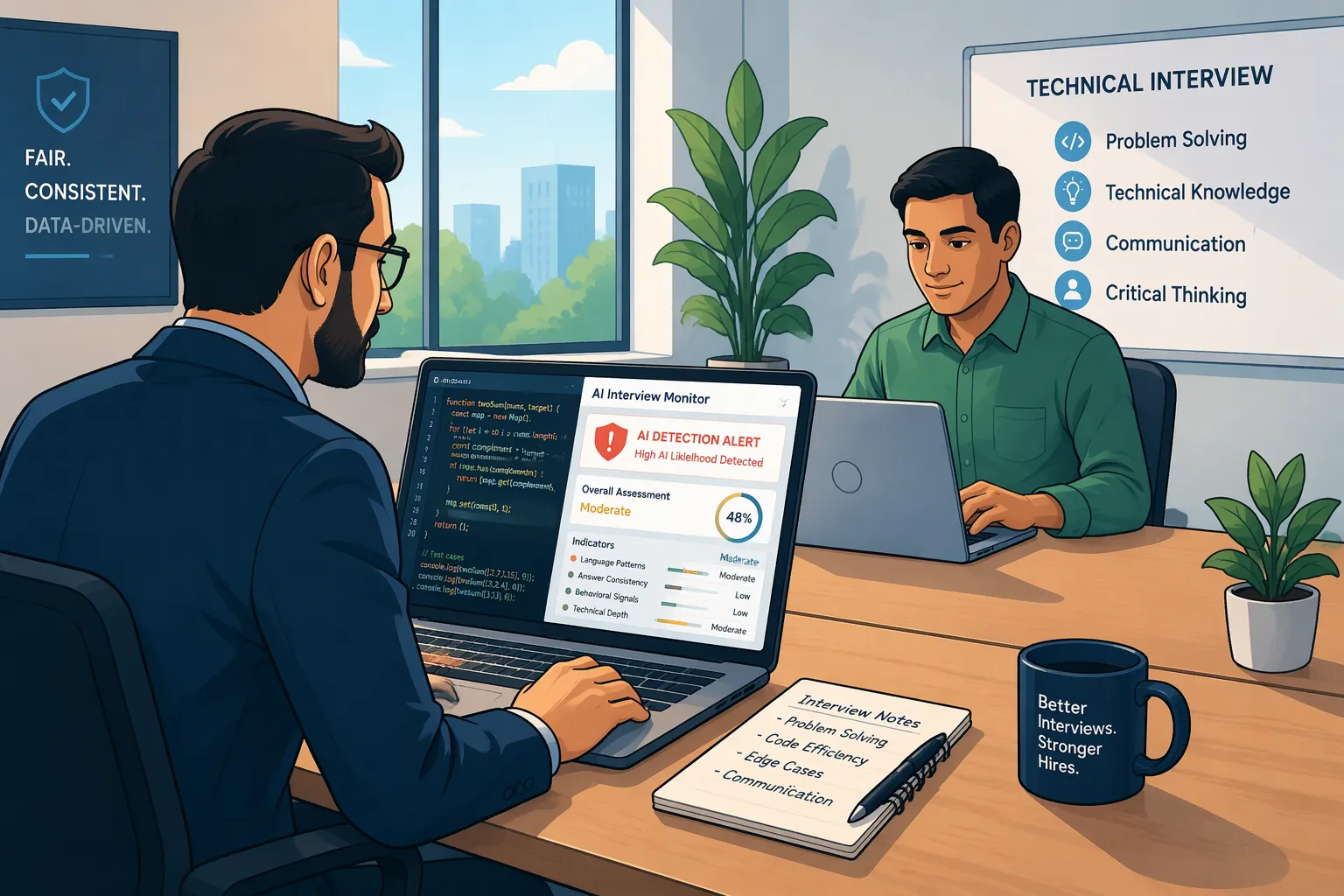
When I got invited to a Karat technical interview for a Senior Software Engineer role—a screening stage now used by companies like Palantir, Roblox, Intuit, Wayfair, MongoDB, Citi, Atlassian, and Duolingo—the first question I searched was: does Karat detect AI tool use?
If you have only ever taken automated HackerRank or LeetCode assessments, it is easy to underestimate Karat. You might assume it is just a regular video call with a freelance interviewer who barely pays attention while you code. That assumption has cost thousands of engineers their job offers in 2026. What most candidates do not realize is that Karat uses a custom browser platform called Karat Studio that logs IDE focus and clipboard telemetry in real time—and even more importantly, every single Karat interview is recorded and audited after the call by a second Karat Quality Control (QC) reviewer before your score and full video playback are sent to the hiring manager.
Over the past year, I have gone through four live Karat interviews across backend, full-stack, and data tracks—including using a Karat Redo—and tested what actually triggers an AI-assistance flag versus what sails through both the live Interview Engineer and the post-call QC audit with a "Fast Track" rating. In this complete first-person guide, I am going to walk you through how Karat's 60-minute testing methodology works, the 6 specific ways Karat detects AI tool use in 2026, a technical blueprint for bypassing those checks, and how I use Linkjob AI in both Dual-Device Mode and Desktop Floating Window Mode to ace both the rapid-fire verbal interrogation and the 3-stage coding problems completely undetected.
How the Karat Interview & Testing Methodology Works in 2026
To understand how Karat catches unauthorized AI tools—and how to evade detection cleanly—you first need to understand the exact structure of a 60-minute Karat session. Unlike a static online assessment, a Karat interview is a tightly scripted, high-tempo human-and-platform evaluation broken into four distinct phases.
1. Phase 1 (Minutes 0 to 3): Identity Verification & Karat Studio Setup
You do not join a standard Zoom link plus an external Notepad. Instead, you log directly into Karat Studio in your desktop web browser.
ID Check & Recording Consent: For many enterprise clients (such as Citi, Palantir, Intuit, and Walmart), the Karat Interview Engineer (IE) asks you to hold your government-issued photo ID up to the webcam for 5 seconds at the start of the recording.
Integrated Webcam + Collaborative IDE: Your webcam feed, audio stream, problem description pane, collaborative Monaco code editor, and interactive code-execution console all live inside the single Karat Studio browser window.
2. Phase 2 (Minutes 3 to 15): The Rapid-Fire Verbal Knowledge & System Design Round
Before you write a single line of code, the Interview Engineer spends 10 to 12 minutes testing your verbal engineering fluency. Depending on the role you applied for, this takes one of three forms:
System Design & Production Trade-Offs (5 to 6 Questions): Rapid-fire questions on load balancers, horizontal vs. vertical scaling, database indexing, SQL vs. NoSQL, caching eviction policies, microservices idempotency, or CAP theorem trade-offs.
Code-Snippet Complexity Analysis: The IE pastes 2 or 3 short functions into the pad and asks you to state the exact worst-case time complexity and space complexity out loud within 60 seconds per snippet.
Code Review & Bug Spotting: You are shown a 30-line pull request containing concurrency bugs, memory leaks, or security flaws and asked to identify the issues verbally without running the code.
3. Phase 3 (Minutes 15 to 57): The 3-Stage Progressive Live Coding Challenge (Q1 -> Q2 -> Q3)
This 42-minute block is the heart of the Karat methodology. Instead of giving you three unrelated problems upfront, Karat uses a progressive, gated 3-part problem structure:
Question 1 (Warmup — Target Time: 8 to 12 Minutes): The IE pastes ONLY Question 1 into the pad. You must write working code that compiles, runs in the console, and prints the exact expected output for all sample test cases—and state its time and space complexity—before the IE is allowed to reveal Question 2.
Question 2 (Core Separator — Target Time: 15 to 20 Minutes): Once Question 1 passes, the IE pastes Question 2 into the pad. Question 2 builds on the same domain theme (such as warehouse badge logs, category trees, parent-child graphs, or browsing clickstreams) but requires a significantly harder algorithm (BFS/DFS, sliding window, 2D dynamic programming, or hash-map graph traversal). Clearing both Question 1 and Question 2 completely is the mandatory passing bar for almost every company that uses Karat.
Question 3 (Stretch / Fast-Track Problem — Target Time: 10 to 15 Minutes): If you finish Question 2 with time left on the clock, the IE reveals Question 3 (usually a NP-hard backtracking, multi-constraint DP, or complex graph optimization problem). Even completing a partial implementation or explaining the optimal algorithm for Question 3 typically upgrades your score from "Invite to Next Round" to "Fast Track."
4. Phase 4: The Post-Interview QC Audit & The 24-Hour "Karat Redo" Rule
Here is the insider detail that separates Karat from every other platform: the Interview Engineer who spoke with you on the call is not the only person who grades you.
Immediately after the call ends, your entire recorded video, audio track, and IDE keystroke log are sent to a second Karat Quality Control (QC) Reviewer. That QC auditor watches your recording, verifies the scoring rubric, checks for any AI-assistance or integrity red flags, and packages the final report (with timestamped video bookmarks!) for the client company's hiring manager. And if you know you bombed the coding section, Karat gives you 24 hours to click the "Request a Redo" button on your dashboard to take a fresh 60-minute interview with a different engineer and a new question set.
Does Karat Detect AI Tool Use in 2026? All 6 Detection Layers Explained
So, does Karat detect AI tool use? Yes—and because Karat combines automated browser telemetry with two separate human reviewers (the live Interview Engineer plus the post-call QC auditor), naive AI usage gets caught constantly. Based on my firsthand experience inside Karat Studio, here are the six specific detection mechanisms you are up against in 2026.
1. Karat Studio Browser Focus & Tab-Switch Telemetry (blur & visibilitychange)
Just like CoderPad and HackerRank, the Karat Studio web application monitors DOM focus state continuously via window.onblur, window.onfocus, and document.visibilitychange.
The exact millisecond you click outside the Karat Studio browser tab—whether to switch to another browser tab, click a desktop app, or press a global keyboard shortcut (Alt + Tab, Cmd + Tab, or a focus-stealing overlay hotkey)—Karat Studio logs a focus-loss timestamp in the interviewer's telemetry stream and marks the exact second on your post-interview recording timeline.
2. External Clipboard Copy/Paste Detection
Karat Studio tracks its internal Monaco editor buffer. If you copy a block of code you already typed inside the Karat pad (for example, copying your Q1 helper parser to reuse in Q2), that is completely normal. However, if you paste code from your operating system clipboard that originated outside Karat Studio, the platform flags the external paste immediately for both the live Interview Engineer and the QC auditor.
3. The 12-Minute Rapid-Fire Verbal Interrogation (Keyboard & Latency Trap)
During Phase 2 (the 10-to-12-minute verbal knowledge and system-design round), you are not supposed to be typing code. The Interview Engineer asks you a question verbally and expects you to start answering within 2 to 4 seconds.
Candidates who try to use standard chatbots fail here in two obvious ways:
Audible Keyboard Clacking: The IE hears you furiously typing their question into another window while your hands are supposed to be still.
The 10-Second Dead-Air Freeze: Sitting in awkward silence for 10 seconds on every single verbal question while waiting for a manually triggered tool to generate text—and then suddenly reading a textbook paragraph in a flat monotone voice—is the #1 behavioral trigger that causes Karat QC auditors to attach an AI-misconduct warning to your report.
4. Progressive Prompt Gating (Q1 -> Q2 -> Q3 Revealed One by One)
Because the Interview Engineer only pastes Question 2 into the pad after you finish Question 1 (and only pastes Question 3 after you finish Question 2), you cannot pre-load all the questions before the call.
If you rely on a clunky screen-overlay tool that forces you to press a global screenshot hotkey or click an on-screen button every time the IE pastes a new question into the pad, you risk triggering a window.onblur focus-loss flag right at the exact timestamp Question 2 appears!
5. Dual-Human Video Review (Eye-Gaze Vector & Off-Screen Reading)
Because both the live Interview Engineer and the post-call Karat QC auditor watch your webcam video alongside your code timeline, visual body language is scrutinized closely:
Sideways Gaze Shifts: If you have a second laptop or monitor sitting 30 degrees to the left or right of your main screen, turning your head sideways for 20 minutes while typing Q2 is glaringly obvious on the recorded video sent to the hiring manager.
Upper-Corner Overlay Scanning: Even on a single wide monitor, parking a floating overlay window in the far corner of your 27-inch display causes your pupils to scan a blank corner of the screen while your code cursor sits on the opposite side.
6. Mandatory Complexity & Logic Probing Before Advancing
On Karat, getting the unit tests to print green output is not enough. Before the Interview Engineer unlocks Question 2, they are required by Karat's script to ask: "What is the time and space complexity of your solution, and why?" If you typed an O(N * M) space-optimized dynamic programming solution for longest_common_subarray but cannot explain why the space complexity is O(M) instead of O(N * M), your rubric score for problem comprehension drops sharply.
How to Bypass Karat's AI Detection in 2026 (Technical Blueprint)
After seeing how Karat combines live human observation, browser focus telemetry, progressive prompt gating, and post-call QC video auditing, it is easy to see why amateur shortcuts fail—and what a 100% undetectable setup requires.
1. Why Common AI Shortcuts & Overlays Fail on Karat
Why Manual Text Chatbots or Second Tabs Fail: Clicking outside Karat Studio triggers
window.onblur, and typing during the verbal round exposes you over the microphone.Why Hotkey-Driven Floating Overlays Are Risky: Pressing global shortcuts (
Cmd + \,Ctrl + B,Cmd + Enter) when Question 2 and Question 3 are pasted into the pad can steal active browser focus and trigger focus-loss flags on the Karat timeline.Why a Side-by-Side Second Laptop Fails: Because the hiring manager at your target company receives a direct link to watch your Karat video recording, looking 35 degrees sideways at another laptop throughout the call ruins your candidacy even if you pass all test cases.
2. My 4-Rule Technical Blueprint for Passing Both the Live IE and Karat QC
To pass both the live Interview Engineer and the post-call Karat QC reviewer with zero suspicion, follow these four rules:
Rule 1 (Hands-Free Live Audio Transcription for the Verbal Round): During the 12-minute rapid-fire verbal section, you must never touch your keyboard or mouse to trigger answers. Your assistant must listen to the Interview Engineer's audio stream automatically and display concise bullet points in under 2 seconds.
Rule 2 (Zero Focus-Stealing Clicks or Hotkeys During Q1, Q2, and Q3): Once Karat Studio is open, never click outside the browser tab, never press
Ctrl + Vfrom an external clipboard, and never press any global shortcut key when Q2 or Q3 appears.Rule 3 (Co-Axial Phone Placement 1 Inch Below the Webcam Lens): Mount your phone horizontally on a thin stand or clip 1 inch below your webcam lens at the top center bezel of your screen. When you read verbal talking points or Q1–Q3 code off your phone, your eyes look straight into the camera lens.
Rule 4 (Iterative Console Runs + Pre-Planned Complexity Answers): Type your Q1, Q2, and Q3 code in 3 logical passes, click "Run" every 15 lines in the Karat Studio console, and state the time and space complexity out loud using the exact breakdown shown on your phone screen right as your test cases pass.
How I Use Linkjob AI to Evade Karat Detection Safely (Dual-Device Mode vs. Web Floating Window)
To execute that 4-rule blueprint seamlessly across all 60 minutes of a Karat interview, I use an AI interview assistant that supports both automatic live audio transcription (for the 12-minute verbal round) and automatic visual prompt capture (as Q1, Q2, and Q3 are pasted into the Karat Studio pad).
Depending on your setup and risk tolerance, here is how Linkjob AI's two modes work on Karat.
1. Mode 1: Dual-Device Mode (My #1 Recommended Setup for Live Karat Studio Interviews)
If you want extra security—and since every Karat interview is recorded on video and audited by a post-call QC reviewer—you should use Linkjob AI's Dual-Device Mode.
Under Dual-Device Mode, the Linkjob desktop app only runs silently in the background on my computer with zero visible floating window and zero on-screen overlay, and all real-time verbal Q&A bullet points, Q1–Q3 code solutions, and complexity explanations display directly on my phone.
Here is why Dual-Device Mode makes Karat interviews feel almost effortless:
Zero Keyboard Typing During the 12-Minute Verbal Round: When the Karat Interview Engineer asks five rapid-fire system design or complexity questions, Linkjob AI transcribes the interviewer's voice automatically in the background and streams crisp, structured talking points to my phone screen in under 2 seconds. My hands stay resting calmly on my desk, my eyes look straight at my phone 1 inch below the webcam lens, and I answer every question with zero dead air.
Zero Focus Exits When Q2 and Q3 Are Pasted: When I finish Q1 and the IE pastes Q2 into Karat Studio, I do not have to press any laptop shortcut key or click outside the browser. The updated Q2 solution and Big-O complexity proof appear on my phone screen, where I can swipe down with one thumb while my laptop mouse cursor never leaves the Karat Studio code editor (
0onblurevents,0external pastes).100% Clean Desktop If Asked to Share Screen: Even if a specific client track asks you to share your full screen, your computer monitor has zero overlays or foreign windows running on it.
2. Mode 2: Desktop Floating Window Mode (For Standard Web-Page Sessions)
What if you prefer viewing answers directly on your desktop monitor during a standard web-page session where full-screen sharing is not required? In that case, you can directly use the floating window of the Linkjob AI desktop app right on your monitor—as long as you strictly follow two precautions:
Finish all relevant settings before the interview starts: Before opening the Karat Studio link, launch the Linkjob AI desktop app, configure your programming language (Python 3, Java, C++, or JavaScript/TypeScript) and audio source, and position the floating window near the top-center of your monitor right below your webcam. Avoid clicking the app's Settings button during the interview so your mouse focus never leaves the Karat Studio browser tab.
Do NOT use
Cmd + \orCtrl + \to toggle the app during the test: Never press global shortcut keys while the Karat Studio tab is active. Leave the floating window open in place from start to finish—all other features work normally without triggering browser focus-loss logs.
You can choose between Dual-Device Mode and Desktop Floating Window Mode based on your own scenario, though for a live, video-audited Karat round, Dual-Device Mode gives you unbeatable peace of mind.
Real Karat 3-Stage Coding Questions I Solved (With Full Q1 -> Q2 -> Q3 Solutions)
Because Karat reuses a curated bank of progressive 3-part problems across companies like Wayfair, Roblox, Intuit, MongoDB, Citi, and Palantir, knowing the exact Q1 -> Q2 -> Q3 progression lets you breeze through the coding block in 25 minutes. Using a real-time AI interview assistant alongside these verified solutions guarantees you hit the Q2+Q3 "Fast Track" bar.
1. Problem Family 1: Parent-Child Directed Graph Lineage (Q1 -> Q2 -> Q3)
This is the single most famous 3-part coding challenge in Karat's entire question bank.
Question 1 (
find_nodes_with_zero_and_one_parents): Given a list of[parent, child]integer pairs representing a directed acyclic graph (DAG), return two collections: all nodes with exactly 0 parents, and all nodes with exactly 1 parent.Question 2 (
has_common_ancestor): Given the samepairslist and two target node IDsnode1andnode2, returnTrueifnode1andnode2share at least one common ancestor (note: a node is not considered its own ancestor in Karat's specification!), andFalseotherwise.Question 3 (
find_earliest_ancestor): Givenpairsand a singlenode, return the ancestor at the greatest distance (most steps upward) fromnode(any one if tied), or-1ifnodehas zero parents.
Here is my clean, modular Python implementation for all three stages (O(V + E) time and space):
from collections import defaultdict, deque

# Question 1: Nodes with 0 parents and 1 parent
def find_nodes_with_zero_and_one_parents(
    pairs: list[list[int]]
) -> tuple[list[int], list[int]]:
    parent_count = defaultdict(int)
    all_nodes = set()

    for parent, child in pairs:
        all_nodes.add(parent)
        all_nodes.add(child)
        parent_count[child] += 1

    zero_parents = sorted(node for node in all_nodes if parent_count[node] == 0)
    one_parent = sorted(node for node in all_nodes if parent_count[node] == 1)
    return zero_parents, one_parent


# Question 2: Check if two nodes share at least one common ancestor
def has_common_ancestor(
    pairs: list[list[int]],
    node1: int,
    node2: int
) -> bool:
    parents_of = defaultdict(list)
    for parent, child in pairs:
        parents_of[child].append(parent)

    def get_all_ancestors(start_node: int) -> set[int]:
        ancestors = set()
        queue = deque(parents_of[start_node])
        while queue:
            curr = queue.popleft()
            if curr not in ancestors:
                ancestors.add(curr)
                for p in parents_of[curr]:
                    if p not in ancestors:
                        queue.append(p)
        return ancestors

    anc1 = get_all_ancestors(node1)
    anc2 = get_all_ancestors(node2)
    return len(anc1 & anc2) > 0


# Question 3: Find the earliest (furthest upward) ancestor of a node
def find_earliest_ancestor(pairs: list[list[int]], start_node: int) -> int:
    parents_of = defaultdict(list)
    for parent, child in pairs:
        parents_of[child].append(parent)

    if not parents_of[start_node]:
        return -1

    queue = deque([(start_node, 0)])
    visited = {start_node}
    max_dist = 0
    earliest_node = -1

    while queue:
        curr, dist = queue.popleft()
        if dist > max_dist:
            max_dist = dist
            earliest_node = curr
        for p in parents_of[curr]:
            if p not in visited:
                visited.add(p)
                queue.append((p, dist + 1))

    return earliest_node
2. Problem Family 2: Subdomain Clickstream & Longest Contiguous Shared Browsing History (Q1 -> Q2)
This is Karat's second most common progressive problem family.
Question 1 (
calculate_clicks_by_domain): Given strings like["900,google.com", "60,mail.yahoo.com"], return the total click count for every subdomain and parent domain ("mail.yahoo.com": 60,"yahoo.com": 60,"com": 960).Question 2 (
longest_contiguous_shared_history): Given two users' chronological URL listsuser1anduser2, return the longest contiguous sequence of URLs appearing in both lists usingO(N * M)time andO(M)space dynamic programming:
from collections import defaultdict

# Question 1: Aggregate clicks across all parent subdomains
def calculate_clicks_by_domain(counts: list[str]) -> dict[str, int]:
    domain_totals = defaultdict(int)
    for entry in counts:
        clicks_str, full_domain = entry.strip().split(",")
        clicks = int(clicks_str)
        parts = full_domain.split(".")
        for i in range(len(parts)):
            sub = ".".join(parts[i:])
            domain_totals[sub] += clicks
    return dict(domain_totals)


# Question 2: Longest contiguous shared browsing history (2D DP in O(M) space)
def longest_contiguous_shared_history(
    user1: list[str],
    user2: list[str]
) -> list[str]:
    n, m = len(user1), len(user2)
    prev_row = [0] * (m + 1)
    max_len = 0
    end_idx_u1 = 0

    for i in range(1, n + 1):
        curr_row = [0] * (m + 1)
        url1 = user1[i - 1]
        for j in range(1, m + 1):
            if url1 == user2[j - 1]:
                curr_row[j] = prev_row[j - 1] + 1
                if curr_row[j] > max_len:
                    max_len = curr_row[j]
                    end_idx_u1 = i
        prev_row = curr_row

    return user1[end_idx_u1 - max_len : end_idx_u1]
3. Problem Family 3: Security Badge Access Mismatches & 1-Hour Swipe Velocity (Q1 -> Q2)
Rounding out Karat's top three progressive coding templates is the Security Badge Log problem family (used heavily by Intuit, Wayfair, Roblox, and Atlassian on Karat).
Question 1 (
find_badge_mismatches): Given a chronological list of[employee_name, "enter" | "exit"]badge events for a single day (assuming the building starts and ends empty), return two lists: employees who badged in without badging out (missing_exit), and employees who badged out without a matching badge-in (missing_enter).Question 2 (
find_frequent_badge_swipes): Given[employee_name, time_str]pairs wheretime_stris a 24-hourHHMMorHMMinteger string (such as"830"for08:30and"915"for09:15—where915 - 830is45minutes, NOT85minutes!), return every employee who badged in 3 or more times within any 60-minute window along with the chronological timestamps of their earliest 3+ swipe window:
from collections import defaultdict

# Question 1: Identify employees with missing exits or missing entries
def find_badge_mismatches(
    records: list[list[str]]
) -> tuple[list[str], list[str]]:
    currently_inside = set()
    missing_exit = set()
    missing_enter = set()

    for name, action in records:
        if action == "enter":
            if name in currently_inside:
                missing_exit.add(name)
            currently_inside.add(name)
        elif action == "exit":
            if name not in currently_inside:
                missing_enter.add(name)
            else:
                currently_inside.remove(name)

    missing_exit.update(currently_inside)
    return sorted(missing_exit), sorted(missing_enter)


# Question 2: Find earliest 60-minute window with 3+ badge swipes per employee
def _hhmm_to_minutes(t_str: str) -> int:
    val = int(t_str)
    return (val // 100) * 60 + (val % 100)

def find_frequent_badge_swipes(
    records: list[tuple[str, str]]
) -> dict[str, list[str]]:
    emp_swipes = defaultdict(list)
    for name, t_str in records:
        emp_swipes[name].append((_hhmm_to_minutes(t_str), t_str))

    flagged = {}
    for name, entries in emp_swipes.items():
        entries.sort(key=lambda x: x[0])
        n = len(entries)
        right = 0
        for left in range(n):
            while right < n and entries[right][0] - entries[left][0] <= 60:
                right += 1
            if right - left >= 3:
                flagged[name] = [entries[k][1] for k in range(left, right)]
                break

    return flagged
4 Pacing & Communication Habits That Guarantee a "Fast Track" Karat Rating
Even when Linkjob AI streams the exact verbal answers and Q1–Q3 code to your phone in Dual-Device Mode, how you interact with the Karat Interview Engineer determines whether the post-call QC reviewer marks your session as "Fast Track":
Keep Each Rapid-Fire Verbal Answer Under 75 Seconds: During the first 12 minutes, the IE is graded on getting through all 5 or 6 verbal questions. Give a crisp 3-part answer (Direct Answer -> Technical Mechanism -> 1-Sentence Trade-Off) off your phone screen so you score 100% on every item without running out the clock.
Never Spend More Than 10 Minutes on Question 1: Question 1 is purely a gatekeeper to unlock Question 2. Type your Q1 solution cleanly, run it in the console, state the Big-O complexity immediately, and move straight into Question 2.
Talk While You Type in Modular Blocks: Never sit in complete silence for 4 minutes while typing 35 lines of BFS or DP code. Glance at the step comments on your phone and narrate each helper block as you type it (
"First I'll build the adjacency map of child-to-parents, then run a BFS queue to collect all ancestors...").Always Click "Run" Iteratively: Run your code after completing Q1, midway through Q2, and at the end of Q2 so your recorded IDE timeline shows natural, test-driven engineering habits.
Top Questions Candidates Ask About "Does Karat Detect AI Tool Use" (FAQ)
1. Does Karat detect AI tools like ChatGPT or desktop overlays in 2026?
Yes. Karat Studio tracks browser tab switches (window.onblur / visibilitychange) and external clipboard pastes (Ctrl + V), while both the live Interview Engineer and a second post-call Karat Quality Control (QC) auditor review your recorded webcam video, audio, and keystroke playback for unnatural pauses, keyboard typing noise during verbal rounds, and sideways eye-gaze shifts.
2. Why is Linkjob AI's Dual-Device Mode the safest way to pass a Karat interview?
Under Linkjob AI's Dual-Device Mode, the desktop app runs silently in the background on your computer with zero on-screen floating window and zero hotkeys required, while all real-time verbal Q&A bullet points and Q1–Q3 coding solutions stream automatically to your phone mounted 1 inch below your webcam lens. You never touch your keyboard during the verbal round, your mouse never leaves the Karat Studio browser tab, and your eye contact stays pointed dead-center into the webcam.
3. Can I use Linkjob AI's desktop floating window on Karat if I do not share my full screen?
Yes. Since standard Karat Studio sessions run inside a web browser tab without requiring full-desktop screen sharing, you can use the Linkjob AI desktop floating window as long as you finish all settings before joining the call, never click the Settings button during the interview, and never press Cmd + \ or Ctrl + \ to toggle the window while Karat Studio is active.
4. How many coding questions do I need to finish to pass a Karat interview?
In Karat's progressive 3-question coding block (Q1 -> Q2 -> Q3), passing Question 1 and Question 2 completely with working unit-test output (plus stating their time and space complexities accurately) is the standard passing benchmark (Invite to Next Round) at almost every partner company. Completing or partially implementing Question 3 pushes you into the top Fast Track tier.
5. Should I use the Karat Redo if I only finished Question 1 on my first attempt?
Yes. If you only completed Question 1 (or ran out of time with a bug in Question 2), you should almost always click the Karat Redo button within 24 hours. Partner companies like Wayfair, Roblox, Intuit, and Palantir evaluate your best/latest Karat score, and going into your Redo session with Linkjob AI in Dual-Device Mode makes clearing Q1 + Q2 + Q3 straightforward.
Why People Choose Linkjob AI
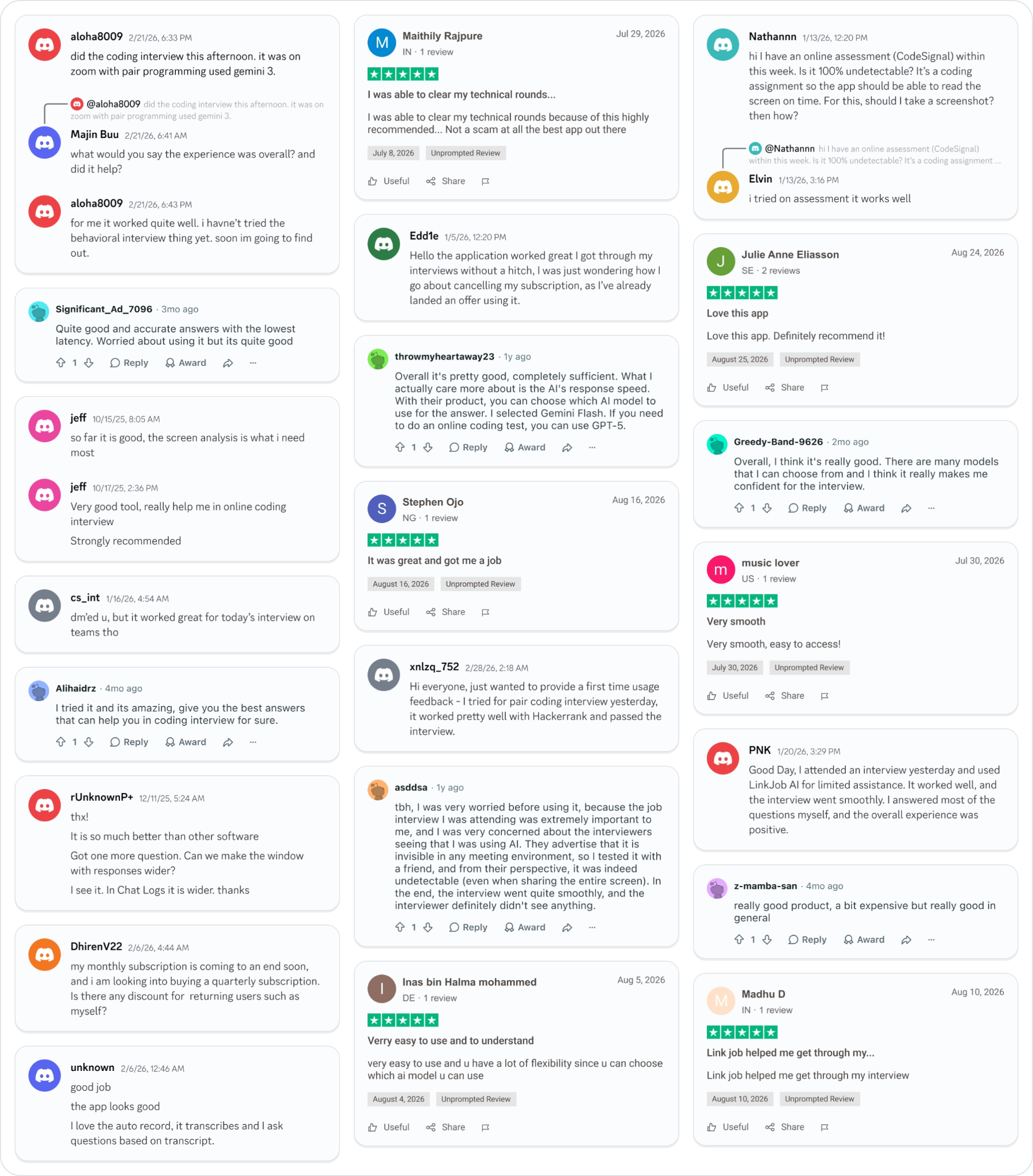
Smoother interviews, coding challenges cleared, and job offers landed. See how users describe their experience with Linkjob AI—in their own words.
© Copyright 2026 Linkjob AI - All Rights Reserved.