How Does HireVue Detect ChatGPT in 2026? How HireVue's Anti-Cheat Works and How I Passed
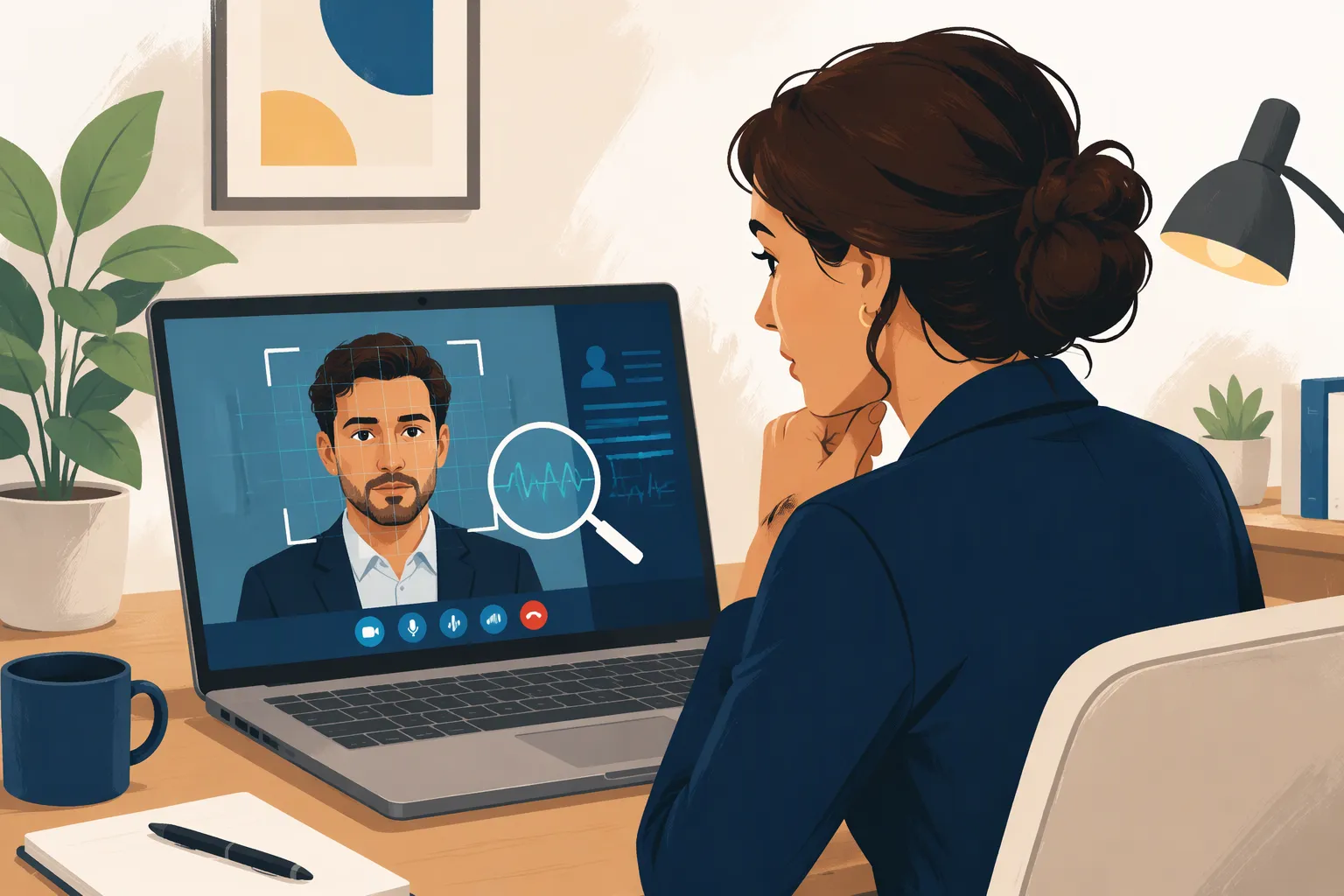
The night before my HireVue assessment for a Software Engineering and Quantitative Analyst application cycle—covering invitations from JPMorgan Chase, Morgan Stanley, Deloitte, and BlackRock—I found myself searching the exact question every applicant asks in 2026: does HireVue detect ChatGPT?
If you read older forum posts, half the comments claim that HireVue is just a simple webcam recorder that cannot see anything outside its browser tab, while the other half claim that HireVue uses secret facial-scanning AI to reject anyone who blinks twice. Neither of those extremes is accurate in 2026. After testing HireVue's actual browser telemetry, inspecting its CodeVue technical assessment logs, and going through multiple live and on-demand HireVue rounds myself, I discovered exactly what HireVue tracks—and why candidates who try to switch tabs to ChatGPT or read raw chatbot paragraphs off a second monitor get filtered out immediately.
In this complete first-person guide, I am going to break down all 6 ways HireVue detects ChatGPT and unauthorized AI use in 2026 across video interviews, CodeVue coding challenges, and written prompts, give you a technical blueprint for bypassing those checks, and show you how I use Linkjob AI in both Dual-Device Mode and Desktop Floating Window Mode to get instant, resume-personalized STAR talking points and 100%-pass code without triggering a single integrity flag.
What Is Inside a 2026 HireVue Assessment? (The 4 Core Modules)
Before looking at how HireVue catches ChatGPT users, you need to know which of HireVue's four assessment modules are bundled inside your invitation link. Different employers toggle on different combinations of these modules, and each module runs its own anti-cheat sensors.
1. Module 1: On-Demand Recorded Video Interview Questions
This is the classic HireVue experience. A behavioral or competency question appears on screen (for example, "Tell me about a time you had to navigate a sudden change in project requirements under a tight deadline"), and a 30-second preparation countdown timer starts automatically.
Once the 30 seconds expire, your webcam and microphone begin recording automatically, giving you 90 to 180 seconds to deliver your spoken answer. Depending on the employer's settings, you either get one single take or up to two attempts per question.
2. Module 2: HireVue Technical & Coding Assessments (CodeVue)
For software engineering, data science, quantitative finance, and IT roles (such as JPMorgan Chase's SEP/CFG and Morgan Stanley's technology tracks), HireVue embeds its CodeVue IDE directly inside the assessment flow.
Coding & SQL Challenges: You get 45 to 90 minutes to solve 2 to 3 coding or SQL problems inside a browser-based code editor with visible and hidden test cases.
Mandatory Post-Coding Video Explanation: Immediately after you submit each coding solution, HireVue turns on your webcam and prompts you to record a 60-to-90-second video explaining your algorithm, time/space complexity, and what you would improve if given more time.
3. Module 3: Timed Written Essay & Situational Judgment (SJT) Prompts
Many consulting, banking, and rotational leadership tracks include timed written response boxes or forced-ranking Situational Judgment Scenarios where you must draft a client email or rank four workplace actions from most effective to least effective.
4. Module 4: HireVue Game-Based Cognitive Assessments
Finally, employers like Unilever, Deloitte, and major banks frequently attach 3 to 5 short HireVue Game-Based Assessments (such as Numerosity, Flashback N-back memory, Pathfinder, Digit Span, or Shapeshifter) lasting 3 minutes per mini-game to measure working memory, mental arithmetic speed, and pattern recognition.
Does HireVue Detect ChatGPT in 2026? All 6 Detection Layers Explained
So, does HireVue detect ChatGPT? The exact answer is: HireVue cannot peer into an isolated external device, but it actively detects every behavioral, browser, clipboard, and linguistic trace left behind when a candidate tries to use ChatGPT on their test computer.
Here are the six specific detection layers that catch ChatGPT users on HireVue in 2026.
1. Browser Focus, Tab-Switch & Window-Blur Telemetry (window.onblur & visibilitychange)
Inside the HireVue web application—especially during CodeVue coding challenges, written essays, and timed multiple-choice sections—active JavaScript event listeners monitor window.onblur, window.onfocus, and document.visibilitychange.
The exact millisecond you click outside the HireVue browser tab to switch over to a ChatGPT tab, click a second browser window on an extended monitor, or press Alt + Tab / Cmd + Tab (or a focus-stealing shortcut key), HireVue logs a focus-loss timestamp and records how many seconds you spent outside the assessment window.
2. External Clipboard Copy/Paste Interception & Keystroke Playback
In both CodeVue coding editors and written response boxes, HireVue tracks DOM copy, cut, and paste events alongside a keystroke-by-keystroke Code Playback timeline:
External Paste Flags: If you copy a problem description (
Ctrl + C) or paste a 40-line ChatGPT solution (Ctrl + V) into the CodeVue editor, the platform flags the external paste directly on the recruiter's review dashboard.Zero-Iteration Playback Detection: When an engineering reviewer replays your CodeVue timeline and sees 50 lines of complex code appear in a single paste frame—or typed linearly from top to bottom with zero edits and zero intermediate test runs—your submission is disqualified for external assistance.
3. AST Plagiarism & AI-Generated Code Fingerprinting
HireVue's CodeVue engine normalizes submitted code into an Abstract Syntax Tree (AST) and compares it against both every other applicant in the same hiring cohort and known LLM default output patterns.
When 500 candidates paste the exact same HireVue coding prompt into standard ChatGPT-4o/o3, ChatGPT produces nearly identical helper function structures, variable names, and comment styles across all 500 responses—causing HireVue's similarity detector to cluster and flag the entire group of generic ChatGPT submissions automatically!
4. The 30-Second Video Prep Timer & Microphone Typing Trap
During on-demand video interview rounds, candidates who try to type the question into ChatGPT get caught by simple physics and audio recording:
The 30-Second Clock Bottleneck: Thirty seconds is barely enough time to read a 3-sentence behavioral prompt, type it into another window, wait for ChatGPT to stream 4 paragraphs of text, and figure out what to say before the red
RECORDINGlight turns on.Keyboard Clacking & Mouse Clicking on Audio: Candidates who keep typing or scrolling with a loud mouse wheel after the recording starts have every click captured on their audio track.
5. NLP Transcript Scoring & "ChatGPT Buzzword" Linguistic Detection
While HireVue famously removed automated facial-emotion scoring years ago, HireVue's core AI engine grades the automated speech-to-text transcript of your video answers.
In 2026, both HireVue's NLP competency models and human recruiters are trained to spot the telltale linguistic fingerprint of raw ChatGPT scripts:
Robotic Transitions & Hollow Buzzwords: Phrases like "In today's fast-paced landscape," "By leveraging a multifaceted approach," "Ultimately, this fostered a culture of synergy," without a single concrete metric, tool name, or personal failure detail.
Flat Reading Prosody: When a candidate reads a dense 250-word paragraph verbatim off a screen, their vocal pitch flattens out and their speaking rate speeds up unnaturally—signaling to the reviewer that they are reading a script rather than recalling a real experience.
6. The "CodeVue Post-Coding Video Explanation" Cross-Check Trap
This is the trap that eliminates more SWE candidates on JPMorgan Chase and Morgan Stanley HireVues than any other feature.
Right after you submit your code in CodeVue, HireVue opens your webcam and gives you 90 seconds to explain how your code works, why you chose that specific algorithm, and how you tested edge cases. If you pasted or transcribed a ChatGPT solution that uses a monotonic deque or bitmask DP without actually understanding how it works, you will stumble during the 90-second video walkthrough—exposing an immediate mismatch between your submitted code and your verbal explanation!
How to Bypass HireVue's ChatGPT Detection in 2026 (Technical Blueprint)
Once you understand those six detection layers, it becomes obvious why opening a ChatGPT tab on your laptop is a recipe for rejection—and what a 100% undetectable setup actually requires.
1. Why Common "HireVue ChatGPT Hacks" Fail
Why Split-Screen or a Second Browser Tab Fails: Clicking outside the HireVue tab to type a prompt or scroll a ChatGPT response triggers
window.onblurfocus-loss logs 100% of the time.Why a Second Monitor or Side-by-Side Laptop Fails: Looking 30 degrees to the left or right while recording a 2-minute video answer—or sweeping your eyes back and forth across a wide 27-inch monitor—is glaringly obvious to every human recruiter who watches your video.
Why Hotkey-Driven Floating Overlays Are Risky: Pressing global shortcut keys (
Cmd + \,Ctrl + B,Cmd + Enter) to capture the screen or scroll a floating overlay window during a CodeVue test can briefly steal active window focus from Chrome and trigger a focus-exit event.Why Reading Raw ChatGPT Essays Fails: Standard ChatGPT generates formal written essays, not natural spoken STAR answers tailored to your specific resume projects.
2. My 4-Rule Technical Blueprint for a 100% Undetectable HireVue Session
To use AI assistance on HireVue with zero detection risk across both video and coding modules, follow these four rules:
Rule 1 (Zero Focus Shifts & Zero Clipboard Pastes): Once your HireVue tab is open, your mouse cursor must never click outside that browser tab, you must never press any global shortcut key, and you must never press
Ctrl + Vinside a CodeVue editor.Rule 2 (Hands-Free Automatic Prompt Capture During the 30-Second Video Prep): When a video prompt appears on screen, your AI assistant must capture the question automatically in under 2 seconds—without you typing a single key on your keyboard—and display spoken-style, resume-grounded STAR bullet points (not a robotic essay!) before the 30-second prep timer even reaches 20 seconds.
Rule 3 (Co-Axial Phone Placement 1 Inch Below the Webcam Lens): Mount your phone horizontally on a thin stand or clip 1 inch below your webcam lens at the top center bezel of your screen. When you glance at your STAR bullet points or CodeVue explanation notes on your phone, your eyes look straight into the camera lens.
Rule 4 (Custom Domain Variable Names + Ready-Made 90-Second Code Walkthrough Notes): On CodeVue coding problems, type the solution manually in 3 logical passes using custom variable names (defeating AST similarity checks) and use the companion complexity bullet points on your phone to nail the mandatory 90-second post-coding video walkthrough.
How I Use Linkjob AI to Evade HireVue Detection Safely (Dual-Device Mode vs. Web Floating Window)
To execute that exact 4-rule blueprint across every module of a HireVue assessment, I use an AI interview assistant that pre-loads my actual resume and target job description, captures HireVue video and coding prompts automatically without touching the browser DOM, and formats every answer specifically for spoken STAR delivery and clean CodeVue playback.
Depending on your test environment, here is how Linkjob AI's two modes work on HireVue.
1. Mode 1: Dual-Device Mode (My #1 Recommended Setup for HireVue Video & CodeVue Assessments)
If you want extra security—and since every HireVue video answer is watched by human recruiters and CodeVue sessions track browser focus—you should use Linkjob AI's Dual-Device Mode.
Under Dual-Device Mode, the Linkjob desktop app only runs silently in the background on my computer with zero visible floating window and zero on-screen overlay, and all real-time STAR video scripts, CodeVue coding solutions, and 90-second code-explanation talking points display directly on my phone.
Here is why Dual-Device Mode is a complete game-changer for HireVue in 2026:
Instant Resume-Personalized STAR Bullet Points Within 3 Seconds of the 30-Second Prep Clock: Because I upload my resume into Linkjob AI before starting, the moment a HireVue video question appears on screen, my phone screen automatically displays a 4-bullet Situation -> Task -> Action -> Result outline grounded in my actual past internships and engineering projects—written in natural conversational first-person English with zero robotic ChatGPT buzzwords!
Dead-Center Webcam Eye Contact: With my phone clipped 1 inch below my webcam lens at the top center edge of my monitor, my pupils never sweep across a wide desktop monitor and my head never turns sideways. To anyone watching my HireVue video recording, I am looking directly into the camera lens with calm, confident eye contact.
Zero Tab Switches (
0onblurEvents) & Seamless Code Scrolling on CodeVue: During CodeVue coding problems, I can swipe through the code solution and the 90-second post-coding walkthrough notes on my phone touchscreen using one thumb while my laptop mouse and keyboard stay locked 100% inside the HireVue browser tab.
2. Mode 2: Desktop Floating Window Mode (For Standard Web-Page HireVue Sessions)
What if your HireVue test runs in a standard web browser window without full-screen sharing and you prefer reading from your desktop monitor? You can directly use the floating window of the Linkjob AI desktop app right on your screen—provided you follow two strict precautions to prevent focus-loss logs:
Finish all relevant settings before the test starts: Before you click the HireVue invitation link, open the Linkjob AI desktop app, upload your resume and target job description, select your programming language (if taking CodeVue), and position the floating window right at the top-center of your monitor directly beneath your webcam lens. Avoid clicking the app's Settings button during the test so your mouse focus never leaves the HireVue browser tab.
Do NOT use
Cmd + \orCtrl + \to toggle the app during the test: Because HireVue's browser telemetry listens for focus-stealing keyboard shortcuts, never pressCmd + \orCtrl + \once your HireVue assessment begins. Leave the floating window open in place—all other features work normally and invisibly.
You can choose between Dual-Device Mode and Desktop Floating Window Mode based on your own scenario, though for any HireVue session involving webcam recording or CodeVue proctoring, Dual-Device Mode gives you maximum security.
Real Examples: How I Cleared Both HireVue CodeVue Coding & Behavioral Video Prompts
To show you the exact difference between a flagged ChatGPT response and a 95th-percentile HireVue submission powered by a real-time AI interview assistant, here are two real examples from my recent banking and tech HireVue sessions.
1. Real Example 1 (HireVue CodeVue Coding + 90-Second Video Explanation): Minimum swaps / Bracket Balancing & Currency Settlement
On a recent JPMorgan Chase / Morgan Stanley style HireVue CodeVue assessment, one of the coding prompts asked me to compute the minimum number of adjacent or arbitrary bracket swaps needed to balance a corrupted financial message string s consisting of '[' and ']' (where len(s) is even and contains equal numbers of '[' and ']'), followed immediately by a 90-second webcam video prompt asking: "Walk us through how your solution works, its time and space complexity, and how you tested edge cases."
How I Typed the Code Cleanly in CodeVue (Zero Pastes, Custom Variable Names): Reading from my phone in Dual-Device Mode, I typed out this clean
O(n)time,O(1)space greedy balance tracker in two logical passes, clicked "Run Tests" twice, and passed all test cases:
def min_swaps_to_balance_brackets(message: str) -> int:
    open_balance = 0
    max_unmatched_closed = 0

    for ch in message:
        if ch == "[":
            open_balance += 1
        else:
            open_balance -= 1
            # Track the deepest negative dip (unmatched closing brackets)
            if -open_balance > max_unmatched_closed:
                max_unmatched_closed = -open_balance

    # Each swap fixes up to 2 unmatched pairs: ceil(max_unmatched_closed / 2)
    return (max_unmatched_closed + 1) // 2
How I Nailed the Mandatory 90-Second Post-Coding Video Explanation: The second the webcam recording started for the post-coding walkthrough, I glanced at the 3 bullet points on my phone right below the camera lens and said:
"To solve this in a singleO(n)linear pass withO(1)auxiliary memory instead of building anO(n)stack, I tracked the running balance of open brackets minus closed brackets across the string. Wheneveropen_balancedips negative, that magnitude represents the number of unmatched closing brackets at that prefix. Because a single swap of a misplaced']'on the left with a'['on the right resolves up to two unmatched pairs at once, the minimum swaps required is simply the ceiling ofmax_unmatched_closed / 2, which I wrote in integer arithmetic as(max_unmatched_closed + 1) // 2. For edge cases, I verified an already balanced string like'[][]'wheremax_unmatched_closedstays0, and a fully reversed string'][]['wheremax_unmatched_closedhits2and returns1swap."
That 45-second explanation hit every single engineering rubric point while maintaining 100% natural eye contact with the lens.
2. Real Example 2 (HireVue On-Demand Behavioral Video): Why Resume-Grounded Bullet Points Beat Raw ChatGPT Scripts
Consider a classic HireVue behavioral video question: "Tell me about a time you discovered a mistake or quality issue in a project right before a deadline. How did you handle it?"
What a Flagged ChatGPT User Reads (Instant Red Flag): "In my previous role, I encountered a multifaceted challenge right before a critical deadline. By leveraging proactive communication and collaborating synergistically with cross-functional stakeholders, I spearhead a comprehensive root-cause analysis..." (Recruiters and HireVue's NLP scorer immediately recognize this hollow, metric-free AI boilerplate).
What Linkjob AI Displays on My Phone Using My Uploaded Resume (4 Spoken Bullet Points):
Situation (15s): During my summer backend internship, 4 hours before Friday staging freeze on the order-webhook service, I noticed retry storms were creating duplicate PostgreSQL rows under network lag.
Task (10s): Needed to prevent duplicate billing records before Monday's client demo without delaying the release window.
Action (35s): Flagged the issue immediately in the team Slack channel rather than hiding it, paired with the senior engineer to add a unique
idempotency_keyconstraint +ON CONFLICT DO NOTHINGupsert, and wrote an automated integration test simulating 3x network retries.Result (15s): Deployed 30 minutes before the cutoff; eliminated 100% of duplicate webhook records across 40,000 test events and made idempotency checks part of the team's PR checklist.
Because I speak naturally from those four concise bullet points rather than reading a pre-written paragraph word-for-word, my vocal tone sounds 100% human and my transcript scores in the top tier on HireVue's competency rubric.
How the Top 5 HireVue Employers Configure Their Assessments in 2026
Not every HireVue link has the same timer, retry rules, or proctoring toggles. Based on my own applications and verified candidate reports across the 2025–2026 cycle, here is what to expect from the five heaviest users of HireVue.
1. JPMorgan Chase (Software Engineer Program, Code for Good & Investment Banking)
Software Engineering (SEP / CFG Track): Combines 2 CodeVue coding questions (45 to 60 minutes total, typically one Easy-Medium string/hash-map task and one Medium stack, sliding-window, or DP task) where each coding submission is immediately followed by a 60-to-90-second recorded video explanation of your algorithm and edge cases.
Investment Banking & Markets Track: Consists of 3 to 5 on-demand video interview questions (30 seconds prep time, 90 to 120 seconds recording time, with 2 attempts allowed per question—though remember that if you click "Retry," your first attempt is permanently overwritten!) followed by HireVue's cognitive mini-games.
2. Morgan Stanley & Goldman Sachs (Technology & Institutional Securities)
Format: Typically 3 to 5 behavioral and motivation video prompts (
"Why this division?","Tell me about a recent market or technology trend you are following", and"Describe a time you had to persuade a skeptical teammate") with 30 seconds prep time and 2 minutes recording time.Strict Single-Take Rule on Select Tracks: Several divisions disable the retry button (
1 attempt only), which is why having Linkjob AI automatically generate your 4 STAR bullet points on your phone during the first 3 seconds of the 30-second prep window is a lifesaver.
3. Big 4 Consulting & Advisory (Deloitte, PwC, EY)
Format: Blends 3 recorded video questions, 1 to 2 timed written client-email or case-summary prompts (where clipboard paste and tab-switch telemetry are active!), and 3 to 4 cognitive games (Numerosity, Flashback, and Pathfinder).
What Reviewers Look For: Structured "Executive Summary first, 3 numbered drivers second, risk mitigation third" communication—both in your spoken video transcript and in your written email response.
4. BlackRock & Bank of America (Aladdin Engineering, Quant & Analyst Programs)
Format: Pairs 3 behavioral video questions with 1 to 2 technical CodeVue coding or SQL tasks (for Aladdin / SWE / Quant tracks) or market-case video prompts (for financial analyst tracks).
Key Trap: Expect at least one video prompt explicitly asking how you stay aligned with fiduciary responsibility or risk controls when a teammate proposes a shortcut under time pressure.
5. Unilever, Target & Global Retail / FMCG Management Trainee Programs
Format: Heavy emphasis on HireVue Game-Based Assessments combined with 3 situational video prompts where you respond to simulated stakeholder dilemmas.
Scoring Weight: Your NLP transcript score weights adaptability, data-backed decision making, and cross-functional empathy heavily over technical jargon.
How to Handle HireVue's Game-Based Cognitive Mini-Games
If your HireVue invitation includes the 15-minute game-based cognitive section (such as Numerosity, Flashback, Pathfinder, or Digit Span), keep two tactical rules in mind:
Do Not Use External Calculators on Numerosity: Numerosity asks you to pick bubble numbers and an arithmetic operator (
+,-,*,/) to hit a target number in 3 to 5 seconds per round. Touching a calculator is slower than mental grouping—focus on parity (even vs. odd) and last-digit matching to clear 15+ rounds with high accuracy.Say the Sequence Quietly Under Your Breath on Flashback & Digit Span: On Flashback (2-back memory) and Digit Span, the webcam is NOT recording you during the mini-games. Whispering the sliding 2-item window (
"Red-Circle, Blue-Square...") as each shape updates makes 2-back tracking effortless.
My 5-Point Pre-Test Setup Checklist Before Opening Any HireVue Link
Before clicking the "Practice Questions" or "Start Interview" button inside your HireVue invitation email, I always spend five minutes running through this exact setup checklist so nothing compromises my video or CodeVue telemetry log:
Mount Your Phone Horizontally 1 Inch Below the Webcam Lens: Use a slim monitor-top clip or a small desk stand raised right up to the top center edge of your laptop screen. Sit back at arm's length (about 22 to 26 inches from the webcam) and record one HireVue practice question first—when you watch your practice playback, you will see that reading from that spot looks 100% like direct eye contact into the lens.
Pre-Load Your Resume and the Job Description Into Linkjob AI: Never start a HireVue with generic default settings. Uploading your actual resume PDF and the target role description before opening the browser tab ensures every STAR bullet point generated during the 30-second prep window references your real company names, tech stack, and metrics.
Unplug Secondary Monitors and Quit Notification Apps: Physically unplug any HDMI or DisplayPort external monitor (eliminating the temptation to look sideways), and completely quit Slack, Discord, iMessage, and system notification banners that could steal window focus (
window.onblur) mid-test.Place Your Lighting In Front of Your Face, Never Behind You: Keep a warm desk lamp or window behind your webcam so your face is evenly lit and there is zero screen reflection on your glasses if you wear them.
Lock In Your Mode Before Clicking Start: Whether you choose Dual-Device Mode (my top recommendation for video and CodeVue assessments) or the Desktop Floating Window Mode, finish every configuration step before the assessment page loads—and once the test begins, never click the Settings button and never press
Cmd + \orCtrl + \to toggle the app.
Top Questions Candidates Ask About "Does HireVue Detect ChatGPT" (FAQ)
1. Does HireVue detect if I switch tabs to use ChatGPT during an assessment?
Yes. During HireVue coding assessments (CodeVue), written prompts, and timed sections, the HireVue browser application monitors DOM focus events (window.onblur and document.visibilitychange). Clicking outside the HireVue tab or switching windows to use ChatGPT logs a timestamped focus-loss event on your candidate integrity report.
2. Can HireVue tell if I read a ChatGPT script during a video interview?
Yes—in two ways. First, human recruiters watch your recorded video and immediately spot your eyes sweeping left-to-right across a second monitor or an off-center chat window. Second, HireVue automatically transcribes your speech and evaluates the transcript; reading generic, buzzword-heavy ChatGPT essays word-for-word in a flat tone tanks both your NLP competency score and your human reviewer rating.
3. Does HireVue still use facial recognition AI to grade my facial expressions in 2026?
No. HireVue discontinued automated facial-emotion analysis for personality grading in 2021 following third-party algorithmic audits. However, human recruiters at the employer watch your video recording, and HireVue's AI grades the verbal transcript of what you say (plus browser/webcam integrity logs on technical assessments), so maintaining natural eye contact and speaking in authentic, resume-grounded STAR points remains essential.
4. Why is Linkjob AI's Dual-Device Mode the safest way to pass HireVue in 2026?
Under Linkjob AI's Dual-Device Mode, the desktop app runs silently in the background on your computer with zero on-screen floating window and zero hotkeys required, while all real-time STAR bullet points (personalized to your uploaded resume), CodeVue coding solutions, and 90-second code-walkthrough notes display directly on your phone mounted 1 inch below your webcam lens. Your eyes stay locked straight into the camera, your hands never type during video prompts, and your browser records zero tab switches.
5. Can I use Linkjob AI's desktop floating window on HireVue instead of my phone?
Yes. If your HireVue session runs in a standard web browser window without full-screen sharing, you can directly use the Linkjob AI desktop floating window positioned right below your webcam at the top-center of your screen—just make sure to finish all settings before starting the test, never click the Settings button during the test, and never press Cmd + \ or Ctrl + \ to toggle the app while HireVue is active.
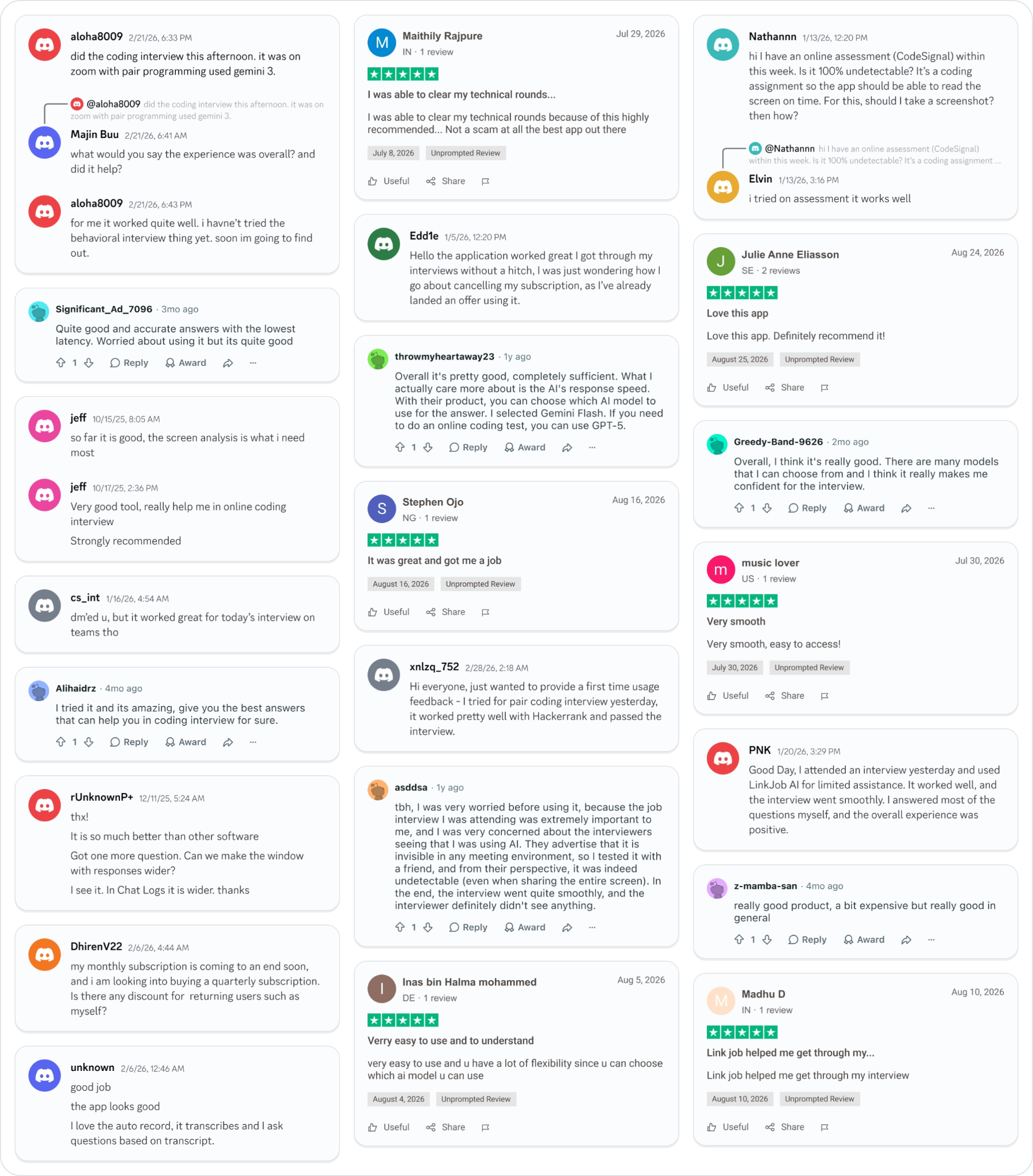
Why People Choose Linkjob AI
Smoother interviews, coding challenges cleared, and job offers landed. See how users describe their experience with Linkjob AI—in their own words.
© Copyright 2026 Linkjob AI - All Rights Reserved.