Interview Coder Review 2026: Pros, Cons, What’s Missing


Over the past year, tools like Interview Coder have become increasingly visible in technical interview prep. Promising real-time assistance, faster answers, and less pressure during live interviews, it’s easy to see why many candidates are curious, or even tempted.
A plethora of associated articles have also drawn attention to that particular cohort of "invisible" AI interview assistants, including those referenced in Final Round AI review and Verve AI review, which highlighted concerns such as ambiguous responses and recurrent technical malfunctions.
But after spending significant time testing Interview Coder across different scenarios, I realized the real question isn’t whether it works, but how well it fits into real interview preparation, and what trade-offs come with using it.
In fact, as newer alternatives like LinkJob.ai emerge—offering greater flexibility, transparent pricing, and stronger contextual awareness—the bar for what counts as a “helpful” AI interview tool has risen significantly.
This review takes a closer look at Interview Coder in 2026 about its strengths, limitations, safety and privacy considerations, and whether it genuinely helps candidates perform better, or simply feels helpful in the moment.
So if you're preparing for an interview and weighing Interview Coder against more modern options like LinkJob.ai, keep reading.

What is Interview Coder ?
Interview Coder is an AI-powered tool developed by Columbia University student Roy Lee, designed to assist candidates with coding problems during technical interviews. It runs discreetly, analyzing questions via screenshots and generating code solutions across multiple programming languages. It’s very useful for quickly and precisely solving problems, but it’s primarily geared toward individual coding tasks—its performance on complex problems still needs improvement. It offers both a monthly subscription and a one-time purchase option, but the monthly plan is significantly less cost-effective compared to the one-time payment.
Interview Coder Review: 2026 Verdict
Core Features of the Application
Interview Coder is purpose-built for technical coding interviews, having several features built for technical coding interviews. Key capabilities include:
Feature | Description |
|---|---|
Stealth Mode (During Screen Sharing) | The app remains completely invisible to interviewers while you’re sharing your screen—ensuring discreet, real-time assistance without detection. |
AI Coding Assistant | Snap a screenshot of any coding problem and instantly receive an AI-generated solution with clear, step-by-step explanations. Submit another screenshot if your code has bugs or needs optimization—and get refined, improved versions in seconds. |
Natural Eye Contact Support | A thoughtfully positioned overlay keeps help within reach while allowing you to look directly at your interviewer, maintaining confident and natural eye contact. |
Custom Keyboard Shortcuts | Use intuitive hotkeys (e.g., Cmd+B, Cmd+H) to toggle features quickly—keeping your focus on the interview, not the tool. |
Pros and Cons of its features
Stealth Mode
Of all the features this software offers, the one I care about most is its claim that:
“The app remains completely invisible to interviewers while you’re sharing your screen—ensuring discreet, real-time assistance without detection.”
— exactly as stated on its official website.
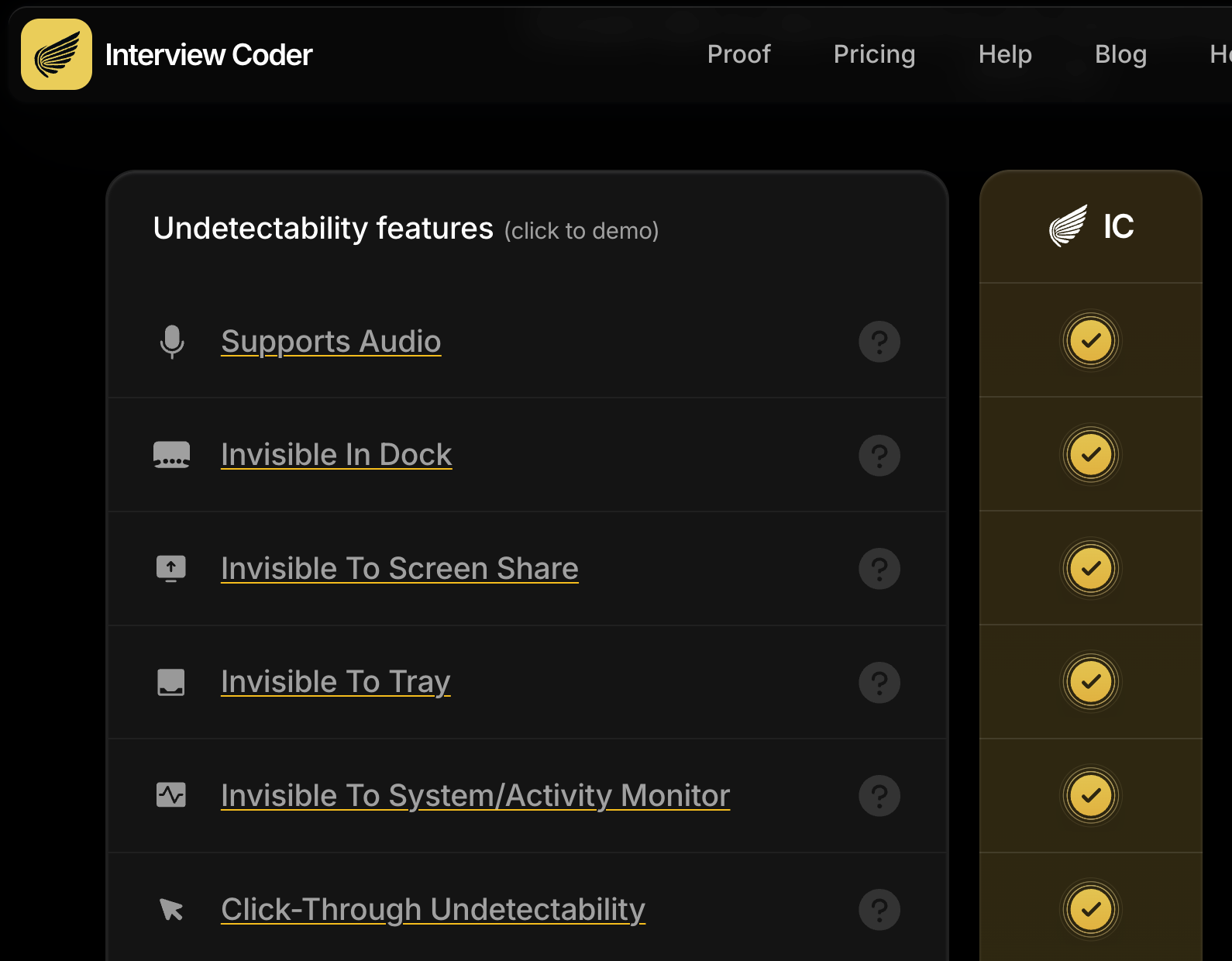
A major plus for me was that it perform regular audits on their stealth capabilities, which I found to be a very reassuring point.
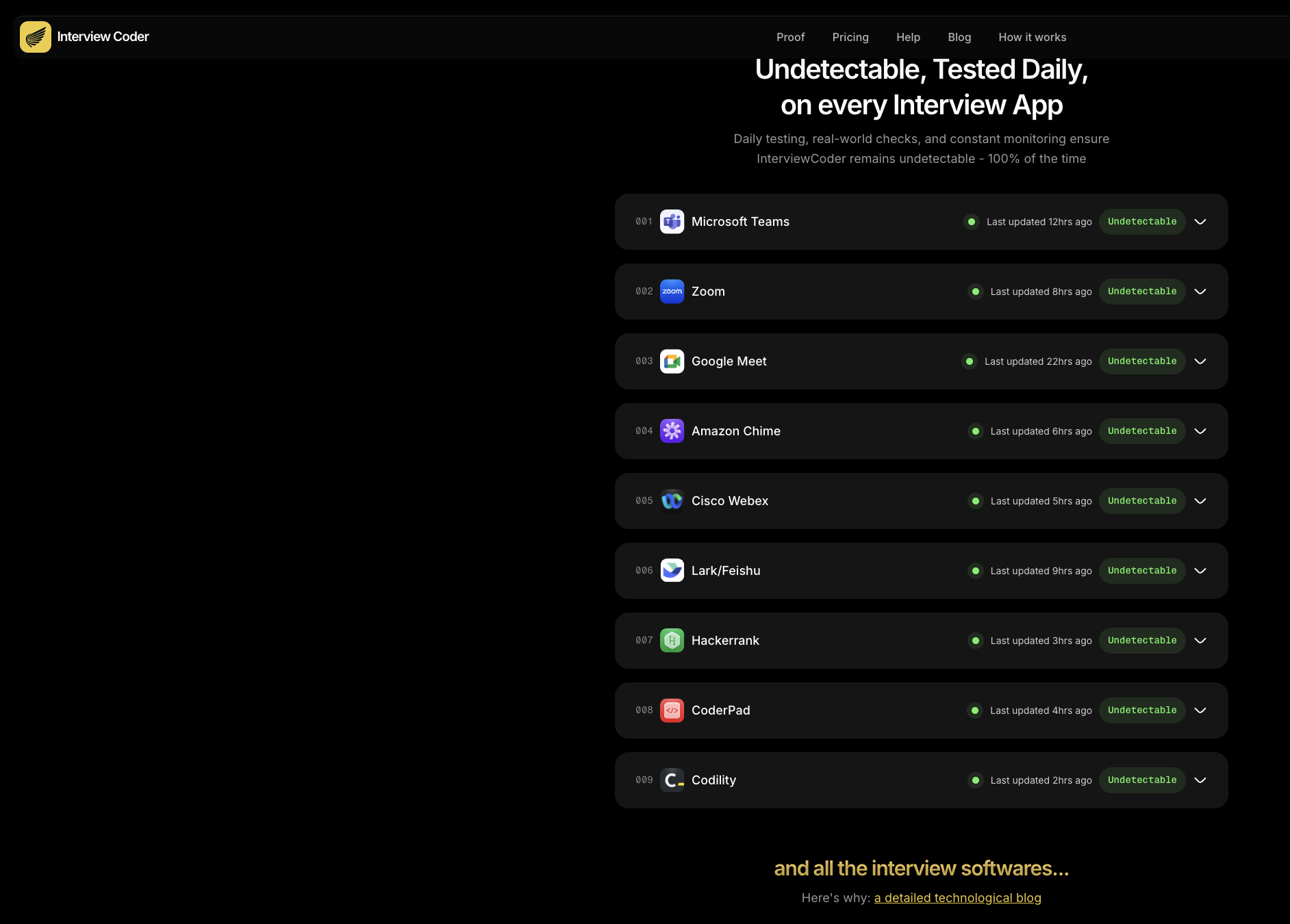
However, in reality, my research across major social media platforms shows that the app is not truly 100% undetectable as claimed. Visibility issues have been reported with newer versions of Zoom and macOS due to stricter permission controls, and its performance on Windows systems prior to Windows 11 is far from flawless.
I also set up a second laptop to check the screen share and see if it actually stayed hidden. But during the actual test, I discovered that two specific buttons would immediately reveal the AI’s presence when clicked. The pop-up boxes weren't hidden from the screen share at all. They took up a huge chunk of the screen and were super obvious. If I hadn't tested it beforehand, I definitely would've been caught cheating during the interview.
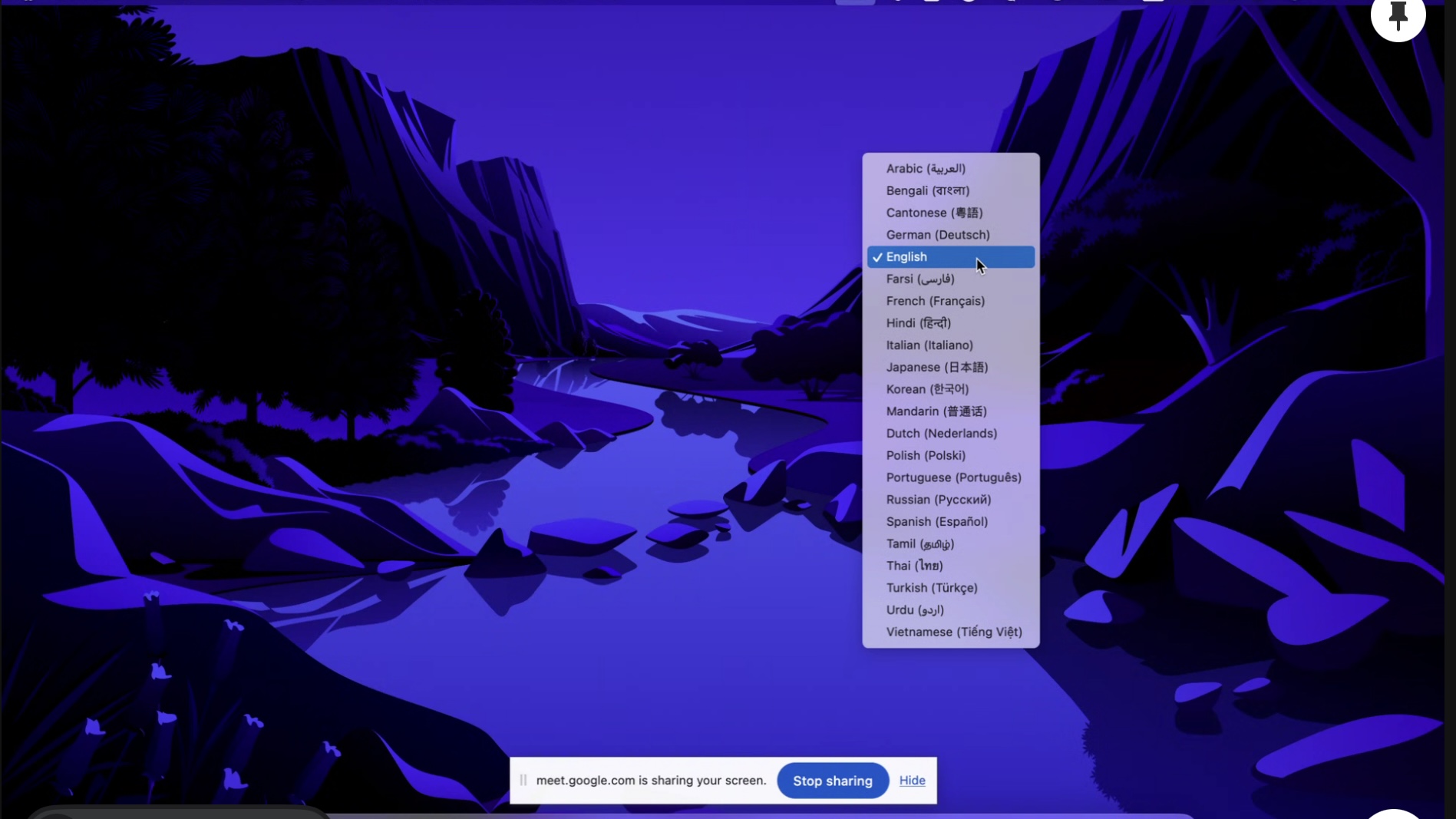
Interview Coder can be seen during screen sharing.
It's safe to say that the risk is real. if you're planning to use a coding interview copilot, I’d strongly suggest doing a full run-through before your interview to make sure it stays invisible in every possible case.
Quality of Its Outputs
InterviewCoder performs reasonably well on easy to medium-level LeetCode coding problems. However, its performance drops significantly when it comes to system design questions or more complex programming challenges—the outputs are often inaccurate or unhelpful. This is likely because the underlying model hasn’t been specifically trained to handle system design scenarios.
I tried to find out which AI model InterviewCoder uses to generate its responses, but the platform does not disclose this information—which is genuinely disappointing.
In contrast, I’ve tested other AI interview assistants like LinkJob.ai, which offers 126 different AI models to choose from. This flexibility allows me to leverage the strengths of each model and select the one best suited to my specific interview needs. For example, if I’m preparing for a coding interview, I can pick a model fine-tuned for programming tasks. If I’m in a behavioral or system design round, I can seamlessly switch to a model optimized for those domains.
Workflow Integration and User Experience
Despite its AI capabilities, InterviewCoder feels more like a tool-oriented utility than a true interview-oriented assistant. It works reasonably well for isolated, one-off coding problems—but under the constraints of a real interview flow, its contextual awareness is limited, and it struggles to maintain meaningful dialogue continuity.
The experience is further hampered by rigid workflow integration. Users are required to manually click “Start Interview,” “Pause,” and “Finish” buttons—actions that break immersion and add unnecessary cognitive load during high-pressure scenarios.
Pricing, Value, and Transparency
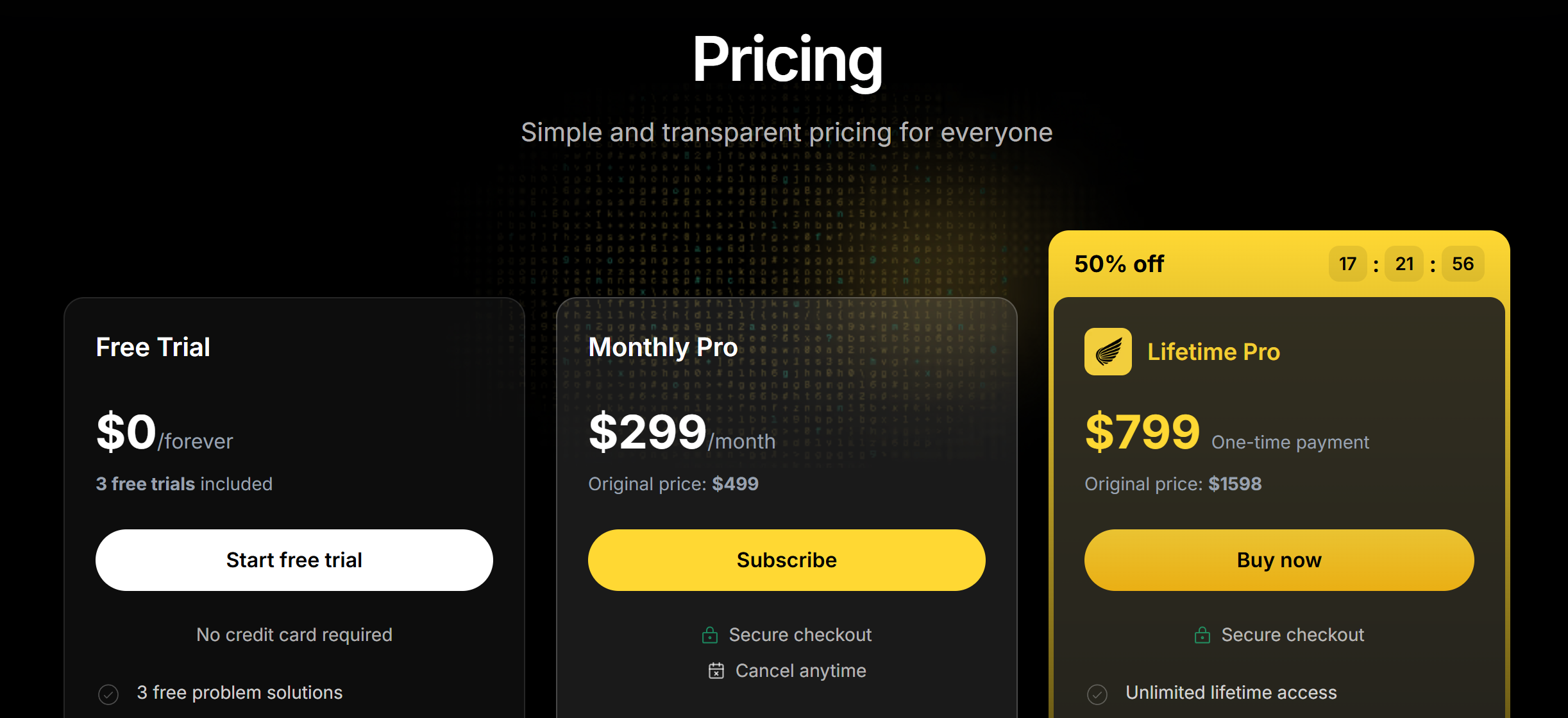
Interview Coder costs $ 799 as a one-time purchase or $ 299 one month. At first glance, that’s significantly higher than most coding interview tools, which typically charge 20–20– 50 per month, with annual plans usually under $ 500. If you’re only prepping for a few months—as most candidates do—that upfront cost feels hard to justify.
To be fair: high price alone isn’t a red flag. After all, high-performing AI assistants require expensive underlying models. Every tools can justify premium prices—but only when they offer transparency, flexibility, and verifiable performance.
Take LinkJob.ai, for example—it also offers a lifetime plan at $ 699, alongside flexible monthly ($100/mon), quarterly ($50/mon), and annual ($25/mon) options. But the difference lies in what you get:
Full access to 126+ specialized AI models (including top-tier ones like GPT 5.1, Claude Opus, Grok 3, etc.),
A realistic free trial that lets you test core functionality,
Transparent feature parity across plans,
Ongoing updates tied to real interview dynamics.
By comparison, Interview Coder offers two payment options: a $ 799 one-time purchase for “lifetime access,” and a monthly subscription at $ 299. However, neither plan comes with a meaningful free trial—users are limited to a very basic AI model that doesn’t reflect the full capabilities of the tool.
More importantly, the official website does not disclose which AI model is used, nor does it mention any refund policy for either payment option. This lack of transparency makes it difficult to assess whether the tool truly aligns with your interview needs before committing—especially given that the monthly price ( $ 299) is significantly higher than most competitors, and the one-time fee represents a substantial upfront investment with no safety net.
Ultimately, while premium tools can command premium prices, the value becomes clearest when users can explore, adapt, and verify performance firsthand—something currently more accessible in alternatives like LinkJob.ai.
Real User Feedback
I did some research across Reddit, Twitter, and tech forums, and the feedback on Interview Coder is all over the place—a mix of cautious optimism and outright disappointment.
Some users say it works well for basic coding problems and stays invisible during screen sharing on platforms like Zoom or Google Meet. A few even claim it helped them land interviews by providing real-time hints without being detected, especially when using Windows 11 with updated software.
But then there are others who had a very different experience. One user on r/interviews shared that they were caught mid-interview on CoderPad, with the interviewer asking, “Buddy, are you serious right now?” — clearly aware they were using an AI assistant. That kind of story isn’t rare: multiple reports mention visibility issues on older systems, or detection due to screen capture quirks.
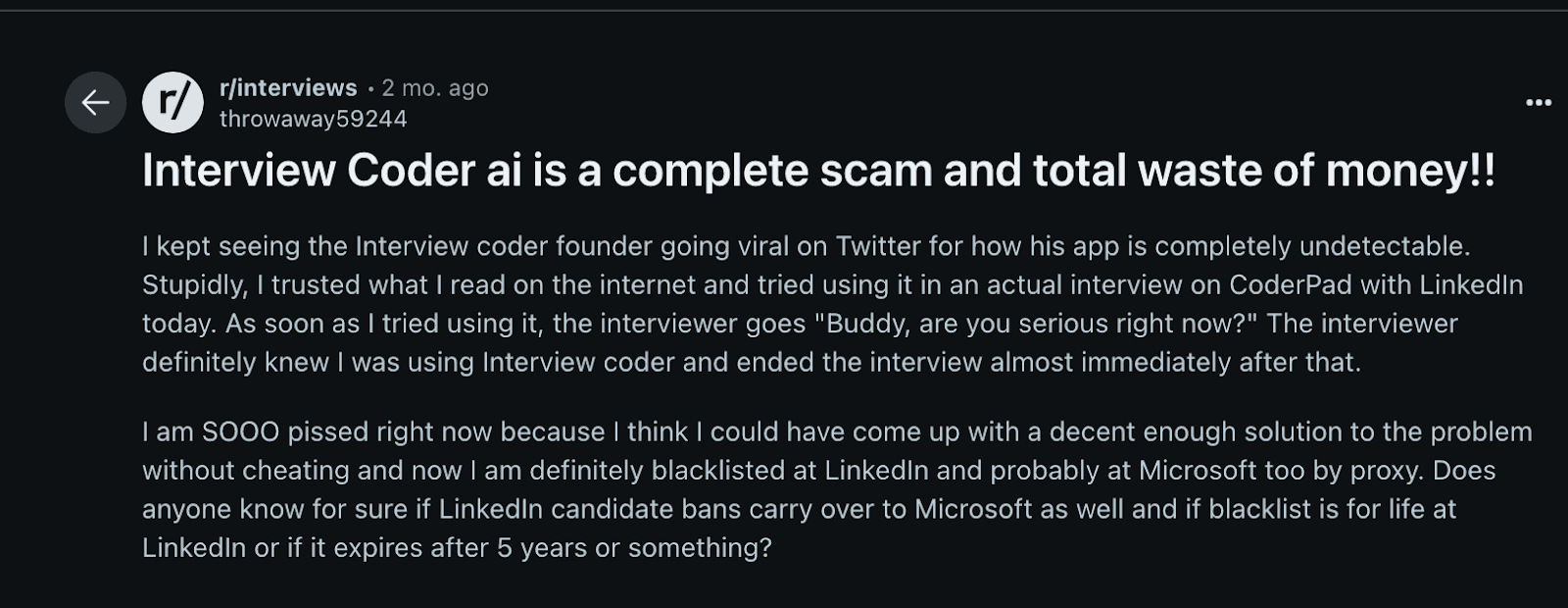
And then there’s the price. At $ 799 upfront, many feel it’s a hard sell. Some users admit they only used it a few times before quitting, either because it didn’t live up to expectations or because they realized they could get similar help from cheaper tools with better transparency and trial options.
So while Interview Coder might work for some in ideal conditions, it’s far from a guaranteed solution. For most, it feels like a high-risk, high-cost gamble—one where the stakes include not just money, but your professional reputation.
Comparison to Alternatives
Generally, Interview Coder covers the basics, but it does miss out on a few critical capabilities and isn’t quite up to par with what today’s technical interviews demand from a true AI coding copilot. Moreover, it lacks support for audio input, which is a notable gap in scenarios where spoken context, such as follow-up questions or clarifications from the interviewer, plays a key role.
Given the limitations of Interview Coder—particularly around detectability, contextual awareness, and rigid workflow—you might be wondering if there’s a more practical alternative. Several AI interview assistants are available today, and among them, LinkJob.ai stands out as one of the more well-rounded AI interview assistants for real-world technical interviews. Here’s why:
It’s Fully Invisible
LinkJob.ai uses advanced screen-capture and overlay technologies to remain 100% undetectable during live interviews—even on strict platforms like Zoom, Google Meet, and Amazon Chime. It runs silently in the background, leaving no trace that could raise suspicion.Supports Multiple Question Types & Modalities
Beyond text-based prompts, LinkJob.ai can interpret coding problems shared via screenshots or images. Crucially, with user permission, it can also process real-time audio from the interview call to capture verbal cues, clarifications, or constraints—dramatically improving contextual understanding. Plus, you can choose from 126+ top-tier AI models, including variants of OpenAI, Claude, and specialized coding LLMs, so you always get the most relevant help for your specific challenge.Accurate, Flexible, and Discreet
Designed by engineers for engineers, LinkJob.ai balances precision with adaptability. Whether you’re tackling a LeetCode medium, designing a distributed system, or debugging under pressure, it provides timely, high-quality support—without disrupting your flow or drawing attention. It’s the kind of quiet, intelligent backup that feels less like a tool and more like a trusted teammate.
In short, LinkJob.ai doesn’t promise perfection—but it does deliver a more cohesive and practical experience for candidates navigating actual technical interviews, where discretion, responsiveness, and context matter
If you want a tool for mock interviews and quick help, Interview Coder works. For deep practice and advanced features, you might prefer the alternatives.
FAQ
Does Interview Coder offer support for non-technical interviews or behavioral questions?
No, Interview Coder is designed for technical interviews that involve coding questions. It doesn't assist with behavioral questions, so you’ll still need to prepare for those separately.
Does Interview Coder offer a free trial?
Yes, there’s a free plan. I tried it, but it felt limited. You get a taste of the features, but most tools unlock only after you pay.
What platforms does Interview Coder support?
I used Interview Coder on Windows and macOS. It works with popular coding sites like LeetCode, HackerRank, and CodeSignal. I always check for updates before an interview.
See Also
I Tried LockedIn AI(3.6⭐/5) & Here is My Lockedin AI Review
Best Interview Coder Alternative for Coding Interview Copilot
Why I Ditched Cluely AI :My Honest Take on the Best Cluely AI Alternatives That Actually Work
Parakeet AI Review: Real Interview Performance, Pros and Cons

© Copyright 2025 linkjob.ai - All Rights Reserved.