My Honest Shadecoder Review: Is It Stealth?


I recently tried out an AI assistant called Shadecoder, hoping it would help me ace a pretty important coding interview. It says it's completely invisible and can solve any coding interview question during screen sharing. I decided to give the tool a go without thinking too much about it. To be honest, I just gave Shadecoder a quick go on LeetCode and found it had some serious problems. In the end, I switched back to my usual tool, Linkjob AI.
I've tried out a bunch of recommended AI interview assistants while trying to pass various interviews, but to be honest, most of them didn't really impress me. I looked at the reasons really closely, and I've written about the pros and cons of Cluey, Beyz AI Review, and Sensei AI Review. If you want to know more, just click on the links to read the whole story.
In the end, I went with Linkjob AI as my desktop real-time coding interview assistant, and it's been working like a dream in the interviews I've done so far. In this article, I'll be taking a look at the features of the AI interview assistants I've used and highlighting where they got things wrong for me and where they could do better. I'll also be chatting about how Shacecoder can help you in the future.

Shadecoder Review: Overview And Claims
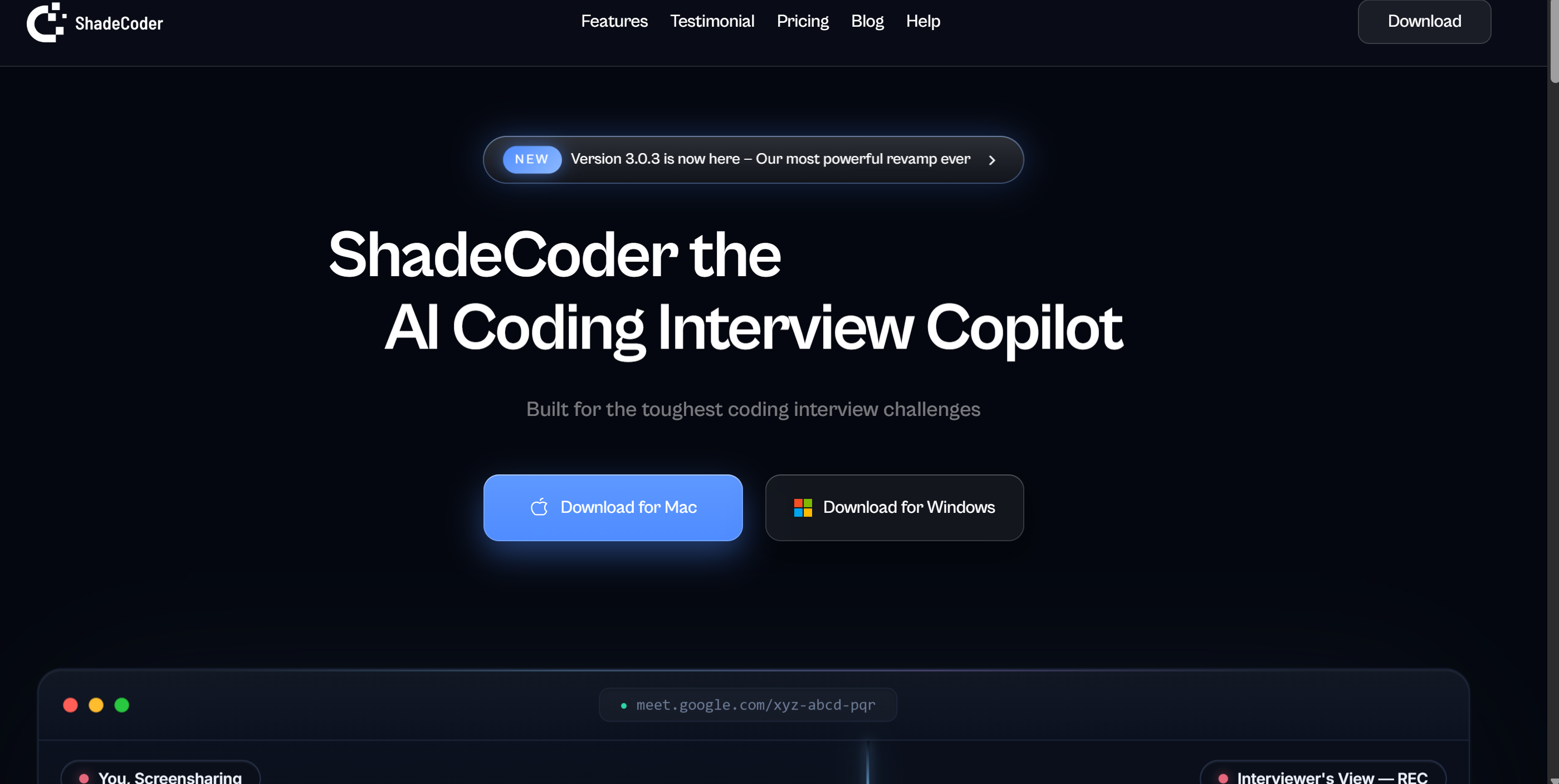
What Is Shadecoder
When I started my Shadecoder review, I wanted to know what sets this tool apart. Shadecoder launched recently and markets itself as a stealthy AI copilot for coding interviews.
Shadecoder's main features are that it can generate answers quickly, it's completely invisible and it relies solely on keyboard shortcuts for its workflow. I found that it does indeed operate without needing to switch tabs, but it still displays a semi-transparent overlay. There are a couple of other minor issues, but I'll save those details for later when I share my firsthand experience.
Here’s a quick look at how Shadecoder compares to other popular stealth tools:
Feature / Capability | ShadeCoder | Linkjob AI | Interview Sidekick | LockedIn AI | Parakeet AI |
|---|---|---|---|---|---|
Interview type | Coding rounds only | All types of Interviews | supports all types, but works better with behavioral | All interview types | Works best with behavioral rounds |
Screen-share invisibility | Claims 100% invisible during screen sharing | Undetectable mode, tested stealth across multiple platforms | Not designed for stealth coding use | Stealth mode with UI hooks | Screen-share compatible, but not fully invisible |
Hotkey-only workflow | Global hotkeys, no need to switch tabs | Global hotkeys and complete click-through overlay | No pure hotkey control | Partial hotkey triggers | No dedicated hotkey-based flow |
Structured output for coding + reasoning | Clean, step-based answers with follow-ups | Provides answers and supports personalization through prompting | Focuses more on interview response coaching | Gives code + design info but less formatted | Responses vary depending on context |
Multimodal reasoning (text + screen + logic) | Reads screen hints + understands context | Audio transcription + screengrabs understanding | Mostly text-based guidance | Screen + audio analysis but heavier processing | Audio transcription + screen detection |
Cross-platform invisibility (recording-safe) | Invisible to all screen-recording tools | complete stealth across all platforms | Not designed for recording-safe stealth | Works but may require permissions | Works on major tools but not invisible |
Stealth And Privacy Claims
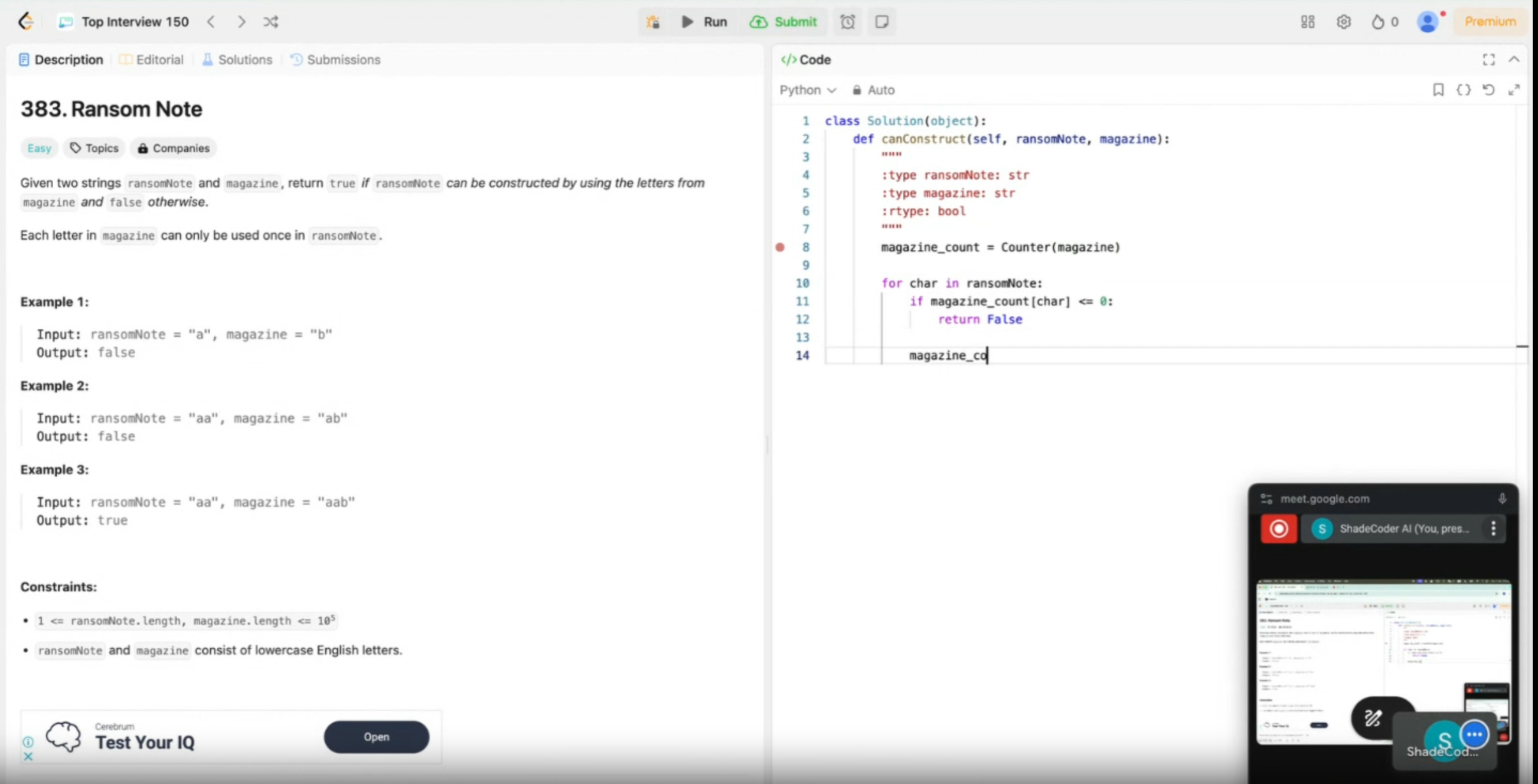
Shadecoder claims to be 100% invisible during interviews. It uses global hotkeys and never shows overlays, even when you share your screen. Many users say it works smoothly across platforms and stays hidden, which can help you stay calm during stressful interviews. Some people in the community, though, have noticed flickers or small artifacts, so the undetectability isn’t perfect for everyone.
Note: There are no independent audits or third-party tests to confirm Shadecoder’s stealth claims. I couldn’t find any public results against proctoring systems like CodeSignal or HireVue.
I also noticed a lack of real user reviews and some possible fake promotions. This made me question the authenticity of some claims. For a comprehensive review, I think it’s important to keep these credibility concerns in mind as you decide if Shadecoder is right for you.
Shadecoder Review: Hands-On Experience And Stealth Testing Shadecoder AI Assistant
Setup And Usability
I have to say, I was a bit confused when I first started using Shadecoder.
I downloaded the installer from the official website, and after installing it, Shadecoder asked me to link a specific account to access support.
Then, I was shown a simple page that asked me to enter some info, like the company I was interviewing with and the type of interview, as well as a few settings that seemed really basic (I couldn't even find where to view the shortcut key prompts).
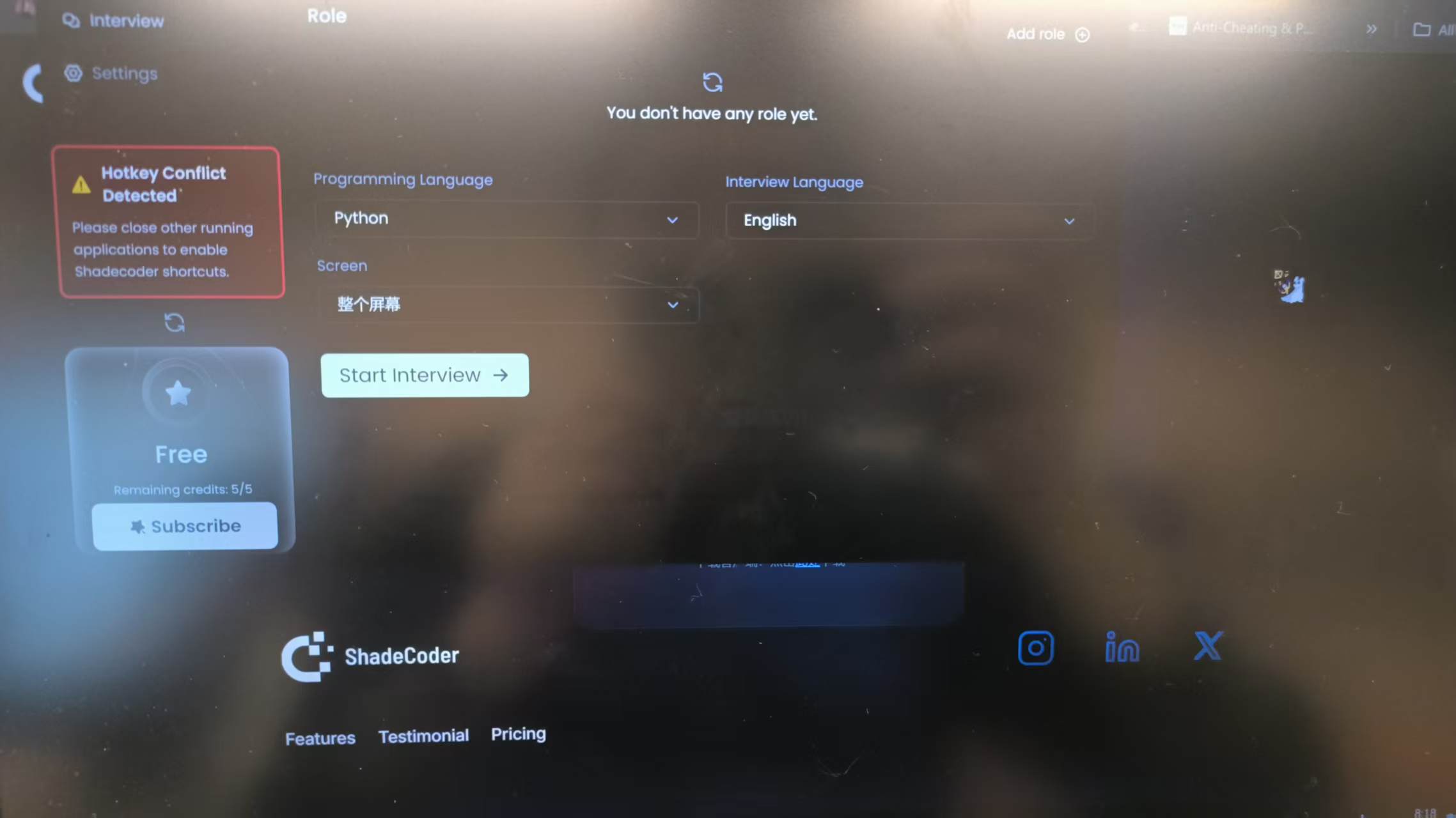
Here’s how I set up Shadecoder for my mock interviews and coding assessments:
Download and Install: I grabbed the latest version and ran the installer. No admin permissions were required.
Confirm Hotkeys: I went ahead and created the job posting, specified the interview type (screen-sharing level) and opened the Shadecoder interview interface to confirm the keyboard shortcut settings.
Test Run: I opened a few mock interviews and coding assessments to make sure everything worked. The tool responded instantly to my hotkeys but never popped up on my screen.
Tip: If you want to blend in during a technical interview process, practice using the hotkeys until they feel natural, although you can only see the hotkeys after you start an interview.
I really like that Shadecoder doesn't need any browser plugins and doesn't appear in the Dock. I've heard it's got offline mode, but I haven't been able to find it. I guess they took it out while they were developing it.
Pros: Real-World Stealth Performance
I gave Shadecoder a good run-through of a few real-world scenarios to see what would happen. I joined live mock interviews and took part in coding assessments. I even recorded my screen to see if the tool left any traces. Here's what I found:
Screen-Share Invisibility: During screen sharing, Shadecoder stayed completely hidden. My interviewer never saw any pop-ups, overlays, or suspicious activity. I ran multiple mock interviews and coding challenges, and the tool never appeared in the recording or on the shared screen.
Hotkey Responsiveness: The hotkey-only workflow made it easy to get instant answers without switching tabs. This kept my focus on the coding assessments and helped me stay calm under pressure.
No Artifacts or Flickers: I watched the recordings closely. I didn’t notice any flickers or artifacts, even when I triggered Shadecoder repeatedly. This gave me confidence to use it during high-stakes mock interviews and technical preparation sessions.
Note: Some users online have reported minor glitches, but I didn’t experience any during my shadecoder review. Your results may vary depending on your system and screen resolution.
I also tested Shadecoder against popular proctoring tools used in coding assessments. The tool remained invisible, and I didn’t see any alerts or warnings from the proctoring software.
Cons: User Experience & What I Found Extremely Inconvenient About Shadecoder
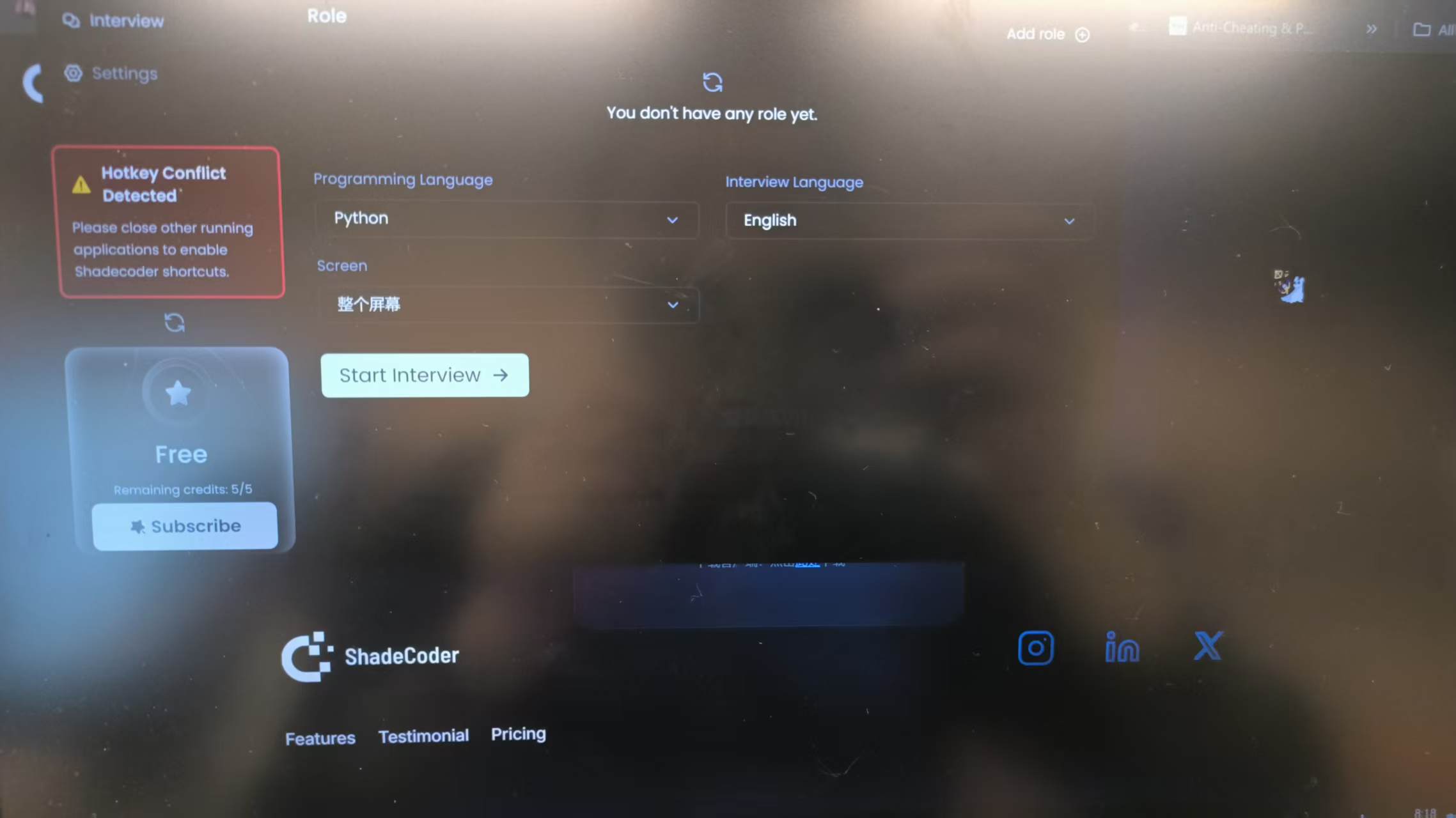
I did have a bit of a problem during testing, though:
As you can see in the screenshot above, I wasn't familiar with the interface, so I was completely lost with Shadecoder's transparent overlay. I couldn't adjust its size or opacity, and it was stuck on the screen, blocking my view of the problem so I couldn't even read it.
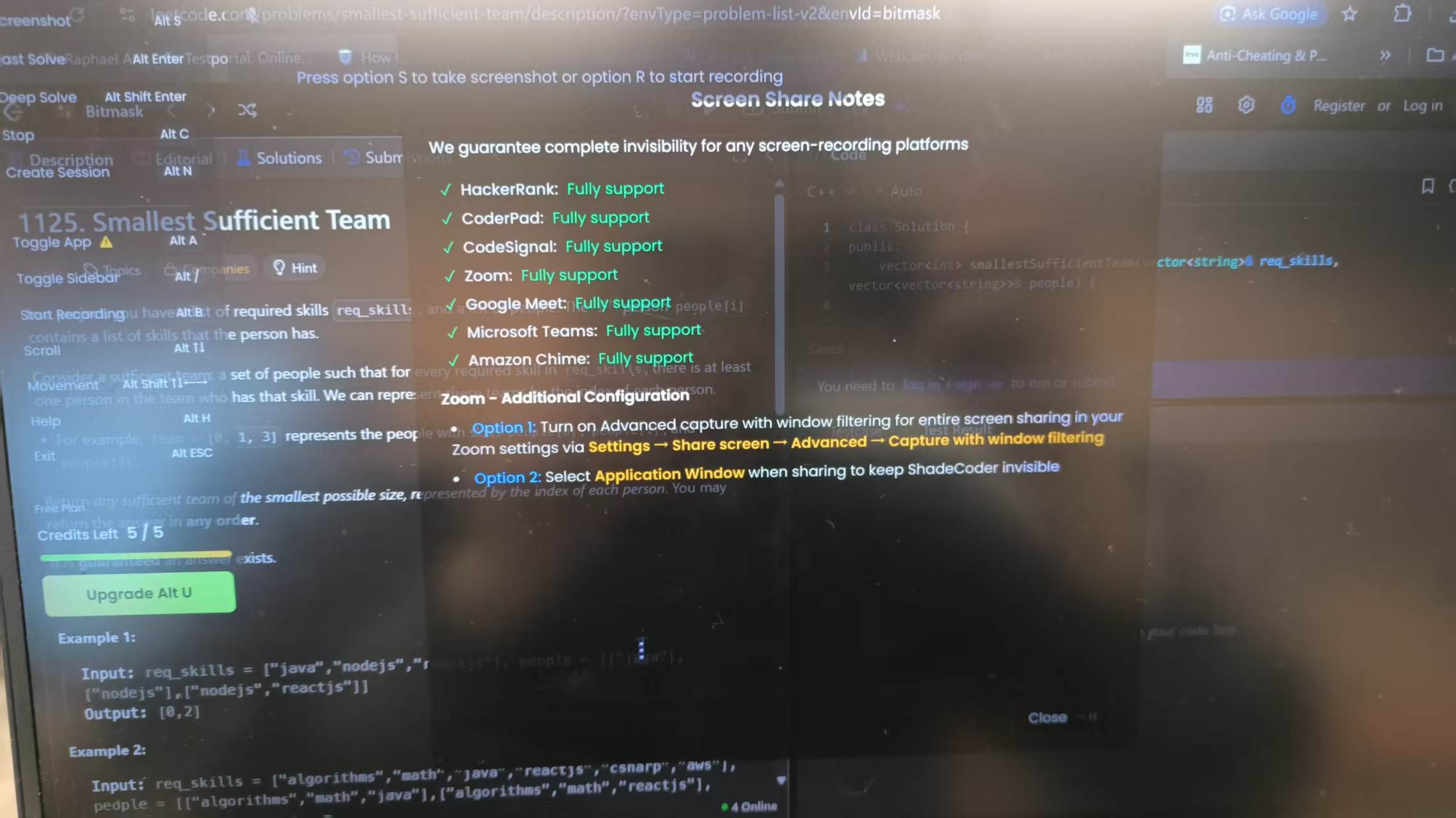
This would cause major problems in a real interview. I had a look for a shortcut to adjust it, but even when I brought up the Help panel using a shortcut, Shadecoder only displayed some irrelevant so-called "invisibility guarantees".
This made me curious, so I minimised the Shadecoder window directly using a shortcut and opened the Task Manager to check, and sure enough, it was still running.
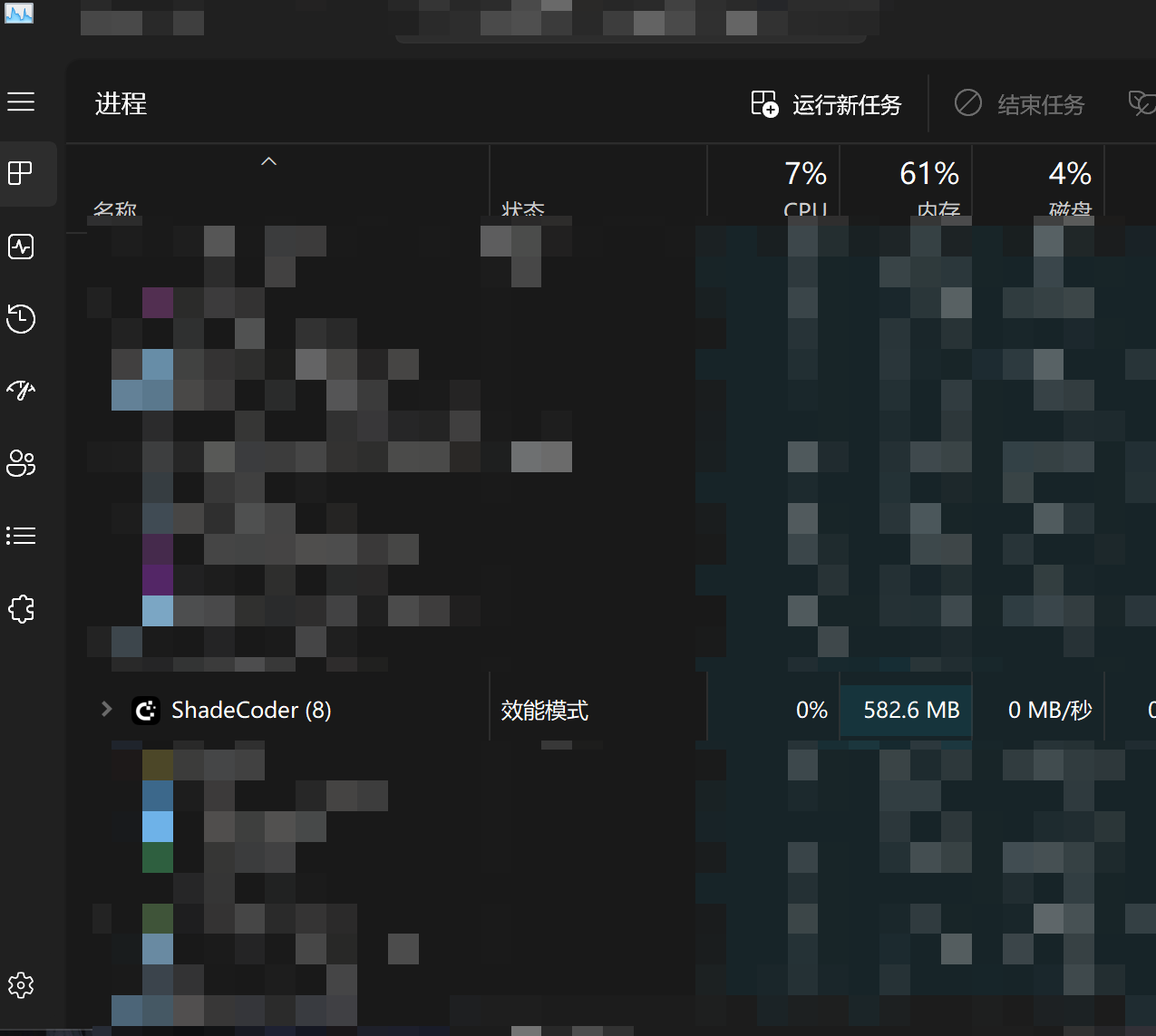
Compared to AI interview assistants like Linkjob AI, which don't show up in either Task Manager or Activity Monitor, Shadecoder has one more weak spot: If proctoring software like InterviewCoder flags it, launching Shadecoder will immediately trigger a cheating alert.
Then I suddenly couldn't open Shadecoder again. I couldn't find it in the Dock and I couldn't remember all the shortcut keys, so I had to go back to the login page to open Shadecoder again. This is really, really inconvenient.
Comparison, Pros, And Cons
Alternatives To Shadecoder
When I looked for other stealth tools, I found several options. Each one has its own strengths and weaknesses. Here’s a quick table that helped me compare Shadecoder with other popular choices:
Platform | Stealth/Undetectable | Multi-Language Support | Pros | Best Use | Cons |
|---|---|---|---|---|---|
StealthCoder | Partial (visible in Activity Monitor and Task Manager) | Yes | Fast responses | Coding interviews( only) | Lag and went wrong on complex problems |
Linkjob AI | Yes | Yes | 100% invisible, click-through menu and global hotkeys | All live interviews | Some versions may have lags in answer generation |
Interview Coder | Partial | Yes | Enhances speed & accuracy | Live-coding interviews | Limited free features, learning curve |
LockedIn AI | Only invisible during limited screen sharing or no screen sharing scenarios | Yes | Real-time copilot | Interviews, mock tests | Uses many credits if not closed |
ParakeetAI | Partial | Yes | Simple, fast, accurate | Coding & job interview prep | Credit-based, occasional lag |
Quick Summary Of ShadeCoder AI: Pros And Cons After ShadeCoder Review
I made a list of what I liked and what I didn’t about Shadecoder as a coding assistant:
Pros:
Operates invisibly, even with screen monitoring or proctoring software.
Does not interfere with coding platforms or IDEs.
Supports deliberate preparation for the interview process.
Cons:
New tool with few real user reviews.
Limited to coding interviews, not general meetings.
Inconvenient operation and unfriendly to new users
Visible in Activity Monitor and Task Manager, so still a risk of being detected
Who Should Use Shadecoder
I recommend Shadecoder for people who want to stay under the radar during the interview process. If you face proctor-sensitive rounds or want to avoid detection risks, this tool fits your needs. It also helps if you want to save money on interview prep or need a tool that covers both coding and system design.
Here’s a quick guide to see if ShadeCoder is right for you:
User Profile Description | Benefit from ShadeCoder |
|---|---|
Individuals needing to avoid detection risks | Prioritizes discretion in interview prep |
Job seekers who are budget-conscious | Offers a lower total cost for interview prep |
Users wanting comprehensive interview preparation | Covers both coding and system design |
Shadecoder is not for everyone. If you need a tool for general meetings or want to avoid any risk of being detected, you might want to look at some tools like Linkjob AI.
If you want a stealthy coding assistant for live interviews or an online coding test, Shadecoder is worth a try. But if you are looking for 100% invisible proof for all types of interviews, options including Linkjob AI are much more realiable in the long run.
FAQ
How do I use Shadecoder for interview preparation?
I start by practicing with mock interviews. I focus on my preparation and use Shadecoder to build my skills. This helps me feel ready for real interviews.
Can Shadecoder improve my coding skills for interviews?
Not entirely. After all, its operating system makes me focus more on typing the code exactly as written rather than on the logic behind it.
Is Shadecoder safe for live interviews and preparation?
It's possible. Based on my testing, Shadecoder does indeed remain invisible in screenshots, but it can be seen in both Activity Monitor and the Task Manager. If the interview involves checking for background apps, Shadecoder will be detected.
See Also
An In-Depth Look At InterviewBee: My 2026 Review
Evaluating Beyz AI: Is It Worth Your Investment in 2026?
My Experience With LockedIn AI: A 3.6 Star Review
Why People Choose Linkjob AI
Smoother interviews, coding challenges cleared, and job offers landed. See how users describe their experience with Linkjob AI—in their own words.


© Copyright 2026 Linkjob AI - All Rights Reserved.