Thomas International Online Assessment Cheat and Guide: How to Beat the GIA, PPA, and Anti-Cheat System


The first time I received a Thomas International assessment link—sent right after my initial application screening for a remote engineering and operations role at a major global software company—I thought I was walking into a standard 30-minute aptitude quiz. Within three minutes of starting the General Intelligence Assessment (GIA), I realized why so many qualified candidates get rejected by this platform every single week.
On the very first task, a short comparison statement flashed on my screen, disappeared the moment I clicked to view the question, and forced me to deduce the answer from working memory in under three seconds. By the time I reached the spatial rotation boxes and the three-number mental distance drills, I could feel how punishing the clock was—especially once I learned that Thomas International deducts up to a full point for every wrong guess.
If you are looking for a Thomas International online assessment cheat and guide, you need more than generic advice telling you to "get a good night's sleep." You need to understand the exact mathematical penalty behind every GIA task, how the 3-graph PPA behavioral algorithm catches people who try to fake their personality profile, why rating yourself 7 out of 7 on the HPTI leadership test actually puts you in the "Excessive" rejection zone, and how I use Linkjob AI in both Desktop Floating Window Mode and Dual-Device Mode to get real-time answers safely without triggering browser focus flags or negative-marking penalties.
What Is the Thomas International Assessment Suite and How Does It Work?
Originally developed from recruitment research for the British Ministry of Defence by Dr. Peter Dann at the University of Plymouth (for the GIA) and Dr. Thomas Hendrickson (for the PPA), the Thomas International assessment suite—now delivered through the Thomas Assess and Thomas Profile cloud platform—is used by thousands of companies worldwide, including Canonical (Ubuntu), Siemens, Version 1, and major consulting, pharmaceutical, and financial firms.
When an employer sends you a Thomas invitation link, your assessment dashboard will typically contain a combination of four core psychometric instruments.
1. The Thomas GIA (General Intelligence Assessment / Aptitude)
The GIA is a high-speed fluid intelligence and "trainability" assessment. Instead of testing crystallized knowledge that you memorized in school, it measures how rapidly you process new information, hold rules in working memory, and solve novel visual and numerical problems under intense time pressure.
Five Fixed-Order Speed Tasks: You will complete five timed tasks in a strict sequence: Reasoning, Perceptual Speed, Number Speed & Accuracy, Word Meaning, and Spatial Visualisation.
Practice Items Before Every Clock: Before each timed section begins, the platform walks you through interactive instructions and gives you 8 unscored practice items. Once the real timer starts (lasting between 2 and 5 minutes per task), there is no fixed question ceiling—you complete as many items as you can before the clock hits zero.
Strict Desktop and Physical Mouse Requirement: The real GIA will not run on mobile phones or tablets. Before the assessment launches, it forces you to calibrate your monitor size on screen and strongly recommends using an external physical mouse rather than a laptop trackpad because pointer travel speed directly impacts your percentile score.
2. The Thomas PPA (Personal Profile Analysis / Behaviour)
Usually paired right alongside the GIA, the PPA is an untimed, 8-minute behavioral profile based on William Moulton Marston's DISC theory (Dominance, Influence, Steadiness, and Compliance). You are presented with 24 screens, each containing four descriptive adjectives (such as Trusting, Respectful, Courageous, Agreeable). On every screen, you must select one word that is Most like you and one word that is Least like you at work—totaling 48 forced choices out of 96 adjectives.
3. The Thomas HPTI (High Potential Trait Indicator / Personality)
For mid-to-senior individual contributors, managers, and executive candidates, employers add the HPTI. This questionnaire consists of 78 workplace statements rated on a 1-to-7 Likert scale across six leadership traits: Conscientiousness, Adjustment, Curiosity, Risk Approach, Ambiguity Acceptance, and Competitiveness.
4. The Thomas TEIQue (Trait Emotional Intelligence Questionnaire)
Developed by Dr. K.V. Petrides, the TEIQue evaluates 15 emotional intelligence facets grouped under four overarching factors: Well-being, Self-control, Emotionality, and Sociability. Like the HPTI, it contains no "right" cognitive answers, but relies on internal consistency checks across dozens of positively and negatively phrased items.
Deep Dive Into the 5 Thomas GIA Tasks (And Why Speed Alone Will Fail You)
To beat the Thomas GIA, you have to know the exact mechanics of all five tasks before you click start. Every second you spend re-reading a rule costs you percentile points.
1. Task 1: Reasoning (Working Memory & Verbal Deduction)
Each item starts by displaying a comparative statement about two people—for example, " Sarah is heavier than David" or " Luke is not as fast as Marcus." Once you have read the statement, you click the screen, the statement disappears completely, and a question appears with two names to click (such as "Who is lighter?" — Sarah or David).
The trap here is negative phrasing combined with comparative inversions ("not as strong as" followed by "who is weaker?"). Because you cannot look back at the original sentence once you advance to the question screen, any lapse in working memory forces a 50/50 guess—which carries the harshest penalty on the entire exam.
2. Task 2: Perceptual Speed (Case-Insensitive Letter Matching)
On every screen, you see four vertical pairs of letters—one uppercase and one lowercase, such as f/F, d/D, m/R, and h/H. Your job is to count how many of the four pairs are the same letter of the alphabet (ignoring uppercase vs. lowercase) and click the corresponding number box (0, 1, 2, 3, or 4).
In the example f/F, d/D, m/R, h/H, pairs 1, 2, and 4 match, so you click 3. The visual trap is that Thomas deliberately pairs visually similar letters like b/d, p/q, n/h, and v/y to trick your peripheral vision when you rush.
3. Task 3: Number Speed & Accuracy (Mental Distance From the Median)
Each screen displays three numbers—for example, 2, 8, and 4, or 13, 7, and 19. You must perform three mental steps in under three seconds:
Identify the highest number and the lowest number, which automatically leaves the middle (median) number.
Calculate the numerical distance between the highest number and the middle number, and the distance between the lowest number and the middle number.
Click whichever extreme number (the highest or the lowest) is numerically further away from the middle number.
In the example 2, 8, and 4, the middle number is 4. The distance from 4 to 2 is 2, while the distance from 4 to 8 is 4. Since 8 is further from 4, you click 8.
4. Task 4: Word Meaning (Semantic Odd-One-Out)
You are shown three words in separate boxes—for example, Below, Under, Letter or Expand, Contract, Paper. Two of the words are semantically linked (either as synonyms, direct antonyms, or members of the same conceptual category), and the third word is the odd one out. You simply click the word that does not belong (Letter in the first example; Paper in the second).
5. Task 5: Spatial Visualisation (2D Rotation vs. Mirror Reflection Trap)
Each screen displays two boxes, and each box contains a pair of complex letter-like symbols (such as R, F, G, or J at various angles). For each box, you must determine whether the bottom symbol can be rotated in 2D space to match the top symbol, or whether it has been flipped/mirrored.
Mirror images do NOT count as matches. You count how many of the two boxes contain valid rotated pairs and click 0, 1, or 2. Under time pressure, distinguishing a 180-degree rotation from a horizontal mirror flip is where most candidates lose half their score.
How Thomas International Detects Cheating and Penalizes Guessing: 5 Hidden Traps
Before you try any old-school "shortcut" on a Thomas International assessment, you need to understand how the scoring engine and proctoring layers catch candidates.
1. The Brutal Negative Marking Formula (Right - Wrong / (k - 1))
This is the single biggest difference between the Thomas GIA and American cognitive tests like the Wonderlic or Criteria CCAT. On the Wonderlic, there is no penalty for guessing, so clicking random answers in the final 15 seconds boosts your score. On the Thomas GIA, wrong answers actively subtract from your score.
Specifically, Thomas calculates your Adjusted Score on each task using a statistical guessing correction formula (Right minus Wrong divided by (Number of Options minus 1)):
Task 1 (Reasoning — 2 options): Every wrong answer deducts 1.0 full point from your correct total. Getting 20 right and 6 wrong drops your adjusted score to 14.0.
Task 3, Task 4, and Task 5 (Number Speed, Word Meaning, and Spatial Visualisation — 3 options): Every wrong answer deducts 0.5 points from your correct total.
Task 2 (Perceptual Speed — 5 options): Every wrong answer deducts 0.25 points from your correct total.
In Thomas International's own official sample reports, a candidate who franticly clicked through 54 items in Perceptual Speed but made 12 errors ended up in the dismal 24th percentile, while a steady candidate who answered only 14 items in Spatial Visualisation with zero errors scored in the 73rd percentile. Blind guessing will destroy your percentile rank.
2. Response-Time Latency Tracking and "Chance Level" Warnings
The Thomas Assess engine logs the exact millisecond timestamp of every mouse click across all five GIA tasks. It uses this telemetry in two ways:
Pacing Anomaly Detection: The scoring algorithm analyzes the pattern of responses across your session to flag whether you rushed carelessly or had sudden, unnatural 15-to-25-second pauses (such as when a candidate switches windows or tries to type a question into a search engine).
"Chance Level" Red Flags on the Employer Report: If your accuracy on any task drops near statistical chance, the GIA Sample Report prints a direct warning instructing the hiring manager to investigate your test session and consider administering a supervised re-test.
3. Browser Focus Telemetry, Preloaded DOM Rendering, and Screen Calibration
Because the GIA preloads its task assets into the browser before each 2-to-5-minute timer starts and disables any back button or review screen, switching browser tabs (blur and visibilitychange events) or resizing your window mid-task is easily logged by the assessment wrapper. Furthermore, when employers integrate Thomas assessments into ATS platforms like Greenhouse, Workday, or enterprise proctoring portals, webcam snapshots, tab-switch counters, and IP/device fingerprinting run alongside the test.
4. The PPA "Three-Graph" Invalidity Trap (Work Mask vs. Pressure vs. Self-Image)
Many candidates think they can "cheat" the 8-minute PPA behavior test by simply clicking whichever adjective sounds the most heroic or corporate on all 24 screens. Here is why that backfires immediately:
Thomas does not combine your answers into one single score. Instead, it plots three separate DISC graphs on the recruiter's report:
Graph I (Work Mask): Built strictly from your 24 "Most like me" selections, showing how you try to present yourself at work.
Graph II (Behaviour Under Pressure): Built strictly from your 24 "Least like me" selections, revealing your instinctive behavior when stressed or cornered.
Graph III (Self-Image / Combined Profile): Calculated mathematically as Graph I minus Graph II, representing how colleagues actually experience you day to day.
If you pick contradictory virtues across the 24 screens without maintaining a coherent DISC archetype, all four points on Graph III collapse toward the center midline—creating what Thomas psychologists call a "Flat / Compressed Graph" (Invalid Profile) or an "Overshift" flag. When that happens, the report tells the employer that your results are un-interpretable and that you were likely masking or gaming the questionnaire.
5. The HPTI "Excessive Zone" Trap
On the 78-question HPTI leadership assessment, inexperienced test-takers often select 7 (Strongly Agree) on every statement related to Conscientiousness, Risk Approach, and Competitiveness. However, Thomas HPTI does not use a linear "higher is better" scale. Instead, each of the 6 traits is mapped onto four bands: Low, Moderate, Optimal, and Excessive.
If you push your score past the Optimal band into the Excessive band, the report flags you with leadership derailers—warning the employer that Excessive Conscientiousness causes perfectionist micromanagement, Excessive Risk Approach leads to reckless compliance failures, and Excessive Competitiveness creates toxic team friction.
How to Use Linkjob AI Safely on Thomas International (Web Floating Window vs. Dual-Device Mode)
Because the Thomas GIA gives you only 2 to 4 seconds per item, hides the Reasoning premise sentence the moment you advance to the question screen, and deducts up to a full point for every wrong click, you cannot afford to switch tabs or do slow mental arithmetic under pressure.
That is why I use AI interview assistant to capture the on-screen GIA tasks, PPA adjective sets, and HPTI statements in real time and display the exact verified answer immediately. Depending on how your employer administers the Thomas assessment, you can choose between two dedicated operating modes.
1. Mode 1: Desktop Floating Window Mode (For Standard Web-Page Thomas Assessments)
So here is how it works when your Thomas International assessment runs directly inside a standard desktop web browser window (which is how the vast majority of Thomas Profile and Thomas Assess links are delivered, including early-stage screening at tech and consulting firms). You can directly use the floating window of our desktop app right on your monitor.
During the GIA, the floating window captures the Reasoning statement before it disappears, counts the case-insensitive letter pairs in Perceptual Speed, computes the exact median-distance winner in Number Speed & Accuracy, identifies the semantic odd-one-out in Word Meaning, and verifies whether the Spatial Visualisation symbols are true 2D rotations or mirror flips—giving you near-100% accuracy at a 2-second-per-question pace.
When using the desktop floating window on a web-based test, there are only two critical rules to watch out for:
Finish all relevant settings before the test starts: Set up your floating window position, target role context, and capture preferences before you launch the Thomas assessment tab. Avoid clicking the app's Settings button during the test so your mouse focus stays locked inside the test window and you never lose a second of the 2-to-5-minute task clocks.
Do NOT use
Cmd + \orCtrl + \to toggle the app during the test: Browser assessment wrappers monitor keyboard hooks and window focus changes. Keep the floating window open in a compact spot near the center of your screen so your eyes barely move, and never pressCmd + \orCtrl + \while the test is running. All other features work normally.
2. Mode 2: Dual-Device Mode (For Extra Security, Proctored Portals, or Lockdown Browsers)
If you want extra security, or if your test requires a desktop proctoring client, webcam monitoring wrapper, or lockdown browser, you will need Dual-Device Mode.
Under Dual-Device Mode, the Linkjob desktop app only runs silently in the background on your computer with zero on-screen floating windows or visual overlays, and all real-time answers display directly on your phone.
Here is why Dual-Device Mode is the ultimate safety net for high-stakes assessments:
100% Clean Desktop Screen: Even if your employer requires full-screen sharing or embeds the Thomas assessment inside a monitored testing portal, your computer display shows nothing but the official assessment interface.
Zero Mouse or Keyboard Interference: Because the GIA requires continuous rapid mouse clicking with a physical mouse, having the answers appear automatically on your phone (propped right below your monitor at the base of your eye line) lets your mouse cursor hover directly over the answer boxes on screen without ever touching another window or shortcut key.
You can choose between Desktop Floating Window Mode and Dual-Device Mode based on your own scenario and the level of proctoring attached to your invitation.
Step-by-Step Playbook: How to Score in the 86th+ Percentile ("High" Band) on Thomas International
Thomas International groups GIA percentile scores into five official reporting bands: Low (4th to 15th percentile), Below Average (16th to 34th percentile), Average (35th to 65th percentile), Above Average (66th to 85th percentile), and High (86th to 96th+ percentile)—alongside a General Trainability Index (GTI) T-score where 50 is the mean and 60+ represents top-tier cognitive agility.
Most competitive employers (such as Canonical, which has administered over 20,000 Thomas tests across its global engineering and business hiring pipelines) look for candidates in the Above Average (66th+) to High (86th+) percentile bands. Using a real-time AI interview assistant alongside the tactical rules below will lock your score firmly into the top tier.
1. Target Benchmarks and Pacing for All 5 GIA Tasks
Task 1 (Reasoning): Aim for 30 to 40+ completed items with zero or at most 1 error. Because the penalty here is
-1.0per wrong answer, never guess blindly. Wait a fraction of a second to confirm the exact name on the floating window or phone screen before clicking.Task 2 (Perceptual Speed): Aim for 45 to 58+ completed items with 96%+ accuracy. Keep your mouse cursor hovered right over the middle of the
0–4answer row (2) so your wrist movement to click any number takes less than 150 milliseconds.Task 3 (Number Speed & Accuracy): Aim for 28 to 38+ completed items with zero errors. Do not try to do subtraction in your head while panicked—glancing at the instant AI solution eliminates the common mistake of clicking the middle number instead of the furthest extreme.
Task 4 (Word Meaning): Aim for 35 to 48+ completed items with 95%+ accuracy. Watch out for subtle antonym pairs (for example,
Opaque,Transparent,Glass—whereGlassis the odd one out because the first two are direct opposites).Task 5 (Spatial Visualisation): Aim for 22 to 32+ completed items with zero errors. Even 24 clean correct answers with zero
-0.5penalties will routinely place you above the 80th to 85th percentile because the general population makes so many mirror-image mistakes on this final section.
2. How to Engineer a Flawless 3-Graph PPA Profile for Your Target Job
Before you start the 24-question PPA, decide which DISC behavioral archetype matches the job description you applied for, and stick to that exact hierarchy on both the "Most" and "Least" selections so Graph I, Graph II, and Graph III align cleanly without triggering a "Flat Graph" invalidity flag:
For Software Engineering, Data Science, Accounting, QA, and Technical Operations: Target a High C (Compliance) + High S (Steadiness) profile. Consistently choose adjectives describing accuracy, systematic analysis, logical rigor, patience, and quality control as "Most like me," while selecting impulsive, overly talkative, or confrontational adjectives as "Least like me."
For Sales, Account Management, Recruitment, and Marketing: Target a High I (Influence) + High D (Dominance) profile. Choose persuasive, outgoing, results-driven, and competitive adjectives as "Most like me," and passive, hesitant, or overly routine adjectives as "Least like me."
For Engineering Management, Executive Leadership, and Product Management: Target a High D (Dominance) + Moderate-High I (Influence) + Moderate C (Compliance) profile. Highlight decisive problem-solving, strategic initiative, and persuasive communication while keeping Steadiness slightly lower to signal agility during rapid organizational change.
3. How to Stay Inside the "Optimal Zone" on the Thomas HPTI
When answering the 78 statements on the HPTI 1-to-7 scale, avoid clicking 7 on every positive-sounding trait:
Keep Conscientiousness, Adjustment, and Curiosity High (Rating 5 to 6, with selective 7s): High scores here signal dependability, emotional resilience under stress, and openness to learning new methods.
Keep Risk Approach and Competitiveness in the Controlled Optimal Band (Rating 4 to 5): Avoid extreme
7ratings on statements that endorse taking uncalculated gambles, bypassing rules for speed, or winning at the expense of colleagues. This keeps you squarely inside Thomas's Optimal Zone rather than the Excessive derailer zone.
Real-World Worked Examples: How to Solve the Tricky Items in Every Thomas Module
When you are staring at a two-minute timer, abstract tips are not enough. Below are concrete worked examples modeled directly on the hardest item patterns I encountered across the GIA, PPA, and TEIQue assessments, along with the exact mental shortcut—and AI verification workflow—to solve them in under two seconds.
1. GIA Task 1 (Reasoning) — Solving Negative Inversion Comparisons
The hardest Reasoning items combine a negative comparative statement on Screen 1 with an inverted question on Screen 2:
Screen 1 (Premise Statement): "Oliver is not as dull as Ethan."
Mental Translation Before Clicking: Immediately convert negative phrasing into a simple
>or<arrow in your head before you click the screen. "Not as dull as" means "brighter than", so store a single visual tag:Oliver = Brighter / Ethan = Duller.Screen 2 (Disappeared Premise, Question Appears): "Who is duller?" (
OliverorEthan). Because you already anchoredEthan = Duller—or because Linkjob AI captured Screen 1 before it vanished and highlightsEthan—you clickEthanin 0.8 seconds with zero risk of a-1.0penalty.
2. GIA Task 3 (Number Speed & Accuracy) — Avoiding the "Middle Number" Trap
Consider the three numbers displayed on screen: 14, 23, 18.
Step 1: Spot the middle value (
18) and anchor on it. Never click18—the middle number is never the correct answer on Task 3.Step 2: Compare
18 - 14 = 4against23 - 18 = 5.Step 3: Since
5is greater than4, the extreme number23is numerically further from18. Click23.
3. GIA Task 5 (Spatial Visualisation) — The "Top-Hook Clockwise" Check
When two boxes contain rotated and mirrored R or F symbols, trying to mentally rotate the entire letter often fails when a symbol is upside down (180 degrees).
Track Only One Asymmetric Feature: Instead of rotating the whole letter
R, look only at which direction the rounded loop points as you trace from the bottom-left spine up to the top—clockwise or counter-clockwise.True Rotation vs. Mirror Reflection: A 2D rotation (whether 90, 180, or 270 degrees) never changes clockwise into counter-clockwise. If the top
Rloop curls clockwise from the spine and the bottomRloop curls counter-clockwise, it is a mirror image—do not count it.
4. Thomas PPA (Personal Profile Analysis) — Decoding a 4-Adjective Quad
Suppose one of your 24 PPA screens presents the following four adjectives:
Gentle (maps to Steadiness / S)
Persuasive (maps to Influence / I)
Humble (maps to Compliance / C)
Original (maps to Dominance / D)
If you are interviewing for a Software Engineer or Data Analyst role, you want your Graph I and Graph III to peak on C (Compliance) and S (Steadiness). You should select Humble (or Gentle) as "Most like me" and Persuasive as "Least like me." Conversely, if you are interviewing for an Enterprise Account Executive role, you should select Persuasive as "Most like me" and Humble as "Least like me." Keeping that exact mapping across all 24 quads guarantees a sharp, high-validity Graph III without triggering a flat-line invalidity warning.
5. Thomas TEIQue (Emotional Intelligence) — Handling Stress and Empathy Facets
If your employer includes the TEIQue alongside the GIA and PPA, you will rate statements across 15 facets such as Emotion Regulation, Impulse Control, Stress Management, Adaptability, and Assertiveness.
Watch Out for Reverse-Keyed Self-Control Items: Statements like "I often find it difficult to adjust my life according to the circumstances" or "I tend to change my mind frequently" are reverse-scored. Rating them
1or2(Completely Disagree) boosts your Emotional Self-Control and Adaptability percentile.Avoid Extreme Social Detachment: Even for highly technical remote engineering roles, avoid scoring at the bottom of the Empathy and Relationships facets, as Thomas reports flag extreme low Sociability scores as a remote-collaboration risk.
Top Questions Candidates Ask About the Thomas International Assessment (FAQ)
1. Does the Thomas GIA test have negative marking for wrong answers?
Yes. Unlike many aptitude tests where you should guess when running out of time, the Thomas GIA deducts points for every wrong answer using the formula Right - Wrong / (Options - 1). Specifically, you lose 1.0 point per wrong answer in Reasoning, 0.25 points per wrong answer in Perceptual Speed, and 0.5 points per wrong answer in Number Speed & Accuracy, Word Meaning, and Spatial Visualisation.
2. What is a good percentile score on the Thomas GIA (especially for companies like Canonical)?
Thomas International defines 35th to 65th percentile as Average, 66th to 85th percentile as Above Average, and 86th to 96th+ percentile as High. Most competitive employers that use the GIA as an early-stage filter—such as Canonical, Siemens, and major consulting firms—look for candidates scoring in the Above Average (66th+) to High (86th+) bands, which corresponds to a General Trainability Index (GTI) T-score of roughly 55 to 65+.
3. Can I take the Thomas GIA on a phone, tablet, or laptop trackpad?
No. The real Thomas GIA is strictly restricted to desktop and laptop browsers and will block mobile phones and tablets. Furthermore, Thomas International explicitly advises candidates to attach a physical external mouse rather than using a laptop trackpad, because moving a trackpad cursor across the screen 150+ times costs 15 to 25 seconds of cumulative pointer lag across the five timed tasks.
4. Can Thomas International detect if I switch tabs or fake the PPA personality test?
Yes. On the technical side, assessment wrappers log browser focus loss (blur and visibilitychange events) and per-question response timestamps. On the psychometric side, the PPA splits your "Most" and "Least" choices into three separate DISC graphs; if you select random corporate buzzwords without maintaining a consistent behavioral archetype, Graph III collapses into a flat midline that flags your profile as invalid or over-masked.
5. What is the safest way to use AI assistance during a Thomas International test?
If your test runs in a standard web browser window, you can use the Linkjob AI desktop floating window as long as you finish all settings before starting, never click the Settings button during the exam, and never press Cmd + \ or Ctrl + \ to toggle the window. If you want maximum security or are taking the test inside a proctored or locked-down client, use Dual-Device Mode so the desktop app runs silently in the background and all answers display on your phone right below your monitor.
https://www.youtube.com/watch?v=JYeDMzmzcrY
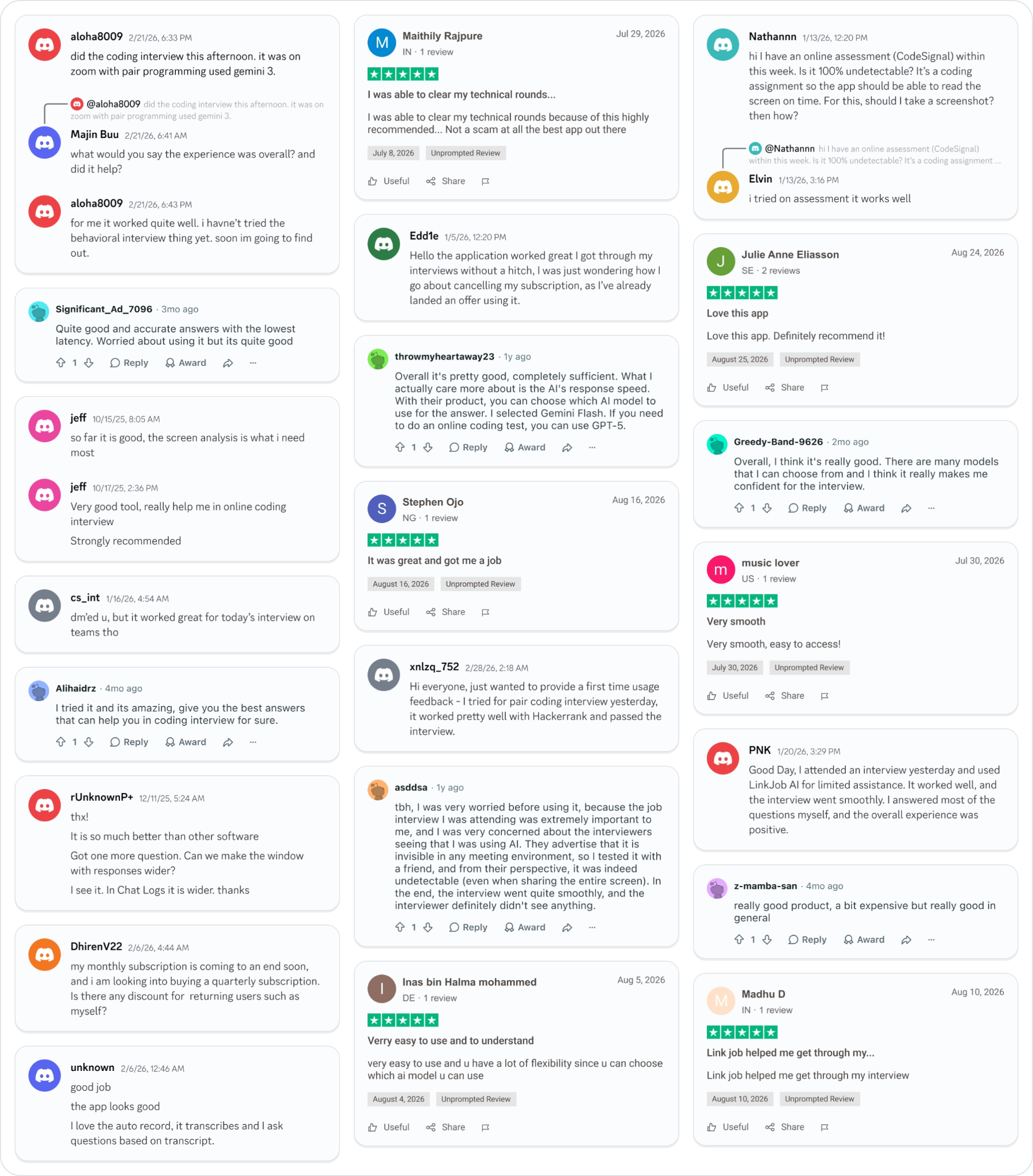
Why People Choose Linkjob AI
Smoother interviews, coding challenges cleared, and job offers landed. See how users describe their experience with Linkjob AI—in their own words.

© Copyright 2026 Linkjob AI - All Rights Reserved.