How To Beat Ultracode AI Risk With A Safer AI Interview Tool

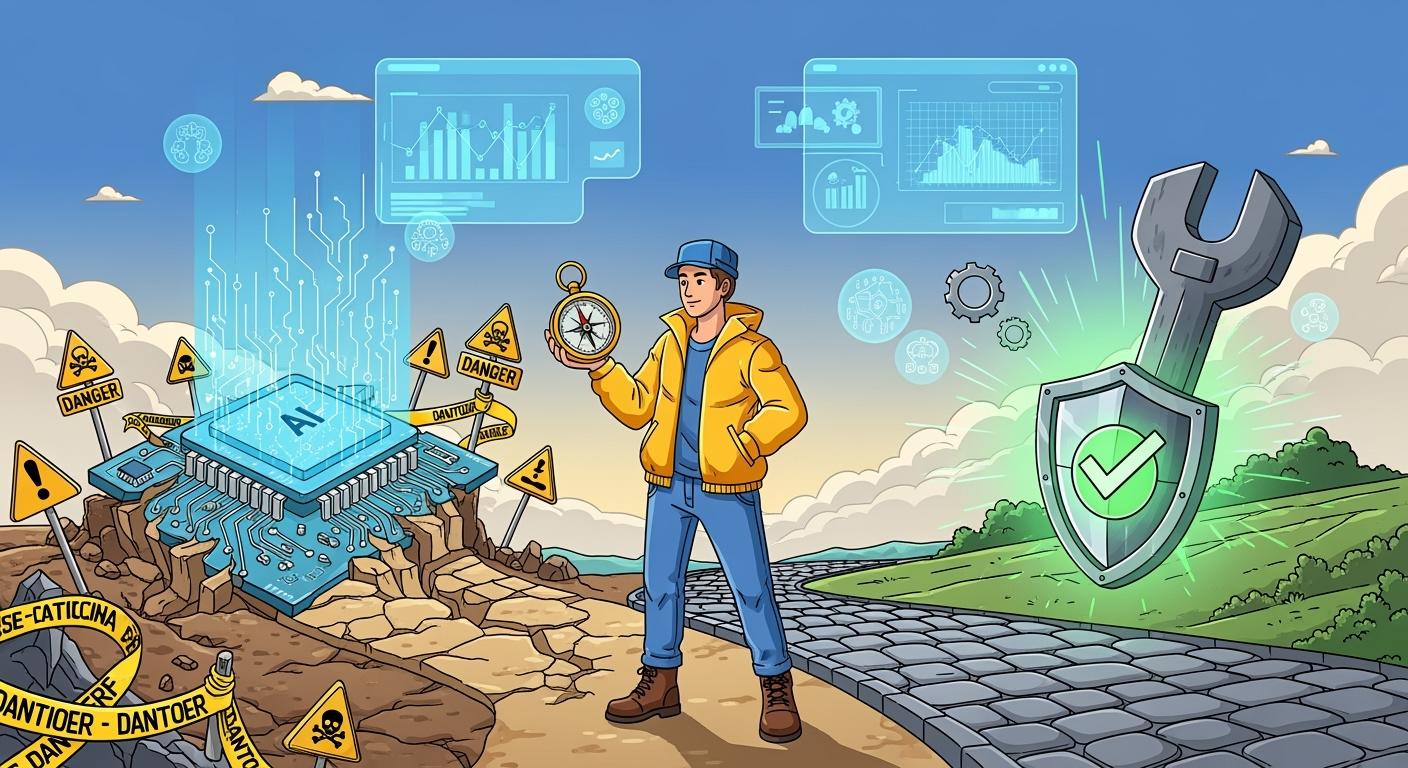
I've tried out a bunch of AI tools, so I totally get how stressful it can be to worry about risks linked to Ultracode AI. I've also felt that the price really isn't justified by what it offers, which is why I've looked into the best Ultracode AI alternatives. I even wrote a piece explaining why I call Ultracode AI trash.
I'm not sure about whether Ultracode AI can really stay "invisible" though. So I had a look for some more reliable AI interview assistants, and that's why I'm writing this article. I want to introduce you to the great tools I've found.

Ultracode AI Risk Overview
Security And Data Exposure
Whenever I use any AI tool, I worry about the security of my data, but with Ultracode AI, I'm especially cautious.
I've heard some people say that personal details can sometimes get leaked when it's being used. A friend told me that after using Ultracode AI to get ready for an interview, he saw some strange activity on his account. It makes me check my privacy settings every time.
When I did a search on Google, I noticed that some people were worried because they had no idea where their data was going or who had access to it. It's enough to make you stress about the big day, especially when you're getting ready for an important interview.
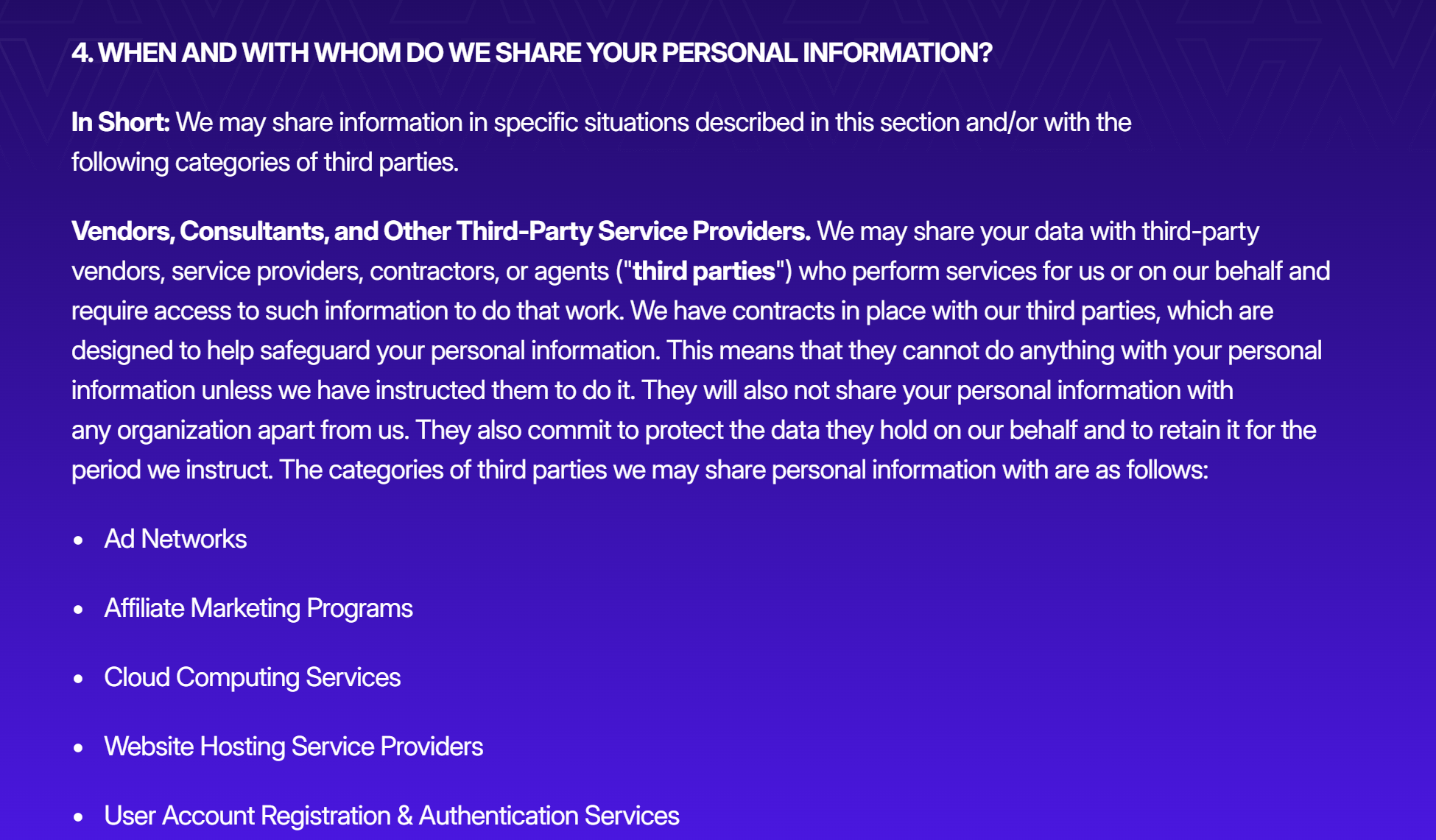
Note: if you're looking for a new job, it's definitely best to keep your answers and CV under wraps. I'd rather not have my interview answers doing the rounds on the web or ending up somewhere they shouldn't.
Reliability And Performance Issues
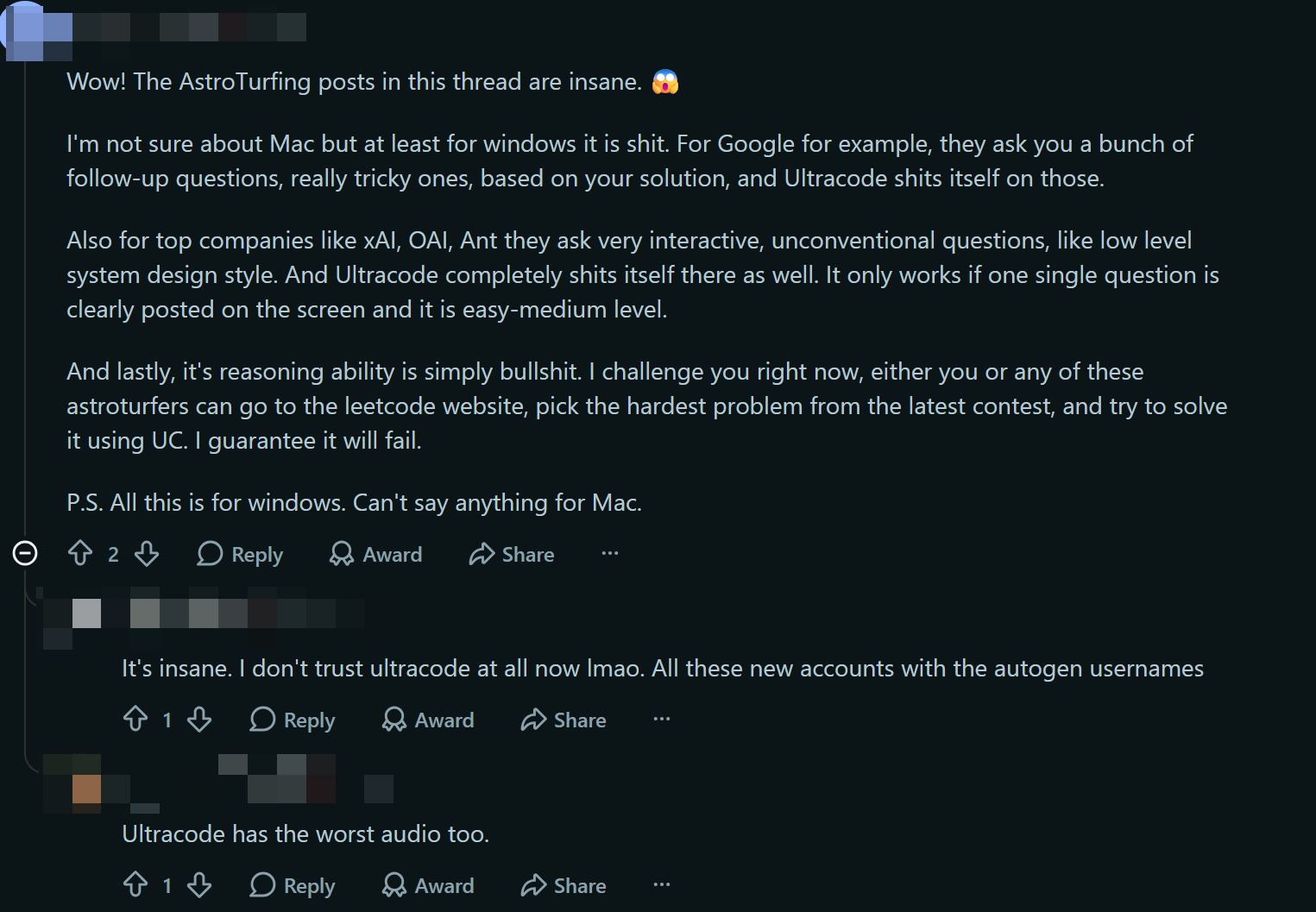
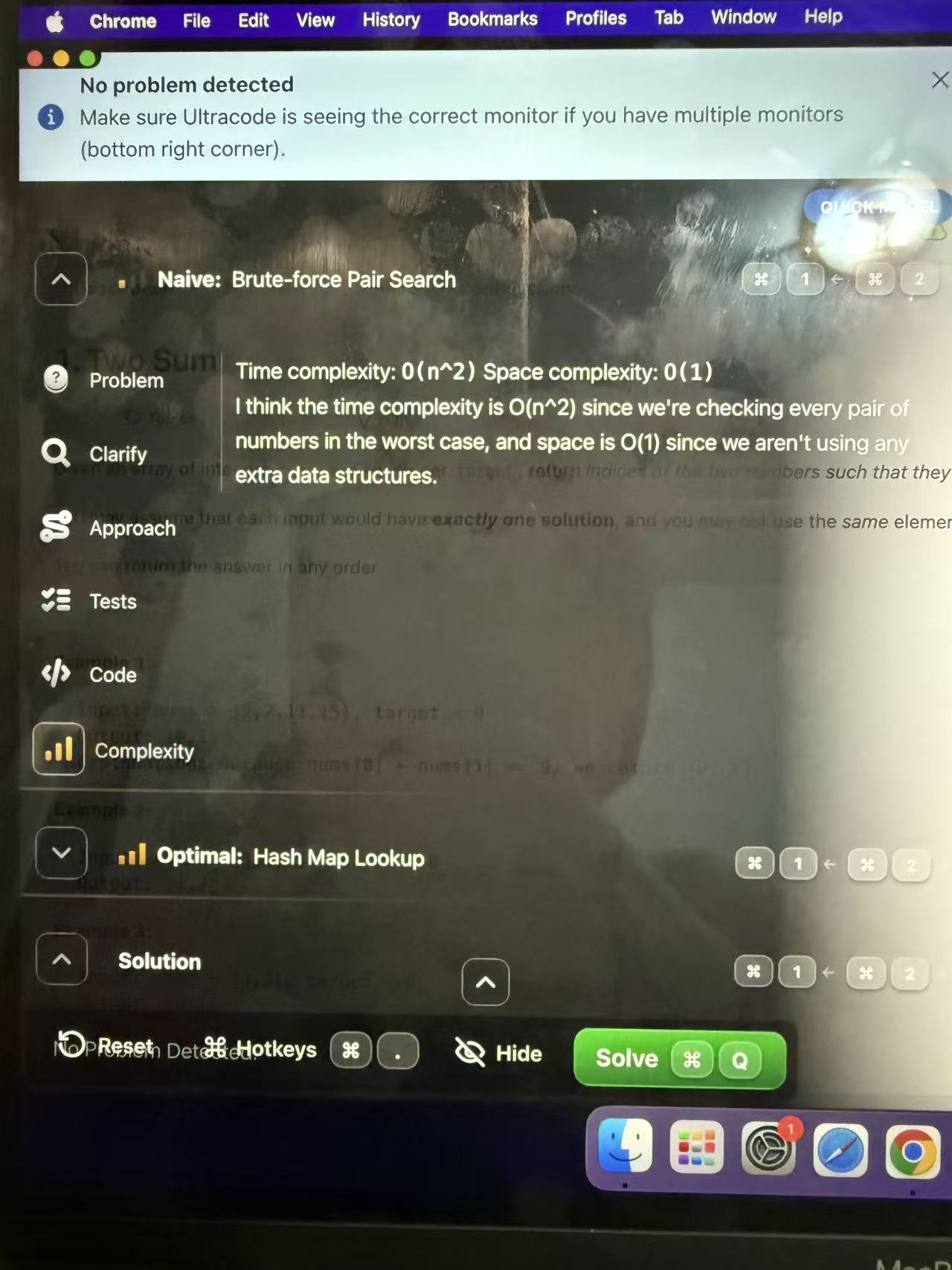
I've not had any problems with Ultracode AI myself, but I do think its coding abilities are fairly basic. When I tried to take on some of the new LeetCode system design challenges, I found it did nothing more than what I'd done before when I just opened an LLM and uploaded a screenshot of the problem.
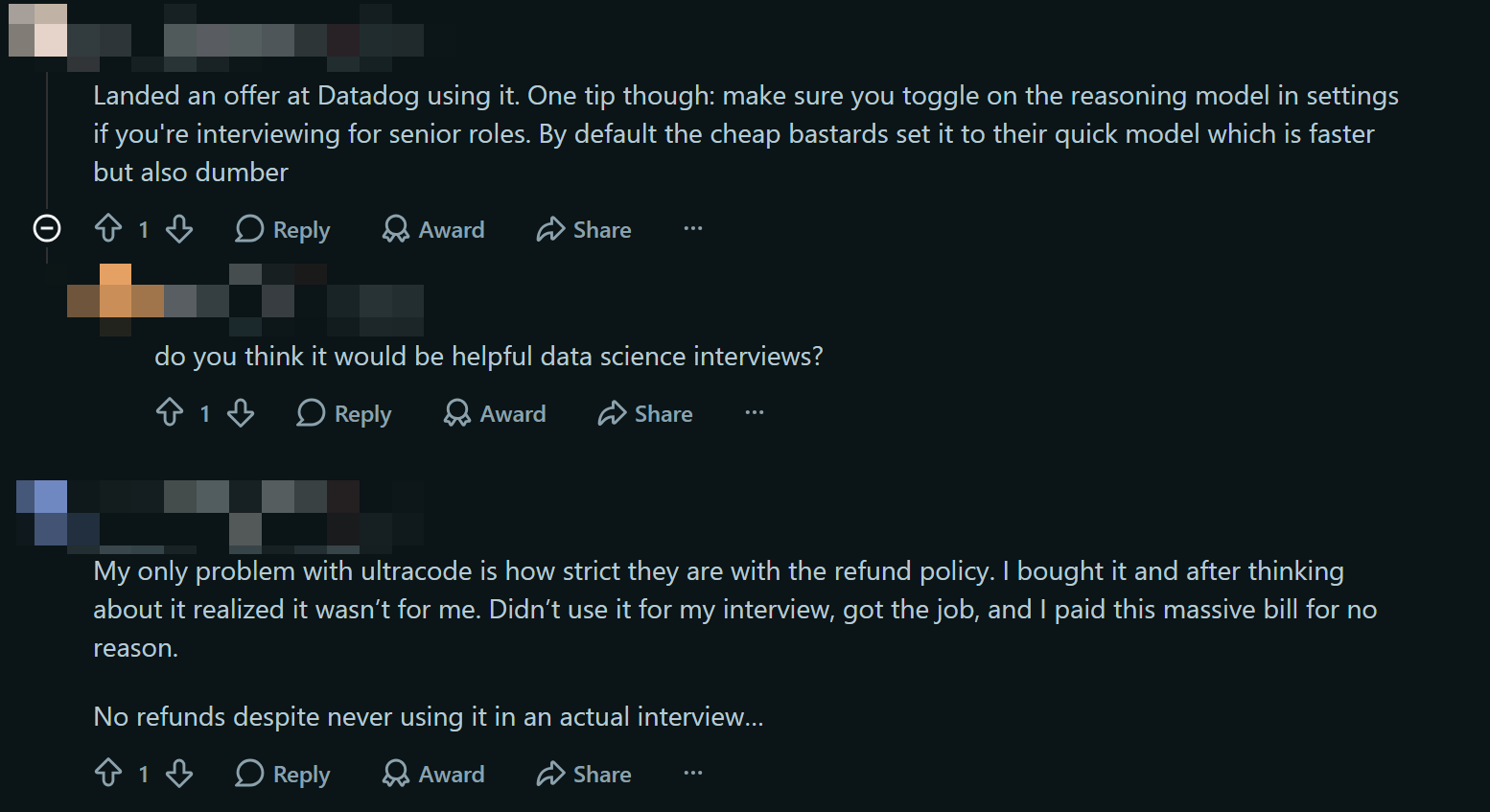
Just wondering if this is something I'm the only one experiencing, as I'm wondering if it could be down to a problem with my settings? But loads of users have said that Ultracode AI tends to use a fast model to save on costs, which is pretty annoying when you're paying extra to get poor results.
Some users have also said that the refund policy is too strict and that the price changes too much. I remember paying around $799 for mine, but some others paid the full price of $1,799 and some even got it for as little as $650. Unfortunately, it's not possible to get a refund for this. Even if you haven't used the service at all, you can't get your money back. LOL.
People rate Ultracode AI's performance on challenging problems as mediocre, and it can't even solve most of the latest problems on LeetCode.
Actually, Ultracode AI uses a fast model by default, which makes for a pretty poor interview experience.
Ultracode's refund policy is pretty strict, so it's not that easy to get a refund, even in cases where the price has changed (even if you paid $500 more than someone else).
Ethical And Detection Concerns
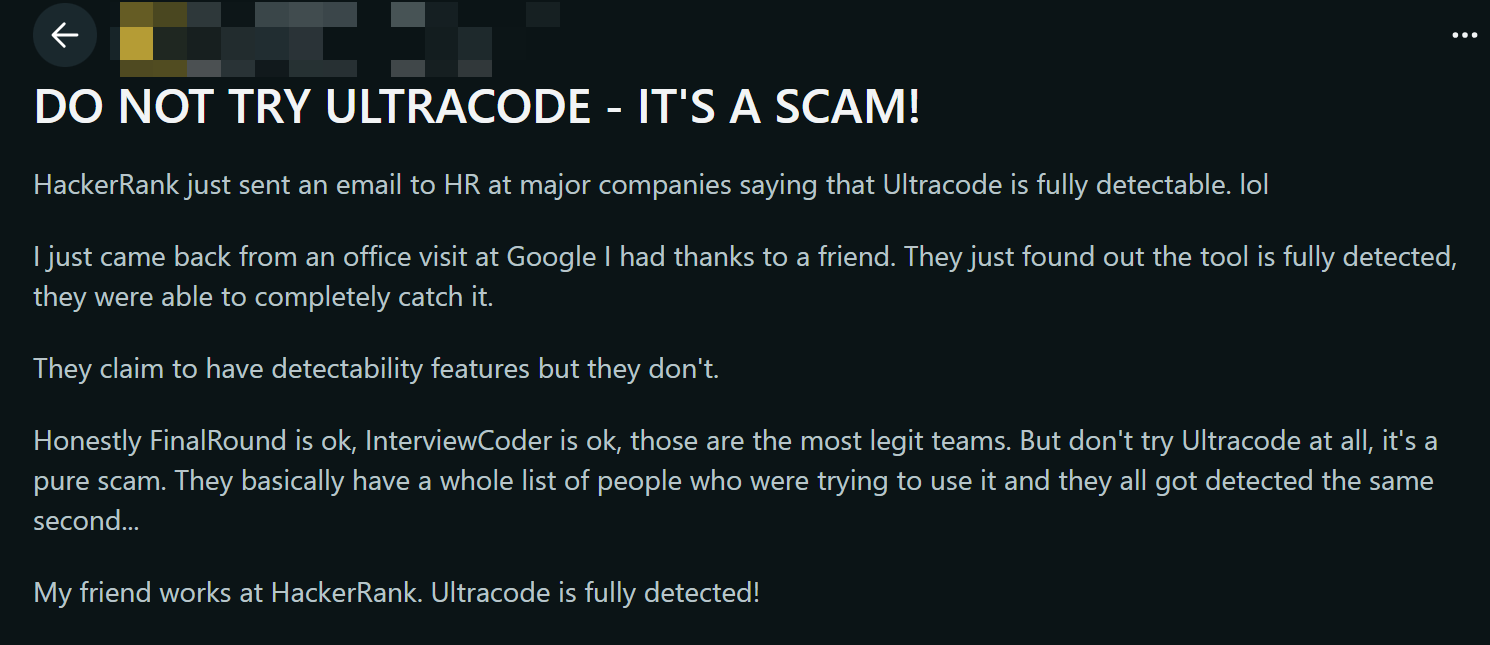
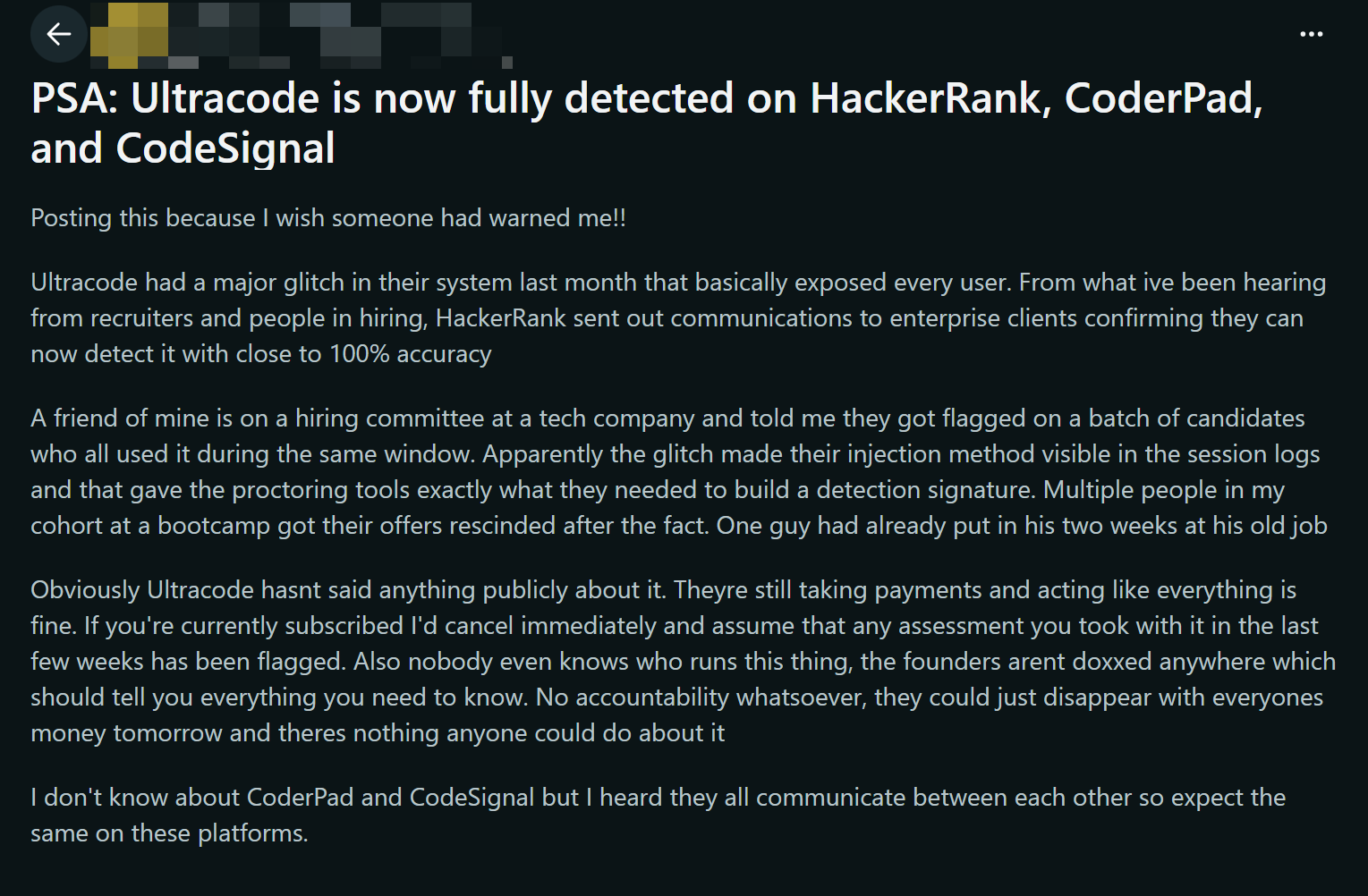
When I'm using AI tools for interviews, I always think about the ethical side of things. Some platforms and interviewers can spot if you're using AI tools. I've noticed that Ultracode AI claims to be the only AI interview assistant out there that's completely invisible. However, I've come across several cases online recently where job seekers were spotted using Ultracode AI, and some even got disqualified even though they'd already completed the onboarding process!
The risk of getting caught is very real, and it's not worth losing a job opportunity over such a small chance.
I'm also not sure if using AI in interviews is fair. Some people think it gives an unfair advantage, while others are worried about breaking the platform's rules. The high cost is another thing to worry about. I want to get my money's worth, but I'm not going to risk damaging my reputation or jeopardising my career over it.
Impact Of Ultracode AI Risk On Interviews
Stress And Distraction
Because of these issues, I always feel anxious whenever I use Ultracode AI during an interview. The tool doesn't handle sensitive information responsibly, and there's a risk of it being detected, which stops me from performing at my best. When I have to spend my time troubleshooting instead of answering questions, it distracts me. I've noticed that the complexity of this AI actually makes the interview more difficult. Here's what some users have said about their experience:
User Perception | Impact on Interview Performance | Focus Level |
|---|---|---|
AI complicates interviews | Increased difficulty in answering questions | Distracted by AI complexities |
When the tool acts up, I start worrying about my answers and whether the AI will crash again. That stress makes it tough to concentrate and hurts my performance.
Risk Of Being Flagged Or Caught
I'm always worried about getting flagged for using AI tools. I'm not sure about the detection methods used by some interview platforms. They look out for the following:
Frequent screen switching or looking away from the screen
Writing perfect code in one go without any iterations
Providing the optimal solution immediately without any reasoning
Explanations that don't match the code
Large chunks of code appearing instantly
No awareness of edge cases or failure scenarios
I'm at risk of getting caught if I make even the smallest mistake. I read that a popular AI cheating detection tool only identified 4 out of 25 cheating tools tested, which means it only detected 16% of the time. I'm not sure how many tools would be detected now, but I know that Interview Coder and Ultracode AI are both very easy to spot.
The analysis indicates that a popular AI fraud detection tool caught only 4 out of 25 cheating tools tested, resulting in a 16% detection rate. This suggests that detection rates for AI tools, including Ultracode AI, may be low, but no direct comparison is made.
Even though the detection rate seems low, the risk still makes me uneasy. I don’t want to lose a job opportunity because of Ultracode AI risk.
Value For Money Concerns
Whenever I use Ultracode AI, I can't help but think about the cost. It's usually a one-off fee of $650–$850, which is a lot less than the original price of $1,799.
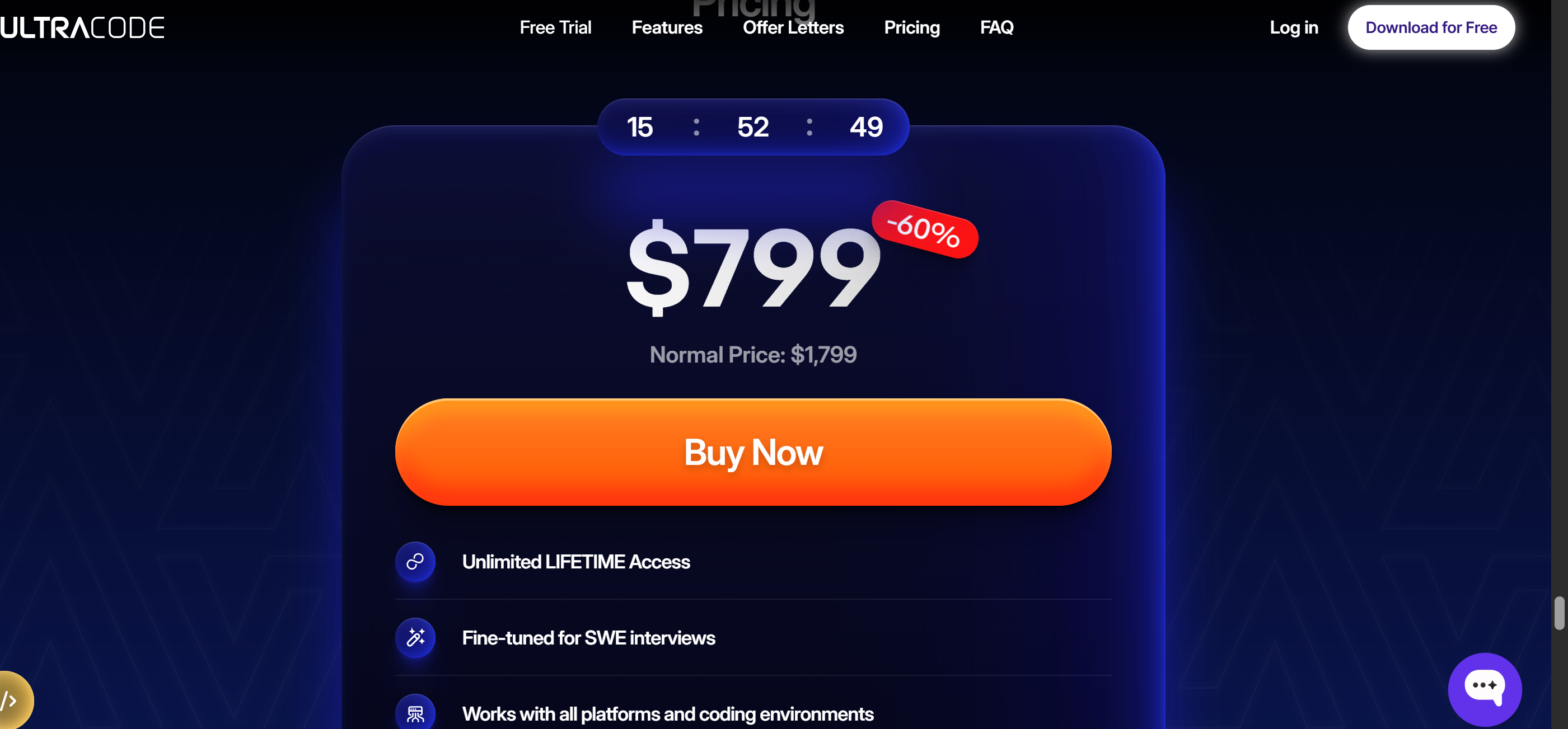
That's a big investment. Some tools, like Linkjob AI, not only offer similar features but also come with free trials and more comprehensive customer support.
I don't think Ultracode AI is flexible enough or good value for money. Some users have said they've had good results, but others have raised concerns about ethical issues and the risk of code detection, which makes me think its value is significantly diminished. I'm looking for a tool that'll help me succeed without going broke or damaging my reputation.
Safer Alternative: Linkjob AI Comparison
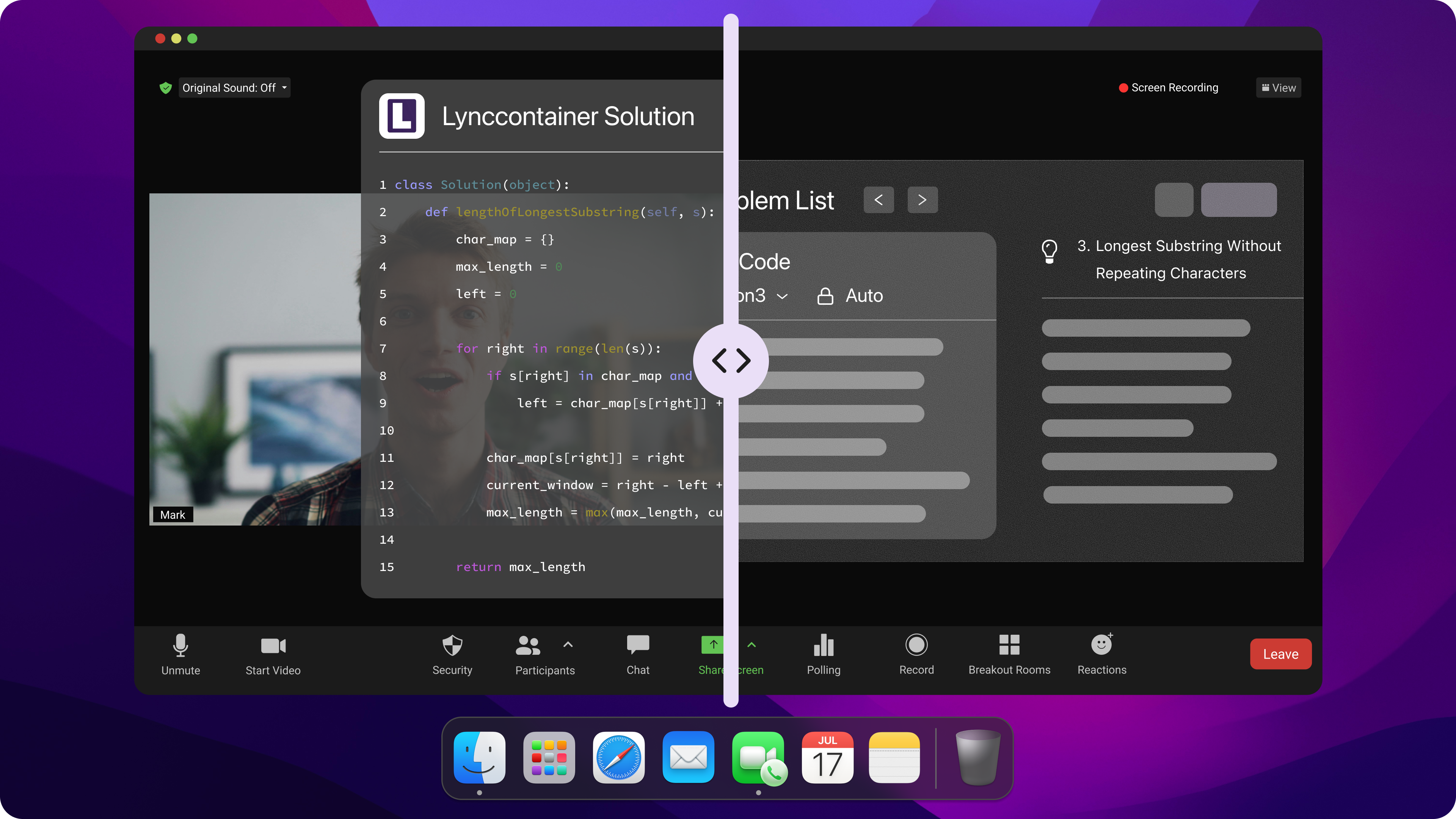
Security And Privacy Features
When I started looking for a more secure tool, security became my top priority. I needed a tool to protect my data privacy and not leave a trace during the interview process.
I was interested in Linkjob AI because it works in a totally different way to Ultracode AI. I don't have to worry about my personal information being leaked, or about my data being stored somewhere I can't control it.
Linkjob AI is completely invisible during interviews and coding assessments, which is different from Ultracode AI. It doesn't get detected by the interview platform because you have to download it to your desktop, which is different to web-based AI interview assistants that get detected when you switch tabs. Also, Linkjob's transparent overlay always stays on top of other windows, and it uses customisable global hotkeys to make sure it remains hidden during screen sharing.
This feature puts my mind at ease. I know my answers and notes are stored on my own device, so I don't have to worry about others accessing my data or spying on my activities. This is a huge relief, especially after hearing all the rumours about the risks and data breaches associated with Ultracode AI.
Reliability And User Experience
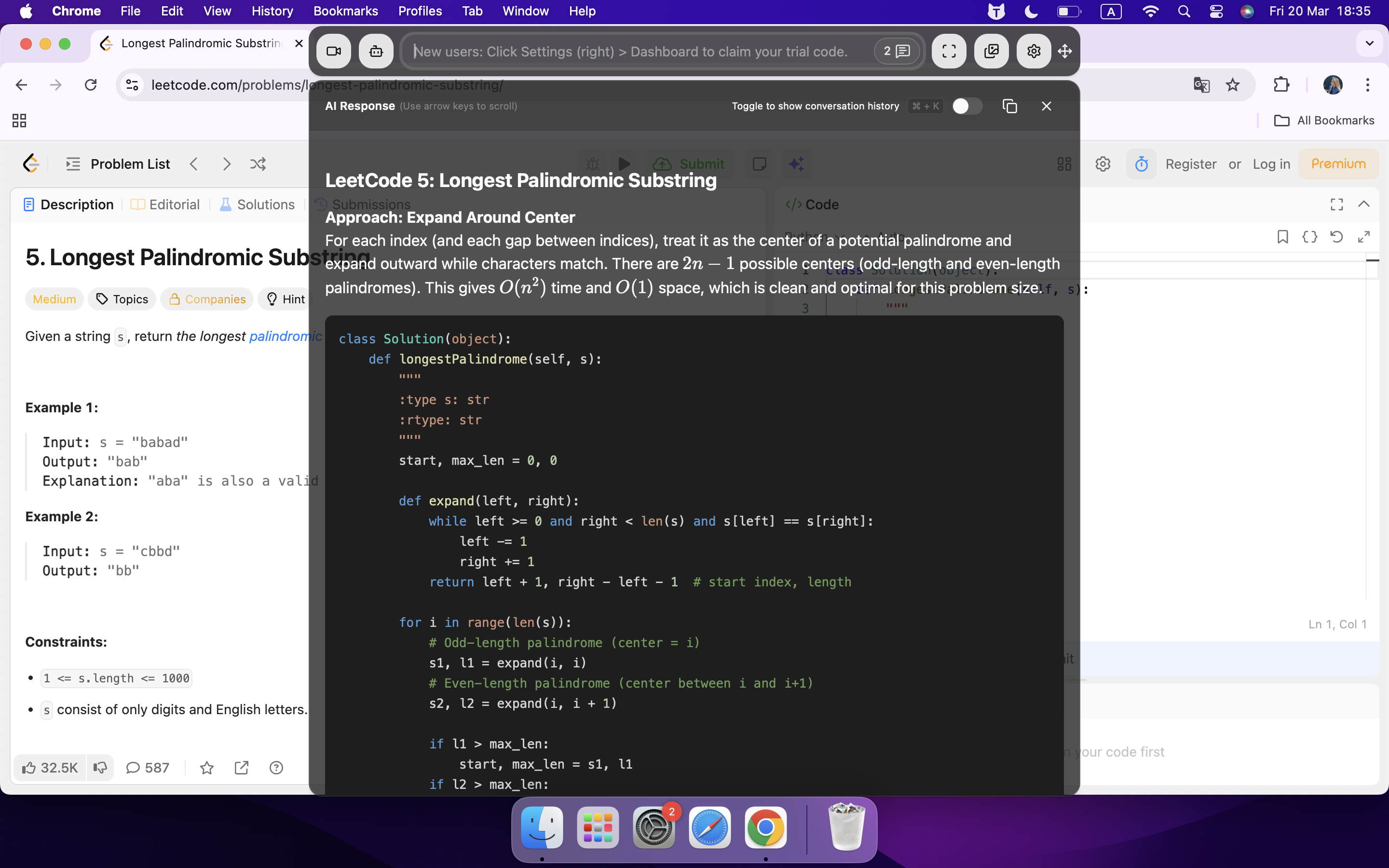
I’ve used both tools for live interviews and practice sessions. Linkjob.ai feels more stable and less distracting. I don’t get random crashes or lag when I need the tool most. The interface stays on top of my screen, so I don’t have to switch tabs or windows. That helps me stay focused on the interview instead of worrying about technical problems.
I like that Linkjob.ai works across different platforms like Teams and Google Meet. I can use it for any type of interview without compatibility issues. The tool gets daily testing to make sure it works smoothly. I haven’t experienced the same glitches or interruptions that I did with Ultracode AI. That makes a big difference when I want to perform my best.
Ethical Use And Detection Avoidance
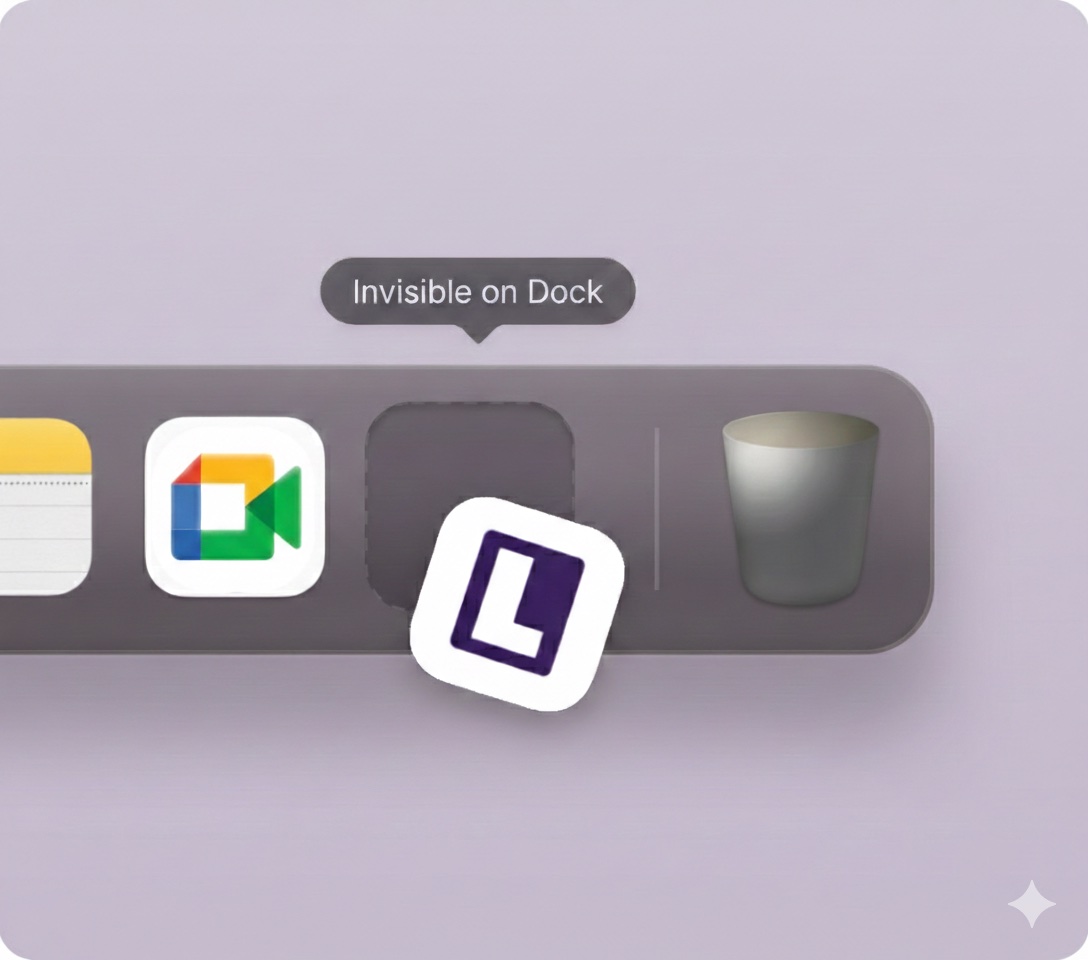
One thing that always made me nervous with Ultracode AI was the risk of getting caught. Interview platforms have ways to detect web-based AI tools, especially if you switch tabs or if something unusual shows up on your screen. Linkjob.ai avoids this problem by running on my desktop and staying invisible during screen sharing.
Here’s a quick comparison I found helpful:
Feature | Linkjob.ai | Ultracode AI |
|---|---|---|
Detectability during interviews | Completely undetectable during live interviews | said 100% invisible but actually not |
Daily testing | Yes, ensures effectiveness across platforms | No, it takes testing monthly |
Compatibility | Works on various platforms such as Teams, Meet, HackerRank, and others. | Approximately the same as Linkjob AI, but it seems to have failed many people when taking HackerRank recently |
I feel more confident using Linkjob AI because I know it won't get me flagged by the system. I don't have to stress about breaking any rules or missing out on job opportunities because of being caught, which is a massive relief. I also really like how focused Linkjob AI is on compliance. It helps me to get on with tasks without breaking any rules.
Since switching to Linkjob AI, I've successfully avoided the risks associated with Ultracode AI. It's not just that it offers better privacy protection and a more reliable performance, but it also takes the worry out of being detected. For me, it's definitely worth it.
How To Switch From Ultracode AI To Linkjob AI
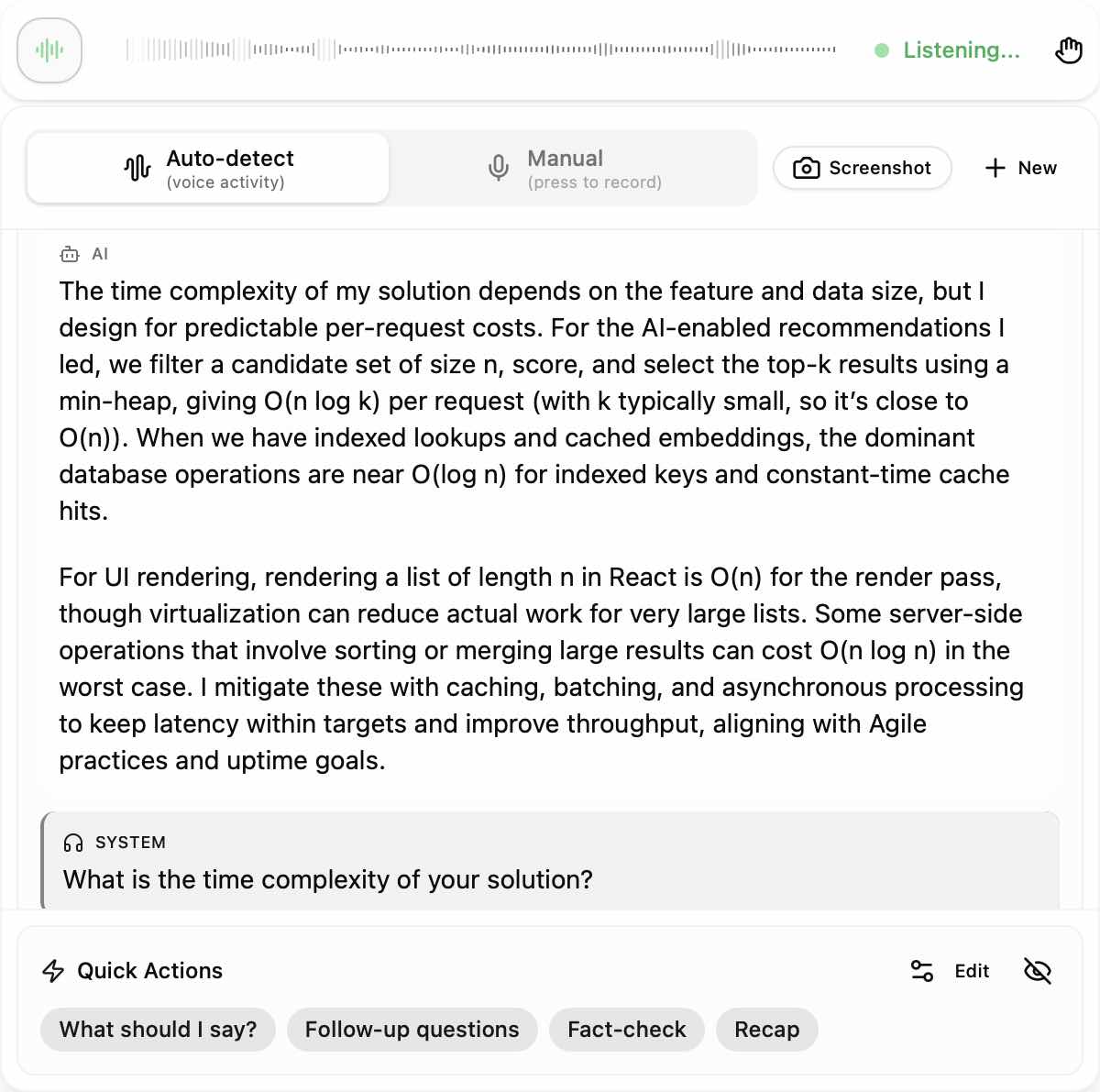
Transition Preparation
Switching tools always feels like a big step, but I found that a little prep work makes things easier. I started by looking at my old Ultracode AI data. I cleaned up any job entries or technical notes that I didn’t need anymore. This helped me avoid clutter when moving to Linkjob AI. I also made a list of the features I used most in Ultracode AI. That way, I could look for similar options in Linkjob.ai and not miss anything important.
Tip: Take a few minutes to review your technical data before you switch. It saves time later and helps you start fresh.
Setup And Onboarding
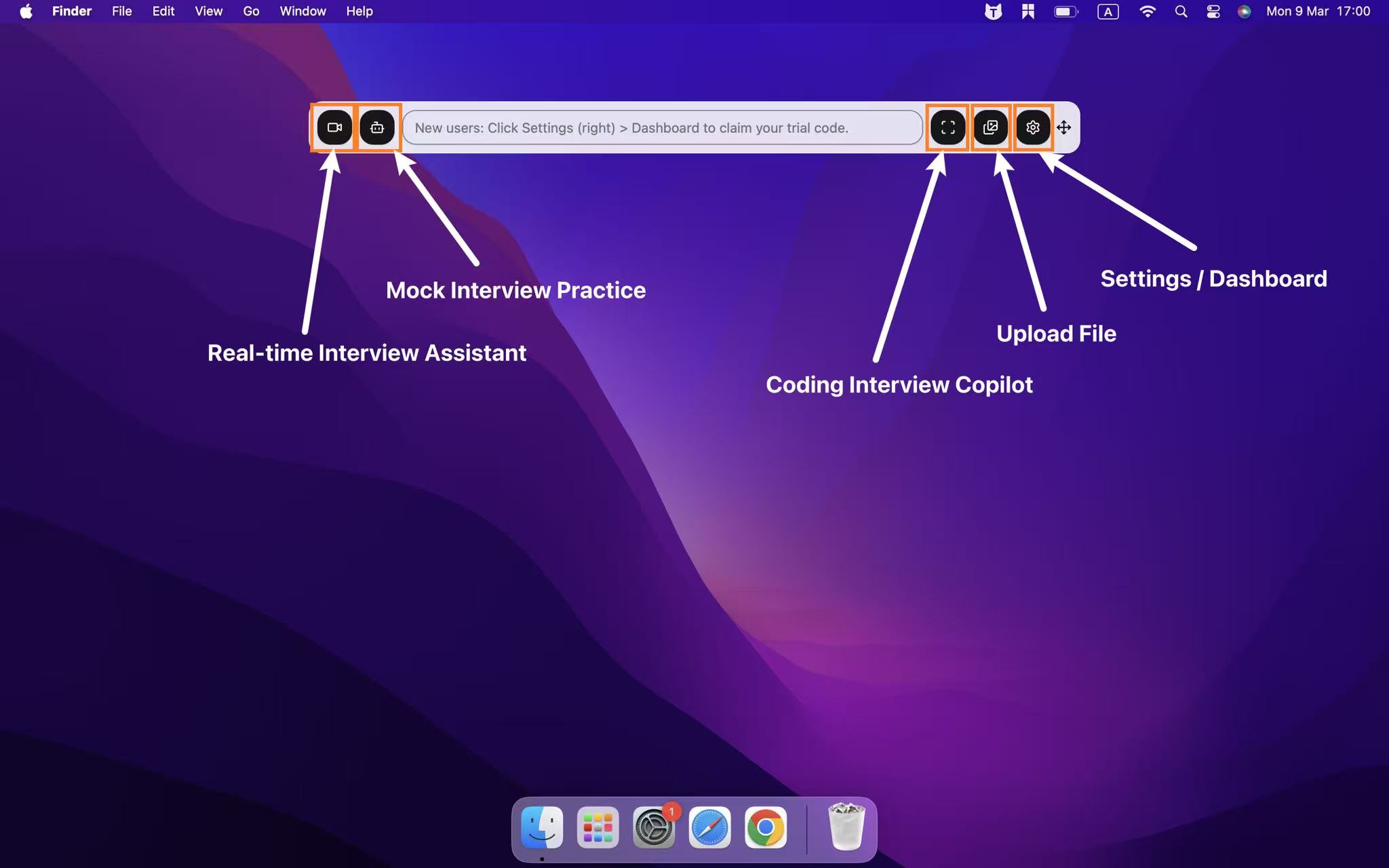
Getting started with Linkjob.ai felt pretty straightforward. I downloaded and installed the app on my computer. To customize my experience, I clicked the gear button in the control box. The settings panel lets me adjust things to fit my workflow. I wanted to try out the premium features, so I opened the control panel and entered my email in the Start Trial section. The trial activation code worked for 30 minutes, which gave me enough time to explore everything.
Here’s what helped me during setup:
I used the gear icon to access all the settings I needed.
The free trial let me test premium features without any commitment.
I didn’t have to worry about web-based detection since Linkjob.ai runs on my desktop.
Tips For Smooth Migration
I wanted my switch to go as smoothly as possible, so I followed a few best practices:
I explored the Linkjob.ai dashboard to see where technical practice sets and job analytics were located.
After each session, I checked my job readiness score using the technical progress tracker.
During my first mock interview, I tried the live technical support. This helped me get comfortable with the new platform.
Switching from Ultracode AI to Linkjob.ai felt less overwhelming when I broke it down into these steps. I focused on learning the new layout and using the built-in tools to track my progress. That made the whole process much easier.
Best Practices To Minimize AI Interview Risks
Tool Selection And Updates
I always start by picking tools that match my needs and comfort level. I look for apps that get regular updates. Updates usually fix bugs and add new security features. I check if the tool has a clear privacy policy. If I see that the developers respond to user feedback, I feel more confident. I also test the tool with a practice session before using it in a real interview. This helps me spot any glitches or confusing features early.
Tip: Try out the free version or trial before you commit. You want to know how the tool works under pressure.
Data Protection Strategies
I take data protection seriously. I only share information that is necessary for the tool to work. I avoid uploading sensitive documents unless I trust the platform. I always read the consent forms and privacy settings. If the tool asks for new permissions, I double-check why. I like it when companies let me control my data and ask for my approval if they change how they use it.
Here are some steps I follow to keep my data safe:
I limit the amount of personal info I provide.
I use strong passwords and change them often.
I look for tools that use encryption and access controls.
I ask questions if I am unsure about data storage.
I check if the company is transparent about how they handle my data.
If I ever use a tool for health or education interviews, I make sure it offers extra protection for that kind of data.
Staying Informed On Platform Policies
I keep myself updated on the rules of the interview platforms I use. Policies can change, and I do not want to get caught off guard. I check the official website or help center for updates. If I see a new warning or guideline, I read it right away. I also join online forums where users share their experiences. This helps me learn about new risks or changes before they affect me.
Staying informed helps me avoid mistakes and keeps my interview process smooth. I feel more confident when I know the rules.
FAQ
How do I know if Linkjob AI is safer than Ultracode AI?
I checked privacy settings and read user reviews. Linkjob.ai keeps my data on my device. I feel more secure because it doesn’t leave traces during interviews. That peace of mind matters to me.
Can I use Linkjob AI for all types of interviews?
Yes, I’ve used it for coding, behavioral, and technical interviews. It works on Teams, Google Meet, and other platforms. I like that it stays invisible during screen sharing.
What should I do if I run into issues with Linkjob AI?
I usually restart the app or check for updates. If that doesn’t help, I look at the help section or ask in user forums. Most problems get fixed quickly.
Is it easy to switch from Ultracode AI to Linkjob AI?
Switching felt simple for me. I cleaned up my old data, installed Linkjob.ai, and explored the dashboard. The free trial helped me get comfortable before using it in a real interview.
See Also
Discover The Top Alternative To Ultracode AI: Linkjob AI
Tips For Avoiding Detection While Using AI On Qualified.io
My Strategy For Evading Adaface Exam Detection With AI
Winning Strategies To Overcome SkillPanel Test With AI Tools
Why People Choose Linkjob AI
Smoother interviews, coding challenges cleared, and job offers landed. See how users describe their experience with Linkjob AI—in their own words.


© Copyright 2026 Linkjob AI - All Rights Reserved.