Does Verve AI Work for Live Interviews? An Honest 2026 Test


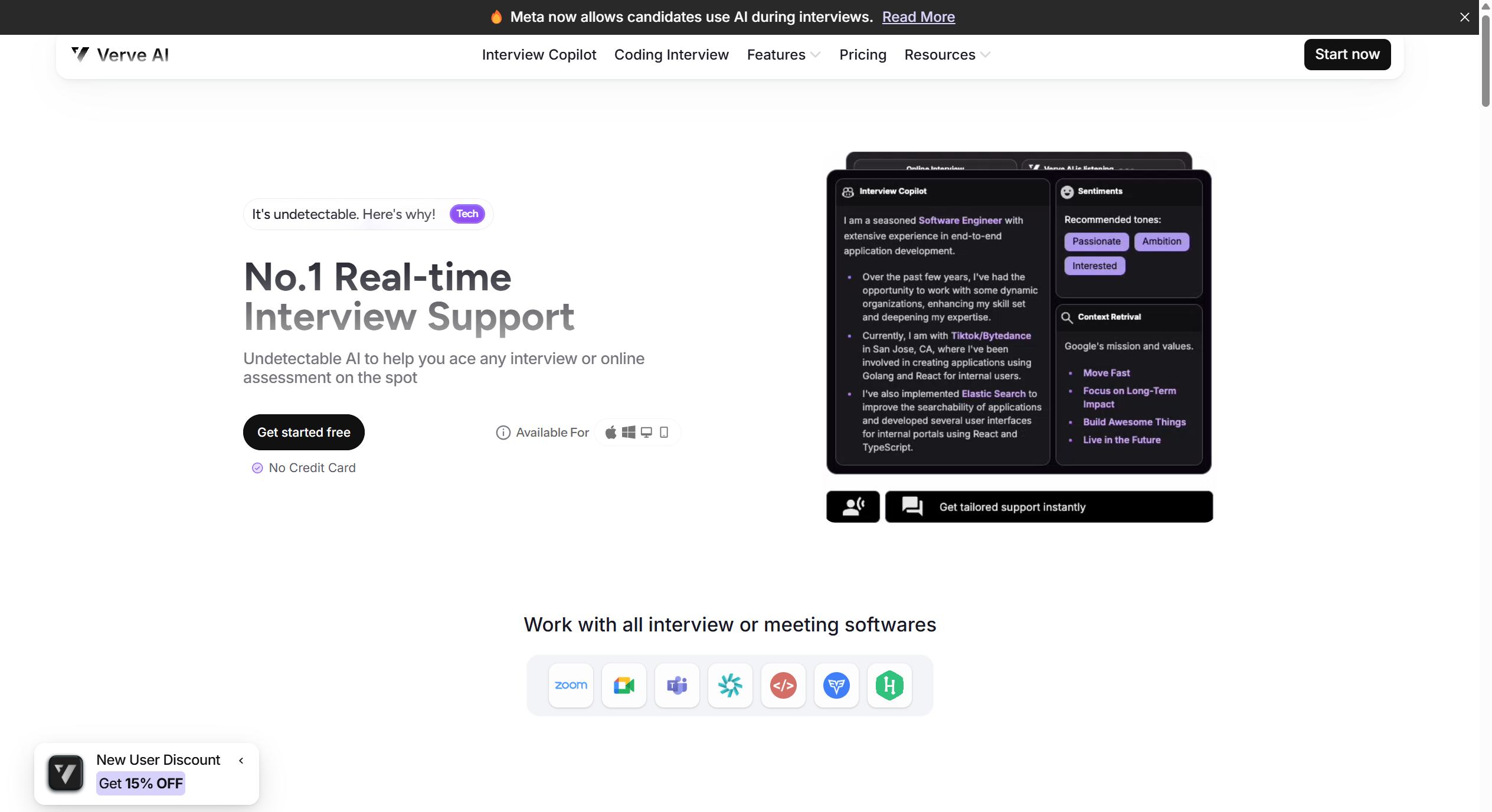
I recently tried Verve AI, an AI-powered interview assistant that claims to offer personalized, end-to-end support for job seekers. On paper, it sounds impressive—but in practice, the experience fell short of expectations. While its customization options and role-specific coaching do have some merit, I ran into significant issues: frequent lag on mid-tier hardware and most critically—a complete lack of true invisibility.
Despite marketing it as “stealthy,” the tool requires an active browser extension that’s clearly visible during screen sharing, making it unsuitable for any real-time, proctored setting, just as other extensions I mentioned in my previous Jobjump review and Final Round AI review.
In the rest of this review, I’ll break down exactly what works, what doesn’t, and why Verve AI might not be the reliable interview partner it promises to be—especially if you’re counting on it when it matters most. If you're looking for better alternatives to Verve AI, I also have a corresponding article listing more options and what I consider the optimal solution.
By the way, during my hands-on testing of Verve AI, I actually discovered a more effective alternative: Linkjob AI.
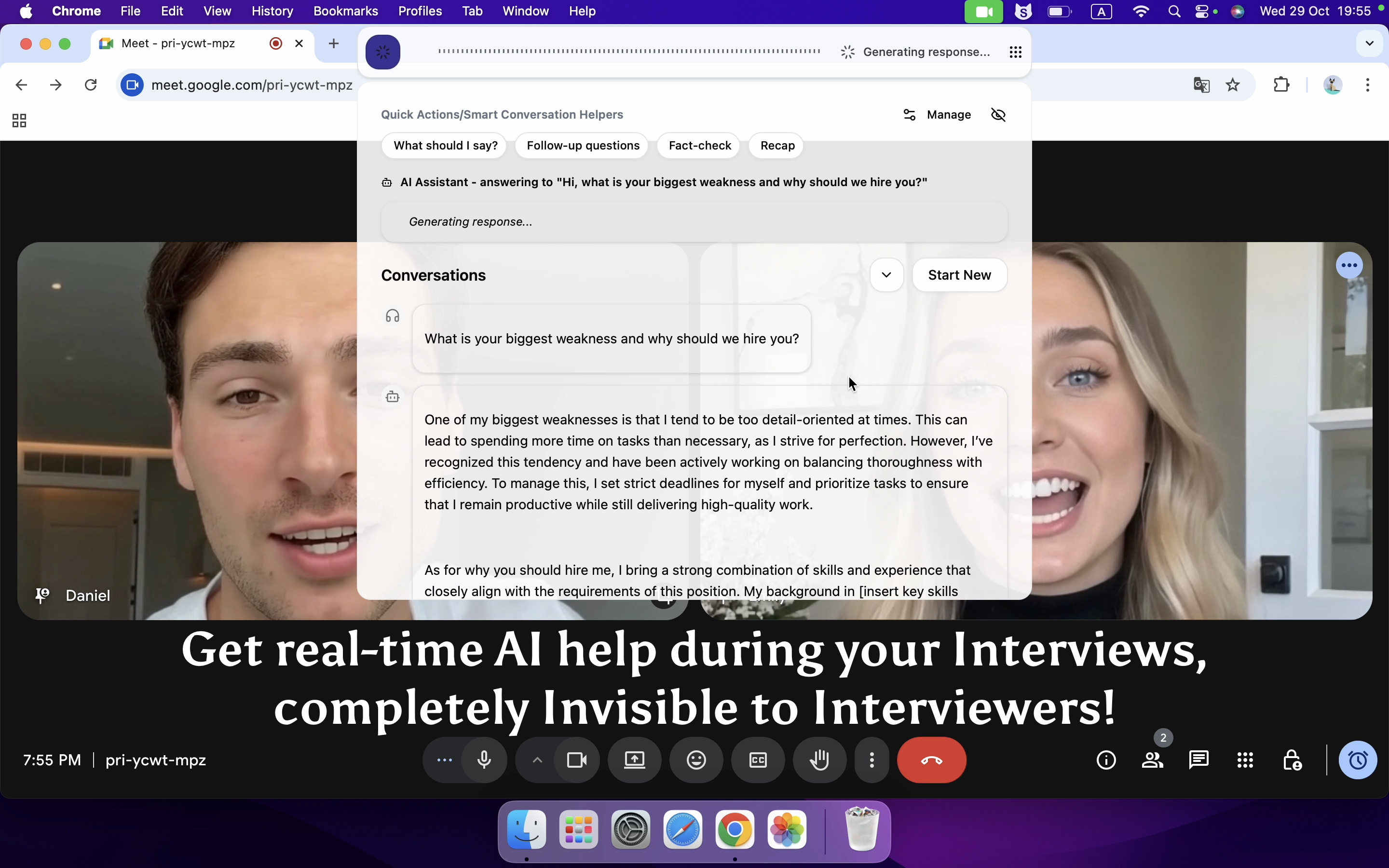
That’s when Linkjob.ai stood out to me. It’s built to run entirely in the background—no clicking, no switching tabs, and no visible traces during live interviews. Plus, it taps into some of the most advanced AI models available today. For many job seekers (myself included), that blend of true invisibility and smarter AI support translates into a noticeably calmer, more confident interview experience.
Key Takeaways
✅ Strengths:
Supports a wide variety of interview types (behavioral, technical, case-based, etc.).
Offers useful personalization options, such as custom responses and practice scenarios tailored to your background.
❌ Weaknesses:
Not truly “invisible” during live interviews—its presence can be distracting or noticeable to interviewers.
Performance issues like lag and occasional crashes disrupt the user experience.
⚖️ Verdict:
Verve AI might be a good fit for users who primarily need mock interview and are willing to pay a premium for customization. However, for someone like me—who values concealment, reliability, and seamless real-time support during actual interviews—it simply isn’t the right tool.That’s why I lean toward Linkjob.AI: it runs fully invisibly in the background, keeps all features accessible during live sessions, and delivers solid performance with more advanced models.

Verve AI Review: Is It Legit?
Direct Verdict
When I first tried Verve AI, I was genuinely curious whether it lived up to its promise as a smart, personalized interview assistant. On the surface, it’s impressive: it supports everything from behavioral to technical interviews, and the ability to customize responses based on your resume or target role feels genuinely useful—especially during solo practice sessions.
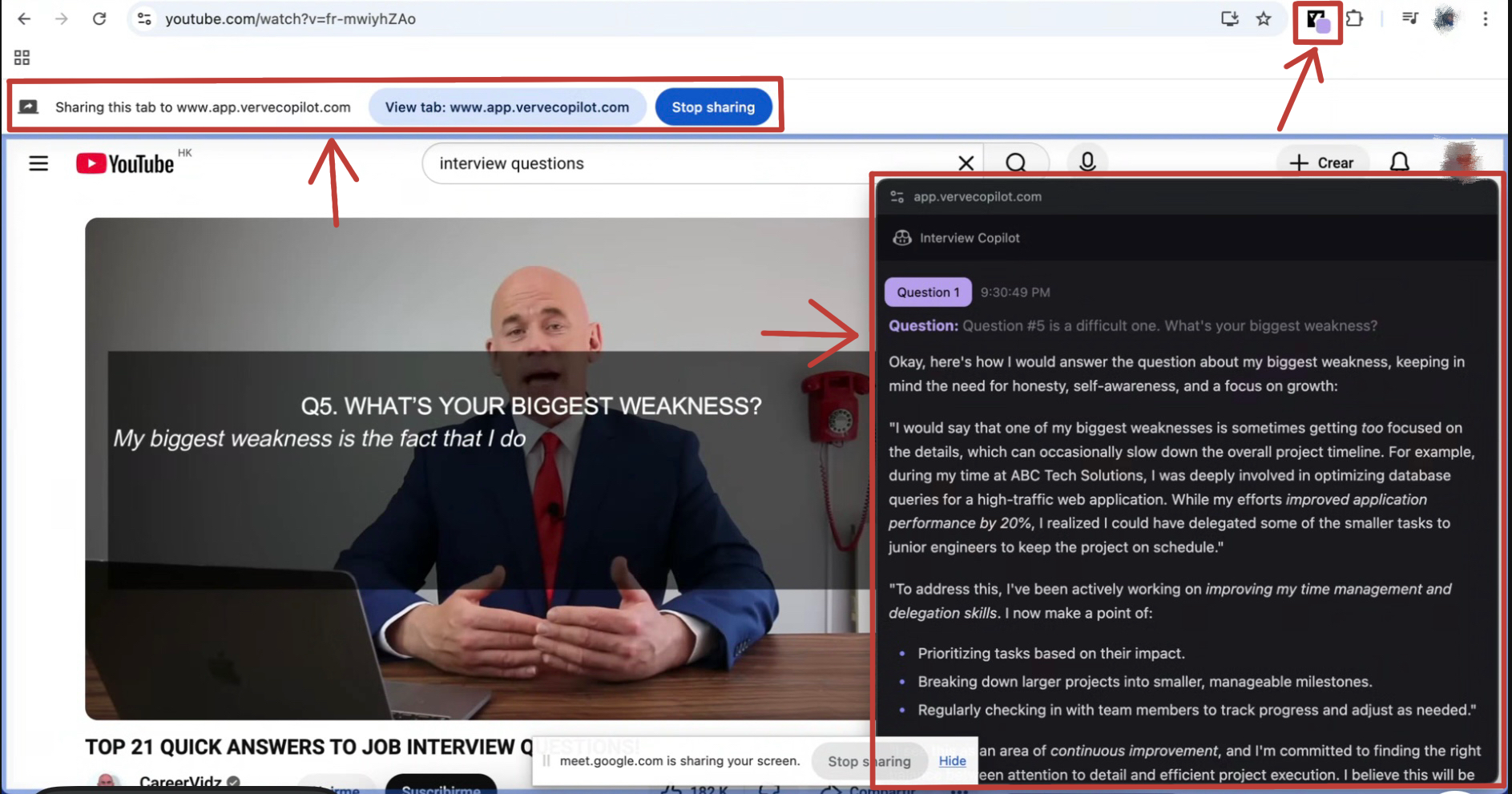
But as I used it more deeply, a major red flag emerged: Verve AI isn’t just “not invisible”—it’s outright detectable. During live interviews, you’re forced to keep an active browser tab open with its Google Chrome extension running. The moment you share your screen—or if the interviewer uses any kind of tab activity monitoring—the Verve AI interface shows up clearly.
I also looked into trust factors like refunds and data handling. While Verve AI states it has a refund policy, real user experiences are mixed. In several forum threads, people mentioned delays in getting refunds approved, or finding certain features suddenly restricted after payment—sometimes without clear notice.
Performance-wise, I noticed occasional lag during voice input and a few crashes on my older laptop, though it ran fine on my newer phone. It’s not unusable, but it’s not always smooth either.
So who might still find value here? If you’re mainly using it for structured, offline prep—like rehearsing answers, refining your storytelling, or practicing with AI-generated follow-ups—Verve AI’s customization can be a real asset. But if you’re like me—someone who wants reliable, seamless support during actual interviews, values responsive customer service, and prefers tools that honor refund requests fairly—then it might not be the best fit.
It’s a real product with real strengths—but also real limitations that matter depending on how you plan to use it.
Here’s a quick summary of what I found:
Legitimacy Factor | My Experience | User Feedback | My Verdict |
|---|---|---|---|
Automatic Question Recognization | Works well in most cases | Mostly positive | 👍Accurate and responsive |
All Interview Format (behavioral, coding, etc.) | Covers a wide range | Highly rated for versatility | 👍Comprehensive support across formats |
Personalized Support | Tailored to my background | Users praise customization | 👍Feels genuinely personalized |
Coding Interview Copilot | Uploaded a screenshot of a LeetCode problem and got a full, runnable solution instantly | Users have reported that the number of screenshots they can upload at once is limited | 👍Acceptable in general |
Refund Policy | No instant response | some negative reviews | ⚠️ The attitude urgently needs improvement |
Undetectability | Unable to be invisible | Mixed | ⚠️It's completely impossible to be invisible, as once screen sharing is requested, it will be exposed |
Data Protection | Secure | No major complaints | 👍 Legit |
Device Compatibility | Smooth on new devices | Mixed | ⚠️ Needs improvement |
Customer Support | Responsive | Generally positive | 👍 Legit |
Who Should Use Verve AI?
Verve AI might be a good fit for candidates who are primarily focused on mock interview, especially those preparing for technical or behavioral interviews where they can use the tool in advance—without needing real-time support during live sessions. Its strong customization, coding copilot with screenshot input, and ability to generate full code answers make it valuable for users who want to refine their responses and build confidence before going into an actual interview.
That said, if you’re looking for a truly seamless, undetectable experience during live video interviews—especially one that works smoothly across devices and doesn’t require switching between apps—then Verve AI may fall short. Additionally,performance issues on older devices and inconsistent customer support also mean it’s not ideal for everyone.
In short: It’s worth considering if you’re using it as a prep tool—but not necessarily as a live interview assistant.If you do need real-time support that stays truly invisible, Linkjob.AI offers a more reliable alternative.
Features & Competitor Comparison
Verve AI Core Functions
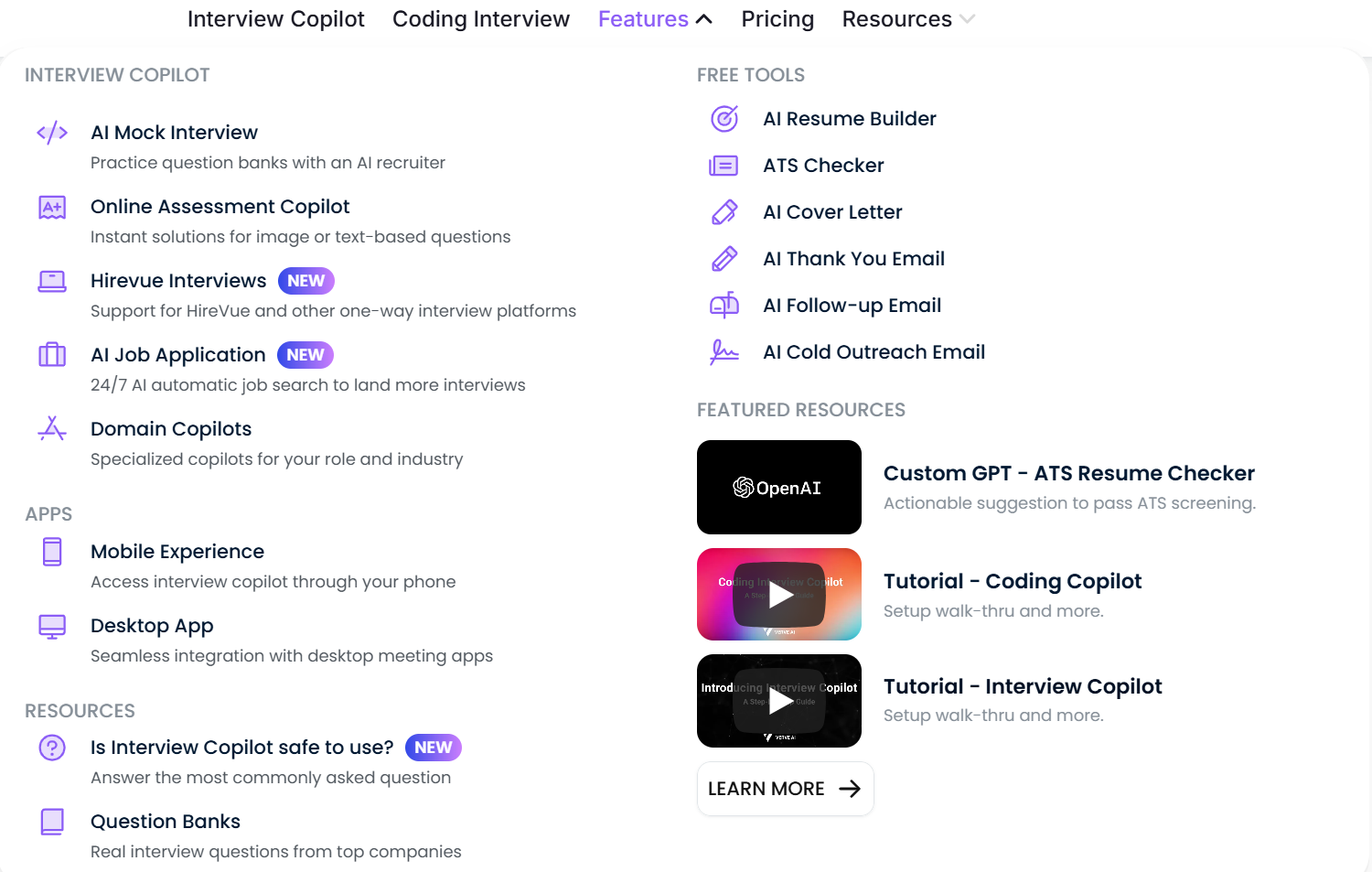
During my testing, I realized that Verve AI doesn’t actually offer a truly invisible experience—despite what its marketing suggests. Both the desktop “app” and the web version rely on a browser extension that must stay open and active during use. There’s no background mode: you always need a visible window or overlay, which shows up immediately if you share your screen or even just move your cursor near the top of the display.
This means there’s no real trade-off between stealth and functionality—because stealth isn’t really an option. Whether you’re using the desktop launcher or the web interface, the AI assistant remains visibly present. The full feature set (like live transcription, screenshot-based coding help, and real-time suggestions) only works when this interface is active, so you can’t have both “undetectable” and “fully functional”—you simply can’t be undetectable at all.
I did find value in some of their free tools, like the ATS resume checker and question bank, which don’t require real-time access and work fine offline. Those are genuinely useful.
But for live interview support? In short: Verve AI has powerful features, but none of them run invisibly. If you’re planning to use it during a proctored or screen-shared interview, assume it will be seen—because it almost certainly will be.
Verve AI vs Linkjob AI:A Quick Comparison
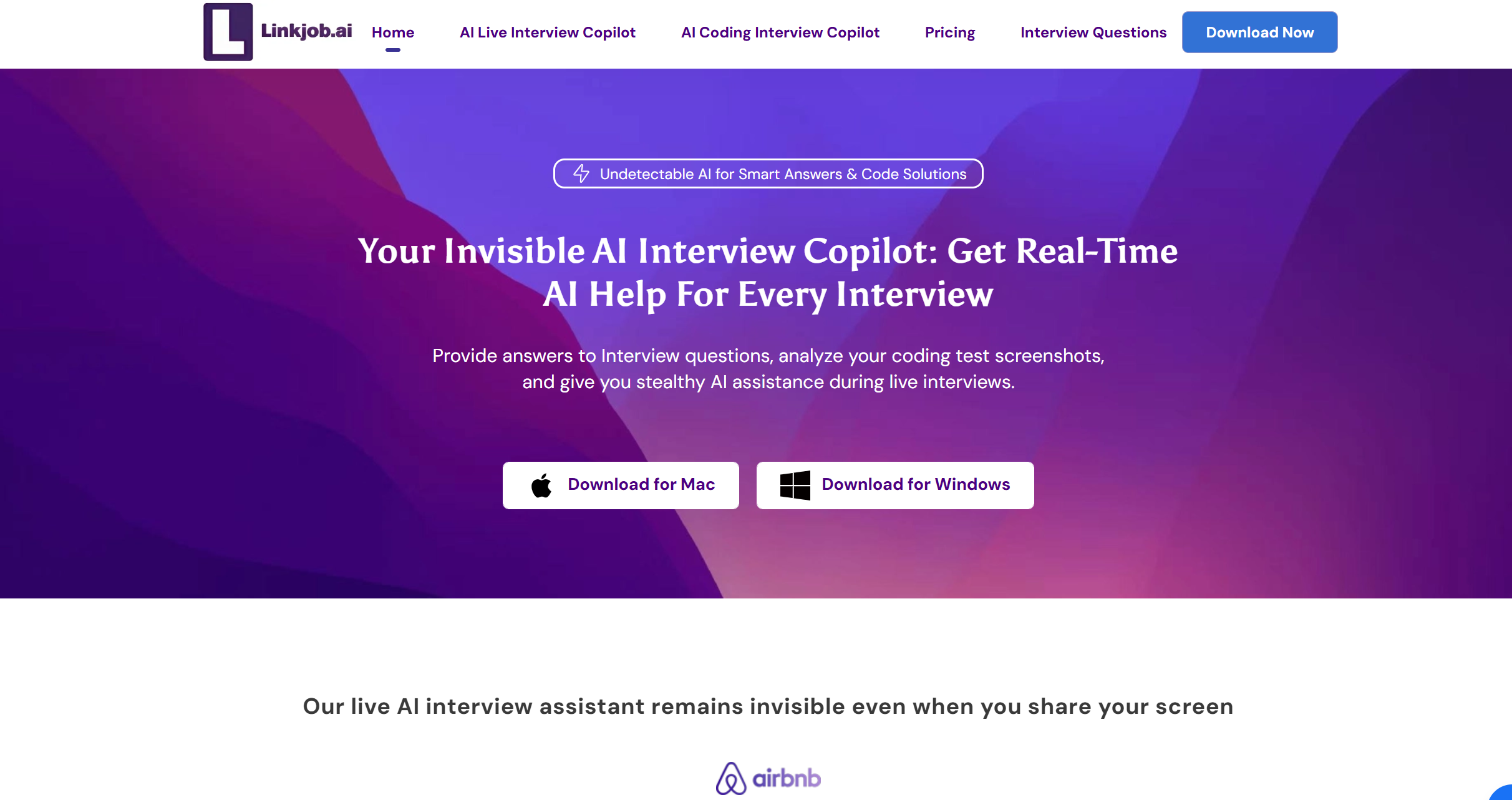
While wrapping up my time with Verve AI, I happened to try Linkjob.AI—mostly out of curiosity after hearing it mentioned in a job-seeking group. Since I’d just spent weeks navigating Verve’s trade-offs between stealth and functionality, I was surprised by how differently Linkjob approached the same problem.
Both tools aim to support interview with AI, but their execution diverges in subtle yet meaningful ways. Verve AI still impresses with its polished interface, deep personalization, and coding copilot that generates full solutions from screenshots. But as I’ve noted before, you can’t have it all: switch to the web version for full functionality, and you risk being seen during screen sharing.
Linkjob.AI, by contrast, manages to be fully invisible while keeping all core features active. During my mock interviews, I ran it in the background on both macOS and Windows, shared my screen multiple times, and never once saw it pop up or interfere. More importantly, everything kept working: I could upload multiple screenshots at once (great for multi-part coding problems), get answers based on both image and voice input, and receive real-time suggestions—all without switching modes or losing access.
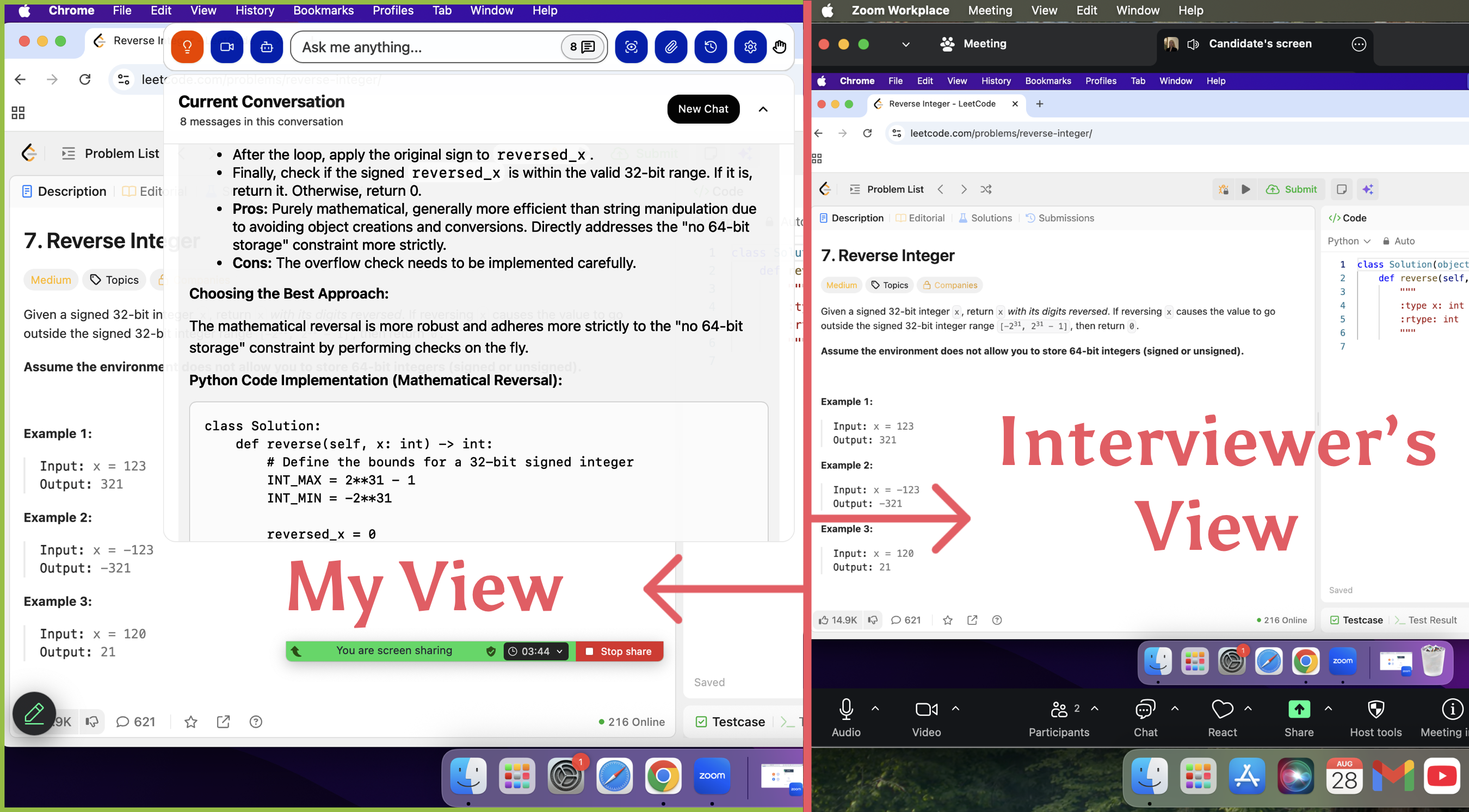
The only hiccup I noticed? Its voice recognition is not very accurate.Its voice recognition isn’t always precise—it sometimes splits a single sentence into two, or merges two separate sentences into one. That can slightly affect how the AI interprets your question, but it rarely undermines the overall usefulness of the response.
And then there’s pricing: The pricing is roughly on par, but Linkjob.AI includes more capable AI models (like GPT-5.1 and Claude Opus) from the start—no upsells, no hidden gates.
I wouldn’t say one is “better” than the other across the board. If you’re deep in FAANG-style prep and want every possible edge—even at a premium—Verve AI has tools Linkjob doesn’t. But if you’re like me, looking for a reliable, no-fuss interview assistant without breaking the bank, Linkjob.AI offers a surprisingly capable alternative. In fact, for many job seekers, it might be more than enough.
So while I’m still figuring out whether Verve AI is worth the investment for my own use, I’ve actually kept Linkjob.AI in my toolkit—not as a “second best,” but as a smart option that gets the job done.
Pricing Overview
Price matters when you pick an interview prep tool. I compared Verve AI and Linkjob.AI to see which one gives more value. Here’s a table with the latest prices:
Platform | Monthly Price | Quarterly Price | Annual Price |
|---|---|---|---|
Verve AI(Pro Plan) | 59.5$ / month Unlimited access to all features with no session time limit. | 51$ / month Unlimited access to all features with no session time limit. | 25.5$ / month Unlimited access to all features with no session time limit. |
Verve AI(Standard Plan) | 38.25$ / month Up to 5 interview sessions per month, each lasting 60 minutes. | 34$ / month Up to 5 interview sessions per month, each lasting 60 minutes. | 14.45$ / month Up to 5 interview sessions per month, each lasting 60 minutes. |
Linkjob.AI | 49.99$ / month Unlimited access to all features and AI models with no session time limit. | 34.99$ / month Unlimited access to all features and AI models with no session time limit. | 24.99$ / month Unlimited access to all features and AI models with no session time limit. |
At first glance, Linkjob.AI’s pricing— 49.99/month or 49.99/month or 24.99/month with annual billing—might not seem “cheap,” especially compared to basic AI tools. But what sets it apart isn’t just the price tag; it’s what’s included at that price. Unlike many competitors that lock top-tier models behind enterprise plans, Linkjob.AI gives all users direct access to some of the most powerful models available today, including GPT-5.1, Claude Opus, and Grok 3, right out of the box.
In contrast, Verve AI charges $ 59.50/month for its Pro plan (which offers unlimited use) and still limits its Standard tier to just 5 sessions per month—yet doesn’t clearly disclose which underlying models power its responses. For me, that makes a difference: paying a similar or slightly lower amount for Linkjob.AI means I’m actually getting more advanced reasoning, better code generation, and more nuanced interview feedback, thanks to those state-of-the-art models.
So while neither tool is “budget” by casual standards, Linkjob.AI delivers clearer value for the price—especially if you care about AI quality as much as functionality.
Unique Features & Customization
AI-Powered Interview Assistant
Verve AI packs a punch with its AI-powered features. I noticed right away that it offers a Real-time Interview Copilot. This feature provides live transcription and suggests context-aware responses while you answer questions—like having a smart assistant by your side. I also tried the Specialized Copilots, which switch between behavioral and coding interviews to give targeted support for each format.
Here’s a quick look at some of the unique features I found:
Feature | Description |
|---|---|
Real-time Interview Copilot | Live transcription and context-aware response suggestions during interviews. |
Specialized Copilots | Dedicated modes for behavioral and coding interviews. |
Stealth Mode | In practice, Verve AI isn’t stealthy at all—you have to keep its browser extension open, and that window shows up clearly if you share your screen. |
Coding Interview Support | Captures on-screen questions via screenshot and provides detailed, complete code solutions—similar to LeetCode-style help. |
I have to be honest: Verve AI isn’t stealthy at all. It doesn’t run in the background—you actually need to keep its browser extension open and active during the interview. That means a visible window is always present, and it shows up immediately if you share your screen or even just hover near the top of your display. In my mock interviews, it was obvious enough that I wouldn’t feel comfortable using it in any real, proctored setting. It works fine for private practice, but calling it “stealth” feels misleading.
Advanced Personalization
Verve AI doesn’t just throw generic questions at you. It adapts to your skill level and the job you want. I liked how it tailored feedback based on my resume and the roles I targeted. The platform also detects questions automatically, so I didn’t waste time figuring out what to answer next.
Compared to other tools, Verve AI feels more flexible. Here’s how it stacks up:
Feature | Verve AI | Other Tools (General) |
|---|---|---|
Real-time assistance | Yes | Varies |
Question detection | Yes | Limited |
Role-specific response support | Yes | Often generic |
Focus on customer support | Yes | Not always |
However,I did run into noticeable performance issues, especially on older hardware. On my older tablet, the app was consistently sluggish—responses lagged by several seconds, and it crashed outright during two separate mock interviews. Even basic navigation felt unresponsive. By contrast, it worked fine on my newer laptop, which makes me think Verve AI is heavily optimized only for recent devices. If you’re not using up-to-date hardware, the experience can be frustratingly unreliable.
Tip: Don’t assume it’ll work smoothly on your primary device. Test the free version thoroughly first—because unless you’re on a relatively new machine, you might end up with a choppy, unstable experience that could hurt more than help during practice.
User Experiences & Feedback
Positive Reviews
I spent a lot of time reading what other users say about Verve AI. I see these strengths pop up:
The Online Assessment Copilot helps users tackle tough questions.
Built-in Cheatsheet gives quick access to key concepts.
Real-time assistance keeps users on track.
AI Mock Interview feature lets users practice and improve.
I agree with most of these points. I found the real-time help especially useful when I felt stuck.
Reported Issues
I didn’t just rely on my own experience when evaluating Verve AI—I also looked into what real users have been reporting across forums and review platforms. Several users mentioned difficulties getting refunds, even after canceling their subscriptions within the stated trial or guarantee period. In multiple cases, people said that key features—like mock interviews or real-time response suggestions—either stopped working shortly after payment or were never fully accessible to begin with. Some described contacting support only to receive delayed or generic replies, with no resolution to their issues.
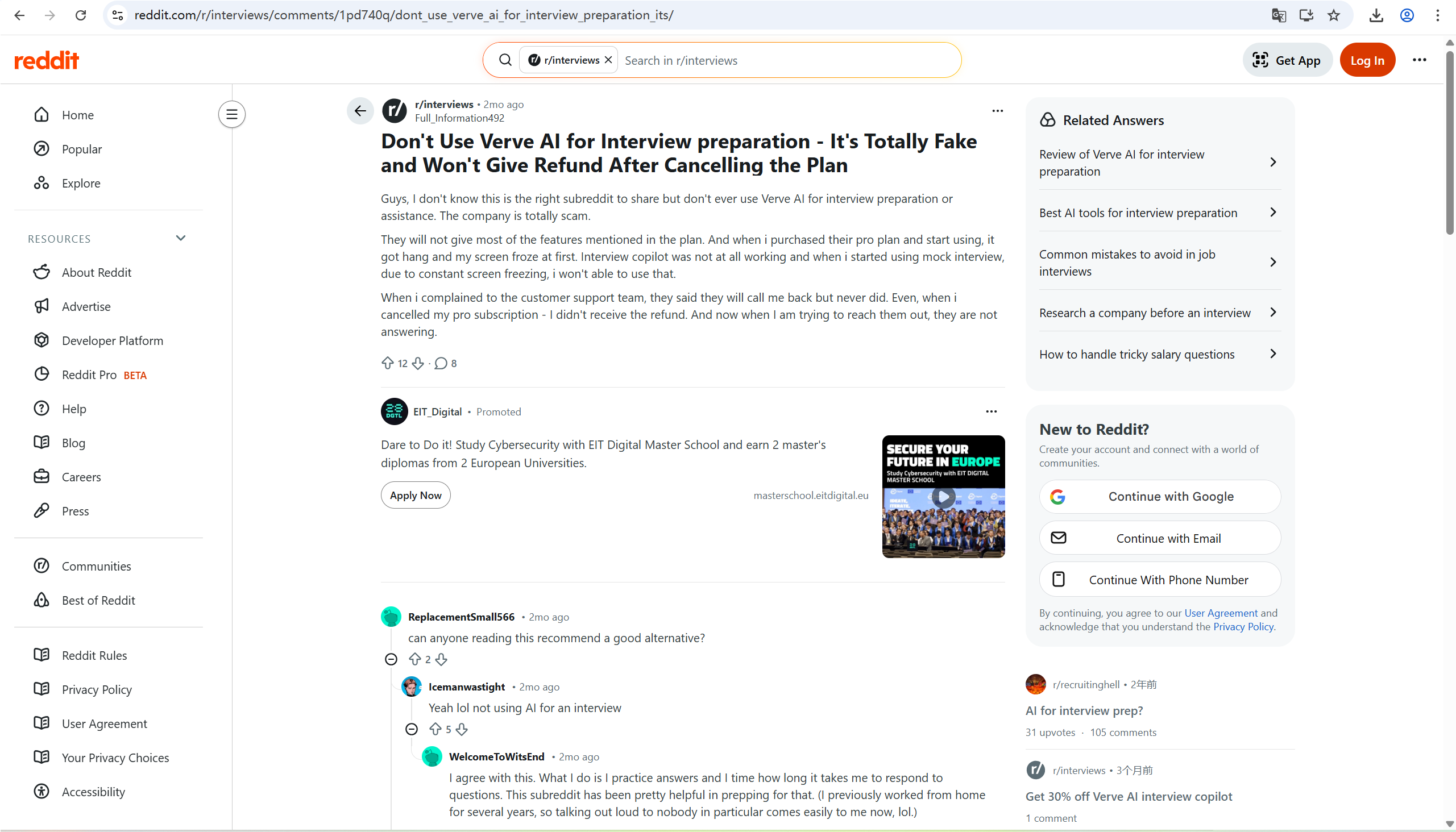
I’ve seen similar concerns in other reviews: some users reported that the platform freezes or crashes during live sessions, especially on older devices or when using screen sharing. Others said the AI assistant occasionally fails to recognize questions, either from voice or text input, which can break the flow of practice. And Many users have reported that the verve AI web version cannot be invisible , which makes them hesitant to use it during interviews.
On top of that, I found a few people mentioning that after paying, certain features were locked behind additional verification steps—like requiring a video call or email confirmation before unlocking advanced tools. That felt less like a premium service and more like a way to delay refunds or avoid honoring promises.
So while Verve AI has its strengths, these reported issues—especially around refund reliability, feature access, and performance stability—are worth noting. If you’re planning to use it for real interviews, it’s smart to test it thoroughly first and keep your expectations realistic.
Alternatives Users Prefer
For my part, I think Verve AI works best if you’re looking for a feature-rich toolkit with strong privacy safeguards. But if you value a simpler interface, more reliable real-time support, or true invisibility during live interviews, it might be worth considering other options. In my testing, Linkjob.AI stood out as a particularly practical alternative—it offers solid functionality at a lower price point, and unlike Verve, it delivers full features even while running completely in the background.
Final Recommendation
After weeks of testing, comparing features, and digging into real user complaints, I’ve concluded that Verve AI is more hype than substance. Yes, it boasts an array of advanced features—particularly for technical interview prep—and touts privacy as a selling point. But in practice, those promises crumble under scrutiny. It isn’t stealthy at all; it relies on a browser extension that remains visibly active during screen sharing, making it a non-starter for any real interview.
Worse still, performance is inconsistent: lag spikes, random crashes, and unresponsive AI responses plagued my sessions—especially on anything but the newest hardware. And let’s not ignore the red flags around customer support and refunds. Multiple users (myself included) found it nearly impossible to get timely help or a refund after paying for features that either didn’t work or were misleadingly advertised.
Sure, it’s fine for offline rehearsal—if you’re willing to overlook its flaws. But as a live interview tool? It’s unreliable and detectable.
If you’re looking for a more balanced option—one that’s truly invisible, works smoothly across devices, offers unlimited use, and costs significantly less—I’d gently steer you toward Linkjob.AI. In my experience, it delivers what most job seekers actually need without overcomplicating things or overcharging. It may not have every bell and whistle, but it gets the fundamentals right—and does so reliably.
So unless you specifically need Verve AI’s deeper technical coaching, Linkjob.AI is the smarter and safer choice for most people—myself included.
FAQ
Does Verve AI offer a free trial or money-back guarantee?
Verve AI does provide a trial period and a money-back guarantee, but some users have reported difficulties in obtaining refunds after canceling their subscriptions. It’s recommended to thoroughly test the tool within the trial period and reach out to customer support promptly if you encounter any issues.
What types of interviews does Verve AI support?
Verve AI supports a wide range of interview formats, including behavioral, technical, and coding interviews. It also provides specialized modes for different roles and industries, ensuring tailored guidance for each type of interview.
How reliable is the coding copilot feature?
The coding copilot feature in Verve AI can generate complete code solutions based on screenshots of coding problems. However, its performance can vary depending on the complexity of the problem and the device you’re using. Some users have experienced occasional crashes or delays when working with more complex tasks. It’s best to test this feature extensively before relying on it for critical interviews.
See Also
Why I Ditched Cluely AI :My Honest Take on the Best Cluely AI Alternatives That Actually Work
Final Round AI Review: Why It Didn't Meet My Hopes
Top Five Real-Time AI Interview Helpers for 2025

© Copyright 2025 linkjob.ai - All Rights Reserved.