I Faced Real Atlassian System Design Interview Questions in 2026


Atlassian’s system design interview is a core component of the technical recruitment process for roles such as backend engineer,full-stack engineer, and architect. Together with coding interviews, value interviews, andleadership interviews, it forms a complete technical recruitment process. Usually it focuses on assessing candidates' ability to design scalable, highly reliable, andefficient systems, especially aligned with the technical scenario requirements of its coreproducts (Jira, Confluencet, etc.). Combining real interview experiences, high-frequency questions, and preparation tips, the following is a comprehensive collation of interview detailsand summaries to help with efficient preparation.
I’m truly grateful to Linkjob.ai for helping me ace my system design interview—and that’s exactly why I’m sharing the complete question bank here. Having an undetectable AI interview tool by my side throughout the process absolutely gave me a crucial competitive edge in tackling this highly technical interview round.
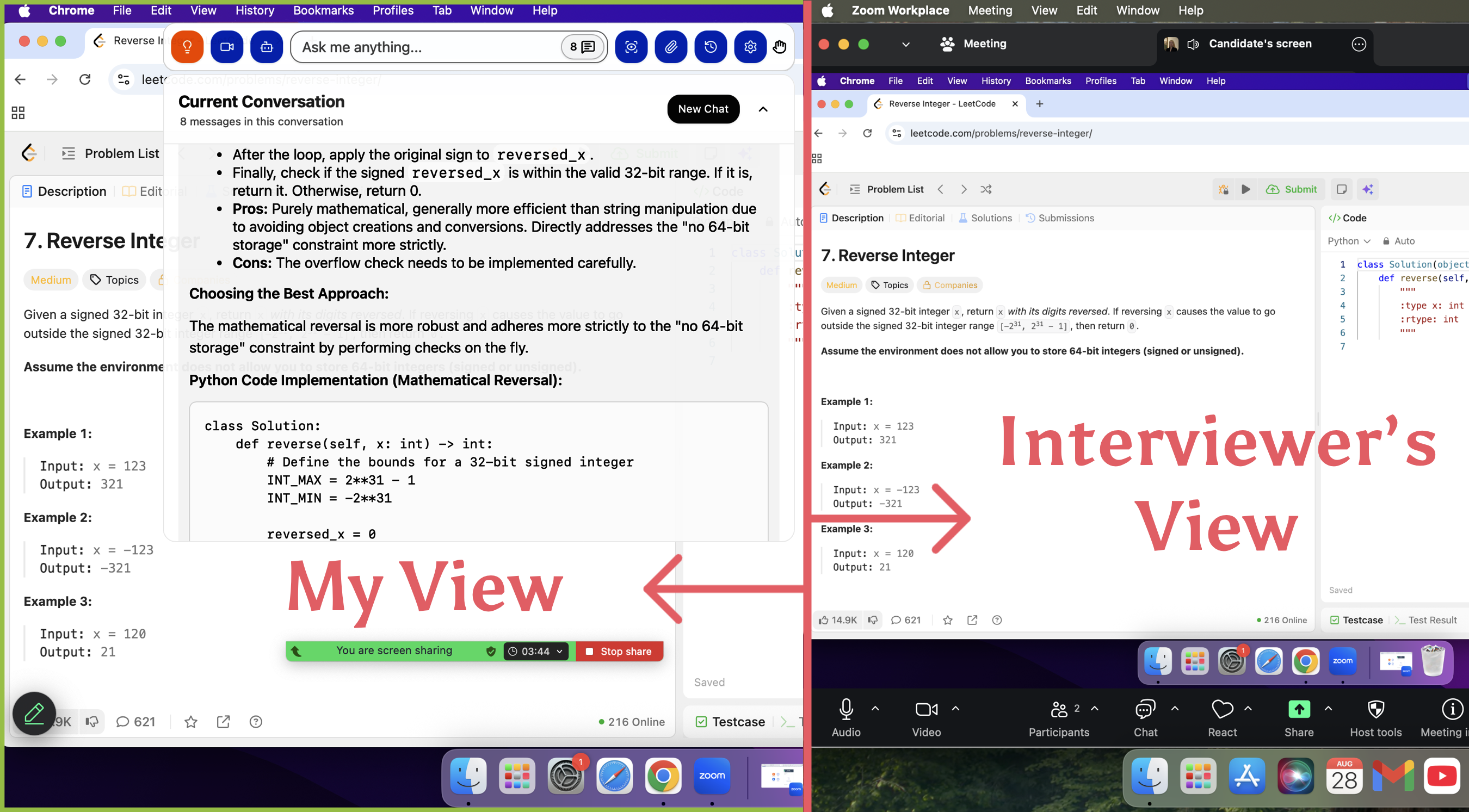
Atlassian System Design Interview Process
Real Atlassian System Design Interview Questions
Interview Question 1: Design the Core Project Management System of Jira
I. Requirement Clarification
First, confirm the following core requirements with the interviewer (to reflect requirement decomposition ability), and start the design after reaching the following consensus by default:
Functional Requirements: Core support for "project management, task tracking, defect (Issue) management, workflow configuration, and simple report statistics". Priority: Full lifecycle management of tasks/Issues > Workflow configuration > Report statistics;
Non-Functional Requirements: Support 100,000-level DAU, peak QPS of 1000+, interface response time ≤ 100ms, data storage cycle of 3 years, support multi-tenant isolation (a rigid demand for enterprise-level scenarios), and high availability of 99.99%;
Constraints: Support team-level permission management, do not consider complex third party integrations (such as Jenkins integration), and prioritize ensuring the stability of core processes.
II. High-Level Design
The core architecture is divided into 6 major modules, designed in layers from top to bottom.
Each module has clear responsibilities to avoid coupling:
Access Layer: Load Balancer (Nginx/HAProxy) + API Gateway → Responsible for traffic
distribution, permission verification, current limiting and degradation, and isolating external
illegal requests;
Application Service Layer: Core business modules (Project Module, Task/Issue Module,Workflow Module, Permission Module, Report Module) → Handle specific business logic;
Cache Layer: Redis Cluster → Cache hot data (popular project lists, frequently accessed task details, workflow configurations) to reduce database pressure;
Data Storage Layer: Primary Database (PostgreSQL) + Slave Databases + Time-Series Database (InfluxDB) → The primary database stores core business data, slave databases share read load, and the time-series database stores report statistics data (such as task completion rate, Issue quantity trend);
Message Queue Layer: Kafka → Asynchronously process non-core processes (such as report data generation, notification push) to avoid blocking the core process;
Storage Layer: Object Storage (S3/MinIO) → Store attachments associated with tasks/Issues(such as screenshots, documents).
III. Detailed Design of Core Modules (Interview Focus)
1.Task/Issue Module (Core of the Core)
The core is to realize "full lifecycle management of Issues", supporting multiple Issue types (tasks, defects, requirements).
The design is as follows:
Data Model (PostgreSQL Table Design, Core Fields)
(1) Issue Main Table: id (unique identifier, generated by Snowflake algorithm), tenant_id
(tenant ID, multi-tenant isolation), project_id (associated project), issue_type (type:task/defect/requirement), title (title), description (description), status (status), assignee_id(responsible person), reporter_id (creator), priority (priority: high/medium/low), create_time(creation time), update_time (update time), due_time (deadline);
(2) Issue Status Table: Record status transition history (id, issue_id, old_status, new_status,operator_id, operate_time) for tracing status changes;
(3) Issue Association Table: Record dependency relationships between Issues (such as defects associated with requirements) and attachment associations (issue_id, file_id, file_path).
Core Interfaces (RESTful API):
(1) Create Issue: POST /api/v1/issues → Verify tenant permissions and project permissions,generate a unique ID, insert into the main table, and push notifications asynchronously;
(2) Update Issue Status: PUT /api/v1/issues/{id}/status → Verify the operator's permissions,update the status in the main table, insert into the status history table, and trigger subsequent nodes of the workflow;
(3) Query Issue: GET /api/v1/issues → Support multi-condition filtering (project, status,responsible person, priority), combine with cache, and return in pages to avoid lag caused by large data queries.
2. Workflow Module (Core Feature of Jira)
A workflow is the "Issue status transition rule" (e.g., Pending → In Progress → Completed),supporting custom configuration.
The design is as follows:
Data Model: Workflow Table (id, tenant_id, workflow_name, description), Workflow Node Table (id, workflow_id, node_name, node_type: start/middle/end), Workflow Transition Rule Table (id, workflow_id, from_node_id, to_node_id, permission_id: roles allowed to operate);
Core Logic: When creating a project, you can select a system-preset workflow (such as a defect management workflow) or a custom workflow; when an Issue status transitions,verify whether the current transition complies with the workflow rules (e.g., only the responsible person can change the status to "In Progress"), and reject the transition if it does not comply;
Cache Optimization: Cache the rules of popular workflows in Redis, with Key as workflow_id and Value as transition rule JSON to reduce database queries.
3. Multi-Tenant Isolation Module (Focus of Atlassian's Enterprise-Level Requirements)
Adopt the "shared database, independent Schema" method (balancing isolation and resource utilization).
The design is as follows:
Each tenant corresponds to an independent database Schema, and the Schema name is prefixed with tenant_id;
The access layer verifies the tenant_id in the request header and routes it to the corresponding Schema to avoid cross-tenant data access;
Cache, message queue, and object storage are all partitioned with tenant_id as the prefix to ensure data isolation (e.g., Redis Key: {tenant_id}:issue:{id}).
IV. Technology Selection and Reasons (High-Frequency Interview FollowUp)
Database: Choose PostgreSQL instead of MySQL → Supports complex queries (commonly used in report statistics), JSON data type (adapted to workflow custom configuration),better transaction consistency, and suitable for enterprise-level businesses;
Cache: Redis Cluster → Supports distributed locks (prevents concurrency in workflow status transitions),expiration time settings (hot data caching), and cluster deployment can avoid single points of failure, meeting high availability requirements;
Message Queue: Kafka → High throughput and high reliability, suitable for asynchronous processing of a large number of notification pushes and report generation tasks, adapting to 100,000-level DAU scenarios;
Time-Series Database: InfluxDB → Specifically used for storing time-series data (report trends), with fast writing speed and high query efficiency, more suitable for statistical scenarios than traditional databases.
V. High Availability and High Concurrency Optimization (Core Bonus Points for Interviews)
High Availability Optimization:
Database: Master-slave replication (one master and multiple slaves), automatically switch to the slave database when the master database fails;
Redis: Sentinel mode/cluster mode to avoid single points of failure;
Application Service: Multi-instance deployment, load balancer distributes traffic, and the failure of a single instance does not affect the overall service.
High Concurrency Optimization:
Cache Optimization: Cache hot Issue details and project lists for 10 minutes, and use Bloom filters to intercept cache penetration (querying non-existent Issues);
Database Optimization: Index optimization (establish a joint index of project_id, status, and assignee_id in the Issue table), and share read load to slave databases;
Current Limiting and Degradation: Set a QPS threshold in the API gateway, degrade non core interfaces (such as report queries) when the threshold is exceeded, and prioritize ensuring the availability of core Issue CRUD interfaces.
VI. Potential Problems and Solutions (Reflect Review Ability)
Problem 1: Slow rule verification due to excessive custom workflow configurations → Solution: Precompile custom workflow rules into JSON, cache them in Redis, and directly read the cache during verification to avoid real-time parsing;
Problem 2: Large storage pressure caused by a large number of attachment uploads → Solution: Enable lifecycle management for object storage, and automatically archive attachments older than 3 years to low-cost storage;
Problem 3: Insufficient real-time performance of report statistics data → Solution: Kafka consumes Issue change data, updates the time-series database in real-time, and report queries directly read the time-series database, controlling latency within 10 seconds.

Interview Question 2: Design the Jira Notification System
I. Requirement Clarification
Functional Requirements: Support "Issue status change notifications, task assignment notifications, comment notifications, and deadline reminders", support multiple notification channels (in-site messages, emails, WeChat Work/DingTalk), and users can customize notification preferences (such as only receiving notifications for Issues they are responsible for);
Non-Functional Requirements: Notification latency ≤ 3 seconds, delivery rate 99.9%,support 100,000-level DAU notification volume, and extensibility (add new notification channels and notification types);
Constraints: Do not consider international SMS notifications, and prioritize ensuring the delivery rate of core notifications (status changes, task assignments).
II. High-Level Design
Access Layer: API Gateway → Receive notification requests from internal services (Jira core services);
Application Service Layer: Notification Generation Module, Notification Filtering Module,Channel Distribution Module, User Preference Module;3. Message Queue: Kafka → Decouple core services and notification services, process notifications asynchronously, and avoid blocking the core process;
Cache Layer: Redis Cluster → Cache user notification preferences and popular notification templates;
Data Storage Layer: PostgreSQL → Store notification records and user preference settings;
Channel Adapter Layer: Email Adapter, WeChat Work Adapter, In-Site Message Adapter →
Adapt to interfaces of different notification channels and unify distribution logic.
III. Core Process and Module Design
1. Core Notification Process (Asynchronous, Avoid Blocking)
Trigger: Jira core services (such as Issue status changes, task assignments) trigger notification events and send notification requests through the API (including: notification type, associated Issue ID, triggerer, recipient list, notification content template parameters);
Enqueue: The notification service receives the request, verifies the parameters, sends the notification message to the Kafka queue (partitioned by notification type, such asissue_status partition, task_assign partition), and immediately returns "notificationreceived" to the core service;
Filtering: The notification service consumer consumes messages from Kafka, combines user preferences in Redis (such as User A only receiving email notifications), and filters out the notification channels required by the user;
Generation: Call the corresponding notification template (cached in Redis) according to the notification type, fill in the template parameters (such as Issue title, status), and generate the final notification content;
Distribution: Distribute the notification to the corresponding channel (such as email,WeChat Work) through the channel adapter, and record the distribution status;
Retry: Notifications that fail to be distributed (such as failed email sending) are stored in the retry queue and retried according to the exponential backoff strategy (10s, 30s, 1min). If they still fail after 3 retries, record the failure log for manual investigation.
2. Core Module Design
User Preference Module:
(1)Data Model: User Preference Table (user_id, tenant_id, notify_type (notification type),channel (notification channels, multiple separated by commas), is_enable (whetherenabled));
(2)Cache: Cache user preferences in Redis, with Key as {user_id}:notify_preference and Value as JSON format. Synchronize the cache when updating preferences;
(3)Core Interfaces: Update Preference (PUT /api/v1/notify/preference), Query Preference (GET/api/v1/notify/preference/{userId}).
Channel Distribution Module (Adapter Pattern, Easy to Extend):
(1)Unified Interface: Define the INotifyChannel interface, including the send(notifyMessage) method;
(2)Specific Implementations: Email Adapter (call JavaMail to send emails), WeChat Work Adapter (call WeChat Work API to send application messages), In-Site Message Adapter(write to the in-site message table and push through WebSocket);
(3)Extensibility: When adding a new notification channel (such as DingTalk), only need to add the corresponding adapter without modifying the core distribution logic.
IV. Technology Selection and Reasons
Message Queue: Kafka → High throughput and high reliability, can carry the notification volume of 100,000-level DAU, supports partitioning, can be split by notification type, and iseasy to extend;
Cache: Redis → Quickly query user preferences, support expiration time settings, and avoid frequent database queries;
Database: PostgreSQL → Supports transactions, suitable for storing notification records(needing to ensure record integrity), and supports complex queries (such as statistics of notification delivery rate);
Adapter Pattern: Facilitates the expansion of new notification channels, conforms to the extensibility requirements of Atlassian systems, and reduces maintenance costs.
V. Optimization and Fault Tolerance Design
• Optimization Points:
(1)Template Cache: Cache notification templates (such as Issue status change templates) in Redis to reduce template query time and improve notification generation speed;
(2)Batch Processing: Batch merge and send multiple notifications for the same user and same channel (such as merging multiple comment notifications within 1 minute into one) to reduce distribution pressure;
(3)Hotspot Isolation: Separate core notifications (status changes, task assignments) and non core notifications (comments) into different Kafka partitions to avoid non-core notifications blocking core notifications.
Fault Tolerance Design:
(1)Message Retry: Notifications that fail to be distributed are stored in the retry queue and retried with exponential backoff to avoid overloading channel interfaces due to frequent retries;
(2)Degradation Strategy: When the Kafka cluster fails, temporarily store notifications in the local queue and synchronize them after Kafka recovers to avoid notification loss;
(3)Monitoring and Alerting: Monitor the notification delivery rate, latency, and failure rate, and trigger an alert when the failure rate exceeds 1% for manual investigation (such as email server failure).
Interview Question 3: Design the Core Module of Confluence Real Time Collaborative Documents
I. Requirement Clarification
Functional Requirements: Core support for "multi-person real-time collaborative editing,document version control, document sharing, and simple format editing (bold, list, image insertion)". Priority: Real-time collaborative editing > Version control > Document sharing;
Non-Functional Requirements: Support 50,000-level DAU, a maximum of 10 people editing the same document simultaneously, editing latency ≤ 500ms (real-time requirement), no data loss, and support version rollback;
Constraints: Do not consider complex rich text formats (such as formulas, tables), and prioritize ensuring the fluency of collaborative editing.
II. High-Level Design
Access Layer: Load Balancer + API Gateway + WebSocket Gateway → WebSocket is responsible for real-time message push (content synchronization during collaborative editing);
Application Service Layer: Collaborative Editing Module, Document Management Module,Version Control Module, Permission Module;
Cache Layer: Redis Cluster → Cache online editing users, temporary document editing content, and popular documents;
Data Storage Layer: Primary Database (PostgreSQL) + Slave Databases + Object Storage(store document images and attachments);
Message Queue: Kafka → Asynchronously process document version storage and notification pushes (such as reminders when someone edits a document);
Collaboration Engine: Adopt OT Algorithm (Operational Transformation) → Solve the conflict problem of multi-person simultaneous editing (core difficulty).
III. Detailed Design of Core Modules (Focus on Collaborative Editing)
1. Real-Time Collaborative Editing Module (Core Difficulty)
The core is to solve "multi-person simultaneous editing of the same document, with real-time content synchronization and no conflicts". The OT algorithm is adopted (lighter than the CRDT algorithm, suitable for short-document collaboration, similar to Confluence's underlying implementation).
The design is as follows:
Core Logic of OT Algorithm:
Convert the user's editing operations (such as inserting characters, deleting characters) into "operation instructions", send them to the server, the server converts and sorts the instructions, then broadcasts them to all online editing users,and users update the document content locally according to the instructions to achieve synchronization;
Collaboration Process:
(1)When a user enters the document editing page, a WebSocket connection is established, and a "join editing" request is sent to the server. The server adds the user ID to the online userlist of the document (stored in Redis) and returns the latest content and version number of the current document;
(2)When the user edits the document, an operation instruction is generated locally (e.g., insert the character "test" at position 10, instruction format: {docId, userId, opType: insert,position: 10, content: "test", version: 1});
(3)The instruction is executed locally first (optimistic update), and the instruction is sent to the server through WebSocket at the same time to avoid latency caused by waiting for the server's response;
(4)The server receives the instruction, verifies the version number (to prevent out-of-order instructions), converts the instruction through the OT algorithm (handles conflicts, e.g., User A inserts at position 10 and User B deletes at position 10 simultaneously, avoiding contentconfusion after conversion);
(5)The server broadcasts the converted instruction to all online users of the document and updates the temporary document content in Redis;
(6)Other users receive the instruction, execute the instruction locally, and update the document content to ensure consistency among all users.
Conflict Handling Example:
User A edits the 5th character of the document to "a", and User B deletes the 5th character simultaneously → After receiving the two instructions, the server judges through the OT algorithm that "the delete operation takes precedence over the modify operation", broadcasts the delete instruction, and User A synchronizes the deletion locally to avoid content conflicts.
2. Version Control Module
The core is to record every edit of the document and support version rollback. The design is as follows:
Data Model:
(1)Document Main Table: id, tenant_id, title, creator_id, create_time, update_time,latest_version (latest version number), is_delete (whether deleted);
(2)Document Version Table: id, doc_id, version (version number, auto-increment), content(complete content of this version), editor_id (editor), edit_time (editing time), change_log(change log, e.g., insert 3 characters, delete 1 character);
Core Logic:
(1)After the user stops editing (such as switching pages, closing the window), the server synchronizes the temporary content in Redis to the database and generates a new version number (auto-increment based on the latest version);
(2)During version rollback, the user selects the target version, the server queries the content of that version, overwrites the current document content, and generates a new version (to avoid overwriting historical versions);
(3)Optimization: Do not store version content repeatedly → Only store the differences from the previous version (based on OT instructions), and restore the complete content through difference calculation during rollback to reduce storage pressure.
IV. Technology Selection and Reasons
Collaboration Engine: OT Algorithm → Lightweight and good real-time performance, suitable for short-document and small-number simultaneous editing scenarios (Confluence's core scenario), simpler to implement than the CRDT algorithm, and lower development cost;
Real-Time Communication: WebSocket → Full-duplex communication, reducing the overhead of HTTP polling, ensuring real-time synchronization of editing content, and controlling latency within 500ms;
Database: PostgreSQL → Supports large text storage (document content) and transaction consistency, suitable for storing version data to avoid version confusion;
Cache: Redis → Quickly stores online users and temporary editing content, supporting the publish-subscribe mode (simplifying WebSocket broadcast logic).
V. Optimization and Potential Problems
Optimization Points:
Editing Latency Optimization: Local optimistic update + WebSocket asynchronous push, users do not need to wait for the server's response when editing, resulting in an intuitive feeling of no latency;
Storage Optimization: Store version content differences instead of complete content to reduce database storage pressure;
Offline Editing Optimization: When the user is offline, store editing operations locally,synchronize to the server after reconnection, and merge offline operations through the OT algorithm.
Potential Problems and Solutions:
Problem 1: WebSocket connection disconnection leads to content synchronization failure → Solution: The client performs regular heartbeat detection, automatically reconnects after disconnection, and synchronizes the latest server content and locally unsynchronized operations after reconnection;
Problem 2: Lag caused by excessive instructions when multiple people edit large documents simultaneously → Solution: Batch merge instructions (such as merging multiple insert instructions within 1 second into one) to reduce the number of broadcasts;
Problem 3: Slow loading due to large document content → Solution: Load document content in fragments (such as fragment loading by paragraph), combine with cache, and prioritize loading content in the visible area.
Insights From Other Candidates
Lessons Learned From Peer Experiences
Listening to other candidates, I picked up some valuable lessons:
Communication and problem-solving skills matter as much as technical knowledge.
Understanding system design concepts is key. Interviewers focus on how you structure your answers.
Self-reflection after each round helps you improve for the next one.
Be ready to discuss trade-offs and explain your decisions.
Brush up on operating systems, networking, and databases. These basics come up often.
Solve problems in layers. Think out loud so interviewers can follow your process.
Treat communication as a technical skill, especially in panel interviews.
The best advice I got: Don’t just focus on the right answer. Focus on how you get there and how you share my thinking with the interviewer.
Preparation Tips And Strategies
Practicing System Design
When I started preparing for the atlassian system design interview, I realized that practice makes a huge difference. I built a reusable framework for system design questions. This helped me clarify use cases, outline components, and justify my trade-offs every time. I also spent time studying Atlassian’s products, like Jira and Confluence. Understanding how these tools work gave me real-world context for my designs.
Here’s what worked best for me:
I practiced under timed conditions to simulate the real interview.
I focused on technical fundamentals, especially SQL and Python.
I broke down problems into smaller parts and solved them step by step.
Tip: Treat each practice session like the real thing. This builds confidence and helps I stay calm under pressure.
Communication And Trade-Offs
Clear communication set me apart during my interviews. I always paired my trade-offs with solid reasoning. For example, I’d say, “I chose this algorithm because it’s faster, but it uses more memory, which is fine for our use case.” When things got complex, I used visuals or pseudocode to make my ideas clear.
Here are some strategies I used:
Narrate each step, including data assumptions and key decisions.
Restate requirements when interviewers add new constraints.
If I ran out of time, I explained what I would optimize next and why.
I always remembered that system design is about trade-offs, not perfect answers.
Note: Explaining why I picked one solution over another matters more than just drawing diagrams.
I also made sure to talk about state management and multi-tenancy. These topics come up a lot, so I practiced explaining how I’d handle them in different scenarios.
FAQ
What should I focus on when preparing for Atlassian system design interviews?
I always focus on understanding real Atlassian products. I practice system design questions that involve plugins, multi-tenancy, and observability. I explain my reasoning out loud and show how I handle trade-offs.
How do I handle time pressure during the interview?
I break problems into small steps. I use a timer when I practice. If I run out of time, I share what I would do next. Staying calm helps me think clearly.
Do I need to know both frontend and backend concepts?
Yes, I prepare for both. Interviewers ask about browser-based coding and backend architecture. I study how frontend and backend work together in Atlassian tools.
See Also
Insights From My 2025 Oracle Software Engineer Interview
Reflecting On My 2025 Perplexity AI Interview Journey
Navigating The Dell Technologies Interview Process In 2025
Exploring My 2025 Palantir FDSE Interview Experience
My Successful Journey Through The 2025 Palantir SWE Interview
© Copyright 2025 Linkjob.ai - All Rights Reserved.