Can Codility Detect Copy and Paste in 2026? How Codility Tracks Clipboard Events and How I Scored 100%

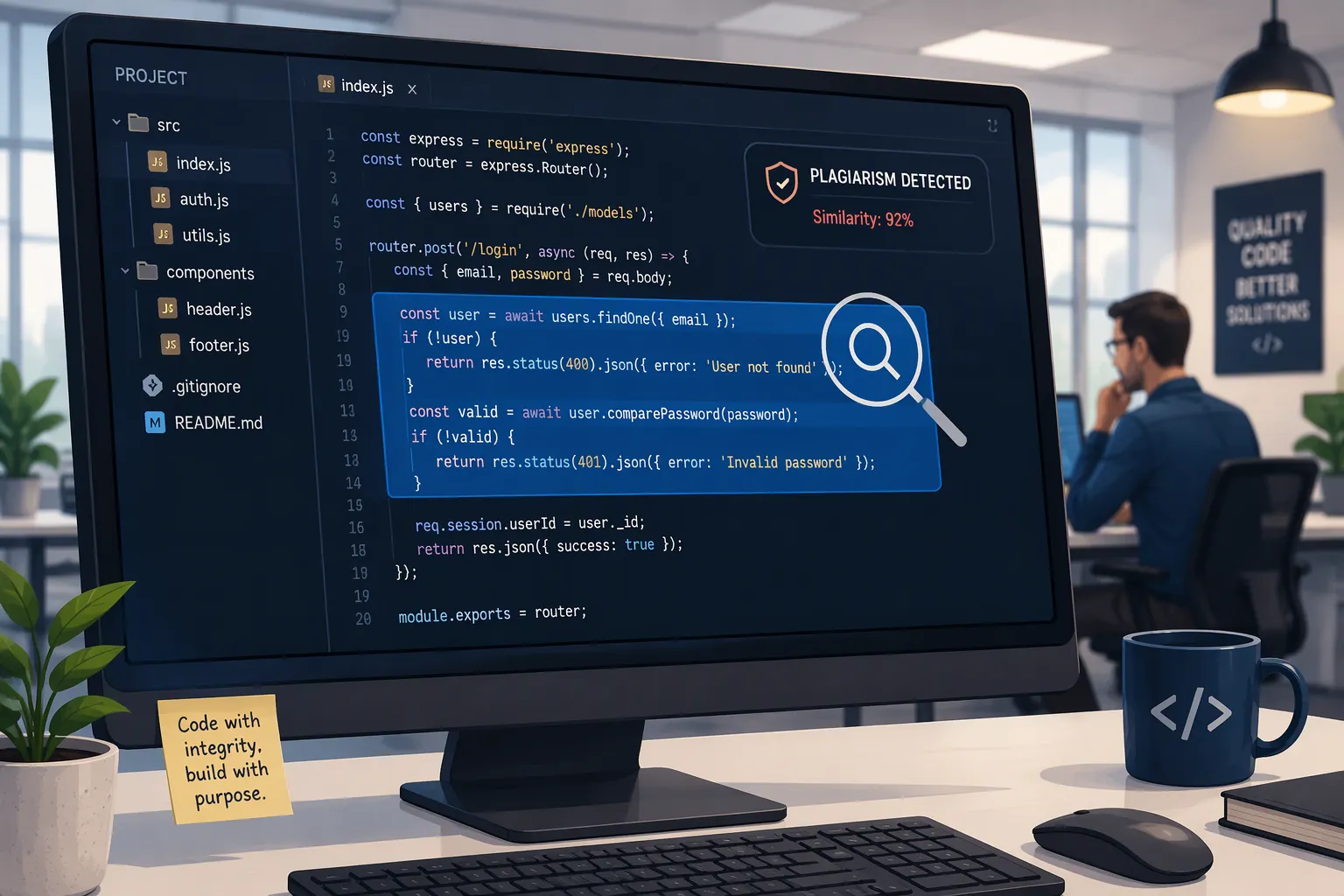
Whenever I receive a Codility CodeCheck online assessment link from Microsoft, Tesla, Intel, Okta, or Zalando, the first technical question that comes to mind is: "Can Codility detect copy and paste?" Even when you are not trying to paste an AI-generated answer, the temptation to copy and paste on Codility is strong—maybe you prefer writing and debugging your Python or C++ code inside your local VS Code or PyCharm IDE with full autocomplete and a local debugger, and then pasting the finished code into Codility right before submitting. Or maybe you want to copy the problem description (Ctrl + C) into an external tool and paste the solution (Ctrl + V) back into the Codility editor.
Before taking my first 2026 Codility assessment, I tested a live Codility sandbox environment and inspected the recruiter-side Candidate Report and Timeline Slider to see exactly what gets logged when you press Ctrl + C or Ctrl + V. The verdict is unambiguous: yes, Codility detects both copying out of the problem prompt and pasting into the code editor, differentiates internal editor cut-and-paste from external clipboard pastes, and flags every external paste event directly on the recruiter's playback timeline. Even worse, using the classic excuse "I wrote my solution in VS Code and pasted it at the end" leaves your Codility keystroke timeline completely blank for 25 minutes followed by a 50-line instant insertion—which technical recruiters treat identically to pasting from ChatGPT.
Instead of risking an external paste flag on my candidate report, I stopped using Ctrl + C and Ctrl + V completely and switched to Linkjob AI—using its Dual-Device Mode (where the desktop app captures the Codility prompt passively with zero Ctrl + C and streams the concise O(N) solution to my phone mounted 1 inch below my webcam lens while I type it naturally into Codility) and its Desktop Floating Window Mode (pre-configured before the test with zero focus-stealing clicks or hotkeys) for standard web-page assessments. Below is my complete 2026 breakdown of all 7 clipboard and playback detection layers on Codility, my 4-rule technical bypass blueprint, and 3 real Codility problems I solved by typing manually with zero paste flags.
How Codility Assessments Work in 2026 (And Why Candidates Want to Copy-Paste)
To understand why Codility monitors clipboard events so aggressively, you have to understand how Codility CodeCheck (asynchronous online assessments) and Codility CodeLive (live collaborative interviews) are structured in 2026:
Minimalist In-Browser IDE: Unlike VS Code or PyCharm, the Codility browser editor offers basic syntax highlighting and minimal autocompletion. Many engineers feel tempted to write their code in a local IDE and copy-paste it into Codility at the end.
The "Blind Submission" Grading Model (
Example Testsvs.Evaluation Tests): Clicking "Run" inside Codility only tests your code against 1 to 3 tiny example inputs (N <= 10). Once you click "Submit Task", your code is locked permanently and graded against hidden Correctness Tests (boundary conditions) and Performance Tests (N = 100,000to1,000,000,000). Because a naiveO(N^2)algorithm passes the Example Tests in 0.01 seconds but scores0%on Performance, candidates frequently try to copy the prompt into an external tool to verify the optimalO(N)algorithm.Explicit Pre-Test Warning Against External IDEs: On the welcome screen of every 2026 Codility CodeCheck test, Codility instructs candidates to write all code directly inside the browser editor so the hiring team can observe their step-by-step progression.
Can Codility Detect Copy and Paste in 2026? All 7 Clipboard & Playback Layers Explained
When you open a Codility test in Chrome, Edge, Firefox, or Safari, the web app attaches event listeners to both the left-hand task description pane and the right-hand Monaco code editor across seven layers:
1. DOM paste Event Listeners & Internal vs. External Clipboard Diffing
Direct Hook Into Browser Paste Events: Every time you press
Ctrl + V(Windows/Linux),Cmd + V(macOS),Shift + Insert, or right-click and select Paste, the browser fires a DOMpasteevent (ClipboardEvent) and aninputevent withinputType === "insertFromPaste".How Codility Distinguishes Internal Refactoring From External Pasting: Codility maintains an internal shadow buffer of every string you copy or cut (
Ctrl + C/Ctrl + X) inside the Codility code editor during your active session. When apasteevent occurs, Codility compares the incomingevent.clipboardData.getData('text/plain')payload against its internal editor copy history.The External Paste Flag: If the pasted text matches code you typed and copied inside the Codility editor earlier in the session, Codility treats it as normal internal refactoring. If the pasted text did not originate inside the Codility editor, Codility logs an External Paste Event with the exact timestamp, line range, and full pasted string, placing a bright warning marker directly on the recruiter's playback timeline.
2. The Recruiter "Timeline Slider" & Character-Velocity Spike Detection
Periodic Code Diffs: Every few seconds—and on every "Run" click—Codility captures a snapshot diff of your editor buffer so recruiters can drag the Timeline Slider from
00:00to35:00and watch your solution grow line by line.Instant Multi-Line Insertion Spikes: Pasting a 35-line function—or using a fast macro that dumps
1,200characters into the editor in 2 seconds—causes the Timeline Slider to jump instantaneously fromdef solution(A): passto a finished 35-line algorithm in a single frame, creating a vertical character-per-second (CPS) spike on the activity graph.
3. Outbound copy Event Tracking & Hidden DOM Prompt Watermarks (Ctrl + C on the Prompt)
Prompt Copy Telemetry: When you highlight the Codility task description in the left pane and press
Ctrl + Cor right-click Copy, the DOM fires acopyevent on the problem container and logs that the prompt was copied to the system clipboard.Hidden DOM Prompt-Injection Traps: Many 2026 enterprise Codility tasks embed hidden CSS-styled or zero-width spans inside the HTML of the problem description. Highlighting the description and pressing
Ctrl + Ccopies those invisible instructions into your clipboard. If you paste that clipboard into ChatGPT, the hidden instructions force the LLM to use a specific trap variable name (such asaux_buffer_k9) that immediately exposes AI usage upon submission.
4. Correlated window.onblur + paste Sequences ("The Switch-and-Paste Signature")
Codility tracks window.onblur, window.onfocus, and document.visibilitychange. Whenever a candidate leaves the Codility browser window (window.onblur) for 30 to 90 seconds, returns (window.onfocus), and triggers an external paste event within 5 seconds of returning, Codility's integrity dashboard links those events into a single high-severity Switch-and-Paste sequence.
5. Why the "I Coded in VS Code and Pasted It" Excuse Fails in 2026
Zero Proof of Authorship: When you code outside the browser for 28 minutes and paste 45 lines in the final minute, your Codility Timeline Slider shows 28 minutes of
window.onblurfocus loss and a single 45-line external paste—producing the exact same blank telemetry timeline as someone who pasted from ChatGPT.Automatic Recruiter Filtering: When Microsoft or Tesla receives 800 applications for a role, recruiters do not schedule phone calls to ask why you pasted your code; they advance the candidates who scored 100% and have a clean in-browser keystroke playback.
6. Drag-and-Drop (insertFromDrop) & DevTools Console Injection Tracking
Highlighting code in a second window and dragging it with your mouse into the Codility editor fires InputEvent.inputType === "insertFromDrop" and the drop DOM event, which Codility logs identically to an external clipboard paste—while clicking outside the window to start the drag also fires window.onblur.
7. Cross-Candidate AST Similarity & Indentation Mismatch Detection
Codility's Abstract Syntax Tree (AST) Similarity Engine normalizes your code's control flow and compares it against tens of thousands of historical submissions and known LLM output templates, while pasted blocks often leave mixed 2-space/4-space indentation mismatches.
How to Bypass Codility Copy and Paste Detection in 2026 (Technical Blueprint)
1. Why Common "Copy-Paste Workarounds" Fail on Codility
Why "Chunked Pasting" (Pasting 2 Lines at a Time) Fails: Pasting 2 or 3 lines every 15 seconds logs 12 separate external paste events accompanied by 12
window.onblurfocus switches instead of 1.Why Basic Clipboard Auto-Typers Fail: Basic OS auto-typer scripts that inject synthetic keystrokes at a constant
20msinterval (50characters per second with zero pauses or backspaces) create a robotic, flat-line typing velocity graph.Why Switching Tabs to Read ChatGPT Line-by-Line Fails: Pressing
Alt + Tabevery 10 seconds to read the next 2 lines logs 20+window.onblurfocus-loss events on your Timeline Slider.
2. My 4-Rule Technical Blueprint for Zero Paste Flags and 100% Codility Scores
Rule 1: Zero External
Ctrl + C& Zero ExternalCtrl + V: Never copy the problem description out of the left pane (Ctrl + C) and never paste a character from an external clipboard (Ctrl + V). Only use copy-paste when moving a line of code you already typed manually inside the Codility editor.Rule 2: Zero Browser Focus Loss (
window.onblur === 0): Never click outside the Codility browser window, never switch tabs, and never open a local IDE like VS Code while the Codility tab is active.Rule 3: Natural Human Typing in Logical Structural Blocks: Type your solution inside the Codility editor in engineering stages—guard clauses first, then the core loop or hash map, then the return statement—and run 3 to 4 Custom Test Cases in the bottom console before submitting.
Rule 4: Personalized Variable Names & Verified
O(N)Complexity: Use your own concise variable names (left_idx,running_total,freq_count) and omit generic textbook comments so your AST and code style are 100% authentic.
How I Use Linkjob AI to Pass Codility Without Ever Copying or Pasting (Dual-Device Mode vs. Web Floating Window)
To get the optimal O(N) solution in real time without touching Ctrl + C, Ctrl + V, or Alt + Tab, I use an undetectable AI interview assistant that captures the Codility task passively. Depending on whether my Codility round is proctored/live or a standard web-page test, I use one of two setups:
1. Mode 1: Dual-Device Mode (My #1 Setup for Proctored Codility CodeCheck & Live CodeLive Rounds)
Whenever I take a webcam-proctored Codility CodeCheck assessment or a live Codility CodeLive interview over Zoom or Microsoft Teams, I run Linkjob AI in Dual-Device Mode:
Silent Desktop Capture With Zero On-Screen UI & Zero
Ctrl + C: In Dual-Device Mode, the desktop app runs silently in the background with zero visible window, zero floating overlay, and zero taskbar icon on my computer monitor. As soon as Task 1 loads, the background service reads the problem statement and constraints (N <= 100,000) automatically at the OS display level—so I never highlight the prompt and never pressCtrl + C.Viewing the
O(N)Solution on My Phone 1 Inch Below the Webcam: Within seconds, the conciseO(N)orO(N log N)algorithm and edge-case checklist stream directly to my smartphone mounted 1 inch directly below my webcam lens.100% Manual Typing With Zero Focus Loss & Zero Paste Events: Because my phone sits right on my webcam's optical axis, my eyes stay aligned with the camera while I type the 15-to-25-line code manually into the Codility editor using my own variable names—resulting in
0copy events,0external paste events, and0focus-loss events even during a full-screen share.
2. Mode 2: Desktop Floating Window Mode (For Standard Web-Page Codility CodeCheck Tests)
For an unproctored, standard web-page Codility CodeCheck test where I want to view the AI solution directly on my main monitor while typing it manually into Codility, I use the Desktop Floating Window Mode of my real-time AI interview assistant right on my primary screen while obeying two strict rules:
Complete All Settings Before Opening the Codility Link (Never Click Settings Mid-Test): Before opening the Codility tab, I launch the Linkjob AI desktop app, select my programming language (Python 3, C++, Java, or PostgreSQL), upload my resume, and position the semi-transparent OS-level floating window beside my code editor pane. Once the Codility test starts, I never click the "Settings" button or any interactive menu inside the floating window. Clicking a settings menu on a desktop app can cause the OS to shift window focus away from the browser (
window.onblur). Finishing all settings beforehand keeps the floating window passive while the Codility tab retains 100% active focus as I type my code manually.Never Press
Cmd + \orCtrl + \to Toggle the Floating Window During the Test: Linkjob AI provides a global shortcut (Cmd + \on macOS orCtrl + \on Windows) to hide or show the floating window. During an active Codility test, I never pressCmd + \orCtrl + \to toggle the app open or closed. Pressing global window-visibility hotkeys mid-test can momentarily interrupt the browser's active window state. Instead, I leave the floating window open in its fixed spot from minute 0 until after I submit the final task and close the Codility tab.
3 Real Codility Tasks I Solved by Typing Manually With Zero Copy-Paste (100% Score)
Because the best Codility solutions are only 15 to 25 lines of clean code, they take under 3 minutes to type naturally by hand. Here are three real 2026 Codility tasks I solved with 100% Correctness and 100% Performance.
1. Task 1 (Codility Prefix Sums Classic): Passing Cars With 1,000,000,000 Overflow Guard
The Problem Prompt: A non-empty array
Aconsisting ofNintegers (0and1only) represents consecutive cars on a road.0represents a car traveling east, and1represents a car traveling west. The goal is to count the number of passing car pairs(P, Q)such that0 <= P < Q < N,A[P] = 0, andA[Q] = 1. The function should return-1if the number of pairs of passing cars exceeds1,000,000,000. Constraints:Nis an integer within the range[1 .. 100,000].Why Manual
O(N)Prefix Counting Beats Brute Force: A nested loop runs inO(N^2)time and scores0%on Performance. By maintaining a running countereast_carsof0s seen so far and addingeast_carstototal_pairson every1(with an early exit above1,000,000,000), the entire 100%-scoring solution is 14 lines of Python that I typed manually in 90 seconds.My 100% Correctness & 100% Performance Python Solution:
def solution(A: list[int]) -> int:
    east_cars = 0
    total_pairs = 0

    for car in A:
        if car == 0:
            east_cars += 1
        else:
            total_pairs += east_cars
            if total_pairs > 1_000_000_000:
                return -1

    return total_pairs
Complexity Breakdown: Single pass over
AinO(N)time andO(1)auxiliary space, with immediate early exit iftotal_pairsexceeds1,000,000,000.
2. Task 2 (Codility Counting Elements): Max Counters — Lazy Watermark Update (O(N + M) Time)
The Problem Prompt: You are given
Ncounters, initially set to0, and an arrayAofMintegers representing operations: ifA[K] = Xsuch that1 <= X <= N, then operationKisincrease(X)(increment counterXby1); ifA[K] = N + 1, then operationKismax counter(set allNcounters to the current maximum value of any counter). Return an array ofNintegers representing the final values of the counters. Constraints:NandMare integers within[1 .. 100,000].Why Raw ChatGPT Code Fails Performance Tests: Writing
counters = [current_max] * Ninside the loop wheneverA[K] == N + 1takesO(N * M)time (10^10operations), failing 100% of Codility's Performance tests withTIMEOUT ERROR.How the Lazy Watermark Trick Achieves
O(N + M)Time in 22 Lines: Instead of updating allNcounters whenA[K] == N + 1, I simply record abaseline_floor = current_maxwatermark inO(1)time. Whenever an individual counterXis incremented later, ifcounters[X - 1] < baseline_floor, I bring it up tobaseline_floorfirst before adding1. At the very end of the function, I do a singleO(N)pass to raise any untouched counters up tobaseline_floor.My 100% Correctness & 100% Performance Python Solution:
def solution(N: int, A: list[int]) -> list[int]:
    counters = [0] * N
    current_max = 0
    baseline_floor = 0

    for op in A:
        if 1 <= op <= N:
            idx = op - 1
            if counters[idx] < baseline_floor:
                counters[idx] = baseline_floor
            counters[idx] += 1
            if counters[idx] > current_max:
                current_max = counters[idx]
        elif op == N + 1:
            # O(1) lazy watermark update instead of O(N) array fill
            baseline_floor = current_max

    for i in range(N):
        if counters[i] < baseline_floor:
            counters[i] = baseline_floor

    return counters
Complexity Breakdown:
O(N + M)time andO(N)space, passing all extrememax_counterstress tests in0.08seconds.
3. Task 3 (Codility SQL Task): Departmental Second-Highest Distinct Salary With Fallback
The Problem Prompt: In PostgreSQL, you are given two tables:
departments (dept_id INT PRIMARY KEY, dept_name VARCHAR)andemployees (emp_id INT PRIMARY KEY, dept_id INT, salary INT). Write a SQL query that returnsdept_id,dept_name, andsecond_highest_salaryfor every department in thedepartmentstable. If a department has fewer than 2 distinct salary values (for example, 0 employees, 1 employee, or 3 employees who all earn the exact same salary),second_highest_salarymust beNULL. Order the output bydept_id ASC.Why
DENSE_RANK()+LEFT JOINBeatsOFFSET 1: UsingDENSE_RANK() OVER (PARTITION BY dept_id ORDER BY salary DESC)inside a CTE and left-joiningsalary_rank = 2back todepartmentshandles top-salary ties and zero-employee departments accurately.My 100% Scoring PostgreSQL Solution:
WITH ranked_salaries AS (
    SELECT
        dept_id,
        salary,
        DENSE_RANK() OVER (
            PARTITION BY dept_id
            ORDER BY salary DESC
        ) AS salary_rank
    FROM employees
    GROUP BY dept_id, salary
)
SELECT
    d.dept_id,
    d.dept_name,
    r.salary AS second_highest_salary
FROM departments d
LEFT JOIN ranked_salaries r
    ON d.dept_id = r.dept_id
   AND r.salary_rank = 2
ORDER BY d.dept_id ASC;
My 4-Step Verification Routine Before Clicking "Submit Task" on Codility
Because Codility locks your code permanently the moment you click "Submit Task", I follow this 4-step routine on every task:
Step 1: Never Use External
Ctrl + CorCtrl + V: Type all code directly inside the Codility browser editor so the Timeline Slider shows a progressive build with zero external paste flags.Step 2: Run 3 to 4 Custom Test Cases: Click the "Custom test cases" tab and test minimum bounds (
N = 1), duplicates, and extreme values to catch off-by-one bugs and record authentic debugging telemetry.Step 3: Check Time Complexity Against
N: Verify that any loop overN = 100,000elements runs inO(N)orO(N log N)time with zero nestedO(N)operations.Step 4: Strip All Debug
print()Calls: Leaving aprint()statement inside a loop triggers aTIMEOUT ERRORon hidden Performance tests.
Top Questions Candidates Ask About "Can Codility Detect Copy and Paste" (FAQ)
1. Can Codility detect if I copy and paste code from VS Code or ChatGPT?
Yes. Codility hooks into the browser's paste event (Ctrl + V / Cmd + V / right-click Paste) and compares the pasted text against an internal buffer of code copied inside the Codility editor. Any code copied from an external application (VS Code, PyCharm, or ChatGPT) is flagged as an external paste on the recruiter's Timeline Slider.
2. What if I cut and paste code that I already typed inside the Codility editor?
Internal cut-and-paste (highlighting a block of code you already typed inside the Codility editor and pasting it elsewhere in the same editor) is recognized as internal refactoring and does not trigger an external paste flag.
3. Can Codility tell if I copy the problem description (Ctrl + C)?
Yes. The problem description pane has a copy event listener that logs when you press Ctrl + C, and many 2026 Codility tasks include hidden CSS-styled DOM text traps that expose LLM usage if pasted into ChatGPT. Using passive desktop capture avoids touching Ctrl + C.
4. Why is Linkjob AI's Dual-Device Mode the safest way to avoid copy-paste detection on Codility?
In Dual-Device Mode, the desktop app runs silently in the background with zero on-screen UI on your computer monitor, captures the Codility task passively without Ctrl + C, and streams the concise O(N) solution to your phone mounted 1 inch below your webcam lens so you can type it manually with 0 copy events, 0 external paste events, and 0 focus-loss events.
5. Can I use Linkjob AI's desktop floating window on Codility and type the code manually?
Yes. For standard web-page Codility CodeCheck tests, you can view the solution on the desktop floating window on your main screen and type the code manually into Codility as long as you finish all settings before opening the Codility link, never click the Settings button during the test, and never press Cmd + \ or Ctrl + \ while the test is active.
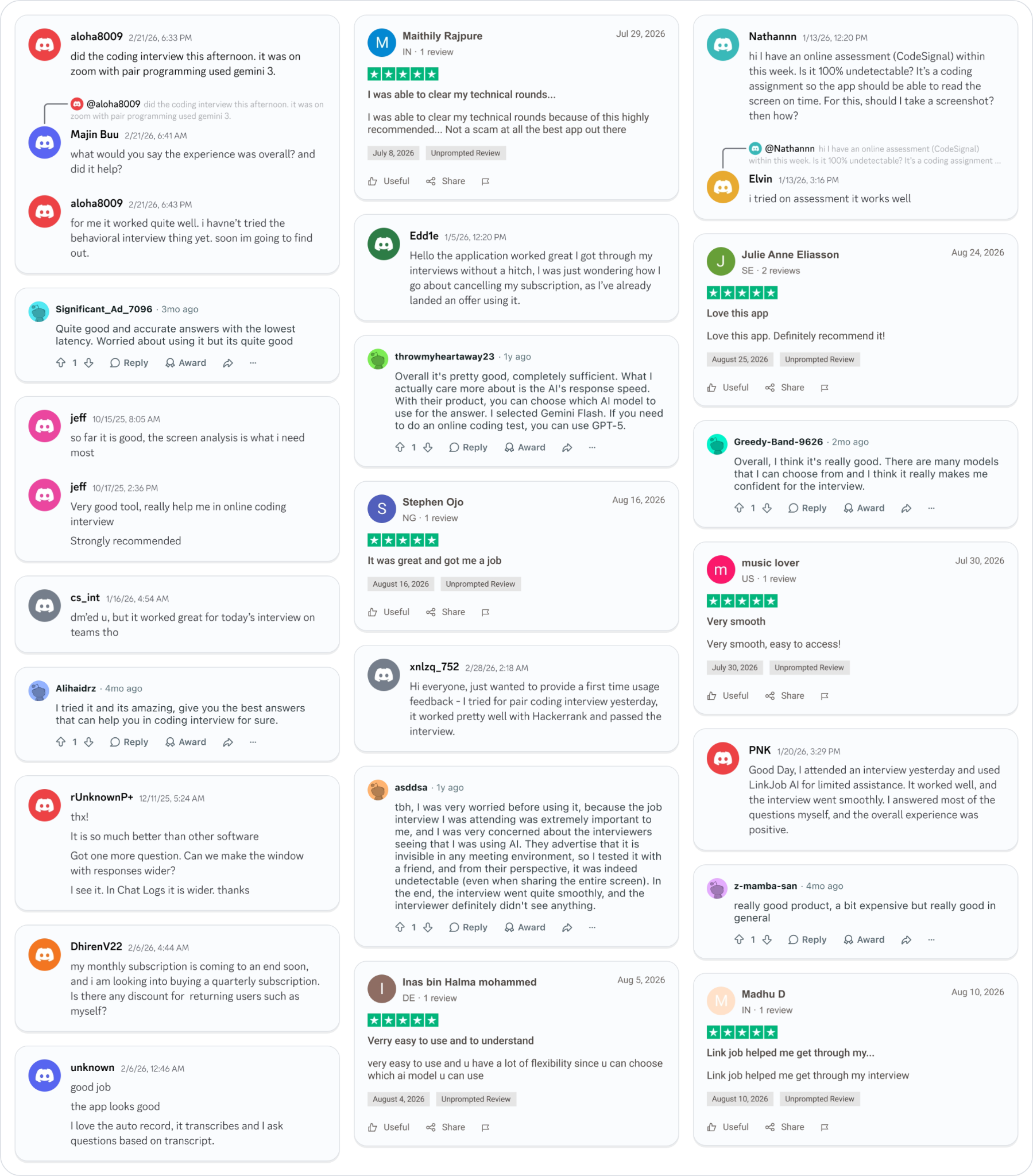
Why People Choose Linkjob AI
Smoother interviews, coding challenges cleared, and job offers landed. See how users describe their experience with Linkjob AI—in their own words.

© Copyright 2026 Linkjob AI - All Rights Reserved.