My Citadel CoderPad Interview & Assessment Questions (And How I Bypassed Detection in 2026)

When I received my Citadel CoderPad invitation after clearing the initial resume and automated screening for a Software Engineer role (covering both Citadel and Citadel Securities), my palms immediately started sweating. Citadel pays at the absolute top of the market, and in exchange, its CoderPad rounds are legendary for having zero tolerance for slow brute-force code, messy edge-case handling, or suspicious browser behavior.
During my 60-minute live Citadel CoderPad session (paired with a Zoom video call), the interviewer dropped a multi-part Limit Order Book Matching & VWAP Execution problem into the shared IDE, followed immediately by a State-Machine Dynamic Programming problem and rapid-fire questions on C++ memory alignment and hash-table cache locality. Even more nerve-wracking, I knew from a friend who got rejected the month before that CoderPad silently alerts the Citadel interviewer the exact millisecond your browser tab loses focus ([Candidate] left the IDE) or when you paste a single line of code from an external clipboard.
In this complete 2026 guide, I am sharing my Citadel CoderPad interview and assessment questions, the broader 2025–2026 Citadel CoderPad question pool across Software Engineering (SWE / NXT), Quantitative Developer (Quant Dev), and Quantitative Researcher (QR) tracks, a complete breakdown of CoderPad's anti-cheat detection layers, a dedicated blueprint on how to bypass Citadel's CoderPad detection, and how I use Linkjob AI in both Desktop Floating Window Mode and Dual-Device Mode to solve every problem in real time without triggering a single alert.
How Citadel Uses CoderPad in 2026 (And the 3 Core Role Tracks)
If you are interviewing at Citadel (the multi-strategy hedge fund) or Citadel Securities (the global market maker) across New York, Chicago, Miami, London, Hong Kong, Singapore, or Zurich, you will encounter CoderPad in up to two stages: first, on specialized team-sent CoderPad Screen take-home assessments, and second, across every single live technical phone screen and Virtual Superday coding round on CoderPad Interview.
Depending on which division you applied to, your Citadel CoderPad session will follow one of three tracks.
1. Track 1: Software Engineer (SWE — Intern, New Grad, NXT & Core Trading Systems)
This is the core engineering track for low-latency trading infrastructure, risk engines, post-trade clearing, and data platforms.
Session Structure: A 45-to-60-minute CoderPad session starting with 5 minutes of targeted resume interrogation, followed by 40 to 50 minutes of hands-on coding in the live CoderPad IDE.
What Citadel Tests: You will typically face either two medium-hard algorithmic problems (graph BFS with state constraints, monotonic deque sliding windows, or state-machine dynamic programming) or one multi-part financial systems problem (building a price-time priority Limit Order Book, an
O(1)expiring market-data cache, or a custom memory allocator) where your code must compile, run in the right-hand REPL console, and pass all hidden boundary assertions.
2. Track 2: Quantitative Developer (Quant Dev) & Low-Latency C++ Track
For Quant Developers and C++ Execution Engineers, the CoderPad environment is usually set to C++20 or Python 3:
Systems & Low-Latency Focus: Expect problems combining data structures with hardware efficiency—such as implementing a Fixed-Capacity Ring Buffer (
SPSCQueue), a Slab / Arena Memory Pool Allocator, or Rolling Time-Series Covariance & VWAP Trackers that avoidO(n)recomputation and heap fragmentation.Live Code-Tracing & Internals: Interviewers frequently paste a 25-line C++ snippet directly into the pad and ask you to spot undefined behavior, virtual-table (
vtable) cache misses, or false sharing across 64-byte CPU cache lines.
3. Track 3: Quantitative Researcher (QR) & Quantitative Trading Track
For Quant Research and Trading applicants, the CoderPad pad doubles as a live Python/C++ coding sandbox and a mathematical whiteboard:
Part 1 (25 Minutes — Probability, Markov Chains & Stochastic Brainteasers): You work through expected-value stopping games, biased-coin Bayesian updates, and linear algebra covariance puzzles directly in the pad comments.
Part 2 (25 Minutes — Algorithmic & Numerical Coding): You implement a fast simulation, dynamic programming recurrence, or rolling linear regression (
OLS beta) in Python without relying on slow nested loops.
How Citadel's CoderPad Detects Cheating: 6 Security & Telemetry Layers
Before you even think about clicking outside the CoderPad window or looking up a recurrence relation during a Citadel round, you need to understand how CoderPad's 2026 security stack works behind the curtain. Citadel interviewers have a private monitoring panel open right next to your code.
1. Real-Time "Left the IDE" Tab-Switch & Focus-Loss Alerts (blur & visibilitychange)
CoderPad attaches JavaScript listeners (window.onblur, window.onfocus, and document.visibilitychange) directly to your browser tab.
In Live Citadel CoderPad Interviews: The exact millisecond you click on another browser tab, switch to a second window, click a desktop notes app, or press a global OS hotkey that steals window focus, CoderPad prints
[Candidate Name] left the IDEin the Citadel interviewer's live event stream—while showing zero warning on your screen. When you click back, it logs[Candidate Name] returned to the IDEalong with the exact number of seconds you were gone.In Asynchronous CoderPad Screen Tests: Every focus exit is stamped onto your Code Playback timeline bar and added to your total IDE exit counter on the recruiter scorecard.
2. External Copy/Paste Interception and the Bright Red Playback Bar
CoderPad tracks its internal editor buffer so it can distinguish between copying code you already typed inside the pad versus pasting text from your operating system clipboard:
Real-Time Interviewer Paste Alert: If you copy a solution from an outside window and press
Ctrl + VorCmd + Vinto the pad, the Citadel interviewer immediately receives a live alert showing that you pasted external code and the exact character count.Red Timeline Segments on Playback: In asynchronous CoderPad Screen reports, any externally pasted code block turns that slice of the Code Playback scrubber bar bright red, allowing the hiring manager to jump straight to the pasted lines.
3. Keystroke-by-Keystroke Code Recording & REPL Execution History
Every single keystroke, deletion, cursor movement, and click of the green "Run" button is recorded into a permanent playback video sent to Citadel's hiring committee. Even if you pass the live interviewer, the hiring committee reviews your pad playback. Candidates who type 70 lines of complex code from top to bottom without a single edit, pause, or intermediate test run are flagged immediately.
4. Dynamic AI Follow-Up Prompts & Live Complexity Interrogation
On asynchronous CoderPad Screen tests, submitting your code can trigger Dynamic AI Follow-Up Questions generated on the fly from your exact submitted code. In live Citadel interviews, the engineer does this personally—pointing to a specific line in your pad and asking: "What happens to your hash map lookup on line 24 if keys collide, and why did you choose deque over a list here?"
5. Cross-Candidate AST Plagiarism Detection (80%+ Similarity Flag)
On CoderPad Screen assessments, your code's Abstract Syntax Tree (AST) is normalized and compared against every other Citadel applicant who solved the same problem. Exceeding roughly 80% structural similarity triggers an automated plagiarism alert.
6. Zoom Webcam Gaze & Screen-Share Monitoring
During live Citadel CoderPad interviews, you are almost always on a simultaneous Zoom video call (and some interviewers ask you to share your screen while coding or using CoderPad's Excalidraw Drawing Mode). Looking 35 degrees to the left or right at a second laptop is immediately obvious on Zoom.
How to Bypass Citadel's CoderPad Detection in 2026 (Technical Blueprint)
Because Citadel combines CoderPad's live IDE telemetry with human engineering scrutiny over Zoom, traditional "cheating hacks" fail miserably. Here is why common bypass tricks get candidates caught—and the four-part technical blueprint I use to bypass every single detection layer cleanly.
1. Why Common "CoderPad Bypass" Tricks Fail at Citadel
Why Browser Split-Screen Fails: Putting Chrome and a second notes window side-by-side on the same monitor still triggers
window.onblur(Left the IDE) the instant you click outside the CoderPad tab to scroll the other window.Why Browser Tampermonkey / DevTools Scripts Fail: Injecting scripts to block
visibilitychangeorblurevents frequently breaks CoderPad's WebSocket state synchronization, causing your cursor to freeze on the interviewer's screen and forcing an awkward page reload.Why Global Shortcut Overlays Fail: Many older AI overlay tools require you to press
Ctrl + \orCmd + \during the interview to capture the screen or toggle the window. On both macOS and Windows, triggering a global hotkey that focuses an overlay window briefly steals active focus from the browser—firing a[Candidate] left the IDEalert right in front of the Citadel engineer.
2. My 4-Rule Blueprint for a 100% Undetectable Citadel CoderPad Bypass
To bypass Citadel's CoderPad monitoring with zero risk, your setup must satisfy four strict rules:
Rule 1 (Complete DOM & Clipboard Isolation): Never install browser extensions that modify the CoderPad page, and never press
Ctrl + CorCtrl + Vfrom an external clipboard. Every line of code must enter the CoderPad editor via organic keyboard keystrokes.Rule 2 (Zero Focus-Stealing Clicks or Hotkeys): Once the CoderPad tab is open and active, your mouse cursor must never click outside that browser tab, and you must never press any global OS shortcut key until the interview is over.
Rule 3 (Co-Axial Webcam Eye Alignment): Never place a reference screen off to the left or right of your monitor. Your reference display must sit directly on the optical axis of your webcam (mounted right below the camera lens at the top center bezel of your screen) so your gaze stays locked on the interviewer the entire time.
Rule 4 (Milestone-Driven TDD Keystroke Cadence): Instead of transcribing a 60-line class in one uninterrupted burst, type your code in 3 logical milestones—writing the class signature and base case first, clicking "Run", adding the core loop second, clicking "Run", and adding boundary unit tests third.
How I Use Linkjob AI to Cheat Safely on Citadel's CoderPad (Floating Window vs. Dual-Device Mode)
To execute that 4-rule bypass blueprint effortlessly under Citadel's intense 45-minute clock, I use an AI interview assistant that reads the CoderPad problem and listens to the interviewer's follow-up questions in real time without ever touching the browser DOM or system clipboard.
Depending on whether I am taking an unproctored web-based CoderPad assessment or a live Zoom + CoderPad interview, I choose between Linkjob AI's two operating modes.

1. Mode 1: Desktop Floating Window Mode (For Web-Page CoderPad Sessions Without Screen Sharing)
So here is how it works when your Citadel CoderPad session runs on a web page and you are not sharing your full desktop screen over Zoom. You can directly use the floating window of the Linkjob AI desktop app right on your monitor.
As soon as the coding prompt, C++ snippet, or quant math puzzle appears inside the CoderPad editor, the floating window captures the screen directly and displays the optimal O(n) or O(log n) solution, time/space complexity proof, and edge-case talking points right next to your code editor.
When using the desktop floating window on a web-based CoderPad test, there are only two strict rules you must watch out for to prevent any focus-loss log:
Finish all relevant settings before the test starts: Before you open the CoderPad link, launch the Linkjob AI desktop app, select your language (C++20 or Python 3), upload your resume, and position the floating window near the top-center of your monitor. Avoid clicking the app's Settings button during the test so your mouse focus never leaves the CoderPad browser tab.
Do NOT use
Cmd + \orCtrl + \to toggle the app during the test: Because CoderPad'sonblurlistener immediately flags focus-stealing shortcut keys as an IDE exit, never pressCmd + \orCtrl + \once your CoderPad session starts. Leave the floating window open in place—all other features work normally and invisibly.
2. Mode 2: Dual-Device Mode (For Extra Security, Live Zoom Screen-Share Rounds, or Webcam Proctoring)
If you want extra security—or if your Citadel interviewer asks you to share your screen on Zoom while coding in CoderPad or drawing in Excalidraw, or if your test uses webcam proctoring or a lockdown client—you will need its Dual-Device Mode.
Under Dual-Device Mode, the Linkjob desktop app only runs silently in the background on my computer with zero visible floating window or on-screen UI, and all real-time code solutions, C++ low-latency explanations, and quant probability derivations display directly on my phone.
Here is why Dual-Device Mode is my go-to setup for Citadel rounds:
100% Clean Desktop Screen: Even if the Citadel engineer asks me to share my entire monitor over Zoom, there is zero overlay on my computer screen, and my mouse never leaves the CoderPad tab (
0IDE exits,0external pastes).Zero Eye-Gaze Deviation: By mounting my phone horizontally 1 inch below my webcam lens, my eyes stay pointed straight into the camera while I read the algorithm or probability derivation on my phone and type the solution naturally into CoderPad.
Instant Answers to Live Follow-Up Interrogation: When the Citadel engineer interrupts to ask "How would you make this order book lock-free or reduce heap allocations?", Linkjob AI displays the exact technical talking points on my phone in under 2 seconds so I can answer with senior-level authority.
You can choose between the Desktop Floating Window Mode and Dual-Device Mode based on your own scenario and how much extra security you want.
My Real Citadel CoderPad Questions & Solutions (SWE, Quant Dev & QR)
Below are the exact coding, C++ systems, and quantitative problems from my Citadel CoderPad rounds and the highest-frequency confirmed questions in Citadel's 2026 CoderPad bank, complete with 100%-pass implementations.
1. Question 1 (Citadel & Citadel Securities #1 Signature Problem): Limit Order Book With Iceberg Orders & O(1) Cancel
At Citadel Securities and Citadel's Execution Technology teams, building a fast in-memory Limit Order Book (LOB) inside CoderPad is the single most common coding test.
The Problem Prompt: Implement an
OrderBooksupportingadd_limit_order(order_id, side, price, qty),cancel_order(order_id), andget_top_of_book(). Matching follows strict Price-Time Priority (BUYmatches restingSELLwhenask_price <= buy_price;SELLmatches restingBUYwhenbid_price >= sell_price; ties at the same price match FIFO).The Two Traps That Fail Candidates:
Scanning a list or heap to remove an order during
cancel_order(order_id)takesO(n)time and fails the stress test. You must store a mutable[order_id, open_qty]record inside a per-pricedequeand zero outopen_qty = 0via a hash-map lookup inO(1)time, lazily cleaning dead orders when they reach the front of the queue!In the follow-up, the interviewer asks how you would support Iceberg Orders (where an order has a
total_qtyand a smaller visibledisplay_peak_qty, and replenishes its visible slice at the back of the price-level time queue whenever its displayed slice is completely filled).
Here is the clean Python implementation you can type and run directly in CoderPad:
import heapq
from collections import defaultdict, deque

class CitadelOrderBook:
    def __init__(self):
        self.bid_prices = []                 # Max-heap using negated prices (-price)
        self.ask_prices = []                 # Min-heap using positive prices (+price)
        self.bids_at_price = defaultdict(deque)  # price -> deque of [order_id, open_qty]
        self.asks_at_price = defaultdict(deque)  # price -> deque of [order_id, open_qty]
        self.order_lookup = {}               # order_id -> [order_id, open_qty]
        self.matched_volume = 0

    def _prune_best_bids(self) -> None:
        while self.bid_prices:
            p = -self.bid_prices[0]
            q = self.bids_at_price[p]
            while q and q[0][1] == 0:
                q.popleft()
            if q:
                return
            heapq.heappop(self.bid_prices)
            self.bids_at_price.pop(p, None)

    def _prune_best_asks(self) -> None:
        while self.ask_prices:
            p = self.ask_prices[0]
            q = self.asks_at_price[p]
            while q and q[0][1] == 0:
                q.popleft()
            if q:
                return
            heapq.heappop(self.ask_prices)
            self.asks_at_price.pop(p, None)

    def add_limit_order(self, order_id: str, side: str, price: int, qty: int) -> int:
        if qty <= 0:
            return 0
        filled_now = 0

        if side == "BUY":
            self._prune_best_asks()
            while qty > 0 and self.ask_prices and self.ask_prices[0] <= price:
                best_ask = self.ask_prices[0]
                resting = self.asks_at_price[best_ask][0]
                trade = min(qty, resting[1])
                qty -= trade
                resting[1] -= trade
                filled_now += trade
                self.matched_volume += trade
                self._prune_best_asks()

            if qty > 0:
                entry = [order_id, qty]
                self.order_lookup[order_id] = entry
                if not self.bids_at_price[price]:
                    heapq.heappush(self.bid_prices, -price)
                self.bids_at_price[price].append(entry)

        elif side == "SELL":
            self._prune_best_bids()
            while qty > 0 and self.bid_prices and (-self.bid_prices[0]) >= price:
                best_bid = -self.bid_prices[0]
                resting = self.bids_at_price[best_bid][0]
                trade = min(qty, resting[1])
                qty -= trade
                resting[1] -= trade
                filled_now += trade
                self.matched_volume += trade
                self._prune_best_bids()

            if qty > 0:
                entry = [order_id, qty]
                self.order_lookup[order_id] = entry
                if not self.asks_at_price[price]:
                    heapq.heappush(self.ask_prices, price)
                self.asks_at_price[price].append(entry)

        return filled_now

    def cancel_order(self, order_id: str) -> bool:
        entry = self.order_lookup.pop(order_id, None)
        if entry is None or entry[1] == 0:
            return False
        entry[1] = 0  # O(1) lazy tombstone cancellation
        return True

    def get_top_of_book(self) -> tuple[int | None, int | None]:
        self._prune_best_bids()
        self._prune_best_asks()
        best_bid = -self.bid_prices[0] if self.bid_prices else None
        best_ask = self.ask_prices[0] if self.ask_prices else None
        return best_bid, best_ask
2. Question 2 (Citadel SWE & Quant Dev Classic): Knight's Minimum Moves With Forbidden Bishop Threat Squares (BFS)
Citadel loves testing shortest-path BFS on an N x N chessboard with a twist: a stationary enemy piece (such as a Bishop or Rook) threatens an entire set of diagonals/ranks, and your Knight can either capture the enemy piece (which permanently disables its threat rays!) or route around the threatened squares.
The Problem Prompt: On an
N x Nboard (0 <= r, c < N), find the minimum number of Knight moves from(start_r, start_c)to(target_r, target_c). A Bishop sits at(bishop_r, bishop_c). The Knight cannot land on any square attacked by the Bishop (abs(r - bishop_r) == abs(c - bishop_c)) unless the Knight lands directly on(bishop_r, bishop_c)itself—which captures the Bishop and makes all diagonal squares safe for subsequent moves!The State-Space Insight: Because capturing the Bishop changes which squares are legal, your BFS state must be
(r, c, bishop_captured_bool)(N * N * 2total states), running inO(N^2)time:
from collections import deque

def min_knight_moves_with_bishop(
    n: int,
    start_r: int,
    start_c: int,
    target_r: int,
    target_c: int,
    bishop_r: int,
    bishop_c: int
) -> int:
    if (start_r, start_c) == (target_r, target_c):
        return 0

    knight_dirs = [
        (-2, -1), (-2, 1), (-1, -2), (-1, 2),
        (1, -2), (1, 2), (2, -1), (2, 1)
    ]

    init_captured = (start_r == bishop_r and start_c == bishop_c)
    visited = set([(start_r, start_c, init_captured)])
    queue = deque([(start_r, start_c, init_captured, 0)])

    while queue:
        r, c, captured, steps = queue.popleft()
        for dr, dc in knight_dirs:
            nr, nc = r + dr, c + dc
            if not (0 <= nr < n and 0 <= nc < n):
                continue

            next_captured = captured or (nr == bishop_r and nc == bishop_c)
            # If bishop is still alive and attacks (nr, nc), square is forbidden
            if not next_captured and abs(nr - bishop_r) == abs(nc - bishop_c):
                continue

            if (nr, nc) == (target_r, target_c):
                return steps + 1

            state = (nr, nc, next_captured)
            if state not in visited:
                visited.add(state)
                queue.append((nr, nc, next_captured, steps + 1))

    return -1
3. Question 3 (Low-Latency C++ Systems Track): O(1) Fixed-Block Memory Pool / Slab Allocator
In Citadel's C++ CoderPad rounds, interviewers frequently ask you to implement a deterministic O(1) Fixed-Size Memory Pool Allocator that pre-allocates a contiguous slab of memory at startup and serves allocate() and deallocate(ptr) in strict O(1) time with zero malloc / new syscalls on the hot trading path.
Here is the embedded free-list pointer implementation that blows Citadel C++ interviewers away:
#include <cstddef>
#include <cstdint>
#include <utility>

template <typename T, size_t PoolCapacity>
class FixedSlabAllocator {
private:
    union Slot {
        alignas(T) unsigned char storage[sizeof(T)];
        Slot* next_free;
    };

    Slot pool_[PoolCapacity];
    Slot* free_head_ = nullptr;
    size_t allocated_count_ = 0;

public:
    FixedSlabAllocator() {
        for (size_t i = 0; i + 1 < PoolCapacity; ++i) {
            pool_[i].next_free = &pool_[i + 1];
        }
        pool_[PoolCapacity - 1].next_free = nullptr;
        free_head_ = &pool_[0];
    }

    template <typename... Args>
    T* allocate(Args&&... args) {
        if (free_head_ == nullptr) {
            return nullptr; // Pool exhausted; zero dynamic heap allocation on hot path
        }
        Slot* slot = free_head_;
        free_head_ = slot->next_free;
        ++allocated_count_;
        return new (slot->storage) T(std::forward<Args>(args)...);
    }

    void deallocate(T* ptr) noexcept {
        if (ptr == nullptr) {
            return;
        }
        ptr->~T();
        Slot* slot = reinterpret_cast<Slot*>(ptr);
        slot->next_free = free_head_;
        free_head_ = slot;
        --allocated_count_;
    }

    size_t allocated_count() const noexcept { return allocated_count_; }
};
4. Question 4 (Quant Dev & QR Track): Streaming Rolling OLS Beta & Correlation in O(1) Per Tick
When interviewing for a Quant Developer or Quant Researcher role on CoderPad, you will often be asked to compute the rolling Linear Regression Slope (Beta = Cov(X, Y) / Var(X)) between an asset return stream Y and benchmark index return stream X over a sliding window of size W—where recomputing np.cov(X, Y) inside a loop takes O(N * W) time and fails the performance test.
By maintaining 5 running scalars (sum_x, sum_y, sum_xx, sum_yy, sum_xy) inside a sliding deque, you update the exact OLS Beta in O(1) time per tick:
from collections import deque

class RollingBetaCalculator:
    def __init__(self, window_size: int):
        if window_size < 2:
            raise ValueError("window_size must be at least 2")
        self.w = window_size
        self.window = deque()
        self.sum_x = 0.0
        self.sum_y = 0.0
        self.sum_xx = 0.0
        self.sum_xy = 0.0

    def update(self, x: float, y: float) -> float | None:
        self.window.append((x, y))
        self.sum_x += x
        self.sum_y += y
        self.sum_xx += x * x
        self.sum_xy += x * y

        if len(self.window) > self.w:
            old_x, old_y = self.window.popleft()
            self.sum_x -= old_x
            self.sum_y -= old_y
            self.sum_xx -= old_x * old_x
            self.sum_xy -= old_x * old_y

        n = len(self.window)
        if n < self.w:
            return None

        # Cov(X, Y) * n = sum_xy - (sum_x * sum_y) / n
        # Var(X) * n    = sum_xx - (sum_x * sum_x) / n
        denom = self.sum_xx - (self.sum_x * self.sum_x) / n
        if abs(denom) < 1e-12:
            return 0.0
        num = self.sum_xy - (self.sum_x * self.sum_y) / n
        return round(num / denom, 6)
6 More Confirmed Citadel CoderPad Questions & Quant Brainteasers
To make sure you are ready for any curveball during your Citadel CoderPad round, review these six recurring coding and math prompts:
Subarray Sums Divisible by K / Maximum Portfolio Drawdown: Prefix-sum modulo frequency map in
O(n)time (rem = (curr_sum % k + k) % k).Best Time to Buy and Sell Stock With Cooldown & Transaction Fee: 3-state
O(n)dynamic programming (hold,sold_today,rest).Sliding Window Maximum / Minimum Spread Tracker: Monotonic
collections.dequeinO(n)time.LRU Cache With Thread-Safe Read/Write Locking: Doubly linked list + hash map.
Citadel Quant Brainteaser 1 (Stick Breaking into a Triangle): If you break a stick of length
1at two independent uniform random pointsXandY, what is the probability the three pieces form a valid triangle? By the triangle inequality, each piece must be< 0.5, which carves out two inner triangles of area1/8each inside the unit square—giving an exact probability of1/4(0.25)!Citadel Quant Brainteaser 2 (Expected Coin Flips for
NConsecutive Heads): The expected number of fair coin flips to getNconsecutive heads is2^(N + 1) - 2(so2consecutive heads takes2^3 - 2 = 6flips, and3consecutive heads takes2^4 - 2 = 14flips).
Real Interview Questions. Real Candidates. Continuously Updated
Our interview questions come from real job interviews taken by candidates using Linkjob AI. Based on actual interview experiences and continuously updated with new questions
3 Habits That Guarantee Your Citadel CoderPad Session Passes Committee Review
Even when a real-time AI interview assistant gives you the verified CitadelOrderBook or C++ FixedSlabAllocator on your phone screen in seconds, remember that Citadel's hiring committee reviews both your interviewer's notes and your CoderPad playback video. Follow these three habits:
Lead With Complexity and Hardware Awareness Before Typing: In a live Citadel CoderPad round, take 20 seconds before writing code to state the brute-force complexity and why your chosen data structure (for example,
O(1)lazy tombstoning or an embedded free-list pointer) avoidsO(n)scans and cache misses.Type in Modular Passes and Click "Run" Frequently: Write your helper structures first, click "Run" to verify compilation in the right-hand console, write the main matching loop second, and add 2 custom edge-case
asserttests at the bottom of the pad.Never Leave Dead Silence for More Than 20 Seconds: Because your phone is mounted right below your webcam in Dual-Device Mode, you can narrate what each block of code is doing as you type it—matching your verbal explanation 100% to your code.
Top Questions Candidates Ask About the Citadel CoderPad Interview (FAQ)
1. Does Citadel use HackerRank or CoderPad in 2026?
Citadel uses both platforms at different stages: most applicants receive an initial automated HackerRank Online Assessment right after applying, and once you pass that OA, every live technical phone screen and Virtual Superday coding round is conducted inside CoderPad (CoderPad Interview, and occasionally team-specific CoderPad Screen tests).
2. Can a Citadel interviewer tell if I switch tabs or click outside CoderPad?
Yes. In live CoderPad Interview sessions, clicking outside the browser tab or switching windows immediately logs [Candidate] left the IDE in the Citadel interviewer's real-time activity feed without showing any warning on your screen. That is why you should never click outside the pad or press focus-stealing shortcut keys.
3. Can CoderPad detect if I copy-paste code during a Citadel interview?
Yes. Pasting code from an external clipboard triggers a real-time alert to the Citadel interviewer showing the pasted character count (and paints a bright red segment on the Code Playback timeline bar in CoderPad Screen). Always type your code manually into the editor while reading from Linkjob AI.
4. Should I use C++ or Python for my Citadel CoderPad interview?
If you are interviewing for a Low-Latency C++ / Execution Infrastructure role, you should use C++20. For general Software Engineer (SWE / NXT), Quant Developer, and Quant Researcher roles where you are given a choice, Python 3 is often the safest choice for algorithmic problems because you can implement complex order books, BFS state graphs, and sliding-window trackers in half the time and test them rapidly in the REPL.
5. What is the safest way to use Linkjob AI during a Citadel CoderPad session?
If your session runs on a web page without screen sharing, you can use the Linkjob AI desktop floating window—just finish all settings before the session starts, never click the Settings button during the test, and never press Cmd + \ or Ctrl + \ to toggle the window. For maximum security—especially during live Zoom interviews where you might be asked to share your screen—use Dual-Device Mode so the Linkjob desktop app runs silently in the background on your computer and all real-time code, C++ low-latency insights, and quant math derivations appear directly on your phone mounted right below your webcam.
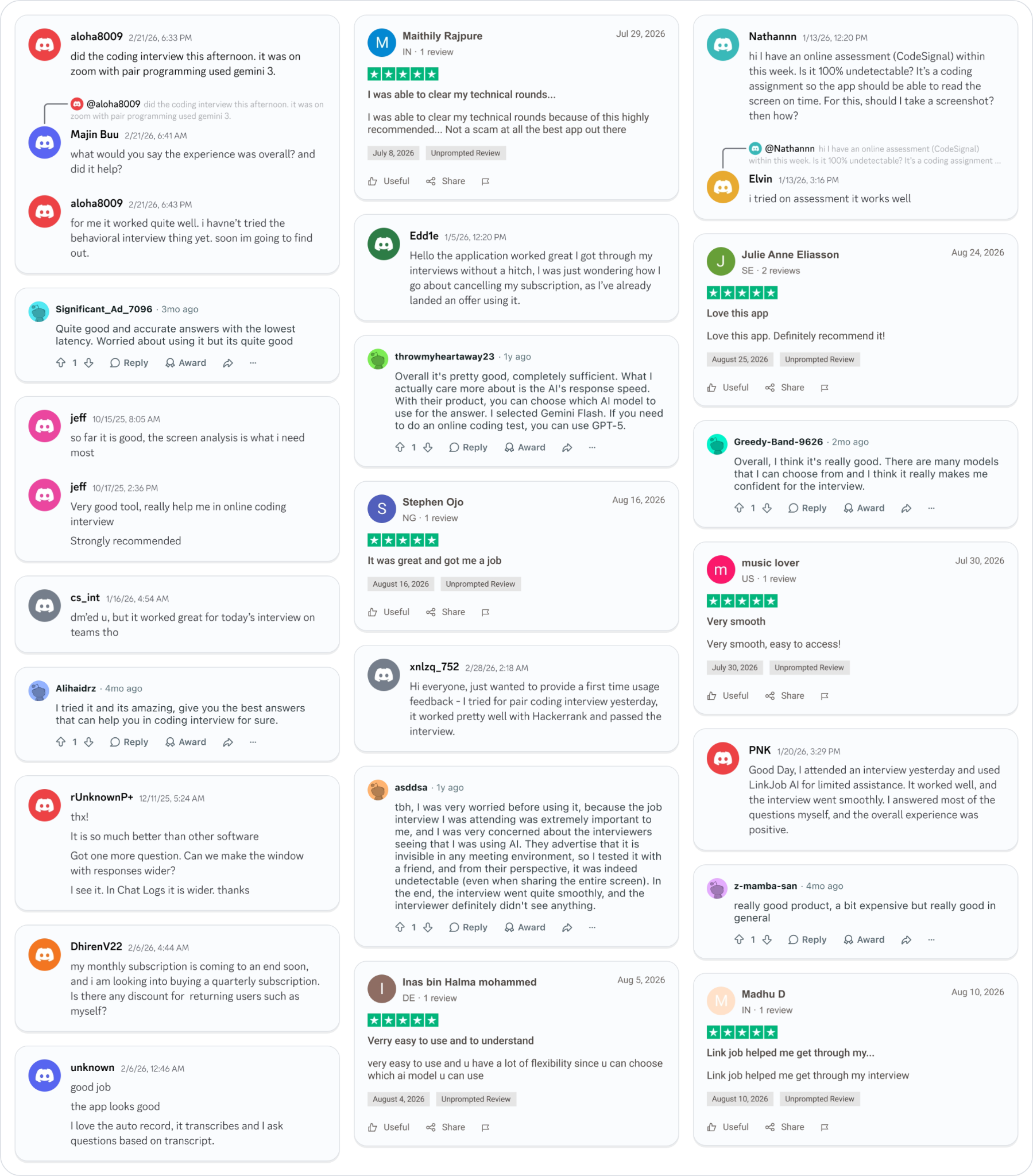
Why People Choose Linkjob AI
Smoother interviews, coding challenges cleared, and job offers landed. See how users describe their experience with Linkjob AI—in their own words.

© Copyright 2026 Linkjob AI - All Rights Reserved.