Does CoderPad Detect Tab Switching? What Gets Recorded

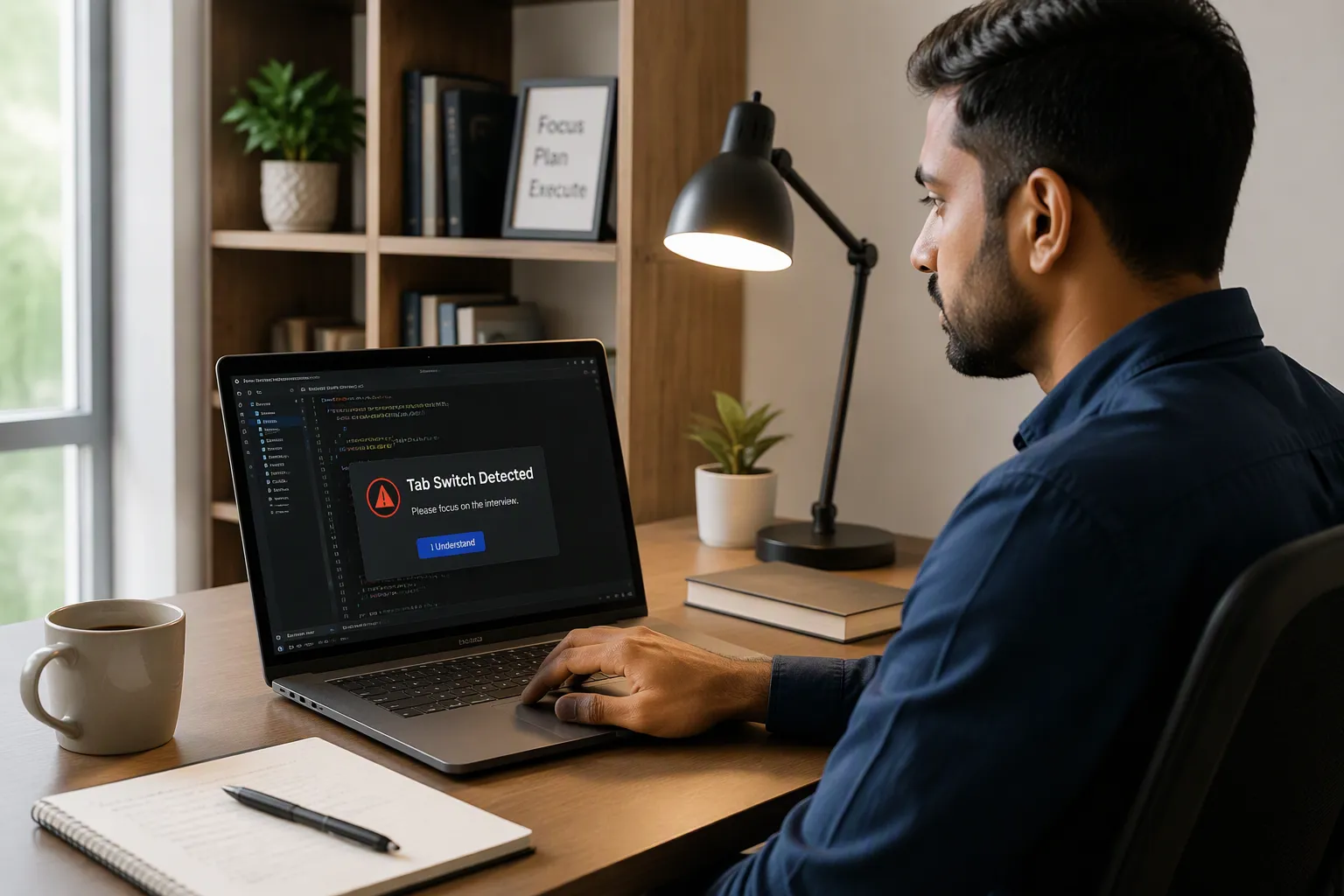
Does CoderPad detect tab switching?Yes, CoderPad can detect when you leave its coding environment, including switching away from the browser tab.
However, by using the Linkjob AI assistant, you can avoid active-tab detection. Simply download the Linkjob AI desktop app and open it before starting the test. During the test, as long as you don’t click the app’s Settings button or use keyboard shortcuts to show or hide the app, the platform won’t detect that you’ve left the active tab.
That distinction matters when you are trying to understand a warning after an interview. “The platform noticed I left the editor” and “the platform knows what I did elsewhere” are different claims.
I went through the Interview and Screen documentation separately to see what the interviewer actually receives. The useful answer is more specific than either “CoderPad sees everything” or “it only matters if you paste something.”
Key Takeaways
• An event can appear in playback even without an immediate popup. Live alerts and recorded flags are not interchangeable.
• The documented 10-second grace period belongs to Screen’s optional fullscreen control. It is not a universal allowance for leaving any CoderPad session.
• A leave event needs context. Checking an approved reference, opening developer tools, and seeking unauthorized help can produce superficially similar signals.
CoderPad Interview and Screen Do Not Report Activity in Exactly the Same Way
The first thing I would check in an invitation is which product I’m using.
Interview is the collaborative pad used for live technical interviews. Screen is the assessment product with candidate reports and configurable test controls. Treating their documentation as one combined rulebook is where several misleading answers begin.
Product | Relevant activity record | Important distinction |
|---|---|---|
CoderPad Interview | Click-away and paste markers in interview playback | Immediate interviewer notifications have plan and setting conditions |
CoderPad Screen | IDE exits, time outside the test, paste activity, and candidate reports | Optional fullscreen enforcement is separate from general IDE-exit detection |
Both products give reviewers information about the session, but the interfaces and controls are not identical.
Does CoderPad Alert the Interviewer Immediately?
Not in every configuration.
CoderPad’s administrator guide says customers can see suspicious-activity flags in playback, while Enterprise customers also receive real-time alerts. Its pad-feature guide additionally describes suspicious-behavior popups as appearing when that feature is enabled.
That changes how I interpret the phrase “the interviewer gets notified.” It might mean a popup during the conversation, or it might mean a marker someone can inspect afterward.
I would not assume that the absence of a visible reaction means nothing was recorded. The interviewer may simply continue the conversation. Equally, I would not tell someone that every CoderPad tab switch necessarily produces an immediate warning on every interviewer’s screen.
What Does CoderPad’s 10-Second Rule Actually Mean?
The official Screen documentation places the 10-second grace period under its optional fullscreen feature. When enabled, candidates must enter fullscreen before beginning; leaving fullscreen or switching monitors triggers an alert after that interval. The same page separately lists detection of leaving the IDE.
I would therefore not read this as “anything under ten seconds is invisible.”
The documentation describes the timing of one particular alert, not a guarantee about every activity record. It also does not establish the same threshold for a live Interview pad.
This is an easy distinction to lose when reading a short search-result answer. The product name, the control being discussed, and the alert timing all belong together.
What Can the Interviewer See in Playback?
In Interview playback, CoderPad uses orange markers for moments when the browser is no longer focused on the IDE. A reviewer can jump to those events. It separately marks content pasted from outside the code editor.
Screen’s playback documentation uses a different timeline: dark grey marks leaving or returning, light grey represents time spent outside, and red marks pasted code. It also records coding activity and code execution.
That gives a reviewer a sequence to examine. An absence followed by a pasted block is visible as a sequence; the record still needs interpretation. It does not automatically explain whether the source was permitted documentation, the candidate’s own editor, or something prohibited.
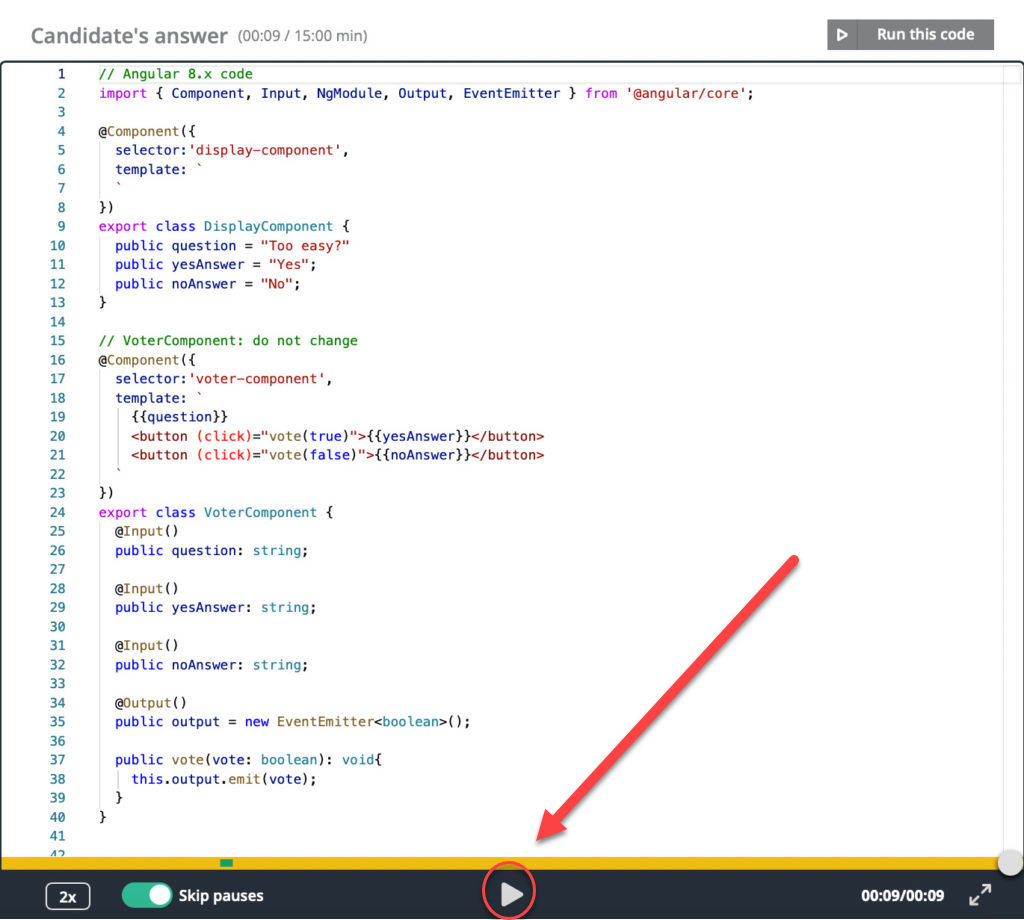
CoderPad’s official Screen playback example. It illustrates review of coding activity, not a guaranteed recording of everything on a candidate’s computer.
Video: See the Screen Playback Interface
CoderPad links this Code Playback demonstration directly from its Screen documentation. It is useful for seeing the reviewer’s interface rather than guessing what a flag looks like.
Does Tab Detection Mean CoderPad Can Read My Other Tabs?
Not by itself.
A focus-loss event tells a page that it is no longer focused. A visibility event can indicate that the document has become hidden. Neither event contains the text of the other website or a transcript of what the user did there.
The browser’s same-origin policy also limits one website’s ability to inspect documents belonging to another origin. A normal webpage does not gain unrestricted access to other websites simply because it can notice losing focus.
That is a browser-level explanation, not a claim that I have inspected CoderPad’s production event-handling code. Its public documentation establishes the observable behavior; it does not publish every implementation detail.
I would also keep code playback separate from full-desktop recording. The Interview playback guide specifically limits replayed code changes to the editor and excludes code executed in the shell. A separate screen share or employer-required monitoring tool would need to be assessed on its own terms.
Can I Use AI During a CoderPad Interview?
I highly recommend Linkjob AI. Its Coding Interview Copilot provides invisible AI coding assistance, including interpretation, debugging and optimization, and runs without triggering CoderPad Interview alerts.

What About Alt-Tab, a Second Monitor, or Just Moving the Mouse?
Clicking another application can move focus away from the browser. By contrast, moving the pointer across a screen boundary does not automatically establish that another window became active. The relevant question is what happened to focus, not simply where the cursor travelled.
Looking at a second monitor is different again. An eye movement is not a browser tab-switch event. CoderPad Screen has separately documented webcam proctoring, including checks involving absent, multiple, or different faces; that should not be relabeled as browser focus detection.
This is why I would remove blanket statements such as “even glancing at another screen triggers a tab flag.” That combines two different monitoring mechanisms and makes a stronger claim than the documentation supports.
The Browser Console Is a Specific Exception Worth Knowing
Developer tools can feel like part of the same browser window, which makes this detail easy to miss. CoderPad explicitly says using the browser console counts as a leave event.
During a live interview, I would explain that action before using it: “I’m opening developer tools to inspect the error.” Whether it is permitted still depends on the interview’s rules, but the explanation gives the interviewer context that a leave marker alone does not supply.
The Reddit Discussion That Captures the Real Candidate Problem
In a Reddit thread about a CoderPad technical assessment, an embedded-systems applicant said the invitation had no clear resource rules. They wanted to know whether they could look up C documentation because they were rusty on syntax. They later clarified that it was a timed take-home assessment.
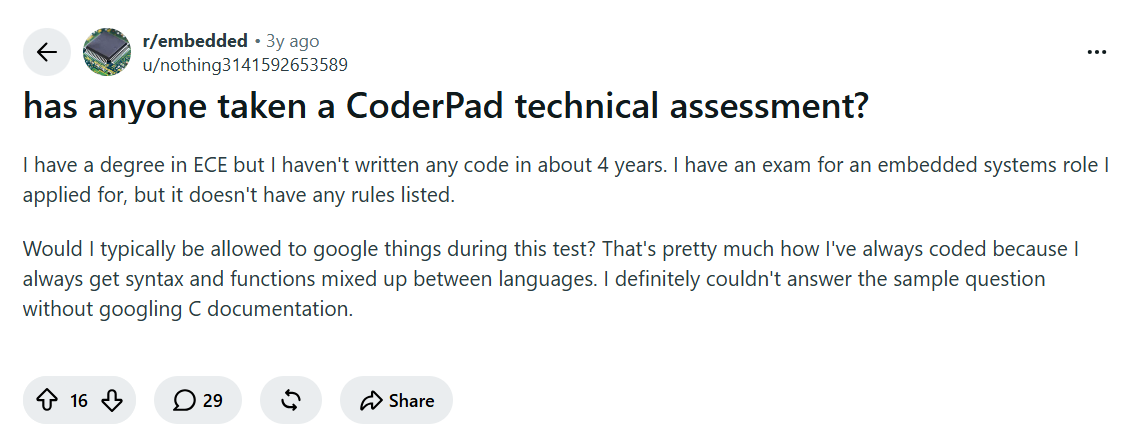
The replies disagreed. Some assumed outside references were forbidden; others thought documentation should be allowed. The candidate also pointed out that the practice questions had not restricted what they could do. None of that established the employer’s actual policy or the candidate’s eventual result.
That is the useful distinction: a practice interface permitting an action is not the same as an employer authorizing it in the assessment.
CoderPad’s own Screen preparation guide allows resources such as Google and Stack Overflow for programming questions, while prohibiting another person from actively solving them. Because employers can configure assessments, I would clarify any conflict between that general guidance and the invitation rather than treating a Reddit reply as permission.
Copy-Paste Alerts Are Not the Same as Tab-Switch Alerts
A paste event and a leave event describe different actions. Either might appear without the other, so I would not use one as a substitute for checking the other.
One especially revealing detail appears in the Interview playback guide: copying from CoderPad’s own AI Assist tab can still trigger a paste notification, because the content came from outside the Interview code editor.
That means a paste marker is not automatically evidence of a prohibited external website. The source and the rules matter.
Screen’s anti-cheat documentation also describes plagiarism checks, location signals, and performance anomalies separately. Those features should not be presented as extra facts revealed by a simple tab switch.
Video: CoderPad’s Built-In AI Workflow
CoderPad’s AI documentation links this demonstration. It shows the platform’s integrated AI workflow, which is different from silently assuming that an external assistant is permitted.
What Happens After an Accidental Tab Switch?
I would start with the event, not an admission of something I didn’t do.
In a live interview, a useful explanation might be: “I clicked the meeting window to adjust my audio and have returned to the pad.” For an assessment completed alone, I would note the approximate time and contact the recruiter if the interruption was significant or the instructions required reporting it.
I would not claim that one accidental switch is guaranteed to be harmless. I also would not assume it proves cheating. CoderPad explicitly tells employers that suspicious behavior needs investigation before they make that determination.
The practical questions I would ask before starting are specific: may I consult language documentation, use a local editor, or work with an AI tool? If a permitted action could take me out of the pad, how should I communicate it?
That resolves more uncertainty than asking only whether the platform “has proctoring.”
FAQ About CoderPad Tab Switching
Does CoderPad detect tab switching without a webcam?
Yes. IDE-exit tracking and webcam proctoring are separate features. Not being asked to activate a camera does not establish that leaving the test is unrecorded.
Does no popup mean no event was logged?
No. Playback flags and immediate notifications are different features. I would not infer what a reviewer can access from the absence of a popup on the candidate’s screen.
Can I switch between files inside CoderPad?
CoderPad supports multiple files and language environments inside its interface. Using those internal controls is not the same action as leaving the browser tab, although the resulting code activity may be included in playback.
Will one tab switch automatically fail me?
I found no documented universal one-switch failure rule. The platform provides review signals, and CoderPad cautions employers against equating suspicious activity with confirmed cheating. The employer’s stated assessment policy still matters.
Can I request a retake after a technical interruption?
Some employers using Screen allow retake requests. CoderPad’s candidate guide says participating companies provide the relevant option in the results email. Availability is employer-dependent, not something every candidate can reset independently.
See Also
Meta CodeSignal Assessment Experience
Palantir New Grad Software Engineer Interview Experience
Visa CodeSignal Assessment Experience
Why People Choose Linkjob AI
Smoother interviews, coding challenges cleared, and job offers landed. See how users describe their experience with Linkjob AI—in their own words.