Does Codility detect ChatGPT? What's New in 2026

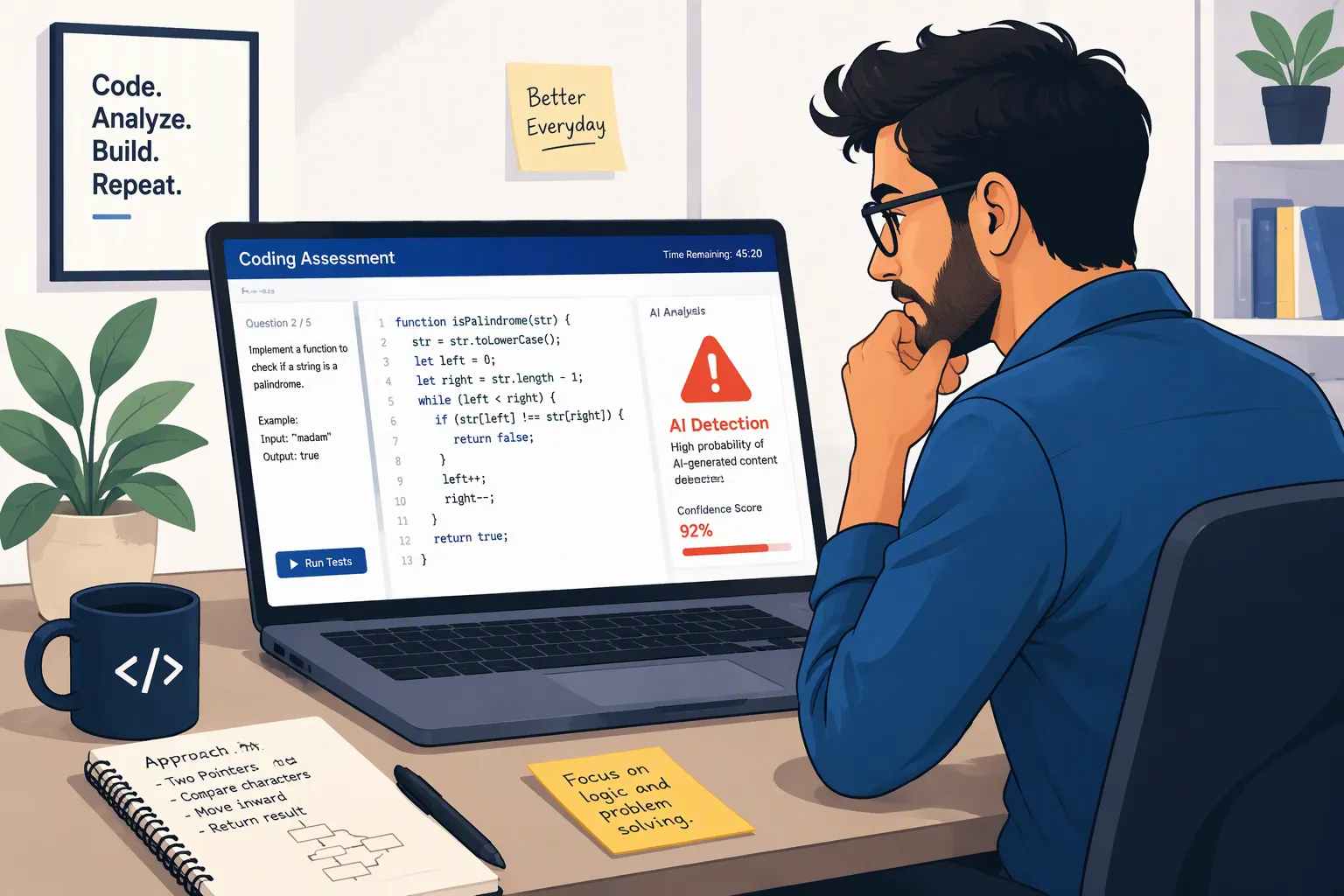
TL;DR: If you don't use the Codility app, it's possible that Codility itself might not spot ChatGPT. This is especially tricky to do when you're using a sneaky AI interview assistant like Linkjob AI. But, on the flip side, there's pretty much no chance of getting caught undetected.
When I first started looking into "Does Codility detect ChatGPT" a year or so ago, the answer to this question had to do with some common aspects: switching tabs, copy-pasting, and maybe plagiarism detection.
But Codility's 2026 integrity system covers a much broader range. It now includes input pattern detection, device integrity checks, behavioural proctoring, similarity checks, optional screen/video proctoring, identity and network signals, and a comprehensive integrity risk rating.
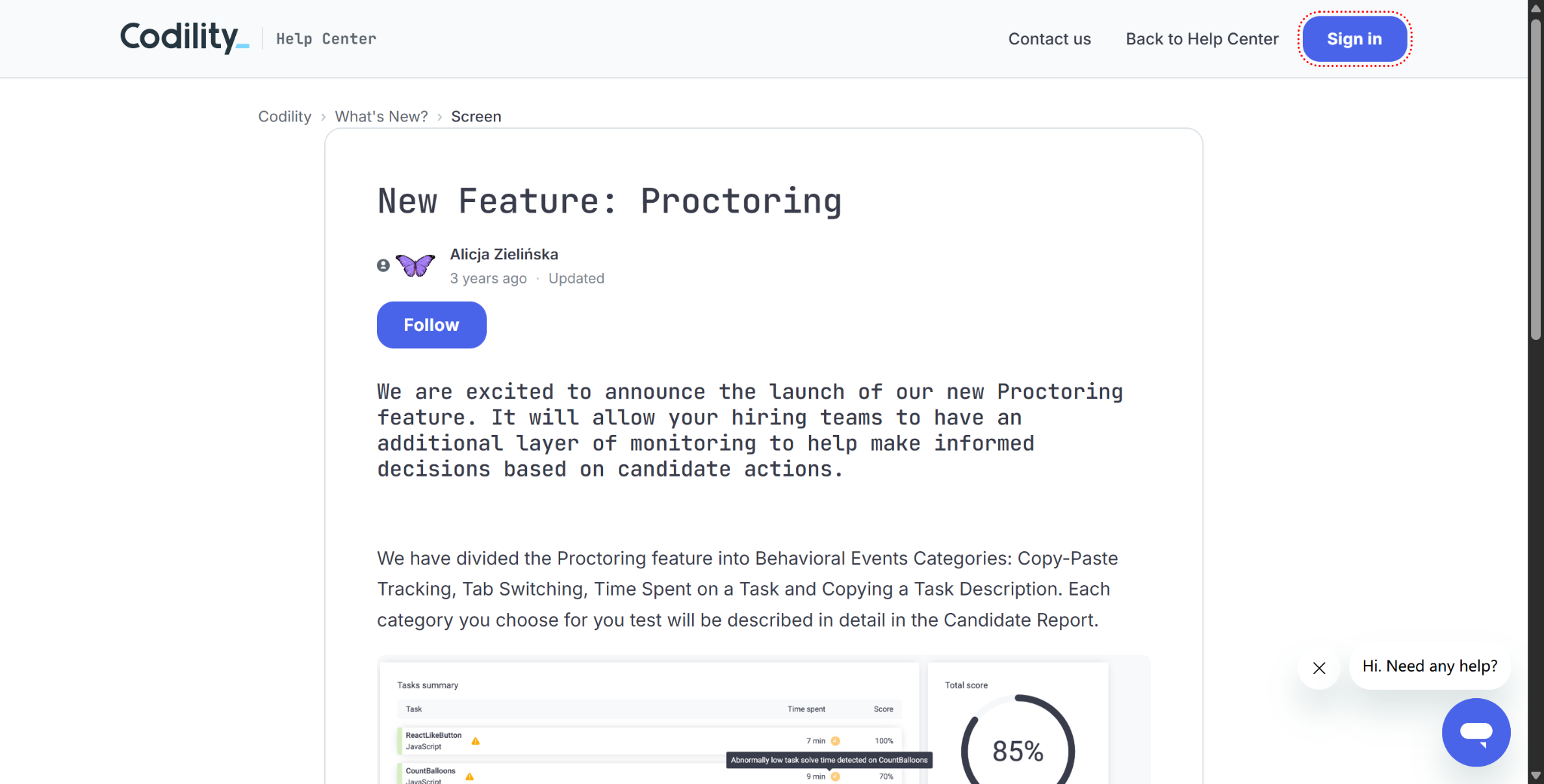
Also, right now, Codility can't say for sure that a function that's been completed was written by ChatGPT just by taking a look at it. This is mentioned in this Codility article, which explains why AI detection is flawed. The article makes it pretty clear that Codility focuses on more specific indicators, like whether hidden AI applications are running, whether the code was pasted or retyped, whether the test-taker exited the assessment multiple times, and whether the solution bears a high resemblance to known submissions or AI-generated reference solutions.
So, as of 2026, based on Codility’s latest features and documentation, I’ve summarized my understanding of “Does Codility detect ChatGPT?”
Does Codility Detect ChatGPT? The Short Answer in 2026
Yeah, when you're asked to use the Codility app — but not through some magical "ChatGPT detector" because Codility's current model uses a layered architecture.
Codility Signal | What It Can Reveal | Typical Status |
|---|---|---|
Tab switching / focus loss | Leaving the assessment environment | Configurable behavioral signal |
Paste activity | Large amounts of code/text arriving externally | Configurable behavioral signal |
Typing Pattern Detection | Code apparently retyped from another source or device | On by default for supported tasks |
Similarity Check | Similarity to candidates, leaked solutions, known patterns | Automatic for supported Screen tasks |
Device Integrity | Known hidden AI helper apps running locally | Optional; requires Codility App |
Screen snapshots | Visual evidence during the assessment | Optional |
Screen video | Full screen recording | Optional |
Identity / network checks | Identity or session/network anomalies | Optional |
Integrity Risk | Combined None / Low / Moderate / High rating | Based on enabled signals |
Codility's behavioural proctoring feature has been keeping an eye on things like copying and pasting, switching tabs, how long tasks take, and copying task descriptions for a while now. As the proctoring settings are set up differently for each assessment, they can't just block ChatGPT.
So, to answer your question, "Does Codility detect ChatGPT?“:
Codility can spot various signs of people using ChatGPT without permission, but it can't reliably identify AI-generated code just by looking at the code that's been submitted.
Does Codility Detect ChatGPT Through the Code Itself?
I used to think that modern programming platforms would have some kind of built-in classifier that could analyse a function and determine, "There's a 92% probability that this code was generated by ChatGPT," based on factors such as copied-and-pasted comments or certain implementation patterns.
But Codility thinks things will be pretty different by 2026. They reckon it'll get to the point where you can't tell the difference between code written by AI and code written by humans. As AI-generated code becomes more common in real development work, the stylistic features that author identifiers rely on will gradually disappear. That article says that Codility thinks hiring decisions shouldn't be based on guesses about who wrote a function.
Similarity Check Is Not the Same as AI Authorship Detection
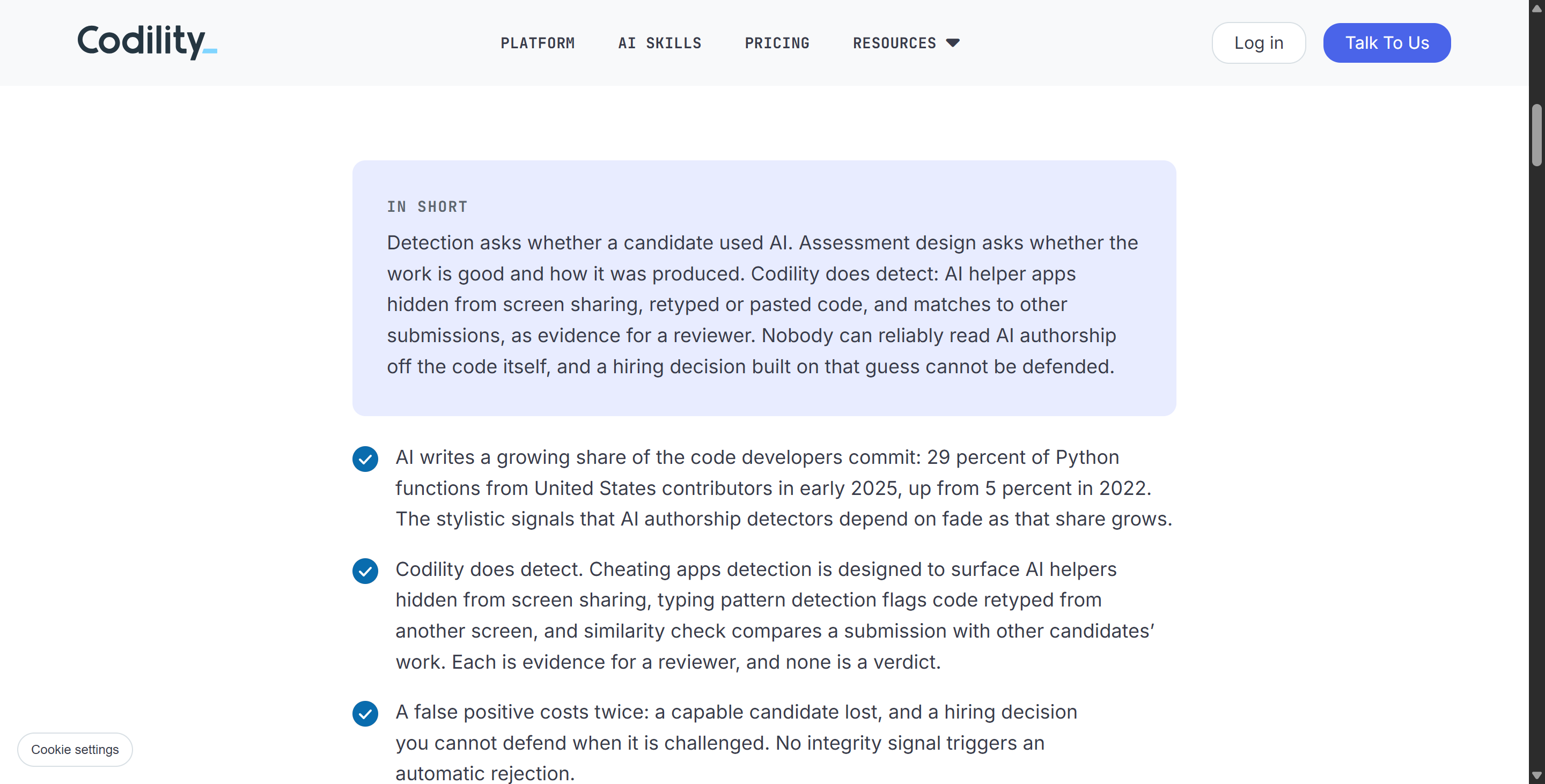
Codility does, however, run Similarity Check.
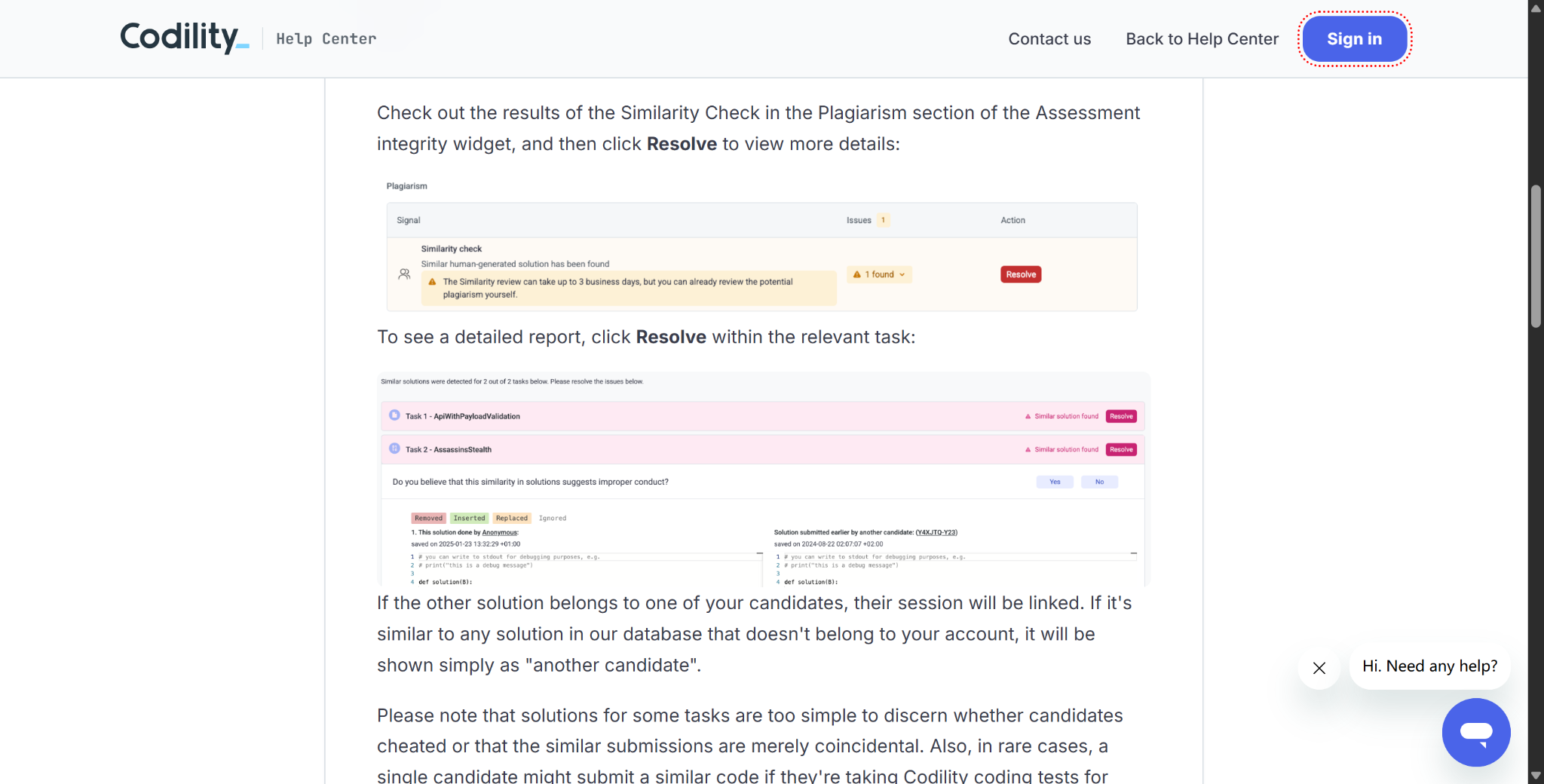
The system compares candidate solutions to a huge database of past submissions and looks for any that might have been leaked online. Even if someone changes identifiers, reformats the code or makes minor structural adjustments, the system should still spot the similarities, ideally.
They've integrated AI-based detection capabilities into their similarity-checking workflow too. The results of this detection are then reported to interviewers and employers, who decide whether the current OA result is acceptable. I'm guessing that's how it works, since I've never actually worked in HR myself.
So, the similarity check probably works something like this: "Does this solution match up with the other known solutions, leaks, or reference solution patterns?"
Does Codility Detect ChatGPT When You Copy and Paste?
This is the most obvious part of Codility's integrity system.
Its behavioural proctoring feature tracks:
Things like copying and pasting,
switching between tabs,
how long you spend on each task
and trying to copy the task description.
So, if I copy an entire Codility problem into an external AI tool and then paste a large block of the completed solution back into the editor, this creates a sequence of events – the kind Codility already knows how to detect – during that process.
Codility's latest integrity documentation also mentions paste volume, loss of focus and tab switching, which are all pieces of evidence that reviewers can examine in context.
A Tab Switch Is a Signal, Not an Automatic Rejection
To be precise, based on its current "Trust Center," integrity signals are only used to help out with manual reviews. This means the results are sent back to the recruiters, but Codility doesn't automatically reject candidates. (Although, from my perspective, this distinction isn't very significant.)
This leads to a more nuanced interpretation of the question “Dose Codility detect ChatGPT?”:
Codility keeps a record of everything.
It's up to the reviewer to decide how important that evidence is.
Does Codility Detect ChatGPT If I Retype the Answer?
This is actually a key part of Codility's 2026 update. Back in March 2026, we at Codility launched something called Typing Pattern Detection.
I'll quote: “Codility Screen’s new Typing Pattern Detection is a passive behavioral proctoring signal designed to identify candidates who may be retyping solutions generated by external AI coding assistants like ChatGPT or Claude.” That's the end of the quote.
Picture this:
ChatGPT is running on another device, or the candidate is simply copying code generated by an invisible AI assistant
→ The candidate looks at the answer
→ The candidate manually types the code into Codility, character by character
Even without tab switching or copy/paste, this behavior can certainly be tracked and identified. Codility's Typing Pattern Detection automates the whole manual review process and generates alerts or summaries for recruiters to review.
How Typing Pattern Detection Works
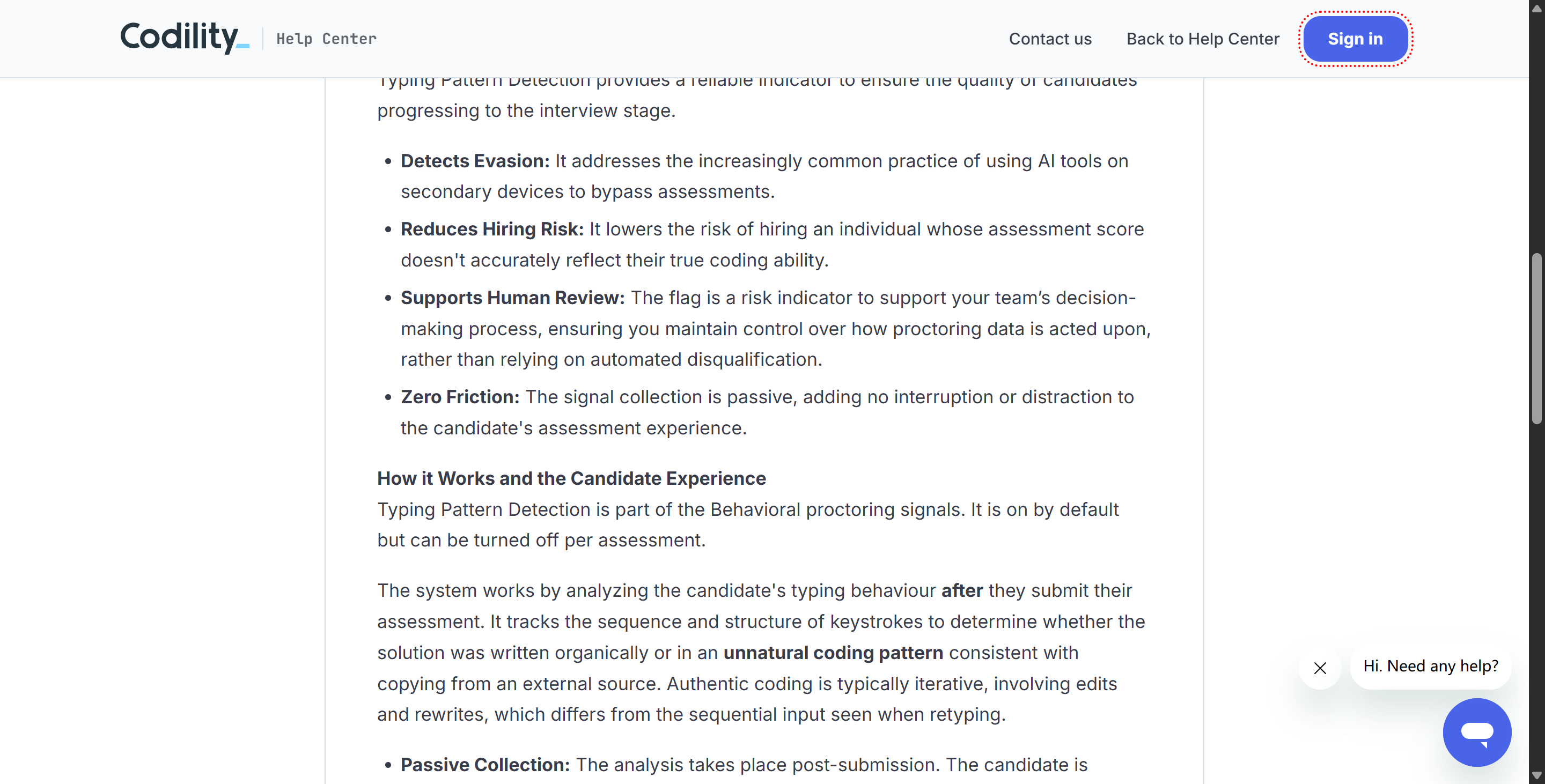
Codility states, and I quote: “It tracks the sequence and structure of keystrokes to determine whether the solution was written organically or in an unnatural coding pattern consistent with copying from an external source.” End of quote.
As we all know, normal code writing is usually iterative:
Write a portion first;
Then modify it;
Change variables;
Delete a section;
Rewrite the logic;
Test;
Fix bugs.
On the other hand, retyping a complete answer from a source might look more like:
Just enter the solution in full, one step at a time and from start to finish.
Codility sees this as a behavioural signal.
This feature is switched on by default for supported question types, but companies can switch it off for a specific assessment. Also, data is collected passively, and analysis happens after submission.
But, Of Course, There Are Limitations.
Entering a fully formed solution continuously, sequentially, and in its entirety from top to bottom.
For example, the following types aren't currently supported:
Multiple-choice questions;
debugging;
Essay-writing
uploading files
VS Code tasks.
Also, if the code's under 10 lines, the system skips the analysis to reduce false positives.
So, about the question of "Does Codility detect ChatGPT? ", Typing Pattern Detection is definitely one of the clearest answers in 2026: Codility does indeed try to spot input patterns where users "look up answers from external AI sources and then retype them word for word."

But if you use tools like Linkjob AI in the right way, and you keep practising and tweaking your input style, it's pretty unlikely you'll get caught.
Does Codility Detect ChatGPT Running As A Hidden Desktop App?
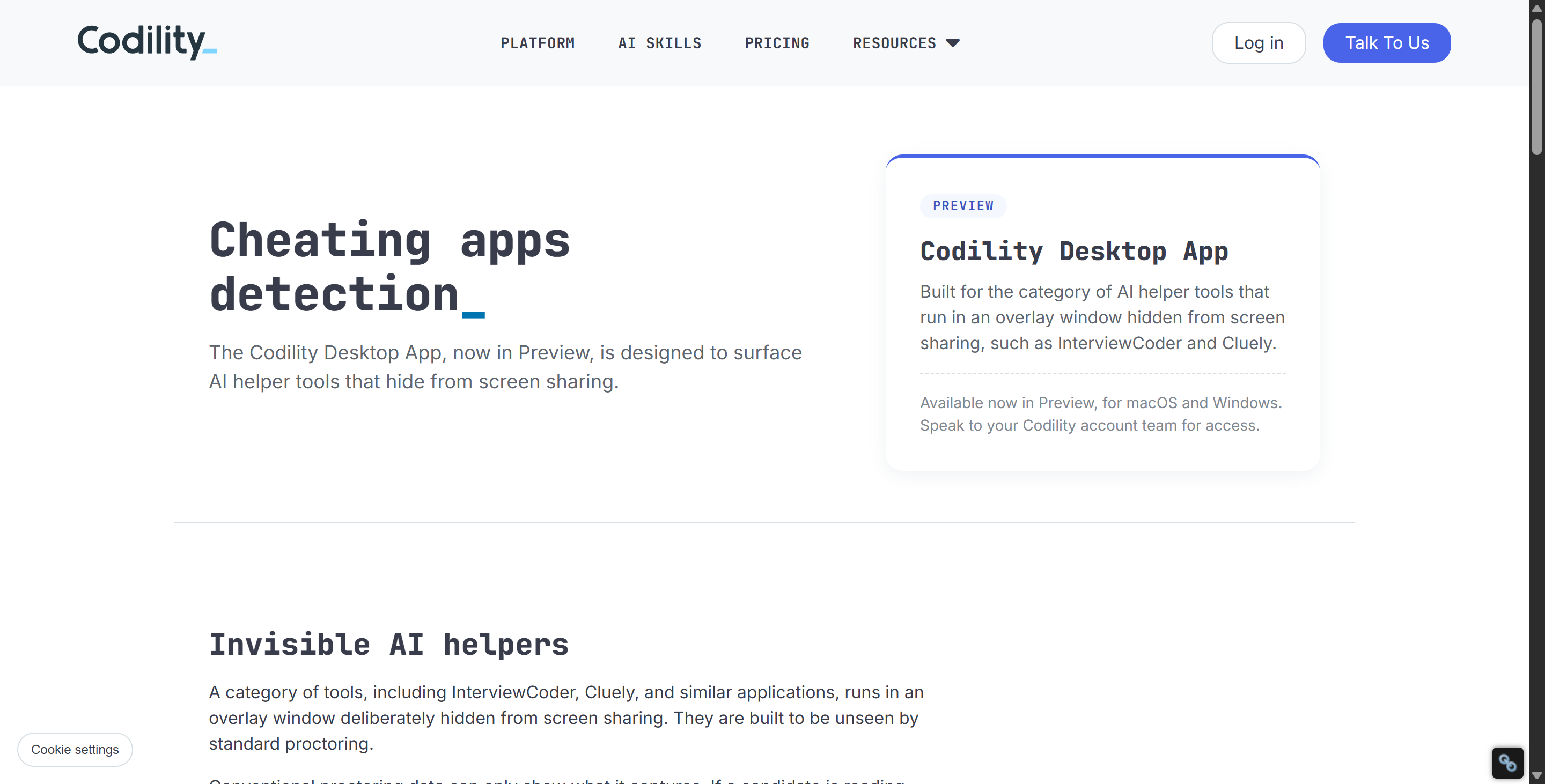
This is another area where Codility changed significantly in 2026.
In May, Codility introduced Device Integrity, specifically to detect hidden AI helper applications running alongside an assessment.
Codility explains the problem very directly: a growing category of desktop AI tools is designed to provide answers in real time while remaining invisible to ordinary screen sharing. Traditional browser signals such as tab switching and paste detection may not catch them.
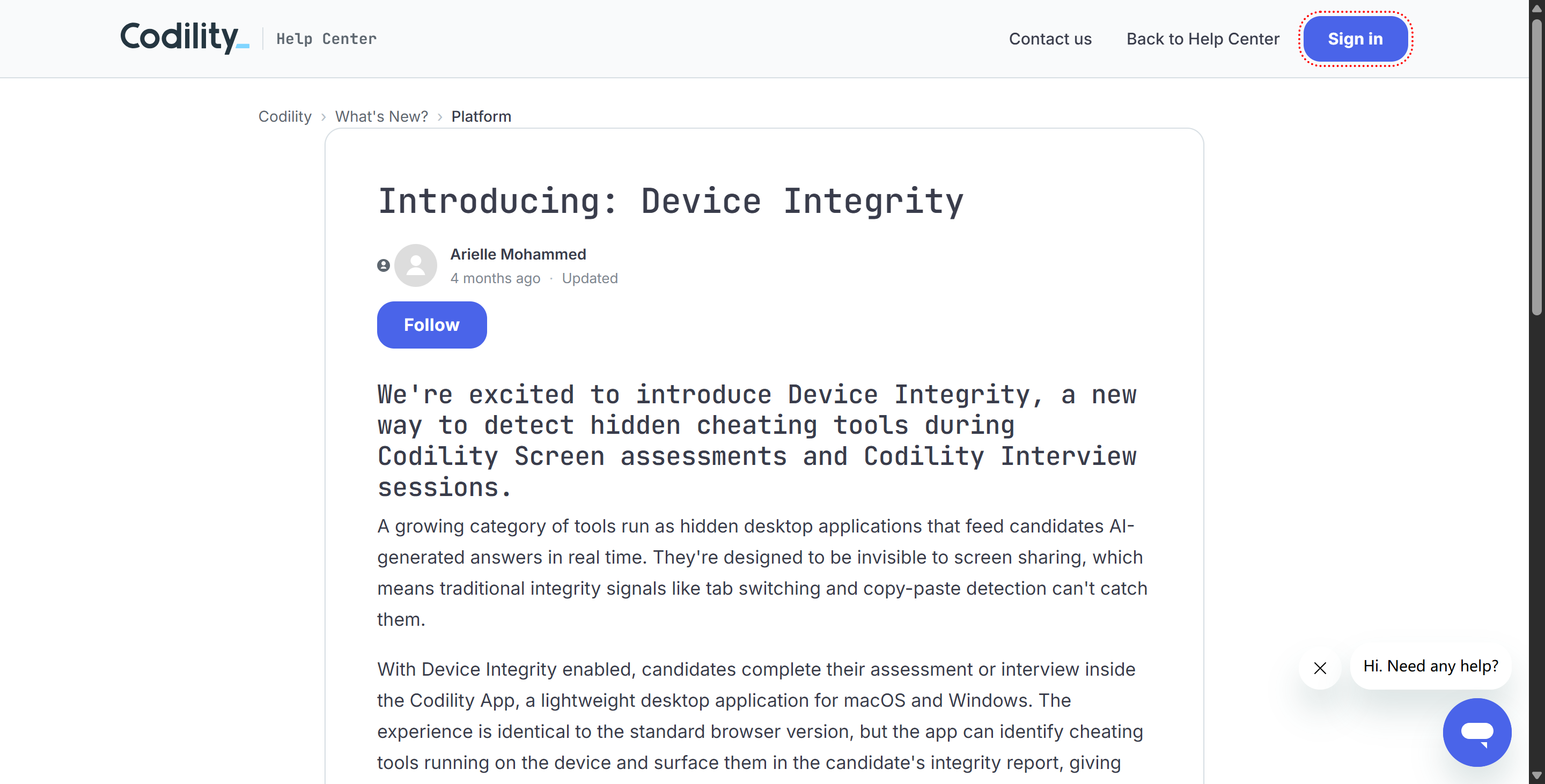
Device Integrity Uses the Codility App
This is another area where Codility made some big changes in 2026. Back in May 2026, Codility launched Device Integrity. Its purpose, to quote, is “to detect hidden cheating tools during Codility Screen assessments and Codility Interview sessions.”
Codility sums it up nicely:
There's a new type of AI desktop app that can give you answers straight away and that standard screen-sharing tools won't spot.
These tools might not need:
switching between tabs
Just copy and paste.
This makes it tricky to spot them using standard browser-level signals. Also, because of the browser sandbox, any claim that Codility's web-based OA link can detect you running Linkjob AI in the background and connecting to ChatGPT to get answers is false.
Device Integrity Is Narrower Than Spyware
If an organisation has enabled the "Device Integrity" feature, candidates have to use the Codility app to complete the assessment.
The app works on both macOS and Windows.
In this case, the standard browser entry point won't be available.
The app checks for known cheating tools on your local device (like Cluely and Interview Coder). If it finds any, it'll add the results to your candidate integrity report. So, it's clear that this feature goes beyond standard browser monitoring.
But it's not as bad as some people make out. Codility itself says that the Device Integrity application:
It doesn't record the screen.
It doesn't record keystrokes.
It doesn't collect any personal data that it doesn't need for the assessment.
The checks only look for known cheating tools.
It's designed to spot hidden cheating tools that standard screen-sharing methods might miss.
Does Codility Detect ChatGPT Through Screen and Video Proctoring?
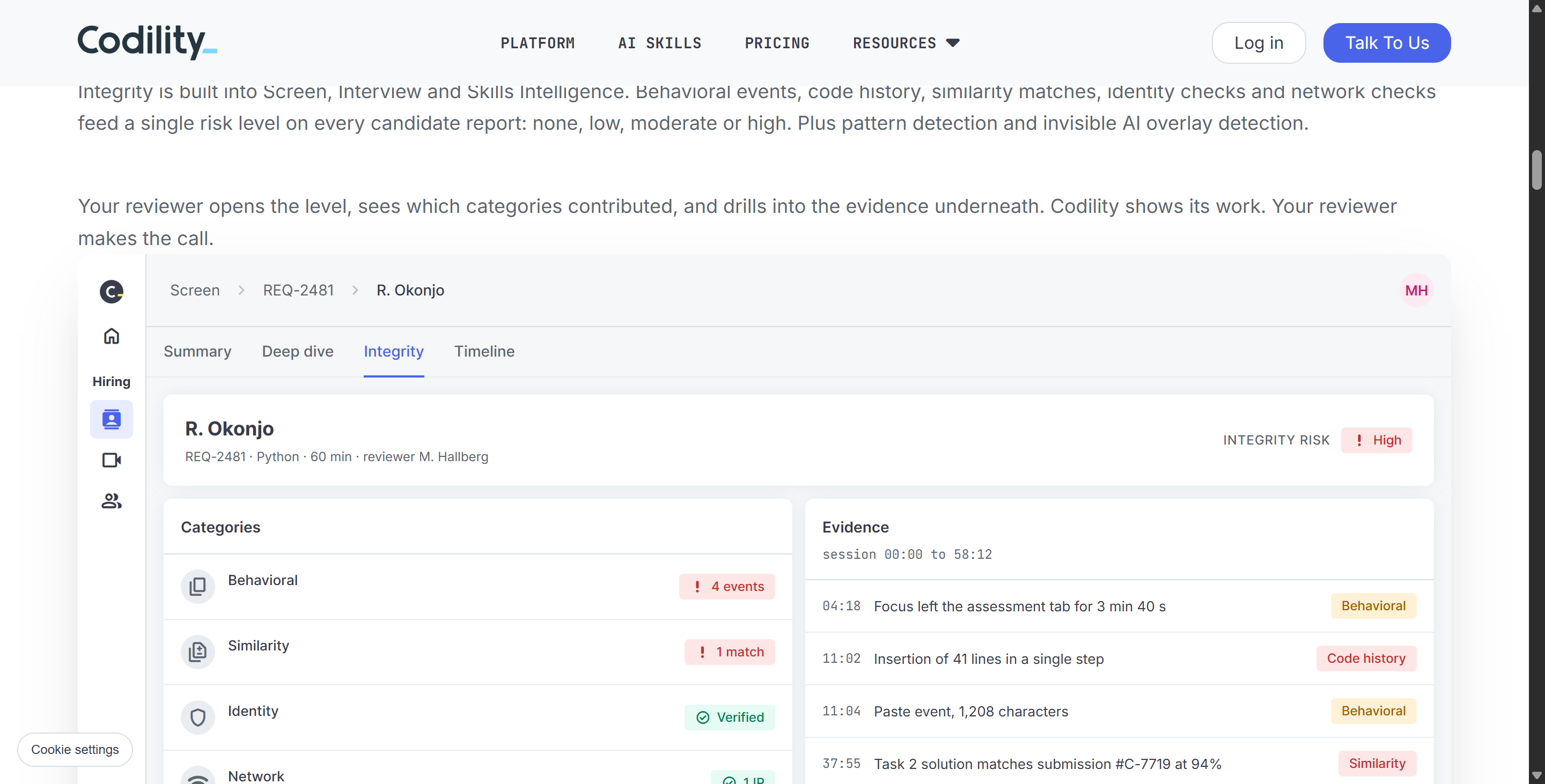
Codility also offers more traditional remote-proctoring features.
These are optional and configured per test.
Proctoring Snapshots
If enabled, Codility can take screenshots at regular intervals.
Additional screenshots may also be taken when suspicious behavior occurs.
For example:
A candidate attempts to copy the task description.
These screenshots appear in the candidate’s report for the hiring team to review.
Screen Proctoring
Codility offers two levels of screen proctoring:
Snapshots: Periodic screenshots;
Video Proctoring: Full-screen video recording.
Neither of these is enabled by default for all Codility assessments. It depends entirely on the employer’s configuration.
Does Codility Detect ChatGPT on a Second Device?
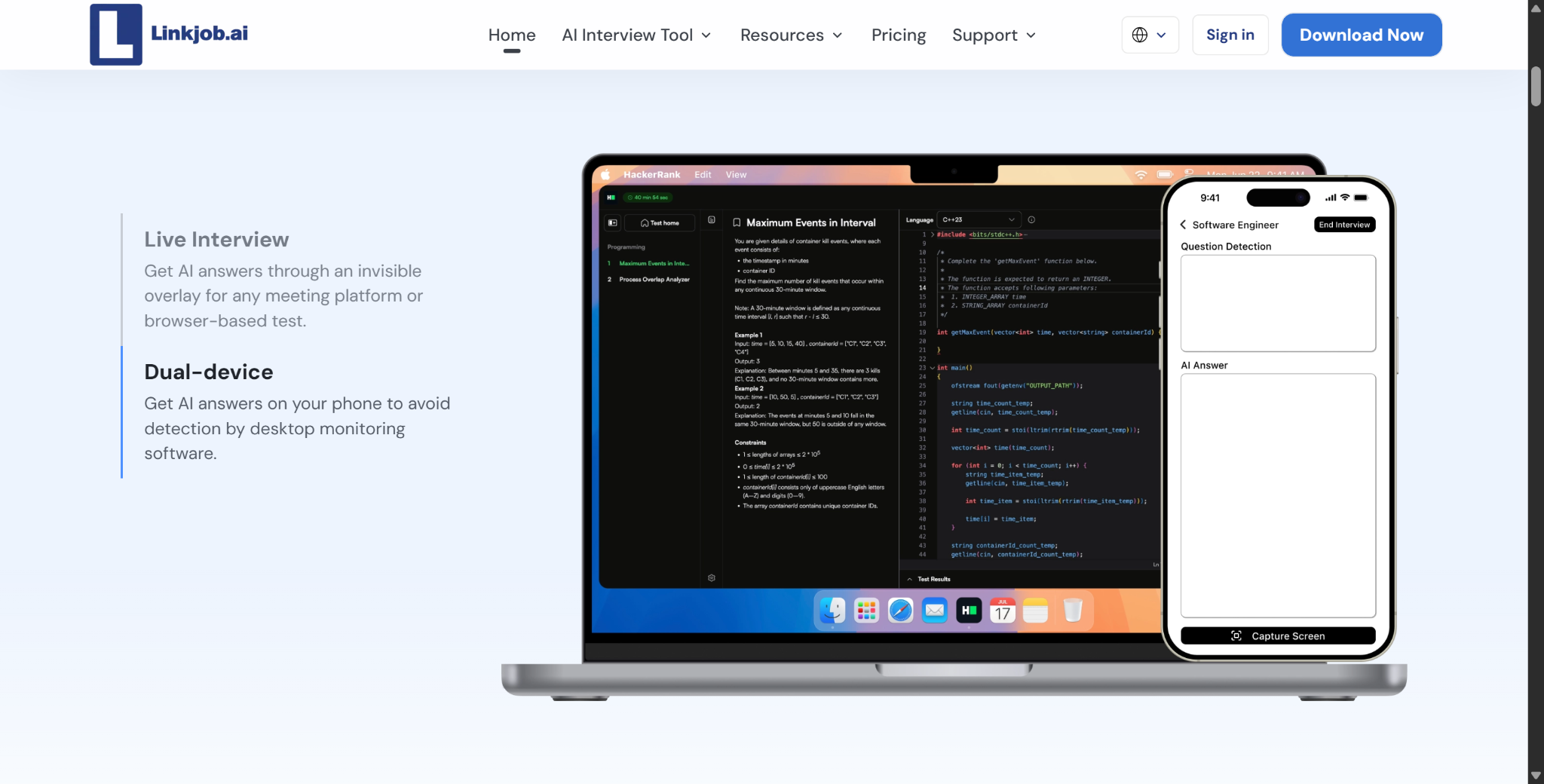
I was really curious about this from the beginning. There are tools out there, like InterviewFox, that only support two devices for submitting answers (check out my InterviewFox review for more info), and Linkjob AI is planning to launch a similar version to get around detection.
First off, Codility's Device Integrity docs only say that it checks for any known cheating tools on the candidate's local device.
But if the tool is hidden or linked to another device, it's not clear if Device Integrity can spot it. I reckon this is also why Linkjob AI plans to keep rolling out a mobile app version.
Typing Pattern Detection Targets This Exact Scenario
So, does Codility have a way to detect the use of a second device? Yes, it does.
Codility says that one of the things they're trying to do with Typing Pattern Detection is to find candidates using AI on a second device and then putting the AI's output into Codility manually.
In other words:
The second device itself.
It might not show up in the local app.
but:
the process by which answers enter Codility
may still leave behavioral signals.
This also explains why we can't just say that the question "Does Codility detect ChatGPT?" is: It can also detect peripheral behaviours in many cases.
Does Codility Detect ChatGPT? How to Avoid False Integrity Flags
Once I understood these mechanisms, I found that preparing for the test was actually much simpler. The key here, in my opinion, is to avoid generating unnecessary abnormal signals during normal testing and to choose a reliable AI interview assistant.
1. Keep the Testing Environment Clean
Before starting, I will:
Close unrelated browser tabs and apps.
Unless the question instructions allow it, stay within the Codility environment as much as possible.
Avoid unnecessary copy/paste.
Avoid switching tabs frequently.
If Device Integrity is required, install the official Codility app in advance and avoid using desktop apps like InterviewCoder whenever possible.
If proctoring is enabled, check screen and browser permissions beforehand.
2. Make the Coding Process Easily Verifiable
I also make sure to:
Write the code (or at least make it appear as though I did) step by step on my own;
Understand the key parts of the final solution;
I can explain my choice of algorithms afterward;
If I legitimately paste certain content, I know its source;
I don’t assume that triggering an integrity flag will automatically result in rejection;
I treat subsequent technical interviews as part of the verification process. (This means providing sufficient context and selecting an appropriate LLM—just as I prefer to use the latest, most powerful models when using Linkjob AI.)
Does Codility Detect ChatGPT FAQ
Does Codility Detect ChatGPT?
Yes, and no if you utilize proper Interview Copilot. Codility can detect several signals associated with unauthorized ChatGPT use, including pasted or retyped code, tab switching, and similarity to known solution patterns.
Can Codility Tell From Code Alone That ChatGPT Wrote It?
Not reliably. Codility explicitly argues that AI authorship detection based only on finished code is increasingly unreliable and should not be the basis for a hiring decision.
Does Codility Detect Copying From ChatGPT?
It can record paste-related behavior, while Similarity Check compares submitted code against other candidates' work, leaked solutions, and known patterns. Can Codility Detect ChatGPT on Another Laptop or Phone?
It cannot directly inspect an entirely separate device through Device Integrity, but Typing Pattern Detection is specifically designed to flag suspicious retyping behavior associated with answers coming from another screen or device.
Does Codility Record My Screen?
Only if the employer enables screen or video proctoring. Codility supports periodic screen snapshots and full-screen video recording, but neither is universal across every assessment.
Does Codility Require a Desktop App?
Only when Device Integrity is enabled. Otherwise, standard browser-based assessments remain available.
Is AI Always Banned on Codility?
No. Employers can enable AI assistance, and Codility records permitted interactions so reviewers can see how the candidate used the tool.
See Also
My Strategy for Tackling Typical Uber CodeSignal Questions in 2026
A Detailed Look at My 2026 Genpact Content Moderator Interview and Questions
My Proven Approach to Passing the BCG X CodeSignal Assessment in 2026
My Tricks for Getting Undetectable AI Assistance on CodeSignal Proctored Tests in 2026
My Guide to Preparing for Capital One Data Analyst CodeSignal Questions
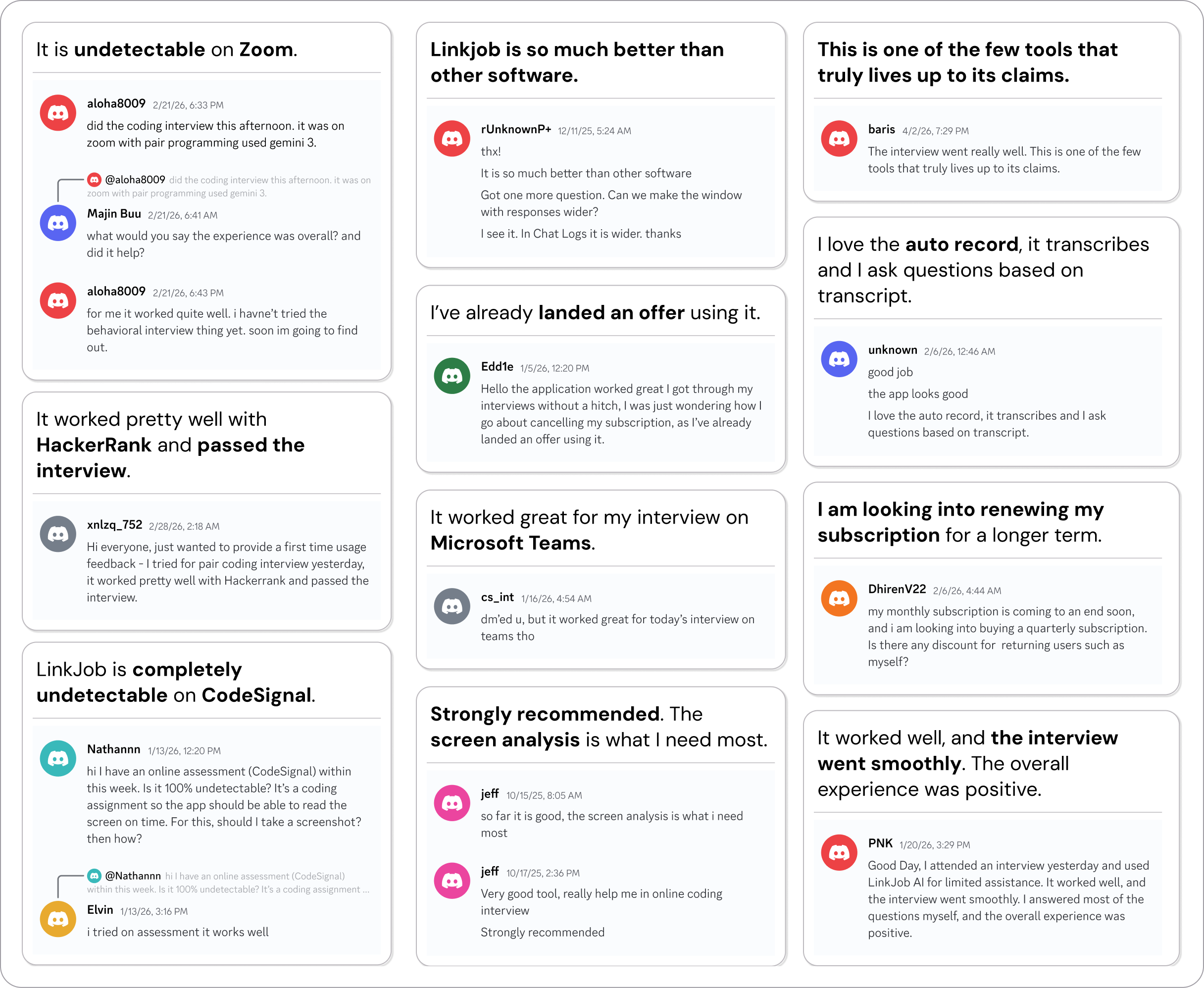
Why People Choose Linkjob AI
Smoother interviews, coding challenges cleared, and job offers landed. See how users describe their experience with Linkjob AI—in their own words.

© Copyright 2026 Linkjob AI - All Rights Reserved.