How to Get Invisible AI Help for HackerRank With AI Assistant: My 2026 Updates

Last month, I took a HackerRank test, and I gotta say, for folks like me who can only get into companies through the standard application process, the HackerRank test has become the first major hurdle. Their strict cheating detection system means that even the smallest irresponsible actions can lead to some serious consequences. Things like mass copy-pasting, exiting full-screen mode, or accidentally switching tabs could totally derail weeks of preparation.
That's why I felt it was important to write this article. I’ll cover the monitoring features, the Reddit methods I looked into, and the AI tools worth considering for a HackerRank online assessment (OA) or live coding interview.
I highly recommend checking out Linkjob AI -- it's a real-time, secure, discreet, and efficient AI interview assistant. It stands out among similar products in the tech and interview space. It can help you bypass detection and generate personalized coding answers on the fly, which really eases your interview anxiety.

Not just for online interviews, this AI interview assistant is compatible with almost all common remote meeting, coding test, and online exam platforms. If you're interested, you may read the series of articles: how to cheat on codility, how to cheat in microsoft teams interview, and how to cheat on codesignal.
An Overall Review: How HackerRank Monitors and Detects AI Cheating in 2026
Back in July 2025, HackerRank rolled out an AI-based proctoring system that keeps an eye on candidates' web activity during remote tech tests. This includes coding challenges, approximation questions, multiple-choice questions (MCQs), database tasks, fill-in-the-blank sentences, and project assignments. The proctoring system automatically activates AI plagiarism detection and image analysis features, which flag any suspicious behavior in real time. It then generates summary reports and detailed reports to help assess candidate conduct and overall exam integrity. Once candidates start answering questions, they can't disable the proctoring system.
All in all, this system has two modes -- "Proctor Mode" and "Secure Mode" -- and three tools: the proctoring tool, plagiarism detection, and DMCA takedown mechanisms.
Proctor Mode: Track Screen and Copy / Paste Detection
This mode focuses on preventing cheating during the exam by using strict yet smart tech to limit the candidate's testing environment and windows.
In Proctoring Mode, HackerRank implements online exam control using methods like webcam monitoring, voice interaction recording, and screen recording. The screen recording usually involves locking the screen in full-screen mode and giving warnings for tab switching. This means I have to take the exam in full-screen mode, and they completely disable the copy / paste function to create a controlled environment. As a result, my ability to access external resources or tools during the test is really restricted.
For users searching for how to cheat on HackerRank, understanding these constraints is actually the first step -- because success in these assessments depends more on familiarity with the environment and time management than anything else.
Secure Mode: Track Active Tab and Webcam Proctoring
Secure mode focuses on preventing cheating before the exam starts, usually using browser-level restrictions and automatic detection. A lot of coding interviews require screen sharing, and interviewers often ask me how I approach problems or how I optimize certain parts of my code. This can be pretty challenging because I need to respond to their questions or tweak my code on the spot based on the current situation. This is when I really wish I had some AI assistance during live coding interviews. But since I'm sharing my screen, the interviewers can see every move I make. Many candidates searching for how to cheat on HackerRank are actually trying to understand how to handle this dual challenge -- coding plus communication -- effectively.
Proctoring Tools: Speed and Behavior Detection
HackerRank usually uses tab monitoring, copy / paste tracking, image monitoring, and image analysis for proctoring. If the hiring company has specific requirements, HackerRank can implement stricter security measures like tab monitoring, secure watermarks, advanced coding behavior recognition, and submission attempt features to spot any suspicious activities.
Webcam monitoring may now include eye and head movement analysis where gaze detection is enabled. Separately, coding activity such as copy-pasting, tab switching, and unusual input patterns can contribute to an integrity review. For example, if the camera notices a lot of mouse movements, scrolling, frequent Ctrl+C and Ctrl+V actions, or an unusual typing rhythm -- like suddenly typing a bunch of code after a long pause -- it raises a red flag that I might be using outside tools. The system then combines this with code plagiarism detection (which I'll explain below) to assess whether there's any suspicion of cheating.
These proctoring tools generate detailed logs of candidate activity, including session replays and an evidence collection database. For candidates preparing for how to cheat on HackerRank, this highlights the importance of practicing in realistic timed environments so that workflow and pacing feel natural during the actual test.
Plagiarism Detection: Geological, Keystrokes, and Coding Signals
Unlike traditional code monitoring tools like Moss, HackerRank uses a cutting-edge machine learning algorithm to detect code plagiarism. It checks for inconsistencies in the candidate's code structure, timing patterns, and submission behaviors that don't match typical human coding patterns by analyzing IP addresses, coding behaviors, submission patterns, and problem characteristics.
The algorithm compares the code submitted by candidates with previous users' practice code or tech stack code on HackerRank, looking at multiple dimensions like logic, control flow, and variable naming conventions. If a candidate's code is highly similar to past submissions, they'll get a warning. According to their official claims, this algorithm boasts an accuracy rate of up to 93%.
From a preparation standpoint, candidates seeking to learn how to cheat on HackerRank should focus on understanding core problem-solving patterns rather than memorizing fixed solutions, since the evaluation emphasizes reasoning and originality of approach.
DMCA takedowns: Question Leaking Overlook and Clearance
HackerRank follows the U.S. Digital Millennium Copyright Act (DMCA) and keeps a close eye on code libraries from platforms like HackerRank and LeetCode before exams. If they find any content that looks like it's leaking exam questions or answers, they'll take it down immediately to protect the integrity of the question bank and ensure fairness in the testing process.
How to Cheat on HackerRank: How to bypass HackerRank Plagiarism Detection
Before the exam, I actually checked out some methods on Reddit and found that the most common one is the "dual device + variable name modification".
Basically, you use two laptops -- one borrowed to access HackerRank and input your code, and your own laptop to Google search for HackerRank and LeetCode answers. The first laptop helps you bypass HackerRank's tracking of browser activity, while the second one is used to log into a virtual HackerRank / LeetCode account or Google Chrome to look up answers or check out others' code. To avoid getting caught by the copy-paste detection system, candidates usually tweak the variable names.
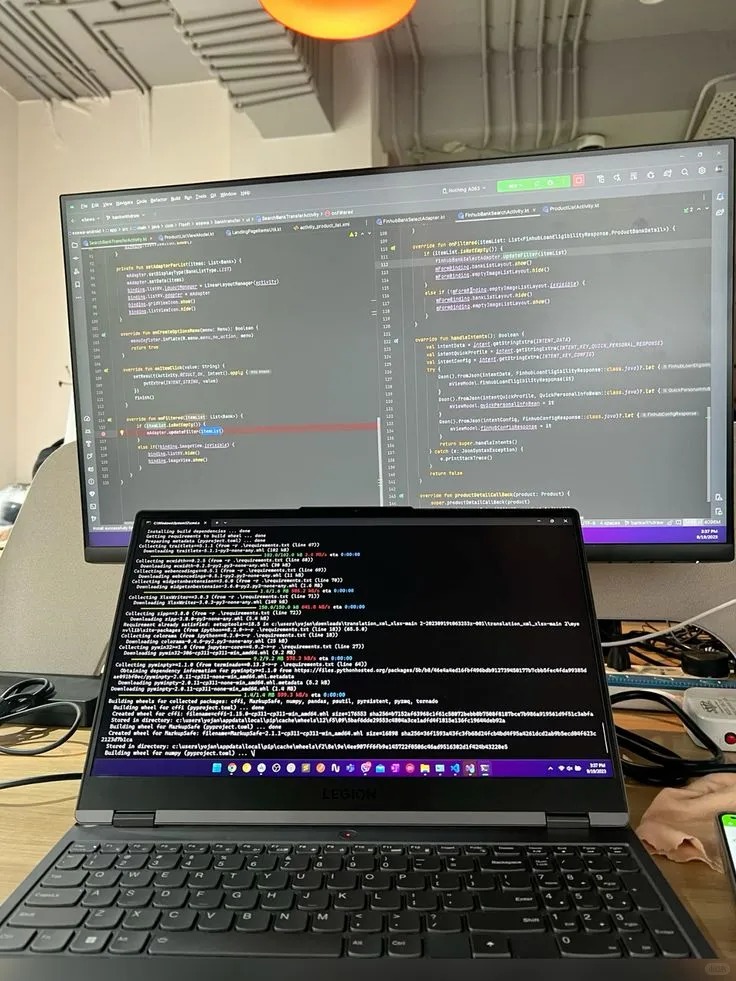
What put me off was the hassle. I’d need another device, keep looking between two screens, and transfer the code while watching the clock. Renaming variables also leaves the underlying logic largely unchanged, so it didn’t strike me as a dependable answer to code-similarity checks. With gaze detection now available in some HackerRank setups, repeatedly looking toward another device adds another concern.
Given these downsides, I'd recommend going for a real-time AI interview assistant instead. That’s one reason Linkjob AI caught my attention: it runs as a desktop application rather than a browser extension, with coding suggestions in a separate panel. For me, that makes the interface worth comparing—not just the word “bypass” in a tool’s description.
Bypass Screen Track
Since Linkjob AI is deeply integrated with the system, it runs as a top-layer overlay, so it always stays under the radar. This means that even during screen sharing, I can use it without ever getting flagged by the screen tracking algorithms.
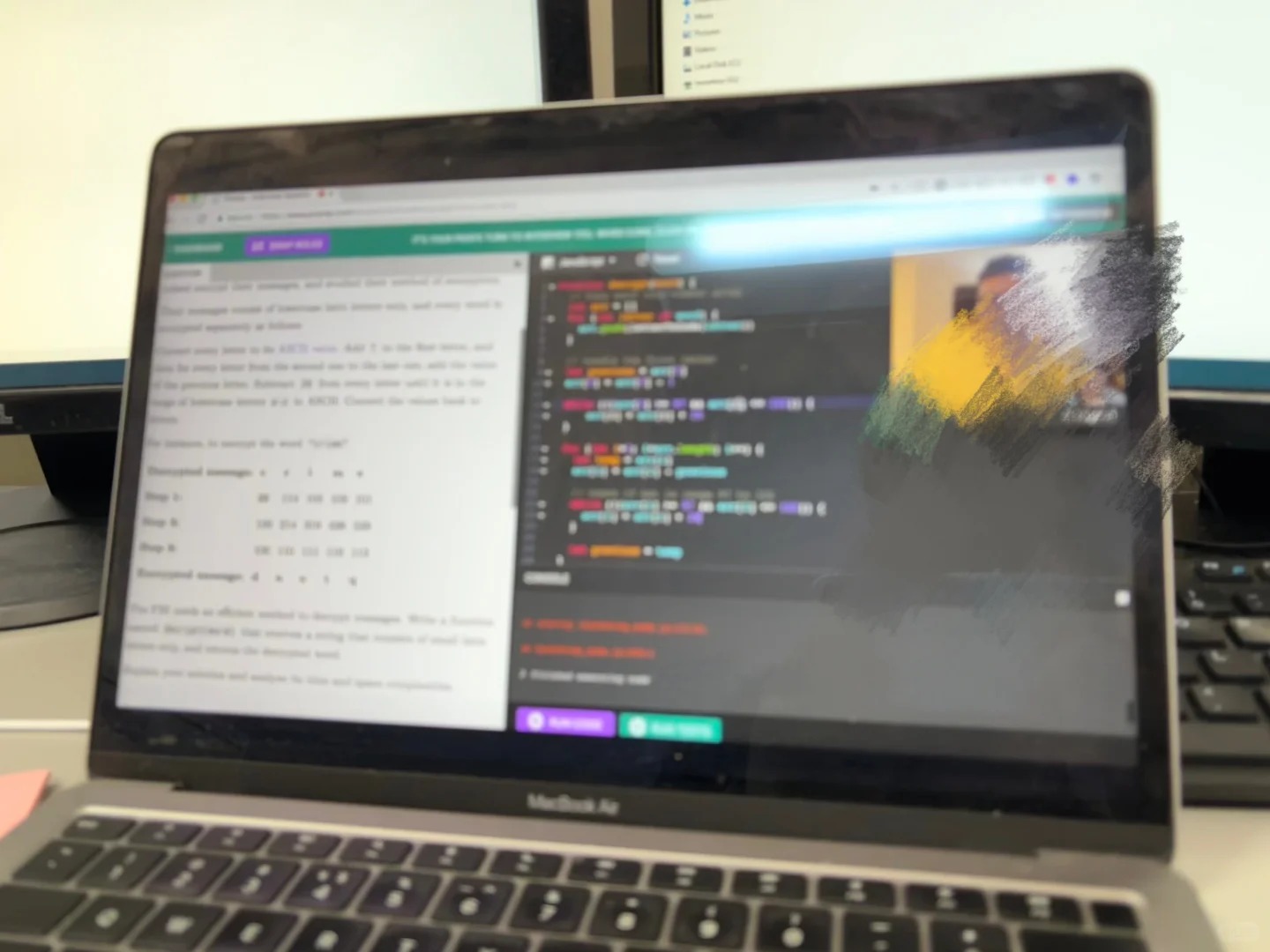
To make sure it really stays hidden, I did a test with a friend before the interview while simulating a HackerRank coding test. When I shared my entire screen, here's what happened:
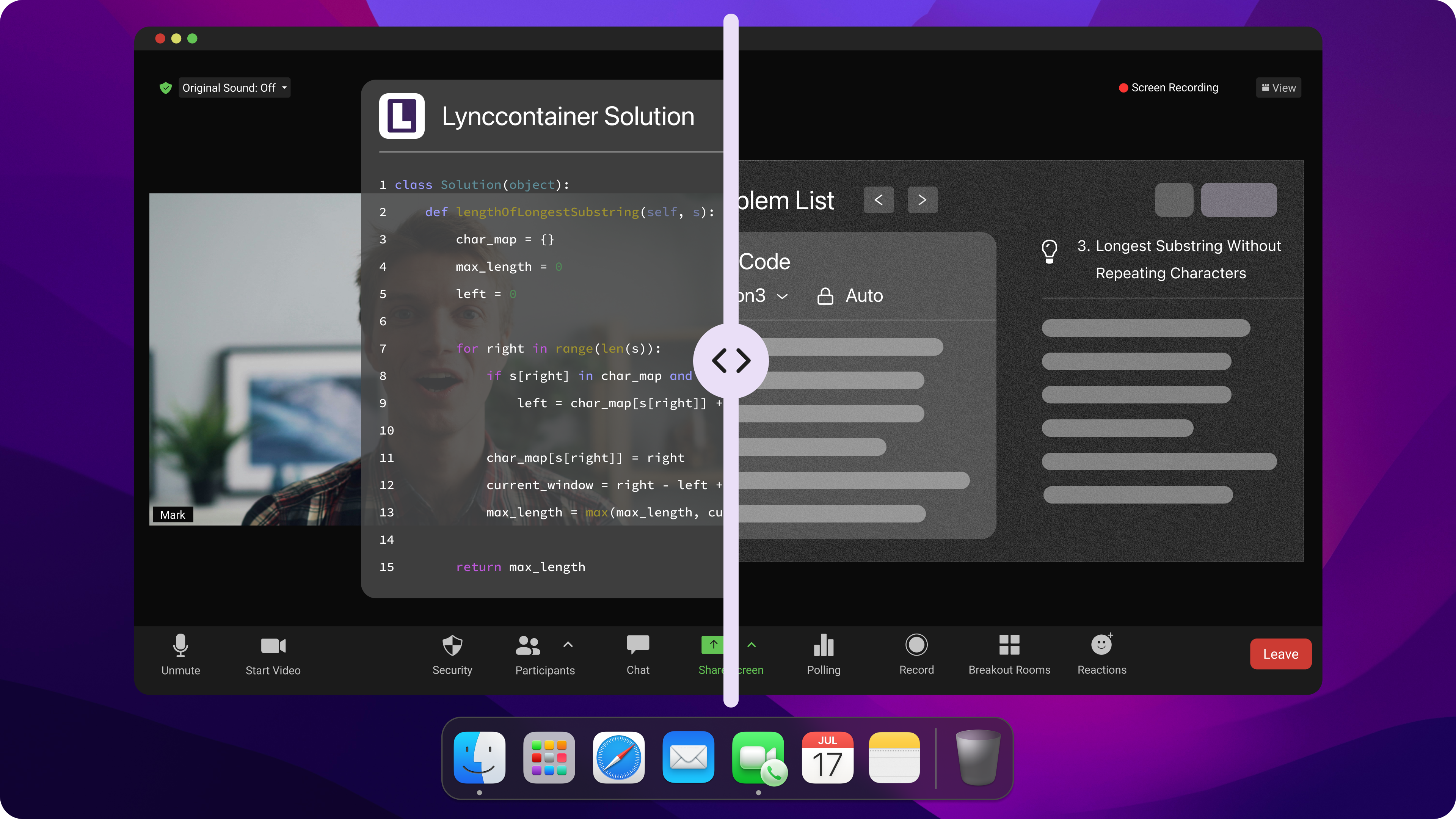
However, invisible on my computer doesn't mean it will be bug-free on yours. Even if you're preparing to cheat on hackerrank, I'd still highly recommend doing a test run with a friend via a video call before your actual interview, just to be safe.
Bypass Active Tab Track
When researching how to cheat on HackerRank, I quickly realized that tab tracking is one of the most common monitoring mechanisms used in online assessments.
Typically, online testing platforms have built-in monitoring for browser activity. On HackerRank, for instance, switching tabs triggers an alert because the platform monitors everything within the browser's sandbox.
However, Linkjob AI operates as a native application outside of the browser's environment. Because it resides on a different system layer, it remains completely invisible to the web-based tracking scripts. This allows me -- especially when practicing how to cheat on HackerRank scenarios -- to use AI assistance without ever interacting with the browser's focus or triggering its tab-tracking alarms.
Bypass Webcam Proctoring
A big concern for anyone searching for how to cheat on hackerrank is webcam monitoring, especially since many platforms now require video-based proctoring during coding interviews.
Recently, interview platforms have been cracking down on AI use. I've seen many posts on Glassdoor and Reddit mentioning that online assessments now require cameras to be on, and the same goes for many technical interviews. This becomes even more relevant when you're actively preparing to cheat on HackerRank situations.
However, this is not an unsolvable problem. Based on my experience, here are several effective strategies:
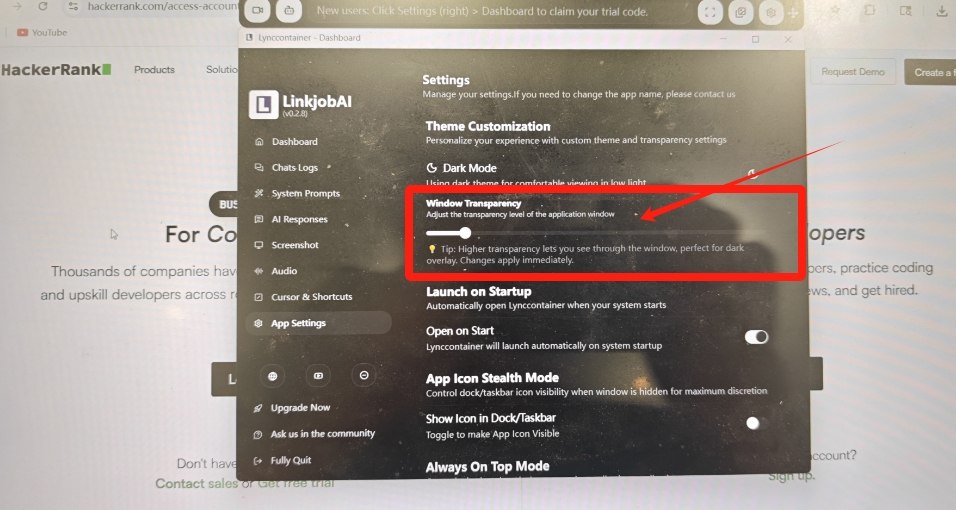
Adjust Transparency and Overlay: Before the interview, I decrease the opacity of the AI answer panel and position it directly over the problem description. This allows me to read the prompt and the AI suggestions simultaneously. In a how to cheat on hackerrank setup, this helps maintain focus on the question while keeping my workflow natural.
Optimize Window Placement: While answering questions, I move the AI answer panel directly below the webcam. This keeps my eye line much more natural. I also make sure to glance at the camera every now and then to keep the connection with the interviewer -- something that often matters in how to cheat on hackerrank interview environments.
Bypass Keystrokes Track and Copy / Paste Detection
Another important part of understanding how to cheat on HackerRank is knowing how keyboard activity is analyzed during coding assessments.
Online testing platforms track my keyboard strokes and clipboard activity. Frequent Ctrl+C and Ctrl+V actions, or abnormal keyboard input rhythms (such as sudden large-scale code entry after a long period of inactivity), will lead the system to suspect that I'm using external tools for assistance—something people often worry about when researching how to cheat on HackerRank.
However, this problem is also the easiest to solve. I just need to manually type in the code based on the AI-generated answers. The only thing to keep in mind is to control my typing pace, and slow down appropriately on the more difficult parts. Then, I can submit my answers at a reasonable time, submit my answers at a reasonable time.
Bypassing Detection: How to Use AI Assistants More Flexibly to Avoid Plagiarism Detection
When I first started thinking about how to cheat on HackerRank, one thing I quickly realized is that it's not just about writing code -- it's also about how you present your thinking process during the interview.
Delivery & Critical Thinking
When figuring out how to cheat on HackerRank, don't just read the AI's response word-for-word. Interviewers aren't naive. Use the AI for reference, but always include your own thoughts. After all, AI can't truly replicate human intuition.
If the code is too perfect, it lacks personality and risks raising red flags -- something I kept in mind while learning how to cheat on HackerRank more naturally. When coding, try adding some of your own comments to demonstrate your understanding.
Coding Habits
In real coding sessions, especially in environments like HackerRank, where people often think about how to cheat on HackerRank, the workflow is usually not perfect.
People normally write the main logic first and then handle edge cases or fix bugs during review. If you nail every edge case perfectly right from the start, it can look unnatural in some assessment contexts. So when preparing to cheat on hackerrank, I always try to keep my coding flow realistic and iterative.
Soft Skills & Realism
When learning how to cheat on hackerrank, I also noticed that problem-solving shouldn't feel instantaneous. Don't just blurt out the perfect solution immediately; introduce a natural thinking process that reflects real reasoning.
Even small imperfections can actually make your workflow look more realistic, especially in interview environments related to how to cheat on hackerrank scenarios.
If you wear glasses, be careful about reflections. The interviewer might be able to see your actual screen in the glare, which is something I became aware of while thinking about how to cheat on hackerrank in live interviews.
AI Tone & Preparation
When researching how to pass HackerRank, I also paid attention to how AI-generated responses can sound unnatural. They often use overly absolute or structured language, which can feel artificial.
Choose the best AI tools for preparation -- reliable AI assistance is usually the first step. I've tried several tools while exploring how to pass HackerRank, and I noticed that the quality varies a lot across platforms.
At the end of the day, AI is just an assistant. Even when thinking about how to cheat on HackerRank, you still need to review your resume, past projects, and understand the company and role thoroughly.
HackerRank Test Cheating Using AI (Practical Features Overview)
When I was exploring how to cheat on HackerRank, I also tested different AI-assisted workflows to understand how these tools behave in real coding environments.
Capture Live Screenshot
For me, while learning how to pass HackerRank tests, the screenshot-to-answer feature turned out to be the most practical workflow.
I can have Linkjob AI capture the entire screen or just a selected area. If one screenshot isn't enough, I take multiple shots. It supports processing multiple images at once, which is useful for complex problems -- how to pass on hackerrank.
I also pre-set prompts before interviews. When practicing cheating on hackerrank, this saves time because I don't need to manually instruct the AI during the session.
Attach Images / Upload File
I haven't used this much in real interviews while focusing on how to cheat on hackerrank, since it feels more suited for case-based scenarios.
Most of my preparation for hackerrank cheating is centered around coding and behavioral interviews, so this feature hasn't been a major part of my workflow.
Streaming Conversation AI Copilot
This feature becomes especially useful when thinking about how to cheat on hackerrank in real-time interview situations.
It helps during follow-up questions or behavioral discussions, which often appear alongside HackerRank-style coding rounds.
While preparing for HackerRank cheating, I noticed that it can sometimes misinterpret fast or unclear interviewer speech, but the real-time transcript still helps me recover context easily.
Personalized Service
To better simulate real hackerrank scenarios, I uploaded my resume, target roles, and company details to fine-tune responses.
Before each practice session, I adjust prompts so the output matches my tone and background more naturally, which is especially useful when preparing for hackerrank interviews.
The latest version also adds more customization options, which makes it easier to refine outputs based on different interview styles I encounter while studying how to pass HackerRank.
FAQ
Can the Linkjob AI icon be hidden from the Dock?
Yes. You can toggle off its visibility in the settings.
Does HackerRank Track Eye Movement?
Yes, in some setups. HackerRank now offers webcam-based gaze detection that analyzes eye and head movements. It is currently available on a limited basis, so not every assessment uses it.
Will HackerRank's monitoring system identify "perfect code" as AI-generated answers?
It's very likely. So, as I suggested in the main text, you'd better not copy the AI's code verbatim. You can add some comments or even include a few minor flaws that don't affect the overall logic.
Besides HackerRank's OA, can I also use LinkJob AI in other rounds of the interview?
Yes, you can. Linkjob AI can also be used for other interview stages. You can select your preferred prompt in the system prompts beforehand, and if you're not satisfied with the default options, you can always customize your own.
For example, if you are in a general interview, you can select the "Interview Assistant" prompt. For a technical interview, you can switch to the "Technical Interview Helper" prompt.
An advanced tip is that you can edit the prompt content to include some of your personal background. This makes the AI's answers much more tailored to your specific situation.
Does HackerRank Record Your Screen or Use Your Camera?
HackerRank does not always record your screen or use your camera. These features are only active when the employer enables screen recording or webcam proctoring for the test.
Can You Cheat on HackerRank?
When taking a HackerRank test in your browser, Linkjob AI remains undetected and completely invisible. However, if you’re taking the test through HackerRank’s desktop application, Linkjob AI cannot guarantee that it will go undetected.
Will this AI Assistant be detected for exams with a camera or Webcam?
Absolutely not! Linkjob AI is completely developed based on a virtual system operation layer. Your mouse and AI-generated answers operate within an independent virtual system layer that cannot be monitored by the device on the interview page. Therefore, you don't need to worry about webcam surveillance.
For external cameras, there's no need to worry about the interviewer suspecting you if your gaze wanders while looking at answers, because you can adjust the transparency of the AI assistant page. You can make the assistant chat box transparent and drag it to the center of the screen, so to the interviewer, it seems like you are seriously reading the questions rather than looking for answers elsewhere on the screen!
See Also
My Experience Cheating During a Webex Interview With AI
How to Use Tools for Screen Capture Not Detectable by Coderbyte
How to Cheat HireVue Interviews with Undetectable AI Assistant
How I bypassed CoderPad Anti-Cheating Checks in 2026
My Experience Using a LeetCode Interview AI Assistant for Coding
Why People Choose Linkjob AI
Smoother interviews, coding challenges cleared, and job offers landed. See how users describe their experience with Linkjob AI—in their own words.