How I Cheat on Codility and Avoid Getting Caught in 2025

Like many other online testing platforms, Codility has significantly ramped up its anti-cheating measures recently, making its detection systems more sophisticated than ever. Relying on old-school methods—such as using cheat sheets, copying from ChatGPT, or outsourcing questions to others—is almost a guaranteed way to get caught. These traditional approaches simply can’t keep up with modern detection mechanisms anymore.
However, next-gen AI tools can still bypass these filters and provide real-time assistance during live interviews. In this post, I’ll share the tricks I used to stay undetected on Codility and my specific workflow for leveraging AI.
I'm grateful to Linkjob AI for helping me pass my interview, which is exactly why I’m sharing this. Having an undetectable onscreen AI interview assistant throughout the process is a total game-changer.
Codility Cheating Detection Methods and Coping Strategies
Here are some common detection methods and how the AI tool handles them.
Tab and Browser Tracking
Codility tracks tab and browser activity. If you switch tabs frequently during the test, the platform will detect it. Sometimes it will trigger a warning telling you not to leave the page. Other times, it might not warn you at all, but it will silently log your activity and flag you for potential cheating. Therefore, it’s best to stay on the active tab until you’ve finished the assessment.
Screen Sharing Detection
Screen sharing is the method that most easily leads to getting caught, especially when you're required to share your entire desktop and the interviewer can see everything on your screen. This is where an undetectable AI really shows its value.
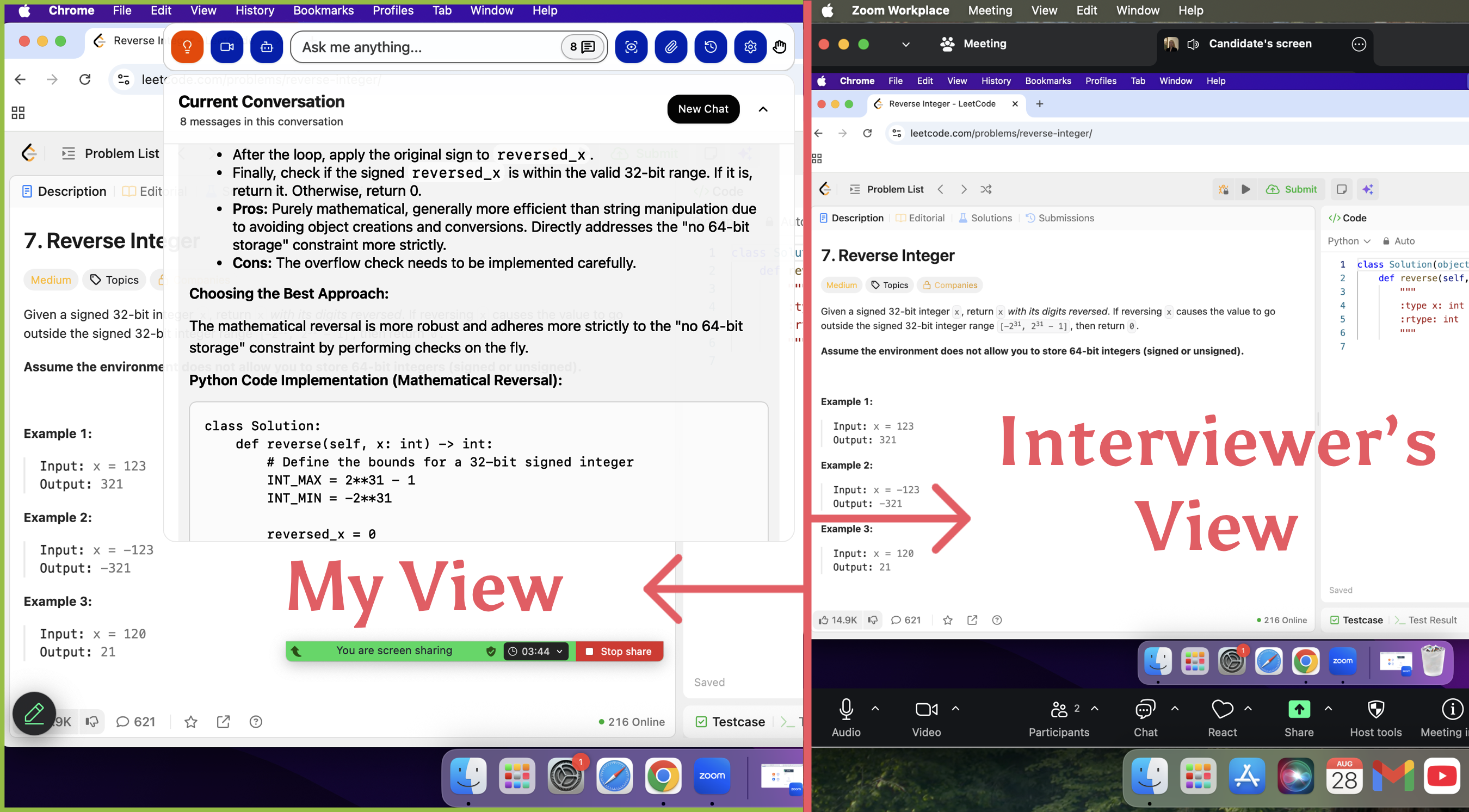
I can have the AI solve the problems for me while remaining completely invisible to the interviewer. From their perspective, the AI simply doesn't exist. As shown in the image below, I tested this with a friend before my actual interview to make sure it worked perfectly.
Multi-Monitor Detection
External monitor detection is another layer of security, as screen sharing alone isn't always enough to catch cheating. If you use an external display to look up answers during the test, Codility may flag your session.
However, because Linkjob AI is undetectable even on a single-monitor setup, it won't trigger this mechanism, allowing me to stay safe without needing extra hardware.
Video and Audio Proctoring / Webcam Monitoring
Codility tests usually require candidates to turn on their camera. Some interviews are conducted live with an interviewer, so you may also need to join a video call. The purpose is to let the interviewer observe your facial expressions and eye movements.
This part is trickier to manage. Current AI technology can’t realistically fix eye-movement issues, and Linkjob is no exception.
Regarding this detection, I have to rely on my own strategies since AI can't help with eye movement. Because Linkjob AI works as a small floating window, I simply move it to the most natural position for the situation.
For example, if the interviewer asks about my code, I’ll drag the window right above my solution so it looks like I’m just reviewing my own work. If they ask other questions, I’ll place it over the problem description, making it appear as though I’m carefully thinking about optimization or handling edge cases.
Model Solutions
Providing an answer too quickly without any visible thinking process, or submitting code that is completely flawless, can actually be a red flag. If your response is too perfect, it might raise suspicion that you are cheating.
However, there is a workaround: through mock-interview practice, I can get familiar with the rhythm of AI-generated answers, and by adjusting the prompts, I can shape the tone and structure of the responses so they match my natural speaking style as closely as possible.
Also, I never follow the AI-generated answers word for word. Even though the AI tailors its responses based on my resume and the role I’m applying for, I still blend its suggestions with my own ideas so it doesn’t sound like AI.
Copy Paste Detection
Shortcuts like command-position are another thing Codility closely monitors. If you suddenly paste a large block of code during the interview, there’s a high chance it will be flagged as cheating. And what’s tricky is that on platforms like Codility, companies and interviewers can choose whether or not to notify the candidate when copy-paste or other shortcuts are detected. So just because you didn’t get a warning doesn’t mean you’re safe — it might simply be because the interviewer turned off the notification.
This type of detection is the easiest to bypass, simply because I can avoid using copy-paste altogether. Since the AI provides me with the complete solution anyway, it’s really no trouble to manually retype the code myself.
Codility Cheating Methods to Avoid
Using AI Tools Like ChatGPT
While general AI tools like ChatGPT can solve interview problems, their biggest flaw is that they are easily detected as soon as you share your screen. For this reason alone, they are not recommended.
You might think about using them on your phone, but if the interview requires a camera, it’s nearly impossible to dodge detection that way either.
External Help and Code Sharing
This method is even more old-school: taking photos of the interview questions, sending them to a partner for help, and then copying down the answers. It runs into the exact same issues as using general AI tools—it simply can't stand up to the requirements of screen sharing and live camera monitoring.
Browser Tricks and Extensions
This option is slightly better than the first two— using browser‑extension tools to cheat. However, it still cannot handle screen‑sharing requirements. A browser extension exists at the same layer as the browser itself, so once you start sharing your screen, you either stop using it or you get caught. There’s basically no middle ground.
To summarize, each of these three methods has its own drawbacks.
Advanced Undetectable Cheating Strategies
Things to Avoid
Pasting large blocks of code.
Frequently switching away from the test page.
Leaving your seat, switching people, or having multiple people appear on camera while the webcam is on.
Using keyboard shortcuts out of habit.
Unnatural micro-expressions or darting eyes.
Inconsistent answering pace: either no time to think, or freezing before suddenly responding fluently.
Overusing technical jargon when answering questions.
Answers that feel too AI-generated: not adding personal reasoning and relying entirely on AI-generated responses.
Answering extremely difficult questions in an unnaturally deep and perfect manner.
Simulating Natural Coding Behavior
I always try to make my coding look as real as possible. When I cheat, I don’t just paste code and hit submit. I type slowly, pause to think, and even make small mistakes on purpose.
Sometimes, I add comments that explain my thought process. I fix typos and change variable names as I go. This helps me blend in with genuine test-takers.
Here’s what I do to look natural:
Type code in small chunks.
Scroll up and down to review my work.
Add comments like
// Trying a different approach here.
Time management strategies
I never rush through the test. If I finish too quickly, it looks suspicious.
I set a timer for each question and take short breaks between problems.
I spend extra time reading instructions and checking my code.
Sometimes, I even leave a question blank for a few minutes before coming back to it.

FAQ
If the interview is interrupted due to a network issue, will it be considered cheating?
Interruptions caused by factors outside your control do not count as cheating. You can usually request a retake by sending an email to the platform or recruiter. If you can prove the issue wasn’t your fault, you can generally get a response in about three days allowing you to retake the OA.
Besides Codility, does Linkjob AI support other platforms?
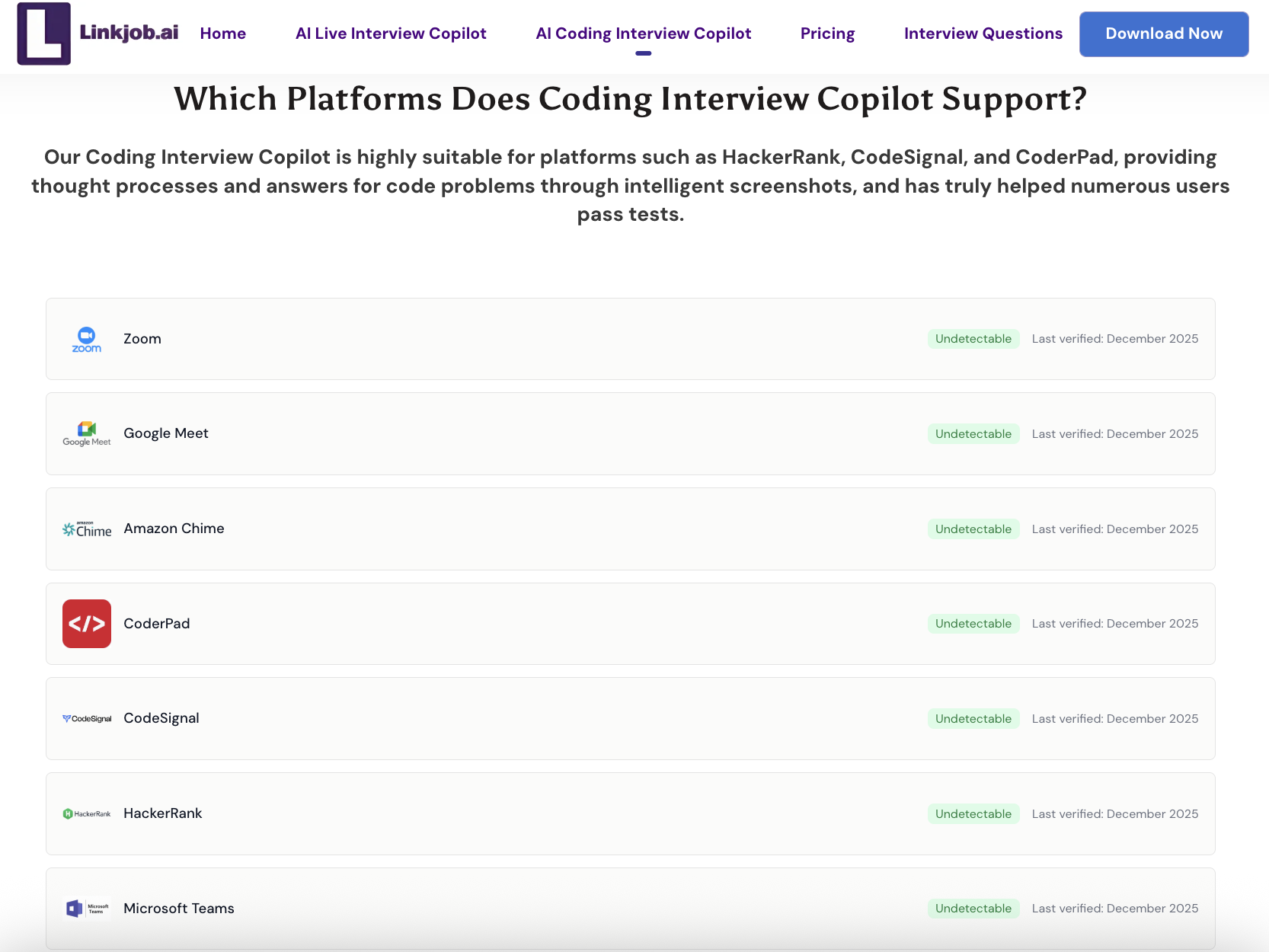
Yes, Linkjob AI also supports other major online assessment platforms, including HackerRank, CodeSignal, and more.
Can Codility detect AI-generated code?
Yes, Codility can spot patterns from AI tools. I always edit the code and add my own comments. I change variable names and logic to make it look like my work. That helps me avoid detection.
See Also
Leveraging Technology to Gain an Edge in CodeSignal Tests
My Success Story: Mastering the BCG X CodeSignal Test
Effective Strategies for Tackling Capital One Data Analyst Assessments
Unlocking Success: Insights from My Ramp CodeSignal Experience
Navigating the TikTok CodeSignal Assessment: My Tips and Strategies
© Copyright 2025 Linkjob.ai - All Rights Reserved.