Acing Meta’s 2025 AI-Enabled Coding Interview: My Guide

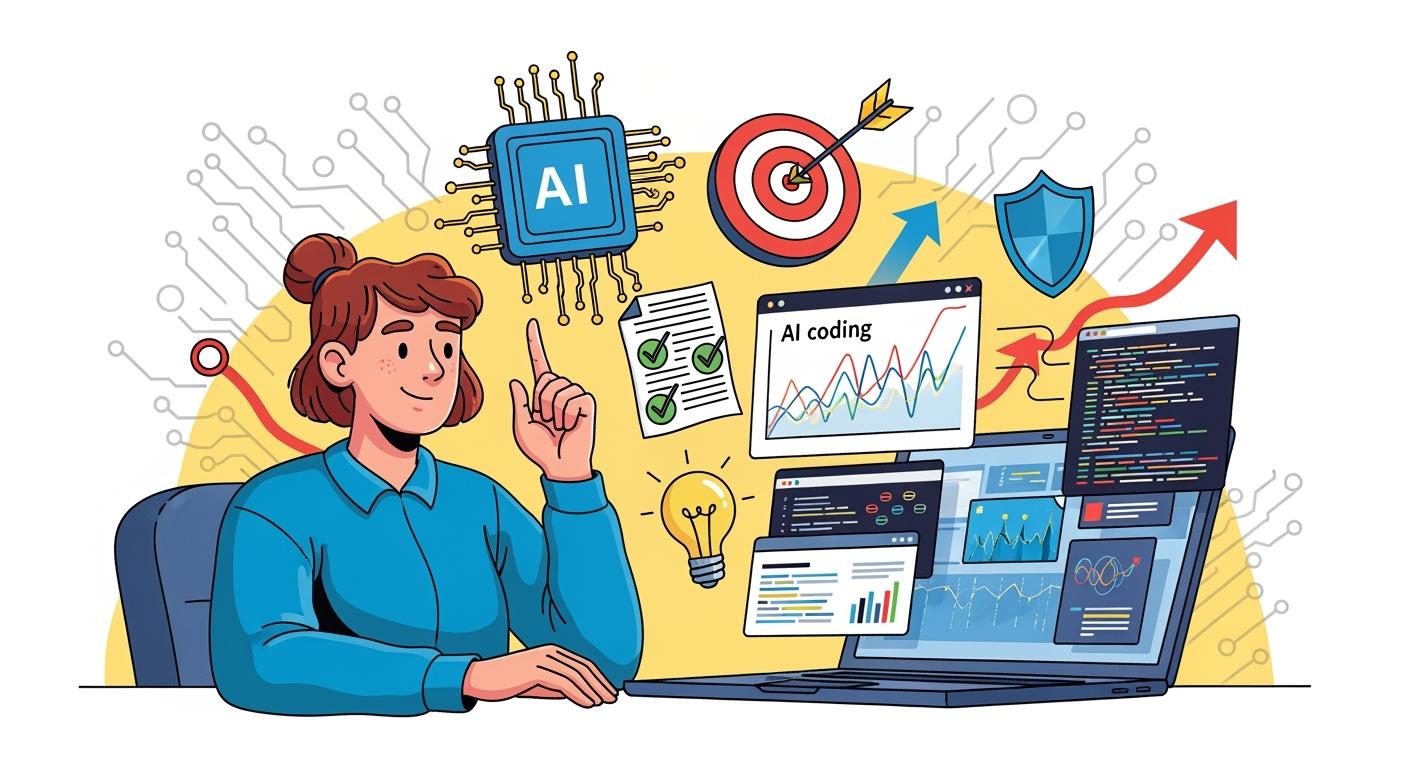
I passed the meta ai coding interview in 2025, and it still feels unreal. This interview used a new AI-enabled format, where I could openly use AI assistants during the coding session. The whole process felt different from any tech interview I had before. I know the odds are tough—less than 5% of candidates make it through all the stages. One interviewer said the pass rate stays in the single digits, which shows how challenging it is. If I can do it, so can you!
I’m really grateful to Linkjob AI for helping me pass my interview, which is why I’m sharing my interview questions and experience here. Having an undetectable AI interview tool during the interview indeed provides a significant edge.
Meta AI Coding Interview Process
Interview Stages
In October 2025, Meta introduced a new AI-assisted coding round. This replaced one of the traditional algorithmic interviews. I worked with a real codebase and an AI assistant in a CoderPad session. My tasks included building features, extending partially implemented code, and debugging broken implementations. This round felt much closer to real-world engineering.
Time Management Strategy
The interview lasts 60 minutes. Here’s how to use that time effectively:
First 5 minutes: Familiarize yourself with the CoderPad interface and the AI chat panel (e.g., GitHub Copilot or Meta’s internal assistant).
Next few minutes: Listen as the interviewer presents the problem statement, then ask clarifying questions about requirements, constraints, and expected output.
Early investigation: Review the existing code structure and helper functions. Examine the test file(s) to understand expected behavior, then run the initial test suite to identify which cases pass and which fail.
Core development phase: Strategically leverage AI to help diagnose test failures, brainstorm appropriate algorithms, and generate or refine implementation code—but always critically review and validate the AI’s output.
Final minutes: Be ready to explain the time and space complexity of your solution, and discuss design trade-offs, edge cases, and potential optimizations (e.g., pruning for NP-hard problems or caching strategies).
This structured approach demonstrates not only technical competence but also engineering maturity—the core focus of Meta’s AI-enabled coding interview.
AI Assistant Integration
The AI assistant changed everything for me. Instead of just writing code from scratch, I could use the AI sidebar in CoderPad, which felt a lot like GitHub Copilot. Here’s what stood out:
The interview gave me one long problem with multiple stages. I had to work with several files and classes.
Sometimes, I built new features. Other times, I extended existing code or fixed bugs.
The AI assistant was always available, but I had to manage it carefully. I made sure I stayed in control of my design and implementation.
The tools reflected how Meta engineers work every day. Using AI wasn’t just allowed—it was expected.
AI has fundamentally changed the way software is developed… Our modernized AI-enabled interview is a better representation of our work and of our mission.
The AI assistant didn’t just help me write code faster. It supported equity and access. I could show my skills in a collaborative environment, without artificial constraints. The interviewers wanted to see how I used AI to solve problems, not just how well I could memorize syntax.
Assessment Criteria
Meta used four main criteria to evaluate me during the meta ai coding interview:
Problem Solving: They watched how I tackled programming challenges. I needed to use AI tools effectively, not just rely on old-school coding tricks.
Technical Competency: My code had to be correct, efficient, and well-structured. I showed that I understood the core concepts.
Verification: I tested my solutions and made sure everything worked. Debugging AI-generated code became a big part of this.
Communication: I explained my thought process clearly. I talked through my decisions and made sure the interviewer understood my approach.
In this interview, problem-solving meant more than just writing code. I had to collaborate with the AI, engineer good prompts, and debug what the AI produced. This matched the skills Meta expects from its developers.
Here’s a quick table that helped me remember what mattered most:
Assessment Area | What They Looked For |
|---|---|
Problem Solving | Using AI tools to tackle challenges |
Technical Competency | Writing correct, efficient, clean code |
Verification | Testing and debugging solutions |
Communication | Explaining decisions and thought process |
The meta ai coding interview felt modern and practical. I learned that mastering both coding and AI collaboration is key to success.
Real Questions And Scenarios
The core task was to get four test files passing. For each file, I had to:
Uncomment a currently disabled (failing) test case,
Run the test suite,
Compare the actual output against the expected output,
Then debug and fix the underlying implementation until the test passed.
I used Python comfortably with the unittest framework—especially interpreting its output format, such as assertion errors showing mismatches between expected and actual values.
⚠️ Important CoderPad Tip: The program output panel does not auto-clear between runs, and if you’ve scrolled up, new logs won’t automatically scroll back down. You must either manually clear the console or carefully verify you’re reading the most recent execution logs—otherwise, it’s easy to misdiagnose failures based on stale output.
Here’s how the four test files progressed:
Test File 1 (Warm-up – No AI Allowed):
This was designed purely to help candidates get familiar with the codebase. I fixed basic issues like incorrect path formatting in the printed output and a missing visited-node tracking mechanism in the DFS implementation, which was causing infinite loops.Test Files 2–4 (AI-Assisted Development):
These introduced increasingly complex maze features that required extending the solver logic. For example:Restricted tiles that block movement unless certain conditions are met,
Collectible items (e.g., keys) that must be gathered before accessing specific regions of the maze,
Stateful traversal where the agent’s capabilities evolve during the search.
Each new requirement demanded careful modeling of the search state (e.g., including collected items in the BFS/DFS state tuple) and thoughtful integration with the existing architecture—all while leveraging AI tools strategically to accelerate coding, but always validating correctness manually.
This structure effectively mirrors real-world engineering: you inherit a partial system, write tests to define behavior, and iteratively enhance it under constraints—with AI as a collaborative partner, not a crutch.
Preparation Tips For Meta AI Coding Interview
Getting ready for the meta ai coding interview felt like training for a marathon. I wanted to build my skills step by step, so I broke my prep into three main parts: study plan, resources and running mock interviews. Here’s how I tackled each one.
Study Plan And Resources
I started with a focused study plan tailored specifically for AI-assisted coding interviews. Instead of just grinding traditional problems, I prioritized learning how to effectively collaborate with AI coding assistants—because that’s what modern interviews like Meta’s actually test.
My daily routine looked something like this:
2–3 hours practicing AI-augmented coding: I worked through problems similar to those in Cracking the Coding Interview, but always with AI tools by my side. I actively compared outputs from ChatGPT (GPT-5), Gemini 3, Claude Sonnet 4.5, and open-source models like CodeLlama to understand their strengths, failure modes, and prompt sensitivities.
1–2 hours refining prompt engineering for coding tasks: I developed and tested reusable prompts for common scenarios—debugging failing unit tests, generating stateful BFS/DFS templates, or explaining time complexity—so I could use AI efficiently under time pressure.
~20 hours preparing my research talk, ensuring I could clearly articulate technical trade-offs (including when and why to use—or not use—AI in real systems).
Regular behavioral practice using the STAR method, with stories that highlighted collaboration, debugging under uncertainty, and adapting to new tools like AI pair programmers.
This shift—from solo coding to AI-Enabled problem solving—was the key to my success. It didn’t just help me pass the interview; it prepared me for how software is actually built today.
To keep myself organized, I made a table of my favorite resources. These helped me cover everything from algorithms to system design and AI concepts.
Resource Type | Resource Name |
|---|---|
Book | Tech Interview Handbook Coding Interview Study Plan |
Book | Cracking the Coding Interview |
Videos | CS Dojo |
Videos | Exponent |
Platform | HackerRank Interview Prep Kits |
Platform | Kaggle |
Platform | Linkjob AI |
Platform | Leetcode |
During my interview prep, the tool that helped me the most was Linkjob AI. It offers access to 125+ AI models—all with unlimited usage—and comes packed with interview-optimized prompts, especially tailored for AI-assisted coding scenarios like Meta’s AI-Enabled Coding Interview.
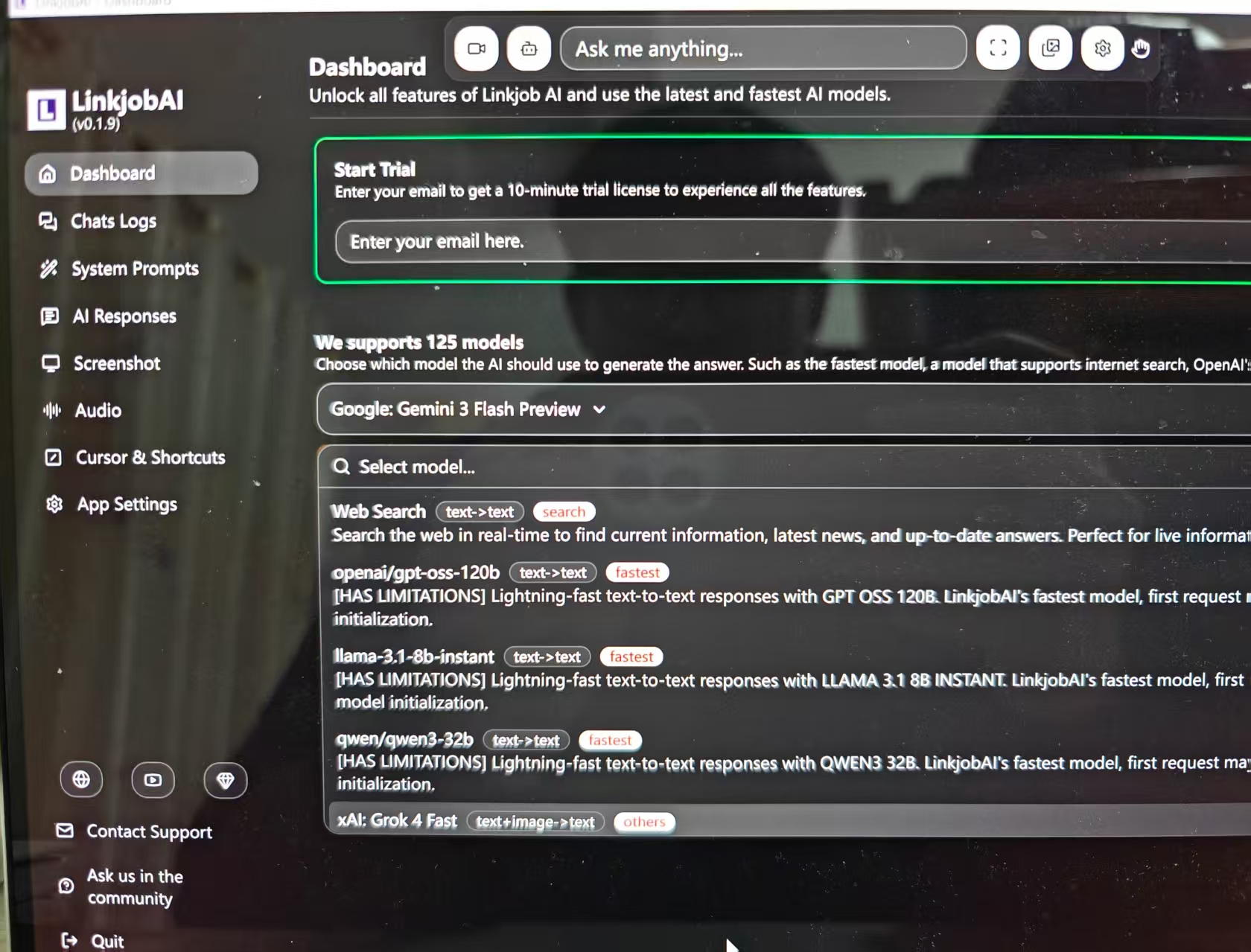
What made it truly valuable was its ability to simulate real-time collaboration: I could iterate on code, debug test failures, and refine algorithmic strategies using context-aware prompts, closely mirroring the actual interview environment. The breadth of models and ready-to-use prompt templates significantly accelerated my practice and deepened my understanding of how to effectively partner with AI during high-stakes coding rounds.

Mock Interviews
Mock interviews helped me tie everything together. I ran sessions with AI assistance and sometimes with peers. These practice rounds gave me a chance to test my skills and get feedback.
I received personalized feedback that showed me where I was strong and where I needed to improve.
I could schedule mock interviews whenever I wanted, which made it easy to fit practice into my busy week.
The sessions felt like real interviews. I got used to the pressure and learned how to stay calm.
"AI-powered mock sessions can be a game changer for preparation." — Laura M. Labovich, CEO of The Career Strategy Group
Practicing with sample codebases and running mock interviews helped me build confidence. I learned how to interact with AI, debug code, and improve my solutions. These skills made a huge difference when I sat down for the real interview.
If you want to succeed, start early and practice often. Use the resources above, work with AI tools, and run mock interviews. You’ll build the skills Meta looks for and feel ready when the big day comes.
Shared Experiences And Common Patterns
Frequently Asked Questions
I get a lot of questions from friends and other candidates about the meta ai coding interview. Here are some of the most common ones I hear:
Can I use any AI tool during the interview?
Meta provides a built-in AI assistant in CoderPad.Do I need to know every algorithm by heart?
Not really. The focus has shifted. Interviewers want to see how you solve problems and communicate, not just how much you can memorize.What programming language should I use?
Python is the most popular choice now. I noticed Python came up more than twice as often as JavaScript in recent interviews.How important is prompt engineering?
It matters a lot. Good prompts help the AI assistant give better answers. I practiced writing clear instructions for the AI.
Trends In Recent Interviews
I noticed some big changes in the past two years. Meta’s new approach lets us use AI tools, which matches what engineers do every day. The interview now tests how well we work with AI, not just how fast we can code alone. Here’s a quick look at the trends:
Trend | Change (%) | Description |
|---|---|---|
AI Mentions | +35% | AI comes up much more often in interviews and job descriptions. |
Python vs JavaScript | 2x | Python is now the top language for most candidates. |
Prompt Engineering | High | Interviewers ask more about prompt writing and AI interaction. |
I also saw that 83% of developers finish projects faster with GenAI tools. This shows how much AI has changed the way we code.
Lessons From Other Candidates
I learned a lot from others who passed the meta ai coding interview. Here are some tips that helped me:
Practice object-oriented design questions with the AI assistant. Try building new features or extending code.
Stay in control of your design. Use AI for writing code, but make the big decisions yourself.
Always check the AI’s output, especially for tricky edge cases. The bar is higher when you have AI help.
My biggest takeaway: Treat the AI as a teammate, not a crutch. The interview rewards those who can guide the AI and explain their choices clearly.
Mindset And Mistakes To Avoid
Staying Motivated
Staying motivated during my Meta AI coding interview prep took real effort. I reminded myself that preparation and practice build confidence. I focused on coding speed and got comfortable with system design questions. I tried to see the interview as an exciting challenge, not just a test. Interviewers want candidates to succeed, so I kept that in mind.
Here are some strategies that helped me stay positive:
I made sure my internet connection worked well before remote interviews.
I created a cheat sheet for quick reference, but I avoided relying on it too much.
I practiced mental rehearsal. I visualized myself solving problems and succeeding.
I used breathing techniques to calm my nerves before each session.
These habits helped me stay focused and motivated, even when things felt tough.
Common Pitfalls
I noticed some common mistakes that trip up candidates in the Meta AI coding interview. I learned to watch out for these:
Lack of preparation. Some candidates underestimate the difficulty and skip reviewing machine learning basics.
Overselling skills on a resume. Interviewers can spot gaps quickly and ask tough questions.
Treating the interview like an exam. Working alone instead of collaborating with the AI assistant can hurt your chances.
I also realized that testing code thoroughly is important. I always created test cases to check my solutions. Over-relying on AI can lead to problems. I reviewed AI-generated code to avoid security risks and kept my coding skills sharp.
A 2022 study from NYU found that 40% of AI-generated code snippets contained vulnerabilities, such as SQL injection risks and weak authentication mechanisms.
I made sure to communicate my thought process clearly and managed my time wisely. Advancing the solution mattered more than perfecting every detail.
FAQ
What AI assistant did Meta provide during the interview?
Meta gave me access to their built-in AI assistant inside CoderPad. I could use it for code suggestions, debugging, and prompt engineering.
How much time did I get for each coding round?
I only had 60 minutes for the coding round. The time felt tight, so I managed my pace and focused on solving the main problem first.
Did I need to memorize algorithms?
No, I did not memorize every algorithm. I focused on understanding problem-solving patterns and communicating my approach. The interviewers cared more about how I used AI and explained my solutions.
Can I ask the AI assistant for help with debugging?
Yes! I asked the AI assistant to help me find bugs and suggest fixes. I always reviewed its output and made sure the code worked as expected.
What programming language did I use?
I chose Python because it was the most popular option. The AI assistant worked well with Python, and the interviewers seemed comfortable with it too.
See Also
My Journey of Preparing for a Generative AI Interview
A Candid Look at AI Tools for Interview Readiness
Exploring Various AI Tools for Effective Interview Preparation
Discovering Life-Changing AI Tools for Interview Success
My Strategy for Excelling in the BCG X CodeSignal Assessment
© Copyright 2025 Linkjob.ai - All Rights Reserved.