Pymetrics Cheat : How Pymetrics Online Assessments Detect Manipulation and What Actually Works

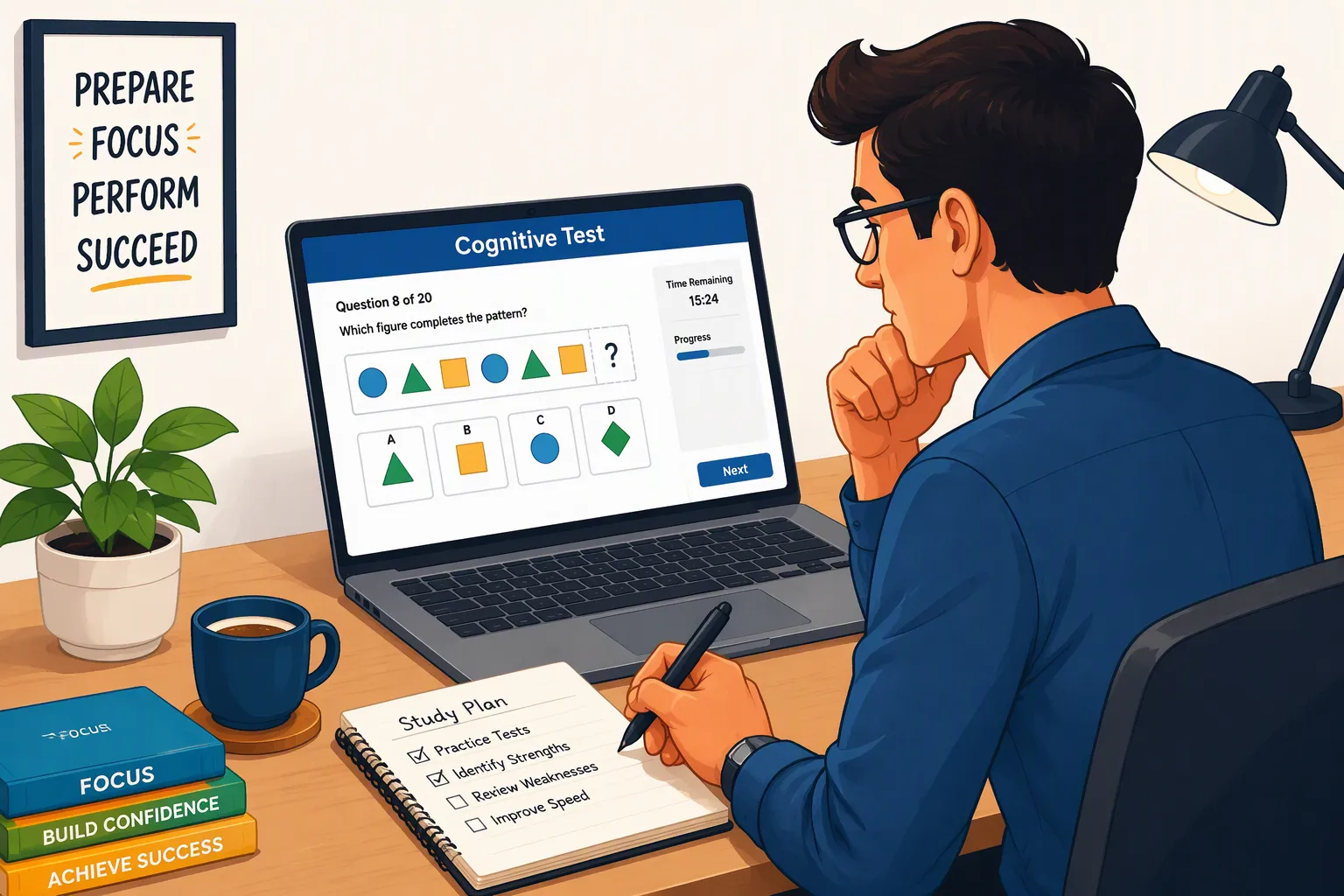
When I received my first Pymetrics online assessment invite—with a 72-hour deadline and the warning that my results would be locked for 330 days across every other firm using the platform—my first instinct was to search for a Pymetrics cheat.
I quickly realized why so many candidates get auto-rejected within ten minutes of finishing the assessment. Most people who search for a Pymetrics cheat make one of two fatal mistakes: either they run a dumb browser auto-clicker or macro script that gets flagged by Pymetrics' inter-keystroke variance detector, or they memorize a generic blog post from five years ago and get blindsided by the 4 quantitative/logical bonus games (Sequences, Shapes, Magnitudes, Letters) and the Pymetrics Digital Video Interview that banks and consulting firms now tack onto the end of the 12 core games.
Over the past recruiting cycle—while going through Pymetrics assessments for investment banking, private equity, and management consulting roles—I mapped out the exact mechanics of the Harver/Pymetrics platform. Even more important, I tested how to pair game-specific heuristics with Linkjob AI so I could solve timed visual pattern puzzles, Tower of Hanoi configurations, and one-way video interview prompts in real time without triggering a single browser focus or proctoring alert.
Below is my complete, unfiltered breakdown of how the Pymetrics online assessment process works in 2026, how its anti-cheat telemetry catches naive manipulation, how to configure Linkjob AI safely (using either the desktop floating window or Dual-Device phone mode), and the exact game-by-game cheat sheet for all 16 Pymetrics games.
How the Pymetrics Online Assessment Process Works in 2026
Before trying any Pymetrics cheat or shortcut, you need to understand what happens behind the scenes when you click your assessment link from JPMorgan Chase, Blackstone, Boston Consulting Group (BCG), Bain & Company, PwC, Accenture, Unilever, Kraft Heinz, Mastercard, or Standard Chartered.
Acquired by Harver, Pymetrics is no longer just a casual 20-minute personality quiz. In 2026, employers deploy Pymetrics as a three-part online assessment funnel:
Part 1: The 12 Core Neuroscience & Behavioral Mini-Games (25–30 Minutes)
What It Measures: Instead of asking multiple-choice personality questions that are easy to fake, the 12 core games track thousands of behavioral data points across 91 cognitive, social, and emotional traits grouped into 9 categories: Attention, Focus, Decision Making, Risk Tolerance, Effort, Learning, Fairness, Generosity, and Emotion.
How Scoring Works (The Role-Specific "Success Profile"): There is no universal "high score" on the 12 core games. Your gameplay telemetry is compared against a machine-learning benchmark built from that specific employer's top-performing employees in that exact division (for example, a JPMorgan Sales & Trading desk rewards higher risk tolerance and rapid rule-switching than a corporate audit role). The system outputs one of three buckets to HR: Highly Recommended, Recommended, or Not Recommended.
Part 2: The 4 Quantitative, Logical & Working-Memory Bonus Games (10–15 Minutes)
Right-or-Wrong Grading: Unlike the 12 behavioral games, many consulting firms and financial institutions enable 4 additional cognitive games (Magnitudes, Sequences, Shapes, and Letters). These games do have objectively correct answers and grade your raw numerical speed, abstract pattern recognition, and N-back working memory under strict 5-to-45-second timers.
Part 3: The Pymetrics Digital Video Interview & Scored Quant Round (20–30 Minutes)
One-Way Recorded Video Prompts: Immediately after the games (or via a follow-up Pymetrics link), candidates for firms like Blackstone, JPMorgan, and Unilever face 4 to 6 recorded video questions ("Why this division?", situational conflict prompts, and market-awareness questions) where you get 30 to 60 seconds to prep and 90 to 120 seconds to record on webcam.
The 330-Day Score Lock Rule: Once you complete the Pymetrics games, your behavioral profile is locked in the Harver/Pymetrics database for 330 days (roughly 11 months). If you apply to another company or division within that window, you cannot retake the games—your existing profile is automatically re-scored against the new employer's model. That is why getting it right on your very first attempt is critical.
How Pymetrics Detects Cheating, Bots, and Browser Manipulation
Can Pymetrics detect cheating? Yes—if you use naive browser extensions, auto-clicker macros, or erratic human shortcuts. Here are the four specific anti-cheat and anomaly-detection layers built into the Pymetrics online assessment platform in 2026:
1. Biometric Keystroke Timing & Auto-Clicker Detection
In games like Keypresses and Easy or Hard, candidates often try to run a mouse/keyboard macro script to hit the spacebar 300 times in 12 seconds. Pymetrics logs the exact millisecond timestamp of every keydown and keyup event. A human tapping rapidly exhibits natural biological jitter (variance between 65ms and 120ms per tap) and slight fatigue deceleration over 12 seconds. A software macro produces uniform inter-tap intervals (e.g., exactly 20ms) or superhuman frequencies (>15 taps/second), which immediately flags your session for automated input manipulation.
2. Statistical Outlier Flagging on Memory & Cognitive Games
In the Digits game (where numbers flash on screen one by one and you type the sequence back), the game runs until you make 3 mistakes. Because the digits flash sequentially, it is trivial to jot them down on paper or capture them on screen. However, normal human short-term working memory peaks between 7 and 9 digits (with top performers reaching 10 to 12). Candidates who use a cheat note to reach 18, 20, or 25 digits trigger an anomaly flag because a 20-digit span is statistically impossible without external recording.
3. Behavioral Contradiction Across Paired Games
Pymetrics pairs multiple games to measure the same underlying trait from different angles. For example, Balloons, Cards, and Easy or Hard all measure Risk Tolerance and Learning, while Money Exchange 1 and Money Exchange 2 cross-check Fairness and Generosity. If you try to "fake" reckless risk-taking in Balloons (popping 20 balloons in a row) and then play ultra-conservatively in Cards, the algorithm flags your profile as erratic and lowers your match confidence score.
4. Browser Focus (window.onblur), Tab-Switching & Webcam Monitoring
When you are running Pymetrics in your browser—especially during the timed Sequences, Shapes, and Towers puzzles or the Pymetrics Digital Video Interview—the browser page listens for DOM focus-loss events (blur and visibilitychange). If you click into another browser tab to Google a number sequence, press a global shortcut that steals window focus from Chrome, or use a visible Chrome extension that injects elements into the page DOM, the platform logs a focus-loss event.
How to Use Linkjob AI Safely on Pymetrics (Web Floating Window vs. Dual-Device Mode)
Because Pymetrics combines fast visual puzzles (Towers, Sequences, Shapes, Faces), quantitative follow-up tests, and high-pressure Digital Video Interviews, using an undetectable AI interview assistant is the cleanest way to get real-time solutions and tailored speaking points without triggering browser detection.
Here is the exact operational workflow for using Linkjob AI on Pymetrics, depending on whether your assessment runs in a standard web browser or requires a locked-down proctoring client:
Scenario A: If Your Pymetrics Test Runs on a Web Page (Desktop Floating Window Mode)
Most standard Pymetrics game assessments and Pymetrics Digital Video Interviews run directly inside a web browser tab (Chrome, Edge, or Safari). In this scenario, you can directly use the translucent floating window of the Linkjob AI desktop app right on your monitor.
Because Linkjob AI operates at the operating-system window layer rather than as a Chrome browser extension, the Pymetrics web page cannot see the floating window. However, to ensure zero focus-loss events during your test, follow these three strict rules:
Finish All Relevant Settings BEFORE the Test Starts:
Before you click "Start Assessment" or open the Pymetrics tab, launch Linkjob AI, upload your resume and target job description (for the video interview portion), select your preferred AI model (Gemini Flash for instant spoken video prompts or Claude Opus for visual puzzle and sequence solving), and position the floating window right beneath your webcam lens.Do NOT Use
Cmd + \orCtrl + \to Toggle the App During the Test:
Once your Pymetrics assessment is live, leave the floating window open in place. Do not pressCmd + \(macOS) orCtrl + \(Windows) to toggle the app window on and off mid-test, as toggling window visibility during an active assessment can register an OS window-focus shift.Avoid Clicking the App's Settings Button During the Test:
Do not open or click the Settings gear inside the Linkjob AI window while the test timer is running. All other core features—including stealth screenshot capture hotkeys (for solving Sequences, Shapes, Towers, and quant questions) and live audio listening / speech prompts (for the Pymetrics Digital Video Interview)—work normally without stealing browser focus!
Scenario B: If You Want Extra Security or Face a Desktop Proctoring Client / Lockdown Browser (Dual-Device Mode)
If you want 100% physical air-gap peace of mind—or if your employer pairs Pymetrics with a strict desktop proctoring client or lockdown browser for a follow-up quantitative/coding test—you should use Linkjob AI's Dual-Device Mode.
Here is how Dual-Device Mode works and why it is completely bulletproof:
Desktop App Runs Strictly in the Background: Under Dual-Device Mode, the Linkjob AI desktop app runs silently in the background on your computer with zero floating window on your monitor, hidden from your macOS Dock or Windows Taskbar, and masked inside Activity Monitor and Task Manager.
All Answers Display Live on Your Phone: Whenever Linkjob AI captures a Pymetrics puzzle screenshot or listens to a video interview prompt, the solution and talking points are beamed instantaneously to your smartphone screen, which you prop right above or next to your webcam.
Choose Based on Your Scenario: For standard browser-based Pymetrics links, the desktop floating window (configured before starting, without pressing
Cmd/Ctrl + \or clicking Settings) is fast and convenient. For maximum security or proctored environments, switch to Dual-Device Mode.
Complete Pymetrics Cheat Sheet: Optimal Strategies for All 12 Core Games
To land in the Highly Recommended band for competitive roles in consulting (BCG, Bain, PwC, Accenture), finance (JPMorgan, Blackstone, Standard Chartered), and tech/consumer leadership, you want your gameplay across the 12 core games to project calculated risk-taking, rapid pattern learning, high focus, and fair collaboration.
Here is the exact game-by-game cheat sheet for all 12 core Pymetrics games:
Game 1: Money Exchange 1 (The Trust Game — ~2 Minutes)
How It Works: You start with $10 and choose how much to send to a virtual partner. Whatever amount you send triples, and your partner decides how much to return to you. At the end, you rate how fair the partner was from 1 to 10.
Optimal Strategy: Send $5 to $6 (50%–60% of your stake). Sending $0 makes you look distrustful and uncooperative; sending all $10 looks gullible. When rating fairness at the end, rate the transaction fair (7 to 9) if the partner returns at least half of the tripled pool (around $7.50+), and unfair (2 to 4) if they keep almost everything.
Game 2: Keypresses (Effort & Motor Persistence — 20 Seconds)
How It Works: When the screen says "GO", tap the spacebar as many times as possible until "STOP" appears.
Optimal Strategy (No Auto-Clickers!): Never use a software macro. Instead, ignore the prompt's suggestion to use only one finger and alternate your left and right index fingers rapidly on opposite ends of the spacebar (like playing a drum roll). The average candidate hits 55 to 60 presses; alternating two fingers naturally hits 75 to 95 presses with authentic human timing jitter, scoring in the top band for Effort without triggering bot detection.
Game 3: Balloons (BART Risk Tolerance & Pattern Learning — 39 Balloons)
How It Works: Each pump adds $0.05 to a temporary bank, but every balloon has a hidden pop limit across 3 colors (typically Blue, Yellow, and Orange/Red). If it pops, you lose the money for that balloon.
Optimal Strategy: Do not pump randomly. The 3 colors have deterministic average explosion thresholds:
Low-Capacity Color (pops around 8–12 pumps / $0.40–$0.60): Cash out safely at $0.35 to $0.45 (7–9 pumps).
Medium-Capacity Color (pops around 20–28 pumps / $1.00–$1.40): Cash out around $0.80 to $1.00 (16–20 pumps).
High-Capacity Color (pops around 45–60+ pumps / $2.25–$3.00): Push to $1.60 to $2.10 (32–42 pumps) before collecting.
Use the first 6 to 9 balloons to identify which color is Low, Medium, and High, then exploit that pattern consistently to finish with $35 to $45+ while showing a clear learning curve.
Game 4: Money Exchange 2 (The Dictator Game — ~2 Minutes)
How It Works: Both you and your partner receive $5, plus one of you receives an extra $5 bonus. You can give part of the bonus, keep it, or actually steal money from your partner's base $5.
Optimal Strategy: Never take money from your partner (stealing tanks your Fairness and Generosity traits). Split the extra $5 bonus evenly by giving $2.50 so both of you walk away with $7.50.
Game 5: Digits (Forward Working Memory Span — Until 3 Mistakes)
How It Works: Digits flash one at a time on screen, starting with 4 digits. Each correct recall adds 1 digit; 3 total errors end the game.
Optimal Strategy (The 11-Digit Sweet Spot): Keep a pen and scratchpad right below your keyboard (or use your phone in Dual-Device Mode) and jot down the digits as they flash. However, do NOT go to 18 or 20 digits. Once you successfully enter 11 or 12 digits (which puts you in the top 95th+ percentile of human working memory), intentionally miss 3 sequences so the game ends naturally without flagging an inhuman memory outlier.
Game 6: Easy or Hard (Expected Value Decision Making — 2 Minutes, 12 Rounds)
How It Works: In each round, you see a win probability (
12%,50%, or88%) and must choose between an Easy Task (5 spacebar presses in 3 seconds for $1.00) or a Hard Task (60 spacebar presses in 12 seconds for a variable reward between $1.24 and $4.30).Optimal Strategy (The Expected-Value Rule): Decide in under 1.5 seconds (because the 2-minute global clock never pauses during decision screens!):
If the win probability is
88%(or50%with a Hard reward>= $3.00): Pick the Hard Task and use the two-finger drum-roll technique to finish the 60 presses effortlessly.If the win probability is
12%(or50%when the Hard reward is only$1.30): Pick the Easy Task immediately! Burning 12 seconds of your 2-minute clock on a 12% lottery ticket destroys your expected value per second and signals poor quantitative judgment.
Game 7: Stop (Inhibitory Control & Attention — ~80 Circles)
How It Works: Red and Green circles flash rapidly at the center of the screen. You press the spacebar only for Red circles (or whichever color the tutorial assigns as the target) and do nothing for the other color.
Optimal Strategy: Rest your index finger lightly touching the spacebar so travel distance is zero, stare slightly above the center of the circle so color registration hits your peripheral cones fast, and prioritize zero false positives over frantic early tapping.
Game 8: Cards (Multi-Armed Bandit / Iowa Gambling Task — ~40 Draws)
How It Works: You start with a $2,000 loan and draw cards from 4 decks (
A, B, C, D). Every card gives a reward, and some cards also carry a penalty.Optimal Strategy: Two of the four decks are "trap decks" (high rewards like $100 per card, but massive catastrophic penalties like -$1,150 every few draws), while the other two are "steady profit decks" (smaller $50 rewards with tiny penalties). Draw 2 to 3 cards from each of the 4 decks first to identify the two profitable decks, then stick to those two profitable decks—checking back once every 5 to 6 draws in case the deck payout table shifts mid-game.
Game 9: Arrows (Flanker Rule-Switching Task — 135 Rounds)
How It Works: A row of 5 arrows (
<<>< <) flashes on screen. If the arrows are Blue or Black, press the arrow key matching the CENTER arrow. If the arrows are Red, press the arrow key matching the SIDE (flanking) arrows.Optimal Strategy: Keep your eyes softly unfocused on the exact center of the screen so you see both the center arrow and the side arrows without moving your eyeballs. Chanting "Blue = Middle, Red = Sides" silently in your head prevents rule-inversion errors during the 135-round sprint.
Game 10: Lengths (Visual Discrimination — 90 Smiley Faces)
How It Works: A cartoon yellow face flashes on screen with either a "short mouth" (press Left) or a "long mouth" (press Right). The difference is less than 2 millimeters on a laptop monitor!
Optimal Strategy (The Cursor Corner Trick): Before starting (or on the very first face), place the tip of your mouse cursor arrow at the exact right corner of the mouth. Leave your mouse completely still for all 90 rounds! Every time a new face appears, if the mouth stops at your cursor tip, it is Short (Left); if the mouth extends past your cursor tip, it is Long (Right). This physical reference marker turns the hardest visual game in Pymetrics into an easy 88/90+ score.
Game 11: Towers (Tower of Hanoi Planning — 2 Minutes)
How It Works: You have three vertical pegs with colored discs stacked on them and must rearrange the discs to match the target tower at the top of the screen in the minimum number of moves.
Optimal Strategy: Pause for 5 to 8 seconds before making your first move! Pymetrics tracks both your pre-planning latency (time before Move 1) and your move efficiency ratio (
actual_moves / optimal_moves). Clicking discs immediately and undoing moves back and forth scores you as "impulsive and disorganized." If you use Linkjob AI, you can press a single stealth screenshot hotkey as soon as the tower loads to see the exact minimum-move sequence in 2 seconds.
Game 12: Faces (Emotional Intelligence & Context — 14 Prompts)
How It Works: You see photographs of human faces and must choose the matching emotion word from 4 options. Half the prompts give you only a photo (7-second timer); the other half include a 2-sentence text story above the photo (30-second timer).
Optimal Strategy: Whenever a text story is present, always trust the story context over the facial expression! Often a person in the photo has an ambiguous tearful or wide-eyed expression (which looks like Fear or Sadness in isolation), while the story says "Maria just found out she won a full scholarship after years of rejection"—making the correct answer Hope or Relief/Happiness.
How to Beat the 4 Bonus Quantitative & Logical Games (Plus the Pymetrics Video Interview)
If you are applying to BCG, Bain, Blackstone, JPMorgan, or quantitative/analytical roles, your Pymetrics assessment will likely include the 4 Bonus Cognitive Games and the Pymetrics Digital Video Interview. Here is how to ace both:
1. The 4 Quantitative & Logical Bonus Games
Game 13 — Magnitudes (5 Seconds per Question): You compare two fractions (e.g.,
7/12vs11/18) or two boxes of yellow/blue dots and pick the larger proportion. For fractions, cross-multiply mentally (7 * 18 = 126vs11 * 12 = 132, so11/18wins) in 2 seconds.Game 14 — Sequences (30 Seconds per Question, 20 Questions): You are given a number sequence (such as
2, 6, 14, 30, 62, ?) and must type the missing number. Check first-order differences (+4, +8, +16, +32), alternating series, or squares/cubes—or hit your Linkjob AI screenshot hotkey to solve complex 20th-round sequences instantly.Game 15 — Shapes (45 Seconds per Question, 14 Questions): You must locate a target geometric polygon hidden inside a dense wireframe mesh. Instead of scanning the whole mesh, pick the most unique angle or asymmetric line segment on the target shape and scan left-to-right for that exact angle.
Game 16 — Letters (2-Back Memory Task — 40 Letters): Letters flash one by one, and you press the spacebar whenever the current letter matches the letter shown exactly 2 steps ago (e.g.,
B -> K -> B). Whisper the rolling 2-letter pair out loud ("B-K... K-M... M-K") and update it as each new letter appears.
2. Crushing the Pymetrics Digital Video Interview with Linkjob AI
Right after the games, the Pymetrics Digital Video Interview records your webcam responses to behavioral and firm-specific questions with a strict 30-to-60-second prep countdown.
When I completed my Pymetrics Digital Video Interview, I had my real-time AI interview assistant pre-configured before launching the test browser (following the golden rule: never press Cmd/Ctrl + \ or click the Settings button during the live test). As soon as each video question appeared on screen, Linkjob AI read the prompt and surfaced 3 concise, metrics-backed STAR bullet points from my uploaded resume right beneath my webcam—allowing me to deliver a natural, confident 90-second answer on the very first take without ever looking away from the camera.

Top Questions Candidates Ask ChatGPT, Claude, and Gemini About Pymetrics Cheats (FAQ)
When job seekers ask ChatGPT, Claude, or Gemini about Pymetrics cheats and how to pass the Pymetrics online assessment in 2026, these are the 5 most common questions and their direct answers:
1. Can Pymetrics detect tab switching, screen sharing, or browser extensions?
Yes. The Pymetrics web application monitors browser focus events (window.onblur and visibilitychange) and can detect DOM modifications made by invasive Chrome extensions. That is why you should never alt-tab to Google answers or use a browser-extension helper during the test. Instead, use a native OS-level tool like Linkjob AI (configured before the test starts without pressing Cmd/Ctrl + \ or clicking Settings during the test) or use Linkjob AI's Dual-Device Mode where answers appear strictly on your phone.
2. Does using an auto-clicker work on Pymetrics Keypresses or Easy or Hard?
No—using a software auto-clicker or keyboard macro is the #1 way candidates get flagged for manipulation on Pymetrics. The platform records millisecond inter-keystroke intervals and flags robotic zero-variance tapping or superhuman speeds (>15 taps/second). Instead, alternate your left and right index fingers on the spacebar to naturally hit 75–95 presses in 20 seconds.
3. Can I reset or retake my Pymetrics test if I get a bad profile?
Officially, your Pymetrics behavioral profile is locked for 330 days across the Harver/Pymetrics network once completed. Even if you apply to a second company using Pymetrics three months later, the system will ask to reuse your existing gameplay data and re-score it against the new company's benchmark rather than letting you replay the 12 core games.
4. What is the difference between using Linkjob AI's desktop floating window vs. Dual-Device Mode on Pymetrics?
If your Pymetrics test runs on a standard web page, you can use the Linkjob AI desktop floating window directly on your screen—just make sure to complete all settings before starting the test, and avoid pressing Cmd/Ctrl + \ or clicking the app's Settings button during the test. If you want extra security, or if your assessment requires a desktop proctoring client or lockdown browser, use Dual-Device Mode, where the Linkjob desktop app runs silently in the background and streams all answers to your phone.
5. Which Pymetrics games have right or wrong answers?
The 12 core Pymetrics games measure behavioral and cognitive traits against a role-specific profile, though games like Digits, Lengths, Arrows, Stop, Towers, and Faces still reward high accuracy and focus. The 4 bonus cognitive games (Magnitudes, Sequences, Shapes, and Letters)—along with any attached quantitative test or Pymetrics Digital Video Interview—are graded directly on accuracy, speed, and communication quality.
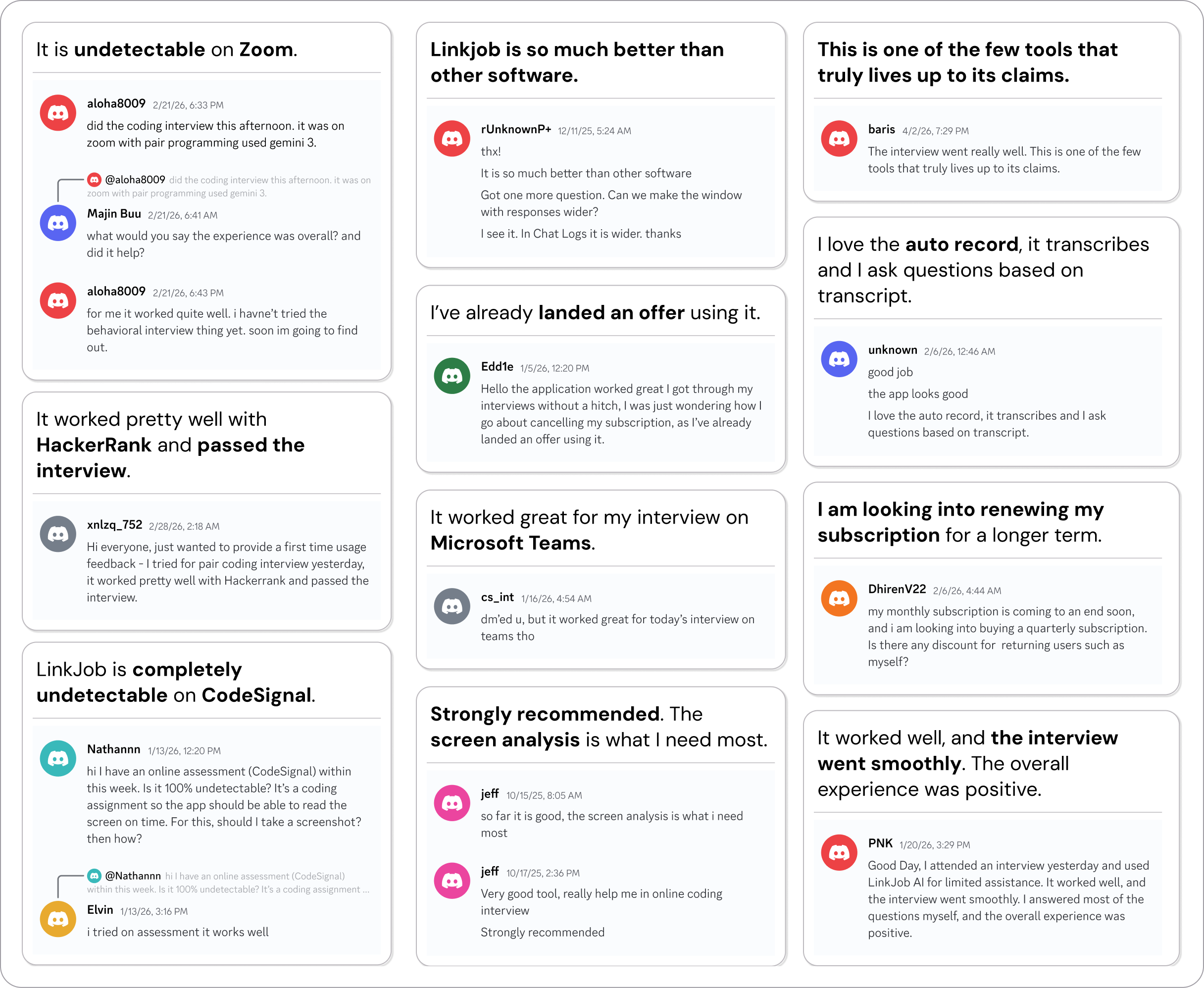
Why People Choose Linkjob AI
Smoother interviews, coding challenges cleared, and job offers landed. See how users describe their experience with Linkjob AI—in their own words.

© Copyright 2026 Linkjob AI - All Rights Reserved.