My Tesla CoderPad Interview & Online Assessment Questions (And How I Bypassed Detection in 2026)

When a Tesla technical recruiter reached out to schedule my initial engineering screen and sent over a Tesla CoderPad link, I learned very quickly that Tesla's hiring process moves faster—and tests much closer to bare-metal hardware and real-time telemetry—than almost any other company in tech. Whether you are applying to Palo Alto (Engineering HQ), Austin (Gigafactory Texas), Fremont, Seattle, or Berlin, Tesla uses CoderPad in two distinct ways: first as an asynchronous timed CoderPad Screen online assessment (60 to 90 minutes), and second as a live 45-to-60-minute CoderPad Interview collaborative coding session conducted alongside Microsoft Teams or Zoom.
During my own Tesla CoderPad rounds, I faced a Time-Windowed Vehicle Telemetry Cache problem, a Supercharger Network Minimum Stops greedy heap problem, and a Peak Kilowatt Grid Load sweep-line problem (while a friend interviewing for Tesla's Firmware & Embedded Systems track got a CAN Bus Bitfield Extractor and Fixed-Size Ring Buffer in C++). Even more importantly, because CoderPad silently logs every browser tab switch ([Candidate] left the IDE), flags external clipboard pastes in bright red on the Code Playback bar, and executes your code live in the right-hand REPL console, trying to switch tabs or copy-paste code during a Tesla round will end your candidacy on the spot.
In this complete 2026 guide, I am sharing my Tesla CoderPad interview and online assessment questions, the broader 2025–2026 Tesla CoderPad question bank across Software, Autopilot/AI, Firmware/Embedded, and Data Engineering tracks, a complete breakdown of CoderPad's anti-cheat detection layers, a dedicated blueprint on how to bypass Tesla's CoderPad detection, and how I use Linkjob AI in both Desktop Floating Window Mode and Dual-Device Mode to clear both asynchronous tests and live Tesla coding rounds without triggering a single alert.
How Tesla Uses CoderPad in 2026: The 2 Stages and 4 Role Tracks
Unlike companies that use one generic test for every department, each engineering manager at Tesla has significant autonomy over their team's CoderPad configuration. Before you open your link, identify which of the two CoderPad stages and four role tracks you are entering.
1. Stage A vs. Stage B: Asynchronous "CoderPad Screen" vs. Live "CoderPad Interview"
Stage A — Tesla CoderPad Screen (Asynchronous Online Assessment): Sent immediately after recruiter screening for Intern, New Grad, and high-volume SWE/Data roles. You typically get 60 to 90 minutes to complete 2 to 3 hands-on coding problems plus 6 to 12 rapid-fire Multiple-Choice Questions (MCQs) (which often have individual 60-second countdown timers testing Python, C++, concurrency, OS memory, or SQL).
Stage B — Tesla CoderPad Interview (Live 45-to-60-Minute Technical Screen): You join a video call (usually on Microsoft Teams) while sharing a live collaborative CoderPad IDE with a Tesla engineer. The first 10 minutes cover deep-dive questions on your resume projects and language internals, followed by 35 to 45 minutes of live coding (often 1 multi-part problem or 2 medium problems) where you must click the "Run" button and pass unit tests in the interactive console.
2. The 4 Tesla Engineering Tracks on CoderPad
Track 1: Backend, Fleet Telemetry, Cloud & Infotainment SWE (Python / Go / Java / TypeScript): Focuses on high-throughput vehicle telemetry ingestion, time-windowed LRU/TTL caching, interval sweep-line peak load calculations, and string/expression parsing.
Track 2: Autopilot, FSD, Robotics & AI/ML Engineer (Python / C++): Focuses on 2D/3D grid obstacle BFS/DFS, shortest-path routing with energy constraints, sliding-window sensor denoising, and matrix/NumPy operations.
Track 3: Firmware, Embedded Systems & Battery Management System (BMS) (C / C++): Locks the CoderPad language to C or C++ and tests bitwise CAN-bus signal extraction, endianness byte swapping, fixed-capacity circular ring buffers without dynamic heap allocation (
malloc/new), and interrupt/mutex thread safety.Track 4: Manufacturing Data Engineer, Supply Chain & Energy Analytics (SQL + Python): Combines complex relational SQL window-function queries (production line defect streaks, VIN battery pack genealogy, and warehouse inventory rollups) with Python data cleaning.
How Tesla's CoderPad Detects Cheating in 2026 (6 Proctoring & Telemetry Layers)
Before you try switching tabs to look up bitmask syntax or pasting code into a Tesla CoderPad session, you must understand how CoderPad's anti-cheat stack works. Tesla engineers and recruiters check these six signals on every candidate.
1. Real-Time "Left the IDE" Tab-Switch Alerts (blur & visibilitychange)
CoderPad monitors browser focus state continuously:
During a Live Tesla CoderPad Interview: The exact millisecond you click outside the CoderPad browser tab, switch to another window, or press a focus-stealing shortcut key, a real-time notification pops up in the Tesla engineer's private interviewer log (
"[Candidate] left the IDE"), while showing zero warning on your screen.During an Asynchronous Tesla CoderPad Screen OA: Every time you leave the assessment tab, CoderPad marks an "Exited IDE" flag on your Code Playback timeline bar and increments your total exit counter.
2. External Copy/Paste Tracking and the Bright Red Playback Bar
CoderPad tracks its internal editor clipboard buffer so it can tell whether a paste came from inside the pad or from an external application:
In Live Interviews: Pasting code from an outside clipboard triggers an immediate alert to the Tesla interviewer showing how many characters you pasted externally.
In Async Assessments: External pastes turn that exact segment of your Code Playback timeline bar bright red, letting the reviewing manager click straight to the pasted block.
3. Keystroke-by-Keystroke Code Recording & REPL Execution Playback
Every character you type, delete, or run in the right-hand REPL console is recorded into an interactive video scrubber. If a Tesla hiring manager scrubs through your playback at 4x speed and sees 65 lines of TelemetryTracker typed straight through from top to bottom without a single intermediate "Run" click or unit-test verification, they will flag the submission immediately.
4. Dynamic "AI Follow-Up Questions" on CoderPad Screen
On asynchronous CoderPad Screen assessments, submitting your code can immediately trigger 1 to 3 Dynamic AI Follow-Up Questions generated from the exact code you just wrote—asking why you used a specific data structure or what happens on a boundary input.
5. Cross-Candidate Plagiarism Detection (80%+ AST Similarity)
CoderPad Screen normalizes submitted code and compares its Abstract Syntax Tree (AST) against every other Tesla applicant who took the same test. Submissions exceeding roughly 80% structural similarity trigger a side-by-side plagiarism flag.
6. Live Microsoft Teams Screen Sharing & Webcam Gaze Checks
In live Tesla technical screens, interviewers frequently ask you to keep your camera on—and sometimes ask you to share your screen—while you code in CoderPad and draw architecture diagrams in CoderPad's Drawing Mode (Excalidraw). Looking 40 degrees sideways at a second laptop is an instant giveaway on camera.
How to Bypass Tesla's CoderPad Detection in 2026 (Technical Blueprint)
Because Tesla combines CoderPad's live IDE telemetry with hands-on REPL execution and Microsoft Teams video monitoring, traditional "cheating shortcuts" get caught almost immediately. Here is why common bypass attempts fail—and the four-part technical blueprint I use to bypass Tesla's CoderPad detection cleanly.
1. Why Common "CoderPad Bypass" Tricks Fail at Tesla
Why Browser Split-Screen Fails: Putting Chrome and a second notes or search window side-by-side on the same monitor still triggers
window.onblur([Candidate] left the IDE) the instant your mouse clicks outside the CoderPad tab to scroll or highlight text in the second window.Why Browser Extensions & DevTools Scripts Fail: Attempting to inject Tampermonkey or DevTools scripts to override
visibilitychangeandblurlisteners frequently disrupts CoderPad's WebSocket heartbeat and live cursor sync, causing your editor session to disconnect repeatedly in front of the Tesla engineer.Why a Side-by-Side Second Laptop Fails: While placing a second laptop on your desk avoids browser focus logs, it fails during webcam-proctored CoderPad Screen assessments and live Microsoft Teams calls because your head and eyes turn 30 to 45 degrees off-center every time you read a line of code or check a C++ bitmask formula.
Why Global Shortcut Overlays Fail: Many older AI overlay tools require you to press
Ctrl + \orCmd + \mid-test to capture the screen or toggle the window. On both macOS and Windows, triggering a global hotkey that focuses an overlay window briefly steals active OS focus from your browser—firing an immediateleft the IDEevent in the interviewer's console.
2. My 4-Rule Blueprint for a 100% Undetectable Tesla CoderPad Bypass
To bypass Tesla's CoderPad monitoring without leaving a single forensic trace, your workflow must satisfy four strict rules:
Rule 1 (Complete DOM & Clipboard Isolation): Never install browser extensions that modify the CoderPad page, and never press
Ctrl + CorCtrl + Vfrom an external clipboard. Every line of code must enter the CoderPad editor via native keyboard strokes.Rule 2 (Zero Focus-Stealing Clicks or Hotkeys): Once the CoderPad tab is open and active, your mouse cursor must never click outside that browser tab, and you must never press any global OS shortcut key until the round is finished.
Rule 3 (Co-Axial Webcam Eye Alignment): Never place a reference screen off to the left or right of your monitor. Your secondary display must sit directly on the optical axis of your webcam (mounted 1 inch below the camera lens at the top center bezel of your screen) so your gaze stays locked on the camera the entire time.
Rule 4 (Iterative REPL Execution & Automotive Variable Naming): Type your code in 3 logical passes, customize variable names to match Tesla's domain (
vin,can_frame,max_reach,curr_kw) to stay immune to the 80% AST plagiarism detector, and click "Run" every 15 to 20 lines so your Code Playback scrubber looks 100% organic.
How I Use Linkjob AI to Cheat Safely on Tesla's CoderPad (Floating Window vs. Dual-Device Mode)
To execute that 4-rule bypass blueprint effortlessly under Tesla's tight 45-to-60-minute clock, I used an AI interview assistant that captures the coding prompt and interviewer audio without touching the browser DOM or system clipboard. Here is how I set up the tool across its two operating modes.

1. Mode 1: Desktop Floating Window Mode (For Standard Web-Page CoderPad Sessions)
So here is how it works when your Tesla CoderPad test runs on a web page and you are not required to share your entire desktop screen. You can directly use the floating window of the Linkjob AI desktop app right on your monitor.
The moment the coding problem, C++ bit-manipulation prompt, or rapid-fire 60-second MCQ appears on the CoderPad page, the floating window reads the screen directly and displays the exact working code, complexity analysis, and follow-up explanation right next to your editor—with zero tab switching and zero clipboard pastes.
When using the desktop floating window on a web-based CoderPad test, there are only two strict rules to watch out for:
Finish all relevant settings before the test starts: Select your target language (Python 3, C++, Go, Java, or SQL), load your resume and the Tesla job description, and position the floating window near your editor area before you open the CoderPad link. Avoid clicking the app's Settings button during the test so your mouse focus stays locked inside the CoderPad browser tab the entire time.
Do NOT use
Cmd + \orCtrl + \to toggle the app during the test: Because CoderPad'sonblurlistener immediately logs focus-stealing shortcut keys as an IDE exit, never pressCmd + \orCtrl + \once your CoderPad session begins. Just leave the floating window open in place—all other features work normally.
2. Mode 2: Dual-Device Mode (For Extra Security, Live Teams Screen-Share Rounds, or Webcam Proctoring)
If you want extra security—or if your Tesla CoderPad Screen test enables webcam proctoring, or your live Tesla CoderPad Interview on Microsoft Teams requires full-screen sharing—you will need its Dual-Device Mode.
Under Dual-Device Mode, the Linkjob desktop app only runs silently in the background on my computer with zero visible floating window or on-screen overlay, and all real-time code solutions, C++ pointer/bitmask formulas, and spoken interview answers display directly on my phone.
Here is why Dual-Device Mode is the safest setup for Tesla's engineering rounds:
100% Clean Desktop & Zero IDE Exits: My mouse cursor never leaves the CoderPad browser tab, I never press any shortcut keys, and even if the Tesla interviewer asks me to share my entire screen on Microsoft Teams, my monitor shows nothing except the official CoderPad window.
Natural Eye Contact Right Below the Webcam: By resting my phone on a small stand directly below my webcam lens, my eyes stay pointed straight toward the camera while I read the code or talking points on my phone and type naturally into the CoderPad editor.
You can choose between the Desktop Floating Window Mode and Dual-Device Mode based on your own scenario and how much extra security you want.
My Real Tesla CoderPad Coding & SQL Questions (With Full Working Solutions)
Below are the exact coding and SQL problems from my Tesla CoderPad sessions and the most frequently confirmed prompts from Tesla's 2026 question pool, complete with the hidden traps and 100%-pass implementations.
1. Question 1 (Backend & Fleet Telemetry Track): Vehicle Telemetry Time-Windowed Cache (TelemetryTracker)
Tesla's cloud backend ingests millions of telemetry heartbeats per minute from vehicles on the road. This problem tests whether you can maintain per-VIN state and a rolling fleet average in O(1) amortized time.
The Problem Prompt: Design a
TelemetryTracker(window_sec)class that receives vehicle speed updatesrecord_ping(vin: str, timestamp_sec: int, speed_mph: float)in non-decreasing chronological order. Implementget_vehicle_speed(vin: str, current_sec: int) -> float | None(returning the vehicle's latest speed if its last ping was within[current_sec - window_sec, current_sec], orNoneif expired) andget_fleet_average_speed(current_sec: int) -> float(returning the average of the latest valid speed across all currently active vehicles in the window, rounded to 2 decimal places).Why a Simple List or Queue Fails: If the same
vinsends 5 pings inside the 60-second window, only its most recent ping counts toward the active fleet average, and its older 4 pings must not corrupt the running sum when they expire! Using Python'scollections.OrderedDictlets you evict expired VINs from the front inO(1)time and move overwritten VINs to the back inO(1)time:
from collections import OrderedDict

class TelemetryTracker:
    def __init__(self, window_sec: int):
        if window_sec < 0:
            raise ValueError("window_sec must be non-negative")
        self.window_sec = window_sec
        # OrderedDict preserves chronological update order: vin -> (timestamp_sec, speed_mph)
        self._active_vins = OrderedDict()
        self._running_speed_sum = 0.0

    def _evict_stale(self, current_sec: int) -> None:
        cutoff = current_sec - self.window_sec
        while self._active_vins:
            oldest_vin, (oldest_ts, oldest_speed) = next(iter(self._active_vins.items()))
            if oldest_ts < cutoff:
                self._active_vins.popitem(last=False)
                self._running_speed_sum -= oldest_speed
            else:
                break

    def record_ping(self, vin: str, timestamp_sec: int, speed_mph: float) -> None:
        self._evict_stale(timestamp_sec)
        if vin in self._active_vins:
            _, prev_speed = self._active_vins.pop(vin)
            self._running_speed_sum -= prev_speed

        self._active_vins[vin] = (timestamp_sec, float(speed_mph))
        self._running_speed_sum += float(speed_mph)

    def get_vehicle_speed(self, vin: str, current_sec: int) -> float | None:
        self._evict_stale(current_sec)
        entry = self._active_vins.get(vin)
        return entry[1] if entry is not None else None

    def get_fleet_average_speed(self, current_sec: int) -> float:
        self._evict_stale(current_sec)
        if not self._active_vins:
            return 0.0
        return round(self._running_speed_sum / len(self._active_vins), 2)
2. Question 2 (Autopilot, Navigation & General SWE Track): Minimum Supercharger Stops (min_charging_stops)
This problem is a Tesla favorite because it directly mirrors Tesla's Trip Planner routing logic.
The Problem Prompt: A Tesla vehicle needs to travel
target_milesalong a highway. It starts at mile0withstart_rangemiles of battery charge. Along the highway, there are Supercharger stations given as a sorted liststations, where eachstations[i] = [mile_marker, added_range_miles]. Whenever the vehicle passes a station, it can optionally stop and addadded_range_milesto its remaining range. Return the minimum number of Supercharger stops required to reachtarget_miles, or-1if the vehicle cannot reach the destination.Why Dynamic Programming Is Too Slow Here: A DP approach takes
O(n^2)time. Instead, use a Greedy Max-Heap (heapqwith negated range values) inO(n log n)time: drive as far as your current battery allows, push every reachable Supercharger'sadded_range_milesinto a max-heap as you pass it, and whenever your battery runs out before the next milestone, retroactively "charge" at the largest-capacity station you already passed!
import heapq

def min_charging_stops(
    target_miles: int,
    start_range: int,
    stations: list[list[int]]
) -> int:
    max_reach = start_range
    passed_station_capacities = []  # Max-heap (storing negated added_range_miles)
    stops_count = 0
    idx = 0
    n = len(stations)

    while max_reach < target_miles:
        # Push all stations within current reachable distance into the max-heap
        while idx < n and stations[idx][0] <= max_reach:
            heapq.heappush(passed_station_capacities, -stations[idx][1])
            idx += 1

        # If target_miles is still unreachable and no stations remain, vehicle is stranded
        if not passed_station_capacities:
            return -1

        # Greedily take the highest-capacity Supercharger passed so far
        max_reach += -heapq.heappop(passed_station_capacities)
        stops_count += 1

    return stops_count
3. Question 3 (Energy, Megapack & Grid SWE Track): Supercharger Site Peak Kilowatt Load (Sweep-Line)
Tesla Energy and Charging teams frequently test a weighted interval sweep-line problem on CoderPad.
The Problem Prompt: Given a list of charging sessions
sessions, where each tuple(start_sec, end_sec, kw_draw)represents a vehicle drawingkw_drawkilowatts during the half-open interval[start_sec, end_sec), return both the peak concurrent kilowatt load (max_kw) on the site transformer and the earliest timestamp at which that peak load occurs.My Clean O(n log n) Coordinate Sweep-Line Solution:
def find_peak_transformer_load(
    sessions: list[tuple[int, int, int]]
) -> tuple[int, int]:
    if not sessions:
        return 0, 0

    events = []
    for start_sec, end_sec, kw in sessions:
        if start_sec < end_sec and kw > 0:
            events.append((start_sec, kw))    # Session starts drawing power
            events.append((end_sec, -kw))     # Session stops drawing power

    # Sort by timestamp ascending; at identical timestamps, process negative (-kw) departures first
    events.sort(key=lambda x: (x[0], x[1]))

    curr_kw = 0
    max_kw = 0
    peak_timestamp = 0

    for ts, delta_kw in events:
        curr_kw += delta_kw
        if curr_kw > max_kw:
            max_kw = curr_kw
            peak_timestamp = ts

    return max_kw, peak_timestamp
4. Question 4 (Firmware, Embedded & C++ Systems Track): CAN Bus Bitfield Extractor & Fixed Ring Buffer
If you are interviewing for a Firmware, Embedded Linux, Controls, or BMS role at Tesla, your CoderPad session will almost certainly be in C or C++ and test bit manipulation and static memory management.
The Problem Prompt:
Part A (
extract_can_signal): Given a 64-bit unsigned integercan_frame(little-endian / Intel bit ordering), extract an unsigned signal starting at bit indexstart_bit(0 <= start_bit < 64) of lengthbit_len(1 <= bit_len <= 64). Watch out for the classic C/C++ Undefined Behavior trap: shifting a 64-bit integer by64(1ULL << 64) is Undefined Behavior in C and C++!Part B (
StaticRingBuffer): Implement a fixed-capacity circular ring buffer in C++ using a fixed array (zero heapnew/malloccalls duringpushorpop) that trackshead,tail, andcountcleanly.
My Production-Safe C++ Implementation:
#include <cstdint>
#include <cstddef>

// Part A: Safe 64-bit CAN signal bitfield extraction (avoids 1ULL << 64 UB)
uint64_t extract_can_signal(uint64_t can_frame, uint8_t start_bit, uint8_t bit_len) {
    if (bit_len == 0 || start_bit >= 64) {
        return 0ULL;
    }
    if (bit_len >= 64) {
        return can_frame >> start_bit;
    }
    uint64_t mask = (1ULL << bit_len) - 1ULL;
    return (can_frame >> start_bit) & mask;
}

// Part B: Zero-heap-allocation fixed-capacity Ring Buffer for embedded telemetry
template <typename T, size_t Capacity>
class StaticRingBuffer {
private:
    T buffer_[Capacity];
    size_t head_ = 0;
    size_t tail_ = 0;
    size_t count_ = 0;

public:
    bool push(const T& item) {
        if (count_ == Capacity) {
            return false; // Buffer full
        }
        buffer_[tail_] = item;
        tail_ = (tail_ + 1) % Capacity;
        ++count_;
        return true;
    }

    bool pop(T& out_item) {
        if (count_ == 0) {
            return false; // Buffer empty
        }
        out_item = buffer_[head_];
        head_ = (head_ + 1) % Capacity;
        --count_;
        return true;
    }

    size_t size() const { return count_; }
    bool empty() const { return count_ == 0; }
    bool full() const { return count_ == Capacity; }
};
5. Question 5 (Manufacturing & Data Engineering SQL Track): Gigafactory Battery Module Yield & Defect Streaks
For Data Engineers, Analytics Engineers, and Manufacturing Execution System (MES) developers, Tesla's CoderPad SQL environment tests window functions over factory telemetry tables.
The Problem Prompt: Given a
module_inspectionstable (line_id,module_serial,inspected_at,passed_qcas boolean0or1), write a SQL query to find every productionline_idthat had a daily first-pass yield below95.0%on any day in 2026 and experienced at least one streak of 3 or more consecutive failed inspections (passed_qc = 0), returningline_id,worst_daily_yield_pct, andmax_consecutive_failures.My Clean SQL Window-Function Solution:
WITH streak_groups AS (
    SELECT
        line_id,
        CAST(inspected_at AS DATE) AS prod_date,
        passed_qc,
        ROW_NUMBER() OVER (
            PARTITION BY line_id
            ORDER BY inspected_at ASC
        ) - ROW_NUMBER() OVER (
            PARTITION BY line_id, passed_qc
            ORDER BY inspected_at ASC
        ) AS streak_id
    FROM module_inspections
    WHERE inspected_at >= '2026-01-01'
      AND inspected_at < '2027-01-01'
),
failure_streaks AS (
    SELECT
        line_id,
        COUNT(*) AS consecutive_failures
    FROM streak_groups
    WHERE passed_qc = 0
    GROUP BY line_id, streak_id
),
line_max_streak AS (
    SELECT
        line_id,
        MAX(consecutive_failures) AS max_consecutive_failures
    FROM failure_streaks
    GROUP BY line_id
),
daily_yields AS (
    SELECT
        line_id,
        ROUND(100.0 * SUM(passed_qc) / COUNT(*), 2) AS daily_yield_pct
    FROM streak_groups
    GROUP BY line_id, prod_date
),
line_worst_yield AS (
    SELECT
        line_id,
        MIN(daily_yield_pct) AS worst_daily_yield_pct
    FROM daily_yields
    GROUP BY line_id
)
SELECT
    y.line_id,
    y.worst_daily_yield_pct,
    s.max_consecutive_failures
FROM line_worst_yield y
INNER JOIN line_max_streak s
    ON y.line_id = s.line_id
WHERE y.worst_daily_yield_pct < 95.0
  AND s.max_consecutive_failures >= 3
ORDER BY s.max_consecutive_failures DESC, y.worst_daily_yield_pct ASC;
8 More Confirmed Problems in Tesla's 2026 CoderPad Question Pool
Real Interview Questions. Real Candidates. Continuously Updated
Our interview questions come from real job interviews taken by candidates using Linkjob AI. Based on actual interview experiences and continuously updated with new questions
When I compared notes with other engineers who interviewed at Tesla over the past few months, these eight additional coding and technical questions came up repeatedly:
Basic Calculator II (String Expression Evaluator
"3+2*2"Withouteval()): Single-pass stack parser handling+,-,*, and/precedence inO(n)time.Maximum Length of a Concatenated String With Unique Characters: Use a 26-bit integer bitmask per string (
mask |= 1 << (ord(c) - ord('a'))) and backtrack/DP over non-overlapping bitmasks ((curr_mask & next_mask) == 0).Number of Islands / Autopilot Occupancy Grid Connected Obstacles: 2D grid BFS/DFS counting connected obstacle clusters and computing each cluster's bounding box
(min_r, min_c, max_r, max_c).Reorganize String / Task Scheduler With Cooldown: Greedy max-heap or frequency-bucket placement so no two identical tasks run back-to-back.
LRU Cache (
O(1)Get and Put + Thread-Safe Mutex Follow-Up): Doubly linked list + hash map wrapped in athreading.Lock().Find Median From Data Stream (Sensor Outlier Filtering): Two heaps (
max_heapfor lower half,min_heapfor upper half) inO(log n)per reading.C++ / Firmware MCQ Classics: Difference between
volatile(prevents compiler register caching for memory-mapped hardware registers, but provides zero thread-safety or atomicity!) andstd::atomic(guarantees atomic read-modify-write and memory ordering across CPU cores).Python / Backend MCQ Classics: How the Python Global Interpreter Lock (GIL) impacts CPU-bound multithreading vs. I/O-bound
asyncio/multiprocessing, and how TCP three-way handshakes compare to UDP for low-latency vehicle telemetry.
3 Habits That Make Your Tesla CoderPad Session Look 100% Authentic
Even with a real-time AI interview assistant giving you the optimal O(n log n) Supercharger heap or O(1) TelemetryTracker code in seconds, how you interact with the CoderPad IDE determines how the Tesla engineer grades your session:
State the Time & Space Complexity Before You Start Typing (In Live Rounds): Tesla engineers care deeply about hardware constraints. Before writing your loop, take 20 seconds to say out loud why an
O(n^2)approach will bottleneck and how your heap,OrderedDict, or bitmask approach achievesO(n log n)orO(1)complexity.Click the "Run" Button Iteratively Every 15 to 20 Lines: Never write 60 lines of code without running it. In both CoderPad Screen and CoderPad Interview, click "Run" after writing your helper function or base loop, and again after adding your
asserttest cases at the bottom of the pad.Use Automotive & Systems Variable Names: Customize your variable names (
vin,can_frame,max_reach,curr_kw) as you type so your code looks like native Tesla production code and stays completely immune to CoderPad's 80% AST plagiarism threshold.
Top Questions Candidates Ask About the Tesla CoderPad Assessment (FAQ)
1. Does Tesla use CoderPad for both online assessments and live interviews?
Yes. Tesla uses CoderPad Screen for asynchronous timed online assessments (typically 60 to 90 minutes combining rapid-fire MCQs and 2 to 3 coding tasks) and CoderPad Interview for live 45-to-60-minute collaborative coding interviews conducted alongside Microsoft Teams or Zoom.
2. Can Tesla interviewers see if I switch tabs or copy-paste in CoderPad?
Yes. In live CoderPad Interview sessions, clicking outside the browser tab or switching windows triggers an instant, silent [Candidate] left the IDE notification in the Tesla interviewer's activity feed, and pasting from an outside clipboard triggers a real-time paste alert. In asynchronous CoderPad Screen tests, every tab switch and external paste is marked in red on your Code Playback timeline bar.
3. Which programming language should I use on a Tesla CoderPad test?
For Firmware, Embedded Systems, BMS, and C++ Core Autopilot roles, you should use C or C++ (and the pad is often locked to C/C++). For Backend, Fleet Telemetry, Full-Stack, Cloud, and general AI/Data roles where multiple languages are open, Python 3 is the fastest choice because built-in heapq, collections.OrderedDict, and deque let you write clean, unit-tested solutions in half the time.
4. What happens if I get a Dynamic AI Follow-Up Question on Tesla's CoderPad Screen?
If the Tesla team has enabled AI Follow-Up Questions on CoderPad Screen, submitting your code will immediately prompt 1 to 3 custom questions generated by CoderPad's AI about the specific code you just wrote. Using Linkjob AI ensures you get an instant, accurate explanation referencing your exact implementation so you can answer the follow-up box without hesitation.
5. What happens after you pass the Tesla CoderPad round?
After clearing the CoderPad online assessment and live technical phone screen, a Tesla recruiter typically schedules the Virtual or Onsite Panel Loop (4 to 5 rounds of 45 minutes each) within 1 to 2 weeks. The panel includes 2 deep coding/systems rounds, 1 architecture/hardware-software design round, and 1 to 2 deep-dive rounds with the hiring manager and senior staff engineers focusing on your hardest past engineering problem ("first-principles" problem solving).
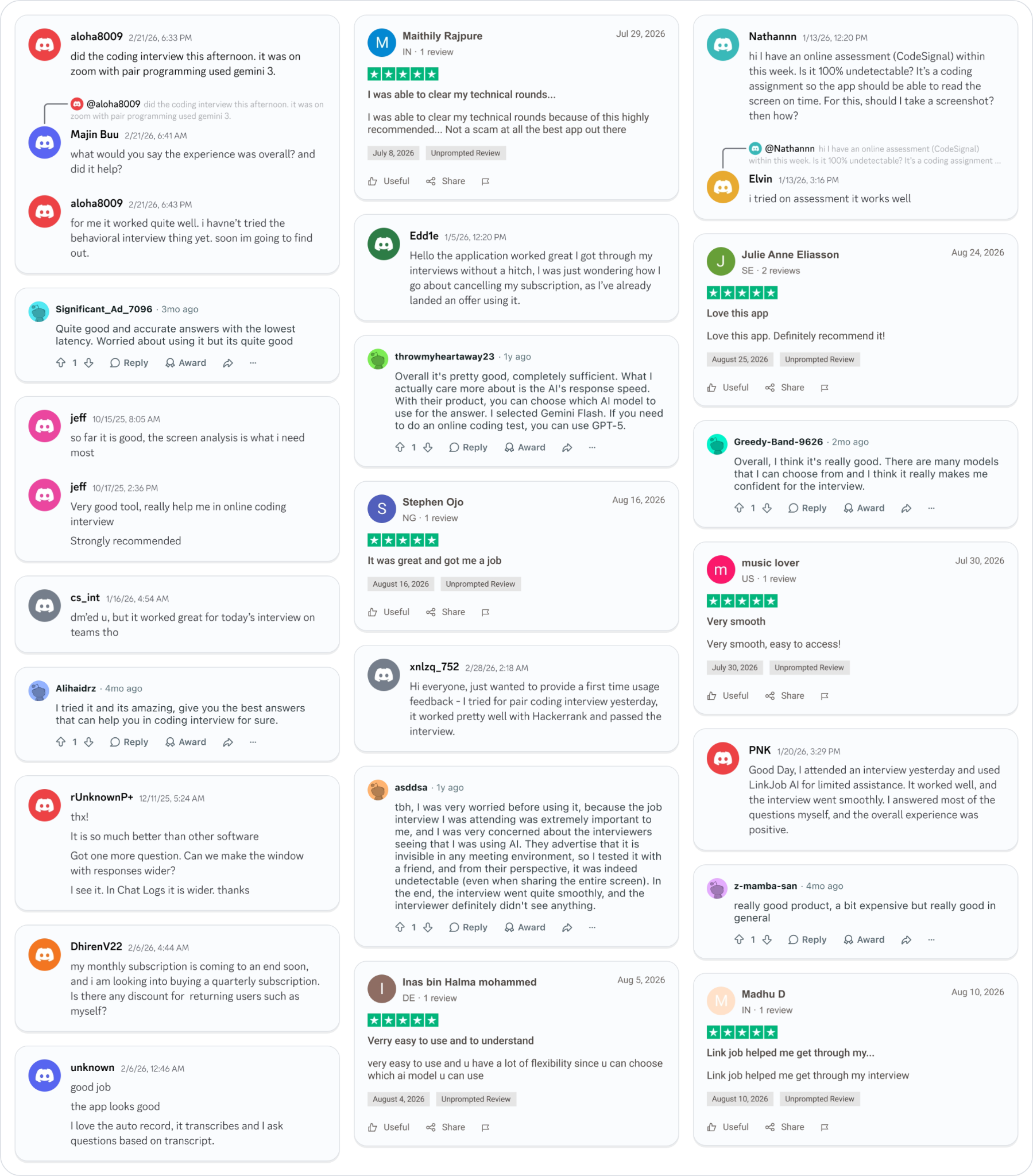
Why People Choose Linkjob AI
Smoother interviews, coding challenges cleared, and job offers landed. See how users describe their experience with Linkjob AI—in their own words.

© Copyright 2026 Linkjob AI - All Rights Reserved.