AceRound AI Review: Is This Interview Copilot Worth It


I'll tell you straight, I tried AceRound AI with high hopes, but to be honest, I can't recommend it for the most part. The platform says its interview assistance features are great, but I didn't find them that helpful. I think AceRound AI could be improved in terms of how undetectable it is and how practical the tool itself is.
AceRound AI has interview assistant support for when you're sharing full-screen, which is similar to the limited tab-sharing I mentioned in my last Sensei AI review. But it doesn't have a user-friendly and effective coding copilot. It feels like an unfinished tool, just like I said in my InterviewMan review. As a potential AI oral exam interview tool, it just doesn't cut it.
In this AceRoundreview, I'll share why its value, effectiveness, and limitations have left me disappointed. And how I found Linkjob AI could be the best alternative to it.

AceRound AI Review: What Sets It Apart
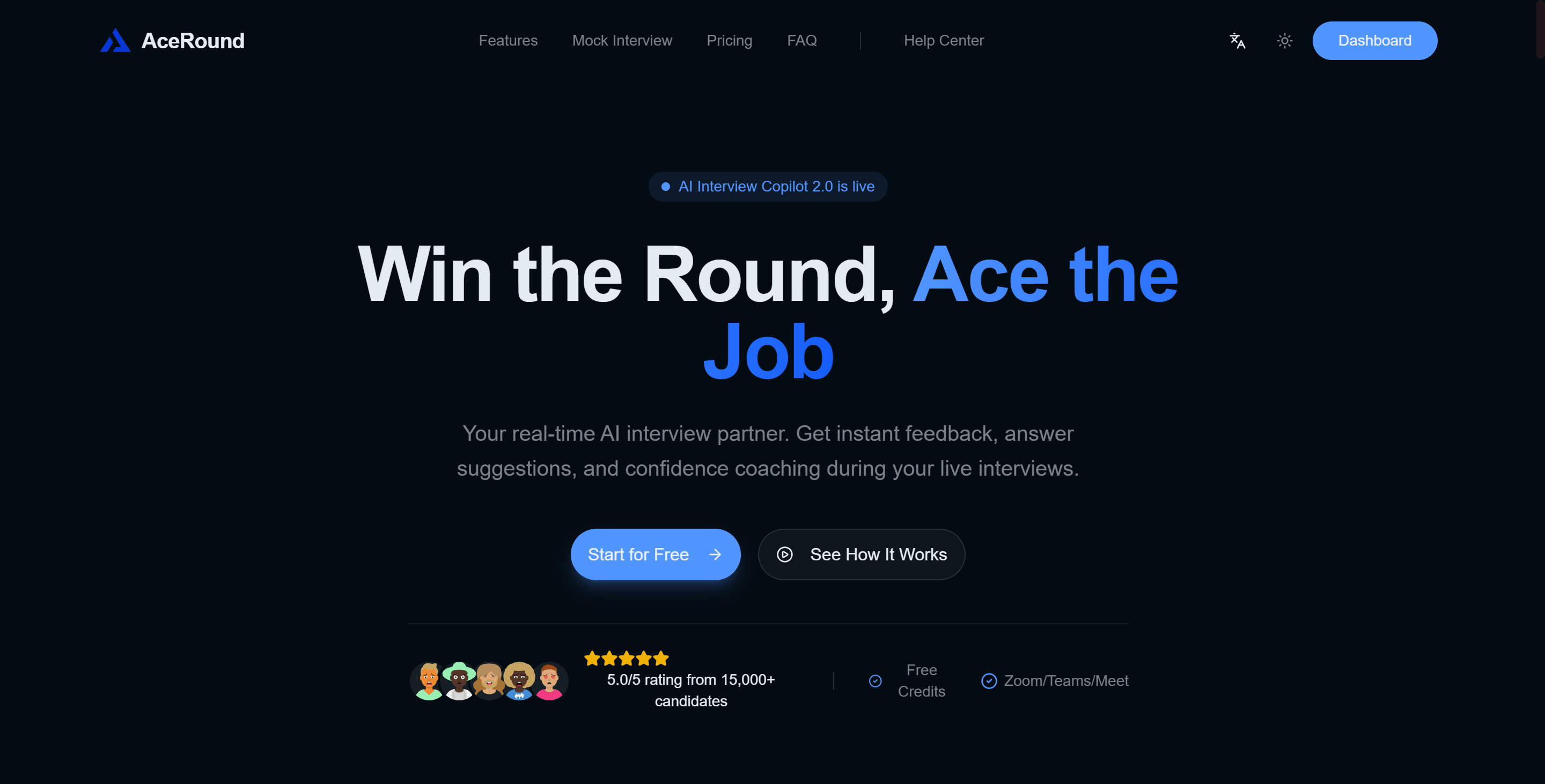
Platform Overview
When I started writing this AceRound AI review, I wanted to see how this tool is different from other interview preparation tools. AceRound AI is a bit different from the rest because it's really good at providing support during interviews as and when it's needed. It also releases new features all the time and it seems to have a fairly solid backing from its parent company.
Remember that—I'll come back to it later. AceRound AI says it can help you when you're actually in the middle of an interview.
Here’s a quick look at how AceRound AI claimed to have:
Feature It Claimed | AceRound AI |
|---|---|
Real-time assistance | Yes |
Pricing model | Monthly, weekly, or credit-based plan |
Multilingual support | 10+ languages |
Mock Interview Mode | Yes (adaptive questions) |
Coding Copilot | Yes (technical problem solving) |
I noticed straight away that AceRound AI is in a league of its own:
You'll see answers to your questions as they come up during the interview.
It's a one-off payment with no hidden monthly fees.
The platform supports more than ten languages, which is really helpful for non-native speakers.
It's got a mock interview mode that adapts based on your answers.
If you're facing a technical interview, the coding assistant can help you solve problems on the spot.
These features look great on paper. I was keen to see if they could help with interview preparation and provide support during in-person interviews. But when I started trying them out, I was totally caught off guard by the disaster that was about to unfold.
AceRound AI Review: My User Experience
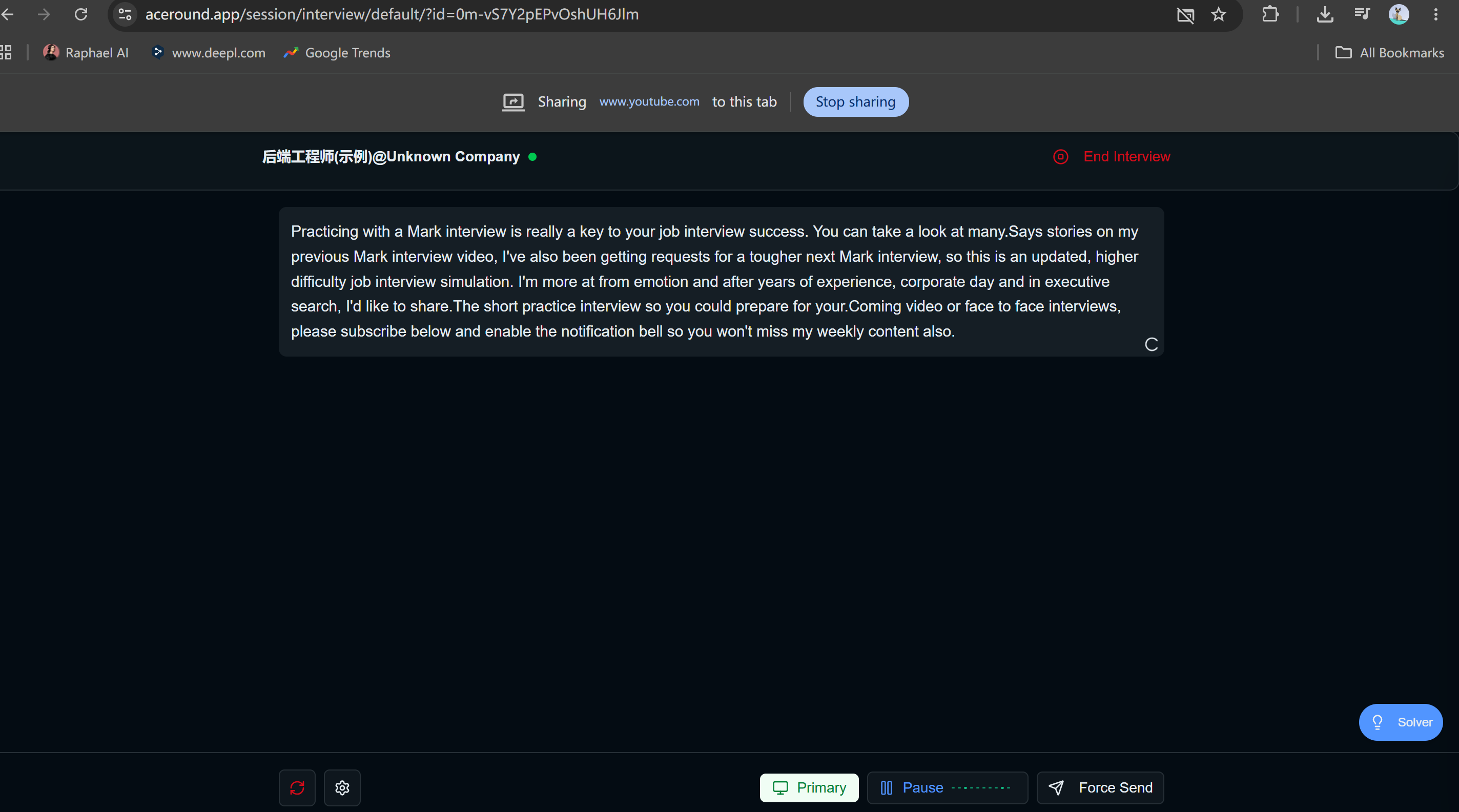
Trial With Tab-Sharing Mode & Mock Practice
When I was checking out Aceround AI, I first tried out the tab-sharing mode. This feature let me share my browser tabs with Aceround AI during the mock interview and get real-time help.
I'd expected seamless interview assistance, but the actual experience was quite... incomplete:
I had to switch tabs after sharing them and then continue with the test, but I couldn't see the tab I'd shared at all. If this were a real interview, there's no question I'd have left the app and switched to a different tool.
Even with the official templates that are provided in advance, this real-time interview assistant sometimes struggled to keep up with the pace of the conversation. I'd say the speed of the answers was OK, but their quality was disappointing.
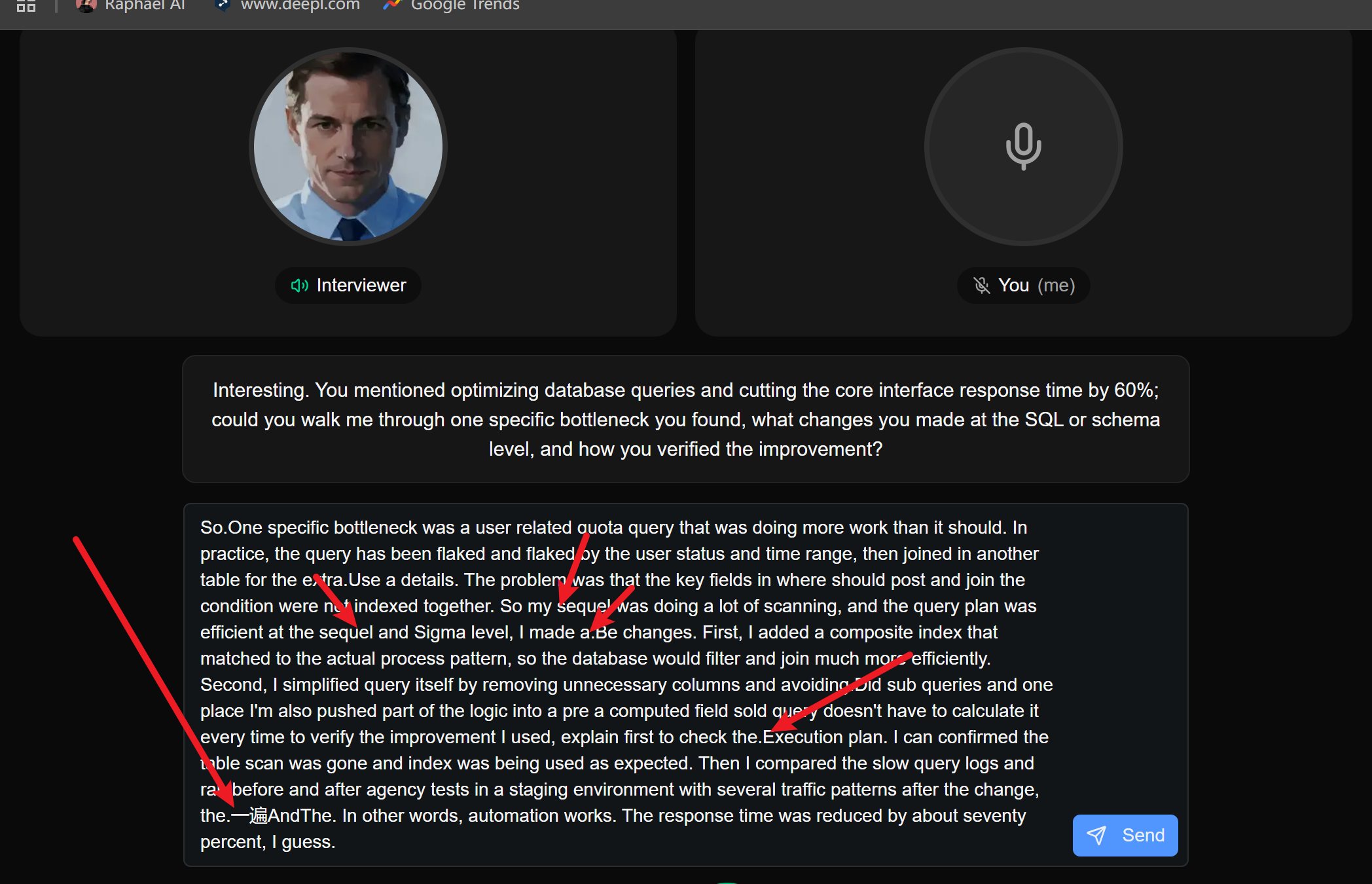
I also tried out the mock interview feature. Even when I followed the official template to a T, I still had issues:
My speech was not transcribed correctly. For example, it said "2022" when it was supposed to say "1222". There were also random Chinese characters that appeared, and basic terms like "MySQL" were not recognised.
Every step needed to be done by hand: starting the recording, submitting the transcribed text, getting the answers...
There's no feedback on the answers, and you can't learn anything from the interviewer's reactions because they just keep on asking the same questions over and over again.
AceRond AI Desktop APP: Confusing Interface & Zero Ease Of Use
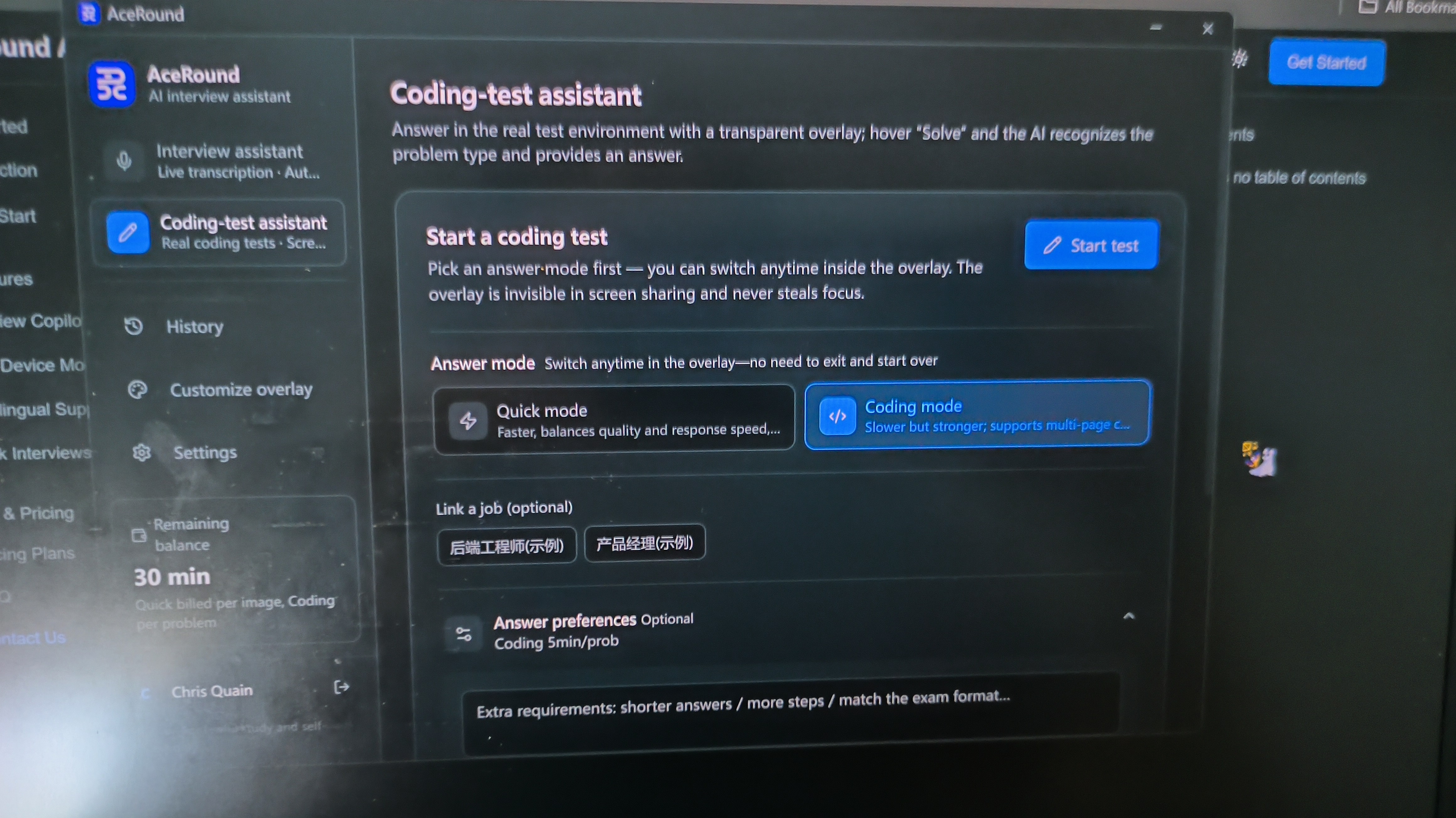
Then I downloaded the AceRound AI desktop app. The interface layout wasn't very appealing, and the installation package was so small – less than 10 MB – that I almost regretted it. I had no idea at the time that the real disaster was just beginning.
I tried both AI interview assistants, and after selecting AceRound AI, I got a blank window (a 404 page) and then a window that I couldn't adjust the transparency of. As you can see in the image below:
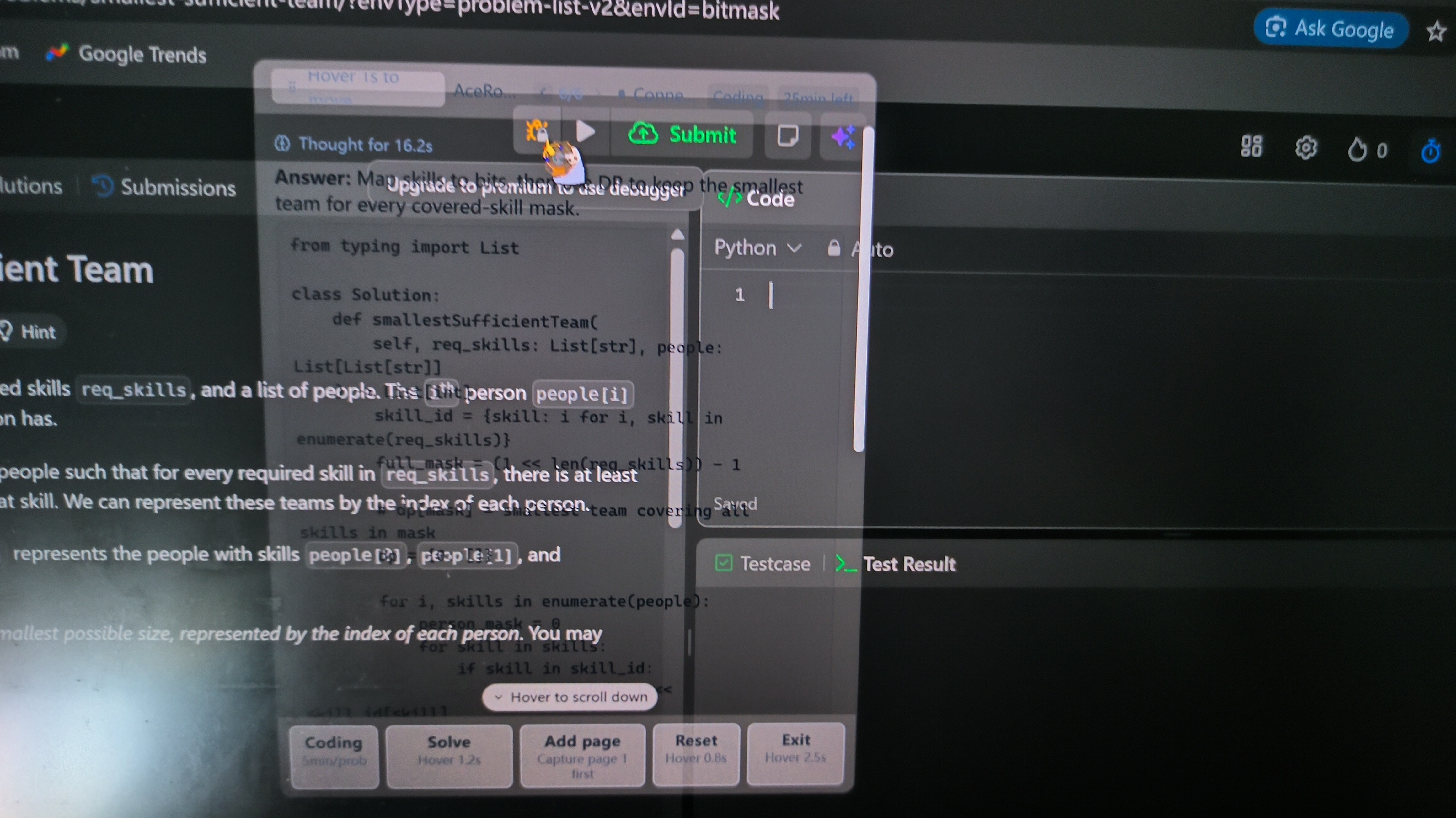
By default, the text on both the code assistant and real-time interview assistant floating windows is really hard to read, and sometimes the interface is mixed with other languages.
There were not many keyboard shortcut settings, but there were various floating cursors for different functions. This included things like "Hover the mouse for 1.2 seconds to move the window"—I mean, seriously? What's up with the 1.2-second hover?
I found out the hard way that if I accidentally hover for too long, the action gets cancelled. But when I then accidentally hovered for another 1.2 seconds or more, AceRound AI just restarted the service all over again. This process can even stack infinitely. What a legend.
When it came to simulating a real interview with a video, I couldn't even figure out how to end the interview with Copilot. After closing the app, I went back into the AceRound AI dashboard, and then a window popped up asking if I wanted to end the interview process.
But don't think that's the end of it. The bigger problems are yet to come.
Wrong Answers Over and Over
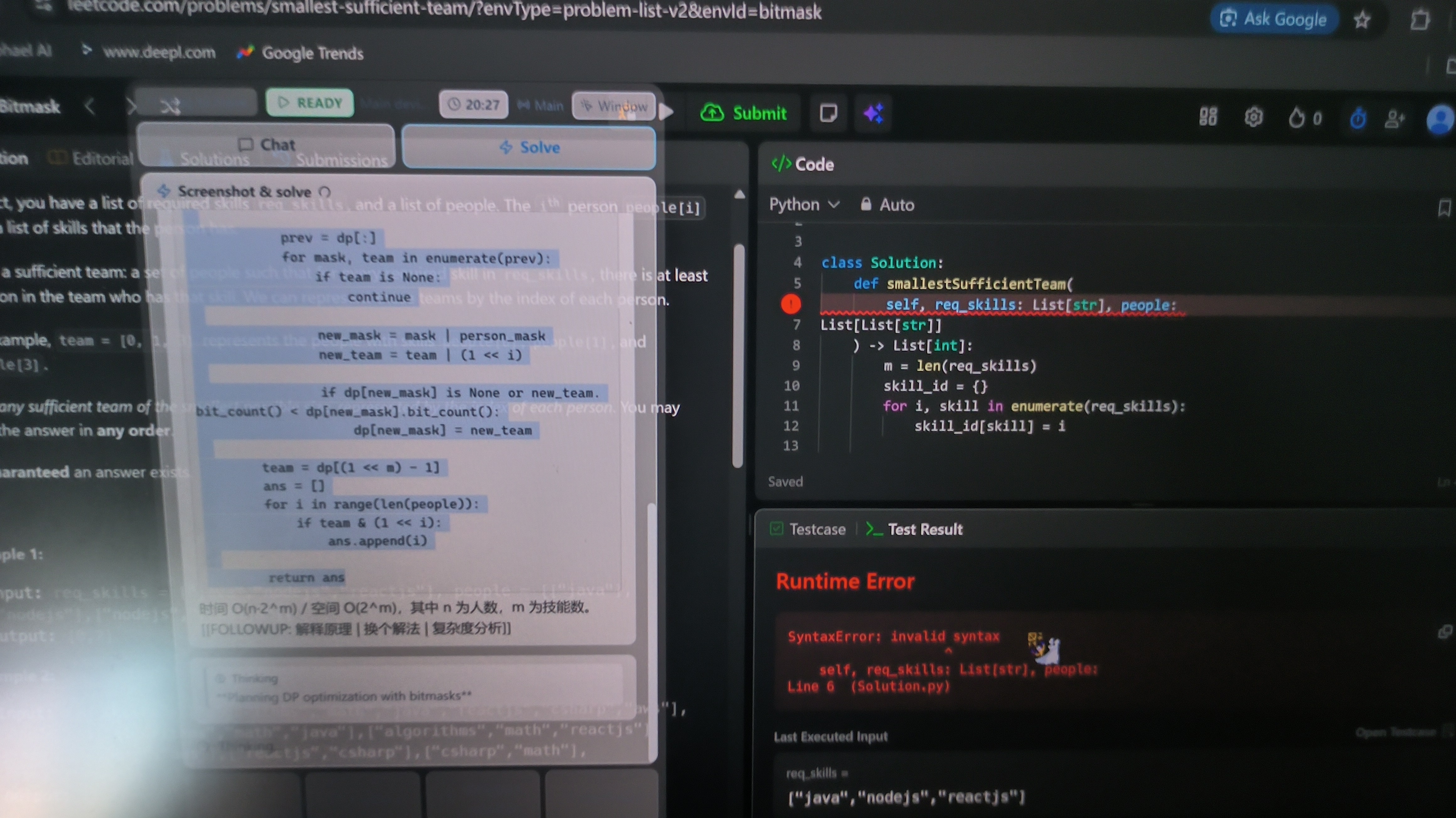
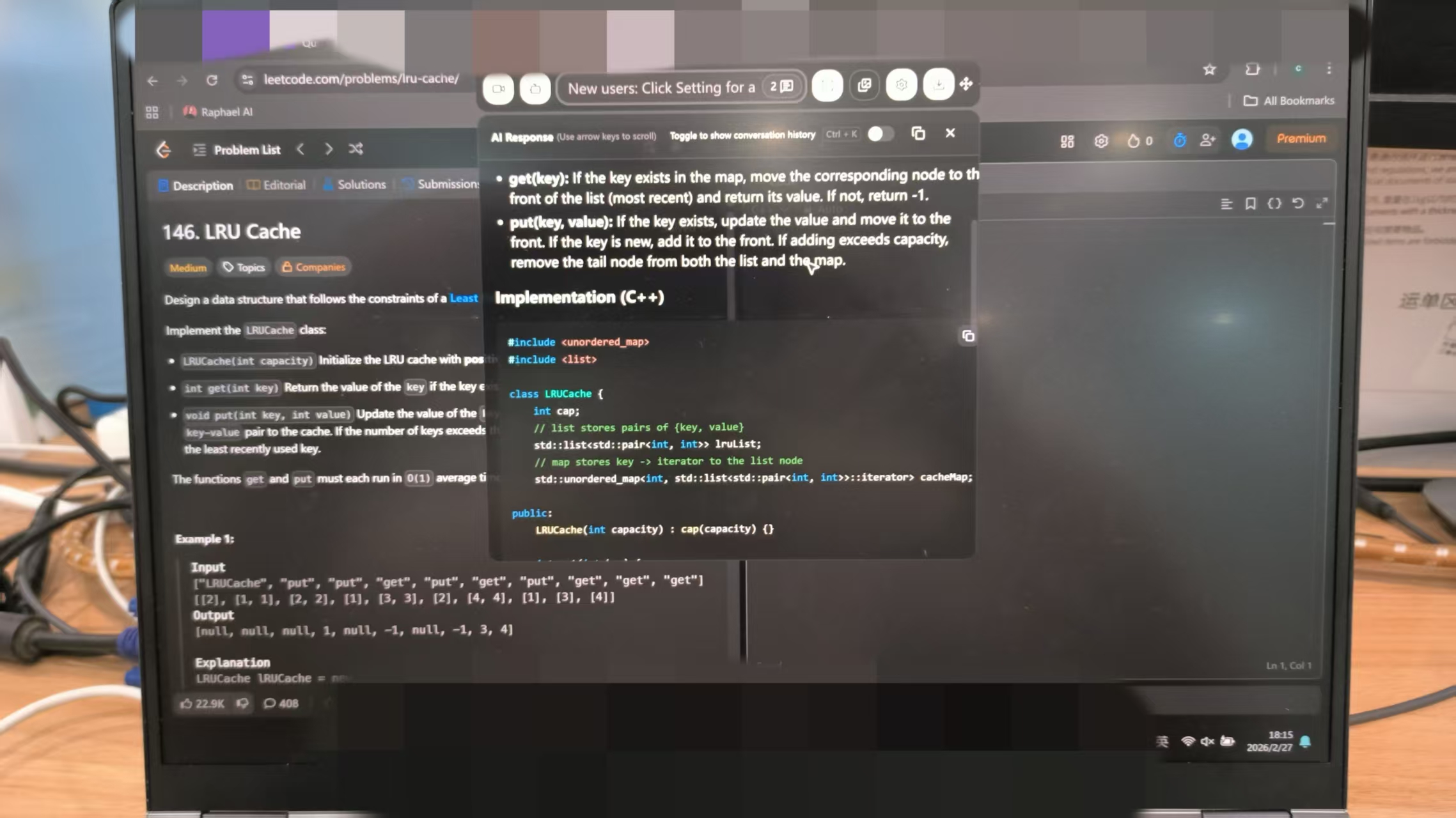
The problem I used for testing was a LeetCode "Hard" level question, and some less advanced models can't answer it correctly at the moment. I'd planned to use this to work out the model used by AceRound AI, but I accidentally found some more serious issues, including:
It got stuck during the solution process for about two minutes. I tried restarting, reactivating the service, and pressing different buttons to trigger it, but nothing worked.
I couldn't copy the programming solution from the coding assistant, and when I re-uploaded the wrong answer for analysis, it just gave me the exact same code again.
Interview Copilot managed to solve the problem and supported copy-pasting, but it still produced exactly the same incorrect code (which was also wrong when I copied and pasted it).
By the time I got to this point in my testing, I was pretty much livid. I don't know about you, but I had absolutely no desire to continue dealing with such a poor-quality tool. That's why I'm writing this AceRound AI review – I'm so frustrated!
AceRound AI Stealth Tests: 100% Detectable?
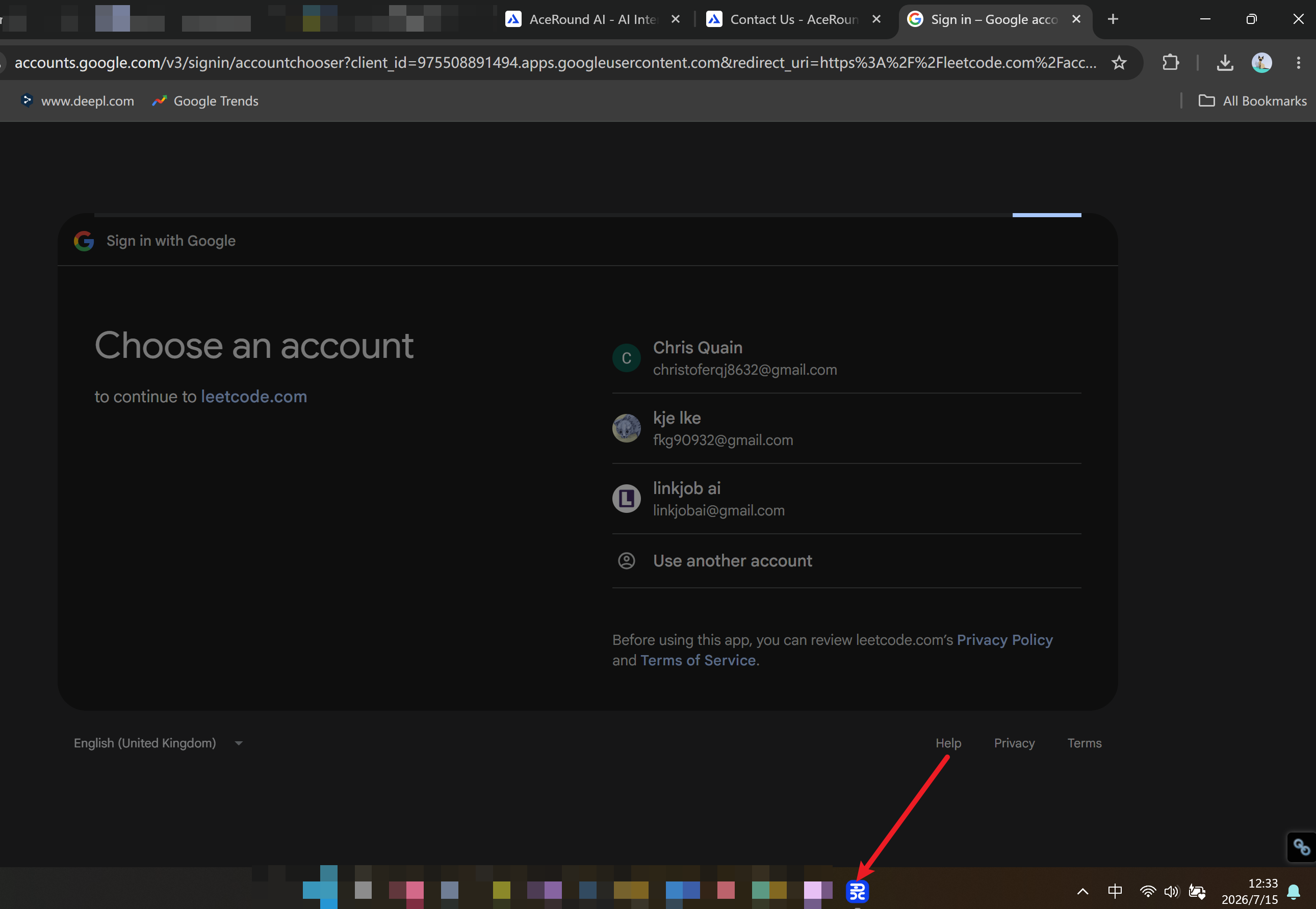
As I said in my Cluely review, if an AI interview assistant isn't visible in a screenshot, it won't be visible during a full-screen shared online meeting either.
But, unlike Linkjob AI, some apps are a bit too obvious. For example, the icon for AceRound AI's coding copilot couldn't be hidden and was always visible in the dock, even when it shouldn't have been. So, I was in an online meeting with a friend, shared my screen to test it out, and she asked me why there was always an unidentified icon in my dock that was still open.
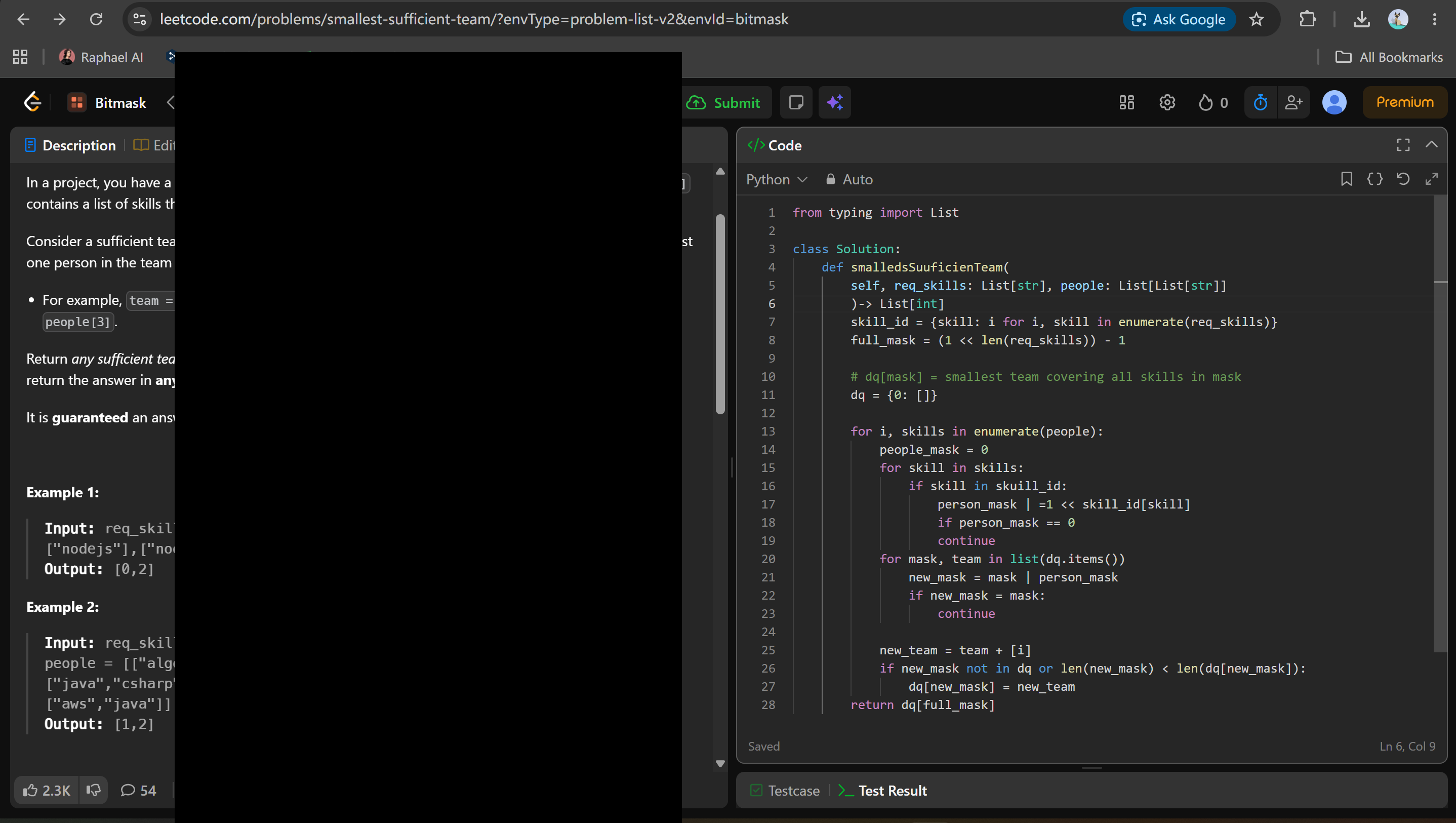
I was surprised that AceRound AI had another surprise in store: in my screenshot test, its coding copilot was completely invisible, but the interview copilot left a black box behind. I've never seen anything like that when using Linkjob AI. I mean, I've never even seen another tool do that!
By this point in my testing, I was starting to find this tool downright funny.
AceRound AI Review: Pricing And Value
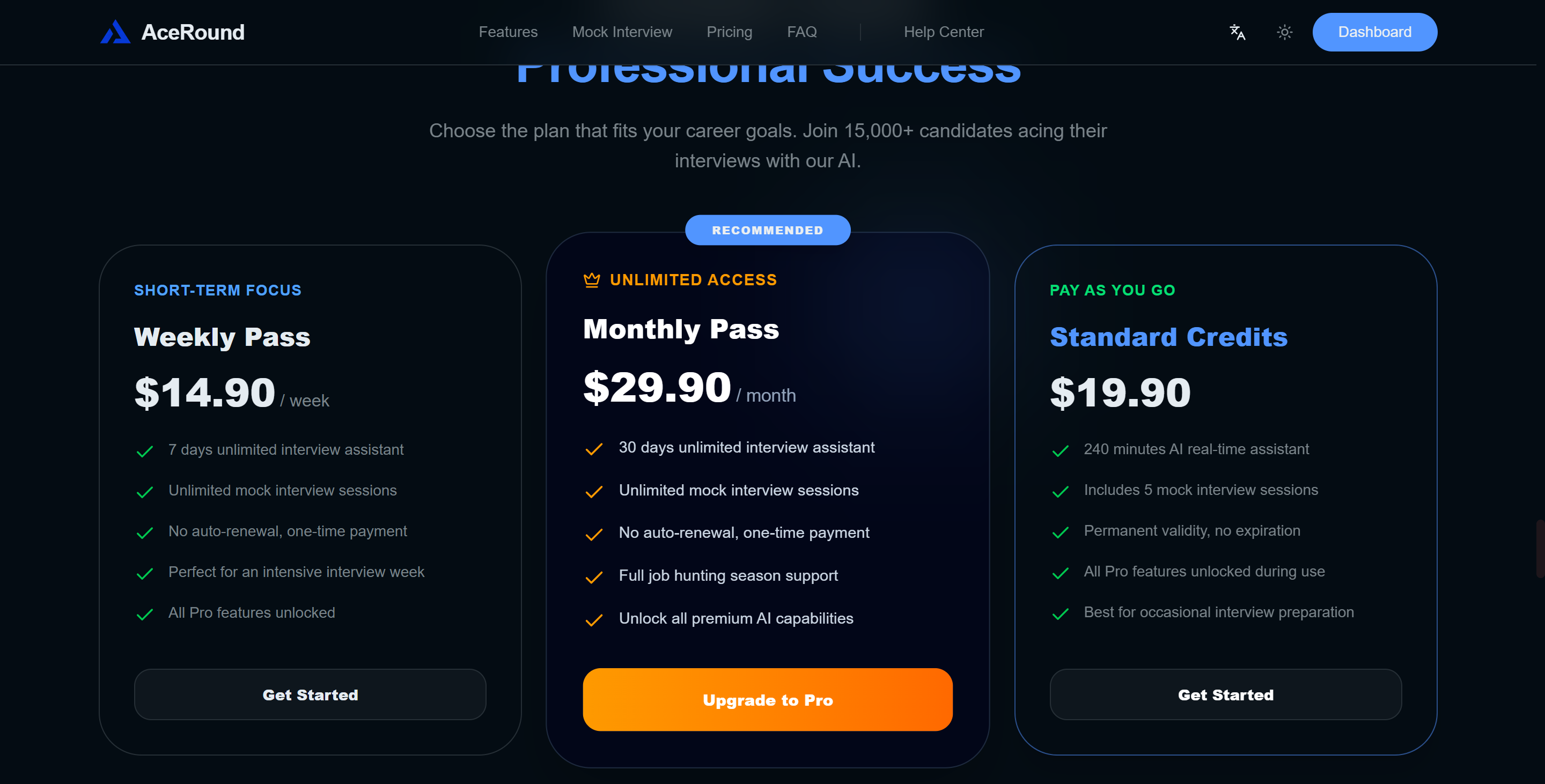
Plans And Tiers
When I started my AceRound AI review, I wanted to know if the price matched the features. Here’s a quick look at how AceRound AI stacks up against another popular tool, Linkjob AI:
Feature | AceRound AI | Linkjob AI |
|---|---|---|
Starting price | $14.90/week | $29.9/mo annually |
Free tier | 30-min session | 20-minute sessions |
Live interview copilot | Yes | Yes |
Mock interviews | Yes | Yes |
Technical interview/live coding | Limited | Strong |
Desktop app | Mac + Windows | Mac + Windows |
Is AceRound AI Worth The Price?
Honestly, I don't think this is an issue anymore. I'm sure that until all of the issues mentioned above are fixed, I'll have to say that "AceRound AI is absolutely not worth the price."
Even if the price isn't too high, the tool as a whole is so hard to use that it's almost impossible; I even find some of its features so confusing that they're almost laughable.
But, since it's still a work in progress, I think it's important to hold off for now and wait for some refinements and further development. That includes things like setting up a Discord channel and other updates.
Aceround AI Review: Possible Alternatives
Linkjob AI Vs AceRound AI
Putting these two side by side is almost comical. It feels like comparing a buggy weekend project to a polished, military-grade weapon. When you are sitting in a high-stakes interview, the differences between them are the difference between landing an offer and getting completely banned:
Feature / Metric | AceRound AI | Linkjob AI |
Stealth & Security | Fails basic operational checks. Leaves an unhideable icon in your Dock and renders a giant black box over screenshots. | Bulletproof. Runs on an isolated OS-level graphics layer that is 100% invisible to Zoom, Teams, and proctoring scripts. |
Technical Intelligence | Completely choked on a LeetCode Hard problem, froze for two minutes, and spat out broken code with Chinese explanations. | Elite. Hooks into premier models like Claude Opus to tear through complex algorithmic logic and system design with zero lag. |
UI & Stability | A chaotic mess of 404 pages, unadjustable windows, and an absolute disaster of an infinite 1.2-second hover-loop bug. | Built for live execution. Features a perfectly smooth, transparent, real-time scrolling transcript feed that stays out of your way. |
Why Choose Linkjob AI as the Best AceRound Alternative?
If you are going to invest your money and place your career opportunities on the line, you need a tool that is bulletproof, not a work in progress. That is exactly why Linkjob AI stands out as the ultimate alternative to AceRound’s frustrating layout.
First off, its true system-level stealth means you can finally stop stressing about getting caught during full-screen shared loops. There are no suspicious Dock icons or black overlay boxes to give you away. The real-time suggestions stream instantly and cleanly right below your physical webcam lens, allowing you to maintain natural eye contact and keep your composure throughout the round.
More importantly, Linkjob AI actually delivers production-grade code. While AceRound struggles with basic transcription and fails hard on advanced technical screens, Linkjob AI acts like an elite staff engineer sitting right next to you. It doesn't crash, it doesn't lag out for minutes at a time, and it won't throw random language glitches at you mid-sentence. If you want a reliable, hyper-secure copilot instead of an unfinished headache, Linkjob AI is the obvious choice.
FAQ
How can AceRound AI be of use during an interview?
As I said in my AceRound AI review, the tool listens to the audio during the interview in real time and gives answer suggestions on the screen straight away. It also has some handy features for solving programming problems, as well as a mock interview function.
Is it safe to use AceRound AI during a live interview?
From what I've seen with AceRound AI, it's not safe. The 'Limited Sharing' tab won't be picked up by active tab monitoring, and the desktop app is really unstable. It's not going to get you through an interview.
Can I use AceRound AI during a technical interview?
I wouldn't recommend it. In this AceRound AI review, I focused on its coding assistance features. The result was that it kept on giving me the wrong answers. Even when it recognised the error messages after I'd submitted them, it still didn't give me the right solutions.
What is AceRound AI’s refund policy?
Before I put pen to paper on this AceRound AI review, I took a good look at their billing terms. You can get a refund for any unused portion within 30 days by sending an email to their official address with the relevant data attached.
Who should try AceRound AI?
So, to sum up this AceRound AI review, the platform is great for non-native speakers, job seekers who are nervous about performing, or anyone who just needs a bit of quick, short-term practice support. But if you need some really detailed system design help or top-level programming solutions, you might have to look elsewhere.
See Also
Top Alternatives to Verve AI for Interview Assistance
Leading Alternatives to Interview Coder for Coding Interviews
2026 Update: My Experience and Review of InterviewPal
