My Honest InterviewMan Review After a Month of Use


After using it for a whole month, I can say for sure that this review of InterviewMan is based on real-world experience, not just guesswork. I'm currently trying to get through job applications and technical interviews, and I'm on the lookout for a tool that can really help.
I decided to try InterviewMan because its Reddit marketing has been really aggressive recently – it's literally everywhere, popping up all the time on every video platform. I thought I'd give it a proper go and set a one-month trial period: if it could win me over in that time, I'd accept it as a good tool.
I did find a few issues of InterviewMan, though, so I didn't renew my subscription. I'm doing this InterviewMan review, just like I've done for other real-time AI interview assistants. (For more info, check out my Beyz AI review and Lockedin AI review—these tools tend to have similar issues.) In this article, I'll give you the lowdown on my experience using InterviewMan, talking about its strengths and weaknesses, and some of the more competitive alternatives out there.

InterviewMan Review: The Tool's Feature Overview
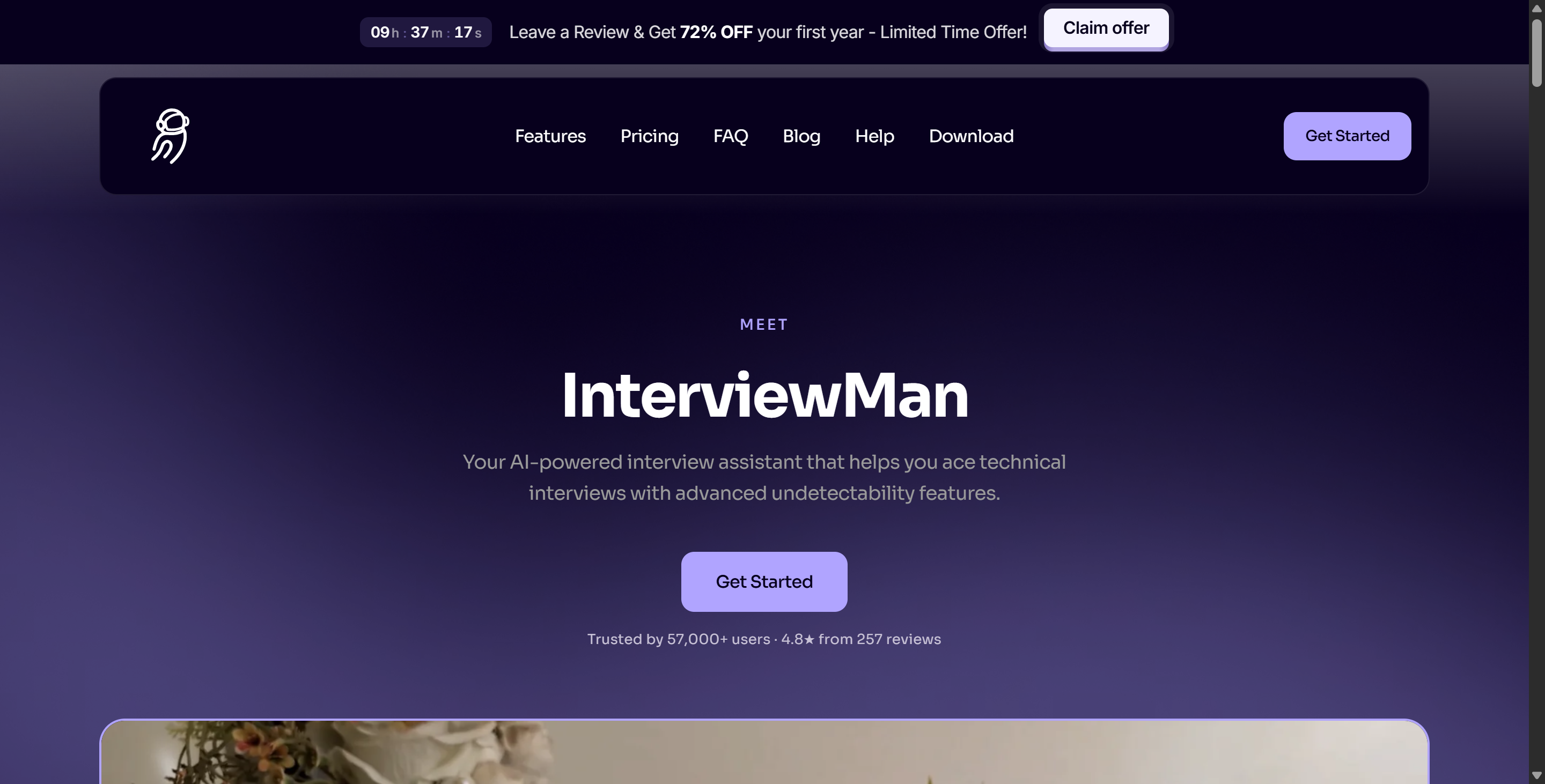
Key Features and Pricing
Basically, InterviewMan is an AI-powered assistant (though I have not found the official explanation of the exact model they chose). It gives me real-time assistance, which means I can get advice and feedback straight away as the interview goes on. The tool claims to operate invisibly, so the interviewer won't know I'm using it.
I also noticed that it can tell the difference between speakers, which is really useful during group calls. For tech interviews, InterviewMan supports various programming platforms, so I can get help with coding or system design questions.
One of the best things about it is how simple the pricing model is. Compared to other AI interview assistants, InterviewMan is a pretty affordable option. There are two subscription plans, and the prices are pretty reasonable.
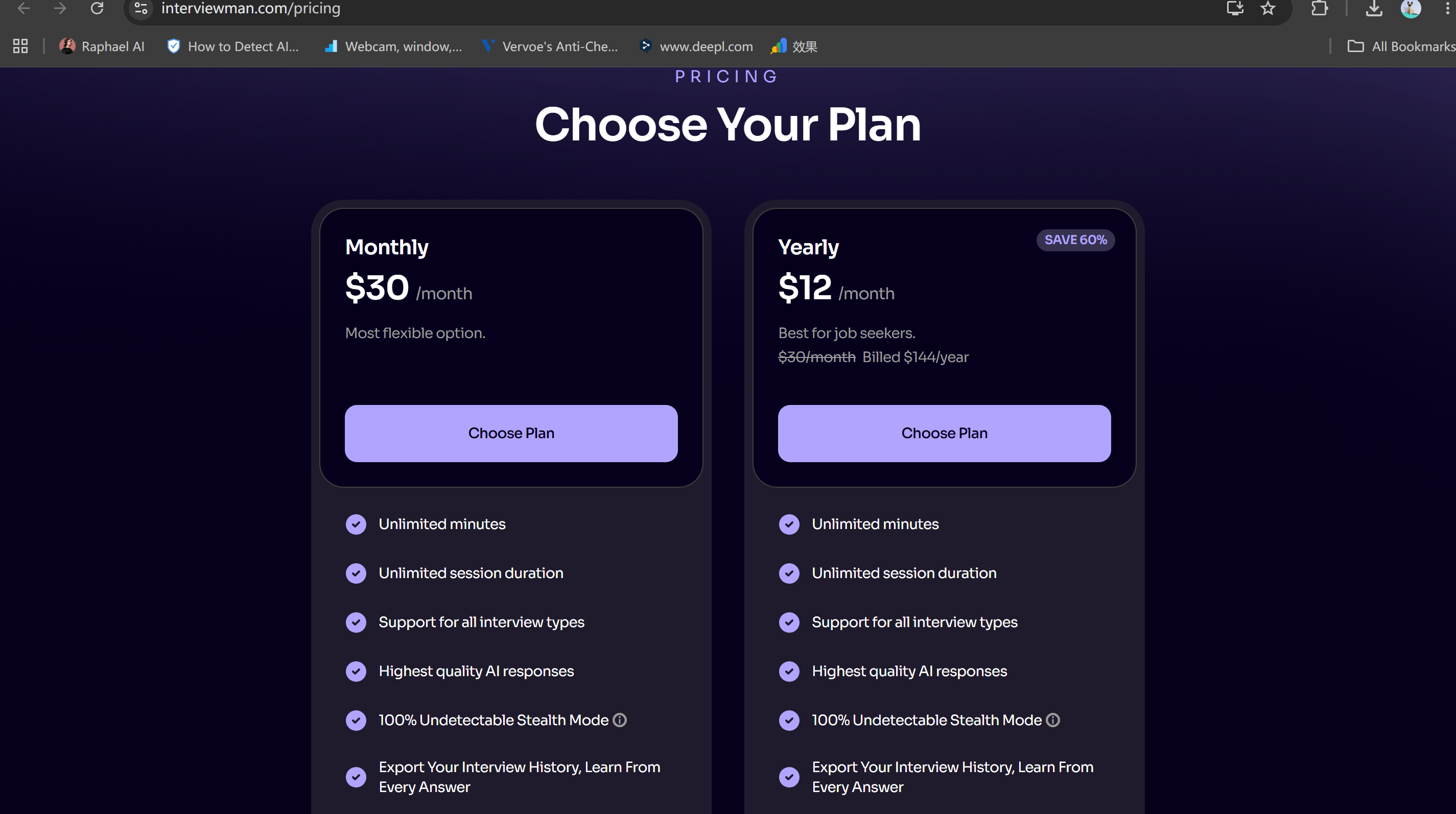
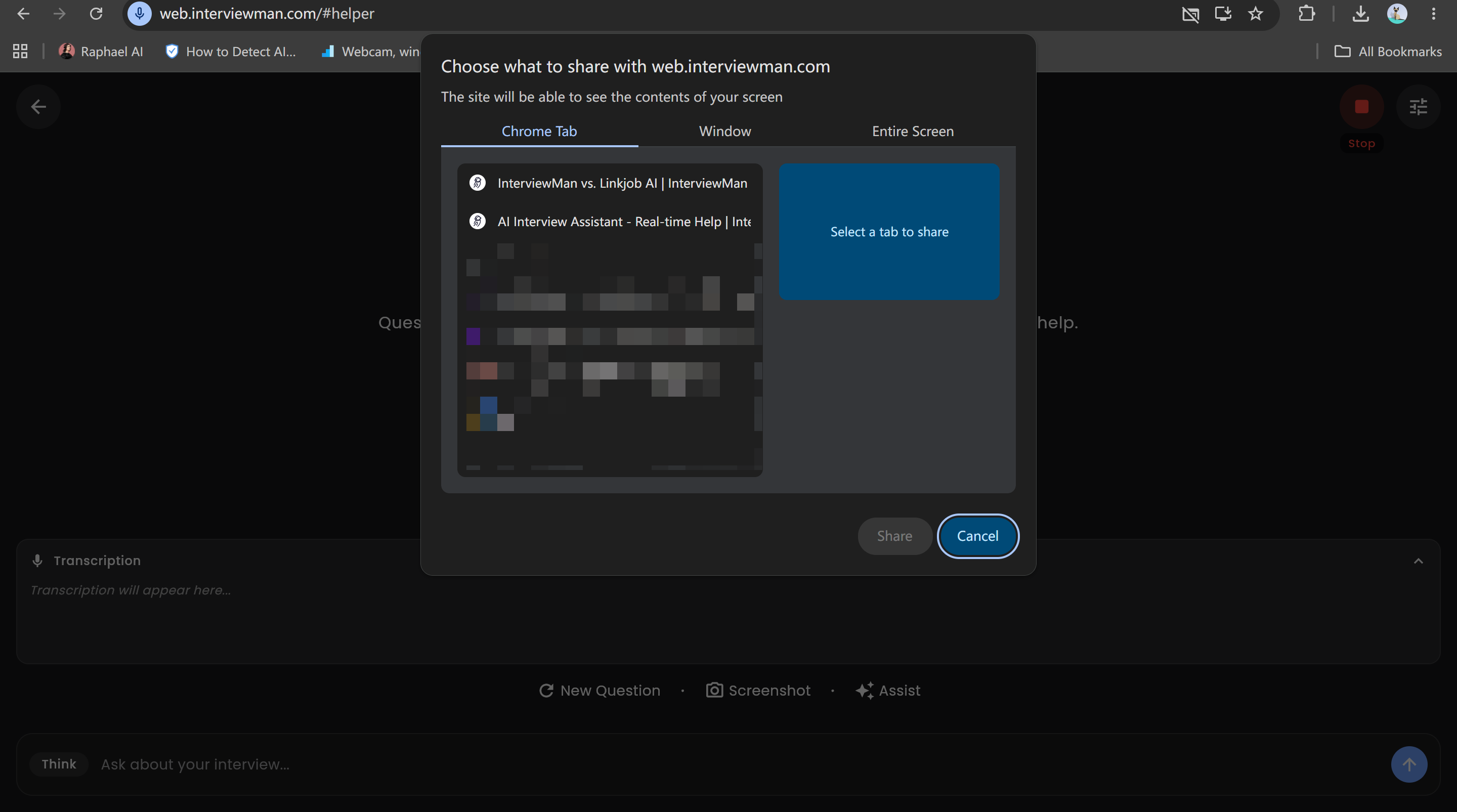
According to the info from InterviewMan, it's got three different stealth modes: a tab-sharing mode like Sensei AI, a desktop app mode like Linkjob AI, and a mode for connecting a second device, similar to CoderankGPT. I've tested all of them loads in the past month and I can tell you they work most of the time and do what they say on the tin.
Supported Platforms and Use Cases
I tried InterviewMan on different devices to see how flexible it is. Here is a quick look at the platforms it supports and what you can do on each:
Platform | Primary Use Cases |
|---|---|
Windows | Behavioral questions, technical screens, live coding, system design discussions |
macOS | Behavioral questions, technical screens, live coding, system design discussions |
Android | Mobile recruiter screens, voice-only calls |
iOS | Mobile recruiter screens, voice-only calls |
Chrome | Integration with video tools like Zoom, Microsoft Teams, Google Meet, etc. |
I really like that InterviewMan works on both laptops and smartphones. It's really handy when you're doing video interviews on platforms like Zoom or Google Meet, especially as it's integrated with Chrome. This flexibility means I don't have to worry about switching between devices or missing out on any features.
But to me, these features are only "implemented" – they should really be "well-implemented". Otherwise, there wouldn't have been any reason for me to buy it. Next, I'll share my real-world experience to help you see both the standout features and the less-than-satisfying shortcomings for yourselves.
My Month-Long InterviewMan Experience: Is InterviewMan Legit?
Setup and First Impressions
I started out with InterviewMan by signing up for the monthly plan. The setup process felt pretty straightforward. You can use the tab mode straight away, no installation needed, but you'll need to install an app that supports a floating window for the two advanced modes.
The main issue I noticed was that whenever I tried to sign into the app with my Google account, I just couldn't get in. So, I had to use my email address instead. I switched Wi-Fi networks and even tried a different device, but still couldn't log in. It wasn't until then that I realised why there was a line at the bottom of the login page that read, "Having trouble logging in? Get in touch."
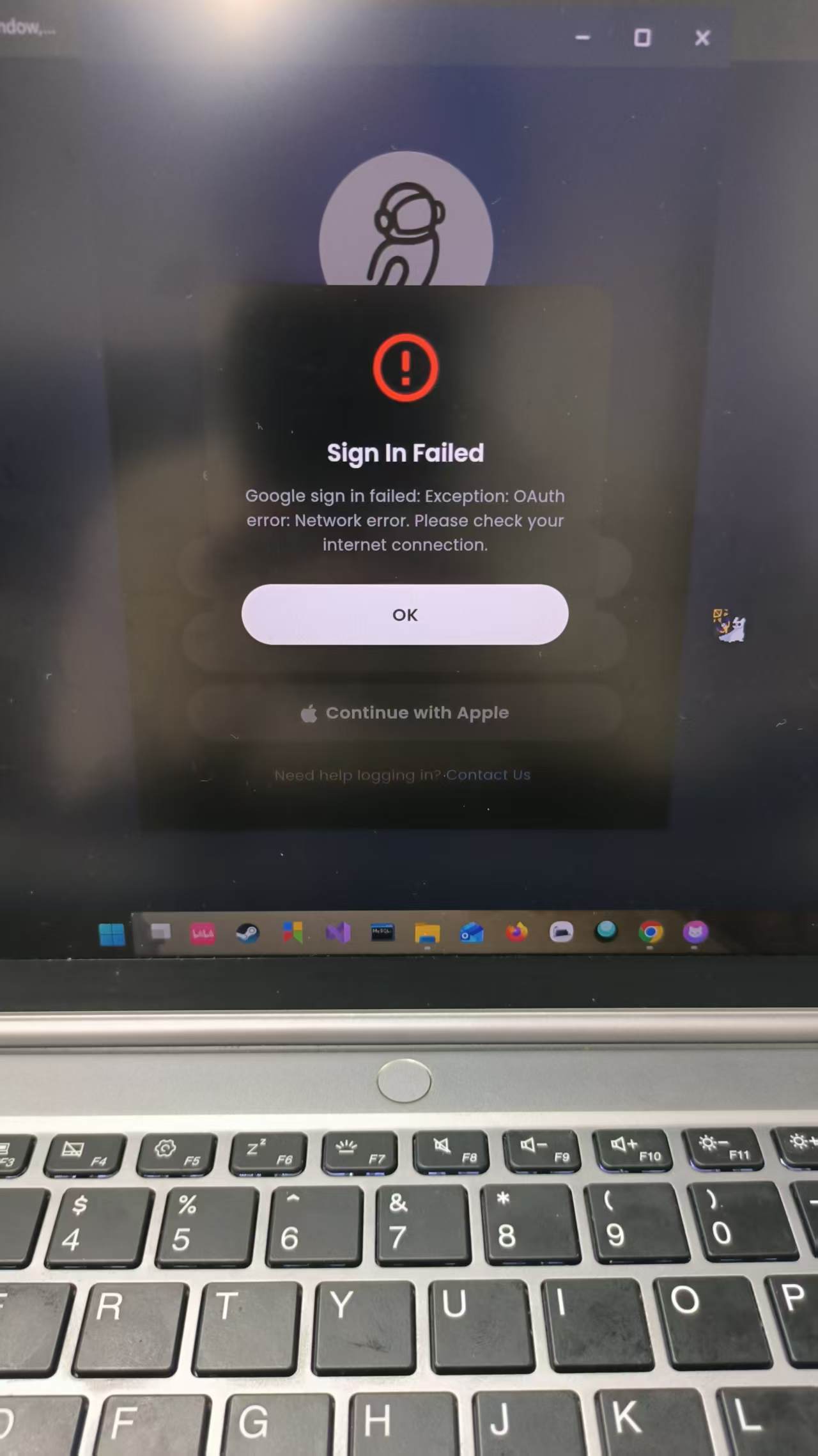
Also, there were some challenges I found during the first days of using:
Setup Requirements | Technical Challenges |
|---|---|
Browser-based or lightweight setup | Limited direct integration with coding platforms |
Works across most modern systems | Not built for deep technical problem-solving |
Minimal installation required | May not fully solve complex coding problems |
Compatible with Zoom, Google Meet, Teams | Focuses more on communication than coding depth |
I liked that I could jump into interviews almost right away. I didn’t have to wait for downloads or updates. However, I quickly realized InterviewMan doesn’t connect deeply with coding platforms. If you’re hoping for advanced coding help, you might feel a bit let down. The tool focuses more on communication and behavioral questions.
Usability and Interface
When I first opened InterviewMan, I expected it to look good. I was surprised by how simple the layout was. It seemed a bit plain compared to other AI assistants.
The setup process is actually pretty straightforward, but maybe a bit too straightforward—after all, just entering a slightly detailed job title instead of the entire job description does feel like something is missing.
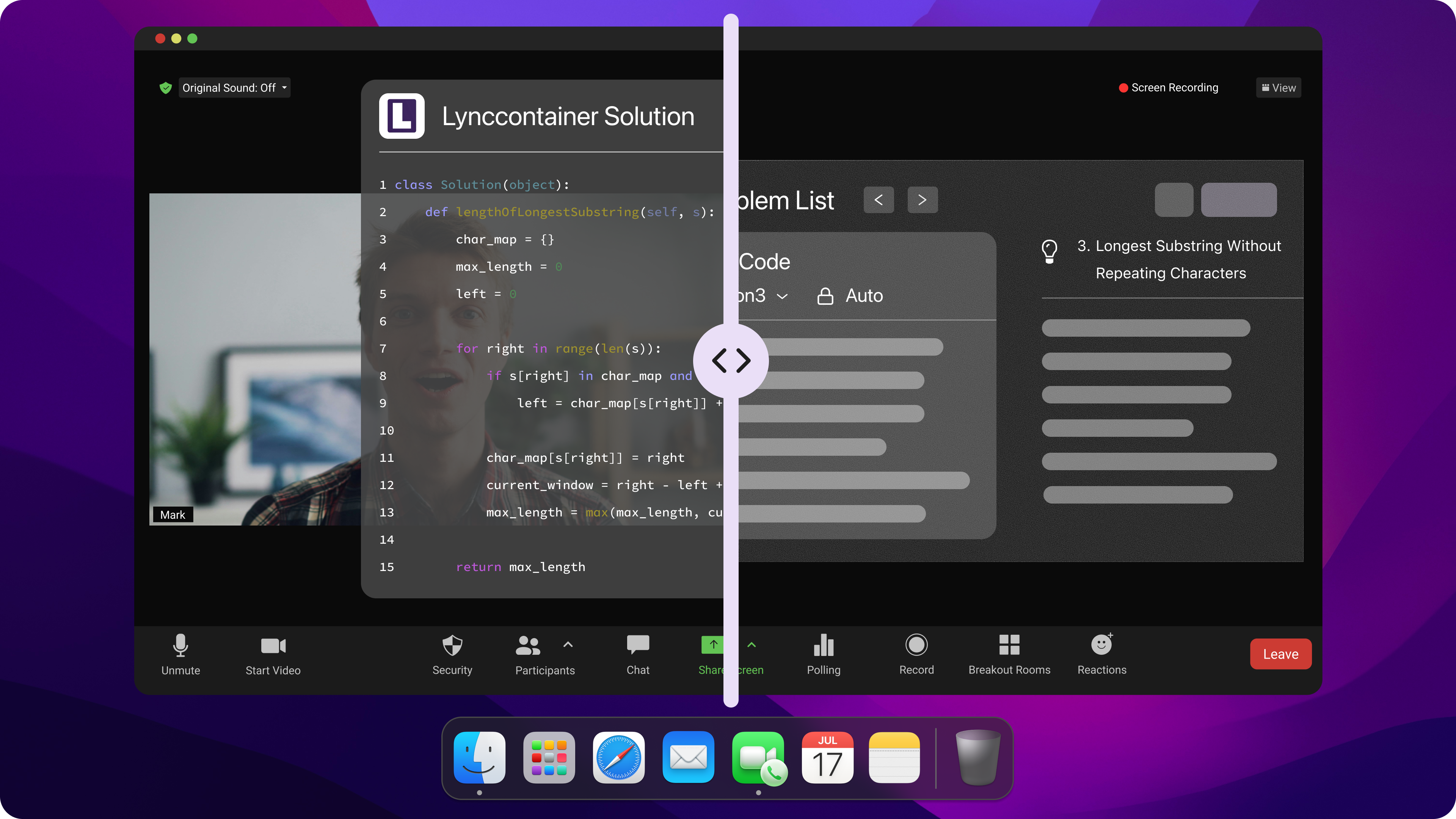
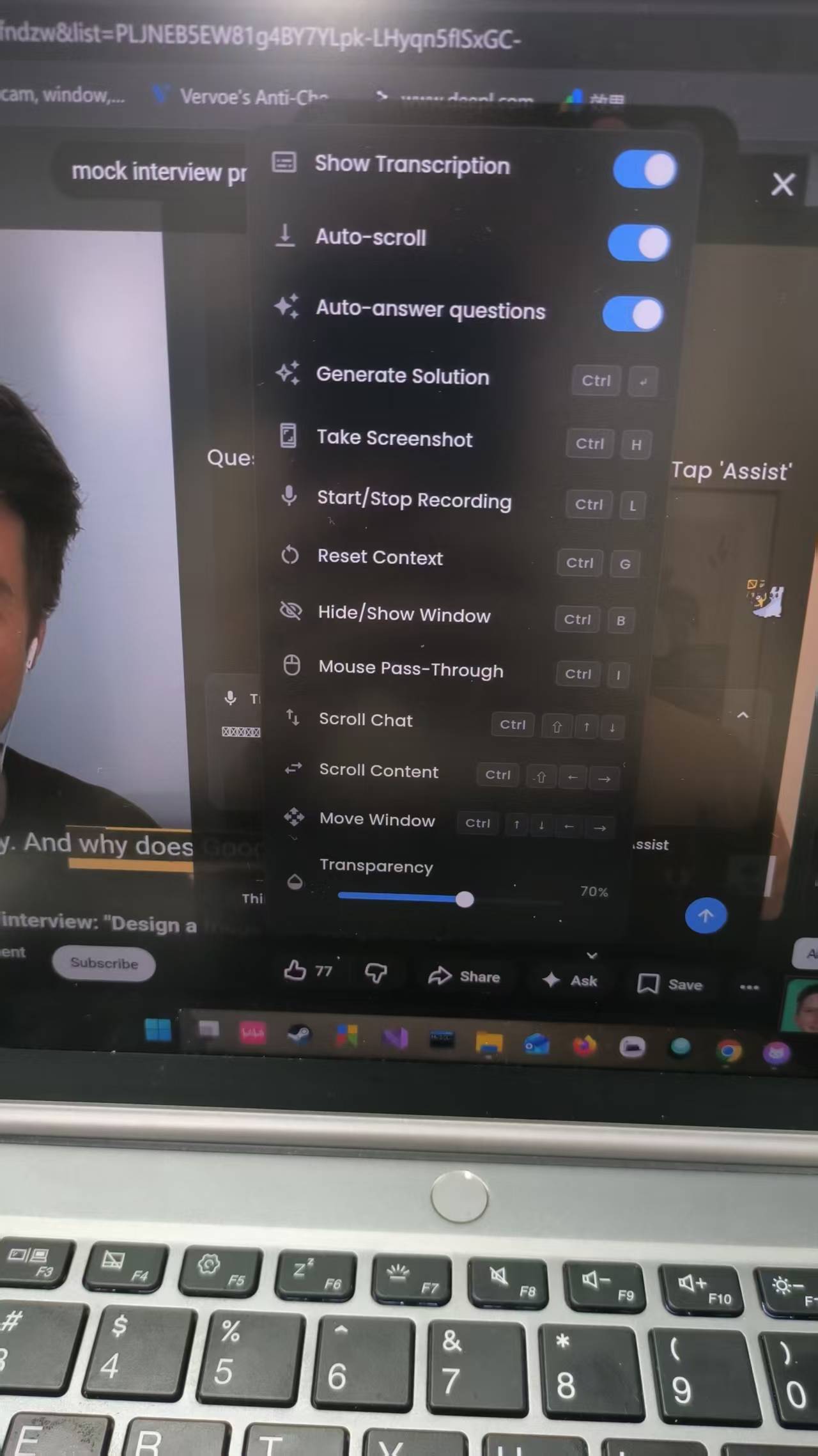
I tried out the transcription feature, and it's great. It can automatically recognise different languages (I tested it, and it quickly identified English, Chinese, French, and Japanese). During the interview, I had to manually click "Assist" after every question, though. This put me off a bit and made me feel less confident.
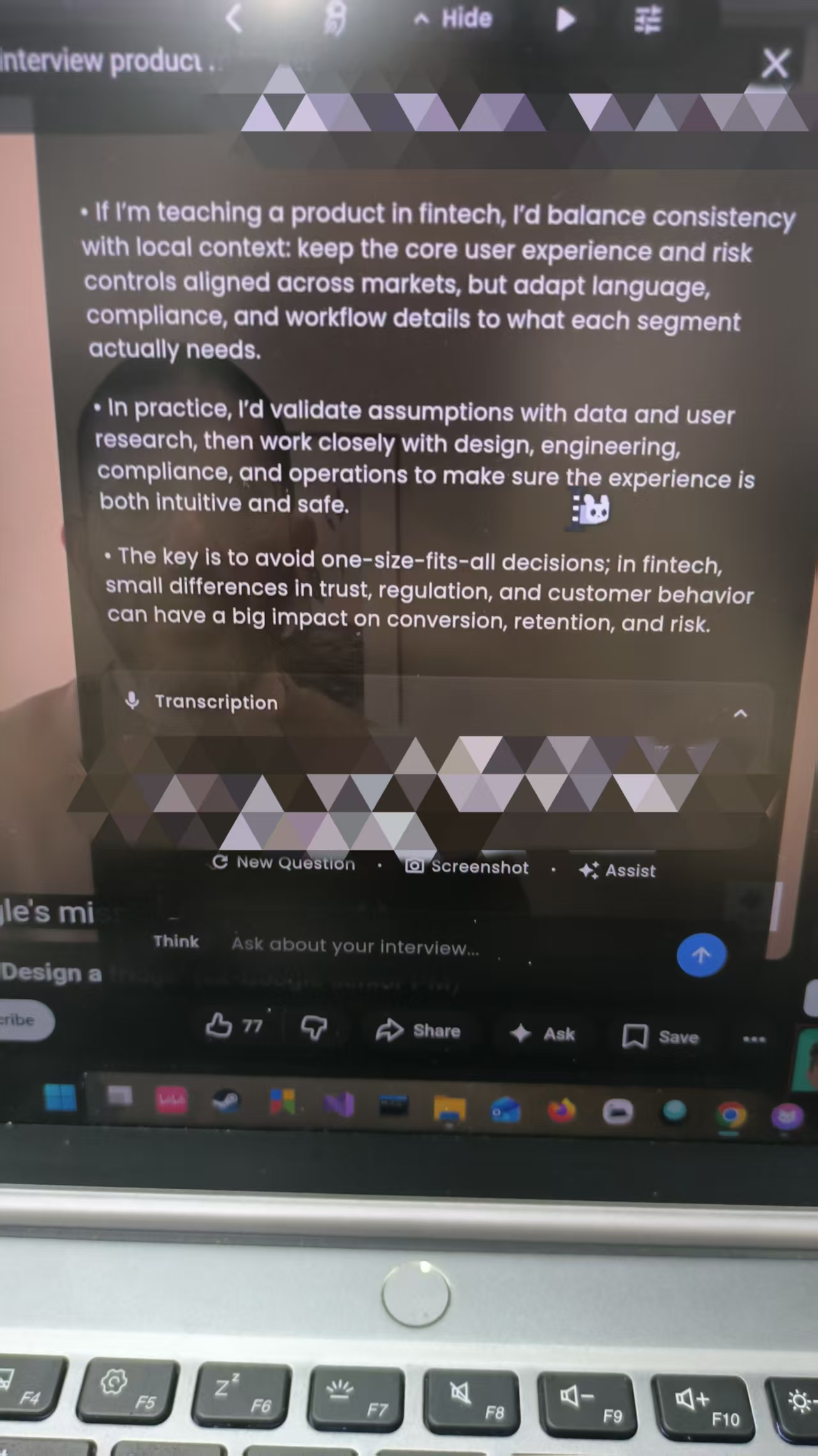
The interface is simple but lacks features compared to tools like Linkjob AI.
Not so much personalization settings, including too simple job input
Manual input was required during interviews, making the experience less intuitive.
I've subscribed to Linkjob AI before, and it was great. Everything happened in an undetectable command bar, and I didn't need to do anything manually. InterviewMan's approach felt a bit less polished. I found myself clicking more than I found the interview itself interesting.
Real-Time Performance
One thing I really like about InterviewMan is how it's real-time responsive, even though you need to click or use a shortcut to turn it on. InterviewMan gives answers and suggestions straight away; I've never had to wait for the AI to catch up.
I've used InterviewMan for both behavioural and technical interviews. The AI responds quickly, which makes me feel well-supported. But the tool doesn't always give you the lowdown on the tech side of things. If you're getting ready for some tricky programming challenges, you might need a hand.
To be honest, it's not that great at helping you out with complex system design problems. It can give you answers, but it doesn't really go into much detail. I've also used it as a supplement while practising on Leetcode, and the results were similar to what I've described.
Issues and Limitations
After a month, I noticed some clear strengths and weaknesses. When it comes to privacy and security, InterviewMan does what it says on the tin. I've had a look on the InterviewMan Reddit posts and there's been no mention of data breaches.
But it says it has over 20 stealth features. More than 57,000 users have used it without being detected. Obviously, there aren't that many people in their Discord group regularly. These so-called 20 or more features – which were especially brought to attention in that article comparing InterviewMan to Linkjob AI – aren't that different from each other. I think this might be false advertising, so perhaps it's more like an above-average stealth interview assistant. The sheer volume of data seems like hype to me, even with those praising InterviewMan reviews on Reddit.
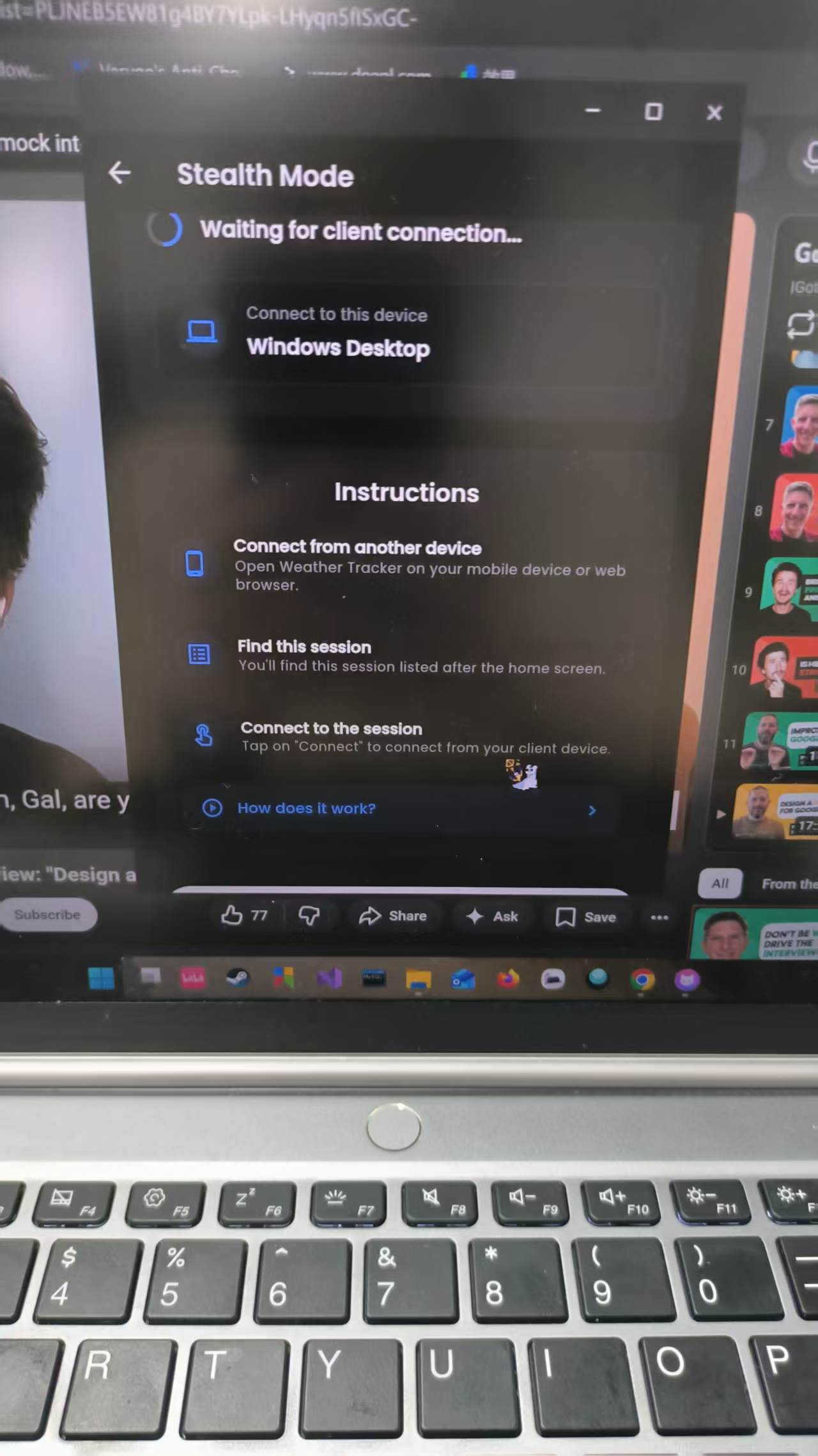
The tool's interface could be better though. I've seen users complain that the double-login process and the need to manually answer questions make the interview experience feel a bit clunky.
Also, if the overlay is accidentally covered by another page, you usually have to bring it back up step by step. Basically, you won't be able to use the shortcut keys as long as the overlay is on top, which is a bit of a pain.
I once accidentally minimised it during a video call with a friend to try out InterviewMan's stealth mode. She just watched as I kept minimising the page, then suddenly stopped at a certain point, clicked on some random spots, and then returned to our conversation. I really don't want to go through that during a formal interview.
So, in short, I can say that InterviewMan felt short in these fields:
Plain overlay with limited features to explore
Problematic overlay when pages cover it
Limited useful features, more like a hype
The device-needed mode and tab-sharing mode would not be so useful to me
InterviewMan Review: Pros and Cons
What Works Well
My month with InterviewMan revealed the tool's wide coverage of interview formats, plus the useful stealth mode for peace of mind. It supports Windows, macOS, Android, and iOS for seamless switching.
Real-time support is vital. I got immediate advice and feedback, which helped me stay calm. Unlike some competitors, InterviewMan offers comprehensive coverage for different interview types. GeekBy supports fewer programming languages and doesn't provide post-interview scoring. I felt InterviewMan delivered more value, especially during technical interviews.
ATTENTION: the tab-sharing mode cannot be undetectable during full screen sharing scenarios, even if InterviewMan said it can do that. It can't pass active tab checks and full-screen sharing meetings.
What Needs Improvement
Of course, no tool is perfect. My InterviewMan review wouldn’t be honest without mentioning the downsides. Here are the main issues I faced:
The first time I used InterviewMan on my Mac, I had to wait several minutes for permissions to work. That felt frustrating.
The app crashed once during a live interview. I lost my progress and felt like I wasted my money that day.
There’s no question bank or AI mock interview feature. I could only use it for live sessions.
The free trial is short, and there’s no permanent free version.
I noticed the marketing focuses on discounts and too many features available, but there was no mention of their AI model. This can be confusing if you want to know the real circumstances.
These issues made some interviews more stressful than they needed to be. I also wish the tool offered more practice options, not just live help.
After InterviewMan Review: Is InterviewMan Worth It?
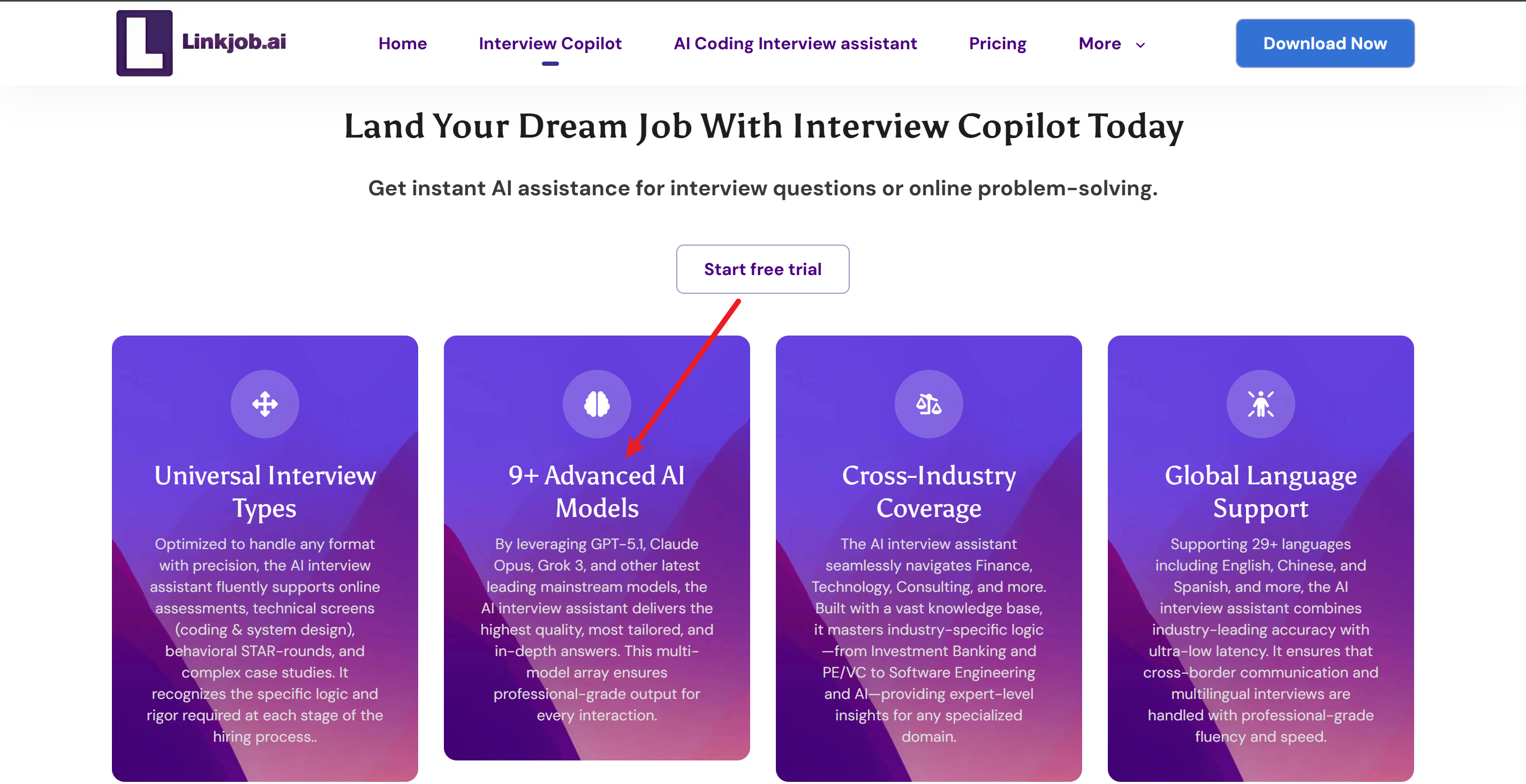
Compare InterviewMan With Other AI Interview Assistants
When I started looking for the best AI interview assistant, I tried a few popular options. Some tools, like Cluely and Linkjob AI, promised a lot and always delivered. I wanted something reliable, fast, and secure. Here’s a quick table that shows how InterviewMan stacks up against others:
Feature | InterviewMan | Cluely | Linkjob AI |
|---|---|---|---|
AI accuracy | Normal level | Reports of hallucinations | Varies according to the model you choose |
Data security | Zero data breaches | Had a major breach | Zero data breaches |
Real-time assistance | Limited, need manual input | Great | Great |
AI models | Not mention | Advanced ones | Advanced ones |
I noticed InterviewMan gets high marks for reliability and accuracy. I never worried about my data, which isn’t always true with other tools. Cluely, for example, had a big data breach that affected thousands of users. That made me trust InterviewMan more.
Where InterviewMan Excels
After a month of testing, I found several areas where InterviewMan stands out. Here’s what impressed me most:
It supports many interview types, including behavioral, technical, and system design rounds.
The stealth features are next-level. The app stays invisible on the Dock and doesn’t show any system icons.
Voice recognition can tell who is speaking, which helps in group interviews.
It works with coding platforms like HackerRank, CoderPad, and Codility, plus all the major video call tools.
Where InterviewMan Falls Short
No tool is perfect, and my InterviewMan review wouldn’t be complete without the downsides. Here’s what I didn’t like:
The setup can take a while, especially if you need to grant extra permissions.
There’s no question bank for self-paced practice, which I missed when preparing for behavioral interviews.
I experienced a crash during one interview, which made me nervous about reliability.
Some users also say the app’s performance can be shaky at times. If you want a tool for both live help and practice, you might need to look elsewhere.
FAQ
How hard was it to set up InterviewMan?
I found setup quick and easy. I just signed up, followed the prompts, and started using it in my browser. But I still cannot log in with my Google account when using the app.
Is InterviewMan really undetectable during interviews?
Yes, in my experience, InterviewMan stayed hidden. The app never showed up on my screen or in system icons. But the tab-sharing mode, aka the normal mode, can be spotted during full-screen sharing interviews
Can I use InterviewMan on my phone?
Absolutely! I used InterviewMan on both my laptop and phone. The mobile version worked well for recruiter calls and voice interviews. Switching between devices felt seamless.
See Also
A Candid Review Of InterviewBee: My 2026 Experience
An Authentic Review Of InterviewPal: My 2026 Journey
Fuck LeetCode with Invisible AI Coding Interview Copilot | Linkjob.ai
My Experience With LockedIn AI: A 3.6 Star Review
Top Choice For AI Interview Assistant: InterviewPal Alternatives
Why People Choose Linkjob AI
Smoother interviews, coding challenges cleared, and job offers landed. See how users describe their experience with Linkjob AI—in their own words.


© Copyright 2026 Linkjob AI - All Rights Reserved.