The Truth About AI Extensions: My 2026 Pros and Cons Review

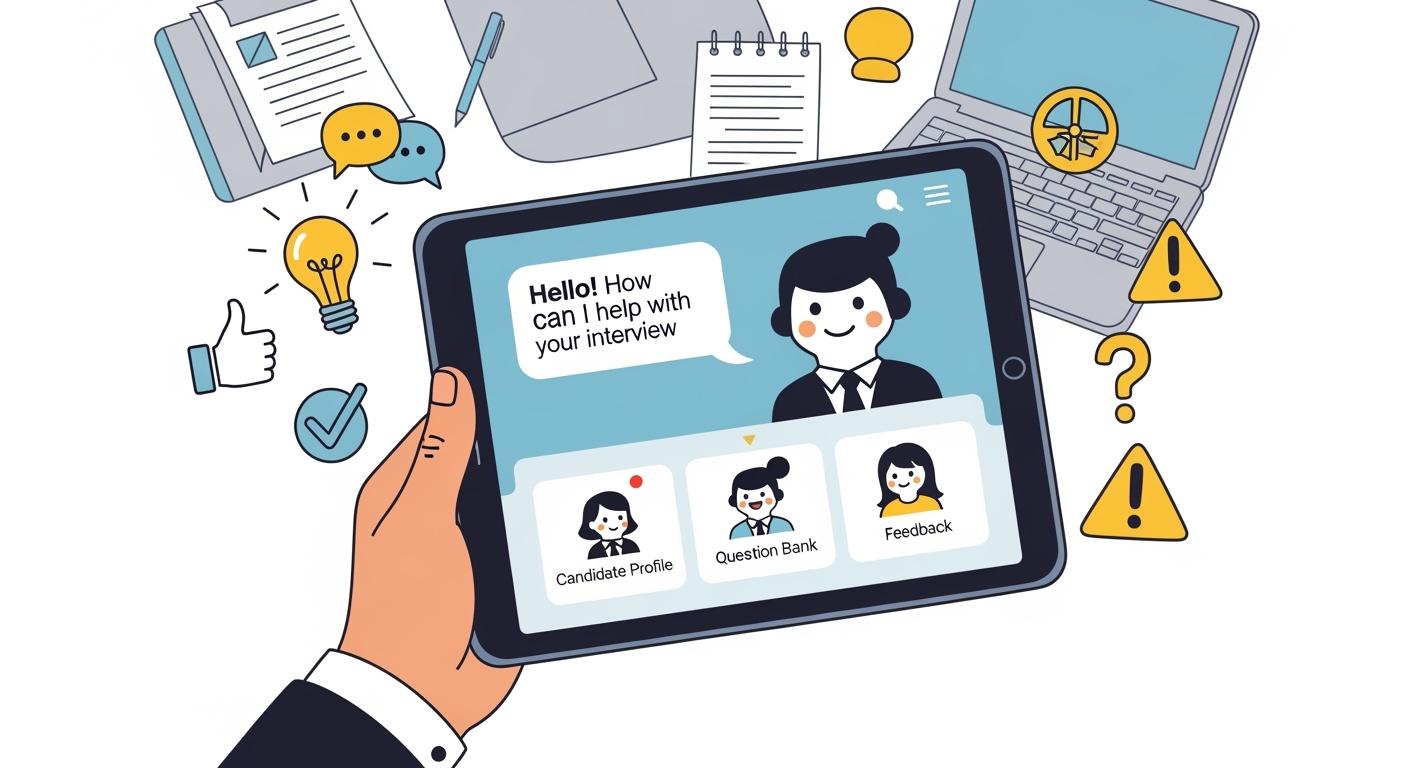
AI extensions for interviews are a newly emerging way to cheat during the hiring process. To be honest, I used them a few times in my own interviews. After all, who wouldn't want to just copy the answers and pass?
However, during one particular interview, the recruiter asked me to share my screen. I had to shut the tool down immediately, or I would have been caught. It was only then that I realized that if I'm trying to use a shortcut, extensions always carry the risk of detection.
That is why I switched from extensions to a desktop-based AI interview assistant. This format is the only one that remains virtually undetectable under almost all anti-cheating measures.
I’m very grateful to Linkjob AI for helping me pass my interview even while sharing my screen and dealing with active tab detection. Because of that, I’ve accepted this invitation to share the pros and cons I discovered while using AI interview extensions, and why desktop assistants are the perfect solution to the flaws found in extensions.

Understanding AI Extension for Interview
What Is an AI Extension for an Interview?
An AI extension for interviews is a browser-based software plugin (for Chrome, Edge, etc.) that functions as an auxiliary tool. By scraping webpage text, capturing audio/video streams, or analyzing code editor content, it leverages AI to provide real-time reference answers, conceptual hints, or code snippets during the interview process.
Key Features and Functions of the AI Extension for Interview
Based on my own experience, I’ve summarized the three most practical features of these tools:
Feature | Description |
|---|---|
Real-time Transcription | Real-time audio transcription of the interviewer's questions. Some extensions even support multilingual interviews, which means they can translate the interviewer's speech directly into my native language. |
Real-time Problem-Solving | Providing instant answers to the interviewer's questions, with the results appearing right in the extension sidebar. |
Coding Assistance | Higher-end extensions can even handle basic coding questions and simple multiple-choice problems. This is done by clicking the tool to take a screenshot of the screen. |
In short, despite the limitations of being confined to a browser sidebar, these extensions are still quite effective for handling basic interviews.
Pros of AI Extension for Interview
Low Barrier to Entry
Once installed, the extension is ready to use with just a click in the sidebar. It requires zero configuration, making it incredibly user-friendly for those who need basic assistance on short notice. Moreover, some products offer AI interview assistant services for free.
Context-Aware
Because it lives within the browser, it can directly read the webpage's DOM structure. This means it can automatically recognize LeetCode problems or Google Meet's live captions, saving me the hassle of manually typing in the questions.
Visual Assistance
During the interview, the sidebar provides a side-by-side view. It’s very convenient to see the questions and the AI-generated answers at the same time, eliminating the need to constantly switch between tabs or windows.
The Fatal Flaws of AI Extensions for Interviews
High Risk of Detection
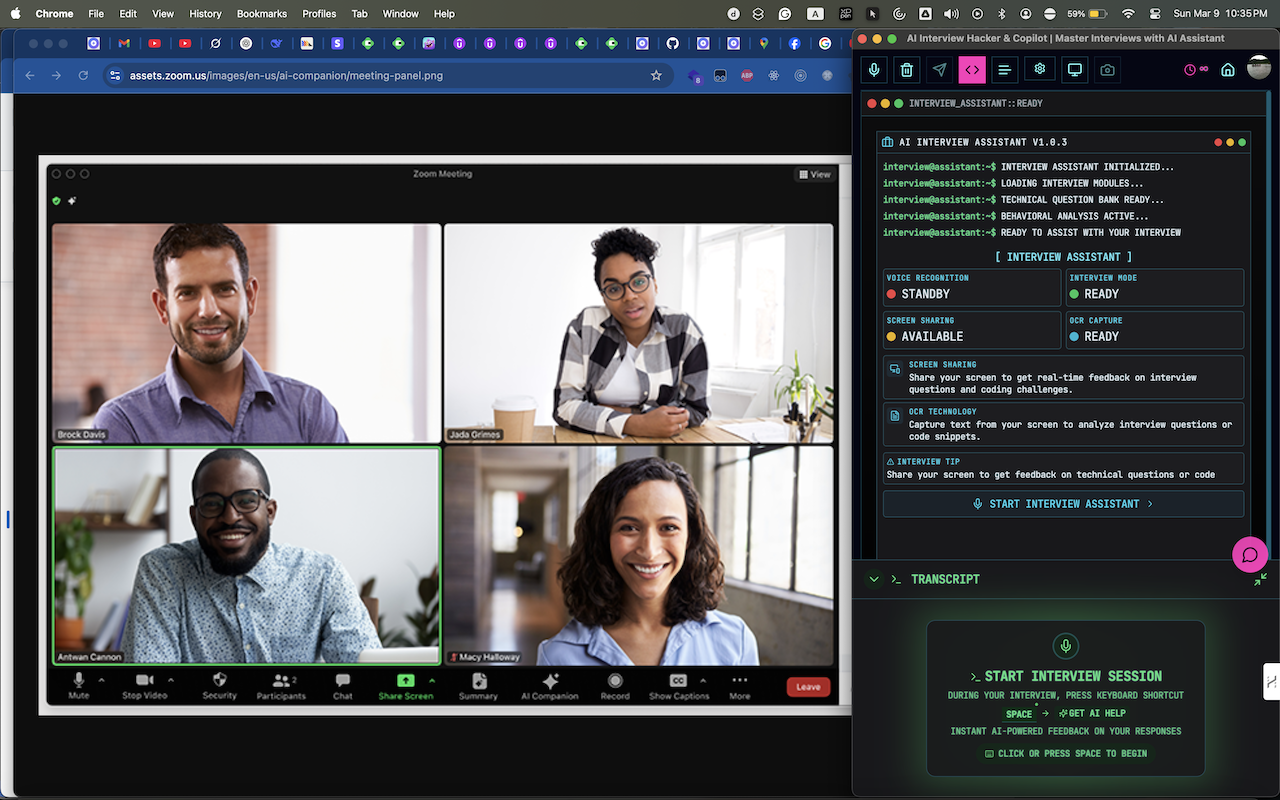
The absolute fatal flaw of extensions is that the browser sidebar cannot be hidden when an interviewer asks to 'Share your screen.' Even if I try to share only a specific tab, any windows or overlays popped up by the extension will still be captured. Besides, interviewers rarely ask you to share just one tab. In the end, I’m forced to awkwardly shut it down to avoid getting caught.
Triggering Anti-Cheat Alarms
Platforms like HackerRank and CoderPad can now spot webpage tampering caused by extension code injection. Plus, since the tool isn't part of the actual interview tab, you have to constantly click out of the page to use it. This repeatedly triggers Active Tab Detection, making it extremely risky to use during a live session.
Limited Scope
Extensions are confined to the browser; they can only see what's on the webpage and hear the interviewer within a specific tab. Once the interview moves to a desktop app like Zoom or Microsoft Teams, or if you need to demonstrate coding in a local IDE, the extension goes completely blind and becomes useless.
Performance & Stability
Since extensions run within the browser process, they compete for memory. During high-load video calls, this can cause the browser to lag or freeze, which can seriously undermine my performance during the interview.
Underpowered AI Capabilities
From my own experience with extensions, they are generally quite affordable, which means they can't really provide access to high-end AI models for interviews. These lower-tier models are not only slow to generate responses but also produce poor-quality answers. Based on my own OA attempts, OA tests are now tested against these lower-tier models with edge cases they can’t solve. While higher-tier models usually manage to catch at least 50% of the edge cases, when I took a CodeSignal test, Gemini 2.0 Flash couldn't even pass 4 out of 20 test cases.
Why Desktop AI Interview Assistants are the Superior Alternative to Extensions
System-Level Stealth
Invisible during Screen Sharing
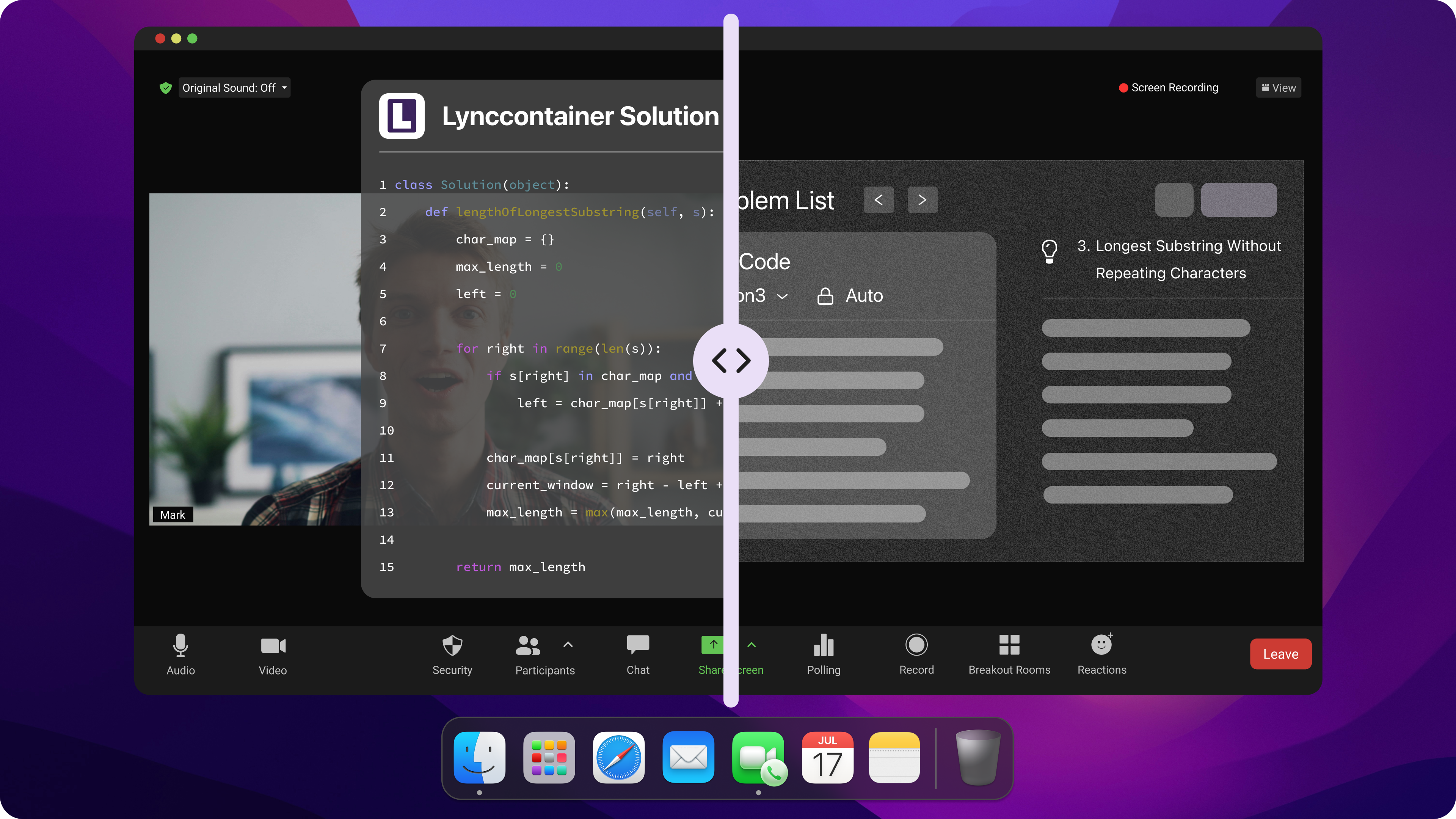
Desktop assistants like Linkjob AI utilize system-level overlay technology. This means the AI interface resides on a separate graphics layer that cannot be captured by browser tabs or meeting software like Zoom and Teams. Even if I am required to share my entire screen, the interviewer will only see my workspace, and the AI assistant remains completely invisible to them.
Bypassing Web Detection
To read a problem, a desktop product simply takes a screenshot of the screen. Since it requires zero DOM manipulation and no code injection, it completely bypasses the anti-cheating mechanisms used by platforms like HackerRank and CoderPad. It treats the webpage as a read-only visual, leaving no digital footprint for the platform to flag.
No Off-Tab Triggers
Interacting with Linkjob AI is done via customizable global hotkeys. Because the tool operates independently of the browser, there is no need to click away from the interview page or switch tabs to get help. This perfectly evades Active Tab Detection, as my cursor and browser focus never need to leave the test environment.
Zero Footprint
I use a Mac, and Linkjob AI can stay hidden from both the Dock and the Menu Bar, so it won’t expose that I’m using AI. Moreover, its package name has been changed, making it impossible to find in the Activity Monitor.
Higher-Tier AI Models for Low Latency and High Accuracy
Premium Model Access: Desktop products are generally positioned as high-end solutions. Free from the resource constraints of a browser, they can run the most powerful models available. This allows them to support Claude Opus 4.6 for complex coding interviews, or Gemini 3 Flash Preview to achieve the perfect balance of speed and quality during real-time sessions.
Handling Complex Edge Cases: As I mentioned earlier, when tackling Online Assessments on platforms like HackerRank or CodeSignal—which are packed with edge cases and extensive test suites—only top-tier models can guarantee a high pass rate. I would gladly pay a premium for an AI product if it actually secures my job offer.
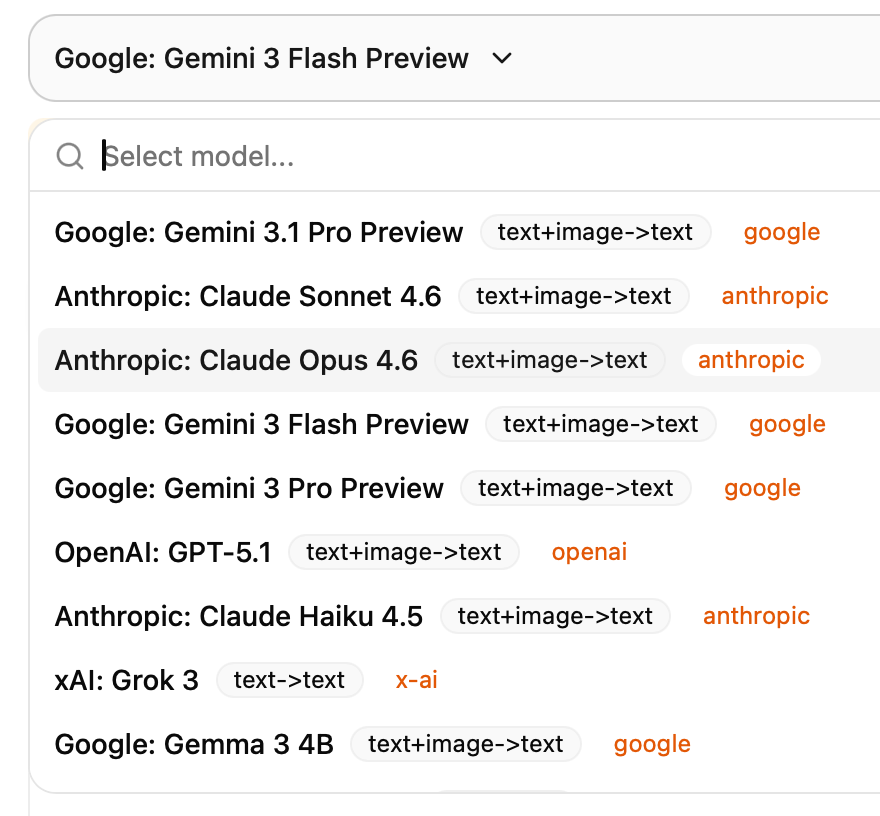
If you are unsure which one will work best for your specific interview, you can check in advance which AI is best for interviews.
Unlimited Scope: Beyond the Browser
Full App Support: Desktop AI interview assistants have full visibility of your entire screen, not just the browser. This means whether you are using the desktop clients for Zoom, Microsoft Teams, or Google Meet, the assistant can seamlessly capture both audio and video.
Local IDE Integration: When I’m demonstrating code in VS Code or IntelliJ, the desktop assistant continues to provide logical suggestions. I can simply use a keyboard shortcut to capture the screen and keep the AI updated on the current context.
FAQ
Can platforms like HackerRank or CodeSignal detect that I’m using a desktop AI assistant?
Most interviews occur in browser-based platforms (HackerRank, CodeSignal), which are restricted by "Sandboxing", a security boundary that isolates the tab from your OS. Due to this, platforms cannot detect:
External Apps: Websites have zero access to your computer's running processes or memory.
Focus Loss: While a site knows when you leave the tab, it has no way of knowing which app you switched to.
System-wide Input: Platforms only see keystrokes or clicks made inside the tab, not global hotkeys used to trigger an AI assistant.
Invisible Overlays: Native tools designed with system-level overlays (like Linkjob AI) simply do not appear in browser-based screen shares or recordings.
The Bottom Line: The browser is a sealed bubble. Any claim that these platforms can see what’s happening in your OS or detect external AI tools is technically impossible.
Will running the AI assistant make my computer lag during a video call?
Desktop assistants run as independent processes with dedicated memory management. This is much more stable than browser extensions, which have to compete for resources within the same browser process, often causing lag during high-load video sessions.
Why should I care about which AI model is used?
Speed and logic vary greatly between models. While Flash models are great for real-time conversation, Pro or Opus models are necessary for solving complex coding problems in OAs. Choosing the right model can be the difference between passing and failing.
See Also
Top AI Tools for Cheating in job interviews: My Honest Picks for 2026
6 Best AI Coding Interview Assistants in 2026: Review & Comparison
How I Cheat on Codility and Avoid Getting Caught in 2026
Why I Ditched Cluely AI: My Honest Take on the Best Cluely AI Alternatives That Actually Work
Why People Choose Linkjob AI
Smoother interviews, coding challenges cleared, and job offers landed. See how users describe their experience with Linkjob AI—in their own words.


© Copyright 2026 Linkjob AI - All Rights Reserved.