Finding the Best AI Interview Assistants for Consultants

The candidate landscape for management consulting, strategy, and corporate development has undergone a structural transformation. In 2026, navigating case interviews at MBB, Big 4 strategy arms, and premier boutique firms demands more than traditional framework memorization or peer mock casing. Candidates are now routinely evaluated on their ability to execute rapid quantitative sizing, deploy structured MECE problem decomposition under high pressure, and synthesize ambiguous data during live digital interactions.
As hiring bars rise and remote screening loops become increasingly rigorous, leveraging a high-performance AI interview assistant for consultants has shifted from a peripheral advantage to an essential strategic tool for candidate preparation and live interview copilot support.
Whether you are tackling dynamic market-entry cases, complex M&A valuation models, or high-stakes behavioral rounds, choosing an automated assistant requires evaluating critical capabilities: latency, framework precision, desktop stealth, and customization depth.

Evaluating the Modern AI Interview Assistant for Consultants
The recruiting pipeline for strategy consultants differs fundamentally from software engineering or product management assessments. While technical engineering loops test discrete algorithm performance or system architecture design, strategy consulting interviews evaluate structured problem framing, executive presence, verbal clarity, and rapid numerical synthesis.
TRADITIONAL CASING WORKFLOW:
[Peer Mock Session] ──► [Unstructured Manual Notes] ──► [Delayed Feedback] ──► [Inconsistent Scoring]

MODERN AI COPILOT WORKFLOW:
[Real-Time Case Scenario] ──► [Instant Region Capture] ──► [Multi-Model Synthesis] ──► [Structured MECE Hints (1.5s)]
Modern candidate screening in 2026 involves multi-layered assessment formats:
Automated Asynchronous Assessments: Interactive digital games (e.g., McKinsey Solve, BCG Casey) and automated video screens that evaluate logic, pattern recognition, and decision velocity.
First-Round Case Screens: Fast-paced case interviews focused on quantitative market sizing, profitability trees, and structured hypothesis formulation.
Partner-Led Final Rounds: Complex, ambiguous business scenarios paired with deep behavioral dives designed to test executive poise and adaptability under cross-examination.
Against this multi-stage reality, relying solely on static casebooks like Case in Point or scheduling intermittent peer mock sessions creates structural gaps. Peer practice lacks consistent objective analytics, cannot simulate infinite industry-specific scenarios, and provides no real-time safety net during high-pressure live interactions.
Quick Evaluation Checklist for Consulting AI Assistants
Before committing to a tool, check whether an AI interview assistant for consultants satisfies these three non-negotiable criteria:
Factor | Description |
Personalized Feedback | Provides tailored, resume-aware insights to sharpen your case answers and framework delivery. |
Real-World Simulation | Accurately mimics live consulting interview settings, including case study questions and follow-ups. |
Custom Session Design | Adapts practice questions to specific consulting firms (e.g., MBB, Big Four) and industry verticals. |
If a tool nails these, it’s probably a solid choice for your next interview. If you are looking for one specific AI tool, read my review of Lockedin AI, or my Beyz review to get detailed information. Or if you'd like to learn about AI interview assistants for software engineers, you can click here to read more review details.
Top AI Interview Assistants For Consultants Compared
Overview of Leading AI Interview Copilot
Assistant Name | Key Features | Pros | Cons |
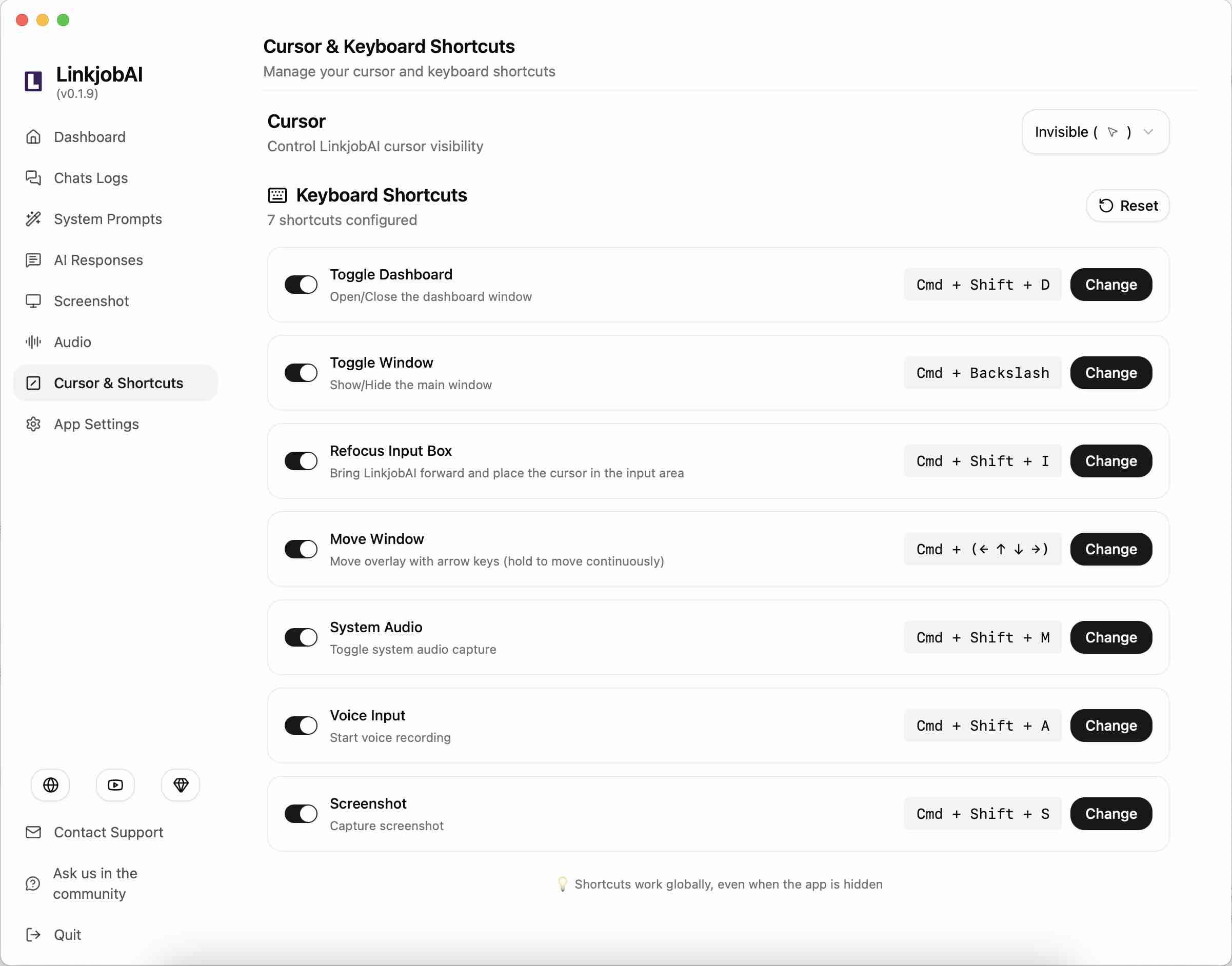
Linkjob AI | Custom practice, real-time feedback, stealth mode | Deep customization, strong privacy, advanced AI models | High price for quarterly/monthly plans, occasional lag |
LockedIn AI | Real-time copilot, mock interviews, post-call scoring | Works across multiple platforms, live coaching | Stealth mode is not always undetectable, higher pricing |
FinalRound AI | Company-specific questions, PM behavioral rounds | Contextual suggestions pair well with other tools | Lacks personalization and specific details, costs too much |
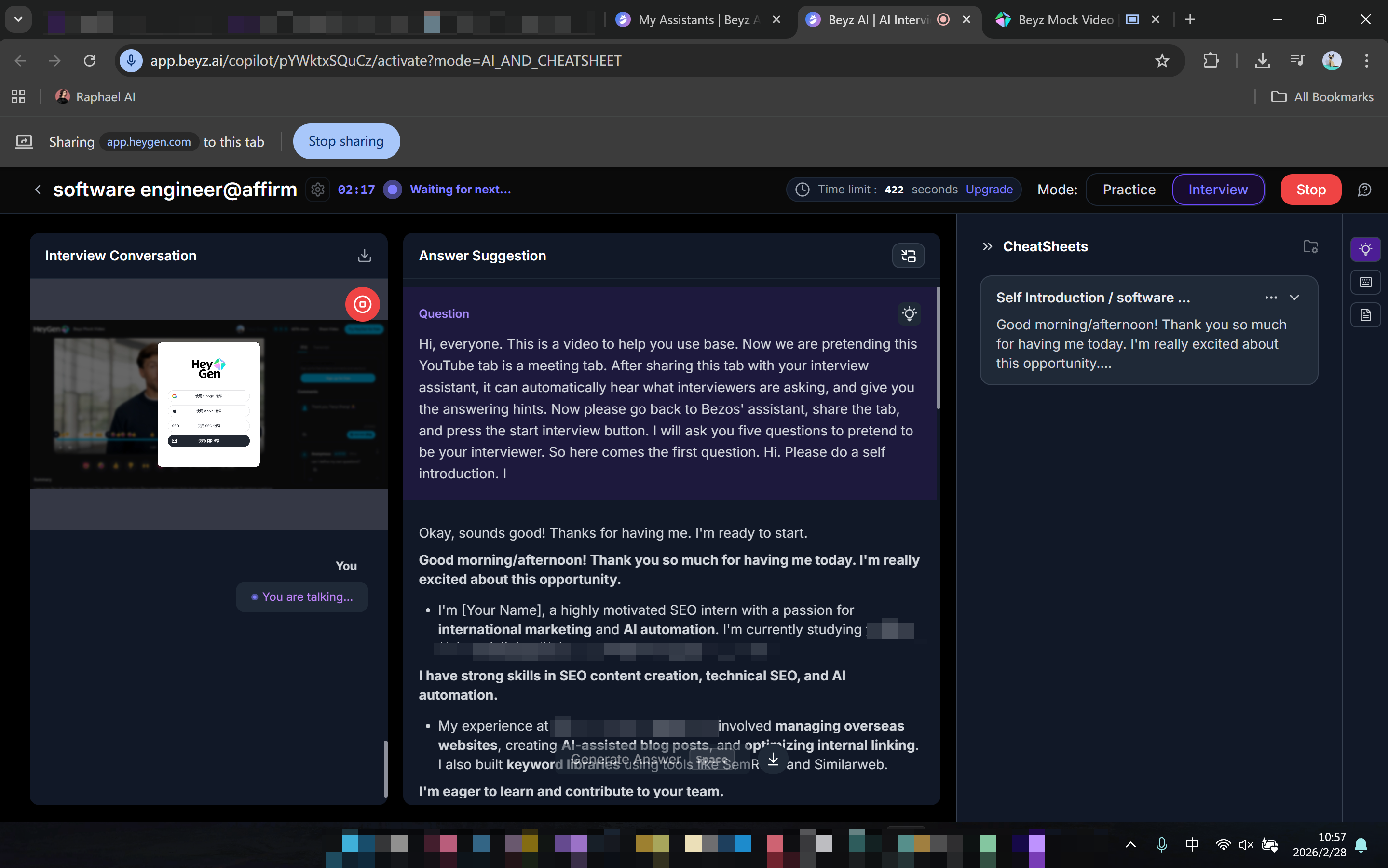
Interview Coder | Coding practice, live hints, debugging support | Great for technical interviews, instant feedback | Focused entirely on coding, less consulting-specific |
Beyz AI | Real-time hints, invisible desktop app | Easy setup, multi-language support, fast transcription | Accuracy issues, response delays, can be detected |
Google Interview Warmup | Job-specific questions, speech-to-text, AI feedback | Simple interface, free tool, easy immediate access | Limited fields, basic practice modes, no real-time help |
Interview Sidekick | 10,000 industry questions, feedback reports | Huge question bank, real-time support | Inconsistent language performance, lag, can be detected |
AI Interview Assistant For Consultants: Strengths and Weaknesses Breakdown
Every AI interview assistant brings different strengths and weaknesses to the table. Here is a closer look at how they perform in real consulting scenarios:
1. Linkjob AI
LINKJOB AI HIDDEN STEALTH PIPELINE:
[Smart Screenshot Capture] ──► [Hidden OS Process] ──► [Bypasses DWM Layer Flattening] ──► [0% Visibility on Zoom/Teams]
Strengths: Architected specifically to eliminate latency and detection risks. By utilizing Smart Screenshot Capture instead of continuous audio polling, Linkjob AI processes visual context from IDEs, slide decks, or financial spreadsheets in 1.0 to 2.0 seconds. It operates as a hidden background OS process outside the browser sandbox, rendering its prompt interface 100% invisible during full-desktop Zoom, Microsoft Teams, and Google Meet screen shares. Supports over 80+ leading LLMs (including GPT-5, Claude Opus, and Gemini Pro) and strictly enforces ephemeral data handling—never storing user transcripts or client documents on external servers.
Weaknesses: Lacks a completely free, unrestricted tier (provides a 10-minute full-feature trial code); monthly plans require investment for premium multi-model access.
2. LockedIn AI
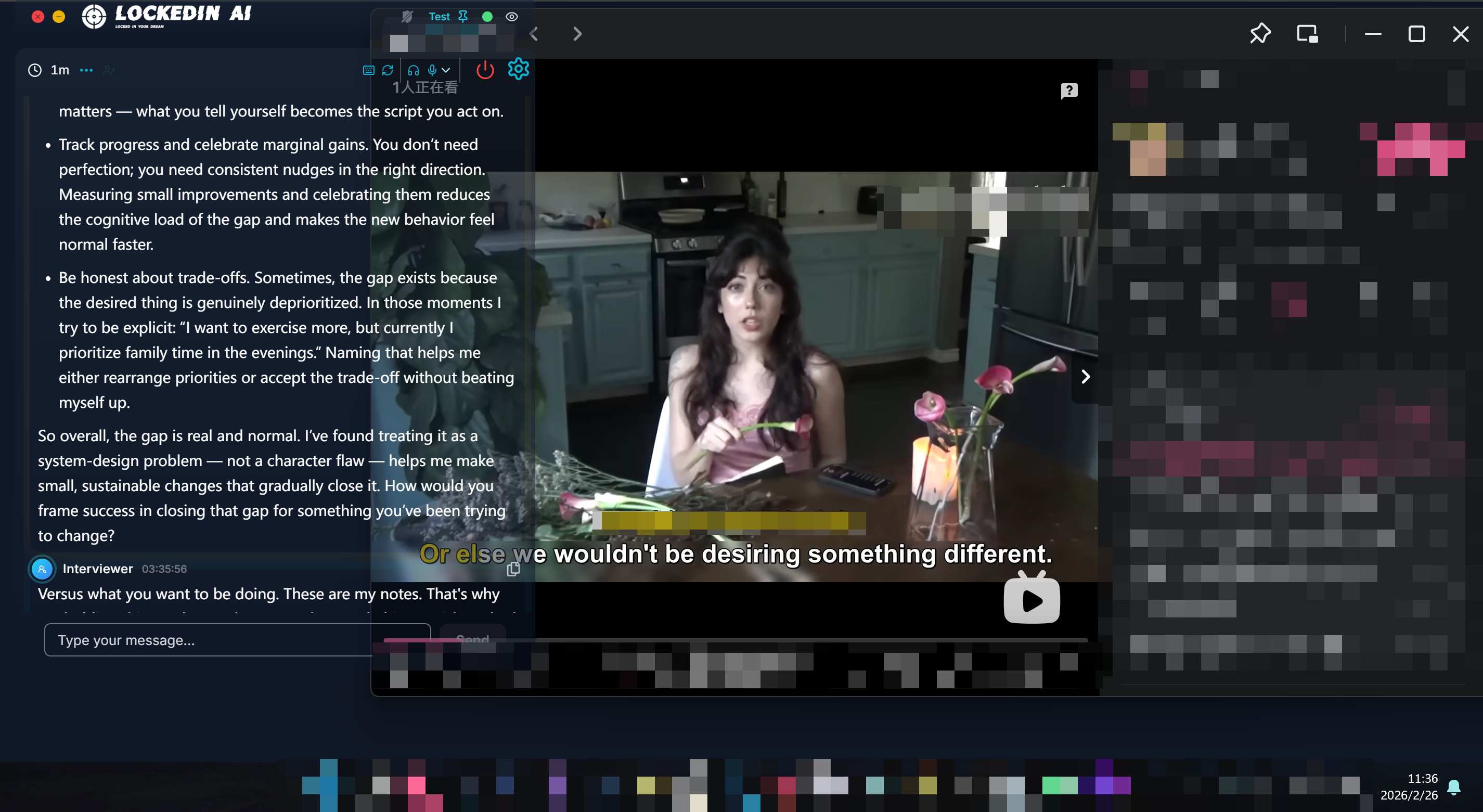
Strengths: Offers real-time speech coaching, post-session delivery scoring, and multi-platform compatibility for general corporate interviews.
Weaknesses: Relies on continuous audio transcription pipelines, generating a 3.5 to 6.0-second delay that creates unnatural silences during fast-paced partner casing. Its desktop overlay layer relies on standard OS window hierarchies, making it vulnerable to capture during full-desktop screen shares when Desktop Window Manager (DWM) flattens display layers.
3. FinalRound AI
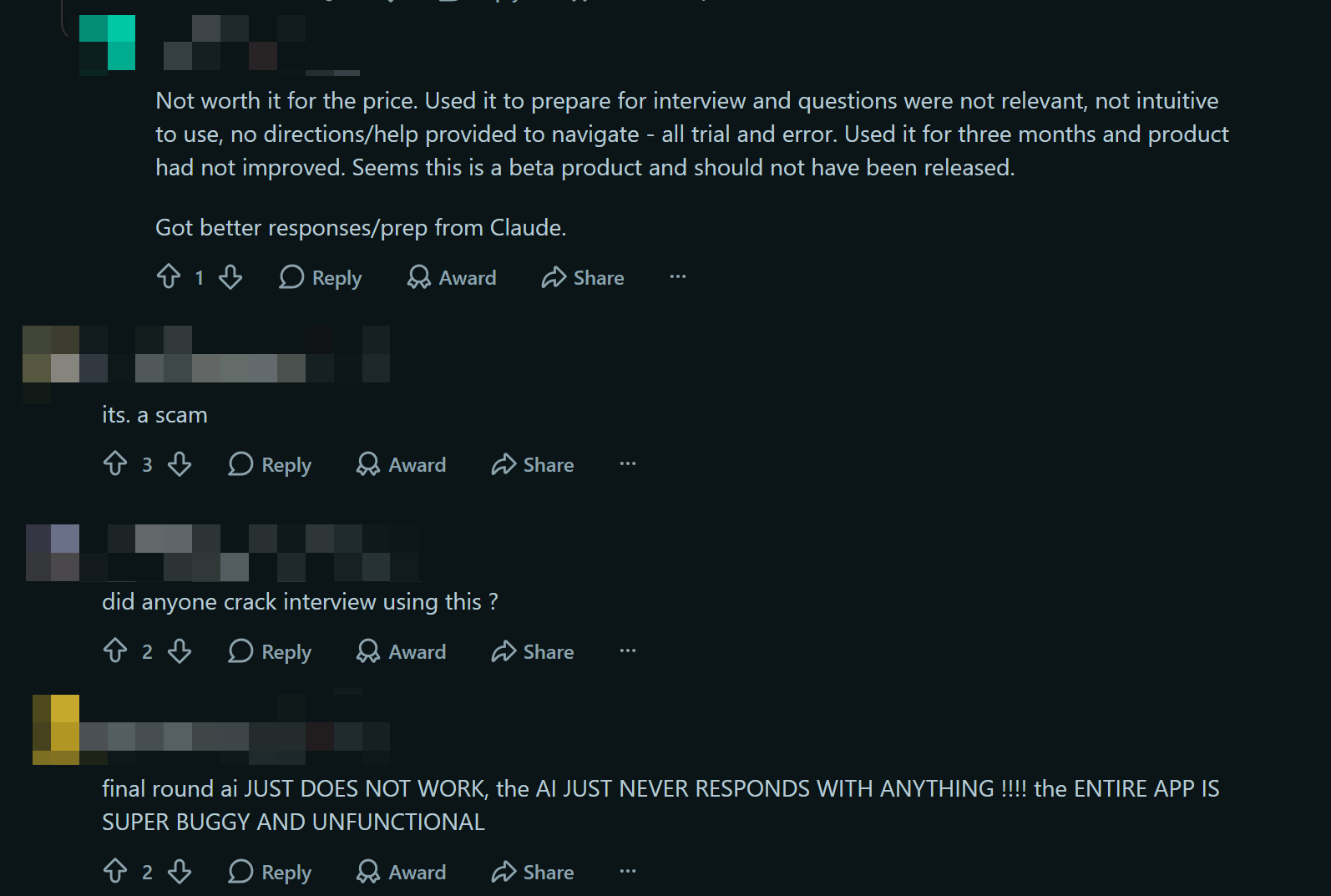
Strengths: Strong repository of company-specific behavioral questions and customized prompts tailored for product management and general corporate roles.
Weaknesses: Lacks granular customization for management consulting frameworks. High monthly entry pricing ($150/mo on month-to-month plans) with limited ability to upload extensive custom case notes or custom financial spreadsheets.
4. Interview Coder
Strengths: Excellent performance on single-file LeetCode algorithm puzzles and technical coding syntax.
Weaknesses: Engineered strictly for software developers. Lacks capabilities for multi-variable business cases, market entry logic, financial modeling, or behavioral framework analysis. Its high pricing ($299/mo) offers zero ROI for consulting candidates.
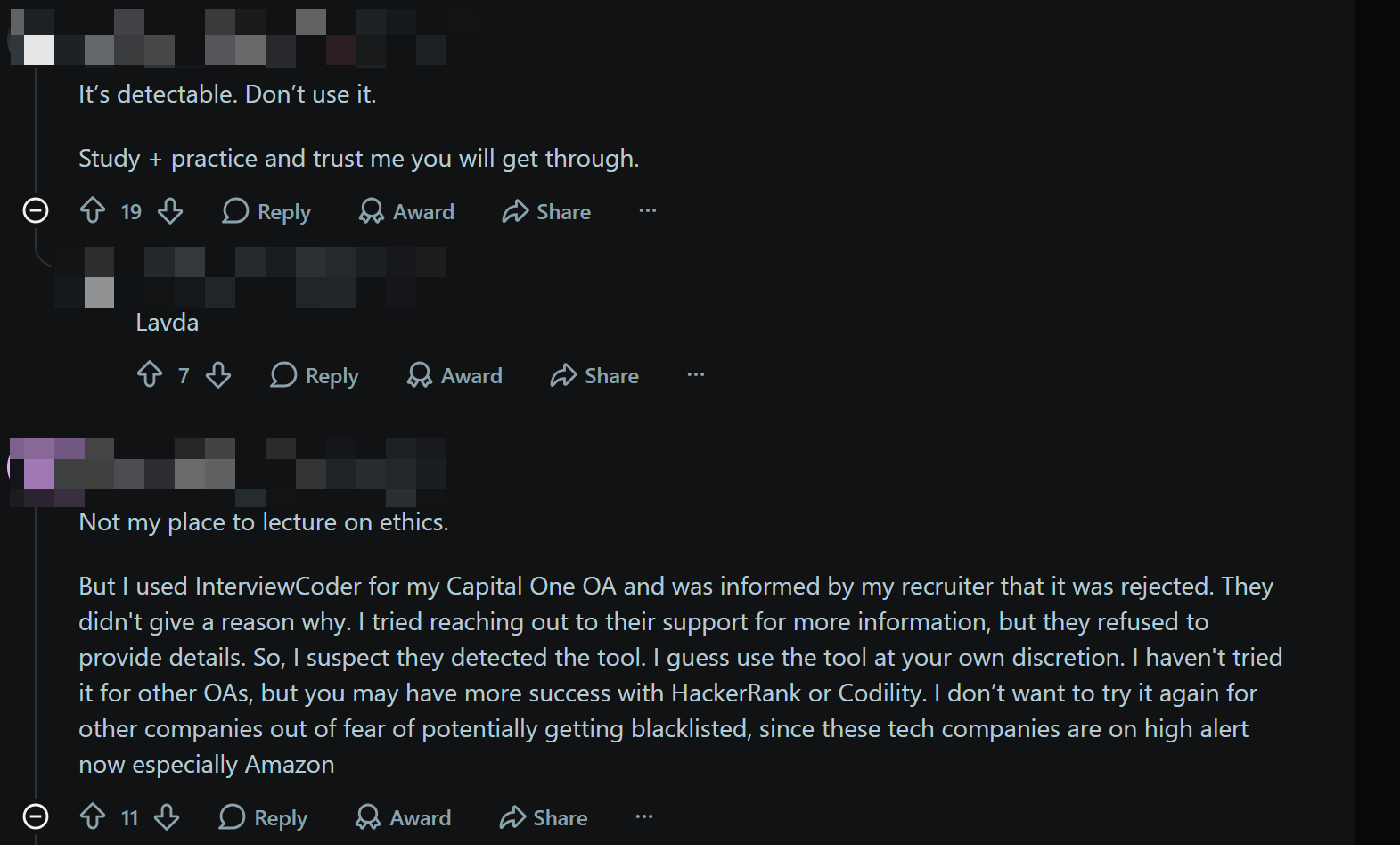
5. Beyz AI
Strengths: User-friendly interface with support for multi-language transcription and rapid setup.
Weaknesses: Suffers from severe accuracy drops during multi-step quantitative calculations (e.g., weighted average cost of capital or complex market sizing estimations). Its floating application window triggers browser focus-blur events (
window.onblur) and is visible on shared desktop streams.
6. Google Interview Warmup
Strengths: 100% free, browser-based, accessible tool for entry-level candidates looking to record and review basic speech pacing.
Weaknesses: Offers zero live copilot features during actual interviews. Limited to generic fields, lacking case study logic, MECE feedback, or interactive system design capability.
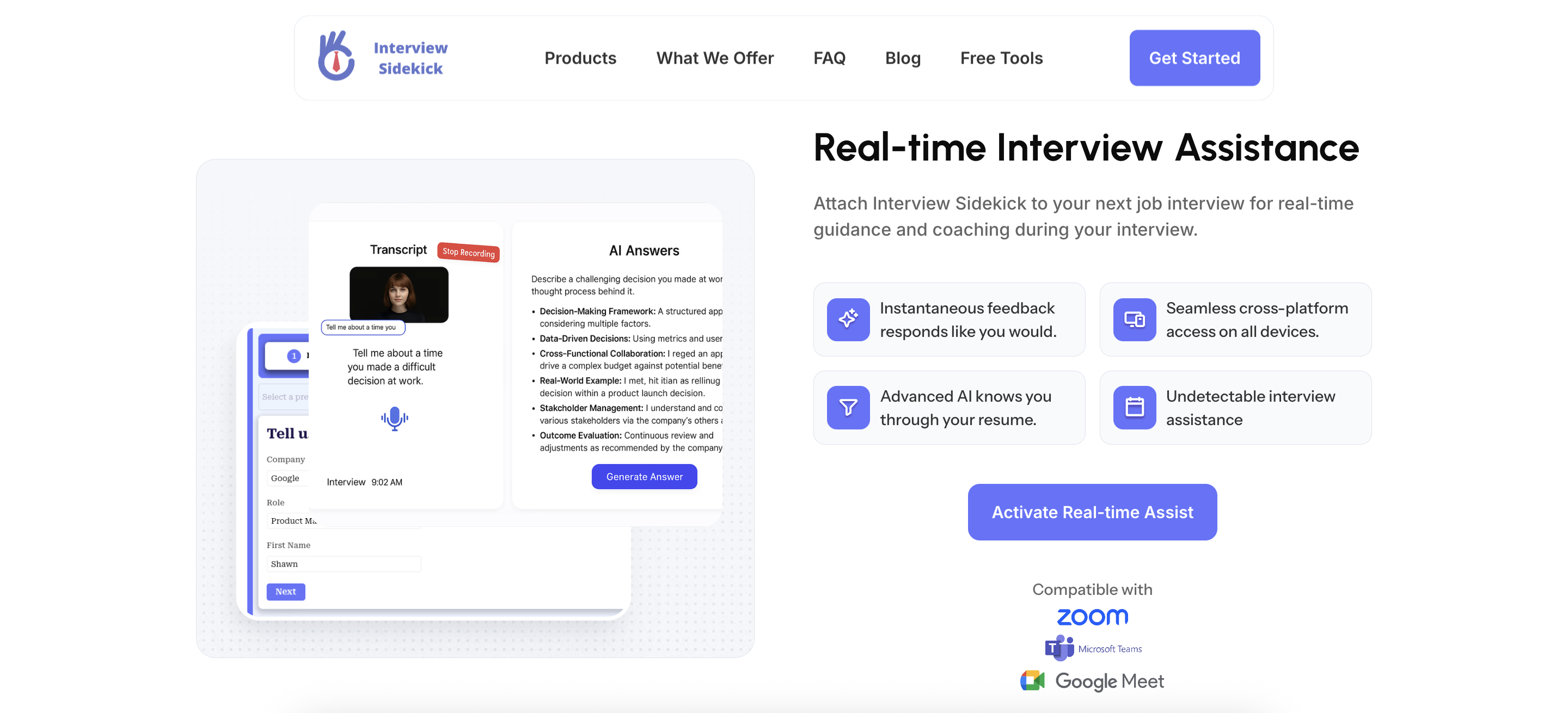
7. Interview Sidekick
Strengths: Large database containing over 10,000 static industry questions and automated post-call performance summaries.
Weaknesses: High latency, inconsistent non-English transcription accuracy, and standard window execution that poses significant screen-share detection risks.
Pricing and Support Comparison
Pricing structure and customer support can easily make or break your decision. Here is how the market currently looks regarding budget and ideal use cases:
AI Interview Assistant | Pricing Plans | Best For |
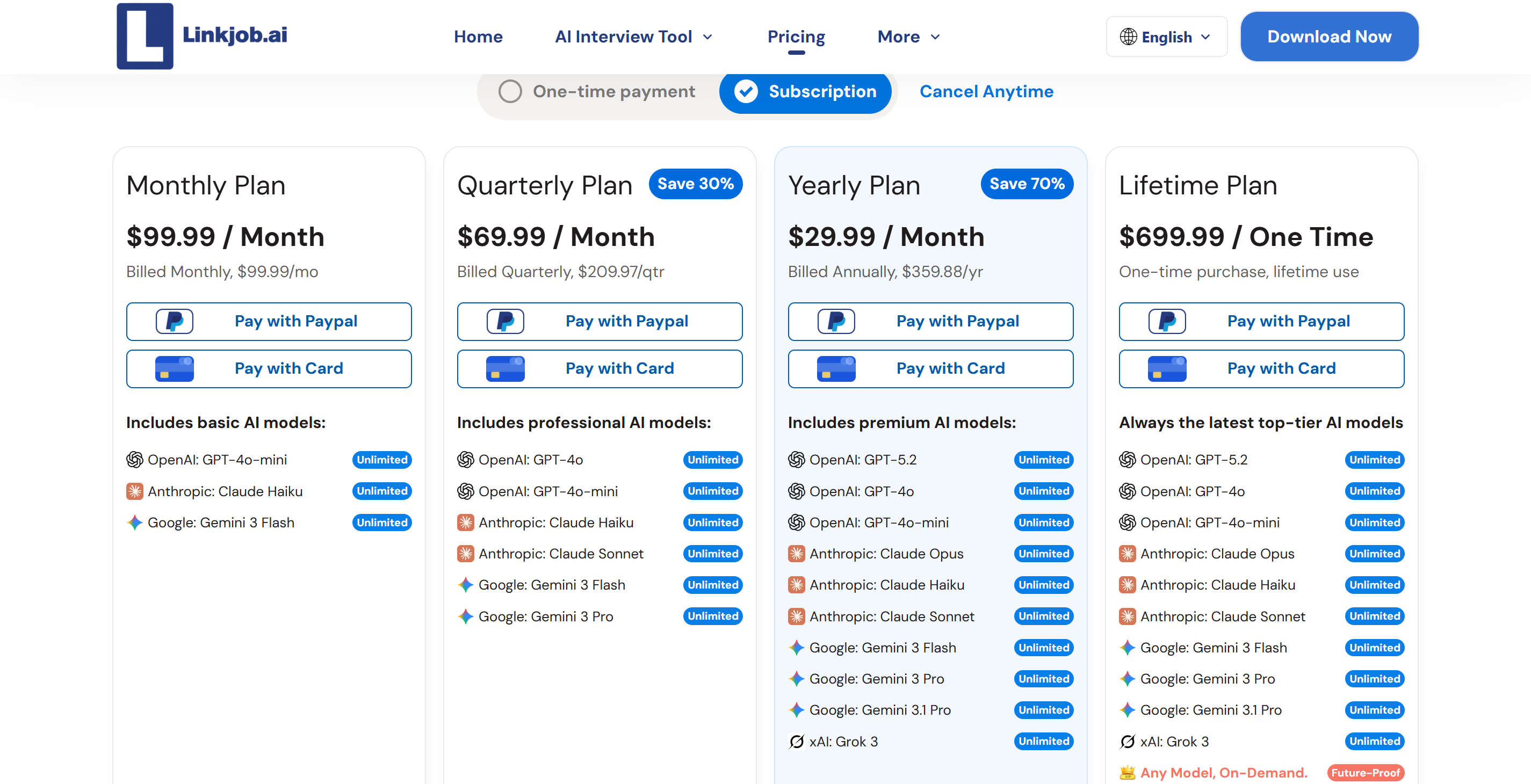
Linkjob AI | $99.99 monthly, $69.99 quarterly, $29.99 annually | Consultants needing deep customization |
LockedIn AI | (with stealth mode) $143.99/mon if billed one month, $95.99 if billed 3 months | Teams wanting real-time coaching |
FinalRound AI | Monthly Plan $150.00/mon, Quarterly Plan $83.33, Yearly Plan $25.00 | PM behavioral and company-specific prep |
Interview Coder | Monthly Pro $299 Lifetime Plan $799 | Technical interview practice |
Beyz AI | $49.99 monthly, $32.99 quarterly, $24.99 semi-annual | International users needing multi-language support |
Google Interview Warmup | Completely free | Anyone needing quick, basic practice |
Interview Sidekick | Monthly: $80/mo Quarterly: $53/mo limited free tool | Broad, industry-specific practice |
Final Tips for Consultants:
Start with a free option like Google Interview Warmup to test your workflow before committing financially.
Always check if the platform offers real-time 24/7 support or live chat. Having immediate help during a live practice session is crucial if the software gets stuck.
Weigh the benefits of real-time guidance against the risk of detection. AI tools provide fair, unbiased feedback, but absolute stealth is rarely guaranteed across all platforms.
Key Criteria for AI Interview Assistants for Consultants
It is almost impossible to pick the perfect AI interview assistants for consultants right out of the gate. When I evaluate an assistant for my consulting workflow, I break my decision down into four critical criteria.
1. Deep Customization for Consulting
Management consultants need tools that adapt to specific industries and complex case frameworks, not just generic behavioral questions. I look for AI interview assistants for consultants that allows me to completely tailor the simulation to real-world consulting scenarios.
Crucial Customization Feature | Why It Matters for Consultants |
Personalized Context | Injects your specific resume and job description into the AI's logic. |
Real-Time Stealth Copilot | Provides discreet, on-screen guidance without being detected during live calls. |
Speaking Analytics | Granular feedback on pacing and filler words to ensure executive presence. |
Industry-Specific Knowledge | Understands niche jargon across 100+ industries for highly accurate case hints. |
2. Seamless Platform Integration
I refuse to jump between clunky platforms while prepping using AI interview assistants for consultants. The best tools must work invisibly alongside Zoom, Teams, and Google Meet. When testing a tool, I always ask myself three questions:
Can it sync effortlessly with my video conferencing platforms without requiring complex plugins?
Can I export my performance reports directly into my team's project management tools?
Does it allow me to run an unlimited number of mock cases without hitting restrictive paywalls?
3. Accuracy and Reliability
If the AI interview assistants for consultants don't understand consulting terminology like "MECE frameworks" or "market sizing," it is useless to me. While tools like FinalRound AI offer decent contextual suggestions, others easily distract me with clunky, lagging interfaces.
To test an AI's reliability, I use this quick process:
Run a highly technical mock case study.
Evaluate if the real-time feedback is specific and actionable, or just generic fluff.
Compare the results to ensure the AI isn't hallucinating or misinterpreting my complex answers.
4. Uncompromising Security and Compliance
When dealing with sensitive client data, security is my ultimate deal-breaker. I need absolute proof that my practice transcripts and client mentions are locked down. I highly favor AI interview assistants for consultants like Linkjob AI specifically because they never store interview transcriptions.
Here is the security baseline I demand from any platform:
Security Standard | How It Protects My Data |
ISO 27001 & SOC 2 | Ensures the company passes strict, international audits for information security. |
GDPR & CCPA Compliance | Guarantees my right to absolute data protection and privacy. |
Secure Data Retention | Allows me to instantly delete my recordings and transcripts at any time. |
Local Processing | (Featured in Linkjob AI) Processes data without storing transcripts on external servers, keeping client data completely private. |
Why Linkjob AI Stands Out as the Premier AI Interview Assistant for Consultants
When I first started looking for the perfect AI interview assistants for consultants, I have to admit I was a bit put off. Most tools out there are made for software engineers or general marketing roles. But the consulting industry is a whole different ball game. You need an assistant who can get their head around complex case studies, industry-specific jargon and high-level strategies.
I tried out almost every product out there and in the end went with Linkjob AI. Here's why I personally think it's the best tool for getting ready for consulting interviews.
Advanced Customization That Actually Works
I always look for an AI assistant that adapts to my specific needs rather than forcing me into a generic box. Linkjob AI instantly stood out to me because of how deeply I can customize it. I can upload my exact resume alongside the specific consulting job description I am targeting.
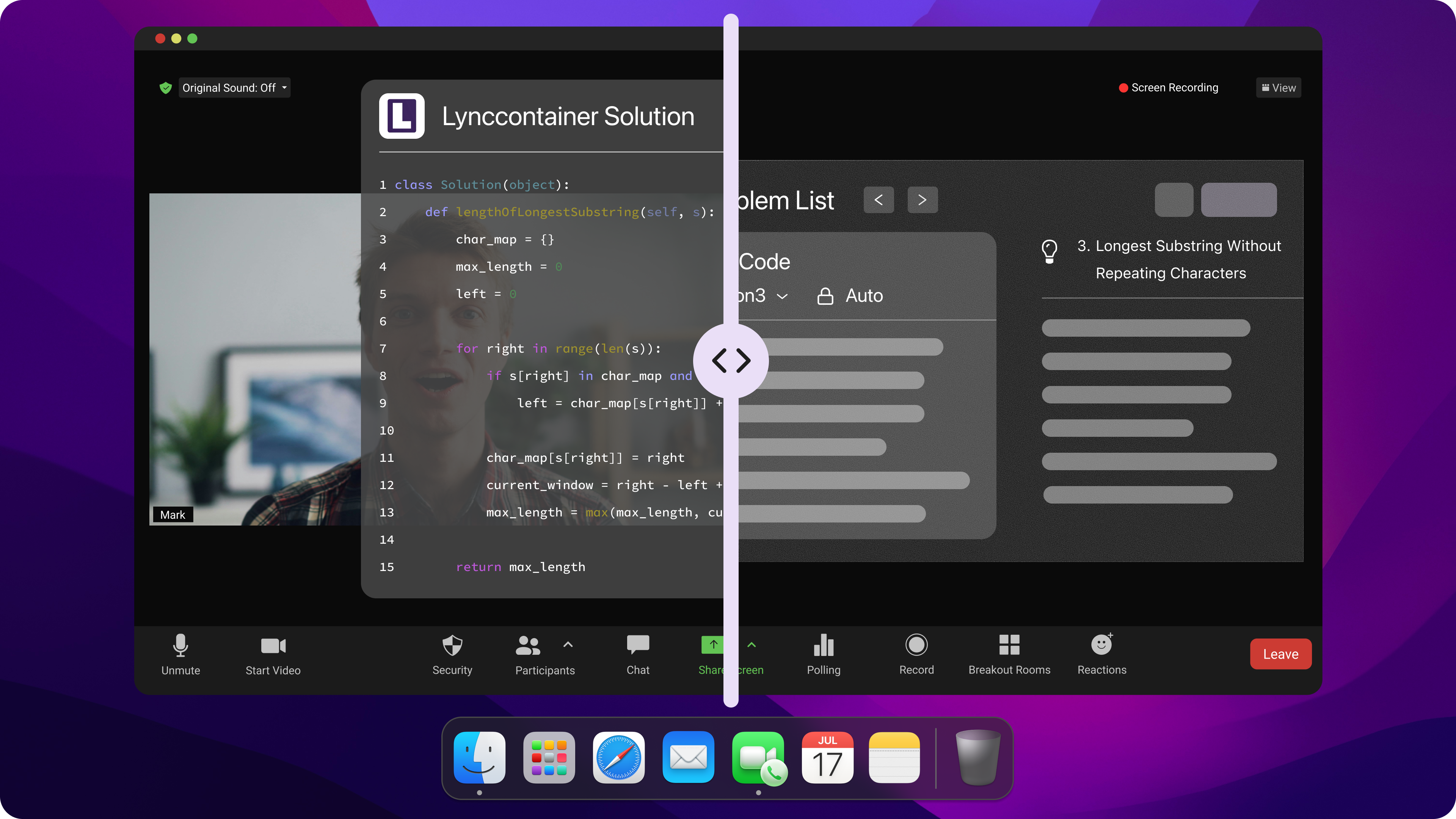
From there, the assistant generates highly personalized content and feedback. I even upload my own personal preparation notes to the system so the AI can reference my actual past projects during the mock interview. It gives me endless practice rounds perfectly crafted for my career goals. Plus, if I am applying for an international role, it provides precise translations in my native language, which is a massive confidence booster.
Here is a quick look at how these features directly benefit my consulting prep:
Feature Description | The Real Benefit for Consultants |
Personalized AI-driven content (based on resume/JD) | Tailors every single question and response to your unique background, avoiding generic advice. |
Custom preparation notes upload | Acts as a handy, integrated cheat sheet during high-pressure practice interviews. |
Tailored industry feedback | Ensures the AI's critiques are actually relevant to management or strategy consulting. |
Endless practice interviews | Lets you grind through as many case scenarios as you need to hit your career aspirations. |
Precise native language translations | Helps you perfectly understand complex questions and formulate answers without a language barrier. |
Compared to other tools I've tried, this level of customization means I never feel distracted or fed irrelevant advice during a practice session.
Seamless Workflow Integration
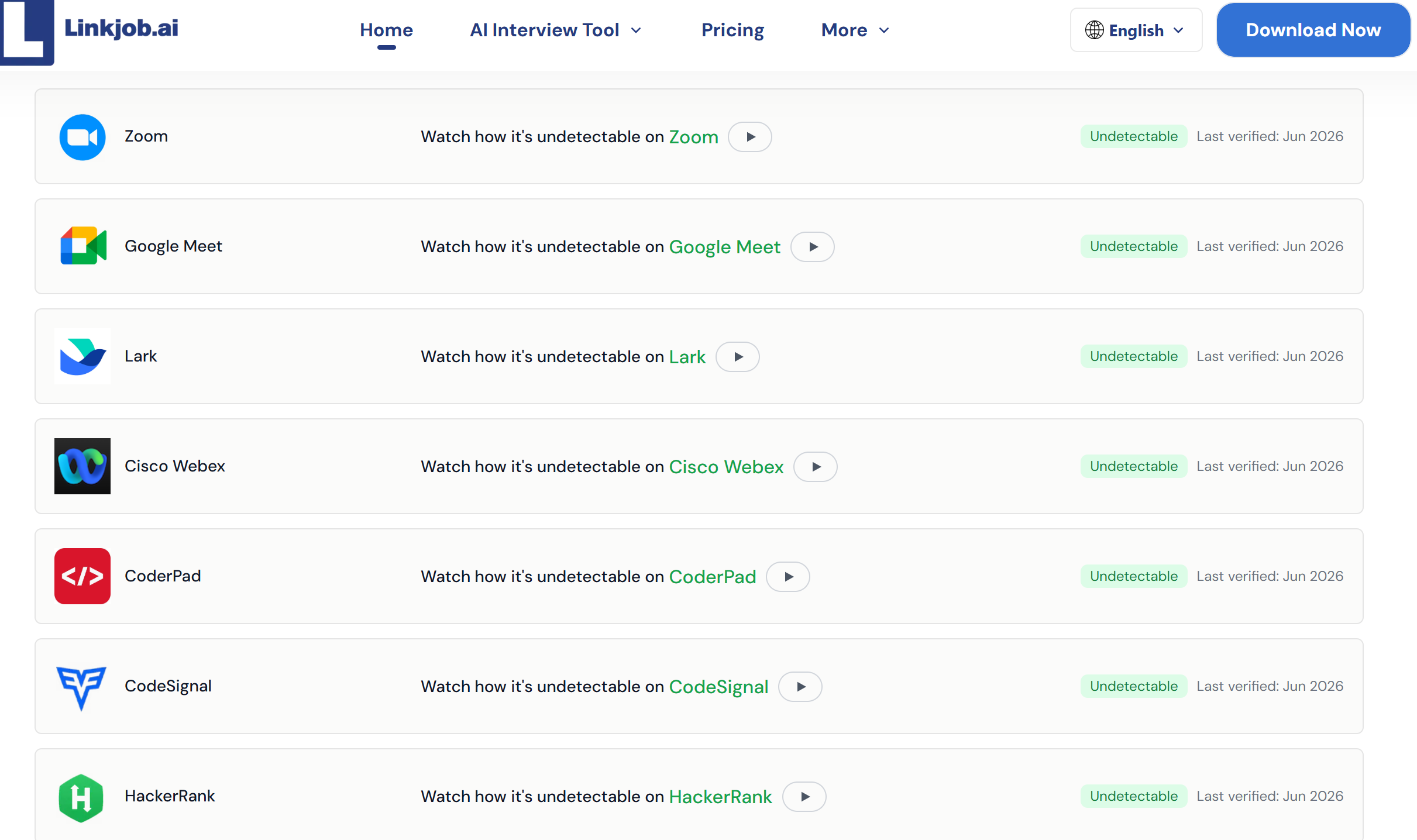
As a consultant, I do a lot of video calls and remote interviews. I immediately thought: My AI interview assistant needs to be able to integrate easily with the interview platforms and software. Linkjob AI works really well with the platforms I use every day. I can do mock interviews over the phone and get instant feedback, which is great. It even syncs seamlessly with online assessment platforms, making the whole preparation process a breeze.
Integration Type | Platforms Supported |
Video Meeting Platforms | Zoom, Microsoft Teams, Google Meet |
Online Assessment Tools | HackerRank, CodeSignal, CoderPad |
A Real-World Success Story
To give you an idea of how this works in practice, I'll tell you about an experience I had with some friends last month. At the time, we were getting ready for an interview at a top-tier consulting firm known for its extremely challenging selection process, and we decided to use Linkjob AI for our mock interviews. He said he'd be happy to give it a go and, after the interview, he told me about what it was like and the questions he was asked. The whole thing turned out to be a lot like the interview experience of one senior consultant, who told us about when he was interviewed.
Since the company he was interviewing with had entered the candidate's actual CV into the system, the questions the AI posed to him were extremely specific and tailored to him. We put our heads together with Claude to create a prompt that included all the info from his CV, and then used Linkjob AI to do the mock interviews. After each mock interview, we'd sit down and go through the questions and how he'd answered. Sometimes, we'd even export the response logs and share them with his Claude for more feedback.
I watched his confidence skyrocket right before my eyes. The AI adjusts the difficulty of the questions to match the job requirements. After a few rounds of mock interviews, he did really well in the actual interview (with Linkjob AI) and got the job!
I was pretty close too – I also got through the third round of interviews for the job I applied for and I'm currently preparing for the fourth.
Security You Can Trust
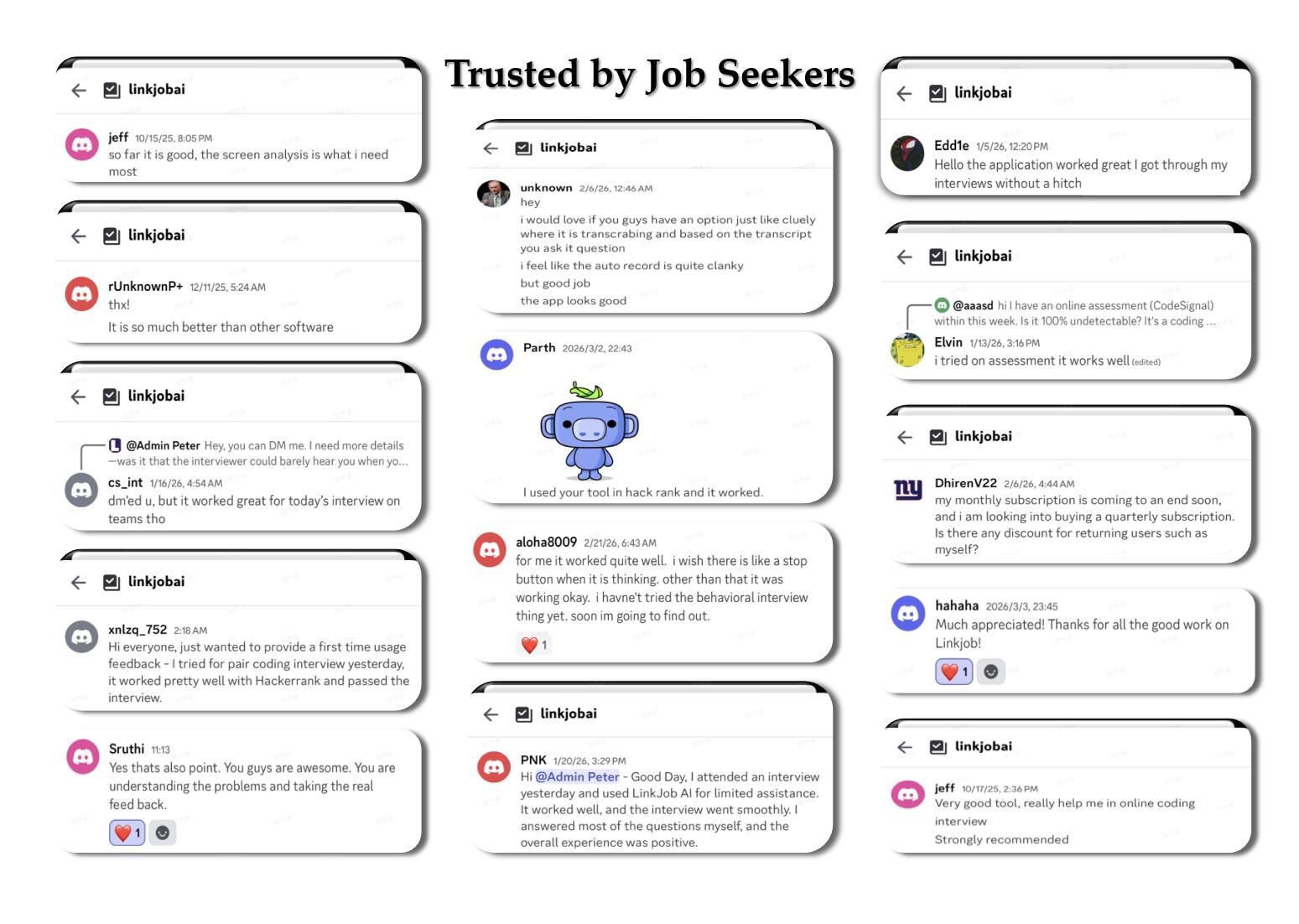
In the consulting world, client confidentiality and data security are non-negotiable. I cannot upload resumes or strategic notes to a platform if I think that data is going to be sold or leaked. I trust Linkjob AI because they take privacy as seriously as I do.
Here is how they keep everything locked down:
Strict Security Measures: They implement heavy technical and managerial firewalls to protect all personal information and uploaded documents.
Legal Compliance: The company strictly complies with international data security laws and regulations.
Proactive Threat Management: Cookies are used securely on their platform to actively detect malicious activity and support backend security features.
Breach Readiness: They have a rapid emergency response plan in place just in case a suspected breach ever occurs.
My Top Tip: If you are a consultant looking for an AI interview assistant that refuses to compromise on deep customization, seamless platform integration, and strict data security, Linkjob AI is easily the strongest choice on the market right now.
AI Interview Assistants for Consultants Implementation Tips
Implementing AI interview assistants for consultants like Linkjob AI into your consulting workflow is highly effective, provided you set it up correctly. Here is how I streamline the onboarding, training, and ROI tracking for my team.
1. Onboarding and Stealth Setup
Getting the AI ready for a live consulting loop is simple, but testing is crucial. Here is my quick checklist to ensure total stealth and functionality before jumping into a call:
System Audio & Mic: Grant microphone access in your OS privacy settings and enable audio loopback (like "Stereo Mix" on Windows) so the AI can capture the interviewer’s voice seamlessly.
Overlay Positioning: Launch a test session and position the click-through transparent overlay right below your webcam. This keeps your eye contact perfectly natural.
The Dry Run: Always do a hardware test with your actual headset and internet connection before the real interview to avoid any live surprises.
Tip: Never skip the dry run. Testing your hotkeys and overlay positioning beforehand is what guarantees you remain undetected during the real interview.
2. Training Teams with AI
When rolling out AI tools to a consulting team, I focus on balancing the AI's brutal data analytics with human intuition. Here is what works best:
Prioritize Delivery Metrics: We use the AI's post-session analytics to relentlessly track pacing, structural pauses, and filler words, ensuring our delivery sounds executive and composed.
Endless Repetitions: Instead of paying for expensive human coaching for every round, we use the tool for unlimited case practice and framework memorization without scheduling constraints.
The Human Element: AI is perfect for hammering down structured logic, but we still conduct 1-on-1 human reviews to perfect nuance, empathy, and conversational rapport.
3. Measuring the ROI
To prove the value of our AI workflow, I condense our evaluation into a few core metrics. Tracking these helps me see exactly how the tool improves our hiring and coaching processes over time.
Evaluation Metric | What We Measure |
Core Competencies | Hard consulting skills, structural problem-solving abilities, and how well past experience aligns with the role. |
Communication & Delivery | Overall interview preparedness, clarity of thought, confidence, and how effectively they handle the AI's frameworks. |
Behavioral Fit | Emotional intelligence, adaptability to interviewer curveballs, and alignment with our company culture. |
Frequently Asked Questions About the AI Interview Assistant for Consultants
How does an AI interview assistant for consultants differ from a software engineering copilot?
Engineering copilots focus primarily on IDE syntax, single-file algorithms, and code compilation. An AI interview assistant for consultants is engineered for high-level business problem framing, MECE structural decomposition, quantitative market sizing estimation, and executive behavioral alignment (e.g., McKinsey PEI storytelling).
Will interviewers know I am using an AI copilot during full-desktop screen shares?
When using Linkjob AI, the application operates as an isolated background process outside the browser sandbox. It bypasses operating system Desktop Window Manager (DWM) layer flattening, ensuring 0% visibility on full-desktop Zoom, Microsoft Teams, and Google Meet screen shares. Additionally, it avoids triggering client-side browser focus-blur (window.onblur) security events.
Can the AI copilot perform rapid market sizing calculations in real-time?
Yes. By using Smart Screenshot Capture, you can snapshot a visual case prompt or chart, and multi-modal models (such as GPT-5 or Claude Opus) will validate the underlying mathematical formulas and provide structured estimation steps in 1 to 2 seconds.
Is candidate data protected under enterprise privacy standards?
Linkjob AI strictly adheres to enterprise security standards, including SOC 2 and GDPR guidelines. It enforces a strict zero-retention policy—processing session data locally and ephemerally without storing interview transcripts or candidate resumes on external servers.
What programming languages or frameworks does the platform support?
For strategy consultants, Linkjob AI supports all major financial modeling logic, SQL data queries, Python data analysis libraries (Pandas, NumPy), and corporate strategy frameworks across over 100+ distinct industries.
See Also
Top Alternatives to AI Interview Assistant for Job Seekers
Great Alternatives to AI Interview Assistant for Candidates
Leading Chat Alternatives to AI Interview Assistant Tools
Why People Choose Linkjob AI
Smoother interviews, coding challenges cleared, and job offers landed. See how users describe their experience with Linkjob AI—in their own words.


© Copyright 2026 Linkjob AI - All Rights Reserved.