My 2025 Picks: The 5 Best Real-Time AI Interview Assistants


Real-time AI interview assistants allow you to receive instant AI support during live interviews or assessments. These products generally come in three forms: web-based, mobile-based, and desktop applications. Among them, desktop apps are the most effective. Web-based versions become completely useless the moment an interviewer asks you to share your screen. Meanwhile, mobile versions often have screens that are too small, making it obvious to the interviewer that your eye movements are unnatural.
Having tried many of the best ai coding interview assistants, and some of the best free ai tools for interviews. Desktop applications, however, are the clear winners. Thanks to advanced system-level integration, modern desktop AI assistants can now operate completely undetected by meeting platforms or proctoring methods. This allows them to stay invisible even during screen-sharing sessions, making them the most reliable choice for high-stakes interviews. I have personally tested the most prominent tools on the market: Linkjob AI, Lockedin AI, Finalround AI, Parakeet AI, and Cluely. Read more detailed info about how they really performed during real test in my lockedin ai review, final round ai review, and cluely review.
Here are the results of my hands-on testing and the key features I believe the best AI interview assistant should possess:
Features | Description |
|---|---|
Undetectability & Invisibility | Capabilities to bypass AI detection systems and interviewer scrutiny, such as stealth during screen sharing and evasion of active tab detection. |
Immediate Feedback | Instant recognition of interviewer questions and rapid generation of AI responses for seamless dialogue, even during unexpected follow-ups. |
Structured Responses | Generation of structured responses for maximum clarity and organization, utilizing professional frameworks such as STAR, CAR, and PREP. |
Competitive Edge | Offers granular insights that help candidates refine their storytelling and technical presentation. |
Personalized Response Generation | Customizable prompt options and editable instruction templates to guide the AI in generating responses that align perfectly with personal experiences and the specific interview context. |
The following five products cover most of the essential requirements mentioned above. However, each has its own distinct set of strengths and weaknesses. Below, I will conduct a deep dive into the features, functionalities, and pricing of each tool. Following the individual reviews, I’ll provide a side-by-side comparison and a final summary of their most outstanding advantages.
1. Linkjob AI — Best Real Time AI Interview Assistant Overall
Overview
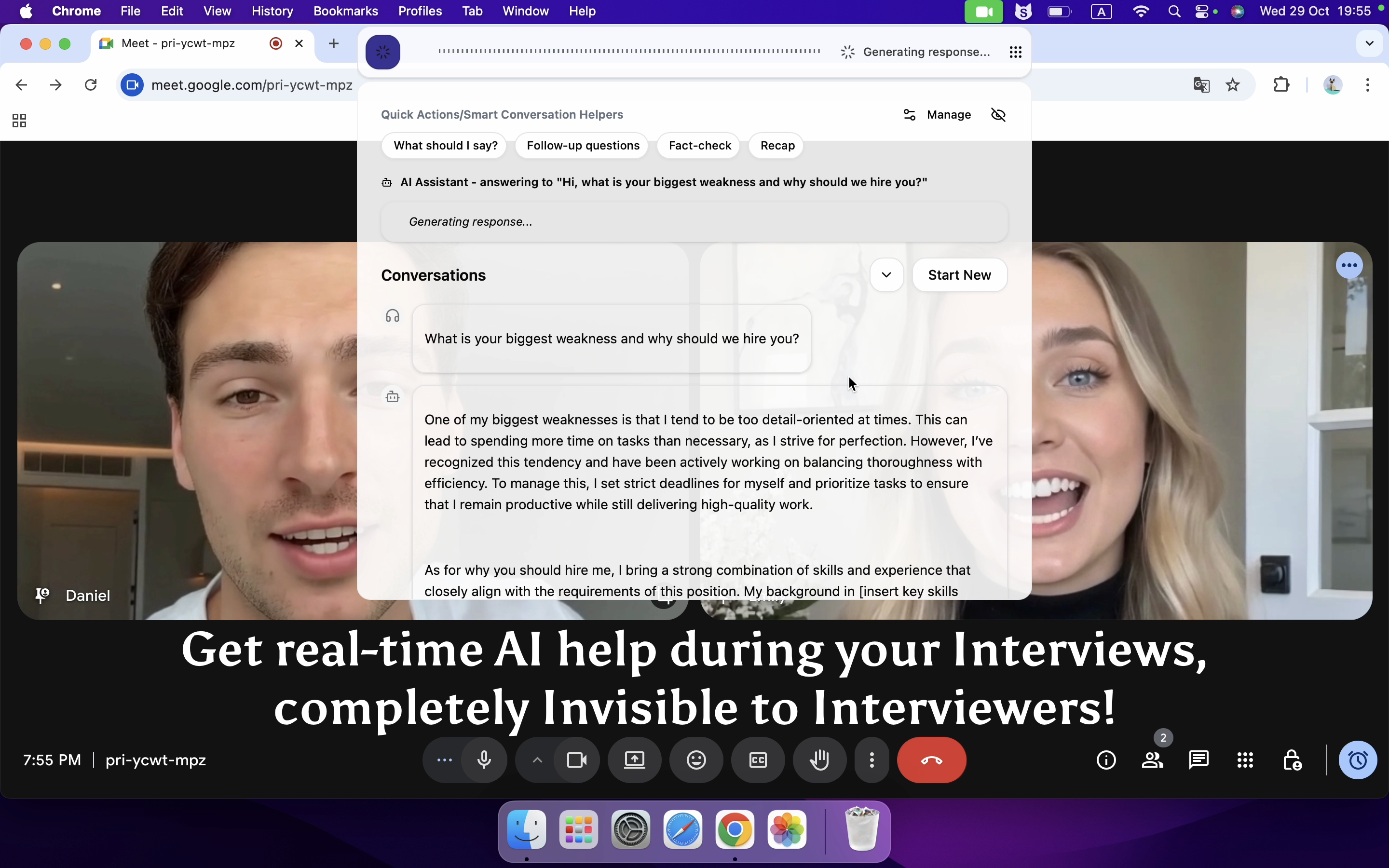
Linkjob AI is a desktop assistant suitable for various interview types, including OAs, technical interviews, and behavioral interviews. It offers a smooth and intuitive user experience, with all features integrated into an undetectable command bar. After granting the necessary audio and screen recording permissions, users can simply activate the Live Interview Copilot feature when real-time assistance is needed. No further manual input is required during the session, as the AI automatically recognizes the interviewer's questions and outputs answers.
Key Features
Stealth: Features an undetectable command bar, answer panel, and dashboard. It can be hidden from the menu bar and dock, with untraceable mouse movements. It remains invisible during full-screen sharing and bypasses active tab detection. The floating window stays on top, and the tool provides undetectable global hotkeys.
Automatic Speech Recognition & Response: Supported. Once activated before the interview, no further clicks are required. It eliminates the need to manually determine sentence breaks or signal the AI to start, pause, or stop listening. However, sentence recognition can occasionally be inaccurate, sometimes merging two distinct sentences into one. It is recommended to adjust the "speech sensitivity" and "silence duration to end speech" in the Audio Detection Settings prior to the interview.
Personalized Settings: Except for the core functions in the command bar, all other configurations are located in the dashboard, making the operation simple and intuitive. The dashboard offers extensive adjustable and customizable settings, including interview language selection, coding language options for technical rounds, and the ability to choose between full-screen or partial-screen capture.
Personalized Output: All requirements for AI-generated answers can be configured via prompts, such as response structure, tone, and answer length or quality. To ensure the output aligns with personal circumstances, users can also provide a resume and job description.
Supported AI Models: Offers a choice of over 100 AI models. The platform periodically retires older, less effective models and adds updated ones, such as the recently integrated Gemini 3 Flash. Aside from a few common ones, most available models are relatively obscure.
Platform Support: Compatible with all common meeting platforms. As a desktop-based application utilizing system-level technology rather than a browser extension, it theoretically works for any interview, whether conducted in a browser or via a desktop meeting app. Note that Zoom requires a specific configuration: to maintain stealth during full-screen sharing, the "Screen Capture Mode" in Zoom’s advanced settings must be changed from "Auto" to "Advanced capture with window filtering."
Ease of Use: Operations can be performed via mouse or global hotkeys. If using a mouse, setting the "cursor visibility" to "invisible" is advised to prevent detection during screen sharing. Alternatively, undetectable global hotkeys provide a convenient way to control the AI. The tool also supports viewing conversation history for post-interview review. If the interface obstructs the view, it can be moved or its transparency can be reduced.

2. Lockedin AI — Best Entry-Level Real Time AI Interview Assistant
Overview
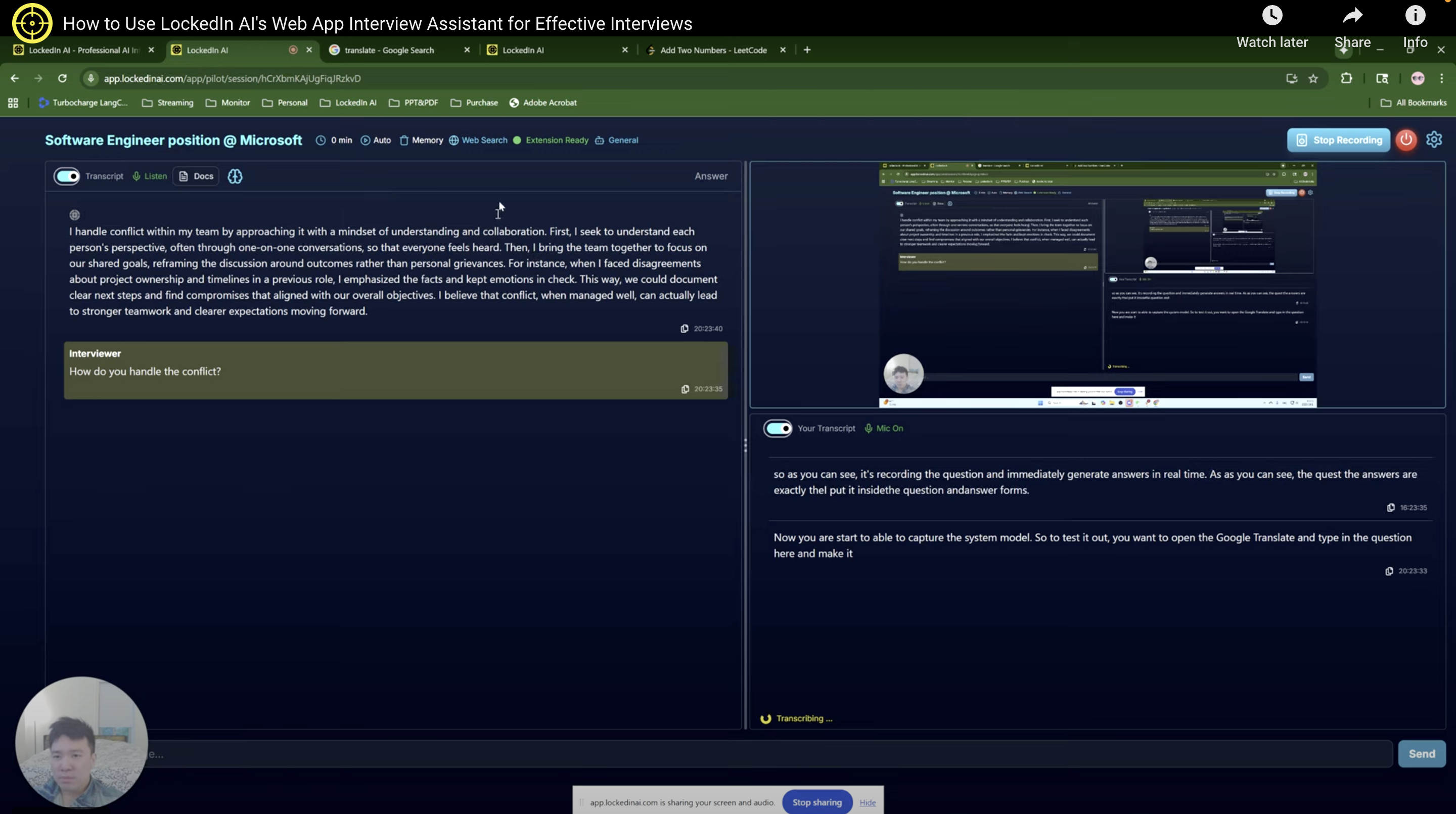
Lockedin AI is also an AI assistant that can be used across multiple interview stages. Unlike Linkjob AI, it is a web-based product, which means its stealth capabilities are more limited. Caution is advised if the interview employs strict detection mechanisms. However, in terms of providing real-time assistance, Lockedin AI is equally powerful. It also transcribes the interviewer's questions in real-time and provides answers. Furthermore, the interviewer's questions and the AI's responses are displayed on the left side of the interface, while the transcription of my own responses is shown on the right.
Key Features
Stealth: As a Web App, it offers little in the way of true stealth. For low-stakes or casual interviews with less stringent requirements, Lockedin AI is perfectly sufficient. However, for rigorous interviews with major tech companies, I recommend using an AI assistant that provides genuine, system-level invisibility.
Automatic Speech Recognition & Response: Supported. Lockedin AI also eliminates the need to manually manage sentence breaks or signal the AI to start, pause, or stop listening, which is a highly practical feature for interviews. However, like all AI tools using automatic recognition, it occasionally fails to identify the exact point where a sentence ends.
Personalized Settings: Before starting an interview, users can select the required language and even specific accents. During the session, options include adjusting the font size, choosing the message order (e.g., whether to display the latest answers at the top), and enabling auto-scroll. The tool demonstrates strong attention to detail.
Personalized Output: Prior to the interview, users can use the web dashboard to select the relevant industry, upload a resume, and state their specific objectives to help the AI generate better responses. Additionally, the answer length, processing time, and word filters are all customizable.
Supported AI Models: The specific AI model used is not explicitly stated, and there is no option for users to choose or switch models.
Browser Support: Lockedin AI works for any interview conducted within browser tabs such as Chrome or Edge. To use it, the interview tab must be shared with the Lockedin AI tab. Direct full-screen sharing with Lockedin AI is only supported on Windows.
Ease of Use: Operations can be managed via undetectable global hotkeys. However, since the product itself is not fully invisible, the hotkeys serve more as a convenience feature rather than a stealth measure.
Would you like me to translate the next section?
3. Finalround AI — Best Mobile-Based Real Time AI Interview Assistant
Overview
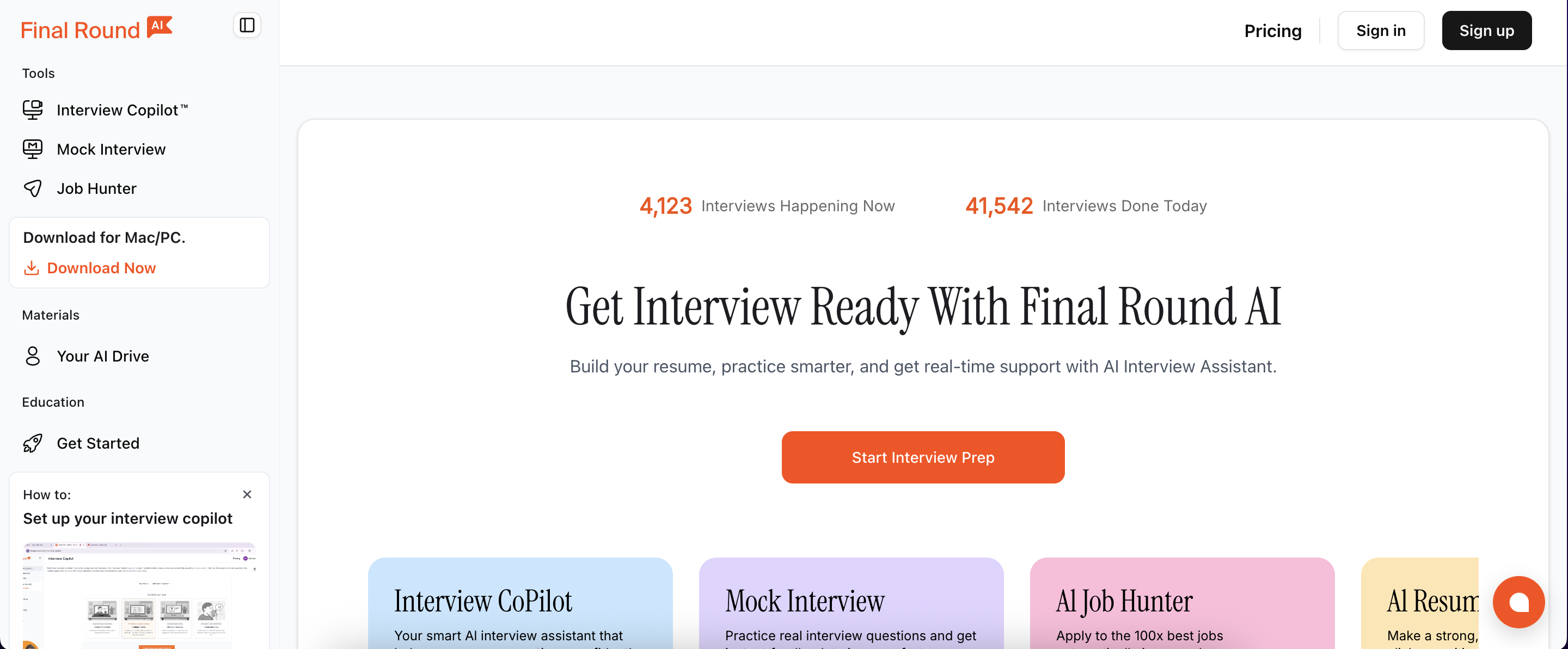
Like Lockedin AI, Finalround AI offers a desktop application, but its core functions still rely on a Web App, making total invisibility impossible. However, it provides a Mobile-Optimized Web Version; while less convenient to use, this option significantly reduces the risk of exposure. On the web side, its interface is cleaner than Lockedin AI’s. By omitting the transcription of the user's own responses, it allows more screen real estate for the interviewer's questions and the AI-generated answers. Finalround AI is slightly slower than the previous two products at recognizing interviewer questions, but its speed in generating answers remains very fast.
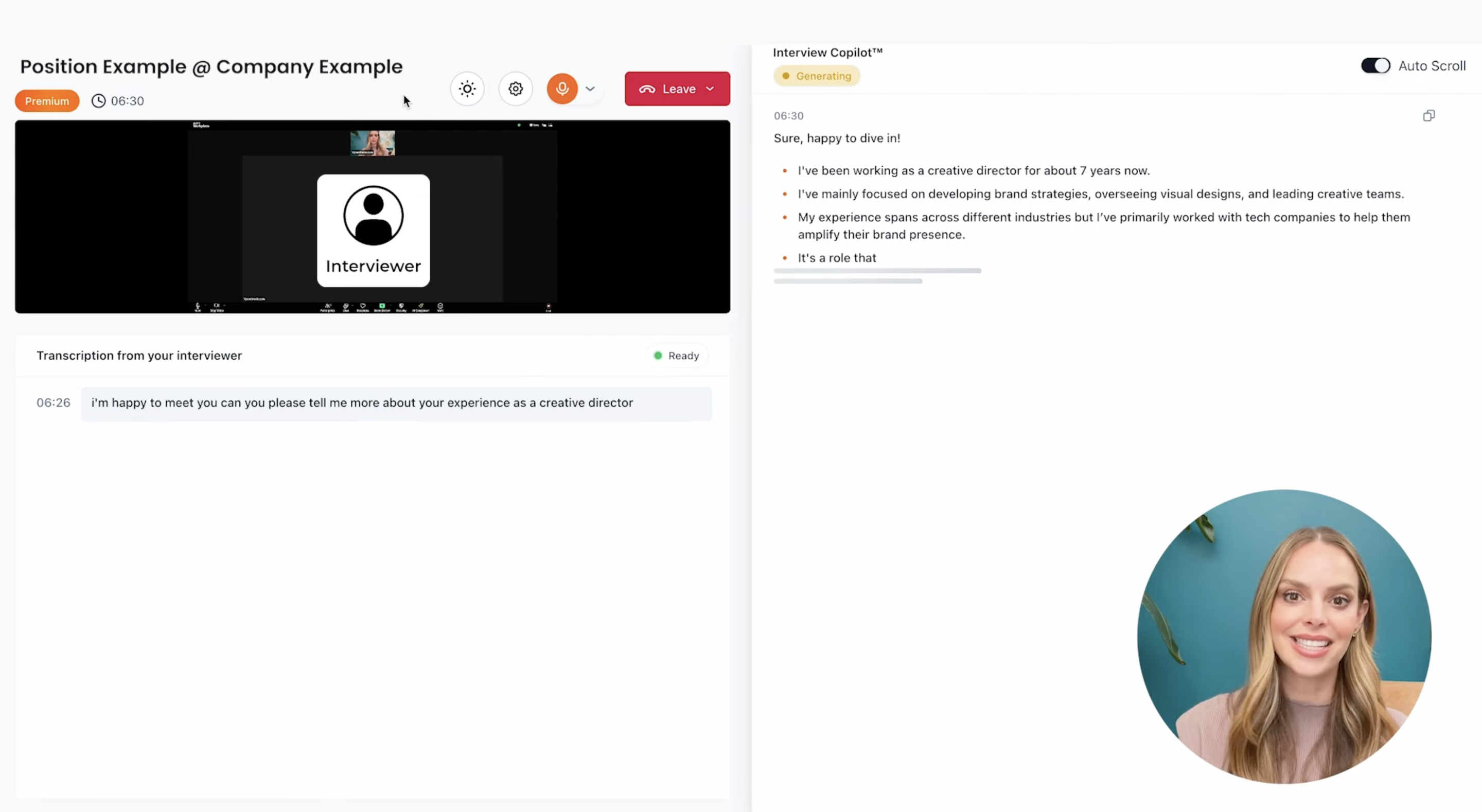
Key Features
Stealth: To avoid detection during interviews, Finalround AI monitors user activity and only activates when the user switches to the Finalround AI tab. However, this measure cannot bypass screen sharing or active tab detection. Therefore, I recommend using it on a mobile device for better security.
Automatic Speech Recognition & Response: Supported.
Personalized Settings: There are two personalization settings available: users can upload a resume and select a specific role to help the AI generate more natural and accurate responses.
Personalized Output: Finalround AI allows users to adjust verbosity, transcription delay, copilot temperature, and performance preference. Additionally, users can choose the output format among bullet points, paragraphs, or short responses. However, it does not support custom prompts, and the quality of the generated answers is relatively poor.
Supported AI Models: Provides a total of 8 optional models from ChatGPT, Gemini, and Claude.
Browser Support: Finalround AI can be used for any interview conducted within a browser.
Ease of Use: With few configurable options and a very clean interface, Finalround AI is very easy to pick up. For those who find it difficult to operate, official tutorial videos are available on YouTube.
4. Parakeet AI — Best Real Time AI Interview Assistant for Pay-Per-Use
Overview
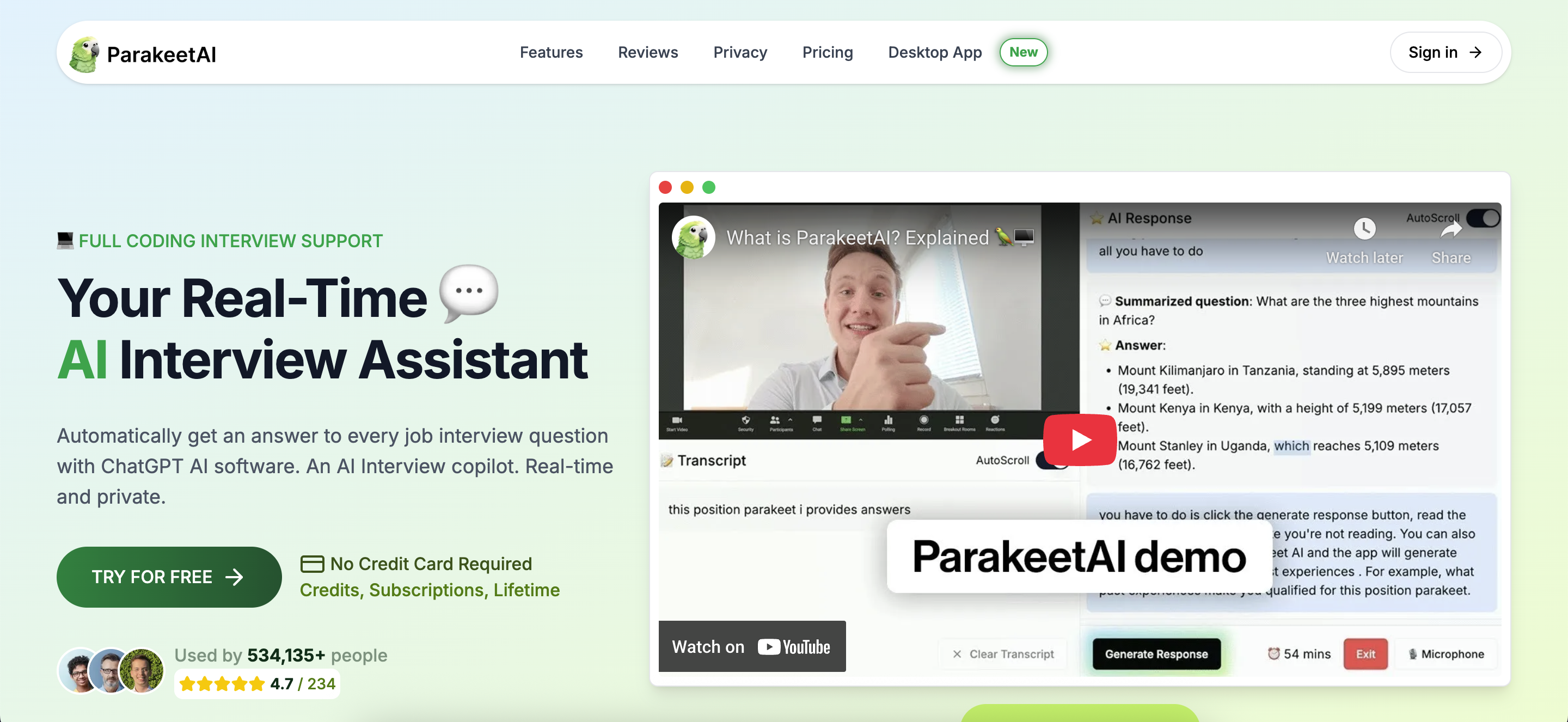
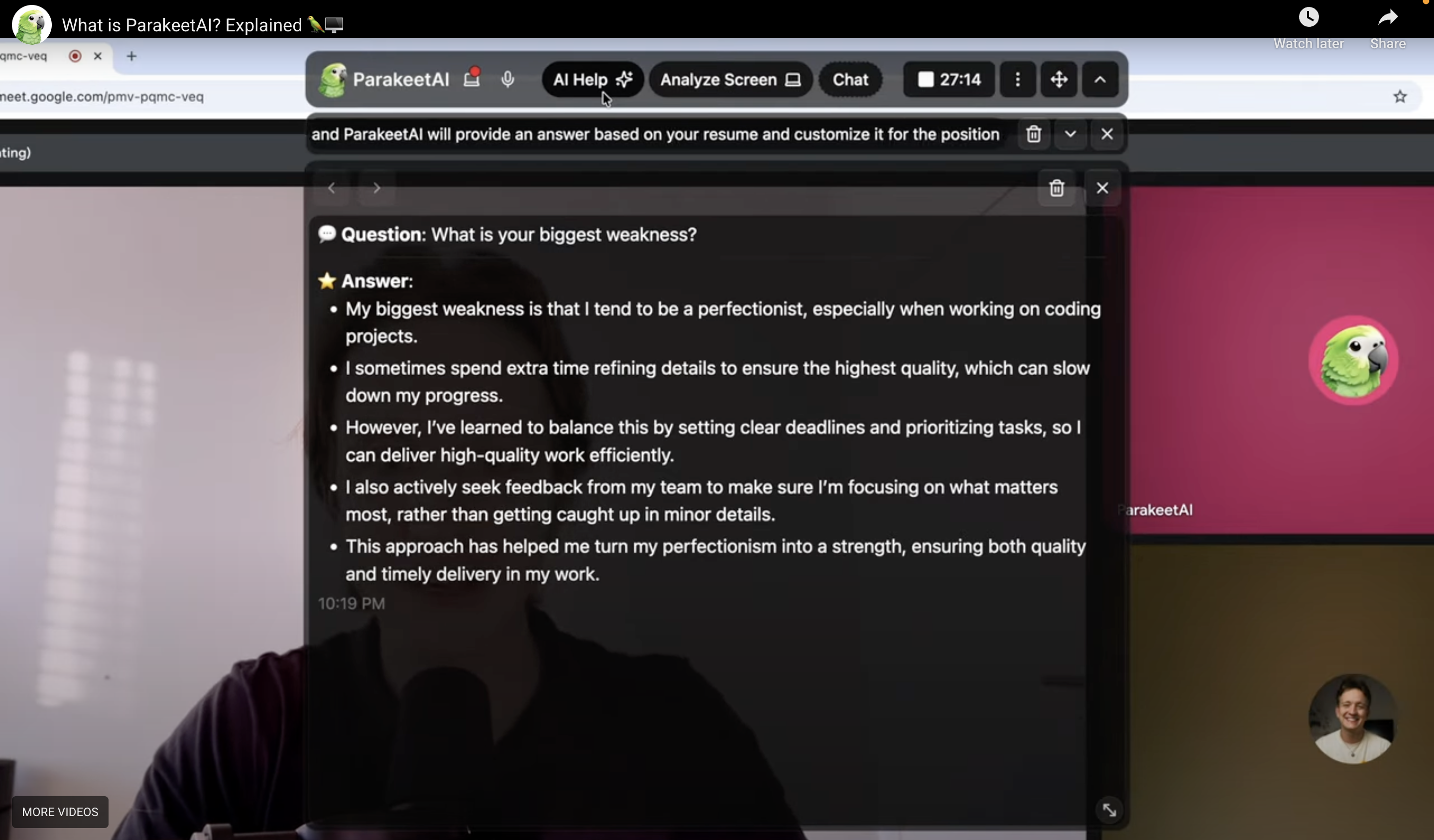
Parakeet AI offers significantly better stealth than the previous two products because, like Linkjob AI, its functionalities are handled through a desktop application. It can remain invisible during screen sharing; however, it fails to provide cursor undetectability. Both its question recognition and answer generation speeds are very fast. Users can enable the "Auto Generate AI Response" option to automatically identify questions and output answers. If you prefer the AI to generate answers only in specific instances, you can disable this option; in that case, the AI will only generate a response when "AI Help" is manually clicked.
Key Features
Stealth: Parakeet AI lacks undetectable global hotkeys; all operations and interactions are performed via mouse clicks. Since some platforms monitor cursor trajectories, its mouse behavior can be tracked. However, apart from this limitation, it remains invisible on most platforms.
Automatic Speech Recognition & Response: Supported. Once the transcription option is enabled, it continuously listens to system audio and provides real-time transcription, visually indicating where sentence breaks occur. Users can choose to have the AI generate answers only when "AI Help" is clicked, or set it to generate responses automatically.
Personalized Settings: A "Simple Language" option is available to ensure the AI avoids overly professional or obscure vocabulary in its responses. There is also a "Save Transcript" setting that, when enabled, archives the interview transcript for future review.
Personalized Output: Users can upload resumes and job descriptions, as well as select the interview language. Additional requirements for the AI's output can be specified in the "Extra Construction" section.
Supported AI Models: Offers a total of 9 optional models from ChatGPT, Claude, and Llama.
Platform Support: Parakeet AI is compatible with most common platforms. However, when used in Zoom meetings, the "Screen Capture Mode" in the advanced settings must be changed from "Auto" to "Advanced capture with window filtering" to maintain stealth.
Ease of Use: The features of Parakeet AI are presented intuitively, and the official tutorial videos provide very detailed explanations. Furthermore, the size of the answer box is adjustable, and its position can be moved freely.
5. Cluely — General Meeting Assistant with Real-Time Interview Features
Overview
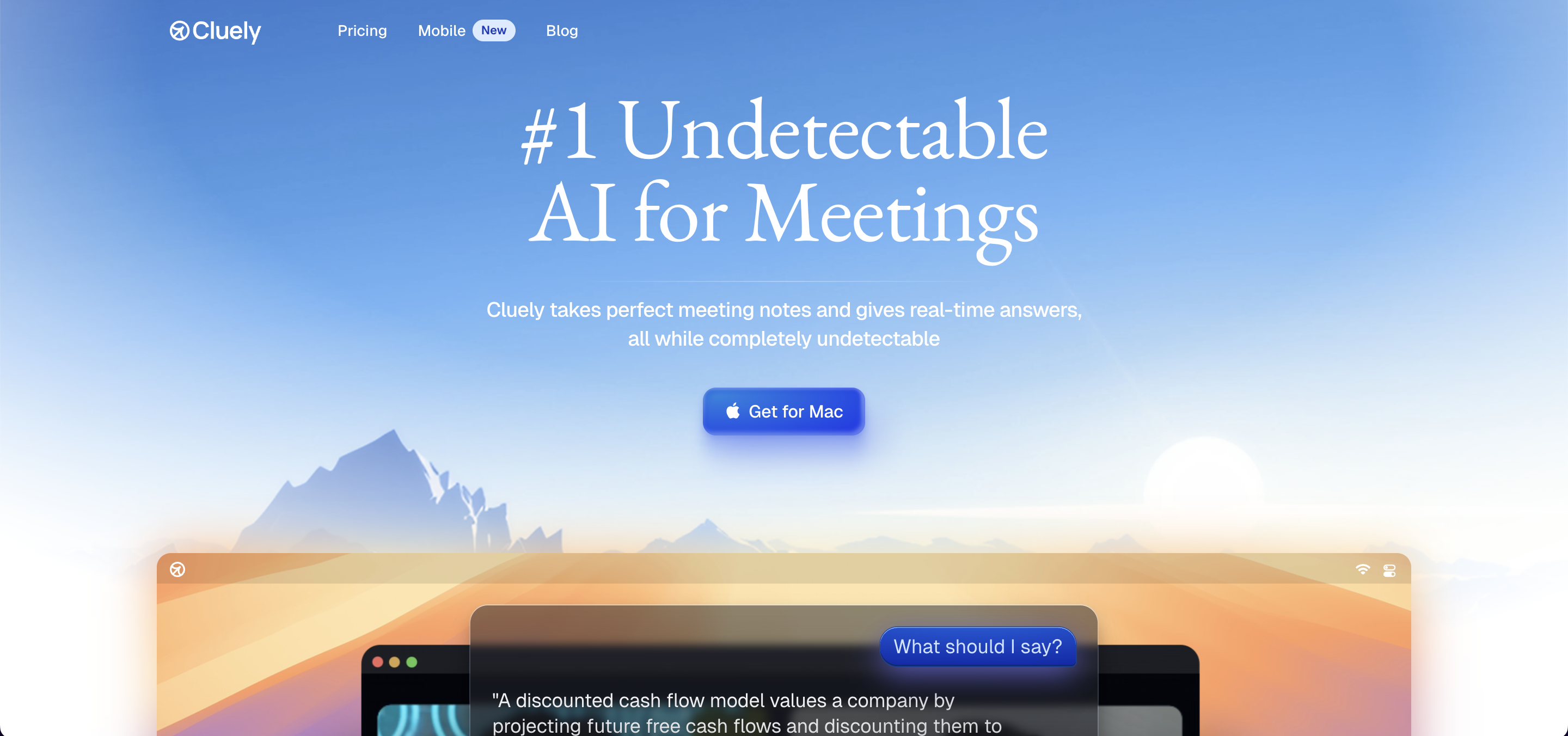
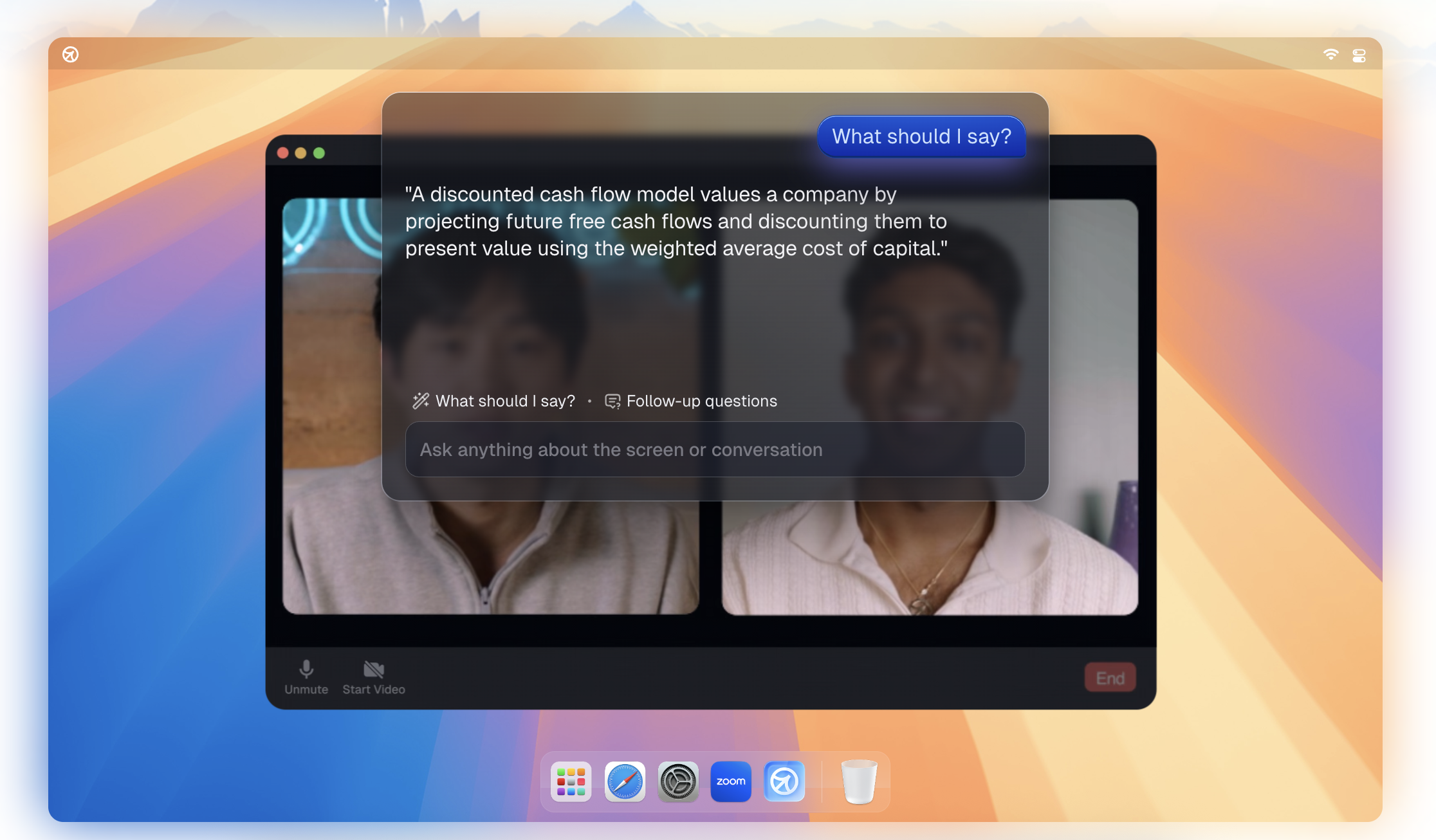
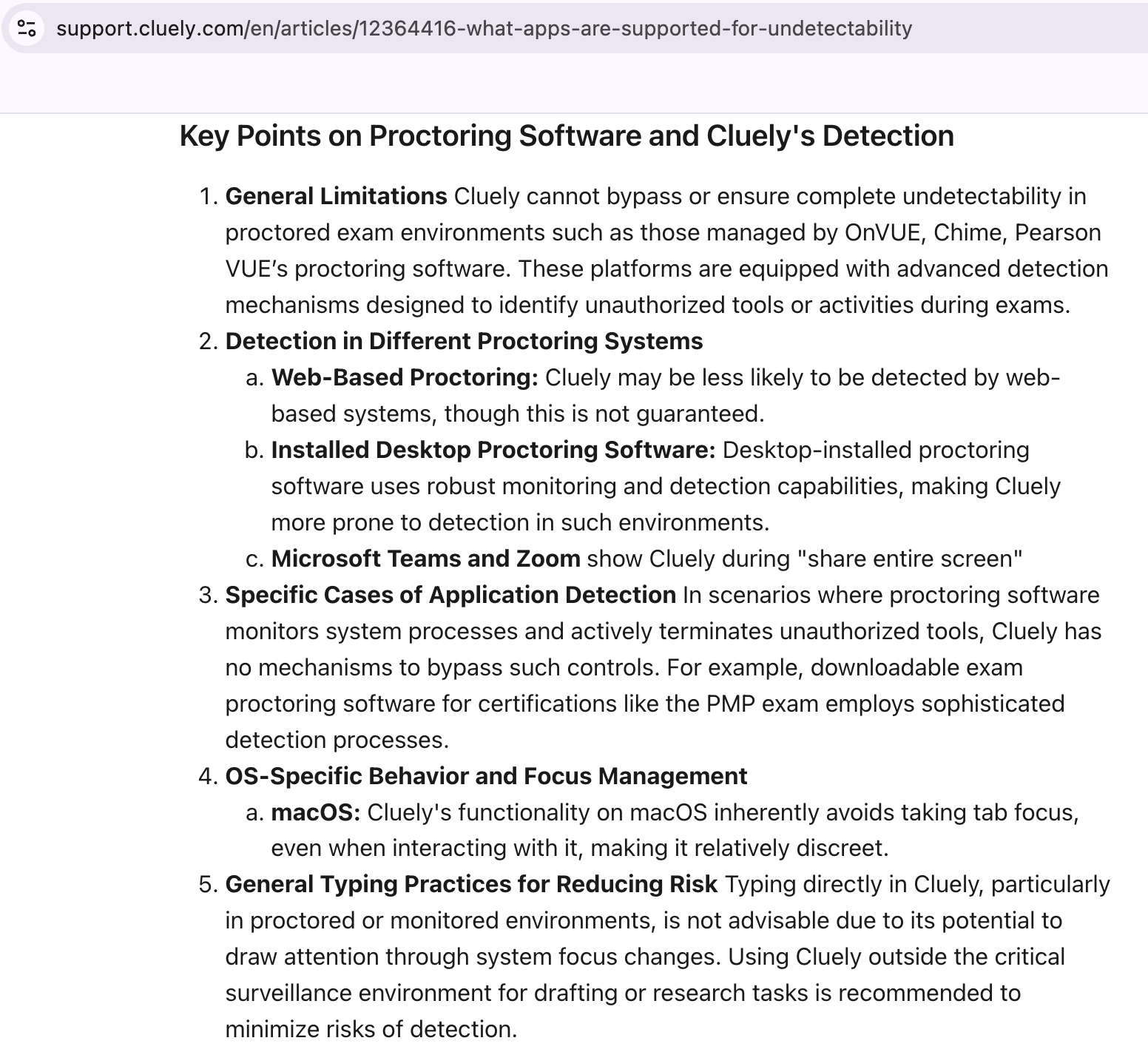
Cluely is primarily a meeting assistant, but it also features a real-time interview tool. It uses a transparent floating window to display AI-generated answers. However, things get a bit confusing: one moment they claim to be completely invisible, yet in their articles about undetectability, they list endless restrictions and conditions. While their technical rigor is commendable, the mixed messaging regarding undetectability creates a bit of a trust gap. By providing so many caveats, it feels as though the platform is shifting the entire burden of safety onto the user. Personally, I prefer a tool that stands more firmly behind its security claims rather than leaving me to navigate a minefield of "what-ifs" on my own.
Key Features
Stealth: The following are Cluely's own disclaimers regarding scenarios where stealth cannot be guaranteed, as stated in their technical limitations article.
While Cluely offers a real-time interview assistant feature, it does not support refunds if the user is detected during an interview due to clicks or interactions:

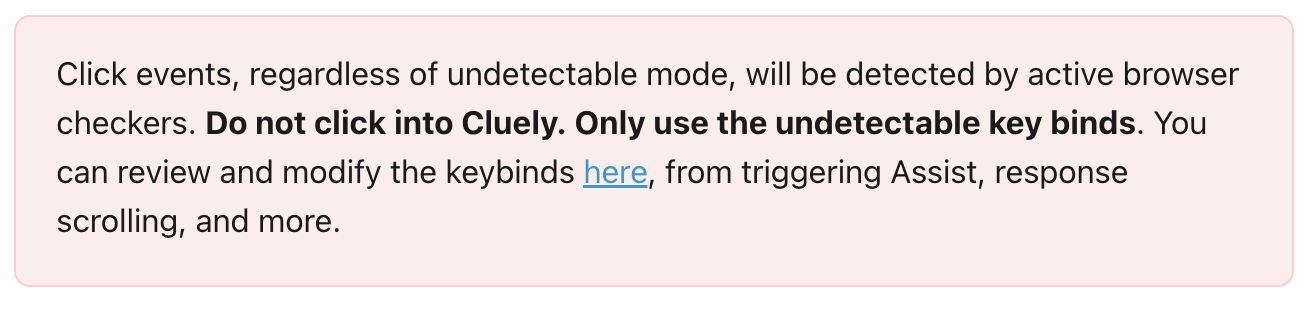

Cluely’s "undetectability" comes with many limitations:
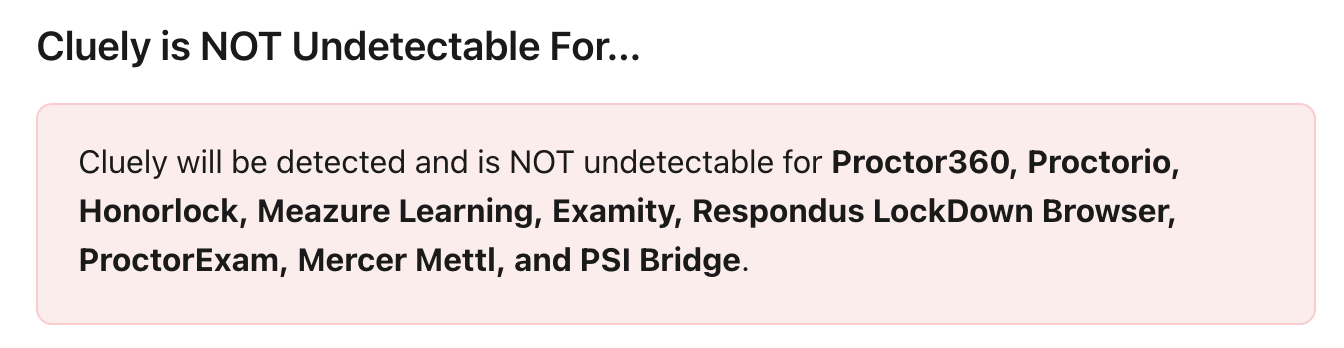
Here is Cluely’s explanation regarding its inability to guarantee full invisibility:
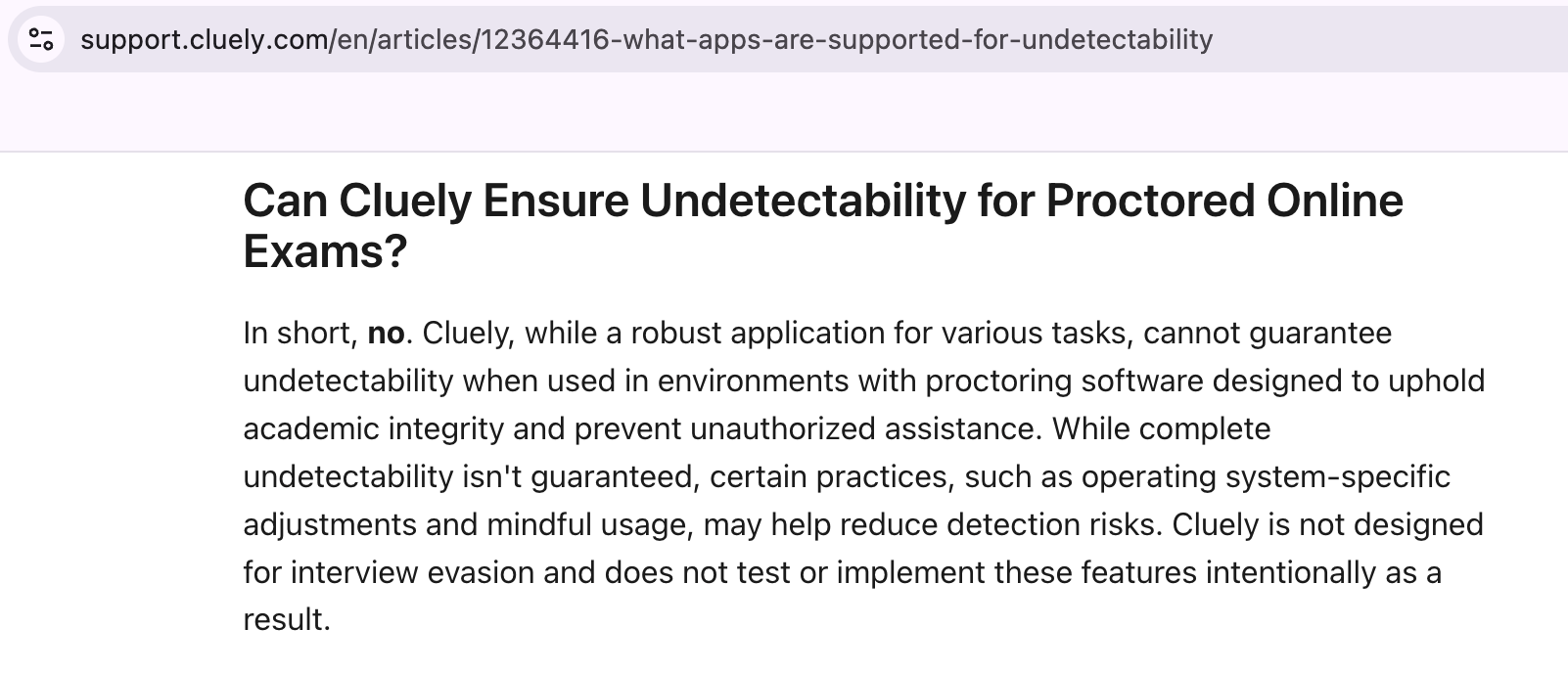
Additionally, there are other scenarios where Cluely may be detected:
Automatic Speech Recognition & Response: Supported.
Personalized Output: Supports over 12 languages.
Supported AI Models: Offers a total of 9 optional models from ChatGPT, Claude, and Llama.
Supported Platforms: Compatible with all major meeting platforms, including Zoom, Microsoft Teams, Webex, and Slack calls.
Best Real-Time AI Interview Assistant: Comparison
Features | Linkjob | Lockedin | Finalround | Parakeet | Cluely |
100% undetectable desktop-based products | ✅ | ❌ | ❌ | ❌ Mouse behavior is subject to tracking | ❌ There are many limitations |
Auto generate AI response | ✅ | ✅ | ✅ | ✅ | ✅ |
Structured, high-quality AI-generated responses | ✅ | ✅ | ❌ | ✅ | ❌ Not specifically designed for interview scenarios |
Instantly transcribes interviewer questions and provides answers | ✅ | ✅ | ❌ | ✅ | ✅ |
Undetectable global hotkeys | ✅ | ✅ | ❌ | ❌ | ✅ |
An undetectable, transparent floating window for answers that stays on top. | ✅ | ❌ | ❌ | ✅ | ✅ |
Taking all factors into consideration, Linkjob AI is the most outstanding choice. While maintaining total undetectability, it generates high-quality answers quickly and provides a wide range of personalization options along with a clean, easy-to-use interface.
However, the other four products have their own advantages. Parakeet AI and Cluely achieve their functions through desktop applications, offering higher stealth, as well as better output quality and visual presentation. Although Lockedin AI and Finalround AI are web-based and cannot achieve complete undetectability, they offer good basic features as entry-level real-time AI interview assistants.
Free Trial Details
Linkjob AI offers a 20-minute free trial. Once the trial ends, I can continue by switching to a different email address. All features are accessible during the trial, but I cannot manually select AI models.
Lockedin AI offers a 10-minute free trial. However, the trial only allows me to view the interface and does not include functional testing. I played a segment of system audio, but it failed to transcribe, and the AI did not answer any questions.
Finalround AI requires credit card information to access the trial page, and the trial duration is not specified. Similar to Lockedin AI, it only provides a preview of the interface without functional access. After playing system audio, no features were activated.
Parakeet AI offers a 10-minute free trial, and a new free trial session can be started every 15 minutes. All features are available for testing.
Cluely is divided into a non-stealth mode and a stealth mode. The stealth mode requires payment for trial access, while the non-stealth mode is free to use with no trial duration mentioned.
Pricing Comparison
Next is a price comparison of the six products. Each product has a different pricing model because some use a credit-based system, while others offer subscription plans. I will provide a brief comparison of their lowest starting prices. If you are considering a purchase, you should visit their official websites to review all available plans before making a decision.
Assistant | Lowest Monthly Rate |
|---|---|
Linkjob AI | Starting at $24.99/mo |
Lockedin AI | Starting at $33.99/mo |
Finalround AI | Starting at $42/mo |
Parakeet AI | Starting at $74.9/mo |
Cluely | Starting at $75/mo |
FAQ
Will these AI tools be detected by interview platforms like Zoom, Google Meet, or HireVue?
If your interview involves using a meeting platform, it is best to research past interview experiences beforehand to see if screen sharing is required. If screen sharing is mandatory, Lockedin and Finalround cannot be used. Additionally, the Zoom platform is somewhat unique; with the other three products, you will need to adjust specific settings within Zoom to remain undetectable.
Can I use these tools for technical interviews?
Yes, you can. However, the detection mechanisms for technical interviews are much stricter. Therefore, web-based products like Lockedin and Finalround should be avoided during technical interviews, as they can be caught by active tab detection. For the other products, my advice is to verify their level of stealth before using them in a technical interview. For example, checking whether they are visible when sharing the entire screen or if mouse behavior is tracked.
See Also
6 Best AI Coding Interview Assistants in 2025: Review & Comparison
My Secret Hacks For Beating HackerRank Proctoring and Detection

© Copyright 2025 linkjob.ai - All Rights Reserved.