Final Round AI vs Sensei AI: Which Copilot Wins?

As you all probably know, the comparison between Final Round AI and Sensei AI sparked quite a bit of debate about a year ago. Back then, I saw loads of searches like Final Round AI alternative, best Sensei AI alternative, or Final Round AI vs. Parakeet AI. Everyone was curious to see if these co-pilots really worked without any voice latency and were completely invisible during full-screen screen sharing.
Now, a year later, I spent a long time checking out both platforms to see which one works better in real-world situations. I did this by setting up a 45-minute technical screening session on two laptops. I checked out these two platforms, looking at how fast they transcribe, if they can share your screen without you noticing, how well they answer live questions, and how good the subscription deals are.
This article is going to outline the results of my research and testing. I'll also explain why I didn't go with either of the real-time AI interview copilot as my main tool and suggest the best alternative: Linkjob AI.

Public Reputation Survey: Final Round AI vs Sensei AI
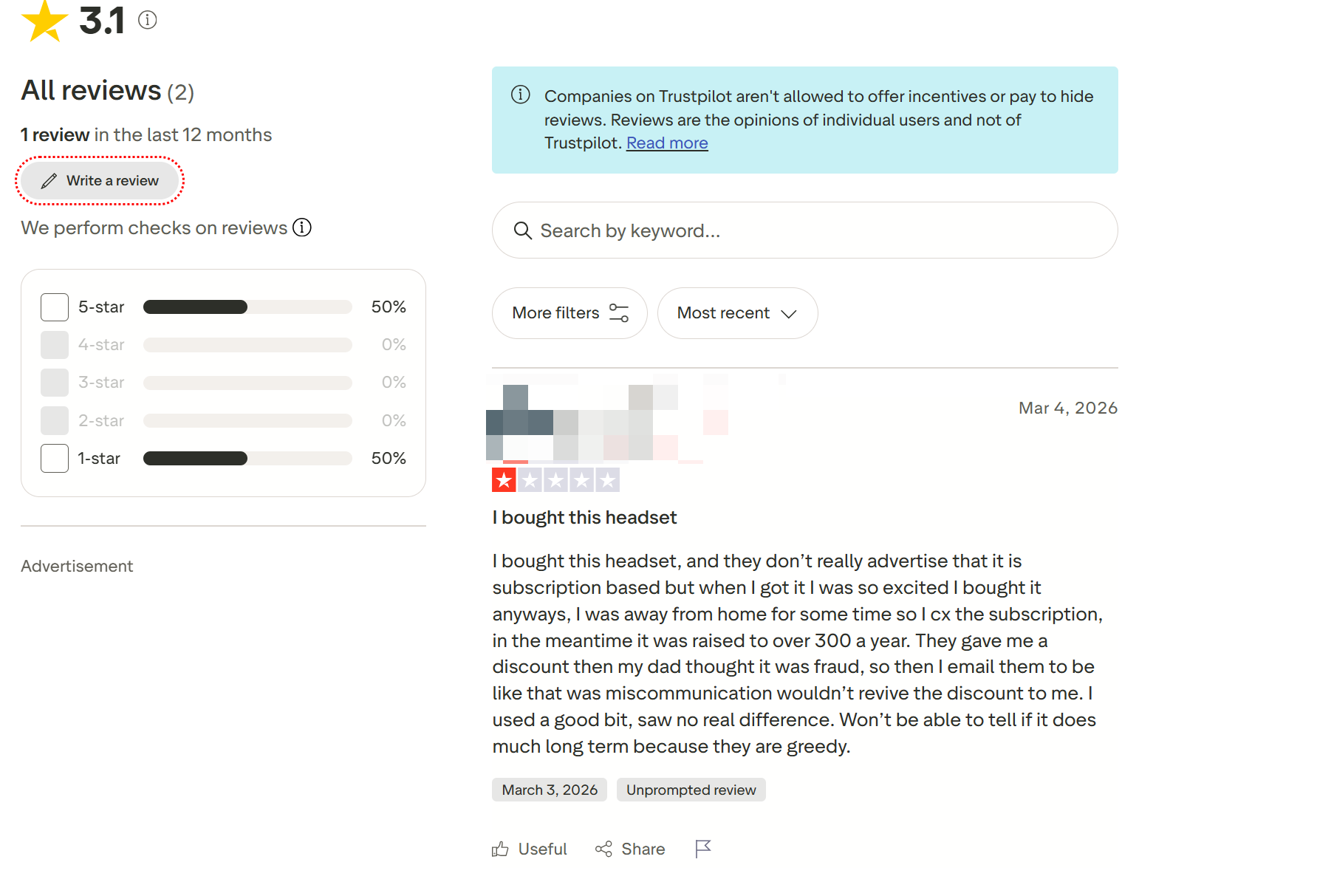
Before setting up live pair-programming sessions or behavioral benchmarks, I spent weeks investigating community sentiment across public forums, Reddit threads (such as r/cscareerquestions, r/interviews, and r/InterviewCoderPro), Trustpilot reviews, developer blogs like The Offer Inbox, and engineering communities. Analyzing sentiment data from verified job seekers revealed clear patterns regarding subscription costs, audio latency, process detection risks, and credit limits.
Final Round AI Market Sentiment and Operational Risks
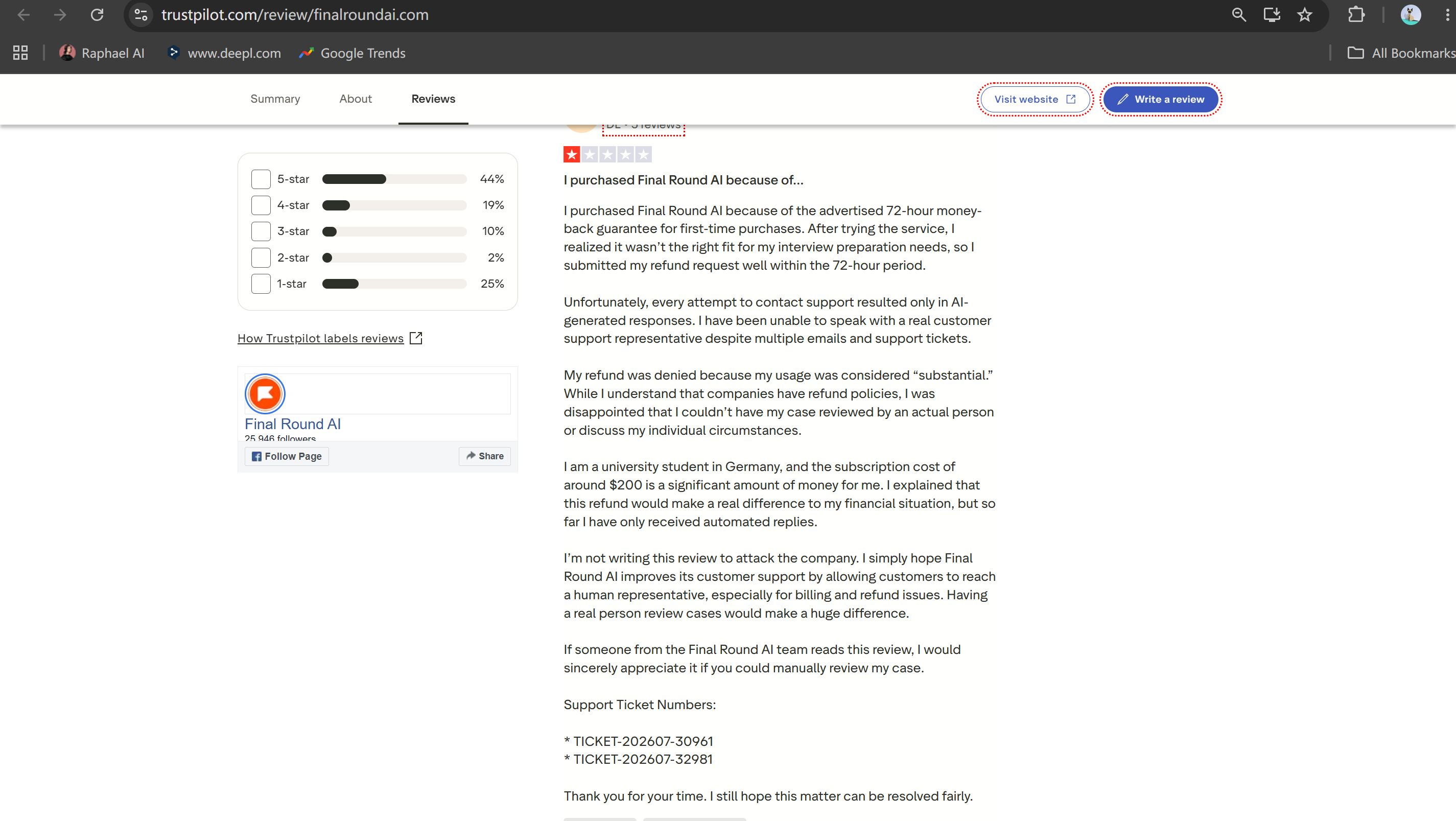
Final Round AI is a tool that's already got a pretty big reach and influence. It says it's a complete interview solution, offering mock interviews, help with your CV and live call support. But after looking at what tech candidates said, I found that when you use this tool during real-time coding screenings, it still has some big operational risks (like it's a new product):
High Subscription Costs: Monthly plans range from $99 to $149 per month for flexible access, or roughly $30 to $40 per month when billed quarterly upfront, creating a substantial financial commitment for job seekers undergoing multi-week search loops.
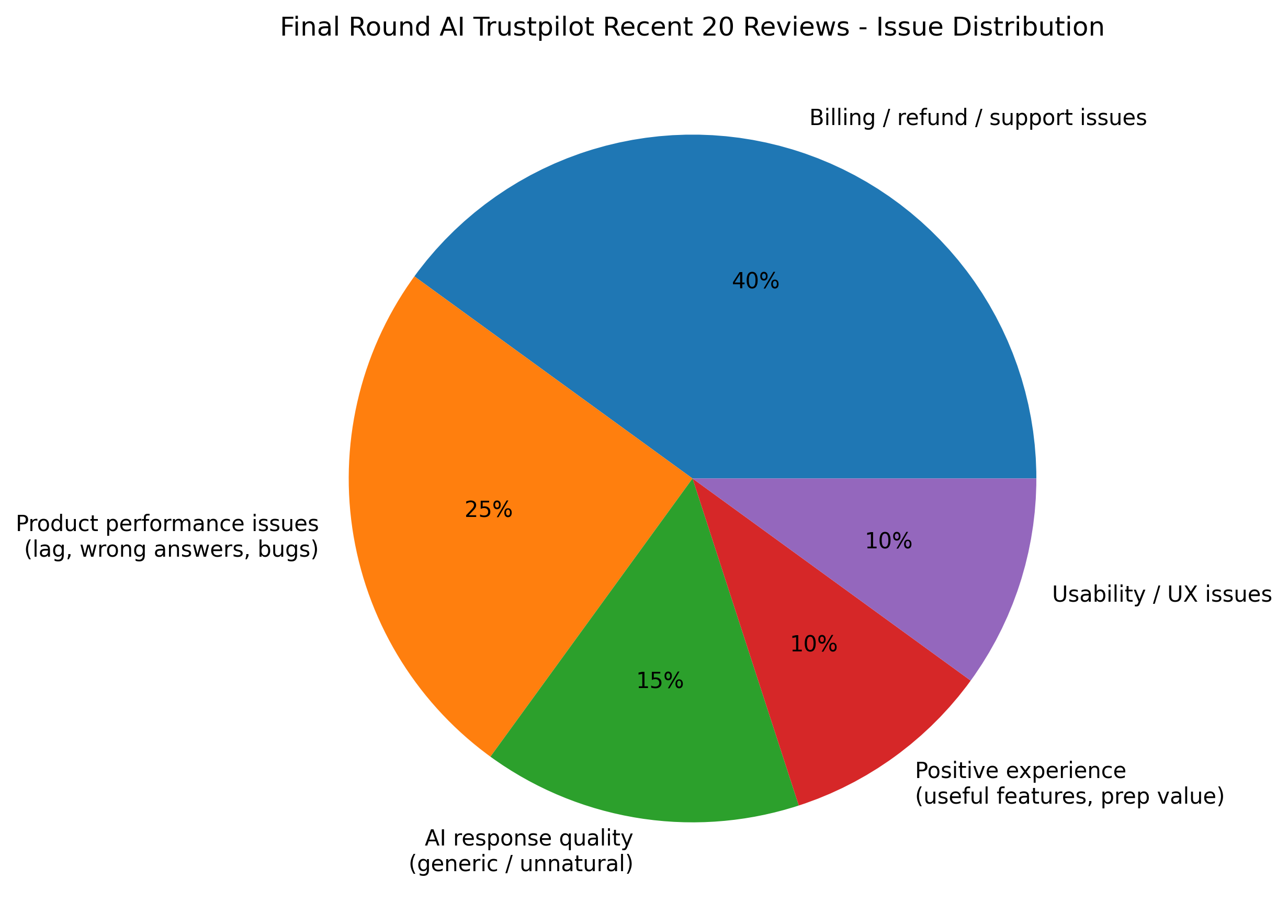
Audio Transcription Delays: Multiple candidates report a noticeable 3 to 6-second delay between when an interviewer finishes asking a question and when the AI streams suggested answers onto the screen.
Rigid Cancellation Policies: Users on review platforms frequently highlight strict non-refundable terms, with customer support refusing refund requests even when users experience technical crashes during live interviews.
Sensei AI Community Reputation and Browser-Only Flaws
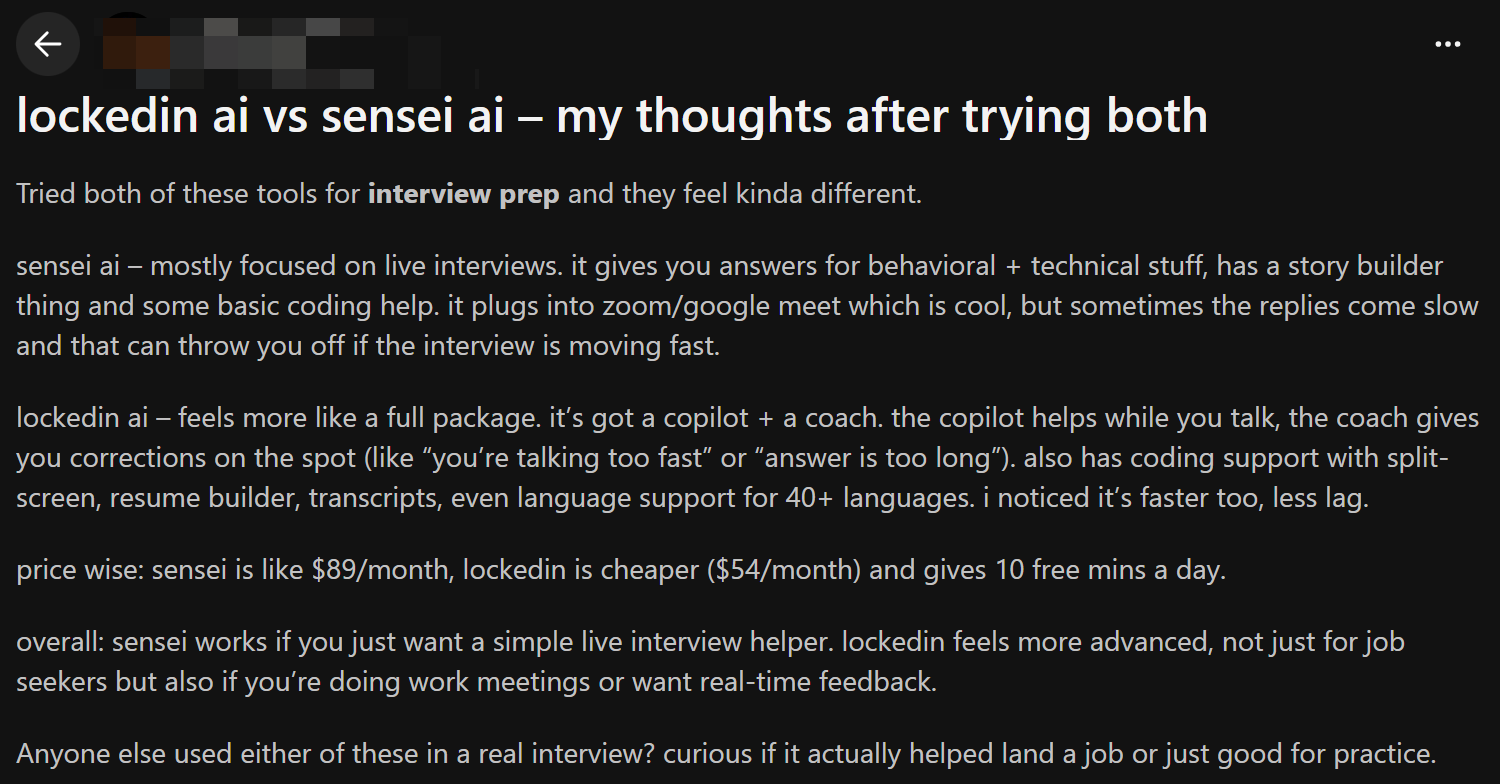
Sensei AI says it's an easy-to-use, real-time interview help tool, supporting behavioural questions, and a basic programme using the STAR method. First off, the annual fee seems pretty reasonable, but reviews and third-party evaluations have shown some major limitations.
Severe Free Tier Session Caps: Sensei AI offers a free plan, but it enforces a strict 15-minute session cap per call. Because standard technical interviews last 45 to 60 minutes, the free tier acts solely as a short evaluation tool rather than a live interview assistant.
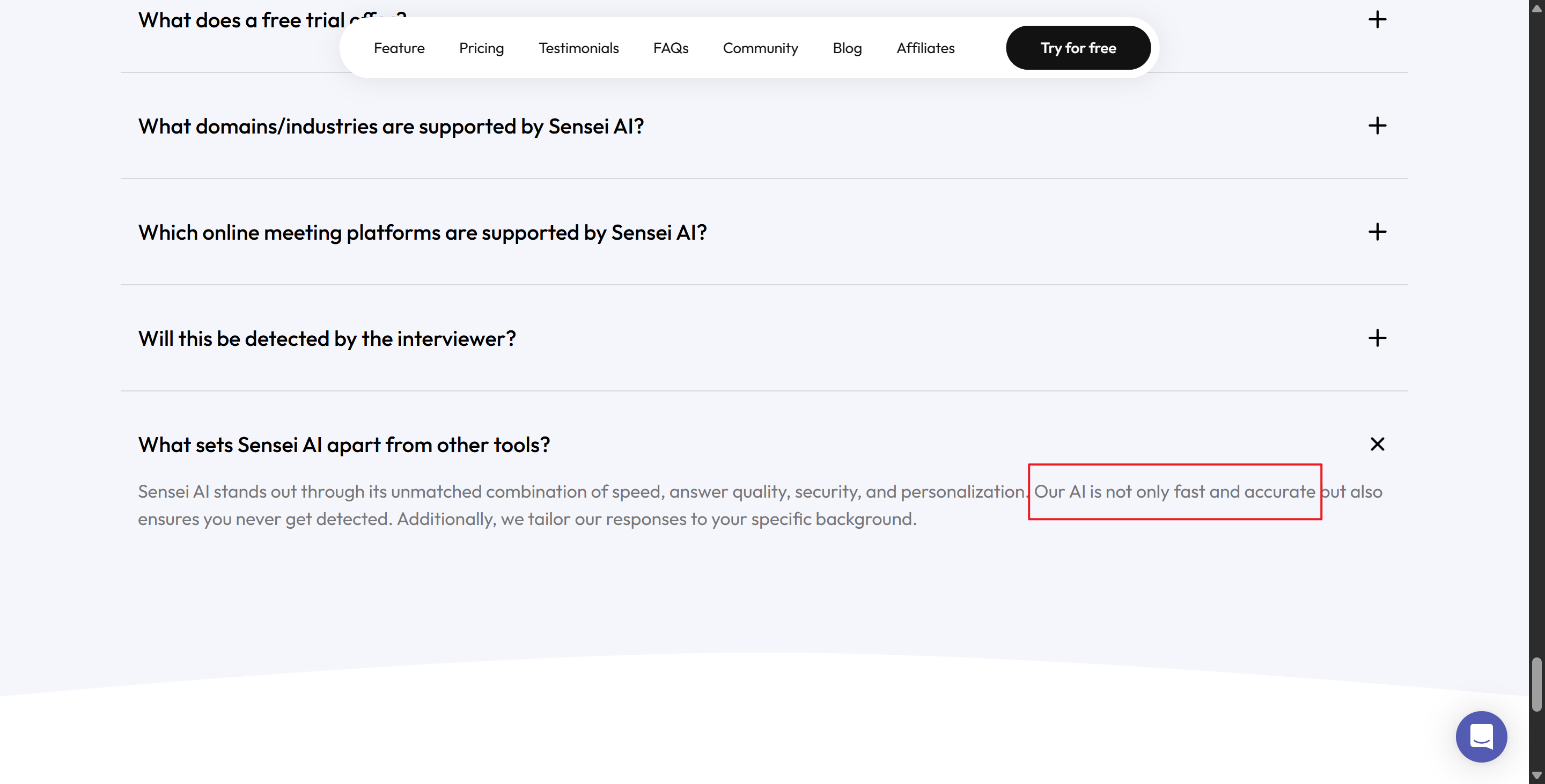
Lack of Native Desktop Stealth: Sensei AI operates primarily as a browser-based tool and Chrome extension without a native desktop app. Candidates report high anxiety during full-desktop screen shares, where sharing an entire screen risks exposing browser tabs or overlay windows to interviewers.
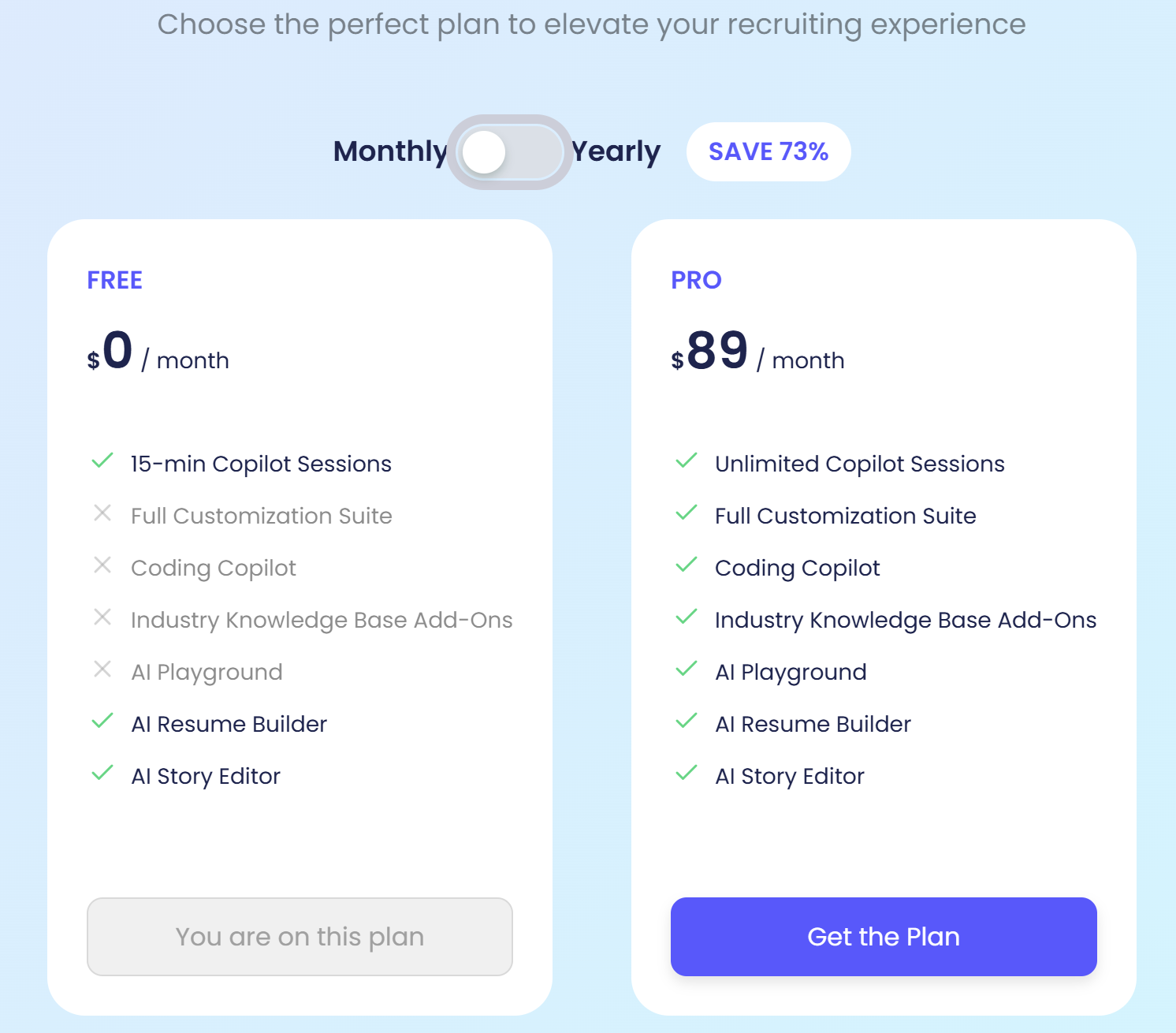
Expensive Pro Monthly Billing: Users who prefer not to commit to a $288 annual plan must pay $89 per month for the Pro monthly plan, making short-term usage surprisingly expensive.
"I used Sensei AI during a second-round interview, but because it runs entirely in the browser, I was terrified of accidentally revealing the tab during screen share. When the interviewer asked me to share my full desktop instead of just the IDE, I had to frantically close the tab mid-call." — Verified Candidate Review on Developer Forum
Browser-Only Architecture: Requires keeping open browser windows or extension pop-ups during live assessments.
High Monthly Barrier: $89 monthly billing forces users into expensive short-term payments or non-refundable annual commitments.
Variable Technical Depth: Generates conversational STAR-method text blocks that are difficult to scan while live-coding on camera.
Live Benchmark Testing: Final Round AI vs Sensei AI
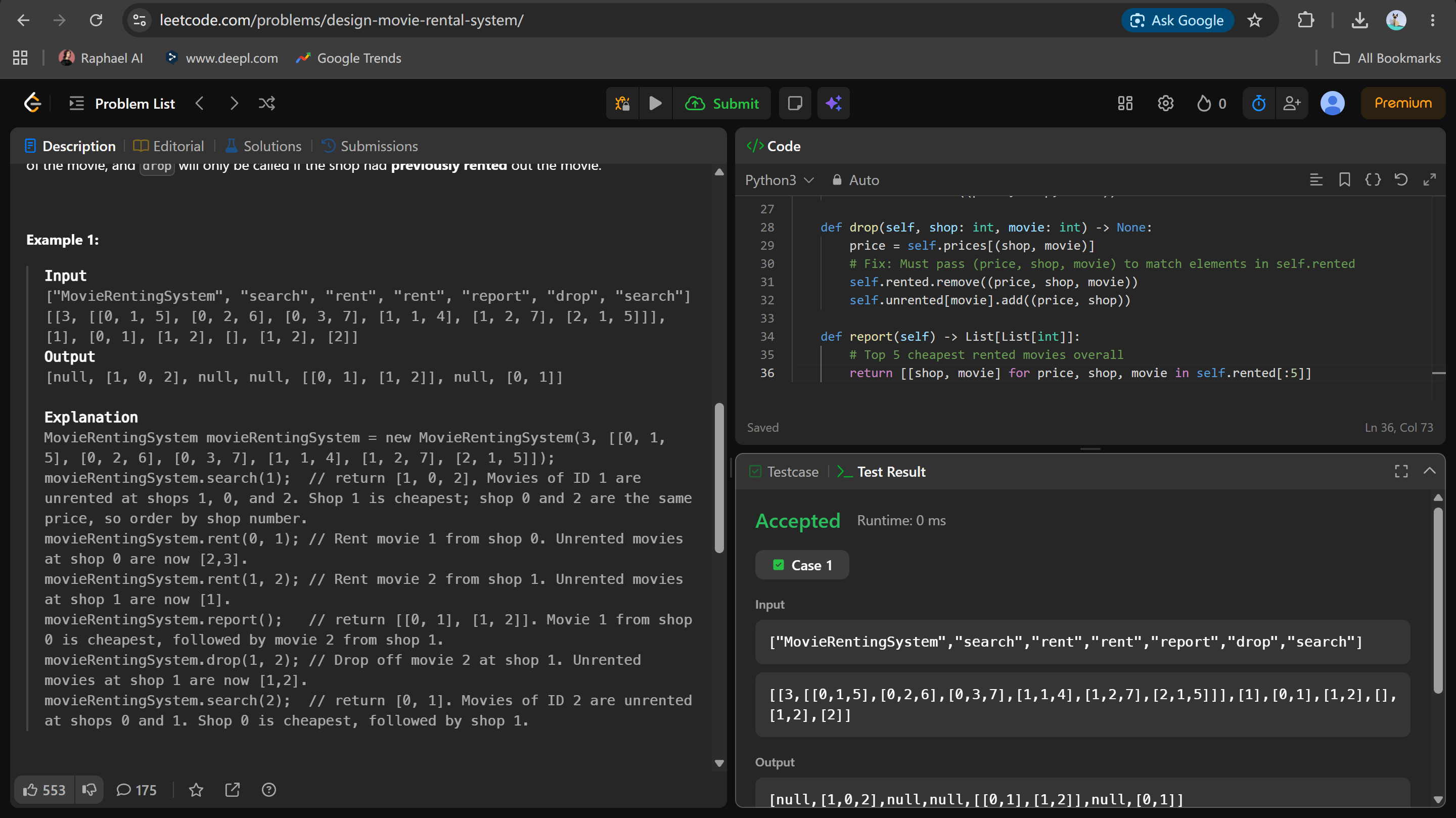
I wanted to test the two co-pilots to see how they would perform under real-life technical interview conditions. I set up two laptops to act as the candidate and interviewer in a mock technical interview——
During the interview, Laptop A ran the candidate-side software while Laptop B (ChatGPT Live) played the role of the interviewer. It connected via Zoom and presented dynamic CoderPad programming challenges, SQL queries, and system design scenarios.
Audio Latency in Final Round AI and Sensei AI Sessions
In fast-paced technical screens, voice-driven copilots struggle to deliver answers quickly enough to maintain natural conversation. When my mock interviewer asked how to design a distributed rate-limiting service supporting 100,000 requests per second, traditional audio-driven assistants stalled due to a multi-step cloud transcription process:
Local Sound Ingestion: Capturing the interviewer's voice through virtual audio cables or system microphone drivers.
Cloud Speech-to-Text Conversion: Converting spoken audio into written text, where technical terms (like token bucket algorithm or idempotency keys) were occasionally mistranscribed due to accents or background noise.
LLM Prompt Assembly: Packaging the transcribed text into prompt templates and querying cloud language models.
UI Response Rendering: Streaming suggestions onto the candidate's screen after an awkward 4 to 6-second silence.
In contrast, replacing audio speech transcription with visual context capture eliminates speech lag completely. Linkjob AI utilizes Smart Screenshot Capture to take instant snapshots of your target screen area and feed the visual context directly to multi-modal AI models. Instead of waiting 5 seconds for speech-to-text processing, Linkjob AI analyzes live IDE code, LeetCode windows, or system diagrams in 1 to 2 seconds, streaming accurate answers without missing technical context.
Technical Coding Depth for Live Interviews
When my mock interviewer introduced mid-interview requirement shifts—such as modifying a Redis-backed rate limiter to use a sliding-window log counter—both legacy platforms struggled to adapt smoothly without manual re-prompting.
Final Round AI: The audio parser truncated the interviewer's sentence mid-explanation, returning incomplete architectural advice that omitted key caching strategies and database indexes.
Sensei AI: Generated wordy, conversational paragraphs using the STAR method that were too verbose to read naturally while typing live code on camera.
Technical Benchmark | Final Round AI | Sensei AI | Linkjob AI |
Primary Input Tech | Audio Speech-to-Text & Screen Capture | Audio Speech-to-Text & Browser Snaps | Smart Screenshot Capture |
Response Speed | 3.5 – 6.0 Seconds | 3.0 – 5.0 Seconds | 1.0 – 2.0 Seconds |
System Design Depth | Medium (Audio Truncation) | Medium (Generic STAR Text) | High (Multi-Model Precision) |
Stealth Mode | Soft Desktop Overlay | Browser / Extension Overlay | Hidden Background Process |
Starting Cost | $99 – $149 / month | $89/mo (Monthly) / $288/yr (Annual) | $29.99/mo (Annual) / $99.99 Monthly |
Stealth Architecture: Final Round AI vs Sensei AI
Security and invisibility are paramount when choosing an AI interview assistant. If a tool leaves visible window borders during full-desktop screen shares or triggers client-side browser focus monitors, candidates face immediate disqualification.
Screen Sharing Risks: Final Round AI or Sensei AI Detection
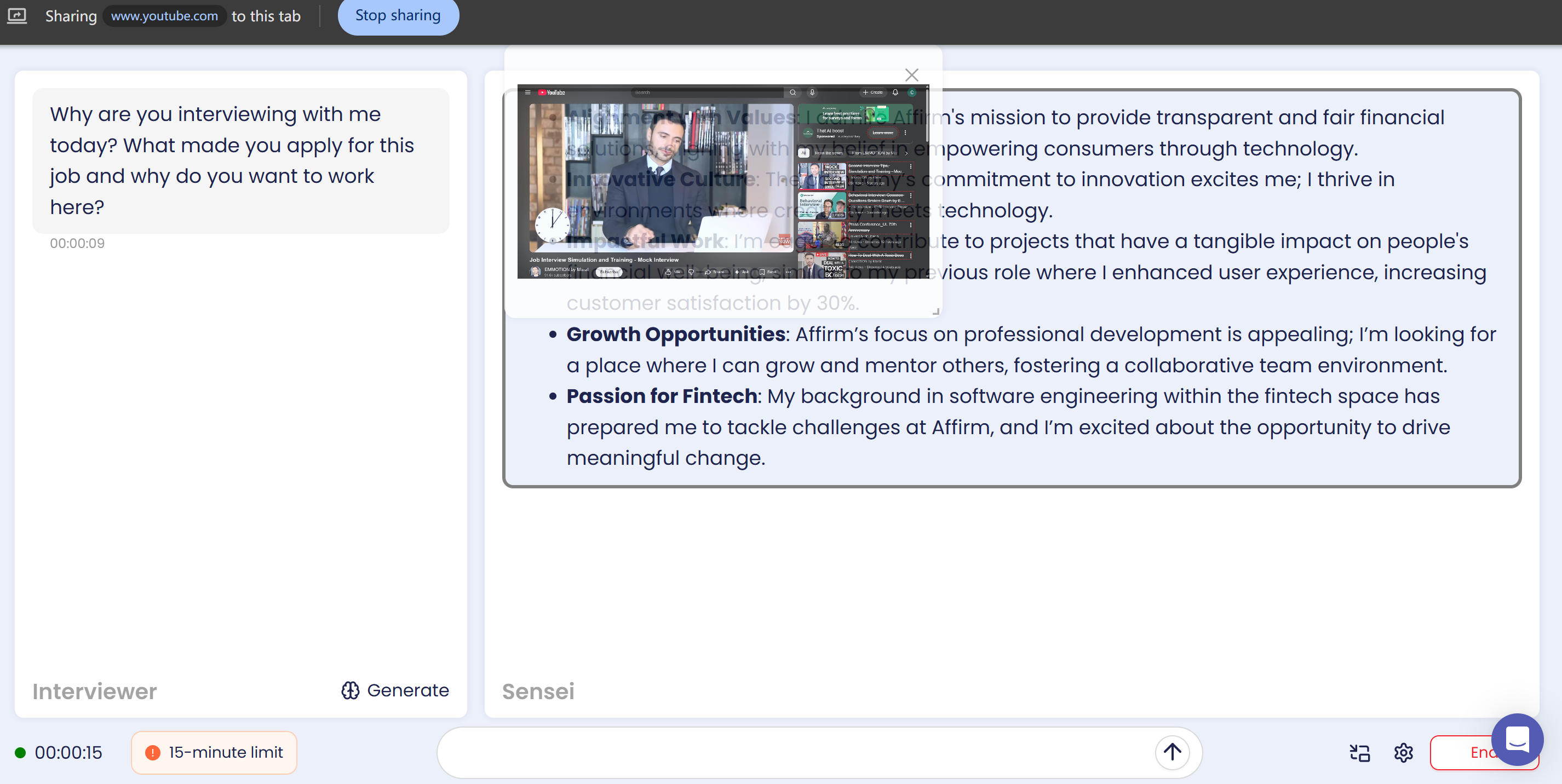
During modern engineering interviews, hiring teams routinely ask candidates to share their entire desktop rather than a single browser window. This allows them to monitor how candidates navigate IDEs, run tests, and debug errors. During my screen-sharing tests on Zoom, Microsoft Teams, and Google Meet, both traditional tools displayed critical visibility flaws:
OS Overlay Flattening: Final Round AI uses a floating desktop overlay window. Because standard overlays reside within the operating system's normal window hierarchy, Desktop Window Manager (DWM) flattens all visual layers during full-desktop screen sharing, rendering the prompt box visible to the interviewer.
Browser Extension Visibility: Sensei AI runs within browser tabs and extensions. Sharing a full desktop reveals open extension icons, sidebars, or floating web elements directly on the interviewer's feed.
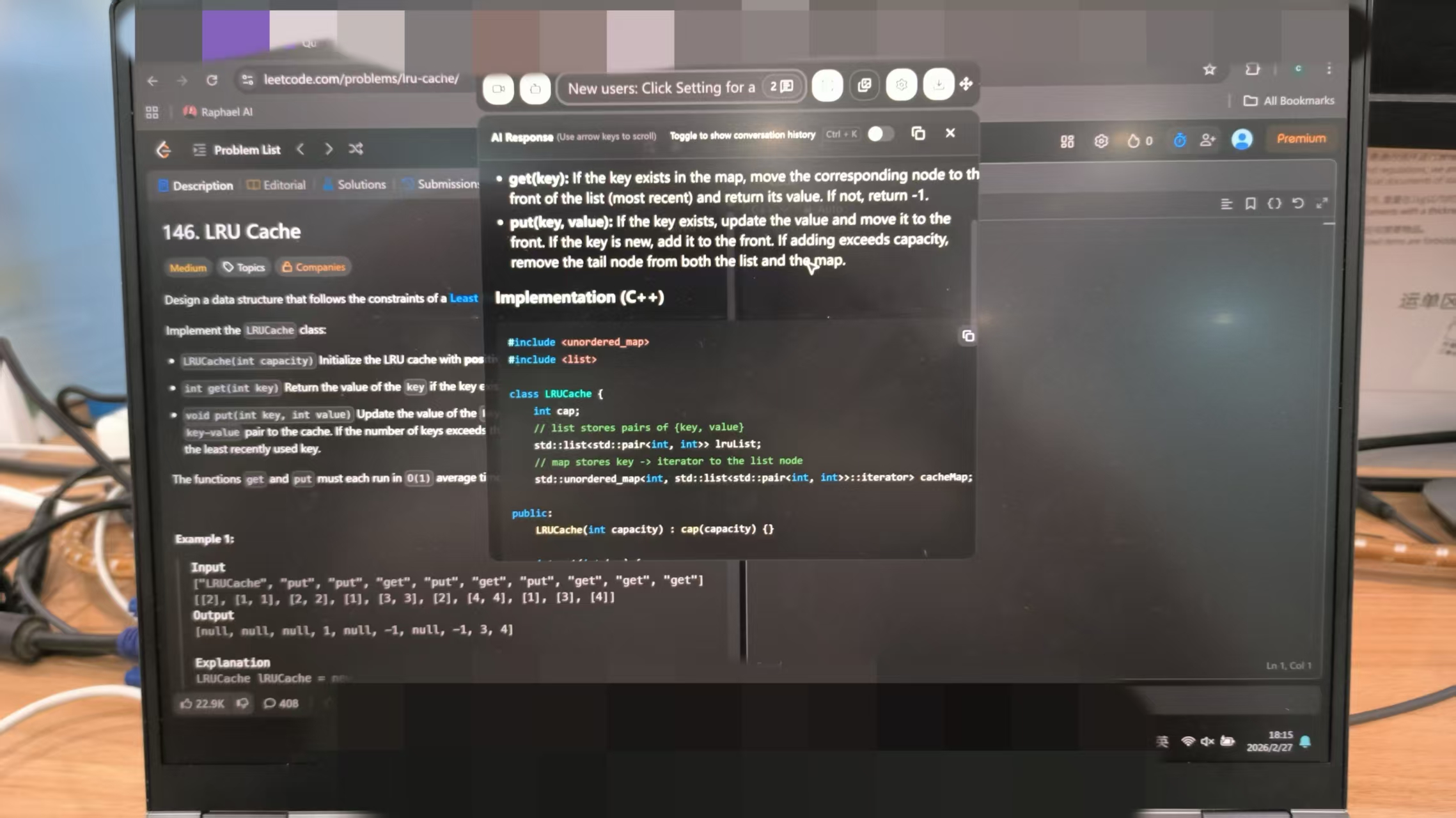
Linkjob AI Stealth Architecture Execution Pipeline:
[Desktop Screen Region Capture] ➔ [Hidden Background Process Processing] ➔ [Screen-Share Invisible Overlay] ➔ [0% Visibility on Zoom/Teams Share]
To eliminate screen-sharing detection entirely, Linkjob AI was engineered with a dedicated desktop stealth architecture that bypasses standard window capture frameworks:
Hidden Background Process: Runs outside the browser sandbox as an independent system process, completely avoiding extension detection.
Screen-Share Concealment: Utilizes specialized overlay rendering that remains hidden during full-desktop Zoom, Teams, and Google Meet screen shares.
Zero Visual Artifacts: Prevents window flickering or overlay leaks across external display captures.
Browser Focus Interception and DOM Anti-Cheat
Proctored assessment platforms like HackerRank, CoderPad, HirePro, and TestGorilla implement aggressive client-side JavaScript listeners to detect unauthorized secondary applications:
Focus Blur Tracking: Clicking on external pop-ups or browser extension overlays shifts window focus away from the test window, triggering
window.onbluranddocument.visibilitychangeevents.Keyboard Event Logging: Hotkeys that trigger browser-based extensions fire standard
keydownevents that anti-cheat scripts flag as suspicious background activity.
// How Proctored Assessment Platforms Detect Window Focus Loss
window.addEventListener('blur', () => {
    console.warn('Candidate shifted focus away from assessment window.');
    ReportAntiCheatViolation({ type: 'TAB_SWITCH_DETECTED', timestamp: Date.now() });
});
Because Linkjob AI operates as an independent desktop application via hidden background processes, interacting with its stealth interface avoids triggering DOM focus-blur events entirely during online technical assessments.
Cost and Pricing Breakdown: Final Round AI vs Sensei AI
Evaluating the overall value of Final Round AI vs Sensei AI requires analyzing exact billing structures, session limitations, available AI models, and refund policies.
Subscription Pricing: Final Round AI vs Sensei AI Alternatives
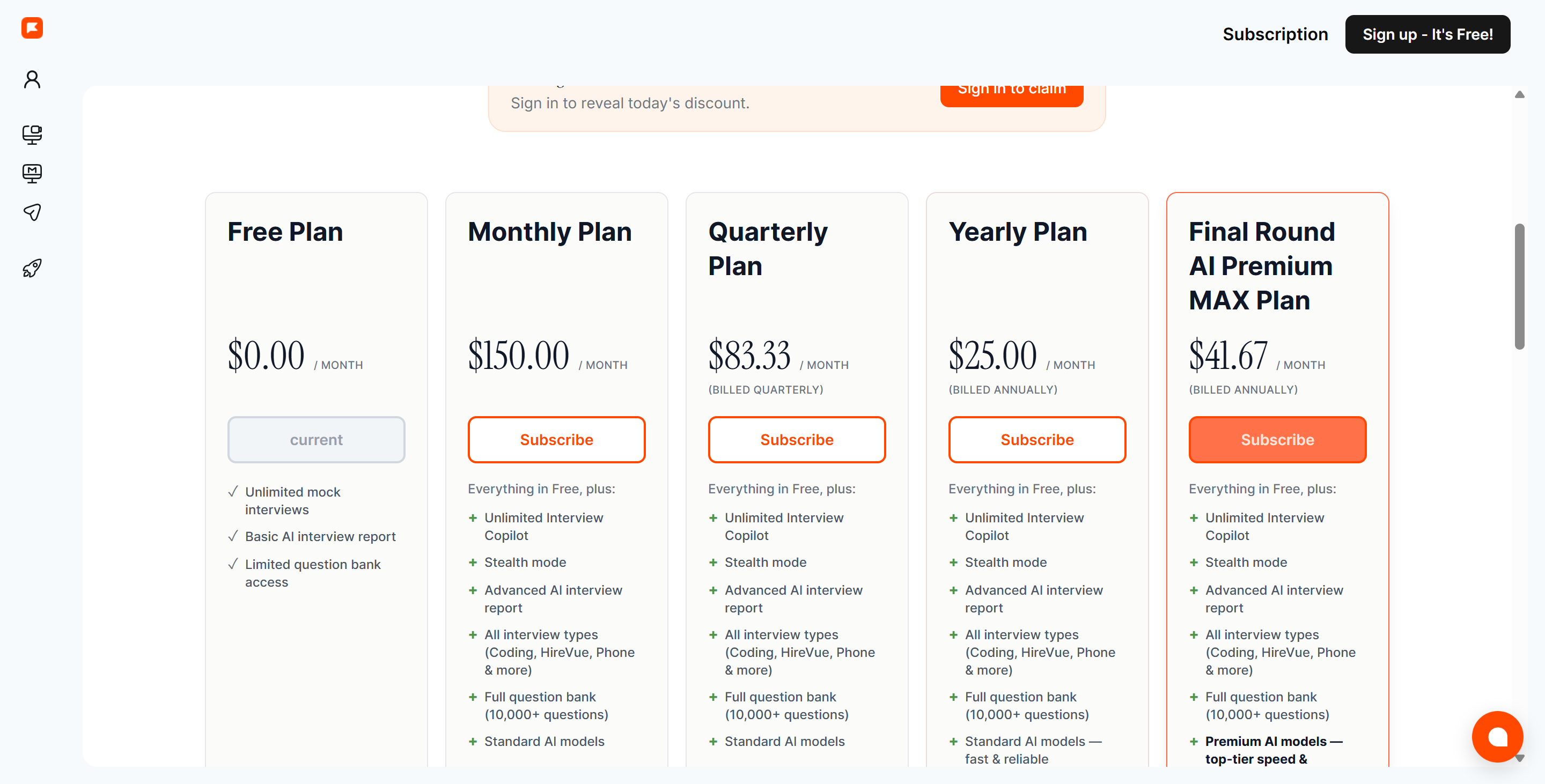
Understanding the true cost of an interview copilot helps candidates avoid hidden billing traps during active job searches:
Final Round AI: Costs $25 to $150 per month for monthly billing, or approximately $30 to $40 per month when paying quarterly upfront ($119.97 billed every 3 months). High entry costs and strict non-refundable policies make it an expensive choice for short job searches.
Sensei AI: Offers a free plan capped at 15 minutes per session, which cuts off before standard technical rounds finish. The Pro plan costs $89 per month on flexible monthly billing, or $288 per year ($24 per month effective) billed as a single upfront payment with no refunds.
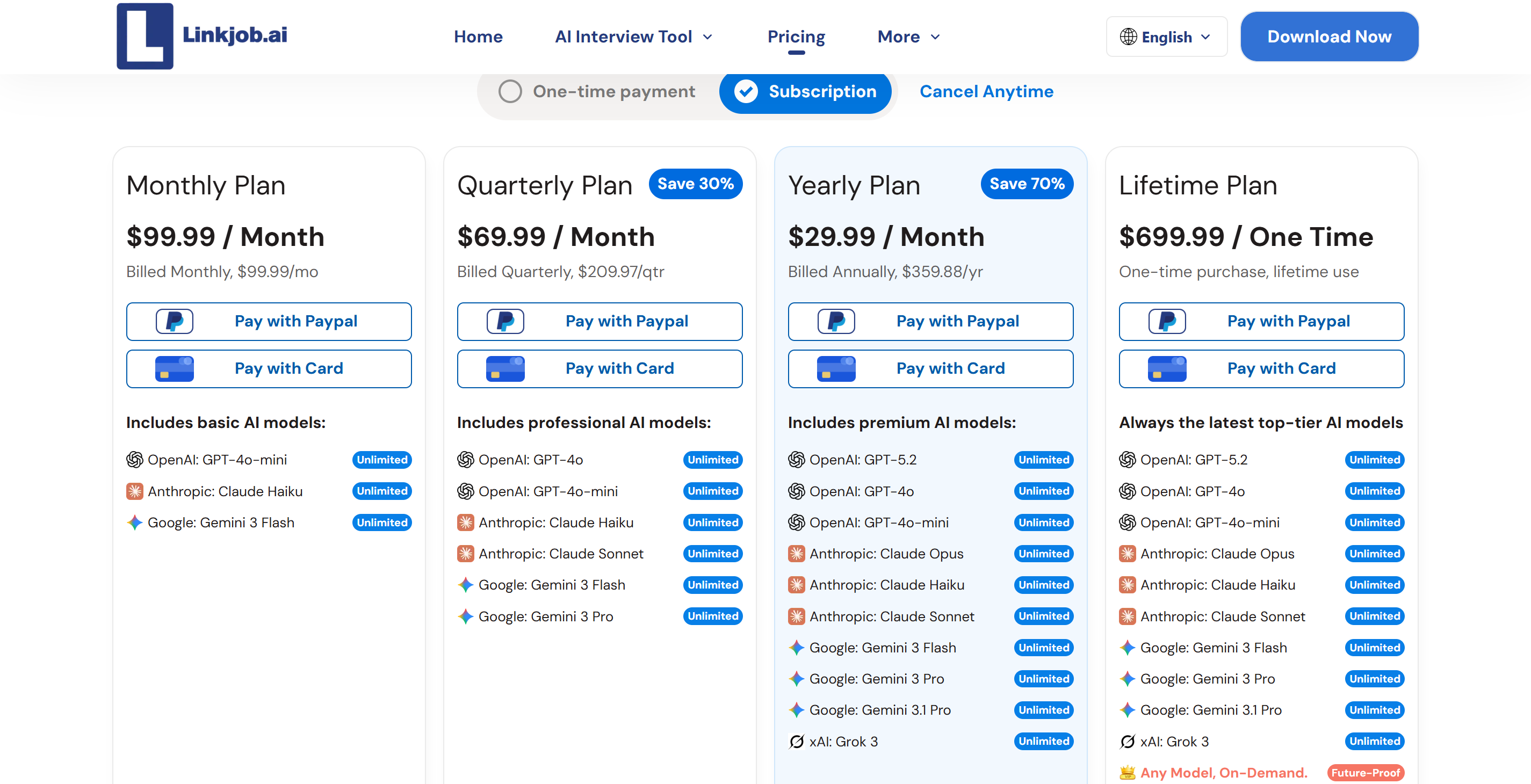
Linkjob AI: Delivers transparent, developer-friendly pricing without session caps. Candidates can select the $29.99 per month annual plan (billed at $359.88 per year) or a flexible $99.99 per month monthly plan. Both tiers grant access to over 80+ top-tier AI models (including GPT-5, Claude, and Gemini 3 Pro), unlimited session usage, hidden background process stealth, Smart Screenshot Capture, and straightforward self-service cancellation.
Final Verdict on Final Round AI vs Sensei AI
After putting both platforms through extensive dual-laptop benchmark testing, my verdict on Final Round AI vs Sensei AI is clear: neither tool provides the combination of sub-2-second response speed, complete desktop screen-sharing invisibility, and multi-model technical depth required for high-stakes software engineering rounds.
Final Round AI's high subscription cost ($99–$149/mo) and 3-to-6 second speech transcription lag create awkward silences on live calls. Sensei AI's 15-minute free session cap, $89/mo monthly cost, and browser-only architecture introduce significant screen-sharing visibility risks during full-desktop Zoom shares.
Why I Switched to Linkjob AI for Technical Screens
Switching to Linkjob AI resolved every technical limitation I experienced with legacy audio and browser-based tools:
1 to 2-Second Latency: Smart Screenshot Capture delivers instant code and system design solutions, bypassing slow audio speech-to-text processing.
True Screen Share Invisibility: Hidden background processes remain 0% visible during full-desktop Zoom, Teams, and Meet screen shares.
80+ Advanced AI Models: Access to leading models (including GPT-5, Claude, and Gemini 3 Pro) for complex algorithms and system architecture questions.
Transparent Pricing: $29.99/month on annual plans ($359.88/yr) or $99.99/month on flexible monthly billing with self-service cancellation.
FAQ
What is the primary difference between Final Round AI and Sensei AI?
Final Round AI is a full-featured interview suite with monthly plans starting at $150, focusing on audio transcription and mock interview preparation; Sensei AI, on the other hand, is a browser-based tool with a monthly fee of $89 (or $288 per year) and a free trial limited to 15 minutes.
Final Round AI offers more comprehensive preparation features, while Sensei AI relies heavily on browser overlays and lacks native operating system-level incognito functionality.
Can Sensei AI or Final Round AI be detected during full desktop Zoom screen shares?
Yeah, when you're sharing your screen in full-screen mode on Zoom, things like standard window overlays and browser extension pop-ups might get captured. But dedicated tools like Linkjob AI can stop screen sharing from being detected by running in the background and using special overlay hiding techniques.
Why do software engineers choose Linkjob AI over Sensei AI?
Software engineers love Linkjob AI because its "Smart Screenshot" feature is super quick (1 to 2 seconds!) and totally stealthy, and it's just $29.99 a month for the annual plan. Sensei AI lets you do 15 minutes' free sessions, charges $89 for a monthly subscription, and runs in your browser, but doesn't support native desktop stealth mode.
How does Smart Screenshot Capture achieve sub-2-second latency?
The smart screenshot feature captures whatever you're looking at on your screen and sends the code or chart content straight to an AI model. This means you don't have to go through the usual multi-step process of audio capture, speech-to-text conversion, and transcription analysis that traditional voice assistants use, which can cause delays of 3 to 6 seconds.
See Also
Why I Selected The Best Alternative To Sensei AI
Evaluating Sensei AI: Performance Insights For 2026
Final Round AI Review: Disappointing Performance Explained
Final Round AI vs Parakeet AI: Real Live Coding Test
I Tested Final Round AI & It Just Fell Short of My Expectations, Here’s Why
Why People Choose Linkjob AI
Smoother interviews, coding challenges cleared, and job offers landed. See how users describe their experience with Linkjob AI—in their own words.


© Copyright 2026 Linkjob AI - All Rights Reserved.