Fuck LeetCode with Invisible AI Coding Interview Copilot | Linkjob.ai


Can you remember those countless times when you came across those LeetCode questions again and again, like it was hundreds of times? Remember being asked all kinds of different LeetCode-style questions in your tech interview? I myself was exactly like that, and I've cursed “fuck Leetcode” countless times, but I've still kept on tackling those problems.
Sometimes I even thought about how to cheat on HackerRank to get a better outcome, and searched for the best free AI interview tools to try if they work properly, and in most of the cases, I failed and went back to do Leetcode.
I know that feeling, and that's why I'm here to write a passage about Linkjob AI, an AI LeetCode copilot that helped my friends and me in at least 20 tech interviews. Having not thought about the LeetCode interviews could be so easy and chill, I tried Linkjob AI for a period, and cannot take another tech round without it.
Screen Sharing? No Problem AT ALL
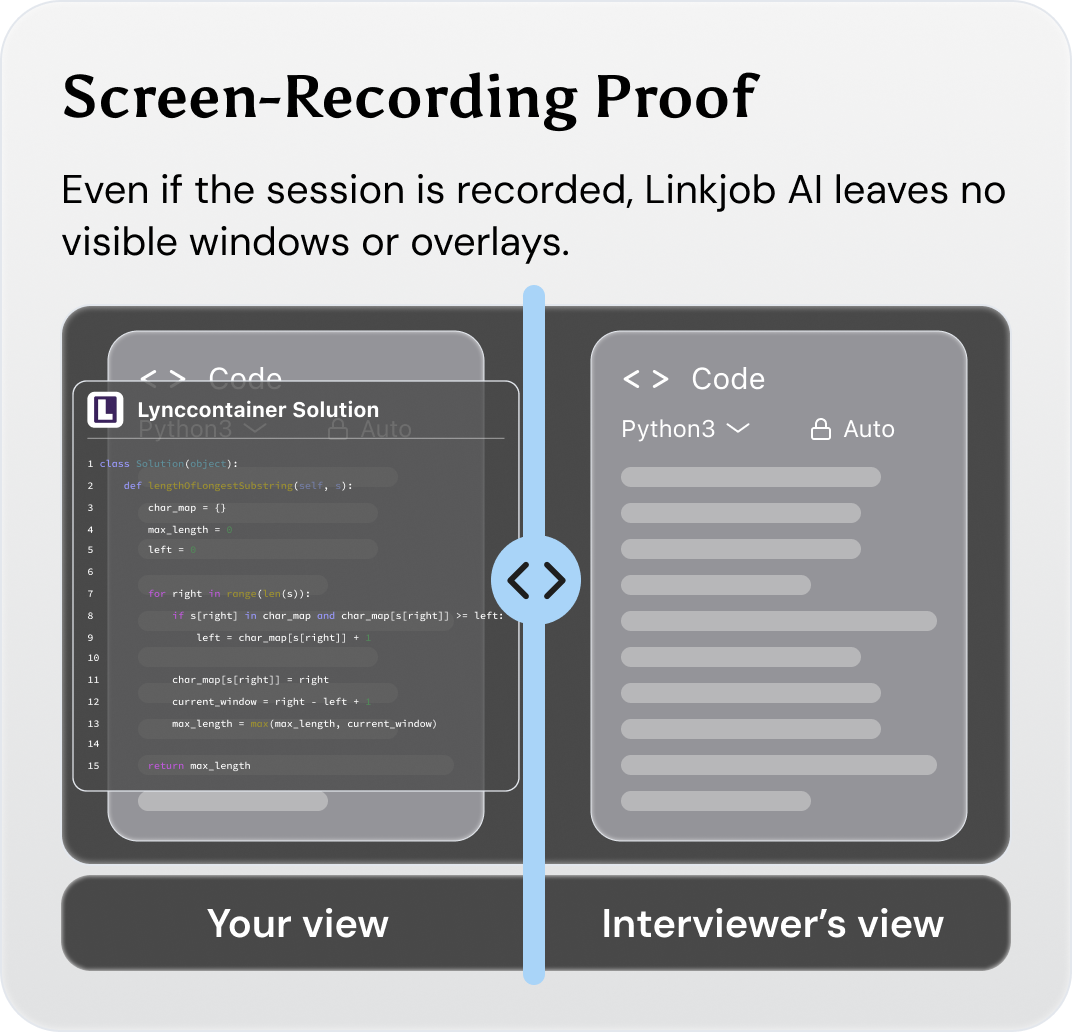
Fuck LeetCode, and Without Being Detected
I know what you're going to say: If you use AI Copilot for Leetcode tests, it'll definitely get spotted, and you'll need to share your screen for any tech role's tech round.
Well, times have changed, and I'm 100% sure that while using Linkjob AI, no such being-detected-thing happened, not even once during my experience. The reasons? I will let you go through all of them in the following content.
What Happens During your Sharing Screen While Doing LeetCode
First, let's quickly run through what most interview platforms try to spot during screen sharing, aka the sandbox theory between those screen-sharing platforms:
Detection Method | Description |
|---|---|
Multiple monitor detection | Checks if an external monitor is connected to keep things focused on the assessment. |
Workplace proctoring | Gets snaps of the candidate and the place they're in, to spot anything dodgy. |
Active Tab Monitoring | Platforms check when the cursor is inactive or for tab switching during the interview. |
AI-Powered plagiarism detection | Looks at code submissions to spot unauthorised AI use or copying. |
Copy-Paste tracking | Keeps an eye on any code that's been pasted in from outside, just to see how much of it is pre-written solutions. |
And a video that actually tested these methods:
In short, the systems that interviewers use will see whether you are:
switching tabs
pasting code from another site
connecting to another monitor
looking away to other pages(sometimes)
etc...
It seems pretty difficult to cheat under such a strict standard. But is it really impossible?
Why Linkjob AI is Undetectable During Coding Interviews?
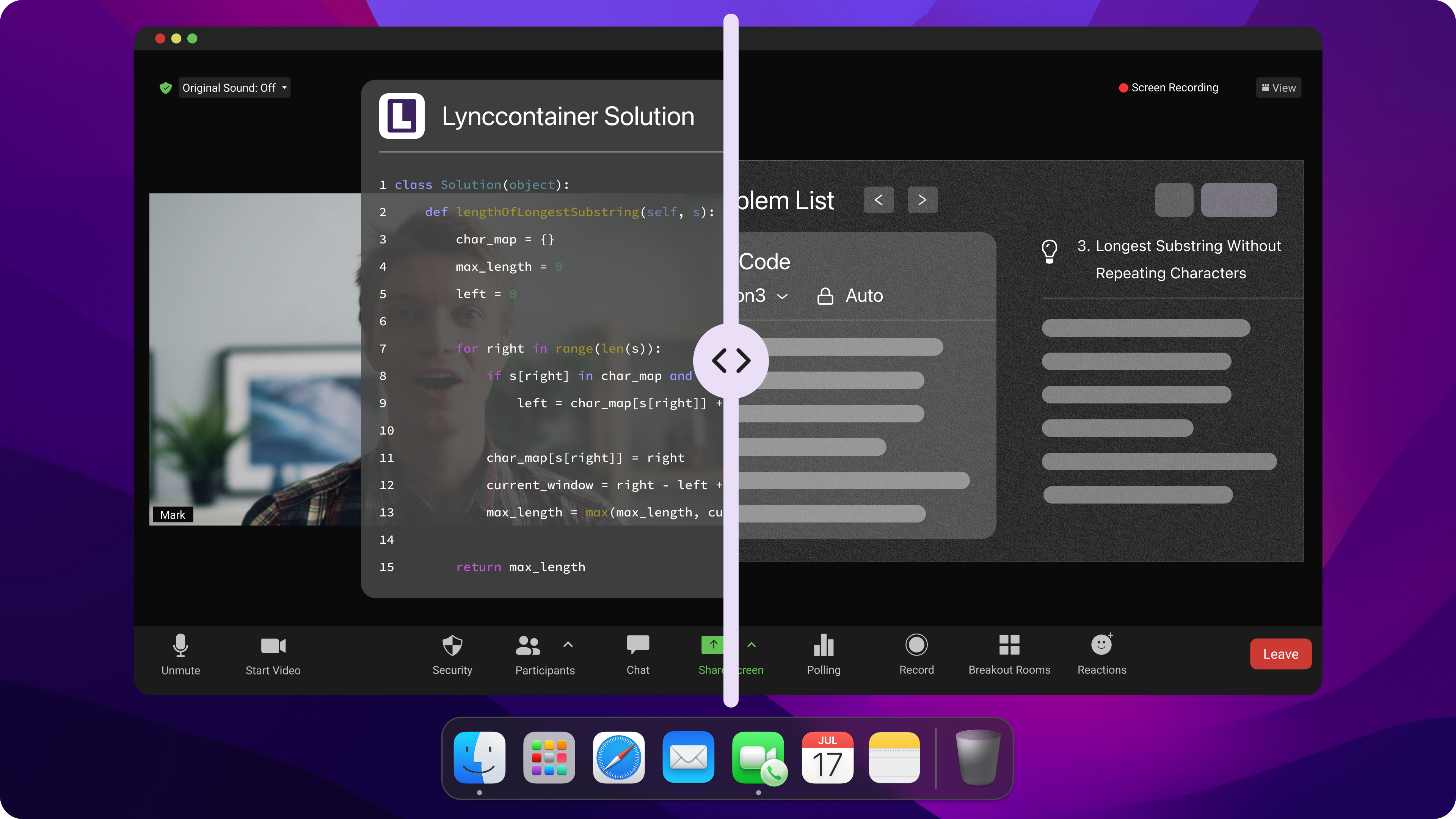
How Can It Bypass LeetCode's Active Tab Detection
It might be easier than you think. Linkjob AI runs as a desktop-native app, so you don't have to worry about it being detected by switching between different tabs.
So basically, here is what Linkjob AI does to get users from being caught using it:
operates outside the browser’s monitoring capabilities
The app’s processes run independently, so nothing gets flagged for tab switching
The floating layer stays invisible, even during full-screen sharing
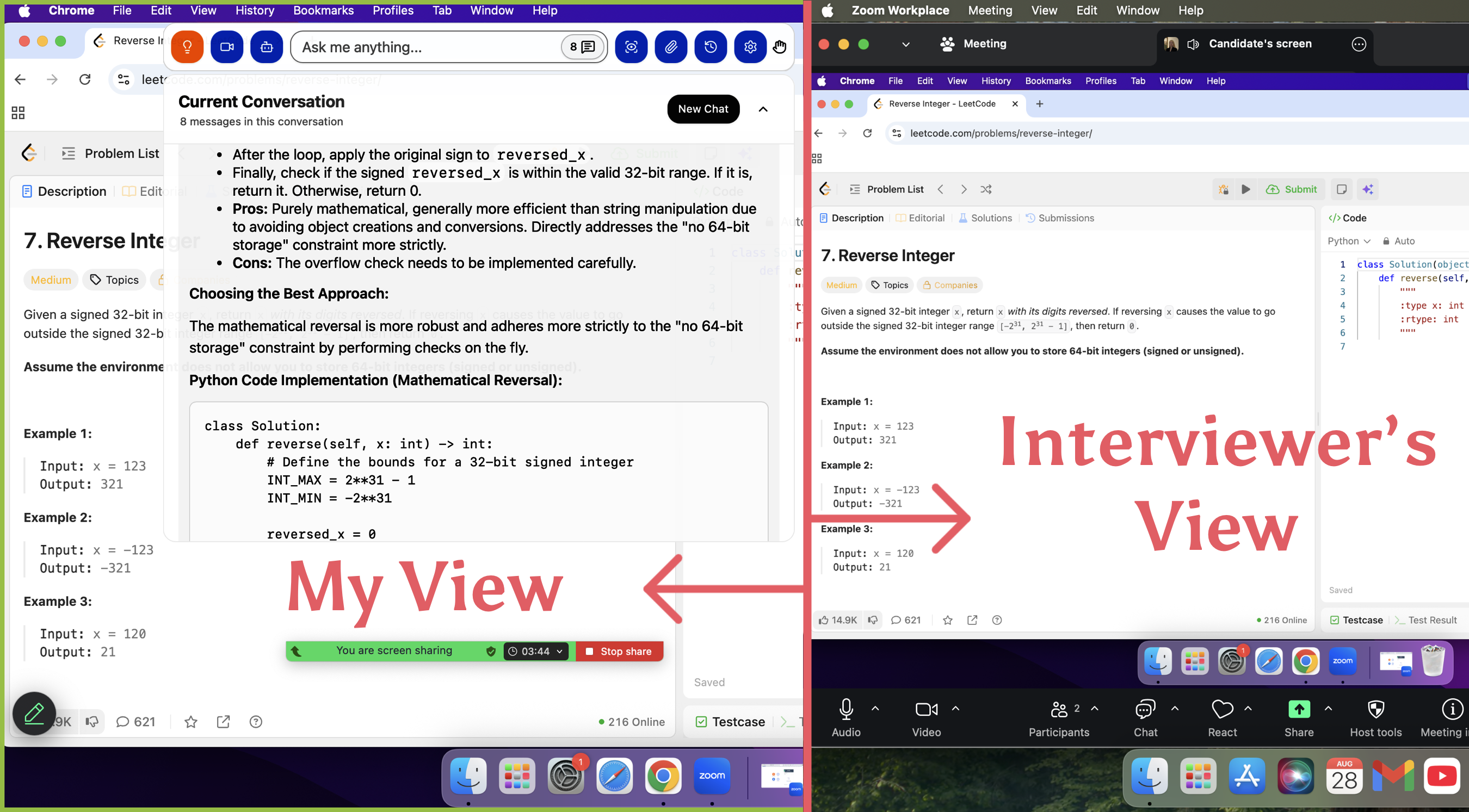
How Can Linkjob AI Handle LeetCode Interview Webcam Monitoring?
This one is even simpler than the one above. Linkjob.ai has a floating answer window, and it can be adjusted at any time, just as you wish.
So if you drag it right below your webcam, your eyes stay on the camera. Adjustment about the transparency is also available, so you can change it until you can see both the interviewer and the AI’s suggestions.
According to those instructions, here is a quick checklist for you to handle the webcam monitoring:
Move the answer box near the camera’s blind spot.
Adjust the panel’s transparency until you can read answers and watch the interviewer at the same time.
Minimize or drag the window if you need to, and never stare at one spot.
Blend the assistant’s background so nothing stands out on the screen.

What about AI Plagiarism Detection & Copy-paste Check?
Some platforms with really strict restrictions, like Coderbyte, even spot AI usage. They compare candidates' code against ChatGPT-generated answers to spot cheating.
I think the best way to deal with this is to use your old code snippets with the AI's prompt. Using Linkjob AI's "Custom Prompt" feature lets the AI copy your personal programming style. At the same time, you can tweak the output instructions by adding things like "obfuscated variables" or temporary logic blocks to make sure the code you generate is different from standard AI responses.
Also, Linjob AI supports 129 different AI models to use (including ChatGPT 5.1 and Claud Opus); you can simply choose the most familiar and suitable one for yourself, avoiding getting the same type of AI slot while using the same model.
About the copy-paste check, it is relatively easy to handle: simply type out the code manually instead of copying the AI's answer.
Solve, Debug, and Explain to Fuck LeetCode
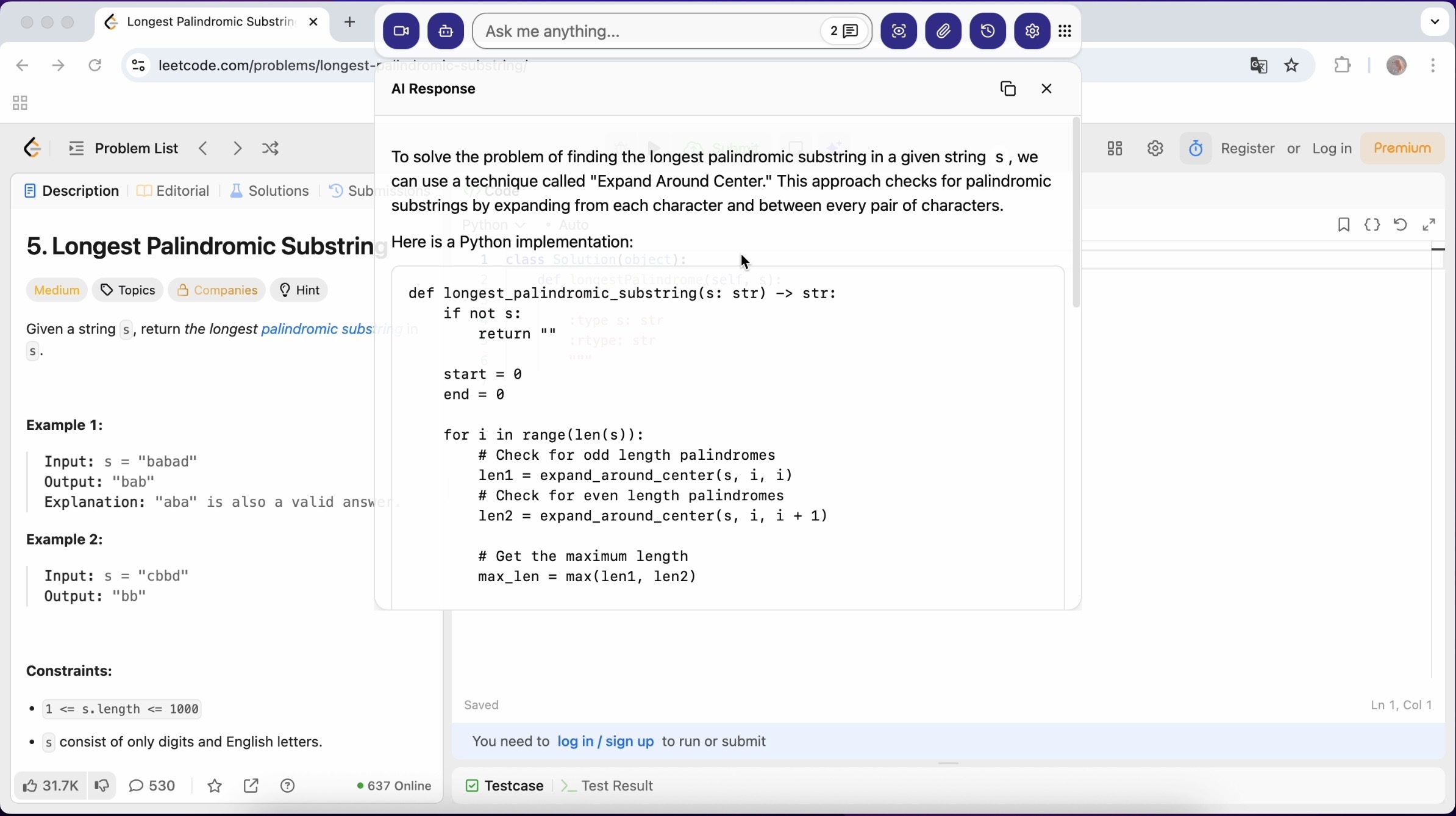
Problem-solving Support With Multiple Tools Available
When I face a tough LeetCode problem, I want help that actually works. Acting like a personal LeetCode copilot, Linkjob AI can handle all types of LeetCode questions, even the ones that throw you off—like dynamic programming or those weird, vague problems that never show up.
Just like any AI LLM that is capable of, Linkjob AI helps you break down the question, understand the code structure, and visualize the solution.
You can upload screenshots, describe the problem, or even use audio cues. The tool adapts fast and gives you answers that make sense for the exact problem in front of you.
I love that Linkjob.ai helps me verify my logic quickly. It points out efficient approaches and helps me avoid common traps. When I get stuck, I just ask for a hint or a code snippet, and then back on track.
--from one of our customers
Live Debugging Help
Does debugging during interviews stress you out? Now, with Linkjob.ai's help, debugging itself feels like having a teammate who’s always ready to jump in. The AI LeetCode assistant supports multiple question types and formats; It’s accurate, flexible, and discreet.
Step-by-step Reasoning
When taking a tech interview involving LeetCode problems, the interviewer is looking for not only lines of code, but also the reason why you chose to write such types of code.
With Linkjob AI, you can get the AI walking you through each part of the solution, helping you break big problems into smaller, manageable pieces. That's what an AI copilot acts like: better, clearer, and quicker.
Why Linkjob AI? Why Not Other AI Interview Tools?
What other AI Interview Copilots Offer
Let's take Sensei AI, for instance. Here is a screenshot when I test it during an interview:
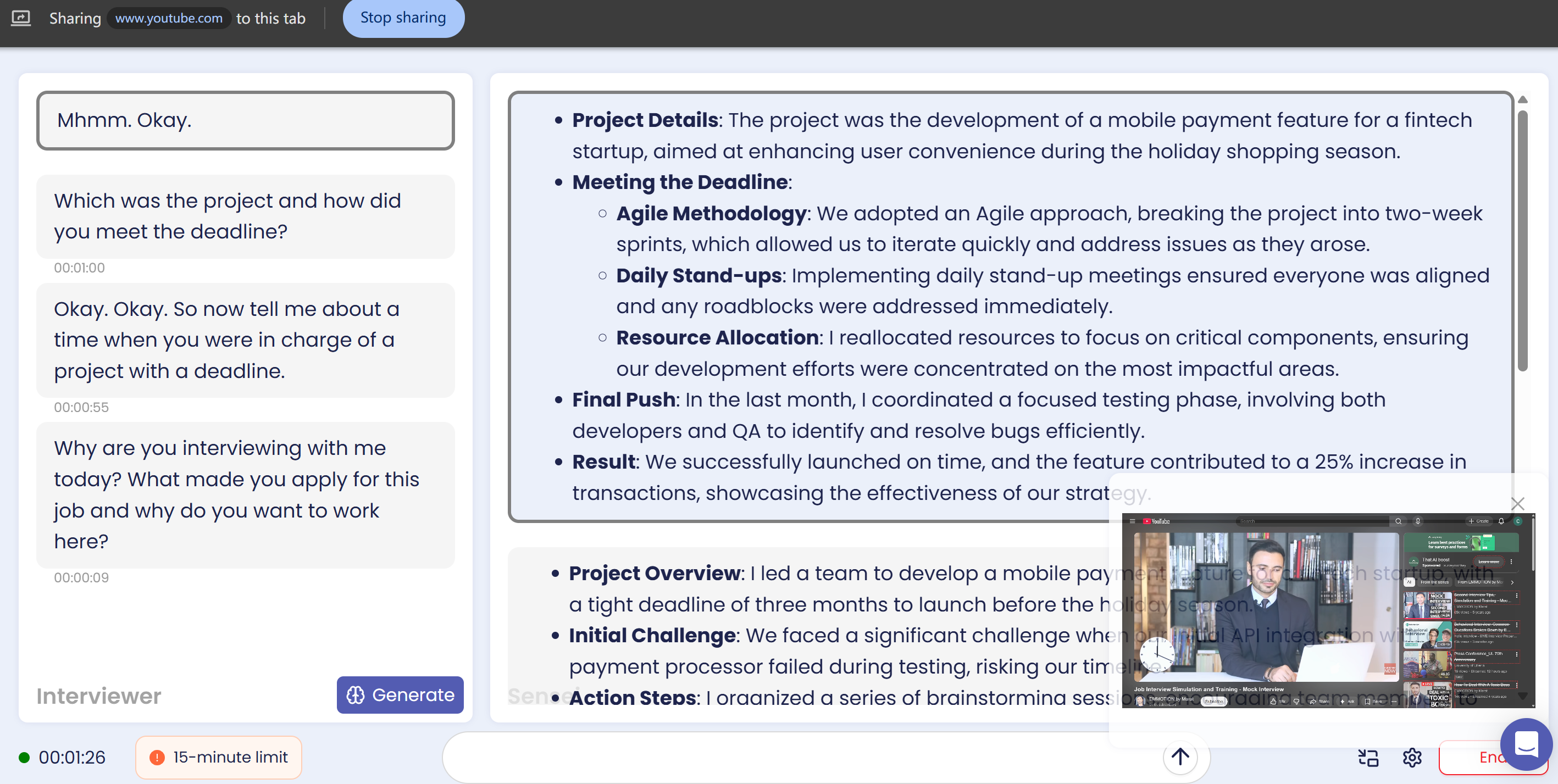
Clearly, Sensei AI assistant tried to help, but it fell short:
Runs with extension, thus needs switching tabs
As the meeting tab is small and in the way of answers, the mouse movement is acquired
Will be detected while sharing your full screen
Some other tools, like Verve AI, can't hide their overlays, so interviews catch on. I mean, that's not a very wise choice to use an AI copilot while doing the interview, and still worrying about getting spotted.
What Linkjob AI Offers
Alongside features I mentioned above, including 100% invisiblity, 129 AI models available, and the principles explained, Linkjob AI also works with any interview platforms, including Zoom, Teams, Google Meet, CoderPad, CoderSignal, and HackerRank.
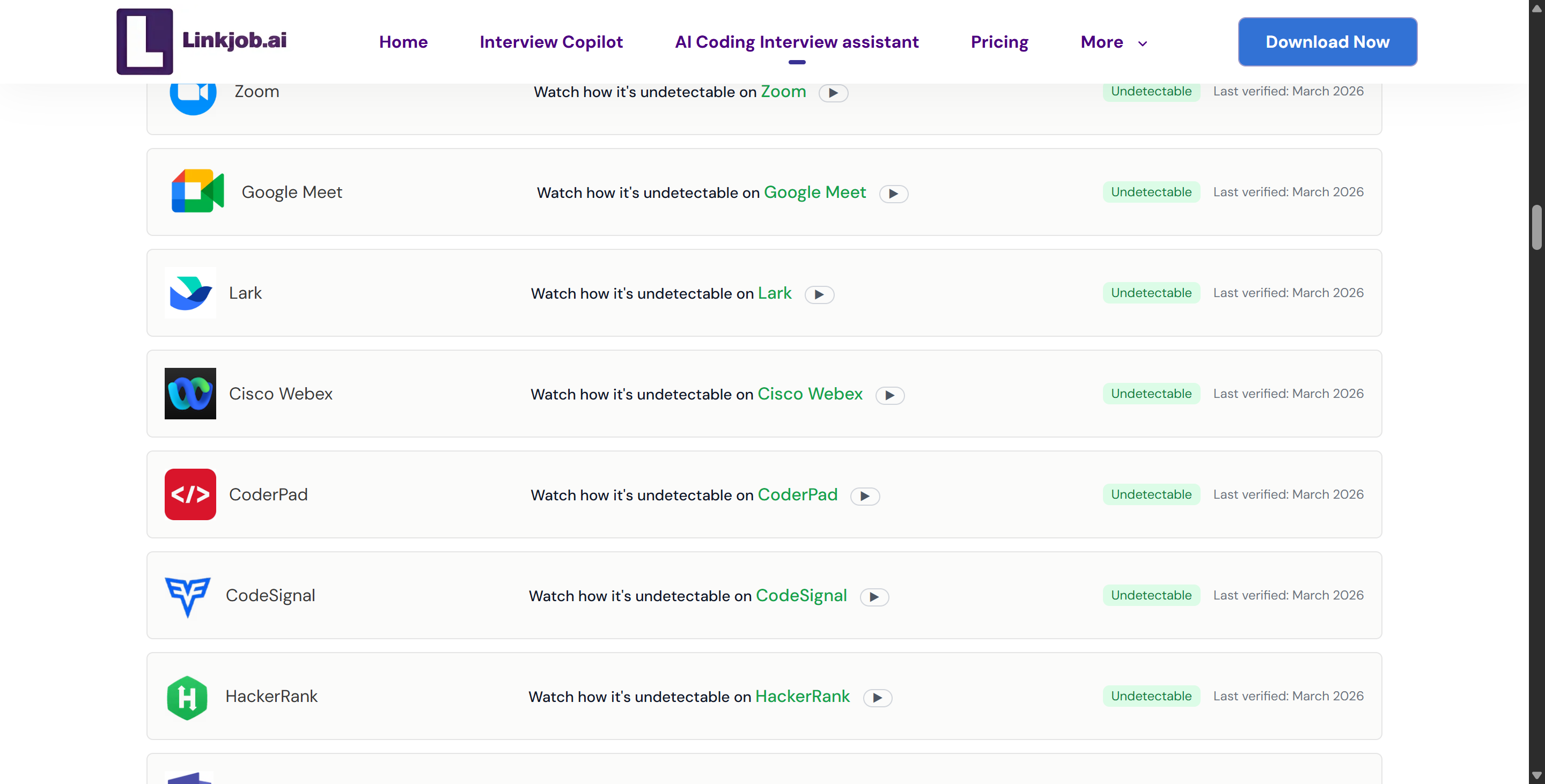
Also, Linkjob AI provides 24/7 support, with a Discord group to ask about anything you want to know. The community is full of stories from users who finally cracked their dream jobs. They thank the tool for making interviews less stressful and more successful.
Fuck LeetCode This Time with Linkjob AI
There, I have all my experience and reason to choose Linkjob AI to help you fuck LeetCode problems and interviews. Get more detailed information in the article I talked about, on how I utilise Linkjob AI as a Leetcode interview assistant.
With Linkjob AI, everyone can easily solve LeetCode problems at any time and in any interview, no more struggling, no more repetitive practicing. Come and join the winners, fuck LeetCode this time with your AI coding copilot!
FAQ
How do I start using Linkjob.ai for LeetCode interviews?
Just sign up, download the app, and launch it before your interview. Adjust the setting if needed.
Is there a free trial available for the LeetCode Copilot?
Yes, Linkjob AI offers a 10-minute free trial where you can use all the features of the LeetCode Interview Copilot. You can also use the trial code to experience all our other available features.
Will the interviewer know you're using LeetCode Copilot?
Rest assured, the LeetCode Copilot Native App is designed for total stealth. We built it to be completely Invisible during screen sharing, webcam monitoring, and even browser tab usage, ensuring your interviewer sees nothing on their side.
What programming languages are supported?
Linkjob AI supports all major programming languages, including Python, JavaScript, Java, C++, C#, Go, Rust, Swift, Kotlin, and TypeScript—plus many others. Feel free to set your preferred language in the application settings.
See Also
Discover Linkjob AI: The Top Ultracode AI Substitute
How a LeetCode AI Assistant Enhanced My Coding Interviews
How HackerRank Detects and Prevents Cheating During Online Tests
Explore the Best Alternative to AI Interview Applications
How I Used AI Tools During Live Interviews and What Actually Helped Me

© Copyright 2025 linkjob.ai - All Rights Reserved.