How to Cheat HireVue Interviews with Undetectable AI Assistant

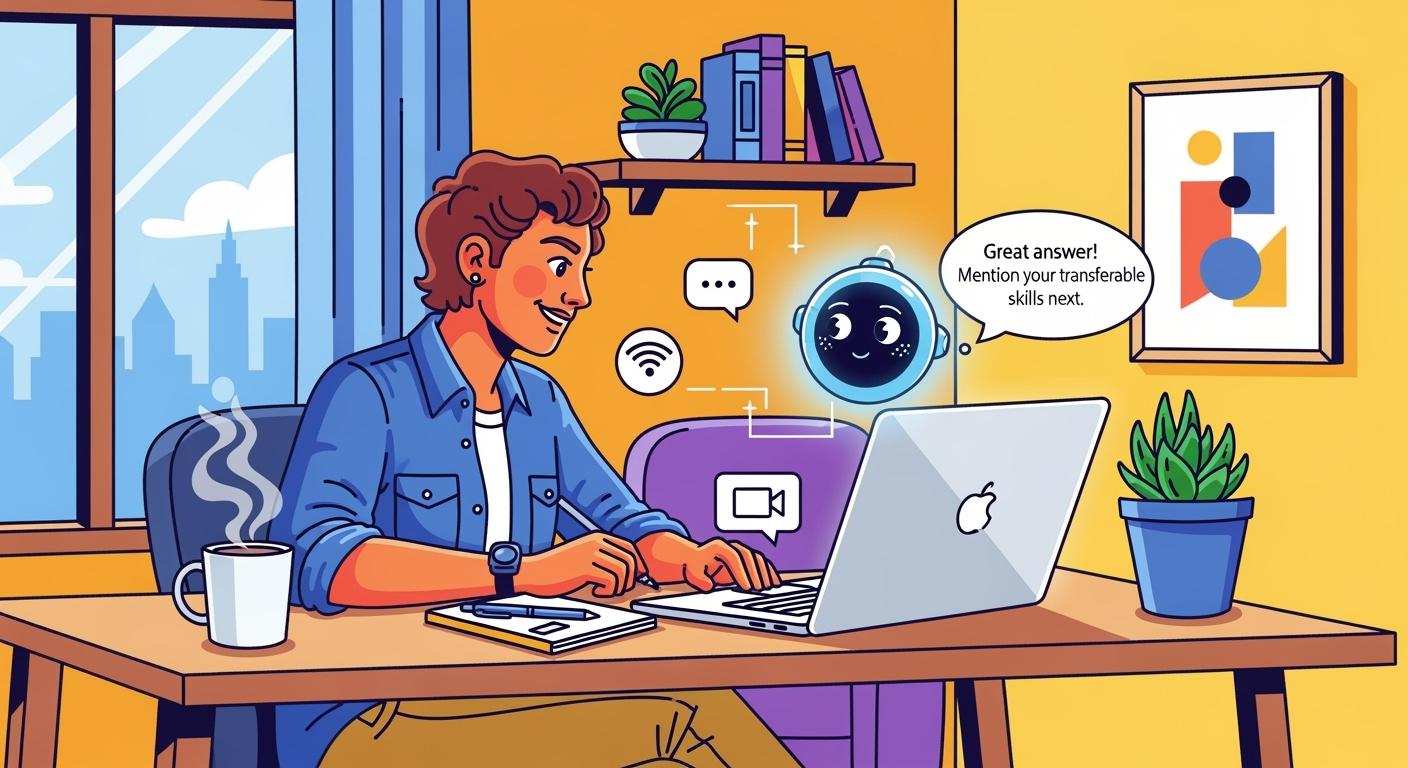
HireVue is an AI-driven asynchronous interview platform commonly seen in the campus and social recruitment screening stages of investment banks, consulting firms, and major tech companies. Simply put, it is not an interview with a person, but a recording facing the camera. Unlike my sharing about how to cheat in Microsoft Teams interviews, this type of interview may seem a little easier.
So, is it possible to use AI to get real-time help in a HireVue interview? The answer is yes. Moreover, the AI algorithm in the HireVue interview backend will perform multi-dimensional evaluations according to the needs of the enterprise, such as keyword extraction and structured scoring. In this case, using answers generated by an AI assistant to respond will make it easier to pass the interview.
Of course, besides real-time help, there are two other very important points: the AI assistant must remain undetectable, and it must provide optimized answers based on personal circumstances and the applied position. I utilized some of the best real-time AI copilots in my interviews and successfully passed them, and I also tried to bypass HackerRank detection with AI copilot's help.
Next, I will take my previous experience of using Linkjob AI for a HireVue interview as an example to explain how to use an AI interview assistant to cheat in a HireVue interview, what help the AI interview assistant can provide me, and how it achieves being undetectable.
Undetectable AI Interview Assistant for HireVue Interview
There are several types of HireVue interviews:
Live interview
Video interview
Phone interview
Technical interview
Game-based interview
Overall, an AI interview assistant must remain undetectable in the following scenarios: screen sharing, active tab detection, webcam monitoring, and AI content detection.
Screen Sharing
During a Live interview, the interviewer may ask me to share my screen to check for any signs of cheating. However, the HireVue AI Interview Assistant utilizes OS-level integration. By leveraging specific operating system APIs and window properties, it ensures that its interface is not captured by screenshots, screen recordings, or screen-sharing sessions.
When using the AI, its answer window appears as a transparent overlay that stays on top, yet it is visible only to me. Because it cannot be captured during screen sharing, the interviewer sees only a clean screen with no trace of any AI assistance.
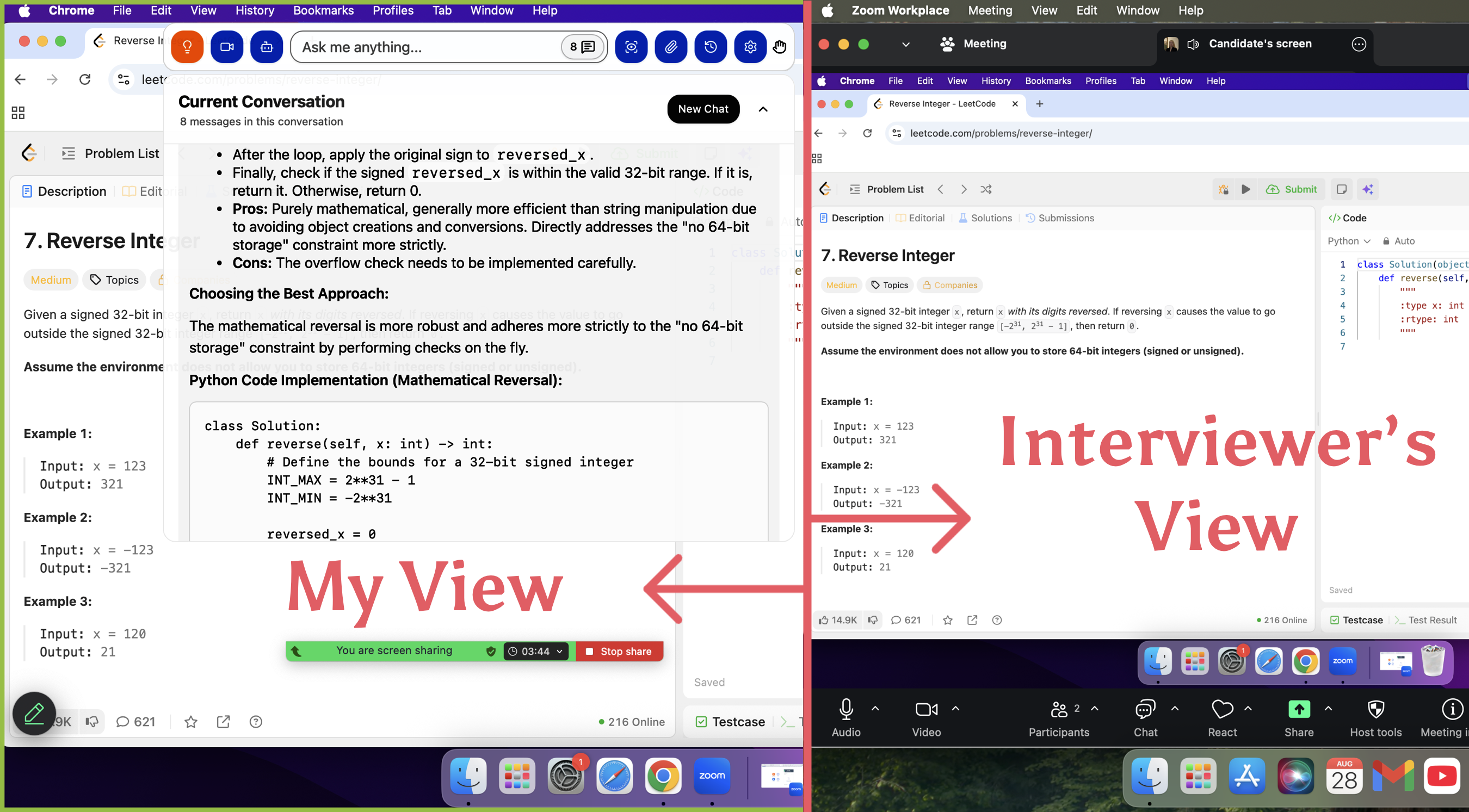
At the same time, it can also be hidden from the menu bar and the Dock, leaving no possibility of being discovered.
Active Tab Detection
HireVue interviews are web-based, meaning they run within a browser. For security reasons, browsers employ a mechanism called "sandbox", which ensures that operations within one tab cannot affect anything outside of that tab. Therefore, HireVue does not have the permission to see other applications that may be running on my computer.
As a result, if I switch tabs to use a web app or a browser extension, it can detect that; however, if I use a standalone application, it remains completely unaware. Due to this sandbox mechanism, using Linkjob AI is entirely undetectable, as it exists outside of the browser's sandbox.
Webcam Monitoring
HireVue interviews require the camera to be turned on and recorded, so natural facial expressions are crucial. During the interview, behaviors such as shifting my eyes around or appearing to obviously read an answer are very risky.
To avoid being caught using AI, I place the answer window directly below the webcam and sit a bit further back from it, scrolling through the answers at a steady pace. This makes my eye movements look much more natural.
AI Content Detection
HireVue's scoring relies on an evaluation model, and the grading is performed by AI. It includes cheating detection during the scoring process. If my responses are highly similar to AI-generated answers, it will be flagged as suspected cheating.
To ensure my answers don't sound AI-generated, I fine-tune the prompts before the interview and provide the HireVue Interview AI Assistant with my resume and the job description of the position I'm applying for. This helps it generate responses that better align with my personal background. I also conduct several mock interviews before the actual session to test the quality of the AI-generated answers and adjust the prompts accordingly.

Using a HireVue Interview Assistant
The functionality of the HireVue Interview Assistant is realized through screen capture and real-time speech recognition.
Live Screenshot Capture
The screenshot feature allows the HireVue Interview AI Assistant to see what is displayed on my computer screen and provide corresponding answers to the questions. This feature is incredibly useful during technical assessments and game-based assessments. It can also be used in standard video-recorded interviews, as HireVue displays questions directly as text prompts.
Furthermore, there is no need to worry about being detected when using this screenshot feature. It interacts with the AI via global hotkeys. These are system-wide keystrokes that cannot be detected by the tracking scripts within the browser.
Getting Real-Time Answers
The HireVue Interview AI Assistant is also highly effective for Live interviews. It integrates real-time speech recognition technology to automatically capture and analyze the questions asked verbally by the interviewer. This eliminates the need for any manual input on my part, as the AI generates responses for me instantly.
Furthermore, it possesses contextual understanding capabilities, ensuring that questions are not processed in isolation. This is incredibly helpful when the interviewer asks follow-up questions, as the assistant provides coherent and relevant suggestions based on the entire conversation. Whether the interviewer is digging deeper into my previous project details or challenging a specific point I've made, the AI adapts to the pace of the dialogue and immediately provides a comprehensive, well-reasoned reference answer.
Setup HireVue Interview Assistant for Real-Time Use
HireVue interviews follow a highly structured process and specific scoring criteria. By configuring the HireVue interview assistant according to these standards, it can output responses that align more closely with the evaluation metrics, significantly increasing the chances of passing the interview.
HireVue Interview Process
Video-recorded HireVue interviews typically include question types such as behavioral questions, motivation & fit questions, and situational/scenario questions. The general process is as follows:
Workflow: Log in to the system -> Equipment test -> Practice questions -> Formal responses -> Submission.
Preparation Time: Each question usually provides a 30-second preparation window.
Response Time: Each answer typically ranges from 90 seconds to 3 minutes.
Retake Opportunities: Most companies do not offer retakes (One-take), though some may allow a single retake per question.
Since there is a 30-second preparation window before answering each question, I can configure the AI to think longer to enhance the quality of its generation. I then utilize this prep time to practice delivering the AI-provided reference answer in a more natural manner.
Key Assessment Criteria
HireVue’s multi-dimensional AI evaluation primarily assesses the following areas:
Keyword Extraction: The AI extracts keywords from your responses to see if they match the job description.
Non-verbal Signals: The algorithm analyzes facial expressions, eye contact, and vocal tone.
Structured Scoring: It assigns a score based on the logical flow and coherence of the response.
To achieve higher scores across these dimensions, the HireVue interview assistant must allow for personalized output settings. For instance, I would use prompts to instruct the AI to map relevant experiences from my resume to the specific job description. This helps embed and frequently mention key competencies and high-frequency keywords within my answers.
For behavioral questions, I would have it format responses using the STAR method (Situation, Task, Action, Result) to appear more logical and secure a higher structured score.
Furthermore, even though I am not speaking to a human interviewer, I remain sure to smile and vary my intonation to convey positive non-verbal signals.
FAQ
Is the HireVue interview AI assistant really undetectable?
Yes. The AI assistant operates in a separate environment from the browser. This ensures that HireVue cannot monitor or detect the tool during the session. If you're facing OAs from other platforms, see how I cheat on CodeSignal and get more insights.
Can I use Linkjob AI for interview types other than HireVue?
Yes. Linkjob AI provides real-time AI support throughout the entire interview process. It can be used for online assessments, technical interviews, or behavioral interviews—all while remaining completely undetected.
Which platforms does Linkjob AI support?
Linkjob AI can be used and remain undetectable across all common meeting and online assessment platforms. You can get real-time help from Linkjob AI in interviews on a wide range of platforms, including Google Meet, Microsoft Teams, Zoom, HackerRank, CodeSignal, Codility, and many more.
See Also
How I Cheat on Codility and Avoid Getting Caught in 2025
How I Used AI to Pass the Interview on Microsoft Teams
How I Cheat on Codility and Avoid Getting Caught in 2025
Fuck LeetCode with Invisible AI Coding Interview Copilot | Linkjob.ai
How to Use Tools for Screen Capture Not Detectable by Coderbyte

© Copyright 2025 linkjob.ai - All Rights Reserved.