How I bypassed CoderPad Anti-Cheating Checks in 2026

Yes, you can still cheat on CoderPad in 2026. Over the years, CoderPad’s anti-cheating tech got smarter. It tracks code, checks for plagiarism, and even uses AI to watch for odd behavior. Still, people want an edge. So do I.
I wanted to show you exactly how to cheat on CoderPad using Linkjob AI. I pulled it off without raising a single flag. If you like thinking outside the box, you’ll love my story.
CoderPad Cheating Detection Methods I Know
Code Playback and Plagiarism Checks
When I first started exploring CoderPad, I realized their code playback feature was no joke. Interviewers can watch a replay of every move I make. They see when I type, when I pause, and even when I leave the coding window. If I copy and paste code, it shows up in the playback.
CoderPad also uses advanced plagiarism detection. The system compares my code against a huge database of known solutions, popular forums, and even previous submissions. If my code matches something in their system, it triggers an alert. Here’s a quick look at how they check for copied code:
Method | Description |
|---|---|
Database comparison | Matches against known coding solutions |
Forum content analysis | Checks popular forums and Q&A sites |
AI-generated code detection | Spots patterns from AI tools |
Historical solution matching | Looks for similarities with past submissions |
Proctoring and AI Follow-Up
CoderPad uses AI-based proctoring to keep an eye on me during the interview. My webcam stays on, and the system takes random snapshots. The AI scans these images for anything suspicious, like someone else in the room or me looking away too often.
After the test, recruiters get a detailed report with all the alerts and snapshots. Sometimes, the AI even asks follow-up questions if it thinks my answers look fishy.
So in short, Coderpad did things below to detect cheating:
AI-based proctoring
Webcam monitoring with periodic snapshots
Suspicious behavior analysis
Detailed proctoring reports for recruiters
Monitoring Limitations
Even with all these anti-cheat checks, CoderPad has its limits. The platform mainly watches what happens inside the coding editor. If I switch tabs or try to paste code, it can trigger alerts. Here are the most common triggers:
Trigger Type | Description |
|---|---|
Randomized Question Pools | Different questions for each candidate |
Paste-Detection | Flags pasted solutions |
Paste-Blocking | Stops pasting into the editor |
Plagiarism Alerts | Compares for copied content |
Code Playback | Records keystrokes and timing |
But I noticed that CoderPad doesn’t monitor my entire computer or phone. That’s a gap I could use, so I decided to give it a go.

How I Cheated on CoderPad: Bypassing Detection
External AI Coding Tools
I spent ages trying to work out how to cheat on CoderPad without getting caught.
Some apps run in the background without showing on the screen, so there's no way for screen recording software to capture them. Others use clever tricks to get around active tab detection. I also found some handy tools that let you position windows right next to the webcam, making it easy to maintain eye contact during interviews.
Here are some of the tools I experimented with before settling on my favorite:
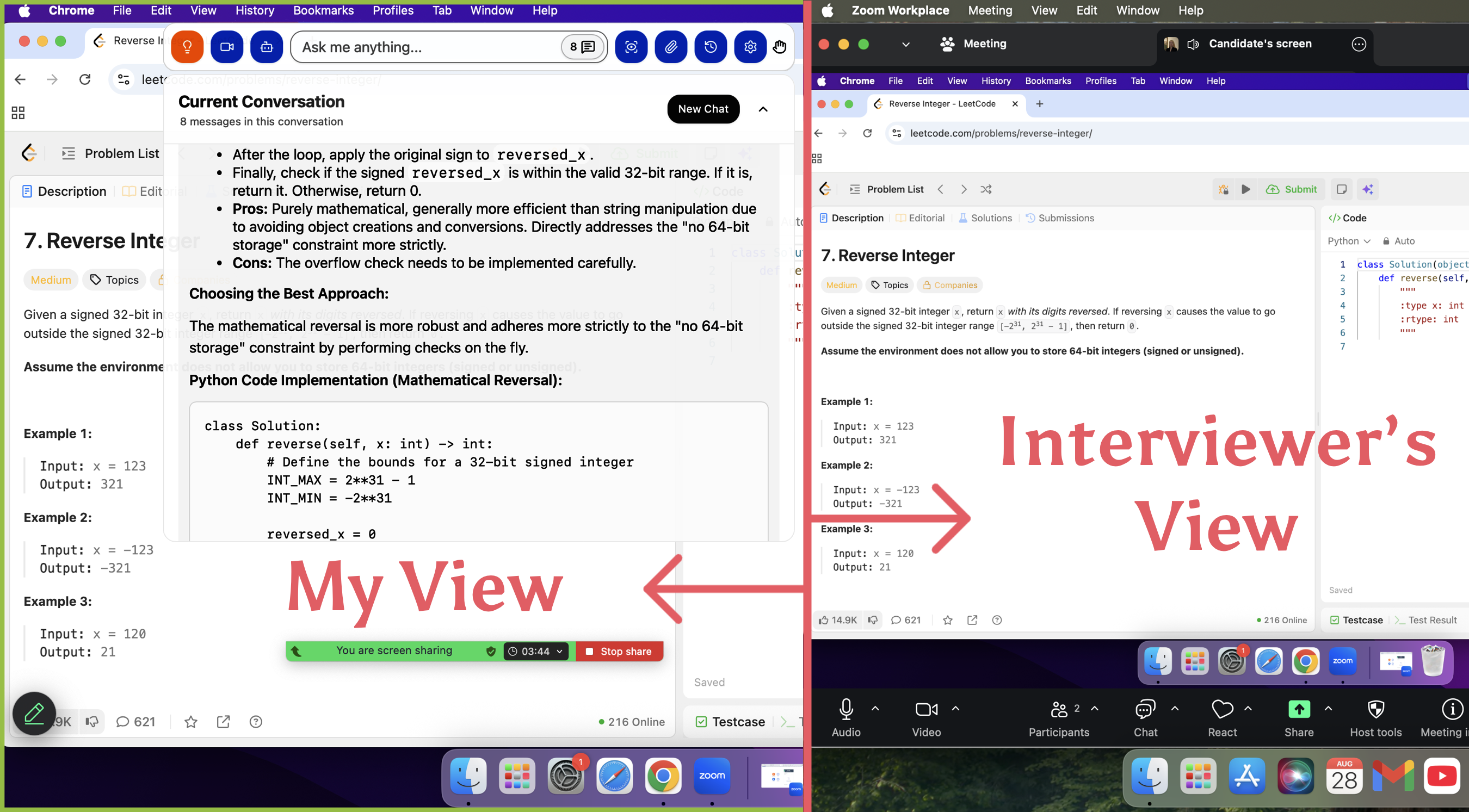
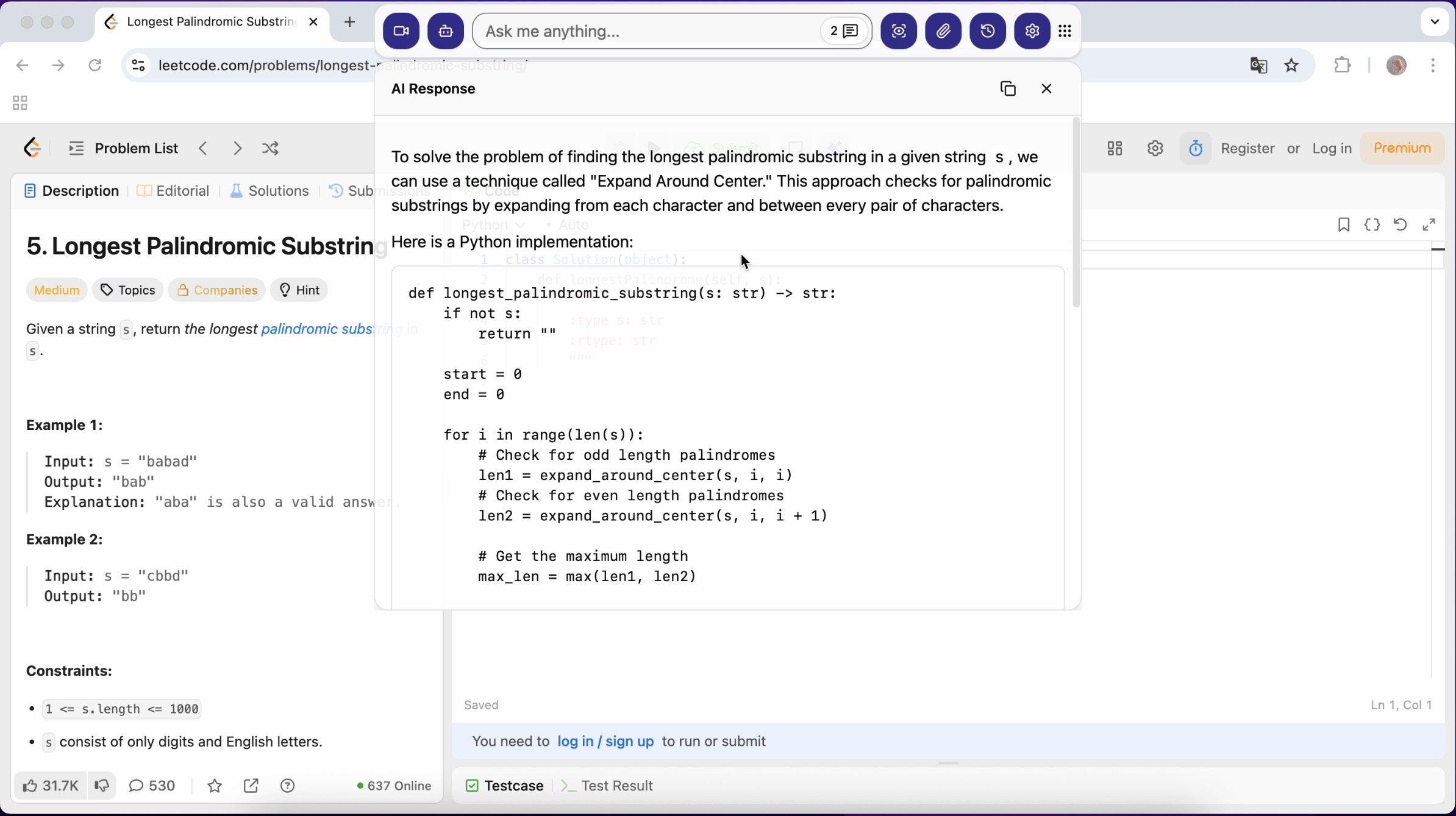
Linkjob AI: This invisible desktop interview app used global hotkeys and an invisible screengrab feature. It solved coding questions in real time and never showed up on screen-sharing.
Chrome extensions: Some AI interview assistants, such as Verve AI and Interview Sidekick, run with tabs and extensions. And switching from one tab to another will be caught, of course, so I only use it when there is no need to sharing full screen.
Browser plugins: Some plugins injected code directly into the editor, but I found them risky.
Second-screen companions: I tried using a tablet to display AI-generated hints. This worked, but not that smoothly.
After all this practice, I chose Linkjob AI. Its invisible window lets me read hints and solutions while keeping my eyes on the camera, preventing me from being caught naturally and quietly.
Copy-Paste and Manual Typing Tricks
Just to recap, CoderPad keeps an eye on copy-paste operations. When candidates paste external code – which is usually in bulk – the system flags this behavior, and interviewers will see yellow markers during playback. At that point, the interview is pretty much a lost cause.
I tried out some AI tools that give hints through transcription and auto-generated answers, and after that, I found I just needed to get used to entering code manually.
In one of my interviews, I added some preparation prompts to Linjob AI, and it helped me break down solutions into small chunks, so that I could type them out slowly. This made my typing rhythm look natural.
I've never actually used the white font technique in real interviews, but apparently it's a way of getting around plagiarism detectors by adding invisible comments or white text. But to me, it seems a bit too risky.
So, I basically take my own thinking and combine it with the answers from AI coding interview copilot like Linkjob AI and Interview Coder. Then I try to write clean, efficient code, while being as honest as possible.
Evading Proctoring and AI Checks
Proctoring made cheating harder, but not impossible. During the interviews, CoderPad used my webcam to take random snapshots. Its AI looked for strange behavior, like me looking away or someone else in the room.
Let me tell you how I handled all these step by step.
First, I set up my workspace so I could glance at my second screen without moving my head.
Then I started my live interview assistant, Linkjob AI, and did some tests with prompts and screenshots to make sure it could operate and transcribe normally.
When the interview started, Linkjob AI would run in the background quietly. And when I was taking my OAs, I could still take screenshots and get correct answers with it.
Finally, I just typed the codes Linkjob AI generated manually, and assigned them at the proper time. Not too soon, and not too late, in case the interviewers would figure out what happened just under their eyelids, and also the whole Coderpad system.
Handling AI Follow-up Questions
Sometimes, the AI asked follow-up questions if my answers seemed too perfect. That's a bit tricky, but as it's just AI and not the real interviewers, I can handle it.
Just to refresh your memory, those custom prompts I told you about. Linkjob AI is really straightforward to set up – you can do it with ease. You just need to give it a short prompt about possible AI follow-up questions, and then its AI model can take over.
Just to flag, sometimes the key thing is to show the thought behind the answer.
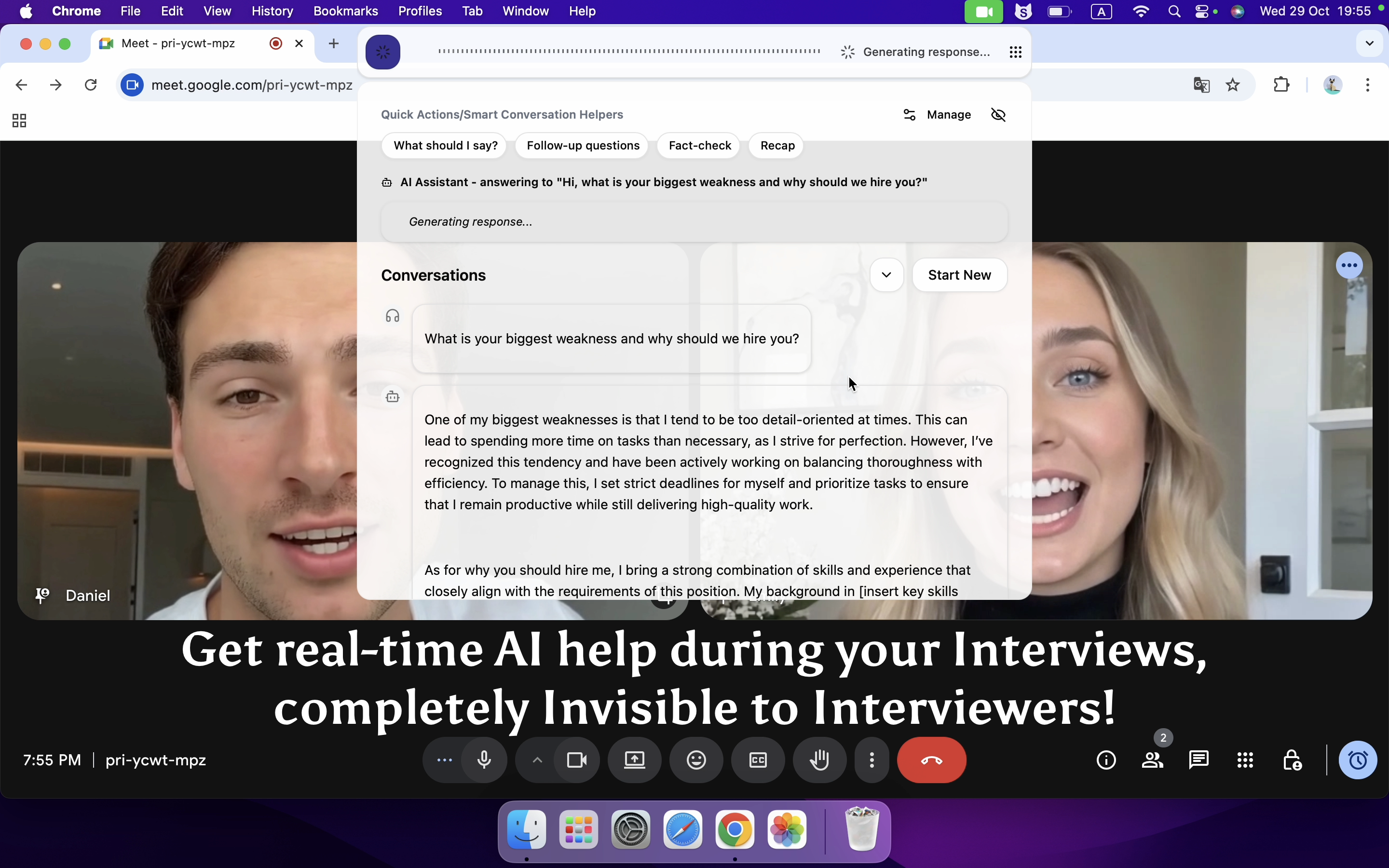
Get Your Dream Job with the Invisible AI Assistant
My Honest Words about AI Interview Tools
I know a lot of people think cheating is the risky way out in recruitment. I get it. So did I when I had not met such great pressure to prepare OAs or any tech interviews with code problems.
Since the AI is changing everything besides us, why not try to catch that chance and use it wisely, like having it assisting an interview? Especially at a time when there are already plenty of undetectable AI tools to try and utilise, I think that it's quite fair to choose among those AI interview tools, including Final Round AI, Interview Coder, Parakeet, and Linkjob AI.
Why not Join the Interview Winners?
Recruiters and OA platforms keep improving cheating prevention. They rotate topics, change data sets, and use parameterized templates. This makes it harder to reuse answers or rely on outside help. But now, with helpful tools and techniques, I have succeeded in cheating the coderpad not only once.
If you want to win at recruitment, focus on learning, not just cheating. Use AI as your invisible Interview assistant, but keep your skills sharp.
FAQ
How did I avoid cheating detection during coding interviews?
After plenty of searching and testing, I used invisible AI coding tools that run as desktop apps. Such types of AI copilots can be completely undetectable. I also kept my workspace clean while making sure my answers looked natural.
Can recruiters spot cheating if I use AI for coding?
Recruiters rely on advanced hiring systems. They check for cheating with code playback and proctoring, copy/paste alert, and verbal logic questions.
Is it possible to use AI tools without cheating in coding interviews?
Yes, I use AI to boost my coding skills in real interviews. As long as you can explain your coding intention and also the logic behind it, there is no need to worry about being caught.
See Also
How to Cheat HackerRank Tests With AI: My 2026 Update
How I Cheat on Codility and Avoid Getting Caught in 2025
How to Use Tools for Screen Capture Not Detectable by Coderbyte
Does CodeSignal Record Screen and How to Use AI to Pass Tests

© Copyright 2025 linkjob.ai - All Rights Reserved.