How to Get Invisible AI Help for Proctorio in 2026: My Real Experience

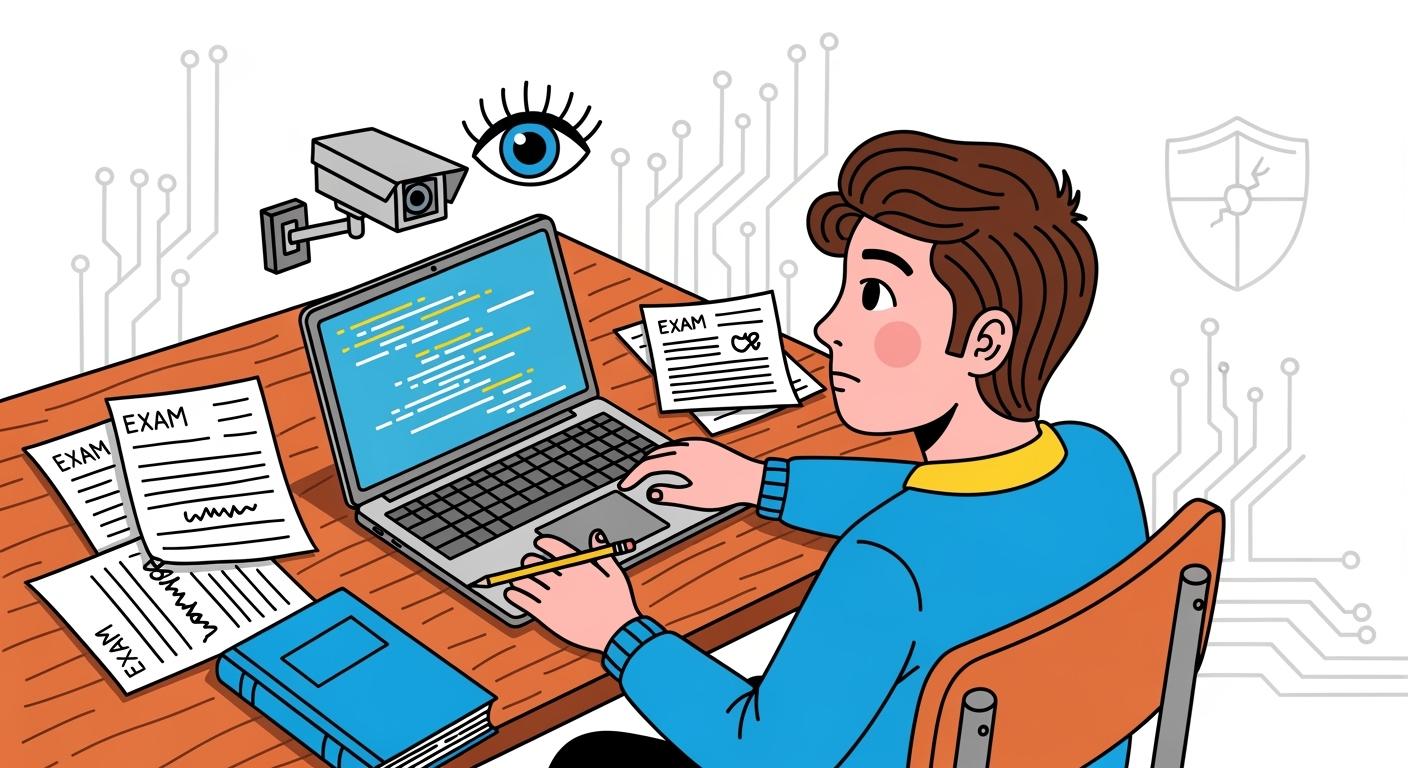
Proctorio is primarily an exam-taking platform, but thanks to its advanced anti-cheating technology, some companies now use it for the online portion of their interviews.
I recently took an interview on Proctorio and found that, despite its extensive anti-cheating measures, it still couldn’t detect Linkjob, a software-based AI interview assistant.
Thanks to its desktop AI copilot capabilities, Linkjob can bypass most AI interview assistants on the market, including HackerRank, Microsoft Teams, and Codility. If you’re interested, you can also read my series of articles: How to Cheat on HackerRank, How to Cheat on Microsoft Teams, and How to Cheat on Codility.
In this article, I’ll explain how Proctorio detects cheating, how it differs from other interview platforms, and how to cheat on Proctorio with Linkjob AI.
Before Proctorio Cheating: How Proctorio Detects Cheating
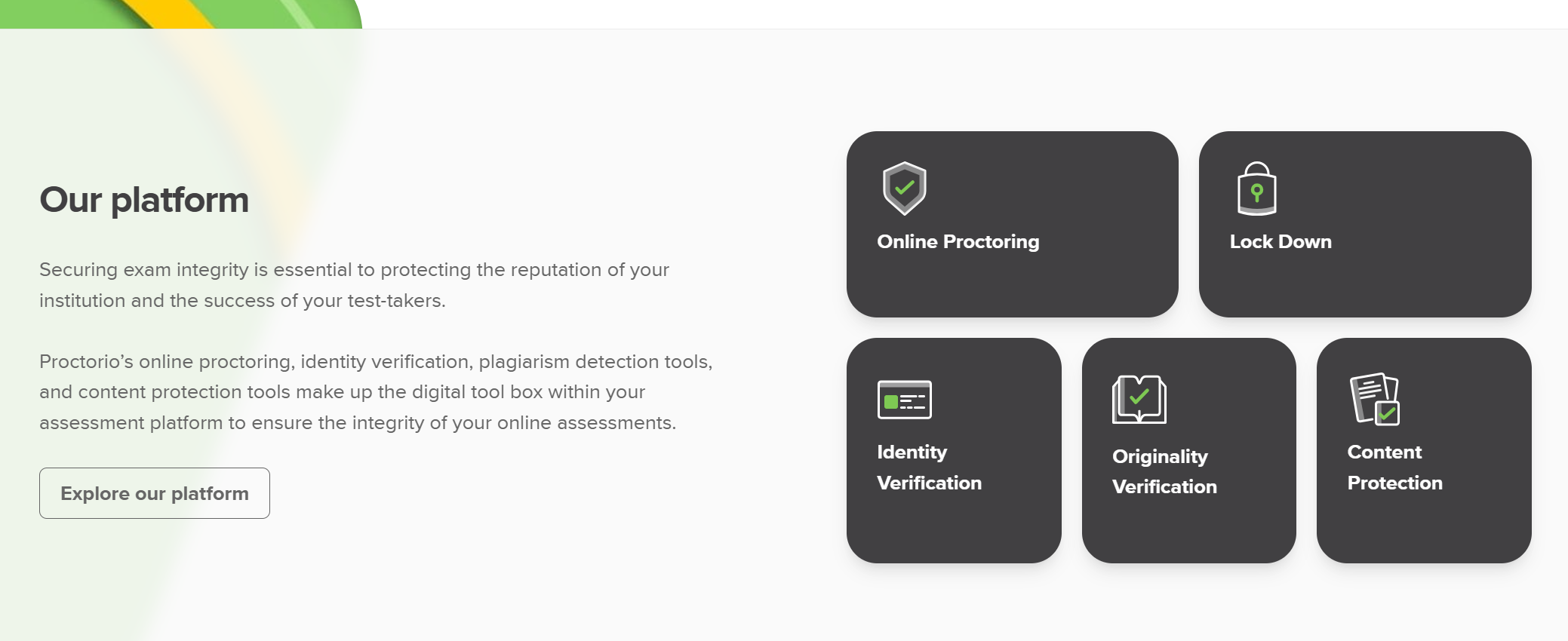
This is Proctorio’s official explanation of its proctoring mechanisms. Content Protect is used to ensure fairness, while Originality Verification is integrated with the Canvas LMS and is primarily used for school exams. In this article, I will focus on Online Proctoring, lockdown, and Identity Verification.
Online Proctoring
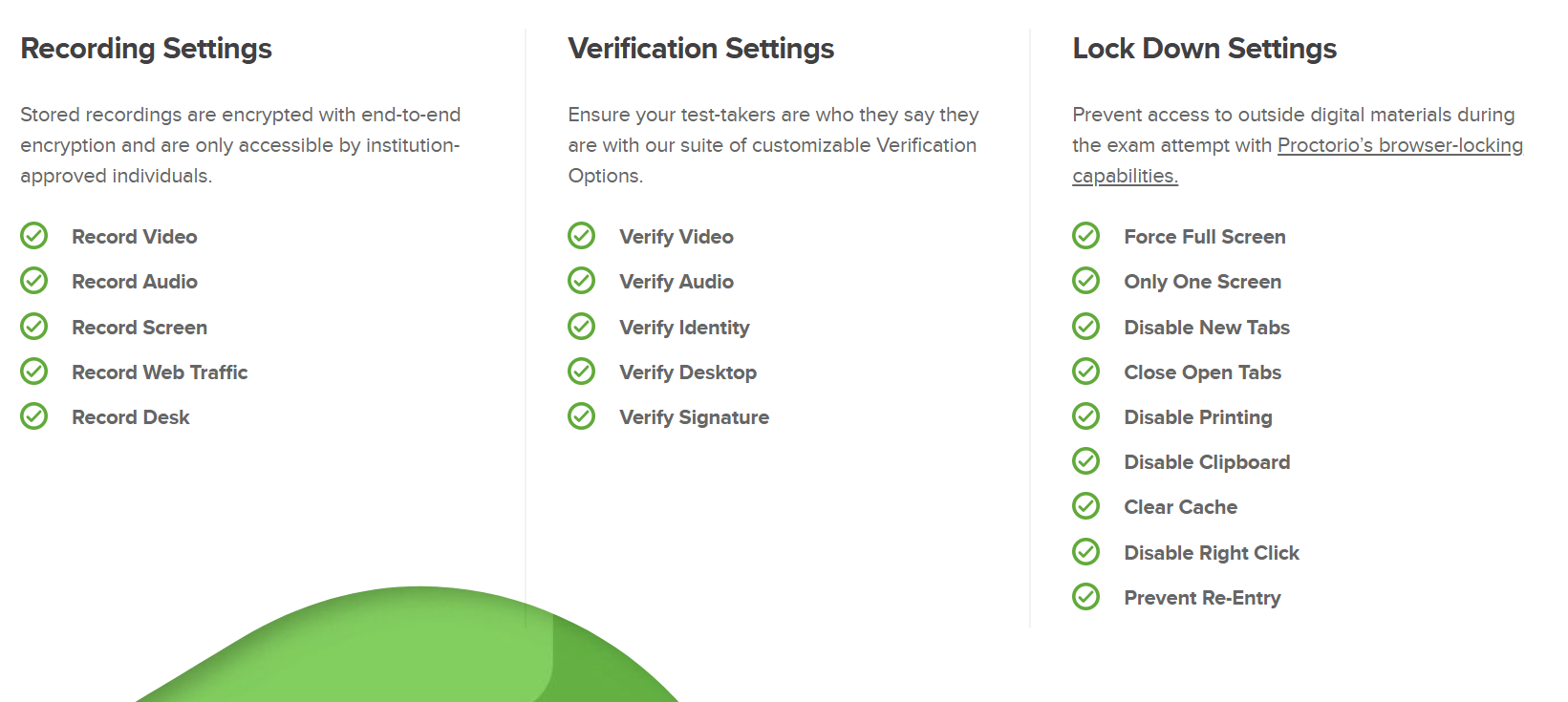
Proctorio’s fully automated proctoring solution leverages artificial intelligence to maintain a secure testing environment and provide comprehensive, clear data on test attempts. By configuring various recording, screen-locking, and verification settings, exam administrators can tailor Proctorio to suit any testing scenario.
Proctorio offers more than 20 different proctoring measures. These anti-cheating methods cover nearly every form of cheating I can think of:
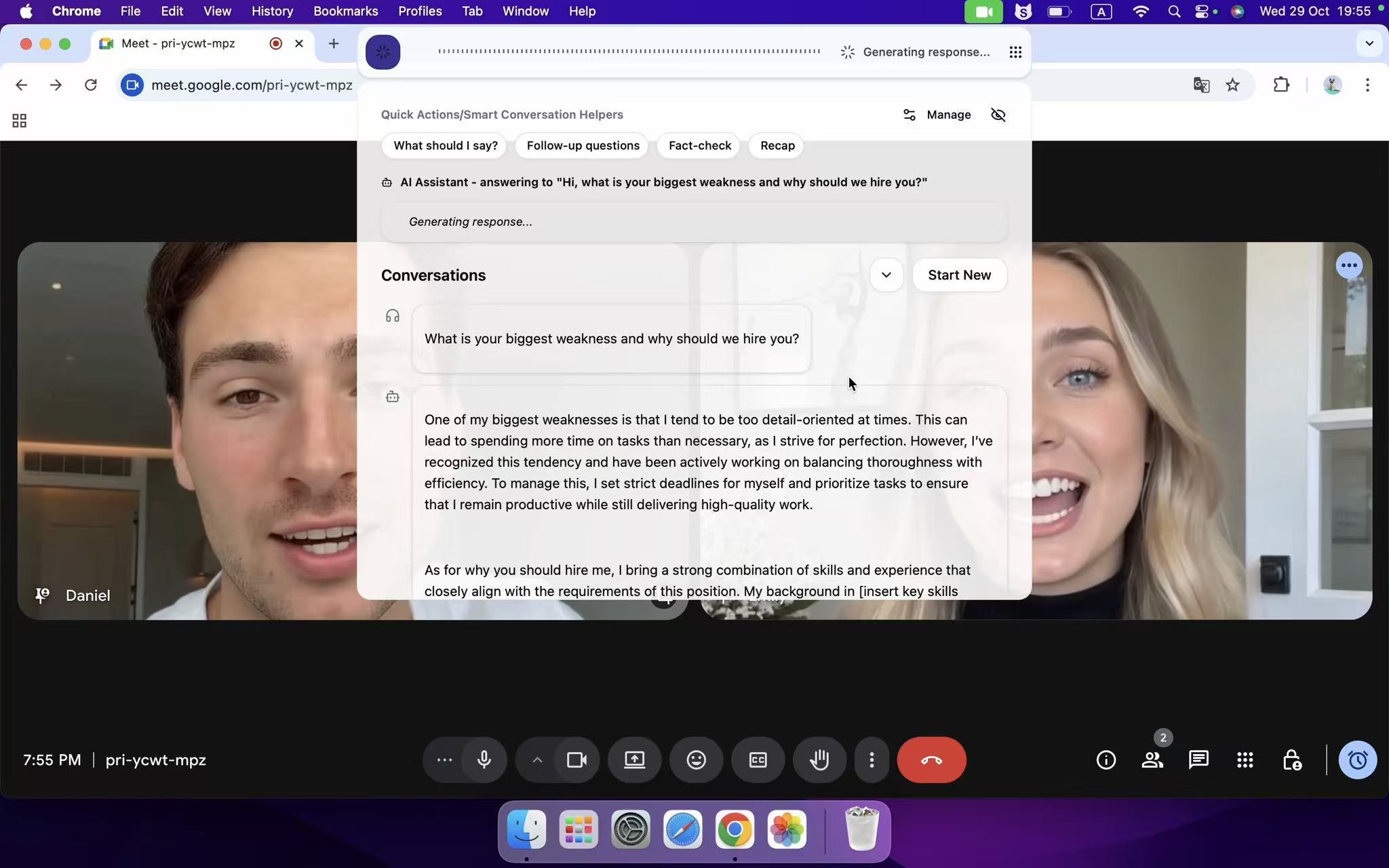
However, Link Job offers a variety of features to help me appear more natural during interviews, including the ability to freely adjust the window’s transparency and position, as well as a range of keyboard shortcuts.
During interviews, I usually position the Linkjob window directly below the camera, which makes me look natural and avoids raising any suspicion.
Environmental Lock Down
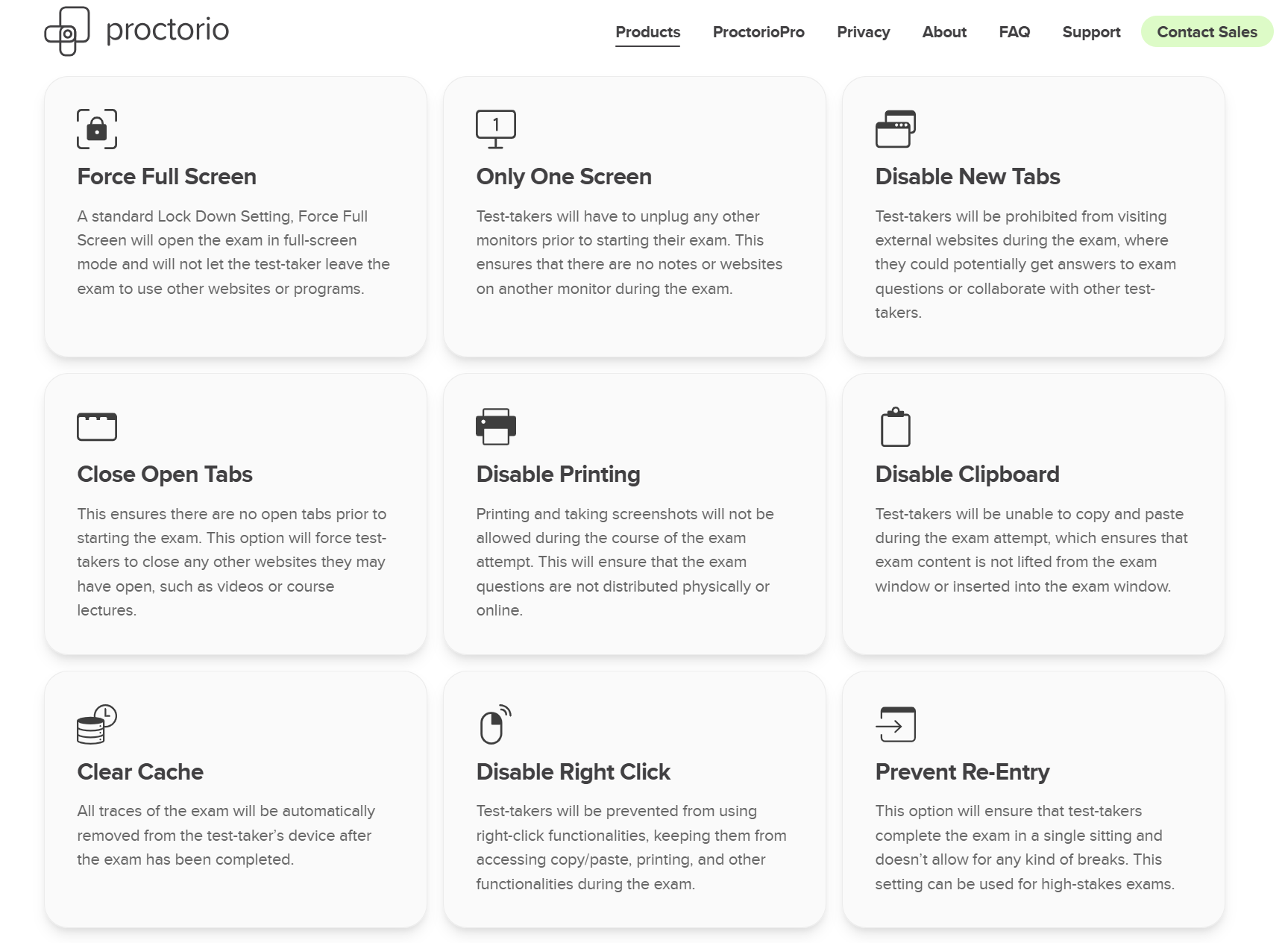
Proctorio's lockdown features can be broadly categorized into three methods: screen sharing, browser detection, and restrictions on suspicious behavior.
These methods can indeed detect most AI interview assistants on the market, including well-known ones like Cluely and Final Round (if you’d like to learn more, you can read my two review articles: Why I Ditched Cluely AI :My Honest Take on the Best Cluely AI Alternatives That Actually Work and Top 7 Alternatives to Final Round AI I Tried and Recommend).
However, Linkjob can solve these issues. I’ll explain in detail below:
Screen Sharing:
Today, screen sharing has become a common and virtually indispensable part of all types of online interviews. Whether you are participating in an assessment focused on behavioral performance or a discussion delving into technical details, interviewers will almost always ask you to share your entire screen throughout the interview. This practice is widely regarded as the most effective and direct anti-cheating strategy available today; it is essentially equivalent to completing tasks directly in front of the interviewer, greatly enhancing transparency and real-time monitoring capabilities, and effectively preventing potential cheating.
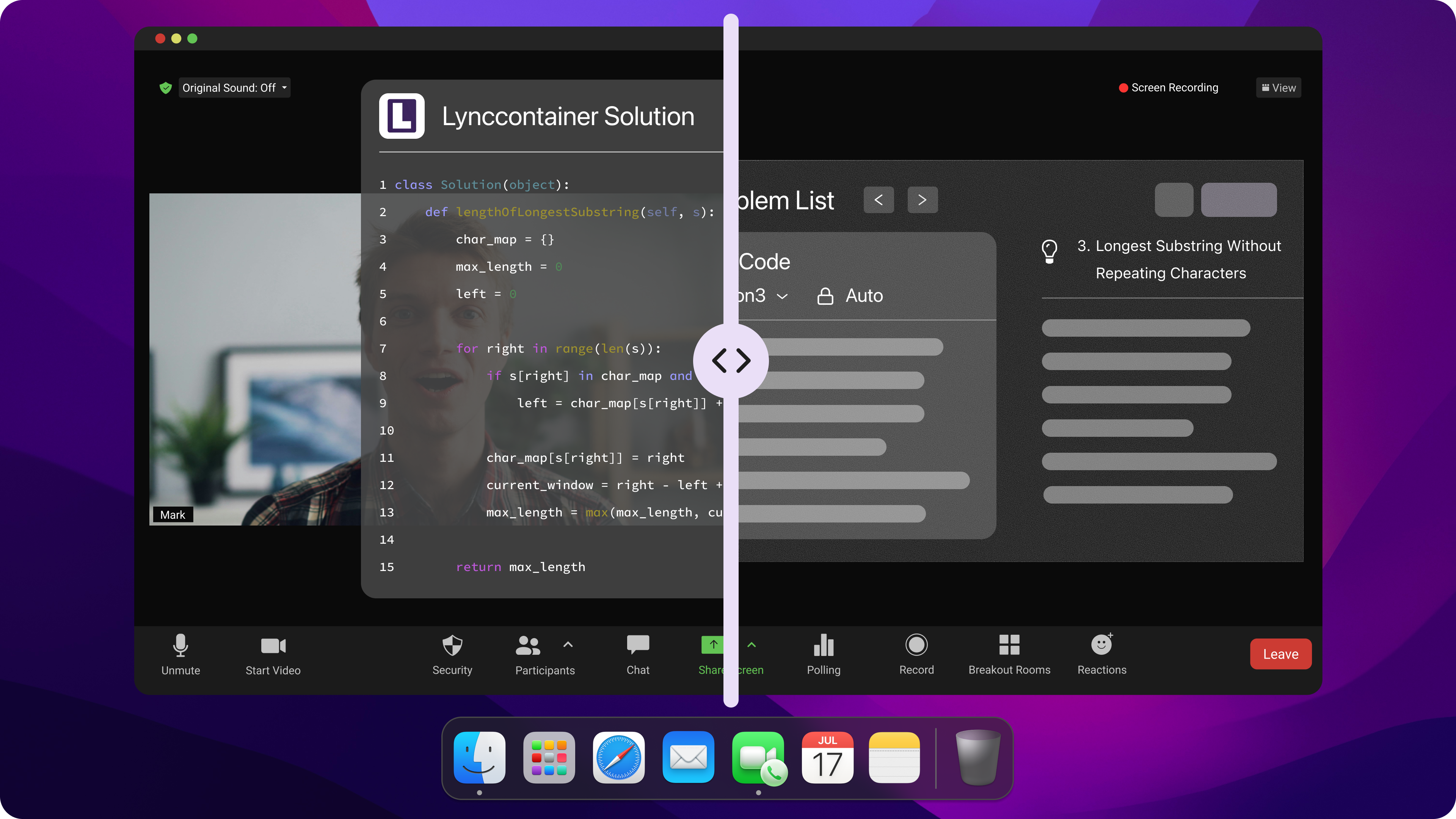
However, the Linkjob AI I chose remains hidden even during full-screen sharing, so Proctorio’s AI interviewer cannot detect it. It listens to the interviewer’s questions, analyzes them, and provides answers based on the prompts—answers that only I can see.
Browser Detection:
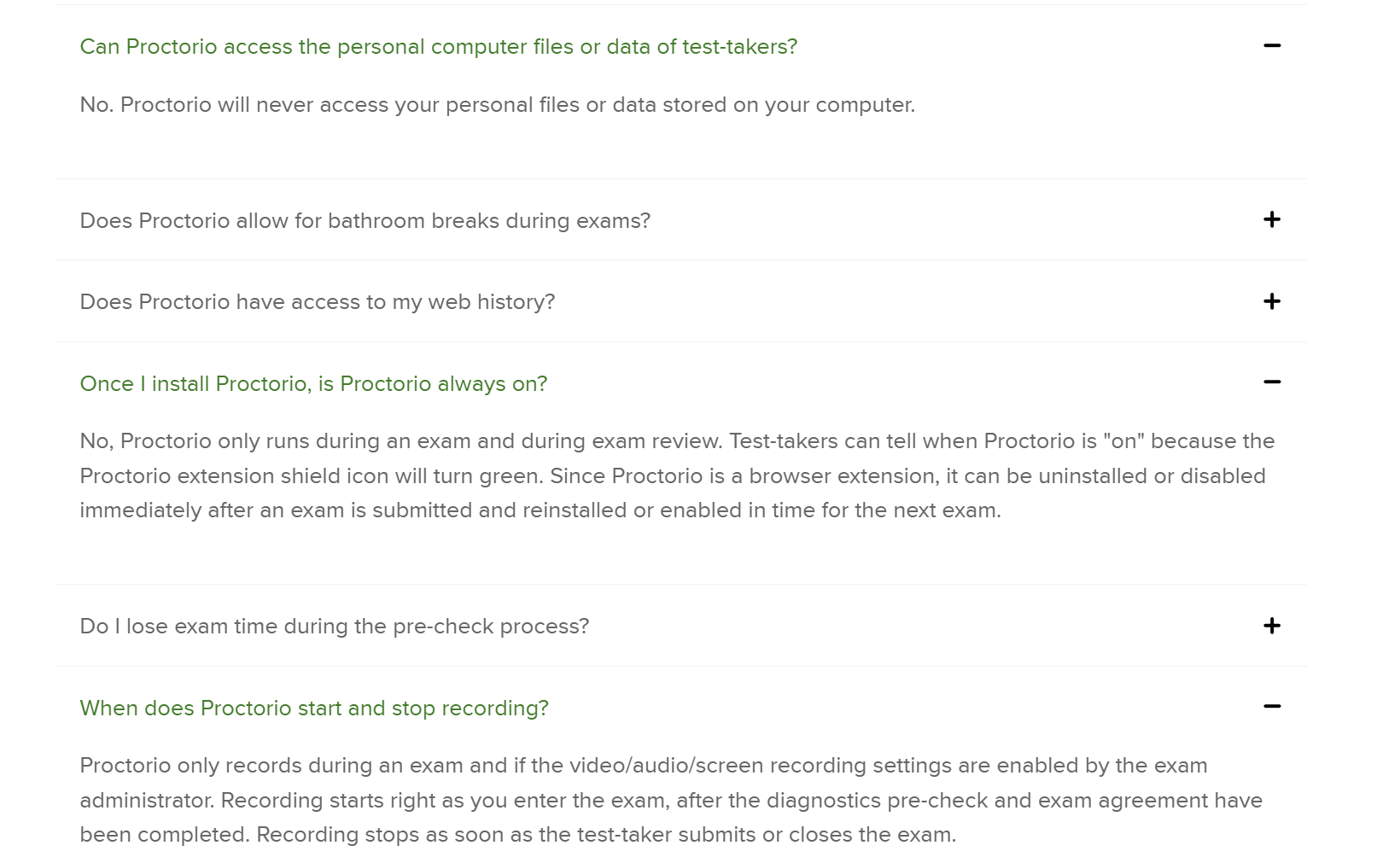
This applies only to browser-based AI interview assistants and does not affect my use of Linkjob during interviews. Proctorio’s official response also states that they do not have the ability to detect software running on a computer outside of a browser. For more details, please refer to the image below.
Suspicious Behavior:
This is very easy to solve; I can avoid being caught by typing manually during the interview instead of copying and pasting.
Plus, I can set up prompts for Linkjob before the interview, and it comes with a set of keyboard shortcuts to hide my actions.
Identity Verification
There are typically two main methods of identity verification: one is very simple, and the other is very thorough.
To ensure authenticity, Proctorio requires you to turn on your camera for real-time monitoring, and they ask you to complete photo-based identity verification before the exam begins.
During the interview, they also take real-time snapshots via the webcam to verify your identity, and they can even implement two-factor authentication steps to enhance security.
As long as you attend the interview in person and don’t cover your face with an avatar, there won’t be any issues.

How to Cheat on Proctorio
Automatic Speech Recognition for communicating with the interviewer
Linkjob integrates real-time speech recognition technology, which automatically captures and analyzes questions posed verbally by the interviewer. This enables the AI to generate answers instantly, without requiring any manual input from me.
Set up prompts in advance to ensure a smooth experience during use.
Additionally, it features contextual understanding, ensuring that questions are not viewed in isolation. This is particularly useful when the interviewer asks follow-up questions, as the assistant provides coherent and relevant suggestions based on the entire conversation. Whether the interviewer delves into the details of my previous projects or challenges a specific point I’ve raised, the AI adapts to the flow of the conversation and immediately provides comprehensive, well-reasoned reference answers. This also helps reduce the risk of me being viewed with suspicion.
ScreenShot for Coding Test
Linkjob's screenshot feature is excellent; it allows you to upload up to six screenshots at a time, making it a breeze to tackle any programming problem.
Plus, the AI models they use are of high quality and can solve programming problems of any difficulty level without making obvious AI errors.
Upload Resume Before the Interview
I’ve uploaded my resume to Linkjob and completed a mock interview beforehand so the system can better understand my specific background.
This allows it to provide more personalized and tailored responses. It also helps prevent Proctorio from flagging my answers as inconsistent with reality. (Most AI interviewers place a high priority on this.)
Success Tips
Avoid Behavioral Red Flags
I know that Talview’s proctors and AI look for certain behaviors that don’t match normal conversation. If I act strange, I risk getting flagged. Here’s a table of red flags I always watch out for:
Unusual pauses before responding
Scripted or overly rehearsed answers
Delayed reactions that don’t match natural speech
Shifts in tone or speaking style mid-conversation
Background cues or noises that contradict the setting
I practice my answers so I sound natural, not robotic. I keep my reactions quick and genuine. If I need to pause, I do it like I’m thinking, not waiting for a script. I check my background for anything that might seem out of place.
Note: Staying relaxed and acting like myself helps me avoid these mistakes. I always remember that blending in is the best way to stay under the radar.
Practice and Preparation
I always say that practice makes perfect, especially when using AI tools in Talview interviews. I spend time running mock interviews with my chosen tool. This helps me get comfortable with the process and spot any weak points. I also coach myself by reviewing my answers and looking for ways to sound more natural.
Regular practice boosts my confidence. I notice that the more I practice, the better I get at listening and responding like a real candidate. I use feedback from mock sessions to improve my performance. This routine helps me stay sharp and ready for anything Proctorio throws at me.
Tip: I will also familiarize myself with how to use Linkjob and test it out before the actual interview.
FAQ
Can you listen and watch at the same time on Linkjob?
Linkjob can process audio and screen content simultaneously. When using the Real-time AI Interview Assistant feature, you will find a screenshot button. Once clicked, the screenshot will be sent to the AI along with the next segment of audio.
What if the question spans multiple pages on my screen?
Just take a few more screenshots. The AI has context memory.
Do you have any tips on how to cheat on Proctorio without raising suspicion?
On the technical side, Linkjob is completely undetectable, so your main focus should be on keeping your behavior natural. For instance, you can move the Linkjob window directly below your camera to maintain better eye contact. We also recommend using a silent mouse and keyboard to eliminate any clicking sounds while interacting with the app. Additionally, you can adjust the window transparency or collapse/expand the interface so it doesn't block your view of the interview questions.
In the interview mode how can I ensure app is only listening to other user, When I talk that time also it listens to me and tries to give answers?
Please check if the function you are using is correct. The first button on the left in the command bar is the Real-time AI Interview Assistant feature. It will not listen to your voice; it will only listen to the system audio, that is, the questions from the interviewer on the computer. If you are using the function of the second button on the left, that is a mock interview, and it will only listen to your voice.
Can I use Linkjob to review my interview afterward?
Of course. You can click the button in the command bar to expand your chat history.
See Also
8 Best Free AI Interview Assistant Tools, 2025 Hands-on Picks
How I Passed 2026 Microsoft HackerRank Test on My First Try
Top AI Tools for Cheating in job interviews: My Honest Picks for 2025
The Best AI tools for job interviews I've tried-My Top 8 Picks
My Journey Through Capital One CodeSignal Questions in 2026: What I Learned
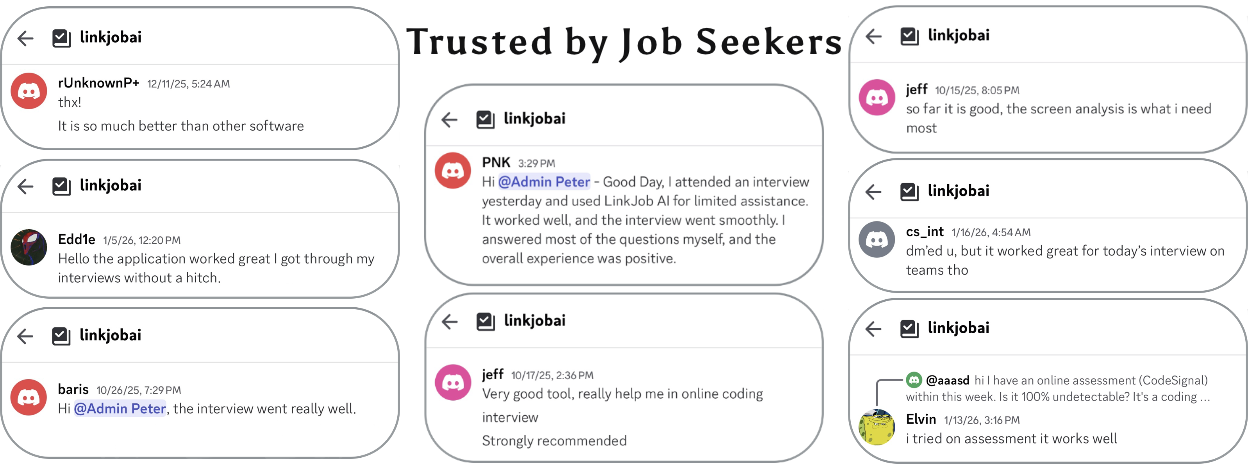
Why People Choose Linkjob AI
Smoother interviews, coding challenges cleared, and job offers landed. See how users describe their experience with Linkjob AI—in their own words.


© Copyright 2026 Linkjob AI - All Rights Reserved.