How I Managed OnVUE Interview Using AI Live Interview Tool

If you want to know how to cheat on OnVUE interview, I’ll be honest: the most effective way I found involves using an AI live interview tool, Linkjob AI, right alongside the online platform.
This AI interview assistant also works with other interview platforms. If you're interested, you can read my series of articles about how to cheat on HackerRank, how to cheat in Microsoft Teams interview, and also, how to cheat on CodeSignal.
Before Cheating on OnVUE Interview: Knowing OnVUE's Core Security Architecture in 2026
OnVUE operates in a secure, restricted environment that limits user actions during exams. The key things to consider are:
Secure Browser Enforcement: Pearson VUE's browser locking feature stops users from opening other tabs or applications, sharing their screen, running virtual machines (most of the time), or taking screenshots.
Real-time Proctoring: Real human proctors are watching the test-takers all the time, using a webcam and microphone, and they step in if they spot anything dodgy.
AI Behavior Detection: Algorithms analyse things like eye movements, head turns, typing patterns, background noise and anomalies.
Pre-Test Reviews: The test room is scanned in 360 degrees. They then verify the identity of the computer and wipe the desktop. Finally, they check the system to make sure everything is compatible.
Post-Test Check: They can use the recorded exam sessions to check for any strange activity.
Seems flawless? Not exactly.
How To Cheat On OnVUE Interview: The Principle Behind
How Linkjob AI Bypasses OnVUE's Anti-Cheating Checks
First, the OnVUE app itself is a browser. These days, browsers are designed to protect user data. Any code running in a tab is totally separate from the rest of the computer.
So, because of this sandbox thing, the interview platform can't reliably detect the following activities:
Which application you have switched to
When you close a browser tab, the website can't tell which app you're using
The running status of other programs
Websites can't access the list of processes running on your computer
This is a core security boundary at the operating system level that browsers can't get past. Reading other applications' memory: Just so you can be aware, for security reasons the operating system doesn't allow access to other programs' memory.
This restriction applies to all applications, even native ones, without requiring elevated privileges. System-wide keystrokes or mouse clicks: The platform can only see input happening in its own tab. It can't display what you type or click in other areas of your computer.
When you're sharing your screen, as long as the settings are correct, apps that run in the background (like Linkjob AI) won't show up in the screen share, screenshots or recordings. Basically, a browser tab is its own little world. It can only see what happens within itself – and nothing more. Saying these platforms(like OnVUE) can spot ChatGPT or similar tools by keeping an eye on the screen or activity outside the tab isn't technically right. They can't do that.
Step-By-Step: Best Way To Cheat On A Test Online
Integrate Linkjob AI With OnVUE
When I first tried to figure out the best way to cheat during my OnVUE interview, I knew I needed a tool that could keep up with the fast pace of online questions. Linkjob AI became my go-to.
Here’s how I did it:
I launched Linkjob AI on my device before the test started.
I made sure my device had a stable internet connection.
I tested the audio by asking Linkjob AI a few sample questions to make sure it picked up my voice and responded quickly.
Tip: Always check your device’s volume and brightness. Keep them low so the proctor doesn’t notice any strange lights or sounds during the online test.

Screen And Audio Management
Managing screens and audio is the best way to cheat without raising suspicion. OnVUE only allows one display, so I kept my main screen clean and free of any extra windows.
Here’s my checklist for screen and audio management:
I closed all apps except the OnVUE test window and Linkjob AI's overlay
I muted all notifications on my devices
If I needed to copy during online exams, I used simple, natural eye movements to check my cheat sheets provided by Linkjob AI just right on the screen, and no one really spotted me doing that.
Note: Never read answers out loud. Whisper if you must, but keep your lips still. Proctors watch for mouth movement during online tests.
Real-Time Answer Strategies
The best way to cheat on a test online is to use real-time answer strategies. Linkjob AI helped me by listening to the questions and giving instant suggestions. It recognized questions quickly, so I never lost focus during the test.
For multiple-choice questions, it highlighted the most likely answer and explained why. For open-ended questions, it gave me a short, clear response I could repeat in my own words. All of those above need pre-prompting and some practice to make sure everything works well to my habits.
Here’s a table showing how Linkjob AI supported me during the online test:
Feature | How It Helped Me Cheat On A OnVUE Interview |
|---|---|
Real-time answer suggestions | I got immediate help for both multiple-choice and open-ended questions. |
Instant question recognition | Linkjob AI picked up questions fast, so I stayed on track. |
Tailored feedback for roles | Answers matched the job I applied for, making me sound more confident. |
Discreet operation | Linkjob AI worked quietly in the background, so the proctor never noticed. |
When I needed to copy during online exams, I used my cheat sheets for quick facts or formulas. I kept my answers short and natural. For multiple-choice questions, I trusted Linkjob AI’s suggestions but always double-checked. The best way to cheat is to blend AI help with your own knowledge, so your answers don’t sound robotic.
Pro Tip: Rotate your cheat sheets every few questions. This keeps you organized and helps you avoid repeating the same mistakes.
Avoid Detection: How To Cheat On OnVUE Interview
Camera Tricks
The idea is that they use cameras to monitor objects in the candidate's vicinity to prevent cheating.
I've seen some Reddit posts saying that if you're doing an Onvue interview, it's best to find an empty room and close the door so no one can move within the camera's range. But others have said that they had boxes on their desks and cabinets behind them in interviews at home and weren't flagged for cheating. So, I reckon this monitoring is probably just random chance.
Just to be on the safe side, I'd still go for:
Clear everything out of the camera's view, including mirrors.
Choose a quiet, empty room.
Make sure there's nothing around to distract me.
Bypass Proctoring
Yeah, eye tracking can be a bit of a pain. But it's not a huge problem. I've learned a thing or two along the way, and I've put together a few handy tips for you:
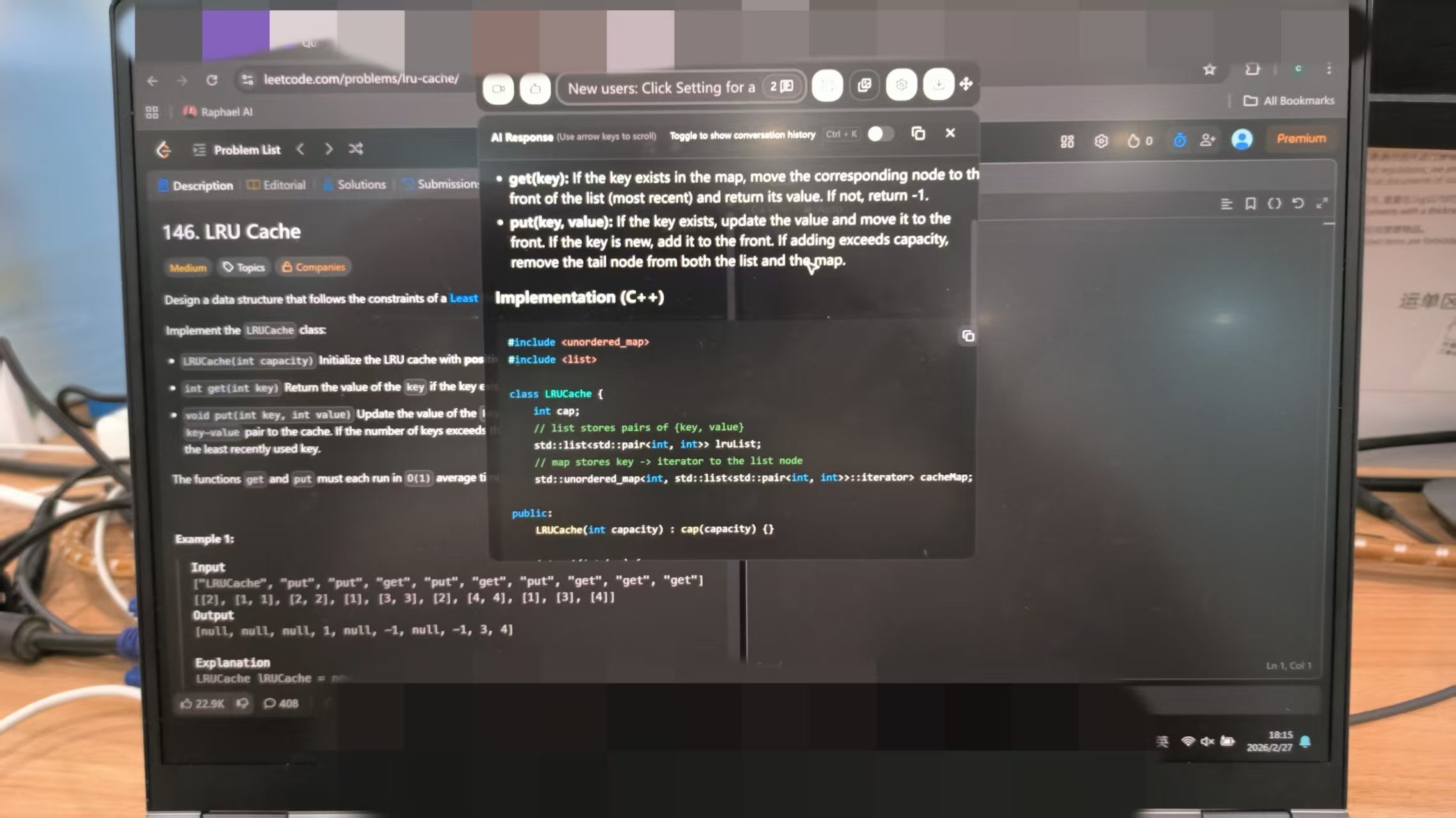
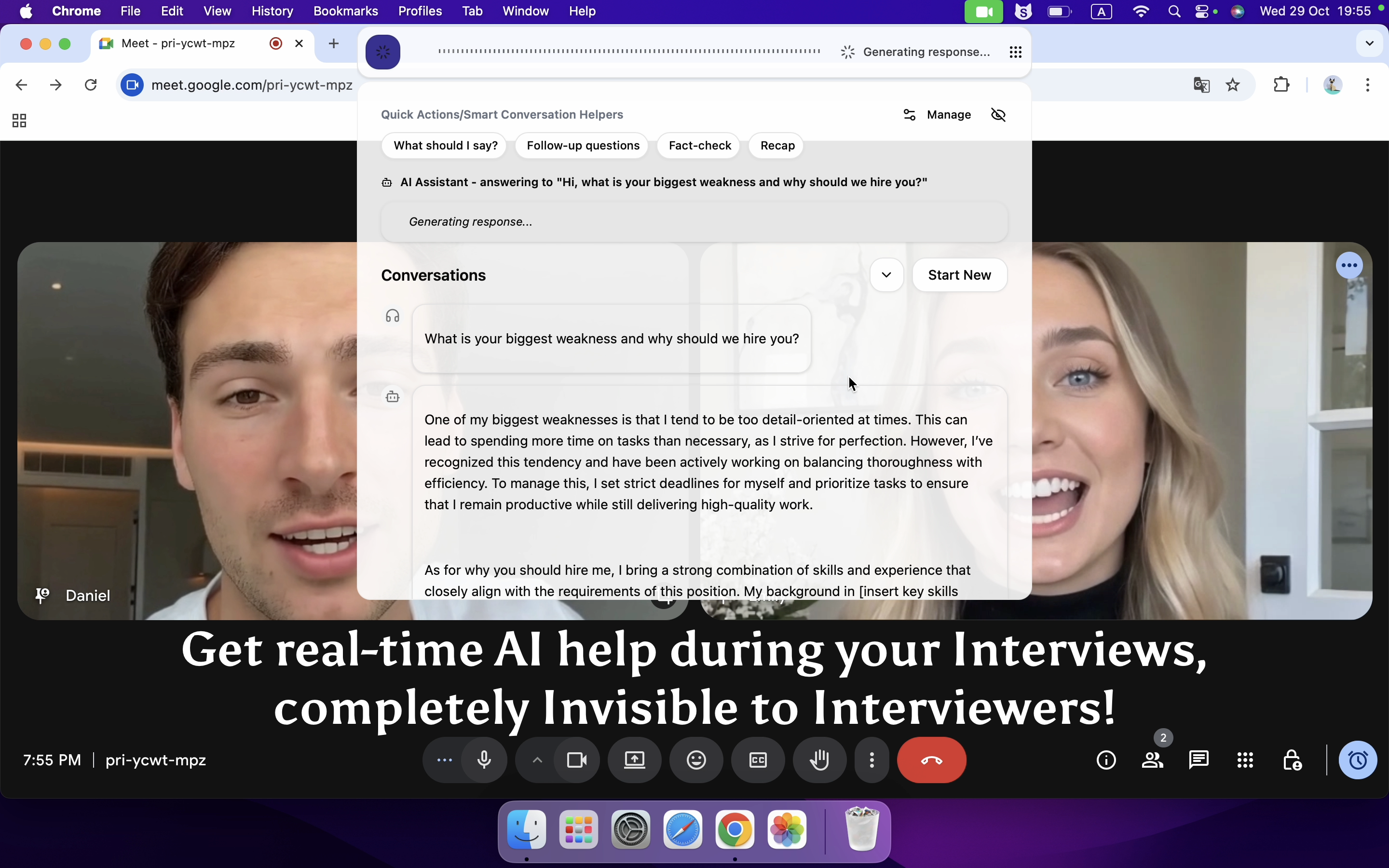
Adjust the transparency and overlay position. Before the interview, I lower the transparency of the Linkjob AI answer panel and position it directly over the question description. This lets me read both the question and the AI's suggestions at the same time. To the interviewer, it just looks like I'm doing a really thorough analysis of the question.
Optimising window placement. When answering questions, I move the Linkjob AI panel directly below the webcam (I usually adjust this right at the start). This makes my eye contact look more natural. I also glance at the camera every now and then to keep the interviewer engaged.
Evade AI Cheating Detection
OnVUE uses advanced AI to catch people who cheat on a test. I studied how to cheat on online timed test by understanding their detection methods. Here’s a table that helped me spot what to watch out for:
Detection Method | Description |
|---|---|
Dual-cam monitoring | Second camera checks the whole room for hidden devices. |
Liveness detection | AI watches for real-time movements to spot fake feeds. |
Fake feed detection | Looks for signs of pre-recorded videos. |
Audio analytics | Listens for extra voices or strange sounds during the test. |
Facial detection | Checks if my face matches the registered test-taker. |
Desktop sharing | Monitors my screen for extra browsers or apps. |
Track Keystrokes / Copy Paste Detection | Tracks keystrokes and clipboard activity. |
Apart from keystroke monitoring, the other issues can either be avoided through a standard interview or have already been covered. So, I'll just talk about how I got round the keystroke monitoring.
To put it simply, using Ctrl+C and Ctrl+V all the time is enough to make people suspicious. Other red flags include uneven typing speeds, unnatural code (like code that's too perfect or illogical) and pauses.
My solution was pretty simple:
Just type the code in manually. Keep my eyes on the screen and type normally.
Outline the code's logic first, then fill in the rest of the details. Linkjob AI will provide the complete solution, and I just need to type it out logically based on my own understanding.
Practice in advance to keep the typing rhythm consistent. It's only natural to take a moment to think, but just make sure you don't suddenly start pasting a block of perfect code after a quick break.
Troubleshooting And Tips For Cheating On A Test
Fixing Technical Issues
I’ve faced my share of technical problems during an online proctored exam. Sometimes, the test just won’t launch, or the internet drops at the worst moment. Here are the most common issues I’ve seen when using AI tools for online test cheating:
The OnVUE platform freezes or fails to start the test.
My internet connection drops, and I get kicked out of the proctored exam.
The system says my computer doesn’t meet requirements, even after passing the initial check.
Network security settings block the test from launching.
I lose contact with the proctor, which makes me nervous.
I remember one time, I had a notebook on my desk. I removed it right away, but the proctor kept flagging new problems. The test never started, and I felt like I was being accused of cheating by impersonation, even though I followed the rules.
When these things happen, I don’t panic. I follow this table to solve problems fast:
Issue Description | Suggested Action |
|---|---|
Proctor hasn’t started test | Wait in the queue and check for messages from the proctor. |
Screen goes blank | Use chat support to reschedule if you can’t reconnect. |
Exam shut down alert | Hit the Relaunch button to get back in the proctor queue. |
Exam stalling | Wait a few minutes; it’s often just a slow internet connection. |
Exam revoked by proctor | Contact your testing program for next steps. |
Feeling unwell during test | Tell the proctor or end the session and reach out to support later. |
Extra Success Tips
I always want to maximize my chances when I cheat on a test. Here are my top tips for online exam cheating:
Practice with Linkjob AI before the real test. Make sure it understands my voice and the types of questions I’ll face.
Keep my test area clean. Hide anything that could look suspicious during a proctored exam.
Stay calm if the proctor asks questions or pauses the test. Act natural and answer quickly.
Never rely only on cheating by knowing test questions. Mix my own knowledge with AI help for the best results.
Watch for signs of online test cheating detection, like sudden proctor messages or camera checks.
Online test cheating works best when you prepare for every possible problem. I always have Linkjob AI as a backup plan in case something goes wrong during the proctored exam. If you want to be the winner of the interview, stay alert and adapt to whatever the test throws at you.
FAQ
How do I make sure Linkjob AI stays undetected during my OnVUE interview?
The Interviews are taken by its browser, so nothing outside it can be detected, even if they claimed to be able to. It's a sandbox-like mechanism every browser follows, so Linkjob AI can bypass all of them.
What should I do if the proctor suspects I’m cheating?
Stay calm. I answer their questions quickly and act natural. I never argue. If they pause the test, I wait and follow instructions. I always keep my story simple and stick to what I practiced.
Is it safe to use AI tools for every type of question?
Not always. I trust AI for multiple-choice and short answers. For personal or open-ended questions, I mix AI suggestions with my own words. This keeps my answers sounding real and avoids detection.
See Also
How I Cheat on Codility and Avoid Getting Caught in 2025
How I bypassed CoderPad Anti-Cheating Checks in 2026
How to Cheat HireVue Interviews with Undetectable AI Assistant
Fuck LeetCode with Invisible AI Coding Interview Copilot | Linkjob.ai
8 Best Free AI Interview Assistant Tools, 2025 Hands-on Picks

© Copyright 2025 linkjob.ai - All Rights Reserved.