How to Avoid Kira Talent Interview Detection Discreetly

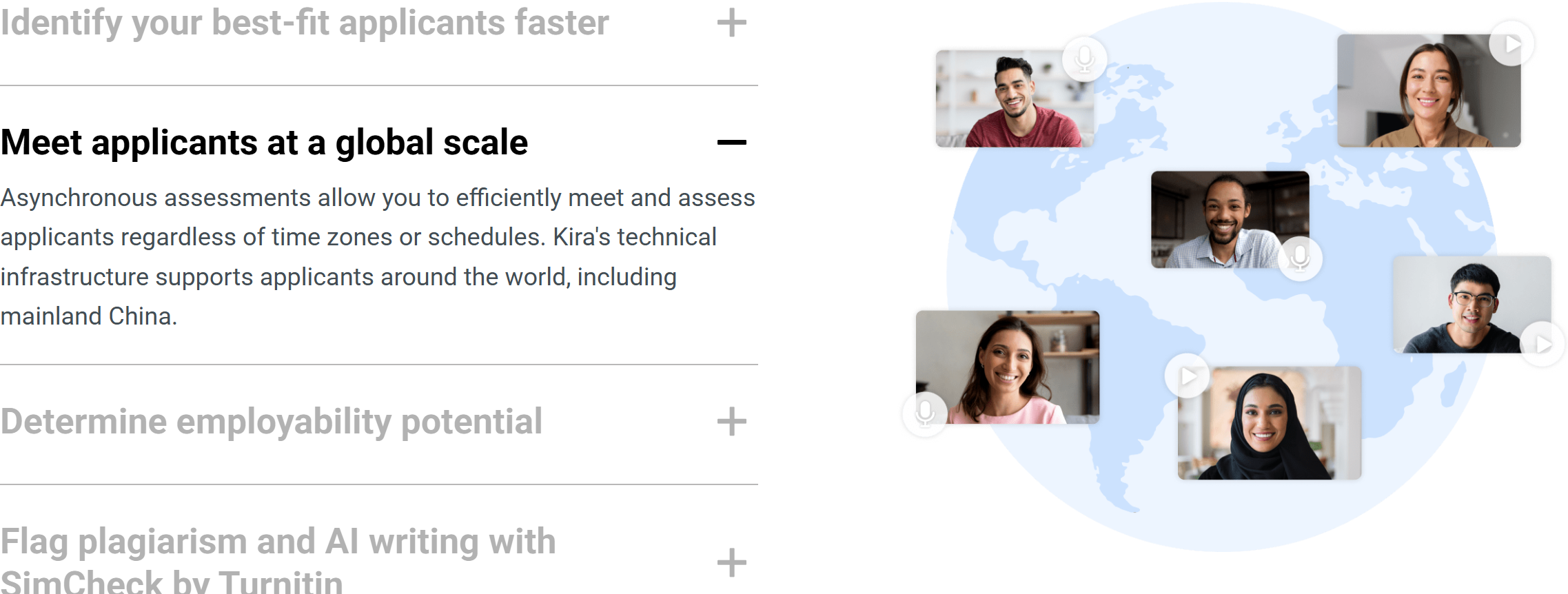
Kira Talent is a pretty comprehensive platform that's mostly used by universities and professional organisations to evaluate candidates based on more than just their academic records or resumes. It's basically a video interview tool that helps organisations see how well you think on your feet, how you communicate, and what your personality is like. During the hiring process, Kira Talent can be used for direct video interviews or as a quick pre-interview assessment.
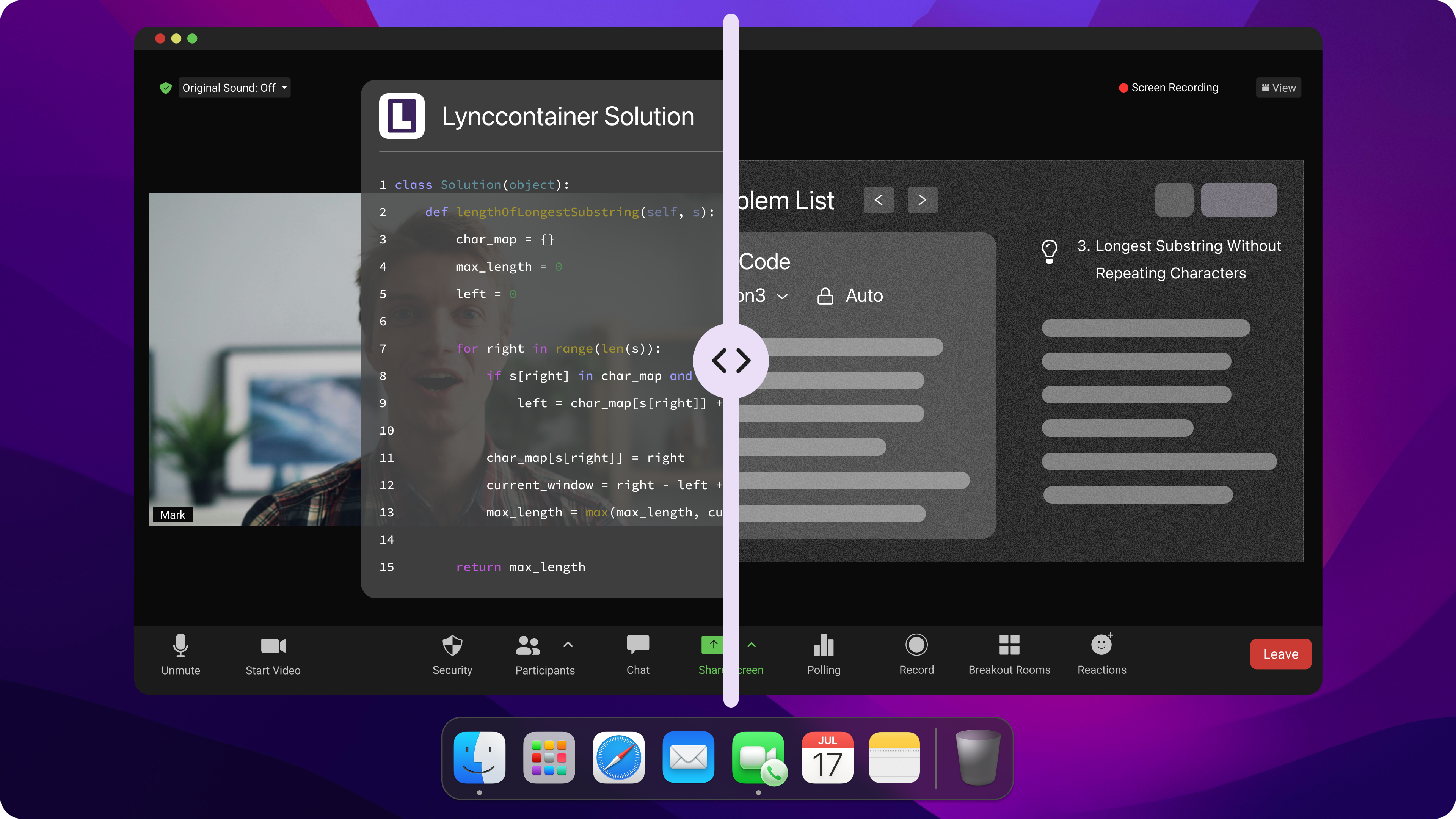
I recently passed an interview using Kira Talent with the help of Linkjob AI, and I got an invitation link to the assessment portal straight away. When I clicked it, I saw buttons to access the practice session and the actual interview. Cheating in this interview was quite different from my previous experience, like how to cheat on Codepad, how to bypass Hackerrank proctoring, and how to cheat in an interview powered by Sherlock AI.
For the video interview questions, there was normally about 40 seconds of prep time before each question, with a recording limit of one to two minutes, and no option to re-record.
I had six minutes to type my answers to the written questions, and there wasn't much else worth mentioning.
I do know that my interview required me to keep my camera on the whole time, though.
So how could I face this kind of stress and pass the interview with the help of the real-time interview copilot: Linkjob AI, with ease?

Key Takeaways
Set up a quiet and clean space for your Kira Talent interview. Good lighting and a tidy background help you look professional.
Avoid using scripts or detectable AI tools. Practice answering questions naturally to sound authentic and genuine with invisible interview AI.
Keep your eyes on the camera. This helps you appear engaged and prevents the system from flagging your interview.
Stay calm if you make a mistake. Refocus and continue speaking naturally to recover from any errors.
Understand the risks of cheating. Getting caught can lead to disqualification or being banned from future applications.
Kira Talent Cheat Methods and Risks
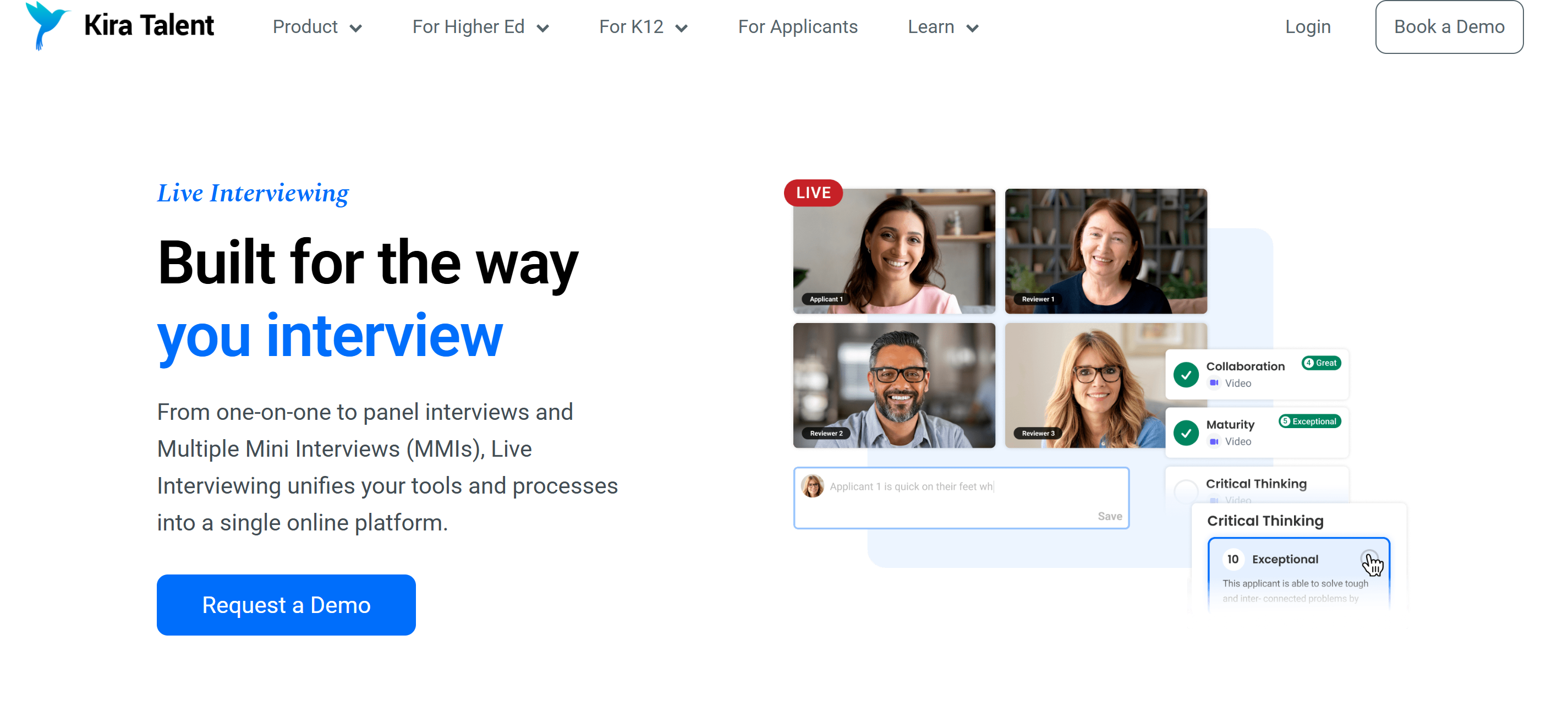
I did a bit of digging, and it turns out Kira Talent uses tools like SimCheck and AI detection to spot plagiarism. They also pick up on answers that sound too polished or robotic. If I use AI-generated answers, off-the-cuff scripts, or simply cut and paste stuff from the web, I might get caught and even get disqualified.
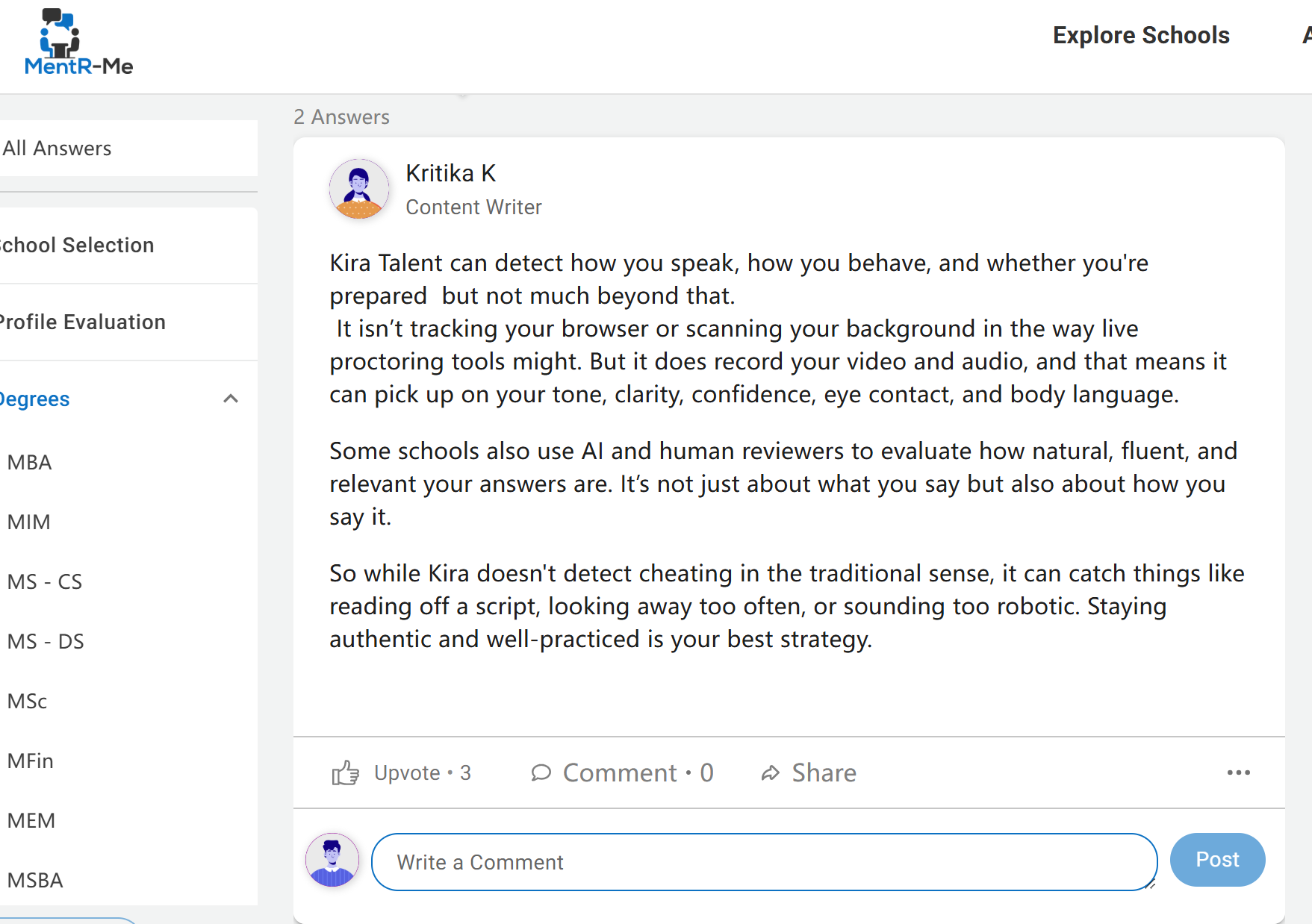
Most of the answers I found during my search said that proctoring and anti-cheating measures aren't very strict (see the image below), but I did find out that Kira Talent uses some rather subtle proctoring methods.
1. Answer Access
I know some people try to open answers on a second screen or use hidden notes. That might sound clever, but Kira Talent's system can detect unusual eye movements, screen glare and even background noise. If I look away from the camera too much or pause for too long, the system might flag my interview for review.
I know someone who was kicked out of a Kira Talent interview for cheating. He kept looking away to check AI-generated solutions on his phone, and he lost the job.
Here’s a table that shows the main risks of using AI-generated answers or scripts:
Risk Type | Description |
|---|---|
Cheating Problem | The recruiting industry faces a significant issue with candidates using AI-generated answers. |
Threat Surfaces | There are 18 different types of methods candidates use to inject AI answers into interviews. |
Monitoring Limitations | Current monitoring tools are ineffective in detecting AI-generated responses. |
Assessment Integrity Framework | A proposed solution that emphasizes designing assessments to ensure authenticity and integrity. |
Environmental Integrity | A design approach that aims to eliminate known AI cheating tools. |
Intellectual Integrity | Focuses on validating the authenticity of knowledge, which AI cannot replicate. |
Real Expertise vs. Rehearsed | The risk of candidates sounding experienced due to AI preparation rather than actual expertise. |
2. Digital Behaviour Tracking
Kira keeps an eye on metadata that shows any unusual activity during a session:
Typing Speed Analysis: The platform doesn't ban copy-and-paste shortcuts, but it does keep an eye on your typing speed. If a perfect 500-word text is suddenly copied and pasted into the input field within 2 seconds, the system will flag it.
Browser Refreshes and Disconnections: The system keeps track of every time you refresh the page or lose connection. If you refresh the page a lot while you're answering questions, it might be seen as you trying to reset the timer or look up answers.
Tab switching: Kira is less intrusive than some browser-locking tools, but it does track instances where the Kira window loses focus (if I click to open another tab or application, the system will flag this).
3. Behavioural Integrity (AI Analysis)
As the video's recorded, the Kira platform (and human reviewers) will keep an eye out for any unusual behaviour:
Eye tracking: If you're looking at the screen all the time, like you're reading a script or something, it's pretty hard to miss.
Auditory/Visual Cues: Reviewers can tell the difference between reading a script that's been written for you and the natural pauses that happen when you're responding to something.
4. Applicant Integrity Report
Once the assessment is done, the interviewer or the company will get a summary of the applicant's integrity.
For example, if my written response matches a question in the answer database by 95%, or if I refresh the browser four times during Question 2, the interviewer or manager will see a high-risk flag and will manually review these specific moments to determine whether to disqualify me.
Preparation for Kira Talent Interview
Setting Up a Safe Environment
When I get ready for a Kira Talent interview, I always make sure everything's set up right to get things started on the right foot. Since the tech requirements aren't too strict, it's best to just make sure your camera's on and everything's looking normal, so you don't miss out on a job opportunity without reason.
Here’s a quick checklist I use before I start:
Find a quiet, clean room.
Set up my camera at eye level.
Check that the lighting is bright but not harsh.
Dress in solid, calm colors.
Remove anything distracting from the background.
Tip: A calm environment helps me focus and keeps the interview feeling natural.
Choosing Stealth AI Tools
With all the cheating detection mechanisms out there, it's really important to choose the right AI interview tool.
If you go for a tab-based interview assistant that doesn't need to be installed, there's a good chance you'll be flagged for switching tabs once the interview starts.
If the AI interview assistant you're using needs a second device, eye tracking can be a bit of a problem; too much eye movement or overly stiff reading can lead to being flagged for cheating.
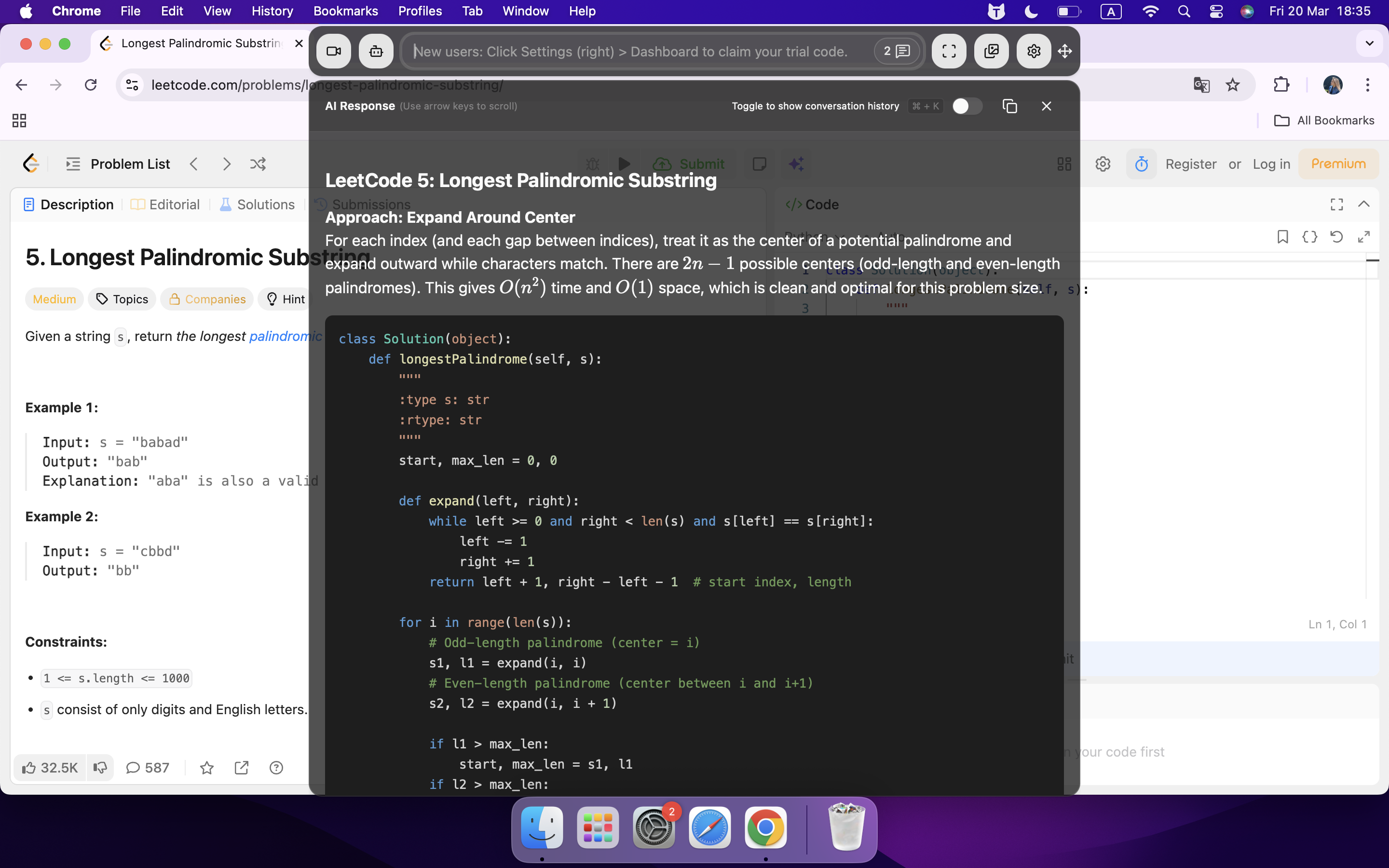
I'd prefer an invisible AI interview assistant that can recognise audio in real time on the computer, analyse screenshots and provide answers instantly. Next, I'll use Linkjob AI – the AI co-pilot I ultimately chose – as an example to walk you through, step by step, just how simple Kira Talent interviews can be when you select the right AI tool:
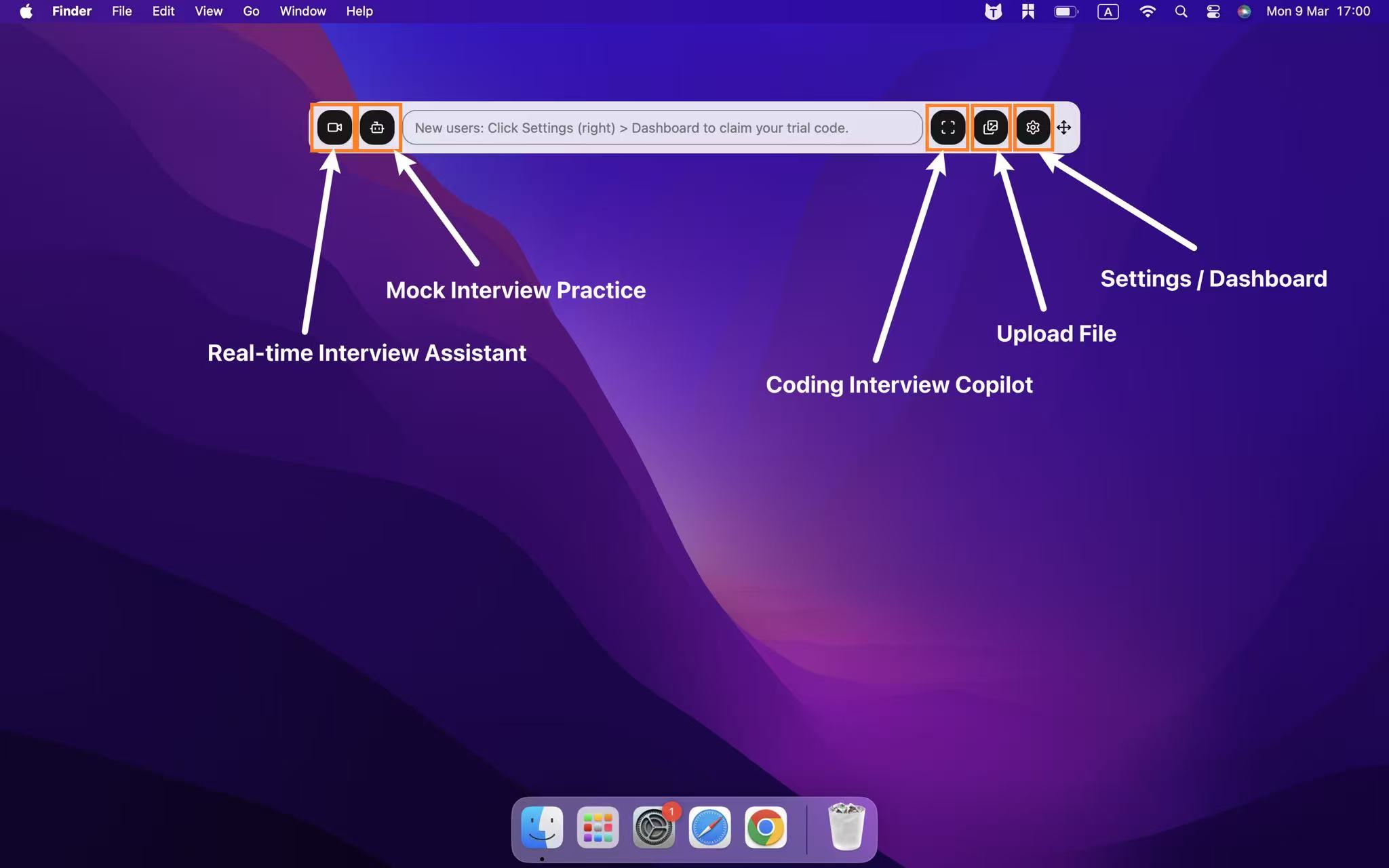
First, I set up the chatbot to help with interviews. I then tweaked the transparency and position of the chatbot window, placing it right below my webcam. This meant I could read the questions clearly without having to strain my eyes.
Once the assessment started, Linkjob AI just ran in the background. If there was something I wasn't sure about, I'd press cmd+shift+s to take a screenshot and Linkjob AI would give me the answer.
When I got the answer, I scrolled through the detailed explanation, pretending to think – hovering my mouse over the question and highlighting keywords, just as if I were really thinking hard about the problem.
Once I'd figured out how the question worked, I'd just click to select the answer or type in the answer from Linkjob AI, then move on.
Technical Detection and Bypass Tips For Kira Talent Interview
Avoiding Proctoring Triggers
When I'm getting ready for a Kira Talent interview, I always think about what behaviours might set off the proctoring system. Kira Talent uses artificial intelligence to keep an eye out for anything dodgy. To avoid being flagged by the system, I follow these simple steps:
Make sure both hands are always in the frame. If I hide my hands or move them out of the frame, the system might think I'm using a phone or other device.
Try not to make any sudden moves. If I quickly turned my head or looked away from the screen, it would trigger an alert.
Make sure no one else enters the room. If someone walks past me, the system might flag my interview.
Just close all the tabs and programs it doesn't need. This helps stop pop-ups or notifications from distracting me or appearing in the camera's view.
Here's a little tip: I always do a test run with my webcam first to see what the system will see. This helps me spot any issues before the actual interview.
Audio and Video Safety
Most people don't realise how important audio and video quality is. If my microphone picks up strange noises or my camera malfunctions, the system might think I'm trying to cheat on Kira Talent. Here's what I do to be on the safe side:
I used headphones with a mic. This reduces background noise and makes my voice clearer.
I made sure my internet connection is good before I get started. A stable connection makes sure your video runs smoothly and without any lag.
I switched off my smart speaker and put my phone on silent. I didn't want any unexpected sounds during the interview.
I asked a friend to test my equipment. They could tell me if there were any issues with the audio or video, or if my tools showed that I was reading from a script or accessing external answers (though I haven't had these problems while using Linkjob AI).
If I follow these steps, I can avoid looking suspicious because of technical issues. If I stay calm and prepared, I can focus on answering questions instead of worrying about getting caught.
Common Kira Talent Cheat Mistakes
Behaviors That Get Flagged
As I said before, a friend of mine tried to cheat the Kira Talent system but got caught. When we chatted again later, he thought about some of the reasons why. With his permission, I'm sharing his insights with you here. If you're wondering how to ace a Kira Talent interview, here are the key things to bear in mind.
Here is a quick table that shows some of the most common mistakes and what they mean:
Mistake | Implication |
|---|---|
Excessive browser refreshes | Indicates attempts to restart questions |
Unusually high typing speeds | Suggests possible copy-pasting of pre-written content |
Kira Talent's AI also keeps an eye on other behavioural indicators. For example, if my eye movements look a bit weird, the system might think I'm reading from another screen, and so on. I've outlined the details in the table below:
Behavior Type | Description |
|---|---|
Eye movement patterns | Unnatural gaze patterns when reading from an overlay or secondary device. |
Response latency | Immediate, polished responses without natural pauses or thinking sounds. |
Speech cadence mismatches | Monotone delivery and uniform pacing indicating reading rather than natural speaking. |
Typing and coding patterns | Detection of copy-paste patterns and uniform typing speed suggesting external assistance. |
Tip: If I want to avoid getting flagged, I keep my answers natural and my actions smooth.
Recovering from Errors
Even when you've done your homework, mistakes are bound to happen. If I do find myself making a move that looks a bit dodgy, I don't panic. I take a deep breath and get back on track. If I happen to look away from the camera, I just refocus and keep looking forward. If I get stuck for words or pause, I just keep going as if nothing happened. I find that staying calm helps me recover quickly.
I haven't had any technical problems with Kira Talent itself, but I did have a small problem with Linkjob AI during a video interview recording – it froze. I was a bit nervous at the time, but I knew I had to get past it, so I just pretended nothing had happened and finished recording the rest of my answers (based on what I understood and the detailed answers I got earlier in the Linkjob AI chat window).
Minimizing Kira Talent Cheat Risk
Understanding Consequences
Before I even think about using a kira talent cheat, I remind myself what’s at stake. Kira Talent takes cheating seriously. If the system or a reviewer suspects I cheated, I could lose my interview or even my spot in the program. Some schools might ban me from applying again. I have seen stories where candidates got flagged for small things, like reading from a hidden script or using AI tools. The consequences can be harsh and permanent.
Here’s a quick table that helps me remember what could happen if I get caught:
Action Detected | Possible Consequence |
|---|---|
Using outside help | Interview disqualification |
Copy-pasting answers | Application rejection |
Suspicious eye movement | Manual review or flagging |
Audio/video glitches | Interview invalidation |
Note: Even if I think my kira talent cheat is clever, the risk is never worth it.
Final Safety Checks
Right before I start my interview, I always do a last-minute check. This helps me feel confident and lowers my risk of getting flagged. Here’s my go-to checklist:
I close all tabs and programs except Kira Talent.
I put my phone out of reach and silence all notifications.
I check my camera and microphone one more time.
I make sure my notes are just keywords, not full sentences.
I take a deep breath and remind myself to answer honestly.
If I notice anything odd—like a reflection on my glasses or a weird background—I fix it right away. I also double-check that no one else is in the room. These small steps help me avoid mistakes that could look suspicious.
Tip: I always trust my preparation. If I stay calm and answer in my own words, I know I’m giving myself the best chance to succeed.
FAQ
What should I do if I accidentally look away from the camera?
If I look away by mistake, I just refocus on the camera and keep going. You do not need to panic or draw attention to it.
Can I use notes during my Kira Talent interview?
I kept my notes simple—just a few keywords near my camera. The more detailed notes inlcuding my resume details, I had set a prompt for Linkjob AI to remind me at the right time.
How do I handle technical issues during the interview?
If something goes wrong, I mention it politely and continue. I do not refresh the page or switch devices unless told to.
Will Kira Talent know if I use AI-generated answers?
Kira Talent uses AI to spot robotic or copied responses. So I just had sure ALL my answers were a mix of my thinking and the AI-generated content.
See Also
Securing Undetectable AI Assistance for Talenscio Interview Success
Obtaining Hidden AI Support for Ropes Interview in 2026
Successfully Evading Sherlock AI Detection During My 2026 Interview
Navigating eSkill Test Detection Safely in 2026
Acquiring Discreet AI Assistance for Maki People Test Safely
Why People Choose Linkjob AI
Smoother interviews, coding challenges cleared, and job offers landed. See how users describe their experience with Linkjob AI—in their own words.


© Copyright 2026 Linkjob AI - All Rights Reserved.