OphyAI Review (2026): Does The Whisper Mode Work?

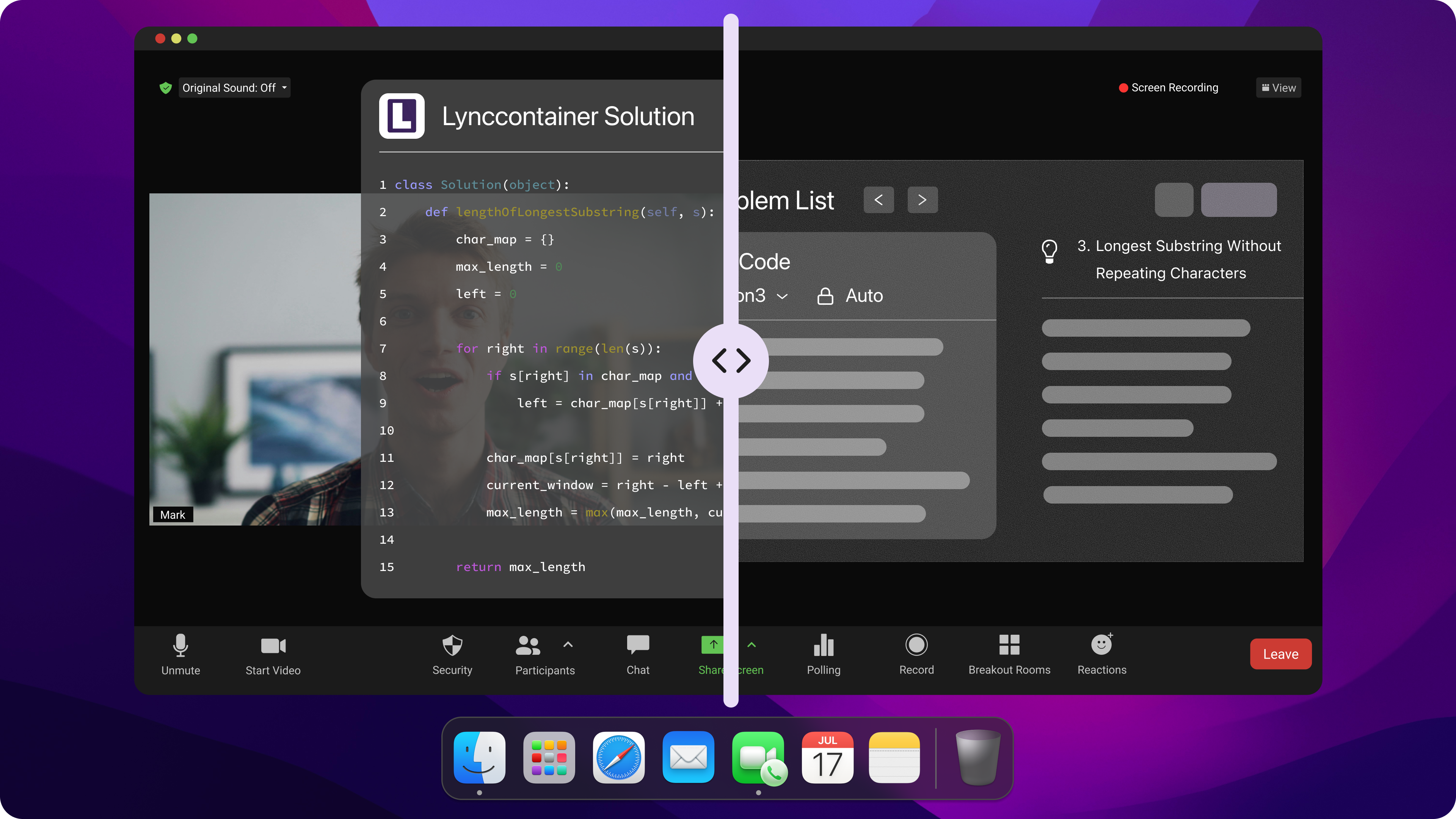
Like a lot of developers trying to get ahead in today's super competitive job market, I've been checking out these AI interview assistants to see if they can help me stay afloat during those nerve-wracking interviews. I saw a lot of people talking about different tools to help with interviews in a lot of places, like Reddit subreddits, anonymous forums, and tech blogs inlcuding Final Round AI best alternatives, Chiku AI review, and a blog named "Is InterviewMan legit". OphyAI was often mentioned as a cost-effective option, and they tout a feature called "Whisper Mode". It's a semi-transparent picture-in-picture (PiP) overlay that floats over the video call screen, quietly providing real-time answer suggestions without the interviewer noticing.
I was pretty interested in this affordable, stealthy interview assistant that transcribes questions in real time and provides structured talking points, so I decided to test OphyAI myself. I created an account, set up the environment, and ran a mock interview to check that everything was working right. During the test, I found some interesting things, but I also found some things that I wasn't too happy about.
Here's my no-holds-barred review of OphyAI. I'll talk about its features, what people are saying online, my own testing experience, and how it compares to other invisible options like Linkjob AI.

OphyAI Review: What Is OphyAI? Features, Claims, and Pricing
Before diving into my live stress test, it is worth looking at what OphyAI actually claims to offer on its official platform and how it is positioned in the broader AI interview copilot market.
┌─────────────────────────────────────────────────────────────┐
│                      OphyAI Ecosystem                       │
├─────────────────────────────────────────────────────────────┤
│  • Browser-Based Overlay (Document Picture-in-Picture API)  │
│  • Headline Feature: "Whisper Mode" Semi-Transparent Panel │
│  • Multi-Tool Suite: Resume Builder, Cover Letters, Prep    │
│  • Credit-Based Tier System ($9 Basic vs. $19-$39 Copilot)  │
└─────────────────────────────────────────────────────────────┘
OphyAI says it's a one-stop AI job-search platform. It's great because it provides assistance during real-time interviews and integrates a suite of about 15 to 16 job-search tools. This includes an AI resume generator, a cover letter generator, an ATS keyword optimizer, a job application assistant, and a mock interview coach.
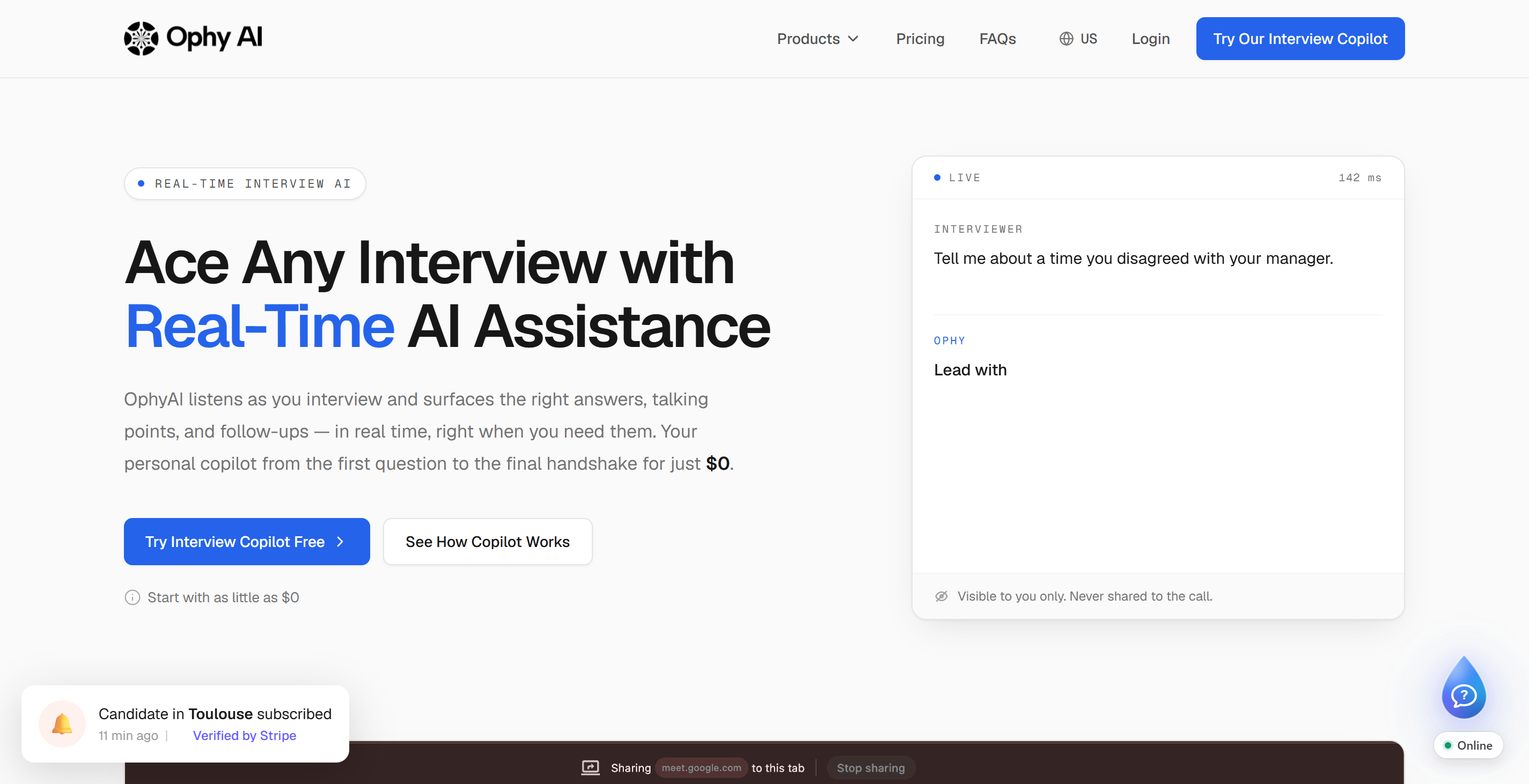
Headline Features According to OphyAI
Whisper Mode (Picture-in-Picture Overlay): The flagship feature of OphyAI is its browser-native "Whisper Mode". Instead of requiring a standalone desktop application installation, OphyAI leverages Chrome and Edge’s native Document Picture-in-Picture API to launch a small, semi-transparent floating panel over video conferencing apps like Zoom, Microsoft Teams, and Google Meet.
Multi-Language & Multi-Tab Support: OphyAI claims support for up to 35 languages with auto-detection. Within the Whisper Mode interface, users can toggle between three interaction tabs: an Interview Q&A tab for behavioral/technical questions, a Code Discussion tab for syntax and architecture snippets, and a Visual Review tab for processing screenshots.
Company Context & Resume Grounding: The tool allows candidates to upload their resume and target job descriptions, promising to ground its AI-generated STAR-format responses in the user's specific career history.
The Pricing Confusion and Credit System
While marketing material often touts a "$29 per month" entry price, third-party analysis from industry sources like Final Round AI, Interview Sidekick, LastRound AI, and AceRound reveals a critical caveat: The $29 Pro plan does not include the Coding Copilot at all.
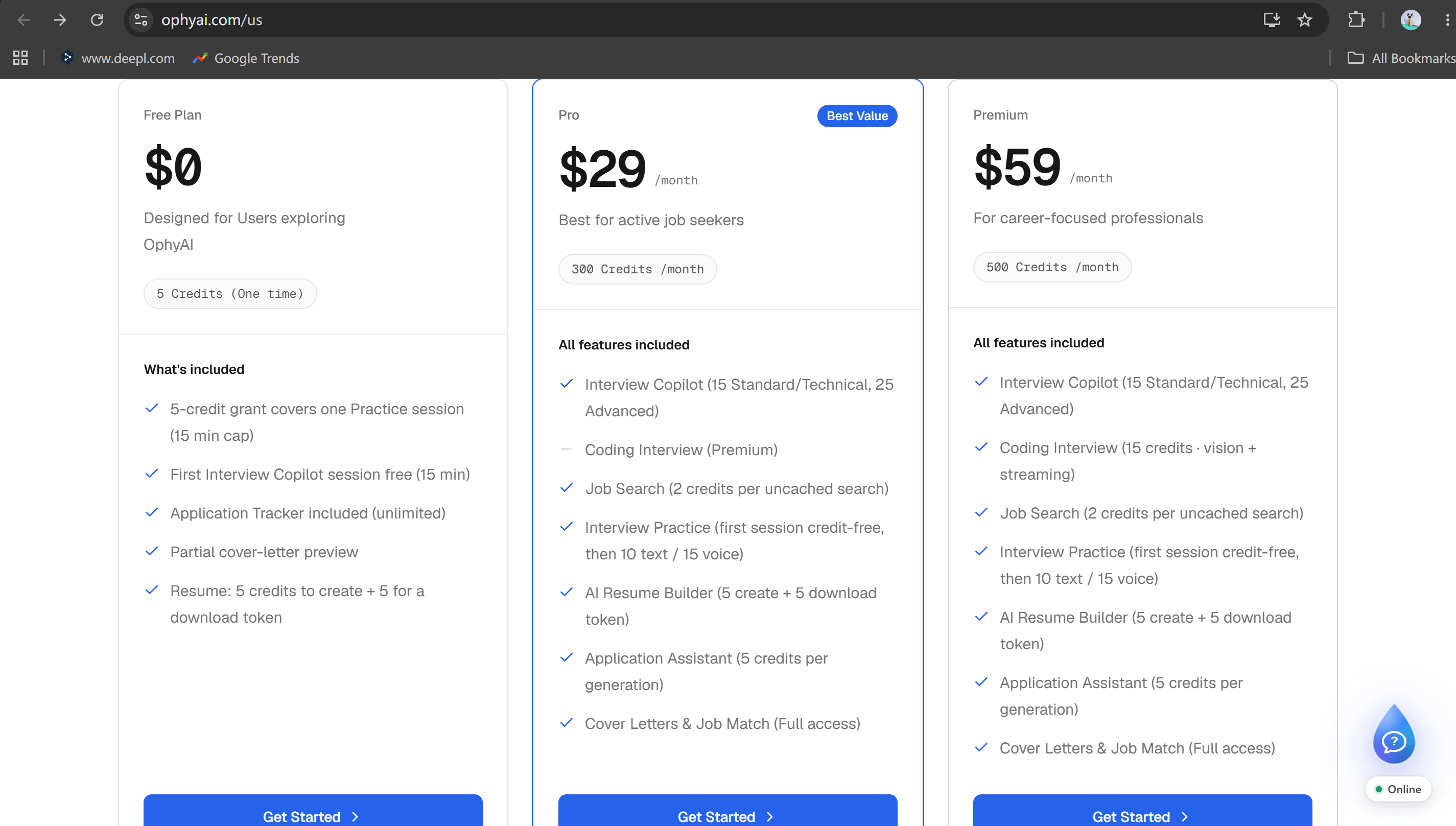
┌─────────────────────────────────────────────────────────────────────────┐
│                      OphyAI Pricing Tier Breakdown                      │
├───────────────────┬──────────────┬──────────────────────────────────────┤
│ Tier              │ Price        │ Live Copilot Included?               │
├───────────────────┼──────────────┼──────────────────────────────────────┤
│ Free              │ $0 / month   │ ❌ 1 free Intevriew copilot          │
│ Pro               │ $29 / month  │ ⚠️ YES (300 Credits / ~20 Sessions)  │
│ Premium           │ $59 / month  │ ⚠️ YES (500 Credits + Coding Tools)  │
└───────────────────┴──────────────┴──────────────────────────────────────┘
To actually access Whisper Mode during a live interview, users must subscribe to either the Pro ($29/mo) or Premium ($59/mo) plan.
On top of that, OphyAI uses a strict points-based consumption model. Each session of real-time assistance will deduct 15 credits from the current monthly points pool. Since these points have to be shared across the whole suite—including the resume generator and interview coach (which use 5 and 10 credits per use, respectively)—users who are actively job hunting during a busy interview cycle can easily use up their points by mid-month.
Public Reputation and Community Perception
A scan of third-party review platforms such as Trustpilot (where OphyAI holds a modest ~3.2 out of 5-star rating) and developer community forums reveals several recurring concerns among users:
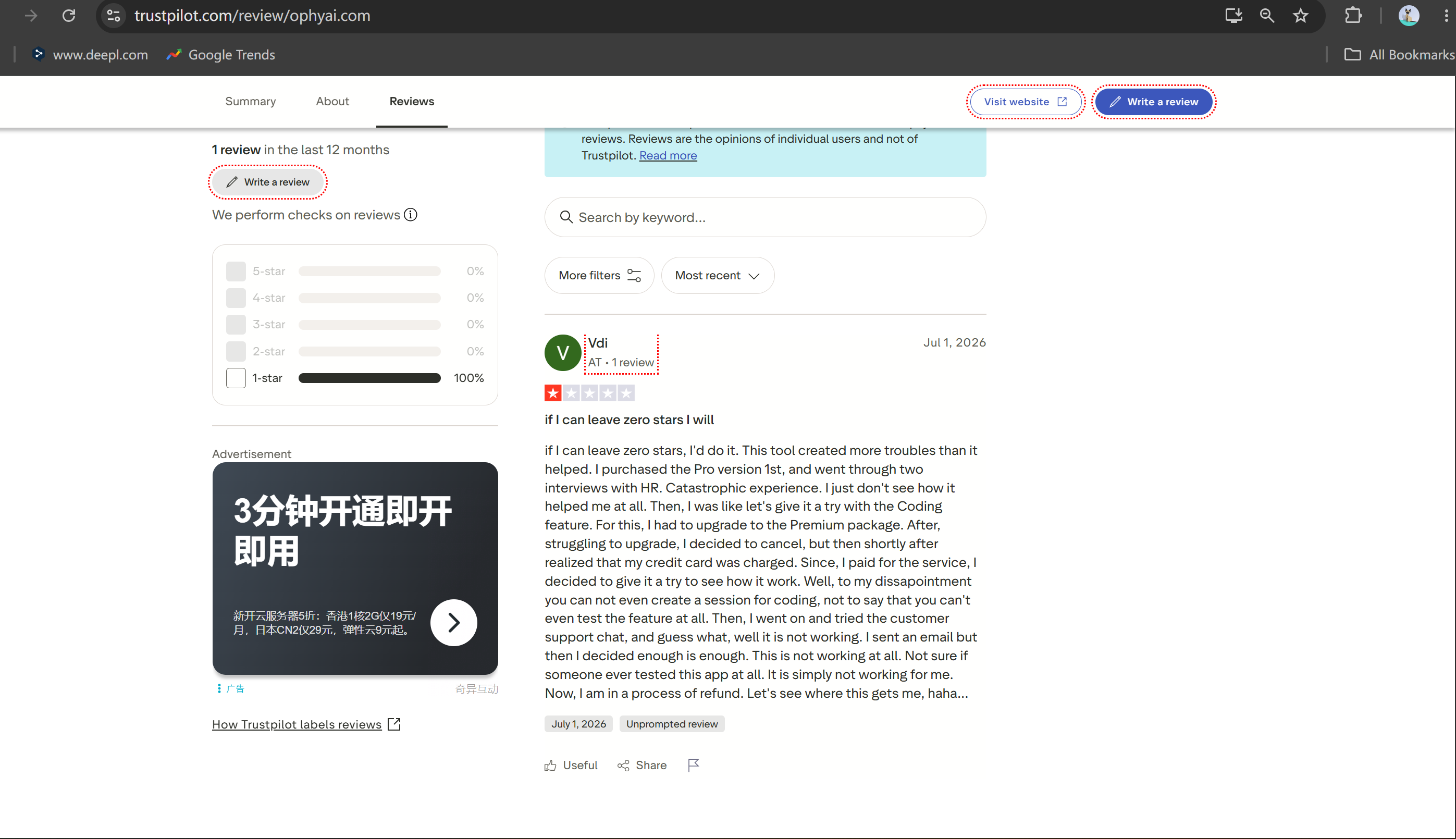
Browser API Vulnerabilities: Because Whisper Mode relies on standard browser APIs rather than an OS-level driver, its invisibility varies wildly depending on browser updates, OS window managers, and screen-sharing configurations.
Credit Exhaustion Anxiety: Candidates report feeling anxious during long, multi-round final interviews, constantly worrying that their session will cut off mid-question due to depleted credits.
Mixed Performance in Technical Rounds: While behavioral STAR-method prompting is relatively straightforward, users report that OphyAI struggles with real-time technical code generation and deep context tracking during fast-paced discussions.
Hands-On Stress OphyAI Review Test: My Experience
To move beyond marketing claims and forum speculation, I conducted a live, simulated interview stress test. I set up a dual-monitor environment with a proctored coding workspace on one screen and a simulated video interview call streaming a technical discussion on the other.
My goal was simple: evaluate OphyAI’s onboarding, audio transcription accuracy, UI invisibility, "Whisper Mode" performance, and real-time latency. Unfortunately, the testing session quickly devolved into a frustrating series of technical failures and usability hurdles.
┌─────────────────────────────────────────────────────────────┐
│                 My Hands-On Testing Flow                    │
│                                                             │
│  [ Account Setup ]                                          │
│         │                                                   │
│         ▼                                                   │
│  [ Aggressive Upsell Popups & Paywalls Blocked UI ]         │
│         │                                                   │
│         ▼                                                   │
│  [ Repeated Setup Errors: "Try Again" Loop ]                │
│         │                                                   │
│         ▼                                                   │
│  [ Stealth Failure: Discovered Screen Share Invisibility    │
│    Fails on Full Desktop Share ]                            │
│         │                                                   │
│         ▼                                                   │
│  [ Audio & Transcription Breakdowns: Multiple Random       │
│    Speakers, Broken Autoscroll, Severe Sync Lag ]           │
│         │                                                   │
│         ▼                                                   │
│  [ Silent "Whisper Mode": No Audio Guidance, Cluttered UI ] │
└─────────────────────────────────────────────────────────────┘
Here is the exact step-by-step breakdown of what went wrong during my test.
1. Aggressive Paywall Popups and Obstructed Onboarding
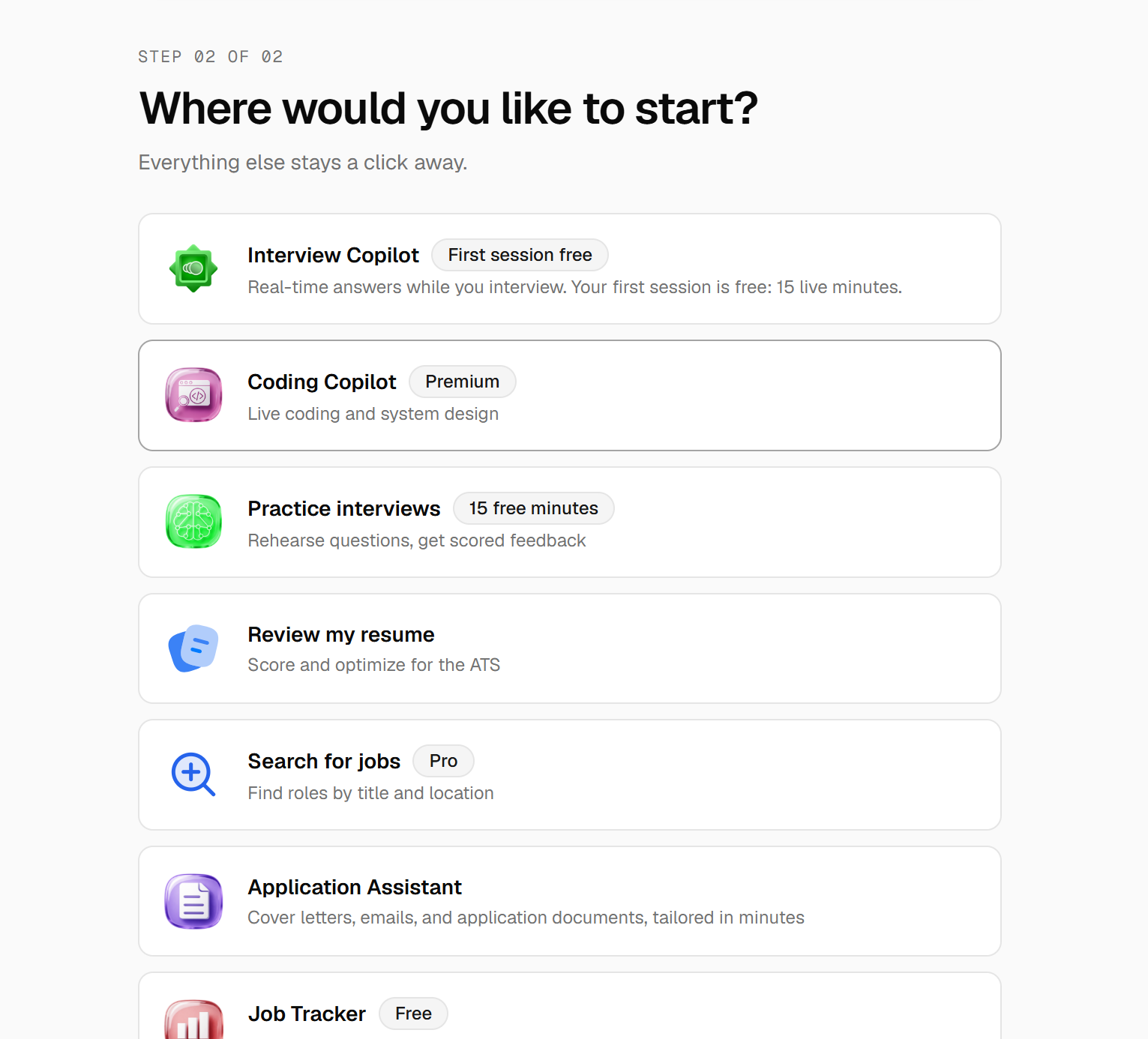
My bad experience started not long after I set up my account. Instead of helping me get into the Interview Copilot space easily, OphyAI hit me with a ton of pop-ups, pages for extra services, and offers to upgrade my credit limit.
Every time I clicked to open or configure Interview Copilot, a multi-layered payment overlay took over my screen, telling me to upgrade to a higher plan or purchase more credit packages.
These pop-ups were so intrusive that they physically obscured the various features of Interview Copilot. They popped up every time I clicked a function button, and they all looked different. This made me have to stop and read the text on each window to figure out which one was the tutorial that would guide me through the rest of the test.
It's a tool meant to help with interview anxiety, but the onboarding experience is actually pretty chaotic and overly sales-driven.
2. Repeated Setup Failures and the "Try Again" Loop
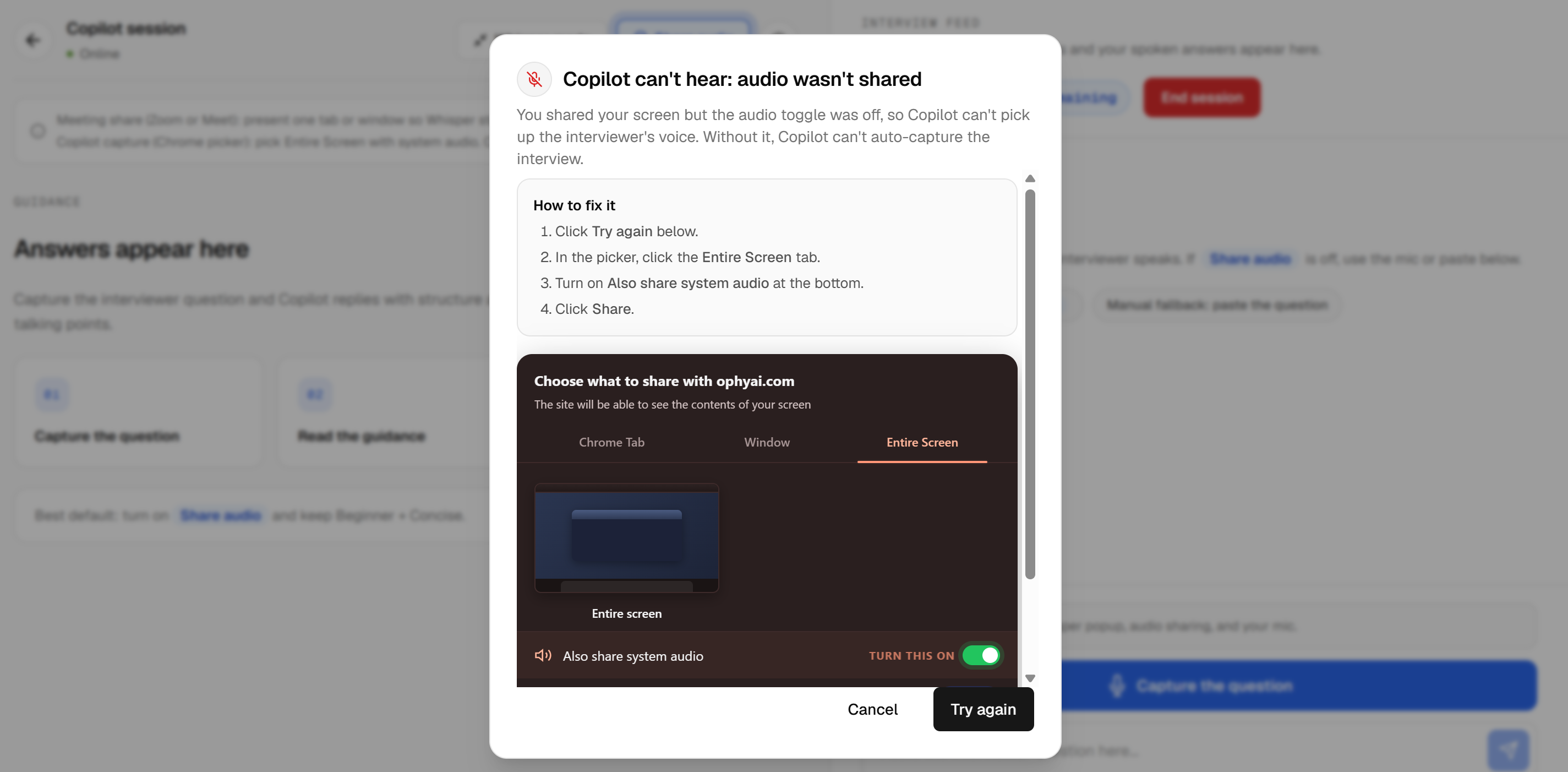
Once I finally navigated past the payment screens and tried to initialize the copilot, the system repeatedly failed to start.
Upon selecting my audio source and clicking "Start Session," the interface would freeze briefly before displaying a generic error message reading simply: "Copilot can't hear: audio wasn't shared."
I hate to say this, but I think I've run into a bug that still hasn't been fixed.
I checked every possible angle, but the system didn't offer any diagnostic logs, audio input level indicators, or troubleshooting tips.
I had to refresh the browser tab, re-grant microphone permissions, and redo the setup process four times before I finally got the "copilot" feature to work.
If, in an actual interview, there's only one minute before the interviewer jumps on the call, this kind of instability is just not okay. I mean, I don't know if I could've handled this ten-minute ordeal under real pressure. And I hadn't even gotten to the actual interview assistance interface yet.
3. The Screen Share Invisibility Trap (Hidden Fine Print)
OphyAI heavily markets "Whisper Mode" as an invisible overlay. However, once I successfully got the copilot running and launched the Picture-in-Picture window, I discovered a major flaw regarding screen-share privacy.
+-------------------------------------------------------------------+
|                  Screen Sharing Stealth Reality                   |
|                                                                   |
|   Zoom / Teams Full Desktop Share                                 |
|   ┌───────────────────────────────────────────────────────────┐   |
|   │ IDE / Browser Window                                      │   |
|   │                                                           │   |
|   │   ┌───────────────────────────────────────────────────┐   │   |
|   │   │ OphyAI PiP Window (FULLY VISIBLE TO INTERVIEWER!) │   │   |
|   │   └───────────────────────────────────────────────────┘   │   |
|   └───────────────────────────────────────────────────────────┘   |
|                                                                   |
|   ❌ Picture-in-Picture overlays ARE captured during full-screen |
|      desktop shares on standard OS window managers.              |
+-------------------------------------------------------------------+
During a proctored technical interview, you are almost always required to share your entire screen (full desktop share) so the interviewer can monitor your workspace, terminal, and browser. While OphyAI’s Picture-in-Picture panel might stay hidden if you are only sharing a single isolated browser tab, it remains 100% visible to the interviewer when sharing your full desktop.
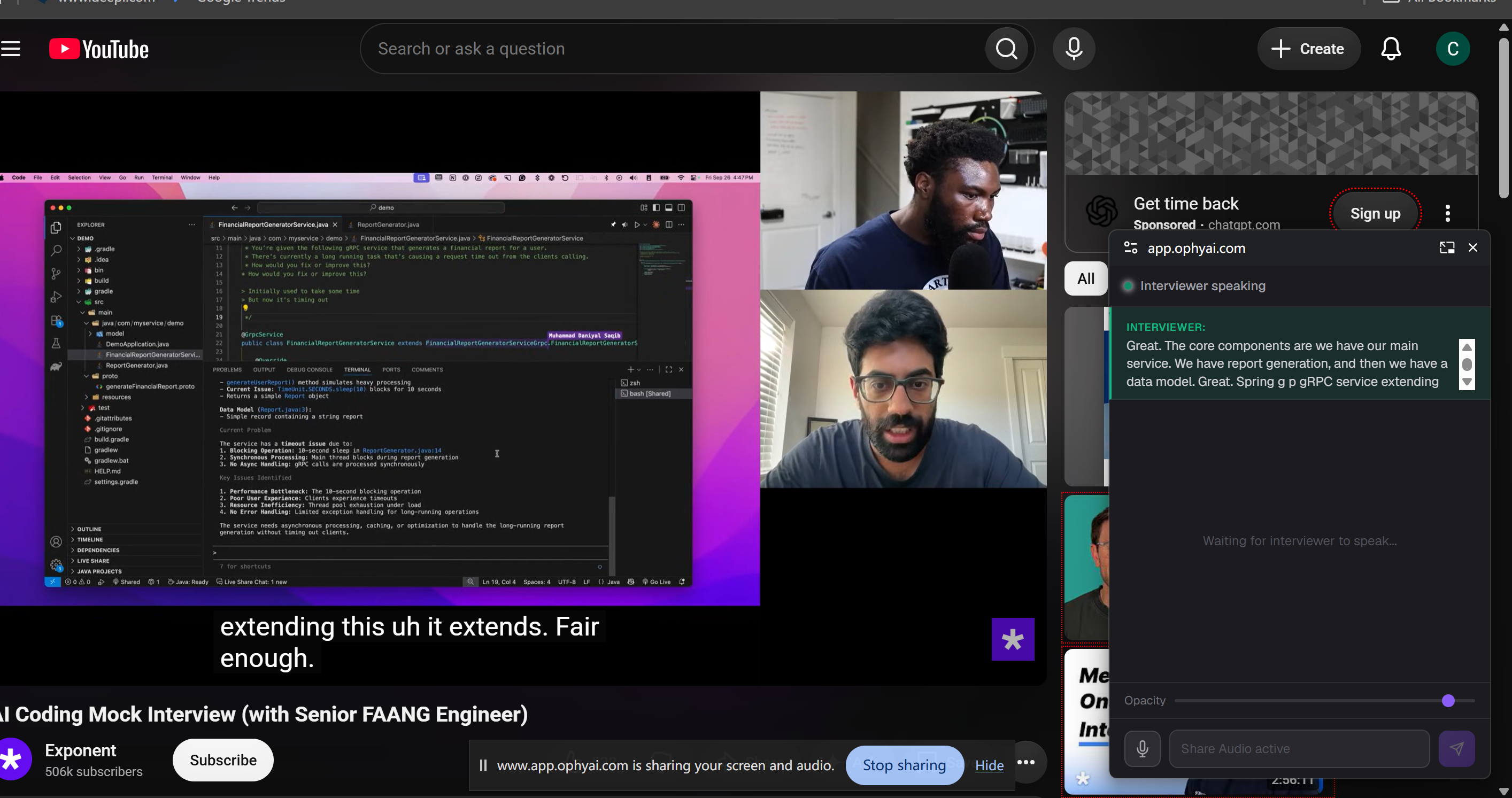
To make matters worse, buried inside the copilot's session settings after launch was a tiny disclaimer acknowledging that its stealth features do not support full-screen sharing modes on Zoom, Teams, or Google Meet. Discovering that your "invisible" tool is actually fully visible on your shared screen mid-interview is a nightmare scenario for any candidate.
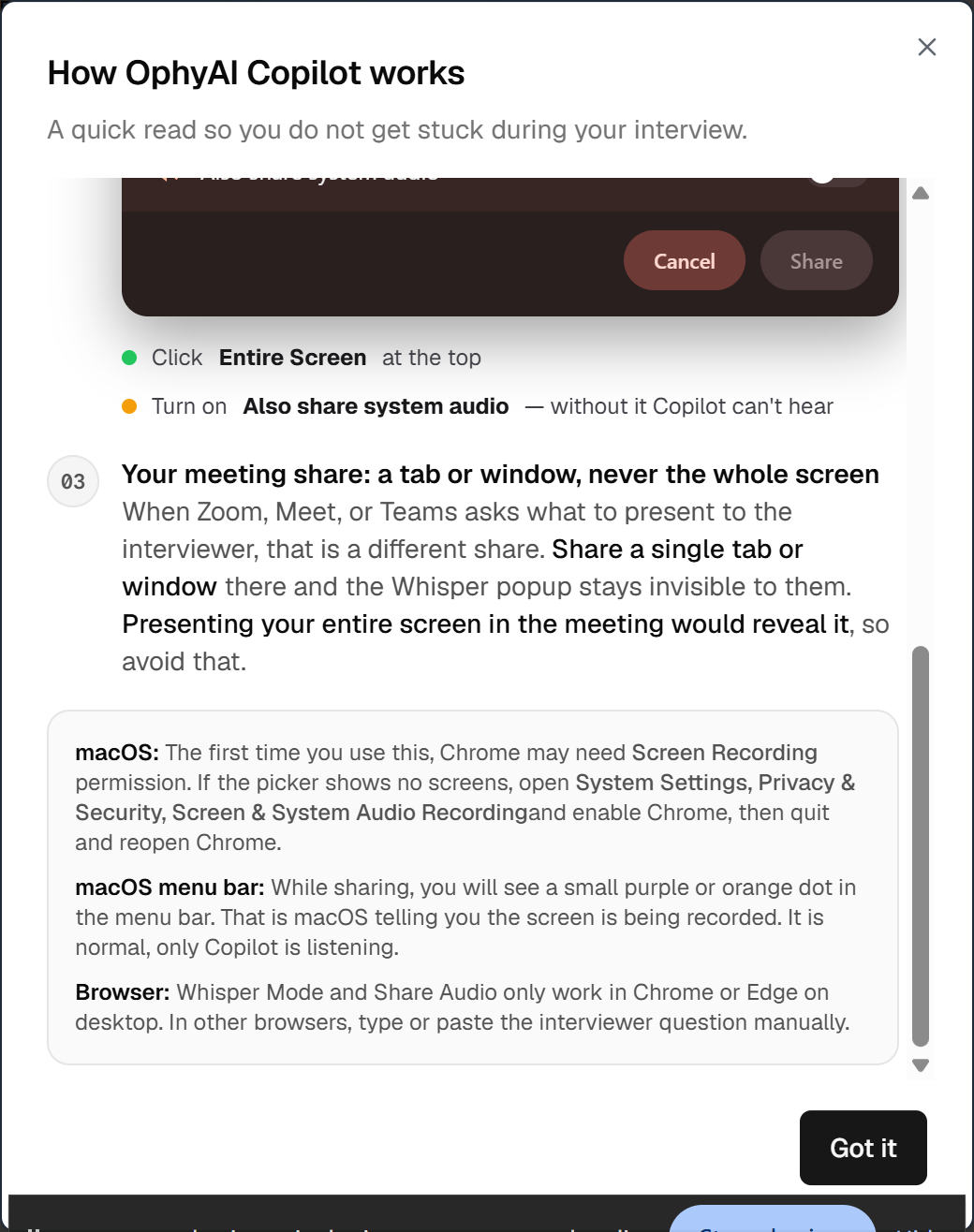
4. Broken Transcription, Hallucinated Speakers, and UI Glitches
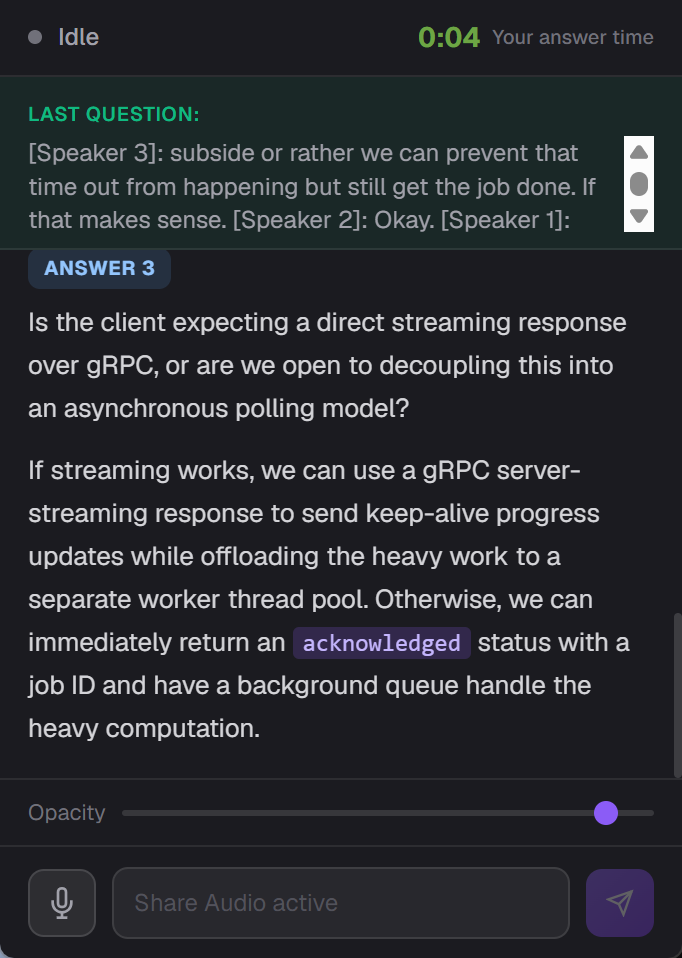
When I started importing the audio from my technical interview simulations into OphyAI, more issues came to light:
The text box is too small and can't be resized: The transcribed text appears in a narrow, fixed-height box within the picture-in-picture window. You'll only see a couple of lines of text at once. Also, I can't adjust the size, so I have to keep scrolling with the mouse to find the latest part of the transcript.
There was a failure to recognize the speaker: OphyAI's speech recognition engine couldn't tell the difference between the interviewer and the candidate. It didn't do a good job of showing who was speaking, and it ended up making a bunch of "ghost speakers." It was labeling the same person's comments as "Speaker 1," "Speaker 2," and "Speaker 3."
Contextual Confusion: The system mixed up the candidate's answers with the interviewer's questions, and OphyAI got totally confused. The answers it provided had nothing to do with the questions. They were more like summaries, and they always appeared when no question had actually been asked.
Delayed Responses and Other Mysteries: I feel like I have to point out some of the issues I noticed, because I really don't get how OphyAI didn't generate a response right away after a question. I paused the video after one question, and when I went back to it, there was a string of answers in the middle of the interviewee's answer. What was going on there?!
5. Severe Latency and the Playback Sync Bug
In real-life interviews, speed is key. But if it's more than 2 or 3 seconds, the silence can feel super awkward. OphyAI had a long lag time, too (it'd take about 3 seconds to transcribe). Plus, I found it had a bunch of logic and syncing problems during my OphyAI review test.
[0.0s] Interviewer finishes asking complex technical question.
  │
  ├─► [3.0s] OphyAI transcribes text, but NO answer is generated.
  │
  ├─► [6.0s] Still no suggestion. I pause the test video stream to check state.
  │          -> Result: Interface remains static; zero response generated.
  │
  └─► [8.5s] I resume video playback (Interviewer moves to Question #2).
             -> Result: OphyAI suddenly outputs an answer to Question #1!
When I paused the test video to check if the AI was still processing, the copilot module was totally idle, with no output. It just had a timer that tracked how long my responses took.
But as soon as I started the video again and the speaker asked the next question, OphyAI suddenly spit out a long block of text answering the last question. This glitch caused the tool to always lag behind the conversation, so its suggestions didn't really help.
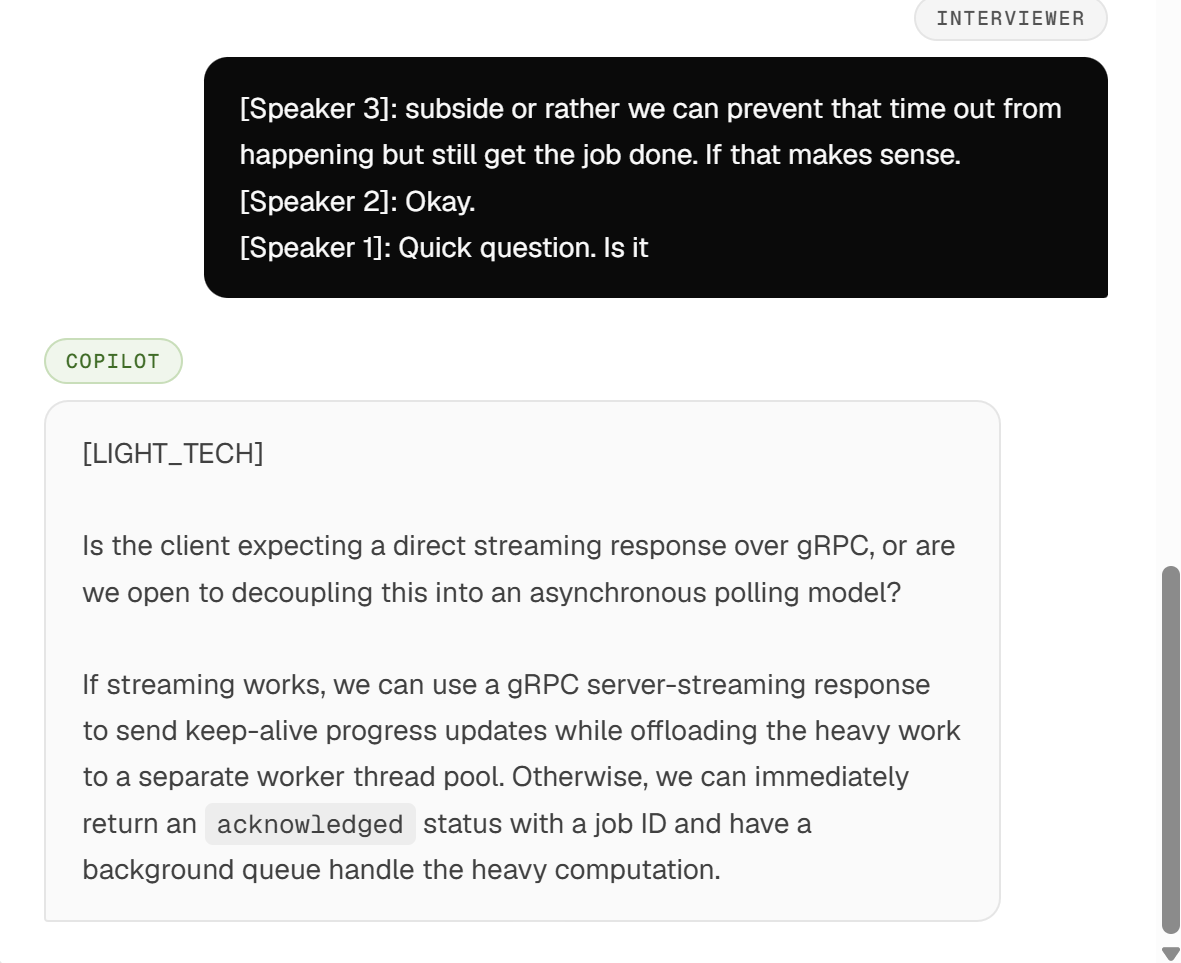
6. "Whisper Mode" Delivers Zero Audio Guidance
Since it's called "Whisper Mode," I naturally expected some kind of subtle audio cue—like a text-to-speech whisper through headphones or a discreet audio alert when an answer is ready.
To be honest, OphyAI's "Whisper Mode" is just a visual text box with no sound. I didn't find the audio guidance helpful, and the interface was hard to navigate. The pop-ups were distracting and difficult to ignore. Overall, I was disappointed that it didn't meet my expectations.
Searching for Better Solutions: OphyAI vs Alternatives
My disappointing experience with OphyAI highlighted a fundamental truth about the AI interview copilot market in 2026: Browser-based overlays and credit-restricted tools are inherently risky for high-stakes technical interviews.
When your career and job offer are on the line, you cannot afford software that leaks onto Zoom screen shares, locks up your mouse cursor, mangles speaker transcription, or runs out of credits halfway through a system design round.
To see how OphyAI compares to other top players in the market—including Final Round AI, Interview Sidekick, LockedIn AI, and Linkjob AI—I put together a feature and performance comparison matrix based on real-world engineering benchmarks.
Feature Comparison Matrix
Feature / Metric | OphyAI | Final Round AI | Interview Sidekick | LockedIn AI | Linkjob AI (Recommended) |
Core Architecture | Browser PiP (Document API) | Desktop App & Web | Browser Extension | Desktop Overlay | Native OS Stealth Pipeline |
Screen Share Safety | ❌ Low (Visible on Full Share) | ⚠️ Moderate (App Window) | ❌ Low (Browser Bound) | ⚠️ Moderate (Window Leaks) | 100% Invisible OS Driver Hook |
Cursor & UI Integration | ❌ Intermittent Lag / Focus Theft | ⚠️ Standard OS Window | ⚠️ Mouse Focus Glitches | ❌ Cursor Lock Bugs | Mechanical Pass-Through UI |
Response Latency | ❌ 6.0s – 9.0s (Sync Lag) | 4.0s – 6.0s | 4.5s – 7.0s | 3.5s – 5.5s | 1.1s – 1.8s (Instant) |
Model Ecosystem | Single Gateway Model | Proprietary Gateway | Single API Model | GPT-4 Vision | 120+ Premier LLMs (Claude Opus, GPT-4o) |
Context Integration | Single Tab Text | Resume + Audio | Basic Audio Stream | Screen Capture | Dual-Layer (Live Screen + Resume) |
Pricing Model | Credit Tiers ($29–$59/mo) | Expensive ($148/mo entry) | Flat ($19.99/mo) | Subscription ($40/mo) | $29.99 / Month (Billed Annually) |
Session Limits | ❌ Credit Restricted | Unlimited Tiers | Unlimited Tiers | Limited Tokens | Unlimited Real-Time Usage |
Why Linkjob AI Is the Clear Winner for Technical Interviews
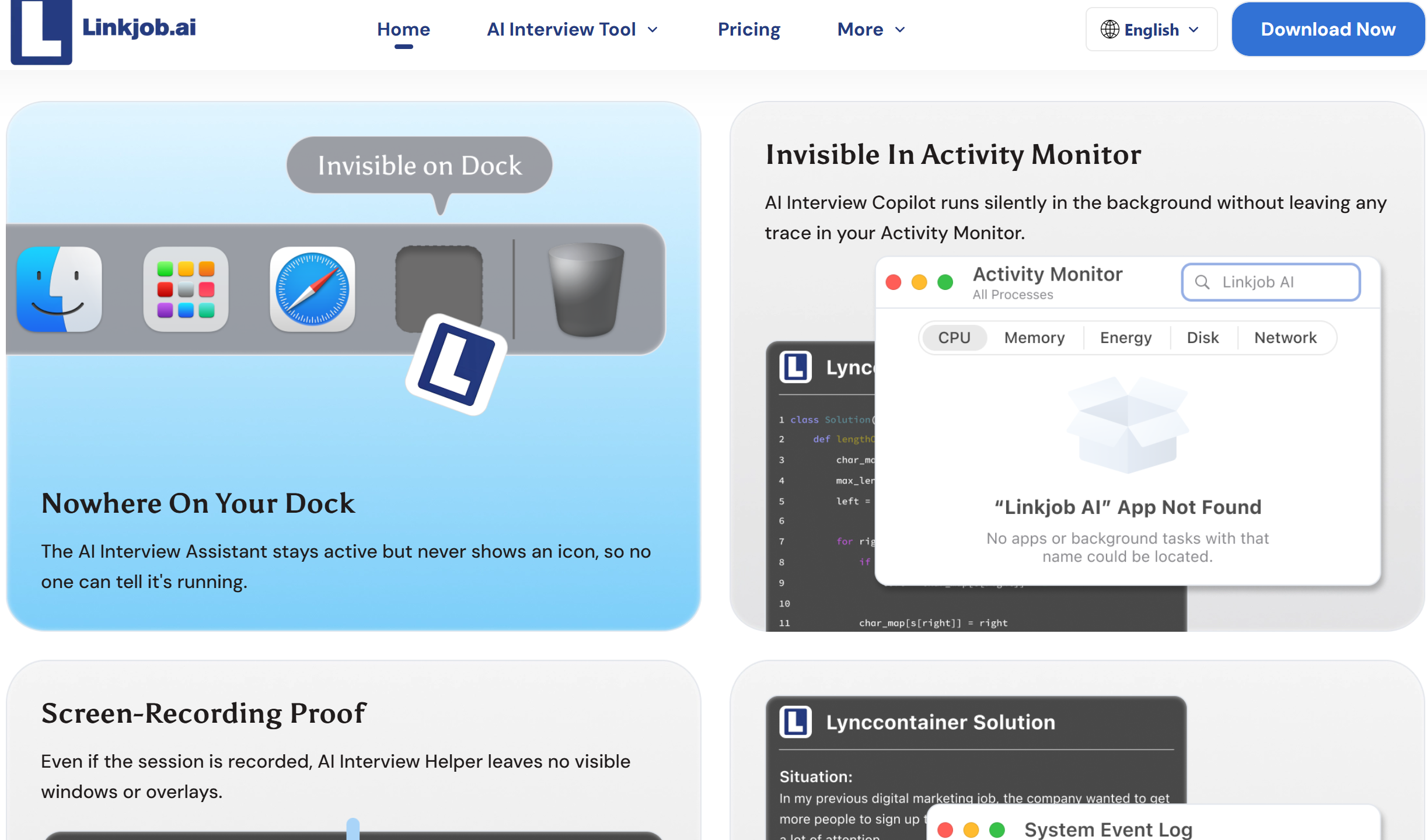
After experiencing the latency, screen leaks, and transcription errors of browser-based utilities like OphyAI, I tested Linkjob AI. Designed specifically to overcome the architectural flaws of traditional interview copilots, Linkjob AI operates on an OS-native framework built for high-stakes technical and behavioral rounds.
┌─────────────────────────────────────────────────────────────────┐
│                   Linkjob AI Architecture                       │
│                                                                 │
│  [ OS Driver Stealth Engine ]  ──> [ Mechanical Pass-Through ]  │
│                                            │                    │
│                                            ▼                    │
│  [ Dual-Layer Context Engine ] ──> [ Sub-1.8s Latency Output ]  │
│    (Screen Parsing + Resume)        (120+ Premier Models)       │
└─────────────────────────────────────────────────────────────────┘
Here is why Linkjob AI consistently outperforms OphyAI and other legacy tools across every key operational metric:
1. True OS-Level Stealth Driver Pipeline
Unlike OphyAI, which relies on fragile browser Picture-in-Picture APIs that get captured during desktop sharing, Linkjob AI bypasses standard window managers entirely. It operates beneath display capture APIs at the operating system driver level.
Whether you are sharing your full desktop, a single monitor, or specific windows on Zoom, Microsoft Teams, Google Meet, or Webex, Linkjob AI’s interface remains 100% invisible to interviewers and proctoring software.
2. Mechanical Pass-Through UI (Zero Cursor Interference)
One of the most dangerous flaws of desktop overlays is cursor focus theft. When you move your mouse over a traditional floating window, the OS intercepts your cursor, causing mouse stuttering, loss of focus in VS Code or CodeSignal, and awkward typing delays.
Linkjob AI solves this with a Mechanical Pass-Through UI. The overlay is completely transparent to mouse clicks and keyboard events. You can type, highlight code, and run tests inside your IDE seamlessly, as if the overlay isn't even there.
3. Sub-1.8s Latency Powered by 120+ Premier Models
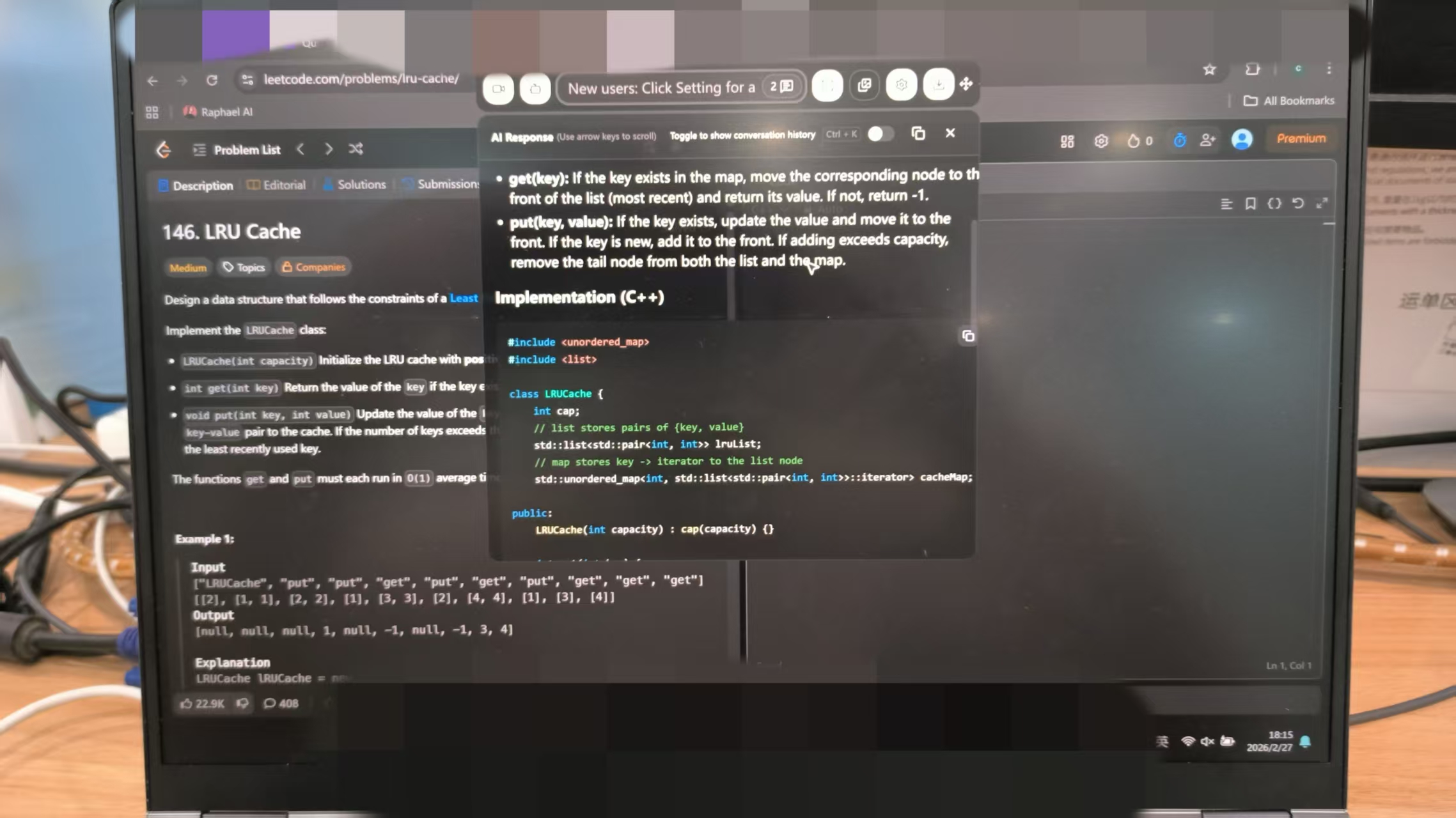
While OphyAI stutters through a 6 to 9-second audio processing loop, Linkjob AI uses instant multimodal screen parsing. It visually reads the technical question or code snippet directly off your display and connects directly to top-tier reasoning models—including Claude 3.5 Sonnet, Claude Opus, GPT-4o, and Gemini 1.5 Pro.
Answer suggestions are rendered as concise, action-oriented bullet points in 1.1 to 1.8 seconds, allowing you to maintain a natural, fluid dialogue with your interviewer.
[0.0s] Interviewer displays a Go concurrency problem on CodeSignal.
  │
  ├─► [0.4s] Linkjob AI OS driver visually parses screen content.
  │
  ├─► [1.2s] Dual-layer engine merges screen code with candidate resume context.
  │
  └─► [1.6s] Streamlined solution & concise talking points appear on screen.
4. Dual-Layer Context Engine
Linkjob AI doesn't just analyze the text on your screen; it combines real-time screen analysis with your uploaded resume and career history. When an interviewer asks behavioral or system design questions, Linkjob AI structures its suggestions around your actual past projects, technical stack, and achievements—eliminating generic, robotic AI responses.
5. Superior ROI and Unlimited Flat-Rate Pricing
OphyAI’s credit system creates constant anxiety about running out of usage mid-interview. Final Round AI charges an eye-watering $148 per month for its entry tier.
Linkjob AI breaks this trend by offering flat, transparent pricing at $29.99/month (billed annually). There are no session credits, hidden fees, or tier restrictions. You get unlimited live interview sessions, complete OS stealth, and access to the industry's best LLM models at a fraction of the cost.
Final Verdict on This OphyAI Review
OphyAI attempts to position itself as a low-cost, multi-tool solution for job seekers. However, as a real-time interview copilot, it falls short of what modern technical candidates need.
Its reliance on browser-level Picture-in-Picture APIs means it cannot guarantee privacy during full desktop screen shares. Add in an aggressive paywall-heavy UI, repeated setup errors, broken speaker diarization, severe playback latency, and a credit-restricted pricing model, and OphyAI becomes a high-risk tool to rely on during a live call.
If you are a job seeker or software engineer preparing for competitive technical loops in 2026, do not compromise on stealth, speed, or reliability. Tools like Linkjob AI provide true OS-level invisibility, sub-1.8s response times, and seamless cursor pass-through, giving you the real-time support you need without the fear of detection or technical failure.
Frequently Asked Questions (FAQs)
1. Can interviewers see OphyAI’s "Whisper Mode" during screen sharing?
Yes. While OphyAI claims Whisper Mode is invisible, it relies on the browser's Document Picture-in-Picture API. If you share your entire desktop screen on Zoom, Google Meet, or Microsoft Teams, the floating panel will be visible to the interviewer. True invisibility during full-desktop sharing requires OS-level stealth, such as that used by Linkjob AI.
2. Does the $29/month OphyAI plan include the Coding Copilot?
No. The $29 Pro plan only includes live Interview Copilot, resume building, cover letter generation, and application tools. To access the Coding Copilot and Whisper Mode, you must purchase the Premium ($59/mo) plan.
3. How does OphyAI’s credit system work?
OphyAI uses a credit-based consumption model where each live copilot session consumes roughly 15 credits. These credits are shared across all platform features (resume builder, cover letter generator, mock sessions). If you use OphyAI's application tools heavily, you may run out of credits for live interview sessions before your billing cycle ends.
4. What makes Linkjob AI a safer alternative than OphyAI?
Linkjob AI operates at the OS driver level rather than inside a browser window. This guarantees 100% screen-share invisibility during full-desktop shares, prevents cursor lock bugs in code editors, delivers responses in under 1.8 seconds using premier models (Claude Opus, GPT-4o), and offers flat-rate pricing with no session credit limits.
See Also
Testing Verve AI Performance In Live Job Interviews Today
Parakeet AI vs InterviewMan: Live Test & Review (2026)
An Authentic Personal Assessment Of The Updated InterviewPal Platform
