Honest Ultracode AI Review After Real Tests: Worth It or Not

To be brief, I tried out Ultracode AI for myself, and I don't think it's worth the money for most people
You can see me picking up its weaknesses in my blog about the best Ultracode AI alternative, and can also find something related to this in my passage on Ultracode AI risks.

I would have said that three months ago, it wasn't great for people looking for a job on a tight budget. But after some unexpected developments, investigations and tests recently, here's my final verdict: Ultracode AI is expensive and unreliable. Since so many people are using it these days, different OA platforms can now filter out candidates who use Ultracode AI. So I don't reckon now's the right time to buy that overpriced package.
Wanna know what's really going on? Keep reading and I willk tell you one by one.
Before Ultracode AI Review: What Is Ultracode AI?
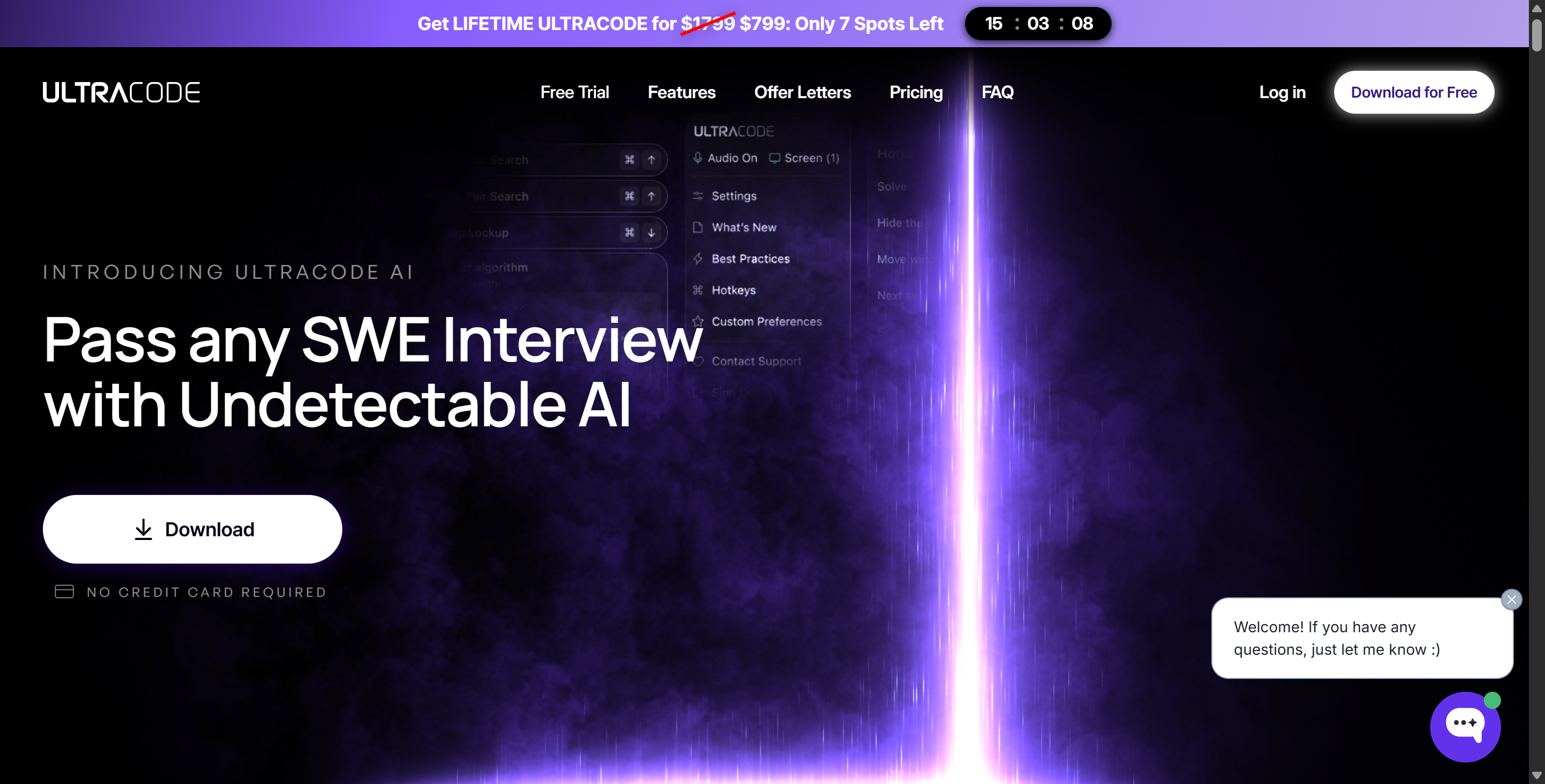
So, this section's mainly for folks who either don't know anything at all about Ultracode AI or are new to it. But even for those of us who really know the ins and outs of it, let's take a quick look at the main features and audience of Ultracode AI to see if there have been any useful updates compared to 2025.
Main Features
When I first tried Ultracode AI, I noticed how it stands out from other ai tools. The platform offers several features that make coding easier and more efficient. I found the different assistance modes helpful. Sometimes I wanted a full solution, other times just a hint. The tool adapts to my needs.
Here’s a quick look at the main features it should have provided:
Features It Should Have | Description | Why It Matters |
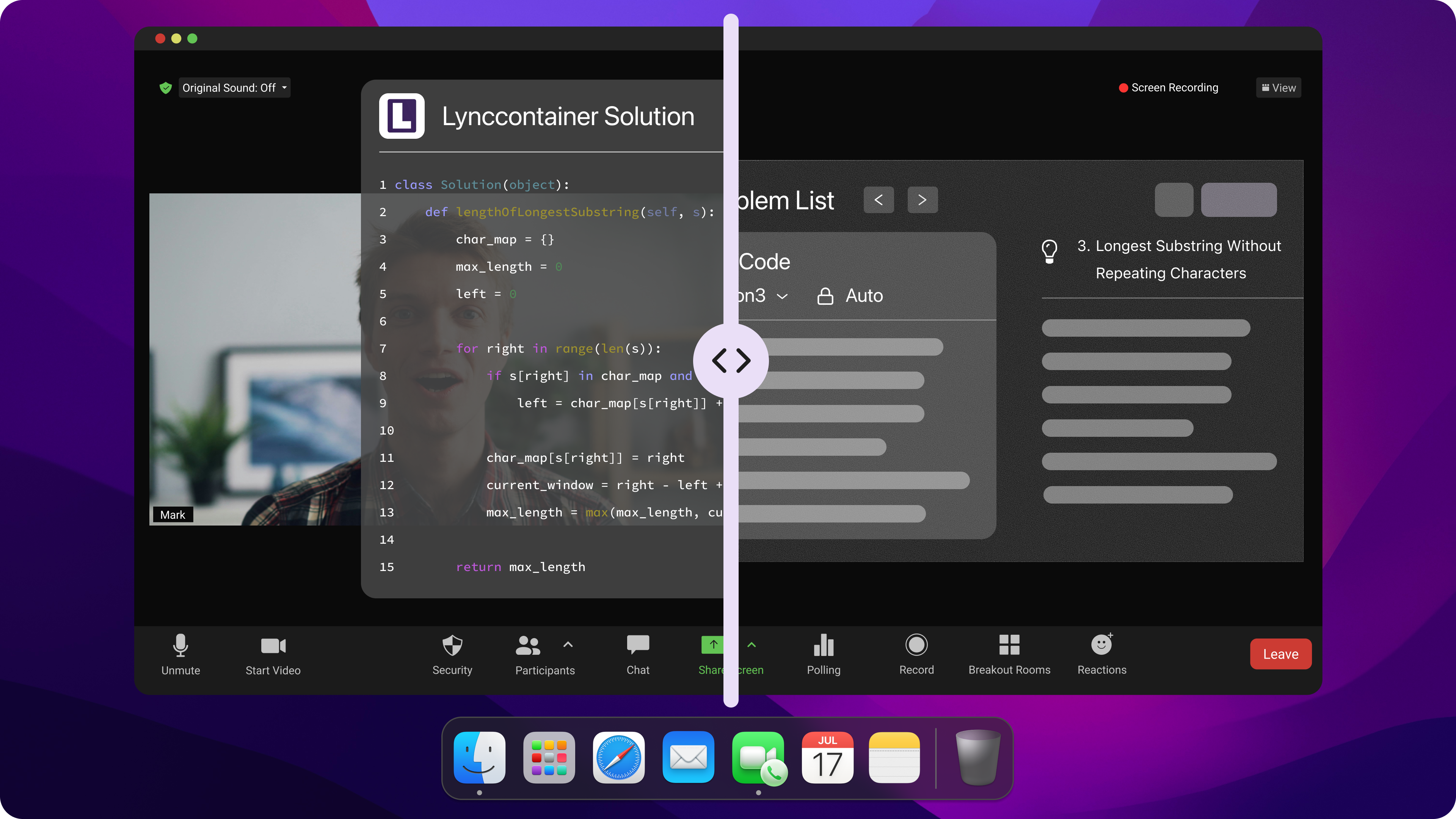
100% Undetectable Architecture | Uses OS-level hooks and native hotkeys to remain entirely invisible. It leaves zero trace on macOS or Windows and does not show up on Activity Monitors. | You can share your whole screen when you're on Zoom, Microsoft Teams, HackerRank or CoderPad. This means that your interviewer (or the proctoring AI) won't be able to see the tool. |
Beyond LeetCode (System Design) | Ultracode knows how to solve problems in advanced system design and object-oriented design, and has good knowledge of general-purpose languages. | It covers all the tricky parts of the interviews, like drawing diagrams of architecture or talking about trade-offs, which are typical parts of the process. |
ThoughtFlow™ Solutions | It gives you a step-by-step explanation of how it works and says what each line of the code does. | This should help you to avoid coming across as though you're reading directly from a script. |
Screen + Audio Processing | This AI can read what you've written in your code editor while also writing down what the interviewer says through your microphone and speakers. | If the interviewer asks something you didn't see coming, or suddenly asks a follow-up question, the AI should spot this and generate a response. |
Fine-Tuned SWE Models | Runs on specialized, fine-tuned versions of cutting-edge models like OpenAI O3, O4 Mini High, and GPT-5.2. | It uses a model that's been specially trained by engineers to write code.. |
Weekly Evasion Updates | The dev team releases weekly detection results, either hidden or not, specifically for platforms such as CodeSignal. | Make sure it's reliable and that it won't suddenly stop working when the interview platform updates its security. |
I say these features, which sound so great, are what it should have for good reason. What I mean is that the reality is nowhere near as good as Ultracode AI claims. To be honest, I often feel like I've been ripped off for a fortune, only to end up with such a clunky tool, lol.
I'll explain more later about what's wrong with these features that seem great at first, like being 100% invisible, weekly checks and models trained specifically for the system.
Target Users
I think Ultracode AI is really going after the high-achieving students and people in their mid and late twenties who are looking for jobs. After all, the company positions it as a tool designed for programming interviews, and it says it can help solve more advanced programming questions.
Another thing to think about is that teachers and mentors might also be a good group to focus on. You can use them to explain how programming works or to do practice exercises in design without having to spend hours writing prompts and training free models that can't do much.
Ultracode AI Review: Real-World Testing, and My Personal Thoughts-- Is Ultracode Worth It?
Setup & Usability
So, when I started writing this UltraCode AI review, the first thing I did was install the platform on my laptop.
The whole installation and setup process was really straightforward. So, I downloaded the installer, followed the prompts, and connected it to my main programming platform. I barely had to adjust any settings.
But there was one issue: the interface wasn't that intuitive for a tool in this price range. I wasn't sure where to start and there was a lack of organisation in the way things were laid out, which made me keep getting distracted.
Performance Issue
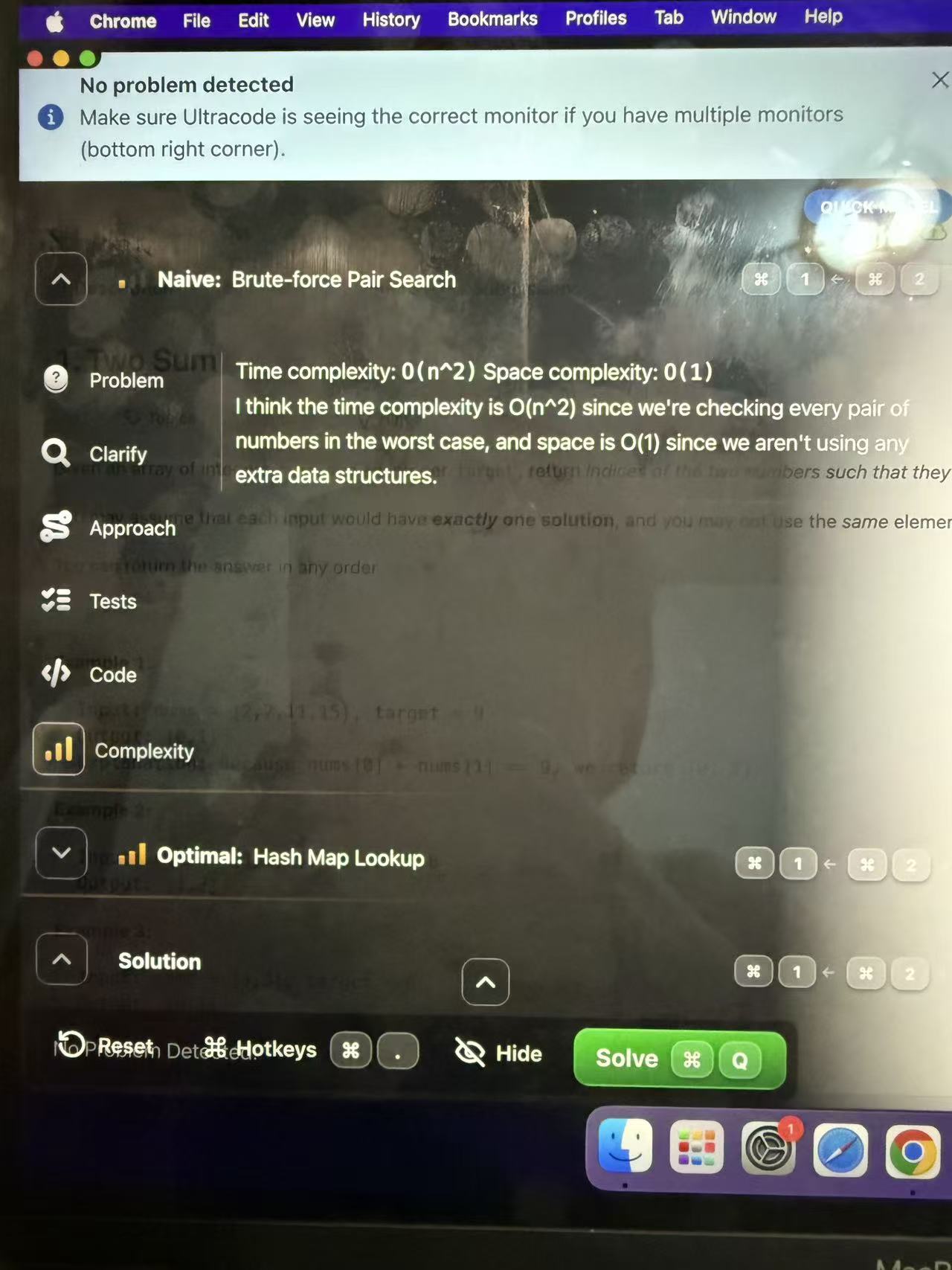
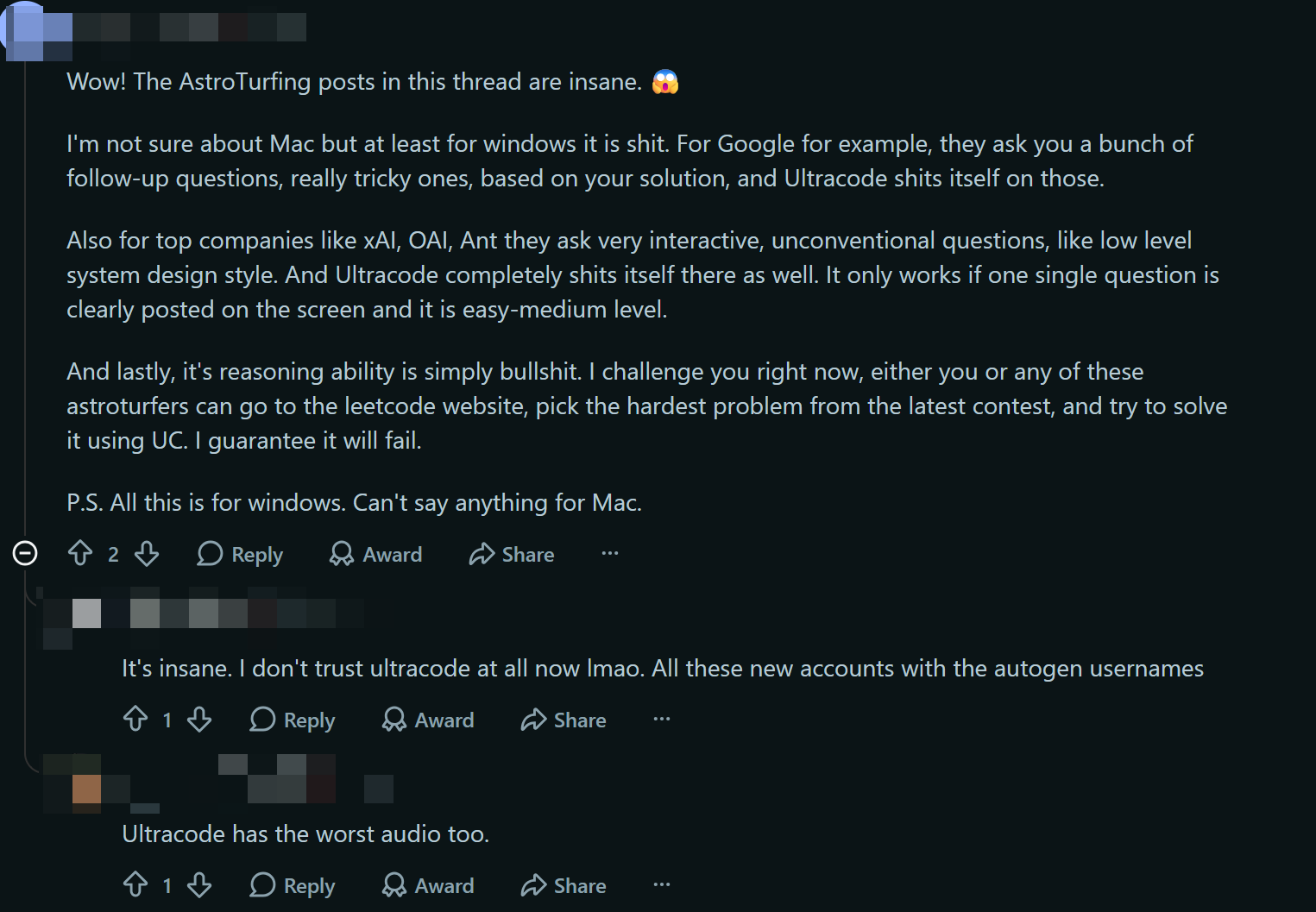
I haven’t encountered any lag, freezes, or blank/black screens while using Ultracode AI myself, but I do find its programming capabilities to be quite basic. When I tried using Ultracode AI to solve some new LeetCode system design challenges, I found that its solutions were roughly the same as what I’d get if I just opened any ordinary LLM and uploaded a screenshot of the problem.
Although it provides step-by-step explanations, the quality of the answers remains poor—they’re very basic and unsuitable for mid-to-senior-level roles.
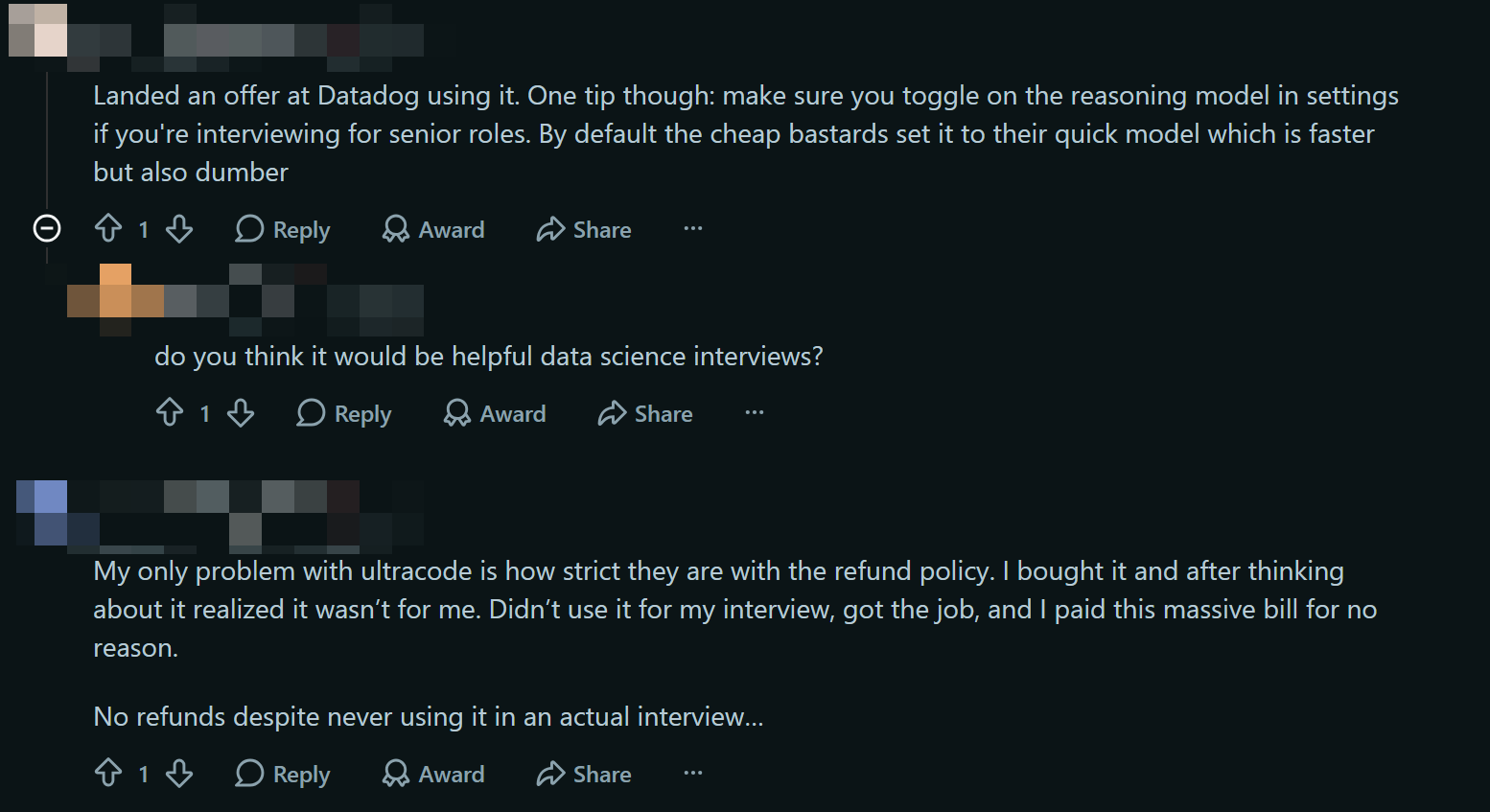
I couldn’t help but wonder if I was the only one experiencing this, as I suspected it might be an issue with my settings. Later, I found that some users have reported Ultracode AI often uses lower-spec models to cut costs, which is truly frustrating—after all, you’re paying extra only to get poor results.
So, to summarize:
Users generally agree that Ultracode AI performs poorly on difficult problems and is even unable to solve most of the latest problems on LeetCode.
In fact, Ultracode AI uses a faster model by default, which results in a rather poor interview experience.
Ultracode AI Detection Rumors (Latest From Reddit)
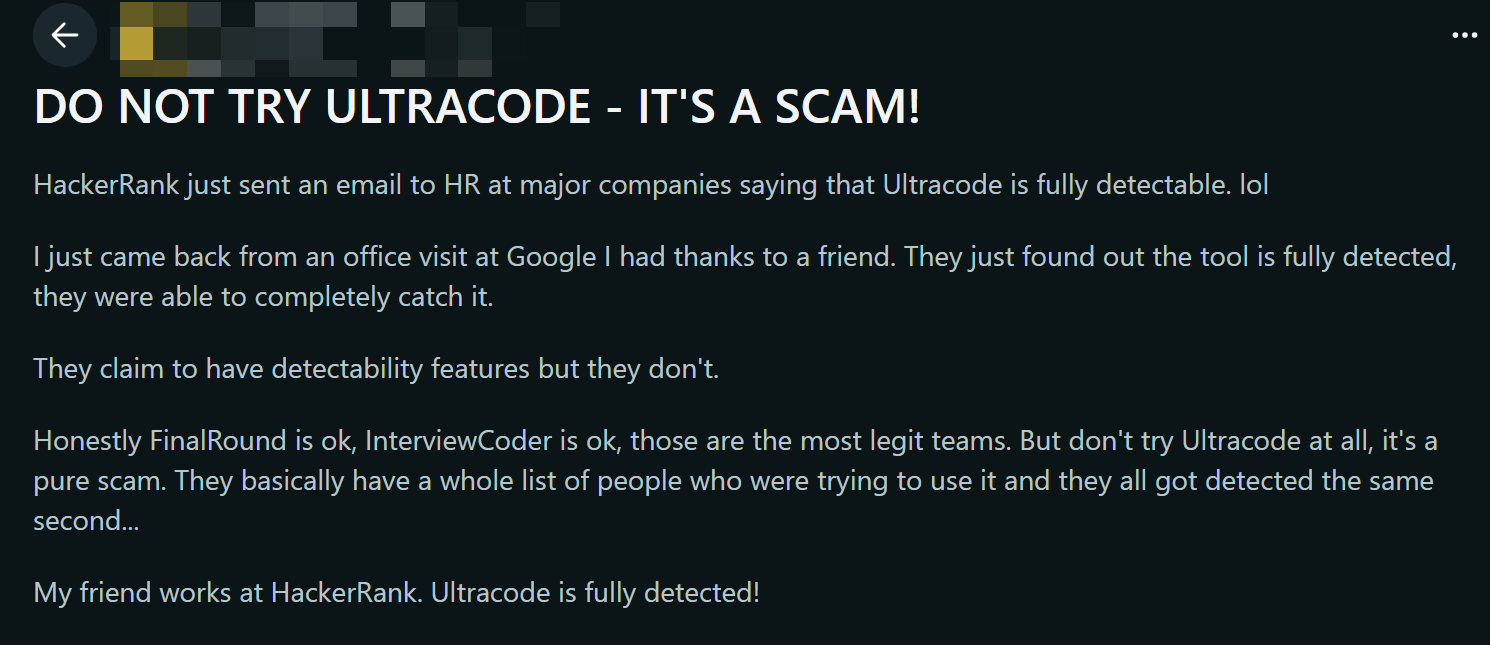
I must admit, though, that I find this rather amusing, but Ultracode AI claims to be the only completely invisible AI interview assistant on the market. That being said, I've recently come across several cases on Reddit (posted from different genuine accounts) where job seekers were caught using Ultracode AI, and some were even disqualified after they had already completed the onboarding process.
Spending over $700 on a tool, only to lose a job opportunity because of it? Honestly, it's just not worth it.
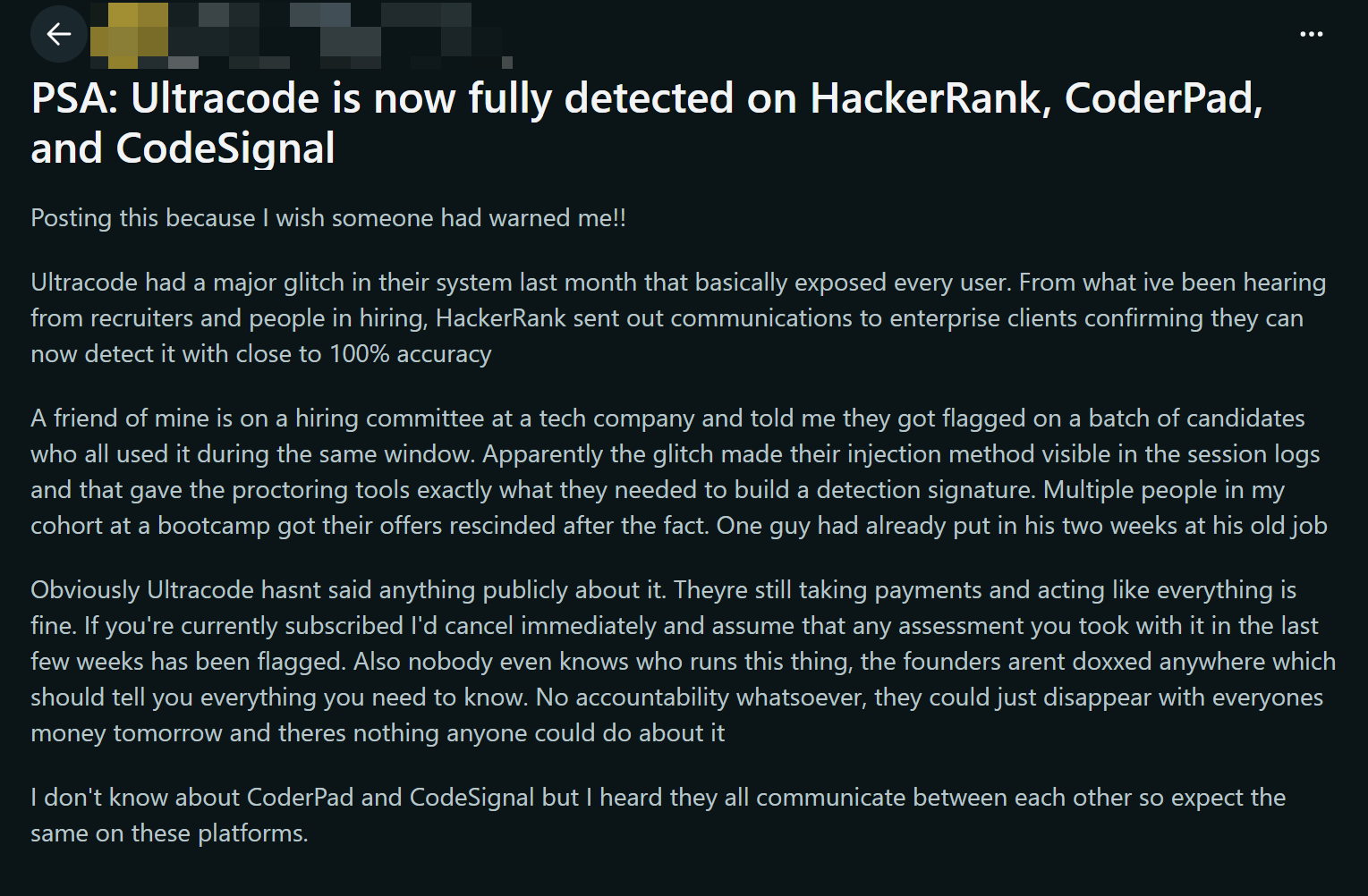
I did some more digging, and found out that it was due to a recruitment agency that was using Ultracode AI a lot. Unfortunately, at that exact moment, Ultracode AI had a major bug that left its injection methods totally exposed to the proctoring software, making its whole overlay visible to both the interviewer and the company.
So, major coding interview platforms like HackerRank, CodeSignal and CoderPad have upped their anti-cheating game, and Ultracode AI is now easy to spot.
Even more shocking is the fact that, as far as I know, anyone who's caught cheating hasn't been given a refund by Ultracode AI, and the Ultracode AI development team is ignoring this bug while still pushing their system as completely invisible and secure.
Problematic Price and Refund Policy
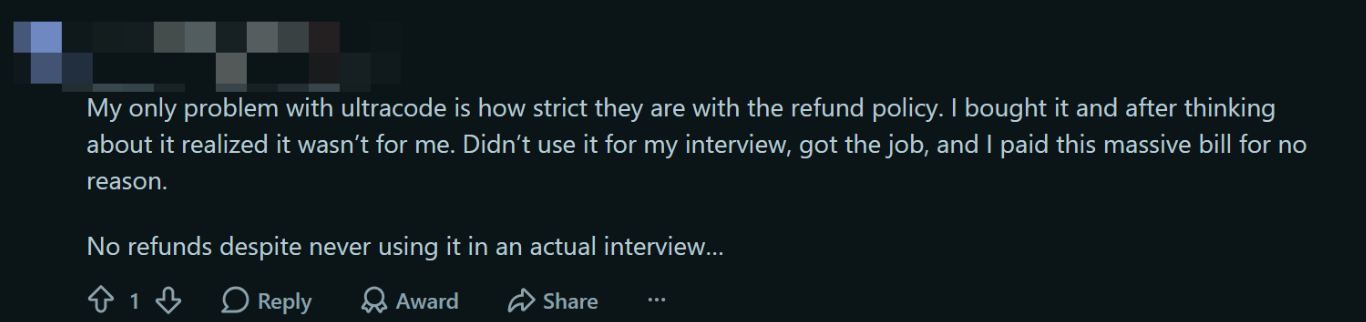
Despite the people who could not get a refund even after detection accidents, some Reddit users have also said that the refund policy is too strict and that the price changes too often too. I think mine cost around $799, but I know others who paid the full $1,799 price and some who even got it for as little as $650.
Unfortunately, they are just unable to offer a refund for this. You won't be able to get your money back, even if you haven't used the service at all. LOL.
I really think you need to think hard about whether buying Ultracode AI is a smart move, especially with the tough economy we've got at the moment. I'm just not sure it's a wise use of funds to splash out on a gimmick when you could get a proper tool for the job.
Ultracode AI Review Summary: Pros and Cons
Advantages
I'd say that, setting aside all the issues we've talked about before, Ultracode AI does have some good points:
It's got your back with custom keyboard shortcuts, helping you outsmart those AI proctoring systems that pick up on regular key combinations.
It's pretty quick, and it explains the code really well.
You can see shortcut prompts directly on the overlay, so there's no need to click the help menu.
It gives great answers to well-known questions.
Having said that, you can't make up for the product's glaring shortcomings with these advantages. There's a reason why the product is so expensive and why you have to pay for it all in one go.
Drawbacks
So, let's sum up:
The biggest drawback—technical glitches make the app completely detectable, meaning it cannot guarantee invisibility.
A development team that won't fix bugs, says no to refund requests, and doesn't take responsibility for the major issues their product causes.
Prices are high and keep going up and down a lot (between about $650 and $1,799).
A really big window, see-through and floating that you can only control by using keyboard shortcuts.
……Maybe it's not as bad as it seems? Okay, I've got to tell you, it really is pretty terrible. That's why I'm looking for alternatives: I'm trying to get to grips with this difficult job market, and this awful AI tool might just get me sacked! How ironic.
Ultracode AI Value for Money
Pricing
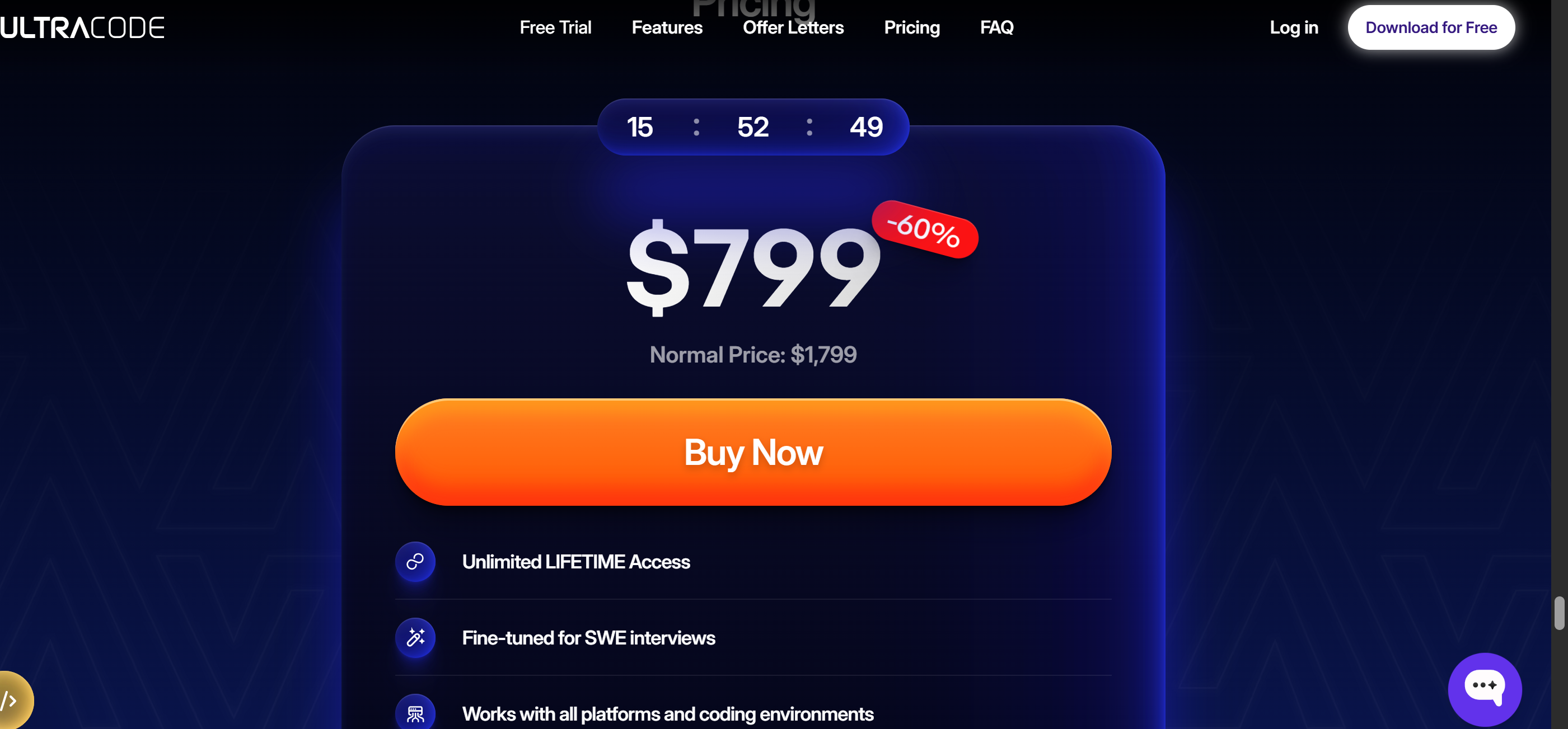
Is Ultracode AI Worth It?
If you:
are not price-sensitive
have plenty of money to spare
do not plan to use hidden AI interview assistants to help you answer coding questions during interviews
simply want a more convenient tool than a self-configured LLM to help you practise
Then, I reckon Ultracode AI is worth a shot, even if it's not the best solution. But if you can't use any of these, I'd recommend avoiding Ultracode AI as there are plenty of other cheaper, more reliable options on the market offering better customisation and in-depth debugging capabilities.
Possible Alternatives to Ultracode AI
I checked out other AI coding tools to see how they stack up. Linkjob AI stands out with its affordable subscription and wide range of customization options. It gives step-by-step guidance, which helps if you want to learn coding at your own pace. Interview Coder Plus also offers a lower-commitment path, so you don’t have to pay a big lifetime fee right away.
Here’s a quick look at how Ultracode AI compares to Linkjob AI:
Feature | Ultracode AI | Linkjob AI |
|---|---|---|
Pricing | $1,799 lifetime | $29.99/month (subscription) |
Customization Options | Limited | Wide range |
Real-Time Assistance | Instant support | Step-by-step guidance |
If you want a tool focused on technical interview prep and coding challenges, Ultracode AI delivers. If you prefer more flexibility and a lower price, Linkjob AI or Interview Coder Plus might fit better. I suggest thinking about your coding goals and budget before making a choice.
Final Verdict After My Honest Ultracode AI Review
Summary
I've been using Ultracode AI for a while now, and I have to say that it hasn't really lived up to most of the promises it made. To be honest, this tool hasn't actually made my coding process any faster or easier. It's got instant assistance and clear explanations, but it's basically an overpriced AI co-pilot designed for entry-level roles.
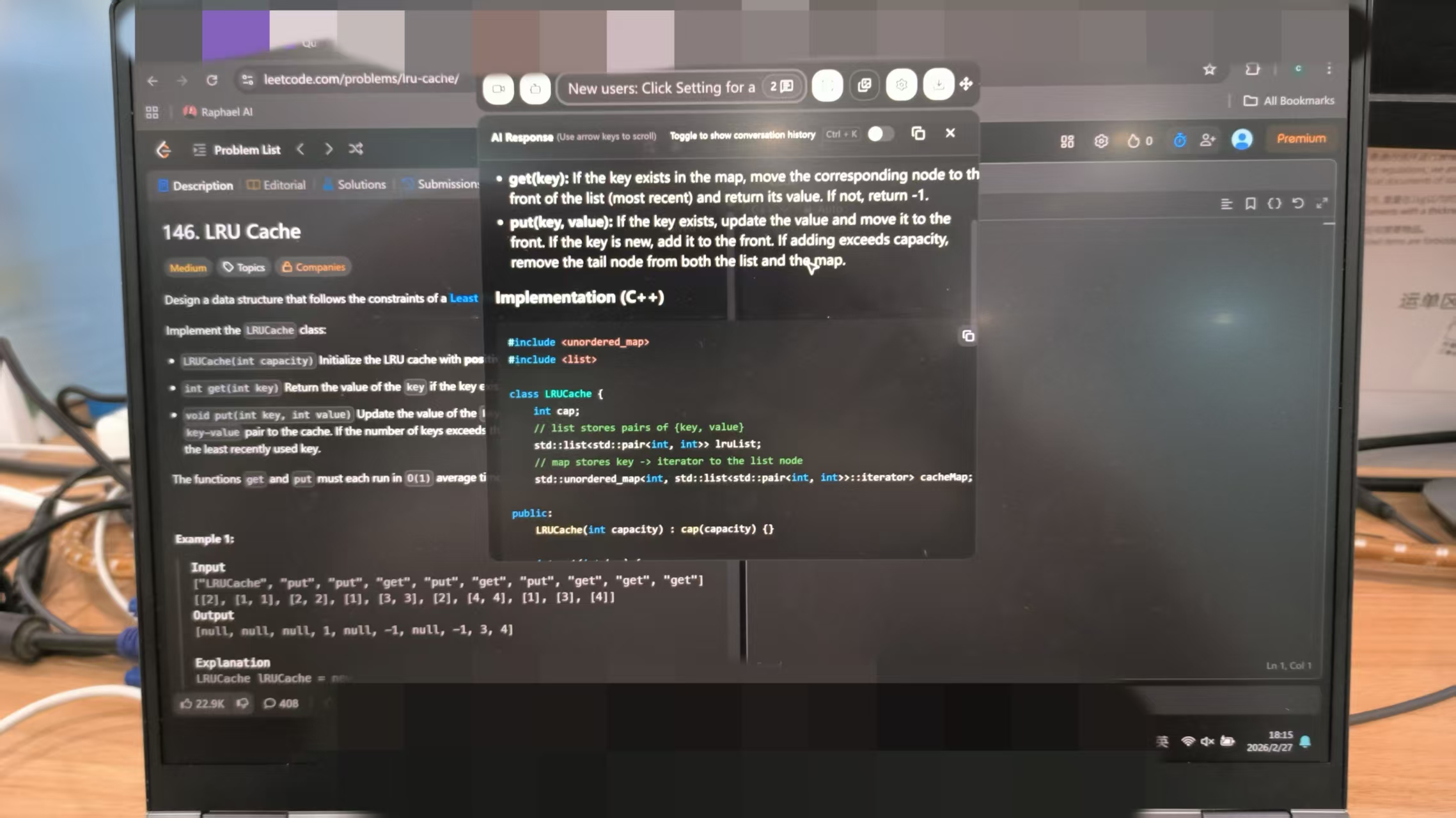
Before you decide, I'd like to highlight a few points. Ultracode AI is great for helping you learn faster. It helps me experiment and get things done faster, but it can't replace my own thinking or code review process. I always check the code that's been generated in my editor before I use it. If I can't explain the code, I know I'm still responsible for it.
Here are the main things I've learned:
Ultracode AI can help you get your coding tasks done faster and solve tricky problems.
It can't replace hands-on design or careful code reviews.
I've got to check every solution before I use it.
I've got to stay sharp and keep learning if I'm going to rely on AI.
Even if you've got top-notch code, you still need to think things through.
Tip: Think of Ultracode AI as a smart assistant, not a crutch. Stay on top of your learning by reviewing every answer.
FAQ
Is Ultracode AI tricky to set up?
I found the setup process to be both quick and simple. I downloaded the installer, followed a few prompts, and was up and coding in no time. But seeing all the keyboard shortcuts and text on the screen made me feel a bit overwhelmed.
Do you think Ultracode AI could be useful for helping with coding interviews?
I don't think so. It does give you real-time hints and solutions when you're practising, but after looking into its security, I think Ultracode AI is currently too risky to use in formal interviews.
Is it safe to use Ultracode AI in a real interview?
It's not safe at the moment. The tool says it's undetectable, but there are loads of reports from real Reddit users who've been caught using Ultracode AI.
What if Ultracode AI gives the wrong answer?
I always read every solution really carefully before sending it off. Sometimes the AI gets it wrong, so I keep an eye out and check the code in the editor. It's important to trust but verify.
Does Ultracode AI support multi-device use?
No, it doesn't. It uses a single-device licensing model. Just use one device to make sure everything runs smoothly.
See Also
Discover The Top Alternative To Ultracode AI: Linkjob AI
My Review Of LockedIn AI: A 3.6-Star Experience
Top 5 Invisible AI Tools For Interviews: 2026 Insights
Final Round AI Review: Why It Didn't Meet My Expectations
Explore The Leading Alternative To Verve AI Interview Copilot
Why People Choose Linkjob AI
Smoother interviews, coding challenges cleared, and job offers landed. See how users describe their experience with Linkjob AI—in their own words.


© Copyright 2026 Linkjob AI - All Rights Reserved.