6 Best AI Coding Interview Assistants in 2026: Review & Comparison

In 2026, I have seen many AI coding interview assistants for job seekers that provide AI help on online testing platforms such as HackerRank, CodeSignal, CoderPad, and more. Some of them can even remain undetectable while sharing the entire screen on meeting platforms like Google Meet, Zoom, Microsoft Teams, and others.
However, their quality varies. To select the most effective AI coding interview helpers, I considered several of the most important functions and features for an AI coding interview tool:
Feature | Description |
|---|---|
Undetectable Operation | Top priority: Invisible and undetectable to monitoring systems. |
On-Demand Problem Solving | Quick analysis and solution generation, delivering complete, bug-free code ready for execution. |
Interview Platform Compatibility | Works with platforms like HackerRank, CodeSignal, CoderPad, Google Meeting, Microsoft Teams, Zoom, etc. |
Multi-language Support | Supports languages like Python, Java, JavaScript, C++, etc. |
Explanation Generation | Provides reasoning behind solutions. |
Performance Optimization | Suggests improvements for time and space complexity, etc. |
Ease of use | The undetectable global hotkeys make operation more convenient, and there is no need to use a mouse to trigger actions, ensuring that mouse trajectories cannot be tracked. |
After filtering through the evaluation criteria mentioned above, only six products made it to the review stage. They are:
Linkjob AI
Finalround AI
Lockedin AI
Interview Coder
Parakeet AI
Cluely
The products mentioned above more or less meet the need for stealth AI assistance during coding interviews. However, for those seeing them for the first time, it can still be difficult to understand their specific differences. Below is my evaluation of each AI for coding test. Following the reviews, I will summarize their respective advantages and pricing.
1. Linkjob AI- Best Undetectable AI Coding Interview Assistant Overall
Overview
Linkjob AI is an invisible AI coding interview assistant that also provides a live interview copilot. Compared to other products, its most prominent feature is the claim of remaining undetectable under any circumstances. As a desktop application that does not rely on a web browser, its technical advantages allow it to remain undetectable even while sharing the entire screen. It cannot be discovered by active tab detection or multiple monitor detection. Furthermore, the operating-system-level global hotkeys feature helps it bypass mouse trajectory tracking and makes it much more convenient to use.
Features
Here’s what makes Linkjob AI unique:
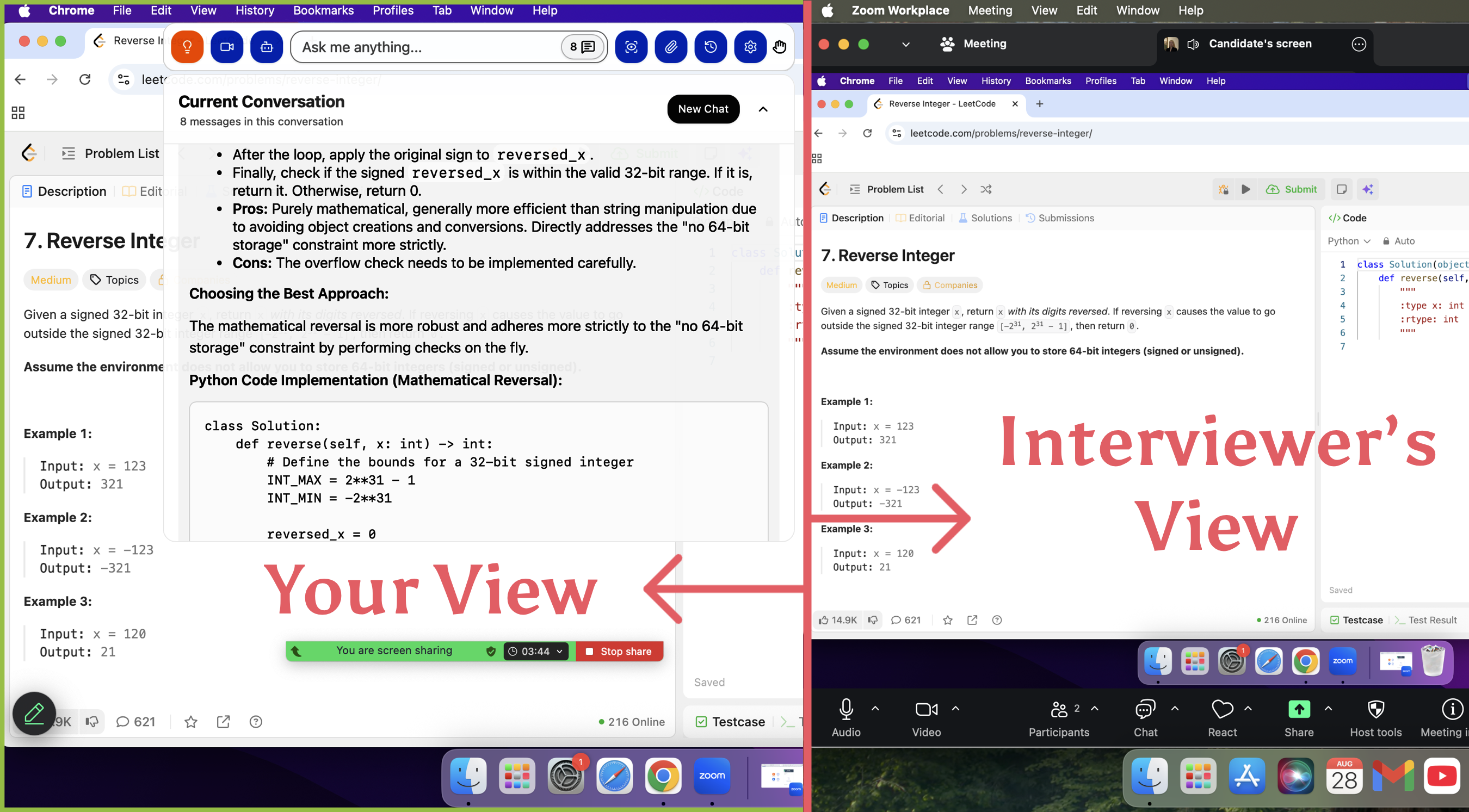
Invisibility: Runs 100% undetectable during live interviews and coding assessments. The icon in the dock can be hidden. The answer box is on a top-level floating layer, so it will not be detected by the online testing and meeting platforms underneath. At the same time, it can also achieve cursor undetectability.
Ultra-low latency: The promotion says it can deliver AI-generated answers in under a second for real-time assistance. But when facing coding problems, the actual speed is a bit slower, definitely more than one second. I think it takes about 3-5 seconds, because coding problems are after all more difficult than regular questions. However, it still answers regular questions quite quickly, generating them in about 1-2 seconds.
Multi AI model support: Provides over 100 of the latest mainstream AI models, including GPT, Claude, Gemini, Grok, DeepSeek and more.
Multi-language support: Supports 30+ AI response languages. As for input, sometimes it is a bit too sensitive and will recognize background noise as a sentence. I suggest it is best to adjust this in the settings before the interview.
Multi programming language support: Supports languages like Python, Java, JavaScript, C++, etc. This is also something I recommend setting up in the prompt before the interview, otherwise it defaults to Python.
Multi-platform compatibility: Supports common meeting platforms such as Google Meet, Zoom, Microsoft Teams, Amazon Chime, Slack, etc.; online testing platforms such as HackerRank, CodeSignal, CoderPad, CoderByte, Sova, etc.
Supported Operating Systems: Mac & Windows.
Screen Capture Feature: I can preset prompts or manually enter instructions for the AI after taking a screenshot. Both full-screen and specific area captures can be completed via one-click actions or undetectable global hotkeys. For long coding problems, multiple screenshots can be captured; the AI can process up to 6 images at once. I find the feature to upload multiple photos very practical, and it seems that other AI assistants do not support this.
Adjustable Transparency & Movable Answer Panel: I can freely adjust the transparency and move the answer panel to a suitable position. The answer panel can be freely collapsed or expanded.
Global Hotkeys: Supported, and they can be customized.
Custom Prompts: Supported. I can provide the AI with code snippets I have written before to let it mimic my coding habits. It also allows me to specify the way it outputs answers. Additionally, I can provide my resume and the position I am applying for to ensure more natural responses when answering follow-up questions from the interviewer.
Answering Interviewer Follow-up Questions: Supports automatic recognition of the interviewer's questions and generates context-based AI answers. No need to manually click start or end.
Provides Chat History: Supported. I can also continue to talk with the AI in the chat history.

2. Finalround AI- Best AI Coding Interview Assistant for Versatile Interview Formats
Overview
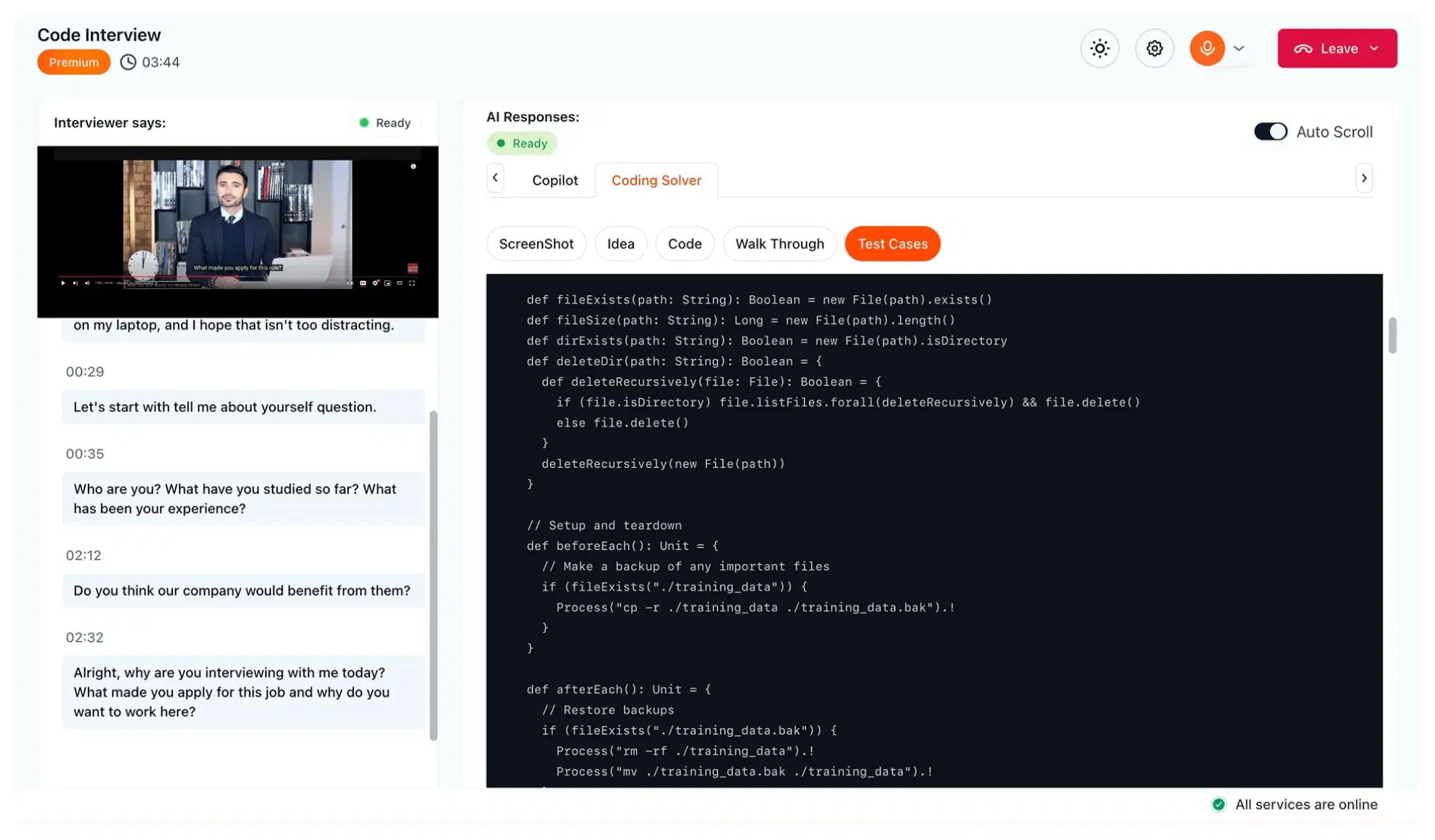
Finalround AI’s main selling point is the ability for the AI to answer interview questions based on a resume and past experiences. Its coding interview assistant is also claimed to be invisible, but in reality, this invisibility is conditional because it is web-based. Therefore, it has no way to handle the requirement of sharing the entire screen. As everyone has shifted toward desktop-level applications, these types of products that are still based on web browsers or Chrome extensions can no longer keep up with increasingly strict detection mechanisms.
Features
Here’s what makes Finalround AI unique:
Web-based product: While it can remain invisible when sharing only a single tab, the product is fundamentally web-based and lacks operating-system-level undetectability. Therefore, it still cannot solve the issue of being exposed during full-screen sharing.
Active Tab Detection: The AI monitors the coding environment using active tab detection and only activates when the user is actually using an online coding interview tool. In other words, Finalround AI works within a tab and is only activated when in use. However, it is hard to say whether this can bypass the active tab detection of online testing platforms.
Webcam Proctoring: It adjusts the user interface based on webcam signals to ensure users stay focused during the interview process while appearing fully engaged.
Multi-platform compatibility: Supports various meeting and interview platforms such as Zoom, HackerRank, CodeSignal, CoderPad, Amazon Chime, and Microsoft Teams. As long as these platforms are used within Chrome, Finalround AI can run in a separate tab to provide AI answers.
Support for multiple coding languages: Supports various coding languages including Python, JavaScript, Java, C++, and more.
3. Lockedin AI- Best AI Coding Interview Assistant for Flexible Pricing Plans
Overview
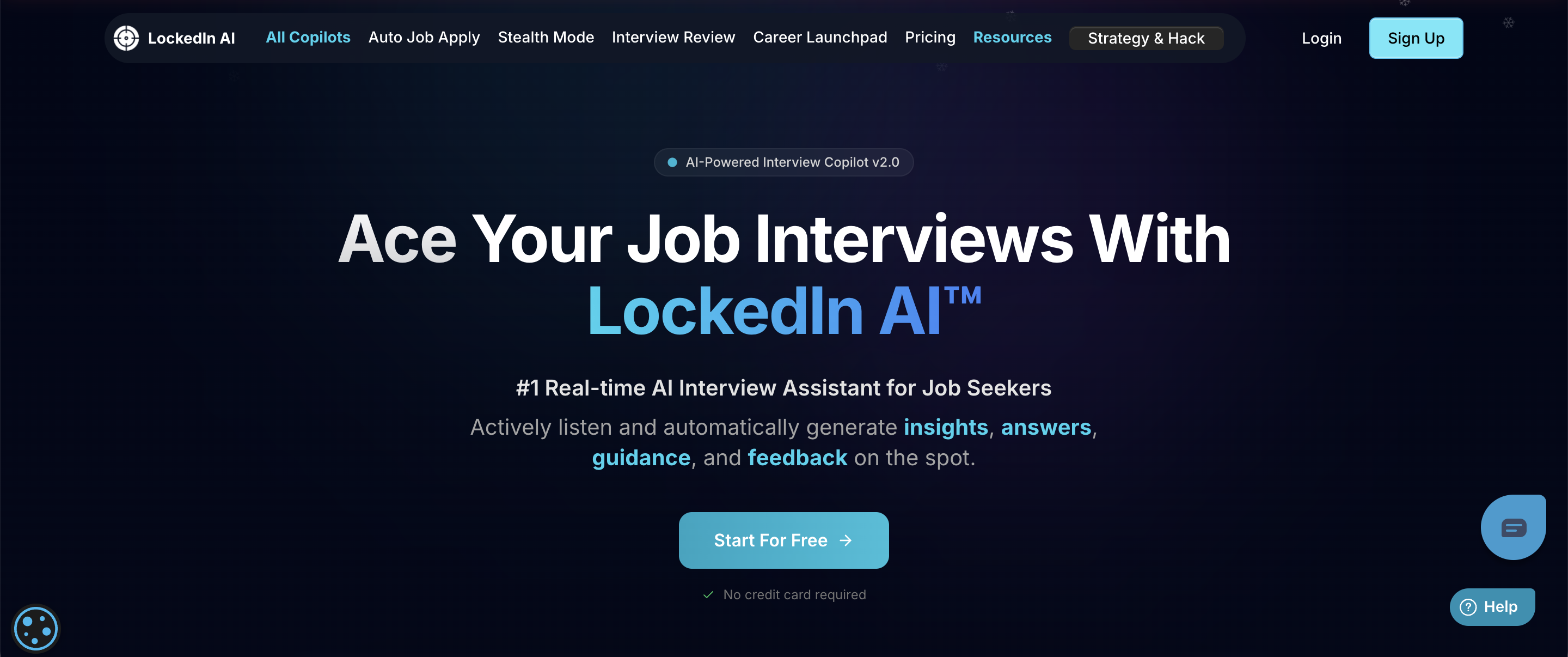
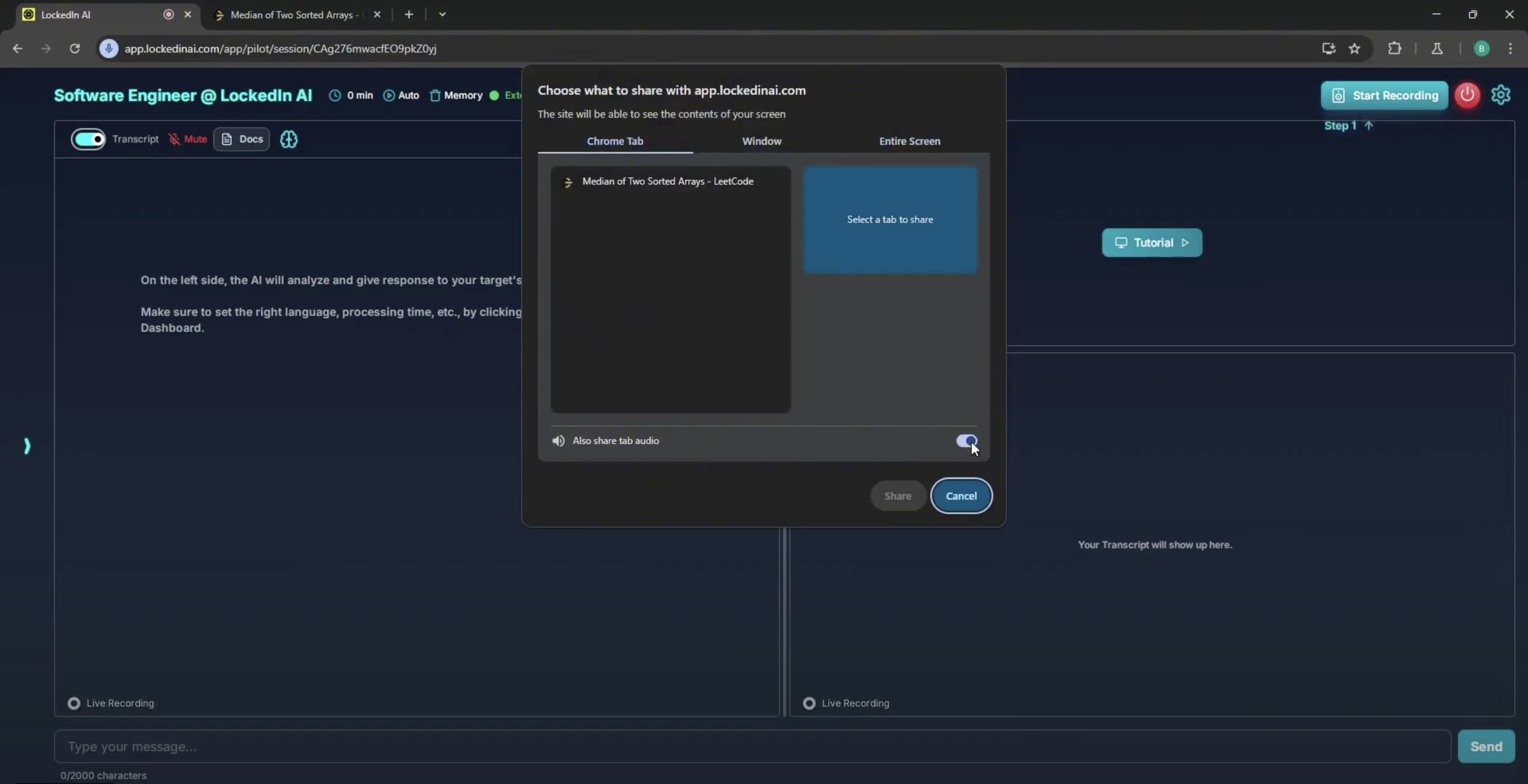
Lockedin AI’s coding interview assistant also emphasizes stealth performance. What makes it unique are two features that other interview assistants lack: Active Tab Isolation and Smart Area Selection. However, just like Finalround AI, its invisibility is only achievable under specific conditions because it also operates within a tab. When using it, I need to share the tab containing the coding problem with Lockedin, which then allows it to see that specific tab. Afterward, if the interviewer asks to share the screen, I must be careful not to share the entire screen and only share a single tab; otherwise, it will be detected.
Features
Here’s what makes LockedIn AI unique:
Active Tab Isolation: The AI focuses exclusively on the designated interview page, ensuring that even if I switch to other tabs, the AI's focus remains undisturbed. To be honest, while this feature looks advanced, I find it somewhat redundant in practice. Candidates are generally not allowed to switch tabs during an interview as it’s flagged as cheating, making this feature less applicable. If I need to switch tabs to use a whiteboarding tool for system design, for example, this feature doesn't provide much help either.
Smart Area Selection: This feature allows for processing screen elements with a single click, which is quite useful for helping the AI understand the context. I feel it acts as a decent alternative to partial screen capture, though it can be inaccurate at times.
Real-time Code Analysis: Instantly provides optimized solutions.
Screen Analysis: The capability to analyze the screen and provide real-time code solutions. When using this feature, I need to share the tab containing the coding problem with LockedIn.
Side-by-Side Coding: This unique feature allows me to open a new coding page alongside the interview for problem-solving. It utilizes more screen space than a floating window to display answers, making them clearer to read. However, since it still implemented within a browser tab rather than a standalone floating window, I would evaluate this more as a compensatory measure rather than a full solution.
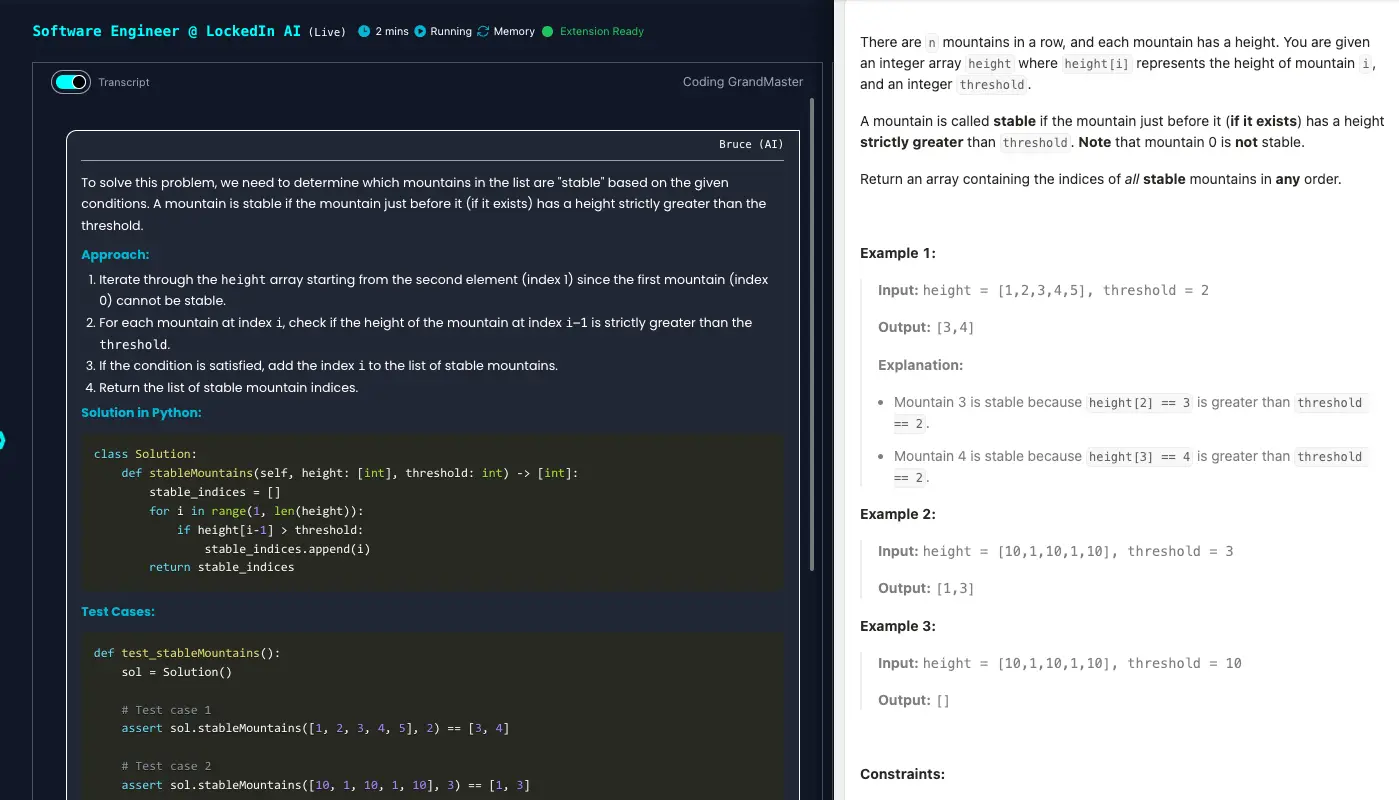
Conversational Question Support: It can also answer interviewer questions without needing to manually determine when the question starts or ends, which makes it quite convenient.
Multi-platform Compatibility: Supports mainstream platforms such as Zoom, Google Meet, Microsoft Teams, and more.
Multiple AI Models: Provides the latest models from DeepSeek, OpenAI, Gemini, Claude, and Grok.
4. Interview Coder- Best AI Coding Interview Assistant for Lifetime Access
Overview
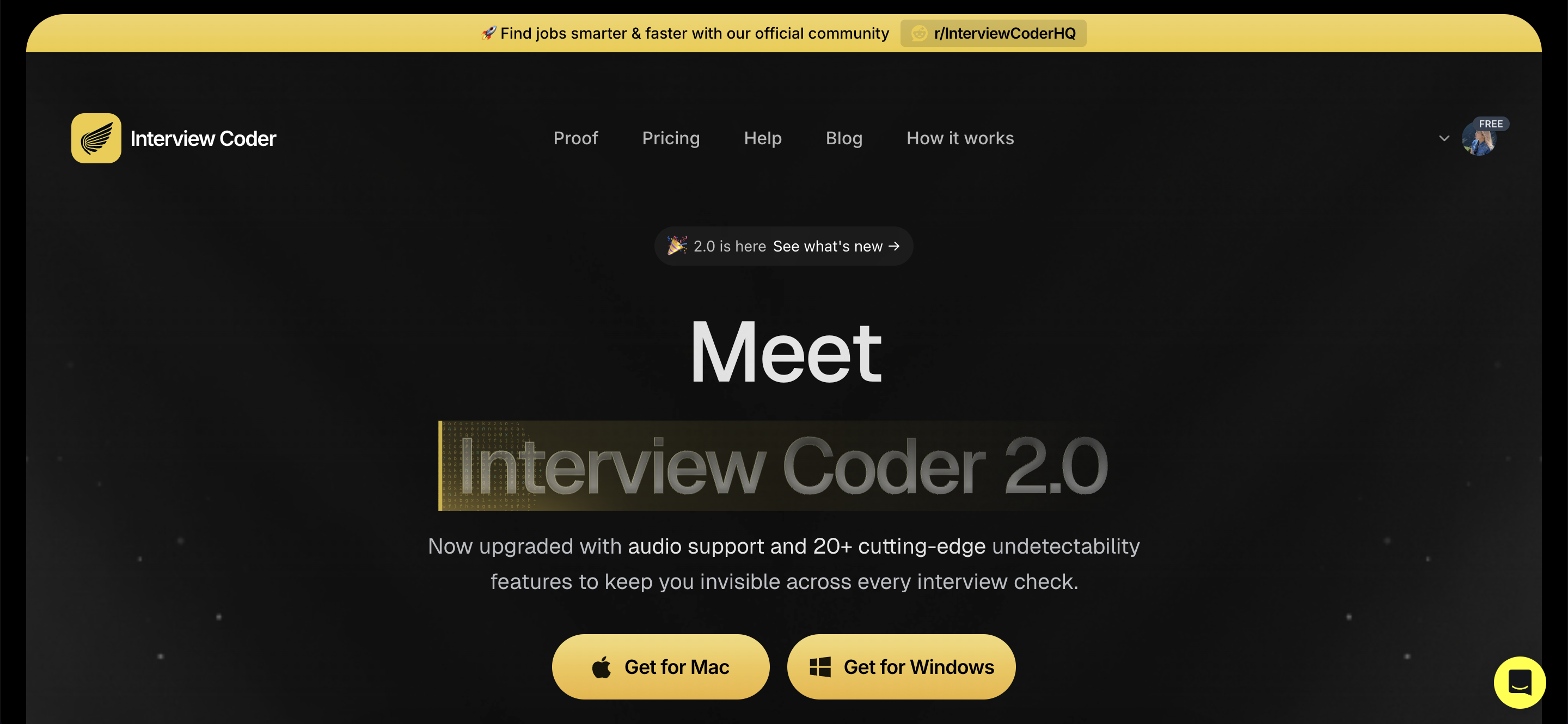
Like Linkjob, Interview Coder has pushed undetectability to the limit. It claims to remain invisible even during full-screen sharing and utilizes cutting-edge technology to bypass the vast majority of detection mechanisms. It also mentions that the product is invisible in the Activity Monitor, achieved by using a disguised process name. I find this to be an excellent detail. Furthermore, another impressive point is that even when the cursor hovers or clicks on the product, the system and apps won't detect it. Among the seven products recommended in this article, only Interview Coder and Linkjob AI have taken this into consideration. Additionally, both Interview Coder and Linkjob AI conduct regular tests on the invisibility of their products across different platforms, which makes me feel that they are very responsible toward their users.
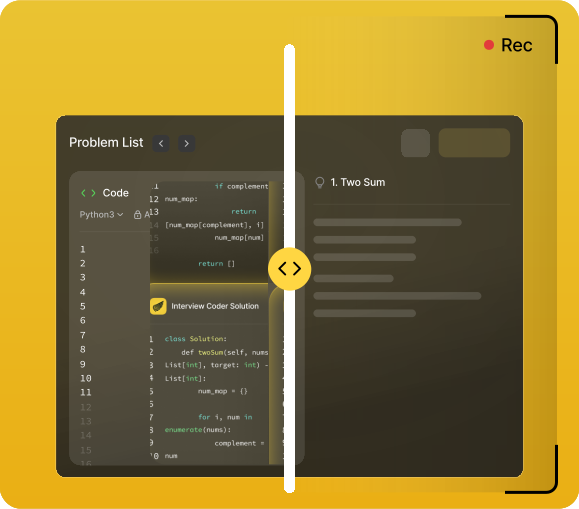
Features
Here’s what makes Interview Coder unique:
Undetectability: It remains invisible during screen sharing, and standard browser-based detection cannot discover it. Even the icon in the Dock can be hidden. Its considerations for stealth are among the most thorough in the industry.
Audio Support: It can handle follow-up questions from interviewers.
Global Hotkeys: Supported.
Multi-platform Compatibility: Supports mainstream meeting platforms such as Microsoft Teams, Zoom, Google Meet, and Amazon Chime, as well as online testing platforms like HackerRank, CoderPad, and Codility.
Personalized Service: This product also supports providing my personal information, allowing the AI-generated answers to be more tailored to my individual background.
Tips: While I was testing it, I accidentally clicked the button to change the coding language, and I noticed traces of the AI being used on another computer that was monitoring the screen-sharing effect. This appears to be a bug, though I'm not sure if it has been fixed yet. Here is the screenshot I took:
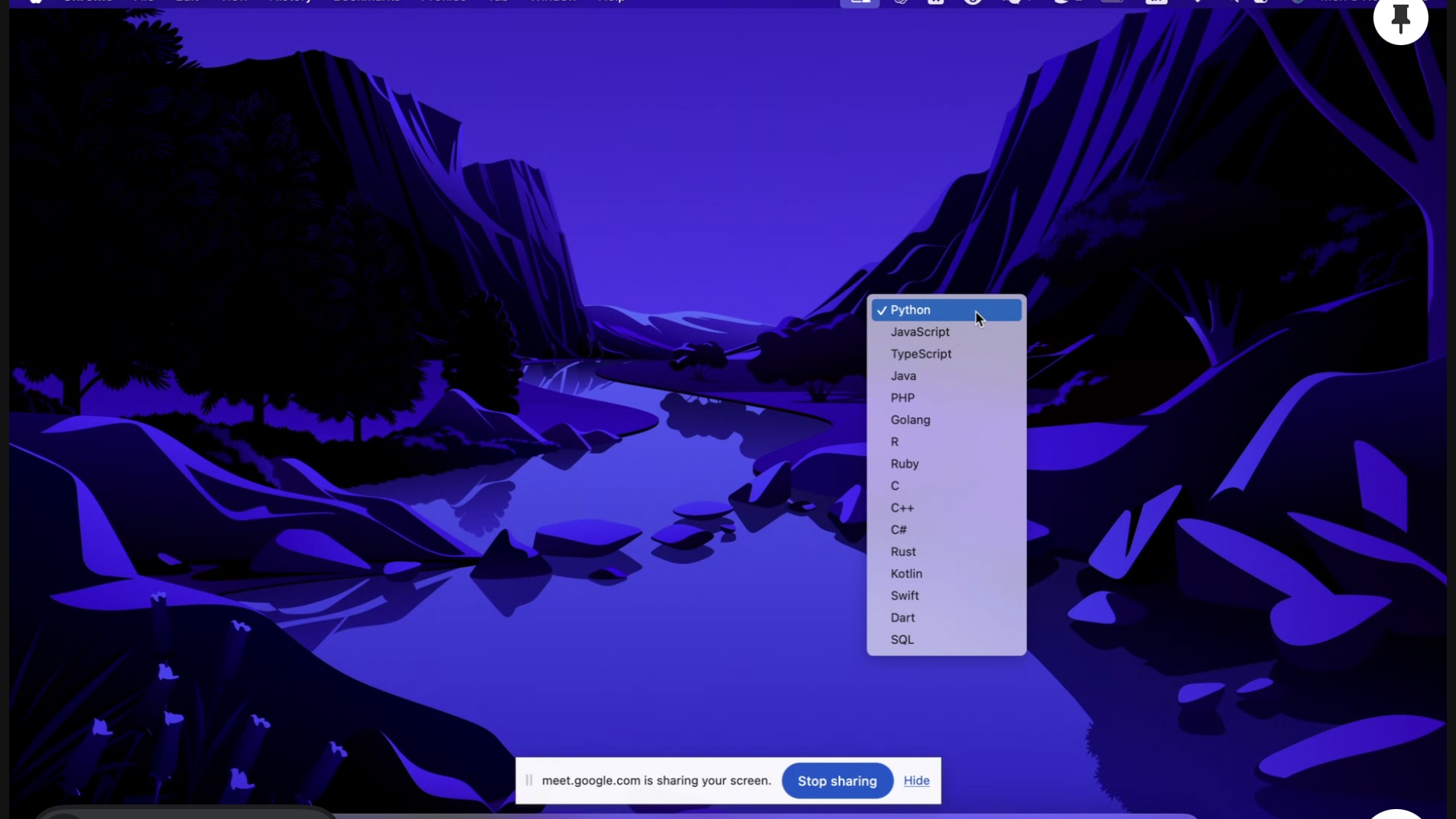
Apart from this minor bug, Interview Coder performed quite well during my testing. But since I found this one, it makes me worry if there are other hidden ways it might give me away.
Multiple AI Models: Provides the latest models from DeepSeek, OpenAI, Gemini, Claude, and Grok.
Adjustable Transparency and Movable Answer Panel: Supported. However, the answer panel cannot be collapsed.
Follow-up on AI Answers: If the AI's initial answer is unsatisfactory, there is no way to ask it to improve or refine the response; I can only prompt it to regenerate a new one. It also does not support viewing history. Consequently, there’s a high possibility that the next regenerated answer will still not be quite what I'm looking for.
5. Parakeet AI- Best AI Coding Interview Assistant for Foundational Coding Problems
Overview
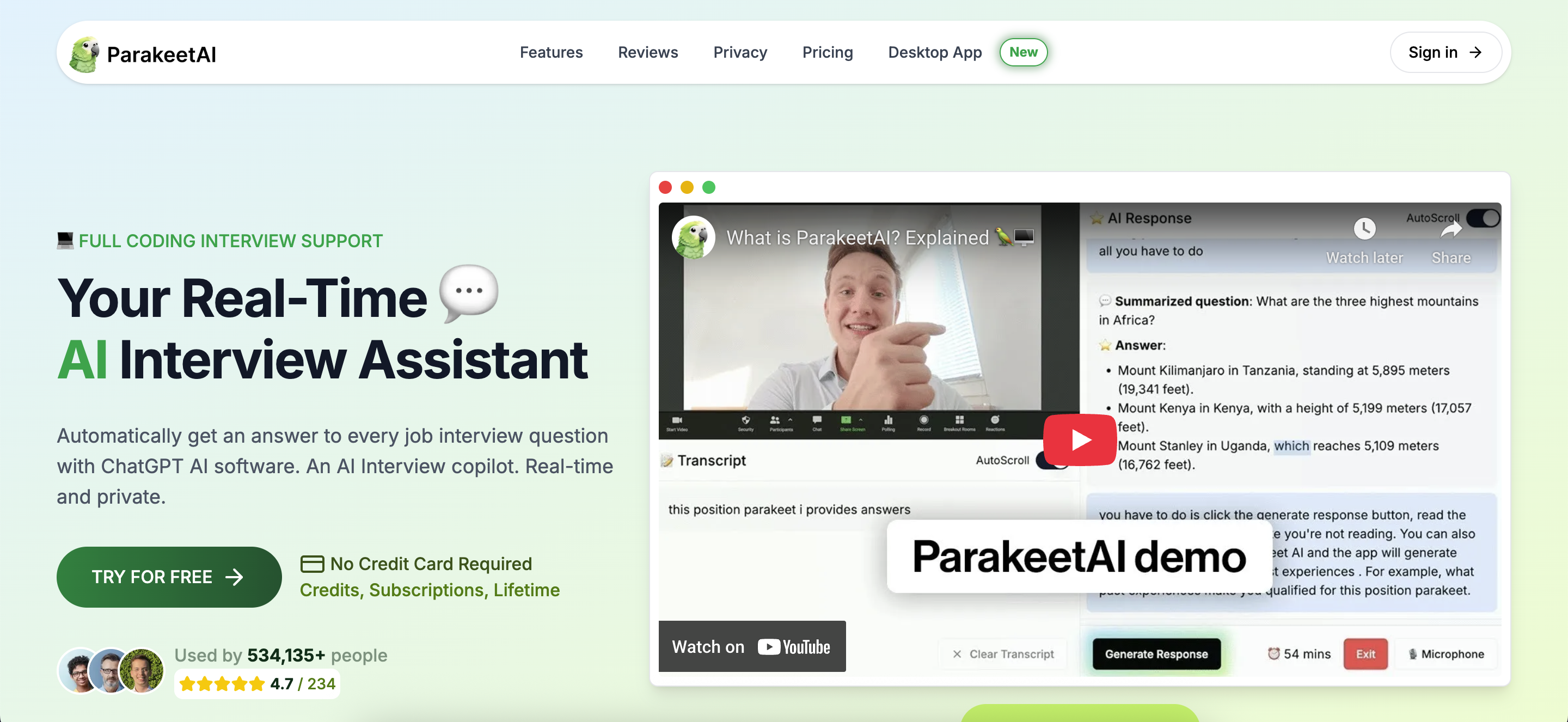
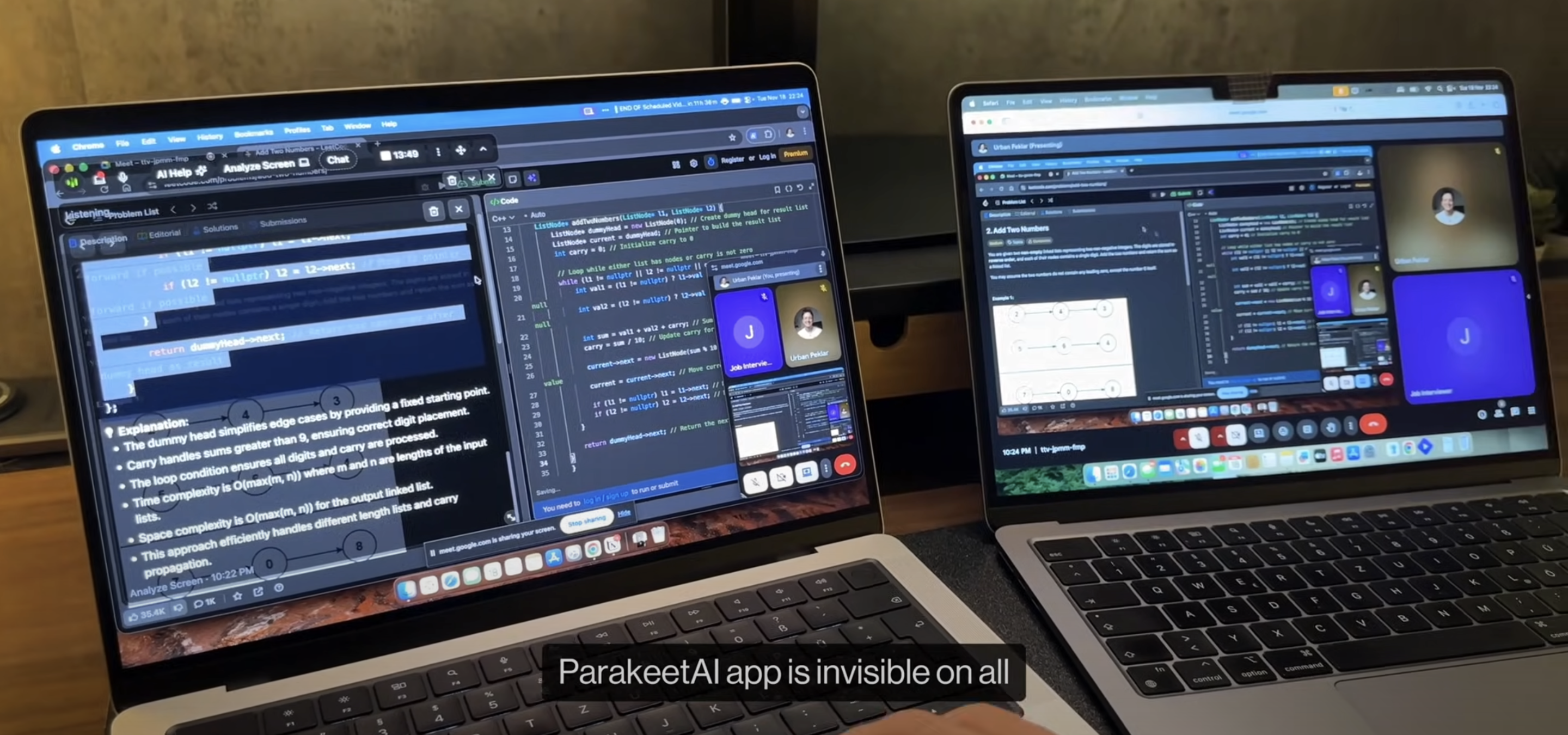
Parakeet AI is also a highly effective AI interview assistant that has recently been trending on TikTok. It is said to offer a smooth user experience. Notably, it features Syntax Highlighting, which significantly improves code readability. Like the other top-tier options, it is an undetectable coding interview copilot. It allows the Dock icon to be hidden, and cannot be flagged by active tab detection. The only thing to watch out for is that it lacks global hotkeys and can only be operated via the mouse; therefore, your mouse movements could potentially be tracked.
Features
Here’s what makes Parakeet AI unique:
Blazing Fast Transcription: Uses a state-of-the-art transcription model that provides highly accurate transcriptions at record-breaking speeds.
Structured Answer Output: It first provides a guided solution for the coding problem, followed by a complete, copyable code answer, and finally offers optimization suggestions. However, I find the copy-paste feature to be quite useless, as doing so will almost certainly be flagged by interview platforms.
Method of Identifying Coding Problems: Since it lacks undetectable global hotkeys, I have to click a button to take a screenshot. This makes the mouse movement look suspicious and creates a risk of being flagged by the platform.
Movable Answer Box: Supported. The answer box can be repositioned via mouse drag-and-drop and can be freely resized. Again, because this is operated with a mouse, I believe there is a certain risk of being flagged.
Upload Resume: Supports uploading a resume so the AI can generate personalized answers.
Real-time Interview Assistant: Can be used to answer interviewer questions with very fast recognition speed.
Multilingual: Supports 52 languages.
Multiple AI Model Options: Users can choose between GPT-5, GPT-4o, and Claude 3.5 Sonnet.
Multi-platform Compatibility: Supports use across all common platforms.
6. Cluely- Best AI Coding Interview Assistant for Video Meeting Support
Overview
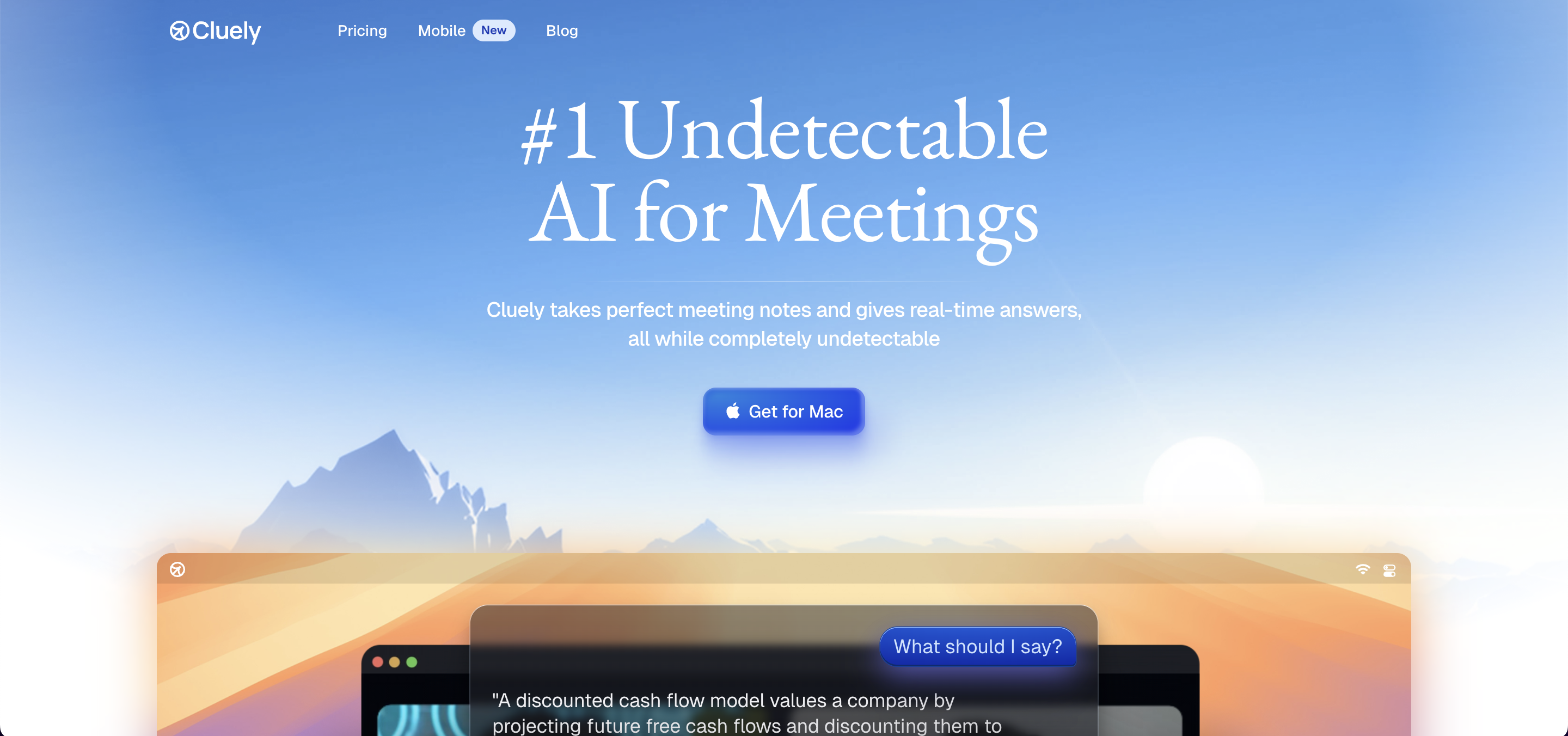
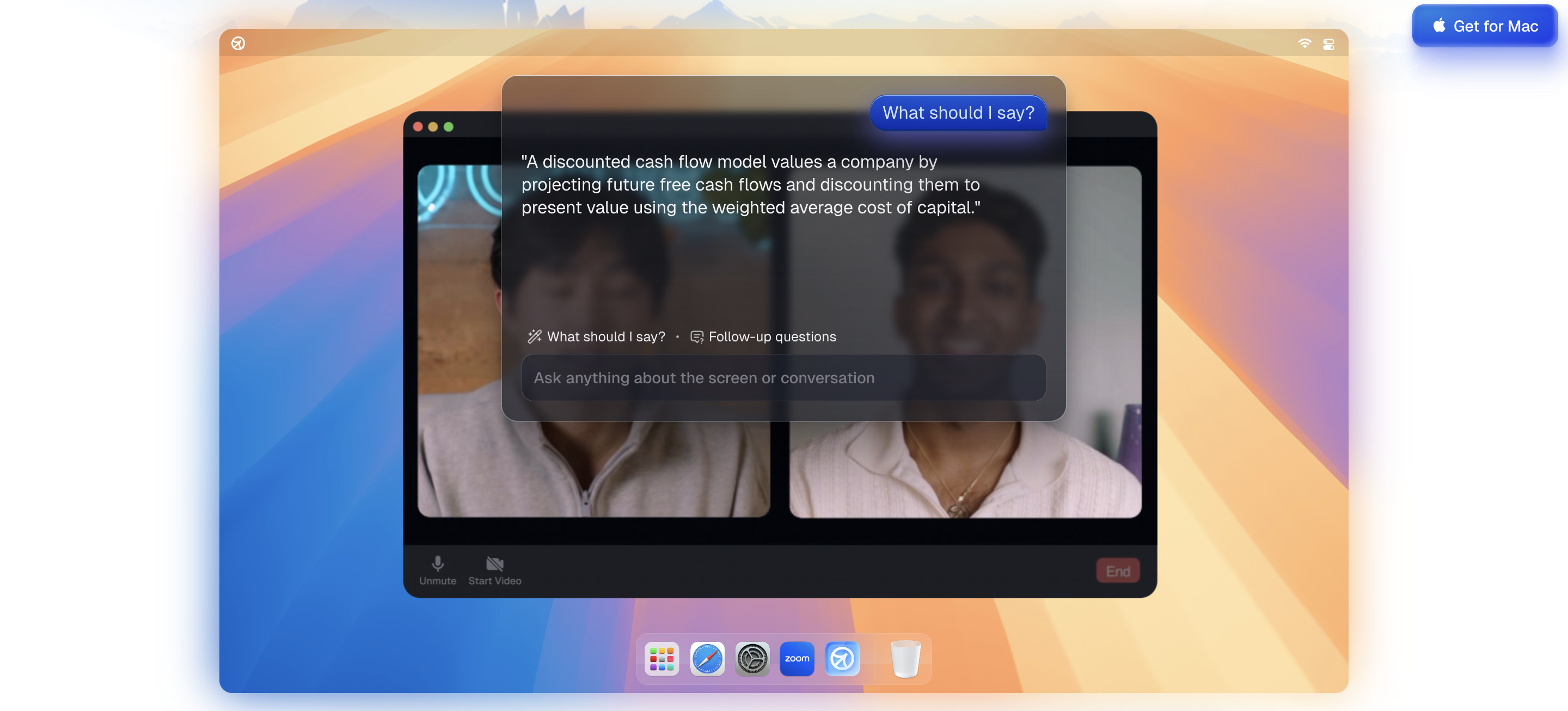
While Cluely is primarily marketed for use in general meetings, it can also serve as a coding interview assistant during interview calls thanks to its undetectability. It features an invisible overlay that sits on top of everything, making it undetectable. However, the company states that if the user is using an older computer or an outdated operating system, there is still a possibility of being detected; they do not guarantee invisibility under all circumstances.
Features
Multilingual: Supports 12+ languages.
Multi-platform Compatibility: Supports all major meeting platforms, including Zoom, Microsoft Teams, Webex, and Slack calls.
Tip: Click events, regardless of undetectable mode, will be detected by active browser checkers. Therefore, I recommend not clicking into Cluely while it is in use; only use the undetectable keybinds.
Tip: Since Cluely is not specifically built for interviews, it does not guarantee that it will remain undetectable in all interview scenarios. Below is a screenshot of the official disclaimer I took from their website:
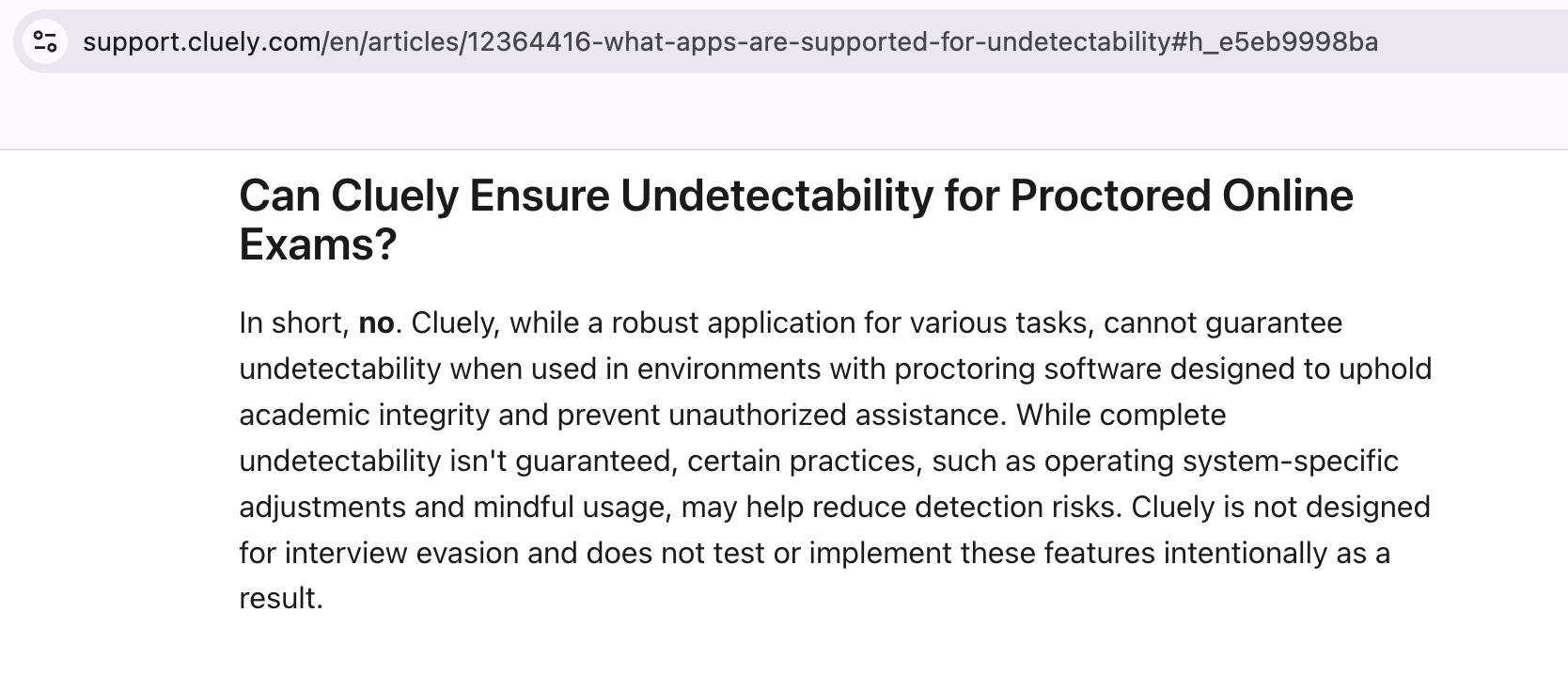
I’m not sure why Cluely feels the need to emphasize these disclaimers so much. It feels quite strange for an AI assistant that markets itself on stealth to repeatedly warn that it might still be detected. Because of this, I remain somewhat skeptical about its ability to truly stay invisible.
AI Coding Interview Assistant Comparison
Feature Comparison
Here’s a table that shows the main features for each AI coding interview assistant:
Assistant | Complete Invisibility | Platform Versatility | Undetectable Global Hotkeys | Hands-free AI Answers for Follow-ups | Resume Analysis |
|---|---|---|---|---|---|
Linkjob AI | ✅ | ✅ | ✅ | ✅ | ✅ |
Finalround AI | In rare cases. | ✅ | ❌ | ❌ | ✅ |
Interview Coder | Not entirely, but it works in most cases. | ✅ | ✅ | ✅ | ✅ |
Parakeet AI | Mouse tracks can be traced. | ✅ | ❌ | ✅ | ✅ |
Lockedin AI | In rare cases. | ✅ | ✅ Not customizable. | ✅ | ✅ |
Cluely | Does not guarantee full invisibility. | ✅ | ✅ | ✅ | ✅ |
Overall, Linkjob AI stands out with a more impressive performance. Beyond the critical feature of maintaining invisibility, its other core capabilities required for a coding interview copilot are more than up to par. Additionally, as mentioned in our review, its numerous user-friendly features that enhance the overall experience are also highly compelling.
That said, the other five products each have their own strengths and remain among the best AI coding interview copilots currently on the market. For instance, they offer features like providing complete code solutions and answering follow-up questions based on your resume—both of which are incredibly practical.
Personally, I feel that if you are looking to use AI in a coding interview, you can just choose from these six. You can select the one that suits you best based on your own needs and their respective strengths.
Pricing Factors
Next is a price comparison of the six products. Each product has a different pricing model because some use a credit-based system, while others offer subscription plans. I will provide a brief comparison of their lowest starting prices and whether they offer a free plan for the coding interview assistant. If you are considering a purchase, you should visit their official websites to review all available plans before making a decision. If you’re looking for free options, I’ve shared another post featuring the 8 best free AI interview tools for 2026.
Assistant | Free Plan | Lowest Monthly Rate |
|---|---|---|
Linkjob AI | I can keep getting 20-minute trials just by switching emails. | Starting at $24.99/mo |
Lockedin AI | 10 min | Starting at $33.99/mo |
Interview Coder | ❌ | Starting at $299/mo |
Parakeet AI | 10 min | Starting at $74.9/mo |
Finalround AI | ❌ | Starting at $42/mo |
Cluely | ❌ | Starting at $75/mo |
I suggest taking advantage of the free trial to understand the product's features before placing an official order, especially to see if the undetectability is truly effective.
FAQ
Can I use these tools for behavioral interviews too?
Yes, these tools can also be used for behavioral interviews or other stages of the hiring process, such as online assessments, HR calls, system design rounds, and debug rounds, etc.
Do I need to install anything to use these assistants?
If you want to be completely undetectable, you must download the desktop version. As I mentioned in the main text, if you use a web-based product, there is a significant risk that the use of AI will be detected.
See Also
How to Cheat on HackerRank With AI Assistant: My 2026 Updates
How I Cheat on Codility and Avoid Getting Caught in 2026
How I Used AI to Pass the Interview on Microsoft Teams
How to Cheat on CodeSignal Proctored Tests in 2026: My Tricks
© Copyright 2025 Linkjob.ai - All Rights Reserved.