Does CodeSignal Record Screen and How to Use AI to Pass Tests

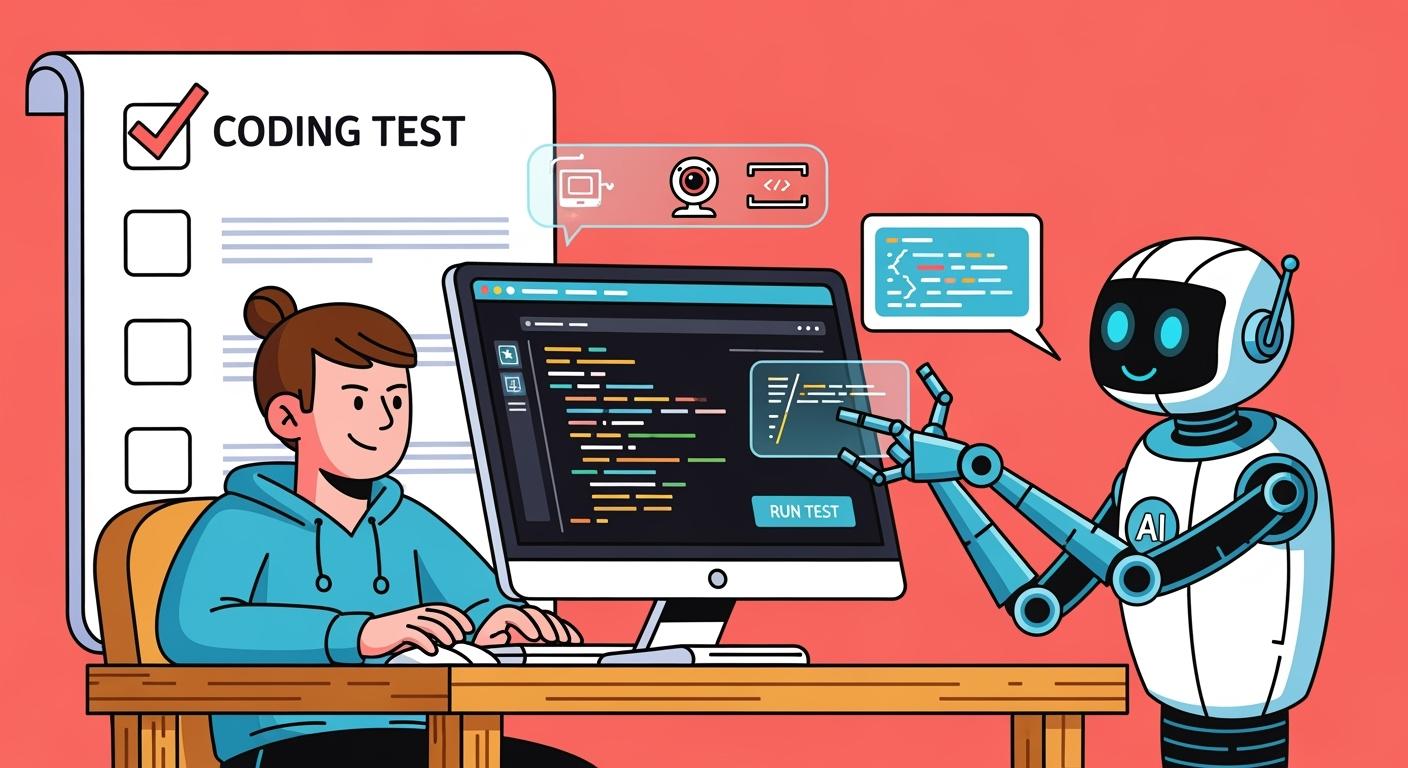
I remember the nerves I felt when I launched my CodeSignal assessment and saw those permission prompts pop up. As a candidate who recently took a proctored CodeSignal test, I want to share exactly what happened and answer the big question on my mind at the time: does CodeSignal record your screen? In short, yes – if you’re taking a proctored CodeSignal assessment, the platform will record your screen (and more). But there’s a lot more to know. Below I’ll walk through which tests involve recording, what gets captured, how the process works, and what hiring companies actually see, all based on my experience and official info as of late 2025. Hopefully this clears up the confusion so you can focus on coding instead of worrying!
What Types of CodeSignal Tests Involve Proctoring?
In my experience, CodeSignal’s “Certified” assessments (like the General Coding Assessment, which is a common standardized coding test) often involve proctoring. These are the tests whose results you can share with multiple companies, and they have strict rules to ensure fairness. Many big tech companies use these proctored CodeSignal assessments for initial screening. If you’re invited to one of these, expect to go through the proctoring setup. The CodeSignal Knowledge Base confirms that not every test is proctored, but you’ll see a label or notice if the company has required proctoring when you go to start the assessment.
For example, when I clicked “Take Assessment” for my coding test, the platform immediately informed me that the session would be proctored and asked me to proceed with the setup. On the other hand, if you just use CodeSignal’s practice mode or take a test that a company has set to be unproctored, you won’t be asked to share your screen or camera at all. I’ve also heard of some smaller companies sending CodeSignal tests without proctoring – in those cases, you simply code without any surveillance.
Quick tip: If proctoring is optional and you’re comfortable with it, opting in might be beneficial. CodeSignal says opting in (when not required) can “increase the likelihood that your result will be accepted by other companies” that use CodeSignal. Essentially, a proctored score is a verified score. But if you’re not comfortable, you can choose not to opt in when it’s optional. (Just know that if a particular company mandates proctoring, there’s really no opting out of that – you’d have to either comply or possibly forfeit that assessment.)
What Exactly Gets Recorded? (Screen, Webcam, Audio, etc.)
During my proctored session, CodeSignal recorded three things: my screen, my webcam, and my microphone. This is confirmed by CodeSignal’s official documentation, which states that candidates are prompted to share their camera, microphone, and screen for the duration of the test. So practically speaking:
Screen Recording: Everything visible on the screen I chose to share was captured as a video. CodeSignal actually had me select “Entire Screen” when sharing, meaning if I opened another app or browser tab on that screen, it would be recorded. (They even gave a little notification saying “app.codesignal.com is sharing your screen”, so I knew it was active.) This screen capture is meant to show exactly what I’m doing on my computer during the test. It can reveal if you switch tabs or applications away from the coding environment, or if you try to copy-paste code from somewhere else. In short, any on-screen activity during the test is visible to the proctors in the recording.
Webcam Video: My laptop’s camera recorded a video of me as I took the test. This allowed CodeSignal to see my face and surroundings. It’s primarily used for identity verification (to match me with my ID and make sure it’s actually me taking the test) and to ensure I’m not receiving help from someone off-camera. I was instructed to keep my face within view of the webcam. The system took an initial photo of me during setup and then continued capturing video the whole session. So if I had tried to sneak a peek at notes on my desk or if another person walked into the room, the camera would catch that.
Microphone Audio: CodeSignal also requested mic access, meaning it could record audio through my computer’s microphone. This might sound a bit invasive, but the idea is to catch any background conversation or verbal cues that might indicate cheating (for instance, someone else in the room giving you hints). In my case, I sat alone in a quiet room, so the mic probably just recorded silence (and maybe my furious typing). It’s worth noting that yes, your environment’s audio is part of the recording if proctoring is on. The proctors can listen for things like someone dictating answers to you. (One fellow candidate asked if background noise is monitored – CodeSignal does ask for mic permission, so assume yes, they can hear what’s going on around you.)
ID Images: In addition to screen/cam/mic, CodeSignal took images of my photo ID. As part of setup I had to show a government-issued ID (like a driver’s license or passport) to the webcam and take a photo of it. This snapshot is stored to verify my identity. CodeSignal requires that the ID shows your full name, photo, and expiration date clearly (they let you cover other info if you want). So, while not a “recording” per se, this ID image is part of the proctoring data package that gets reviewed.
What about keystrokes or code? The actual code I wrote was, of course, captured by the platform (that’s how they score the test), but I was curious if they also monitor things like copy-paste actions or typing speed. From what I’ve gathered, CodeSignal’s system does flag unusual behavior – for example, if you suddenly paste a large block of code or have long inactivity followed by a sudden burst of perfect code, that’s suspicious. Their proctoring tech can log “repeated pasting” or switching windows and other patterns. So while I was coding, I made sure to either write everything out or only copy-paste from the CodeSignal question itself (e.g. function signature), not from any external source. Bottom line: anything you do on the computer during the test (that they can detect through the shared screen or the CodeSignal editor) is potentially recorded or logged. They are pretty sophisticated about catching cheating – using things like typing pattern analysis and automated flags alongside the recording. I treated the whole session as if someone would eventually watch it (because, in fact, someone will).
Does CodeSignal Record Screen and Audio?
What Can Hiring Companies See (and Not See)?
One of my biggest worries was: will the company’s recruiters or engineers be watching my recording? The idea of a hiring manager re-watching a video of me squirming and coding awkwardly was not pleasant! Happily, the company itself cannot see your actual screen recording or webcam video. All that proctoring data (the video of me, audio, ID, etc.) goes to CodeSignal’s internal proctoring team, not to the employer. According to CodeSignal’s rules, “Identification and proctoring data is reviewed by CodeSignal only and is stored and deleted within 15 days. It will not be shared with the company who requested your coding report.”. The hiring company only receives the outcome of the assessment – basically your score/report and a note saying whether the result was verified as legitimate.
In my case, after I finished, CodeSignal’s proctoring specialists reviewed my session. They checked the footage to confirm I had my camera and screen on the whole time, that I didn’t do anything against the rules, and that my face/ID matched up. This review isn’t done by any engineer at the company I was applying to – it’s done by a separate team at CodeSignal. I imagine they’re looking for red flags like me talking to someone off-screen, having long periods of the screen not showing the CodeSignal tab, or obvious copy-paste from outside. If everything looks fine, CodeSignal “certifies” or verifies the result.
What the company eventually sees is basically an official score report. From their perspective, I either have a verified score or (if I had violated rules) the score might be rejected. In fact, CodeSignal mentions a process: if a violation is found, the hiring company is notified that the result was not verified and they get an explanation of why. Typically that means the candidate failed the proctoring check and the test doesn’t count. Sometimes the candidate is allowed a retake after a cooldown period if that happens. Thankfully, I didn’t have to deal with that – my results were verified without issue.
Common Misconceptions and FAQs About CodeSignal Recording
“Is my screen really recorded the whole time?” – Yes, if it’s a proctored session, assume everything on your shared screen is being recorded from start to finish. CodeSignal even reminds you of this during setup. So don’t test the waters by sneaking a peek at Google – they’ll know (either by seeing the tab switch in the recording or via automated detection). On unproctored tests, of course, no screen sharing occurs at all.
“Do they also record my face and surroundings?” – Yep. Your webcam is on, so they see you and whatever is visible behind you on camera. It’s mainly to ensure it’s just you there and you’re not communicating with anyone else. If, say, your roommate walks by in the background, that’s probably fine if it’s brief, but you might have to explain it if it looked like they were helping. Ideally, be alone in a room when taking the test.
“Is audio really monitored? What if a dog barks or there’s street noise?” – The mic is part of the recording, but I think proctors are reasonable. Random background noises (dogs, cars honking) are not cheating. They’re listening for things like somebody dictating answers to you. In my session, I kept quiet and there was no issue. So yes, audio is recorded, but don’t panic about every little noise – just obviously don’t have someone in the room giving you answers.
“Can the hiring company watch my screen or video?” – No, the hiring team cannot live-monitor you or replay your webcam footage. They only see the final report. All the recording data stays with CodeSignal’s proctoring team. So you’re not performing on camera for your potential boss, you’re performing for a neutral third-party check.
“Does proctoring mean someone might pop in or message me during the test?” – In my experience, no. There was no live chat or voice from a proctor. It was silent monitoring. I’ve heard of other exam proctoring (like some school tests) where a proctor can warn you (“please don’t look away”), but CodeSignal’s typical assessments don’t have that live intervention. They review everything afterward. So you won’t get distracted by any proctor messages mid-test. Just follow the rules from the start.
“Will the recording affect my score or how I’m evaluated?” – Not directly. The code you write and the automated scoring is what determines your score. CodeSignal explicitly says “Proctoring has no impact on the score you receive; all scores are calculated automatically by the system.” So you won’t get a higher or lower score because you were nervous on camera or anything. Proctoring is pass/fail in a sense – either your session is deemed valid or (if you cheated) your score gets nullified. But the points you earn for solving problems aren’t changed by the video. In my case, I got the score I earned, and proctoring just made it “official.”
“What if I have technical problems like my camera won’t work or I accidentally closed the browser?” – If your camera/mic aren’t connecting, try refreshing or switching browser, and check CodeSignal’s support guides. They require Chrome or Firefox, so make sure you’re on those. If you accidentally close the test tab during the assessment, that’s more serious – the session might end and get flagged. According to some sources, closing or leaving the tab in a proctored test could mark your result as “Not Verified”, meaning you’d likely have to contact support to resume or more likely retake after a cooldown. Essentially, don’t navigate away once you start. If something crashes, reopen it immediately. CodeSignal might let you continue if it was a brief disconnect, but any gap is suspicious.
“Can I use multiple monitors or devices during the test?” – Officially, it’s safest to stick to one monitor. The rules actually prompted me to close other screens, and guides say using dual monitors is usually not allowed. If you share only one screen but have code or notes on another, the proctors might notice you constantly looking off-screen or the system might detect that the focus left the shared screen. One Reddit user noted that CodeSignal can tell if your focus leaves the test tab for too long. For fairness, assume you should only use the screen you’re sharing and nothing else. I personally turned off my second monitor entirely to avoid any mishaps. Also, obviously don’t use a phone or tablet on the side – that would violate the rules (and if your eyes keep darting down to your phone, a reviewer will catch on).
“Am I allowed to use any resources during the test (like Google, notes, books)?” – Generally, no outside help is allowed, with a minor exception for language documentation. The CodeSignal rules I had to agree to were very clear: no discussing with others, no copying solutions, and no use of AI tools (ChatGPT, etc. are explicitly banned). They did allow syntax lookups – for instance, if you forget a library function name, searching that is okay – but not looking up full solutions. Even then, I was wary of doing any Google search because it’s easy to cross the line. Instead, I relied on my own knowledge and the built-in code editor (which often has language references or autocompletion). If you absolutely must search something small, be prepared that the system will note that you left the tab, and you should document what you searched in case you need to defend it. But best practice: prepare ahead of time so you won’t need to web search at all during a proctored test. Certainly don’t have pre-written notes or code open – that’s not allowed.
“What if I don’t have a valid photo ID or don’t want to share it?” – CodeSignal requires a government-issued photo ID for their certified assessments. If you truly don’t have one (or are uncomfortable for some reason), your only option is to reach out to CodeSignal support beforehand. They mention providing special accommodations or alternate ID in some cases. But if you just refuse to do the ID step, you won’t be able to complete the test, and the company will likely be informed that you didn’t verify identity. In my opinion, the ID check is pretty standard – similar to what you’d do for an in-person exam or a new job’s background check. And remember, the company itself doesn’t get a copy of your ID; it’s just for CodeSignal’s verification team.
“Can I decline proctoring or ask not to be recorded?” – If it’s required by the test, you cannot proceed without it. It’s a prerequisite – declining would mean not taking the assessment. If you have concerns, you’d need to talk to the recruiter or use an alternate process (which is rare; most will just insist on CodeSignal). When proctoring is optional, you can choose not to opt in, and you’ll still get to take the test (just uncertified). But for required ones, refusal = no test. I’ve seen some candidates try to push back for privacy reasons, but it usually doesn’t end well unless the company has another non-CodeSignal way to evaluate you (uncommon at the initial stage).
“How do I know CodeSignal won’t misuse my data or recordings?” – CodeSignal’s policies (as of 2025) promise that they don’t sell or share your proctoring data, and they comply with privacy laws. The recordings are encrypted and access is restricted. After 15 days they’re deleted. If you’re particularly concerned, you can even request deletion of your data sooner through privacy channels. While no system is perfect, CodeSignal has been used by many big companies, and any mishandling of candidate data would likely ruin their reputation, so I tend to trust that they stick to their word on this.
Using AI Tools to Pass Tests
For me, the best ai tool is Linkjob AI. This AI Interview assistant was clean and easy to understand, with four buttons that matched two main functions and two supporting ones. I first watched the tutorial on the official website, then used the 30-minute trial to test all the functions, and they all worked well. It could be used at every stage of an interview, both coding and general. Most importantly, it was completely undetectable, even when I shared my entire screen. After testing its stealth with a friend, I finally used it in my real interview, and I passed.
The Undetectability of Linkjob AI
Linkjob AI completely solves the detection problem:
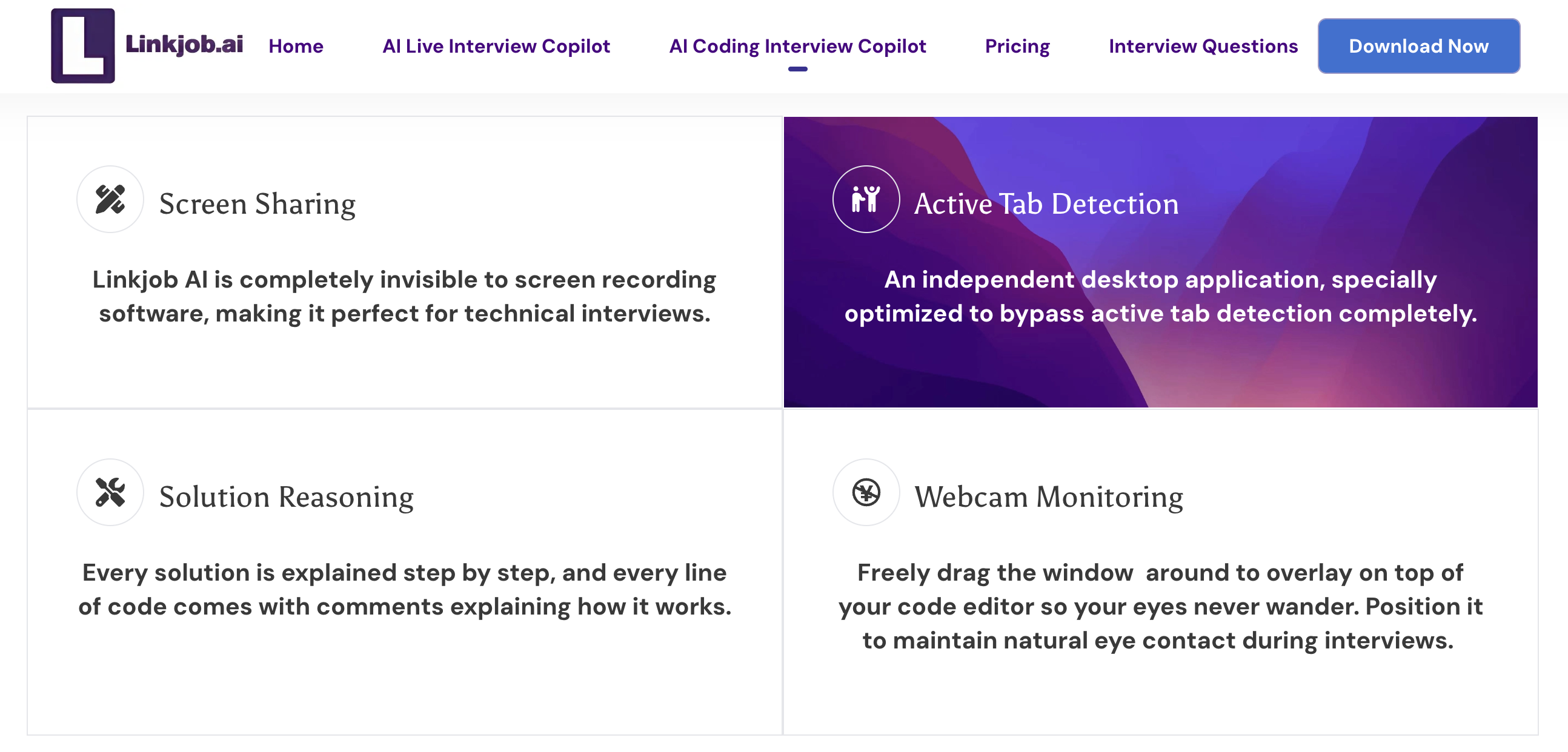
Whether it is a requirement to share the entire screen, active tab monitoring, or any other type of detection, Linkjob AI provides solutions to ensure it remains completely invisible during the interview, visible only to me. I had a friend act as the interviewer and gave me various demands, and Linkjob AI stayed completely hidden from their view the entire time.
Screen Sharing
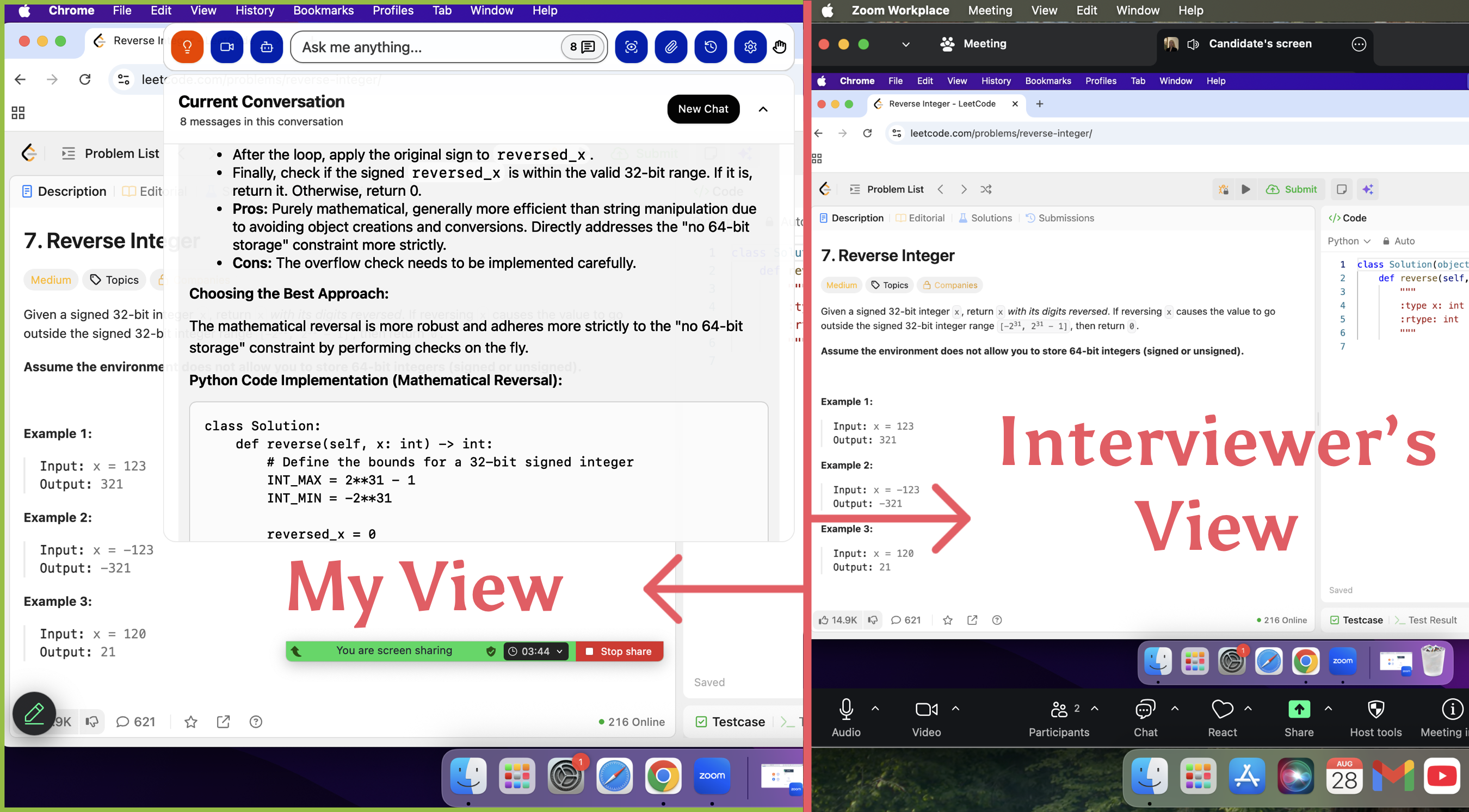
When sharing my screen, I can share a window or even the entire screen without any issues. Linkjob AI stays on the topmost layer, so browsers, meeting platforms, online testing platforms, and other applications underneath cannot detect it. Its icon in the Docker bar can also be hidden, achieving true invisibility.
Active Tab Detection
Linkjob AI cannot be detected by active tab monitoring because it does not run inside a browser and does not rely on a Chrome extension. It is standalone software.
Webcam Monitoring
Webcam monitoring mainly allows the interviewer to see my eye movements and facial expressions through the camera. So the solution depends on me, not the AI. I just need to move Linkjob AI to an appropriate position so my gaze looks natural. When answering questions, I can also adjust the AI’s response style through prompts, letting it generate answers based on my resume and the position I’m applying for, which makes my responses appear more natural.
Linkjob AI Feature Overview
AI Live Interview Copilot
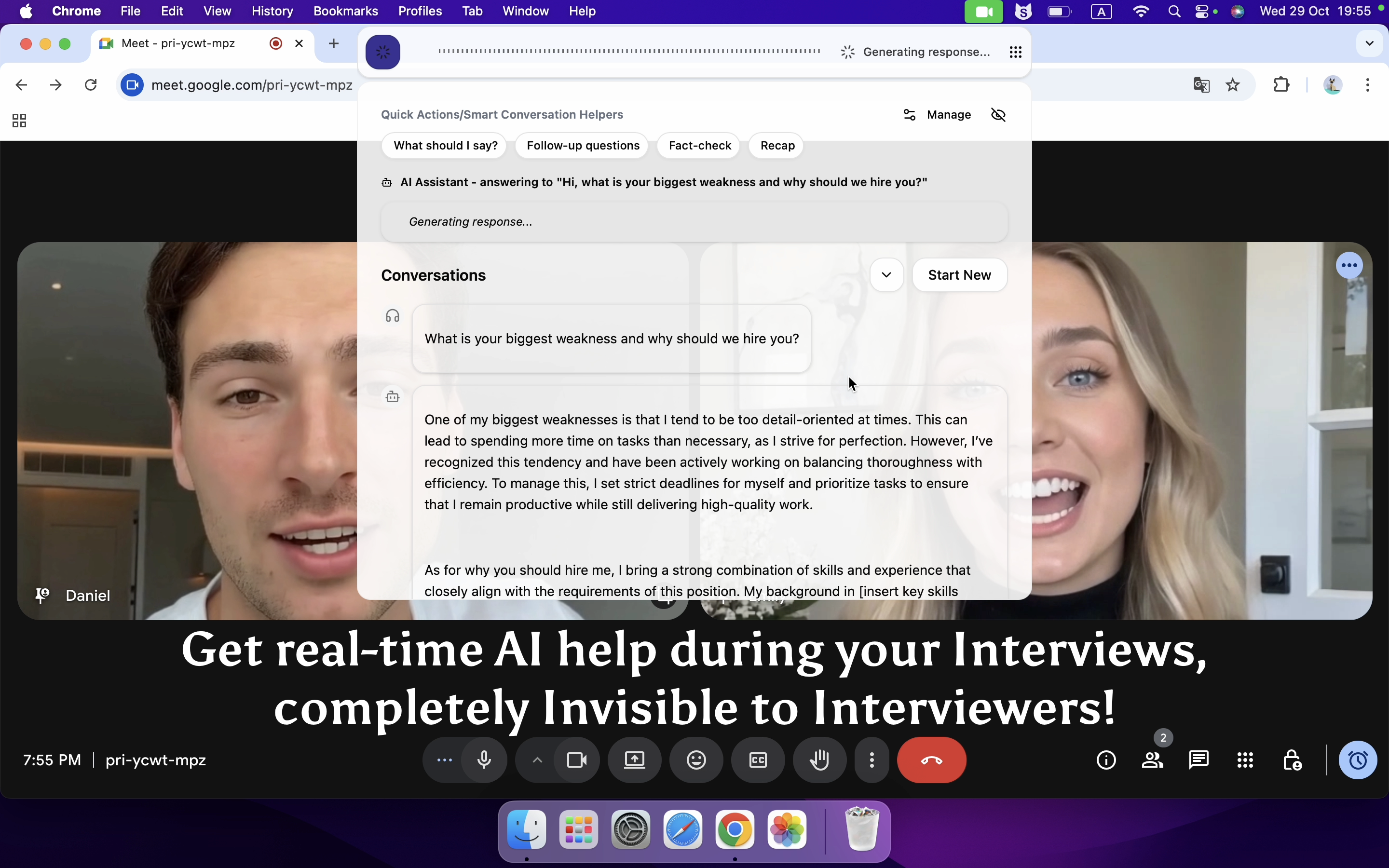
Linkjob AI’s functionality is much more straightforward. The AI model is selected in advance, and during the interview, I only need to click one button for just one time. There are no additional operations required, and the AI handles everything that follows. When answering questions, the AI itself determines which answer format is better. It can automatically recognize the interviewer’s questions without any manual intervention. After the current question ends, it begins to automatically recognize the next question and provide an answer. All operations and content are displayed in the same answer panel. There are no unnecessary features, and everything is easy to understand.
AI Coding Interview Copilot
The operation required for Linkjob AI’s coding copilot is much simpler, consisting of only one step: clicking the Capture Live Screenshot button. The AI analyzes the coding problem displayed on the current screen and provides both the problem-solving approach and the complete code. After dragging the answer box to a convenient location, the answers can be copied directly.
If the coding problem has a long description, multiple screenshots can be taken and uploaded using the attach file feature. Up to six images can be processed at the same time, and the entire upload process remains completely undetectable.
The Services Offered by Linkjob AI
Supported Platforms
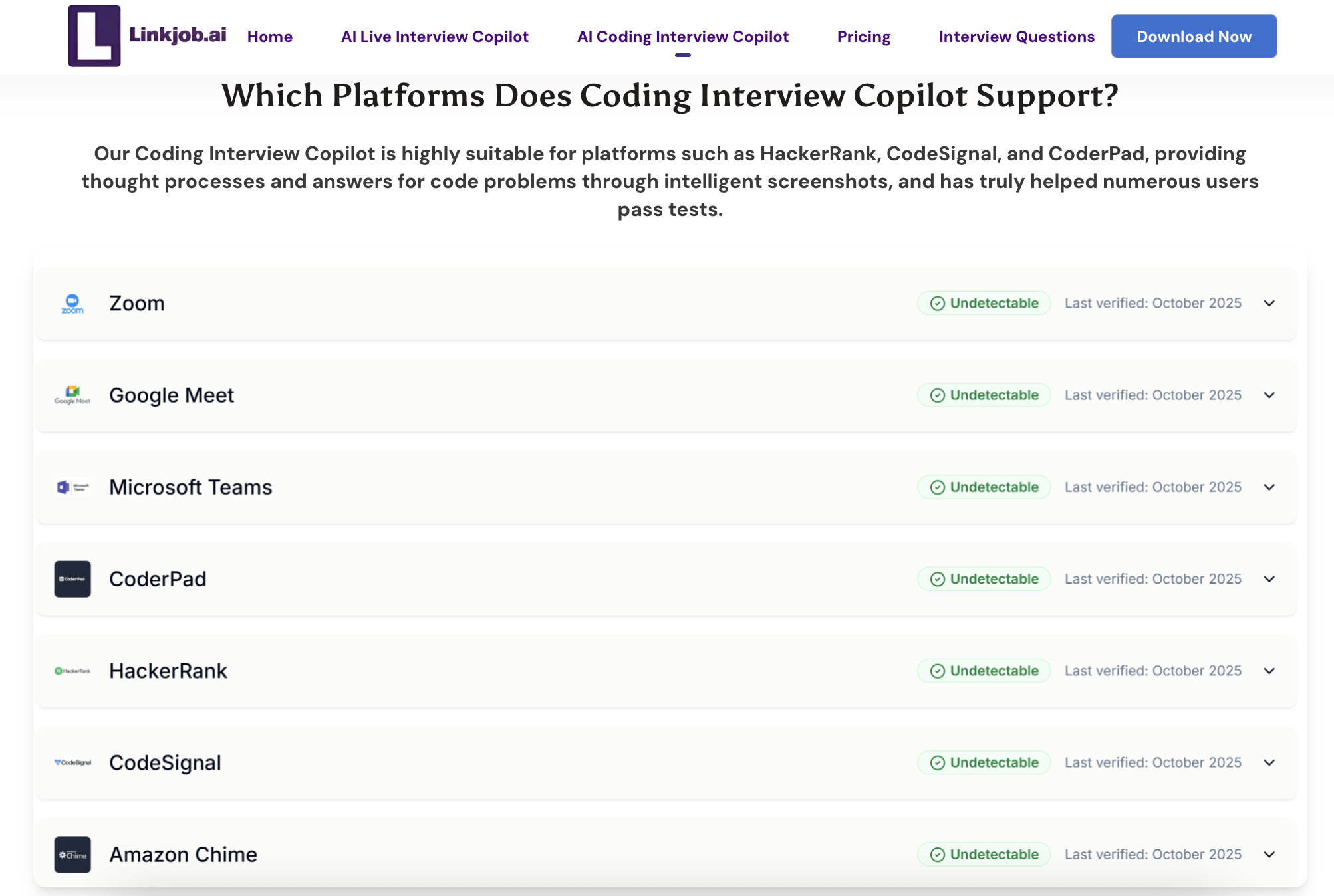
Linkjob AI supports interviews on various meeting platforms and online testing platforms and performs regular checks to ensure undetectability:
Available AI Models
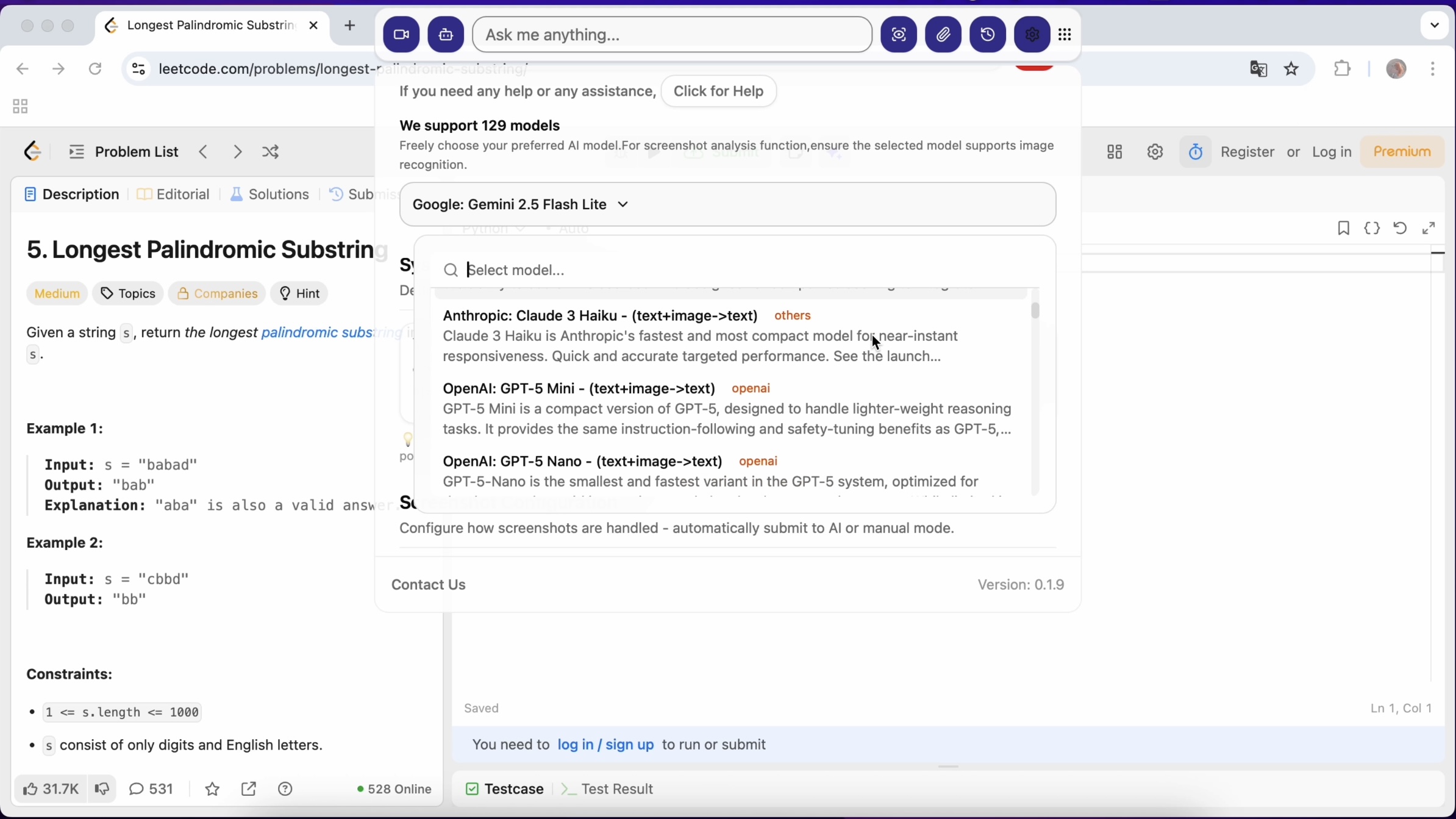
Linkjob AI’s AI Interview Copilot and mock interview both support over 120 AI models, including both mainstream and more specialized ones, offering a wide range of options:
Other Services
Features | Linkjob AI |
|---|---|
AI Prompt | Supports customizing how the AI responds. |
Language Support | Supports interviews in any language, with the AI automatically detecting the language in real time. |
Programming Language Support | Simply specify the programming language in the prompt, or let the AI use the default setting to generate the most suitable answer. |
FAQ
Can I use Linkjob AI to interview on other platforms?
Yes. I checked the official website, and most interview platforms are supported. I also saw in the Discord chat that some people used it for interviews on Sova, Codility, and more, and they didn’t encounter any problems.
How does Linkjob AI ensure the privacy of my interview data?
Linkjob AI says it handles everything 100% locally to ensure compliance with data privacy regulations.
See Also
How to Use Technology to Cheat on CodeSignal Proctored Exams
How to Cheat HackerRank Tests With AI: My 2026 Update
How I Used AI to Pass the Interview on Microsoft Teams
How I Cheat on Codility and Avoid Getting Caught in 2025
How to Use Tools for Screen Capture Not Detectable by Coderbyte
© Copyright 2025 Linkjob.ai - All Rights Reserved.