How I passed the Shopify CoderPad interview in 2026

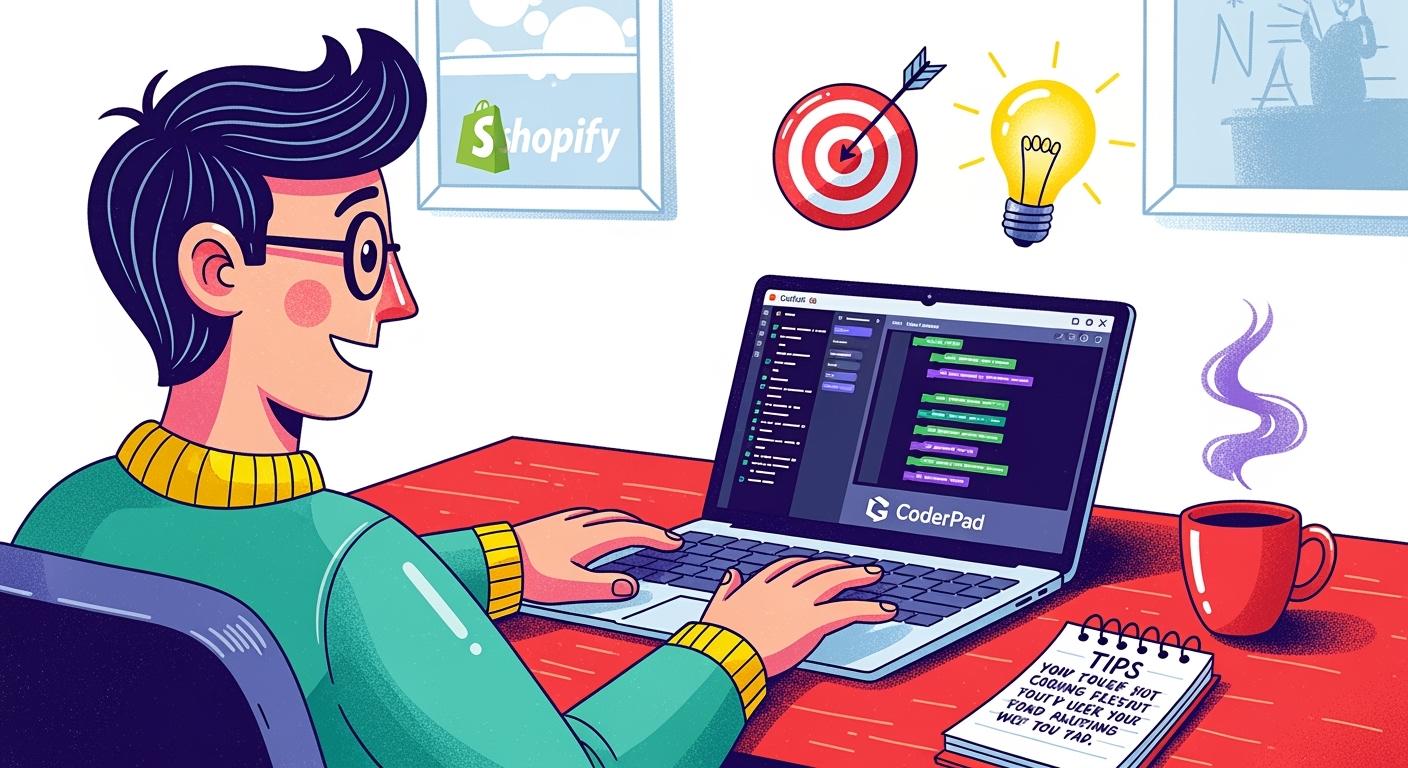
Shopify's interview process differs from other major North American companies. You must complete a coding challenge and submit your GitHub project alongside your application materials.
I just received my Shopify CoderPad assessment results. With the help of Linkjob—a completely invisible AI interview assistant—I achieved a solid score. In this article, I'd like to share my previous interview journey and the questions I encountered on Shopify CoderPad.
Shopify CoderPad Interview Process
Interview Structure Overview
Within hours of submitting my application, I received two emails: one was an “assessment” email, and the other was a programming challenge email. Both required completion within four days. I spent two days preparing on Coderpad and Leetcode before opening these emails, but I still underestimated the difficulty of Shopify's online assessment: the problems were only moderately challenging, but the time constraints were extremely tight. Without Linkjob's assistance, I doubt I could have completed both tests within the allotted time.
Following the OA approval, there is a 30-minute phone interview, a 1-hour technical interview, a 1-hour behavioral interview, and a 3-5 hour cultural fit interview—equivalent to five rounds in total. Honestly, Shopify's interview experience ranks among the best I've ever had. The entire process was very considerate, and the interviewers were all friendly.

Shopify CoderPad Interview Questions
Object-Oriented Programming (OOP)
Shopify interviews place significant emphasis on OOP design principles. They often assess candidates through questions that demonstrate their understanding of OOP concepts, such as:
Question: “Design a simple command-line shopping program. Users should be able to add items to the cart, view the cart, and proceed to checkout.”
Class Design: First, you need to design the core classes required for this program. For example:
- Product class (with properties like name, price, quantity)
- ShoppingCart class (with methods like addItem, removeItem, getTotal)
- User class (with properties like name, email, cart)
- Order class (with properties like items, total, status)
Relationship Design: Next, you need to design the relationships between these classes. For example:
-User and ShoppingCart have a one-to-one relationship;
-ShoppingCart and Product have a one-to-many relationship;
-User and Order have a one-to-many relationship.
-Code Implementation: Then, you need to implement these classes and their methods using a language you're familiar with (e.g., Ruby, Python, Java). Shopify primarily uses Ruby on Rails, so familiarity with Ruby is a plus.
- Scalability Discussion: Finally, the interviewer may discuss the scalability of this program. For example: “If we needed to add a new feature like coupons, how would you modify your design?” “If we needed to support multiple currencies, how would you handle it?” “If we needed to support multiple payment methods, how would you design it?”
Other common Shopify interview questions include:
“Design an inventory management system.”
“Implement a basic order processing workflow.”
“Design a checkout system supporting multiple payment methods.”
“Implement a product search functionality.”
“Design a promotional campaign management system.”
“Implement a refund processing workflow.”
Data Structures and Algorithms
Although Shopify interviews don't focus as heavily on algorithms as FAANG companies, a solid grasp of fundamental data structures and algorithms is still required. Common questions include:
“Implement a function to calculate the total cart value, including taxes and discounts.”
“Implement a function to identify the top N best-selling products.”
“Implement a function to detect potential fraud in orders.”
“Implement a function to calculate shipping costs.”
System Design
For experienced candidates, Shopify may also ask System Design questions. A typical System Design question might be:
Question: “Please design an order processing system for Shopify.”
- Requirement Analysis: First, confirm the core functionalities of the system with the interviewer. For example: How many orders must it support? What are the latency requirements? Which payment methods must be supported? Which logistics services must be integrated?
- System Architecture: Next, design the overall architecture of the system. Consider how to structure your order service, payment service, inventory service, logistics service, notification service, etc.
- Database Design: Then, you need to design the system's database. Consider how to store order information, product details, user data, payment records, etc.
- Scalability: Finally, you must plan for scaling the system to support more merchants and orders. Utilize technologies like microservices architecture, message queues, and caching to enhance scalability.
Shared Experiences and Community Insights
Choose Top AI Tools For Cheating
While browsing Reddit for other Shopify candidates' Coderpad interview experiences, this comment caught my attention:
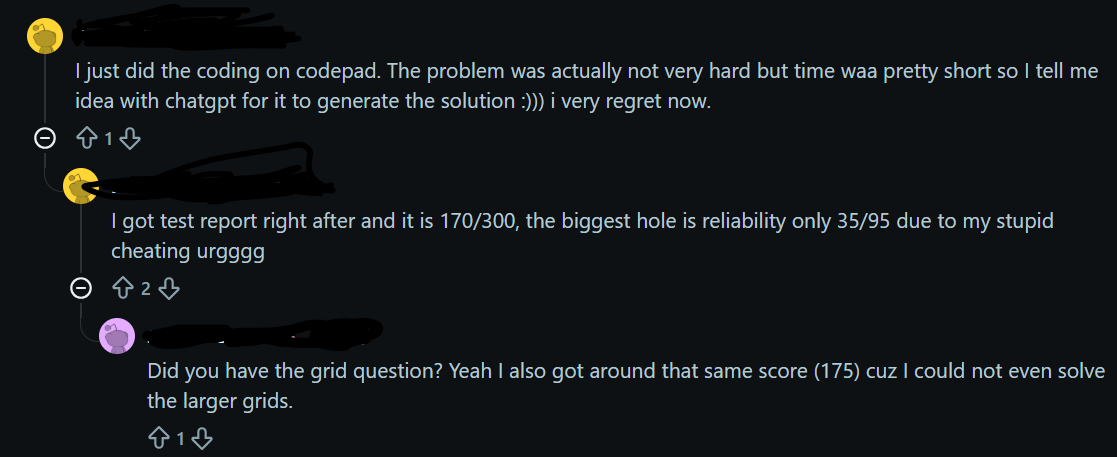
He carelessly used ChatGPT directly during the test, which was ultimately detected by the testing platform, resulting in mediocre scores. In contrast, Linkjob can operate completely undetected on CoderPad. Equipped with top-tier AI technology, it delivers answers of exceptionally high quality.
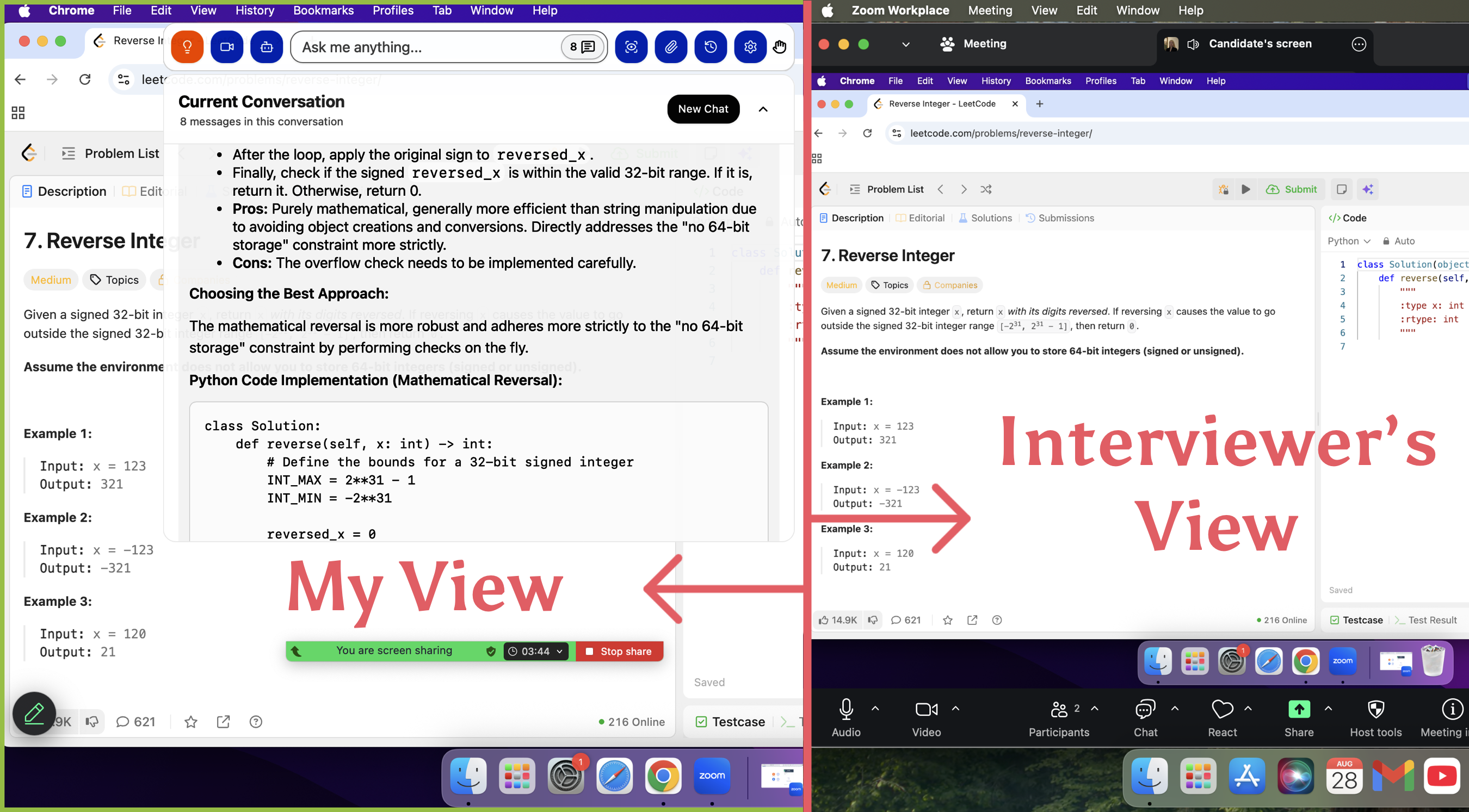
If you've never used AI interview assistants like CoderPad and fear being detected by the platform for using AI copilots, I recommend reading these two articles: One is an operational guide: How to Cheat on CoderPad; The other is a real interview experience: Goldman Sachs CoderPad.
Frequently Reported Challenges
I faced some tough moments during my interview, and I know others did too. The most common challenge was jumping into unfamiliar codebases. Some candidates struggled to understand the problem before they started coding. Others missed bugs in AI-generated code because they didn’t review test cases. I saw people prompt for a full solution but skipped writing code themselves. That’s a big pitfall. Not catching bugs or blindly accepting code can trip you up.
Tip: Always review your test cases and double-check your code, even if you use AI tools.
Community Tips and Pitfalls
The community shared some solid advice that helped me prepare. Here’s what I learned:
Read the problem statement carefully and confirm your understanding by paraphrasing it.
Create and run test cases with your interviewer.
Talk through your logic as you code.
Manually walk through test cases to show your understanding.
Discuss time and space complexity.
Run your code with the test cases you designed.
I always remind myself to avoid common pitfalls. Don’t skip coding. Don’t ignore test cases. Don’t rush into a solution without understanding the problem. These steps helped me stay focused and confident during my Shopify CoderPad interview.
Preparation Tips and Strategies
Practicing in CoderPad Environment
I found that the best way to get ready for the Shopify CoderPad interview was to practice in an environment that felt just like the real thing. I set up my workspace to mimic CoderPad as closely as possible. This helped me get comfortable with the tools and the pressure of live coding.
Here’s how I recreated the CoderPad experience:
I focused on algorithms like backtracking, BFS/DFS, greedy methods, tries, and dynamic programming. These topics came up often.
I wrote a checklist for edge cases and created unit tests for every problem. This made sure I didn’t miss anything.
I used AI tools to help with boilerplate code, but I always wrote the main logic myself. This kept my skills sharp.
I practiced reading and understanding large codebases quickly. Sometimes, I gave myself a time limit to find bugs or add features.
I explained my thought process out loud, even when I practiced alone. This made it easier to communicate during the real interview.
I tried the official CoderPad practice puzzle. It was tough, but it gave me confidence for the actual interview.
Tip: Over-communicate your ideas. The more you share your thinking, the more your interviewer understands your approach.
Practicing in a CoderPad-like setup gave me a huge advantage. I got used to the live coding environment, the drawing mode for system design, and handling multi-file projects. Here’s a quick look at how these features helped me:
Feature | Function | Benefit |
|---|---|---|
Live Coding Environment | Real-time collaborative coding | Mimics pair programming scenarios |
Drawing Mode | Collaborative whiteboarding | Helps with system design discussions |
Multi-file Support | Project-style questions | Feels like real-world coding |
"No other platform that we evaluated came close to CoderPad in providing the overall experience we wanted for both our candidates and interviewers."
— Vignesh Ramesh, Engineering Manager at Yext
CoderPad let me work on database queries and multi-file projects, just like I would in a real job. Practicing this way made me feel ready for anything the interview could throw at me.
Effective Study Resources
I didn’t just practice problems—I made sure to use the right resources. Here’s what worked for me:
I used LeetCode and HackerRank for algorithm practice. I filtered for medium and hard problems to push myself.
I watched YouTube videos on system design basics. These helped me understand how to break down big problems.
I joined online mock interview platforms. Practicing with strangers made the real interview feel less scary.
I read through CoderPad’s official documentation and tried their sample puzzles.
I kept a notebook of common interview questions and my best answers. Reviewing this before the interview helped me stay sharp.
I also set up mock interviews with friends. We took turns being the interviewer and the candidate. This gave me feedback on my communication and problem-solving skills.
Time and Nerve Management
Managing time and nerves was just as important as technical prep. I learned a few tricks to stay calm and focused:
I always set a timer when I practiced. This helped me get a feel for how long each step should take.
I broke problems into small parts. Solving one piece at a time kept me from feeling overwhelmed.
I paused to breathe if I got stuck. Sometimes, stepping back for a few seconds helped me see the solution.
I reminded myself that it’s okay to ask for hints. The interview is a conversation, not a test.
I kept water nearby and took quick sips to stay relaxed.
Note: The interviewer wants to see how you handle stress. Stay positive, keep talking, and show your process—even if you hit a roadblock.
I also practiced positive self-talk. I told myself, “You’ve prepared for this. You know what to do.” This simple habit made a big difference on interview day.
By focusing on realistic practice, using strong resources, and managing my nerves, I walked into the Shopify CoderPad interview feeling ready. You can do the same. Set up your environment, practice out loud, and trust your preparation.
Final Checklist and Action Plan
Pre-Interview Steps
Before my Shopify CoderPad interview, I made sure to follow a clear checklist. This helped me feel organized and ready. Here’s what I did:
Learn about Shopify. I checked out their latest products and read up on recent news. This gave me talking points and showed I cared.
Practice coding. I focused on the data structures and algorithms that matched the job description. I solved problems until I felt comfortable.
Pair programming practice. I teamed up with friends for mock sessions. We took turns being the interviewer and candidate.
System design prep. For senior roles, I reviewed how to design scalable systems. I practiced explaining my ideas with diagrams.
Show passion and curiosity. I kept a list of things I wanted to learn more about. I let my excitement show during the interview.
Ask questions. I prepared thoughtful questions for the end of the interview. This showed I was engaged and interested.
Last-Minute Reminders
Right before the interview, I ran through a few quick reminders. These small steps made a big difference:
I reviewed the interview process so I knew what to expect. This helped me stay calm.
I double-checked my internet connection and set up a quiet space.
I kept a backup device nearby, just in case.
I had water and a notepad ready.
I reminded myself to breathe and take my time.
Tip: A little planning goes a long way. When you know your setup is solid, you can focus on the interview itself.
What should I do if I get stuck during the coding exercise?
I pause, take a deep breath, and explain my thoughts out loud. I ask the interviewer for hints or clarification. Staying calm helps me find a new angle.
How do I handle time pressure in the interview?
I break the problem into smaller steps. I set a timer when I practice. If I run out of time, I share my approach and next steps with the interviewer.
What if I make a mistake in my code?
I admit the mistake and fix it right away. I walk through my test cases to catch bugs. The interviewer likes when I show problem-solving skills.
See Also
8 Best Free AI Interview Assistant Tools, 2025 Hands-on Picks
Leveraging AI for Success in My Microsoft Teams Interview
How to Cheat HackerRank Tests With AI: My 2026 Update
Why I Ditched Cluely AI :My Honest Take on the Best Cluely AI Alternatives That Actually Work
© Copyright 2025 Linkjob.ai - All Rights Reserved.