Acedly AI Review (2026): Is It Truly Invisible & Worth It?

Introduction: Why I Decided to Write This Acedly AI Review
In the competitive job market, I felt pressured to get an AI interview assistant. I tried LockedIn AI, but had glitches and issues with an invisible feature. It was after I finished my LockedIn AI review and Cluely AI review that I realized I needed a better LockedIn AI alternative.
One night, while checking out developer forums and tech news ads, a beautifully designed ad caught my eye: Acedly AI. The ad said the assistant is lightweight and affordable, built specifically for coding interviews. It says the screen-sharing protection is "100% invisible" and the speech-to-text transcription is real-time.
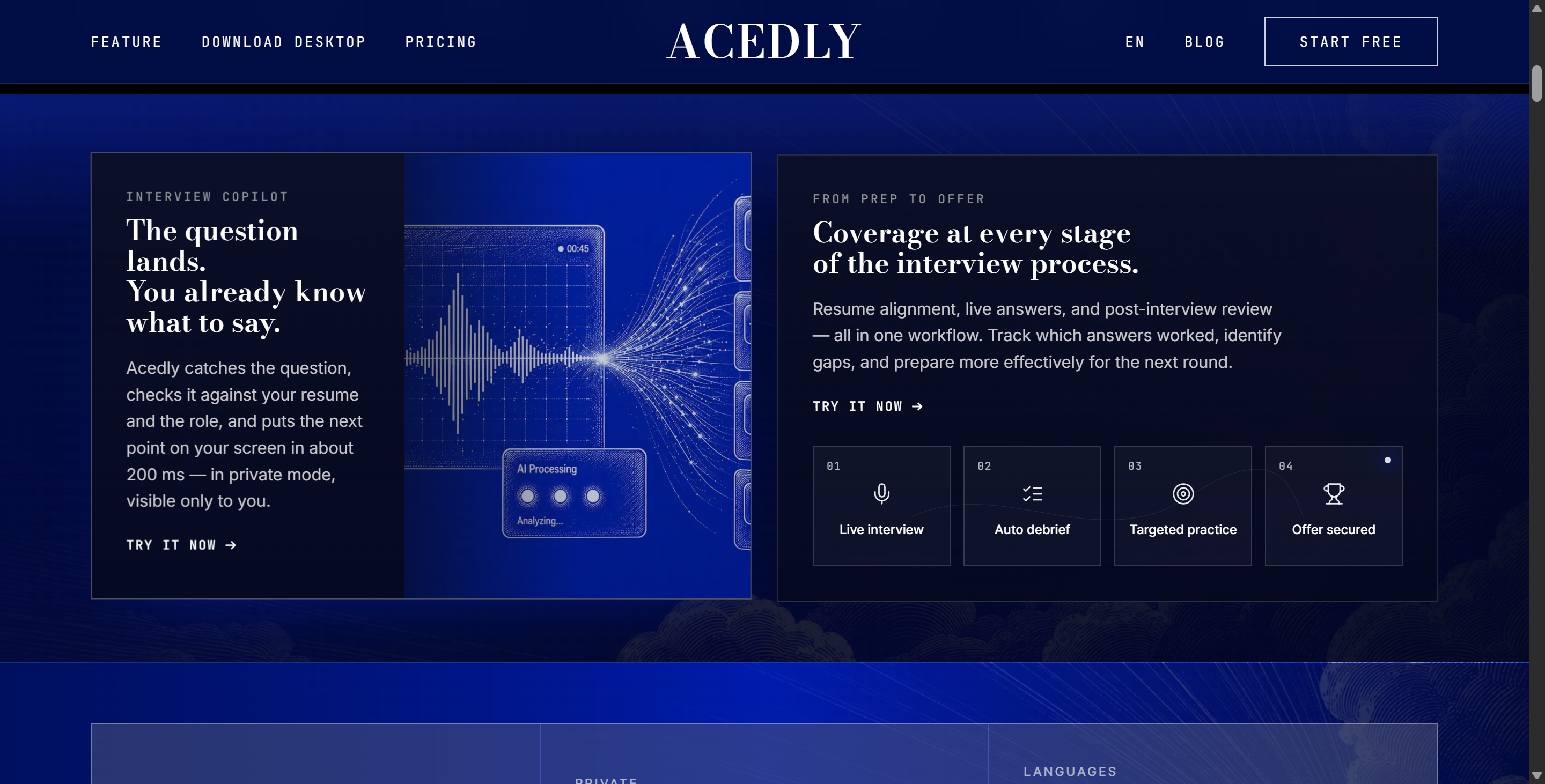
I visited their website and found it to be clean, minimalist, and marketed toward job seekers in need of technical support. I subscribed and spent two weeks testing it thoroughly—simulated audio sessions, proctored live coding. While the user interface is impressive, Acedly AI also has critical flaws.
In this review of Acedly AI, I'll give you the lowdown on what it is, its main selling points, how it performed in my tests, its flaws in real-time scenarios, and how it stacks up against the top competitors, like Linkjob AI, which I ended up choosing.

What Is Acedly AI? An In-Depth Acedly AI Review Overview
To kick off this Acedly AI review, it is crucial to understand what the platform promises on paper before evaluating how it functions in reality.
┌─────────────────────────────────────────────────────────────┐
│                    Acedly AI Core Claims                    │
├─────────────────────────────────────────────────────────────┤
│  • Dedicated Desktop Application & Web Interface            │
│  • Headline Pitch: Absolute Screen-Share Invisibility       │
│  • Real-Time Audio Transcription & Auto-Sectioning          │
│  • Specialized Coding & Algorithm Assistance               │
│  • Budget-Friendly Flat Pricing Tiers                       │
└─────────────────────────────────────────────────────────────┘
Acedly AI says it's an AI co-pilot made just for in-person job interviews. The tool says it listens to your interview in real time through the system's microphone and writes down what you say instantly, identifies technical questions, and gives you prepared talking points or code snippets on the spot. It sounds a lot like similar tools out there.
Core Feature Claims According to Acedly AI
Completely Invisible Screen Sharing: Acedly AI says its interface can't be recorded by screen recording software, video conferencing platforms (like Zoom, Google Meet, Microsoft Teams, and Webex), and proctored testing environments.
Technical Expertise and Coding Support: Along with the usual behavioral questions, the platform says it can analyze real-time coding challenges, system architecture issues, and complex LeetCode-style algorithmic problems.
Transparent Model Selection: Acedly AI is different from a lot of competitors in that they don't just hide their AI backend behind proprietary names. They actually use a bunch of high-quality models.
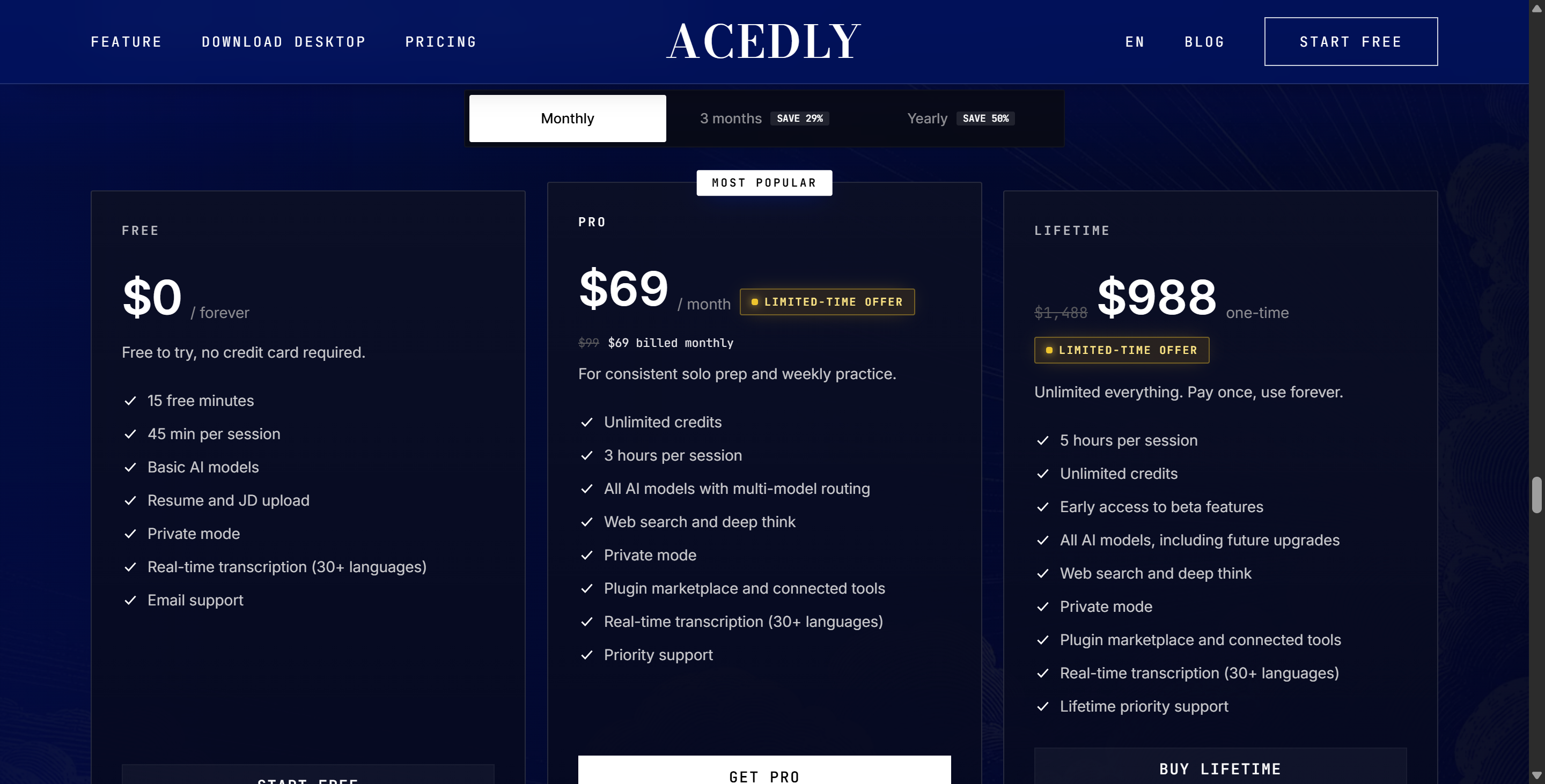
Affordable Pricing Structure: It's great for developers on a budget since it has super affordable flat-rate pricing. It's a great alternative to pricey tools like Cluely ($150/month with undetectable mode).
Third-Party Reputation and Search Manipulation Concerns
When conducting preliminary research for this Acedly AI review, I searched independent review aggregators and software directories like ExtraBrain and There's An AI For That. What I found was startling: authentic third-party reviews and independent user evaluations for Acedly AI are virtually nonexistent.
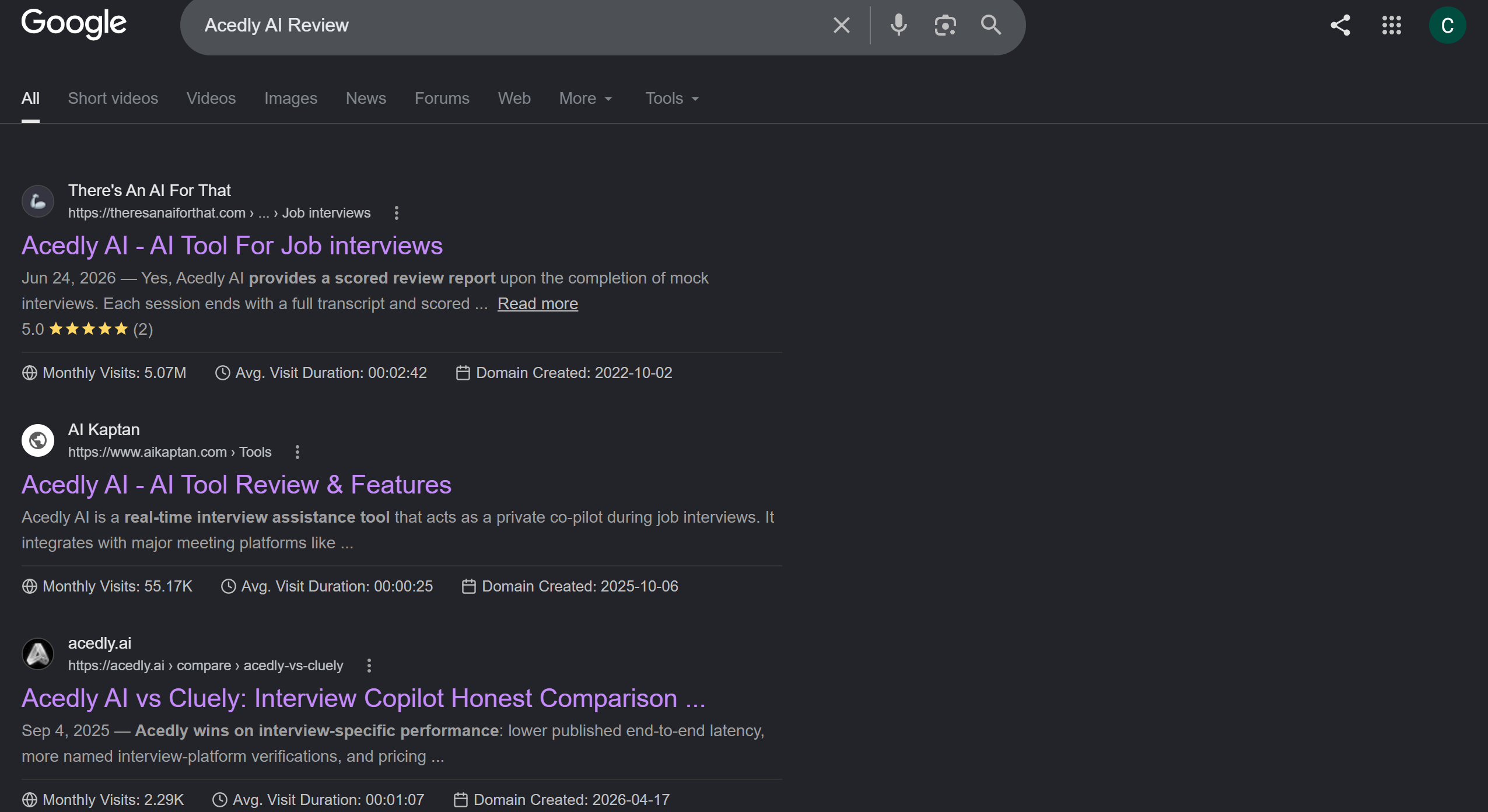
Unlike established interview assistants that have active subreddit discussions and verified user feedback threads on Trustpilot, Acedly AI operates in a digital vacuum. Most listing directories contain placeholder descriptions or unverified marketing submissions directly from the developers.
Furthermore, my research revealed a significant point of confusion that every reader of this Acedly AI review should be aware of: the name collision with "Acely.ai".
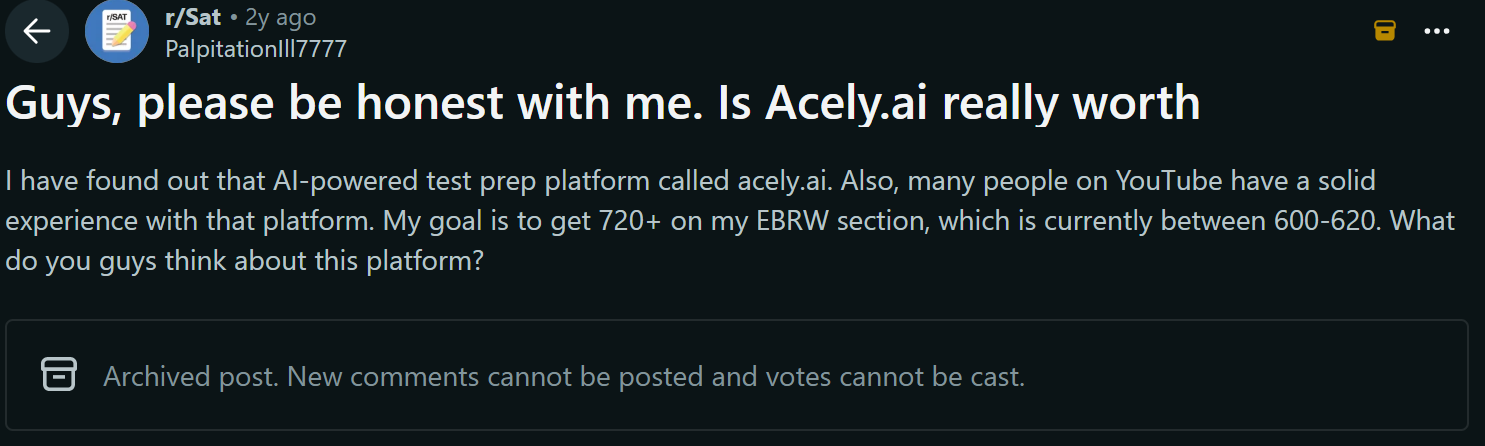
There's a popular and well-established educational tool and AI learning assistant called Acely that's been around for a while. But the interview assistance tool Acedly AI has nothing to do with that educational platform or its parent company. The people who made this interview assistant tool seem to be using "parasitic branding," which means they're taking advantage of the educational tool's popularity to get free SEO traffic. After all, even Google assumes I might be looking for info about Acely AI, so I guess the product's naming was deliberately designed with this in mind.
Testing the Desktop App and Features: Hands-On Acedly AI Review
To provide an objective Acedly AI review, I ignored the marketing hype and installed the software directly on my test machine. I set up a dual-monitor environment, routed the audio from a simulated technical interview through the system speakers, and carefully evaluated its user experience, transcription design, and stealth features.
┌─────────────────────────────────────────────────────────────┐
│              Hands-On Testing Workflow Setup                │
│                                                             │
│  [ Installation & Desktop Client Setup ]                    │
│         │                                                   │
│         ▼                                                   │
│  [ Invisibility Test: App Window vs Screen Recorders ]      │
│         │                                                   │
│         ▼                                                   │
│  [ Audio Stream Parsing & Model Selection Test ]            │
│         │                                                   │
│         ▼                                                   │
│  [ Live Simulation: Speaker Diarization & Mic Input ]       │
│         │                                                   │
│         ▼                                                   │
│  [ Screenshot Code Processing & Latency Benchmark ]         │
└─────────────────────────────────────────────────────────────┘
In the spirit of fairness, my hands-on Acedly AI review revealed several genuinely impressive technical strengths in the desktop app's baseline design.
What Acedly AI Gets Right (The Positives)
True Desktop App Invisibility Across All Plans
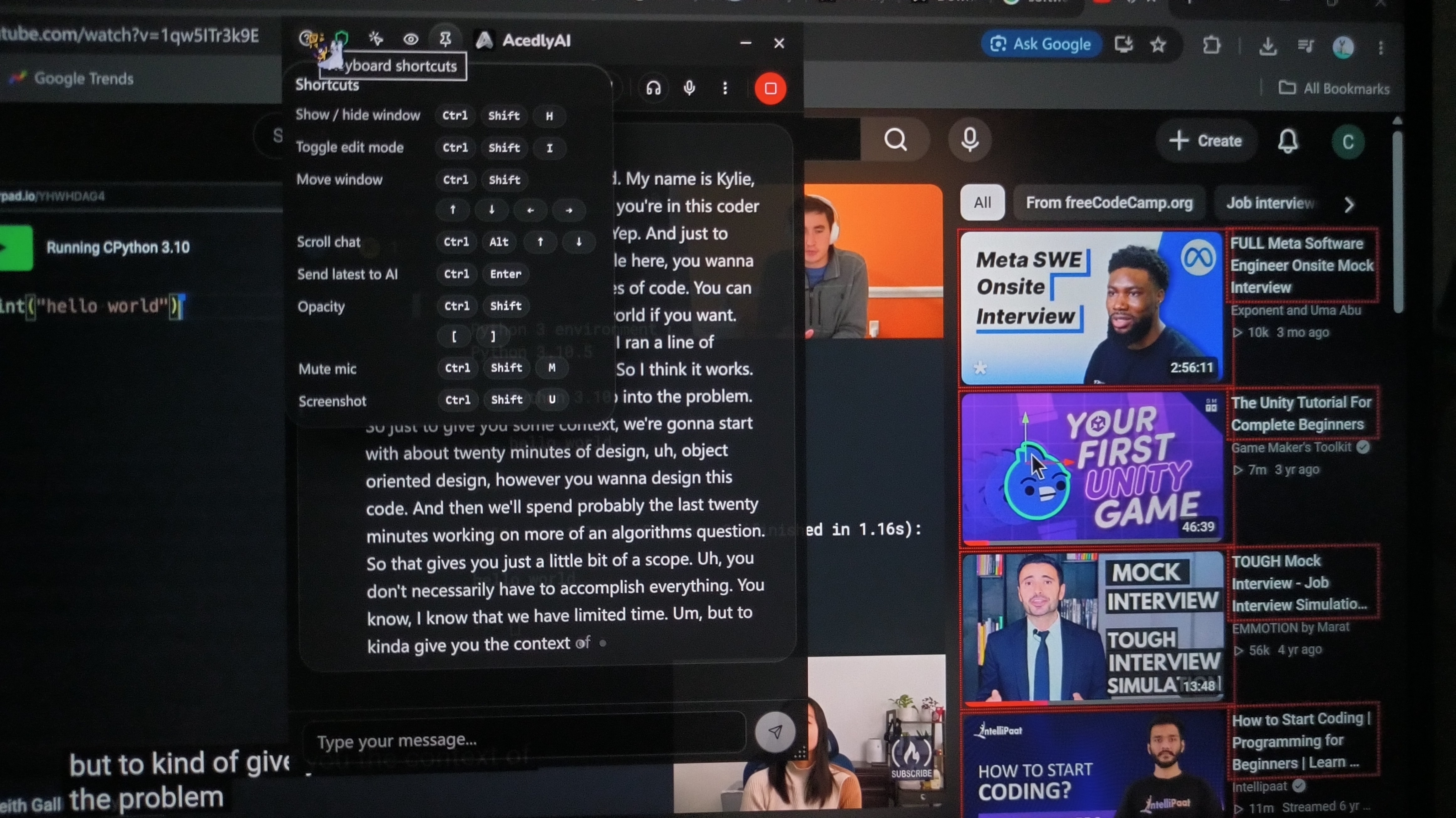
The best thing about this Acedly AI review is how well it runs on your computer. Acedly AI's standalone desktop app is different from a lot of cheap browser extension tools that get captured during desktop screen shares. It successfully hides its window from standard capture hooks.
When I tested it out with Zoom full-desktop sharing and native OBS screen recording, the Acedly AI app window didn't show up at all in the recorded output stream. This stealth protection was consistent across all pricing tiers, giving candidates peace of mind regarding basic visual window privacy.
Fast, Accurate Transcription with Auto-Sectioning
The audio transcription engine in the desktop client did great in the static audio tests. As the interviewer spoke, the speech-to-text pipeline transcribed sentences quickly and accurately.
Also, the interface automatically organizes ongoing dialogue into neat, logical text cards and automatically scrolls the view down to the newest section as new speech comes in. The clean UI formatting makes scanning text during a call a breeze.
Fully Open and Transparent Model Choices
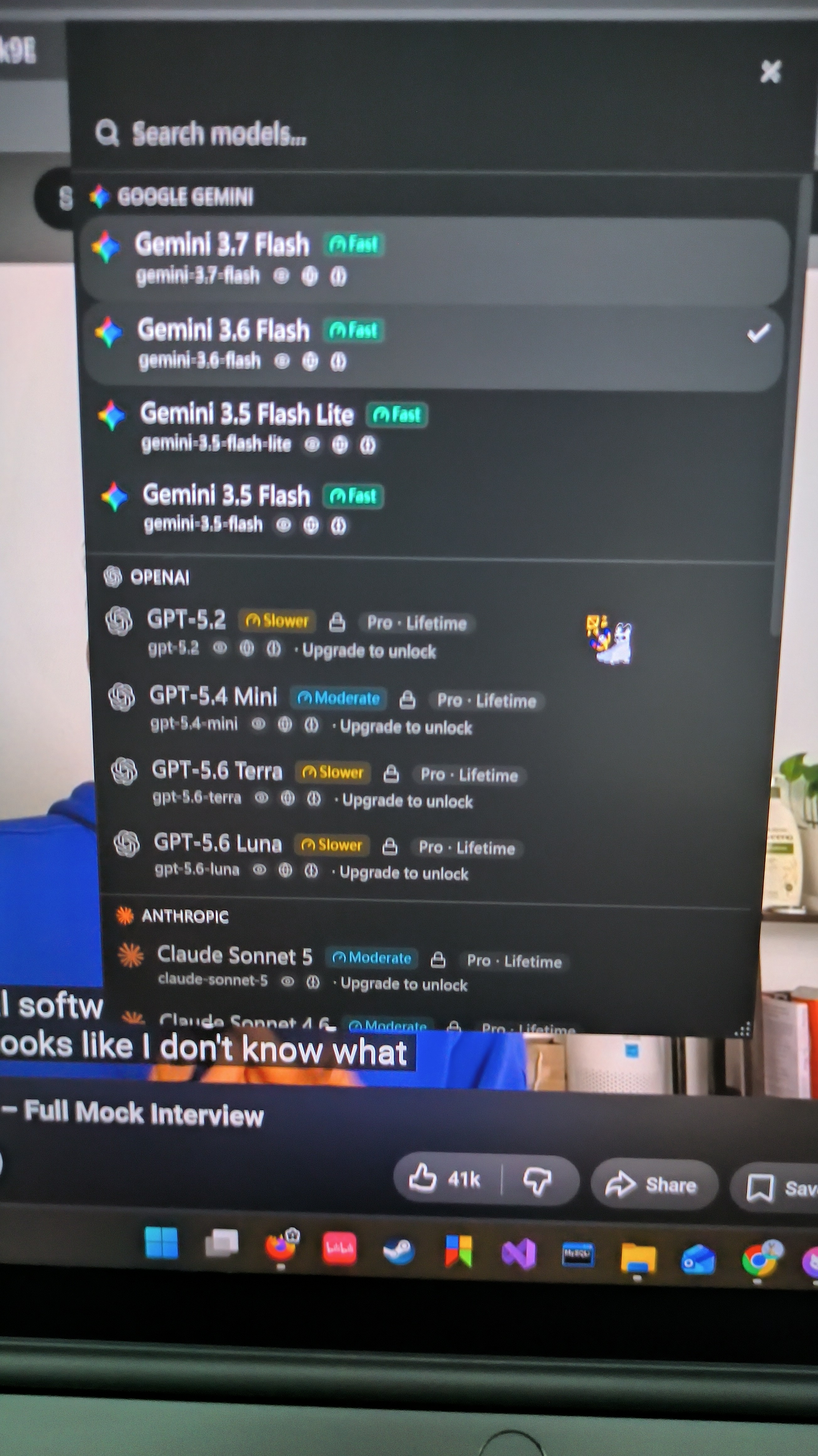
Another great thing about this Acedly AI review is that it discusses the platform's commitment to transparency about its models. In the settings panel, users don't have to guess what model is generating their answers. Acedly AI shows the active underlying LLM engines and lets users switch between available model endpoints based on their preferences.
Polished UI Aesthetics and Lightweight Footprint
The desktop client interface looks great. It's got a modern, dark-mode aesthetic with clean typography, compact UI cards, and minimal CPU overhead. It doesn't take up a lot of system RAM or make a lot of noise when you're recording.
Where It Fails in Live Interviews: Critical Acedly AI Review Insights
While the initial setup impression was promising, taking the software out of a controlled static environment and putting it through a live, dynamic technical interview simulation exposed severe operational deal-breakers.
In this critical section of my Acedly AI review, I detail the severe flaws that surfaced when trying to use the tool in real-time engineering rounds.
┌─────────────────────────────────────────────────────────────┐
│                Major Operational Breakdowns                 │
├─────────────────────────────────────────────────────────────┤
│  ❌ Web Version Stealth Trap (100% Visible on Screen Share) │
│  ❌ Zero Onboarding / Undocumented Complex Features          │
│  ❌ Speaker Diarization Failure (Transcribes Answers as Qs) │
│  ❌ Microphone Capture Bug (Silent During Live Calls)       │
│  ❌ Manual Scroll Friction During Screenshot Code Parsing    │
│  ❌ Severe Code Generation Latency (~30 Seconds Delay)      │
└─────────────────────────────────────────────────────────────┘
1. The Web Version "Stealth" Trap
Acedly AI offers both a web browser interface and a native desktop application. However, their marketing blurbs conflate the two, claiming that the platform as a whole is "completely invisible."
During testing for this Acedly AI review, I discovered that the web-based "invisible copilot" is not invisible at all. If you attempt to use the web browser version while sharing your full desktop screen on Zoom or Google Meet, the entire copilot interface is 100% visible to your interviewer. Marketing a web tool as "stealthy" without explicitly warning users that only the desktop app window offers screen capture protection is a dangerous trap that could easily get an unsuspecting candidate caught.
2. Feature Density Without Official Documentation or Onboarding
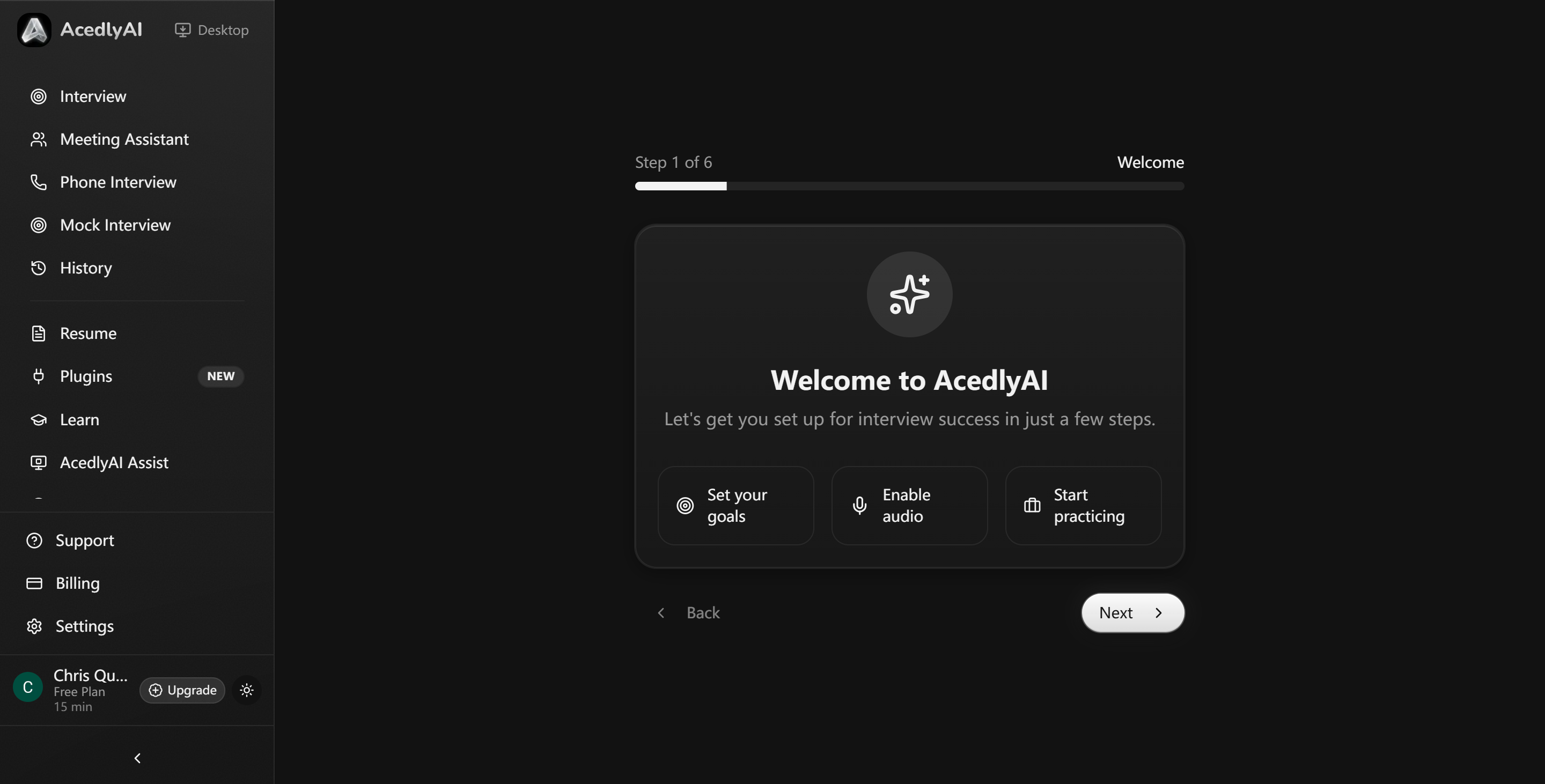
Although the desktop app UI appears sleek on the surface, it contains numerous hidden toggles, hotkey mappings, context slots, and secondary panels. Unfortunately, there is virtually zero official documentation, onboarding guidance, or video tutorial material provided.
I had to figure out complex hotkey combos and context configurations through trial and error, which was super stressful when I was preparing for an interview under time constraints.
3. Severe Speaker Diarization Failure (Infinite Answer Loops)
The most critical flaw uncovered in this Acedly AI review could've actually been easily detected during the process. Well, here's the thing: Acedly AI can't tell the difference between the interviewer's voice, the candidate's voice, and the AI's own output. All of those are sent through the system's audio.
[0.0s] Interviewer asks: "How do you handle Redis cache stampedes?"
  │
  ├─► [2.0s] Acedly AI transcribes question correctly & generates Answer A.
  │
  ├─► [5.0s] Candidate reads Answer A aloud to the interviewer.
  │
  └─► [7.5s] Acedly AI hears Candidate's voice, mistakes Answer A for a NEW question,
             and generates a redundant "Answer B", completely cluttering the interface!
Acedly AI got the candidate's verbal responses in the mock interview video I provided mixed up with the interviewer's remarks, so it kept giving the AI answers that had nothing to do with the actual questions.
Actually, while I was watching the test video, I saw a ton of disorganized, repetitive, and redundant answer cards pop up on my screen. For at least eight of those minutes it was pretty much impossible for me to quickly figure out what the interviewer had asked — or even find the right answer.
4. Microphone Input Bug Outside Mock Mode
When attempting to speak into my microphone during live third-party interview calls, Acedly AI frequently failed to capture my voice altogether. The mic input indicator would freeze or register zero input volume during live Zoom calls, meaning my spoken context was completely ignored by the AI. Bizarrely, the microphone capture worked perfectly inside Acedly AI’s built-in "mock interview" sandbox, but collapsed during actual external call environments.
5. Manual Scrolling Friction During Image/Screenshot Captures
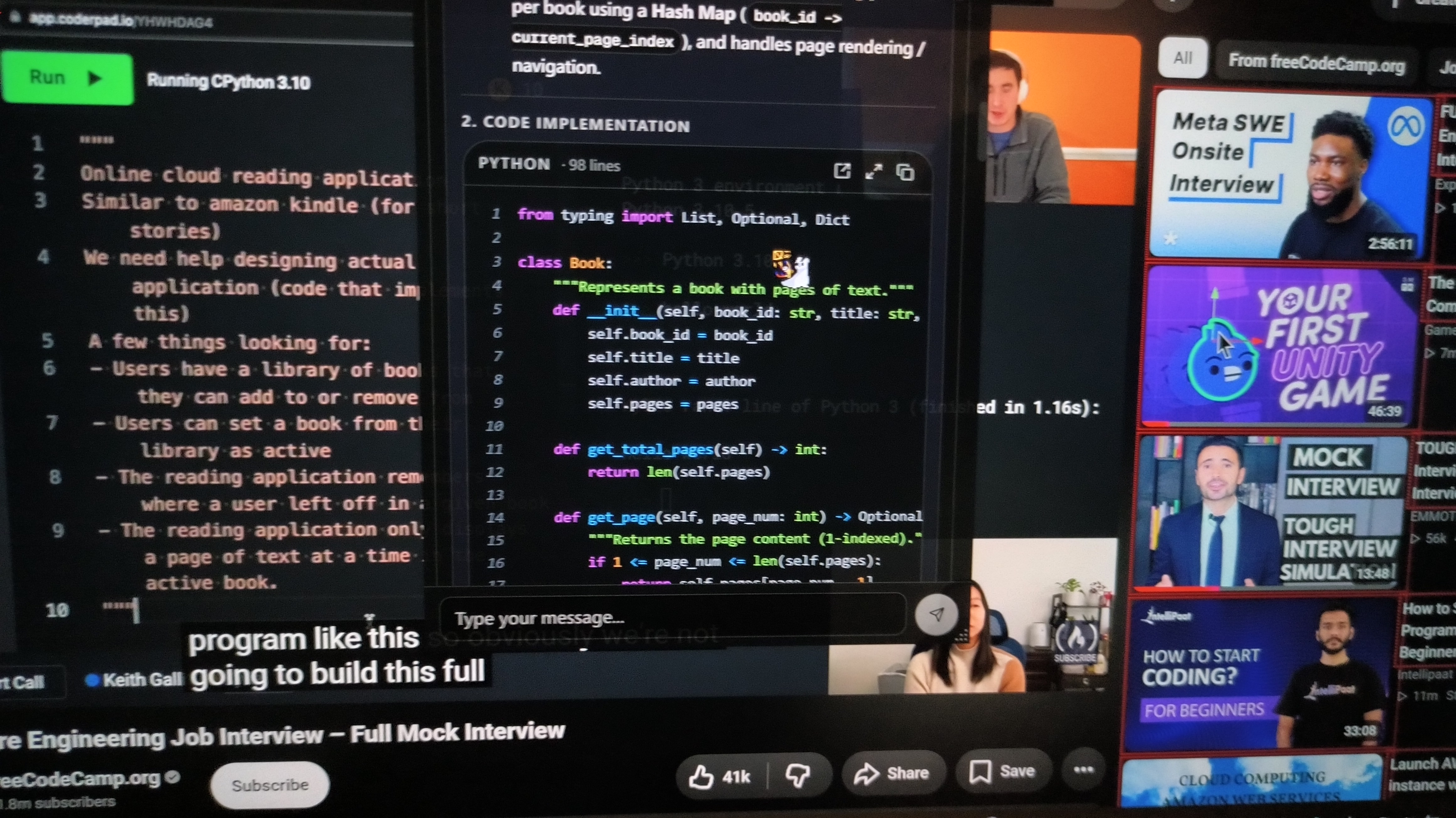
When facing complex coding challenges on LeetCode or CodeSignal, candidates often capture a screen selection to feed the code problem directly into the AI. In Acedly AI, when you upload a screenshot, the system generates a code solution card.
However, because the live audio transcription engine continues to listen to the interviewer talking in the background, the UI automatically scrolls down to display new speech transcriptions. This auto-scrolling behavior pushes the generated code card off the screen!
To read the code solution while your interviewer is talking, you are forced to constantly grab your mouse and manually scroll back up to the code card, read a few lines, let go, and repeat. This frantic, repetitive mouse scrolling creates highly suspicious physical behavior that any observant interviewer will notice immediately.
6. Unusable Code Generation Latency (~30 Seconds)
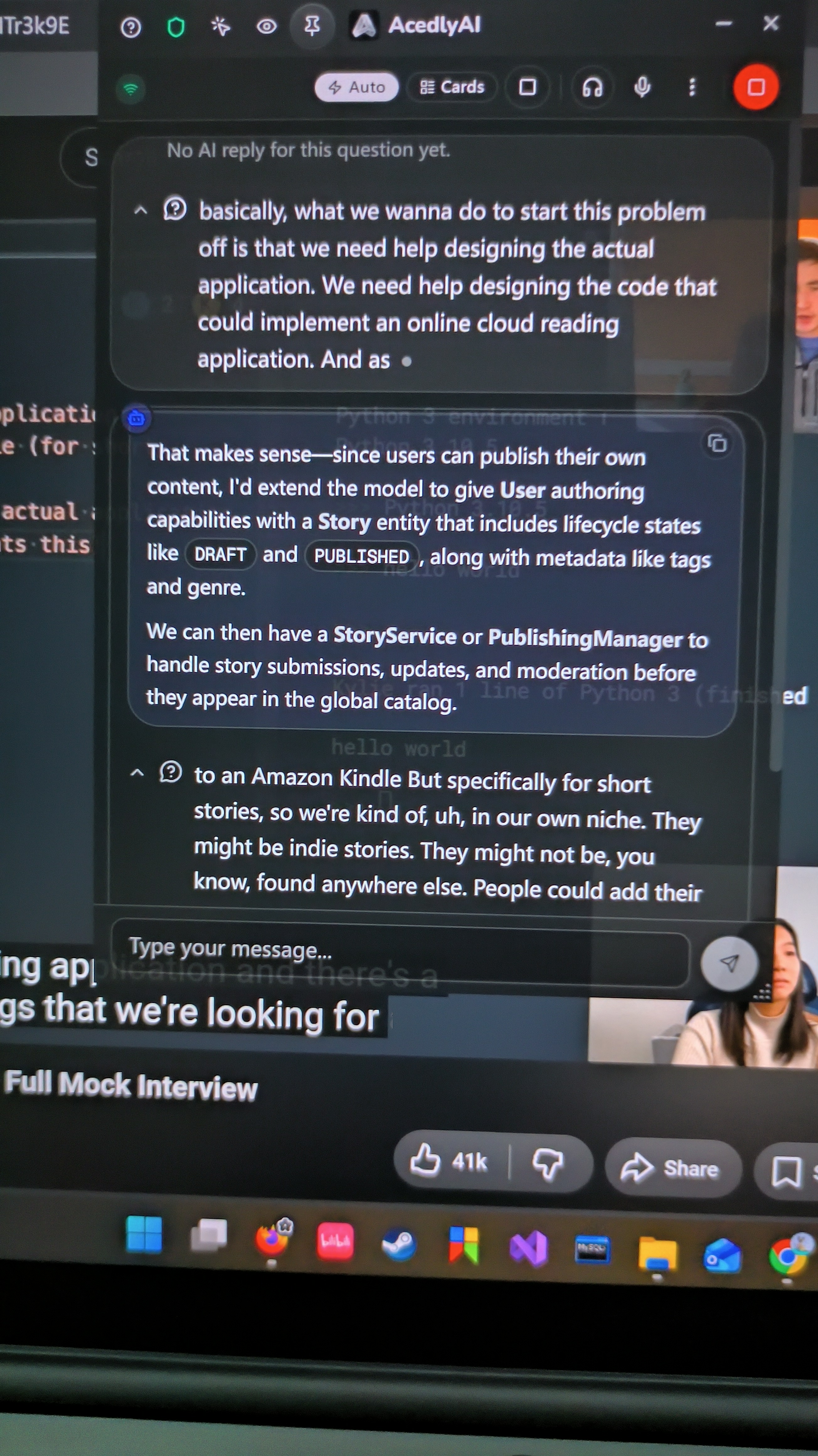
In live coding rounds, timing is everything. While Acedly AI’s basic speech-to-text transcription is fast, its technical reasoning and code snippet generation suffer from excruciating latency.
During my test scenarios, once a complex algorithm prompt was captured, the code generation engine took upwards of 30 seconds to render a complete solution. In a fast-paced live coding interview where silence for more than 5 seconds feels awkward, waiting half a minute for a code card to render renders the copilot virtually useless.
Acedly AI Review vs. Top Alternatives: Full Comparison Matrix
To put this Acedly AI review into proper market context, it is helpful to compare Acedly AI directly against the leading AI interview copilots in 2026: Linkjob AI, Final Round AI, Interview Coder, and LockedIn AI.
┌─────────────────────────────────────────────────────────────────┐
│                 Copilot Architecture Spectrum                   │
│                                                                 │
│  [ Fragile Web Extensions ]  ──> [ Standard Window Overlays ]   │
│    (High Risk / Visible)           (Cursor Lock / App Leaks)    │
│                                                │                │
│                                                ▼                │
│                              [ OS-Level Stealth Drivers ]       │
│                                (100% Invisible / Sub-1.8s)      │
└─────────────────────────────────────────────────────────────────┘
Below is a detailed comparison matrix evaluating stealth architecture, latency, speaker reliability, and overall return on investment (ROI).
Comprehensive Comparison Matrix
Feature / Metric | Acedly AI | Final Round AI | Interview Coder | LockedIn AI | Linkjob AI (Recommended) |
Stealth Architecture | ⚠️ Desktop App Only (Web Version Unsafe) | ⚠️ Standard App Window | ❌ Browser Extension Bound | ❌ Floating Window Overlay | 100% Invisible OS Driver Hook |
Cursor & Pass-Through | ⚠️ Standard OS Capture | ⚠️ Window Interference | ❌ Focus Theft Bugs | ❌ Severe Cursor Lock | Mechanical Pass-Through UI |
Code Generation Latency | ❌ ~30.0s Delay | 4.0s – 6.0s | 3.5s – 5.0s | 4.5s – 7.0s | 1.1s – 1.8s (Instant Stream) |
Speaker Diarization | ❌ Broken (Creates Answer Loops) | Moderate Accuracy | Moderate Accuracy | ⚠️ Inconsistent Tracking | Flawless Dual-Layer Processing |
Mic Input Stability | ❌ Fails on Live External Calls | Moderate | N/A | Inconsistent | 100% Reliable Native Audio Hook |
Model Ecosystem | Open Options | Proprietary Gateway | Single API Endpoint | GPT-4 Vision | 120+ Premier LLMs (Claude Opus, GPT-4o) |
Pricing & ROI | Budget Tier ($20–$40/mo) | Expensive ($148/mo entry) | $30/mo | $40/mo | $29.99 / Month (Billed Annually) |
Session Limits | Unlimited | Restricted Tiers | Token Capped | Session Limits | Unlimited Real-Time Usage |
Why Linkjob AI Outperforms Acedly AI Across Every Metric
As demonstrated throughout this Acedly AI review, relying on budget tools with unrefined audio pipelines and half-minute code generation delays introduces immense risk during real technical interviews.
If you are serious about securing a job offer, Linkjob AI (www.linkjob.ai) stands out as the premier industry standard. Engineered specifically to solve the architectural flaws of tools like Acedly AI, Linkjob AI delivers an enterprise-grade copilot experience.
┌─────────────────────────────────────────────────────────────────┐
│                   Linkjob AI Engine Pipeline                    │
│                                                                 │
│  [ OS Driver Stealth Hook ] ──> [ Mechanical Click Pass-Through ]│
│                                           │                     │
│                                           ▼                     │
│  [ Dual Context Engine ]    ──> [ Sub-1.8s Latency Output ]     │
│  (Screen Capture + Resume)       (120+ Premier Models)          │
└─────────────────────────────────────────────────────────────────┘
Here is why Linkjob AI is the clear winner for software engineers and technical candidates:
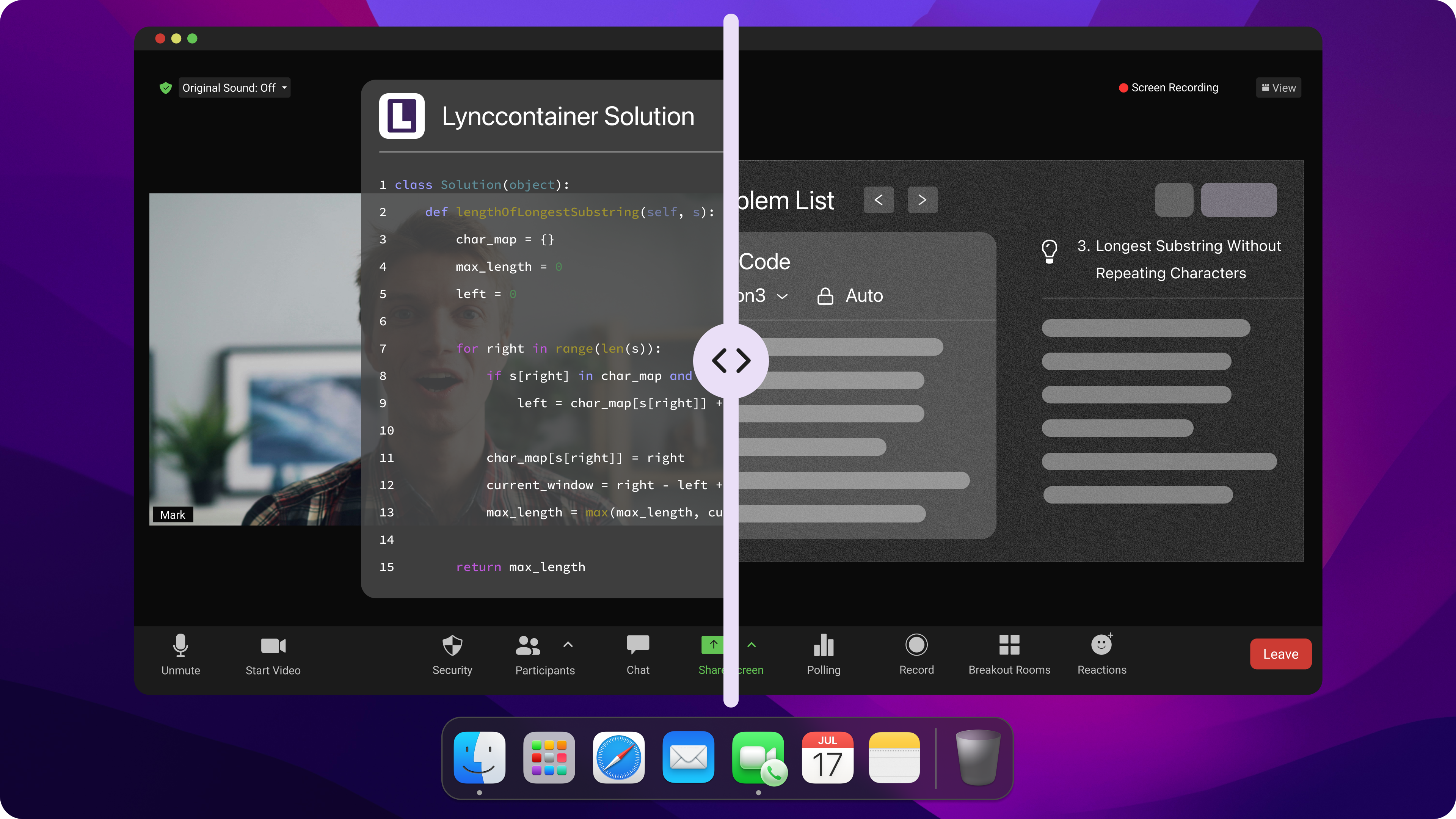
1. True OS-Level Stealth Driver Technology
While Acedly AI’s web version fails at screen sharing and its desktop app relies on basic window flags, Linkjob AI operates directly beneath display capture hooks at the operating system driver level. Whether sharing your full desktop, individual monitors, or specific workspace windows across Zoom, Google Meet, Microsoft Teams, or proctored software, Linkjob AI remains 100% invisible to interviewers and screen-recording tools.
2. Mechanical Click Pass-Through UI
Cursor lock and focus glitches are completely eliminated with Linkjob AI’s Mechanical Pass-Through UI. The overlay is entirely transparent to keyboard and mouse interactions. You can click, highlight code, edit scripts, and run test suites in VS Code, CodeSignal, or HackerRank without experiencing cursor stutters or focus loss.
3. Sub-1.8s Multi-Model Execution (Zero Latency)
Where Acedly AI makes you wait an excruciating 30 seconds for code output, Linkjob AI utilizes instant multimodal screen parsing. It visually reads code snippets and system diagrams directly off your screen, routing prompts to over 120 premier AI models (including Claude 3.5 Sonnet, Claude Opus, and GPT-4o). Structured code solutions and talking points render in a blistering 1.1 to 1.8 seconds.
[0.0s] Technical interviewer presents a complex distributed systems problem.
  │
  ├─► [0.3s] Linkjob AI OS driver visually captures & parses screen content.
  │
  ├─► [1.1s] Dual context engine merges problem details with candidate resume experience.
  │
  └─► [1.6s] Perfect code solution & STAR talking points stream live onto screen.
4. Dual-Layer Resume & Background Context Grounding
Linkjob AI doesn't just generate generic algorithmic solutions. It merges real-time technical prompts with your uploaded resume and career background. When answering system design or behavioral questions, Linkjob AI crafts responses that seamlessly align with your past engineering projects, ensuring your answers sound authentic and natural.
5. Transparent Flat Pricing with Maximum ROI
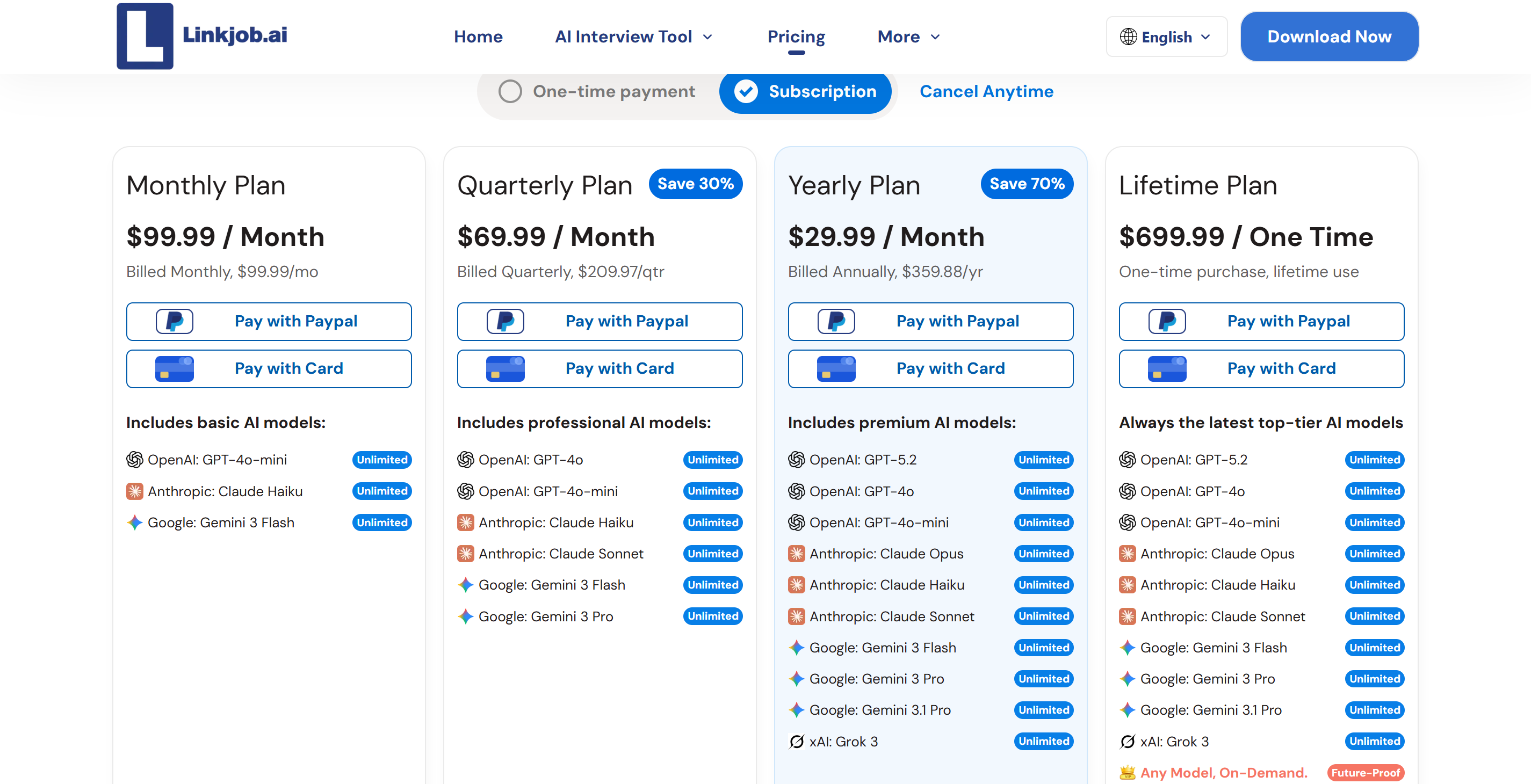
Unlike enterprise competitors charging upwards of $148 per month or credit-restricted tools that run out mid-interview, Linkjob AI provides flat pricing at $29.99/month (billed annually). You get unlimited live interview sessions, complete OS driver stealth, zero latency, and access to top-tier reasoning models without unexpected session cutoffs.
Final Verdict of This Acedly AI Review: Should You Buy It?
To conclude this Acedly AI review, Acedly AI represents an ambitious effort to deliver a budget-friendly, visually polished interview copilot. Its desktop application window achieves solid basic screen-share stealth, its transcription is accurate, and its open approach to model selection is refreshing.
However, when evaluated as a real-time copilot for high-stakes technical interviews, its operational flaws far outweigh its strengths:
The web version is completely unshielded during full desktop screen shares.
The lack of official documentation leaves candidates guessing in high-stress moments.
Fatal speaker diarization bugs trigger infinite answer loops that clutter your screen.
Microphone input frequently fails on live external calls.
Auto-scrolling transcript UI makes reading screenshot code cards frustrating.
Code generation latency (~30 seconds) is far too slow for live coding rounds.
For job seekers whose offers depend on flawless execution, these shortcomings represent unacceptable risks. Investing in an OS-native, battle-tested solution like Linkjob AI is the far safer, more reliable path to passing your technical loops with confidence.
Frequently Asked Questions in Our Acedly AI Review
Is Acedly AI completely invisible on Zoom and Google Meet screen shares?
Only the dedicated Desktop Application window is hidden from standard screen capture hooks. If you use the Web browser version of Acedly AI during a full-desktop screen share on Zoom, Microsoft Teams, or Google Meet, the interface will be fully visible to your interviewer. For guaranteed 100% invisibility across all sharing modes, an OS-driver tool like Linkjob AI is required.
Is Acedly AI related to the "Acedly" AI study platform?
No. Acedly AI (the interview copilot) is completely unrelated to the established Acedly educational study platform. It appears to share the brand name to leverage search volume traffic.
Why does code generation in Acedly AI take so long?
Acedly AI’s code processing pipeline routes screenshot and text requests through unoptimized multi-stage API endpoints, resulting in heavy processing delays of approximately 30 seconds per code snippet.
How does Acedly AI compare to Linkjob AI for live coding rounds?
Acedly AI suffers from 30-second code delays, speaker diarization bugs, and microphone dropouts. In contrast, Linkjob AI offers OS driver-level invisibility, sub-1.8s response latency powered by 120+ top LLMs, mechanical click pass-through, and dual-layer resume integration, making Linkjob AI vastly superior for engineering interviews.
See Also
OphyAI Review (2026): Does The Whisper Mode Work?
Parakeet AI vs InterviewMan: Live Test & Review (2026)
Chiku AI vs Parakeet AI: Live Test & Review 2026
Chiku AI Review: Pros, Cons, and My Experience
Superior Competitors To ParakeetAI For Real Time Candidate Assistance
