Best Job Bridge Alternative for AI Interview Copilot in 2026

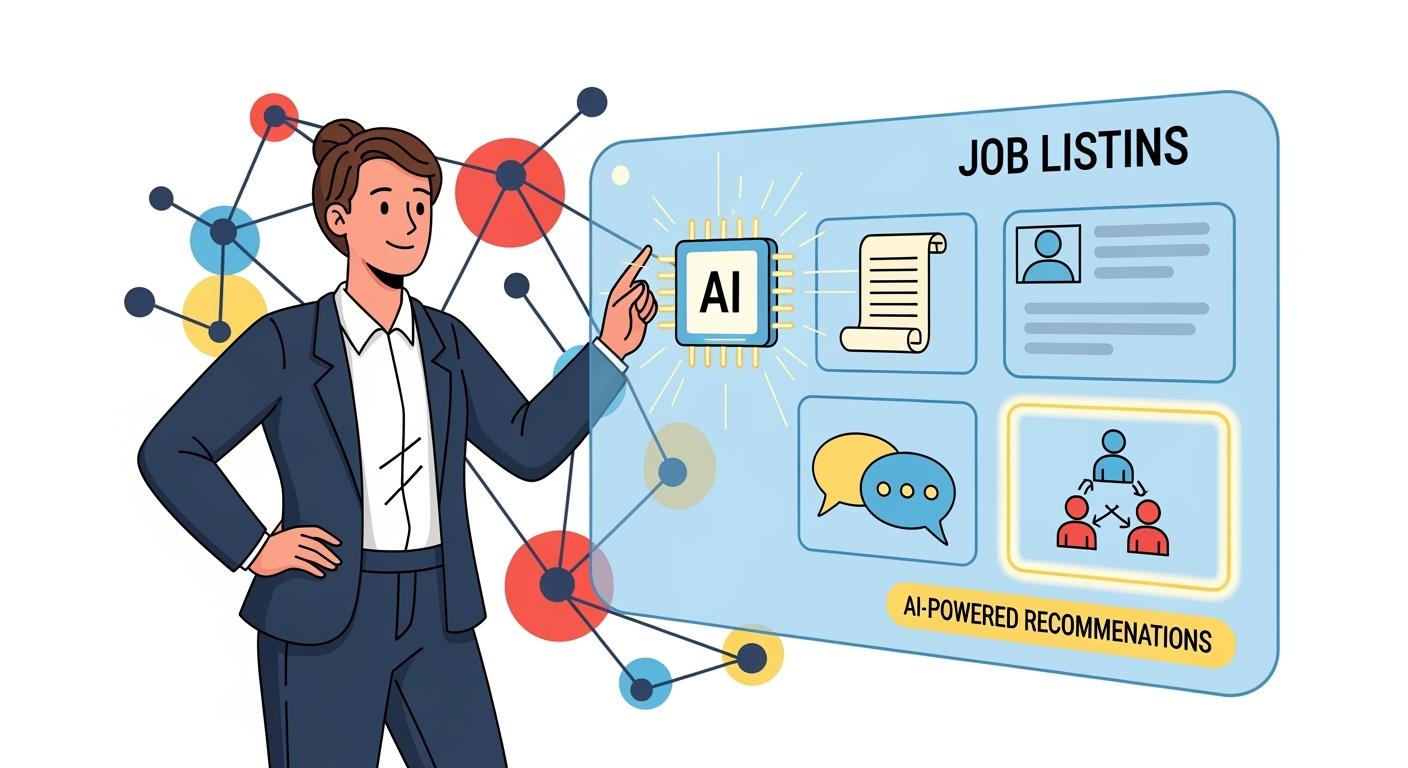
Recently, I was preparing for an interview as an NVIDIA software engineer. This was a crucial opportunity for me, so I sought help from an interview assistant. Initially, I chose Job Bridge, which achieved invisibility through sectional division and could fill in context based on the job description I provided.
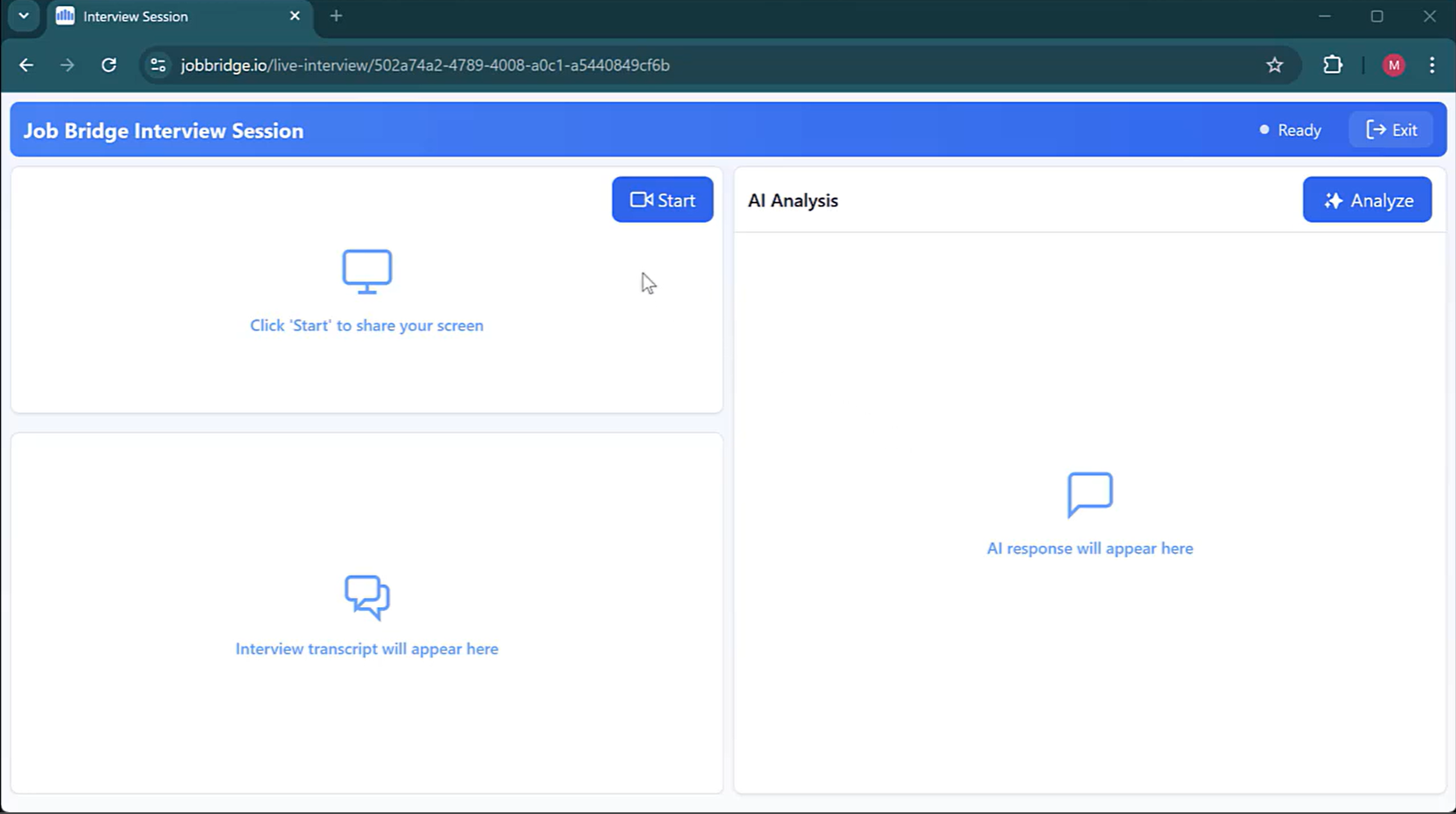
However, it is evident that this design is limited to handling simple video interviews, and even a request for screen sharing from the interviewer would be detected.
Moreover, I discovered a critical flaw: the moment I switch pages to answer questions, I'll be caught. It offered no assistance for technical interviews, which is precisely what I needed. I've tried numerous AI interview assistants and consulted various articles, including Cluey alternatives, LinkedIn AI alternatives, and some of the best free AI interview tools.
After comparing options, I ultimately chose Linkjob, an AI interview assistant for tech interviews.
Why Do I Need a Job Bridge Alternative?
The core of NVIDIA interviews lies in technical assessments, focusing on engineering skills and C++, problem-solving, AI expertise, GPU/CPU, and Python, with difficulty levels above average.
Therefore, when selecting an interview assistant, I highly prioritize the quality of its generated content—only sufficiently excellent answers can help me pass NVIDIA's interviews.
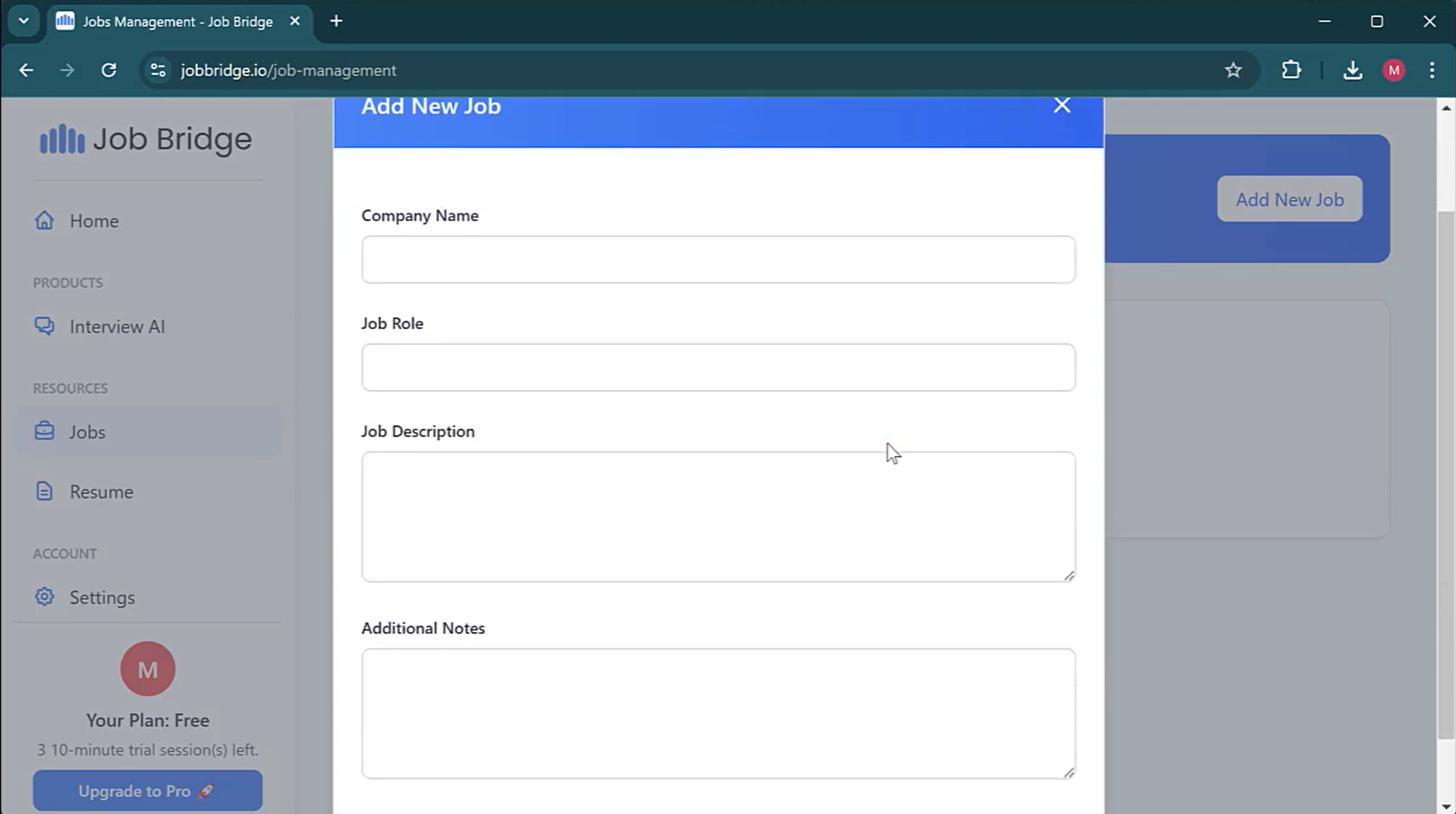
During the initial mock interview testing phase, Job Bridge performed quite well. After I configured the specifics of my target position, it generated more human-like responses rather than the stiff answers produced by other interview tools. Moreover, it considered previous questions when formulating answers, making the dialogue flow more naturally.
However, the most important question is how to avoid the risk of detection when using it. Online interview platforms monitor candidates primarily through the following methods:
Screen sharing: Interviewers/proctors can view everything you share via Zoom, Google Meet, or the platform's built-in tools—with no exceptions.
Webcam Eye Tracking (on specific platforms): Tracks your gaze direction; prolonged averted eyes from the screen may trigger alerts.
Code Paste Detection: flags extensive or frequent pasting within the code editor—considered potential cheating.
Tab Switching/Window Focus Loss: Detects when you leave the interview tab or click outside the browser, though it cannot see what you switch to.
It's obvious that when I tried Job Bridge during my interview, I could only keep staring at its AI Analysis section instead of the camera, which posed a significant risk of being detected.
And as I mentioned earlier, since Job Bridge is only available in a web-based version, I couldn't use it during the interview to answer questions. Otherwise, I would have been detected for switching pages. Furthermore, it lacks the functionality to upload programming questions and only supports audio input. This means you can only answer programming questions if your interviewer dictates them—which is clearly impractical in a real interview setting.
So I started looking for alternatives to Job Bridge and finally chose Linkjob, an AI interview assistant serving the finance and technology industries.

Comparing Linkjob.ai and Job Bridge
Explore the key differences between Job Bridge and Linkjob AI.
Features | Linkjob AI | Job Bridge |
|---|---|---|
Platform Type | Software-based (Desktop app) | Web-based (Browser) |
Undetectability | Supported | Not supported |
Automatic Question Recognition | Supported | Voice input only |
All Interview Formats (behavioral, coding, etc.) | Supported | Behavioral only |
Personalized Support | Supported | Supported |
Live Interview Copilot | Supported | Supported |
Coding Interview Copilot | Supported. Use live screenshot to upload interview questions (Handle up to 6 screenshots simultaneously). Includes complete code answers. | Not supported. |
Regarding why I say Job Bridge doesn't support undetectability: Although both Linkjob and Job Bridge officially claim to be completely invisible, there's a significant difference between software-based and web-based solutions. As interview platform detection capabilities advance, web-based interview assistants are easily detected whenever the webpage is switched or screen sharing occurs (some platforms can even detect the link of web-based interview assistants).
Why I Chose Linkjob as a Job Bridge Alternative
Actually, I compared the 6 best AI interview software in total. If you're interested, you can check out my article on the subject. Below, I'll focus on why I chose Linkjob.
One of Linkjob.ai's key features is its complete invisibility—it requires downloading to the desktop for use, forming a stark contrast to AI interview assistants that require switching tabs. So, it remains undetected by any interview platform or coding test platform.
If this is your first time using an AI interview assistant, I need to briefly explain: The interview program detects your use of an AI interview assistant primarily by tracking tab switching without displaying content. However, this functionality relies on both software being web-based. If using software-based tools like Linkjob, they operate outside this detection framework and remain undetectable under privacy policies.
Screen sharing remains invisible because Linkjob's interface sits atop all other windows on your computer—akin to an interviewer holding a camera to photograph you while standing behind them.
Moreover, through its built-in settings, I can hide this tool's icon on my desktop, significantly reducing the risk of detection.
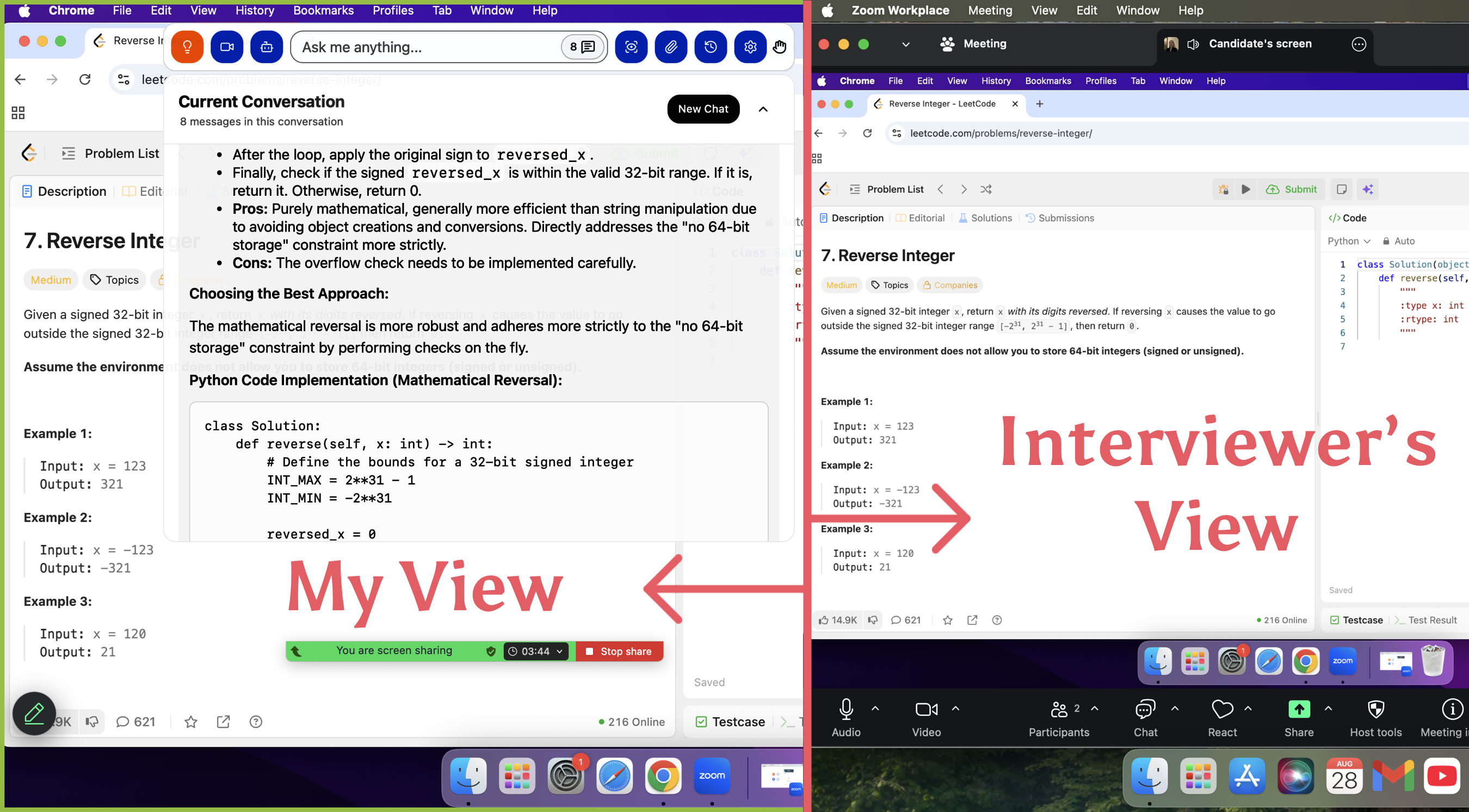
Note: For Zoom meetings, enable “Advanced capture with window flicking” to ensure its invisibility.
Another pleasant surprise was how convenient Linkjob is to use—it handles everything from uploading questions to providing answers completely automatically. This means I don't need to perform any extra actions during the interview. I simply set my desired transparency level and the optimal position for reading answers before the interview begins. This significantly reduces the risk of being detected. After all, some interview platforms or interviewers now judge cheating based on unusual mouse cursor movements and keyboard operations.
Moreover, I extremely appreciate Linkjob's usage policy. Although the free trial is only 20 minutes long(However, I can get more time by registering with multiple email addresses.), it grants access to all features during that period. This makes it easier to evaluate whether the paid features are worth the cost. Honestly, I often encounter situations when I was testing other AI interview assistants where I pay for additional features only to find they don't perform as well as advertised on the promotional pages.
All things considered, Linkjob is the best alternative to Job Bridge. Although Its voice recognition sometimes splits a single sentence into two, but this issue has been completely resolved after the update. It ensures I won't be exposed during technical interviews while also delivering accurate and complete solutions to coding problems of varying difficulty levels with relatively fast speed.
By the way:Some of its features can be overly detailed at times, and I found them a bit confusing during my first use. However, after asking on Discord, they provided me with a very thorough response. Plus, there's now a beginner-friendly video you can watch before getting started.
Price Comparison
Both Job Bridge and Linkjob operate on a subscription model:
Job Bridge: Monthly subscription at $49 per month, annual subscription at $19 per month
Linkjob: Monthly subscription at $100/month, Quarterly subscription at $70/month, Annual subscription at $30/month
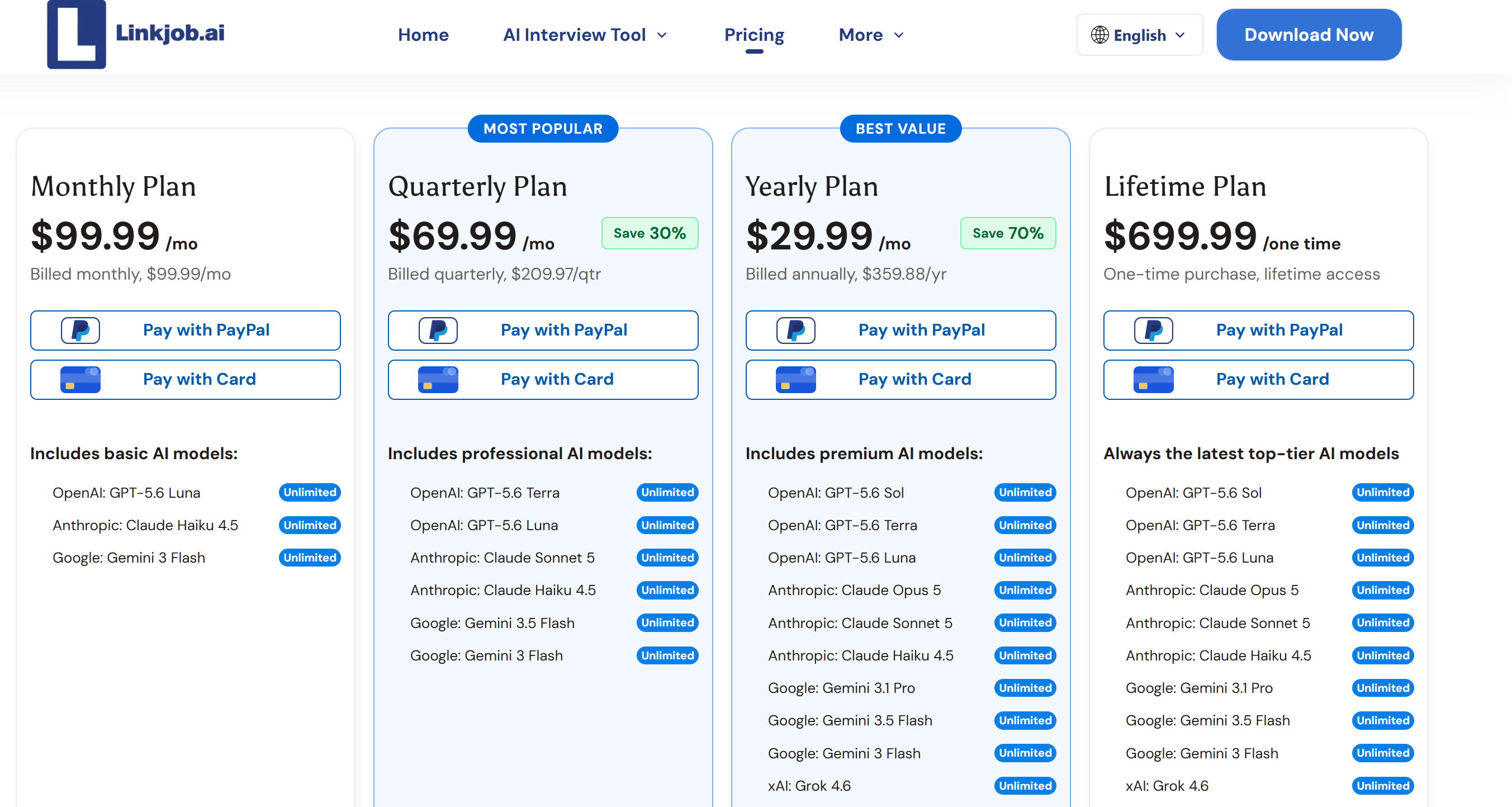
Linkjob is pricier than Job Bridge, but it offers superior functionality: It remains undetected by any video interview or technical assessment platform and leverages the latest, most advanced AI to deliver high-quality responses. Therefore, I think the $50 monthly fee is well worth it (I purchased a quarterly subscription), especially considering the salary I secured after successfully passing my interviews.
FAQ
During interviews, which tool feels more reliable?
When using Linkjob.ai, I've never worried about screen sharing or detection issues. To my knowledge, screen sharing doesn't mean I'll be detected—on the contrary, I'm 100% certain I'm safe. But Job Bridge still carries risks because it operates through my Chrome tabs.
Can Linkjob AI help me apply for jobs in tech and finance?
Yes, I use Linkjob AI to apply for jobs in tech and finance. The ai understands my skills, and its high-quality AI models can tackle the highly challenging technical interviews in both industries.
Is Linkjob AI only for technical interviews?
Not only that. Linkjob is also highly effective for behavioral interviews, providing tailored responses based on your uploaded resume. It also features a mock interview function.
Does Linkjob AI support multiple interview platforms for my job search?
I use Linkjob AI with Zoom, Teams, and Google Meet. The ai works across platforms and adapts to my skills. I can apply for jobs anywhere. Job Bridge has limited integration. Linkjob AI fits right into my search workflow.
See Also
Discover The Top Alternative To Ultracode AI Today
How I Picked The Right Interview Hammer Alternative For 2026
Find The Best Chat Alternatives For Interview Assistance
Why People Choose Linkjob AI
Smoother interviews, coding challenges cleared, and job offers landed. See how users describe their experience with Linkjob AI—in their own words.


© Copyright 2026 Linkjob AI - All Rights Reserved.