How to Use ChatGPT Effectively During Coding Interviews in 2026

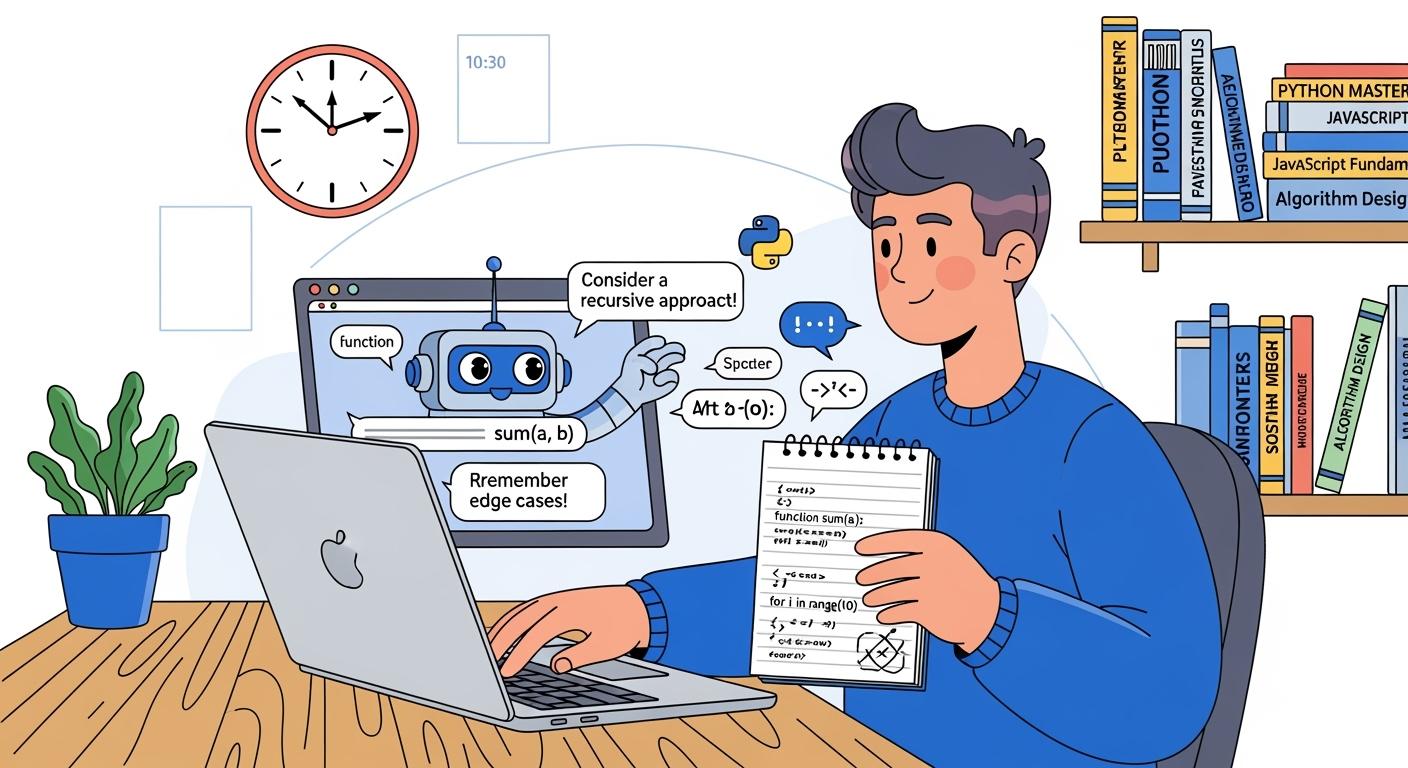
Programming interviews are the “bane” of countless programmers. Even with years of experience in distributed systems, cloud services, and production-level projects, many still find their minds going blank, their syntax failing them, and their composure crumbling the moment they open a shared editor or face a whiteboard. Thanks to its multimodal capabilities, ChatGPT is emerging as a discreet, efficient, and practical tool for programming interviews—and many are even using it for real-time assistance during interviews.
Many people use ChatGPT in coding interviews, but is ChatGPT necessarily the most effective, fastest, and best tool?
Sometimes I even thought about How to Cheat on Codility, How to Cheat in Microsoft Teams Interview, How to Cheat HackerRank Tests to get a better outcome. When facing high-pressure coding interviews, I’ve even considered taking shortcuts—searching online for all kinds of AI-powered interview tools to see if they’d actually work in real-world scenarios.
The Practical Advantages of ChatGPT in Programming Interviews
Advanced voice recognition + real-time answers via camera
ChatGPT’s advanced voice and visual capabilities are perfectly suited for remote online interviews, providing a ready-to-use, practical solution with very tangible benefits. Simply enable ChatGPT’s advanced voice mode, turn on your camera, and point it at your computer screen—and the AI will instantly “watch” you write code in real time.
Free from Screen Constraints: Traditional typing requires you to switch frequently between the interview window and the AI chat window—a behavior that is easily detected by anti-cheating systems. Voice Mode allows you to receive prompts via Bluetooth headphones without touching the keyboard, ensuring your eye movements, mouse movements, and keyboard actions remain fully synchronized with the interview environment, significantly reducing the risk of detection.
Human-Machine Collaboration: The most valuable skill in an interview is the ability to “think while communicating.” Voice Mode enables you to maintain a natural tone while receiving a “second opinion” from the AI. This interaction makes you appear to the interviewer as if you are discussing the topic with a virtual senior colleague, rather than awkwardly looking up answers.
Emotional Feedback and Emotional Regulation: The advanced voice mode offers exceptional emotional expressiveness. When interview pressure is high and your mind goes blank, a calm, logically coherent voice response can effectively reduce your anxiety and help you quickly regain your train of thought.
The “Voice-Stream” Workflow
Warm-up:
15 minutes before the interview begins, conduct a 10-minute “high-intensity mock interview” using voice mode. Have the AI play the role of a demanding interviewer, constantly testing your foundational knowledge to get your brain into “active mode.”
During the Interview:
When the interviewer asks you to explain your system design, you can listen to the AI’s key points through your headphones while sketching the architecture diagram on a whiteboard or in a code editor, achieving efficient synergy where “your left ear listens to the logic while your right hand writes the code.”
Grammar Help + Real-Time Correction: Avoid Common Mistakes
In high-pressure interview settings, the most frustrating part is often not a lack of algorithmic insight, but rather a sudden mental blank. When you forget how to write a Python list comprehension or get stuck for three minutes trying to determine boundary conditions, these minor mistakes can easily trigger anxiety, which in turn leads to poor performance later on.
By leveraging ChatGPT’s real-time voice and multimodal interaction capabilities, you can establish a “zero-distraction” safety net:
Syntax Rescue: When you hit a mental block, you don’t need to switch browser windows to consult documentation. The AI can instantly provide standard, ready-to-run code snippets. This allows you to dedicate your limited cognitive bandwidth entirely to core logic, rather than trivial syntax details.
Visual and Contextual Debugging: Leveraging the AI’s multimodal capabilities (such as via screen sharing or a camera), you can have the AI directly analyze the code currently causing the error. It can pinpoint logical bugs or missing exception handling faster than the human eye. This capability instantly revives a “stalled” interview rhythm.
Maintain Professionalism and Confidence: Most importantly, this assistance is “invisible.” In the interviewer’s eyes, you remain a professional engineer who writes code fluently and thinks logically, rather than a job seeker flustered by anxiety. “Eliminating low-level errors” is precisely the key differentiator that sets you apart from the crowd.
The Drawbacks of ChatGPT in Programming Interviews
High Cost of Ownership
Accessing the Advanced Voice Mode—which offers the smoothest, lowest-latency experience and supports visual aids (camera/screen sharing)—typically requires subscribing to the Pro plan, which costs $200 per month.
For most job seekers who have not yet secured a position, this high monthly expense represents a significant financial burden.
Although the Plus tier (approximately $20/month) also offers voice functionality, it has higher latency, and its reasoning models (such as GPT-5.3 mini) are prone to errors when handling complex algorithmic problems. Additionally, its daily quota is extremely low, making it difficult to sustain a full-length interview.
Extremely Cumbersome to Operate
When using ChatGPT as an aid (especially in multimodal modes that rely on a camera or screen sharing), the physical complexity of the setup often poses significant risks during interviews:
A “Bulky” Physical Setup
A Nightmare of Cables and Mounts: To ensure the AI can “read” your screen, you typically need a dedicated phone mount, clips, and a ring light to secure your phone next to your monitor. This not only takes up already limited workspace, but the tangled cables and repeated troubleshooting can leave you feeling flustered before the interview even begins.
Instant Panic After “Going Blind”
The Fatal Flaw of Camera Obstruction: During an interview, you might need to casually adjust your posture, reposition your laptop, or accidentally block the camera. Even the slightest obstruction in the field of view causes the AI to instantly “go blind.”
Unreliable reconnection: AI visual reconnection isn’t always instantaneous. Under the high pressure of an interview, when the AI reports, “I can’t see your screen clearly,” you not only lose your assistive tool but also completely lose the flow of the interview as you’re distracted by fiddling with the stand and camera. This hardware-induced “blackout” makes the interviewer doubt your technical competence even more than failing to answer a question.
Highly detectable by proctoring tools
Unexplained Code Generation Patterns: Anti-cheating systems in 2026 can identify “linear keystroke patterns.” If you produce a complex algorithm in a short period with almost no backspacing, no syntax corrections, and highly rigorous logic—while your previous typing speed was average—the system will classify this code as “non-human input (AI Paste-like behavior).”
Background Process Monitoring: Even if you use screen-sharing tools on your computer, the interview platform will generate a detailed “pop-up window/background process list” and report it to the interviewer if you run unauthorized assistive tools in the background or if your browser shows abnormal focus switching activity.
But a major drawback of using ChatGPT for coding interviews is that it lacks any sense of “invisibility”—once the interview involves screen sharing, writing code in real time, or the interviewer asking detailed, step-by-step questions about the code’s logic, the tool-generated answers will immediately give the game away. After all, machine-generated code often lacks any trace of personal thought. It fails to provide a smooth explanation of the design rationale behind each step and struggles to withstand on-the-spot logical verification, ultimately leaving the interviewee at a disadvantage.
Using Linkjob AI During Coding Interviews
I know all too well the anxiety and helplessness that come with job interviews. After realizing that ChatGPT isn’t exactly discreet, I tried out a wide variety of stealthy AI tools. That’s why I decided to write this article to talk about Linkjob AI. It’s not just a simple tool—it’s more like a “cheat code” that understands interview patterns. It has already helped me and my friends land at least 20 technical interview opportunities. I never imagined those headache-inducing coding interviews could become so easy; now it’s an essential tool on my interview prep checklist.
Cannot be detected during screen sharing
I know you’re probably wondering: if you use AI tools to solve problems during a coding interview, chances are you’ll get caught, since screen sharing is practically standard in tech interviews.
But times have changed. I can guarantee that not a single instance of detection has ever occurred while using Linkjob AI. As for the reasons behind this, I’ll break it down for you in detail below.
What exactly do you face when enabling screen sharing during a coding interview?
First, let’s quickly clarify what most interview platforms are monitoring during the screen-sharing phase. This essentially boils down to the universal proctoring sandbox logic shared across platforms:
Detection Methods | Descriptions |
|---|---|
Multi-monitor Detection | Verify whether an external monitor is connected to prevent candidates from obtaining unauthorized assistance via additional screens |
Interview Environment Proctoring | Capture random photos of candidates and their surroundings to detect any suspicious cheating behaviors |
Active Window Monitoring | Track cursor status throughout the process and check for unnecessary window switching operations during the interview |
AI-powered Plagiarism Identification | Compare and analyze the submitted code content to identify traces of unauthorized AI generation or copy-paste behaviors |
Code Paste Tracing | Closely monitor code snippets pasted into the interview answer area from external sources to determine if they are pre-prepared ready-made solutions |
Simply put, the proctoring system used by interviewers is designed to detect whether you are doing any of the following:
Frequently switching between computer windows
Copying and pasting code from external websites
Using an external monitor to assist with answering questions
(In some scenarios) Frequently looking away from the interview screen
Other violations
Under such strict monitoring standards, trying to cheat seems nearly impossible. But is the system really impenetrable, with absolutely no loopholes? Of course not.
Why is Linkjob AI so hard to detect during coding interviews?
How can you bypass activity window detection in coding interviews?
Most online assessments, including coding interviews, actually run in a restricted environment within web browsers. Browsers are designed as secure "containers" — a mechanism that ensures activities on one page generally do not interfere with or detect activities in other tabs. Technically, this isolation mechanism is called a "sandbox".
You can think of a coding interview as a program running in a browser-isolated sandbox. It may present you with coding challenges and execute its own monitoring scripts, but it is physically isolated from the rest of the operating system. In short, it has no authority whatsoever to monitor any third-party software running in the background.
The most effective strategy against such monitoring is to abandon web-based tools and switch to desktop AI-assisted applications instead. Since these applications run outside the browser sandbox, coding interviews lack both legitimate system permissions and the technical interfaces required to scan for other concurrent application processes on my computer. Additionally, because desktop software does not require window switching via a browser, it naturally circumvents "active tab monitoring".
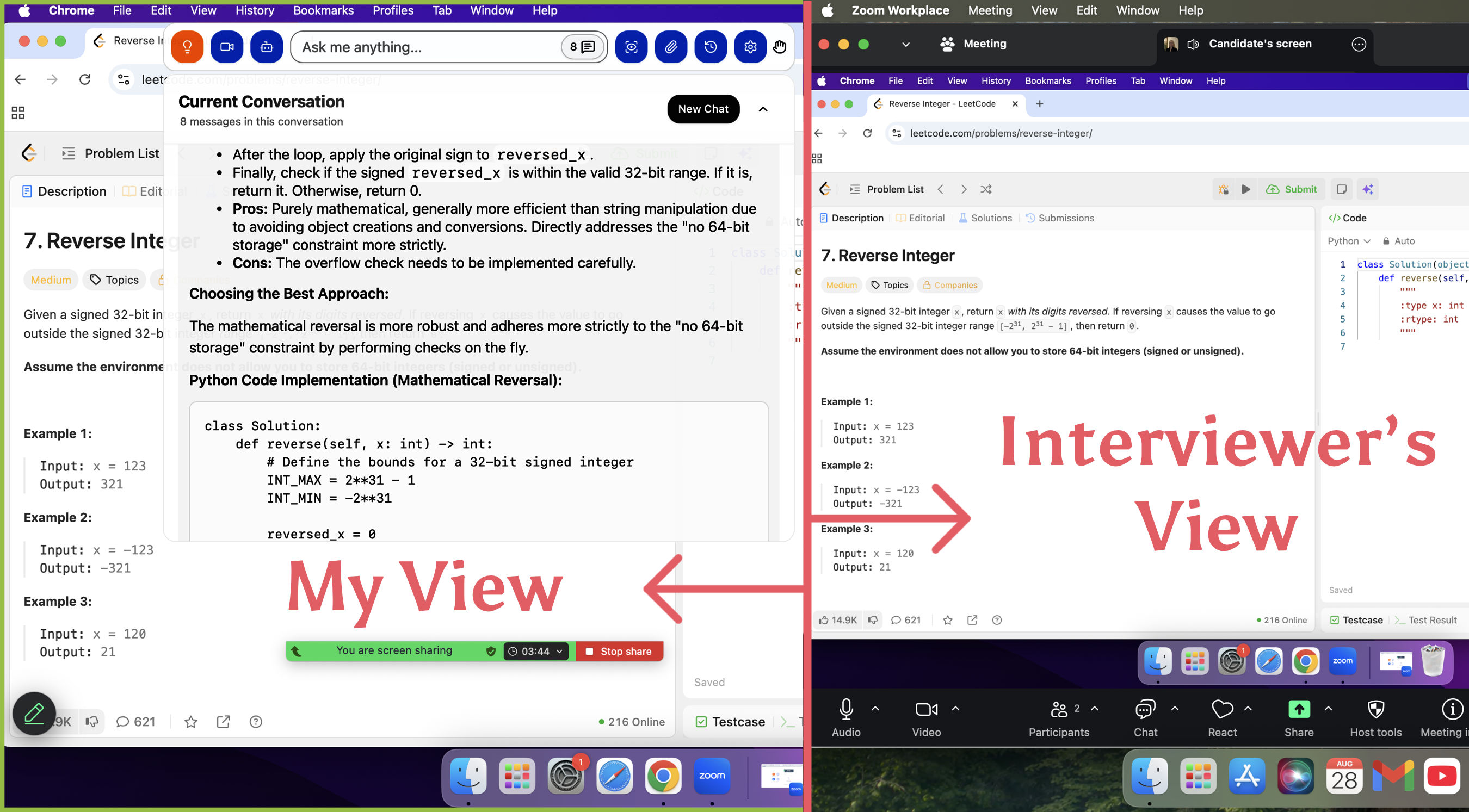
Furthermore, Linkjob.ai, due to its deep integration with the system, can reside in the system in the form of a "transparent overlay". This means that even when full-screen monitoring or screen sharing is enabled, I can still access suggestions discreetly without leaving any traces. To verify its stealthiness, I conducted a stress test with a friend prior to the official assessment. When I shared my entire computer desktop view, my friend saw absolutely no trace of any auxiliary windows on the shared screen.
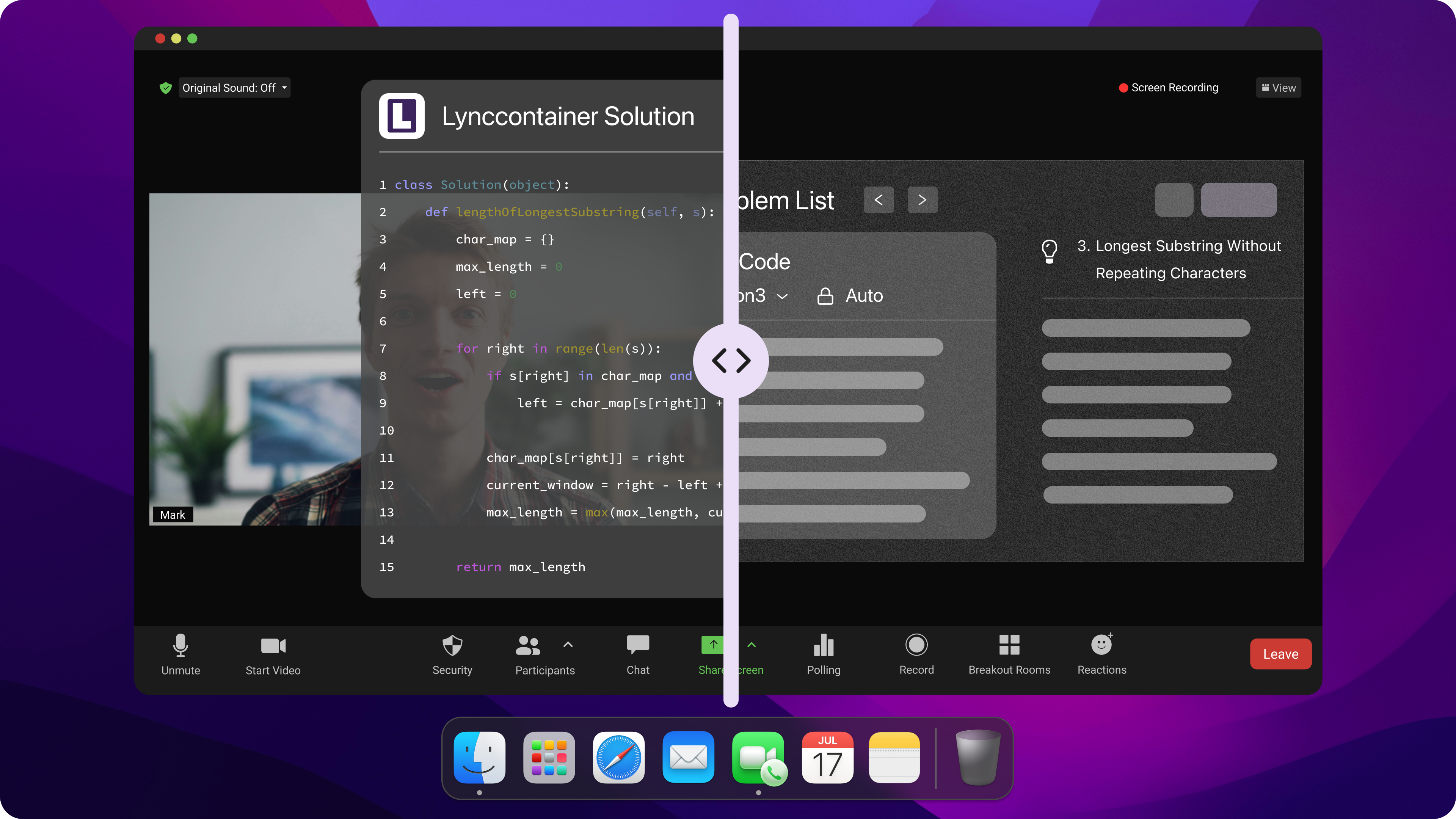
How does Linkjob AI handle camera monitoring during coding interviews?
The solution to this problem is even simpler than the window detection mentioned above. Linkjob AI features a freely adjustable floating answer window that you can reposition and resize at any time to suit your needs.
For example, you can drag this window near the camera’s blind spot, allowing you to keep your gaze fixed on the camera at all times. You can also adjust the window’s transparency until you can clearly see the interviewer’s screen while easily reading the AI’s solution suggestions.
Based on these tips, we’ve compiled a simple checklist for dealing with camera monitoring:
Drag the answer display box to an area where the camera has difficulty capturing it
Fine-tune the panel’s transparency to ensure you can see both the interview feed and the answer content at the same time
When adjusting the window, try to drag it or minimize it quickly to avoid staring at the same spot for extended periods
Match the background of the auxiliary window to the screen’s background color to avoid creating a jarring visual focal point
Solve, Debug, and Explain Difficult Coding Interview Problems
Provide Multiple Tools to Assist in Problem Solving
When facing tricky Coding Interview questions, you need truly effective help. Linkjob AI is like your personal co-pilot for Coding Interviews, capable of handling all types of Coding Interview questions—even those that stump you, such as dynamic programming, or those strange and vague questions you’ve never seen before.
Just like any capable AI LLM, Linkjob AI can help you break down problems, sort out code logic, and intuitively present solutions.
You can upload screenshots, describe question requirements, or even use voice prompts. This tool can quickly adapt to your needs and provide reasonable and feasible answers for your specific current question.
"I really like how Linkjob.ai helps me quickly verify my problem-solving logic. It can provide more efficient problem-solving ideas and help me avoid common pitfalls. When I hit a bottleneck, I just need to ask for hints or code snippets to get back on track."
— A Customer's Review
Why Choose Linkjob AI Over ChatGPT?
In coding interviews, Linkjob AI has become a preferred tool far superior to ChatGPT, thanks to its core advantages of invisibility, fast response, and customization, which accurately meet the needs of interview scenarios. Below are its core highlights and the key reasons for choosing it.
Extreme Invisibility: Meeting Anti-Cheating Requirements
First of all, Linkjob AI features extreme invisibility, perfectly adapting to the anti-cheating requirements of coding interviews. Deeply integrated with the system, it runs in the form of a transparent overlay. Whether the interviewer enables full-screen monitoring or screen sharing, its operation traces cannot be detected, completely avoiding the risk of exposure. In contrast, ChatGPT relies on browsers or clients, which are easy to detect and may directly affect the interview results.
Fast Response & Multiple Large Models: Adapting to High-Pressure Interviews
Secondly, Linkjob AI generates answers extremely quickly, adapting to the high-pressure rhythm of interviews, and allows free selection of multiple large models. When facing coding questions, Linkjob AI can quickly generate accurate code solutions and idea analyses without waiting, helping to answer questions efficiently; while ChatGPT responds slowly, may have logical gaps, and requires repeated adjustments of prompts, wasting valuable interview time.
Resume-Based Customization: Highlighting Personal Advantages
Most importantly, it can customize exclusive answers based on resumes. Linkjob AI can deeply analyze personal resumes, extract core information such as project experience, combine personal experiences with interview questions, and generate targeted and personalized answers that highlight personal advantages and job fit. In contrast, ChatGPT can only generate general answers, lacking personalization, making it difficult to leave a deep impression on interviewers.
The Ideal Auxiliary Tool for Coding Interviews
In summary, Linkjob AI accurately solves the core pain points of coding interviews, and is comprehensively superior to ChatGPT in invisibility, efficiency, and personalization, making it an ideal auxiliary tool for coding interviews.
FAQ
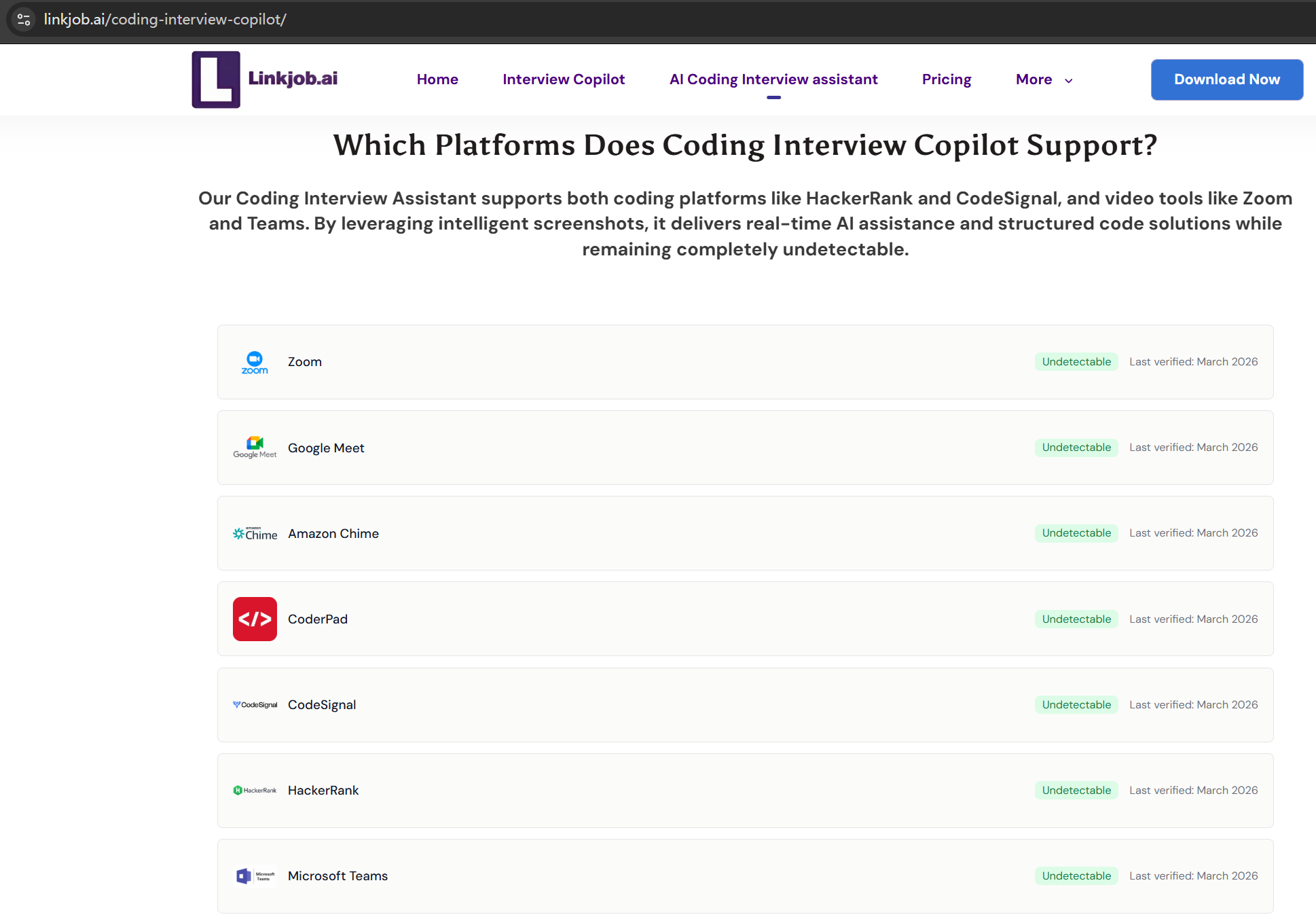
Does Linkjob AI support bypassing platforms like HackerRank?
Yes. Linkjob AI can be used for interviews on many platforms. It supports all common meeting platforms and online testing environments. Additionally, it regularly checks whether it is in stealth mode to ensure it remains undetected.
If I share my entire screen, will Linkjob AI still remain undetected?
Yes. Because Linkjob AI uses a hardware-accelerated overlay, its AI interface resides on a separate graphics layer that cannot be captured by standard screen-sharing protocols (such as Zoom or Google Meet). As a result, your screen will appear completely clean to the interviewer.
Can I hide the Linkjob AI icon from the Dock?
Yes, you can turn it off in the settings.
Will monitoring system flag “perfect code” as an AI-generated answer?
Most likely. So, as I suggested in the main text, it's best not to copy AI-generated code word for word. You can add some comments, or even include minor flaws that don't affect the overall logic.
See Also
How to Cheat on TestGorilla With AI: My 2026 Update
How to Cheat Mettl Exam in 2026 Without Getting Caught
How to Cheat on CodeSignal Proctored Tests in 2026: My Tricks
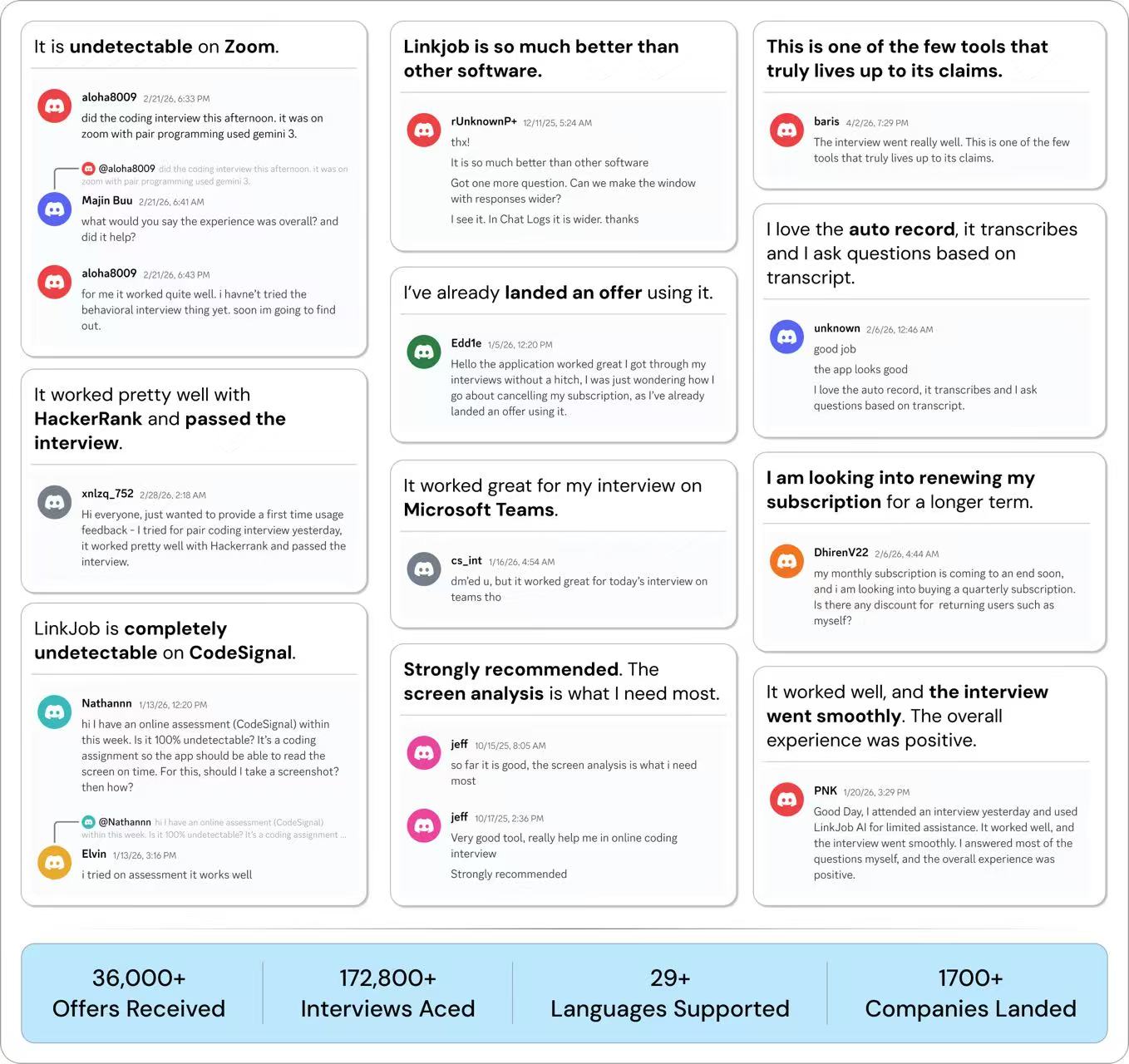
Why People Choose Linkjob AI
Smoother interviews, coding challenges cleared, and job offers landed. See how users describe their experience with Linkjob AI—in their own words.


© Copyright 2026 Linkjob AI - All Rights Reserved.