What I Did When Cluely Stopped Working for Me in 2026


I know the frustration when Cluely suddenly stops working right when you need it. I've dealt with audio issues, connection problems, and situations where the app simply refused to respond. Instead of giving up, I worked through the problem step by step to figure out what was causing it and what actually helped.
In this article, I'll share the fixes I tried, the ones that worked, and what I did when they didn't. In my case, I eventually started using Linkjob AI as a backup option so I wouldn't have to rely on a single tool during important interviews or meetings.

Why Is Cluely Not Working?
When Cluely stopped working for me, the problem wasn't immediately obvious. The app sometimes failed to launch, got stuck connecting, or couldn't detect my microphone. While looking into it, I found that many other users were reporting similar issues, such as Cluely has very high latency and Cluely app is freezing, especially after software updates or system permission changes.
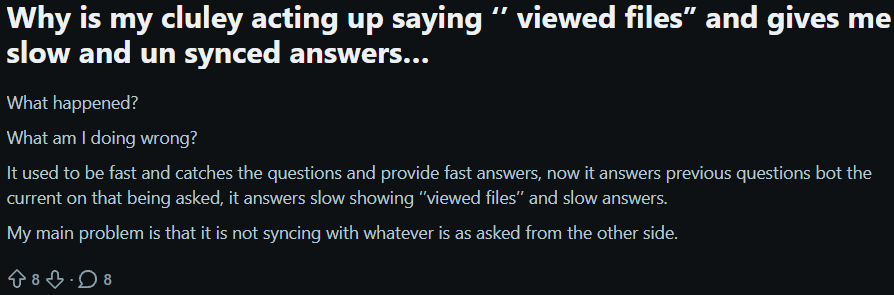
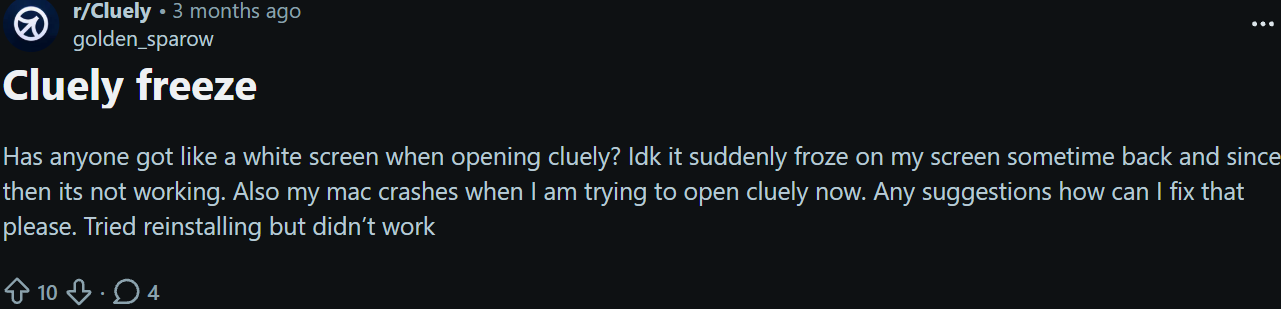
Real Users' Review of Cluely Online
Here are the most common causes I came across.
Error Messages to Watch For
The first clue is usually an error message. I saw issues like:
“Audio input not detected”
“Failed to connect to server”
Endless loading screens
Missing or incomplete transcriptions
If you see one of these, save the exact message. It makes troubleshooting much easier later.
Audio Permission Issues
This turned out to be one of the biggest causes in my case. If Cluely loses access to your microphone, it can't capture audio or generate transcripts.
After checking my system settings, I realized microphone permissions had changed after an update. Once I re-enabled access, some of the issues disappeared immediately.
Admin Restrictions and System Blocks
If you're using a work or school device, security policies can interfere with Cluely. New firewall rules, endpoint protection software, or administrator restrictions may prevent the app from connecting properly.
This is especially worth checking if the problem started right after a system update or security change.
My Step-by-Step Fixes for Cluely Not Working
Before contacting support, I worked through a few basic fixes. Most of them only took a few minutes to test.
Check Audio Permissions
My first step was confirming that Cluely still had microphone access. System updates can sometimes reset privacy settings without warning.
If your microphone isn't detected, reconnecting your headset or switching USB ports may also help.
Restart or Reinstall Cluely
A full restart solved the issue more than once.
Instead of simply closing the window, I completely quit Cluely and reopened it. When that didn't work, I reinstalled the app to clear any corrupted settings or files.
Reset the Connection
In some cases, Cluely appeared to be running but couldn't communicate with its transcription service.
Fully quitting and reopening the application refreshed the connection and occasionally restored transcription functionality.
Update the App and Your System
Outdated software can create compatibility issues. I checked for both Cluely updates and operating system updates before trying anything more complicated.
This is especially important after major macOS or Windows releases, when audio permissions and system integrations often change.
When Cluely Still Wouldn't Work
After trying all the common fixes, I still ran into situations where Cluely wouldn't launch properly or failed to generate transcripts consistently. At that point, I stopped obsessing over troubleshooting and started figuring out whether the issue was temporary or something I needed to work around.
Contact Cluely Support
My first step was contacting support and providing as much information as possible, including screenshots, error messages, and device details. While waiting for a response, I kept looking for other ways to stay productive rather than putting everything on hold.
Check for Outages or Announcements
Before changing more settings, I checked whether other users were experiencing similar problems.
I found multiple reports describing issues that sounded almost identical to mine, including microphone detection failures, endless loading screens, and transcription errors. That made me realize the problem wasn't necessarily unique to my setup.
Explore Community Discussions
I also spent time reading through user discussions to see what had worked for others.
Most suggestions pointed to the same fixes: reinstalling the application, resetting permissions, updating the operating system, or simply waiting for a service-side issue to be resolved. Even when those solutions didn't completely solve my problem, they helped narrow down the possible causes.
The Backup Solution I Ended Up Using
The biggest lesson I learned was that relying on a single interview tool can be risky.
While waiting for Cluely to become stable again, I started testing a few alternatives. My goal wasn't to replace it immediately. I simply wanted a backup option so I wouldn't have to worry about technical issues before an important interview.
One of the first tools I spent time with was Linkjob AI.
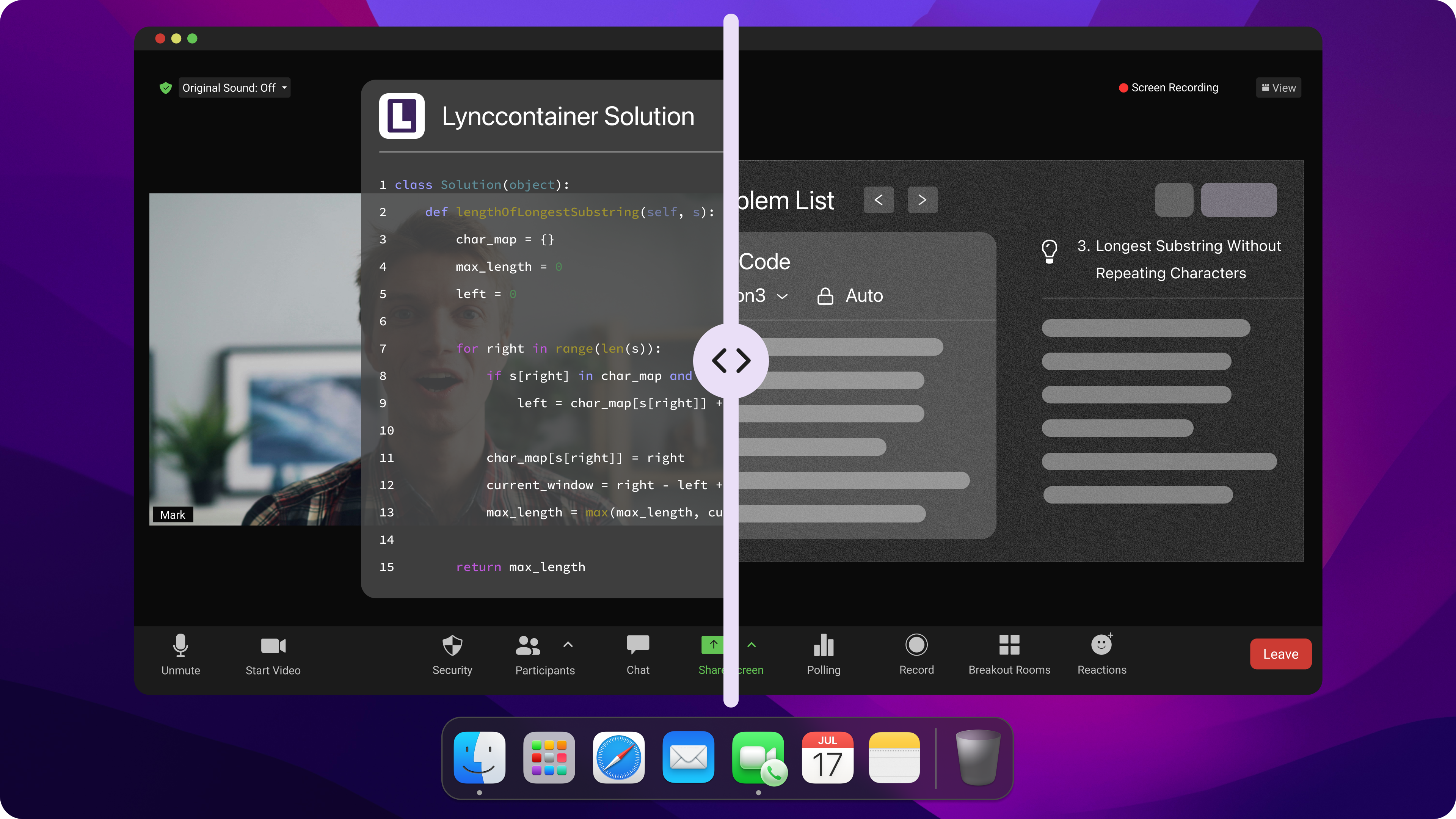
Invisible AI Coding Interview Copilot
What caught my attention was that it could handle coding interviews, technical questions, and interview preparation in one place. Since many of my interviews involved technical rounds, it felt more practical than using separate tools for different tasks.
I continued evaluating other options, but Linkjob AI quickly became one of the tools I kept coming back to because it fit my workflow surprisingly well.
Alternatives to Consider If Cluely Is Not Working
After testing several tools, I realized that the best alternative depends heavily on how you use it.
What I Look For in an Alternative
The three things that mattered most to me were:
Stability during live interviews
Reliable audio capture and transcription
Compatibility with common meeting platforms
After dealing with repeated interruptions, reliability became far more important to me than having the longest feature list.
Cluely Alternatives I Considered
While researching Cluely alternatives that actually work, I spent time testing several interview-focused AI tools. Here's a quick summary of how I viewed them during my evaluation:
Tool | Best For | What Stood Out to Me |
|---|---|---|
Cluely | Real-time interview assistance | Popular and feature-rich, but reliability concerns led me to explore alternatives. |
Linkjob AI | Coding interviews and real-time interview support | Combined technical interview assistance, interview preparation, and live support in a single workflow. |
Final Round AI | Behavioral and mock interviews | Strong preparation features and structured interview practice. |
LockedIn AI | Live interview support | Focuses heavily on real-time assistance during interviews. |
Interview Coder | Technical and coding interviews | Built specifically for coding rounds and algorithm questions. |
Parakeet AI | Interview assistance | Lightweight workflow and straightforward setup. |
Verve AI | Mock interviews and coaching | Emphasizes interview preparation and feedback. |
What I found was that every tool had slightly different strengths. Some focused more on mock interviews, while others specialized in coding interviews or real-time assistance.
After trying several options, I ended up spending the most time with Linkjob AI because it covered the widest range of interview scenarios I personally needed. Instead of juggling separate tools for preparation, coding rounds, and live interviews, I could handle most of that workflow in one place.
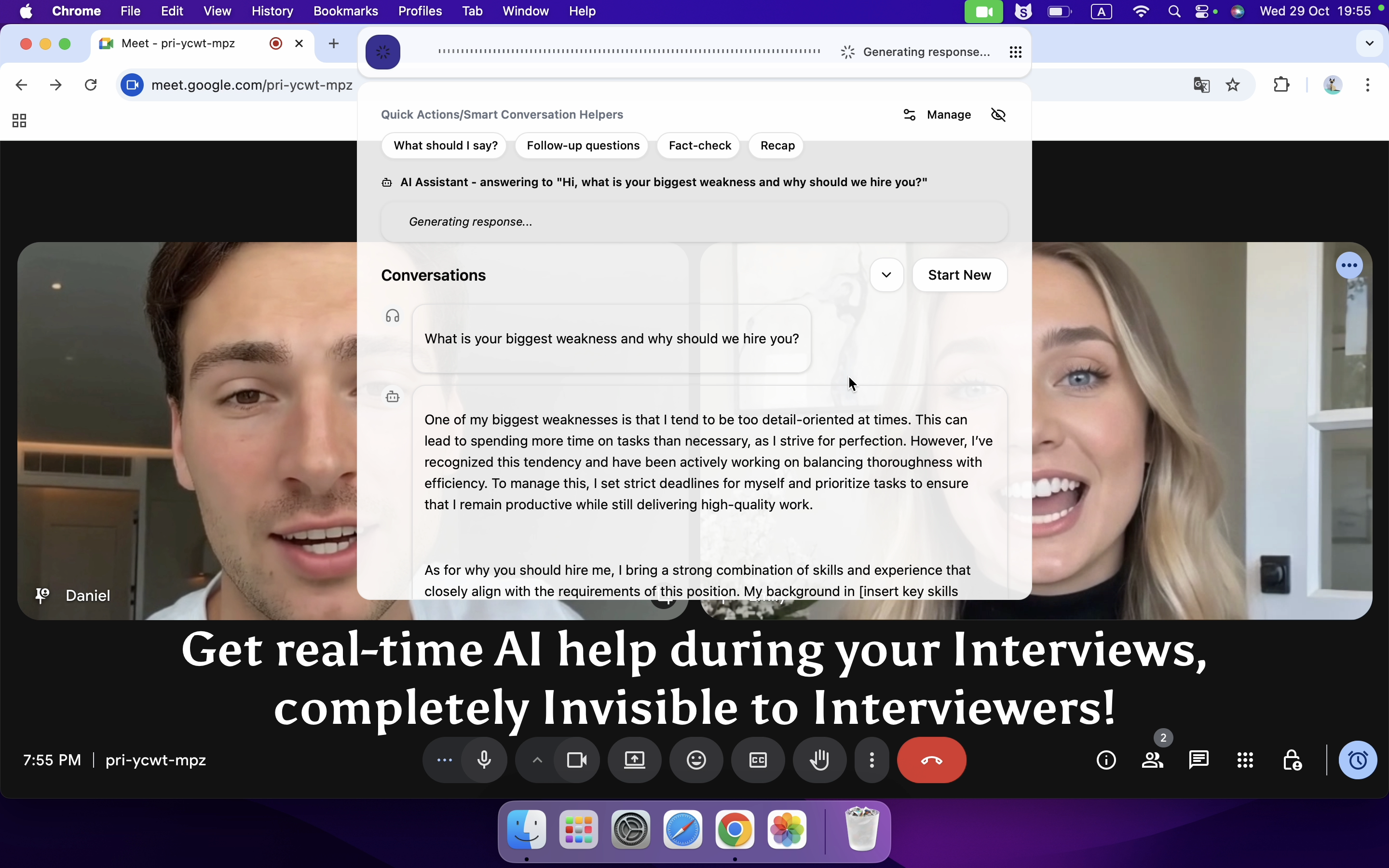
Your Real-time AI Interview Assistant
Pros and Cons of Switching
Looking back, switching away from a tool I was already familiar with had both advantages and drawbacks.
Pros
Reduced the risk of relying on a single platform.
Gave me backup options before important interviews.
Helped me discover tools that better matched my interview style.
Allowed me to compare different approaches to interview assistance.
Cons
Required time to learn a new workflow.
Meant re-testing microphone, meeting, and browser compatibility.
Some features I was used to weren't available everywhere.
Comparing multiple tools took more effort than I expected.
Even with those trade-offs, I don't regret exploring alternatives. The process helped me figure out which features actually mattered to me, and reliability ended up being more important than having the longest list of capabilities.
What I Learned Before Choosing My Next AI Interview Assistant
After going through all of this, I realized that choosing a new tool wasn't really about finding more features. It was about finding something I could trust when an interview was actually happening.
Reliability Matters More Than Features
The biggest lesson I learned was that reliability matters more than feature lists.
A tool can offer impressive AI capabilities, but if it crashes, disconnects, or stops working right before an interview, those features become irrelevant. Before trying any new platform, I now pay much more attention to stability and long-term user feedback.
Audio Permissions and Meeting Compatibility
Many of the issues I encountered weren't caused by AI itself. They came from microphone permissions, operating system settings, and meeting platform compatibility.
Because of that, I now test every tool with the platforms I actually use before relying on it in a real interview.
This simple step has helped me avoid many of the problems that originally sent me searching for alternatives.
Active Development and Support
Another factor I pay attention to is whether the product is actively maintained.
Regular updates, bug fixes, and responsive support give me more confidence that compatibility issues will be addressed quickly as operating systems and meeting platforms evolve.
Looking back, these factors ended up influencing my decision far more than any individual feature. A tool that works consistently is ultimately more valuable than one with an impressive feature list that I can't depend on when it matters most.
FAQ
Why is Cluely not working even after I reinstall it?
A reinstall can fix corrupted files, but it won't solve issues caused by microphone permissions, system updates, browser settings, or service-side disruptions. If reinstalling doesn't help, check those areas next.
What should I do if Cluely stops working before an interview?
Don't rely on troubleshooting alone. If an interview is approaching, have a backup tool ready so technical issues don't disrupt your preparation or performance.
What should I look for in an AI interview assistant?
Focus on reliability, audio compatibility, meeting platform support, and regular product updates. In my experience, those factors matter more than having the most features.
Why did I choose Linkjob AI?
I initially tried Linkjob AI as a backup when Cluely wasn't working. What kept me using it was the combination of coding interview support, interview preparation, and real-time interview assistance in a single tool.
See Also
How I Identified Cluely Risk and Switched to Safer AI Tools in 2026
Linkjob AI vs Cluely The Ultimate Showdown of Stealthy Interview Assistants
Top AI Tools for Getting Invisible Help in job interviews: My Honest Picks for 2026
My 2026 Picks: The 5 Best Real-Time AI Interview Assistants
6 Best AI Coding Interview Assistants in 2026: Review & Comparison
Why People Choose Linkjob AI
Smoother interviews, coding challenges cleared, and job offers landed. See how users describe their experience with Linkjob AI—in their own words.


© Copyright 2026 Linkjob AI - All Rights Reserved.