How to Use AI for Live Coding Interview in 2026

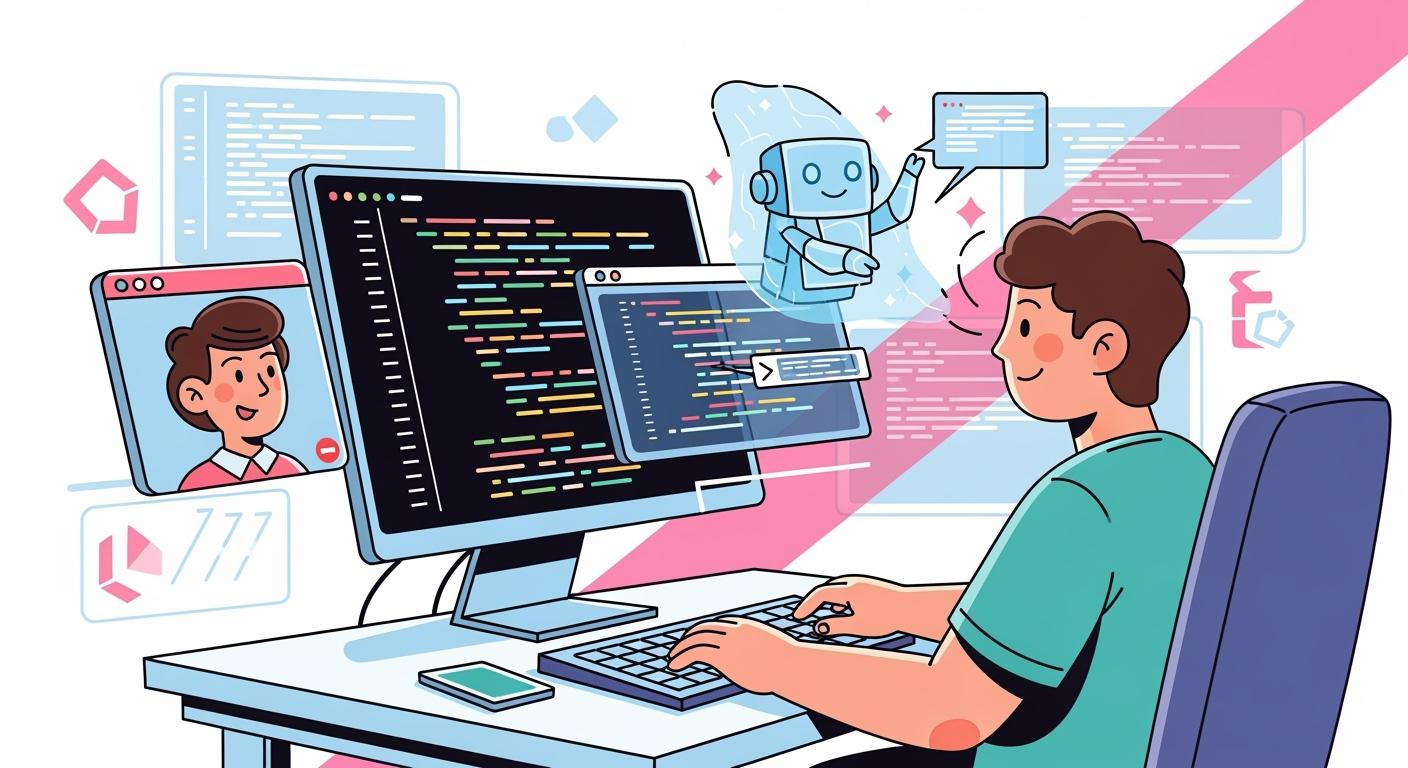
Many technical interviews today take the form of live coding interviews, where the interviewer watches your screen and camera in real time, which significantly increases the pressure on the candidate. To use AI undetected under such intense scrutiny, the key lies not in the code itself, but in how to achieve “invisible” integration through technical means. This article will detail a practical technical solution that teaches you how to use AI code suggestions and seamlessly incorporate them into your problem-solving approach without switching windows or arousing the interviewer’s suspicion.
If you're facing interviews in OA platforms, you can also read my articles about how to cheat on Codesignal interviews, or how to cheat in Hackerrank interviews.
However, I successfully passed the live coding interview using Linkjob AI without being detected. Next, I’ll share how to make the most of this AI interview assistant, what kind of help it can provide during interviews, and how it bypasses anti-cheating measures without being detected.

If you're using other platforms for your online assessments, feel free to check out my other articles in this series, I’ve also shared detailed guides on how to cheat on CoderPad Interview, how to cheat in a Microsoft Teams interview, and more, providing step-by-step instructions for staying undetected.
At the same time, I also shared a comprehensive analysis and review of the 6 Best AI Coding Interview Assistants, ultimately determining which product offers better value for money and delivers more effective results.
The Fundamental Difference Between Live Coding Interviews and Online Assessment Tests
Within the framework of technical interviews, online assessment tests are more like a “closed-book exam”: candidates tackle problems independently within a set time limit, and the system ultimately determines their score based on the pass rate of test cases, emphasizing a results-oriented, one-way output. In contrast, a Live Coding Interview is a comprehensive, multi-dimensional “interactive exchange.”
The most fundamental difference between the two lies in “real-time communication.” During a Live Coding session, you must keep your microphone on and communicate with the interviewer throughout, adhering to the “Think Out Loud” principle. You are no longer just writing code to provide an answer; you must also explain your problem-solving approach in real time, weigh the time complexity of algorithms, and quickly grasp the hints or follow-up questions posed by the interviewer. The interviewer observes not only the code itself but also your ability to handle pressure, your logical expression, and your communication style in a team setting.
Furthermore, the level of scrutiny is entirely different. Online assessment platforms primarily rely on algorithmic audits to detect violations such as copy-pasting, whereas Live Coding takes place under the interviewer’s constant supervision. Every character you type, every logical error, and even your unfamiliarity with a particular API will be laid bare during the screen-sharing session. This type of interview is more about evaluating your collaborative performance as a developer in a real-world work scenario, rather than simply testing your ability to solve problems.
How to Cheat on Live Coding Interview Undetected
How to Bypass Screen Sharing and Active Tab Detection
In Live Coding Interviews, candidates are required to enable full-screen sharing; displaying only specific windows or browser tabs is not permitted. This strict requirement effectively renders traditional workarounds obsolete. Although there are currently many AI interview tools on the market that claim to offer “incognito” functionality, most of them rely on browser extensions or must run in separate browser tabs. Once full-screen monitoring begins, even the slightest action—such as clicking a plugin or switching screens—will be detected by the interviewer, rendering these tools completely useless in real exams. Based on my hands-on testing, web-based AI assistants often lock the generated answers within their own pages. When you attempt to view the answers, the act of switching between pages exposes this cheating behavior completely.
This is how the web-based AI interview assistant performed when I tested it earlier during a screen-sharing session. The interviewer could clearly see that I was using the AI to cheat—it took up the entire screen.
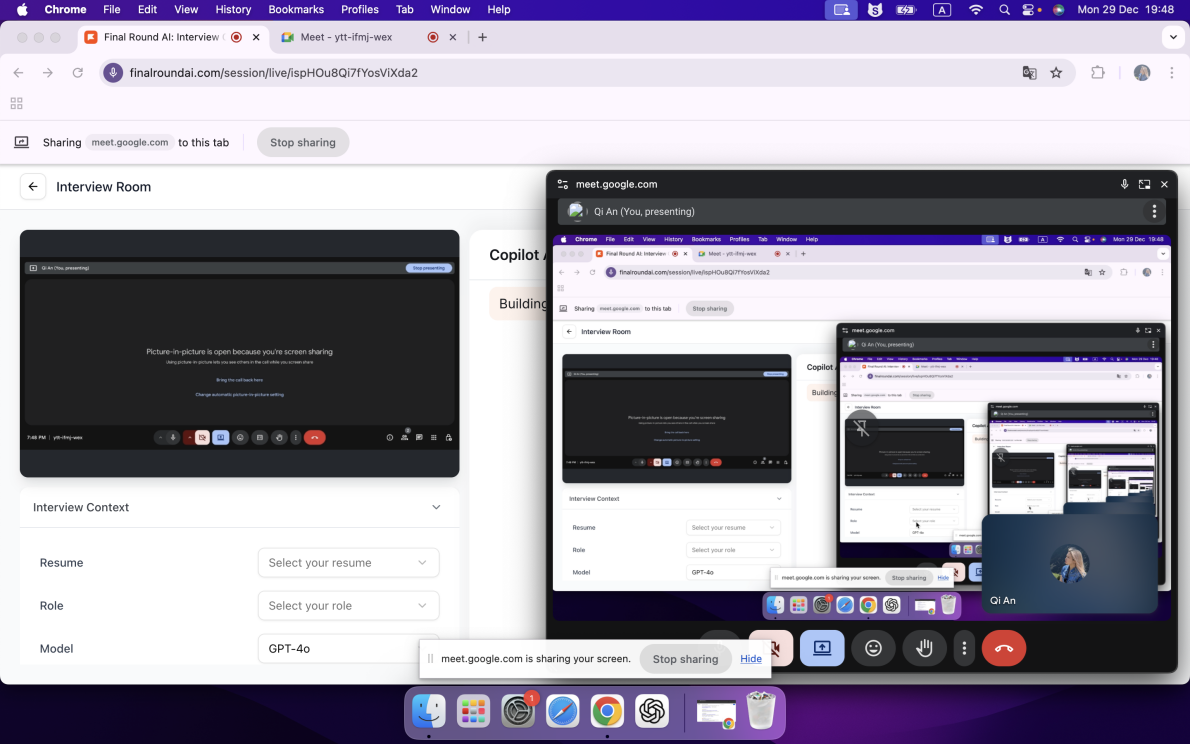
To circumvent this monitoring trap, switching to a native desktop AI coding plugin is currently the only workaround. Since such software runs directly at the operating system level, completely bypassing the browser’s sandbox restrictions, the web-based Live Coding Interview cannot access or monitor other processes running on my computer. This standalone operation not only eliminates the need to switch tabs but also completely blocks tracking and detection of the active window at the technical level.
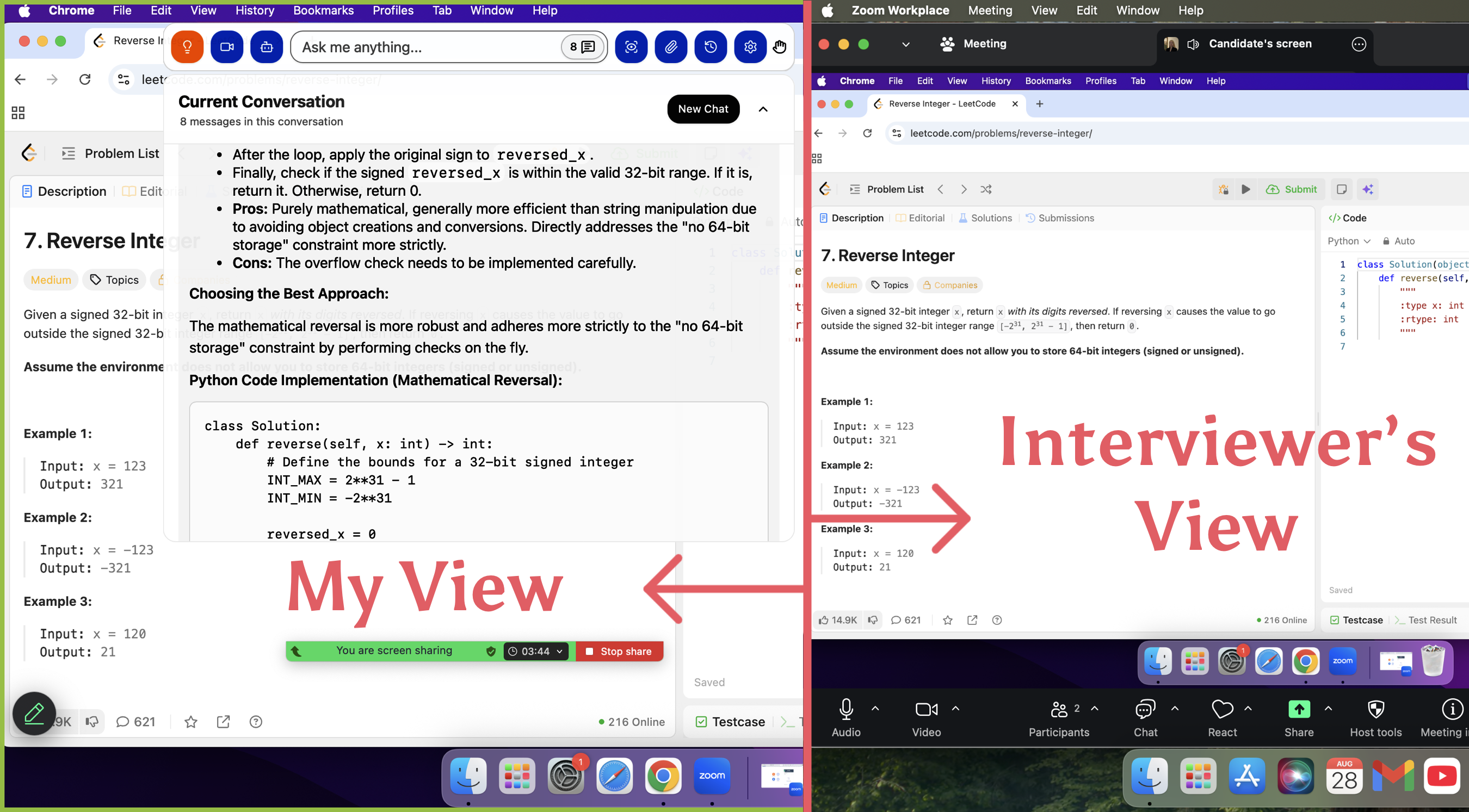
An even greater advantage is that high-quality desktop-level interview tools, through deep system integration, can appear as a special “pinned floating layer,” ensuring that the online monitoring environment cannot detect their running status at all, thereby achieving extremely high security during use. Take Linkjob AI’s technical capabilities as an example: its anti-screenshot mechanism is exceptionally robust. Even if I attempt to capture a screenshot of its interface, the resulting image will not reveal any part of its UI. For this reason, I have included only official promotional images in the text below. Through these extreme stealth measures, it can even erase all visual clues—such as the menu bar name and Dock icon—elevating its concealment to the highest level.
Solutions for Evading Camera Surveillance
Thanks to the AI assistant’s ability to capture screen shots in real time and simultaneously interpret the interviewer’s verbal instructions, I have completely eliminated my reliance on mobile communication or assistance from outside the room, making this process extremely discreet. This integrated approach allows me to keep my eyes fixed on the monitor at all times, maintaining natural eye contact while avoiding the risk of the camera capturing unwanted figures in the background.
To further enhance the visual disguise, I typically position the Linkjob AI interface precisely directly below the camera or right next to the question text area, making the act of checking answers appear as though I am deeply studying the exam questions or engaging in direct eye contact with the interviewer. Additionally, the tool’s transparency adjustment feature is extremely practical; I can lighten the window’s opacity to ensure it does not obscure critical exam content.
Strategies for Dealing with Programming Behavior Tracking
When it comes to circumventing code behavior audits, the most crucial technique lies in maintaining a purely manual coding process. I never resort to the extremely risky practice of “copy-pasting”; instead, I manually type out the code line by line according to my personal coding habits, while following the approach suggested by the AI. Additionally, since this assistive tool has screen snapshot detection capabilities and can directly read question information, I do not need to perform any text copying actions that might trigger alerts.
To maximize security, I made extensive use of Linkjob AI’s system-level presets, including hiding the interactive cursor and configuring stealthy global shortcuts. Through pre-set screenshot-guided logic, I didn’t need to repeatedly issue commands during the exam; the software seamlessly provided comprehensive support, including boundary case analysis, logic performance optimization, and complete algorithm implementation.
Using Zoom as an example, this video demonstrates how Linkjob AI allows you to solve coding problems without the interviewer seeing your screen, even when sharing your entire screen.
Why Traditional Cheating Tactics Don’t Work in Live Coding Interviews
Analysis of Why Past Cheating Methods Have Failed
A few years ago, various forms of cheating tools were rampant, and I often came across discussions about such techniques while browsing social forums like Blind or Reddit. However, in live coding interviews, these once-popular “unconventional methods” have completely lost their viability in the presence of real interviewers.
The Risks of Running Multiple Instances on Hardware and Seeking Outside Assistance
Many candidates have attempted to hide phones, tablets, or secondary computers in blind spots of the surveillance system to look up solutions, or even used methods like Bluetooth connections or network passthrough to obtain information from friends, family, or “ghost coders” outside the exam room. Some have gone so far as to use virtual machine environments or external projectors to mirror their screens, attempting to pull the wool over the examiner’s eyes. However, with a live examiner proctoring the interview, every move the candidate makes is clearly visible, and they are required to explain their code as they write it. If a candidate relies entirely on answers found through search engines, their performance during the interview will appear unnatural.
Limitations of Traditional General-Purpose AI (such as ChatGPT)
Using ChatGPT directly in real-world interviews poses serious security risks, primarily because it lacks the technical support of an invisible overlay layer. Even setting aside the highly suspicious “code pasting” behavior that easily triggers alerts, whether running in a browser or launching a desktop client, it cannot evade tab tracking or full-screen screen recording.
Furthermore, the usability of general-purpose models like ChatGPT in interview scenarios is far inferior to that of vertical-domain tools such as Linkjob, as you must manually enter question details, resulting in extremely low efficiency. In terms of model performance, ChatGPT—once a leader in the field—has gradually fallen behind high-end models like Claude Opus when handling complex coding logic. Meanwhile, lightweight models like Gemini Flash perform particularly poorly when dealing with edge cases. In my hands-on testing, it managed to pass only a handful of the 20 test cases on CodeSignal, making it completely unsuitable for high-difficulty real-world scenarios.
The Vulnerabilities of Remote Assistance and Screen Mirroring
Using remote control software or real-time screen sharing to invite others to take the exam on your behalf is another extremely high-risk practice. Some candidates attempt to use virtual machines to bypass underlying monitoring, but in a Live Coding Interview, such attempts to hide traces of their actions are virtually tantamount to walking into a trap. Any window switching or fluctuations in background processes will be precisely detected by the system, and interviewers will notice issues such as unnatural code execution and the inability to explain the code.
Strategic AI Integration for a Live Coding Interview
To streamline the evaluation process, I want to detail several functionalities of the AI assistant that have significantly boosted my performance during a Live Coding Interview.
Visual Capture and Instant Analysis
For me, the ability to transform screen captures into actionable solutions is the most indispensable asset for any Live Coding Interview. Whether it involves grabbing the full desktop view or isolating a specific region, Linkjob AI handles it seamlessly; if a single frame fails to encompass a particularly lengthy prompt, I simply aggregate up to six images for simultaneous processing.
To eliminate any mid-interview lag, I pre-configure my command templates within the system preferences. This proactive setup ensures that once the visual data is ingested, the engine immediately knows to deliver a comprehensive logic breakdown alongside the executable code, sparing me from typing out instructions under pressure. Despite the availability of a one-touch duplication feature for these answers, I steadfastly manually input every character to circumvent any automated triggers designed to flag copy-paste behavior.
Multimedia Inputs and Specialized Rounds
While the platform supports direct file uploads and image attachments, this specific module hasn't played a role in my actual sessions yet, as it seems more tailored for case studies. Since my primary focus remains on the technical and behavioral segments of a Live Coding Interview, I find this particular utility less vital for my current workflow.
Real-Time Audio Intelligence
The streaming dialogue assistant is a game-changer for the conversational portions of the assessment. It proves its worth during technical deep-dives when a recruiter pivots to a follow-up query, or in behavioral rounds where I need a structured narrative for my experiences. By autonomously intercepting and interpreting the interviewer's speech, the tool removes the burden of manual transcription. Although rapid-fire questioning or a lack of clear pauses can occasionally cause the AI to merge distinct prompts, the persistent display of the chat log allows me to extract the necessary insights regardless.
Tailored Output and Advanced Tuning
I achieve a high degree of personalization by feeding the system my professional resume, specific job descriptions, and target company profiles. This ensures that every generated response resonates with my unique background. Furthermore, the latest iteration of the interface provides enhanced granular control, offering a wider array of system prompts and refined tuning options to align the AI's persona with my own.
FAQ
Is Linkjob AI truly undetectable? And has anyone actually used it to land a job?
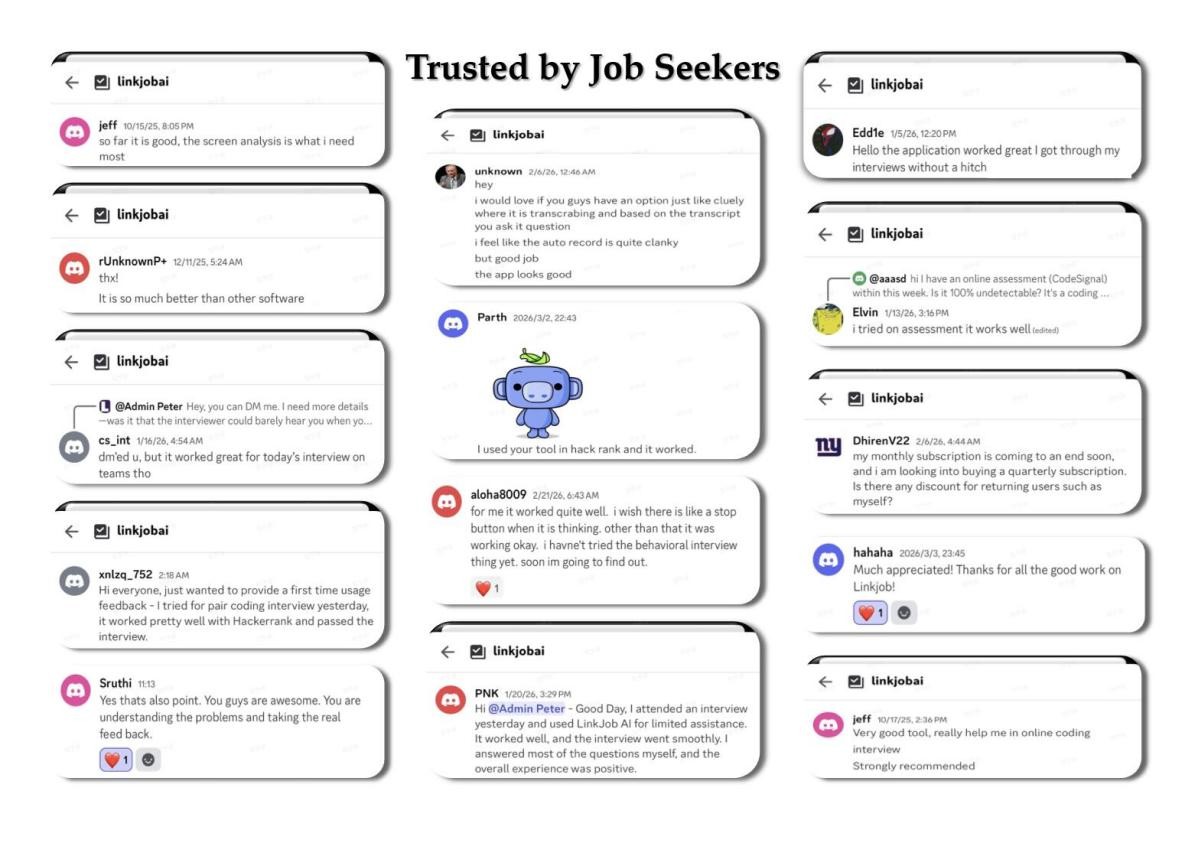
After joining their Discord group, I asked if anyone had used this AI to pass a Coderpad interview. It turns out that quite a few people have done this on Coderpad without getting caught. Honestly, the only reason I’m not using Linkjob AI anymore is because I already cleared my interviews and got the offer.
Can I use Linkjob AI on other platforms?
Definitely. Linkjob AI works on pretty much all online testing and meeting platforms, and it’s completely undetectable. For instance, you can use it on meeting apps like Zoom, Microsoft Teams, Google Meet, and Amazon Chime. It also works on interview platforms like HackerRank, CoderPad, HireVue, and Codility.
How do I choose the right AI tool for my interview?
I try out free versions first. If I like the features, I upgrade. I always check for compatibility with the interview platform.
See Also
The 2026 OpenAI Coding Interview Question Bank I've Collected
Anthropic Coding Interview: My 2026 Question Bank Collection
My Firsthand Experience With Amazon's 2026 Coding Interview
Why People Choose Linkjob AI
Smoother interviews, coding challenges cleared, and job offers landed. See how users describe their experience with Linkjob AI—in their own words.


© Copyright 2026 Linkjob AI - All Rights Reserved.