Integrity Advocate How to Cheat: What I Actually Saw

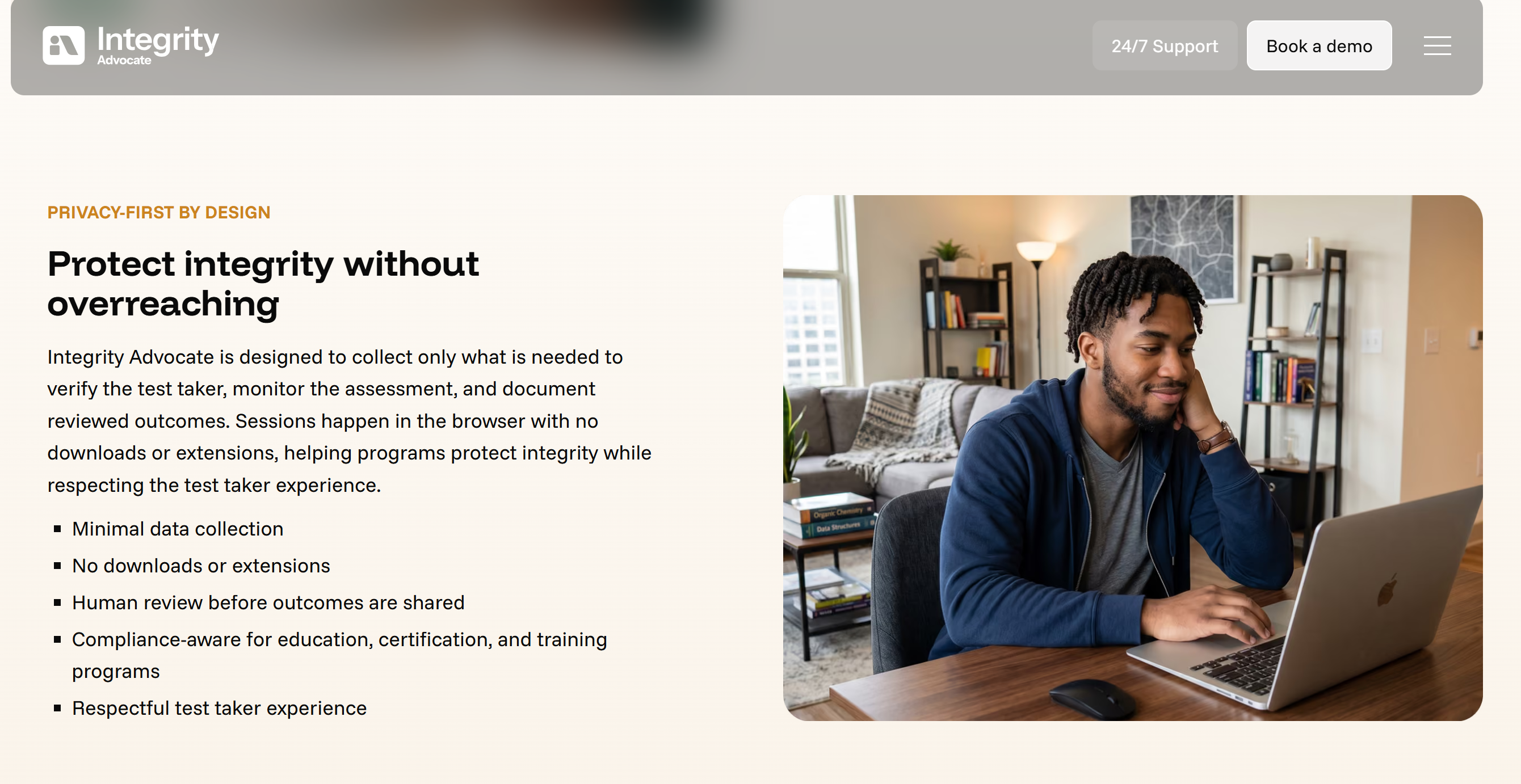
I got an email the other day asking me to do an online Integrity Advocate assessment for remote proctoring. I thought the usual installation steps would apply, like downloading ProctorU Guardian and the HackerRank app, installing a custom root certificate, or granting system administrator permissions. But when the portal page opened in my Chrome browser without any hassle, I was pretty surprised. I didn't have to :
run an executable installer
enable a browser extension
even have a proctor remotely access my system desktop (like with ProctorU).
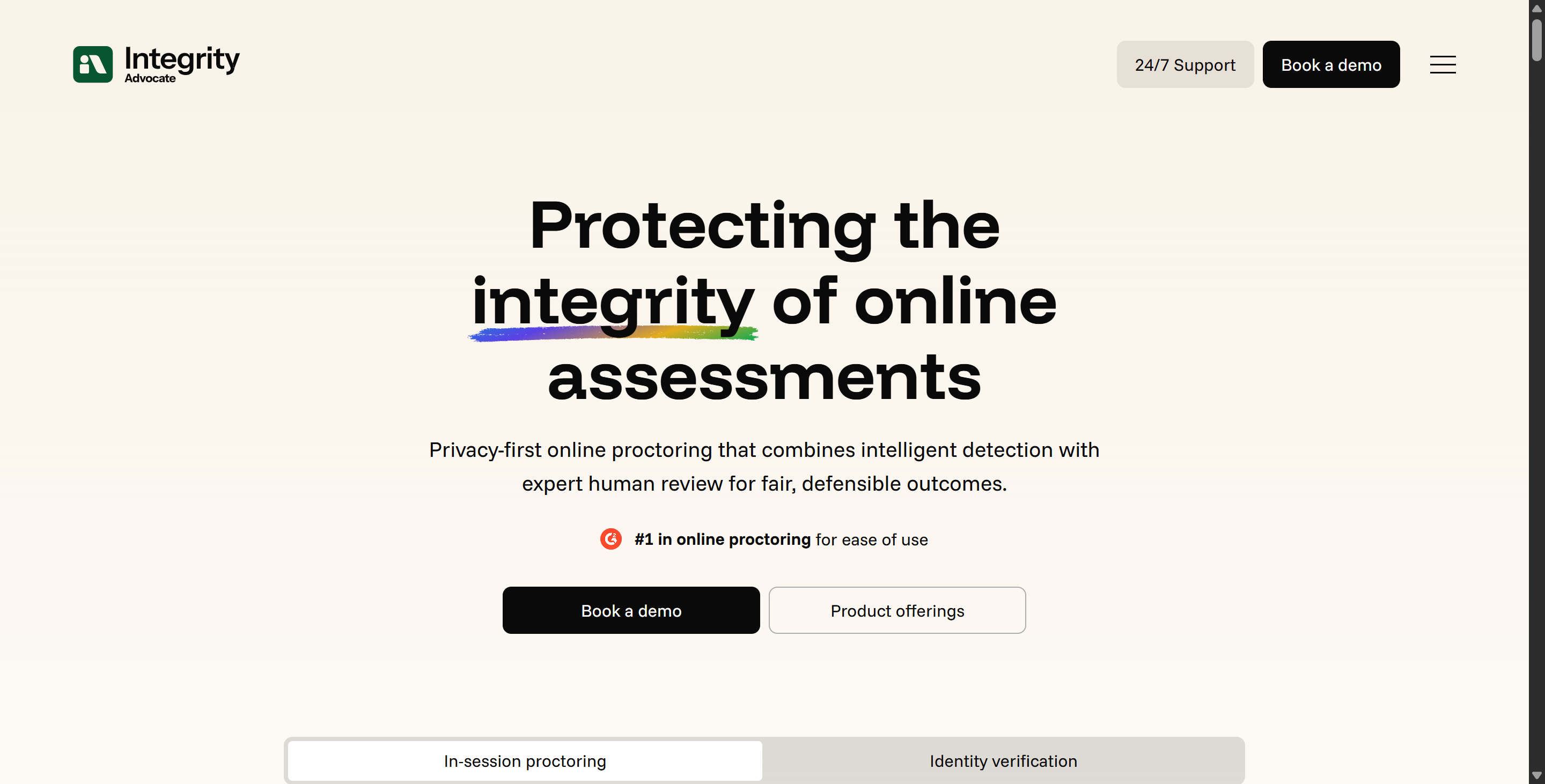
At first, I thought it was pretty straightforward: if everything is confined entirely within a standard web page, just how much can it actually see?
When I Googled Integrity Advocate how to cheat, most of the online suggestions I came across made the platform sound like nothing more than a simple webcam filter.
But after taking a closer look at the official product documentation and technical disclosures, I discovered that its architecture is actually quite complex – even though it's still browser-based. Integrity Advocate brings in a bunch of features, like two-factor authentication, browser history tracking, monitoring of screens and audio, catching any external resources you're not supposed to have, and AI-powered behaviour detection, all wrapped up with human review.
I want to figure out exactly what this browser-based proctoring system can and can't access. I'd already looked into how to cheat on HackerRank and how to cheat on HSBC's OA system. Then I discovered Linkjob AI, and that's what I use to get me through the interview process.

Integrity Advocate How to Cheat Starts With Understanding What It Actually Is
To evaluate any proctoring system, you first have to understand its technical delivery model.
Integrity Advocate Is Not a Lockdown Browser
Right now, Integrity Advocate doesn't have a monitoring suite, which is different from other applications like Respondus LockDown Browser or Honorlock.
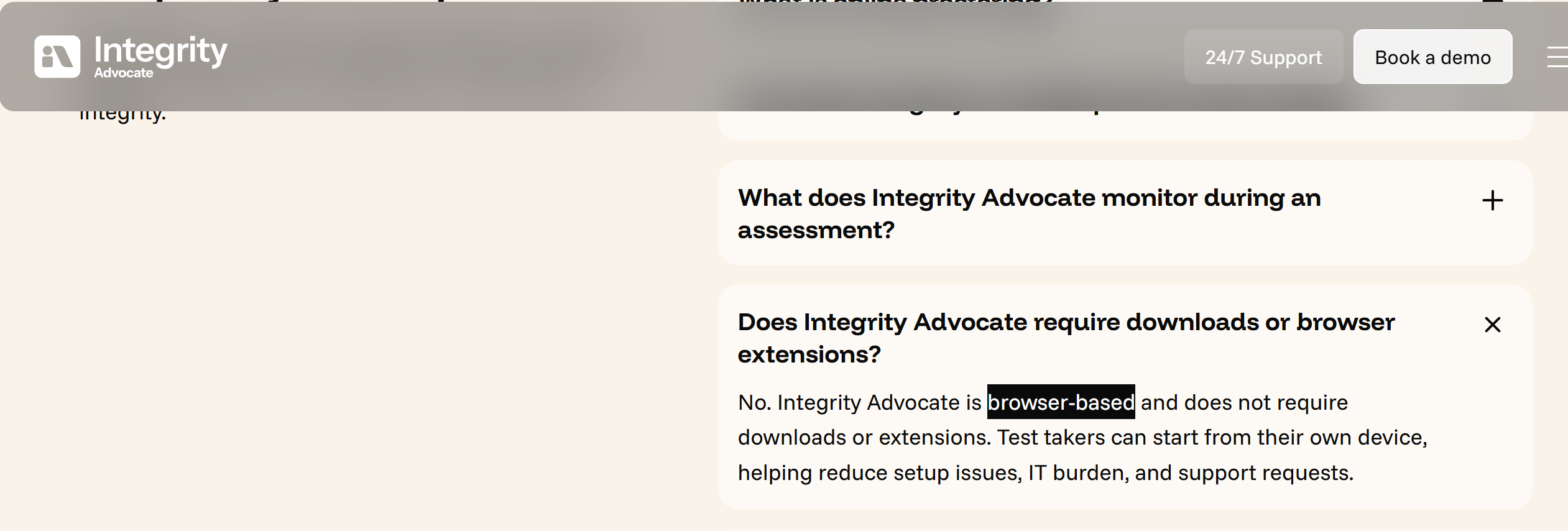
It's all done in your browser, so no download or extension needed.
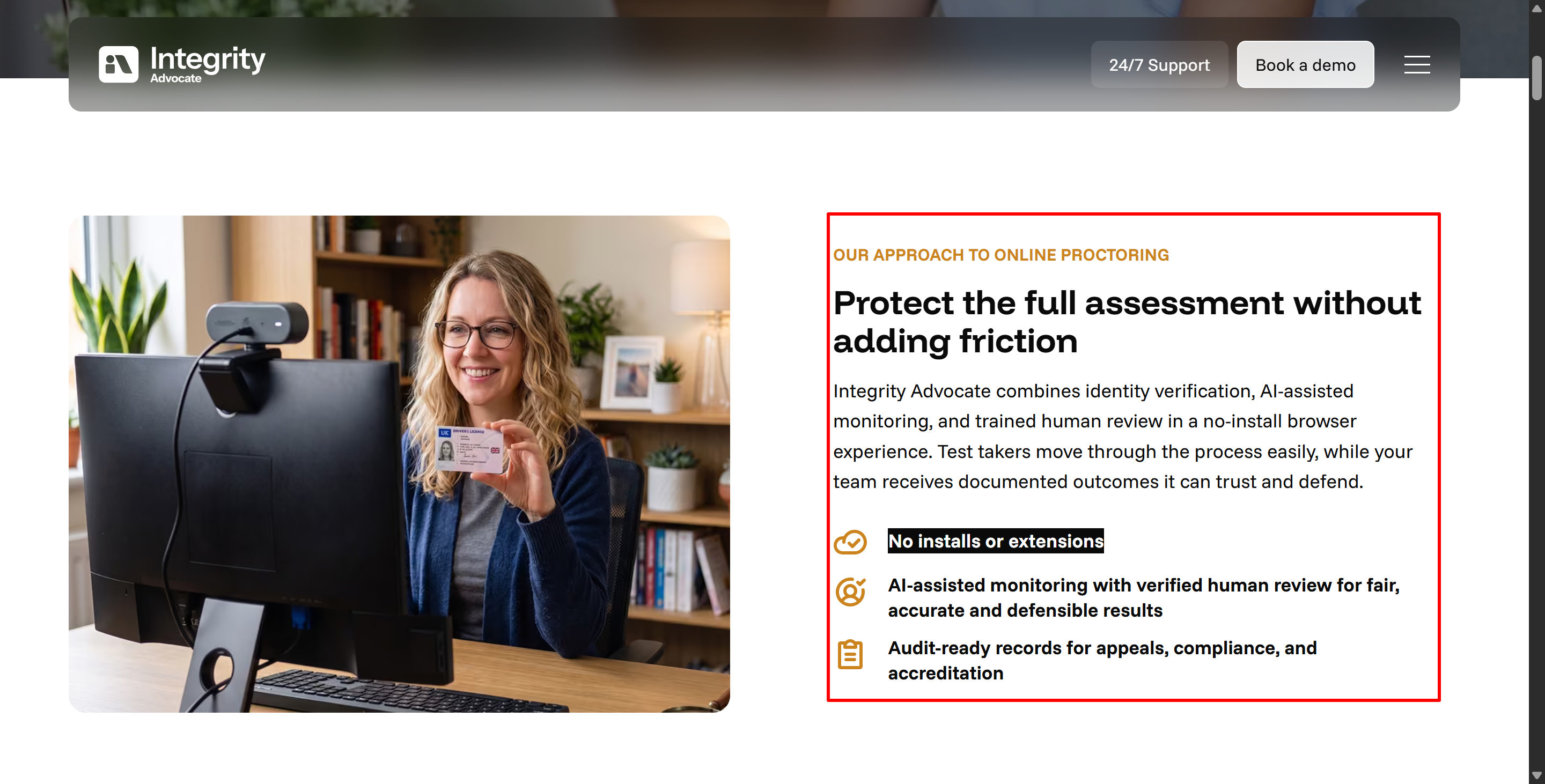
Also, the official description says that Integrity Advocate's standard browser experience doesn't access personal files, check for background desktop applications, or exercise administrative control over the examinee's computer.
The version I tried didn't have an integrated proctoring service, but that doesn't stop some companies or organisations using Integrity Advocate from using external proctoring services.
But there is some good news. I can assure you that the Integrity Advocate platform itself runs entirely within the sandbox environment of a standard web browser.
Assessment Dimension | Integrity Advocate Standard Experience |
Primary Delivery | Web browser / LMS embedded |
Software Download | No (for standard workflow) |
Browser Extension | No extension required |
Personal File Access | No access to local storage files |
Background App Scanning | Not included in standard browser model |
Webcam & Audio Monitoring | Yes, active video and audio capture |
Screen Activity Capture | Yes, screen feed and session events |
Human Verification | Yes, mandatory human-in-the-loop review |
Why “No Install” Does Not Mean “No Proctoring”
Although Integrity Advocate doesn't go into much detail on this controversial issue, it does have a compensatory measure in place. It doesn't try to monitor the whole operating system, as that's not what it's designed for. It's all about matching identities, checking browser metrics, taking regular screenshots and doing other detailed analyses. So it doesn't mess with the interviewee's device itself.
So, yes, Integrity Advocate doesn't break out of the sandbox mechanism, but if a cheating method isn't natural enough, it'll still fail under this behaviour-focused proctoring system.
That's why I eventually ditched InterviewFox (check out my InterviewFox review), an AI designed to spot cheating in dual-device interviews, and found a better tool—Linkjob AI.
Integrity Advocate How to Cheat: The Proctoring Signals I Found
Understanding the platform requires examining the specific telemetry streams collected during an exam session.
1. Identity Verification and Proxy-Test Detection
Let me give you the lowdown straight away: Integrity Advocate's identity verification is continuous, and it consistently flags instances of candidates leaving their seats, unfamiliar faces, and proxy test-takers.
Every assessment that Integrity Advocate is involved in starts with checking who you are. You'll need to take a live selfie and show a valid government-issued ID. Then there's an automated engine that cross-checks the facial features on the ID against the live selfie to make sure it's the right person answering the questions before unlocking the exam.
This is similar to some platforms I've researched before. But there's one key thing that makes Integrity Advocate stand out – the identity verification doesn't stop once the exam begins.
The system keeps checking your identity as you go through the exam. If a test-taker leaves their seat, a second face appears in the webcam feed, or the video connection is reestablished and shows a different person, the platform immediately flags the anomaly.
2. Browser Behavior, Hidden Helpers, and Unauthorized Resources
A common assumption in Integrity Advocate how to cheat discussions is that because there is no desktop background process, a lot of people think that, because there are no background processes on the desktop, the platform can't know what's happening inside the browser. Actually, it does.
According to the official documentation, Integrity Advocate can detect:
Undeclared browser extensions
In-page answer-assistance tools
Unauthorized tabs
External content resources (this point is questionable; it’s likely determined based on the consistency of the answers).
Integrity Advocate is all about encouraging post-interview reviews and having human proctors on the job, so any violations during the interview should be recorded and sent off for the next review (if AI proctoring is used) or to a human proctor (if the company has bought this service). At this point, unless the company really doesn't care (which is pretty unlikely), it's basically like being caught cheating.
3. Video, Audio, and Off-Camera Assistance
The video and audio capture pipeline is the most active telemetry layer in Integrity Advocate. I read the official documentation and found out what's actually monitored during a test session.
Multiple People in Frame: Detecting additional faces or unauthorized bystanders in the room.
Audio Cues and Voices: Identifying secondary spoken voices, whispered cues, or background speech.
Candidate Absence: Flagging instances where the participant leaves the camera frame entirely.
Gaze Shifts and Lighting Variations: Tracking significant changes in eye direction, head rotation, or room lighting conditions.
Unauthorized Physical Objects: Spotting unapproved items, secondary mobile devices, or paper notes brought into the camera view.
It is vital to understand that an audio or visual flag does not equal an automatic conviction. The platform's AI flags these moments for subsequent human verification.
4. Screen Activity, Extra Devices, and Session Continuity
Screen capture monitoring keeps an eye on the display of the active monitor during the whole exam.
During the interview, the Integrity Advocate will keep an eye out for any extra monitors that might be there, any unexpected resolution changes, connections to auxiliary hardware, and any interruptions to the exam. When you're working with assessment setups that have higher security levels, you might also need to do extra camera checks or room scans to audit the physical environment. These are very common requirements, but they're still quite strict.
Officially Disclosed Risk | What Integrity Advocate Looks For |
Hidden Browser Helpers | Telemetry indicators of undisclosed extensions or DOM answer scripts |
Unauthorized Outside Content | Session focus changes, unapproved tabs, and external web navigation |
Secondary Displays / Devices | Display configuration changes and unauthorized hardware signatures |
Proxy Test-Takers | Identity mismatch between initial verification and ongoing video stream |
Off-Camera Collusion | Secondary voices, whispers, additional faces, or off-screen gaze shifts |
Session Interruption | Device handoffs, stream disconnections, or unexplained candidate absence |
Integrity Advocate How to Cheat Is Really About Its Hybrid Review Model
The defining technical feature of Integrity Advocate is its hybrid proctoring architecture: AI identifies potential anomalies, but trained human reviewers verify the context before any violation report is generated.
AI Flags the Moment, A Human Reviews the Context
Some proctoring services rely entirely on AI-based monitoring, but Integrity Advocate considers human review to be one of its core pillars. So, certain behaviours that might be flagged by other systems may not necessarily be flagged by Integrity Advocate.
If a candidate's behaviour triggers an anomaly, like looking down at the desk a lot, the system records a timestamped video clip.
Then, the clip is reviewed by human moderators who've been trained to spot these things.
If the candidate looks down to stretch their neck or write on approved scratch paper, the human moderator will dismiss the alert; if the candidate is looking at an unauthorised cell phone, the alert will be confirmed.
Usually, candidates are told about alerts and can make up for missed opportunities. If you're using Linkjob AI to cheat on the Integrity Advocate assessment and you're suspected of doing so, you can still defend yourself. As long as your explanation seems reasonable, I doubt anyone will have a problem with it.
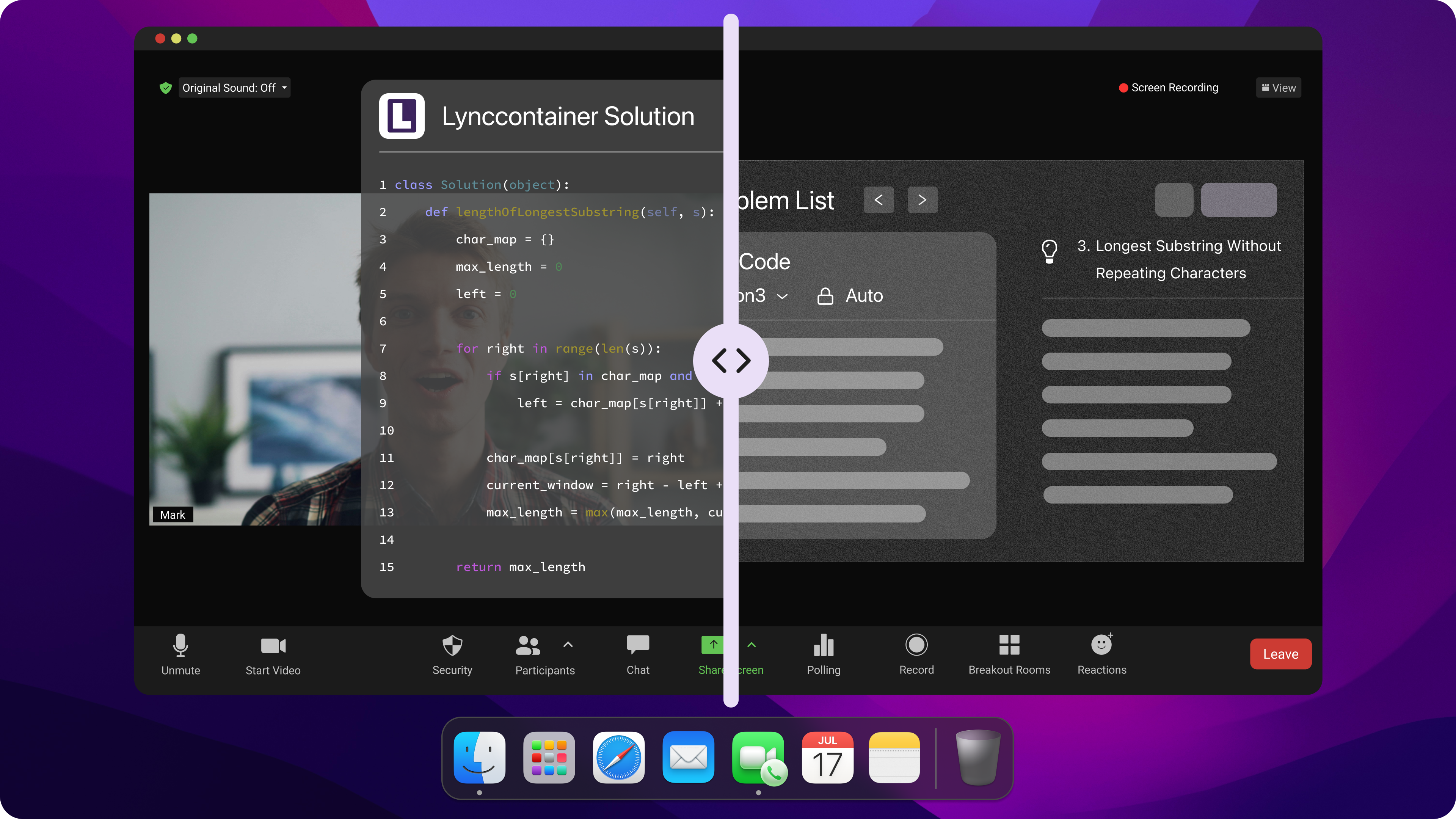
AI-Only vs Live vs Hybrid Proctoring
Understanding the nuances of integrity advocate how to cheat requires contrasting its hybrid workflow against other proctoring paradigms.
Proctoring Paradigm | Who Monitors the Exam | When Human Verification Occurs |
AI-Only Proctoring | Pure machine algorithms | Never, or only if an institution manually audits logs later |
Live Remote Proctoring | Human proctor via webcam | Continuously in real time during the examination |
Integrity Advocate Hybrid | AI algorithms detect flags | Trained humans review every single flagged event before final reporting |
This hybrid approach makes analyzing integrity advocate how to cheat scenarios unique. You are not trying to fool a simple algorithm or trick a distant human sitting on Zoom; every flagged timestamp is evaluated by a human who considers the surrounding context of your testing session.
Integrity Advocate How to Cheat: What AI-Assisted Cheating Detection Actually Means
Demystifying integrity advocate how to cheat claims requires examining what AI detection can and cannot accomplish.
It Does Not Mean “Integrity Advocate Can Read ChatGPT”
Marketing claims about "AI-assisted cheating detection" often lead to misunderstandings. Some of you researching integrity advocate how to cheat might be worried that the platform can automatically detect whether a written answer was generated by ChatGPT or another LLM just by looking at the text, but that's not really the case.
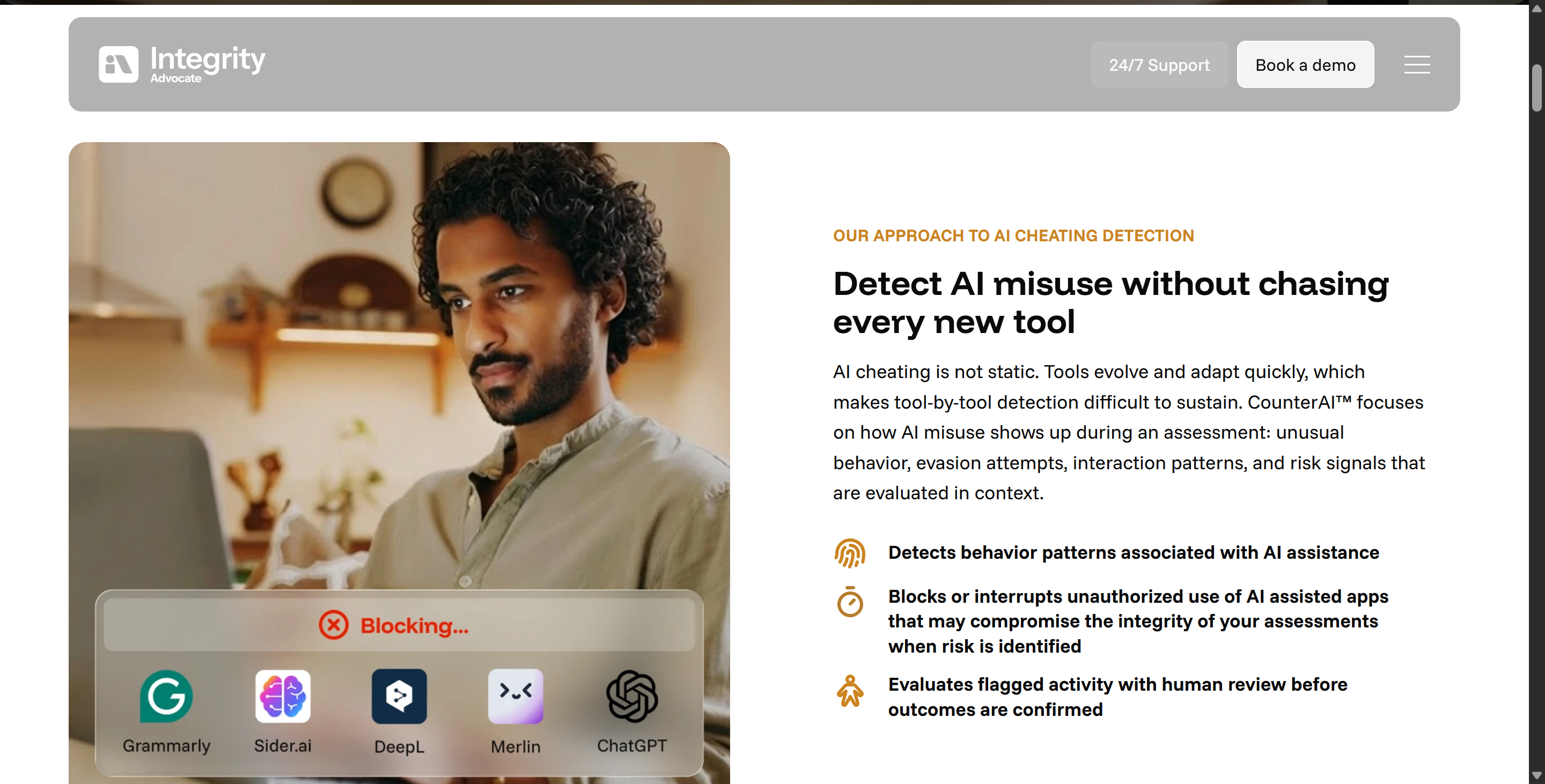
I can say that there's no publicly available technical evidence right now that shows that Integrity Advocate uses language-based AI to spot text in candidates' written answers during exams.
It uses computer vision, audio processing, and data from conversations to train its AI model, so text-based analysis is just an extra part of it.
But if you're too obvious, like if your writing is full of LLM-style phrases, it'll be spotted even without AI algorithms. That's why I prefer Linkjob AI, which lets you customise the prompts and is really flexible. This helps to make the answer suggestions less "AI-like" and more relevant to my CV – more personal, less LLM.
The System Looks for a Combination of Signals
So, it turns out that Integrity Advocate's "AI-assisted detection" is actually just signal correlation analysis. Basically, the platform's algorithm looks for any unusual activity that's happening at the same time.
If a bunch of small account activities happen at the same time, the AI will do a correlation analysis and flag that bit for a human proctor to check.
But there's one thing I've got to say again: as long as it's browser-based and doesn't need any extra plugins or software, Integrity Advocate can't see what's running in the background. The sandbox in modern browsers just won't allow it.
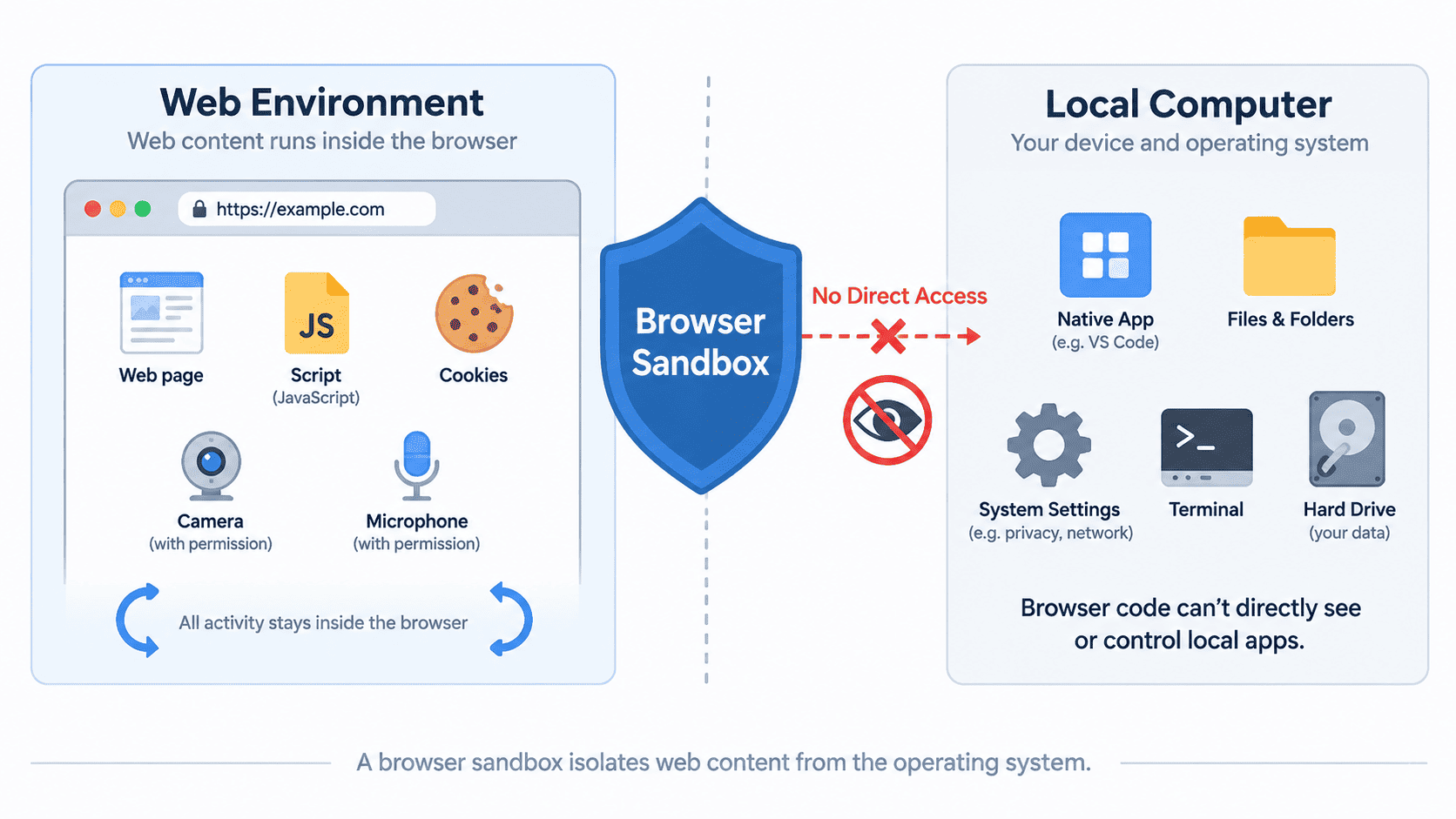
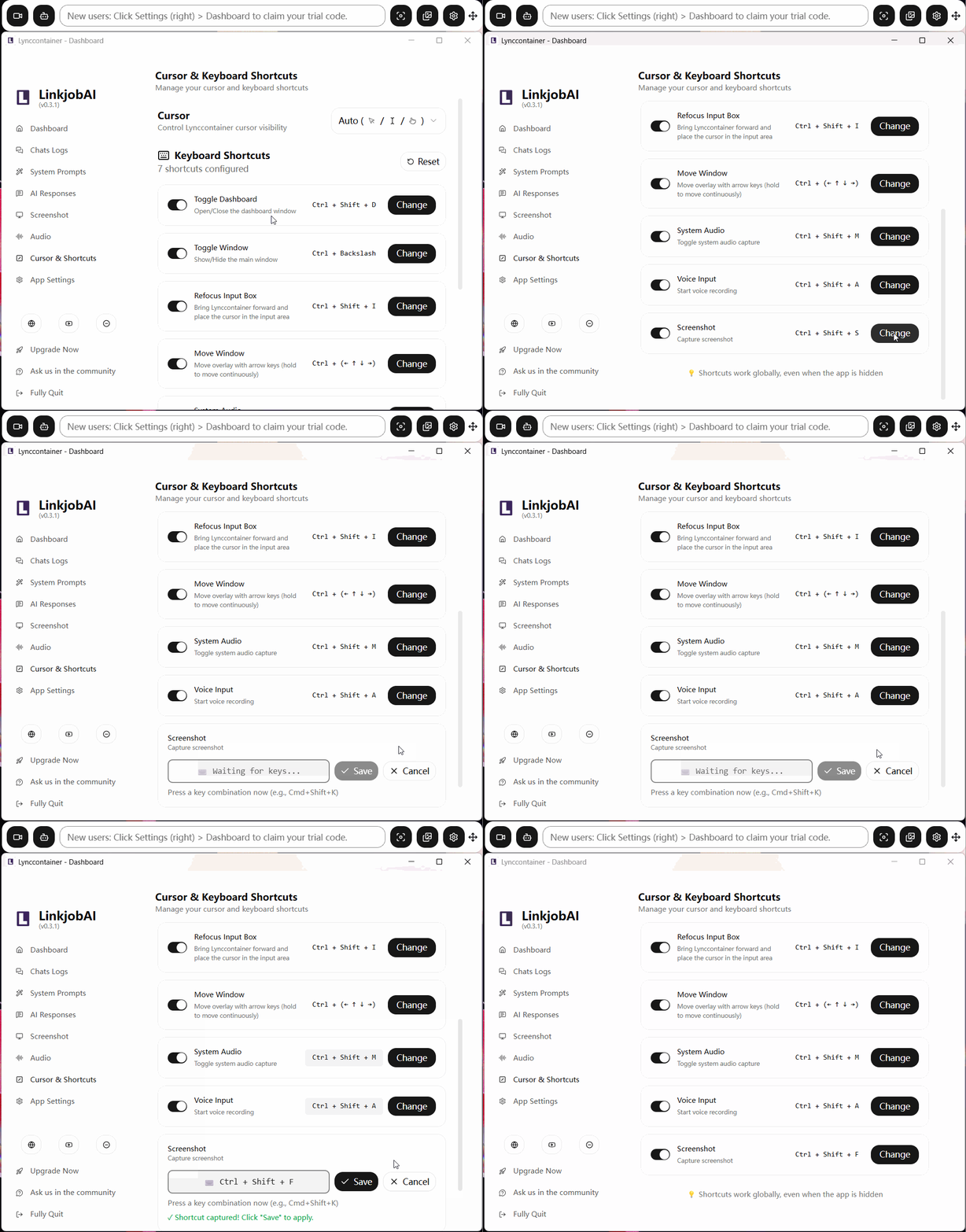
Integrity Advocate can only detect whether you've installed a Grammarly extension or opened a separate GPT tab. So, using Linkjob AI's floating window will go completely undetected – as long as you position it directly below your webcam, have a normal conversation with the interviewer, and glance at the automatically generated answers at just the right moment. Auto-response is switched on by default, and you can also use global hotkeys to analyse multiple screenshots without anyone noticing.
Integrity Advocate How to Cheat: How I Would Avoid False Flags
If your primary objective when looking up integrity advocate how to cheat is avoiding unfair flags and ensuring a clean pass, structuring your physical testing space correctly is crucial.
1. Keep the Testing Environment Predictable
Use One Approved Device and Display: Disconnect secondary monitors, tablets, and external display cables before launching the testing portal.
Close All Unrelated Browser Tabs: Shut down extra browser windows, background messaging apps, and email clients to prevent accidental focus-loss logs.
Clear Your Physical Desk: Remove mobile phones, smartwatches, paper notes, and unapproved items from your immediate reach and visual line of sight.
Maintain Room Isolation: Ensure you are in a quiet, private room where family members or roommates will not walk into the camera frame.
Optimize Lighting and Camera Placement: Position your light source in front of your face and set your webcam at eye level to keep your facial features clearly visible.
Keep Video and Audio Streams Active: Never disable your camera or microphone midway through an assessment session.
Review Exam-Specific Guidelines: Check your institution's specific testing rules, as individual programs configure custom rules inside Integrity Advocate.
2. Make Normal Behavior Easy for a Human Reviewer to Understand
Because every flagged incident undergoes human context review, adopting natural, transparent candidate behavior is the best safeguard against false positives:
Stay Centered in the Camera Frame: Keep your head, shoulders, and face framed cleanly throughout the exam.
Avoid Unexplained Talking: Refrain from reading questions out loud or speaking to yourself unless explicitly permitted.
Handle Interruptions Transparently: If an unavoidable background noise or minor interruption occurs, address it calmly without making sudden off-camera movements.
Declare Accessibility Accommodations: Ensure official accessibility accommodations are registered with your institution prior to testing so approved behaviors are recognized.
Do Not Panic Over Accidental Glances: Remember that a brief glance away from the screen will be reviewed by a human who evaluates the surrounding context.
Trust the Human Verification Step: A single automated marker does not automatically constitute a failure; human proctors verify whether a genuine violation took place.
Integrity Advocate How to Cheat FAQ
Does Integrity Advocate Require a Download?
No, for its standard experience. Integrity Advocate operates directly within standard web browsers without software downloads or browser extensions, though specialized lockdown browser integrations exist for specific high-security scenarios.
Can Integrity Advocate See My Background Apps?
No. According to its official privacy disclosures, Integrity Advocate’s standard browser-based model does not access personal files or scan background desktop applications.
Does Integrity Advocate Detect Browser Extensions?
Yes. The platform surfaces behavioral indicators and event logs associated with undisclosed browser extensions and on-page answer helpers.
Does Integrity Advocate Detect Second Screens or Devices?
Yes. Session view analysis tracks display configurations and secondary device signals, while higher-security modes can incorporate secondary room camera audits.
Does Integrity Advocate Use Eye Tracking?
Integrity Advocate incorporates gaze orientation and eye-movement patterns into its visual AI detection models, though exact proprietary sensitivity thresholds are not publicly disclosed.
Does an Integrity Advocate Flag Mean I Cheated?
No. An initial flag merely marks a timestamped video clip for trained human review, where a proctor evaluates the context before issuing any formal integrity outcome.
See Also
How to Get Invisible AI Help for CodeSignal Proctored Tests in 2026: My Tricks
My Experience of Avoiding Sherlock AI Detection During Interview
Securing Undetected AI Assistance for My Talenscio Interview
Techniques to Outwit HackerEarth Proctoring in 2026
How to Get AI Invisible Help for TestGorilla: My 2026 Update
Why People Choose Linkjob AI
Smoother interviews, coding challenges cleared, and job offers landed. See how users describe their experience with Linkjob AI—in their own words.


© Copyright 2026 Linkjob AI - All Rights Reserved.