Interview Coder vs Ultracode AI: 2026 Stealth & Speed Tested

Since Ultracode AI became popular with developers, there have been loads of attempts to hold "praise-and-criticize" polls to see if it's better at keeping things anonymous than other products like Interview Coder and Cluely, or at helping with the latest LeetCode problems.
I've read a bunch of articles and public posts, like Interview Coder vs Lockedin AI, Interview Coder Review, and Ultracode AI Review, and I've finally come to my own conclusion: They can guarantee a certain level of stealth for now, but it's still too much of a stretch to rely on any of them to get you through the whole interview process at a major company.
I did some benchmark tests by simulating technical interview sessions to see how well these two tools worked in the real world. In this review, I'll take a look at their public reputation, the risk of being detected by proctoring systems, how they use resources, and their pricing structures. I'll also explain why the technical limitations made me switch to a faster, more secure option: Linkjob AI.

Public Sentiment: Interview Coder vs Ultracode AI
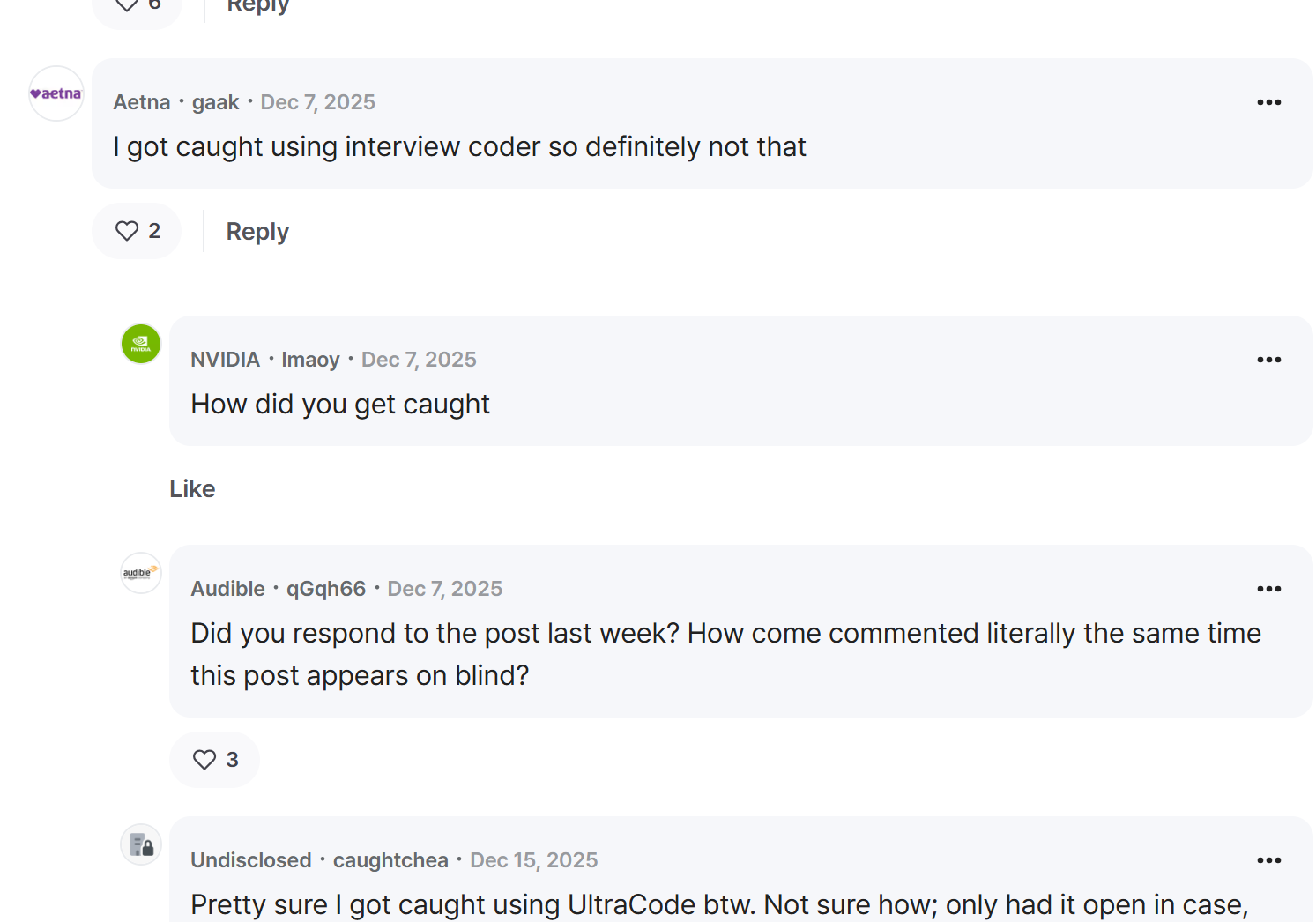
Before executing live reactive streaming or database optimization tests with either tool, I spent weeks investigating community feedback across Reddit threads on r/leetcode and r/InterviewCoderHQ, Blind posts, Medium teardowns, Barchart reports, and technical reviews on Shadecoder. Examining feedback from verified developers comparing Interview Coder vs Ultracode AI revealed clear patterns regarding subscription fees, background CPU spikes, screen-share overlay leaks, and aggressive marketing practices.
Interview Coder Reputation and Developer Sentiment
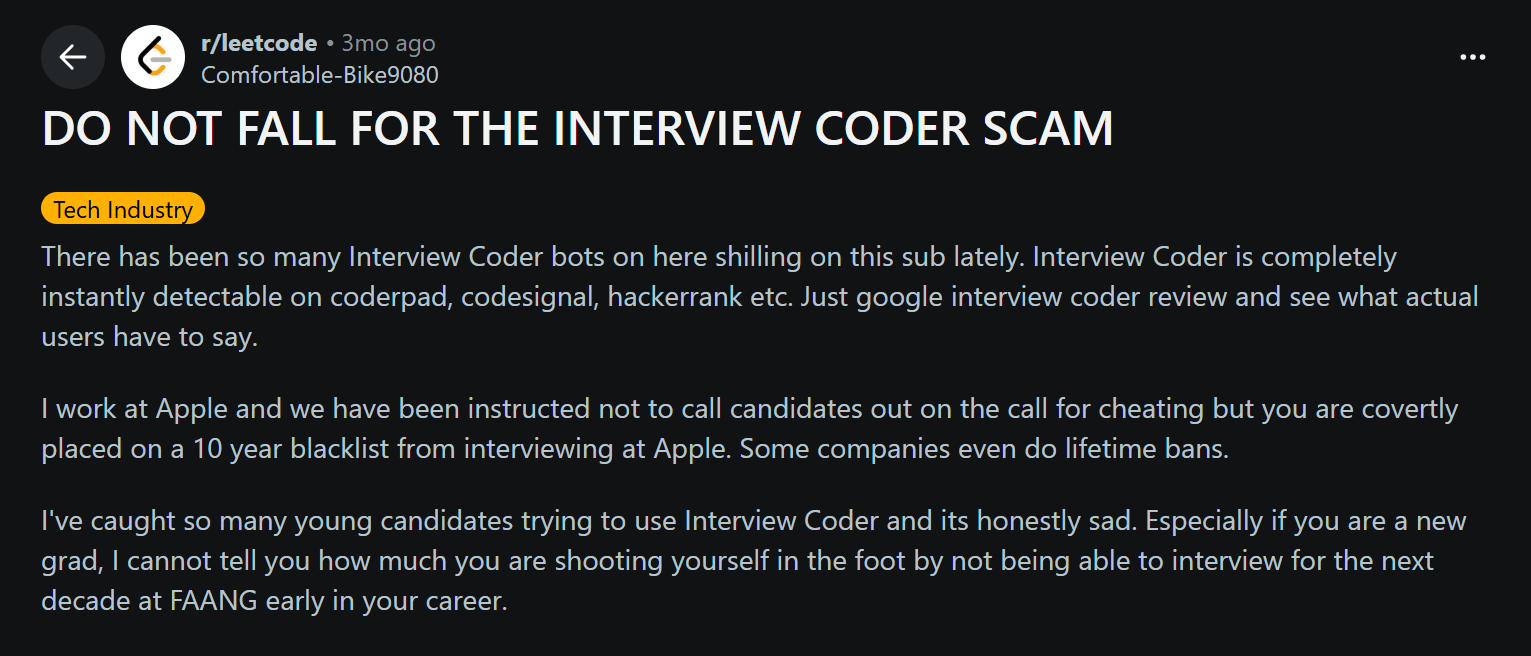
Interview Coder is a minimalist, algorithm-focused tool that's mainly used to solve problems on LeetCode and CoderPad. Some programmers really like the clean interface, but lots of people in community discussions have said there are some problems with how it works.
Struggles Beyond Algorithmic Code: Developers on r/leetcode have said that while Interview Coder is good at dealing with one-off algorithm problems, it doesn't quite measure up when it comes to multi-file codebases, distributed system design, or low-level concurrency bugs.
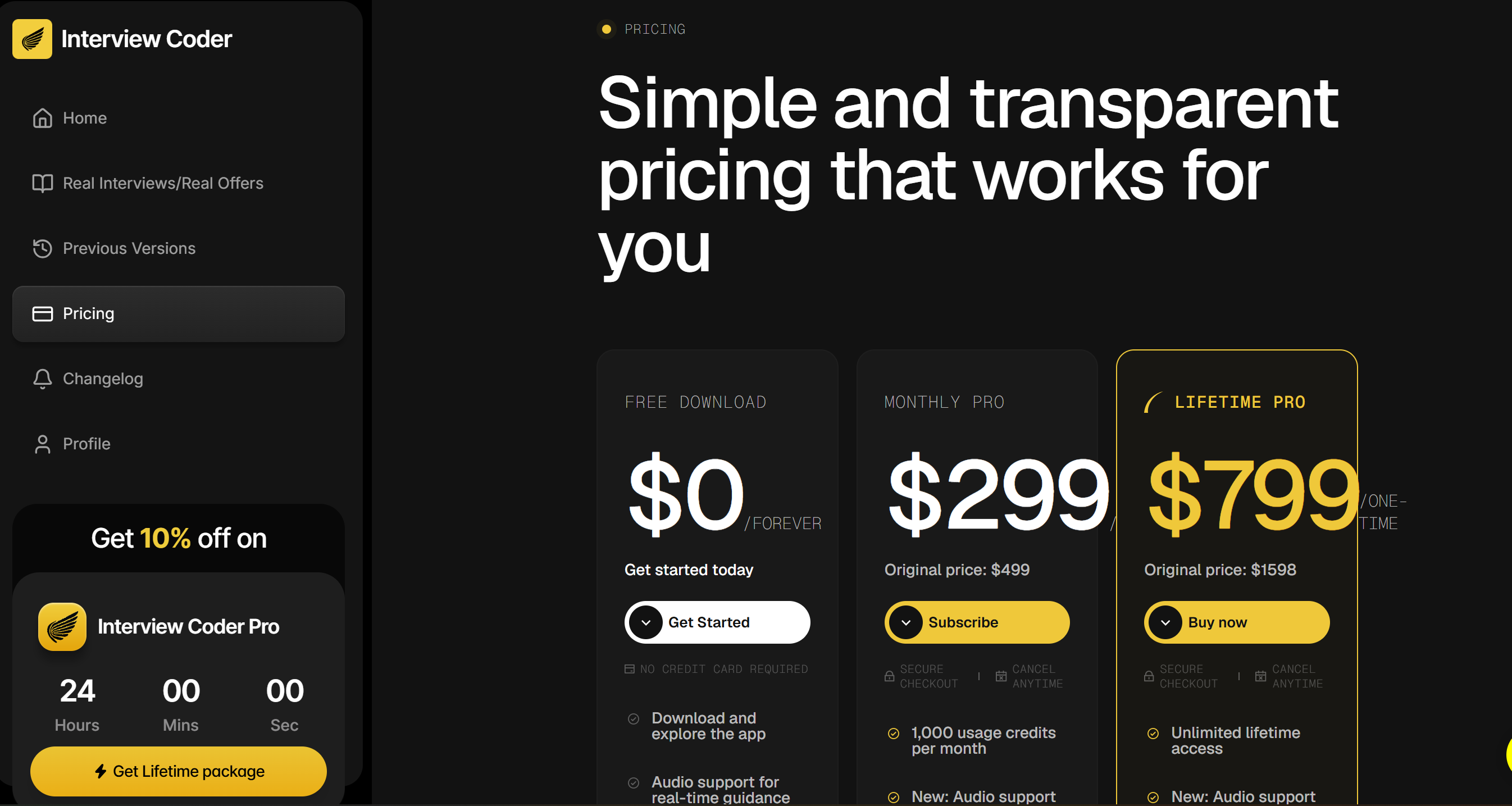
Exorbitant Pricing Structure: There are a lot of posts on r/InterviewCoderHQ that are pretty frustrated about the $299/month subscription fee, saying it's a big hurdle for people looking for work.
Right-Click Overlay Capture Risks: Recent candidate warnings on Blind show that Interview Coder's desktop overlay can be captured during system-level screenshots or when interviewers ask candidates to right-click during desktop shares.
Ultracode AI Market Reception and Candidate Warnings
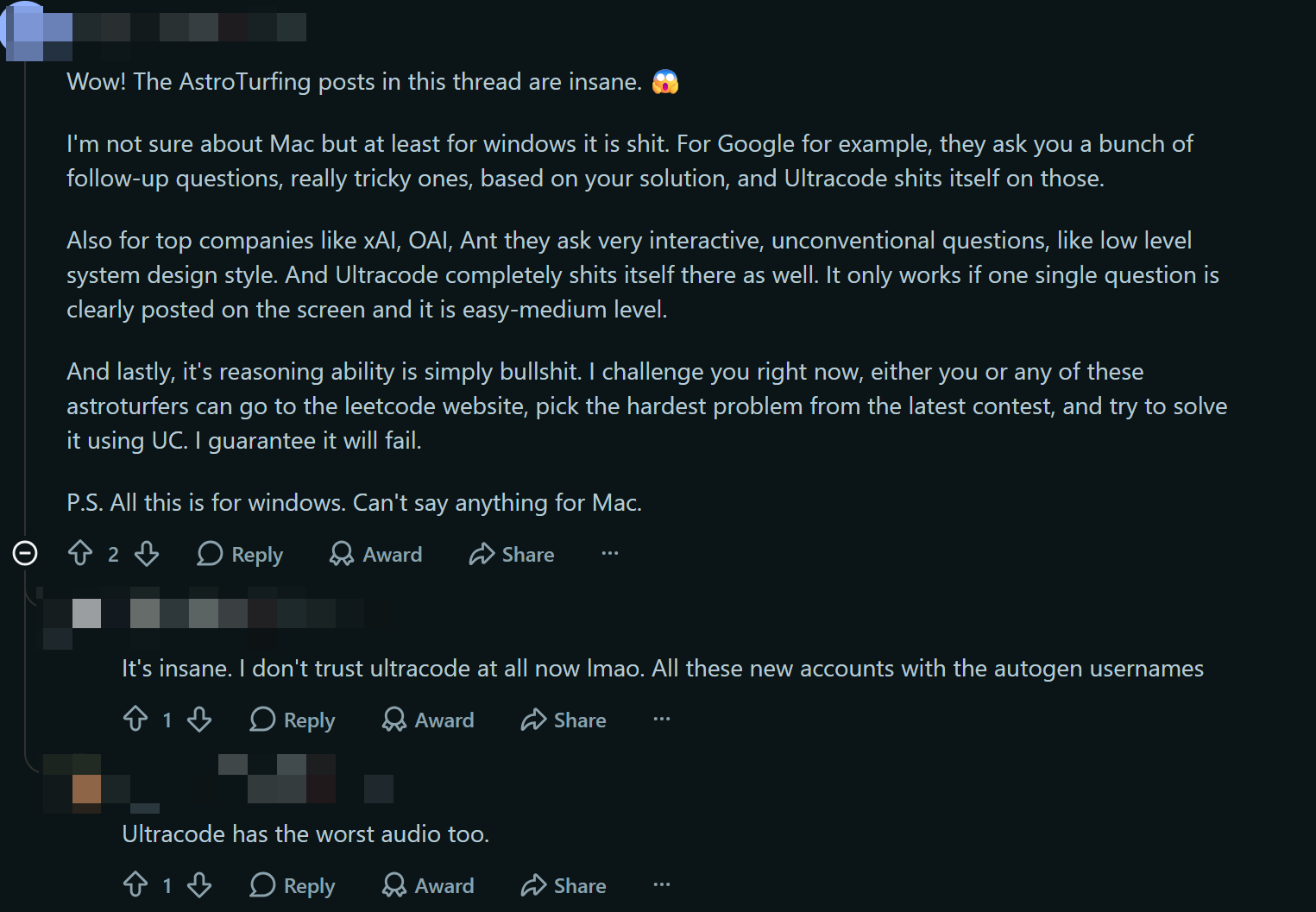
Ultracode entered the market with aggressive social media promotion, claiming total undetectability on platforms like CoderPad and HackerRank. However, independent teardowns and developer forums expose severe credibility issues:
"Avoid Ultracode's AI interview tools. The community has flagged massive astroturfing campaigns across Blind and Reddit. In live testing, its heavy background polling spikes CPU usage, causing browser frame drops that proctoring software flags as suspicious automation." — Verified Senior Software Engineer on Blind
┌─────────────────────────────────────────────────────────────────────────┐
│              PUBLIC COMMUNITY REPUTATION BREAKDOWN                      │
├───────────────────────────┬─────────────────────────────────────────────┤
│ Tool                      │ Primary Developer Complaints                │
├───────────────────────────┼─────────────────────────────────────────────┤
│ Interview Coder           │ • Exorbitant $299/mo subscription cost      │
│                           │ • Overlay caught in full-desktop share      │
│                           │ • Limited to basic algorithm puzzles        │
├───────────────────────────┼─────────────────────────────────────────────┤
│ Ultracode                 │ • Flagged for fake reviews/astroturfing     │
│                           │ • CPU polling causes browser lag/frame drops│
│                           │ • Triggers proctoring checks on CoderPad    │
└───────────────────────────┴─────────────────────────────────────────────┘
Real-World Benchmarks: Interview Coder vs Ultracode AI
To put these two AI interview assistants through their paces in the real world, I came up with a special test: tweaking an asynchronous, lock-free circular buffer within a Java/Netty reactive streaming pipeline to simulate peak load conditions.
Feature Benchmark Matrix: Interview Coder vs Ultracode AI vs Linkjob AI
To visualize how these tools compare technically alongside modern developer alternatives, I compiled performance data across input technology, response speed, stealth capabilities, resource footprint, and pricing:
Feature Benchmark | Interview Coder | Ultracode AI | Linkjob AI |
Primary Input Tech | Area Screenshot Capture | Audio Processing + Polling | Smart Screenshot Capture |
Response Latency | 2.5 – 4.0 Seconds | 3.5 – 6.0 Seconds | 1.0 – 2.0 Seconds |
Screen Share Stealth | Soft Overlay (Visible on DWM) | Desktop Overlay (Visible on DWM) | Hidden Background Process |
CPU / Resource Impact | Low CPU Usage | High CPU Spikes (Causes Lag) | Minimal OS Overhead |
DOM Focus Safety | Triggers | Triggers | 100% Sandbox Independent |
AI Model Ecosystem | Fixed Cloud LLMs | Fixed Wrapped Models | 80+ Top Models (GPT-5, Claude) |
Monthly Starting Cost | $299 / month (or $799 lifetime) | $80 – $120 / month | $29.99/mo (Annual) / $99.99 Monthly |
The Reactive Engine Benchmark: Where Both Tools Stumbled
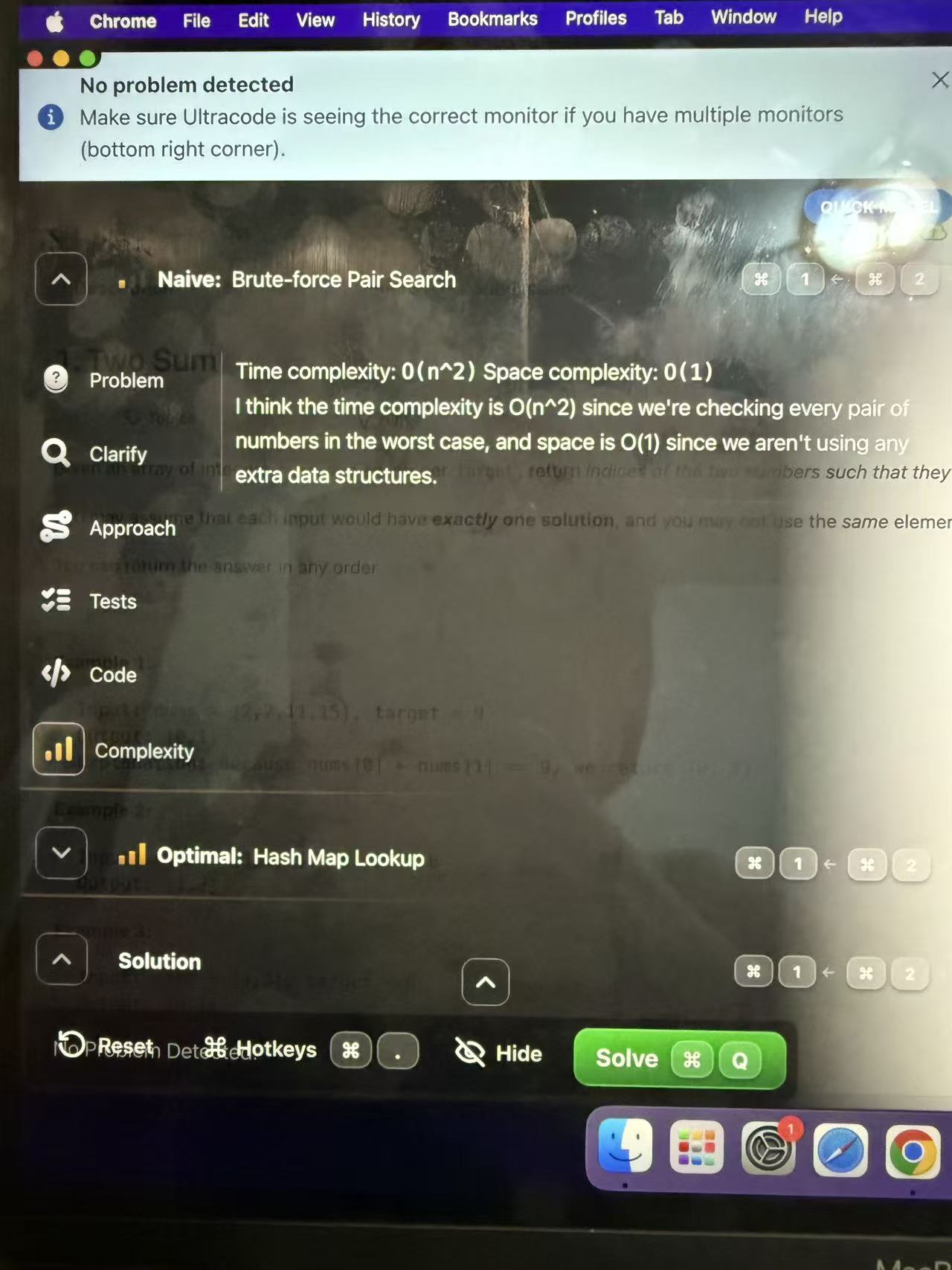
When I was doing the real-time testing, I showed these two tools a complex error about concurrency. There was a memory visibility error between CPU worker threads during a circular buffer ring-head update. After comparing Interview Coder vs Ultracode AI in this scenario, it looks like the former has some major technical issues:
AUDIO & POLLING INGESTION PIPELINE (Ultracode AI/ Voice Tools):
[Microphone Audio / Screen Polling] ──► [Heavy CPU Parsing] ──► [STT Translation] ──► [Cloud API Latency (3.5-6s)] ──► [Laggy Overlay Render]

SMART SCREENSHOT PIPELINE (Linkjob AI):
[Instant Region Capture] ──► [Hidden Background Processing] ──► [Direct Multi-Modal AI (1-2s)] ──► [Stealth Screen Overlay]
Ultracode Ingestion Failure: Ultracode AI’s audio ingestion pipeline struggled to parse spoken technical terms like compare-and-swap operations and memory barrier semantics. Worse, its continuous background screen polling caused noticeable CPU spikes, dropping browser frame rates on CoderPad during live execution.
Interview Coder Algorithmic Rigidity: Interview Coder captured the screen area cleanly, but generated generic algorithms for single-threaded arrays rather than resolving multi-threaded memory visibility in lock-free buffer architectures.
Linkjob AI Visual Processing Speed: Utilizing Smart Screenshot Capture, Linkjob AI bypassed slow audio translation and screen-polling overhead entirely. By capturing visual snapshots of the IDE code region, it analyzed Netty ring-buffer memory barriers in 1 to 2 seconds, returning syntactically correct concurrent code snippets ready to explain on camera.
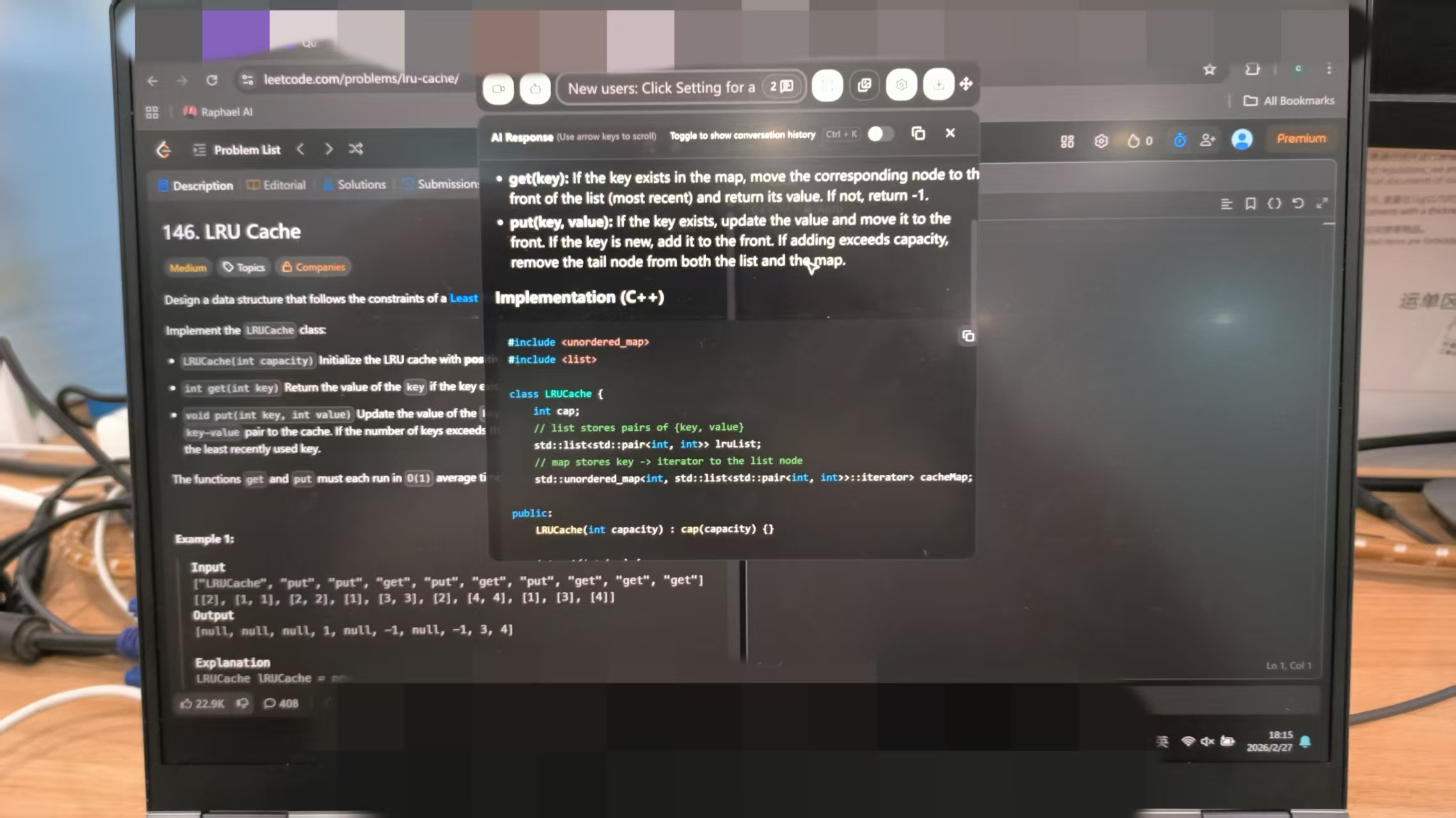
Stealth and Proctoring Integrity: Interview Coder vs Ultracode AI
For any AI interview assistant, stealth is paramount. If a tool leaves visible window artifacts during a full-desktop screen share or triggers proctoring flags through background resource anomalies, candidates risk immediate disqualification.
Screen Share Overlays and System Monitor Leaks
During technical screens, recruiters routinely require candidates to share their entire desktop to monitor their problem-solving workflow. During my desktop screen-sharing tests on Zoom and Microsoft Teams, testing Interview Coder vs Ultracode AI exposed major visibility risks:
STANDARD OVERLAY PIPELINE (Interview Coder / Ultracode AI):
┌─────────────────────────────────────────────────────────────────────────┐
│ Copilot Application Window (Overlay Layer)                              │
└────────────────────────────────────┬────────────────────────────────────┘
                                     ▼
┌─────────────────────────────────────────────────────────────────────────┐
│ OS Desktop Window Manager (DWM Composite Flattening Layer)              │
└────────────────────────────────────┬────────────────────────────────────┘
                                     ▼
┌─────────────────────────────────────────────────────────────────────────┐
│ Zoom / Teams Full Desktop Capture Buffer ──► OVERLAY VISIBLE TO INTERVIEWER
└─────────────────────────────────────────────────────────────────────────┘

LINKJOB AI HIDDEN OS PROCESS PIPELINE:
┌─────────────────────────────────────────────────────────────────────────┐
│ Smart Screenshot Capture ──► Hidden Background Process Processing       │
└────────────────────────────────────┬────────────────────────────────────┘
                                     ▼
┌─────────────────────────────────────────────────────────────────────────┐
│ Stealth Concealment Layer (Bypasses DWM Composite Window Flattening)    │
└────────────────────────────────────┬────────────────────────────────────┘
                                     ▼
┌─────────────────────────────────────────────────────────────────────────┐
│ Zoom / Teams Full Desktop Capture Buffer ──► 0% VISIBILITY TO INTERVIEWER
└─────────────────────────────────────────────────────────────────────────┘
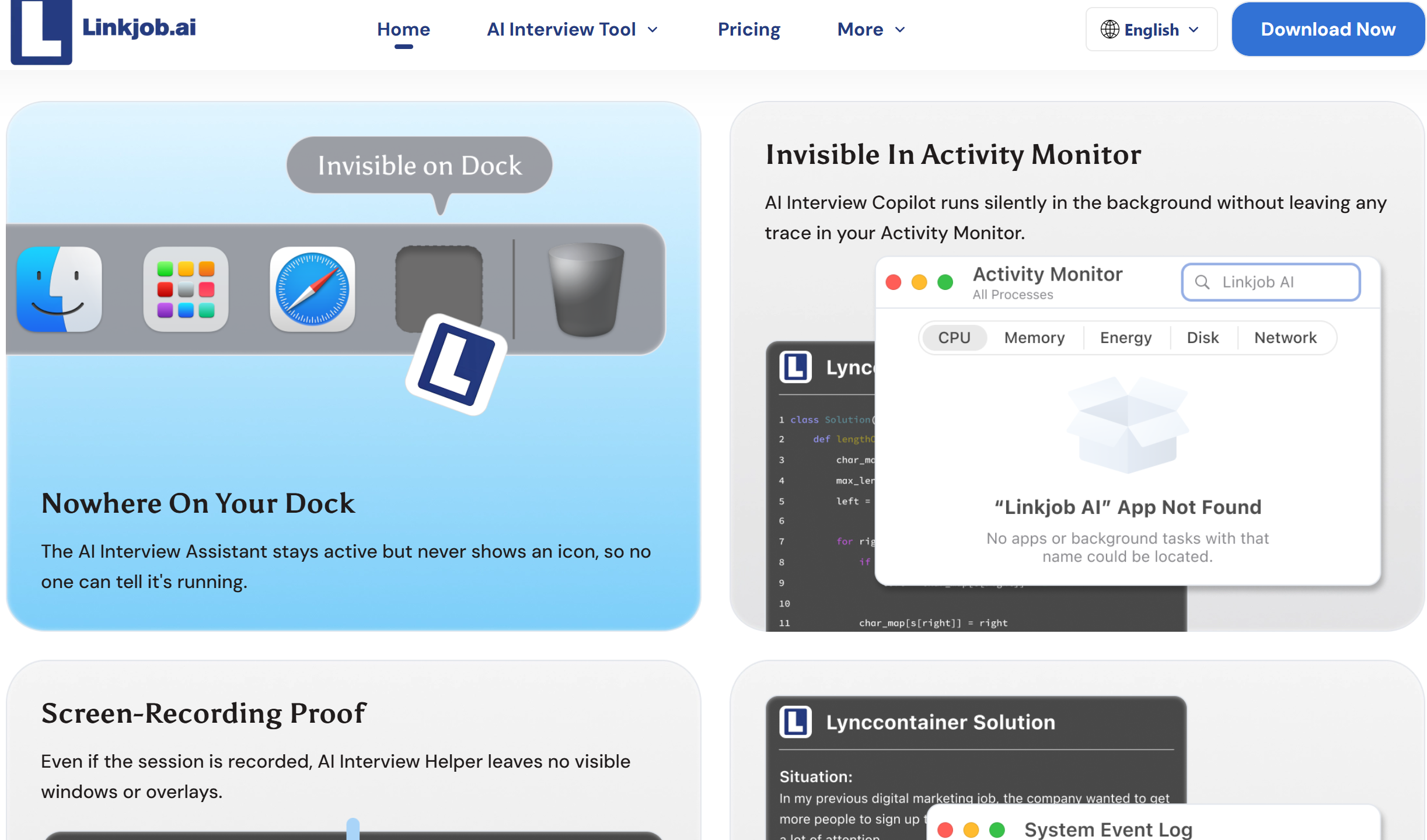
DWM Window Flattening: Standard desktop apps and floating overlays reside inside the operating system's primary window hierarchy. When sharing a full desktop on Zoom or Teams, Desktop Window Manager (DWM) flattens visual layers, making prompt overlays visible on the interviewer's feed.
Right-Click Context Menu Artifacts: In tests published by independent researchers, right-clicking near Interview Coder's window boundary highlighted floating overlay borders, creating clear visual evidence of external software.
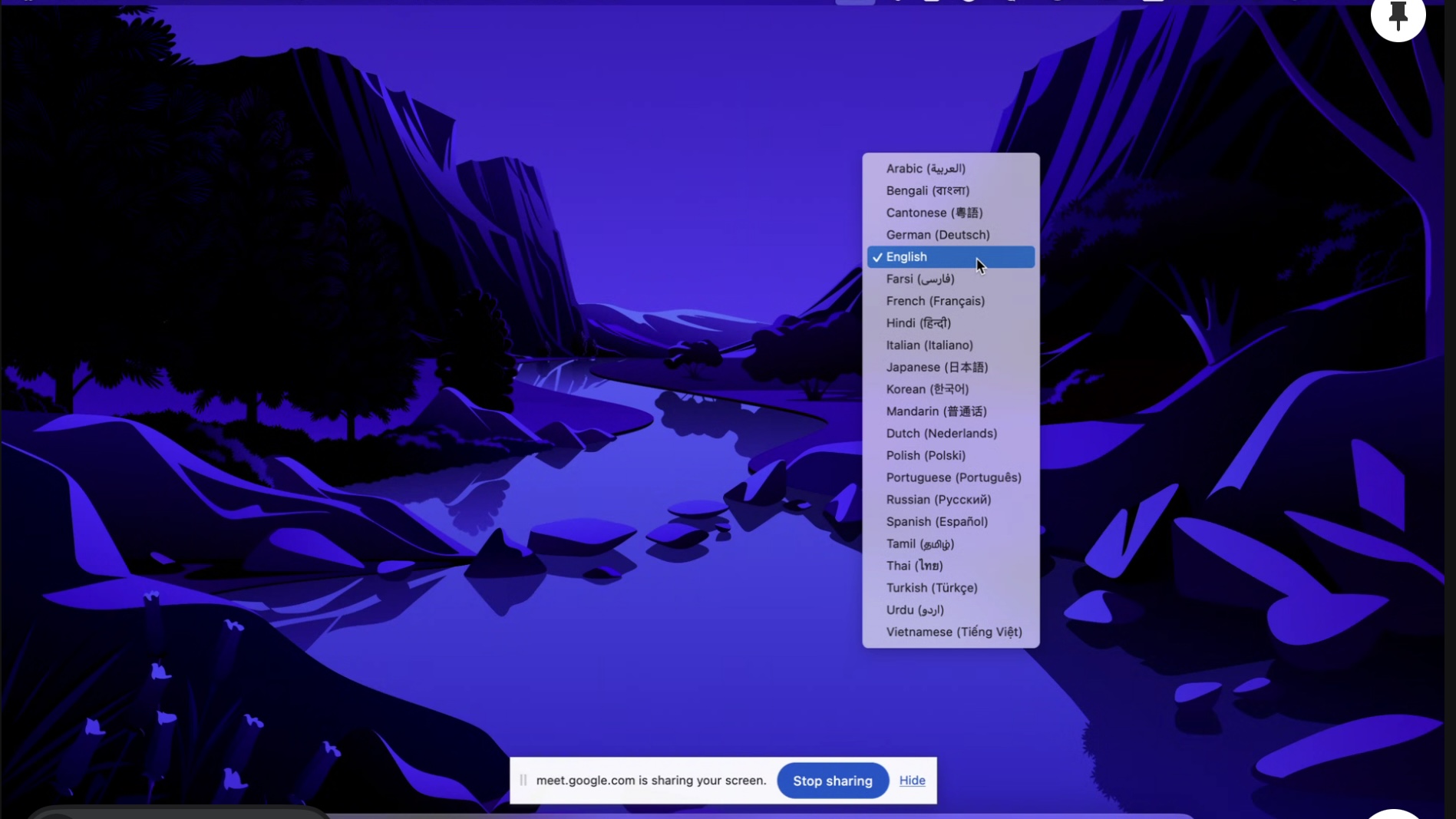
To eliminate screen-sharing detection entirely, Linkjob AI operates as a hidden background process outside the browser sandbox, remaining 100% hidden during full-desktop Zoom, Microsoft Teams, and Google Meet screen shares.
Anti-Cheat Process Tracking and Frame-Rate Anomaly Hazards
Online proctoring platforms like HackerRank, CoderPad, WeCP for proctoring apps, and TestGorilla deploy background monitoring scripts to catch unauthorized tools during live assessments:
Process Polling and CPU Spikes: As highlighted in Medium teardowns by software testers, Ultracode runs aggressive background polling scripts to track screen changes. This creates sudden CPU spikes, causing browser rendering frame rates to drop below 30 FPS—a metric modern proctoring engines log as automated browser manipulation.
Browser Focus-Blur Logging: Interacting with external floating windows shifts desktop focus away from the assessment tab, triggering JavaScript
blurevent listeners that record potential anti-cheat violations.
Because Linkjob AI operates independently of the browser sandbox via hidden background processes, interacting with its interface avoids triggering DOM focus-blur events or CPU frame-rate drops during proctored assessments.
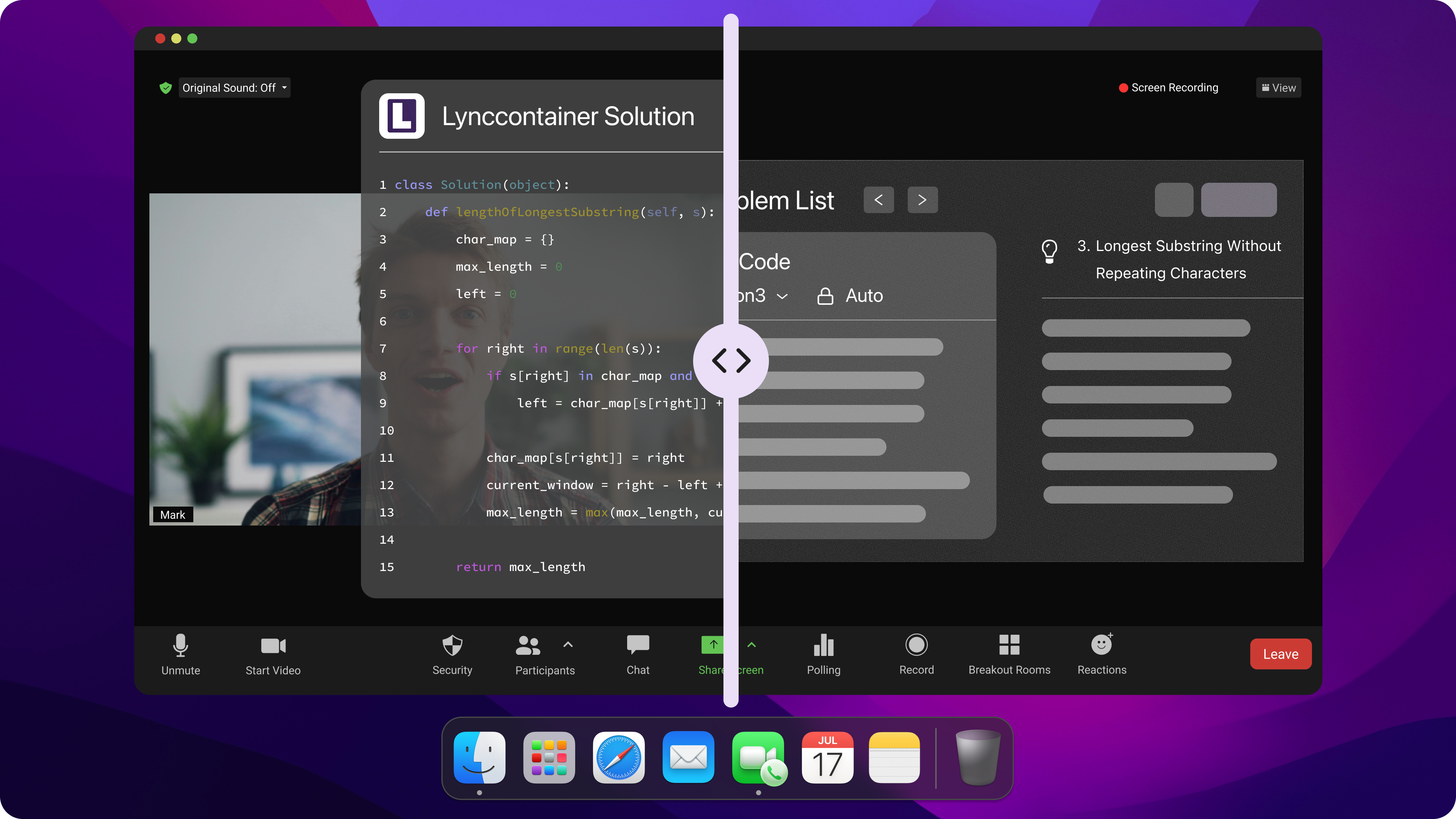
Interview Coder vs Ultracode AI: Pricing Models & Is It Really Worth It?
Evaluating the true value of Interview Coder vs Ultracode AI requires looking beyond initial marketing claims to examine exact billing tiers, token caps, model access, and cancellation policies.
Subscription Trap Analysis and Refund Barriers
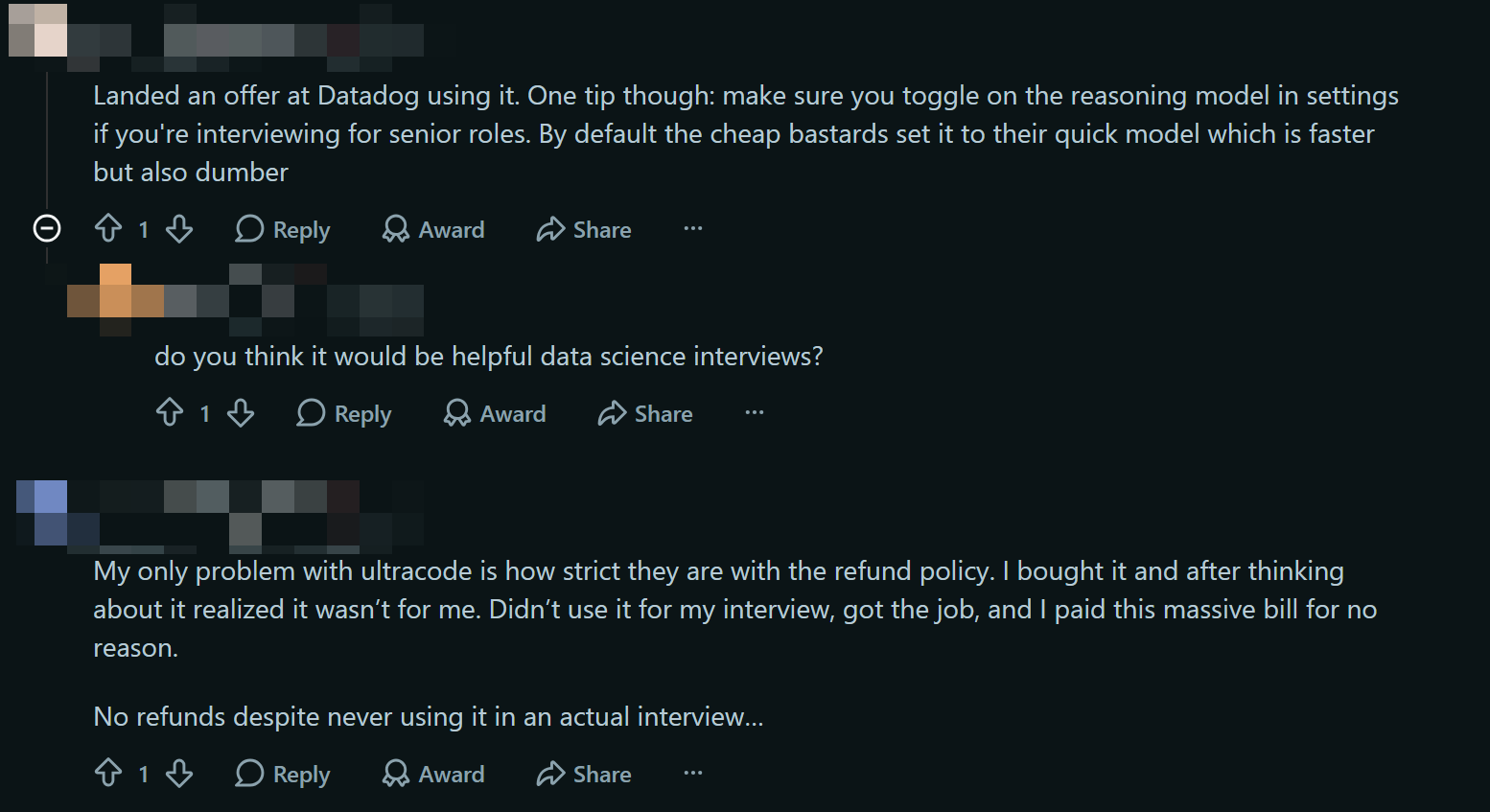
When evaluating subscription models, candidates should review whether a tool forces expensive lock-ins or imposes hidden usage caps:
Interview Coder Pricing: Demands an exorbitant $299 per month or a $799 lifetime license. While it offers unlimited algorithm prompts, its price tag is prohibitive for job seekers managing expenses during extended interview loops.
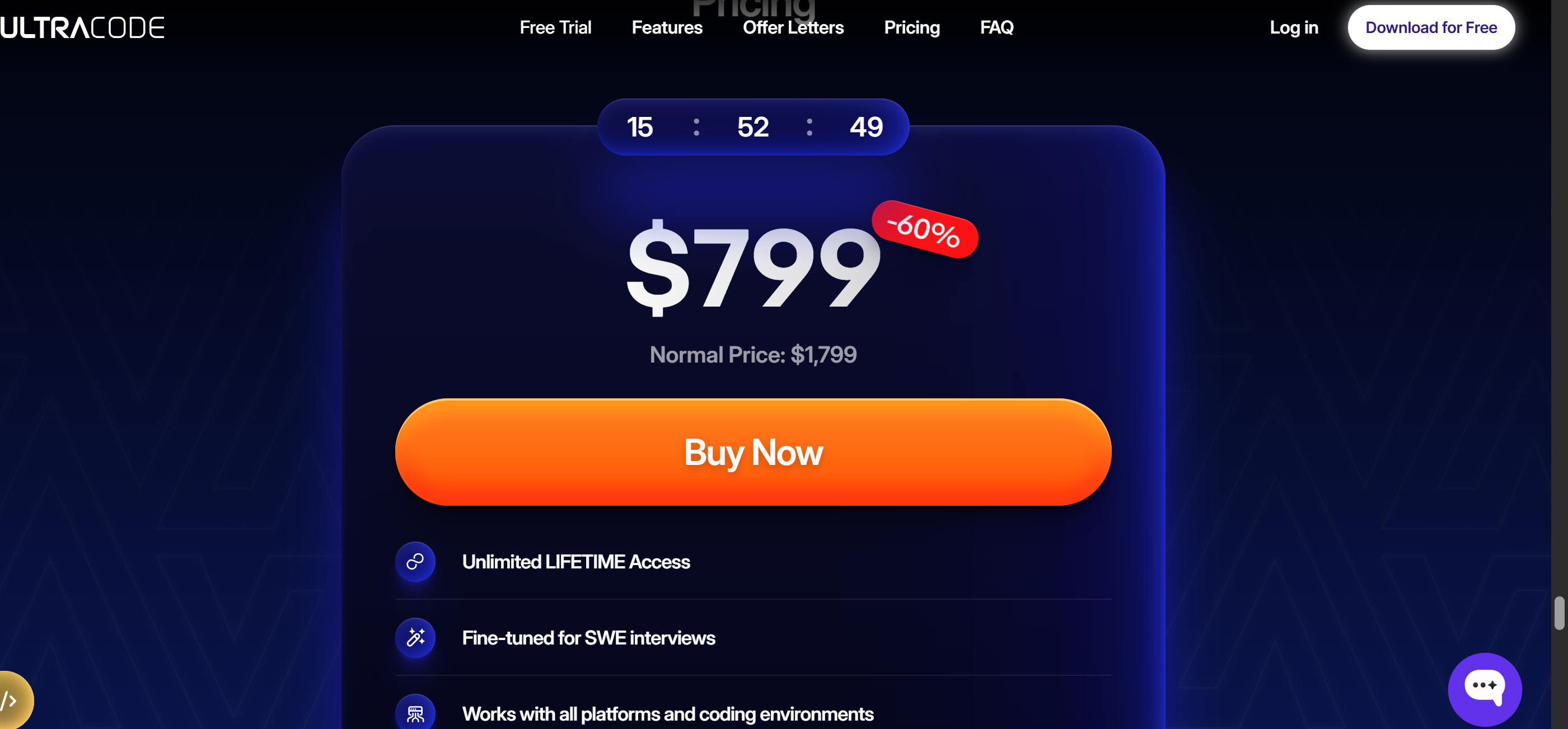
Ultracode Pricing: Only one price plan is available: $799 for lifetime (and may rise to $1,799). User reports on Blind highlight strict refund refusals and credit depletion during long technical screens.
Linkjob AI Pricing: Delivers transparent, developer-friendly pricing without hidden stealth upsells. Candidates can choose the annual plan at $29.99 per month ($359.88 billed annually) or a flexible $99.99 per month monthly plan. Both options unlock access to over 80+ top-tier AI models (including GPT-5, Claude, and Gemini 3 Pro), unlimited usage, hidden background process stealth, Smart Screenshot Capture, and self-service cancellation.
Developer Utility: Algorithm Wrappers vs True Engineering AI
Selecting an interview copilot in 2026 requires choosing a platform tailored specifically for complex technical problem-solving rather than generic prompt wrappers:
Backend Precision: Engineering copilots must handle multithreading, system architecture, database indexing, and memory visibility rather than basic array sorting.
Single-Device Workflow: Secondary mobile phone setups introduce physical lag and unnatural head movements that experienced interviewers notice on camera.
Model Versatility: Accessing specialized coding LLMs yields superior algorithm optimization compared to fixed cloud wrappers.
Why Linkjob AI Is My Go-To for Technical Round Success
After benchmarking Interview Coder vs Ultracode AI across simulated engineering screens, my conclusion was clear: neither platform provided the combination of sub-2-second speed, complete screen-share invisibility, and multi-model depth required for high-stakes technical loops.
Interview Coder's $299/month cost and overlay capture risks, combined with Ultracode AI’s CPU polling spikes and astroturfing complaints, left obvious gaps. Switching to Linkjob AI solved every performance bottleneck I encountered during live coding screens.
Sub-2-Second Response via Smart Screenshot Capture
Adopting Linkjob AI eliminated performance bottlenecks during live technical screens:
Instant Region Capture: Pass LeetCode problems or architecture diagrams directly to AI models in 1 to 2 seconds.
Zero Audio Misinterpretations: Eliminates speech-to-text translation errors for complex technical terminology.
Streamlined Coding Workflow: Receive syntactically correct code snippets ready to explain on camera.
Hidden OS Process with Zero Screen Share Visibility
Linkjob AI provides complete confidence during full-desktop screen shares:
0% Zoom/Teams Share Visibility: Bypasses operating system window flattening during full-desktop shares.
Minimal Resource Overhead: Avoids high CPU spikes or frame drops that proctoring engines track.
DOM Focus Safety: Operates outside the browser sandbox to prevent triggering
window.onblurevents on proctored platforms.
Access to 80+ Top Models at Developer-Friendly Rates
Feature / Pricing Metric | Interview Coder | Ultracode AI | Linkjob AI |
Annual Price Tier | N/A | N/A | $29.99/mo ($359.88/yr) |
Monthly Flexible Tier | $299/mo | N/A (only got a $799 for lifetime) | $99.99/mo |
Model Ecosystem | Fixed Cloud LLMs | Fixed Wrapped Models | 80+ Models (GPT-5, Claude) |
Usage & Token Caps | Unlimited Algorithms | Restricted Credit Caps | Unlimited Usage & Tokens |
Stealth Architecture | Soft Overlay | Desktop Overlay | Included in All Plans |
Final Verdict on Interview Coder vs Ultracode AI
When choosing between Interview Coder vs Ultracode AI, software engineers must weigh speed, stealth, and pricing integrity. Interview Coder provides decent algorithmic code, but its $299/month price tag and overlay visibility risks on Zoom make it hard to recommend. Ultracode promises full undetectability, but community warnings regarding astroturfing, CPU frame drops, and proctoring flags on CoderPad present major liabilities.
For developers seeking sub-2-second response times, 100% screen-share invisibility, and access to 80+ top AI models at fair prices, Linkjob AI stands out as the premier choice in 2026.
FAQ
What is the primary difference between Interview Coder vs Ultracode?
Interview Coder is an algorithm-focused tool charging $299 per month for LeetCode code generation, whereas Ultracode is a voice-and-polling assistant charging $80 to $120 per month using a credit-tier system. Interview Coder uses manual screen region selection, while Ultracode relies on background audio ingestion and continuous screen polling.
Is Ultracode detectable on proctored platforms like CoderPad or HackerRank?
Yes, independent tests and candidate reviews reveal that Ultracode's aggressive background polling causes CPU spikes and browser frame drops that proctoring engines log as automated manipulation. Additionally, its desktop overlay can be captured during full-desktop Zoom shares.
Why is Smart Screenshot Capture faster than audio polling copilots?
Smart Screenshot Capture takes instant visual snapshots of target screen regions and passes image context directly to multi-modal AI models in 1 to 2 seconds. This completely bypasses the multi-step audio ingestion, speech-to-text parsing, and continuous screen polling that cause 3 to 6-second delays in traditional voice assistants.
Does Linkjob AI guarantee screen share stealth during technical interviews?
Yes, Linkjob AI operates as a hidden background process outside the browser sandbox, ensuring 0% visibility during full-desktop Zoom, Microsoft Teams, and Google Meet screen shares. It bypasses operating system window flattening without leaving visible overlays on the interviewer's feed.
See Also
Top Alternatives To Interview Coder For Coding Assistance
Looking For Ultracode AI Alternatives? Discover Linkjob AI
Reviewing Interview Coder 2026: Advantages, Disadvantages, Gaps
Honest Ultracode AI Review After Real Tests: Worth It or Not
Why People Choose Linkjob AI
Smoother interviews, coding challenges cleared, and job offers landed. See how users describe their experience with Linkjob AI—in their own words.


© Copyright 2026 Linkjob AI - All Rights Reserved.