InterviewFox Review: Is Dual-Device Really Undetectable?


I got into real-time AI interview assistants because of programming interviews. For a while, I used LockedIn AI. I liked that it had a lot of features, but the plans with the "stealth" features I really needed made it hard for me to pay, especially since I was mainly looking for reliable help during technical interviews. I eventually wrote a full LockedIn AI review explaining what frustrated me. That sent me looking for a better LockedIn AI alternative.
I found InterviewFox on Instagram, and its tagline caught my eye right away. At InterviewFox, we think the best plan is to move all AI-generated content to a different device. The website says "dual-device mode" is discreet, good for screen sharing, and "undetectable."
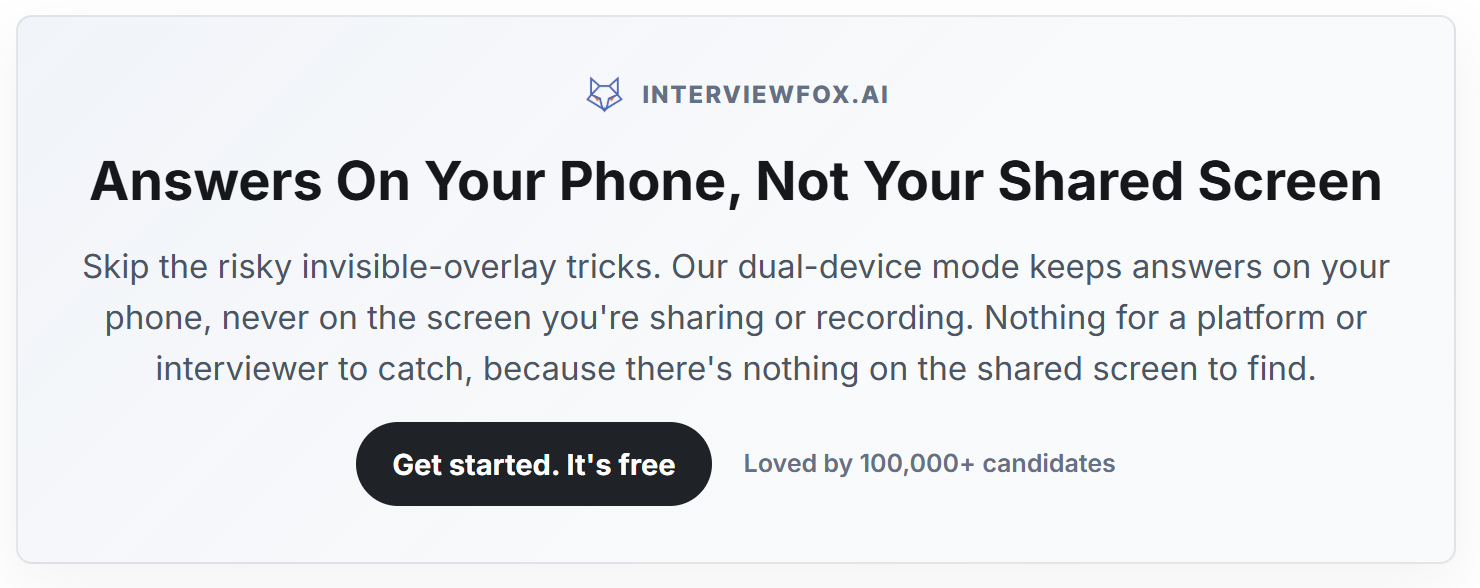
I clicked on one of the "free" buttons and started testing the service. My final assessment of InterviewFox is more nuanced than the simple claim of "undetectable" that it promotes. The product is actually pretty straightforward. It offers fast transcription, gives you quick feedback on answers, and its dual-device concept gets rid of that obvious "same computer" cheating method. But it doesn't get rid of all the signs of proctoring.
After testing out some other options, taking a look at HackerRank's current proctoring setup, and comparing their paid plans with those of Linkjob AI, I've decided that I still prefer Linkjob's more comprehensive desktop workflow, how they integrate resumes and context, and the wider range of paid plan options they offer.

InterviewFox Review: What InterviewFox Actually Offers
InterviewFox has evolved beyond a simple web-based answer generator. Its current product is built around several connected pieces:
Feature | What InterviewFox Offers |
|---|---|
Real-Time Assistant | Listens for interview questions and generates live answers |
Coding Assistant | Coding, algorithms, technical questions, and system design |
Dual-Device Mode | Interview runs on one device while answers appear on another |
Screenshot Analysis | Sends visual problem context to the AI |
Auto Answer | Attempts to detect and answer questions automatically |
Context Uploads | Adds candidate-specific information to live responses |
Prep Agent | Resume work, cover letters, research, mock interviews, and review |
Context Loop | Carries preparation context into later interview sessions |
InterviewFox's current homepage explicitly advertises live question recognition, coding support, resume-grounded answers, Dual-Device Mode, and a Prep Agent.
Is It Just An “Invisible Phone” Idea?
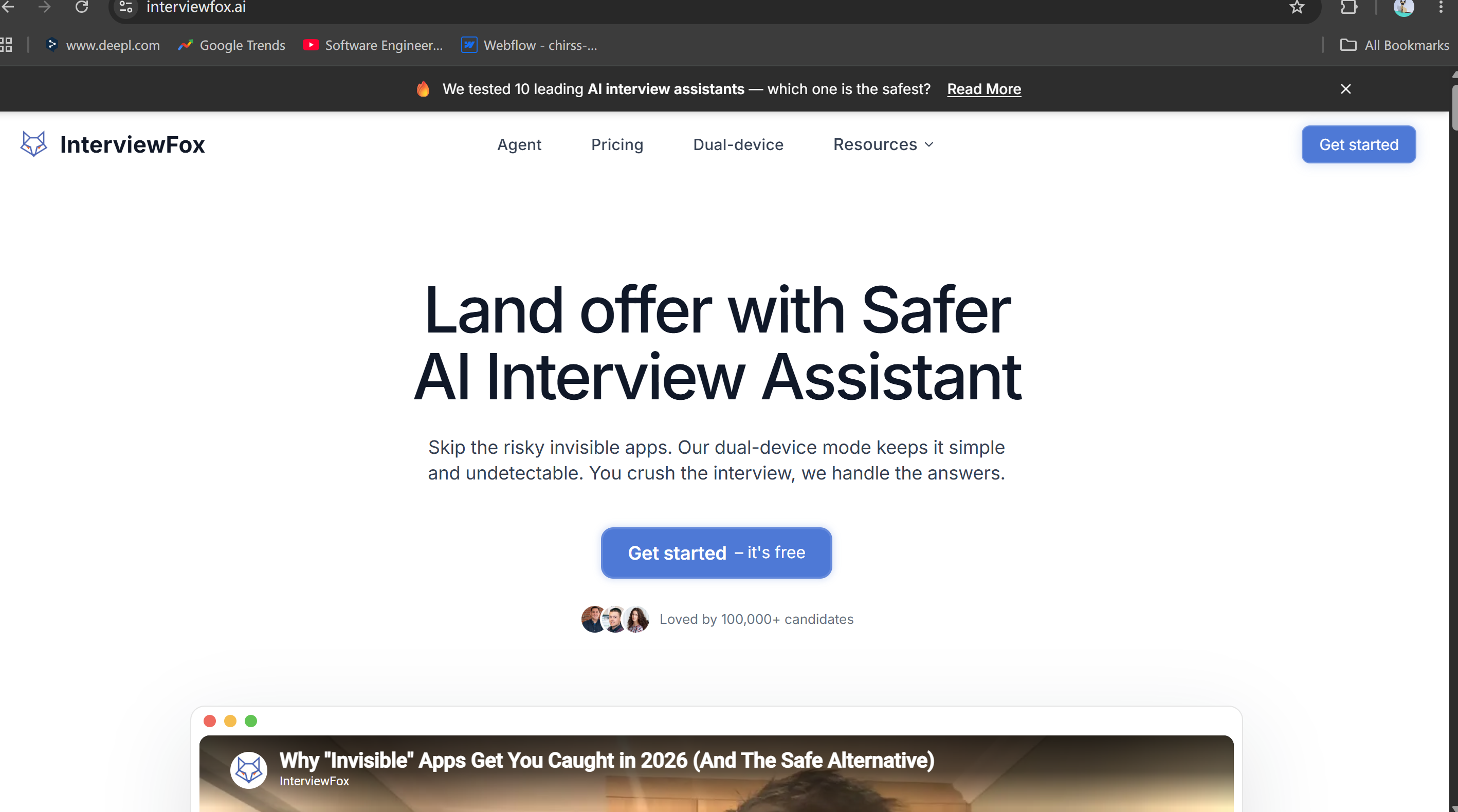
I took a closer look at the feature overview for InterviewFox, and I discovered that it has an AI interview agent feature that can handle the following via WhatsApp:
Resumes;
Cover letters;
Company research;
Interview strategies;
Mock interviews;
Post-interview debriefs.
This is really practical. All that prep can help you out later on, and the idea is pretty innovative. But this also brings me to the first marketing distinction I want to point out in this interviewFox review:
InterviewFox has a free trial, but it's not a completely free, fully-featured interview platform.
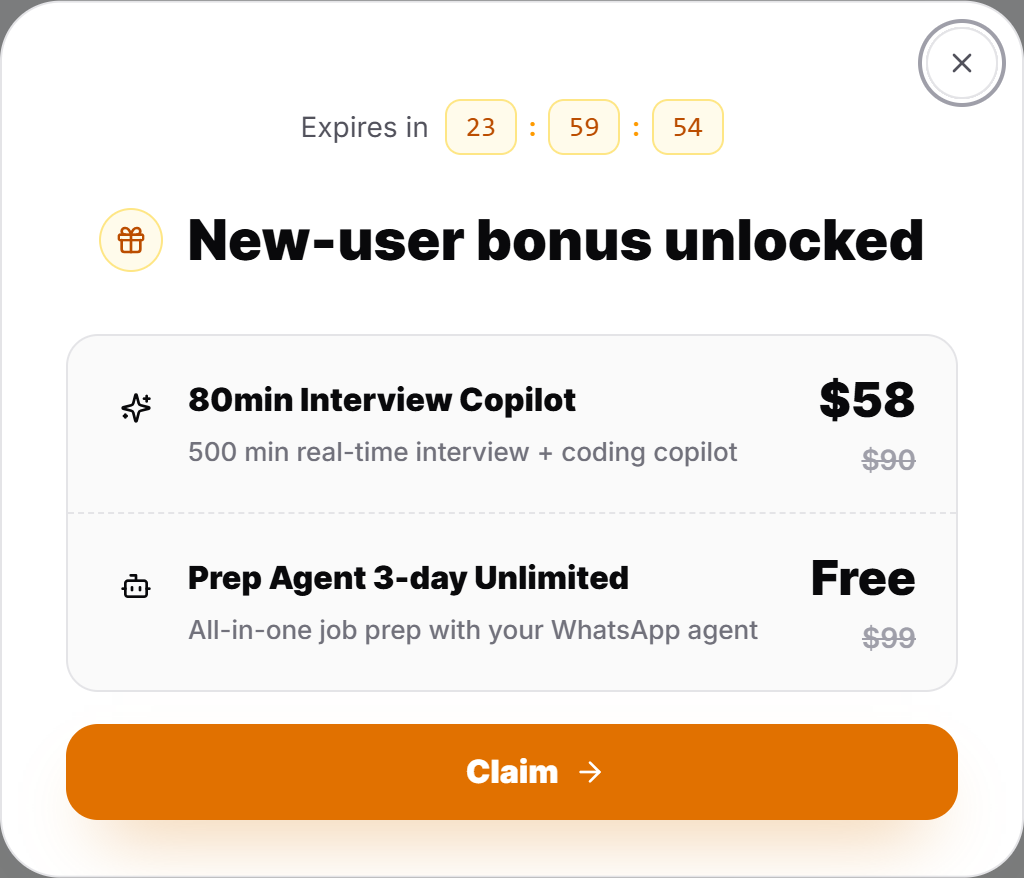
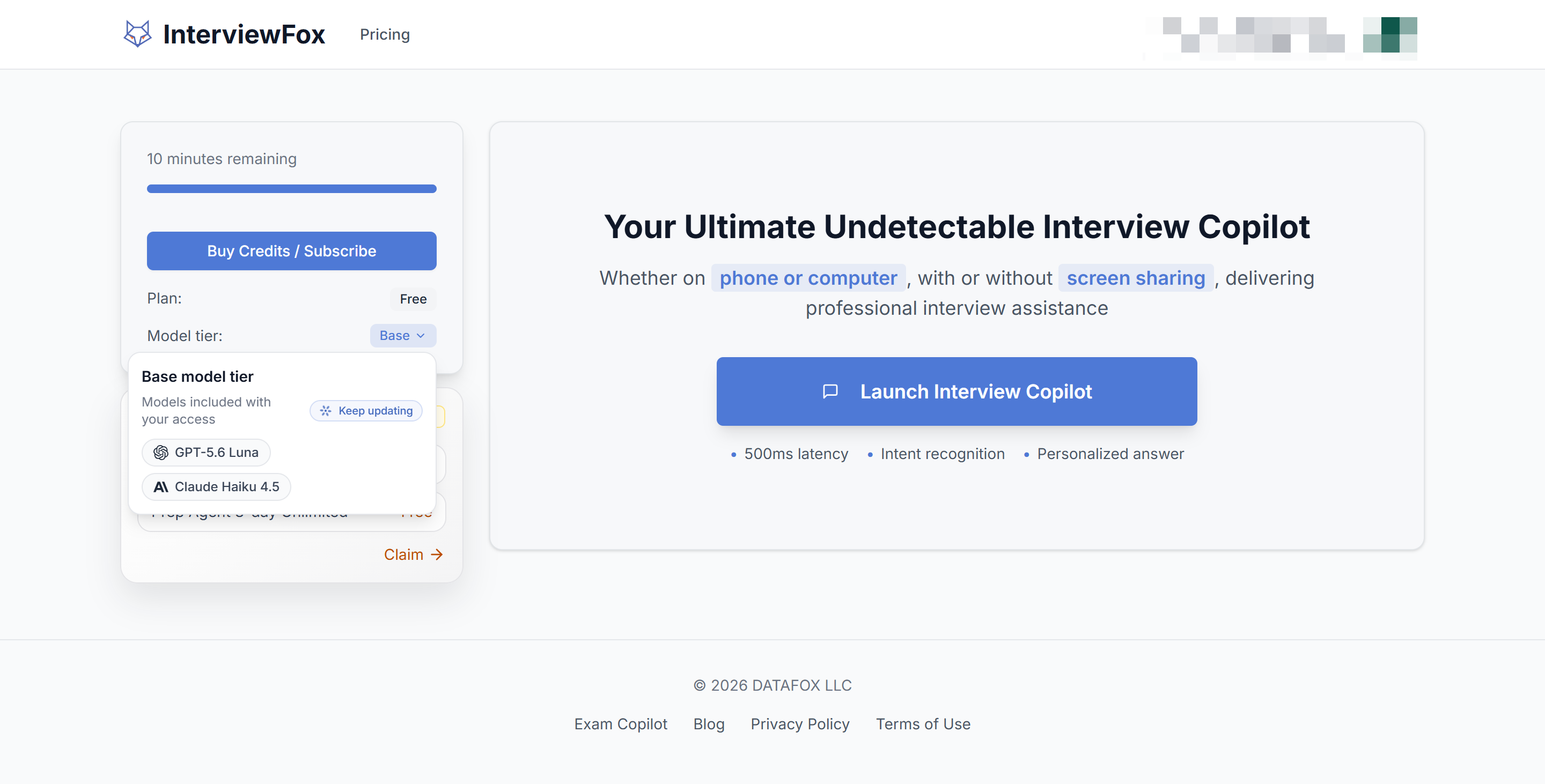
The homepage keeps saying "Get Started Now—it's free," but the current product has paid subscriptions and credit packages. A pop-up window showing paid plans appears even when you first open the trial dashboard:
The "Pricing" section is also very clearly laid out: "Elite" (InterviewFox Agent included) and "Pro" are two different types of paid plans, and each Elite plan costs $30 to $50 more a month than the equivalent Pro plan:
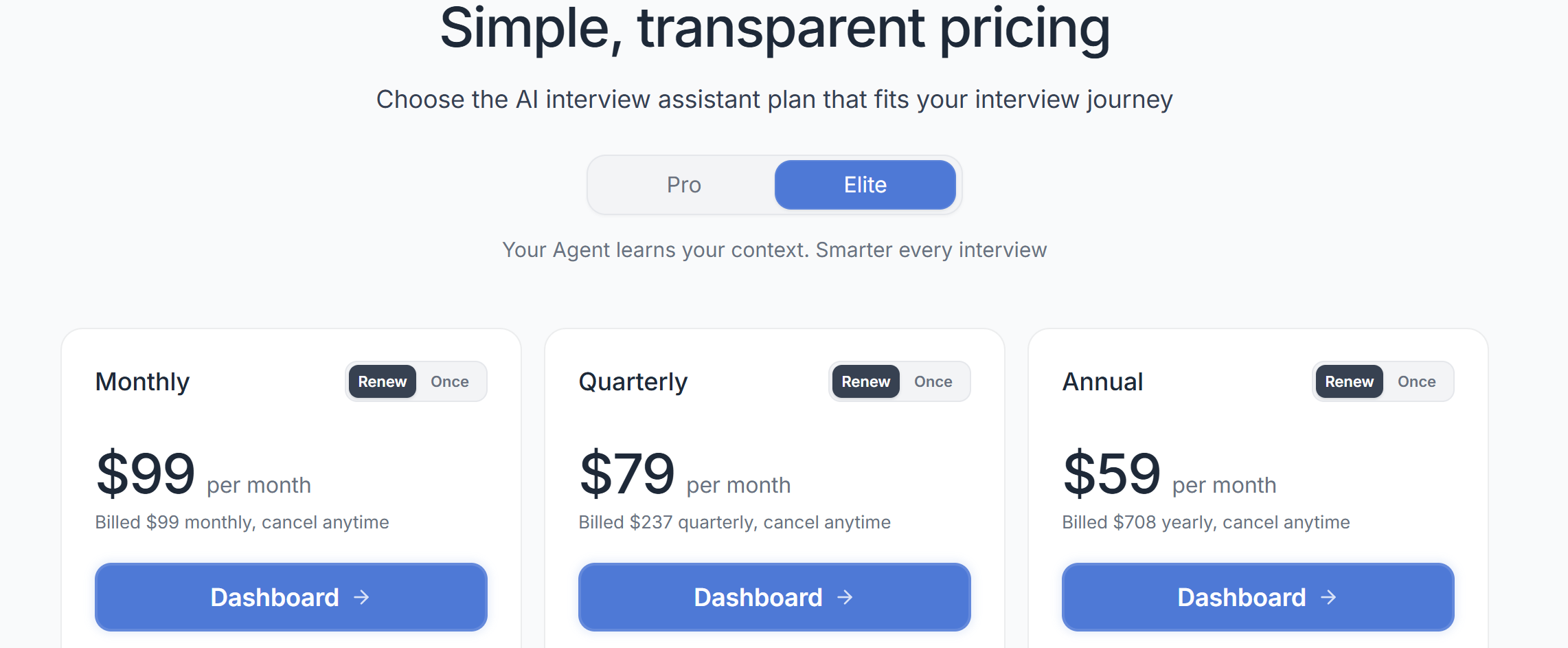
InterviewFox Pro offers a real-time response experience, and Elite includes an AI interview agent, which is the feature I mentioned above and which InterviewFox has heavily promoted as a key selling point.
So, I think the "free" here means a free trial, not that all InterviewFox features are free. After all, accessing that window for a full-fledged chat with the agent on your device actually requires a significant additional fee.
InterviewFox Review: Is Dual-Device Mode Really Undetectable?
This is the most important part of the InterviewFox review because the tool positions "dual-device mode" as its main competitive advantage. The basic idea is pretty straightforward:
If the AI-generated answers pop up on your phone instead of on the computer you're monitoring, screen sharing and browser monitoring on the computer won't directly capture the answer window.
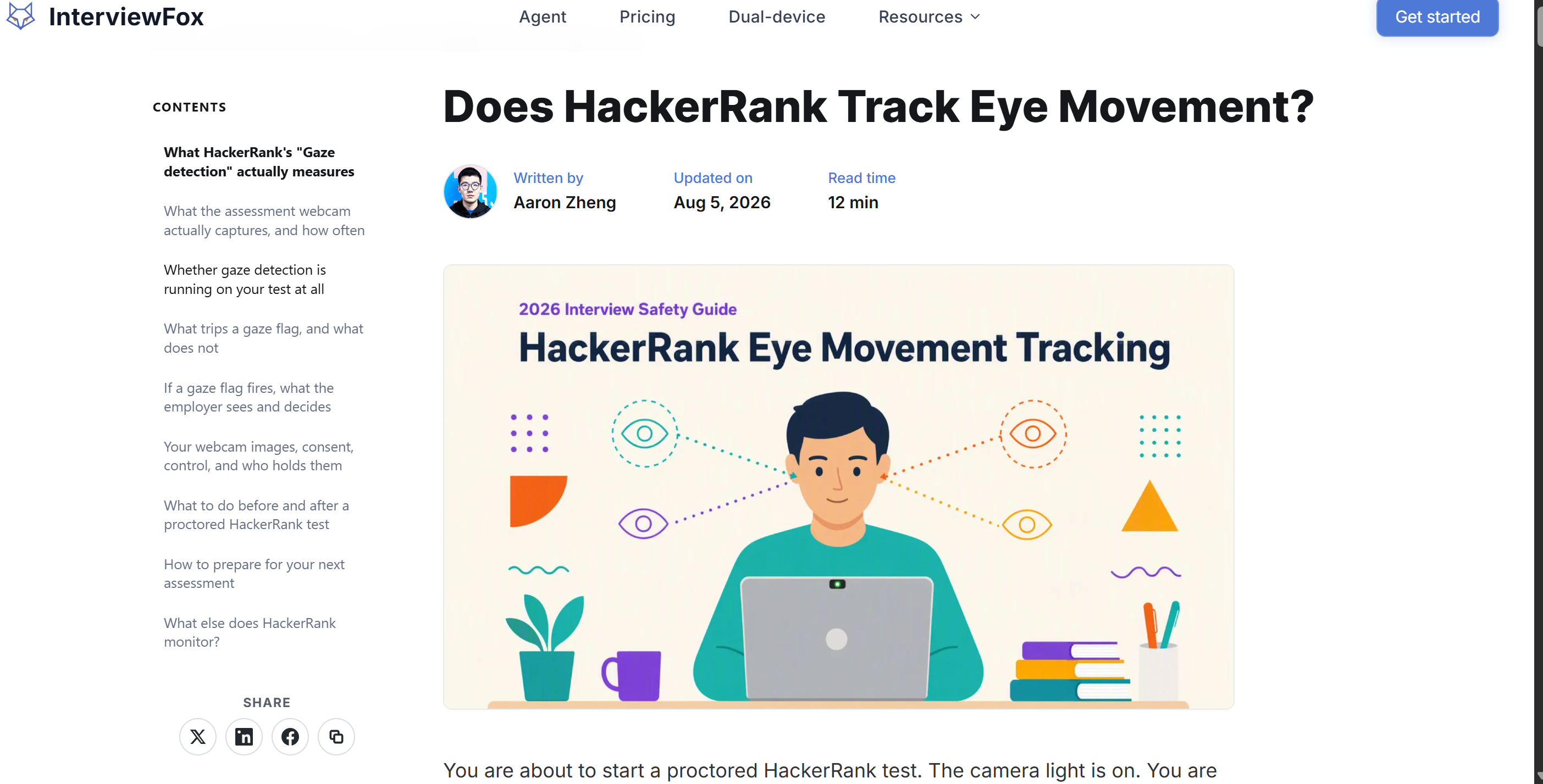
Structurally speaking, this argument is sound. Hey, just wanted to let you know that InterviewFox's article on HackerRank mentions that HackerRank doesn't do continuous eye-tracking. They use an optional gaze detection system that uses a webcam to track eye and head movements. It's more dependent on the camera snaps taken during the online assessment.
But does that really mean that, as they claim, proctoring software like HackerRank that monitors eye movements can't detect InterviewFox?
HackerRank Now Monitors More Than The Computer Screen
HackerRank's July 22, 2026 Proctor Mode documentation is much broader than simple tab monitoring. It currently documents:
tab switching;
unauthorized tool detection;
face anomalies;
phone and tablet object detection through the webcam;
multiple-monitor detection;
periodic system screenshots;
conversation-like patterns inside the code editor;
gaze detection based on repeated look-away behavior;
copy/paste restrictions.
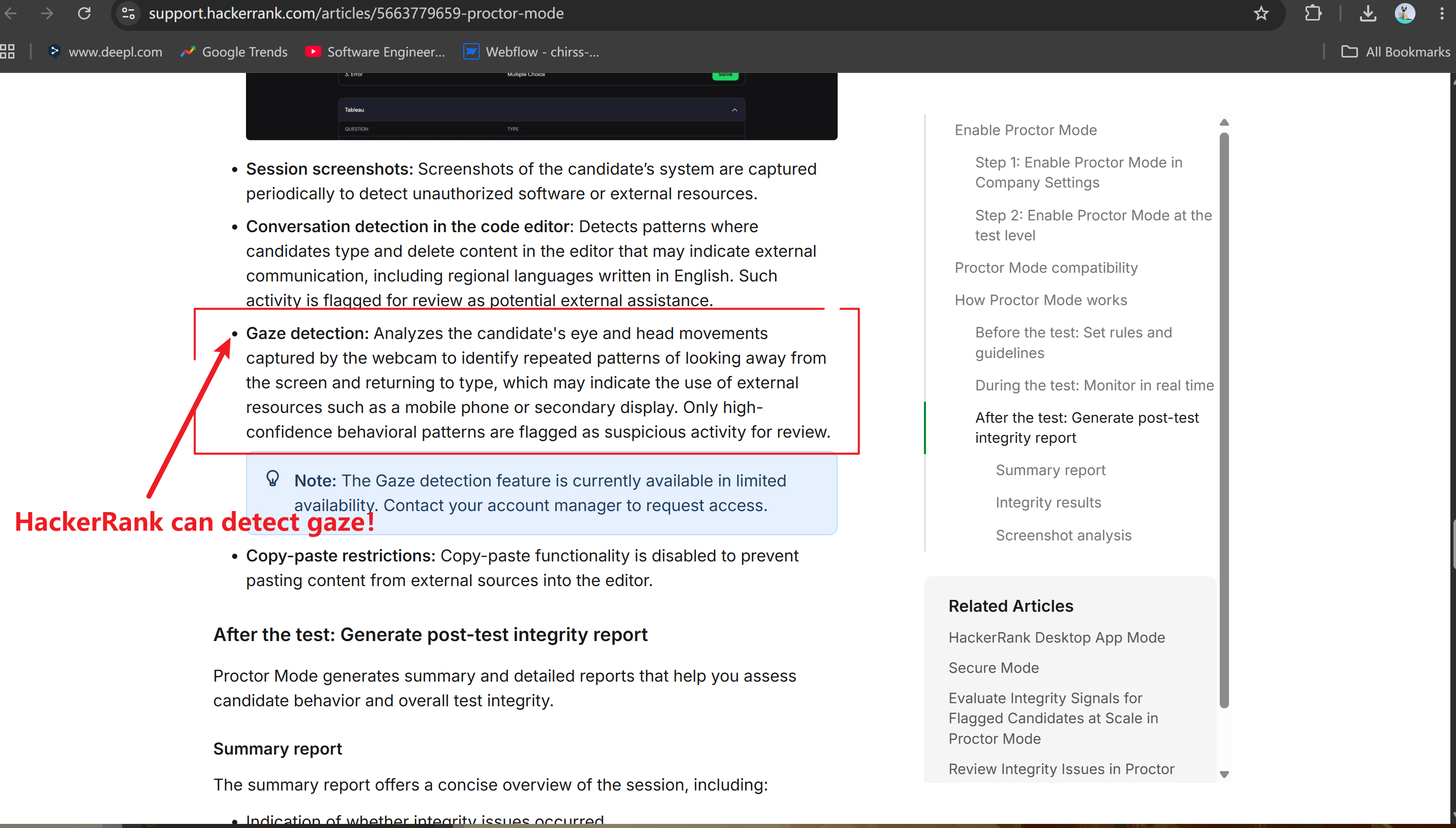
After taking a look at the InterviewFox article and the HackerRank instructions, I'd say that right now InterviewFox might be able to hide from eye tracking, but who knows if that'll work in the long run.
The “Every Five Seconds” Claim Needs More Precision
Let me explain. There's actually a pretty important correction to be made here: HackerRank hasn't said (like InterviewFox wrote) that eye-tracking takes a screenshot every five seconds during the test.
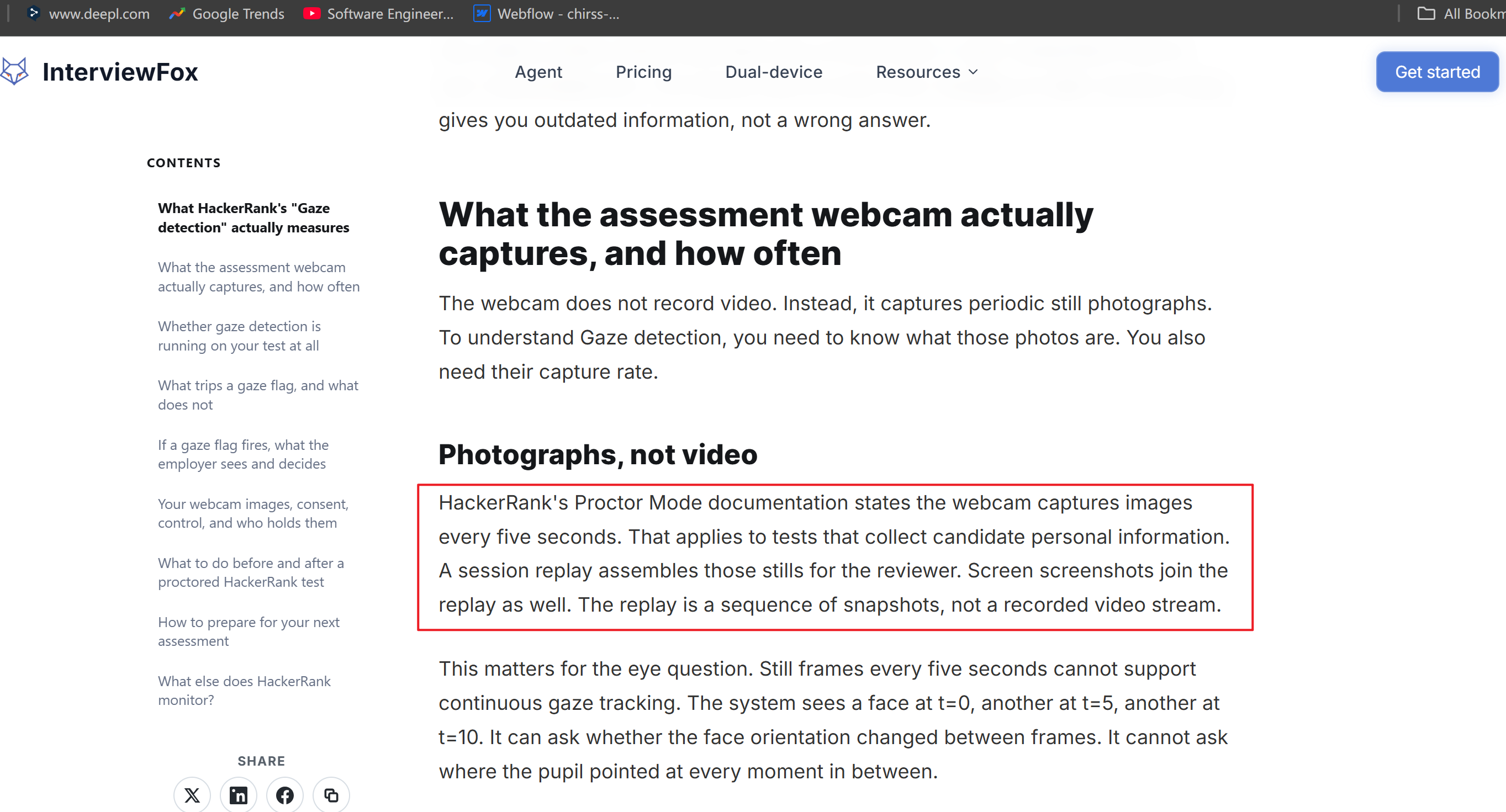
The "Proctoring mode" section says that the system usually takes a screenshot every 15 seconds, but this can be shortened to five seconds if there's suspicious activity.
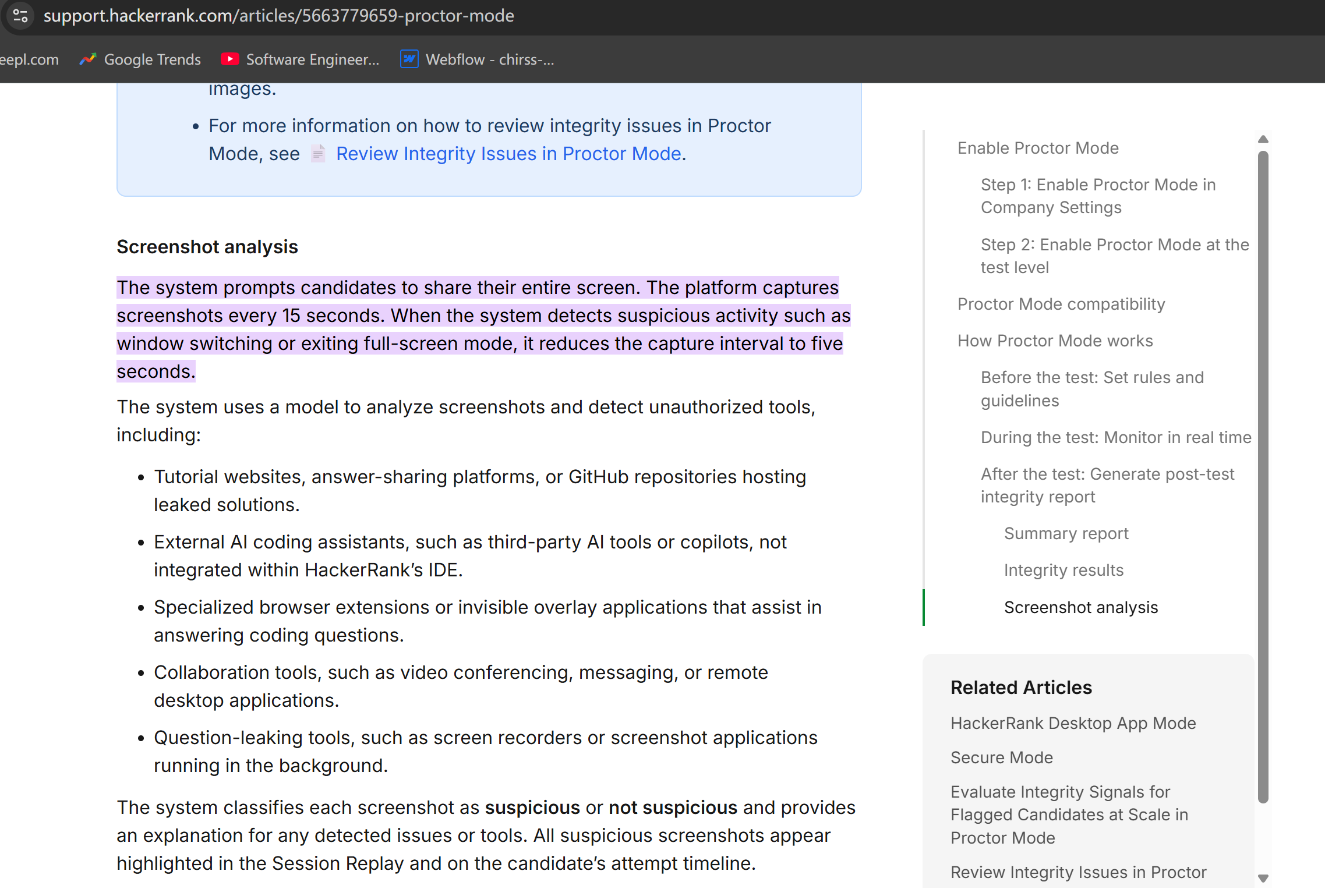
Also, gaze detection looks at how your eyes and head move when you're on the computer. It spots patterns of "looking away and then back at the keyboard."
This is way more serious than the claim that "a photo is taken every five seconds, so you don't need to worry too much about being caught."
If you're struggling with interviews right now, it's all about nailing those tricky programming questions. I might need to read a few lines of code, understand them, go back to the editor, and then type them in. HackerRank says its gaze feature is designed to detect people who take their eyes off the screen before typing again. And that's exactly what I do.
Dual-Device Mode Does Not Guarantee Complete Invisibility!
The main point I got from this InterviewFox review is exactly what it says in the title.
Dual-device mode can get rid of showing the answer window on the same computer.
It can't guarantee the elimination of:
Eye movements
Objects on a second device that can be seen on the webcam
Behavioral inconsistencies
Abnormal response times
Evidence of external devices that can be seen on the webcam
Future anti-assistance systems that may emerge
Sherlock AI is a good example of the trends in this field. Its current product clearly says that it can detect AI-assisted responses, second screens/devices, when people look away from the screen, response generation patterns, and various technical and behavioral signals.
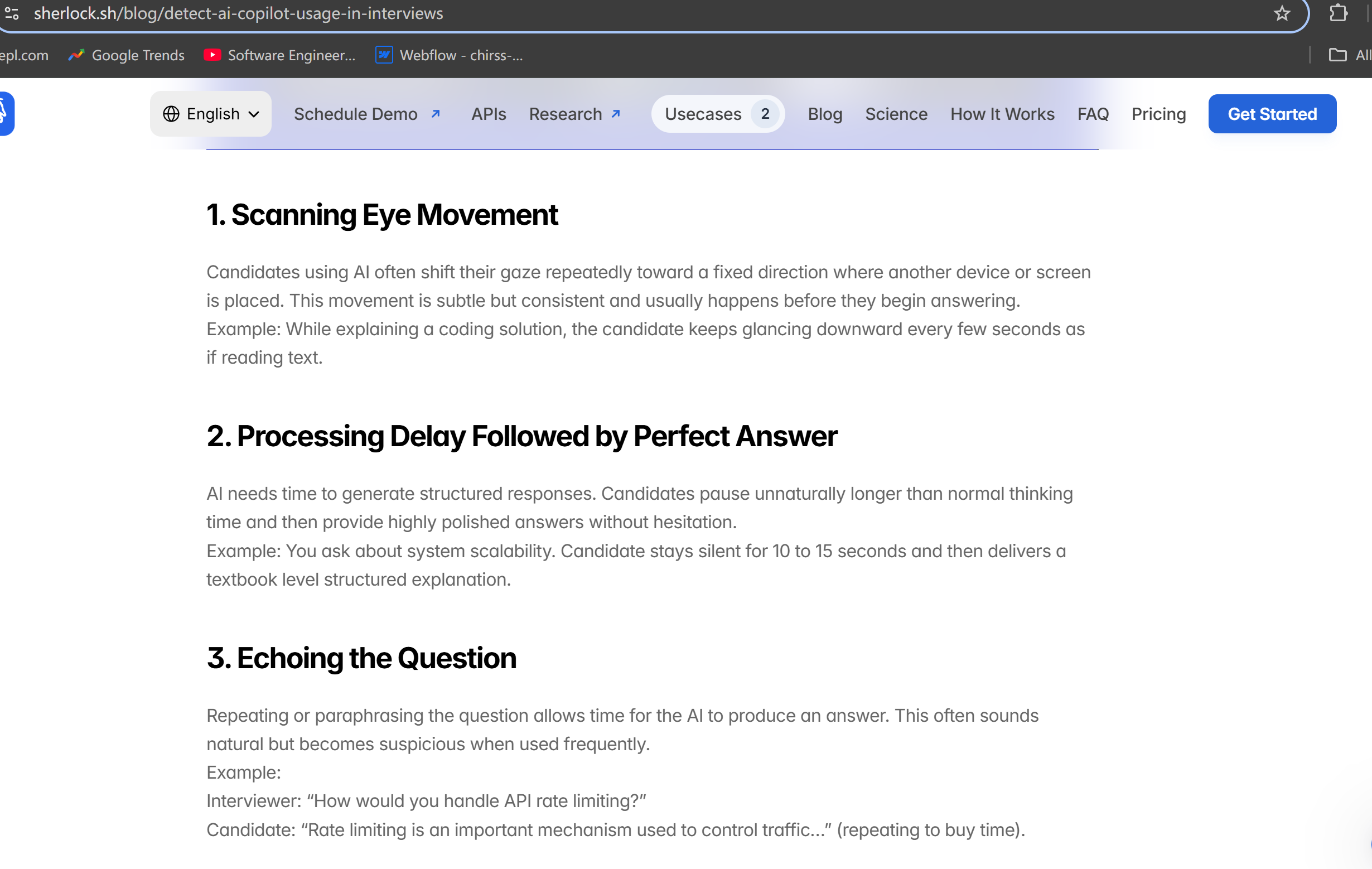
So, I'd say that, even though InterviewFox's dual-device mode reduces the risk of software exposure on a single device, the idea that "using two devices makes it undetectable and safer" is too general for modern proctored interviews. And as monitoring systems keep getting better, this limitation is probably going to become more and more important, not less.
InterviewFox Review: My Full-Screen And Tab Mode Test
Since the dual-device mode is easy to understand from an architectural standpoint, I spent more time exploring InterviewFox's other workflows during my hands-on testing.
These tests had an unexpected result: InterviewFox is pretty straightforward, but the marketing is a bit exaggerated.
What InterviewFox Did Well
The interface was one of the better parts of my test.
I did not have to spend much time wondering which control performed which action.
My positive results were:
Area | My Experience |
|---|---|
Setup | Easy |
Controls | Clear |
Transcription speed | Fast |
Transcription accuracy | Very good |
Answer latency | Fast |
Learning curve | Low |
The transcription is really reliable—I hardly ever have to guess what the interviewee actually said. It also responds quickly.
I'd say the latency falls within the "fast enough" range. It doesn't really disrupt the flow of the conversation, which is pretty much what you'd expect for the price. I'd hate to pay several dozen dollars for an interview assistant who can't transcribe worth a damn.
InterviewFox Review: Full-Screen Mode Has A Narrower Use Case Than It Sounds
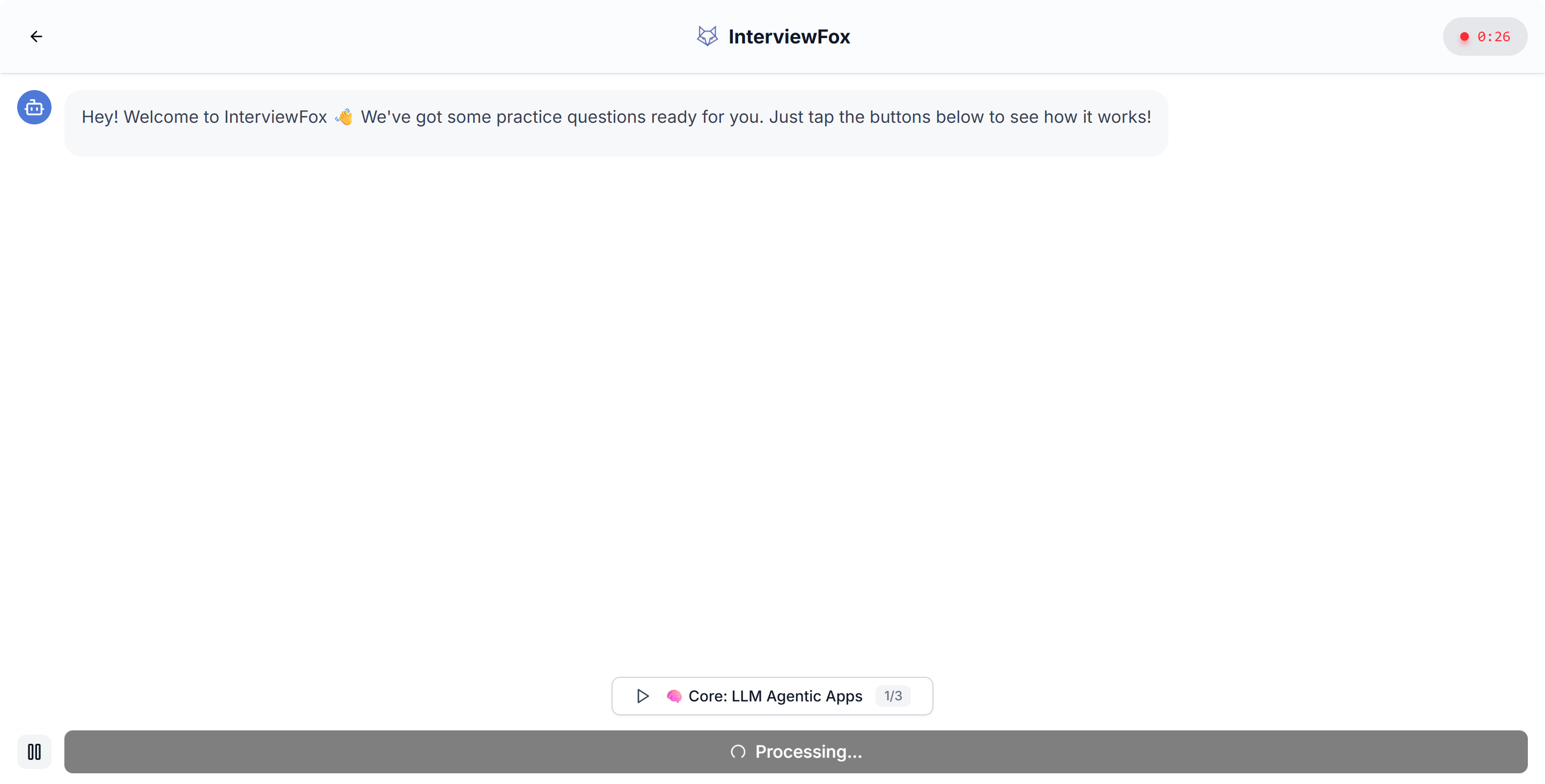
InterviewFox calls full-screen mode a quick-start option for impromptu interviews, which is great when I don't want to install or launch a desktop application.
But based on my experience, it's not the best fit for an "impromptu interview."
What I Found In Full-Screen Mode
This is a key difference in the InterviewFox review. The term "full-screen mode" might sound like the most powerful version, but in my experience, it's actually more limited. You can get started quickly, but then you have to upload your resume, select the interview position, choose a model, and then navigate to a separate tab with only the "Get Answers" button and InterviewFox's responses.
I didn't realize at first that "full-screen mode" was referring to InterviewFox's full-screen view. It's way too easy to give yourself away. It's not ideal for interviews that require screen sharing, and it doesn't recognize my computer's audio. During testing, no matter how much my friend and I chatted, it only asked for permission for my microphone audio and didn't transcribe a single word my friend said.
Other than making a direct phone call, I can't think of any situation where this would be useful—unless you're the kind of person who puts a call on speakerphone when you get an interview call.
InterviewFox Review: Tab Mode Still Inherits Browser-Focus Problems
Tab Mode was more familiar. It reminded me of the problem I had already encountered while writing my LockedIn AI review.
InterviewFox is a browser-based platform that offers transcription capabilities and high-quality responses. However, if the evaluation platform focuses more on keeping the test tab in focus, the quality of the responses becomes secondary.
The Key Focus Issue Remains
HackerRank keeps an eye on tab switching and window activity under various integrity modes. It also has a screenshot analysis feature as part of its Proctor Mode.
It also logs instances of leaving the IDE. During live interviews, the system can detect when CoderPad loses focus.
So, if I need to switch away from the active assessment tab to talk to InterviewFox, I might accidentally trigger an event that certain platforms log. So, "tab mode" doesn't actually fix the problem with focus monitoring.
When I'm working on a real open-ended assessment, I usually need to:
Go over the proposed solution.
Take a look at the code.
See how complex it is.
Compare it to the problem statement.
Go back to the IDE.
Enter the code and debug it.
This makes frequent focus switching much more likely. I like InterviewFox's "tab mode" interface, but it wouldn't be my first choice for a monitored open-ended assessment.
InterviewFox Review: “Free” Starts To Become Complicated
Current Paid Structure
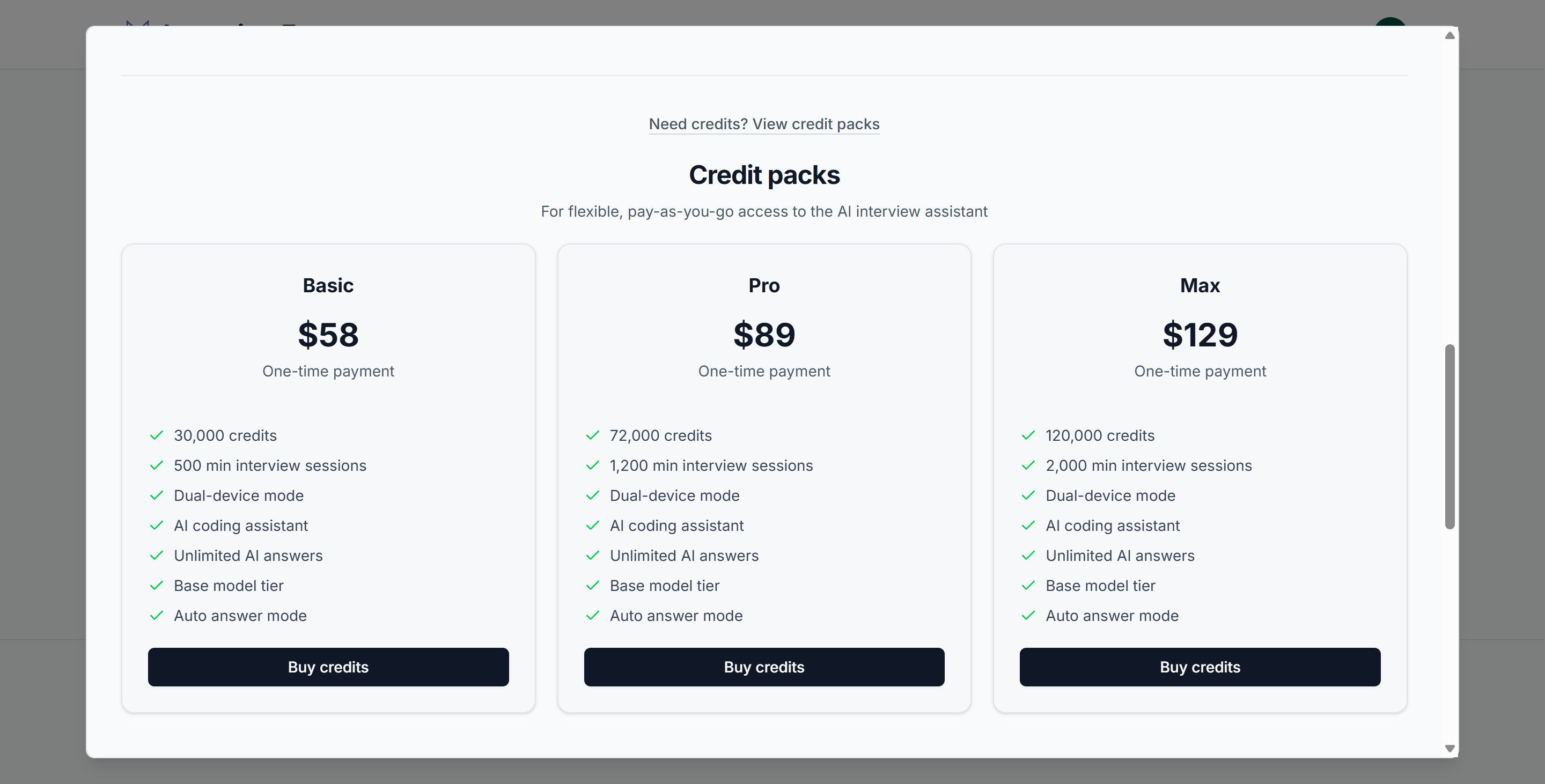
InterviewFox is offering both subscription services and unlimited credit packages right now. You can only see how much the credit packages cost once you've logged in and opened the dashboard.
Credit Pack | Price | Estimated Interview Time |
|---|---|---|
Basic | $58 | 500 minutes |
Pro | $89 | 1,200 minutes |
Max | $129 | 2,000 minutes |
Its current Pro subscription pricing is:
$49/month
$39/month quarterly
$29/month annually
And only the Elite plans add the AI interview agent and the deeper context-aware experience.
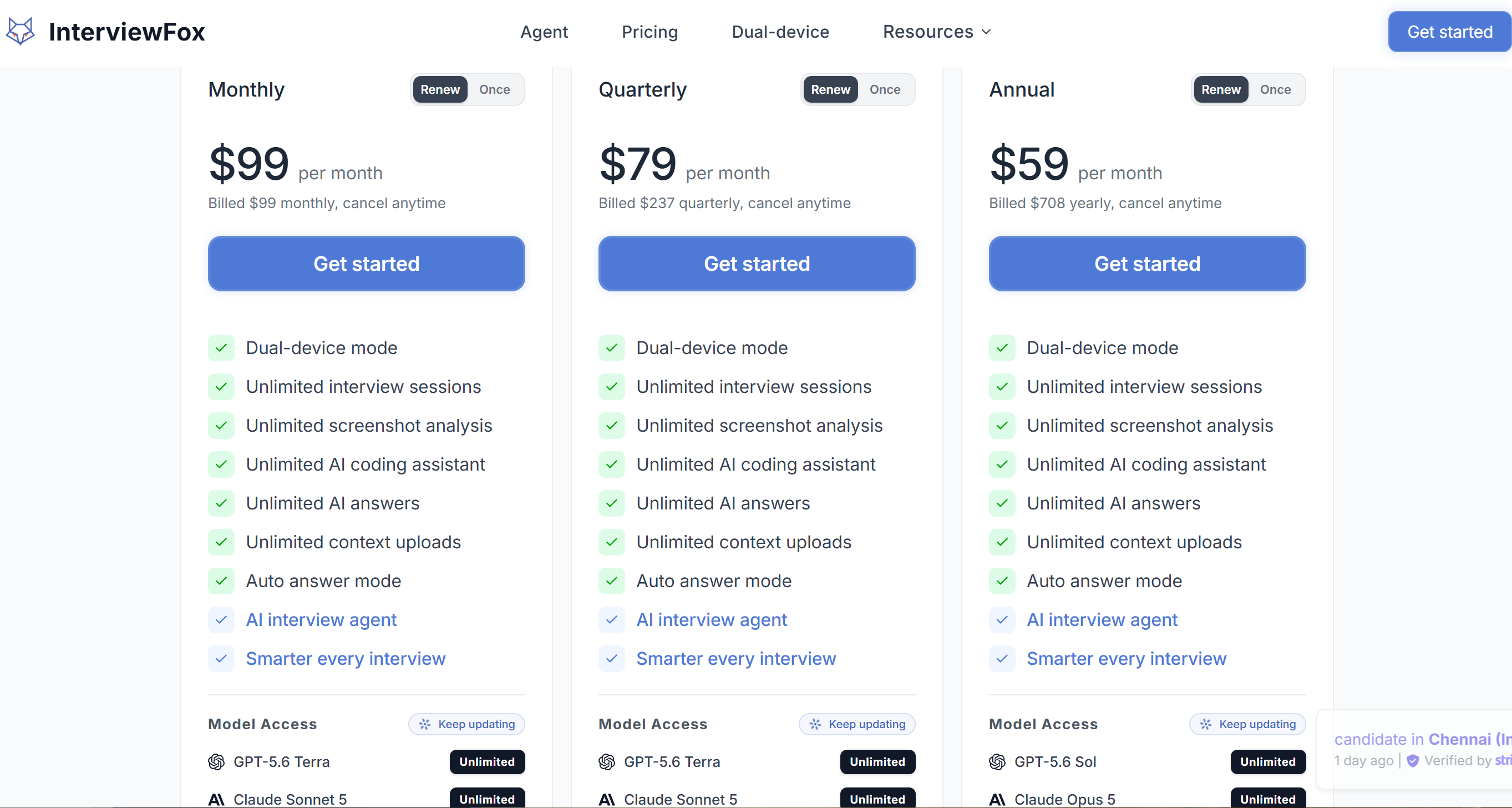
The Pro plans look reasonable enough, but the other two subscription options are a bit pricey. Also, since the Pro plans don't support agents and don't offer the same level of context integration as the Elite plans, I really don't have much confidence in the underlying paid plans of InterviewFox.
InterviewFox Review: Why I Eventually Switched to Linkjob AI?
At first glance, these two products seem to have a lot in common in terms of functionality. Both offer real-time interview support, coding assistance, screenshot analysis, context features, a variety of AI models, and paid unlimited plans. The main difference between them for me is their architectural philosophy.
Category | InterviewFox | Linkjob AI |
|---|---|---|
Main Stealth Strategy | Dual-device first | Native desktop Stealth Mode |
Windows/macOS Desktop | Not the core dual-device workflow | Yes |
Live Answers | Yes | Yes |
Coding Copilot | Yes | Yes |
Screenshot Analysis | Yes | Yes |
Resume/Context | Agent/Elite workflow | Custom context inside product |
Mock Interviews | Agent ecosystem | Included in paid plans |
Monthly Starting Models | Luna + Haiku | Luna + Haiku + Gemini 3 Flash |
Annual Premium Models | Sol, Opus 5, Terra, Sonnet 5, Grok 4.3, Luna | Sol, Terra, Luna, Opus 5, Sonnet 5, Haiku 4.5, Gemini 3.1 Pro, Gemini 3.8 Flash, Gemini 3 Flash, Grok 4.6... |
Annual Price | $348 | $359.88 |
Annual Monthly Equivalent | $29 | $29.99 |
Why I Prefer Linkjob AI
At annual pricing, the difference is only $11.88 per year.
Linkjob has a wider range of models on offer at the moment, including the Gemini 3.1 Pro and the updated Grok 4.6, as well as Sol and Opus, to fill this minor gap.
I also like being able to access my CV, background and info about the job I'm applying for all in one go, and being able to customise the prompts is also very important to me. If you like Hermes and Claw, using one agent might be better, but I like to keep my work and job search environments separate.
When it comes to my own workflow, I like to keep my answers on a desktop interface on my main computer so I don't have to keep switching between devices. I'd like to say that, for me, having a second device is more distracting and harder to get used to. It makes it tricky to keep up a natural flow of responses.
Where InterviewFox Is Better
InterviewFox has two clear advantages:
Its annual Pro price is slightly lower;
Dual-Device Mode eliminates the answer surface from the interview computer entirely.
If you're a candidate who just wants to stop the answer panel from appearing on a shared screen, this setup is great. My only issue with calling it a "more secure AI interview assistant" is that InterviewFox's dual-device feature places higher demands on candidates and makes it harder to avoid detection due to physical factors like reflections off glasses.
InterviewFox Review: Final Verdict
After completing this InterviewFox review, I understand why InterviewFox has been growing quickly, and the product is easy to use. BUT, there is still a long way to go.
The Four Biggest InterviewFox Limitations I Found
Dual-device does not equal a safer choice and pure undetectability.
HackerRank now documents gaze analysis, phone/tablet object detection, periodic screen capture, multiple-monitor controls, and other behavioral signals.Tab Mode still inherits focus-monitoring problems.
HackerRank and CoderPad can record leaving the test environment depending on the employer's configuration.Full-Screen Mode felt more limited in my test.
The fast-start phone workflow was convenient, but it did not replace the full desktop audio/context experience I wanted.The best InterviewFox experience is not simply free.
Paid subscriptions, credits, Elite Agent functionality, and stronger model tiers all matter once you move beyond the initial free access.
InterviewFox Review FAQ
Is InterviewFox Completely Free?
No. InterviewFox is free to try, but it also sells subscriptions, credit packs, and higher-level Agent functionality.
Is InterviewFox Dual-Device Mode Completely Undetectable?
No universal guarantee is credible. It removes the AI answer from the monitored computer, but webcam gaze analysis, phone/tablet detection, behavioral signals, and future third-party detection systems can still create exposure.
Can HackerRank Detect Looking At A Second Device?
Potentially, yes. HackerRank's current optional Gaze Detection looks for repeated off-screen eye/head movement, and Proctor Mode can also detect phones and tablets in the webcam feed.
Is InterviewFox Good For Coding Interviews?
Yes, but model tier matters. Its annual Pro plan includes stronger reasoning models such as GPT-5.6 Sol and Claude Opus 5, which I would prefer for difficult coding and system-design questions.
Is Linkjob AI Better Than InterviewFox?
For my workflow, yes. InterviewFox is stronger if you specifically want dual-device separation, while I prefer Linkjob AI for its native desktop workflow, broader published model lineup, and all-in-one interview coverage.
See Also
I have tested 20+ LinkedIn AI Alternatives and here are my top 5 picks in 2026
Using An AI Assistant On Zoom For Stealthy Interview Support
Chiku AI Review: Pros, Cons, and My Experience
My Genuine InterviewPal Review And Personal Experience For 2026
