Koalaa AI Review & Alternative: A Deep Breakdown

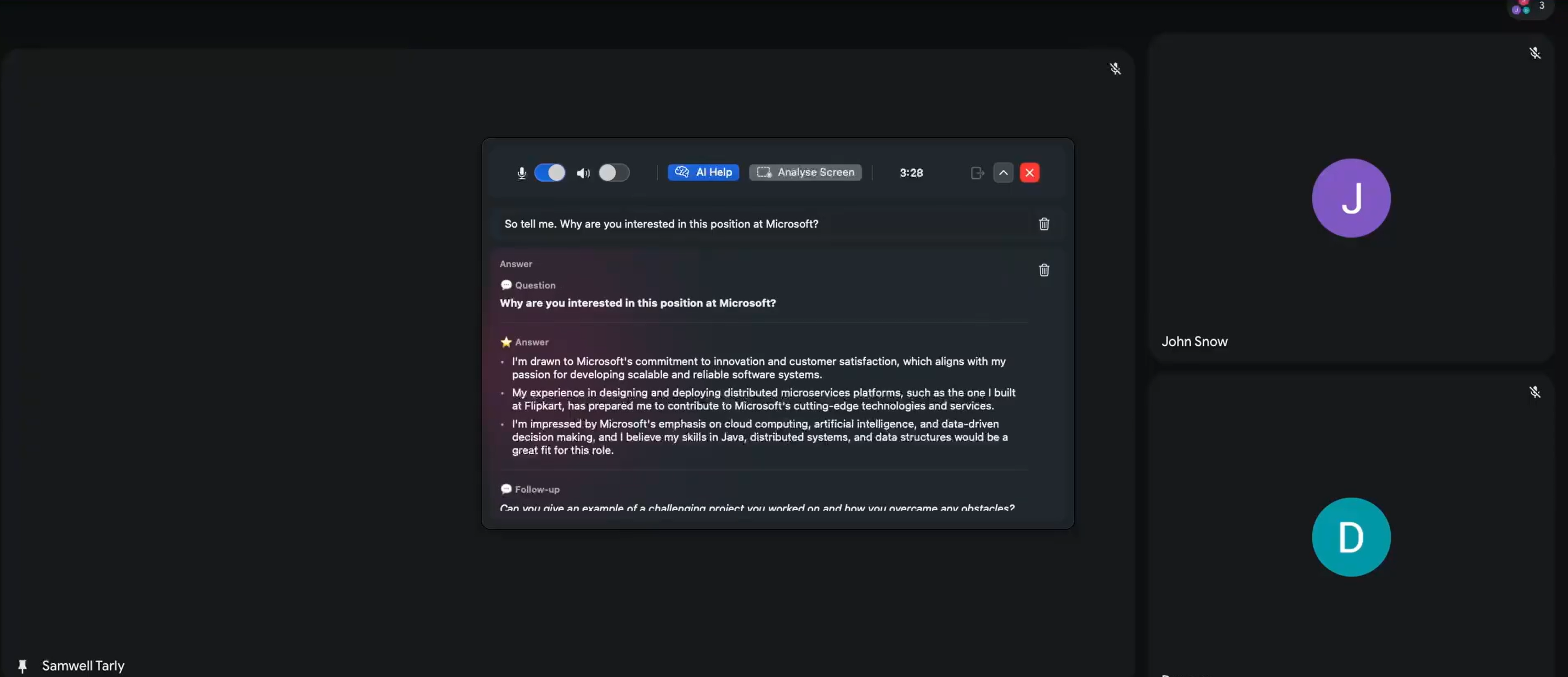
I recently came across Koalaa AI while researching new real-time AI interview tools. I've been on the lookout for a good alternative to Cluely and have already published a Lockedin AI review and a Final Round AI review. According to the info I got from the official website and other sources, it has a simple floating overlay, keyboard-centric controls, real-time speech transcription, smart screenshots, and a discreet, stealthy positioning feature.
These features caught my eye, so I decided to try out the tool for myself. I tried running the software package on my current macOS setup, but the installation didn't work. Instead of giving up or just publishing a summary based on the landing page, I decided to go deeper and do a more technical analysis. I looked closely at the static packaging structure of the KoalaaAI-2.0.1.dmg installer, checked out its internal macOS application framework bindings, and compared my findings with what the vendor had publicly stated.
Here's a quick summary of what I found and a TL;DR:
Unpublished LLM architecture: I did find some APIs, but the model being used hasn't been made public. I couldn't tell from the files which model was actually being brought to the foreground to answer questions.
Keyboard-first interface: This overlay mostly uses global system hotkeys, and there are no clickable function buttons.
Native macOS implementation: It was built directly using Swift and SwiftUI.
On-device image processing: It uses Apple's built-in Vision framework to do on-device OCR.
Dual-channel audio: It integrates Deepgram Nova-3 into separate system audio and microphone audio streams.
Screenshot exclusion mechanism: It uses ScreenCaptureKit filters to make sure the Koalaa app window isn't included in the screenshot pipeline.
These insights made me rethink Koalaa AI and other tools I've looked at before, like Linkjob AI. I focused on how transparent the models are, how easy they are to use, and the whole interview process. So, this Koalaa AI review and alternative is a bit different from the reviews I usually write.
Koalaa AI Review and Alternative: What Is Koalaa AI?
To evaluate Koalaa AI effectively, it helps to understand what the product is trying to achieve before diving into its internal mechanics.
What Koalaa AI Is Trying to Do
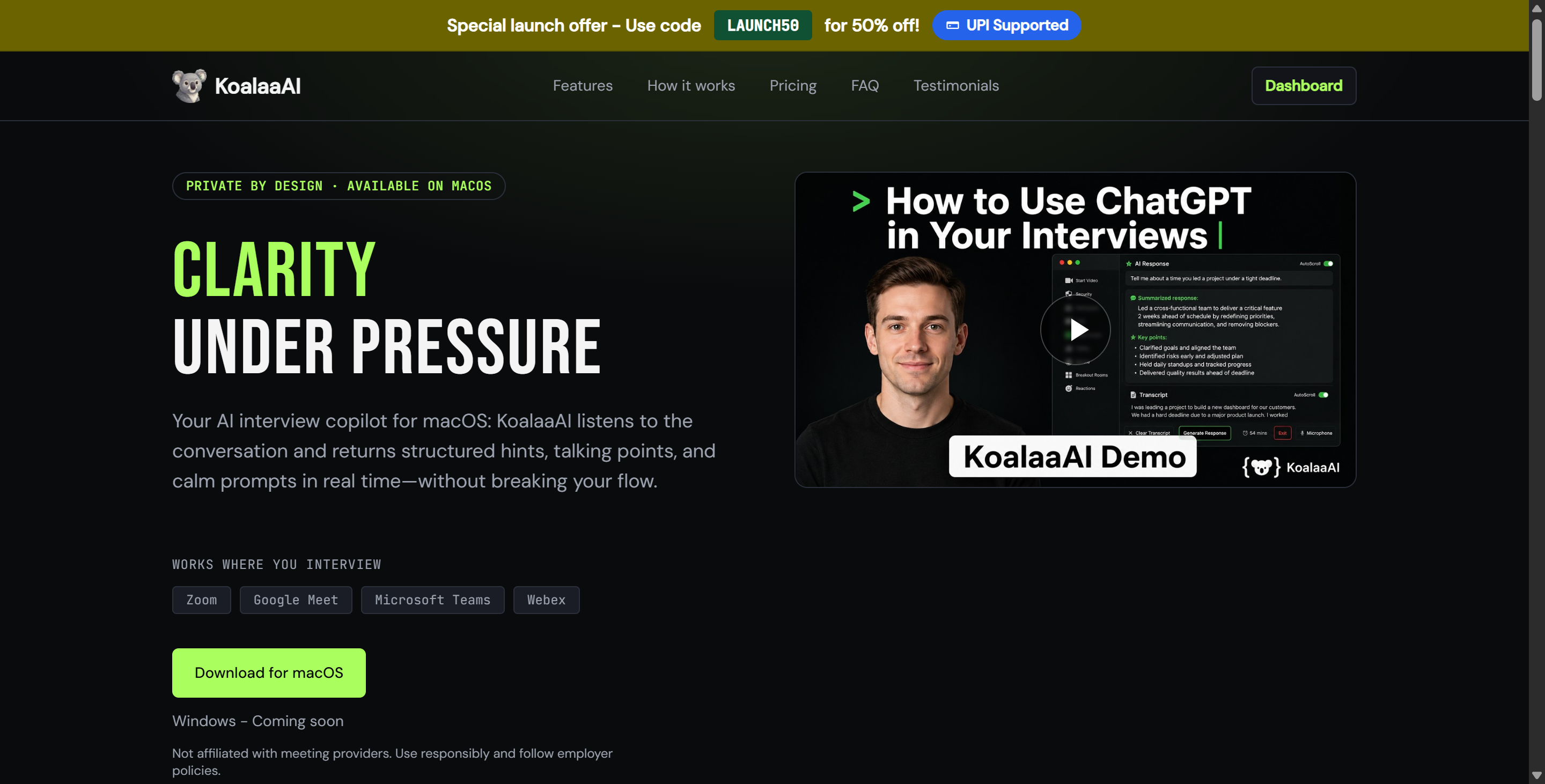
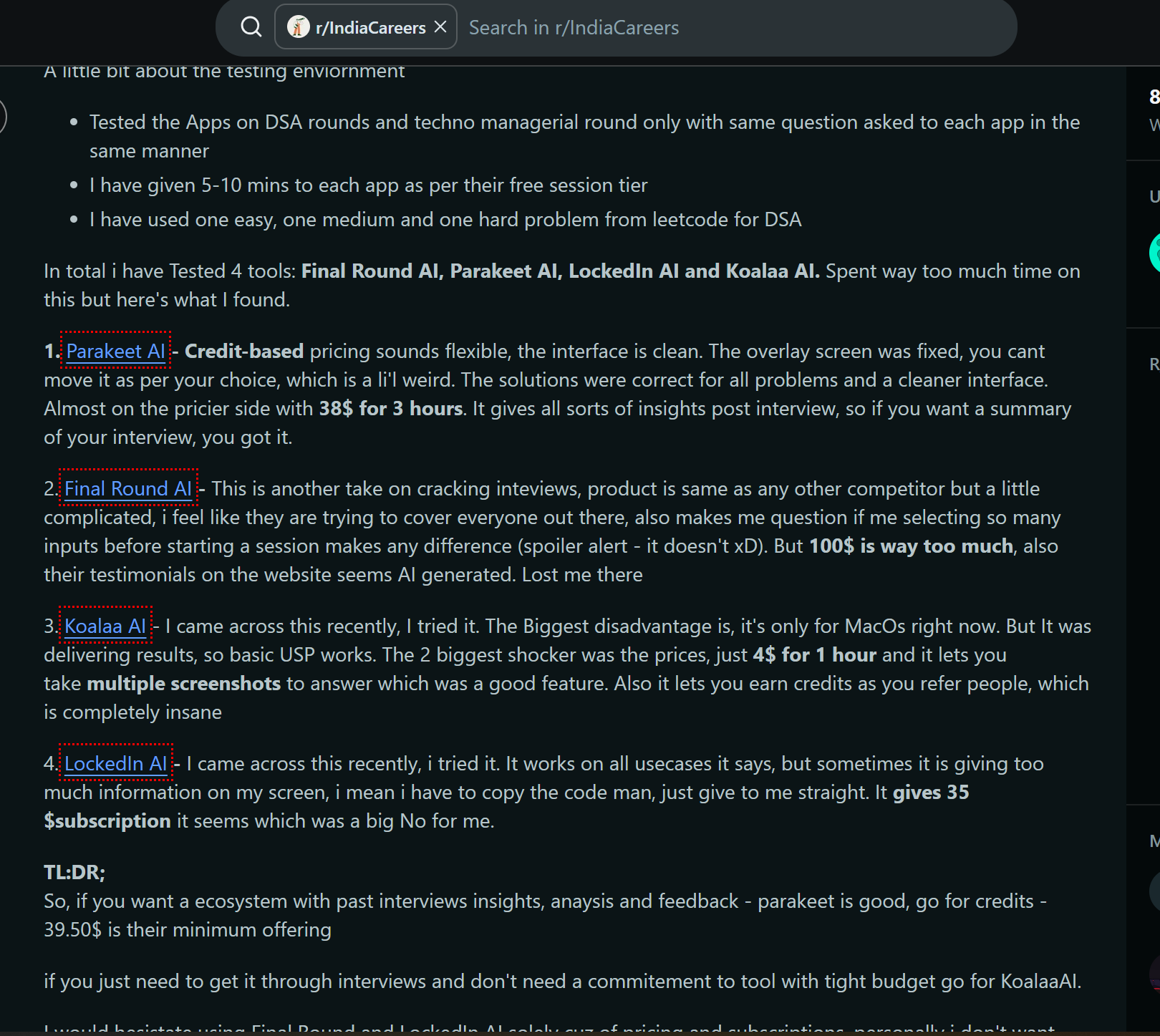
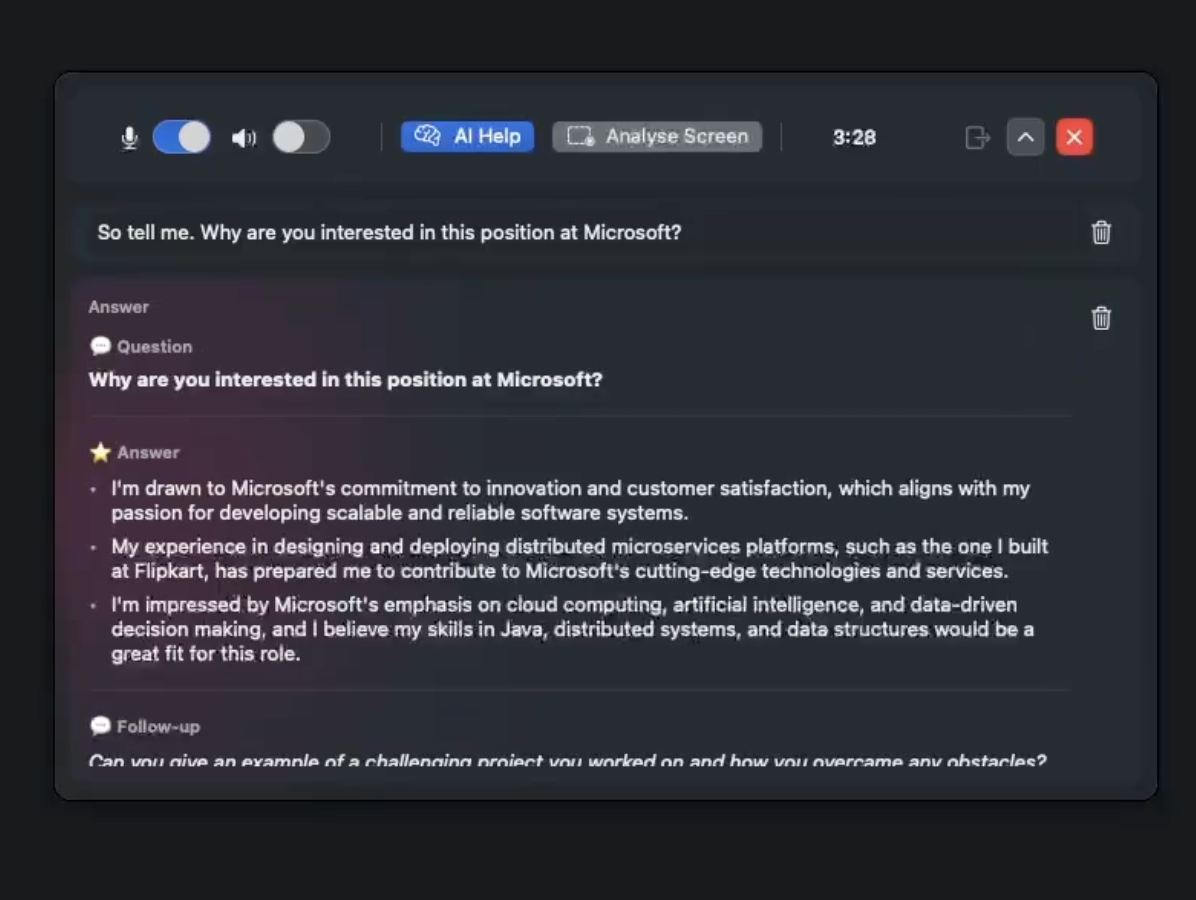
After doing some digging on Google, I'd say Koalaa AI is currently an interview-help tool for macOS only. Its main goal is to help job seekers do their best in live job interviews. It does this by providing real-time speech transcription, automatic question recognition, visual screenshot analysis, and context-based AI-generated answers.
Koalaa AI is designed as a semi-transparent overlay that sits on top of an active browser window or video conferencing client. The tool focuses on "keyboard-first" navigation, so you can trigger screenshots, request AI help, or switch audio streams using global system shortcuts.
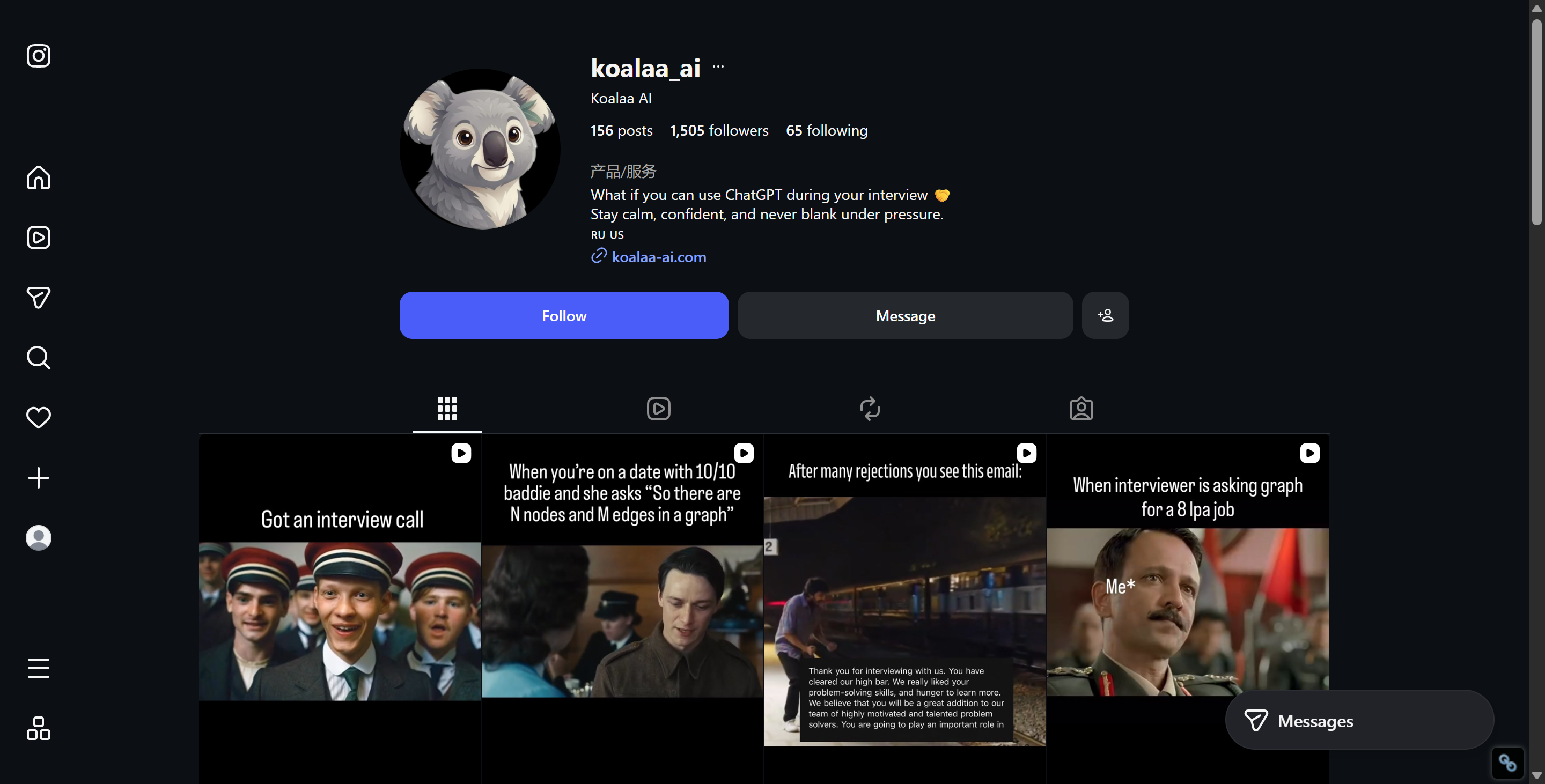
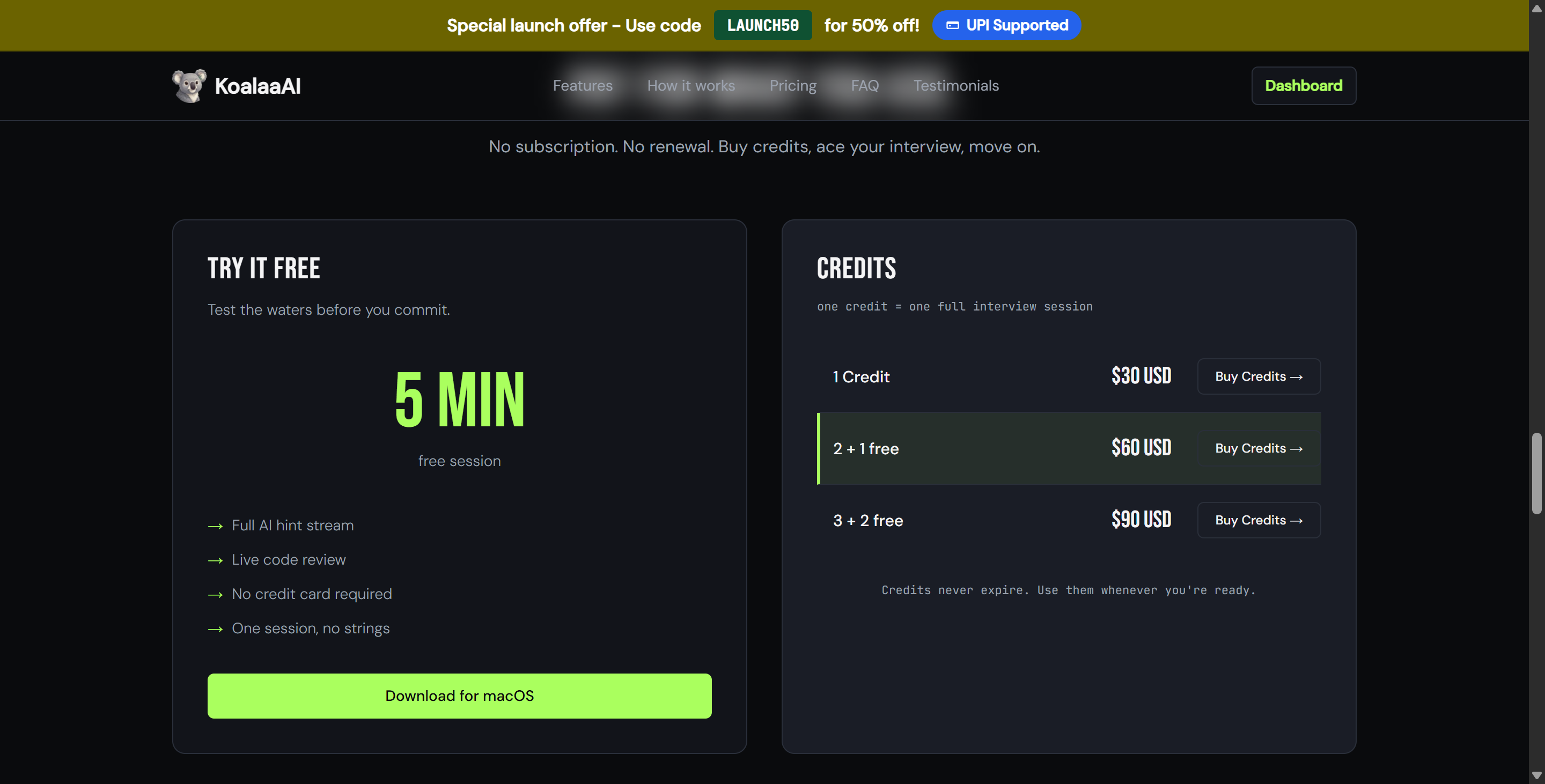
But if you search for "Koalaa AI review and alternative," you'll probably find little useful info. The app's been out for at least four months, but aside from regularly updated short videos on Instagram, it's hard to find official info on social media, and there are no public communities.
Product Dimension | Koalaa AI Specification |
Target Platform | macOS exclusive |
Interface Style | Floating, non-activating, terminal-like overlay |
Audio Capture | Dual-channel microphone and system audio loopback |
Transcription Engine | Deepgram Nova-3 WebSocket integration |
Visual Processing | Local Apple Vision OCR + cloud multi-modal analysis |
Model Selection | Managed via backend model router (undisclosed exact LLM) |
Primary Interaction | Global macOS hotkeys (keyboard-driven) |
Context Support | Custom resume uploads and job description inputs |
Why My Koalaa AI Review Is Different
Most product reviews follow a predictable format: an author installs an application, uses it for a couple of practice runs, and offers a general opinion on whether the AI responses felt accurate.
I couldn't install Koalaa AI because of some technical issues, so I couldn't discuss its performance in real-world use like I usually do. I was still able to do a static analysis of the KoalaaAI-2.0.1.dmg application package, audit its embedded frameworks, and examine its web dashboard management interface. In doing so, I discovered specific architectural details that had been overlooked in user reviews based on hands-on experience. And why I found it somehow lacking in clarity for candidates who really want a transparent AI interview copilot, like Linkjob AI.

Koalaa AI Review and Alternative: What I Found Inside the App
Analyzing the internal bundle of Koalaa AI provided immediate insight into how its developers approached performance, resource efficiency, and desktop integration on macOS.
KoalaaAI-2.0.1.dmg
└── Koalaa.app
    └── Contents
        ├── MacOS
        │   └── StealthPilot           <-- Core Swift Native Executable
        ├── Frameworks
        │   ├── Deepgram.framework     <-- Nova-3 Live Transcription
        │   └── SQLite.framework       <-- Local Session & History Storage
        └── Resources
            └── Assets.car             <-- Terminal-style HUD Assets
Koalaa Is a Native Swift App
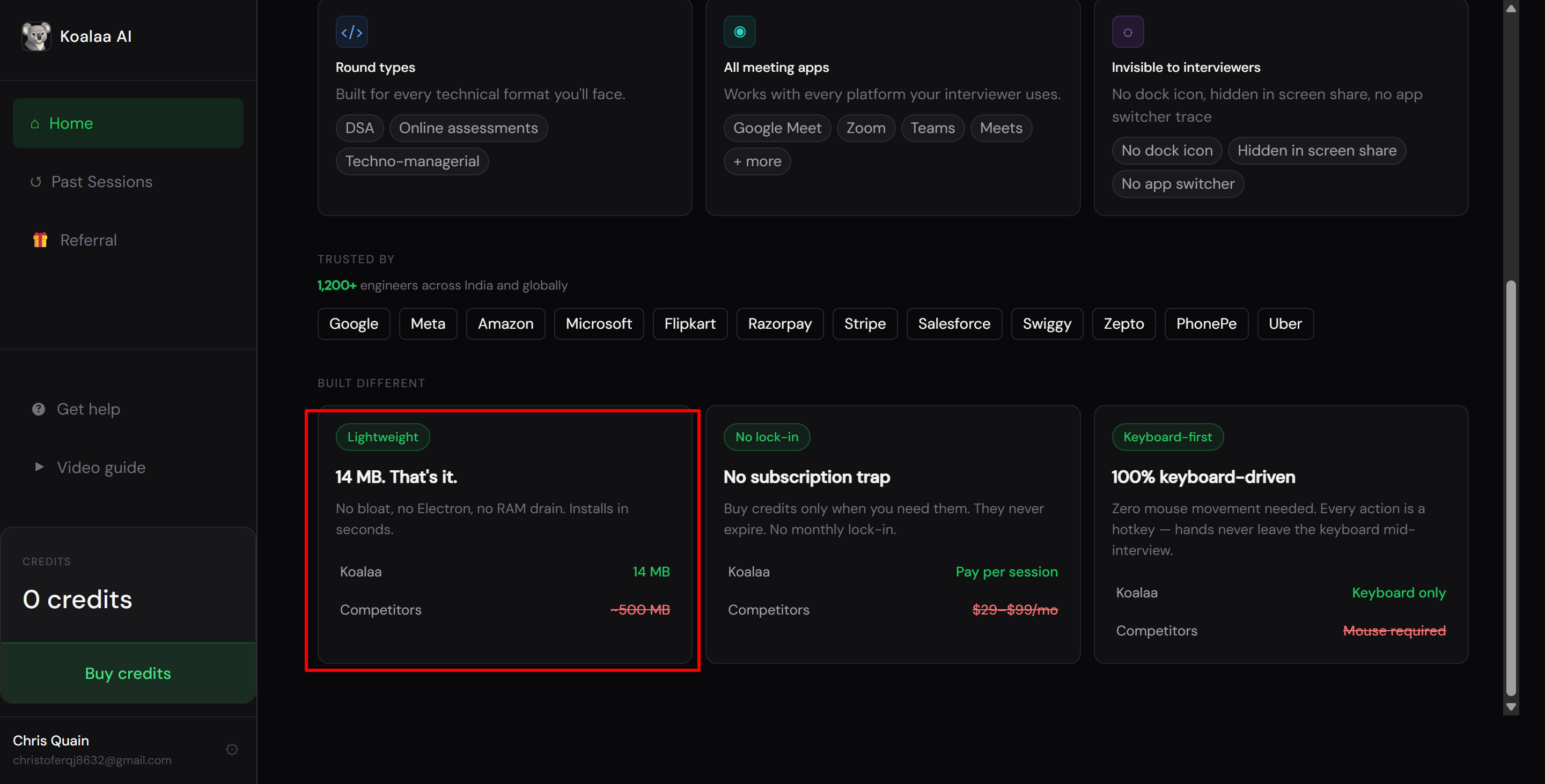
One of the most common problems with modern desktop utility tools is that they rely on web wrappers like Electron. Electron apps bundle a full Chromium browser instance and Node.js runtime, which often results in heavy memory consumption, slow startup times, and laggy overlay rendering.
I was surprised to discover that Koalaa AI is built entirely as a native macOS application using Swift and SwiftUI. The main binary inside the app bundle carries the project name StealthPilot, referencing its lightweight, low-profile design goals.
Functional Module | Discovered Framework / API | Architectural Significance |
Display Capture |
| High-performance, low-latency display frame capture |
Local Text Extraction |
| On-device OCR processing without cloud network latency |
Overlay Window | Native | Non-activating floating window that avoids stealing application focus |
Audio Management |
| Separate hardware microphone and system audio loopback capture |
Hotkey Registration | Native macOS Carbon / NSEvent hotkeys | System-wide global shortcut listeners running in the background |
Data Persistence |
| Fast local storage for transcripts, prompts, and session logs |
Koala AI doesn't use a bulky web runtime wrapper, so it uses very little CPU and memory (it doesn't publicize this, but it has mentioned how small its installer is). The overlay runs smoothly and responds instantly to keyboard shortcuts, which is crucial when running alongside resource-intensive video conferencing tools like Zoom, Microsoft Teams, or Google Meet.
The Screenshot Pipeline Is Smarter Than I Expected
When an AI interview assistant takes a screenshot to look at coding prompts or technical diagrams on the screen, a common issue comes up: if the assistant's own overlay is visible on the screen, the screenshot engine will capture the text in the overlay along with the test questions. This messes up the visual cues that are fed into the vision model, causing processing errors or a drop in answer quality.
Koala AI has already taken care of this in its screen capture pipeline:
[Trigger Hotkey]
       │
       ▼
[Identify Koalaa Process & Window ID]
       │
       ▼
[Construct ScreenCaptureKit Content Filter]
       │
       ├──> Exclude Koalaa Window ID from Filter
       │
       ▼
[Capture Screen Pixels directly from Graphics Pipeline]
       │
       ▼
[Pass Clean Image to Local Apple Vision OCR]
When a user triggers a screen capture hotkey, Koalaa’s capture engine queries active window instances, identifies its own application process and window ID, and constructs an explicit exclusion filter using Apple’s ScreenCaptureKit API.
In a nutshell, Koala AI snags pixels straight from the macOS graphics layer, skipping its own HUD overlay. If the app can't verify that its window has been excluded, it stops the upload process right away.
But this can also cause problems. If the process is exposed for some reason in the middle, the screenshot feature will probably become completely unavailable. It may even cause the interface to freeze.
Yeah, Koala AI's approach is simple, but there's still room to improve. I hope it'll at least lead to a second OCR analysis option in future updates to prevent users from encountering unavoidable freezes.
Transcription Uses Separate Mic and System Audio Pipelines
To get accurate real-time speech transcription during an interview, it's important to tell the difference between the candidate's voice coming through the microphone and the interviewer's voice coming through the computer speakers.
A lot of the AI interview tools I've tried in the past record all the audio from your desktop as one big stream. Then, they use some kind of AI technology to split the audio into separate parts, trying to figure out who said what. This often leads to transcription delays or, in some cases, completely confuses the speakers, as I explained in my Whis AI review.
Koalaa AI avoids this by maintaining two completely independent audio pipelines:
Microphone Channel: Managed via
AVFoundationto capture the candidate's local voice input cleanly.System Audio Channel: Managed via
ScreenCaptureKitaudio stream loopback to isolate the interviewer's incoming voice.
Both audio streams are sent straight to Deepgram's Nova-3 speech-to-text engine via a pre-warmed WebSocket. It's pretty speedy, especially compared to other options on the market.
Koalaa AI Review and Alternative: The LLM Is Surprisingly Non-transparent
While Koalaa AI’s client-side engineering on macOS is impressive, its backend language model implementation takes a much more opaque approach.
I Could Not Verify the Exact LLM
This is probably one of the most surprising and disappointing aspects for me. Koala AI doesn't say which LLM it uses to generate answers, and it doesn't reveal the available model options within the client.
After taking a look at the client binary, I found some internal configuration keys like defaultModel, defaultLlmProvider, modelUsed, and modelProvider. The codebase also includes references to SDKs from major AI providers like OpenAI, Anthropic, and Google Gemini.
But these references aren't actually fixed model declarations. You can't tell whether a question is processed by GPT-4o, Claude 3.5 Sonnet, Gemini 1.5 Pro, or some smaller fine-tuned model just based on static analysis. This means that, even though newer models provide better interview support based on actual testing, when using Koalaa AI, I have absolutely no control over which model is used, and I can't set any requirements regarding model quality.
“Model Routing” Is Not the Same as Model Choice
Koalaa AI uses a server-side model routing mechanism. When a user asks a question or triggers a screenshot analysis, the request is sent to Koalaa's backend. There, an internal router determines which model to send the prompt to.
User Prompt / Screenshot
         │
         ▼
Koalaa Backend Gateway
         │
         ▼
[Internal Model Router]  <-- Black Box Selection
         │
         ├──> Provider A (e.g., OpenAI)
         ├──> Provider B (e.g., Anthropic)
         └──> Provider C (e.g., Google)
This model-based routing architecture has its pros and cons:
Pros: Providers can easily switch backend providers to balance server load, optimize response times, or reduce operating costs without needing client-side software updates.
Cons: Users have no say in the choice of model. You can't use a model with strong reasoning capabilities—like Claude 3.5 Sonnet—for complex algorithmic programming problems, and you can't choose a lightweight, fast model for simple behavioral prompts.
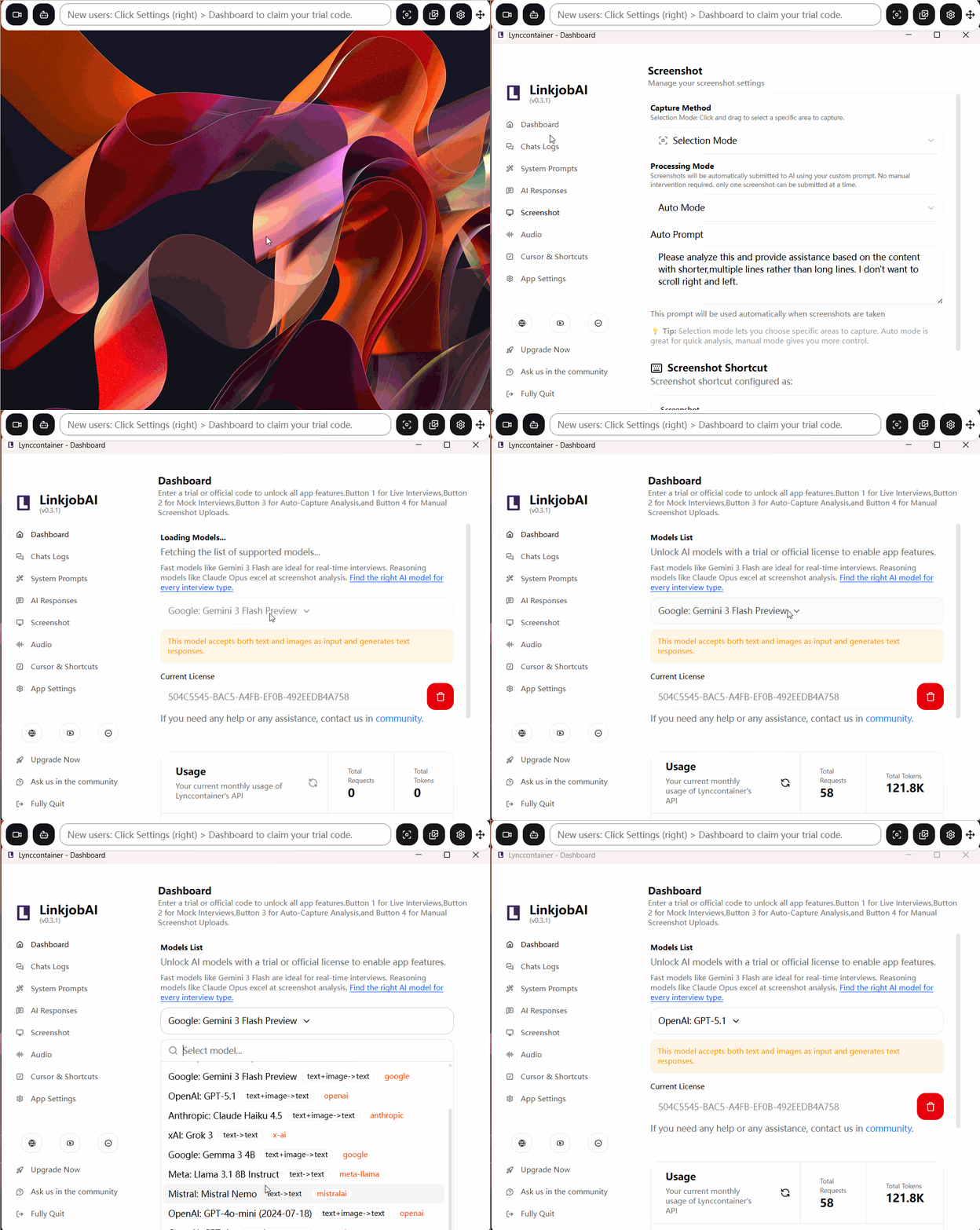
You get it? The pros are mostly for the dev team, while the cons are felt more by users. One of the main things that sets Koalaa AI apart from other platforms like Linkjob AI is how open they are about the AI models they use.
Koalaa AI Review and Alternative: Why the Keyboard-First Overlay Is Interesting
The visual design and interaction model of Koalaa AI revolve around a minimalist, keyboard-driven interface that mimics a lightweight terminal window.
+-------------------------------------------------------------+
| Koalaa HUD Overlay (Non-Activating Panel)                   |
| > [System Audio]: "Can you explain how you handle state?"   |
|                                                             |
| > AI Response:                                              |
| • Focus on single source of truth architecture.              |
| • Use unidirectional data flow for predictable state.       |
| • Mention specific Redux / Context API experience.          |
+-------------------------------------------------------------+
Koalaa Barely Wants You to Click the Overlay
Koala Barely Wants You to Click the Overlay
Unlike regular desktop apps that make you use the mouse, Koala AI's overlay is made to require as little physical clicking as possible. Its main features use global system hotkeys:
AI Assistance: This will trigger immediate answer generation for the latest transcribed question.
Regional Screenshot: Just select and capture a specific screen area to do a visual OCR analysis.
Audio Toggles: You can mute or unmute the local microphone and system audio capture streams.
Overlay Controls: You can cycle through display modes, adjust window transparency, or resize the panel layout.
Global Hotkeys Make It Easier to Switch Apps, But Your Keyboard Stroke Is Still Visible
It's important to clear up a common misunderstanding about global hotkeys and proctoring stealth.
When you click on a secondary desktop window in a web-based interview portal, the focus shifts away from the active browser tab. This triggers a DOM window.onblur event, which notifies proctoring systems that a window is being switched.
Koala AI solves this problem by rendering its overlay as a non-active macOS panel (NSPanel). Global hotkeys send background events straight to the Koala AI process without changing the focus of the active window. This keeps the browser tab active and in the foreground at all times.
But global hotkeys don't override physical hardware key presses. Even though background hotkeys keep the window from losing focus, keystrokes are still logged at the operating system level. When it comes to OA tests and interviews that record keyboard input, relying solely on Koala AI's global hotkey mode is probably not the best move. And the video below may provide you with a clearer view:
Koalaa AI Review and Alternative: What I Like and What I Don't
Based on my static inspection of the macOS application bundle, dashboard review, and technical analysis, here is a balanced summary of Koalaa AI’s strengths and limitations.
What I Liked
Native Swift Implementation: Exceptional desktop efficiency and minimal memory footprint compared to heavy Electron-based alternatives.
Keyboard-First Workflow: Thoughtfully engineered global hotkey integration that allows seamless operation without taking focus away from active browser tabs.
On-Device Vision OCR: Utilizes Apple's native Vision framework for fast, local text extraction from captured screen regions.
Dual-Channel Audio Capture: Separates microphone and system audio streams cleanly to ensure accurate speaker attribution without guessing.
Screenshot Self-Exclusion: Smart capture filtering that prevents its own overlay text from polluting visual AI prompts.
What I Didn't Like
Opaque LLM Architecture: Lack of transparency regarding exact production language models powering answers, with zero user control over model routing.
macOS-Only Limitation: Completely unavailable for Windows desktop users.
Steep Keyboard Learning Curve: Heavy reliance on hotkeys can feel unintuitive for users who prefer visual, mouse-driven controls.
No Manual Model Selection: Users cannot manually choose higher-reasoning models for complex coding challenges versus fast models for quick behavioral prompts.
Overbroad Stealth Marketing Claims: Public marketing materials describe stealth capabilities broadly, whereas verifiable technical safeguards operate within specific macOS API boundaries (e.g., self-exclusion in ScreenCaptureKit does not automatically guarantee total invisibility across all custom proctoring suites).
Koalaa AI Review and Alternative: Koalaa AI vs Linkjob AI
When evaluating an interview copilot, comparing features directly against established market alternatives helps highlight key differences in workflow, model access, and platform support.
Quick Koalaa AI vs Linkjob AI Comparison
Feature Dimension | Koalaa AI | Linkjob AI |
Supported Operating Systems | macOS exclusive | Windows + macOS cross-platform |
Interface Style | Minimalist terminal overlay | Complete, configurable interview HUD |
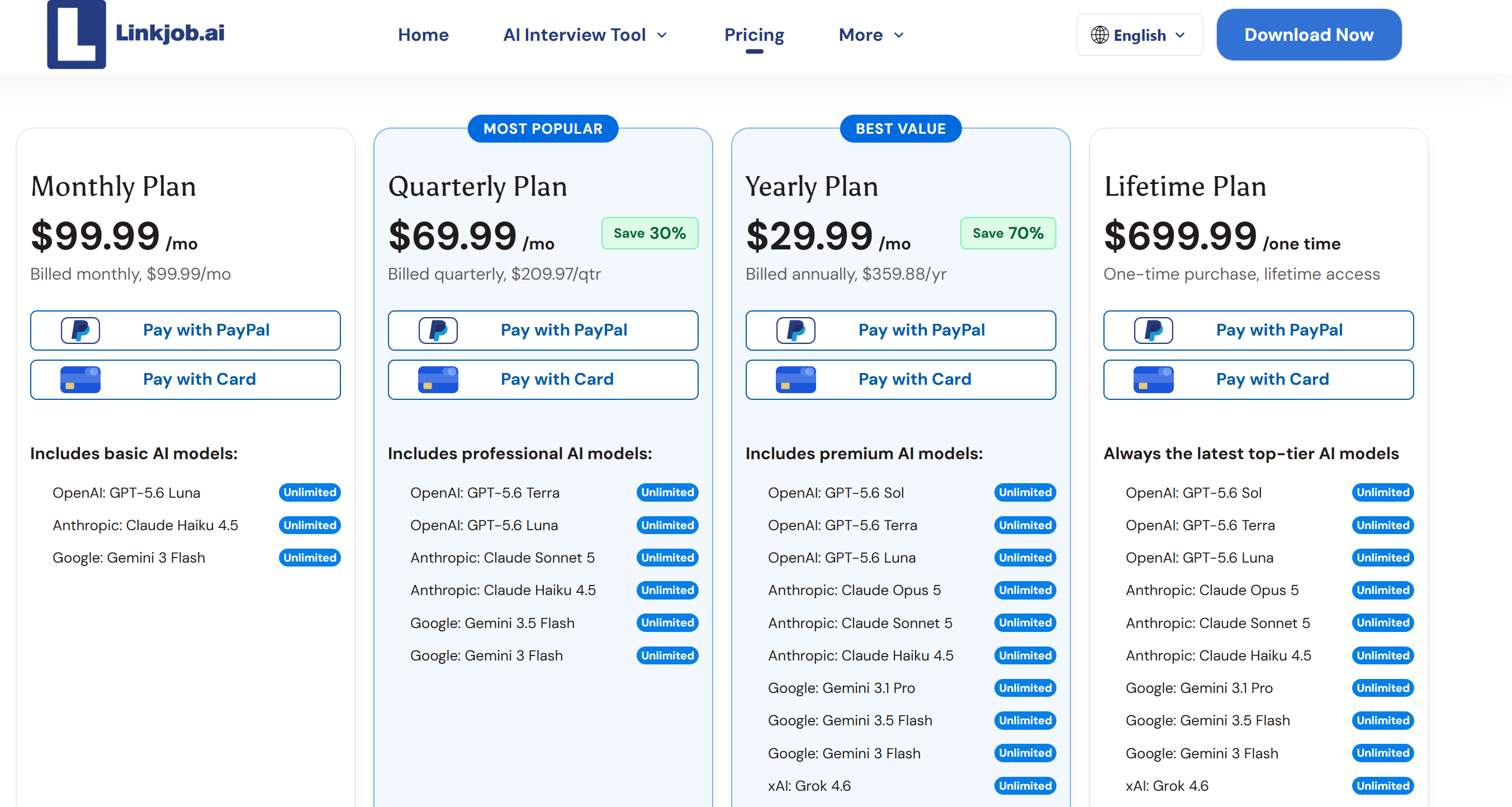
Model Transparency | Undisclosed (Backend router) | Fully transparent (User-selectable models) |
Available Models | Managed server-side routing | Explicit choices (GPT-4o, Claude 3.5 Sonnet, Gemini 1.5 Pro) |
Resume & Job Context | Yes (Custom text uploads) | Yes (Deep resume & job description parsing) |
Audio & System Transcription | Yes (Deepgram Nova-3) | Yes (Real-time dual-channel transcription) |
Visual Screenshot Support | Yes (Local Vision OCR) | Yes (Hardware graphics pipeline capture) |
Specialized Coding Workflow | General AI assistance | Dedicated technical & algorithmic workflow |
Mock Interview Suite | Limited / Positioning dependent | Complete AI-powered mock interview practice |
Interaction Control | Keyboard-first hotkeys | Global hotkeys + flexible visual controls |
Overall Product Focus | Lightweight, minimalist copilot | Comprehensive, full-spectrum interview workspace |
Where Koalaa AI Is Better
If you're into super light and minimal tools made just for macOS, Koala AI is definitely worth checking out. If you like a clean terminal interface, want an app that doesn't take up a lot of system resources, and like being able to control your workflow entirely with keyboard shortcuts, then Koalaa AI has you covered.
Where Linkjob AI Is Better
Linkjob AI provides a more robust and transparent alternative for candidates who want complete control over their interview setup:
Explicit Model Transparency: Unlike Koalaa's undisclosed backend router, Linkjob AI lets you explicitly select your preferred language model (such as Claude 3.5 Sonnet for complex coding logic or GPT-4o for rapid behavioral answers).
Cross-Platform Compatibility: Full native support for both Windows and macOS operating systems.
Dedicated Coding Workflows: Built-in tools tailored specifically for live technical evaluations, multi-currency numerical calculations, and complex data structures.
End-to-End Practice Suite: Includes integrated mock interview modules that let you practice speech timing, hotkey execution, and answer delivery before your actual assessment.
Comprehensive Workspace: Delivers a complete interview environment rather than relying solely on a minimal terminal interface.
Rather than viewing one tool as strictly superior, it is more accurate to view Koalaa AI as a focused, lightweight copilot, while Linkjob AI functions as a complete interview workspace.
Koalaa AI Review and Alternative FAQ
Does Koalaa AI Say Which LLM It Uses?
No. Koalaa AI refers publicly to a server-side model routing architecture, but it does not disclose a verified public list of exact production language models.
Does Koalaa AI Use GPT, Claude, or Gemini?
Its client codebase contains provider abstractions and framework references for OpenAI, Anthropic, and Google Gemini, but the exact model used for any specific user request is determined dynamically by its backend router.
Is Koalaa AI Completely Keyboard Controlled?
Primarily yes. Its macOS client relies heavily on global hotkey listeners for core actions, minimizing the need for manual mouse clicks on the floating overlay.
Are Koalaa AI Hotkeys Undetectable?
No hotkey can be considered universally undetectable. While global shortcuts prevent browser tab focus loss (window.onblur), physical keystrokes still register at the operating system level.
Is Koalaa AI Invisible During Screen Sharing?
Koalaa implements window self-exclusion techniques within Apple's ScreenCaptureKit API, but this specific filter does not automatically guarantee invisibility across every third-party recording or conferencing application.
See Also
Parakeet AI Review: Actual Interview Results, Advantages And Disadvantages
My Truthful InterviewBee Review And Experience: 2026 Edition Update
ExtraBrain Review and Alternative: Is Pro Worth It
Why People Choose Linkjob AI
Smoother interviews, coding challenges cleared, and job offers landed. See how users describe their experience with Linkjob AI—in their own words.


© Copyright 2026 Linkjob AI - All Rights Reserved.