Whis AI Review and Alternative: Is It Truly Worth It?

I did not originally plan to write a Whis AI review and alternative guide like this. I was job hunting, doing what I had already been doing for weeks: testing tools that could make live interviews less stressful. I had tried general-purpose AI tools and had also spent time looking through different Cluely AI alternatives and one review on InterviewMan or other popular AI interview tools.
That's when I noticed Whis AI ads on Insta. Its tagline: a "silent interview partner." It can listen to interview questions, read programming problems on the screen, and generate answers in real time.
I hit up the Whis AI website, read the product page, downloaded the app, and started testing it out myself. My first impression: positive. Whis AI is easy to use and quick. The interface isn't overwhelming, and the core interactions are intuitive. But its shortcomings became apparent over time.
The main problem isn't that Whis AI is a total flop, but that a few small hiccups keep messing with the user experience. For example, speaker recognition can be iffy, screenshot answers can be easy to miss, it can't handle multiple images at once, and during my tests, the "auto-answer" feature didn't really live up to the name.
I returned to tools like Linkjob AI's real-time interview assistant. Its interface simplifies Q&A and offers models for programming and system design questions.

So, this review of Whis AI and its alternatives isn't saying that Whis AI is totally useless. Instead, I want to address a more valuable question:
Is Whis AI good enough to stay out of sight during important interviews? So, to put it another way, is Whis AI really worth it?
What Is Whis AI? A Whis AI Review and Alternative Overview
To begin this Whis AI review and alternative breakdown, it is essential to review what the platform promises on paper versus its actual origin and market standing.
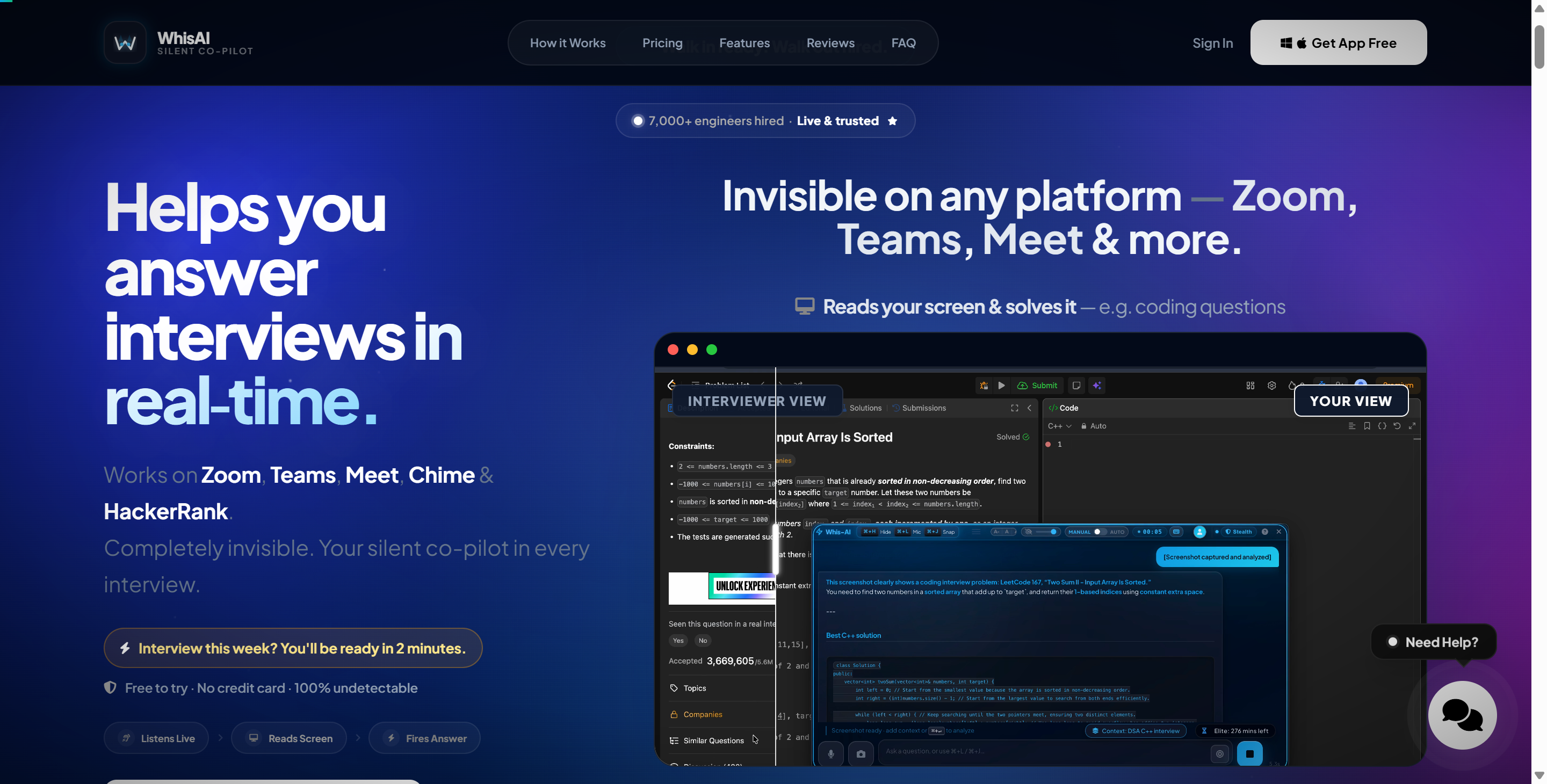
Core Marketing Claims on Whis-AI.com
According to its official website (whis-ai.com), Whis AI is built as a lightweight interview copilot designed specifically for developers and technical candidates.
The basic workflow is straightforward. The app can listen to interview audio, transcribe what is being said, send questions to an AI model, and display suggested responses. For technical interviews, users can also capture the screen so that the AI can analyze a coding question or visual problem.
The official website currently highlights four main capabilities:
Real-time listening. Whis listens to interview audio and converts questions into text.
Screen reading. You can capture a coding problem or other relevant information from your screen and send it to the AI.
Resume-aware answers. Whis says you can provide resume context so behavioral answers are more personalized.
Stealth operation. The desktop overlay is designed not to appear in normal screen sharing and recording.
The Marketing Footprint & Target Audience
When I was doing some background research for this review and guide to Whis AI alternatives, I looked at Whis AI's digital footprint. The tool is super new—its social media presence and active advertising campaigns on Instagram and TikTok have been around for less than four months.
If you take a closer look at the customer success section on the Whis AI website, you'll see that the currency format used is mostly ₹. So, it looks like their main target audience is software engineers in India and the tech market who are looking for an affordable, entry-level interview tool.
I have to say, though, the price tag doesn't really match what you'd expect for an entry-level tool.
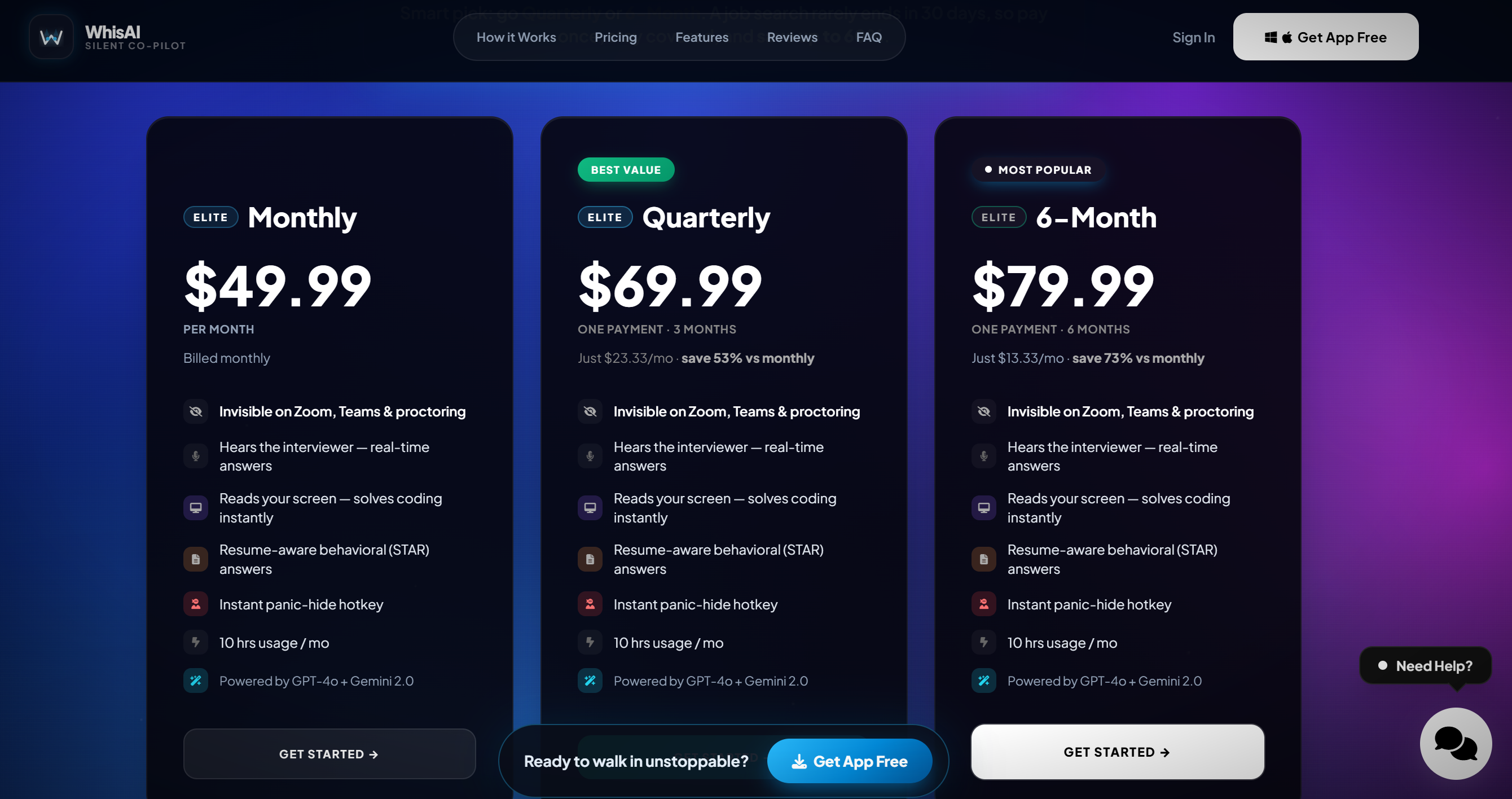
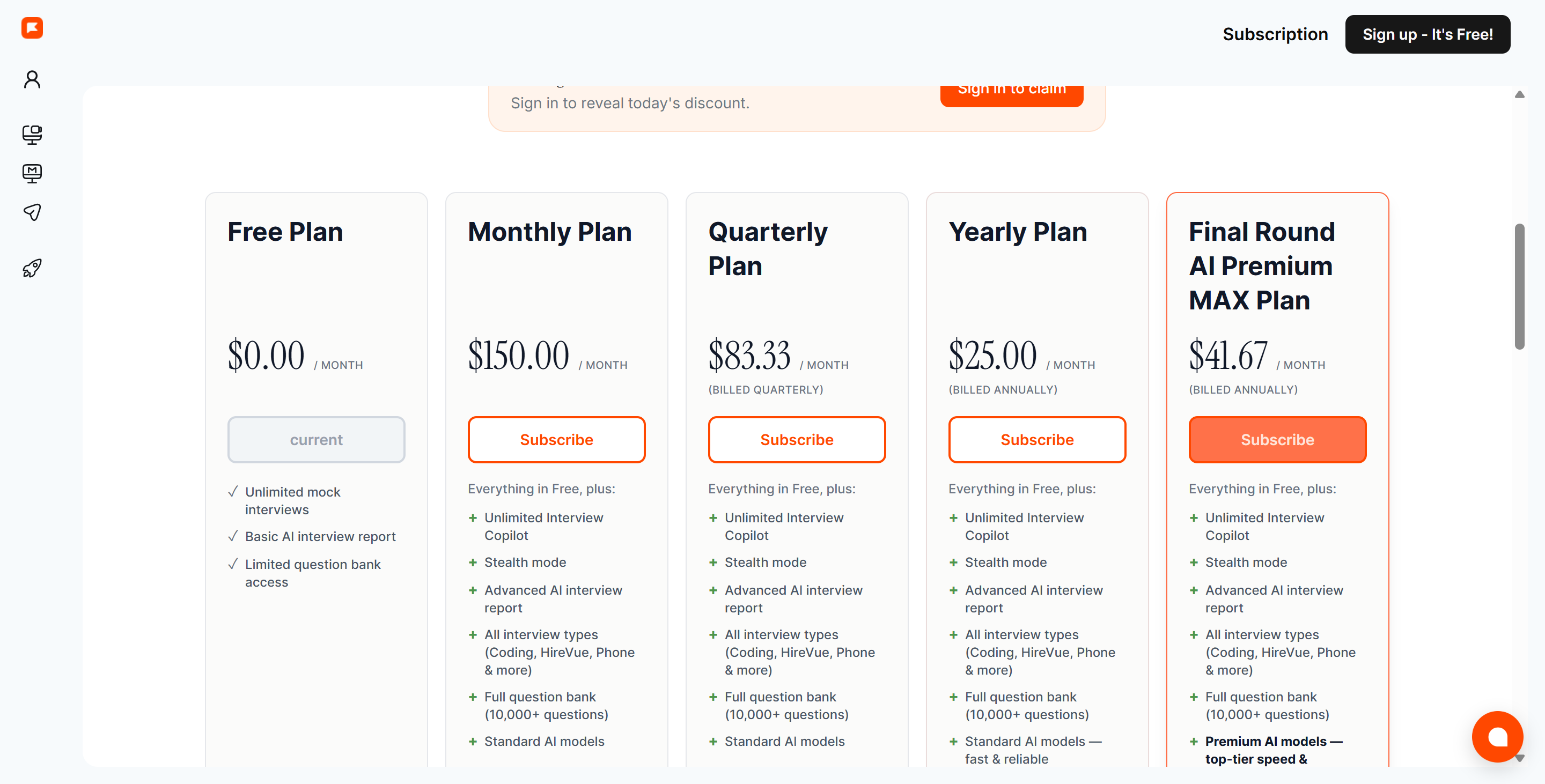
I think this is also why Whis AI went with a faster and simpler LLM—all their plans, including the Elite one, are labeled "Powered by GPT-4o + Gemini 2.0," and you can't choose a model with the tool itself. This makes the steep price tag seem a bit over the top.
The Third-Party Review Vacuum
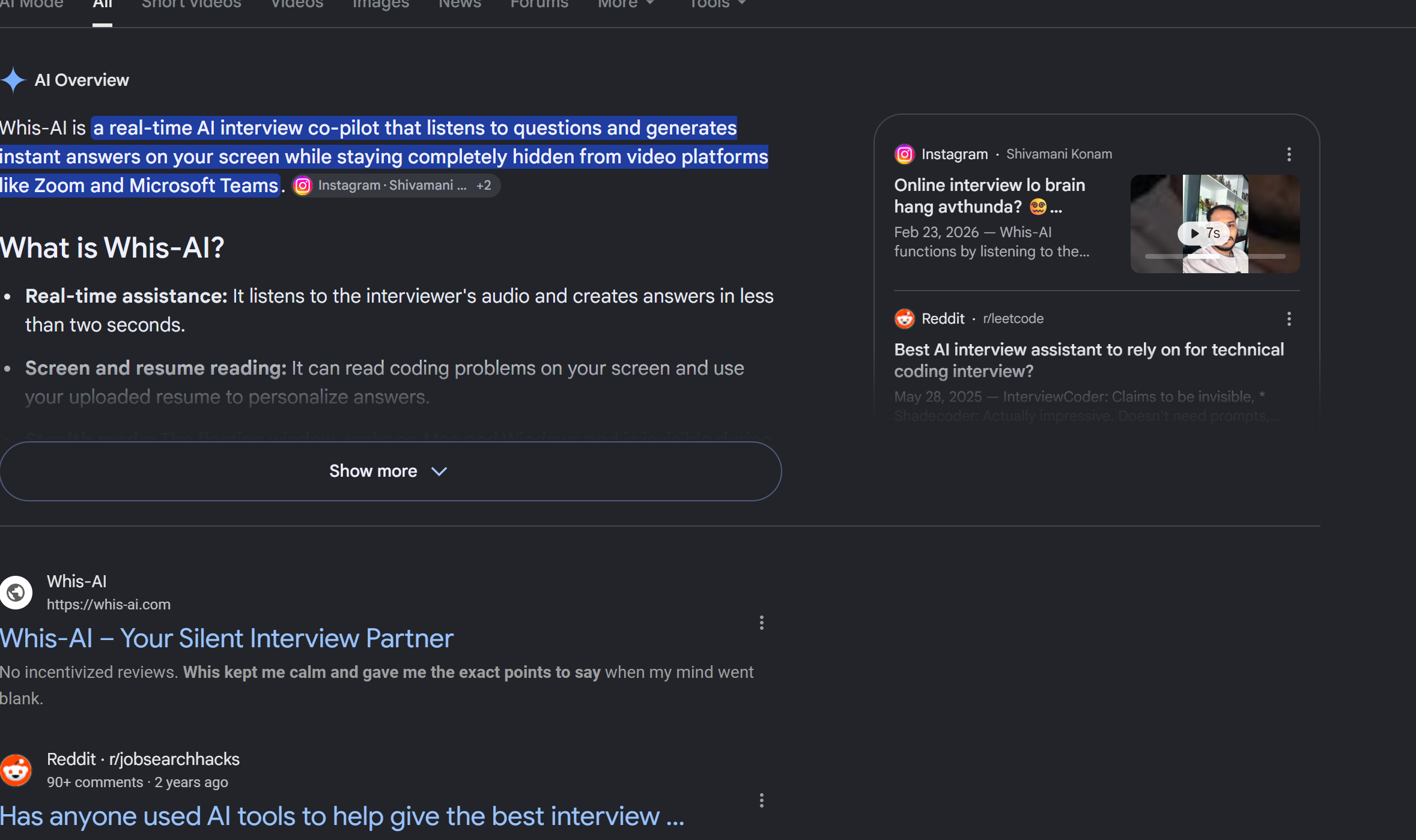
A significant red flag uncovered during this Whis AI review and alternative investigation is the total absence of authentic third-party feedback.
No Community Discussions: Whis AI doesn't have any reviews on the Microsoft Store, which is different from other interview preparation tools that have active discussion threads on the r/careerquestions subreddit or verified user reviews on Trustpilot.
Not Listed in Software Directories: Software directories like There's An AI For That don't have any verified user reviews for Whis AI. Actually, the website isn't even listed there.
Not Included in Competitor Roundups: In the past, the tools I've come across have at least been mentioned by one or two competitors, but this time, Whis AI is completely absent.
The website says the Whis AI official site was registered in November 2025, but I don't think it's a very popular tool. I haven't been able to reach the supposed 7,000+ users.
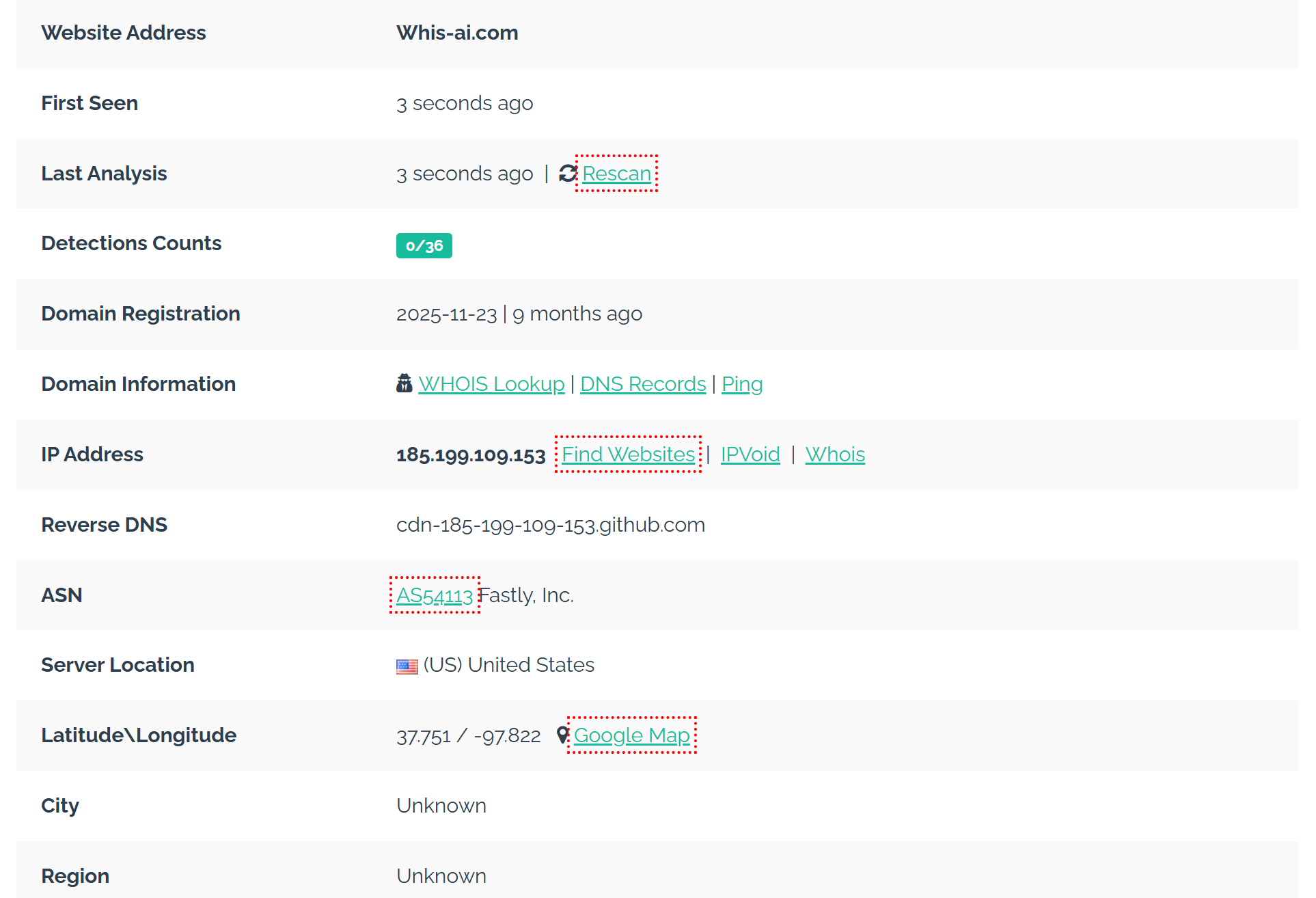
Hands-On Testing: An Honest Whis AI Review and Alternative Analysis
To deliver an objective, first-person Whis AI review and alternative evaluation, I installed the Whis AI desktop client on a dedicated dual-monitor test rig. I set up simulated live coding sessions on LeetCode, routed technical audio prompts through system speakers, tested screen recording hooks with OBS and Zoom, and evaluated its real-time coding assistance.
Here is the exact breakdown of what Whis AI gets right—and where it fails during real-time interviews.
What Whis AI Gets Right (The Positives)
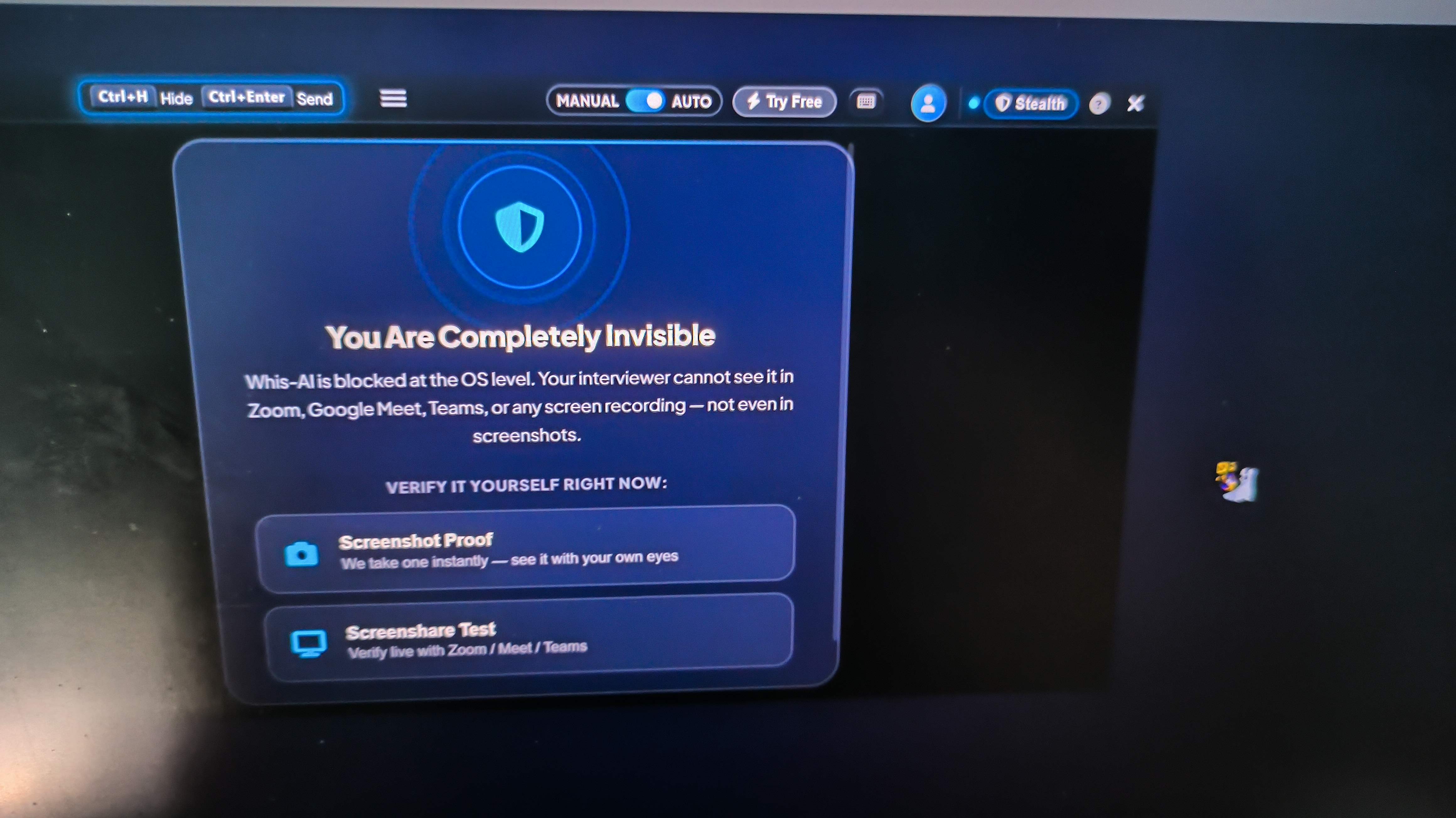
During my initial static tests for this Whis AI review and alternative assessment, the desktop app demonstrated a few genuine technical strengths:
Baseline Screen Capture Invisibility
The Whis AI app hid its floating interface from standard window capture hooks, and it did so successfully. When I shared my whole desktop on Zoom and recorded the session using OBS Studio, the Whis AI application window didn't show up at all in the recorded video.
Fast Speech Transcription with Readable Context
Whis AI's speech recognition was pretty good. Whis was quick to turn the audio into text when the interviewer in the test spoke. The interface showed about three lines of text at a time, which was usually enough.
Low-Latency Response Rendering
When processing simple text prompts, the generation speed was fast with minimal lag between the end of a question and the appearance of the initial text response.
Quick Hotkeys & Taskbar Footprint Suppression
This app has keyboard shortcuts that let me open or close windows in a flash. Also, Whis AI was invisible in the taskbar.
Open Model Ecosystem Across All Tiers
Whis AI is different from competitors who keep their advanced AI models behind a paywall that costs over $100 per month. Whis AI is open about the LLMs it uses (GPT-4 and Gemini 2.0).
Critical Operational Flaws (Where Whis AI Fails in Live Interviews)
Even with the great features I mentioned earlier, it's clear that as I kept using Whis AI, some issues started to stand out. And those were the reasons why I'm writing this blog about Whis AI review and alternatives.
Severe Speaker Diarization Failure
The most critical flaw identified in this review of Whis AI and its alternatives is that Whis AI cannot distinguish between different speakers.
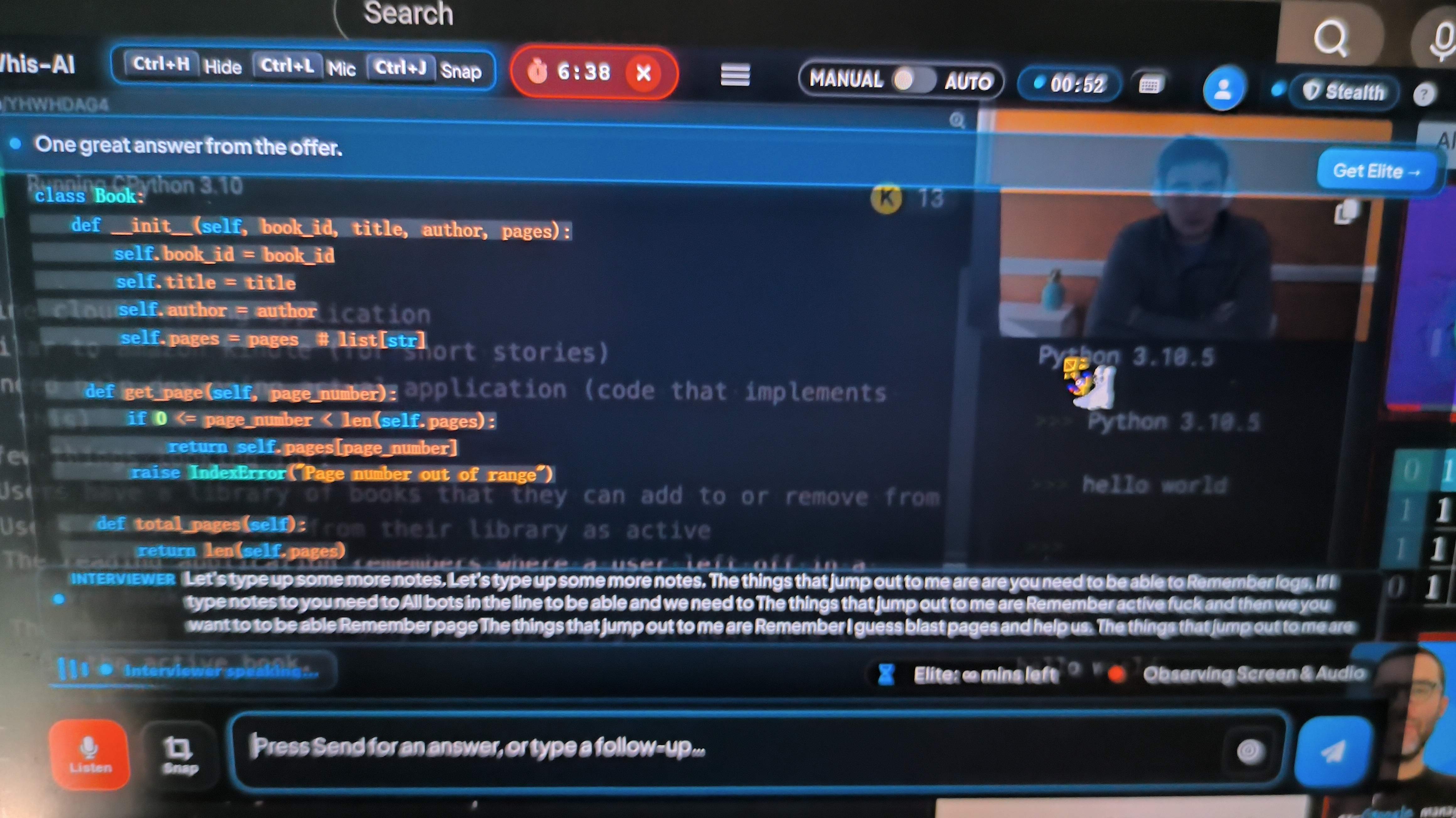
The app captures all system audio but is unable to separate the left and right channels. When the interviewer asks a question, Whis AI generates an answer card. However, when you read the answer aloud or explain your reasoning to the interviewer, Whis AI picks up the sound from the microphone, misinterprets your remarks as a new question posed by the interviewer, and then proceeds to generate an answer that is actually unnecessary.
This creates an agonizing infinite feedback loop:
Interviewer asks: "How do you optimize a database index for read-heavy workloads?"
Whis AI transcribes the prompt and displays Answer A.
Candidate speaks aloud, explaining Answer A to the interviewer.
Whis AI captures the candidate's voice, assumes it is a new prompt, and generates Answer B, completely cluttering the user interface with repetitive, irrelevant cards.
During a 15-minute mock session, this bug flooded the interface with useless text cards, making it almost impossible to locate the original answer while speaking.
Auto-Scroll Failure on Image & Screenshot Captures
In Whis AI, when I upload a screenshot of an issue, it does analyze the image and generate a solution card at the bottom of the feed. But Whis AI doesn't automatically scroll down to the answer it generated.
Since real-time speech transcription was running in the background, new audio cards kept popping up, but the answer window didn't seem to be changing. I was left staring at the screen, thinking the app had frozen. Then I realized I had to pick up the mouse, click the scroll bar, and scroll down to view the solution card. I mean, that just seems a bit awkward.
Single-Image Context Limitation
Technical interviews usually mean you've got to show the background info from a bunch of files. For example, you might have screenshots of the problem description and separate images of the initial code template. Whis AI doesn't currently support uploading multiple screenshots at once. If a problem involved multiple files or a long description, I had to manually enter the rest of the code background info at that time.
Whis AI can also upload files to provide more context, but that feature is only useful for resumes, meaning it's best for pre-interview prep. When I was in the interview, I'd get totally stumped by complex questions.
Mislabeled & Inverted UI Action Buttons
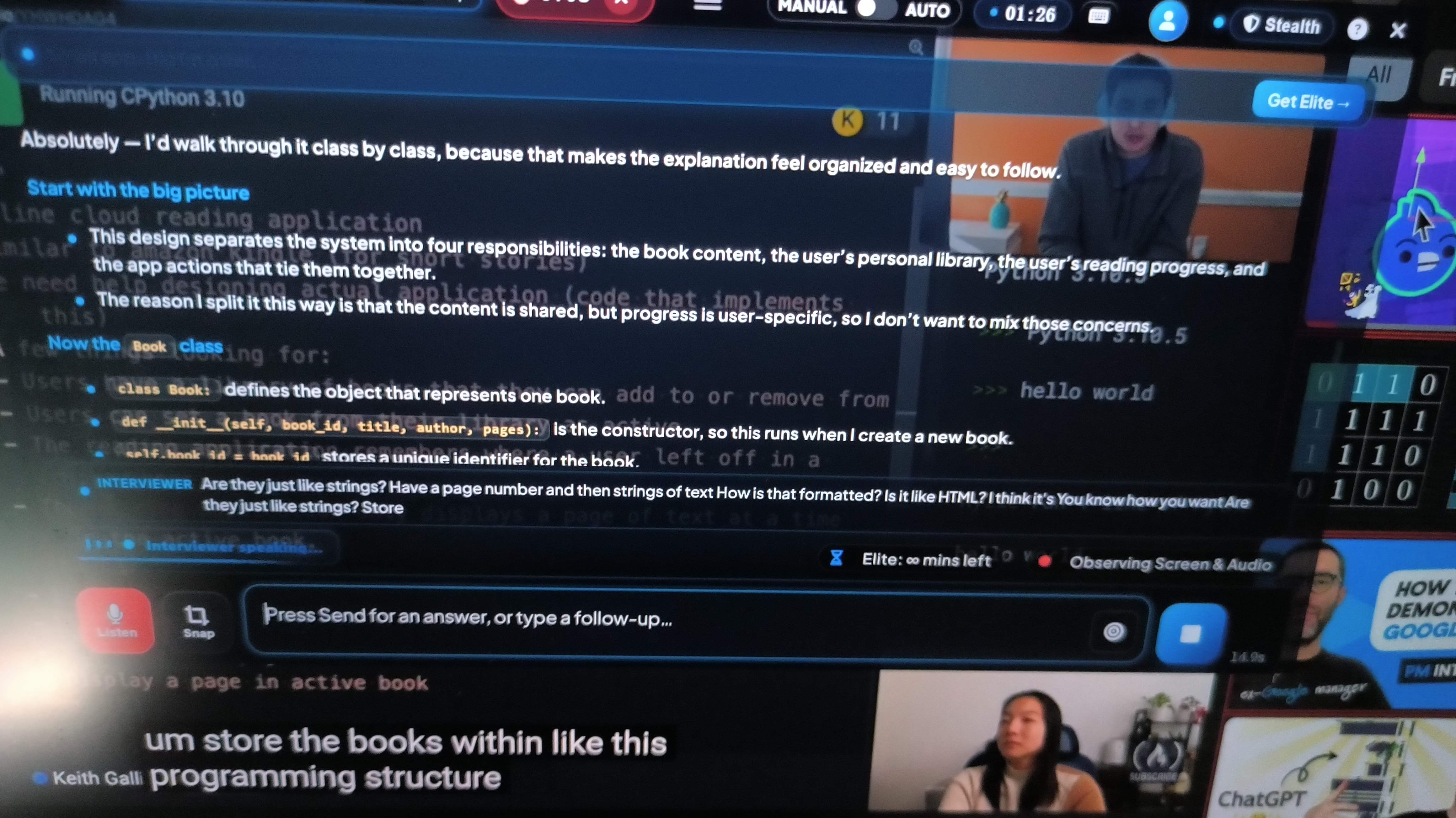
During hands-on testing for this Whis AI review and alternative analysis, I encountered a bizarre user experience bug: the UI control buttons for "Auto-Recognition Mode" and "Manual Input" appear to be mislabeled or inverted.
When clicking the "Auto-Recognition" button expecting automated continuous listening, the software failed to process incoming audio streams automatically. To get the tool to output answers, I had to manually hit shortcut key bindings repeatedly. Finding that the automated features require constant manual hotkey triggers introduces immense friction during an intense interview.
Subpar Code Generation Quality on Complex Problems
Whis AI gives clear instructions on how to use LLMs, meaning that their problem-solving and responses rely on GPT-4o and Gemini 2 Flash. This is a major issue because the newer and more complex the problem, the less capable older LLMs are of solving it.
I've done tests in the past using complex LeetCode Hard-level algorithms, distributed system design architectures, or optimisations for subtle edge cases. In these cases, the code snippets generated by older models (I was testing Gemini 3 Flash at the time) often had syntax errors, missing import statements, or inefficient time complexity. In edge-case testing, older LLMs could only pass 3 out of 10 tests.
So, even though Whis AI can come up with answers quickly, it's just for the basics. When you get to some of those more complex tests designed for senior engineers, it doesn't quite measure up.
Whis AI Review and Alternative Matrix: Comparing Top Interview Copilots
To contextualize this Whis AI review and alternative guide within the broader 2026 market, it is helpful to compare Whis AI directly against leading AI interview copilots: Linkjob AI, Interview Coder, and LockedIn AI.
Feature | Linkjob AI | Whis AI | Interview Coder | LockedIn AI |
|---|---|---|---|---|
Best for | Overall live interviews + coding | Simple, lower-friction interview help | Dedicated coding interviews | Broad interview feature set |
Real-time audio | Yes | Yes | Yes | Yes |
Coding support | Strong | Basic–moderate | Strong / specialist | Yes |
Screen-share stealth | Yes, desktop stealth | Yes in my capture test; vendor claims broader stealth | Native desktop stealth | Stealth on supported plans |
Screen analysis | Yes (multiple screenshots available) | Yes | Yes | Yes |
Multiple advanced models | Yes | Limited to listed GPT-4o/Gemini 2.x options | Technical-focused model stack | Multiple models |
Difficult system design | Strong fit | Less convincing | Technical focus | Limited |
Price plan | $29.99/mo annually | $50/mon, or $69.99 for 3 months | $299 monthly | From roughly $54.99 depending on plan |
Why Linkjob AI Is the Superior Whis AI Review and Alternative Option
As we can see from this review of Whis AI and its alternatives, relying on low-cost tools with basic audio processing, manual scrolling glitches, and poor code output quality during real-time technical interviews can be a big risk.
If you're serious about getting your dream job, Linkjob AI is a better choice (as a standard, discreet and reliable AI interview assistant).
Here are the reasons why I think Linkjob AI is better than Whis AI in various ways:
1. True OS-Level Stealth Driver Technology
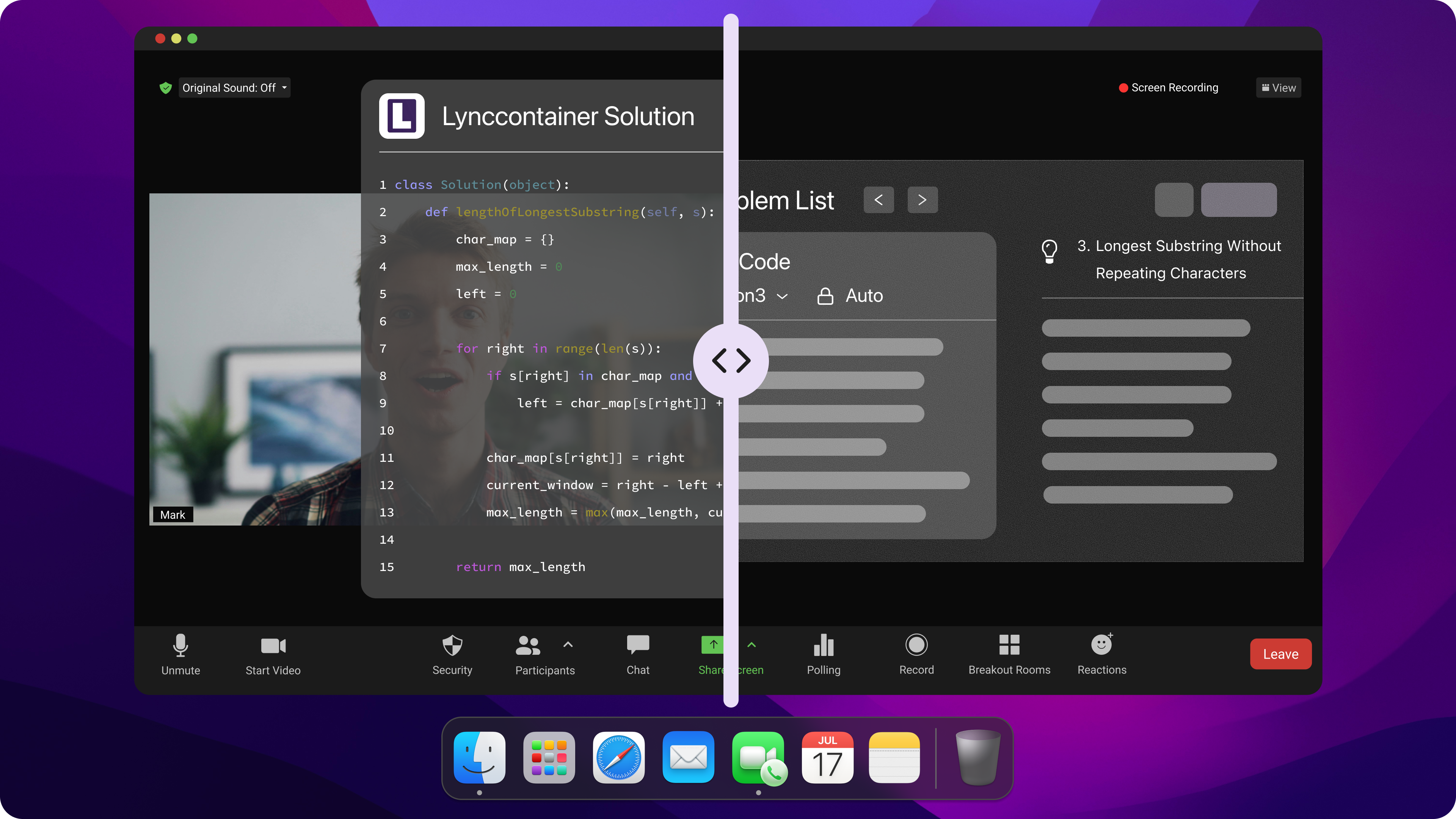
While Whis AI relies on basic application window hiding flags that can leak under full-desktop sharing or dedicated proctoring apps, Linkjob AI operates directly beneath display capture hooks at the operating system driver level. Whether sharing your full desktop over Zoom, Google Meet, Microsoft Teams, or taking assessments on CodeSignal and HackerRank, Linkjob AI remains completely invisible to interviewers, screen recorders, and proctoring tools.
2. Mechanical Click Pass-Through UI (Zero Focus Theft)
Cursor focus loss is a primary cause of flagged candidates on platforms like HackerRank and LeetCode. When you click or scroll on basic tool overlays, your web browser fires a window.onblur event, logging a tab-switch violation.
Linkjob AI solves this with its Mechanical Pass-Through UI. The overlay is entirely transparent to mouse interactions and keyboard focus. You can click, highlight code, and run test suites directly inside your browser or IDE without transferring active window focus away from the test window.
3. Sub-1.8s Execution Powered by 120+ Premier AI Models
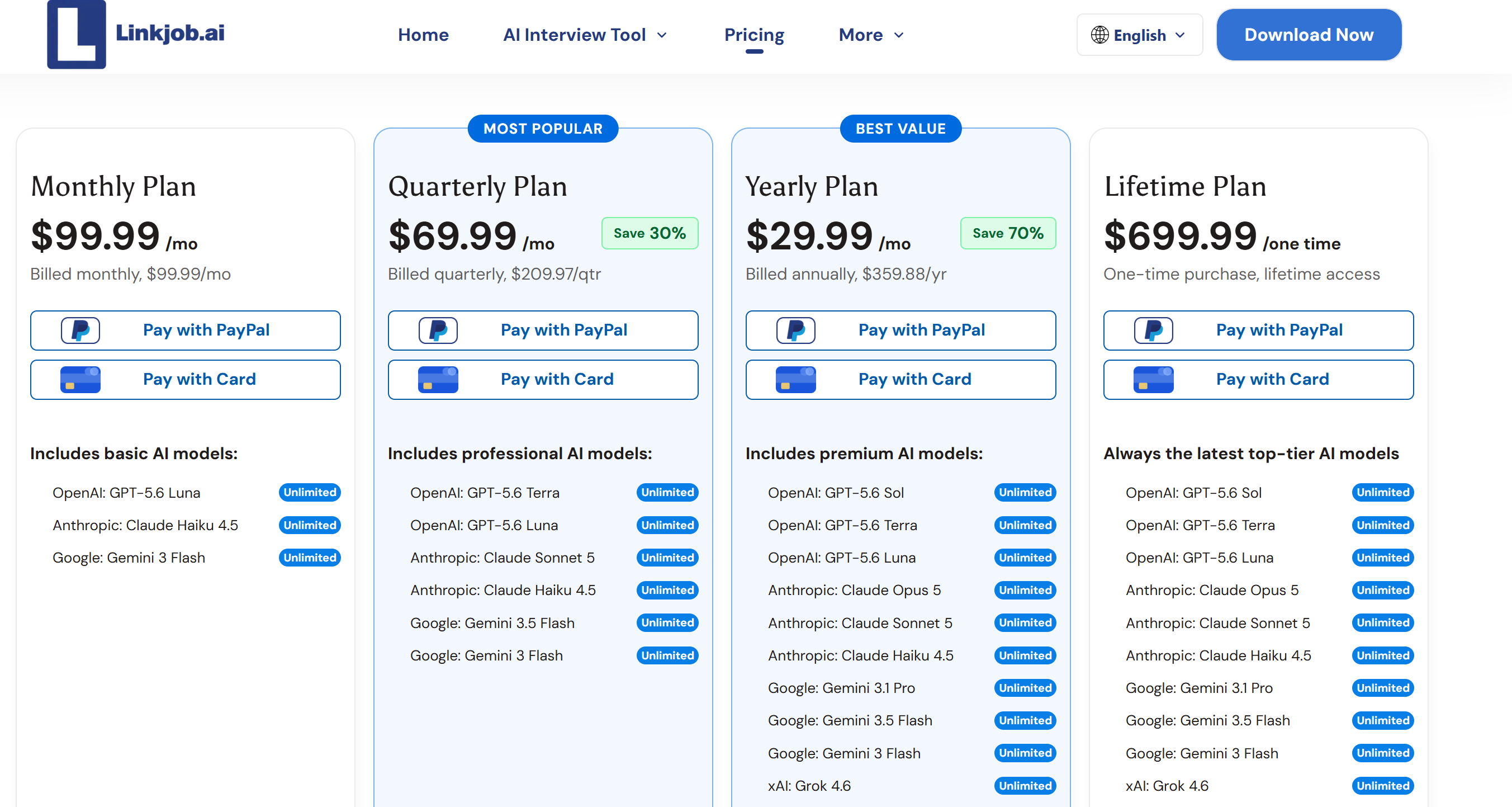
Where Whis AI suffers from unoptimized prompt routing and weak code solutions, Linkjob AI utilizes instant multimodal screen parsing. It captures code problems directly off your display and routes prompts through a selection of over 120 top-tier AI models—including Claude 5 Sonnet, Claude Opus, and GPT-5.6. Structured code solutions, complexity analyses, and STAR-method talking points stream onto your screen in a blistering 1.1 to 1.8 seconds.
4. Flawless Dual-Layer Speaker Diarization
Linkjob AI completely eliminates the infinite feedback loops that plague Whis AI. Its advanced audio pipeline separates incoming speaker audio from your outgoing microphone stream. When you speak aloud to answer a question, Linkjob AI recognizes your voice, suppresses redundant generation, and keeps your context card stream clean and focused.
5. Transparent Pricing with Maximum ROI
Unlike overpriced competitors charging $148/month or budget tools that break mid-interview, Linkjob AI provides flat, transparent pricing at $29.99/month (billed annually). You gain unlimited live interview sessions, complete OS-driver stealth, sub-1.8s latency, and access to top-tier reasoning engines without hidden token limits or sudden session cutoffs.
Final Verdict: Choosing the Right Whis AI Review and Alternative
To conclude this Whis AI review and alternative guide, Whis AI represents an ambitious effort to deliver a low-cost, visually simple interview assistant. Its desktop application hides its window from basic recordings, its speech transcription is fast, and its open approach to GPT-4o and Gemini 2 Flash is commendable.
However, when evaluated as a real-time copilot for high-stakes software engineering interviews, its operational flaws far outweigh its strengths:
Broken speaker diarization creates infinite answer loops when you speak.
UI auto-scroll bugs force suspicious manual mouse scrolling to find screenshot solutions.
Inverted UI action buttons force reliance on manual hotkey shortcuts.
Single-image upload limits hamper multi-file context processing.
Unoptimized code output struggles with complex algorithms and system design.
For candidates whose career trajectory and compensation depend on passing rigorous engineering loops, these shortcomings represent unacceptable risks. Investing in an OS-native, battle-tested solution like Linkjob AI provides the stealth, speed, accuracy, and reliability required to clear your interviews with complete confidence.
Frequently Asked Questions
Is Whis AI completely undetectable on Zoom and Google Meet?
Whis AI’s native desktop app window is hidden from standard screen capture hooks during basic screen sharing. However, because it lacks OS driver-level integration, its web version and overlay remain vulnerable under full desktop recording or proctored browser setups. For guaranteed stealth, an OS-driver tool like Linkjob AI is recommended.
Why does Whis AI create repetitive answer cards when I speak?
Whis AI lacks dual-layer speaker diarization. When you speak aloud to read an answer to your interviewer, the app captures your voice from the microphone, mistakes it for a new question, and generates a redundant answer card.
How does Whis AI compare to Linkjob AI for live coding rounds?
Whis AI suffers from audio feedback loops, single-image upload limits, auto-scroll UI glitches, and mediocre code quality on complex problems. Linkjob AI provides OS driver-level invisibility, sub-1.8s execution powered by 120+ top LLMs (including Claude 3.5 Sonnet), mechanical click pass-through, and dual-layer resume integration, making Linkjob AI vastly superior for live technical interviews.
Does Whis AI support refunds after purchase for its elite plans?
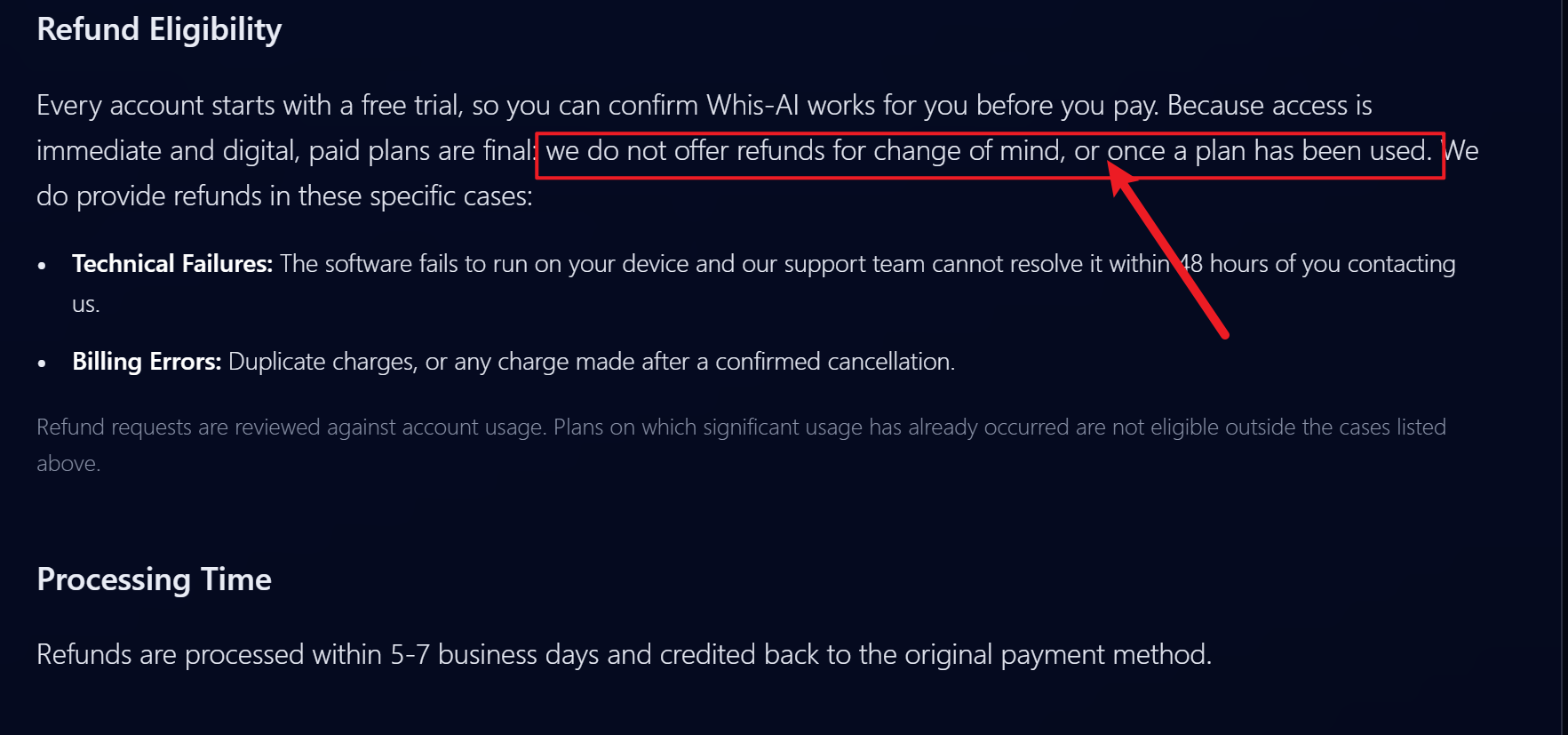
Actually, no. There are clear sentences about Whis AI's refund policy, which I can quote: do not offer refunds for change of mind, or once a plan has been used. And Whis AI only accepts refunds when there are technical issues and billing errors.
See Also
My Honest LockedIn AI Review After Testing It Thoroughly
Top Verve AI Substitute For AI Interview Assistance
Chiku AI Review: Pros, Cons, and My Experience
Why People Choose Linkjob AI
Smoother interviews, coding challenges cleared, and job offers landed. See how users describe their experience with Linkjob AI—in their own words.


© Copyright 2026 Linkjob AI - All Rights Reserved.