Best Shadecoder Alternative & Why I Choose It

After trying Shadecoder for a short time, I generated a Shadecoder review to point out some extremely inconvenient features. Then I turned to search for some AI interview copilots that are more flexible and easy to use. I checked for multiple AI interview helpers and their best alternatives, including best Parakeet AI alternative, Beyz AI alternative, and Cluely alternatives.
When I was looking for a better option than Shadecoder, Linkjob AI was an obvious choice. I really like how quick it is, how simple the interface is, and the fact that the pricing is always clear and straightforward. Here's a quick comparison table of Linkjob AI and Shadecoder in terms of stealth features:
Feature | Linkjob AI | Shadecoder |
|---|---|---|
Response Time | Extremely fast, under a second | Fast and stable in interviews |
Interface | Simple and clear, supports personalization | Minimally visible during screen sharing, hard to adjust |
Coding Depth | Great for both beginners and high-level ones | More depth for complex coding tasks |
Linkjob AI makes coding interview prep less stressful for me. I can focus on practice instead of worrying about hidden fees or clunky tools.

Key Takeaways
Linkjob AI offers fast response times, making coding practice quick and efficient.
The platform features a simple interface that helps users focus on coding without distractions.
Transparent pricing ensures no hidden fees, allowing users to budget their coding practice easily.
Real-time feedback and mock interviews help build confidence and improve coding skills.
Linkjob AI supports multiple programming languages, making it versatile for different coding tasks.
Why Linkjob AI Is the Best Shadecoder Alternative
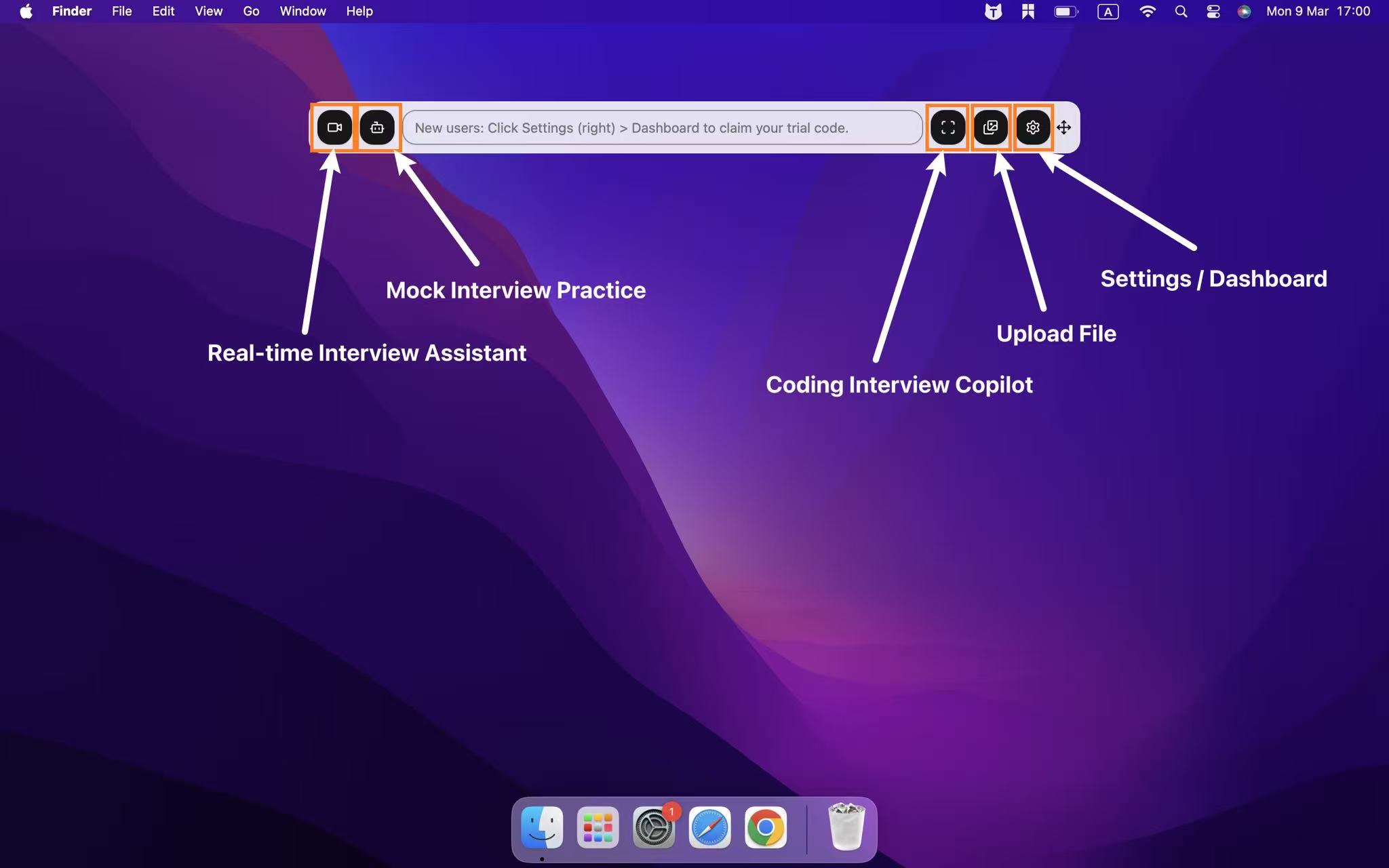
Key Coding Features
When I was looking for something to replace Shadecoder, I wanted to find a tool that would make programming feel less intimidating and offer more flexibility without getting in the way of my ability to solve problems.
Linkjob AI has a bunch of features that let me get stuck into coding right away, so I'm not spending time on things I don't need to. The platform gives me instant access to a coding environment, so I can start practising and taking real interviews with just one click.
I don't need any complicated setup.
The interface is clean and easy to use.
I can focus on coding instead of spending time looking up shortcut keys or configuring settings.
Linkjob AI has over 20 stealth features that make coding interviews private and secure. I can hide the app in the dock or manually mute the audio if I want. This is really handy when you're coding in public places or during online interviews. It also supports multiple programming languages, so I can easily switch between different coding tasks. I never feel restricted to just one language or style.
I actually use the mock interview feature on Linkjob AI to practise programming problems. It helps me find answers to the problems I'm working on quickly, and I can also learn how to use the software at the same time. This is useful in case I get nervous during an actual interview.
Practice and Interview Preparation
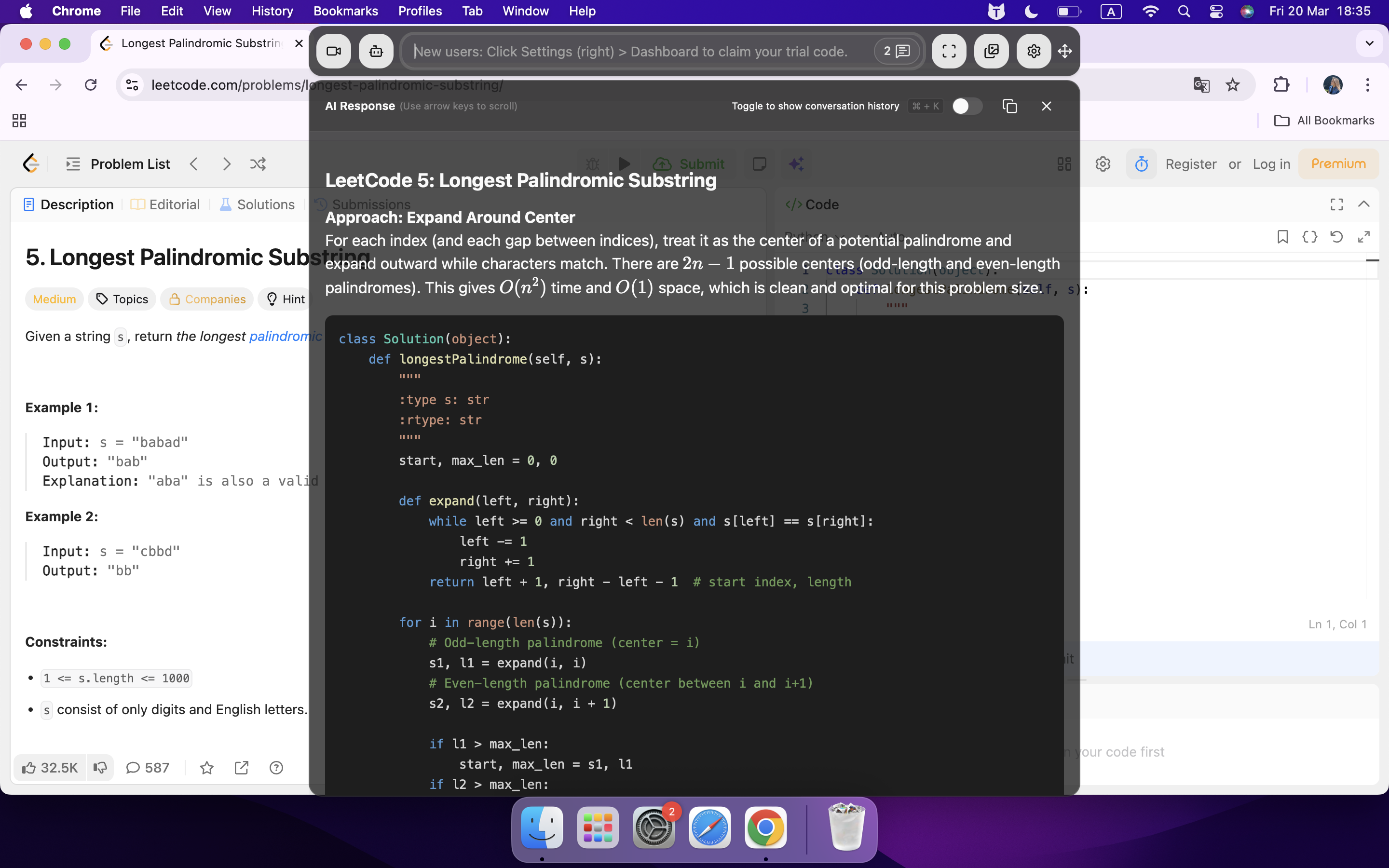
I've always dreaded the anxiety of interviews, but during my trial period with Shadecoder, I found that it didn't work well for mock interviews because:
Shadecoder was too clunky
Shadecoder didn't offer much customisation based on the job or my resume
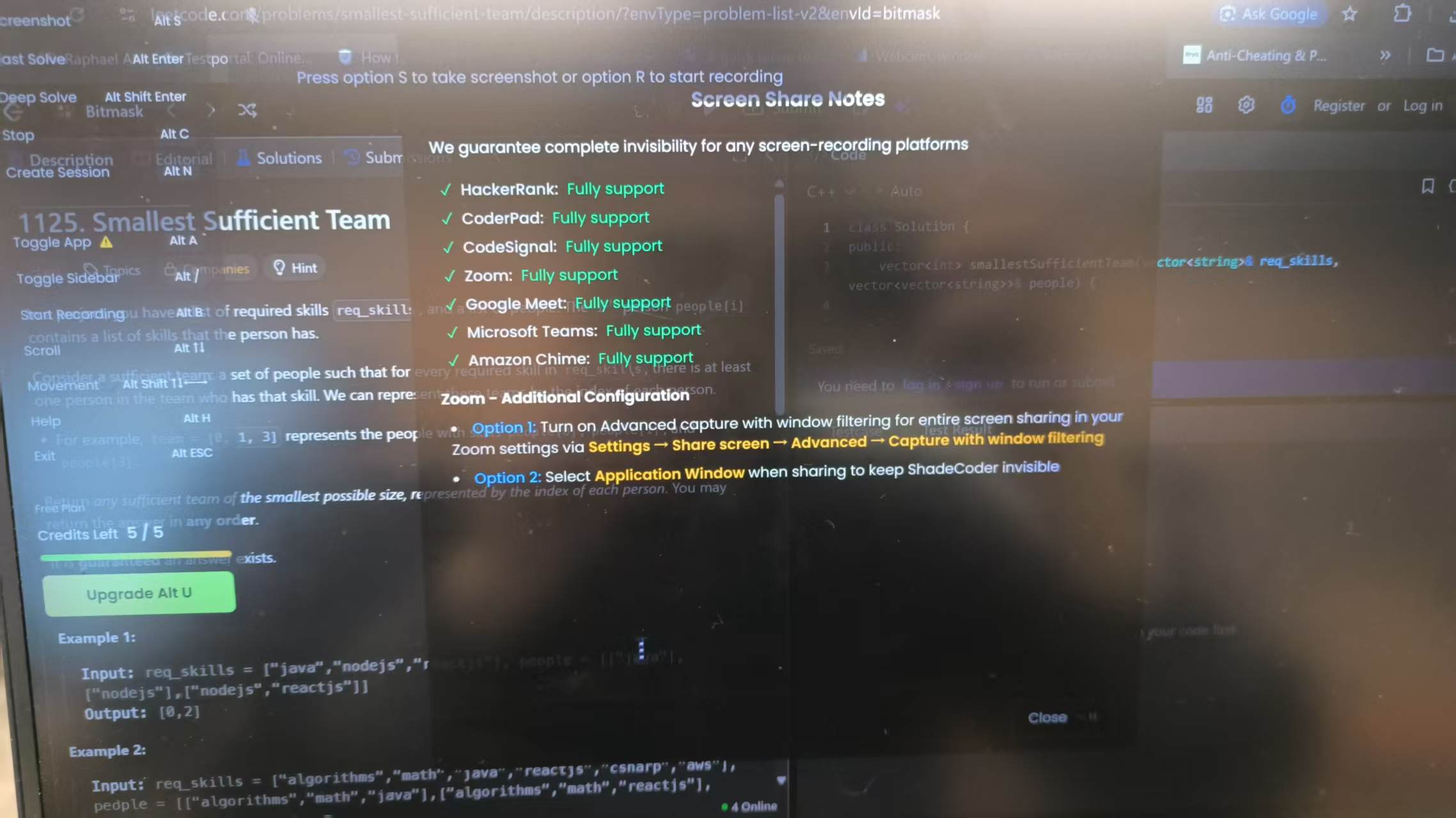
I've found a Shadecoder alternative that's really helped me prepare for interviews, and it's completely turned my situation around.
Linkjob AI is great because it gives me real-time answer suggestions based on my CV and job descriptions. This helps me stay calm, even when I'm faced with tough questions.
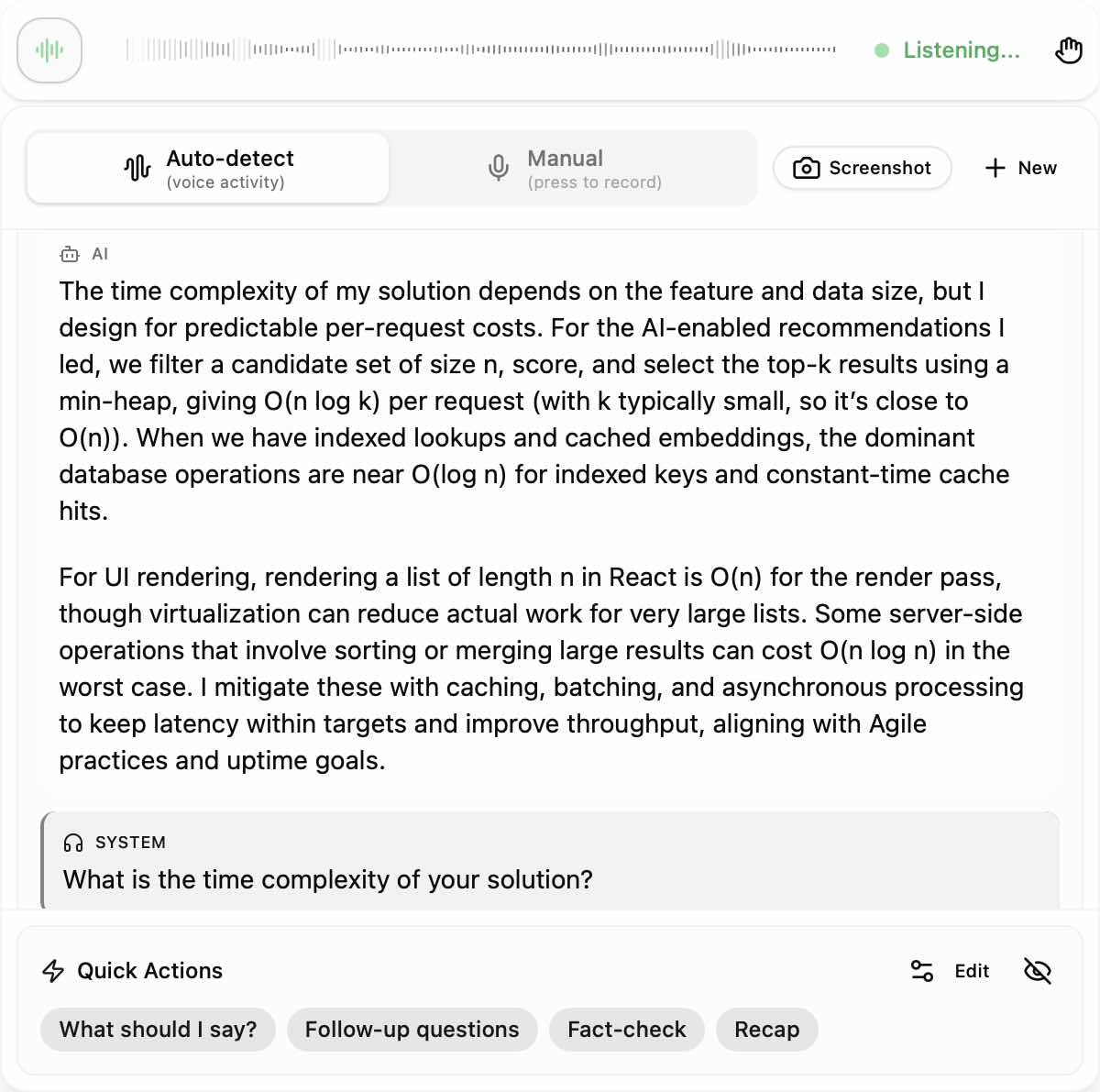
I can also take mock interviews whenever I want, which is great because it simulates real interview scenarios and gives me instant feedback.
Here’s what I noticed during my practice sessions:
The AI assistant suggests answers that fit my experience and the job I want.
Mock interviews feel realistic and help me prepare for coding interviews.
I get context-aware answer suggestions during live interviews, so I can respond confidently.
The feedback is detailed and personal. It helps me improve the structure and clarity of my answers.
I compared Linkjob AI to Shadecoder to see which Shadecoder alternative works best for practice and interview prep. Here’s what I found:
Feature | Linkjob AI | Shadecoder |
|---|---|---|
Assistance Type | Quick, low-friction support for warm-up sessions | Robust support for real-time coding interviews |
Input Methods | Supports multimodal input (audio transcription, screengrabs, document uploading, follow-up questions...) | Screenshots, snippets, voice |
Performance on Devices | Smooth on older devices, avoids complex features | Desktop-first architecture, responsive during screen sharing |
Focus | Speed and simplicity | Structured code generation |
Limitations | Lighter reasoning depth, unless you pre-prompt for each interview | Heavily focused on algorithmic problem-solving, less comprehensive for behavioral interviews |
Transparent Pricing
I went with Linkjob AI over Shadecoder because of its transparent pricing. I hate hidden fees and confusing subscription plans. Linkjob AI makes it super clear what I'm paying for. I can see all the features included in each plan, so I know what I'm getting before I start coding or practicing.
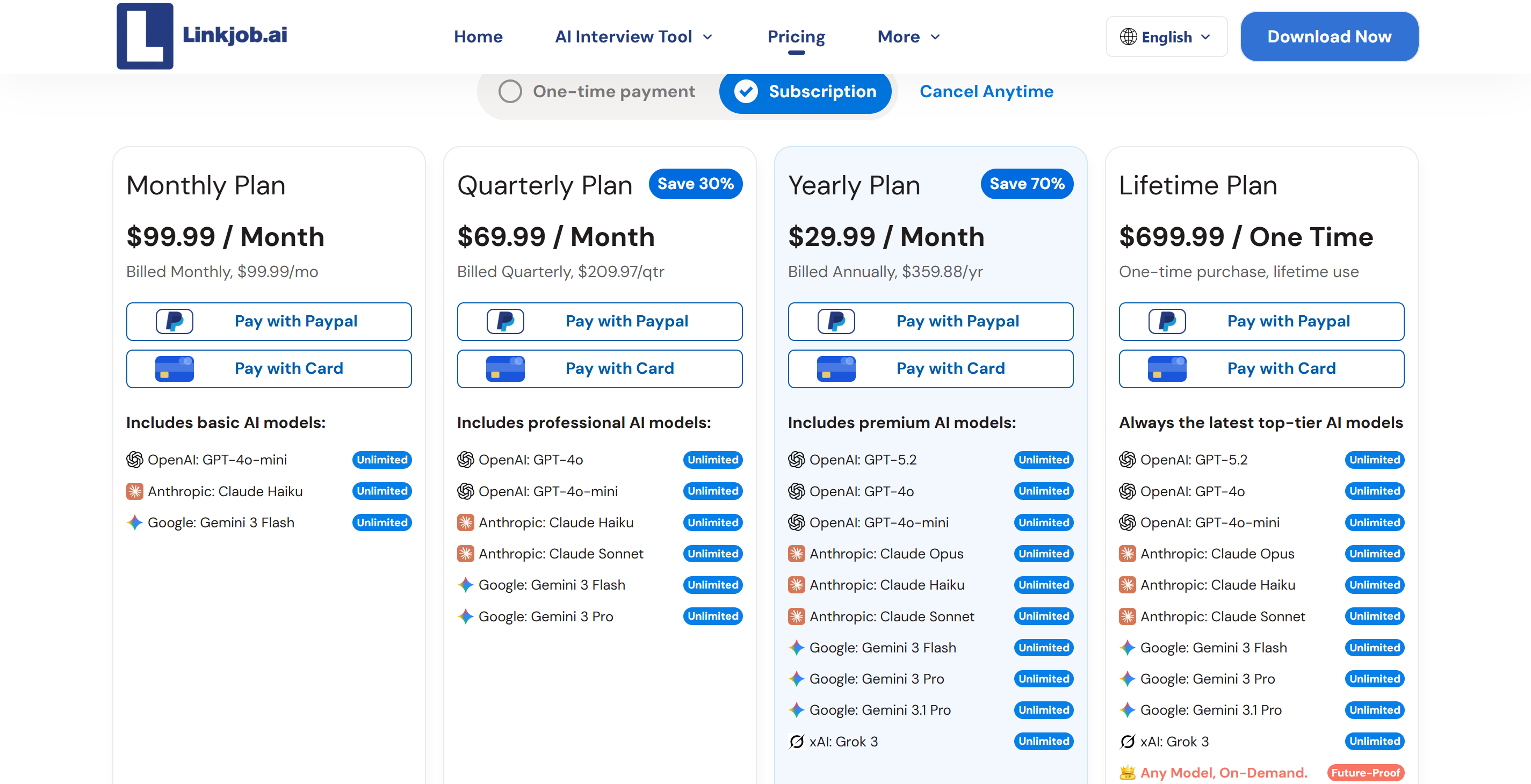
This pricing structure makes it easy for me to plan my coding practice. I don't have to worry about any hidden charges or restrictions. This means I can focus on interviews and coding simulations instead of worrying about my wallet. If you're after a clear and straightforward alternative to Shadecoder, Linkjob AI is definitely worth a look.
Just so you know, transparent pricing means you can spend more time on coding and practising without having to worry about your budget.
I've found that Linkjob AI solves all the common problems I had with Shadecoder. It's got incognito mode, so I can do all my coding without worrying about anyone knowing what I'm up to, and the interview prep tools help me to feel more confident.
And the pricing structure is really straightforward, meaning I can just focus on coding and practising without any stress. If you're after an alternative to Shadecoder that makes coding and practising easier, I'd say Linkjob AI is the one to go for.
Linkjob AI vs. Shadecoder: Direct Comparison
Performance and Reliability
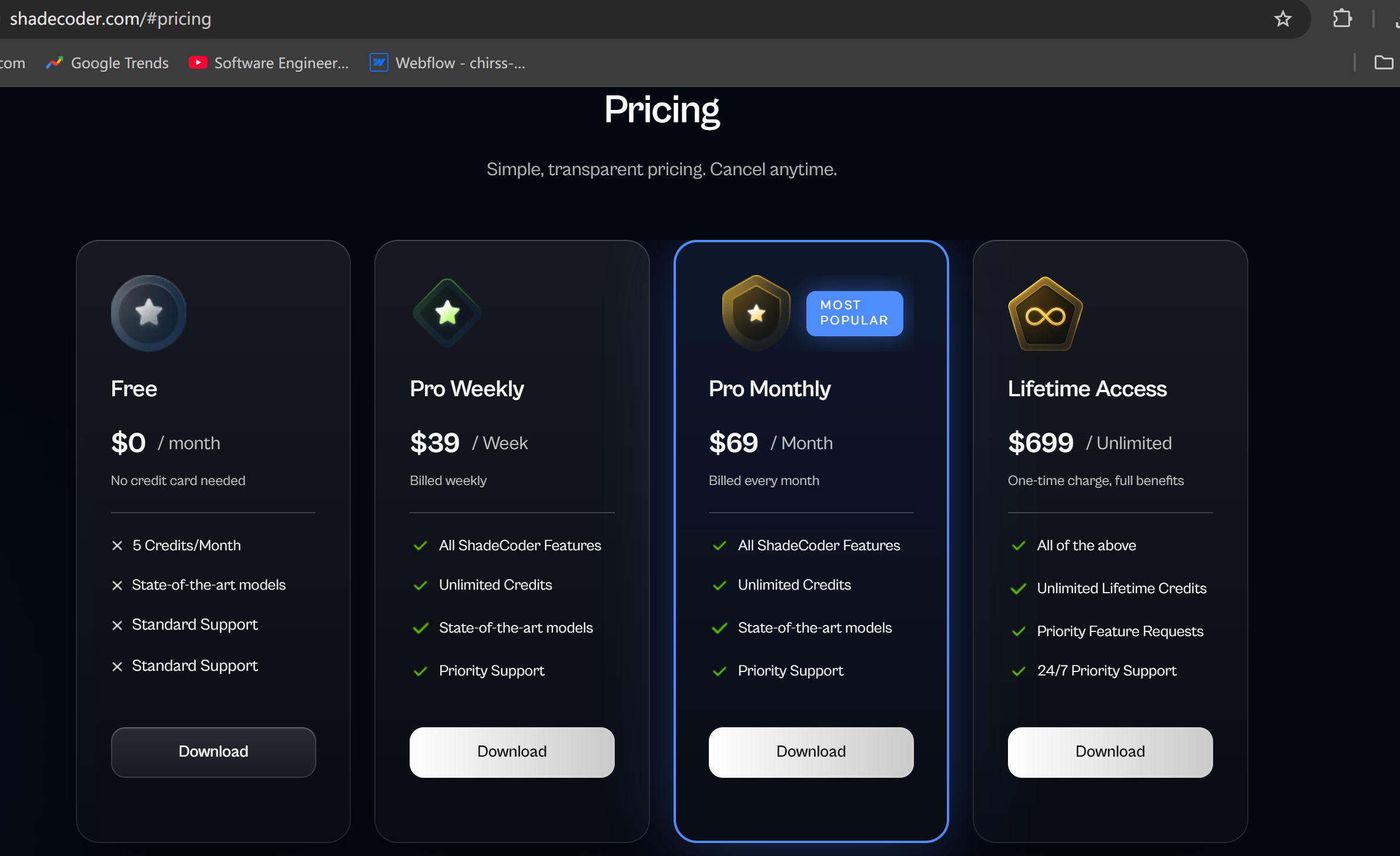
I always want my coding practice to run smoothly. Linkjob AI gives me answers in under a second. This speed helps me tackle coding challenges without waiting. Shadecoder stays stable during real-time coding interviews, which is great for longer sessions. Both coding assessment platforms deliver reliable performance, but Linkjob AI feels faster when I need quick help.
Service | Response Time |
|---|---|
Linkjob AI | Generates answers in under a second for any interview |
Shadecoder | Highly responsive during coding interviews |
Linkjob AI works well for fast-paced coding challenges.
Shadecoder keeps things steady during coding interviews.
Usability and User Experience
I find Linkjob AI easier to use. The real-time assistant helps me during live interviews. It detects my tone and pauses, making the interaction feel natural. The AI interviewer adapts to my answers, so every coding challenge feels unique. Questions match the role and company, which makes practice sessions more relevant. I get context-aware answers, especially for technical and finance coding assessment platforms.
Linkjob AI offers a cohesive experience for coding practice.
Shadecoder sometimes feels less flexible during coding challenges.
Pricing and Value
I like clear pricing. Linkjob AI shows me all costs upfront. I can choose flexible plans that fit my budget. Shadecoder has limited payment options and less transparency. I feel more confident using coding assessment platforms when I know what I pay for.
Feature/Aspect | Linkjob AI | Shadecoder |
|---|---|---|
Transparency | High transparency with clear pricing and trials | Lacks transparency, no meaningful trial |
Flexibility | Flexible pricing options | Quite expensive for both long-term and short-term use |
Tip: Always check the pricing details before starting coding challenges. It saves you from surprises.
Support and Community
I value good support. Linkjob AI has positive user feedback. It supports multiple coding assessment platforms and stays invisible during interviews. Shadecoder gets mixed reviews. Some users report issues with visibility during coding interviews. I feel more supported with Linkjob AI, especially when I face tough coding challenges.
Linkjob AI offers strong community support for coding practice.
Shadecoder’s support feels less consistent.
If you want a coding assessment platform that makes coding challenges easier, Linkjob AI stands out. I recommend trying it for your next coding session.
Why I Chose Linkjob AI for Coding Practice
My Experience with Coding Interviews
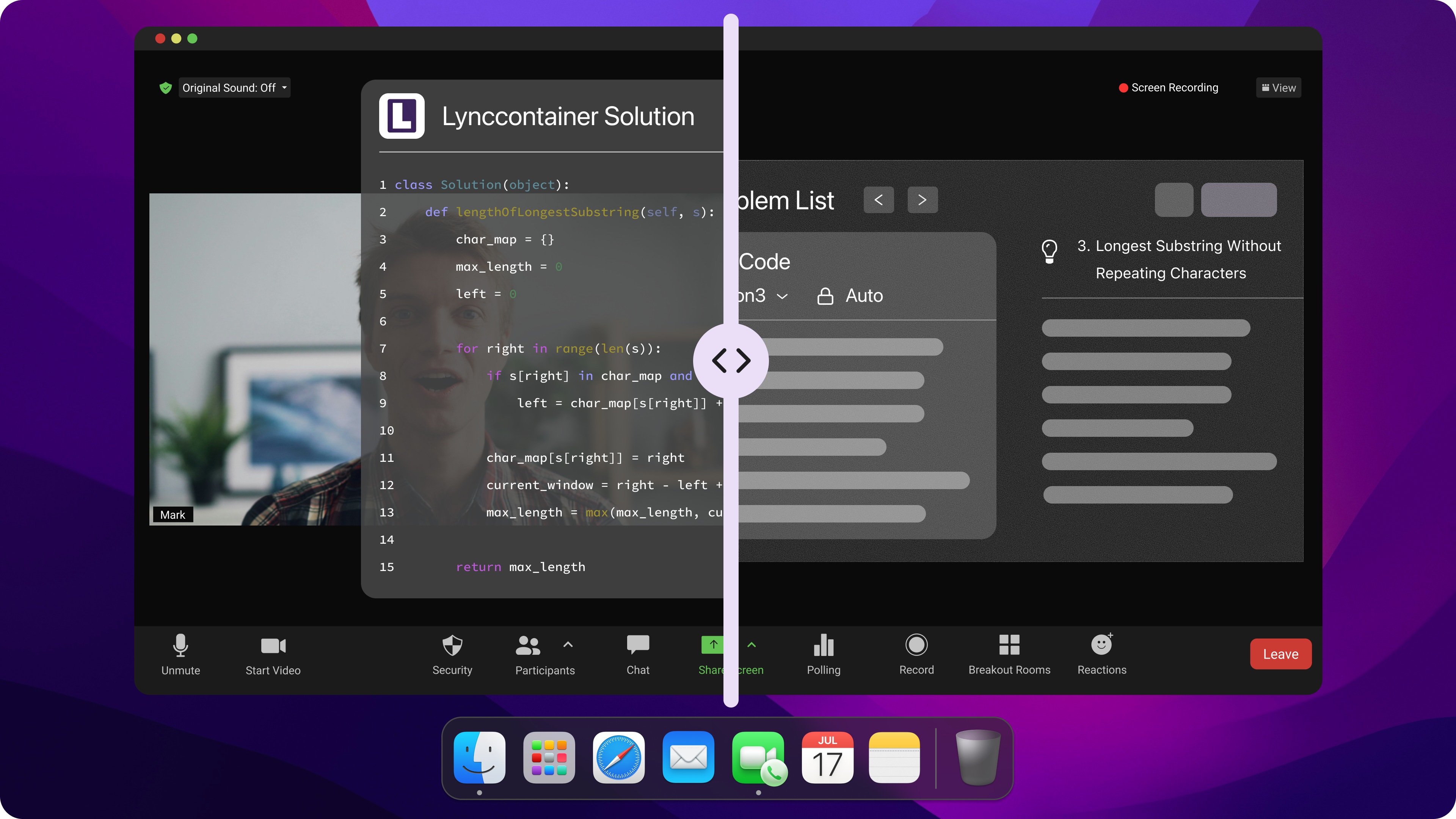
I remember feeling nervous every time I started getting ready for an interview. I'd always hoped to find a tool that would make coding practice less stressful and more efficient.
Linkjob AI has totally changed the way I get ready for interviews. I first started using this AI interview assistant to practise answering questions before formal interviews. I do my best to remember the best answers, but I always make sure to combine my own thinking with the AI's suggestions. This helps me to answer questions in a natural and confident way.
When I'm doing a coding interview, I try not to just copy and paste my answers. I usually just try to keep eye contact and speak smoothly. When I reply, I try to match the natural pace of the conversation. Even in a formal setting like a technical interview, smiling and nodding helps me to make everyone feel comfortable. These little habits of mine have really helped my interview prep.
Benefits for Practice and Confidence
The tools provided by Linkjob AI make my coding practice feel just like a real interview.
I can work together in real time, make changes to code, and solve problems just like I would in a real interview.
The platform gives me personalised feedback, showing me exactly where I'm doing well and where I could improve.
I use my free time to schedule mock interviews whenever I can, which lets me prepare around my busy schedule.
The mock interviews are really realistic and have helped me deal with the pressure of the real thing. I always stay calm because I know exactly what to expect. Linkjob AI gives me personalised feedback based on my career goals and even understands my accent, making communication easier. The transcripts that are automatically generated let me review each practice session to reinforce what I've learned. Every time I go to training, I get better at coding and more confident.
If you want to boost your interview preparation, try these steps:
Use the AI assistant to rehearse answers.
Practice coding in real-time sessions.
Review feedback and transcripts after each session.
Schedule mock interviews to simulate real scenarios.
Tip: Consistent preparation with Linkjob AI can turn coding interviews into opportunities instead of obstacles.
FAQ
How do I start using Linkjob AI for coding interviews?
I signed up when opening the Linkjob AI application. I picked an AI model that fit my needs, and then I launched a practice session and followed the prompts. The platform guides me step by step.
How many kinds of interviews can Linkjob AI support?
Whatever kind of interview you're facing – whether it's technical, behavioural, or system design – the Linkjob AI Interview Assistant has you covered with custom prompts for every situation.
What makes Linkjob AI better than other Shadecoder alternatives?
I like Linkjob AI because it gives me instant feedback, clear pricing, and real-time interview practice. Other tools miss one or more of these features.
Is Linkjob AI safe to use during live interviews?
Feature | Linkjob AI | Shadecoder |
|---|---|---|
Stealth Mode | Yes | Yes |
Data Privacy | Strong | Good |
I trust Linkjob AI’s stealth features. I feel safe using it during interviews.
See Also
My Honest Shadecoder Review: Is It Stealth?
Uncover the Leading CodeRankGPT Alternatives This Year
Looking for Ultracode AI Alternatives? Try Linkjob AI
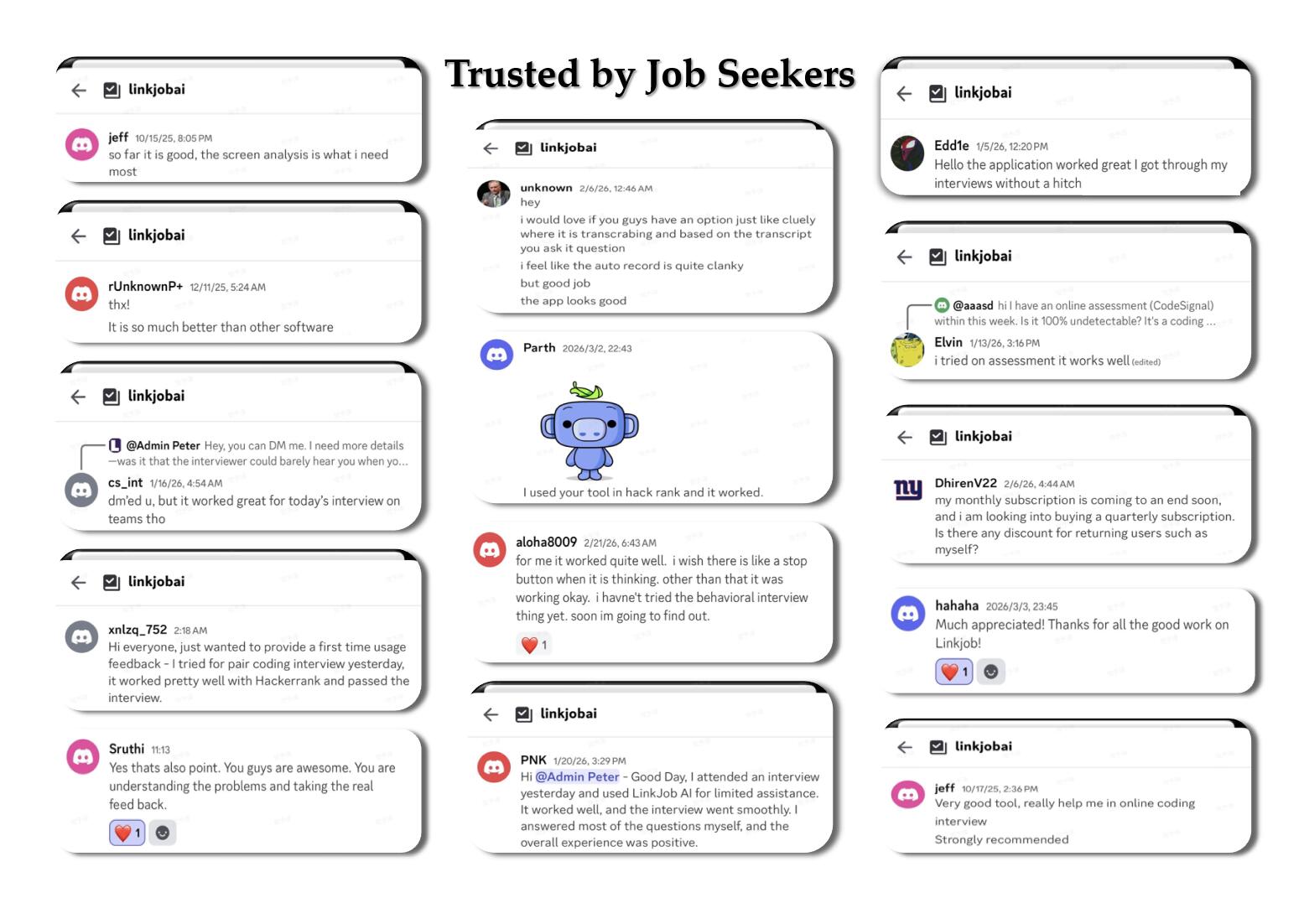
Why People Choose Linkjob AI
Smoother interviews, coding challenges cleared, and job offers landed. See how users describe their experience with Linkjob AI—in their own words.


© Copyright 2026 Linkjob AI - All Rights Reserved.