Can HackerRank Detect Multiple Monitors? What Changed in 2026

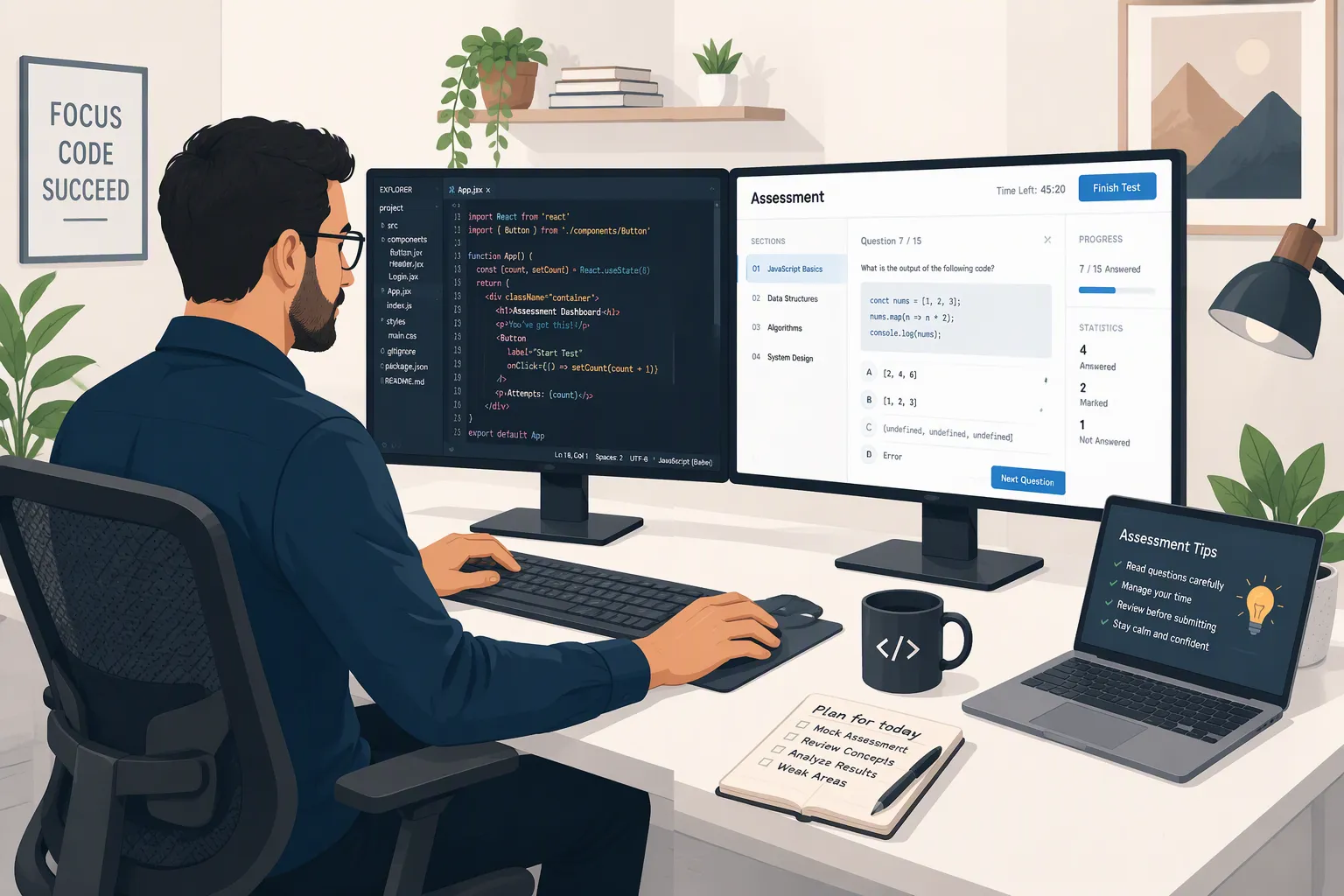
TL;DR: Can HackerRank detect multiple monitors in 2026? In theory, yes. But here's the catch: if you use Linkjob AI's newly launched multiple device mode — an AI interview assistant — and properly set up your phone as a second display, you can bypass HackerRank's detection measures.

If you're used to opening technical documents on a second screen while coding, you'll probably have a question in mind when you get an invite to an online coding test. Hey, can HackerRank detect multiple monitors? The short answer is yes. As of October 2026, I've gathered as much info as I can on HackerRank's multi-monitor detection to support this conclusion.
Over the past two years, HackerRank has really stepped up its game when it comes to handling multi-monitor setups. What started as a feature that just provided passive reporting signals has now turned into real-time automated blocking.
If your employer has Secure Mode, Proctor Mode, or the stricter Desktop App Mode on, hooking up an extra monitor might stop you from starting the test or automatically pause the timer during the test until you disconnect the extra hardware.
In 2026, HackerRank added even more ways to detect things like screen mirroring and eye movement to see who doesn't pay attention.
But whether you run into these restrictions depends entirely on the testing environment chosen by the recruiter and your browser. I'll walk through the timeline of when HackerRank started detecting multiple screens at once. I'll explain the trigger behaviors across different modes. I'll also cover the differences between hardware detection and other anti-cheating methods, like camera object recognition and gaze tracking.
Can HackerRank Detect Multiple Monitors Across All Assessment Modes?
So, if you're wondering, "Can HackerRank detect multiple monitors?" the best place to start is by knowing what kind of OA you're taking. Some people might not know that HackerRank has different tiers for its proctoring and anti-cheating features. Also, the tiers they offer employers vary.
According to the official HackerRank Test Integrity Documentation, employers choose between standard unproctored setups and three structured integrity tiers: Secure Mode, Proctor Mode, and Desktop App Mode.
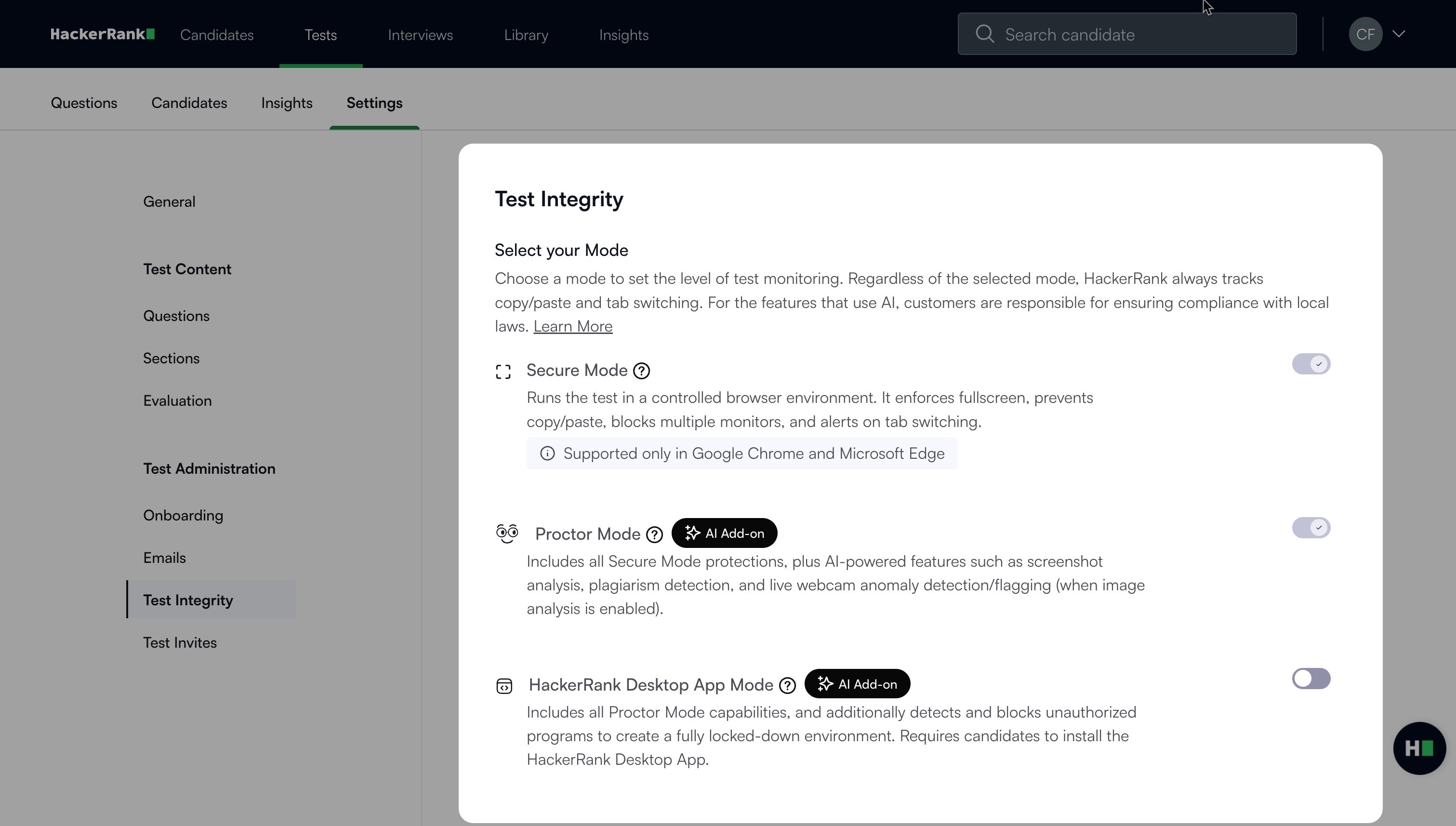
HackerRank offers layered integrity controls—ranging from browser-based Secure Mode and AI-assisted Proctor Mode to OS-level Desktop App Mode—allowing organizations to enforce single-monitor environments and monitor external display activity.
In older versions of the OA where the employer has disabled the proctoring feature, or in platforms that don't strictly monitor how many monitors there are, your second screen may be completely ignored or simply recorded as a passive note for the hiring manager's reference. But once the boss turns on the new proctoring mode or specifically turns it on, using a single monitor becomes a must.
To get a clear understanding of can HackerRank detect multiple monitors across different OA systems, I can compare the six environments currently in use in 2026 here:
HackerRank Environment | Multiple Monitors Handling | Screen Mirroring Check | Secondary Device & Behavioral Signals |
Legacy / Standalone Detection | Detects and logs in report (Disabled by default) | Not explicitly separated | None |
Secure Mode (Browser) | Blocks start & continuously checks / pauses | Not emphasized in browser docs | Tab-switch, clipboard, and full-screen locks |
Proctor Mode (Browser + AI) | Blocks start & continuously checks / flags | Less explicit than Desktop App | Webcam object detection (phones) + AI Gaze Detection |
Desktop App Mode (OS-Level) | Blocks start & forces disconnect to continue | Explicitly detects and blocks | Gaze + webcam + OS application & VM blocking |
Live Interview (CodePair) | Detects and logs to interviewer timeline | Depends on screen-share setup | Interviewer receives real-time integrity notifications |
Chakra (AI Interviewer) | Automatically pauses interview immediately | Automatically pauses interview | Halts AI responses and recording until restored |
As you can see in the table above, asking "Can HackerRank detect multiple monitors?" could get you flagged by the system for using a second monitor. You might have to provide proof to the interviewer directly. In Safe Mode, Proctor Mode, Desktop app Mode, and Chakra AI interviews, having an extra monitor will stop you from moving on before you even see the first coding question.
How Can HackerRank Detect Multiple Monitors? The Evolution From Logging to Blocking
There are a lot of conflicting forum posts online because candidates took tests during different eras of HackerRank's security updates. If someone tells you that using two screens only leaves a minor note on your report, they're talking about how the system worked before mid-2025.
Understanding how can HackerRank detect multiple monitors today requires looking at the four-stage evolution of the platform: Detect → Record → Enforce → Detect Mirroring → Add Behavioral Context.
Evolution Stage | Timeframe | Primary Mechanism | What Happens to the Candidate |
Phase 1: Signal & Logging | Pre-July 2025 | Passive browser display enumeration | Test continues normally; report logs total monitor count and changes. |
Phase 2: Proctor Mode Blocking | July 2025 | Pre-test & mid-test enforcement in Proctor Mode | Test refuses to start or pauses mid-session in Chrome and Edge. |
Phase 3: Secure Mode Rollout | October 2025 | Single-monitor enforcement moves to base tier | Even standard Secure Mode tests automatically pause when a display connects. |
Phase 4: Mirroring & Chakra | April – July 2026 | Desktop App OS checks & AI Interview rules | Blocks duplicated screens; Chakra AI halts live interviews instantly. |
Phase 5: Behavioral Context | Late 2026 | Limited Availability AI Gaze Detection | Flags repeated look-away-and-type patterns that suggest an off-screen display. |
Phase 1: Detection and Reporting as an Environmental Signal
In its earliest iteration, standalone Multiple Monitor Detection functioned purely as an observational tool. In the legacy early HackerRank impersonation detection Document, the feature was disabled by default and had to be manually toggled on by administrators.
“You can detect if an external display is connected to a candidate's device during an assessment.”
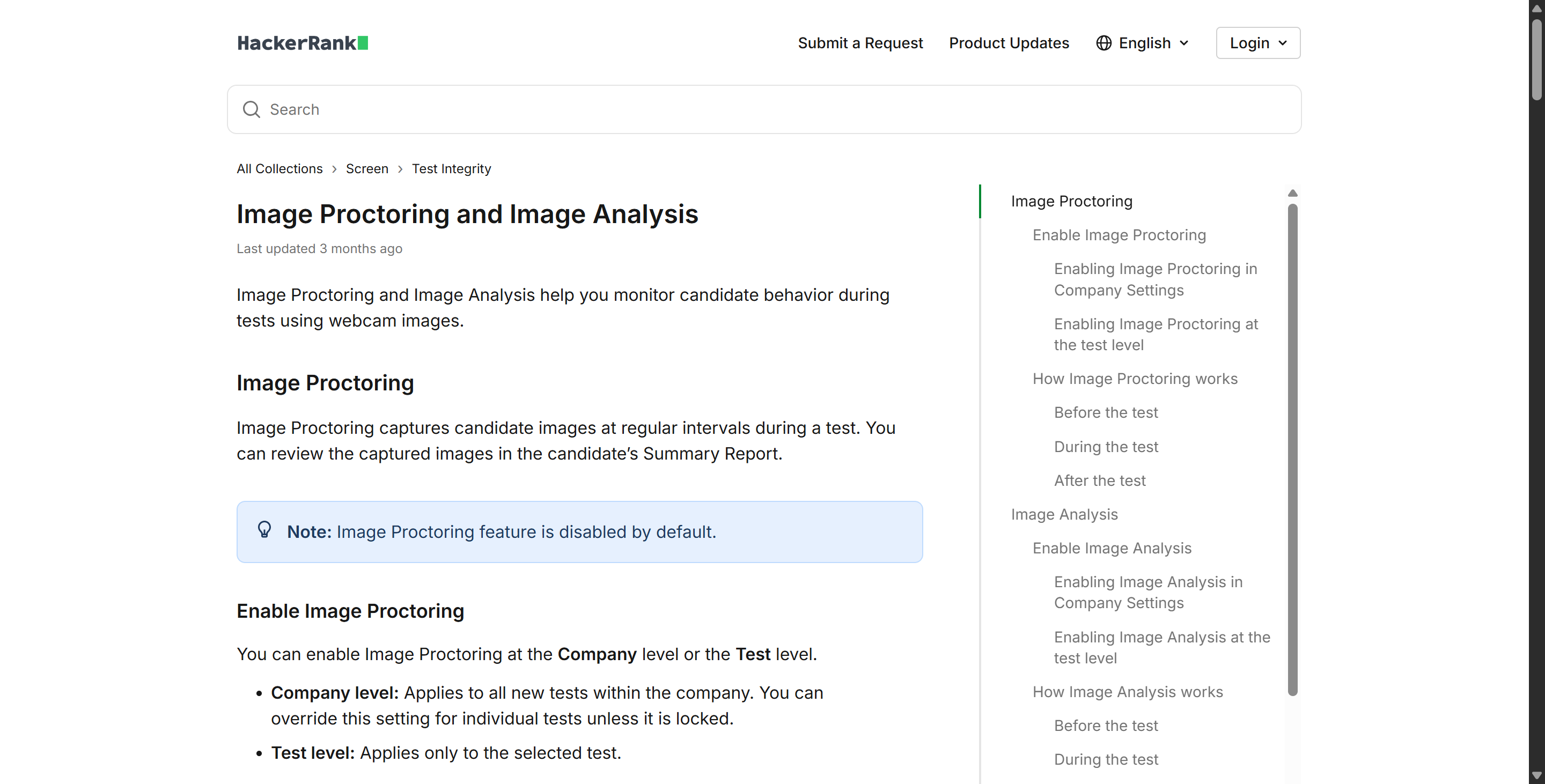
Back then, the workflow was simple: you plugged in an HDMI cable, HackerRank detected the hardware change, and the system added a timestamped event to the candidate timeline. It gave hiring teams additional context under the category of "monitoring suspicious environments," right alongside image proctoring, but it never interrupted your coding flow.
Phase 2 & 3: The 2025 Shift to Real-Time Single-Monitor Enforcement
Everything changed in the second half of 2025. With the release of the HackerRank July 2025 Release Notes, Enhanced Proctor Mode reached General Availability (GA) and introduced a feature explicitly titled Block Multiple Monitors.
"Candidates must use a single monitor. Tests won’t start (or will be paused) if multiple monitors are detected."
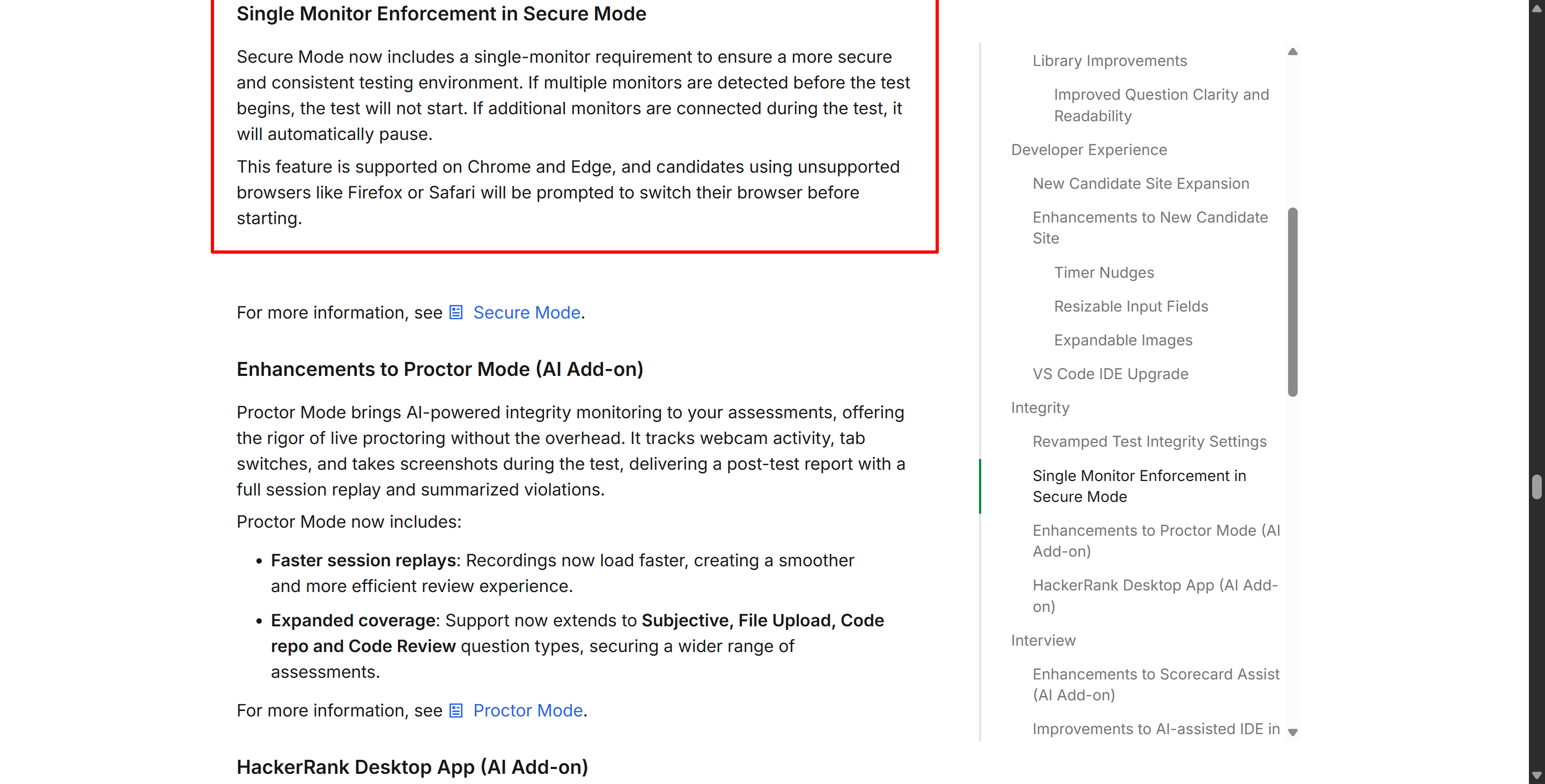
Three months later, in the HackerRank October 2025 Release Notes, the company pushed Single Monitor Enforcement in Secure Mode down to its foundational integrity tier. From October 2025 onward, an employer didn't even need to pay for or enable full AI webcam proctoring to block dual screens. If Secure Mode was active, the system checked your display count before launching and continuously verified that only one monitor remained connected throughout the session.
Browser Limitations in Browser-Based Enforcement
How can HackerRank detect multiple monitors from inside a web browser without installing software on your computer? It relies on modern Chromium Window Management and Screen Enumeration APIs. Because of this technical dependency, browser-based enforcement in Secure Mode and Proctor Mode specifically supports Google Chrome, Microsoft Edge, and other Chromium-based browsers.
If you open a Secure Mode or Proctor Mode assessment link in Mozilla Firefox or Apple Safari, which restrict how websites query external hardware displays, HackerRank will not simply let you bypass the check. Instead, the platform blocks you at the lobby screen and requires you to switch to Chrome or Edge before continuing.
Can HackerRank Detect Multiple Monitors vs. Screen Mirroring in Desktop App Mode?
Since browser-based dual-screen detection has become standard, I was curious: if I changed the operating system's display settings from "Extend these displays" to "Duplicate / Mirror these displays," could I bypass the rule?
When you extend the desktop, you end up with two separate workspaces. With mirroring, you get an identical pixel image on both physical screens.
Hey, do you know if HackerRank can detect multiple monitors when the screens are in mirror mode instead of extended mode? In a standard browser tab, it's really hard to tell the difference between a single monitor and a hardware mirror setup. That's exactly why HackerRank introduced its most stringent environment—Desktop App Mode.
In the HackerRank April 2026 Release Notes, the platform officially launched Screen Mirroring Detection in Desktop App as a direct expansion of its existing multi-monitor controls. Furthermore, the updated October 2026 HackerRank Desktop App Mode Documentation outlines exactly how OS-level display rules work today:
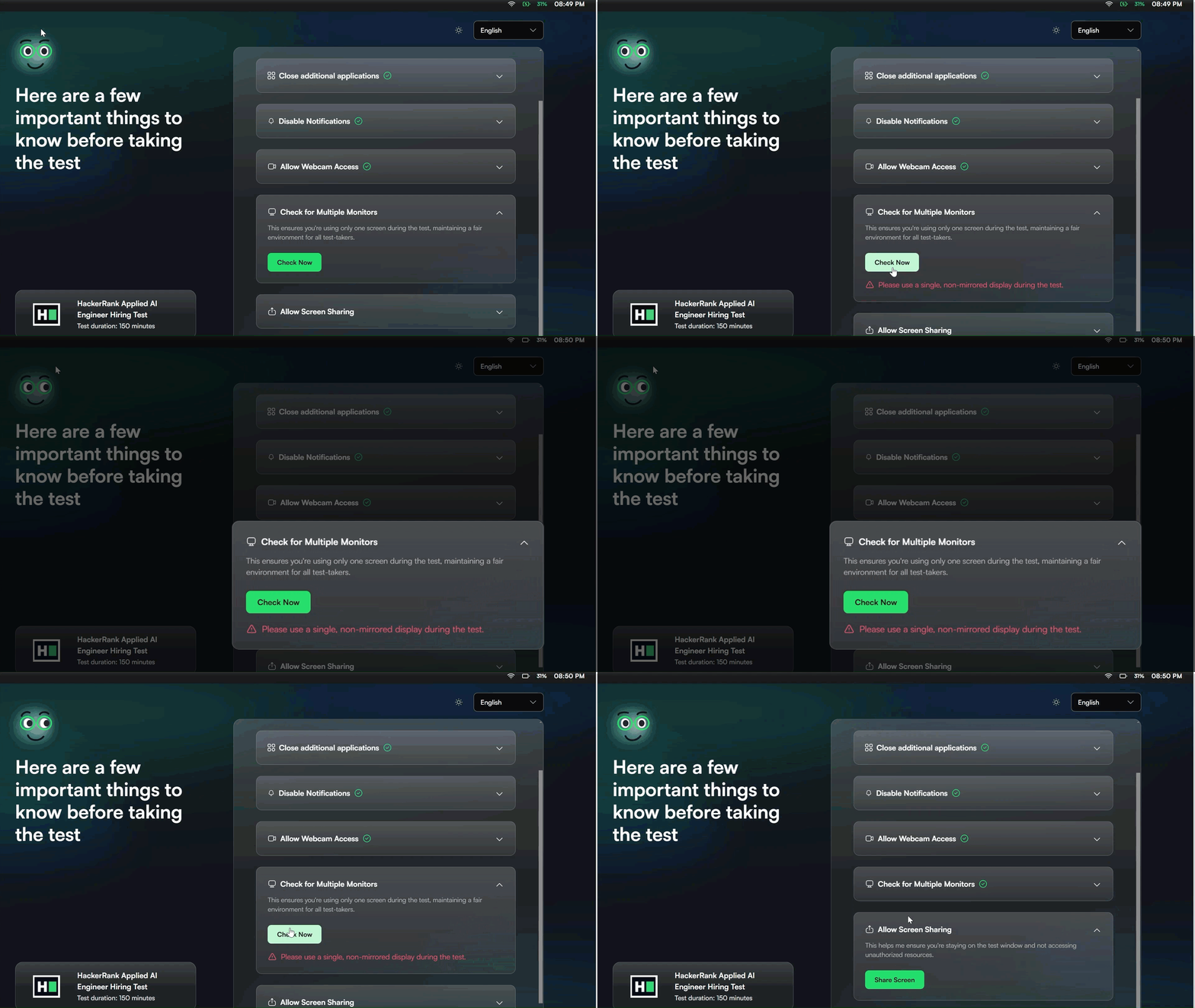
"The system checks for multiple monitors and screen mirroring (when the screen is duplicated on another display). Candidates can start the test only if a single, non-mirrored display is in use."
Since desktop apps operate outside the restricted browser sandbox, they can directly query the Windows or macOS display drivers and determine how many physical display adapters are currently active, as well as whether display duplication features (including wireless mirroring features such as AirPlay or Miracast) are in use. On top of the display lock feature, desktop apps also have certain controls that browsers just can't access.
Mandatory Application Closure: Forces you to quit background communication, IDE, or note-taking apps before launching.
Remote Access & Screen Sharing Blocks: Prevents TeamViewer, AnyDesk, Discord, or Zoom screen sharing from transmitting your test window.
Virtual Machine (VM) Prevention: Detects and blocks assessments opened inside virtualized environments like VirtualBox, VMware, or Parallels.
Native Screenshot Blocking: Disables OS-level print-screen utilities and third-party snipping tools.
How Can HackerRank Detect Multiple Monitors Compared to Gaze and Secondary Devices?
A lot of candidates make the mistake of confusing four completely different technologies when they're researching "Can HackerRank detect multiple monitors?" These technologies are: hardware monitor detection, screen mirroring detection, camera-based object detection, and AI-based gaze detection. These technologies operate independently and are designed to detect entirely different things.
For example, if you put an iPad, a smartphone, or a second laptop on the desk next to your main computer, the Multiple Monitor Detection feature won't be triggered. The reason is simple: these devices aren't connected to your main computer via an HDMI, DisplayPort, or USB-C video output port. The browser and desktop client can't just magically guess the hardware info of another computer just two feet away. That's why I love Linkjob AI—it's my go-to invisible AI interview assistant. It's got this cool dual-device mode that works like a charm.
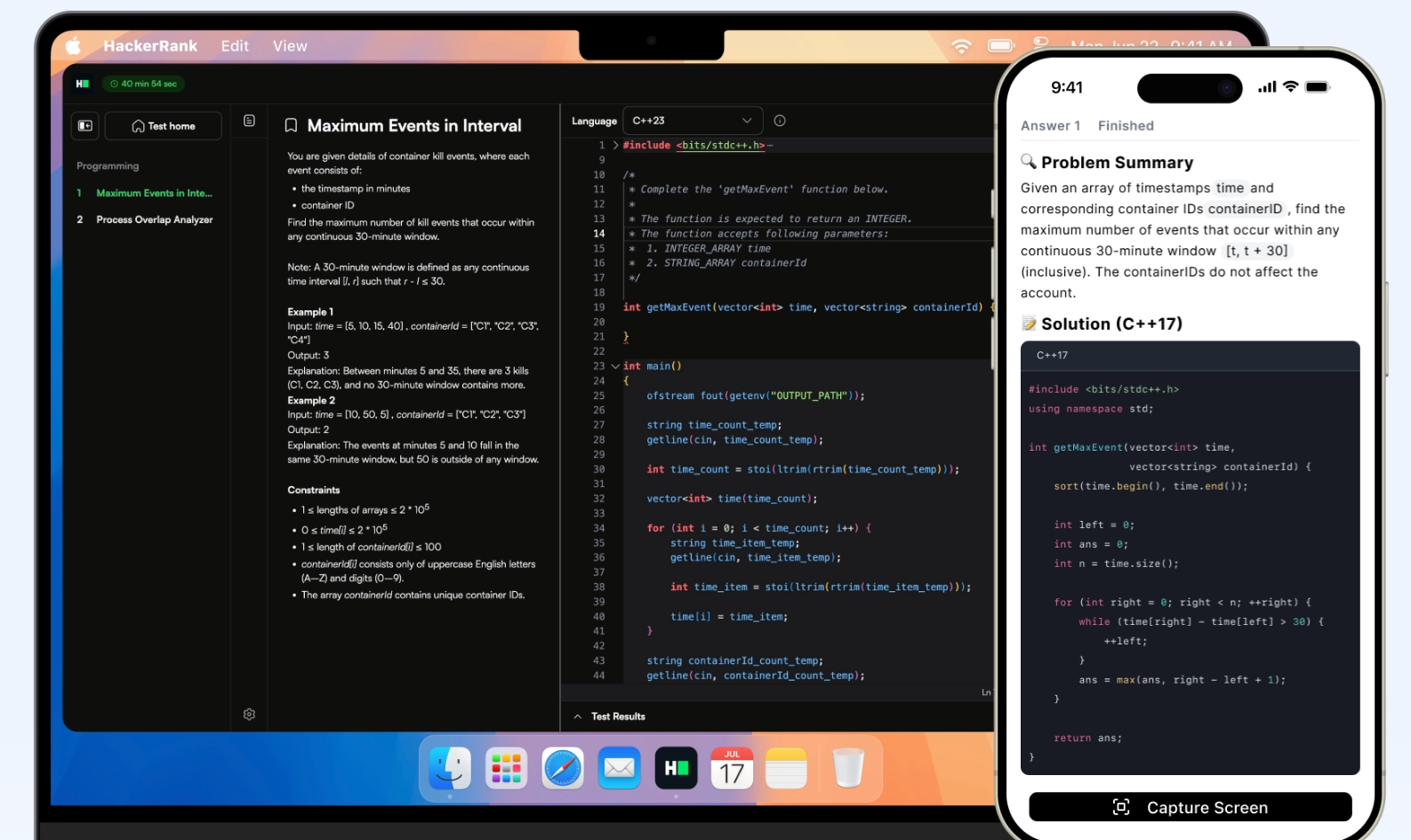
But that doesn't mean devices outside the screen won't be detected. In Proctor Mode and Desktop App Mode, HackerRank uses a combination of hardware display checks and computer vision AI running via the webcam.
Candidate Scenario | Primary HackerRank Capability | How It Works Technically | Enforcement / Output |
2nd HDMI / USB-C Monitor | Multiple Monitor Detection | Browser API / OS checks connected video outputs | Blocks test start or pauses test immediately. |
Duplicated / Wireless Display | Screen Mirroring Detection | Desktop App queries OS display duplication state | Blocks start; forces disconnect to resume. |
Phone or Tablet on Desk | Webcam Object Detection | AI scans webcam snapshots for mobile hardware | Logs high-priority visual flag (even if partially visible). |
Repeatedly Looking Off-Screen | Gaze Detection (Limited Availability) | AI tracks eye and head movement patterns | Logs medium-severity flag for human review. |
2nd Independent Laptop | Contextual Signals (Gaze + Webcam) | Cannot detect via display API; relies on behavioral cues | Flagged if candidate repeatedly looks away and types. |
The Role of Gaze Detection (July 2026 Rollout)
In the HackerRank July 2026 Release Notes, HackerRank introduced Gaze Detection (Limited Availability) within Proctor Mode. It is crucial to understand what this feature is—and what it isn't.
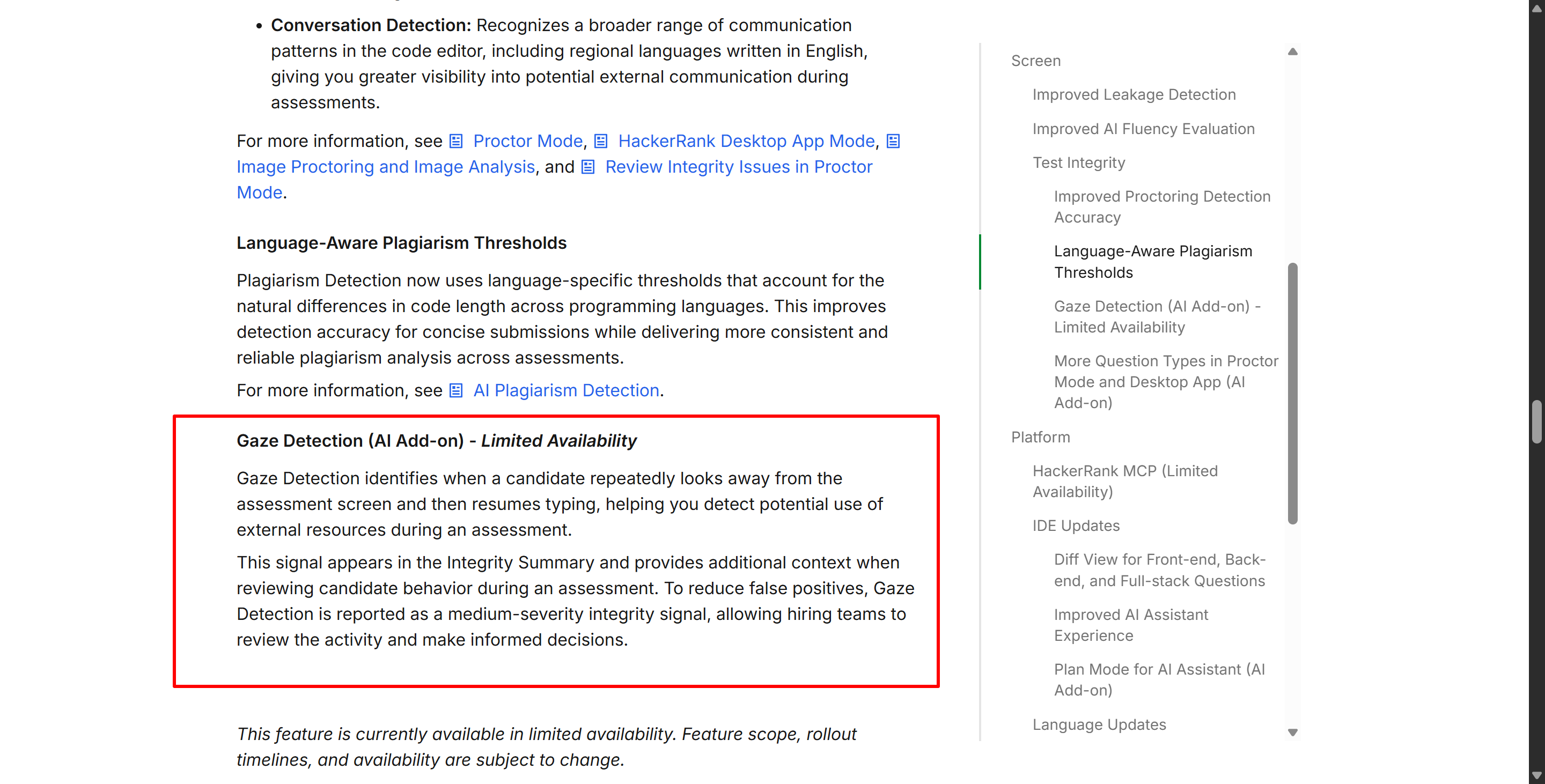
Gaze Detection is not a hardware monitor detector. It cannot prove that a second monitor exists on your desk. Instead, it analyzes your webcam feed for specific combinations of head and eye movements. According to the official documentation:
It mainly looks at, which I qoute, "candidate repeatedly looks away from the assessment screen and then resumes typing."
Since people tend to look up at the ceiling or to the side when thinking about complex algorithms, HackerRank classifies gaze detection as a medium-severity signal. It only triggers a flag when there's a "look away—return to typing" cycle and it's pretty confident and happens a lot. It also makes people have to do a manual review using session replays and webcam screenshots before they can reach a conclusion.
To sum it up, hardware detection tells you if a second screen is plugged in, while gaze detection just gives you more context about what the user is doing when they seem to be looking at another screen.
But when you run Linkjob AI on a smartphone placed next to the webcam (even if it blocks your computer screen a bit), gaze detection won't detect it.
Can HackerRank Detect Multiple Monitors in Live Interviews and Chakra AI?
Technical assessments aren't limited to self-paced coding tests. Many companies use HackerRank Interview (formerly CodePair) for live collaborative coding or Chakra, HackerRank’s automated AI interviewer. How can HackerRank detect multiple monitors in these live interview environments? The enforcement differs sharply between human-led and AI-led sessions.
Human-Led HackerRank Interviews
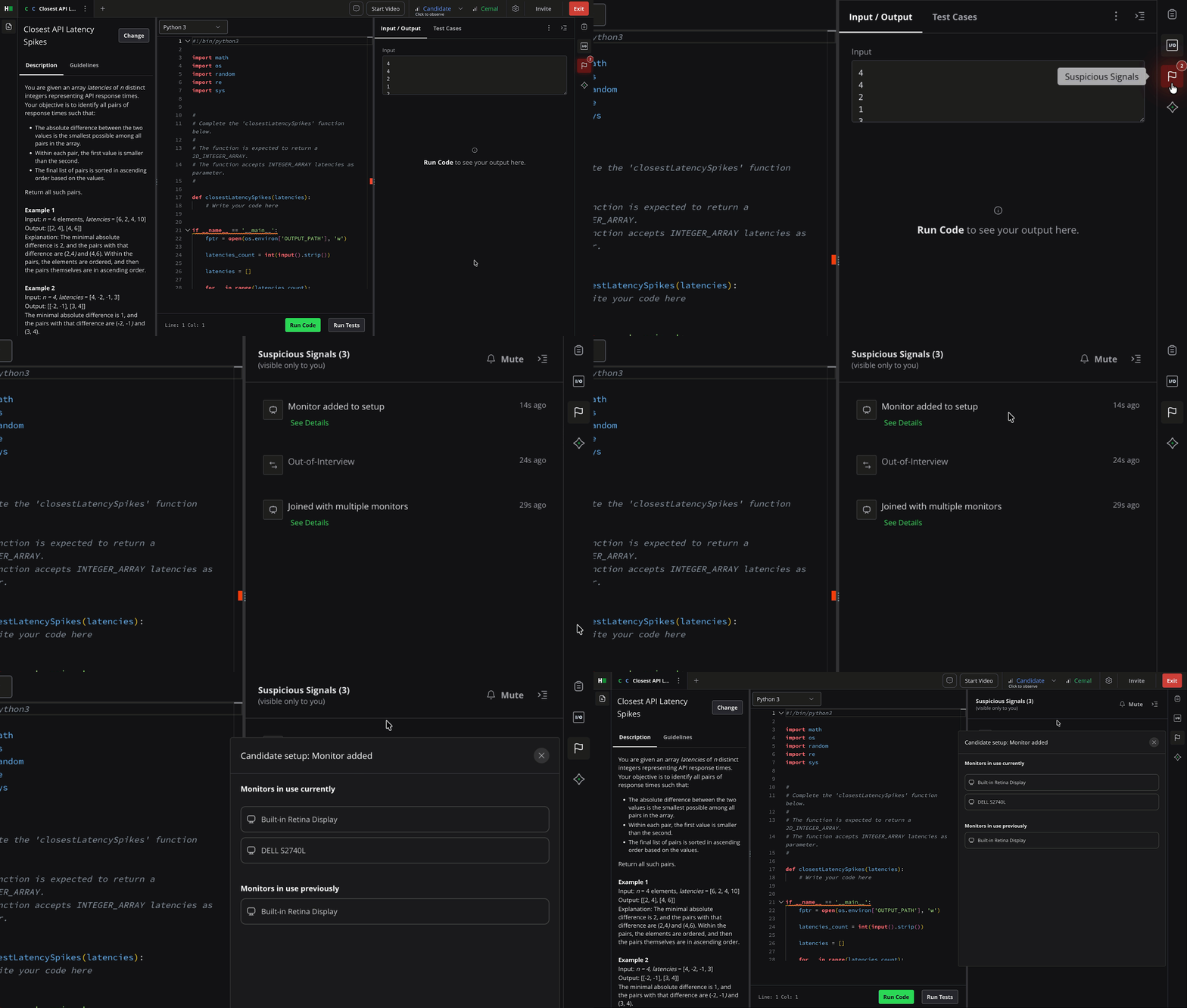
In a standard live interview with a human engineer, the platform prioritizes smooth conversation over abrupt lockouts. According to the HackerRank Interview Integrity Signals Guide, multi-monitor tracking works on a permission-and-notification model:
Display Access Prompt: When joining the interview in Google Chrome (currently the only supported browser for this specific interview signal), the platform asks you to grant display access.
Real-Time Timeline Logging: If you grant permission, HackerRank detects whenever additional displays are connected or disconnected and logs those exact events onto the interviewer's timeline.
Refusal Notification: If you decline the display access prompt, the interview still launches, but HackerRank immediately notifies the interviewer on their dashboard that display permissions were denied.
Rather than automatically freezing your screen mid-conversation, a live human interview treats an extra monitor as a real-time signal so the interviewer can ask you about your setup or observe your coding pace more closely.
Chakra AI Interviews (July 2026 Enforcement Upgrade)
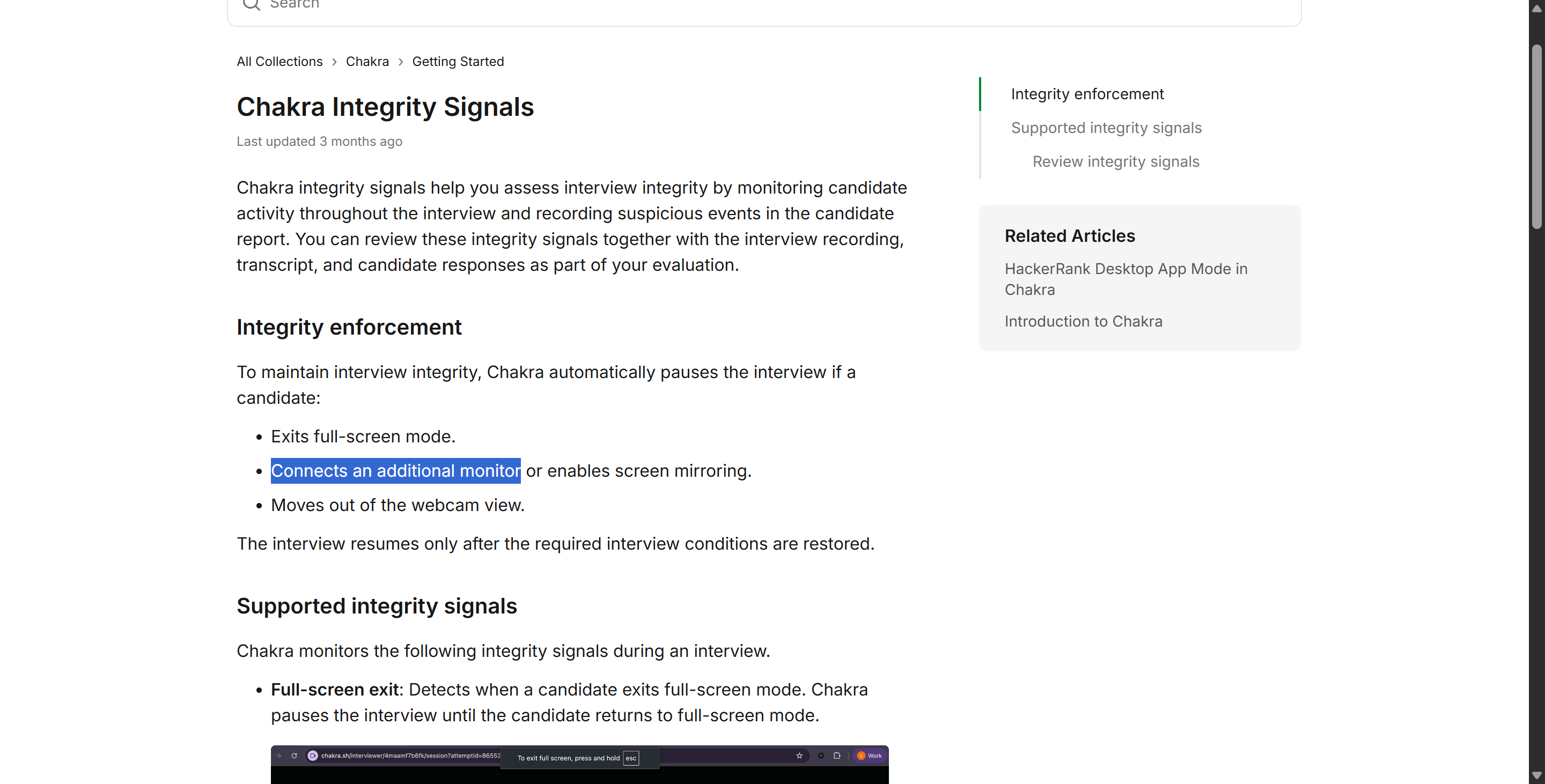
If your company uses Chakra, HackerRank's conversational AI interviewer, the rules are much stricter and mirror Secure Mode. As detailed in the Chakra Integrity Signals Documentation updated in July 2026, Chakra enforces automated environmental locks:
It was said that, I qoute:"Detects when a candidate connects an additional monitor or enables screen mirroring. Chakra pauses the interview until the candidate disconnects the additional monitor or stops screen mirroring."
6 Common Myths About How HackerRank Detects Multiple Monitors
Because proctoring updates rolled out rapidly between July 2025 and October 2026, outdated advice on Reddit and Blind continues to trip candidates up. Before you sit down for your assessment, make sure you aren't relying on these six common myths regarding can HackerRank detect multiple monitors:
Myth 1: "HackerRank only logs multiple monitors in a report."
Reality: That was true prior to July 2025. Today, Secure Mode, Proctor Mode, Desktop App Mode, and Chakra AI interviews can block your test from starting or automatically pause your active session if a second display is detected.
Myth 2: "Multiple monitor detection means HackerRank can see everything on my second screen."
Reality: Detecting that a second display is connected via a browser API or OS check is completely different from recording its pixels. Unless you explicitly grant full-screen sharing across displays or trigger OS-level screenshots, hardware detection simply knows a second screen exists, not what is open on it.
Myth 3: "Mirroring my display counts as using a single monitor."
Reality: Since April 2026, the HackerRank Desktop App and Chakra explicitly separate screen mirroring from extended displays and block both. You must use a single, non-mirrored screen.
Myth 4: "Having a phone or iPad on my desk triggers Multiple Monitor Detection."
Reality: Standalone mobile devices do not trigger hardware monitor checks. Instead, they are caught by Webcam Object Detection in Proctor Mode, which scans camera frames for phones and tablets.
Myth 5: "Gaze tracking proves I am using a second monitor."
Reality: Gaze Detection (rolled out in July 2026 in Limited Availability) is a medium-severity behavioral signal. Looking away while thinking is normal; the AI only flags repetitive "look-away-then-type" loops for a human recruiter to review alongside your code playback.
Myth 6: "Every HackerRank test enforces the exact same multi-monitor rules."
Reality: Enforcement depends entirely on the mode chosen by your employer (Unproctored vs. Secure vs. Proctor vs. Desktop App) and your browser environment.
To avoid being locked out at the last minute on the day of the exam, please physically unplug any HDMI, DisplayPort, or USB-C video cables from your computer before clicking the assessment link. Just pressing the power button on your monitor usually leaves the display controller in a connected state in Windows or macOS, which might still trigger multi-monitor detection. You might also find the following tips helpful:
Unplug any video cables you don't need.
Close any screen-sharing software running in the background.
Use a clean Google Chrome profile.
When support is needed, use Linkjob AI's multi-device mode and position your phone appropriately to avoid gaze detection and other detection criteria.
Frequently Asked Questions (FAQ)
Can HackerRank Detect Multiple Monitors During a Coding Test?
Yes, HackerRank detects connected external displays before and during assessments, and modern integrity modes will block or pause your test until you switch to a single screen.
Can HackerRank Detect Multiple Monitors If One Screen Is Turned Off?
Yes, turning off a monitor's power button often leaves the display adapter logically connected to your computer, so you should physically unplug the video cable from your device.
Can HackerRank Detect Multiple Monitors Across All Web Browsers?
No, browser-based single-monitor enforcement currently relies on Chrome, Edge, or Chromium browsers, which is why Secure and Proctor Modes require Firefox and Safari users to switch browsers.
Does HackerRank Desktop App Detect Screen Mirroring?
Yes, since April 2026, the HackerRank Desktop App explicitly detects duplicated or mirrored displays and requires you to use a single, non-mirrored screen to start or continue.
Will My Test Automatically Pause If I Plug In a Monitor Mid-Test?
Yes, in Secure Mode, Proctor Mode, Desktop App Mode, and Chakra AI interviews, connecting an additional display during the assessment automatically pauses the session or forces a disconnect prompt.
Can HackerRank See What Is Displayed on My Second Monitor?
No, hardware multi-monitor detection only identifies that an extra display is connected; it does not capture the visual contents of that second screen unless screen recording is active.
Does Gaze Detection Prove a Candidate Used a Second Monitor?
No, Gaze Detection is a medium-severity behavioral signal that flags repeated look-away-and-type patterns for human review rather than proving external display hardware is connected.
Can HackerRank Detect a Separate Laptop or Tablet via Monitor Detection?
No, an independent laptop, tablet, or phone not wired as a display won't trigger monitor detection, though Proctor Mode can flag mobile devices using webcam object detection.
See Also
My Secret Tricks for Invisible AI Help on CodeSignal Proctored Tests 2026
Using AI to Successfully Pass My Microsoft Teams Interview in 2026
Navigating the 2026 Meta CodeSignal Test to Secure a Job Offer
2026 User Review: Opinions on AI Mock Interview Tools and Platforms
Testing Five Top AI Interview Platforms That Amazed Me in 2025
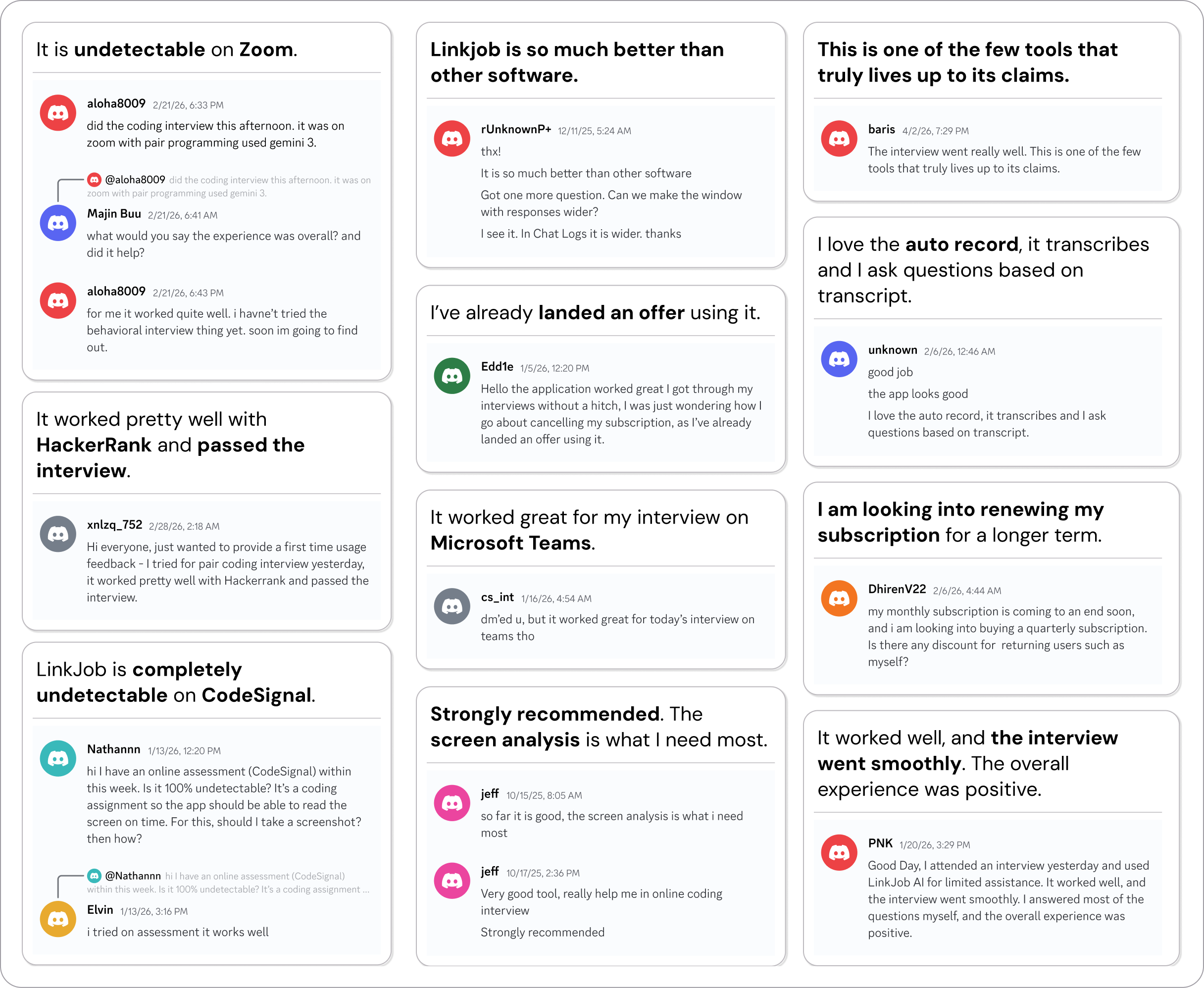
Why People Choose Linkjob AI
Smoother interviews, coding challenges cleared, and job offers landed. See how users describe their experience with Linkjob AI—in their own words.

© Copyright 2026 Linkjob AI - All Rights Reserved.